Lenovo IdeaPad Y580-20994BU Laptop Review
A Good Idea? The $1000 you'll put down for a Y580 will net you high-end performance from some of the top-end Ivy Bridge and Kepler processors. Is this Lenovo best-seller a must-have for gamers and multimedia users on-the-go?

The IdeaPad Y Series offers some of the best performance for the price as far as Lenovo is concerned. In recent years, the Y models have always included moderately high-end Intel CPU and GPU options at the time of their respective launches. The 2010 Y460/Y560, for example, are powered by mid-tier Radeon GPUs (e.g., HD 5650, HD 6570M), while the 2011 Y470/Y570 models made the switch to GeForce cards with the 550M/555M.
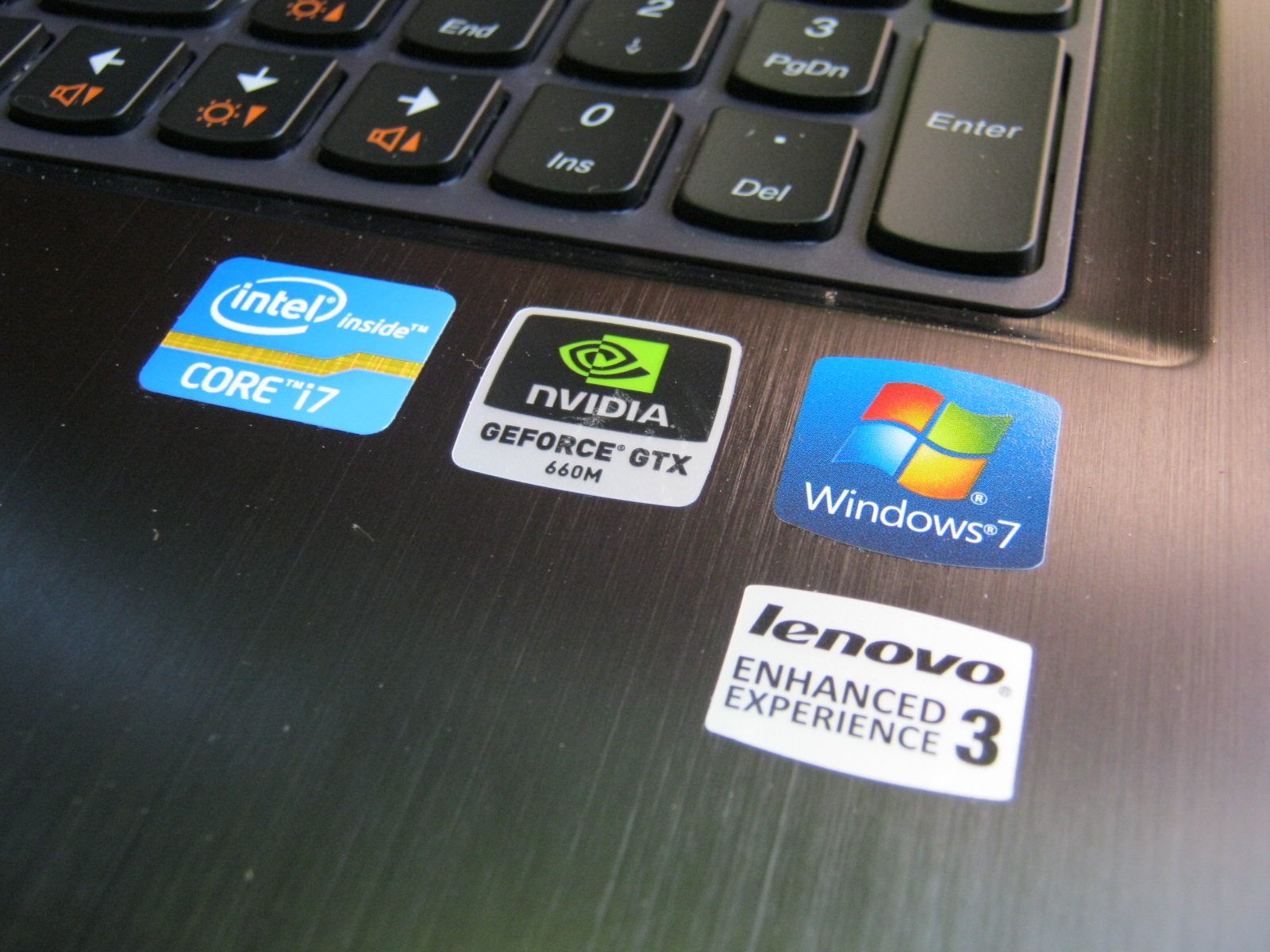
Now that the Ivy Bridge and Kepler debuts are out of the way, it was only natural that the 2012 Y480/Y580 models would be armed with both of these latest offerings from Intel and Nvidia. Revealed at CES earlier this year, Lenovo promises a system with a Core i7-3610QM, 2GB GeForce GTX 660M GPU and 8 GB RAM for $899.
In this review, we take a closer look at the 15.6-inch Y580-20994BU. While this particular model starts at $1099, it’s worth noting that the base model includes the same CPU and GPU and even an equal amount of RAM for $200 less; the only noteworthy differences are the 5400 RPM HDDs (500GB vs. 1TB) and display resolutions (720p vs. 1080p). Nonetheless, users should be able to customize with higher-end i7-3xx0M CPUs and an mSATA drive for RST caching purposes.
Case
Make no mistake – opting for a consumer-oriented IdeaPad instead of a professional ThinkPad means sacrificing both case quality and durability of the latter for potentially better internal performance and consumer-centric features of the former. With that in mind, the Y580 has an exterior more akin to a stationary DTR than a notebook that is meant to be constantly carried and transported around.
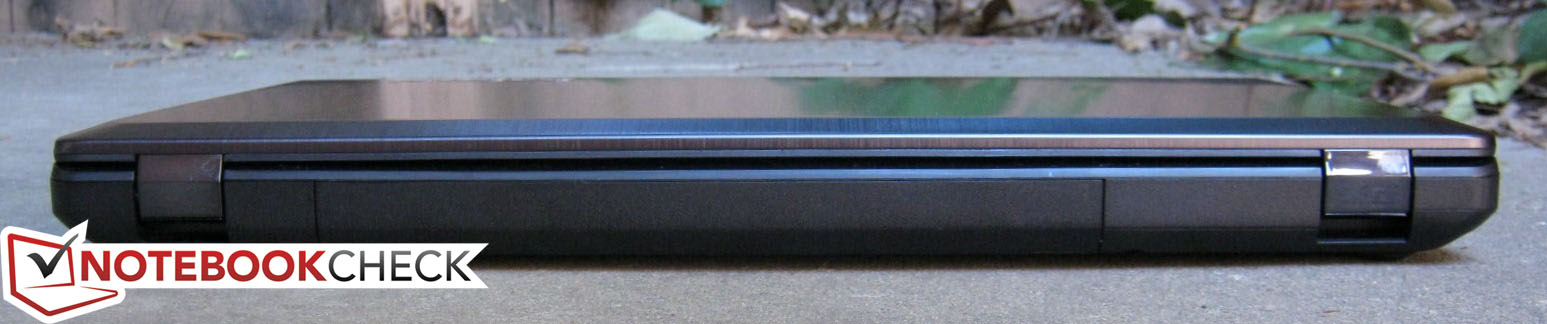
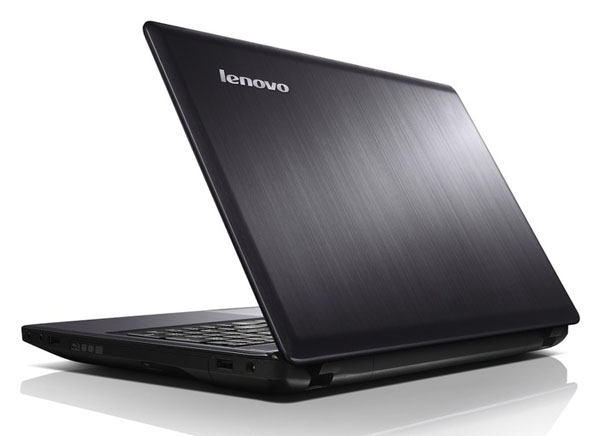
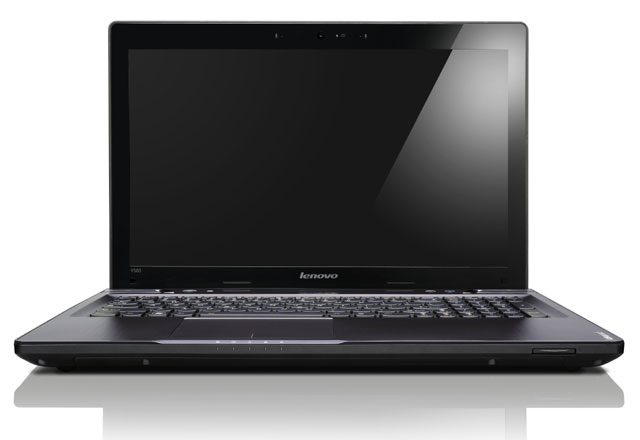
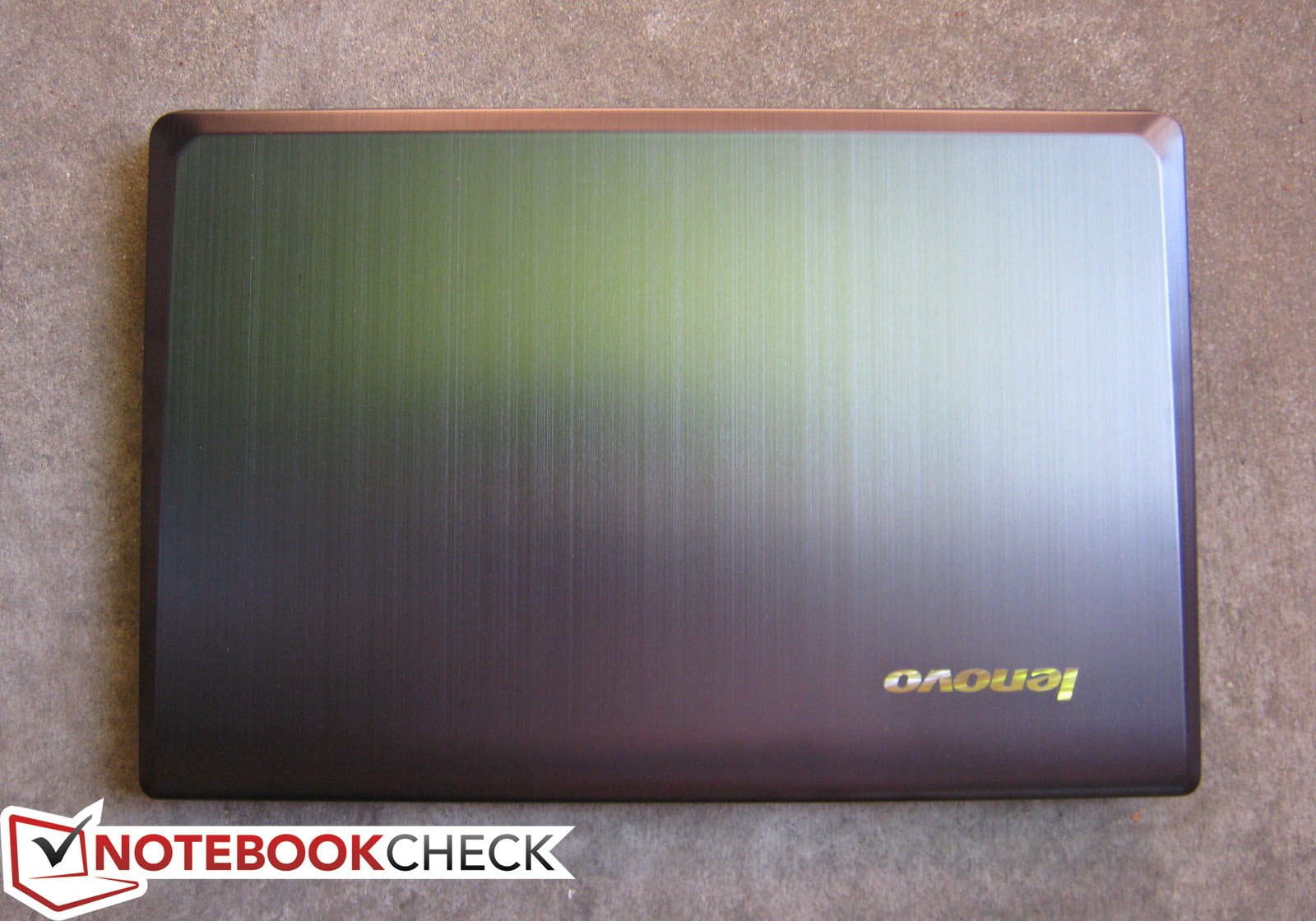
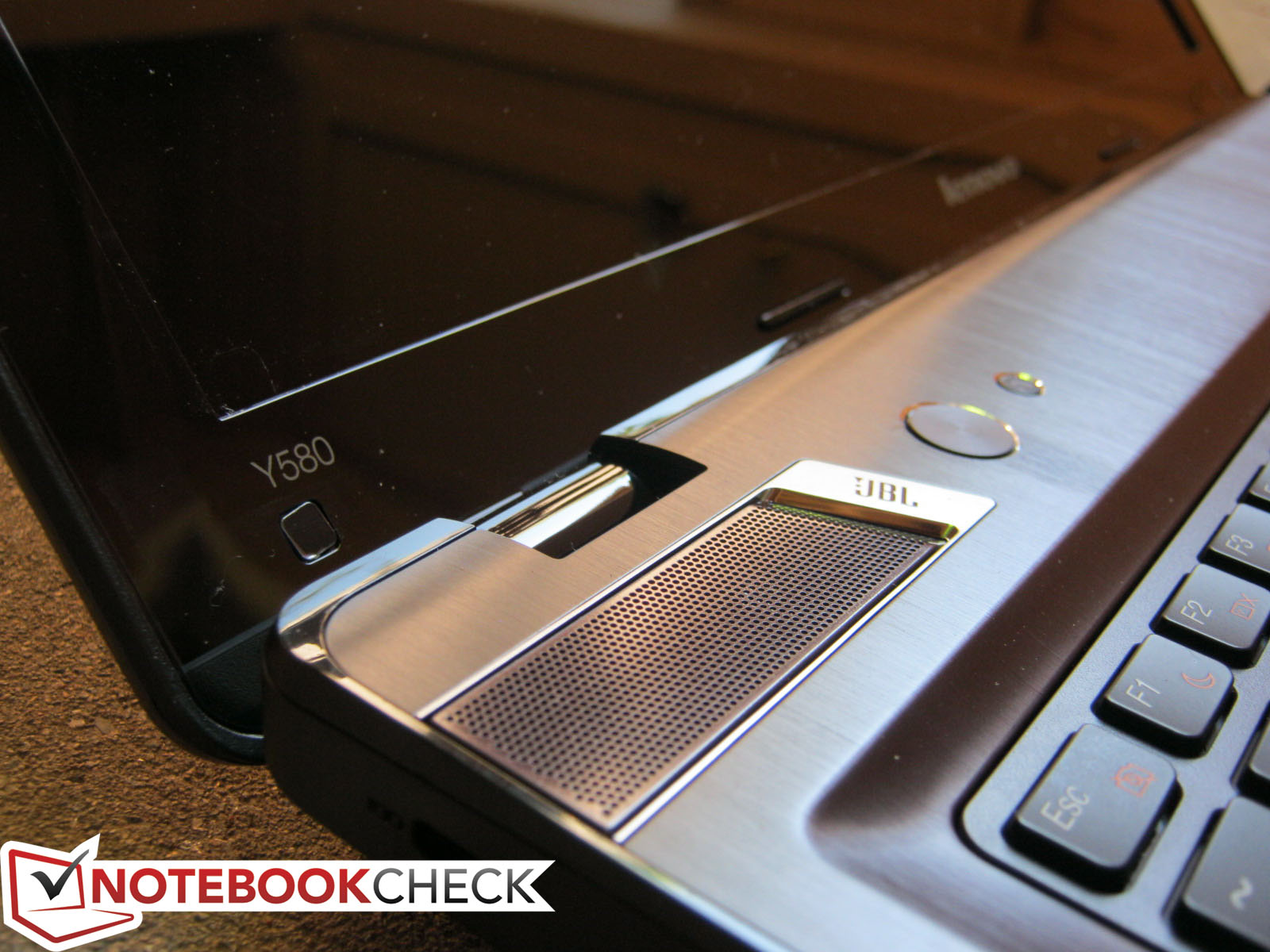
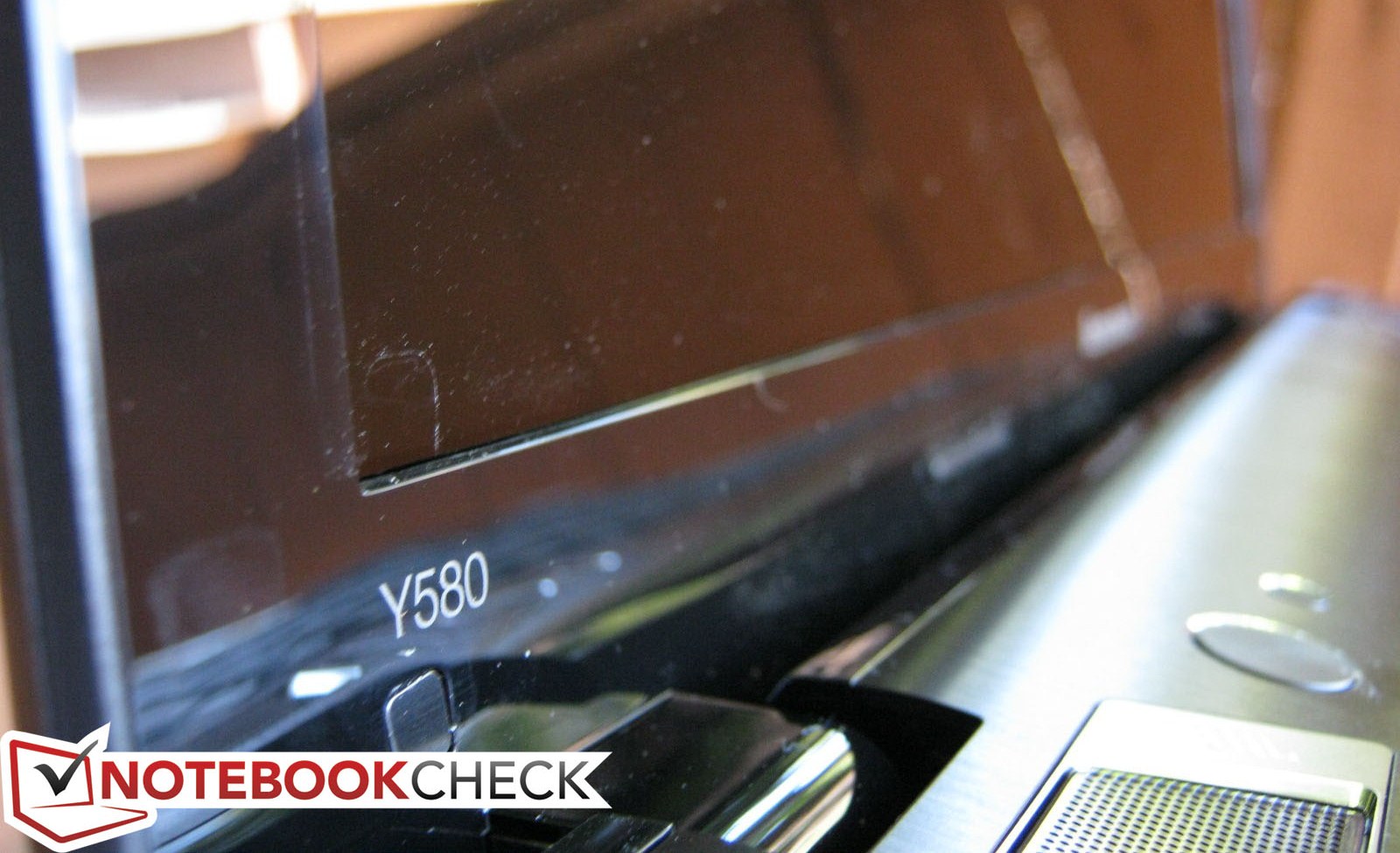
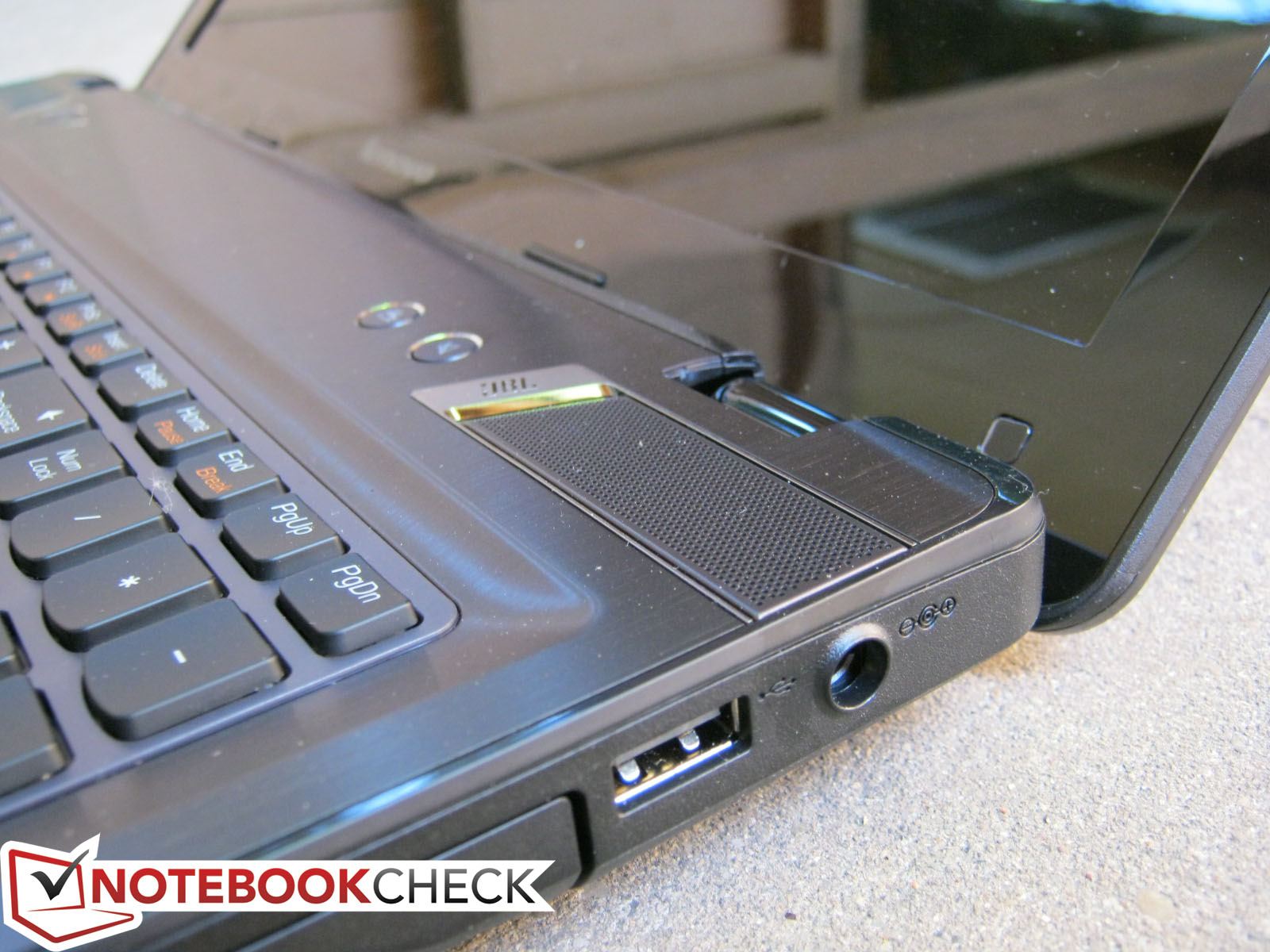
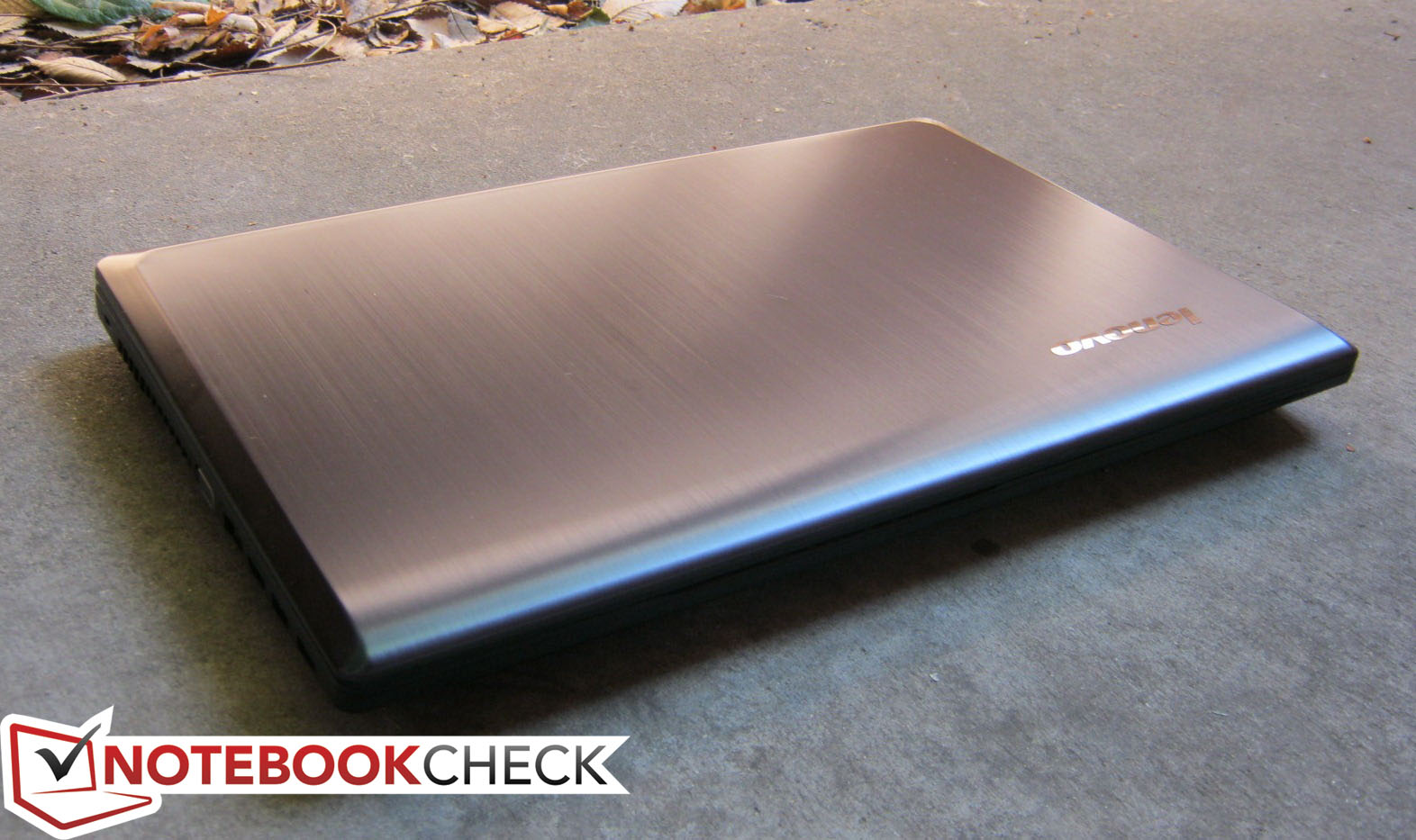
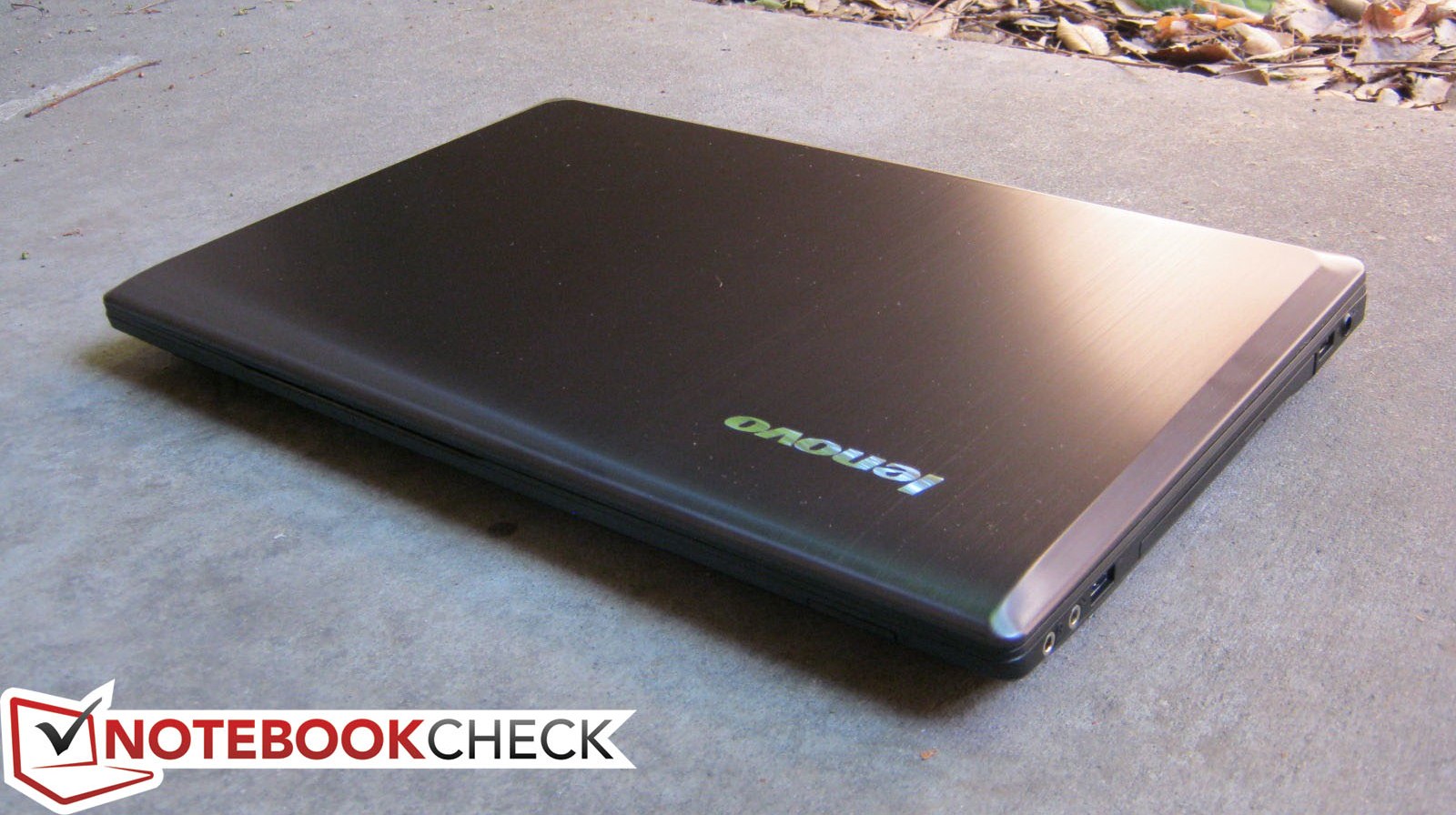
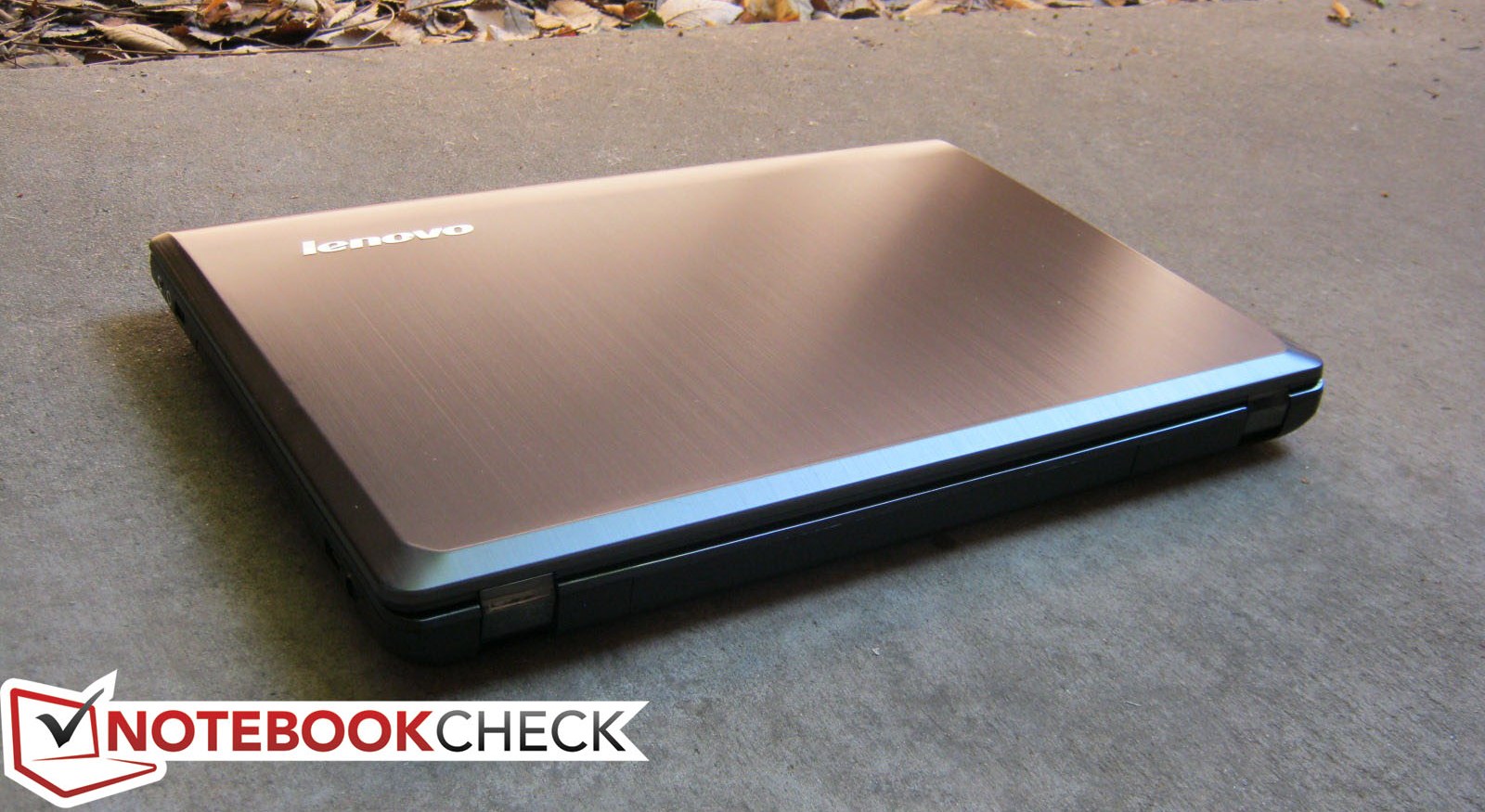
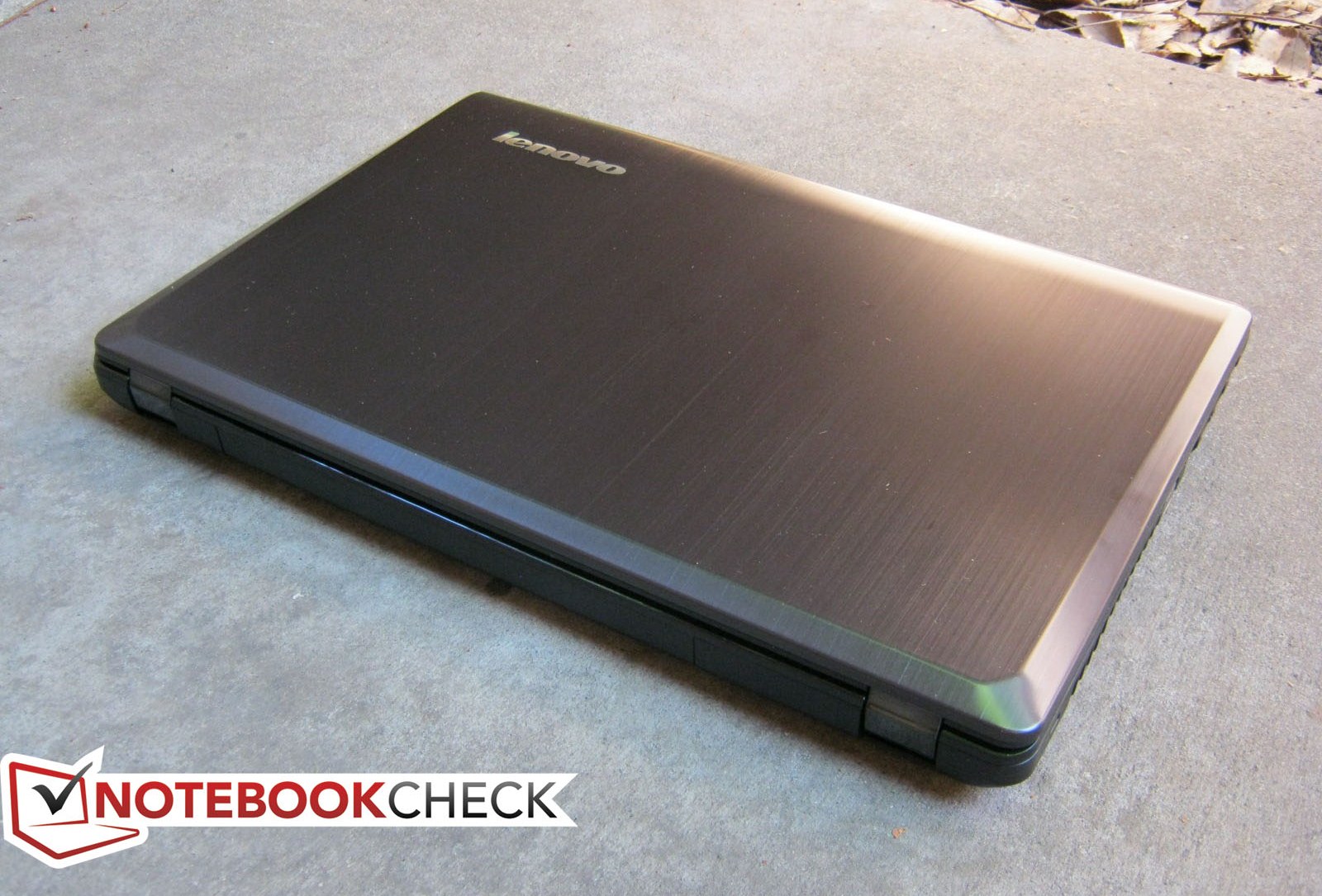
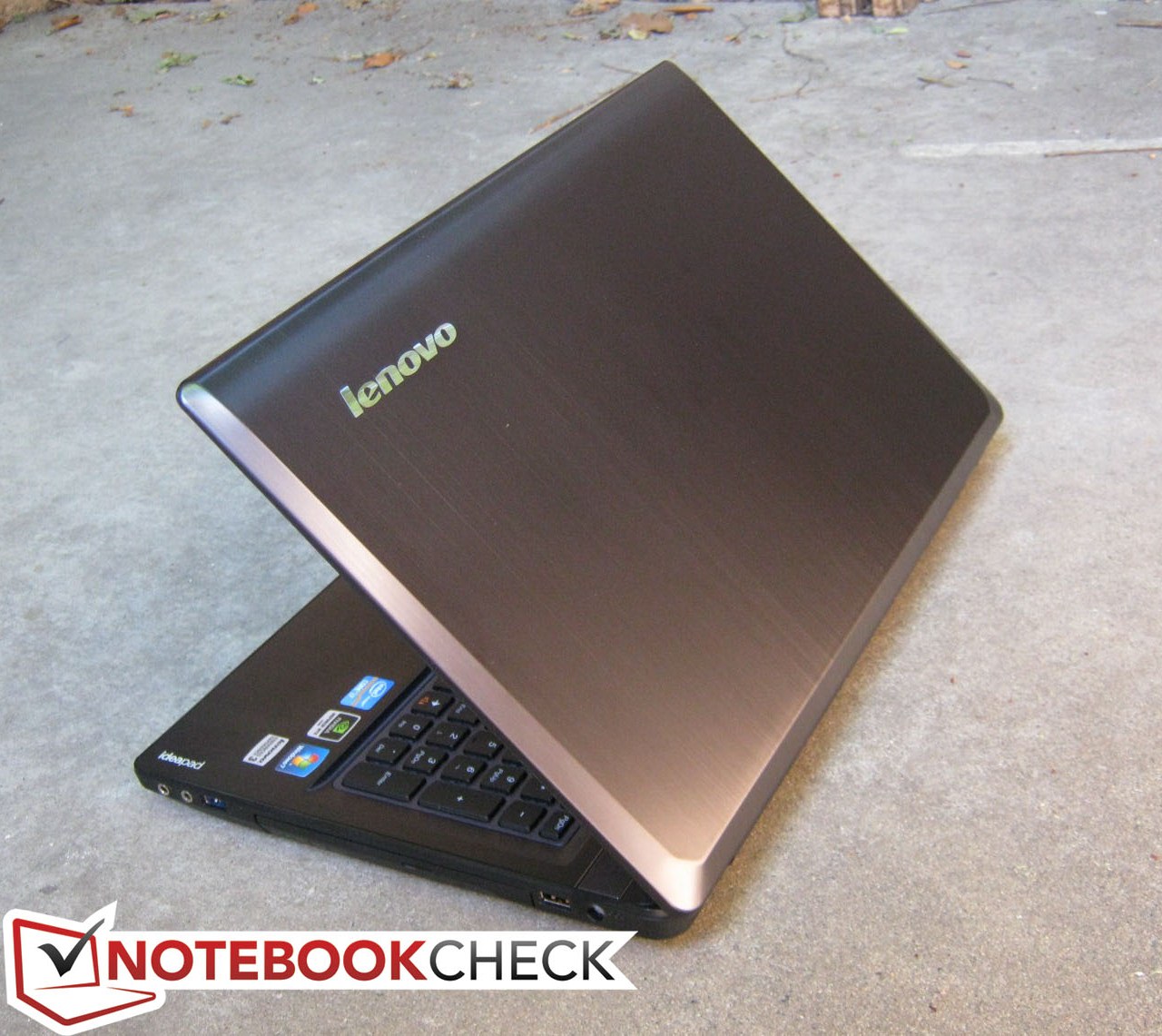
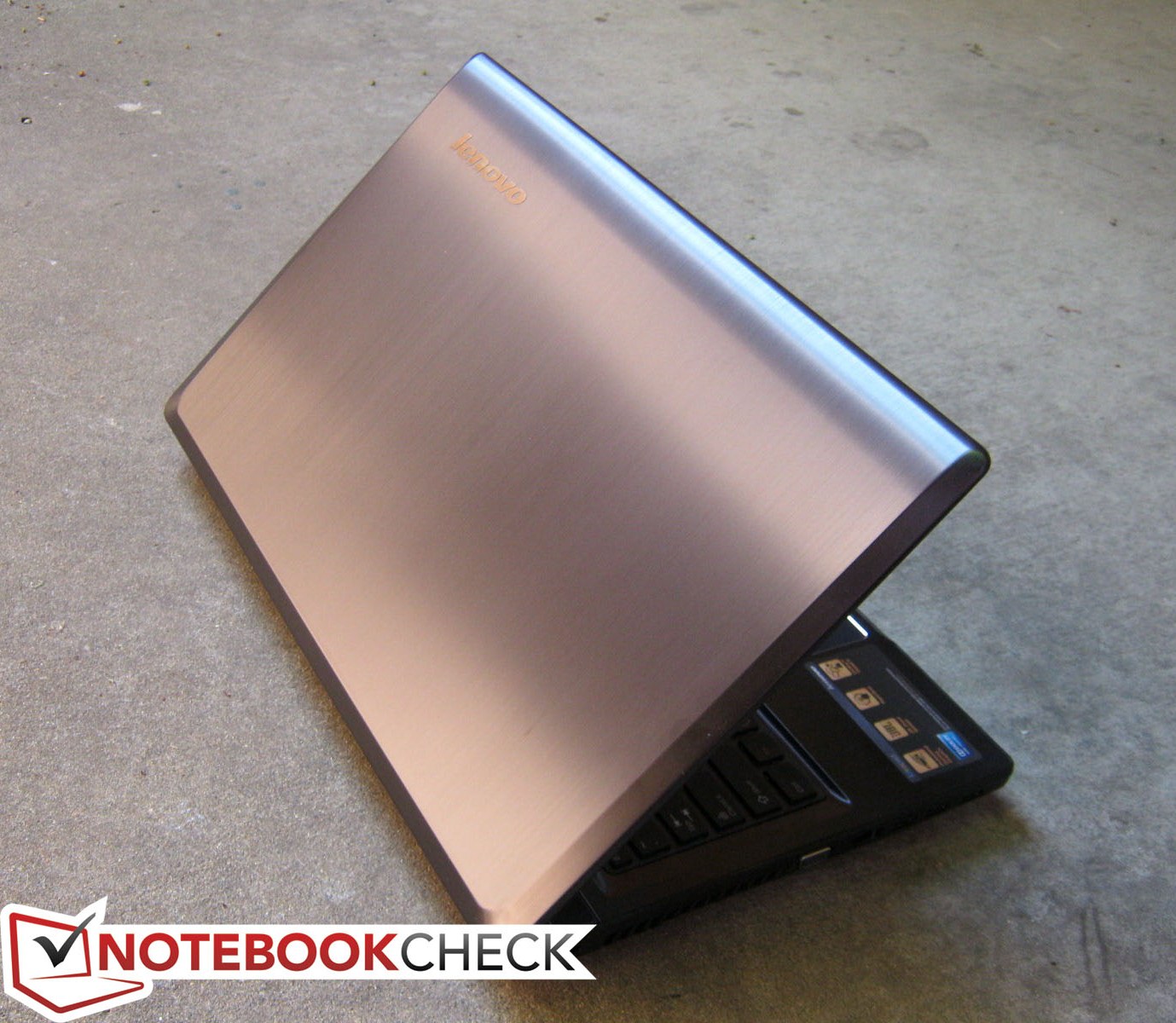
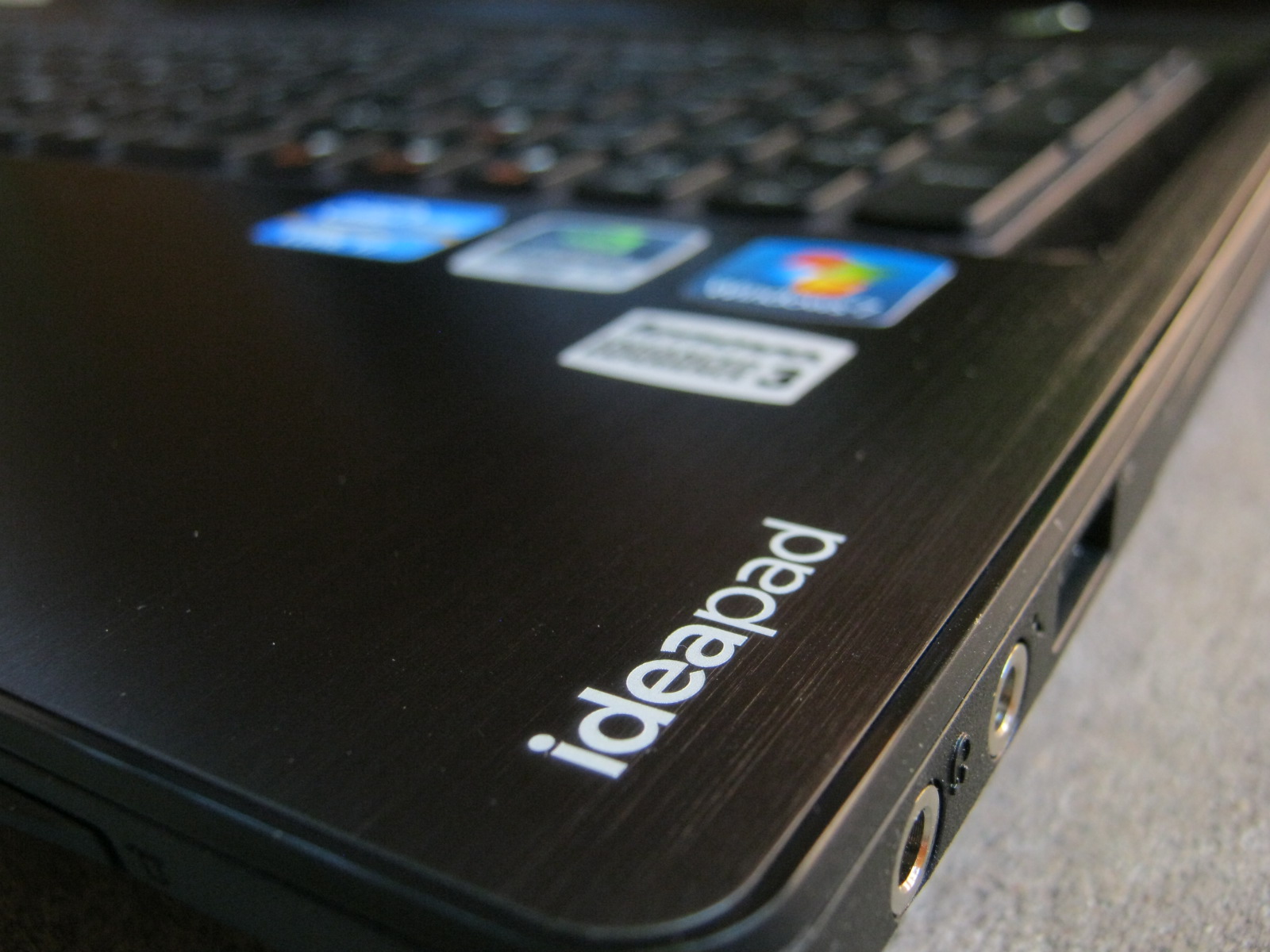
Appearance has been notably improved over last year’s Y570. While thickness has remained unchanged at 35.7 mm, the sleeker dark gray outer lid and black palm rests now have a lustrous and silky brushed metal appearance instead of the more dull and plastic look of the predecessor. The chassis utilizes both aluminum and polycarbonate plastic, although the metal is used much more conservatively. The inner bezel, for example, is mostly reflective plastic that seems a bit out of class compared to the more elegant brushed finishing of the lid and base. In other words, the plastic lining makes the Y580 look cheap relative to its one grand price tag. The rest of the notebook is otherwise quite stylish from its chrome-lined touchpad, buttons, and JBL speakers. Be ready to face fingerprints and dust, however, as they will accumulate everywhere quite easily.
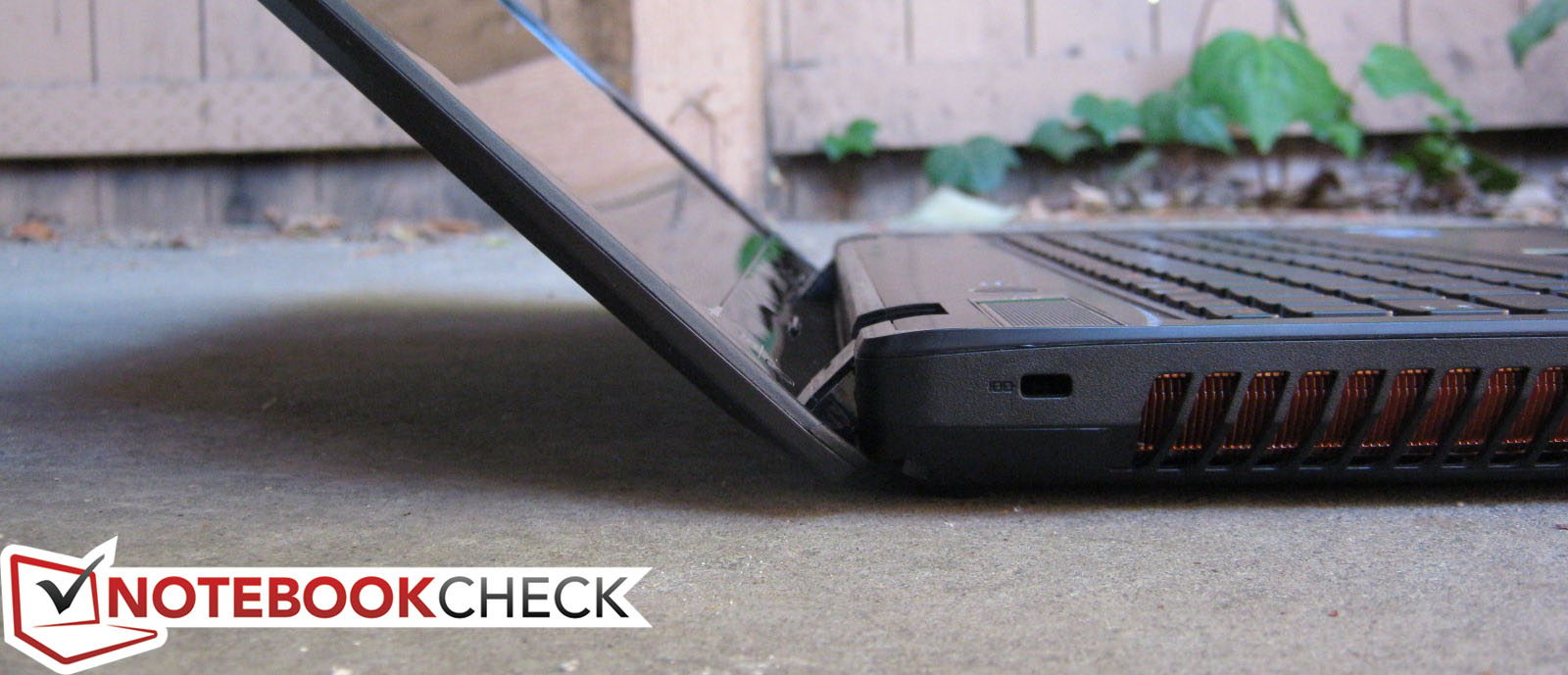
Despite the upgrades in overall appearance, case quality is a mixed bag. The outer lid in particular is very susceptible to pressure and feels very thin; a slight depression can be observed even by putting a smartphone on top of the notebook. Compared to other notebooks we have tested, the stability of the outer lid is below average and we would recommend a carrying case or sleeve if the notebook is to be transported by backpack alongside other items.
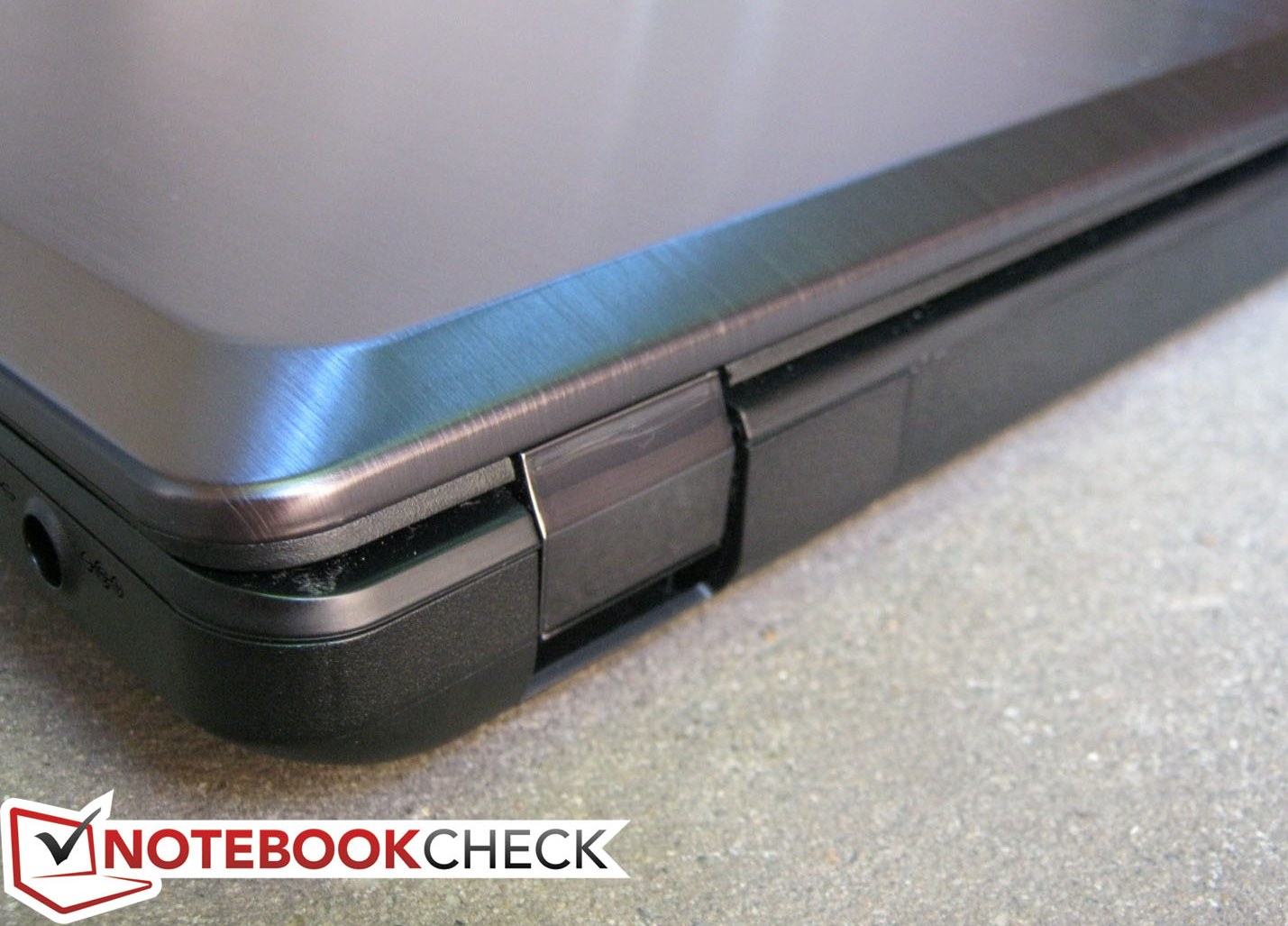
On the bright side, the hinges are relatively stiff (only minor amounts of vibration if not on a stable surface) and the lid shows no severe amount of edge-to-edge twisting. The base of the notebook is moderately well-built and sturdy with no creaking or significant flexing. Even the center of the keyboard, which is usually a weak spot for most notebooks, has better-than-average resistance to pressure. Perhaps the only area in need of most improvement is the touchpad itself as it can also feel quite thin and cheaply made.
The overall chassis is satisfying in appearance, but the feel and texture lean towards a plastic impression that is not quite representative of its high starting price. Especially when compared to the similarly priced HP Envy 15 series, the Y580 could benefit from stiffer and hardier materials.
Connectivity
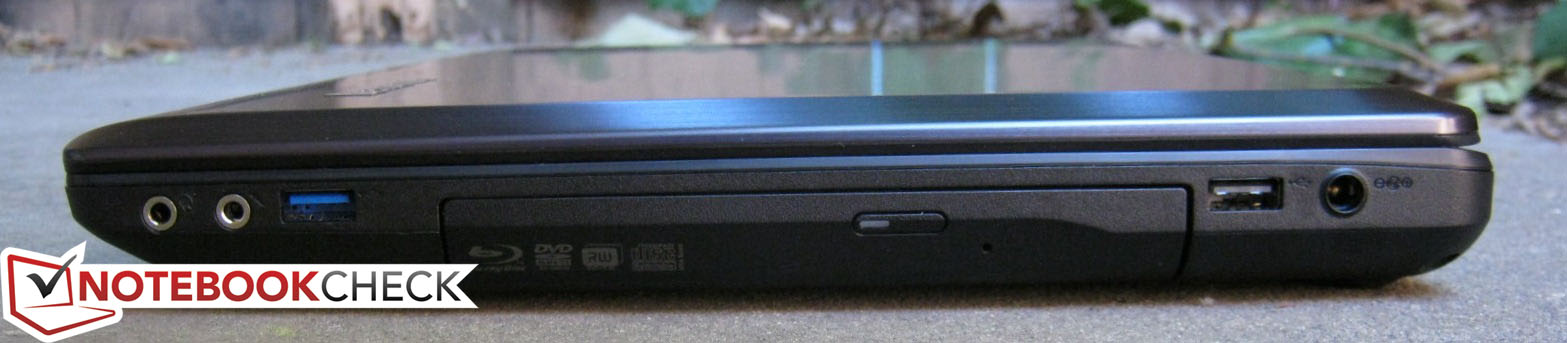
A multimedia-centric notebook such as this should be littered with enough connectivity options to satisfy the home user. In this regard, the Y580 provides just enough for home entertainment use.
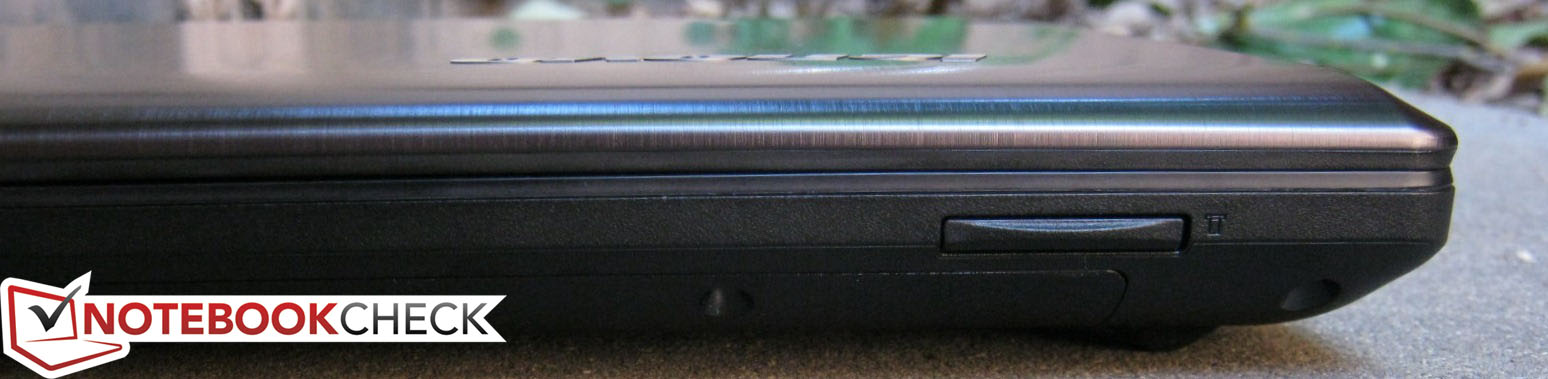
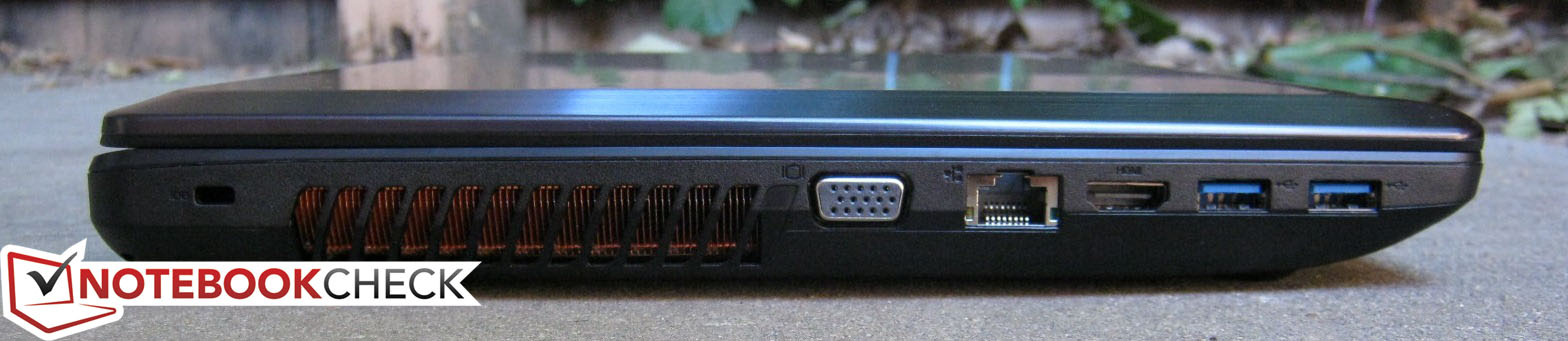
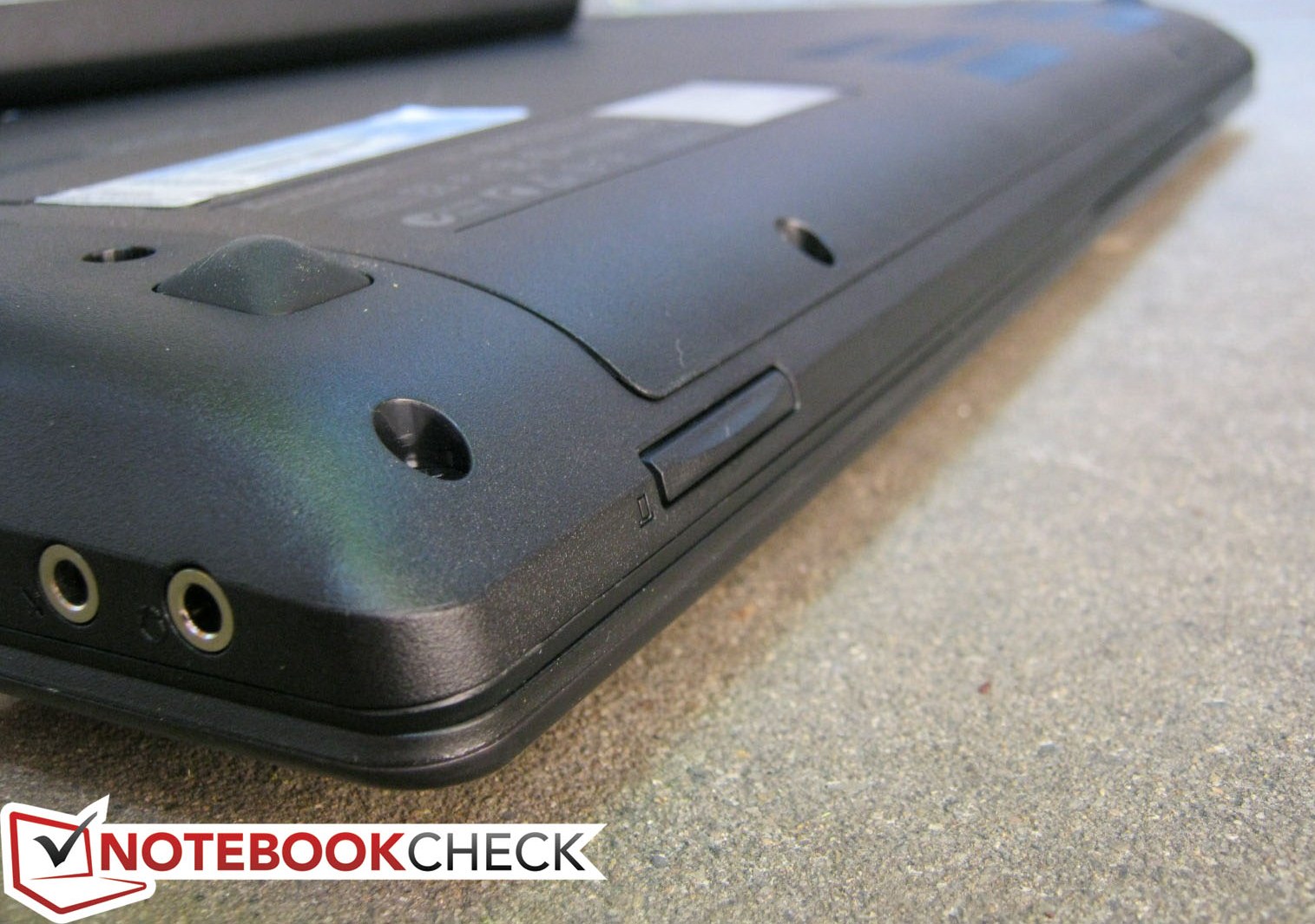
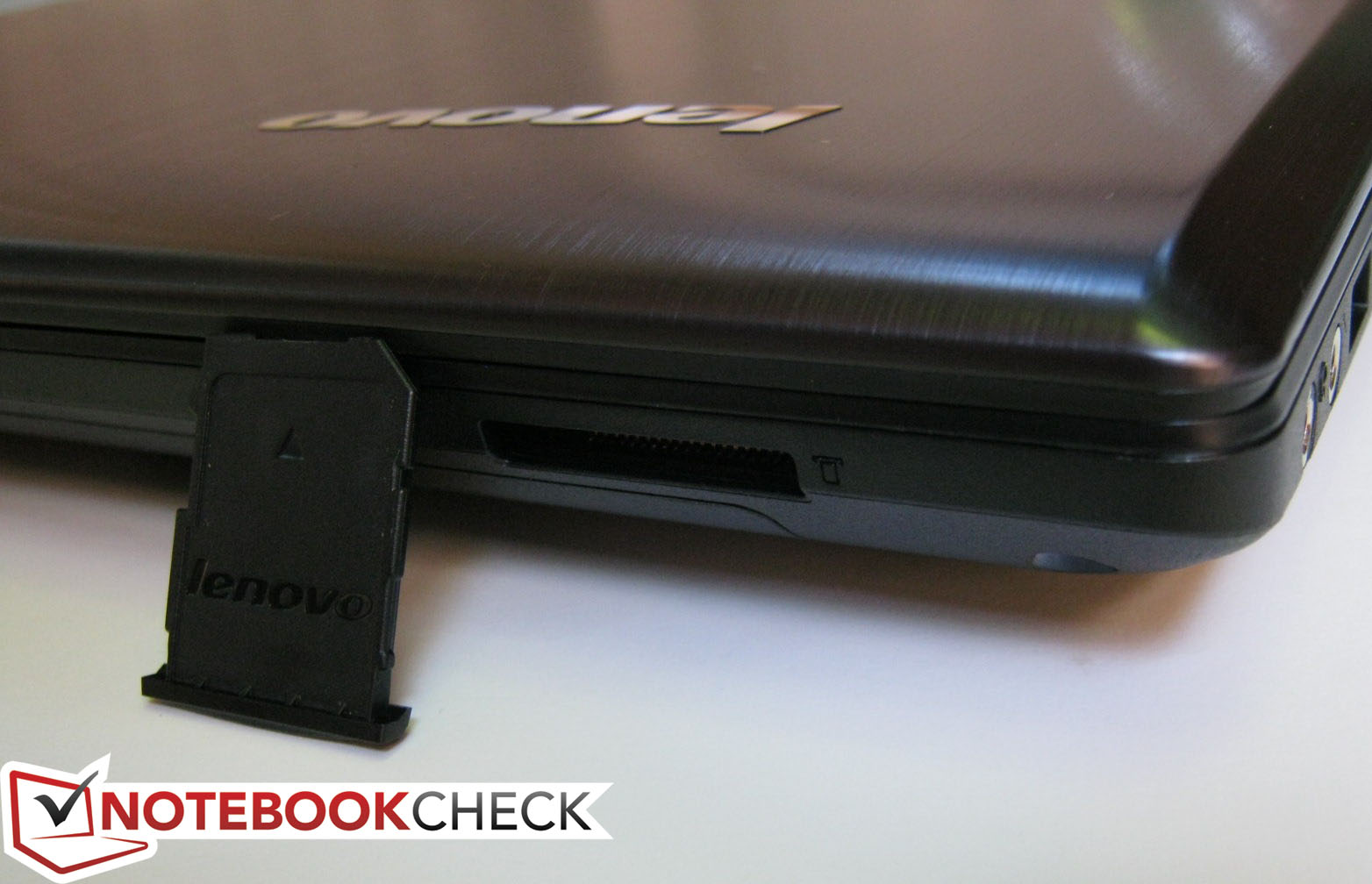
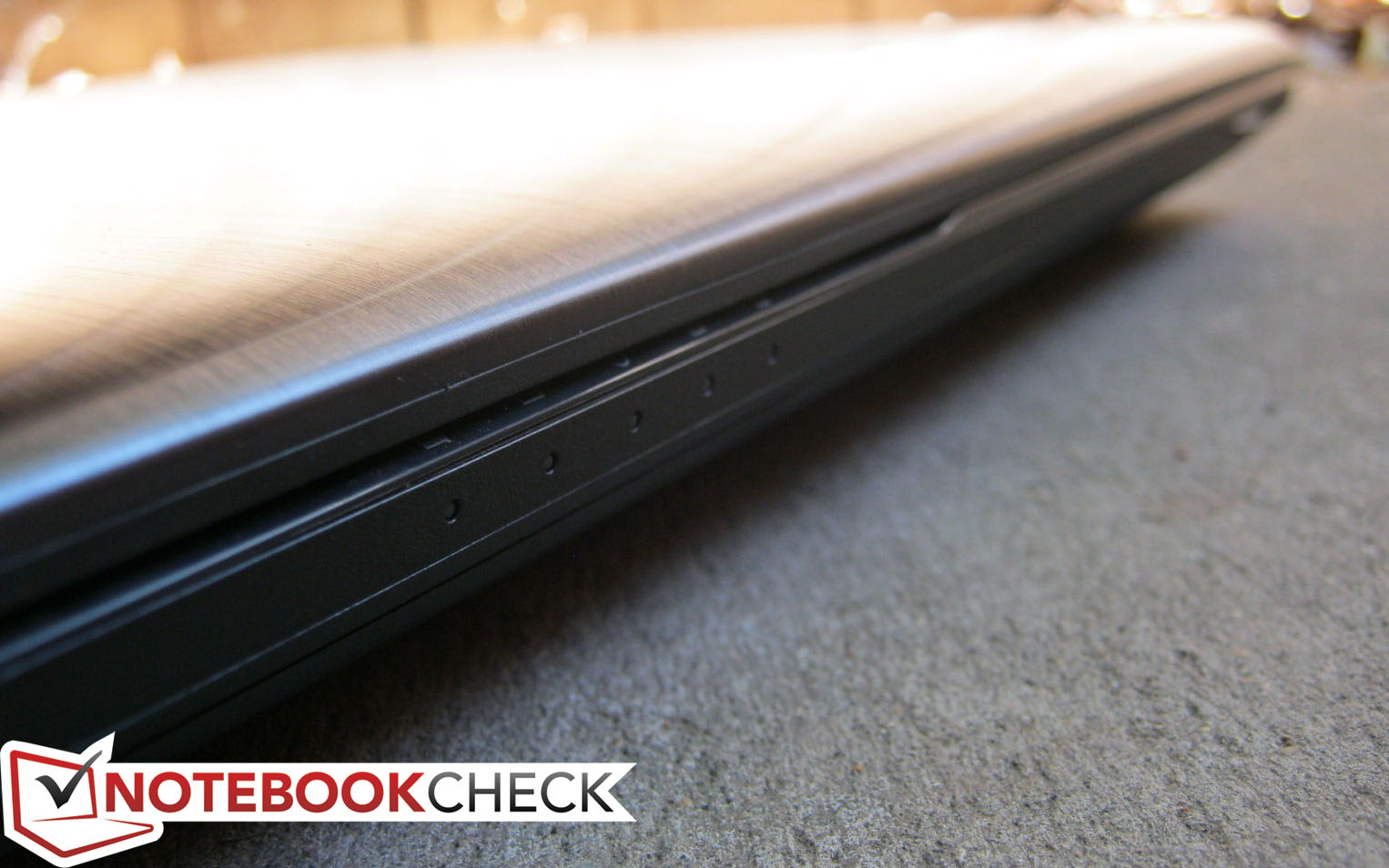
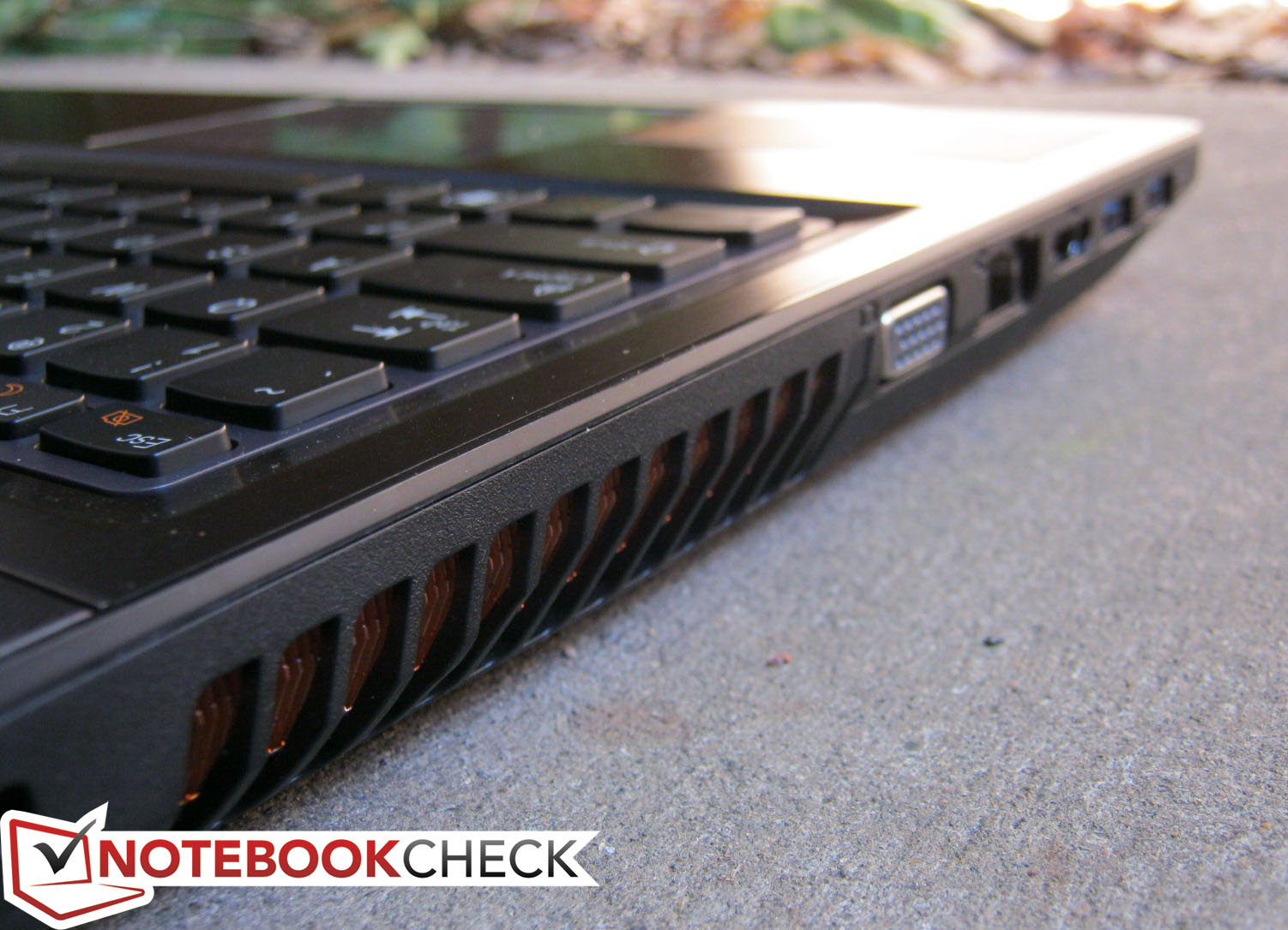
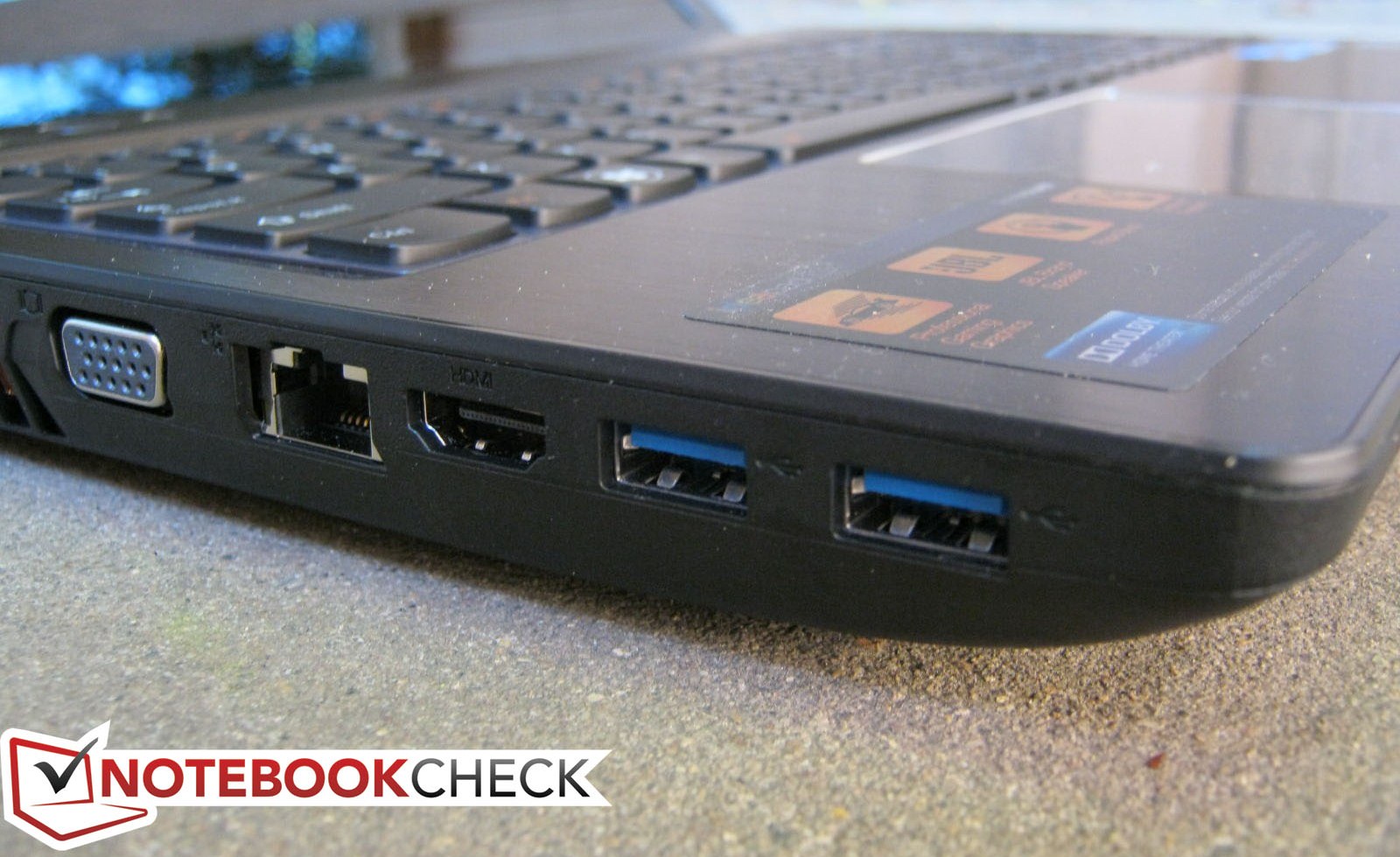
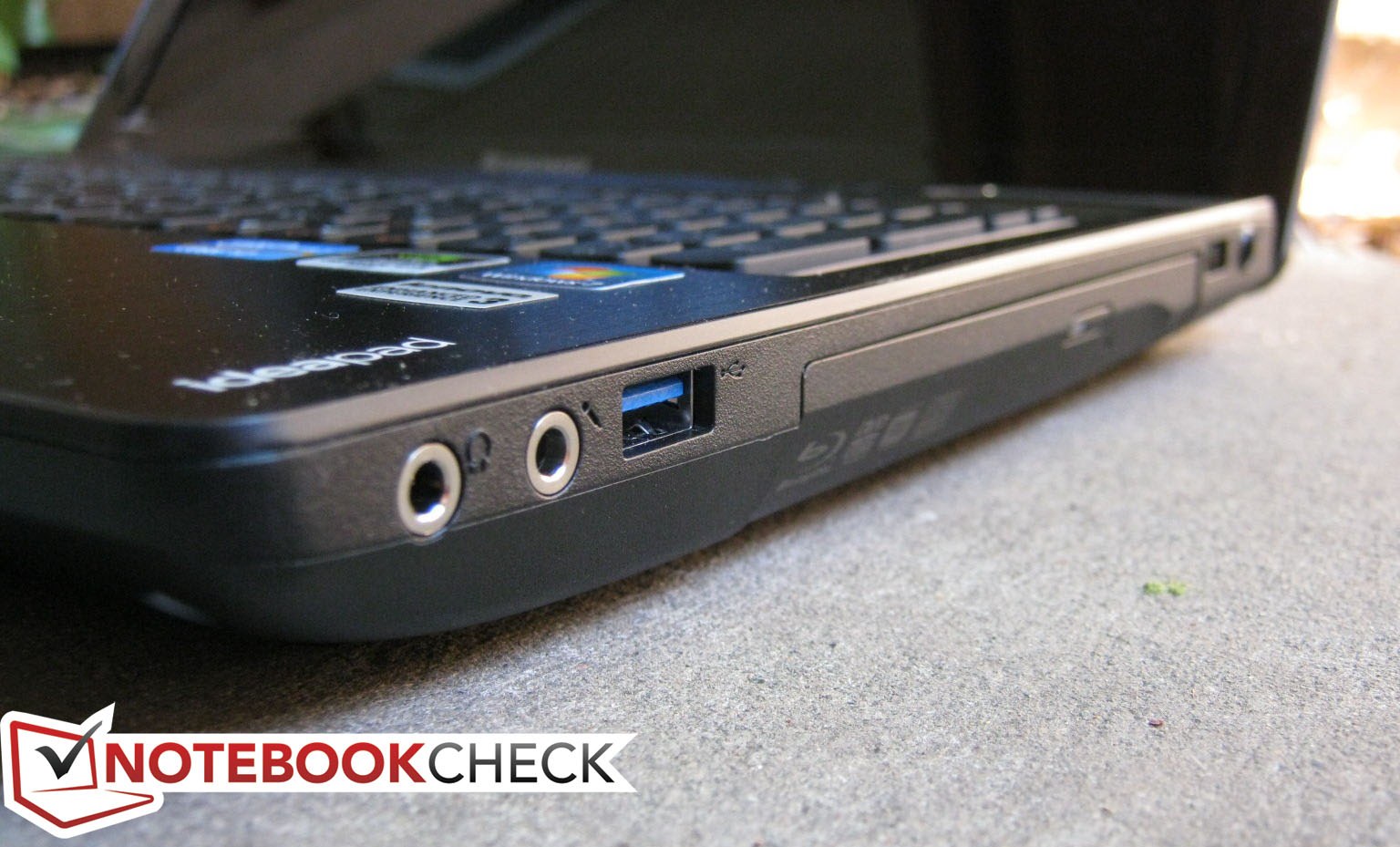
All ports are easily accessible as most are located on the left- and right-hand edges. In fact, the ports have undergone a slight rearrangement and so the left edge now contains an equal number of available ports as the right edge. The left-hand ports can still feel a bit clumped if thicker cables and USB devices are connected. Many of the commonly used ports, such as USB and the 3.5 mm audio jacks, are unfortunately positioned closer up front and may be vexing in the long run.
Of particular note is that the Y580 offers an additional USB 3.0 port compared to its predecessor, but at the same time has dropped the eSATA port. VGA is fortunately still supported, and the notebook can stream to both video-out connections simultaneously.
Communication
Missing features include ExpressCard, Smartcard and dedicated docking station support. Such connectivity options, however, should be of no concern for the target IdeaPad audience.
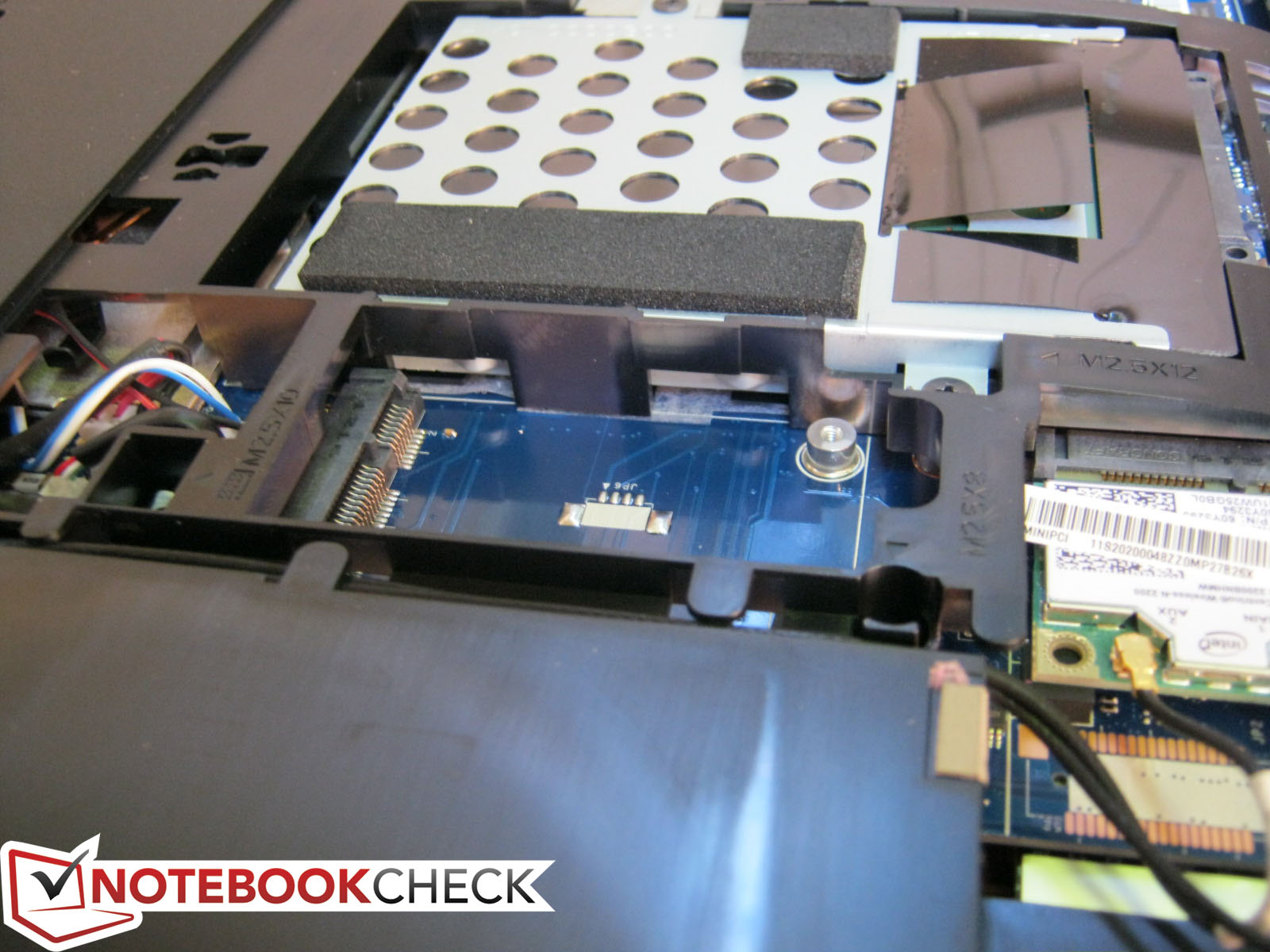
In terms of wireless connectivity, the Y580 ships standard with the dual-stream (2x2) Centrino Wireless-N 2200 PCIe Half Mini Card with integrated support for Bluetooth and WiDi. Not much is offered beyond WLAN as WWAN and GPS functionalities are beyond the scope of the notebook. Nevertheless, there is a second PCIe Mini Card slot with mSATA support for additional end-user expandability if needed.
Accessories
Lenovo is no stranger when it comes to offering wide selections of first-party notebook accessories. The options are somewhat narrower for the Y580 due to the lack of a dedicated docking port, but generic accessories such as cases and headsets are in no shortage.
Warranty
As usual, a base warranty of 12 months is automatically included with every notebook purchase from Lenovo. The protection is rather bare as it mostly covers factory-made defects and damages. Both accidental damage and in-home service coverage are available together for about $50 and can be extended up to 3 years for $150.
Input Devices
Keyboard
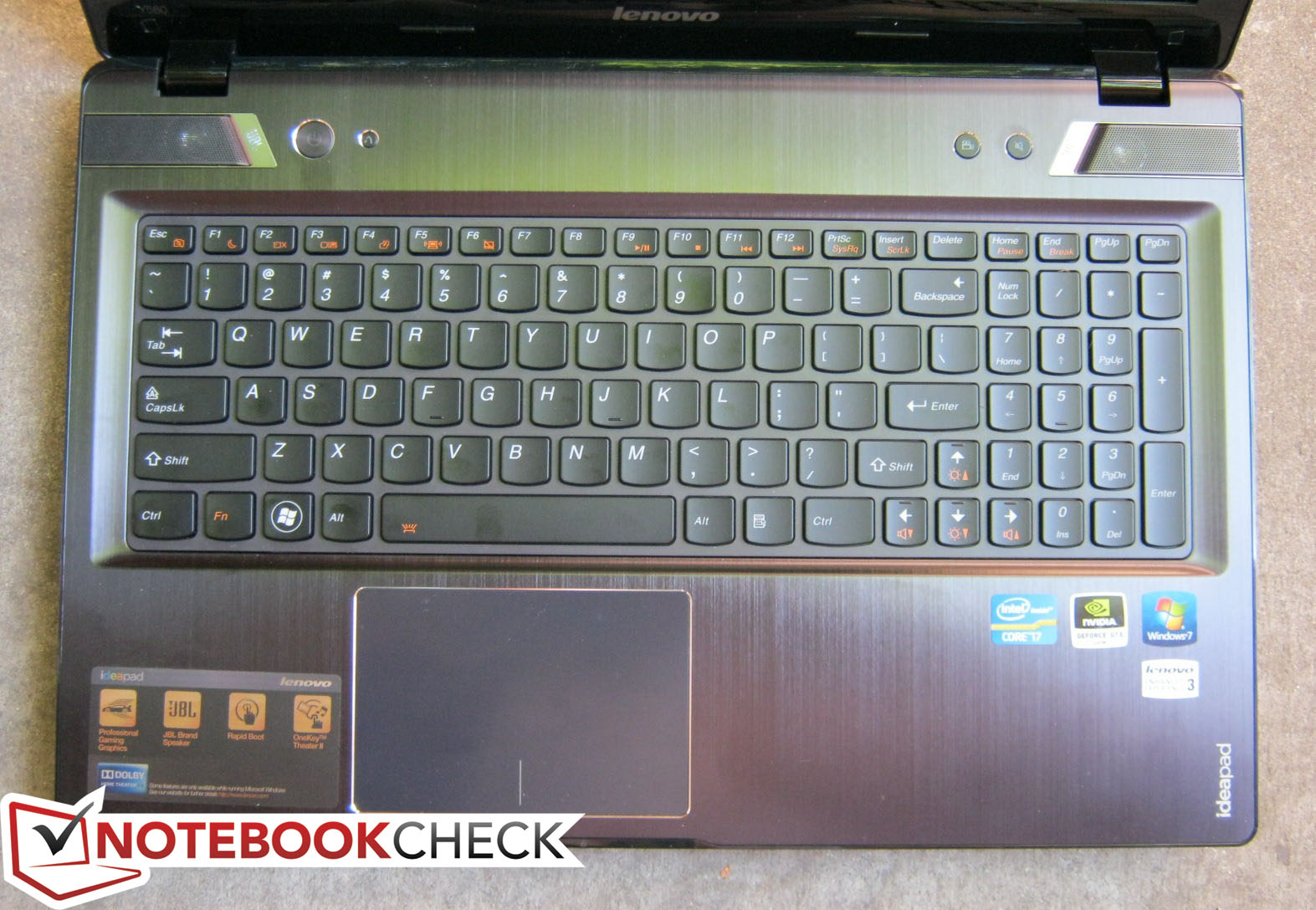
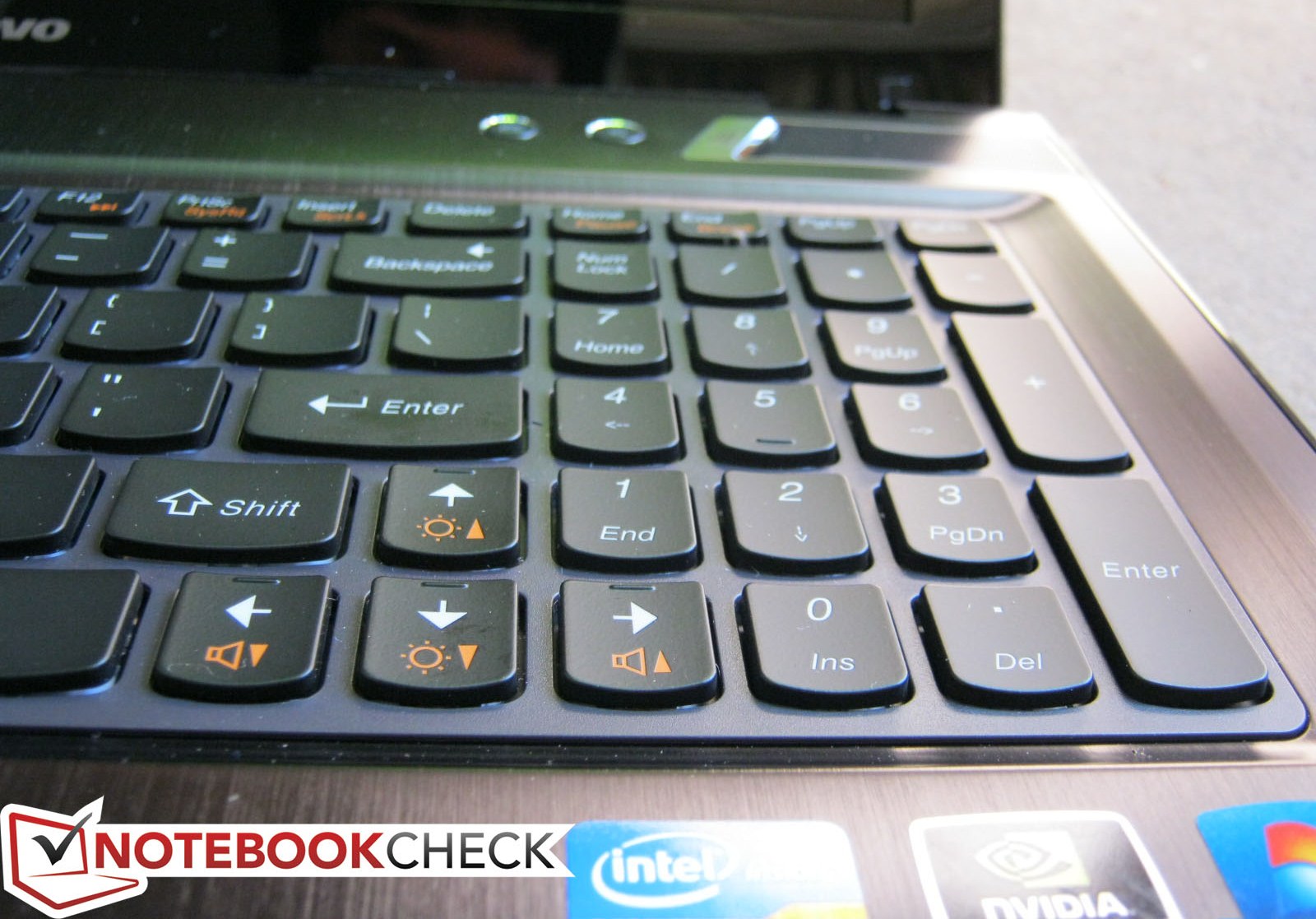
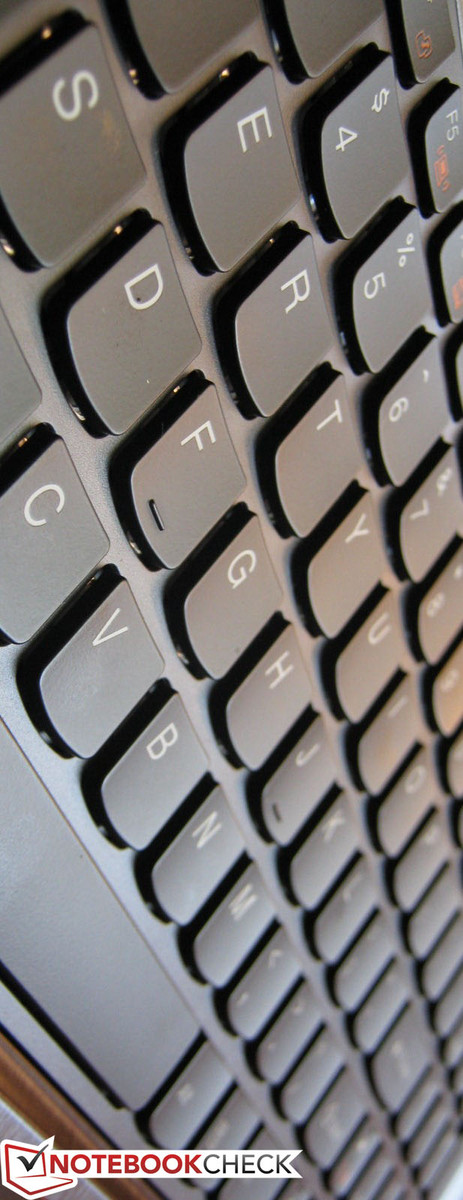
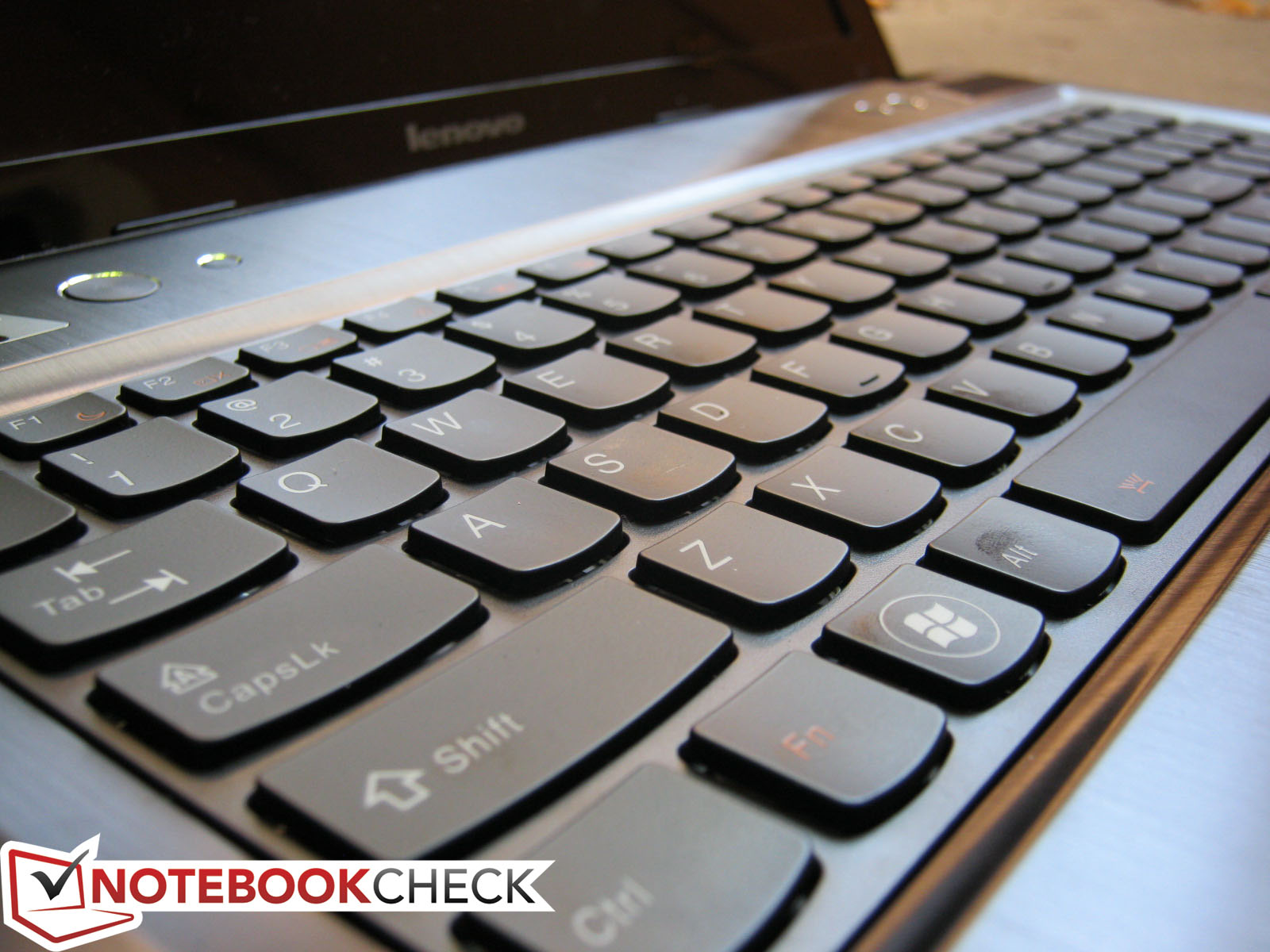
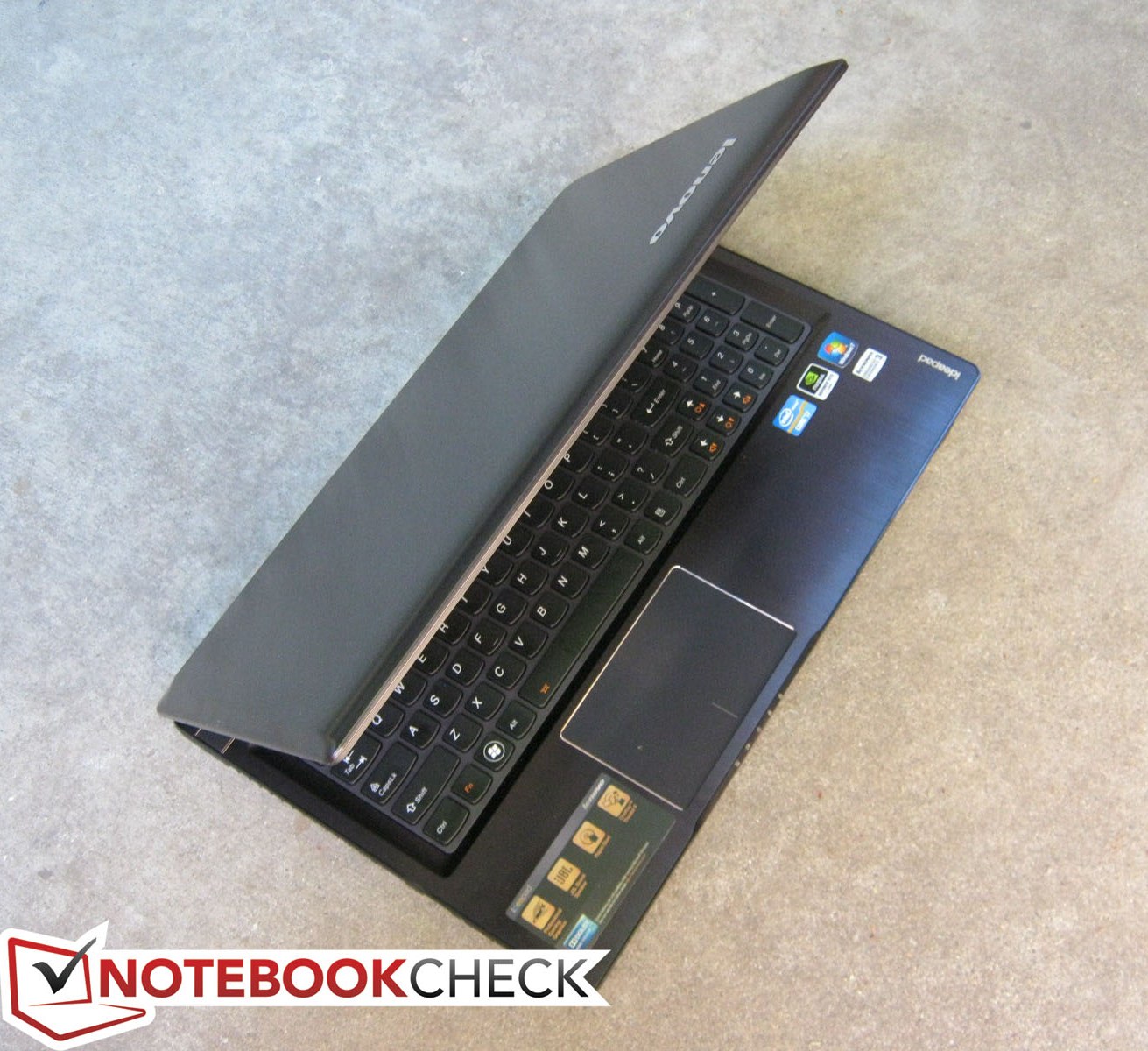
The layout, spacing and dimensions (34 cm x 11 cm) of the full-size keyboard here have been translated perfectly from the Y570. Ever since Lenovo axed the classic beveled keyboard, the curved and slightly rounded Chiclet-style keys can be found on practically all new Lenovo notebooks ranging from the U410 Ultrabook to the ThinkPad T530.
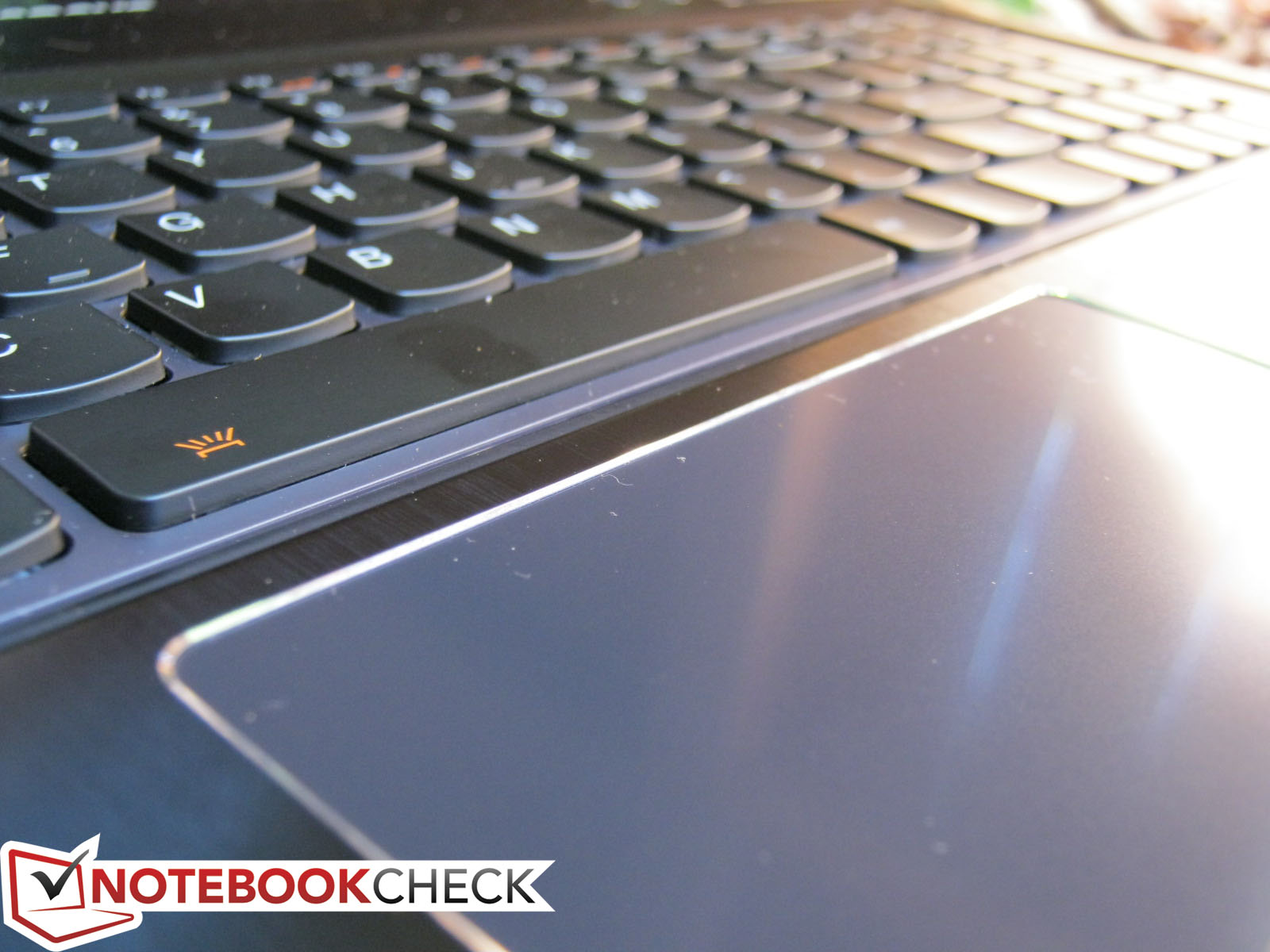
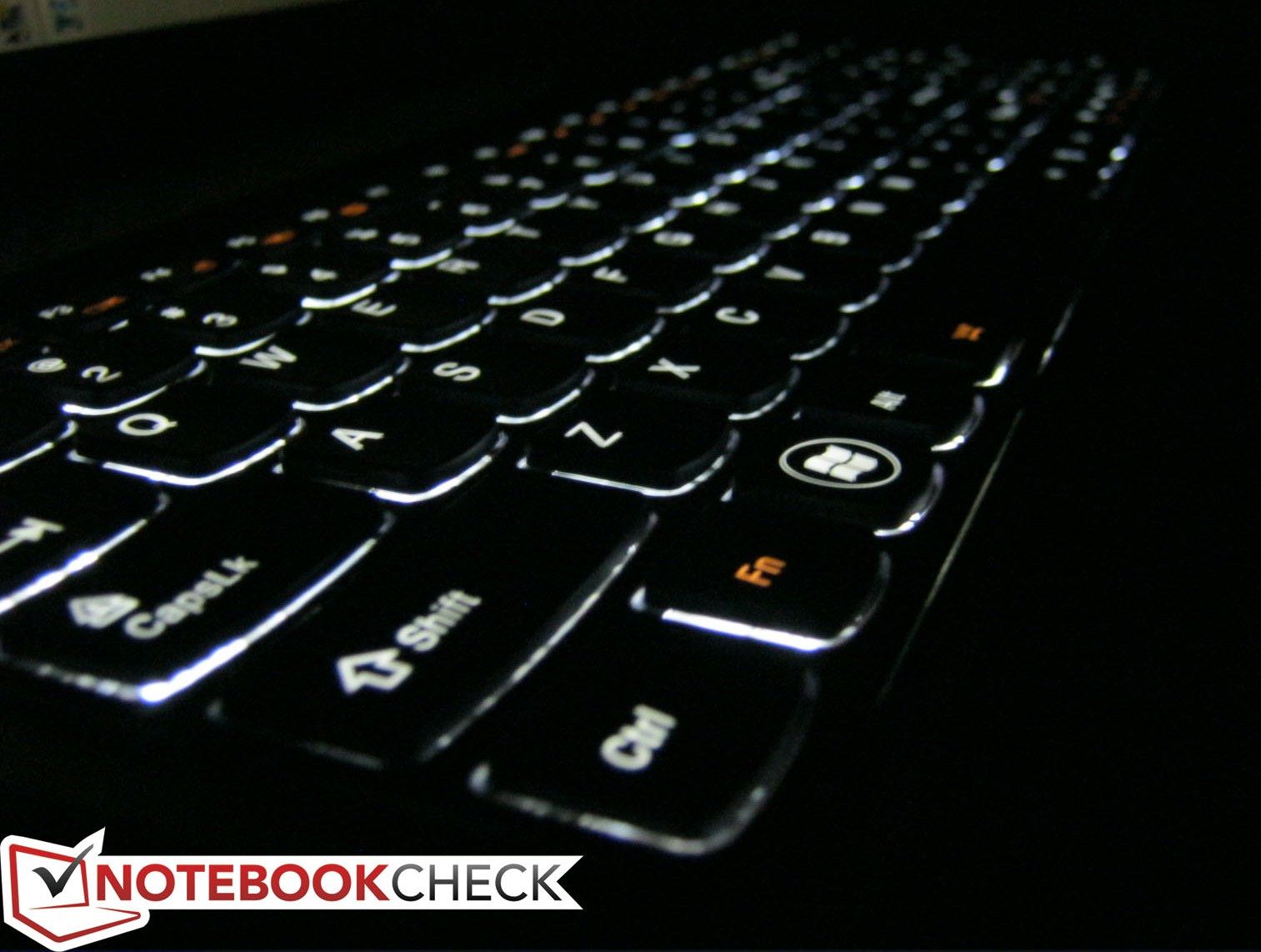
Feedback from the keys is a little on the soft side, but we found the depth and spacing to be satisfactory and not overly cramped. The numpad and arrow keys are a tad smaller compared to the main QWERTY keys and the Shift and Enter keys are both shorter than usual, which may result in more unintended hits, at least initially. We can certainly look past these minor complaints as Lenovo has finally added a backlight as standard. The light can only be toggled on or off with no levels in between unlike certain ThinkPad models, but the backlight option is better than no backlight at all.
Touchpad
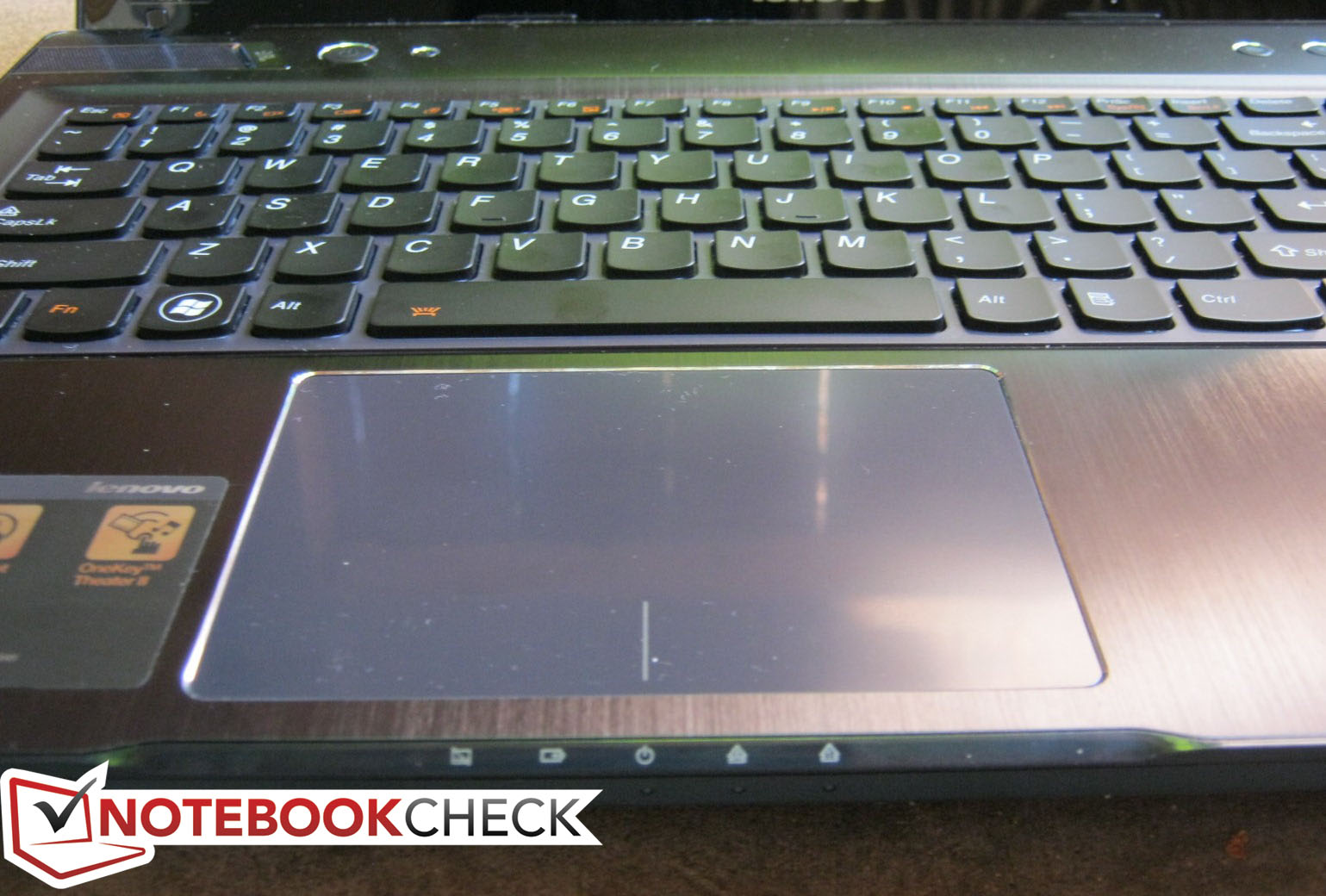
The keyboard may have been unaltered, but Lenovo has completely redesigned the touchpad to mostly better results. The dedicated click keys found on the Y570 have been removed in favor of a larger (10.5 cm x 7 cm) touchpad and the textured surface has been replaced with a flat, smooth and even somewhat glossy finishing. The chrome lining is a nice touch and shows that Lenovo was focused on aesthetics first and foremost when the redesign.
Beyond the new elegant looks, the touchpad functions just as well. Scrolling is responsive and multi-touch controls work better than usual due largely in part to the greater available surface area. Clicking is just as responsive, but doesn’t feel quite as firm as it could have been, even when compared to most Ultrabooks. This may be attributed to the previously mentioned cheap feel of the touchpad as the surface is simply not very rigid and too easily depressible.
Display
Many users often lament 1366x768 resolution displays on 15.6-inch notebooks due to the apparent small screen real estate for such a large display. Such a resolution is, after all, commonly found in most budget and entry-level 15.6-inch offerings. As stated in the introduction, Lenovo thankfully includes options for a 1080p upgrade for $100 above the base price. The glossiness and FullHD display in this review model are certainly appealing and more useful for everyday tasks, respectively, but no matte panel options exist as with most IdeaPads.
With the Gossen Mavo-Monitor, we recorded a maximum brightness level of 248 cd/m2, which is about on par with the Y570 but a bit dimmer compared to some of the competition such as the Asus N56VZ and even the less expensive Inspiron 15R. Nonetheless, the Y580 is sufficiently bright for indoor use under typical ambient lighting conditions. We did notice, however, that maximum brightness will drop to 178 cd/m2 when using the Power Saver or Balanced profiles.
|
Information Gossen Mavo-Monitor Maximum: 248 cd/m²Average: 231.4 cd/m² Brightness Distribution: 88 % Center on Battery: 246 cd/m² Black: .46 cd/m² Contrast: 535:1 | |||||||||||||||||||||||||
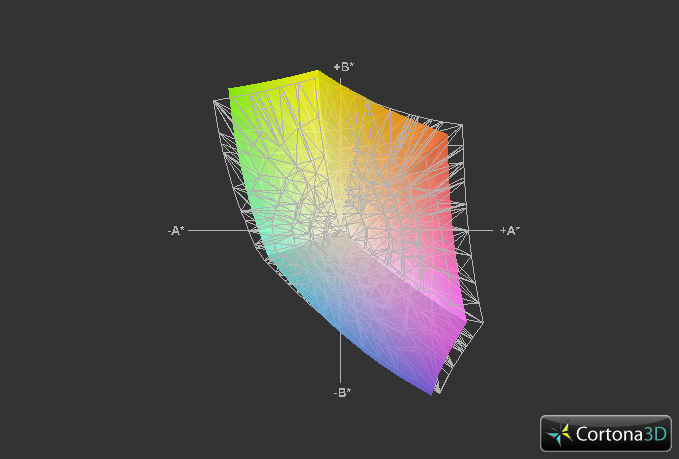
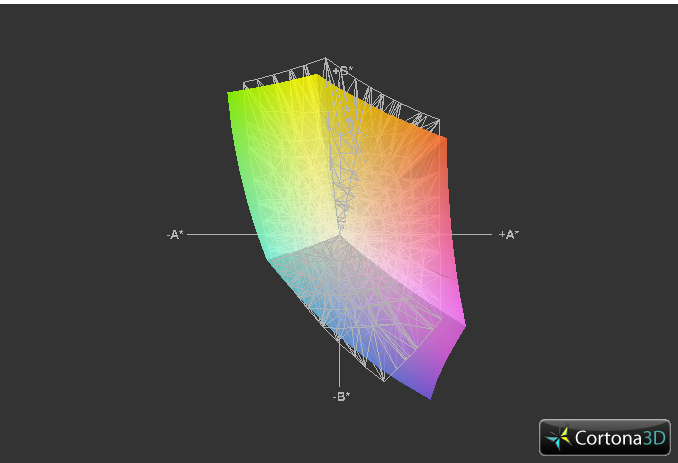
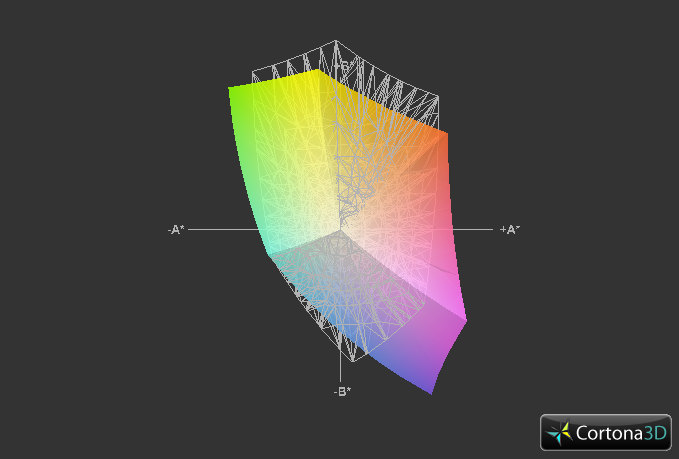
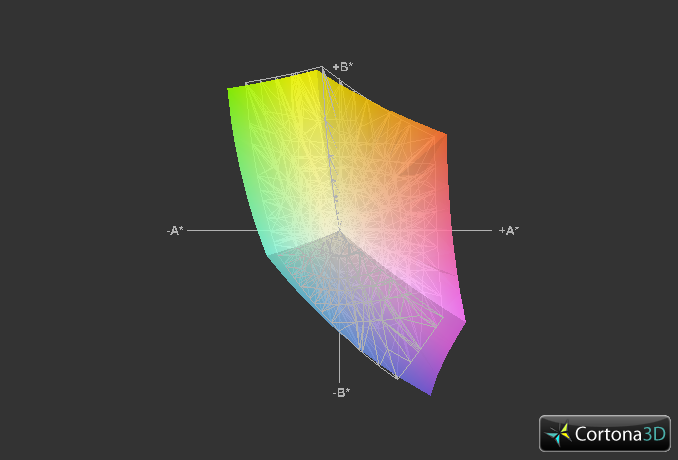
Color space reproduction is well above average with about 91 percent coverage of the sRGB spectrum. Whereas most displays usually fall between 60-80 percent, we would be hard pressed to find the same LG Philips panel as used here on other less expensive notebooks. The everyday end-user may never notice the wider than usual gamut capabilities of the 1080p Y580, but professional graphic artists will definitely find it welcoming. Costlier workstations, of course, still provide superior color reproduction.
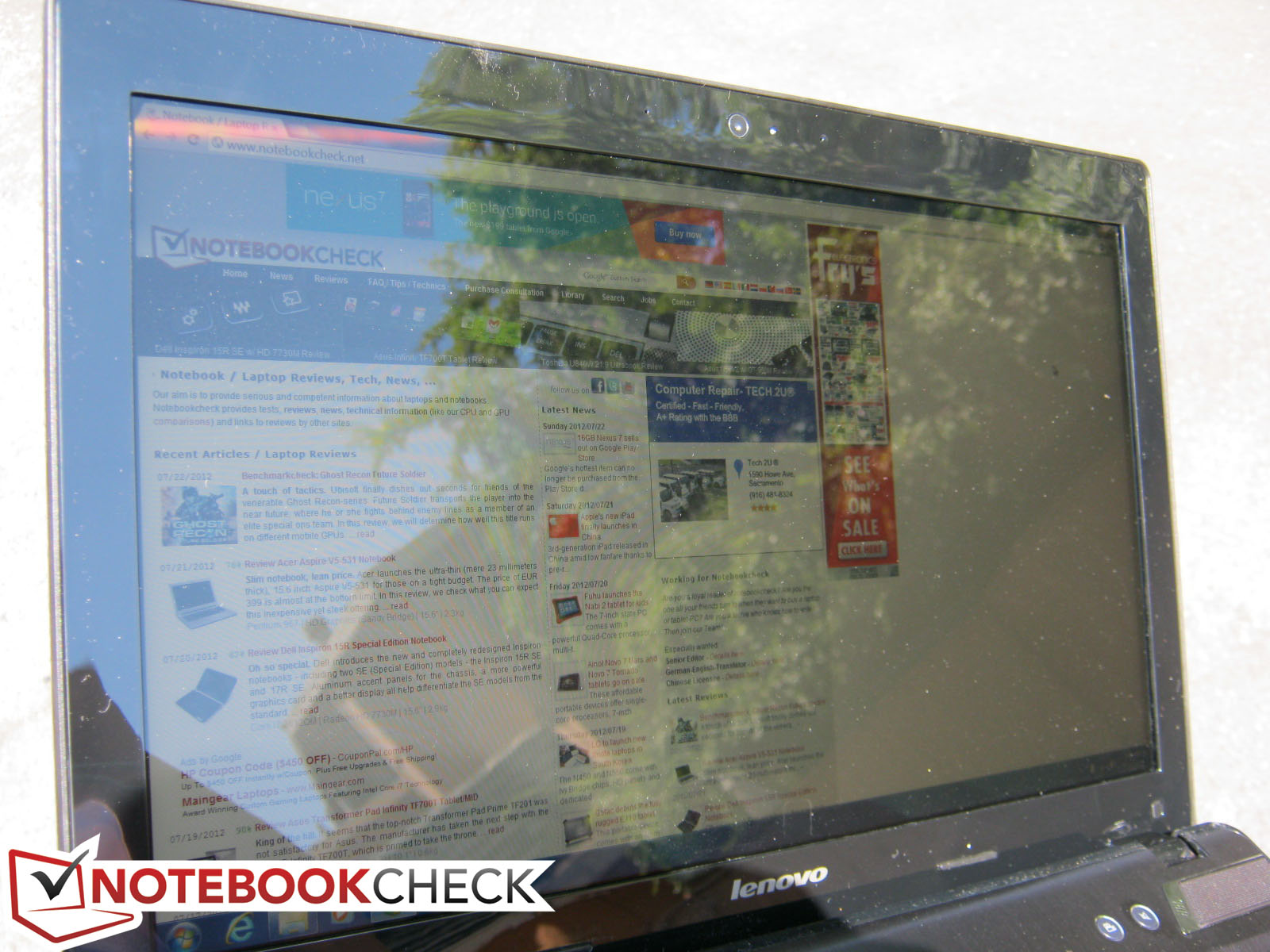
Outdoor usability is possible, but not recommended. The glossy display will reflect objects quite clearly and can be a bit distracting to say the least. The unfortunate glare is somewhat counterbalanced by the acceptable maximum screen brightness, though keep note that the Power Saver and Balanced profiles will reduce the maximum brightness advantage in favor of longer battery runtimes. Working under shade would be the best option if available as direct sunlight is out of the question.
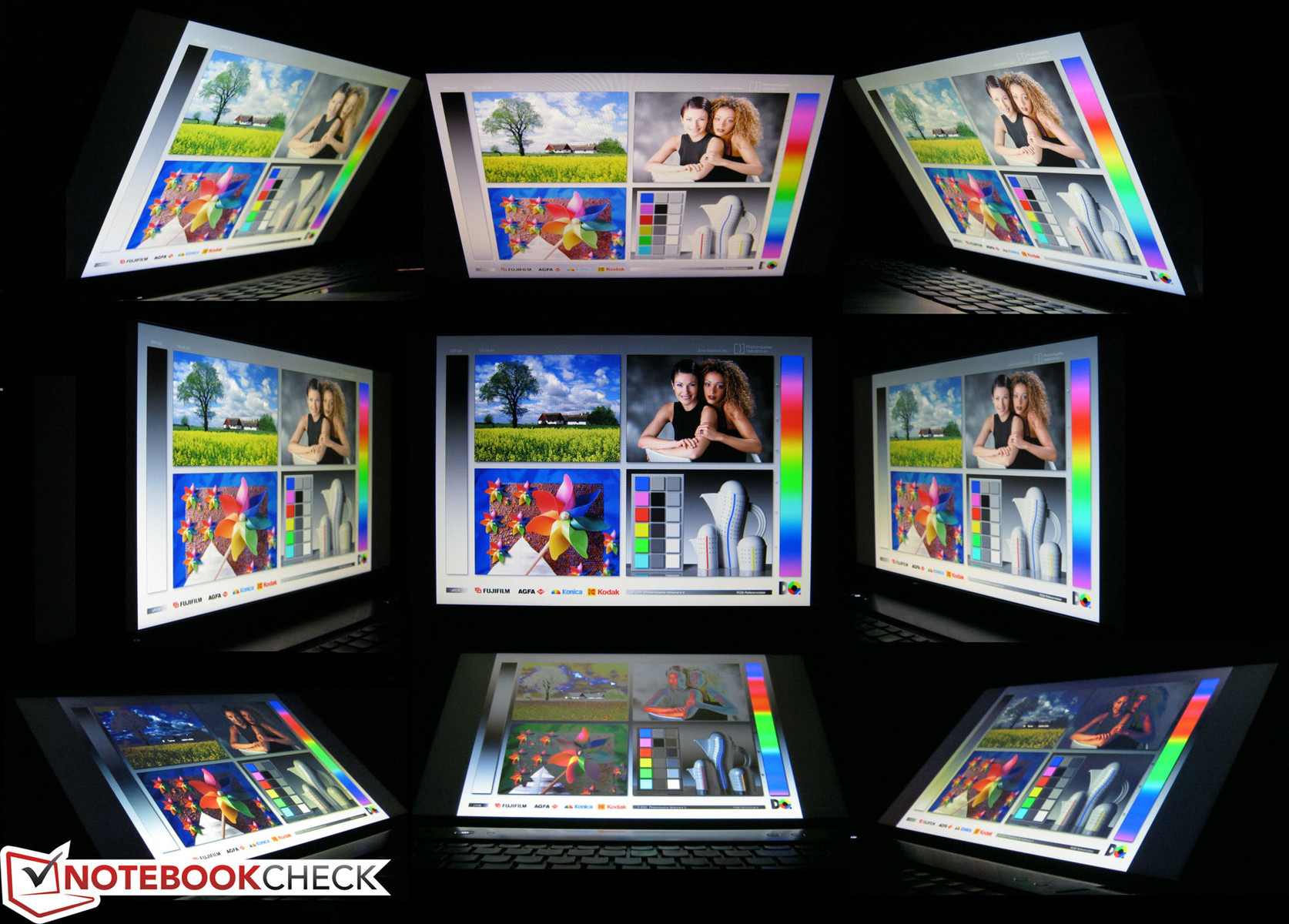
Viewing angle stability is excellent for a TN panel. The color degradation is still present when viewing at obtuse angles, but the effect is less severe. Horizontal angles hold up even better, so multiple users should have no problems viewing the screen simultaneously. This, when combined with the excellent black levels and gamut range, makes it a high-profile display panel for the Y580.
Performance
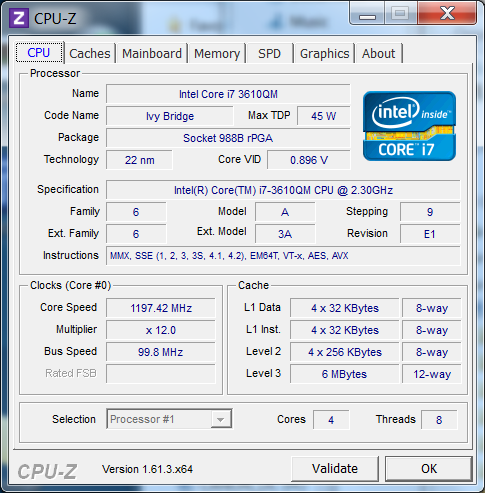
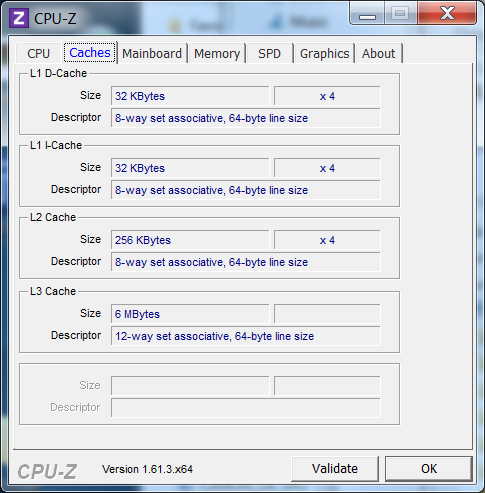
The current models available all come standard with the powerful 22 nm quad-core 2.3 GHz i7-3610QM. This 45 Watt TDP processor is one of the more prevalent quad-core Ivy Bridge CPUs and can be found in a large number of new high-performance releases including the HP Envy 17, Asus G75VW, and Alienware M17x R4. The miniaturized lithography of the Ivy Bridge series should theoretically lead to faster performance then its Sandy Bridge counterpart given the same power demands. More information and benchmarks on the i7-3610QM can be found here on our dedicated CPU section.
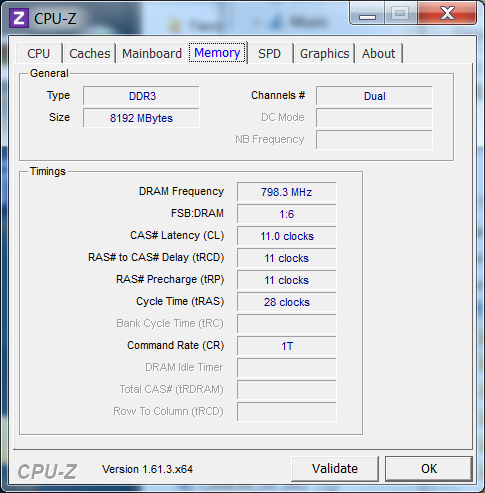
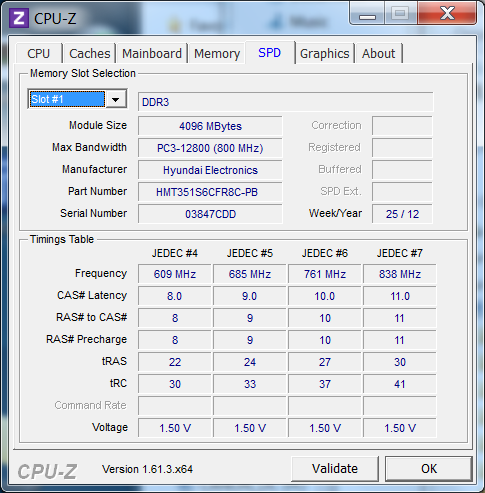
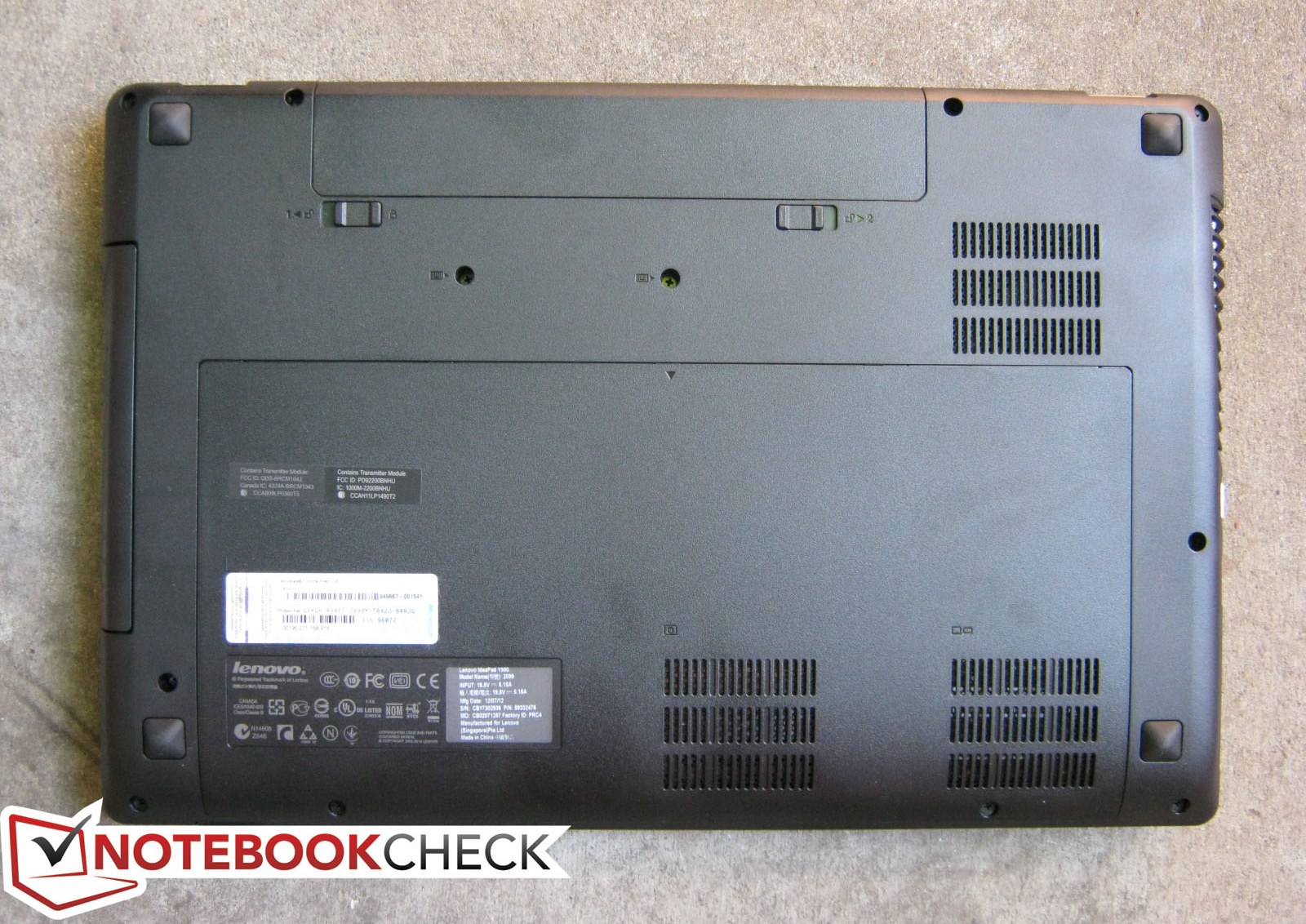
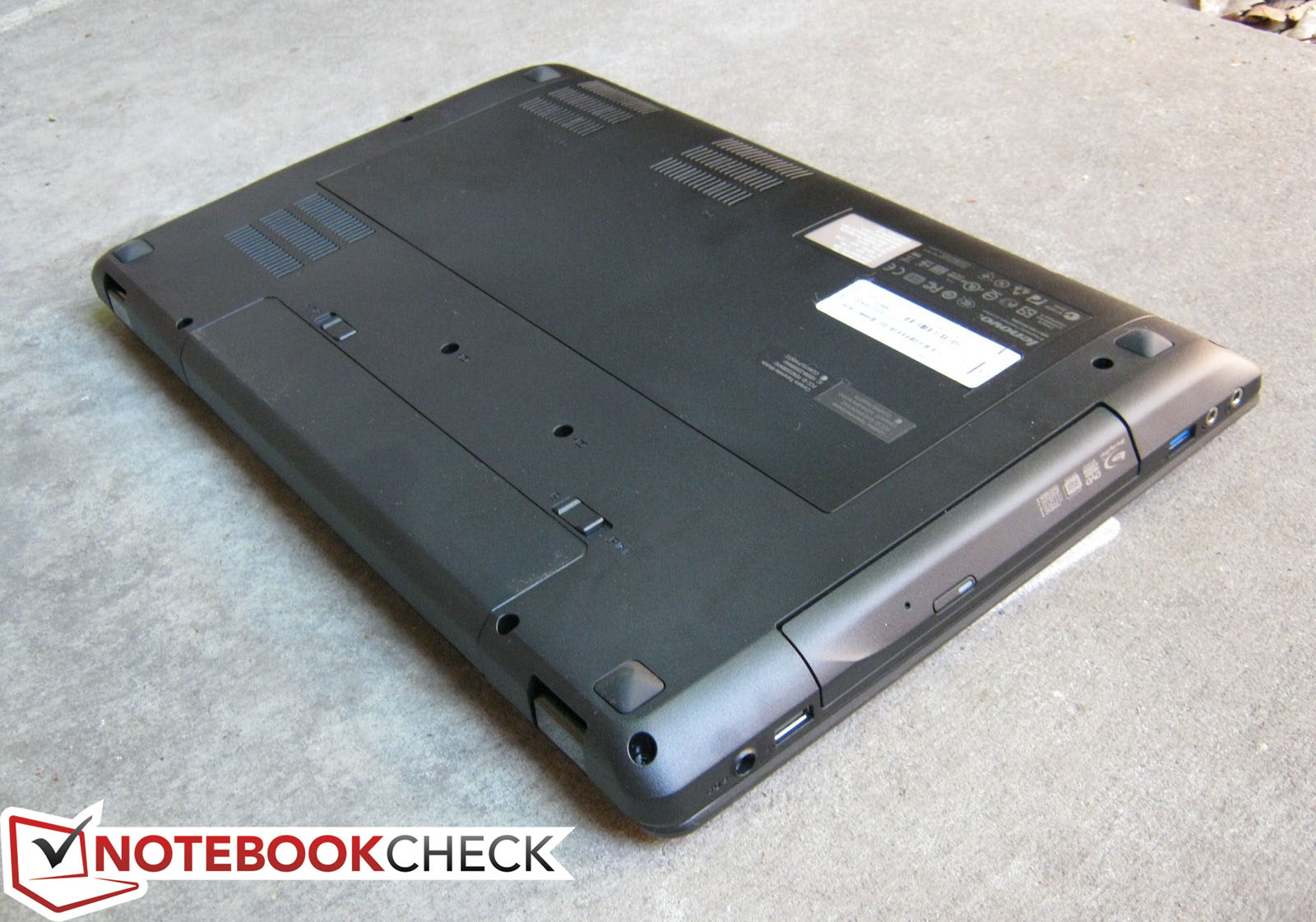
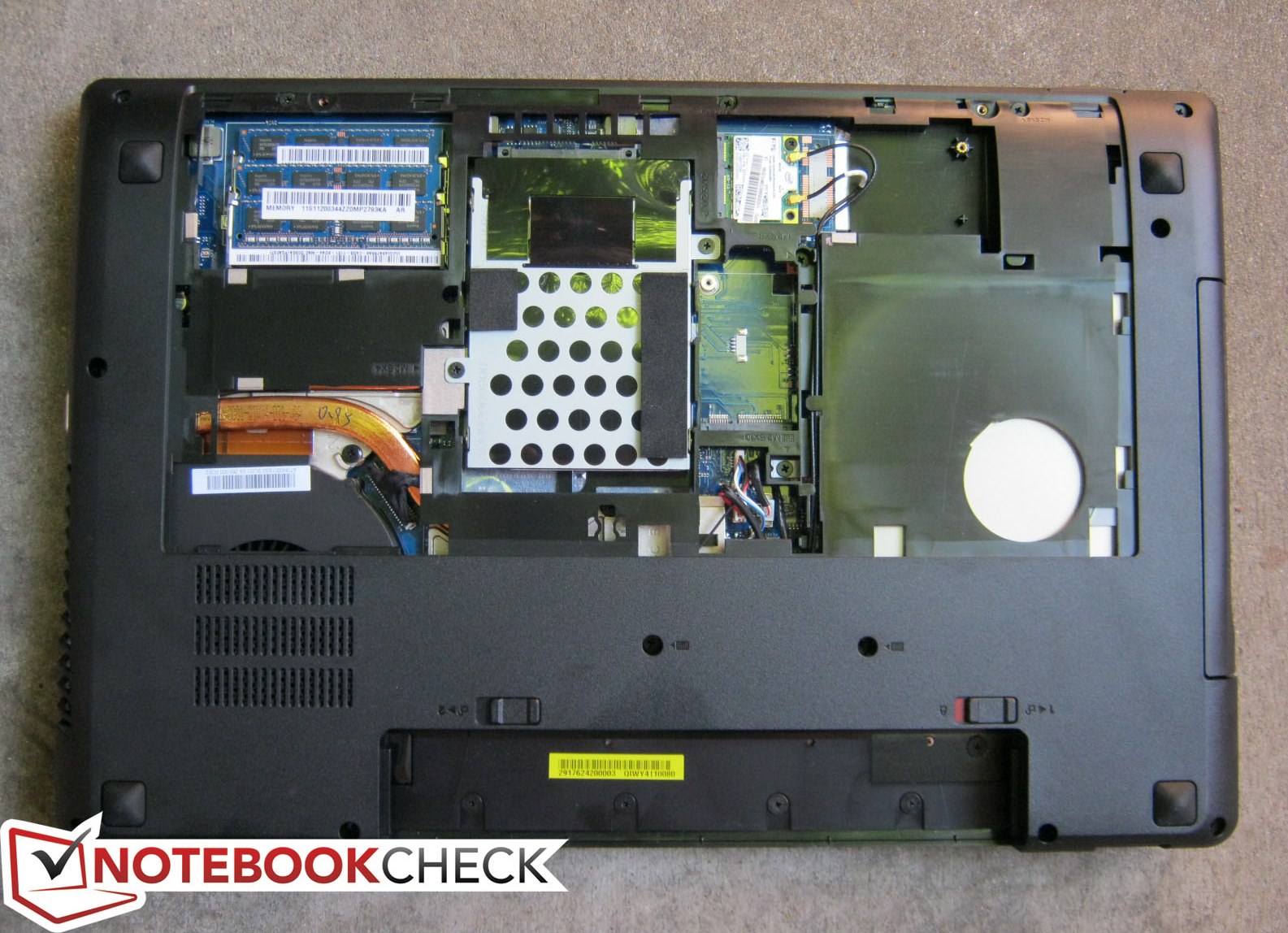
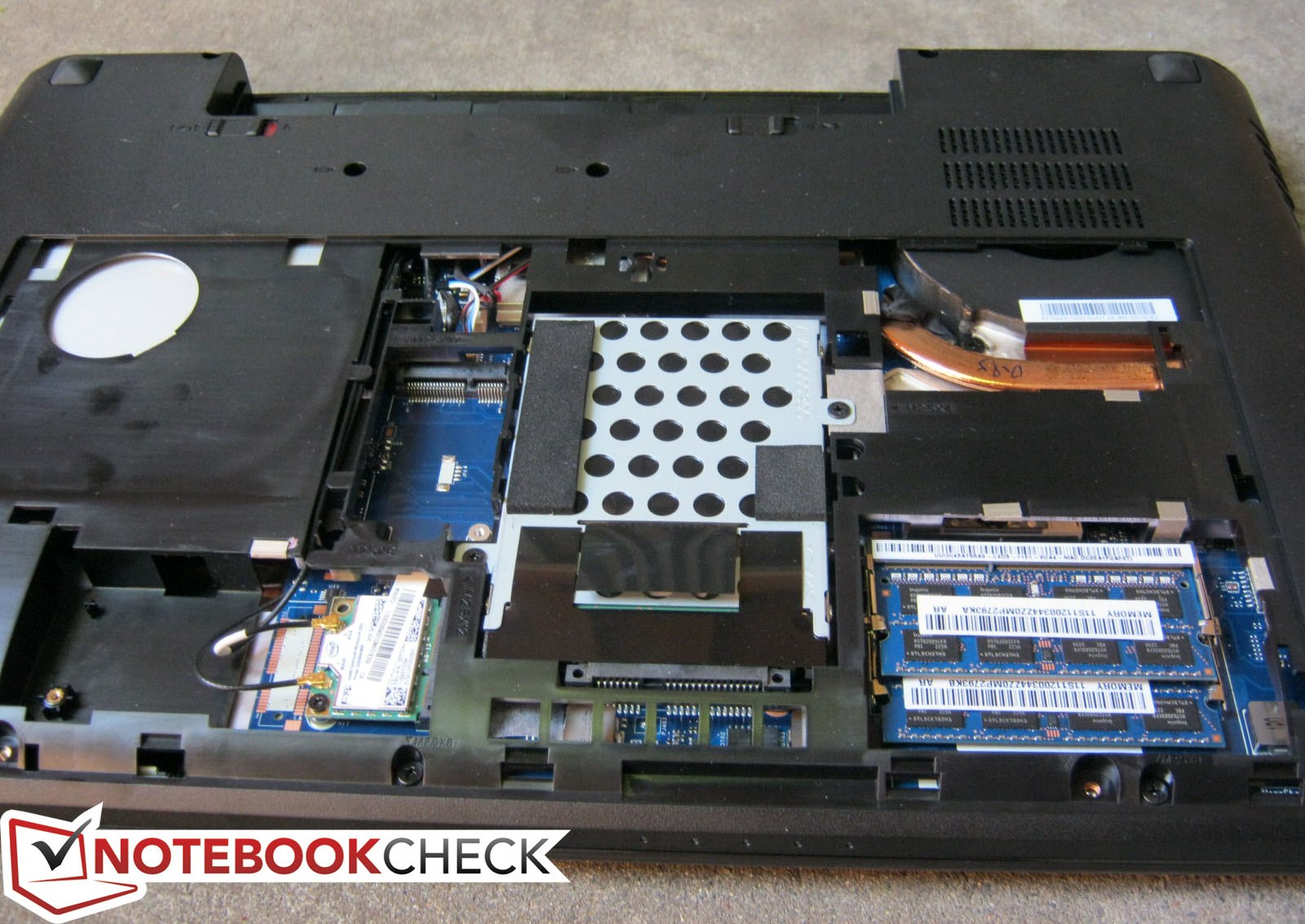
For RAM, the reviewed model is equipped with 2x 4 GB DDR3 PC3-12800 from Hyundai. Both modules, along with the HDD and 2x Mini PCIe slots, are easily accessible from the bottom after the removal of two Philips screws.
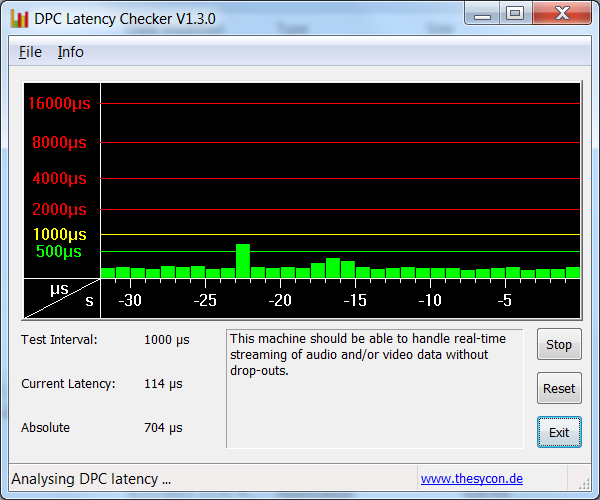
DPC Latency Checker shows no recurring high latency peaks even with wireless radios active.
Processor
The synthetic CPU-oriented benchmarks show score ranges in line with other notebooks with the same CPU, including the Asus N76VM and Schenker XMG A502. In fact, the performance of the i7-3610QM is very close to that of the i7-2920XM, also known as the top dog of the mobile Sandy Bridge generation. Super Pi, which is a good benchmark for single-core performance, results in numbers just seconds slower on the i7-3610QM compared to the i7-2920XM as the Turbo Boost potential on one active core is higher on the latter processor.
![]() |
Help |
System Performance
PCMark Vantage and PCMark 7 are used to assess general system performance. With high scores of 9746 and 2646 points, respectively, the Y580 lies alongside other recent gaming notebooks with HDD solutions thanks largely to the high-end i7-3610QM and GTX 660M.
A solid-state drive could have boosted performance at the cost of higher prices, but it’s worth noting that the Asus U36SD with previous generation hardware (i5-2410M, GT 520M) and even the 2011 Apple MacBook Air have very similar final scores to the Y580 due to their dedicated flash-based drives. As such, launching programs feel subjectively slower on the Y580, which returned a mediocre HDD score of only 3456 in PCMark Vantage.
To see if performance is preserved when running only on battery power, we ran 3DMark 06 sans the AC adapter and compared final scores. Perhaps unsurprisingly, performance is reduced significantly as the final scores of 5983 (combined) and 3980 (CPU) are considerably lower than the previous scores of 13704 (combined) and 4569 (CPU) points when running from an outlet.
![]() |
Help |
Storage Solution
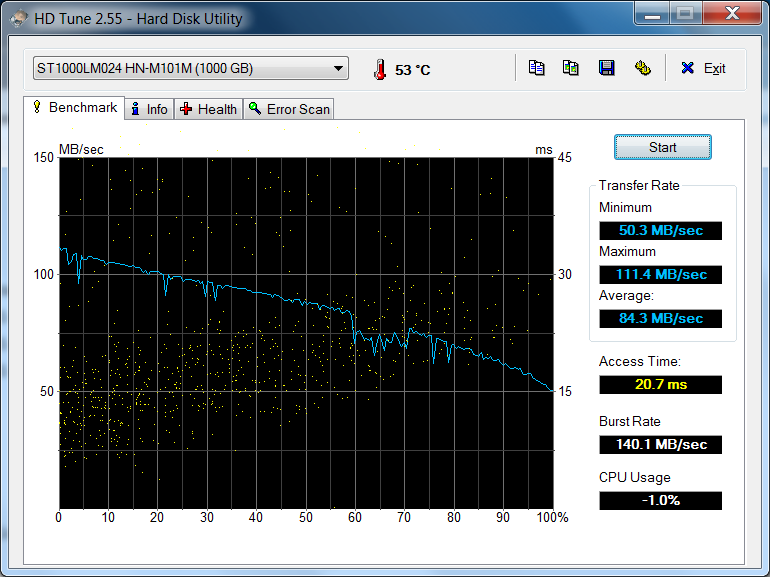
Like the similarly-equipped Asus G55VW, the storage solution of the Y580 is probably the weakest link since multimedia users and gamers will typically favor storage space over the speed advantages of an SSD. The 1 TB Seagate Momentus drive in our review model runs at a paltry 5400 RPM albeit with a respectable average transfer rate of 84.3 MB/s according to HD Tune. This advantage, however, is offset by the drive’s high access time of almost 21 ms. Typical hard drives in expensive notebook models will often have access times closer to 15 or 16 ms, meaning program performance and launching times will feel comparatively slower on the Y580. In fact, we recorded a cold boot time of about 1 minutes and 28 seconds – hardly a record even for mechanical drives.
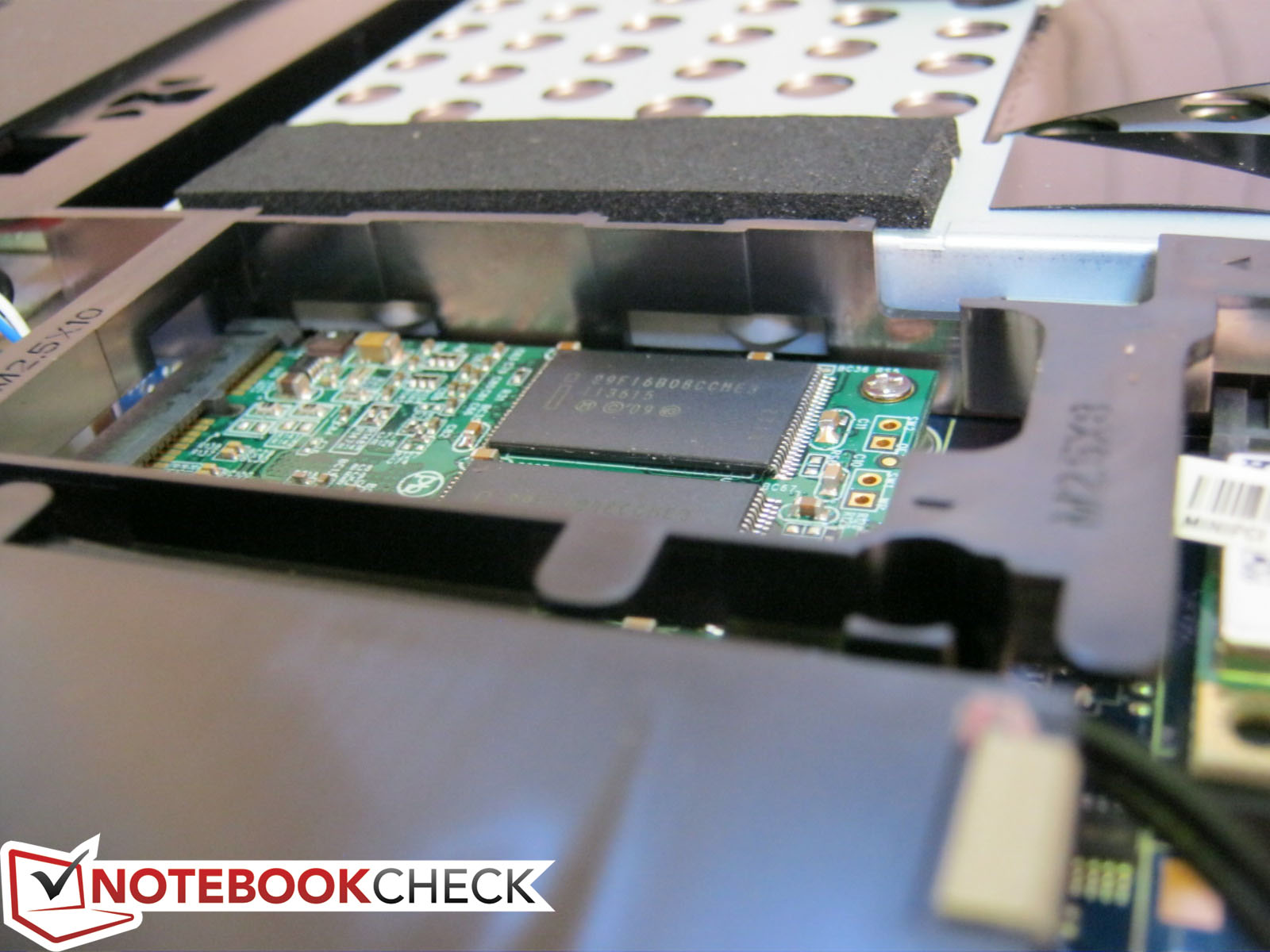
Luckily, Lenovo offers models with mSATA caching options – the unlucky part is that it will add another $140 for a modest 32 GB mSATA SSD. Since our review unit lacks an SSD and Intel RST support is preloaded on the Y580 regardless of model selection, we decided to install a 60 GB Renice X5 mSATA SSD to see if any noticeable gains in performance can be observed.
Unfortunately, enabling RST on the mSATA drive requires configuring the SATA PCH to RAID through the system BIOS, a function that Lenovo apparently does not allow on the Y580. Such a setup is likely done at OEM, meaning end-users will not be able to install an mSATA drive for use as RST system cache, at least not through normal means, and will have to buy a preconfigured model from Lenovo that already includes an mSATA drive. Nonetheless, Windows was able to instantly recognize our Renice SSD as a letter drive and users can still install an OS on the drive and boot from there as needed.
Out of the 931.51 GB of space available from the 1 TB drive, 25.47 GB is reserved for recovery and 886.32 GB is immediately available to the user.


Gaming Performance
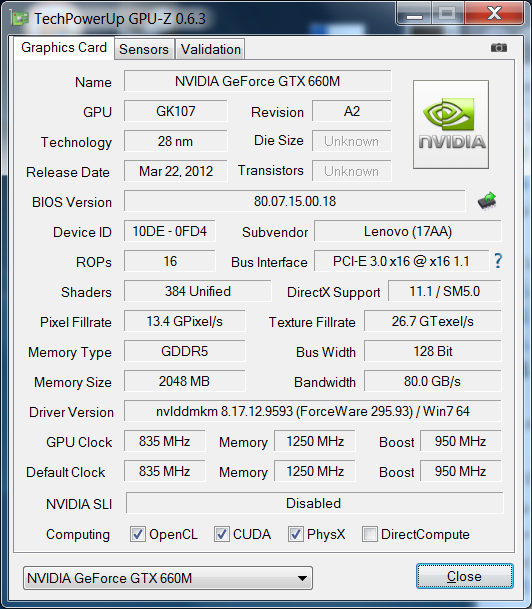
The 28 nm GeForce GTX 660M (based on the GK107 core) is equipped with 2GB GDDR5 RAM and is one of the more powerful Kepler-based mobile GPUs as the GTX 670M and 675M are simply rebranded 40 nm Fermi cards. The 660M has faster core and memory clock rates than the latter two, but Nvidia has scaled the performance of the 660M accordingly largely by halving the width of the memory bus: 128-bit versus 256-bit of the 675M.
Nonetheless, performance in games is remarkable. Every game tested is more than playable on High settings and some can even run at a respectable 30 Hz on 1080p Ultra settings, most notably Skyrim and Arkham City. Battlefield 3 continues to be one of the most demanding PC first-person shooter titles, but even that is playable at 40+ FPS on High settings.
Players who opt for a native 1366x768 display on the Y580 should have no problems maxing out details for all major titles released thus far. Those going for the 1080p route, however, may want to trim off some graphical embellishments to reach those higher frames. Regardless, games on the GTX 660M will run great on 1080p and phenomenally on 720p. Additional information and benchmarks on the GTX 660M can be seen on our dedicated GPU page here.
![]() |
Help |
| low | med. | high | ultra | ||
| Metro 2033 (2010) | 112 | 76 | 38 | 11 | fps |
| StarCraft 2 (2010) | 256 | 85 | 73 | 41 | fps |
| Deus Ex Human Revolution (2011) | 160 | 81 | 30 | fps | |
| F1 2011 (2011) | 79 | 66 | 30 | fps | |
| Batman: Arkham City (2011) | 119 | 103 | 58 | 30 | fps |
| Battlefield 3 (2011) | 75 | 52 | 42 | 19 | fps |
| CoD: Modern Warfare 3 (2011) | 163 | 97 | 85.9 | 82.1 | fps |
| The Elder Scrolls V: Skyrim (2011) | 90 | 62 | 50 | 29 | fps |
Emissions
System Noise
With idle levels of about 34 dB(A), the Y580 is all-around quiet and not very noticeable when browsing or word processing. Any sort of video content easily drowns out the soft but constant fan noise.
Intense workloads like gaming will bump fan sound levels up to the low 40s, which is a typical range for most gaming notebooks. Although still loud for all intents and purposes, the Y580 is no louder or softer than some of the big guns like the Alienware M17x R4 or MSI CX70. The constant whirring can be a bit distracting during quieter gaming scenes, but we found the high surface temperatures to be more irksome than the noise emission itself.
Noise Level
| Idle |
![]() ![]() ![]() ![]() ![]() ![]() ![]() ![]() ![]() ![]() ![]() ![]() ![]() ![]() ![]() ![]() ![]() ![]() ![]() ![]() ![]() ![]() ![]() ![]() ![]() ![]() ![]() ![]() ![]() ![]() ![]() ![]() ![]() ![]() ![]() ![]() ![]() ![]() ![]() ![]() ![]() ![]() ![]() ![]() ![]() ![]() ![]() ![]() ![]() ![]() ![]() ![]() ![]() ![]() ![]() ![]() ![]() ![]() ![]() ![]() ![]() ![]() ![]() ![]() ![]() ![]() ![]() ![]() ![]() ![]() ![]() ![]() ![]() ![]() ![]() ![]() ![]() ![]() ![]() ![]() ![]() ![]() ![]() ![]() ![]() ![]() ![]() ![]() ![]() ![]() ![]() ![]() ![]() ![]() ![]() ![]() ![]() ![]() ![]() ![]() ![]() ![]() ![]() ![]() ![]() ![]() ![]() ![]() ![]() ![]() ![]() ![]() ![]() ![]() ![]() ![]() ![]() ![]() ![]() ![]() ![]() ![]() ![]() ![]() ![]() ![]() ![]() ![]() ![]() ![]() ![]() ![]() ![]() ![]() ![]() ![]() ![]() ![]() ![]() ![]() ![]() ![]() ![]() ![]() ![]() ![]() ![]() ![]() ![]() ![]() ![]() ![]() ![]() ![]() ![]() ![]() ![]() ![]() ![]() ![]() ![]() ![]() ![]() ![]() ![]() ![]() ![]() ![]() ![]() ![]() ![]() ![]() ![]() ![]() ![]() ![]() ![]() ![]() ![]() ![]() ![]() ![]() ![]() ![]() ![]() ![]() ![]() ![]() ![]() ![]() ![]() ![]() ![]() ![]() ![]() ![]() ![]() ![]() ![]() ![]() ![]() ![]() ![]() ![]() ![]() ![]() ![]() ![]() ![]() ![]() ![]() ![]() ![]() ![]() ![]() ![]() ![]() ![]() ![]() ![]() ![]() ![]() ![]() ![]() ![]() ![]() ![]() ![]() ![]() ![]() ![]() ![]() ![]() ![]() ![]() ![]() ![]() ![]() ![]() ![]() ![]() ![]() ![]() ![]() ![]() ![]() ![]() ![]() ![]() ![]() ![]() ![]() ![]() ![]() ![]() ![]() ![]() ![]() ![]() ![]() ![]() ![]() ![]() ![]() ![]() ![]() ![]() ![]() ![]() ![]() ![]() ![]() ![]() ![]() ![]() ![]() ![]() ![]() ![]() ![]() ![]() ![]() ![]() ![]() ![]() ![]() ![]() ![]() ![]() ![]() ![]() ![]() ![]() ![]() ![]() ![]() ![]() ![]() ![]() ![]() ![]() ![]() ![]() ![]() ![]() ![]() ![]() ![]() ![]() ![]() ![]() ![]() ![]() ![]() ![]() ![]() ![]() ![]() ![]() ![]() ![]() ![]() ![]() ![]() ![]() ![]() ![]() ![]() ![]() ![]() ![]() ![]() ![]() ![]() ![]() ![]() ![]() ![]() ![]() ![]() ![]() ![]() ![]() ![]() ![]() ![]() ![]() ![]() ![]() ![]() ![]() ![]() ![]() ![]() ![]() ![]() ![]() ![]() ![]() ![]() ![]() ![]() ![]() ![]() ![]() ![]() ![]() ![]() ![]() ![]() ![]() ![]() ![]() ![]() ![]() ![]() ![]() ![]() ![]() ![]() ![]() ![]() ![]() ![]() ![]() ![]() ![]() ![]() ![]() ![]() ![]() ![]() ![]() ![]() ![]() ![]() ![]() ![]() ![]() ![]() ![]() ![]() | ||||
| DVD |
![]() ![]() ![]() ![]() ![]() ![]() ![]() ![]() ![]() ![]() ![]() ![]() ![]() ![]() ![]() ![]() ![]() ![]() ![]() ![]() ![]() ![]() ![]() ![]() ![]() ![]() ![]() ![]() ![]() ![]() ![]() ![]() ![]() ![]() ![]() ![]() ![]() ![]() ![]() ![]() ![]() ![]() ![]() ![]() ![]() ![]() ![]() ![]() ![]() ![]() ![]() ![]() ![]() ![]() ![]() ![]() ![]() ![]() ![]() ![]() ![]() ![]() ![]() ![]() ![]() ![]() ![]() ![]() ![]() ![]() ![]() ![]() ![]() ![]() ![]() ![]() ![]() ![]() ![]() ![]() ![]() ![]() ![]() ![]() ![]() ![]() ![]() ![]() ![]() ![]() ![]() ![]() ![]() ![]() ![]() ![]() ![]() ![]() ![]() ![]() ![]() ![]() ![]() ![]() ![]() ![]() ![]() ![]() ![]() ![]() ![]() ![]() ![]() ![]() ![]() ![]() ![]() ![]() ![]() ![]() ![]() ![]() ![]() ![]() ![]() ![]() ![]() ![]() ![]() ![]() ![]() ![]() ![]() ![]() ![]() ![]() ![]() ![]() ![]() ![]() ![]() ![]() ![]() ![]() ![]() ![]() ![]() ![]() ![]() ![]() ![]() ![]() ![]() ![]() ![]() ![]() ![]() ![]() ![]() ![]() ![]() ![]() ![]() ![]() ![]() ![]() ![]() ![]() ![]() ![]() ![]() ![]() ![]() ![]() ![]() ![]() ![]() ![]() ![]() ![]() ![]() ![]() ![]() ![]() ![]() ![]() ![]() ![]() ![]() ![]() ![]() ![]() ![]() ![]() ![]() ![]() ![]() ![]() ![]() ![]() ![]() ![]() ![]() ![]() ![]() ![]() ![]() ![]() ![]() ![]() ![]() ![]() ![]() ![]() ![]() ![]() ![]() ![]() ![]() ![]() ![]() ![]() ![]() ![]() ![]() ![]() ![]() ![]() ![]() ![]() ![]() ![]() ![]() ![]() ![]() ![]() ![]() ![]() ![]() ![]() ![]() ![]() ![]() ![]() ![]() ![]() ![]() ![]() ![]() ![]() ![]() ![]() ![]() ![]() ![]() ![]() ![]() ![]() ![]() ![]() ![]() ![]() ![]() ![]() ![]() ![]() ![]() ![]() | ||||
| Load |
![]() ![]() ![]() ![]() ![]() ![]() ![]() ![]() ![]() ![]() ![]() ![]() ![]() ![]() ![]() ![]() ![]() ![]() ![]() ![]() ![]() ![]() ![]() ![]() ![]() ![]() ![]() ![]() ![]() ![]() ![]() ![]() ![]() ![]() ![]() ![]() ![]() ![]() ![]() ![]() ![]() ![]() ![]() ![]() ![]() ![]() ![]() ![]() ![]() ![]() ![]() ![]() ![]() ![]() ![]() ![]() ![]() ![]() ![]() ![]() ![]() ![]() ![]() ![]() ![]() ![]() ![]() ![]() ![]() ![]() ![]() ![]() ![]() ![]() ![]() ![]() ![]() ![]() ![]() ![]() ![]() ![]() ![]() ![]() ![]() ![]() ![]() ![]() ![]() ![]() ![]() ![]() ![]() ![]() ![]() ![]() ![]() ![]() ![]() ![]() ![]() ![]() ![]() ![]() ![]() ![]() ![]() ![]() ![]() ![]() ![]() ![]() ![]() ![]() ![]() ![]() ![]() ![]() ![]() ![]() ![]() ![]() ![]() ![]() ![]() ![]() ![]() ![]() ![]() ![]() ![]() ![]() ![]() ![]() ![]() ![]() ![]() ![]() ![]() ![]() ![]() ![]() ![]() ![]() ![]() ![]() ![]() ![]() ![]() ![]() ![]() ![]() ![]() ![]() ![]() ![]() ![]() ![]() ![]() ![]() ![]() ![]() ![]() ![]() ![]() ![]() ![]() ![]() ![]() ![]() ![]() ![]() ![]() ![]() ![]() ![]() ![]() ![]() ![]() ![]() ![]() ![]() ![]() ![]() ![]() ![]() ![]() ![]() ![]() ![]() ![]() ![]() ![]() ![]() ![]() ![]() ![]() ![]() ![]() ![]() ![]() ![]() ![]() ![]() ![]() ![]() ![]() ![]() ![]() ![]() ![]() ![]() ![]() ![]() ![]() ![]() ![]() ![]() ![]() ![]() ![]() ![]() ![]() ![]() ![]() ![]() ![]() ![]() ![]() ![]() ![]() ![]() ![]() ![]() ![]() ![]() ![]() ![]() ![]() ![]() ![]() ![]() ![]() ![]() ![]() ![]() ![]() ![]() ![]() ![]() ![]() ![]() ![]() ![]() ![]() ![]() ![]() ![]() ![]() ![]() ![]() ![]() ![]() ![]() ![]() ![]() ![]() ![]() | ||||
![]() ![]() ![]() ![]() | |||||
| 30 dB silent |
40 dB audible |
50 dB loud |
|||
min: | |||||
Temperature
Idle temperatures hover around 30 degrees C on average on both the top and bottom portions. The bottom front edge in particular can become noticeably warmer at a recorded 36 degrees C simply from running idle, but overall temperatures will be well within the comfort zone during light to moderate use.
When under maximum load, temperatures will rise considerably on the keyboard and palm rest surfaces. We were able to record surface temperatures above 50 degrees C on the keyboard itself, an undoubtedly uncomfortable temperature for extended typing sessions. Gamers who will likely have their palms around the WASD keys may face sweaty hands during gameplay. Elevating the notebook will aid air flow tremendously in this case due to the rather flat rubber footing.
Max. Load |
|
| |||||||||||||||||||||||||||||||||||||||||||||||||||
| Maximum: 52.2 °C Average: 39.8 °C | Maximum: 44 °C Average: 37.8 °C | ||||||||||||||||||||||||||||||||||||||||||||||||||||
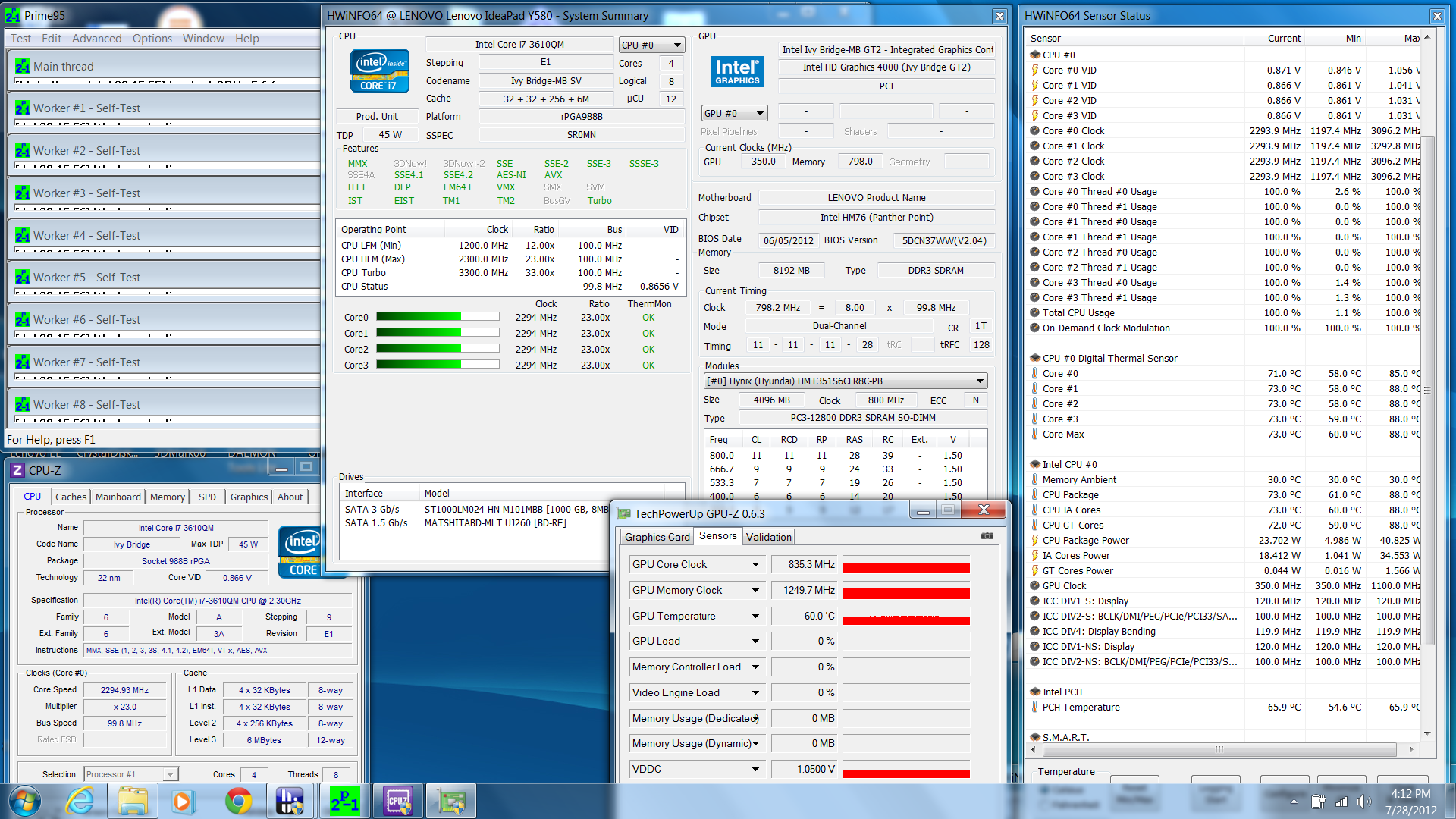
We utilized our usual FurMark and Prime95 stress programs alongside monitoring software for testing throttling issues. With each CPU thread stressed under Prime95, all four cores operated and stabilized at the 3.1 GHz Turbo Boost maximum. Once CPU temperatures hit 88 degrees C a few minutes later, however, the Turbo Boost advantage immediately vanished and all cores stepped back to their base 2.3 GHz clock rate. Speeds did not increase from the base rate until the stress test was stopped and restarted. CPU temperatures quickly dropped as expected when the 88 degree threshold was reached.
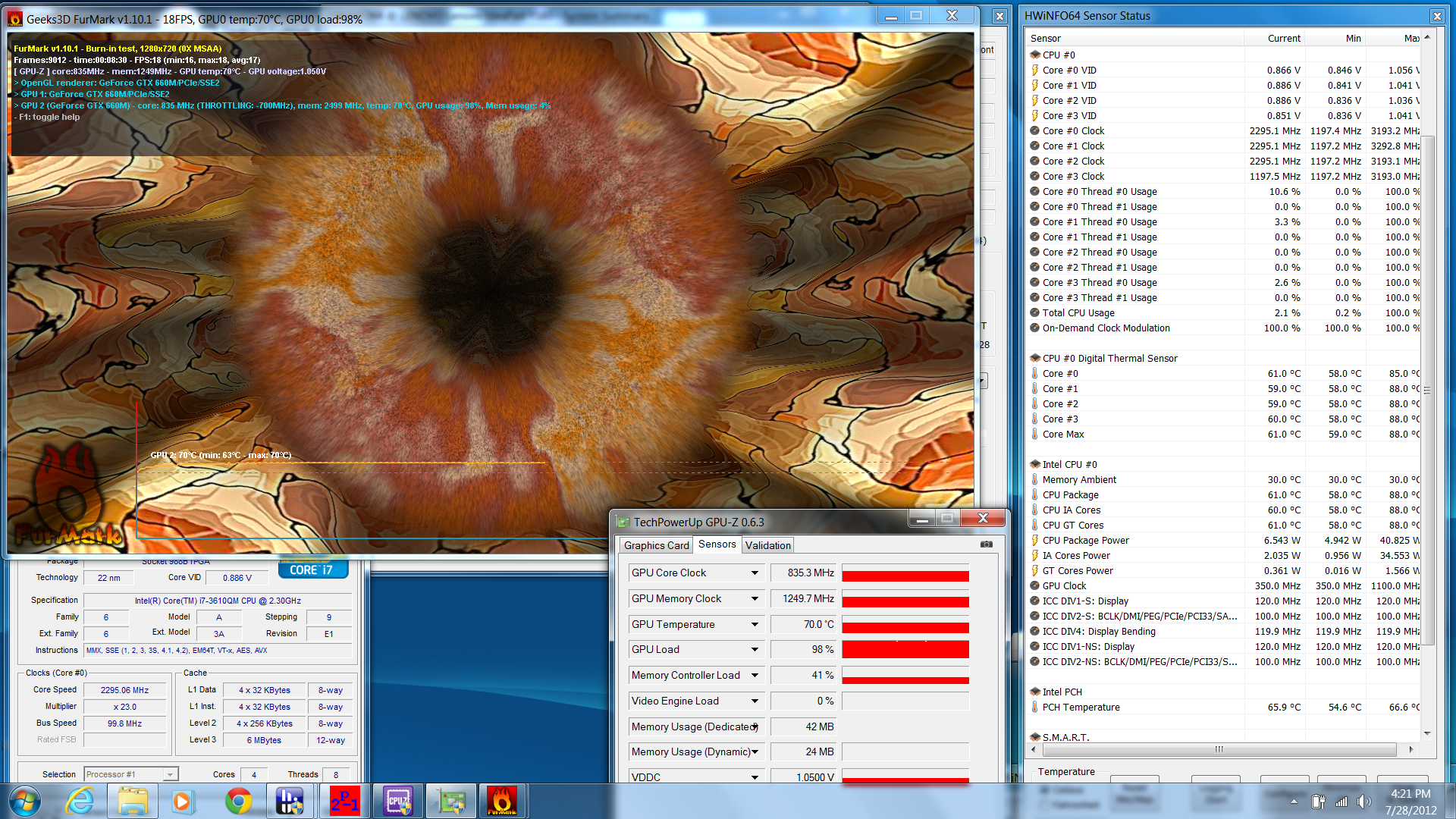
The GPU stress test with FurMark showed nothing out of the ordinary; The GTX 660M ran at its full 835/1250 MHz speeds with a persistent 70 degrees C maximum and never caved in.
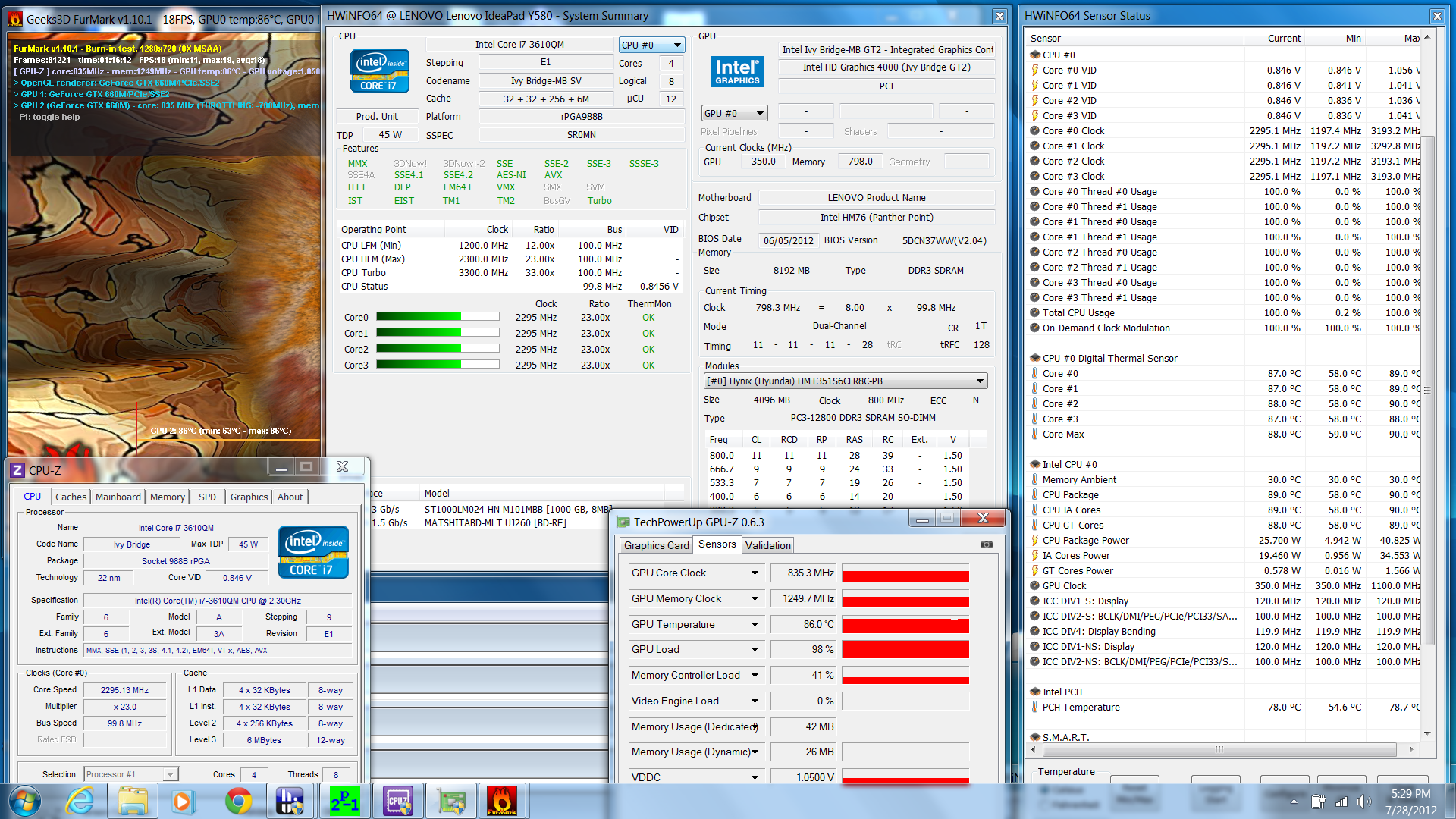
The full stress test with both FurMark and Prime95 running simultaneously produced similar results. Turbo Boost benefits became non-existent, but both the CPU and GPU cores never fell below their respective base speeds of 2.3 GHz and 835 MHz. The temperature of the graphics core in particular leveled off at a much higher 86 degrees C, but no performance hit was observed. As such, we experienced no major throttling issues with the Y580.
We ran 3DMark 06 immediately following the stress test and returned with a lower CPU score of 4569 points. This is to be expected since Turbo Boost becomes restricted on the Y580 if the cores reach threshold temperature levels.
Speakers
It is common practice for many performance-oriented notebooks to include speakers branded with a popular audio company and the Y580 continues this trend with 2x 1.5W stereo speakers from JBL. The unit still lacks a subwoofer so there is a notable lack of deep bass, but sound quality is nonetheless very good and feels well balanced given the size. We didn’t notice any range distortions when at high volumes, but external speaker solutions are still recommended if available
Battery Life
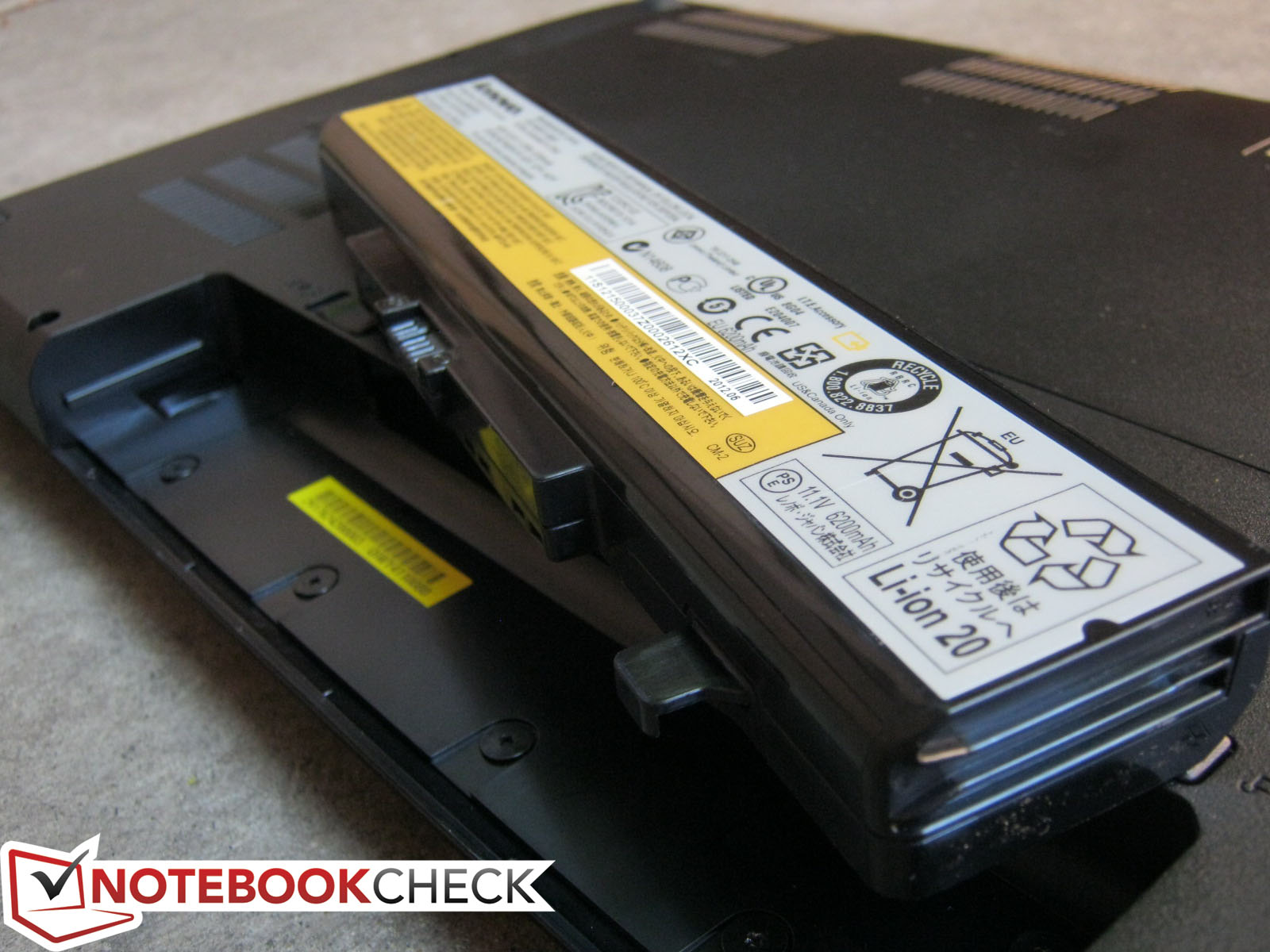
The Y580 comes standard with a 6-cell 72WHr battery with no options for larger capacities. Even so, Lenovo promises up to 5 hours of productive usage from a full charge.
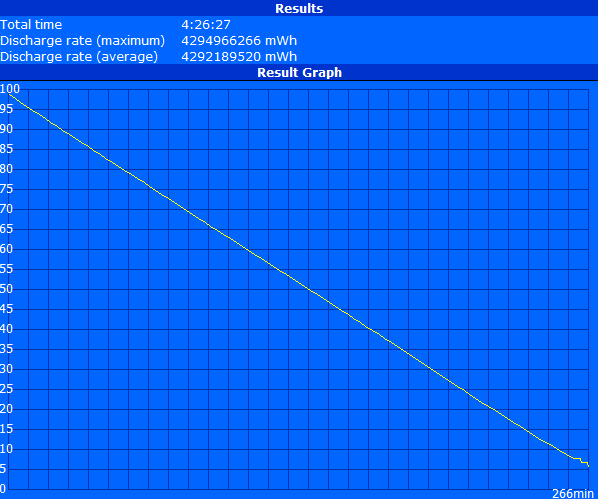
Our standard battery assessment utilizes BatteryEater to put manufacturer claims to the test. Automatic idling actions, such as screen dimming and sleeping, are all disabled for consistency. At a 150 cd/m2 brightness level (14/15) in the Balanced Profile setting, we were able to record a battery runtime of 4 hours 26 minutes while running our looping browsing script. We don’t have details on how Lenovo classifies “productive usage”, but 4.5 hours is fairly close to the 5 hour claim and so users should expect at least 4 hours of typical word processing and/or browsing use out of the Y580.
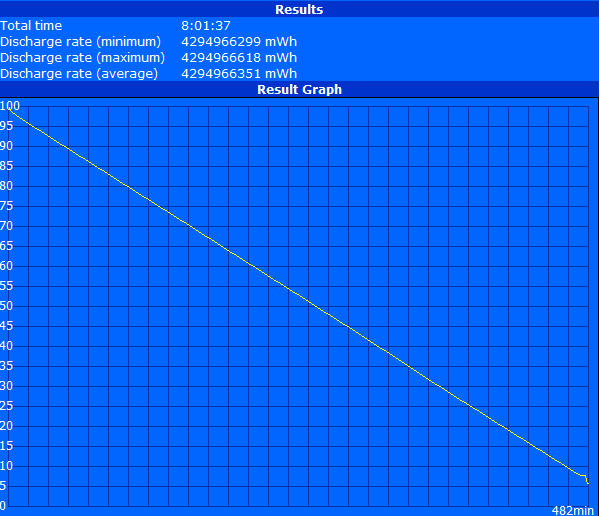
Maximum battery life was conducted under the Power Saver Profile at minimum brightness and disabled WiFi with the BatteryEater Reader’s Test. The notebook lasted for 8 hours under these conditions.
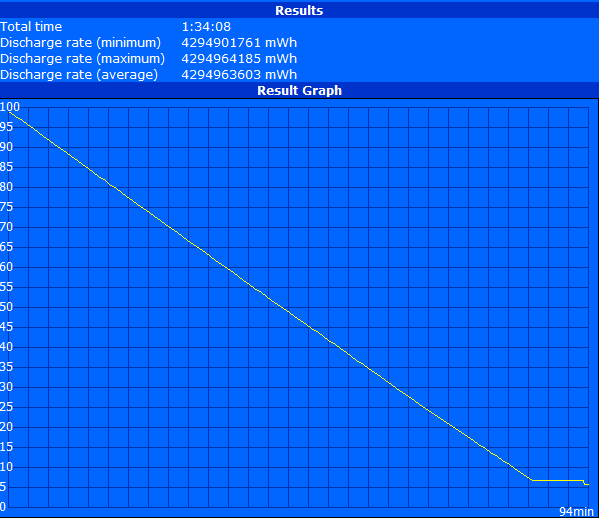
For minimum battery life, we put the system under the Performance Profile at maximum brightness and activated the dGPU. With the BatteryEater Classic Test, the battery depleted after about 1 hour 30 minutes.
Overall runtime is an improvement over its predecessor and distinctly longer than many other popular 15.6-inch notebooks with dGPUs such as the MSI GE60, MSI GT60, and Asus N56VZ. The similarly equipped Asus G55VW is also no match for the Y580, although to be fair the Asus notebook lacks hardware support for Optimus. Battery life is practically on par with the Samsung Series 5 550P7C, however, despite the fact that the latter utilizes a smaller 57 WHr and has a larger 17.3-inch display. In general, users can still expect to get respectable runtimes from a full charge and when running from the integrated graphics.
| Idle (without WLAN, min brightness) | ![]() ![]() ![]() ![]() ![]() ![]() ![]() ![]() ![]() ![]() ![]() ![]() ![]() ![]() ![]() ![]() ![]() ![]() ![]() ![]() ![]() ![]() ![]() ![]() ![]() ![]() ![]() ![]() ![]() ![]() ![]() ![]() ![]() ![]() ![]() ![]() ![]() ![]() ![]() ![]() ![]() ![]() ![]() ![]() ![]() ![]() ![]() ![]() ![]() ![]() ![]() ![]() ![]() ![]() ![]() ![]() ![]() ![]() ![]() ![]() ![]() ![]() ![]() ![]() ![]() ![]() ![]() ![]() ![]() ![]() ![]() ![]() ![]() ![]() ![]() ![]() ![]() ![]() ![]() ![]() ![]() ![]() ![]() ![]() | 8h 02min |
| Surfing with WLAN | ![]() ![]() ![]() ![]() ![]() ![]() ![]() ![]() ![]() ![]() ![]() ![]() ![]() ![]() ![]() ![]() ![]() ![]() ![]() ![]() ![]() ![]() ![]() ![]() ![]() ![]() ![]() ![]() ![]() ![]() ![]() ![]() ![]() ![]() ![]() ![]() ![]() ![]() ![]() ![]() ![]() ![]() ![]() ![]() ![]() ![]() ![]() ![]() ![]() ![]() ![]() ![]() ![]() ![]() ![]() ![]() ![]() ![]() ![]() ![]() ![]() ![]() ![]() ![]() ![]() ![]() ![]() ![]() ![]() ![]() ![]() ![]() ![]() ![]() ![]() ![]() ![]() ![]() ![]() ![]() ![]() ![]() ![]() ![]() | 4h 26min |
| DVD | ![]() ![]() ![]() ![]() ![]() ![]() ![]() ![]() ![]() ![]() ![]() ![]() ![]() ![]() ![]() ![]() ![]() ![]() ![]() ![]() ![]() ![]() ![]() ![]() ![]() ![]() ![]() ![]() ![]() ![]() ![]() ![]() ![]() ![]() ![]() ![]() ![]() ![]() ![]() ![]() ![]() ![]() ![]() ![]() ![]() ![]() ![]() ![]() ![]() ![]() ![]() ![]() ![]() ![]() ![]() ![]() ![]() ![]() ![]() ![]() ![]() ![]() ![]() ![]() ![]() ![]() ![]() ![]() ![]() ![]() ![]() ![]() ![]() ![]() ![]() ![]() ![]() ![]() ![]() ![]() ![]() ![]() ![]() ![]() | 3h 31min |
| Load (maximum brightness) | ![]() ![]() ![]() ![]() ![]() ![]() ![]() ![]() ![]() ![]() ![]() ![]() ![]() ![]() ![]() ![]() ![]() ![]() ![]() ![]() ![]() ![]() ![]() ![]() ![]() ![]() ![]() ![]() ![]() ![]() ![]() ![]() ![]() ![]() ![]() ![]() ![]() ![]() ![]() ![]() ![]() ![]() ![]() ![]() ![]() ![]() ![]() ![]() ![]() ![]() ![]() ![]() ![]() ![]() ![]() ![]() ![]() ![]() ![]() ![]() ![]() ![]() ![]() ![]() ![]() ![]() ![]() ![]() ![]() ![]() ![]() ![]() ![]() ![]() ![]() ![]() ![]() ![]() ![]() ![]() ![]() ![]() ![]() ![]() | 1h 34min |
Verdict
We have nothing but praise for the performance of the Y580. The GTX 660M amazes and the Ivy Bridge core should handle practically anything a typical user may demand from a primary home computer. The usability of the keyboard and touchpad are above average as well, but the ergonomic consequences of the close port placement may annoy users with wires protruding from the sides instead of the rear. However, the rather unanticipated additions in the form of a high-quality 1080p panel and a keyboard backlight, combined with a modest-but-sleek redesign, all add up to a notebook with a great balance between performance and presentation and an ultimately worthy successor to the Y570.
The major downside of the Y580 is that it looks and performs better than it feels. The glossy finish and nice metallic sheen feel like mediocre quality plastic to the touch. The touchpad and outer lid fare even worse and should have no place in a notebook of this price range. The screen glare during gaming and movies and the easy fingerprint buildup may annoy users who are more accustomed to notebooks with matte displays and duller chassis. Outdoor performance is also average at best even if under favorable conditions, which is rather unfortunate given the decent battery life.
We also feel that the overall system performance of the Y580 can be a bit bottlenecked by the 5400 RPM HDDs that are included with almost each model. Gamers especially will appreciate the storage size, but the hybrid storage solution will cost users much more.
In short, portability is not the focus for the IdeaPad Y580, which is absolutely fine. The target buyer is the multimedia home user or roaming hardcore gamer; this is no notebook for users or students who work outdoors more than they play indoors. To this end, the Y580 performs exceptionally well - we only wish it could have shipped with 7200 RPM drives as standard and have been made with better materials given the $1000 asking price.
28 comments
Got questions or something to add to our article? Even without registering you can post in the comments!Read all comments / answer
| #28 Re: Lenovo IdeaPad Y580-20994BU Laptop Review | m7md, 19:24 17.03 |
hey I just bought it and graghics pcmark is 6.9 not 7.2 can any body tell me why ?... | |
| » read whole comment | |
| #27 Re: Lenovo IdeaPad Y580-20994BU Laptop Review | Elebego, 23:26 26.02 |
[quote author=wanpaolo link=topic=36661.msg202770#msg202770 date=1360254892]Hi guys, I'm seriously thinking of buying this lenovo y580 but having second thoughts when comparing it to asus g55vw. Anyone who has these laptops who can give their thoughts? My biggest issue so far for the y580 is the "heating" issue stated in the review and in some comments.. Please do comment if you can. thanks![/quote]I am using y580.It is quiet quite:)But of course when playing hardcore gaming it is average 75-77 c.... | |
| » read whole comment | |
| #26 Re: Lenovo IdeaPad Y580-20994BU Laptop Review | wanpaolo, 17:34 07.02 |
Hi guys, I'm seriously thinking of buying this lenovo y580 but having second thoughts when comparing it to asus g55vw. Anyone who has these laptops who can give their thoughts? My biggest issue so far for the y580 is the "heating" issue stated in the review and in some comments.. Please do comment if you can. thanks!... | |
| » read whole comment | |
| #25 Re: Lenovo IdeaPad Y580-20994BU Laptop Review | jake burch, 17:55 06.02 |
I performed an unintentional drability test this morning, well i left my y580 on the roof of my car and drove away. I made it about a mile down the road when I heard a loud thump. I was like wtf and saw a black obect in my rear view. It was tumbbling down the road andbounced about 7-8 feet into the air before landing in a snowy ditch. I still didn't realize this was my laptop that just went for a tmble, I thought it was just something that fell off another car and I caused it to fly into the air when i drove over it. About 5 seconds later i realized it was my most important possesion I own. OHHH f*** MY LAPTOP. I smashed the brakes and threw my car in reverse.Shortly after searching I see my laptop. I felt like I just saw my dog get runover. To my surprise she functions are 100% good infact when i ran the system performance test my memory gained a tenth. There is still major cosmetic damage. I need a new keayboard beze, lcd bezel, and the screen hinges snapped right off, the wireharness was not affected, and i lost 3 keys. I saw doing about 50mph when this happend I still cant belive it works. Im posting from it right now. I hope this never happens to you but if it does chances are your y580 will be alright.... | |
| » read whole comment | |
| #24 Re: Lenovo IdeaPad Y580-20994BU Laptop Review | Allen.Ngo, 22:12 09.12 |
[quote author=SpadgeAki link=topic=36661.msg198538#msg198538 date=1355060450]Hello, can I change build in 16GB mSSD for Crucial M4 (128GB), install Windows directly on it and use regular HDD only for data storage?[/quote]Yes you have the option to install Windows on the mSATA drive as mentioned in the review... | |
| » read whole comment | |
| #23 Re: Lenovo IdeaPad Y580-20994BU Laptop Review | SpadgeAki, 14:40 09.12 |
Hello, can I change build in 16GB mSSD for Crucial M4 (128GB), install Windows directly on it and use regular HDD only for data storage?... | |
| » read whole comment | |
| #22 Re: Lenovo IdeaPad Y580-20994BU Laptop Review | GD, 00:40 07.12 |
Y580 did have CPU throttle issue,when GPU is over 69 or so,Turbo boost will be shut down and that's not good,I think you guys may consider a less extreme way to test throttle problem,cause some notebooks throttle not because the temperature protection,but power protection ,like MSI GE and GT.Unfortunately,Y580 is the former and it is not good for gaming,it can be fixed by throttlestop though ,with temperature increase , your choice.... | |
| » read whole comment | |
| #21 Re: Lenovo IdeaPad Y580-20994BU Laptop Review | Lenovo IdeaPad Y580, 12:53 03.09 |
Lenovo IdeaPad Y580 it comes with large display, full size keyboard, and Blu-ray drive.Features are JBL speakers, 15.6 inches display, full sized keyboard, 32GB SSD, 12.7 GB free space, 2.3 GHz Intel Core i7-3610 chip and 8GB RAM. http://www.techiecop.com/laptops/lenovo-laptops/lenovo-ideapad-y580.html... | |
| » read whole comment | |
| #20 Re: Lenovo IdeaPad Y580-20994BU Laptop Review | Allen.Ngo, 08:48 17.08 |
Hello,One way is to open the Intel Rapid Storage Technology program and look for the "Accelerate" option. From there you should be able to configure the mSATA drive.... | |
| » read whole comment | |
| #19 Re: Lenovo IdeaPad Y580-20994BU Laptop Review | Jonathan Kwok, 04:37 17.08 |
Hi, I just got his computer and i bought the version with the 32GB SSD drive. How can I tell if the computer is using the ssd as a cache drive or if its just an extra drive?Thanks,Jonathan... | |
| » read whole comment | |
| #18 Re: Lenovo IdeaPad Y580-20994BU Laptop Review | Andy7118, 09:17 12.08 |
[quote author=Allen.Ngo link=topic=36661.msg187711#msg187711 date=1344582490]hi Andy,Load temperature data in the reviews usually represent worst case scenarios. Most users won't be running at a constant 100 percent CPU and GPU load for hours. The speed benefits from a 7200 RPM drive have a good chance of outweighing the small temperature increase from a faster spinning platter in this case.The HP dv6t is on our list, but i can't provide an ETA just yet.[/quote]I see. My concern for the heat was due to instances where I would be playing games on it for hours. I am not clear if that can be considered as usage under full load..according to what L.A.Guy said, it does get uncomfortably hot during gaming session. I think we will have to get a good laptop cooler in order to play games on it. Anyway, thanks for your reply! Can't wait for the review on dv6t 2012!... | |
| » read whole comment | |
| #17 Re: Review | L.A. Guy, 22:21 11.08 |
[quote author=L.A. Guy link=topic=36661.msg187881#msg187881 date=1344716116]Purchased the Costco HD version (sold out as of 8/12/12) but I think I got a bad one. Under load or charging a lower batter, and only when plugged into the AC adapter, I get a slight shock/tingle feeling and when I drag my finger across the metal parts of the chassis or rest my palms to type (as long as it's metal) I can make the chassis resonate by dragging my finger across it. It seems like there is some hardware defect with mine, other than that it's a great, fast PC for what I've used it for thus far. Plan on purchasing same model with RAMBO drive from Newegg and do clean install. BTW the glossy screen is really not that bad. But the trackpad is not great and sometimes your palms can touch it when typing and move the cursor further down, a bit frustrating. But there is no perfect (Win based) laptop, at least not for under $3k+, I can live with the compromises.[/quote]also mean to add, under load of an older game (TW:ME2 - ultra settings at 1080 res) under where I would rest my left palm it does get pretty hot after 2 hrs of running. ... | |
| » read whole comment | |
| #16 Review | L.A. Guy, 22:15 11.08 |
Purchased the Costco HD version (sold out as of 8/12/12) but I think I got a bad one. Under load or charging a lower batter, and only when plugged into the AC adapter, I get a slight shock/tingle feeling and when I drag my finger across the metal parts of the chassis or rest my palms to type (as long as it's metal) I can make the chassis resonate by dragging my finger across it. It seems like there is some hardware defect with mine, other than that it's a great, fast PC for what I've used it for thus far. Plan on purchasing same model with RAMBO drive from Newegg and do clean install. BTW the glossy screen is really not that bad. But the trackpad is not great and sometimes your palms can touch it when typing and move the cursor further down, a bit frustrating. But there is no perfect (Win based) laptop, at least not for under $3k+, I can live with the compromises.... | |
| » read whole comment | |
| #15 Re: Lenovo IdeaPad Y580-20994BU Laptop Review | Allen.Ngo, 09:08 10.08 |
hi Andy,Load temperature data in the reviews usually represent worst case scenarios. Most users won't be running at a constant 100 percent CPU and GPU load for hours. The speed benefits from a 7200 RPM drive have a good chance of outweighing the small temperature increase from a faster spinning platter in this case.The HP dv6t is on our list, but i can't provide an ETA just yet.... | |
| » read whole comment | |
| #14 Re: Lenovo IdeaPad Y580-20994BU Laptop Review | Andy7118, 06:29 10.08 |
Great review! Waited so long for the review of Y580 since its release. I have some questions regarding Y580:A) Temperature test showed an average of 30deg C on idle & reaches average of 38deg C on load. It even reaches [color=red]50deg C[/color] in the middle of the keyboard on load. Considering all the energy-efficient parts such as Ivy bridge/Kepler/copper heat sink, it gets quite hot to the point where it might break the components in short run..Therefore, is it advisable to get the [u]7200rpm upgrade[/u]?B) Also, could you review the [u]2012 HP Pavilion dv6t-7000 quad edition with GTX660M[/u]? As both 2012 dv6t & Y580 have somewhat similar ports/specs/price, I believed it is a tight competitor to the Y580. Thank you for your time & I hope to hear from you guys. Keep up the good work!... | |
| » read whole comment | |
| #13 Re: Lenovo IdeaPad Y580-20994BU Laptop Review | masoud, 08:34 09.08 |
please review hp dv6t-7000tancks... | |
| » read whole comment | |
| #12 Re: Lenovo IdeaPad Y580-20994BU Laptop Review | Jan Andersen, 14:08 05.08 |
Lenovo and Intel seems to be among the flop manufacturers of the year 2012.As to Lenovo, their 2012 notebooks ( except some ThinkPad) continue with glossy screens, where many others have finally gone back to matte screens. Perhaps news travels slow in China. Apparently users have to pay for screen quality ( matte screen ) at Lenovo. As to this notebook, it is a mystery why they insist to stuff in a dedicated graphics card, when the processor comes with a HD 4000, adding further heat and noise to the unit. Why cant manufacturers split ther product lines in gaming and normal/light-gaming ? Instead users are prisoners, having to buy with dedicated graphics card which we do not need - and which in two years and a few months will melt down the unit. Funny that we have to pay extra for NOT having a dedicated graphics card - one really wonder what the real purpose is to stuff in an extra component not needed ?!As to Intel, they are probably the main flop of 2012, which the new Ivy Bridge processors beeign a flop, which is apparent in also this test - running too hot. Ivy Bridge was supposed to give us cooler, more quiet and thinner devices - but instead we get devices running even hotter than last year, and devices still well above 2.4 kg for a normal 15".... | |
| » read whole comment | |
| #11 Re: Lenovo IdeaPad Y580-20994BU Laptop Review | DOH!, 11:52 31.07 |
[quote author=nissangtr786 link=topic=36661.msg186625#msg186625 date=1343700722][quote author=DOH! link=topic=36661.msg186563#msg186563 date=1343642926][quote author=nissangtr786 link=topic=36661.msg186538#msg186538 date=1343602905]DOH you do realise if the 660m was a 256bit card with same clocks it would embarrass a 675m. [/quote]I think you're definitely wrong about this. If you were to do the research with the google, you would definately find reference that 1 Fermi core = 2 Kepler cores when it comes to comparing performance. It's because the Fermi products have the shaders hot clocked at TWICE the frequency of the core clock, whereas the Kepler cores have the shaders at a lower clock equal to the clock rate of the core clock. THIS is why the performance of the 660M is lower than that of the 675M, even when it has the same number of cores, it's nothing to do with memory bandwidth at all! Check the guru3d website for more information where they review the first Kepler based products, they make reference to the 1 Fermi core = 2 Kepler cores thing I was talking about.[/quote]I am amazed that you don't know how big an advantage it is to be a 256bit card over a 128bit card.here is a noob guide comment for people like you to understand with a quick 'google' search from http://forums.afterdawn.com/t.cfm/f-216/128_bit_vs_256_bit_video_card-902807/ :Generally speaking a 256-bit option is better. It refers to the width of the memory bus on the card, so a higher memory bus width means more data can be transferred between the memory and the graphics processor, running at the same speed as the lower bus width. So a 256-bit memory bus can deliver twice as much graphics data to the processor as the 128-bit at the same speed. I know fermi 1 core is 2 for kepler but this is the great thing about kepler is that usinf this technique they can afford to low the clock speed down and anhialate the 675m while taking around 65w less electricity and performing around 80% faster and can oc the card by 50% and still take less power then the 675m and perform basically 120% faster..Here is a power consumption reading here:http://www.hardwareluxx.de/images/stories/galleries/reviews/gtx_680m/bench_strom_load.jpgthread here:http://forum.notebookreview.com/gaming-software-graphics-cards/675454-new-gtx-680m-review-truth.htmlI think the 660m if 256bit would just about edge the 675m. Look at this business kepler based card that beats the 675m with 256bit by a bit. I know it has more unified shaders then the 660m but the k3000m is clocked a lot slower.http://www.notebookcheck.net/NVIDIA-Quadro-K3000M.76896.0.htmlhttp://www.notebookcheck.net/NVIDIA-Quadro-K3000M.76896.0.htmlIMO buying a 670m over a 660m or 675m over a 680m/7970m is like buying a pentium 4 3.8ghz ht over an intel atom.slowest version power hungry difference wise and performance per watt.[/quote]For all the research you seem to have done you are surprisingly clueless and lacking in basic understanding of this topic. All you seem to be doing is coming out with random snippets of facts that you know about graphics cards, which don't bear any relation to our discussion; it's almost like you're cutting and pasting stuff without understanding what you're referring to. I'm not even going to bother to convince you anymore; afterall, it's not that important really! No one really cares if you or I are right about this petty argument! I just hope that you don't work in the tech industry in any shape or form because that would be painful!... | |
| » read whole comment | |
| #10 Re: Lenovo IdeaPad Y580-20994BU Laptop Review | nissangtr786, 04:12 31.07 |
[quote author=DOH! link=topic=36661.msg186563#msg186563 date=1343642926][quote author=nissangtr786 link=topic=36661.msg186538#msg186538 date=1343602905]DOH you do realise if the 660m was a 256bit card with same clocks it would embarrass a 675m. [/quote]I think you're definitely wrong about this. If you were to do the research with the google, you would definately find reference that 1 Fermi core = 2 Kepler cores when it comes to comparing performance. It's because the Fermi products have the shaders hot clocked at TWICE the frequency of the core clock, whereas the Kepler cores have the shaders at a lower clock equal to the clock rate of the core clock. THIS is why the performance of the 660M is lower than that of the 675M, even when it has the same number of cores, it's nothing to do with memory bandwidth at all! Check the guru3d website for more information where they review the first Kepler based products, they make reference to the 1 Fermi core = 2 Kepler cores thing I was talking about.[/quote]I am amazed that you don't know how big an advantage it is to be a 256bit card over a 128bit card.here is a noob guide comment for people like you to understand with a quick 'google' search from http://forums.afterdawn.com/t.cfm/f-216/128_bit_vs_256_bit_video_card-902807/ :Generally speaking a 256-bit option is better. It refers to the width of the memory bus on the card, so a higher memory bus width means more data can be transferred between the memory and the graphics processor, running at the same speed as the lower bus width. So a 256-bit memory bus can deliver twice as much graphics data to the processor as the 128-bit at the same speed. I know fermi 1 core is 2 for kepler but this is the great thing about kepler is that usinf this technique they can afford to low the clock speed down and anhialate the 675m while taking around 65w less electricity and performing around 80% faster and can oc the card by 50% and still take less power then the 675m and perform basically 120% faster..Here is a power consumption reading here:http://www.hardwareluxx.de/images/stories/galleries/reviews/gtx_680m/bench_strom_load.jpgthread here:http://forum.notebookreview.com/gaming-software-graphics-cards/675454-new-gtx-680m-review-truth.htmlI think the 660m if 256bit would just about edge the 675m. Look at this business kepler based card that beats the 675m with 256bit by a bit. I know it has more unified shaders then the 660m but the k3000m is clocked a lot slower.http://www.notebookcheck.net/NVIDIA-Quadro-K3000M.76896.0.htmlhttp://www.notebookcheck.net/NVIDIA-Quadro-K3000M.76896.0.htmlIMO buying a 670m over a 660m or 675m over a 680m/7970m is like buying a pentium 4 3.8ghz ht over an intel atom.slowest version power hungry difference wise and performance per watt.... | |
| » read whole comment | |
| #9 Re: Lenovo IdeaPad Y580-20994BU Laptop Review | DOH!, 12:08 30.07 |
[quote author=nissangtr786 link=topic=36661.msg186538#msg186538 date=1343602905]DOH you do realise if the 660m was a 256bit card with same clocks it would embarrass a 675m. [/quote]I think you're definitely wrong about this. If you were to do the research with the google, you would definately find reference that 1 Fermi core = 2 Kepler cores when it comes to comparing performance. It's because the Fermi products have the shaders hot clocked at TWICE the frequency of the core clock, whereas the Kepler cores have the shaders at a lower clock equal to the clock rate of the core clock. THIS is why the performance of the 660M is lower than that of the 675M, even when it has the same number of cores, it's nothing to do with memory bandwidth at all! Check the guru3d website for more information where they review the first Kepler based products, they make reference to the 1 Fermi core = 2 Kepler cores thing I was talking about.... | |
| » read whole comment | |
| #8 Re: Lenovo IdeaPad Y580-20994BU Laptop Review | nissangtr786, 01:12 30.07 |
In essence really we should oc the 680m by 10% and then compare it a 670m and oc the 680m by 50% and then compare it to the 675m as the 680m consumes less then a 670m by 12w electricity wise.One more thing look at this 680m info:http://www.geforce.co.uk/whats-new/articles/introducing-the-geforce-gtx-680m-mobile-gpu/As you can see in the table below, the GTX 680M eclipses the performance of the GTX 580M by such a margin thanks to its advanced chip design that increases the number of CUDA Cores by 3.5x, memory bandwidth by 19.2GB/s, memory speed by 300MHz, and available memory by 500MB. Most importantly, the GTX 680M achieves such performance even with a GPU clock speed that’s 520MHz lower than its predecessor. Lower clock speed means lower power consumption. That the GTX 680M is able to outperform its predecessor while consuming less power is perhaps its greatest merit.... | |
| » read whole comment | |
| #7 Re: Lenovo IdeaPad Y580-20994BU Laptop Review | nissangtr786, 01:01 30.07 |
his quote is just wrong, the 660M has higher core clock rates but LOWER shader clock rates, this is why the performance of the 660M is hampered in comparison to the previous generation 675M as both have the same number of cores. Basically, assuming core clock speeds are the same, then 1 Fermi core = 2 Kepler cores. .........................................DOH you do realise if the 660m was a 256bit card with same clocks it would embarrass a 675m. A 680m takes less power consumption to run then a 675m and performs 80% better.Unfortunately nvidia rebranding hampered mid range cards. Kepler in essence has 2x as much shaders as 1 fermi but the power consumption saving means its great and kepler is on 28nm as well.I reckon nvidia revision with 760m should have 256bit prerform similar to the current 680m and the 780m to be just over 2x as much faster then the 580m/675m junk card and the 70m to take around 30w less power consumption.... | |
| » read whole comment | |
| #6 Re: Lenovo IdeaPad Y580-20994BU Laptop Review | Hræsvelgr, 18:41 29.07 |
[quote author=dude link=topic=36661.msg186523#msg186523 date=1343579691]8192 MB, DDR3 SDRAM 800 MHz??????? WHY[/quote] [i][b]S[/b]DRAM[/i] thats why ;)Need less Power -> longer Battery Runtime ... | |
| » read whole comment | |
| #5 Re: Lenovo IdeaPad Y580-20994BU Laptop Review | dude, 18:34 29.07 |
8192 MB, DDR3 SDRAM 800 MHz??????? WHY... | |
| » read whole comment | |
| #4 Re: Lenovo IdeaPad Y580-20994BU Laptop Review | Allen.Ngo, 14:18 29.07 |
It should have said memory clock, not shader clock!Thanks for the catch.... | |
| » read whole comment | |
| #3 Re: Lenovo IdeaPad Y580-20994BU Laptop Review | DOH!, 12:41 29.07 |
Ok, this is the 2nd article I've read from you guys in 2 days that has inaccuracies when it comes to describing the graphics cards. In the first paragraph of the Gaming Performance section of your article you say: "The 660M has faster core and shader clock rates than the latter two [670M, 675M], but Nvidia has scaled the performance of the 660M accordingly largely by halving the width of the memory bus: 128-bit versus 256-bit of the 675M." This quote is just wrong, the 660M has higher core clock rates but LOWER shader clock rates, this is why the performance of the 660M is hampered in comparison to the previous generation 675M as both have the same number of cores. Basically, assuming core clock speeds are the same, then 1 Fermi core = 2 Kepler cores. This is why the Kepler 660M is slower than the Fermi 675M, and NOT due to the difference in the bus bandwidth between the two.Come on, if you're going to write tech articles on PC's/laptops, then at least have a current understanding of graphics card technologies. After all, all the information about these graphics cards is already listed in your Graphics Cards section of this website, that's how I learnt about it.... | |
| » read whole comment | |
| #2 Re: Lenovo IdeaPad Y580-20994BU Laptop Review | Matty, 12:05 29.07 |
I've been waiting for a good in-depth review of this model. It's available for £999 here in the UK with a 64GB mSATA drive and all the other trimmings which is not a bad deal for a high spec semi-portable gaming machine. It's a shame the display is so glossy, as it appears to have pretty good visual quality. It also seems to be running much hotter (and in the wrong places this time) than the Y570 - another step backwards. These are important issues for me and so that crosses this machine off my list now.... | |
| » read whole comment | |
| #1 Re: Lenovo IdeaPad Y580-20994BU Laptop Review | Viktor Ko, 10:58 29.07 |
This computer definitely shows what manufacturers can fit into a 15 inch, sub 3kg chassis.It is heavier than the MSI GE60 (2.6kg + GTX 660M option), but the Lenovo has it beat when it comes to build quality.... | |
| » read whole comment | |