




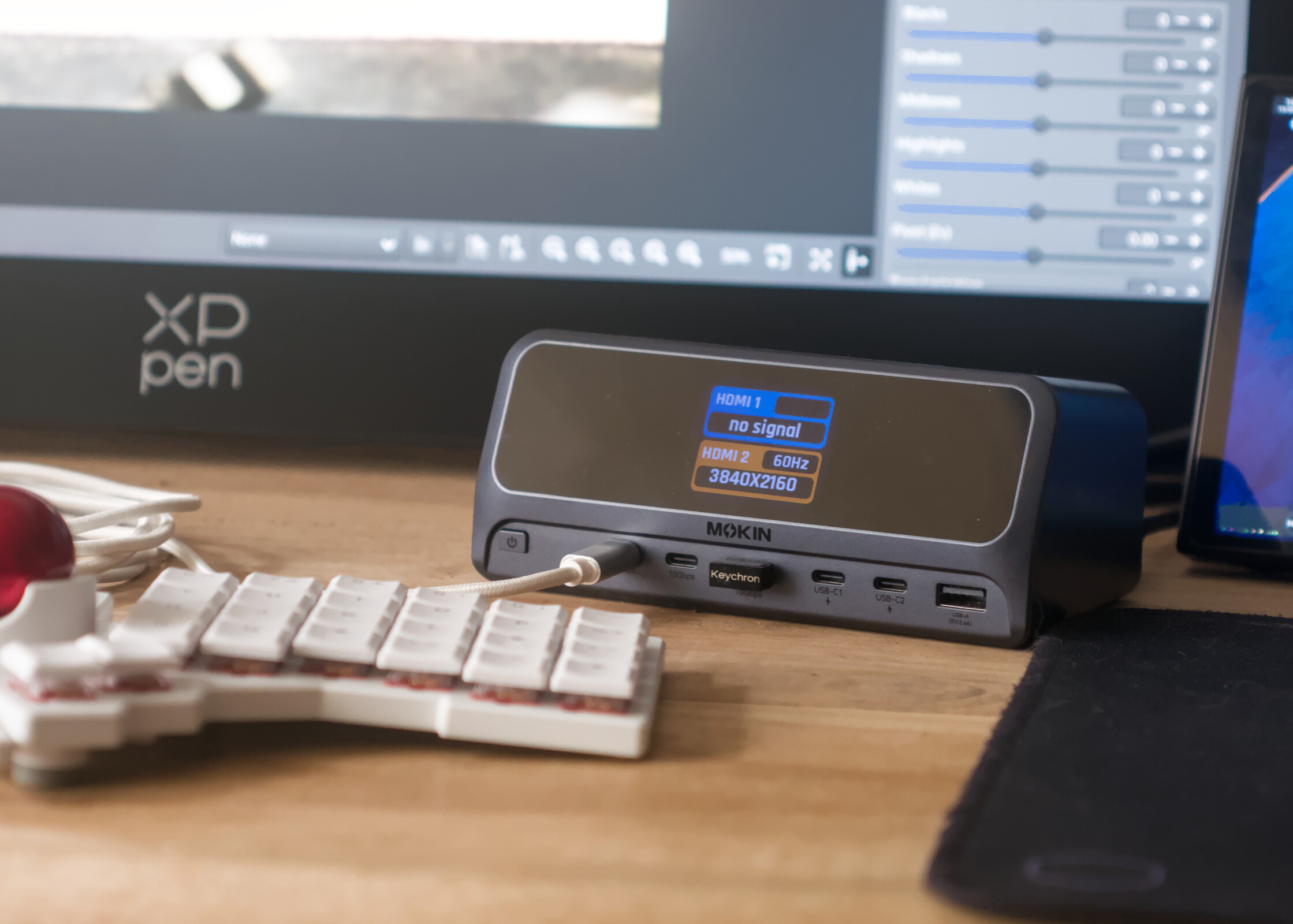
MOKiN's 13-in-1 USB-C docking station has an actually useful gimmick and it turned my Lenovo Legion Go into a usable desktop PC
Two ports short of perfect.
MOKiN's 13-in-1 USB-C docking station is a 160 W GaN+ charger with three 100 W USB Type-C ports built into a neat USB Type-C 3.2 Gen 2 docking station. While the LCD initially seemed like a novelty, especially given its cutesy animations, it has proven to be invaluable when it comes to saving charge cycles on my expensive tech. What's more, it's just light and compact enough to warrant taking with you when travelling.Julian van der Merwe Published 🇳🇱 🇫🇷 ...
Verdict - A solid, affordable USB-C docking station with fast charging
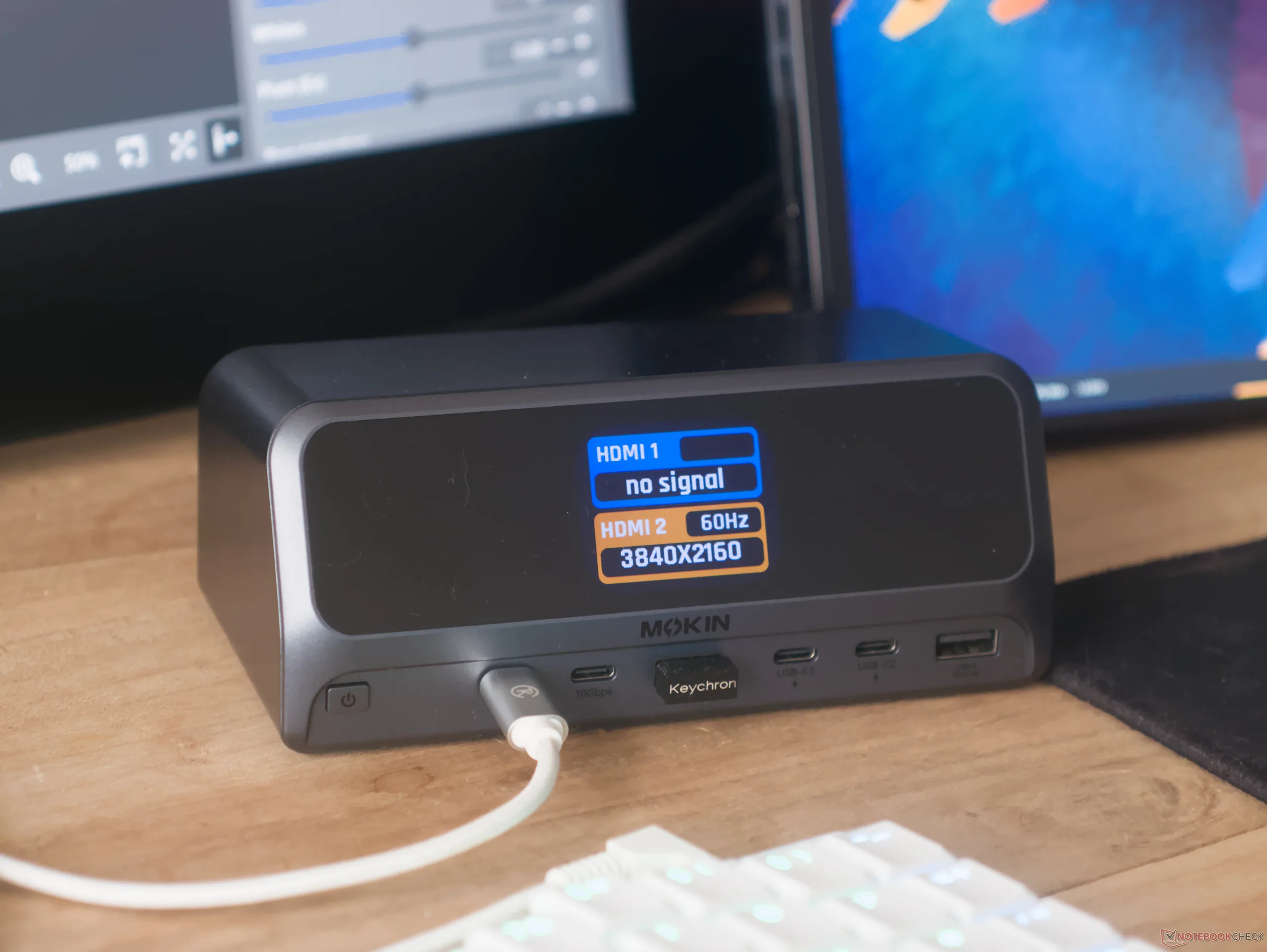
The MOKiN 13-in-1 USB-C docking station is a great addition to a desktop setup, especially if you're someone who relies on something like a thin-and-light laptop as a main productivity workstation, or if you're looking for a slightly more affordable alternative to big brands like Anker and Baseus. In everyday use cases, the MOKiN USB-C docking station has just about enough USB Type-C ports for most user's needs, and the addition of dual HDMI 2.0 display outputs makes it all the more useful.
Practically speaking, the docking station allows you to have a single-cable connection that adds a wired mouse and keyboard, dual 4K 60 Hz displays, and a wired GbE network connection to a thin-and-light or gaming handheld — the latter was my use case.
The only major shortcoming of the MOKiN 13-in-1 USB-C docking station is its lack of both a 3.5 mm headphone jack and an SD card reader, but at its regularly discounted price of $83.99, it's more than worth the cost, as long as you don't need those ports.
Pros
Cons
Price and availability
The MOKiN 13-in-1 USB-C Docking Station has an MSRP of $169.99, but it at the time of writing is available for $83.99 from MOKiN directly, which is a frequent discount. The docking station is also available on Amazon for $129.99.

The MOKiN 13-in-1 USB-C Docking Station is a USB hub and docking station combo that features dual display out via HDMI, up to 160 W of power output via four USB ports, and I/O expansion. It also has a small LCD that displays system information,
Specifications
| Charging ports | 2× USB Type-C ports (up to 100 W each), 1× USB Type-A port (up to 12 W), USB-C host (up to 100 W) |
| USB hub ports | 2× USB 3.2 Gen 2 Type-C 10 Gbps, 1× USB 3.2 Gen 2 Type-A 10 Gbps, 1× USB 2.0, GbE RJ45, 2× HDMI 2.0 |
| Total power output | 160 W combined |
| Weight | 766 g without cables, 918 g with included cables |
| Size | 65 × 80 × 153 mm |
First impressions and build quality
The unboxing experience of the MOKiN 13-in-1 USB-C docking station is pretty barebones: the packaging only includes the dock itself, a 150 cm C5 power cord, and a 80 cm USB Type-C cable. While both are adequate and appear to be sturdy enough, it would have been nice to have a longer USB Type-C cable to be able to place the dock in more versatile locations.
Cables aside, the docking station feels sturdy, and it has an unoffensive, if somewhat unexciting aesthetic. The rounded corners on the display and on the top of the dock give it a premium look, but the glossy cover on the LCD makes the display prone to both fingerprints and harsh reflections, which is frustrating under bright office lighting. The docking station has two long rubber feet on the bottom that help keep it in place when you need to plug and unplug cables or use the power button, and the power button is conveniently placed and provides decent tactile feedback when using it to turn on the dock or switch display modes.
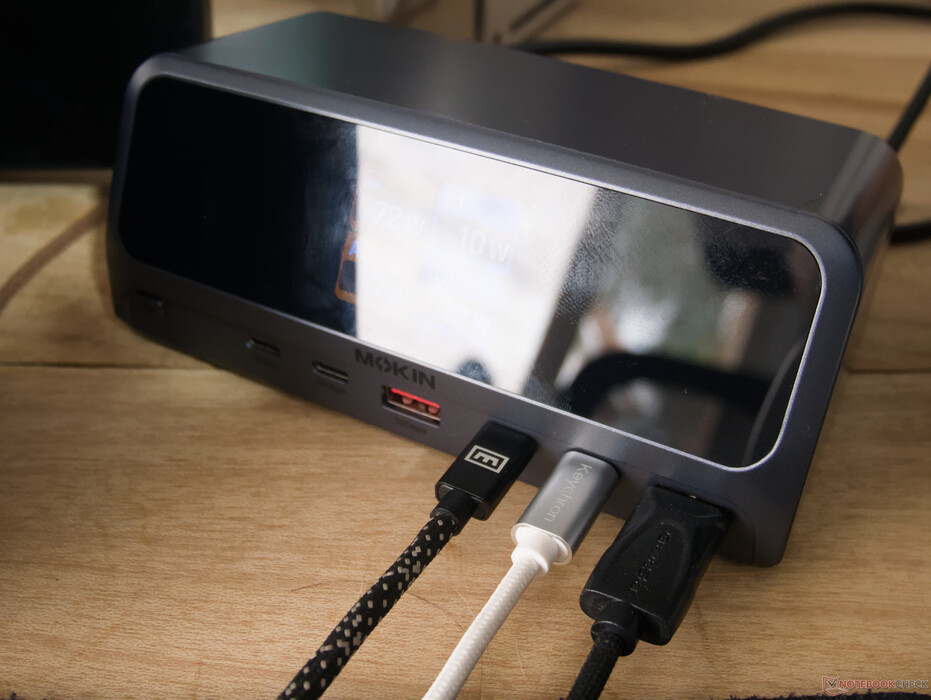
MOKiN 13-in-1 docking station is a stellar charging station
Getting the MOKiN 13-in-1 docking station up and running was as simple as plugging the C5 power cable into the wall and the dock and connecting the docking station to a host device using the clearly marked, rear-mounted USB Type-C port. The port is a simple USB 3.2 Gen 2 port, which imposes a 10 Gbps limitation on any data transfers but has the benefit of widespread compatibility. Unlike Thunderbolt connections, backwards compatibility with previous USB Type-C implementations is almost guaranteed, meaning the MOKiN docking station should be usable as a docking station even on older and more affordable laptops, although there will be bandwidth limitations imposed on the USB hub when using it with older ports and host devices.
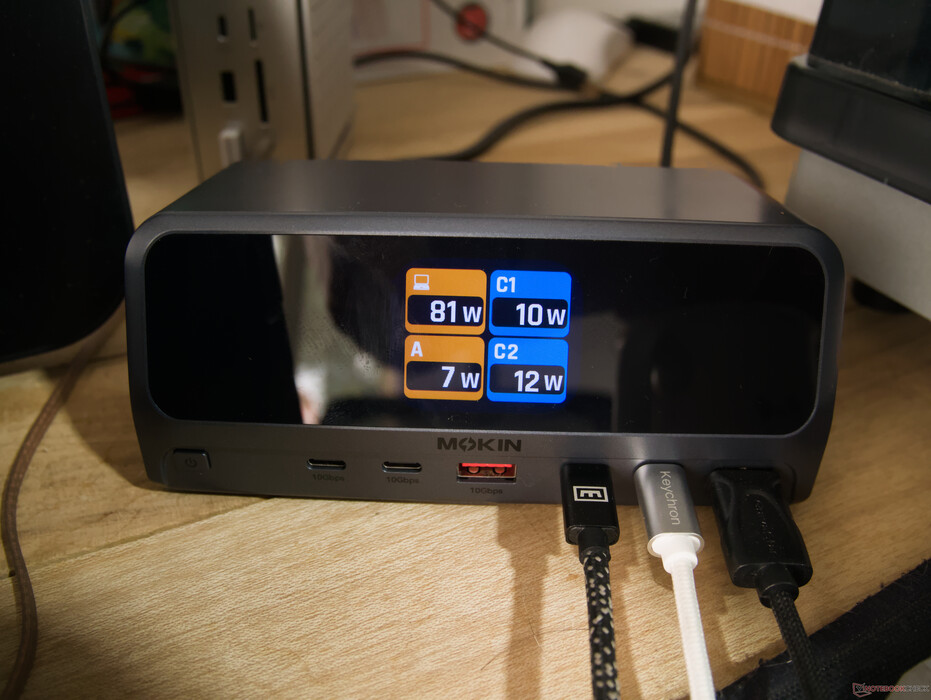
While you can read further to find out about my experience with the MOKiN docking station as a USB hub, its main appeal to me was charging my many wireless peripherals. As is evidenced by my previous reviews, I have many wireless mechanical keyboards, many of which simply have no way to tell you when they're fully charged or not. This is where I found the display of the MOKiN docking station to be most useful. The display has a number of modes, which you can cycle through with the small power button on the left of the ports, but the most useful view by far is the grid that shows the power draw of all of the connected devices. In my time reviewing the docking station, I used this grid view to give me a visual indication of when my charging devices were fully charged — when the port shows 0 W, the battery is full.
I spent several hours charging a number of different devices across all four high-power ports in an attempt to push the docking station to reach saturation. While I was only able to push the charger to 130 W output at most before I ran out of fast-charging, high-draw devices, the dock only ever got marginally warmer than room temperature while charging. I don't expect overheating to become an issue with the MOKiN 13-in-1 docking station.
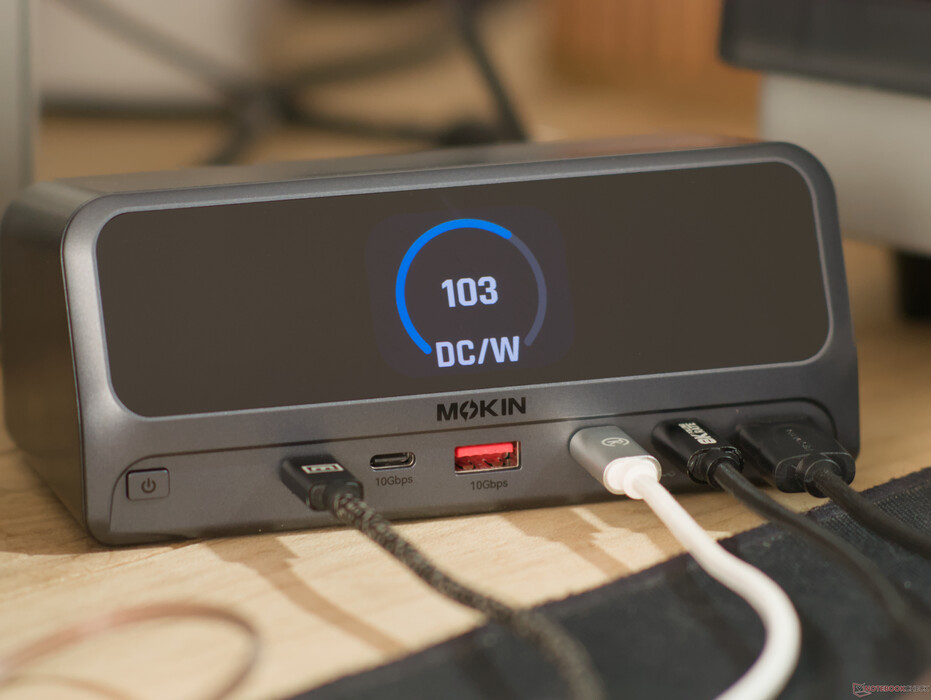
More interestingly — and perhaps the most vital change that came from using the MOKiN 13-in-1 docking station — I have stopped charging my gear overnight, because it's just more convenient to use the docking station when I'm working at my desk. I've always had access to a charger at my desk, whether that's my phone's wall brick or a USB port on my computer, but having access to four fast-charging USB Type-C ports at once has means that I no longer need to rely on those PC USB ports, which charge slowly, or my phone's charger. Having multiple fast chargers on hand has meant that, instead of keeping things like camera gimbals, phones, or peripherals topped-up permanently, I can now simply top them up when I know I'll need them, which is a healthier approach to battery management.
How the MOKiN docking station turned my Legion Go into a desktop and where it failed
Recently, a number of events have transpired that have left me with the Lenovo Legion Go as my main workstation. While this presented challenges, it also presented an opportunity to see where the MOKiN 13-in-1 docking station fell short and how it could extend the functionality of the Legion Go to fulfill the role of a desktop PC.
In most workflows, the MOKiN 13-in-1 dock has proven to be very useful in making up for the Legion Go's measly two USB-C ports. While charging the Legion Go, the docking station also adds two USB Type-A ports, which are perfect for my wireless keyboard and mouse, and two front-mounted 10 Gbps USB Type-C ports, which I have used for things like connecting to an SD card reader or a Carvera Air desktop CNC machine for DIY projects. The dual HDMI 2.0 ports on the rear, however, present a limitation that was somewhat frustrating. While testing the MOKiN docking station, my main monitor was a 4K, 120 Hz XP Pen Artist Pro 27 Gen 2, which was unable to connect to the MOKiN dock at all via a USB-C connection — it's unclear whether this was a monitor limitation or a limitation of the dock, but it would not even run the monitor at 60 Hz as a fallback — and connecting to the monitor required using HDMI instead, which limited the display to 4K at 60 Hz.
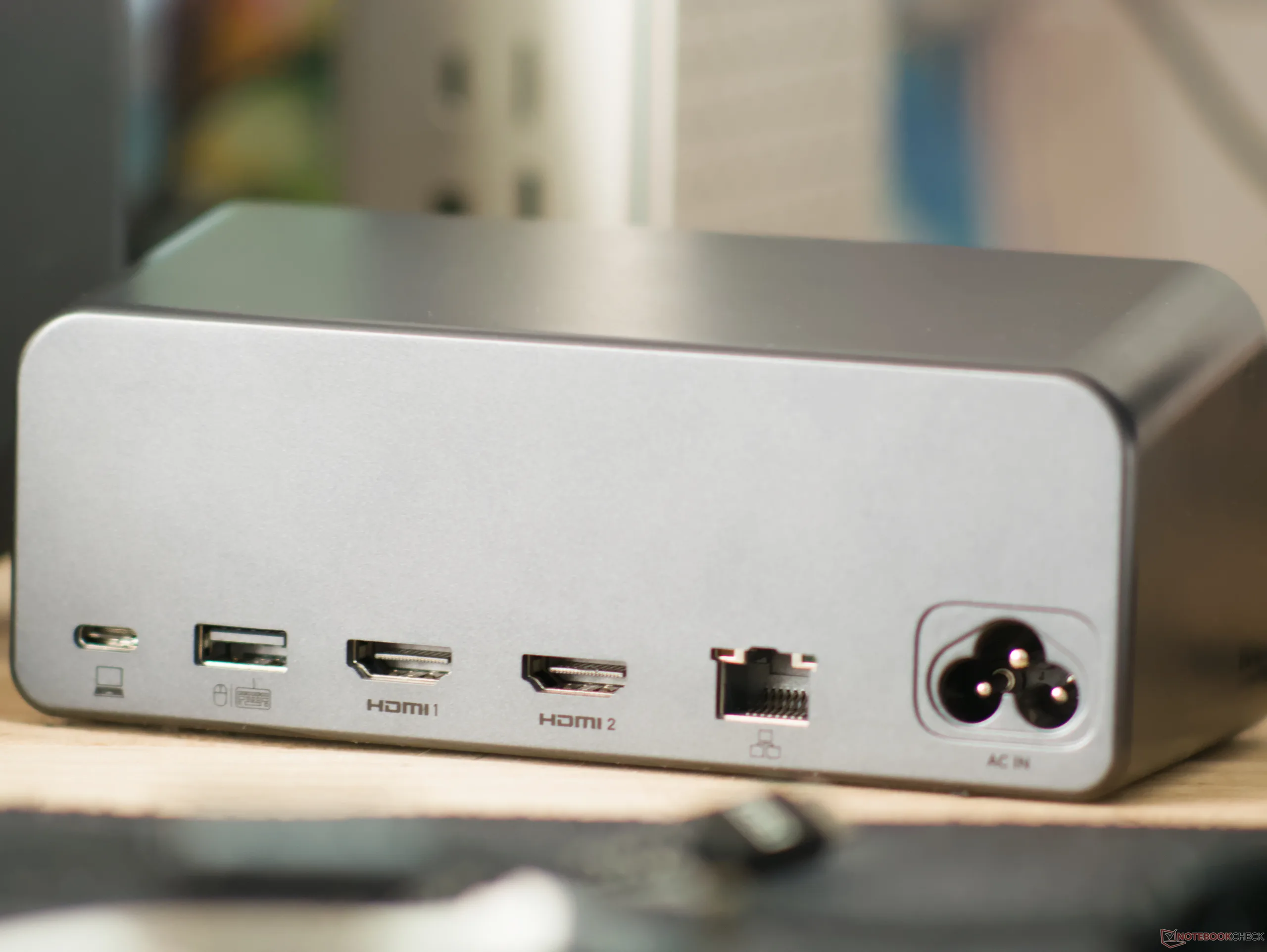
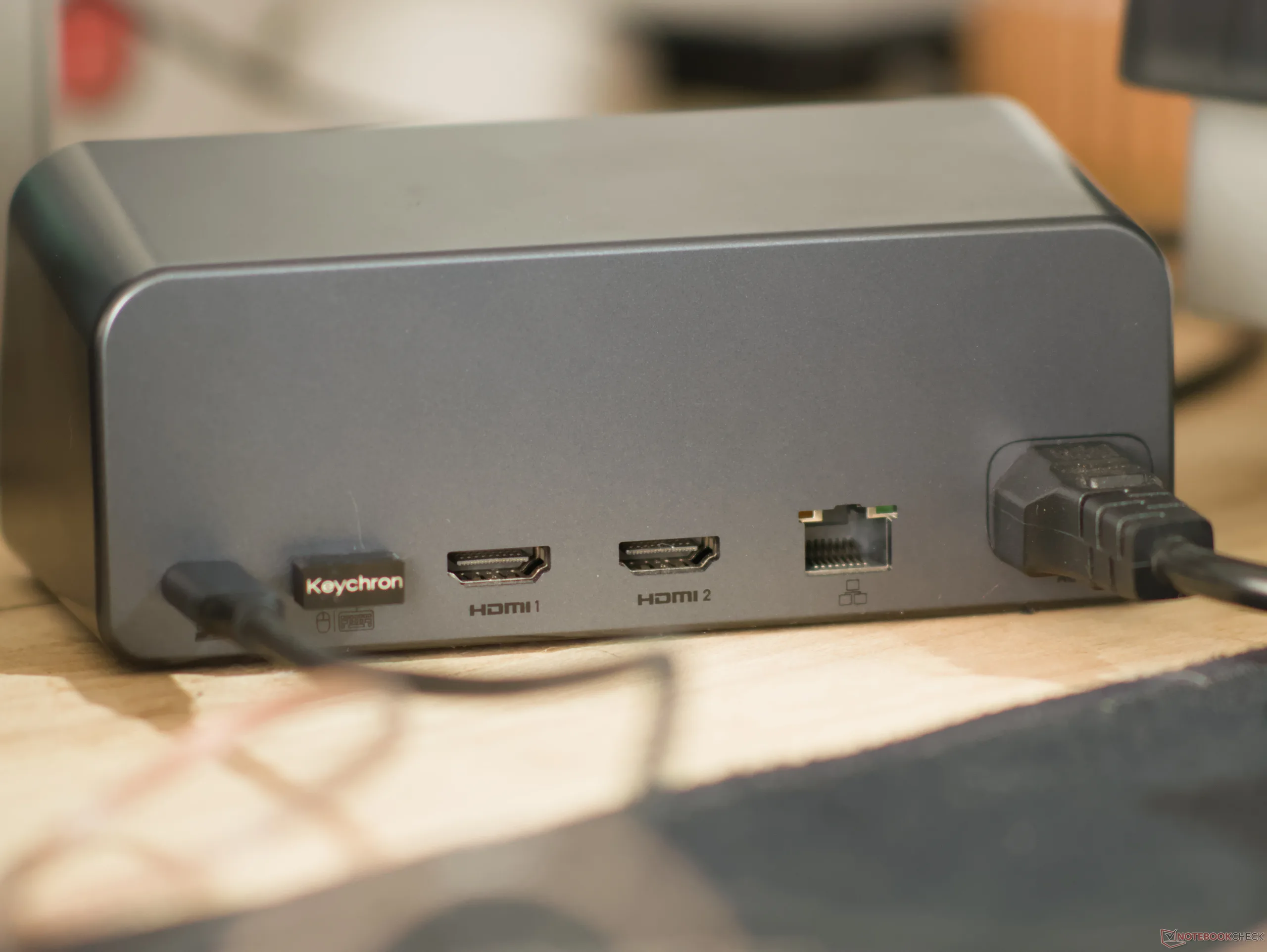
After the monitor was connected, it was basically smooth sailing, at least until I tried to connect my wired earphones that run via a 3.5 mm audio jack. While the Legion Go has a 3.5 mm jack, it was ever so slightly too far away to comfortably connect my earphones directly to the machine handheld. Since there is no 3.5 mm audio jack on the MOKiN dock, this required rearranging the desk to get the Legion Go closer or buying a second pair of earphones that connected via USB instead. With a sufficiently modern setup — wireless headphones or a USB DAC being a key component — the MOKiN 13-in-1 USB-C docking station is a very viable docking station to use to turn a laptop or handheld gaming PC into a fully fledged desktop replacement.
Having the GaN+ charging hardware built into the dock itself is also excellent, since it is easy to replace if you lose it or if you need to travel somewhere with a different plug standard.
Conclusion
The MOKiN MOPU1102 13-in-1 USB-C docking station can be an excellent addition to a desk setup, especially if you're someone who cares about battery health and frequently needs to charge wireless peripherals or wants to use a laptop or handheld PC as a dockable workstation. At the discounted price, it offers almost unmatched value, given that it is a high-speed USB-C hub and a 160 W GaN+ charger for up to four devices. At the $129.99 price on Amazon, its value proposition diminishes significantly, thanks to alternatives like the $149.99 Anker Nano Laptop Docking Station (available on Amazon).
Transparency
The selection of devices to be reviewed is made by our editorial team. The test sample was given to the author by the manufacturer free of charge for the purposes of review. There was no third-party influence on this review, nor did the manufacturer receive a copy of this review before publication. There was no obligation to publish this review. As an independent media company, Notebookcheck is not subjected to the authority of manufacturers, retailers or publishers.
 Add as a preferred source on Google


