




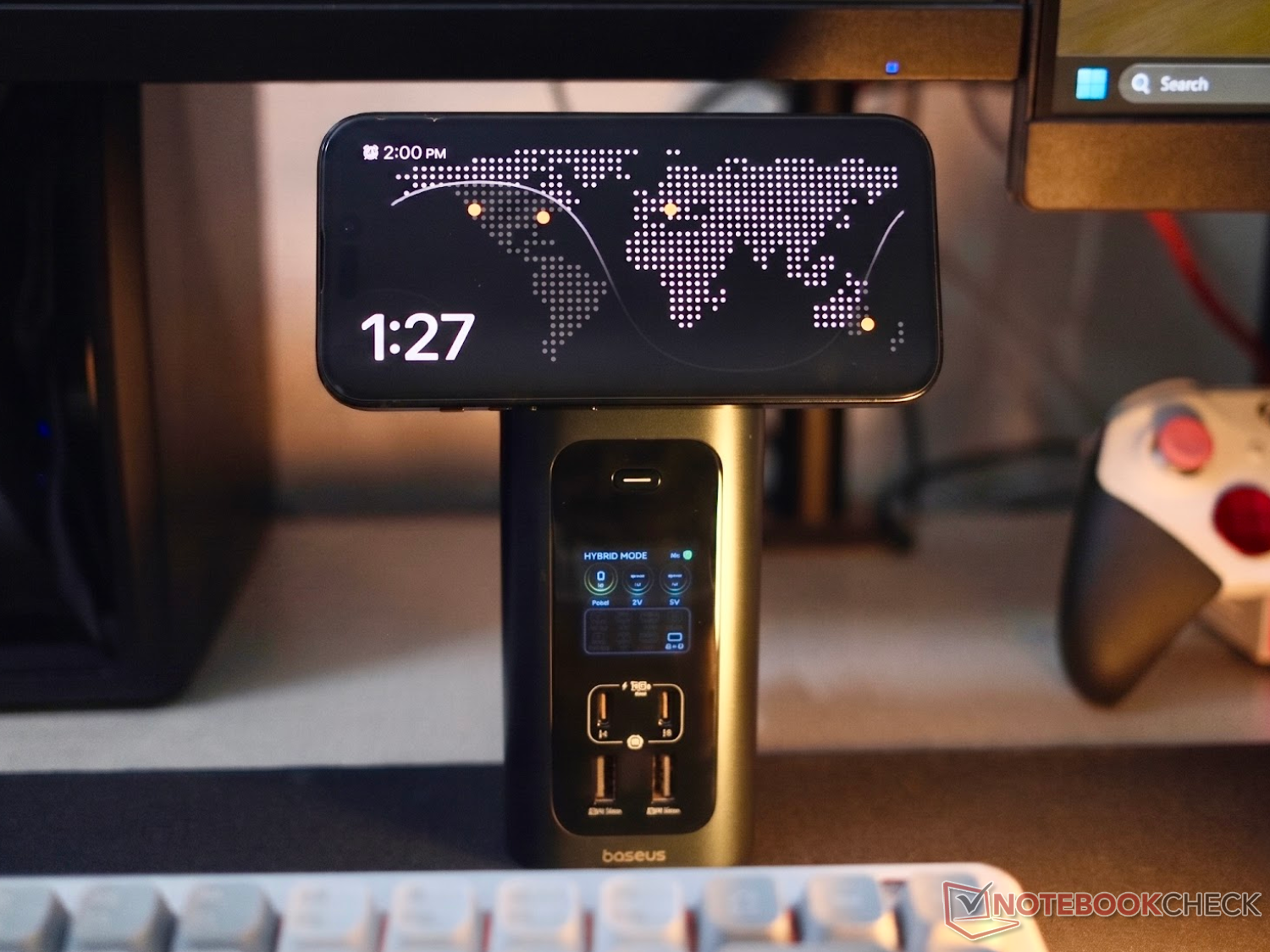
Baseus Spacemate RD1 Pro 15-in-1 dock review: Feature-rich, capable desktop companion, but leaves MacBook users behind
Qi2 desktop multi-tool
The new Baseus Spacemate RD1 Pro tower handles fast SSD speeds and 100 W charging with ease. However, occasional display bugs and Mac mirroring limits, alongside some minor thermal throttling issues keep it from being a perfect workspace companion.Anubhav Sharma Published 🇳🇱 🇫🇷 ...
Verdict - A feature packed vertical dock, great for Windows power users
The Baseus Spacemate RD1 Pro (read launch article here) is a premium-feeling dock that can easily simplify a messy desk, but it isn't the "one-size-fits-all" solution it claims to be. It is a fantastic data hub, an efficient phone charger, and handles external storage at full speed. However, the Hz limitations on Windows, mirroring constraints on Mac, and picky wireless charging handshakes are notable trade-offs for the price tag. If you are a Windows user looking for a feature-dense, quiet, and vertical desktop center that cleans up workspace clutter, this should sit comfortably near the top of your list.
Pros
Cons
Price and availability
The Baseus Spacemate RD1 Pro launched for $299.99 in the US ($240 with coupon) and is hitting European markets with an EU MSRP of €259.99. While its regular continental retail price sits at €220.99 (even though the company's own website has it listed for €299.99 for some reason), Baseus is running a launch promotion from June 1 through June 21. Utilizing the discount code BASEUSPR at checkout on Amazon or the official Baseus webstore slashes the price down to €199.99, equating to 23% savings for early buyers.

Table of Contents
- Verdict - A feature packed vertical dock, great for Windows power users
- Specifications
- Case & features - Vertical shape, smart monitoring
- Multi-monitor performance - The operating system split
- Performance and benchmarks - High-speed data and silent power
- Display logic and wireless charging handshakes
- Thermals and everyday use
- Conclusion
Laptops keep getting thinner, leaving us to rely on external hubs to patch up missing desktop connectivity. The Baseus Spacemate RD1 Pro doesn't take a typical flat dongle approach, rising vertically as a 15-in-1 station designed to clean up desktop wire layout clutter.
Specifications
| Feature | Technical specifications | ||
| Ports | 15-in-1 (2x HDMI, 2x USB-C 10 Gbps, 2x USB-A 5 Gbps, 2x USB 2.0, RJ45, Audio) | ||
| Storage | Full-size SD, MicroSD (UHS-I 104 MB/s) | ||
| Wireless charging | Retractable 25 W Qi2.2 magnetic pad (Falls back to 5 W on standard Qi) | ||
| Included | 180 W GaN external charging brick, High-speed USB-C cable | ||
| Host power delivery | Up to 100 W USB-C PD | ||
| Cooling | Active internal fan with graphene cooling sheets | ||
| Max power output | 160 W |
Case & features - Vertical shape, smart monitoring
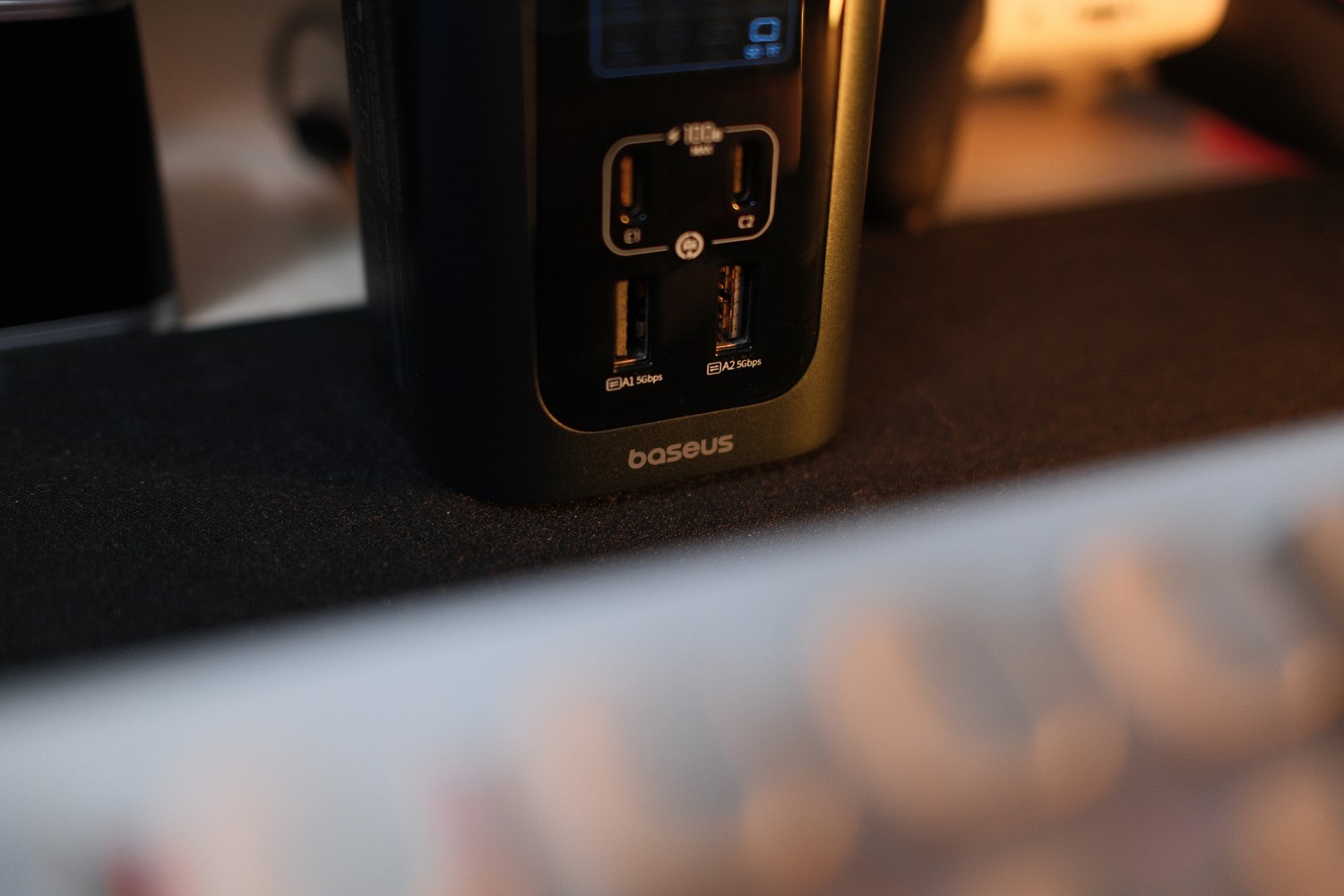
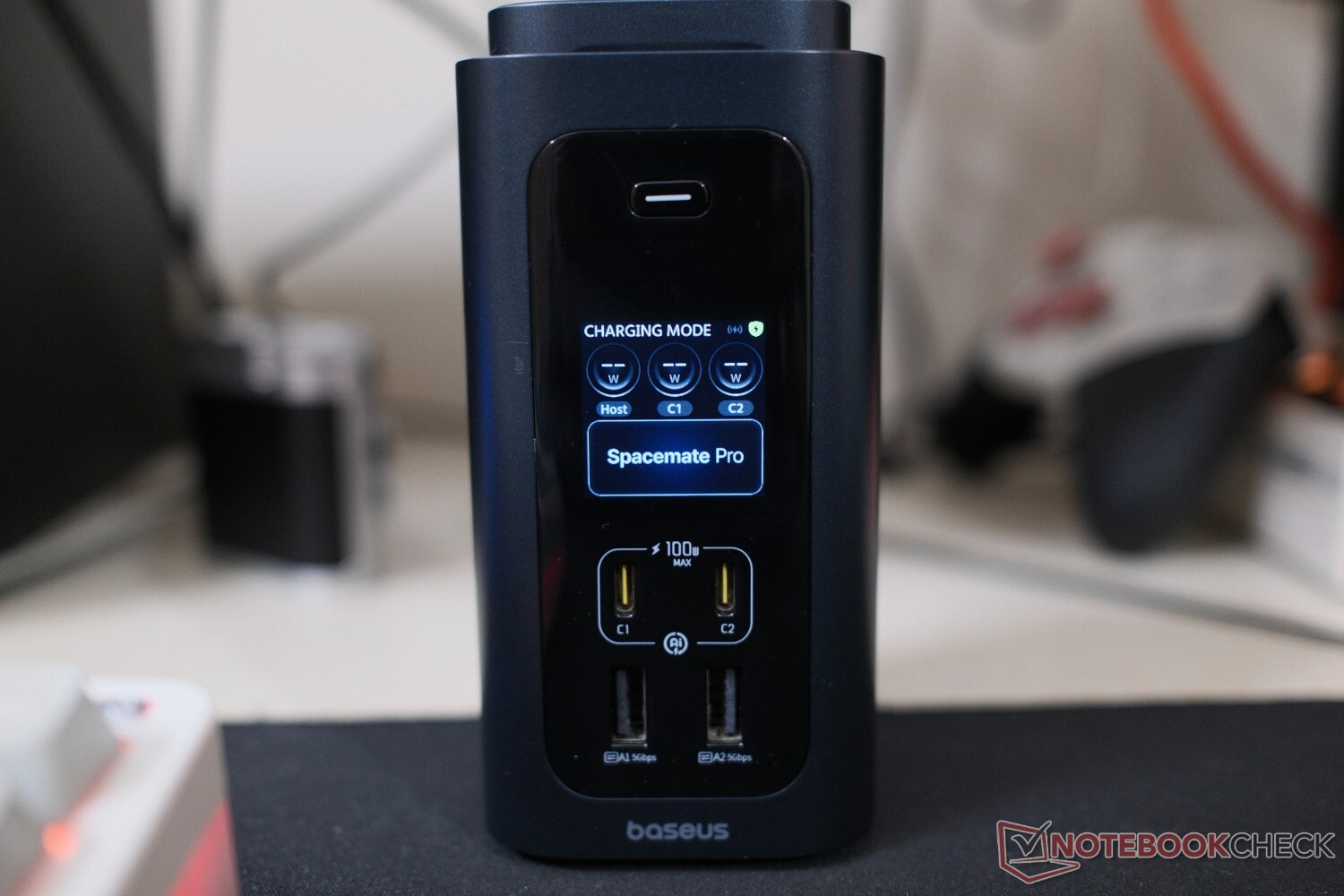
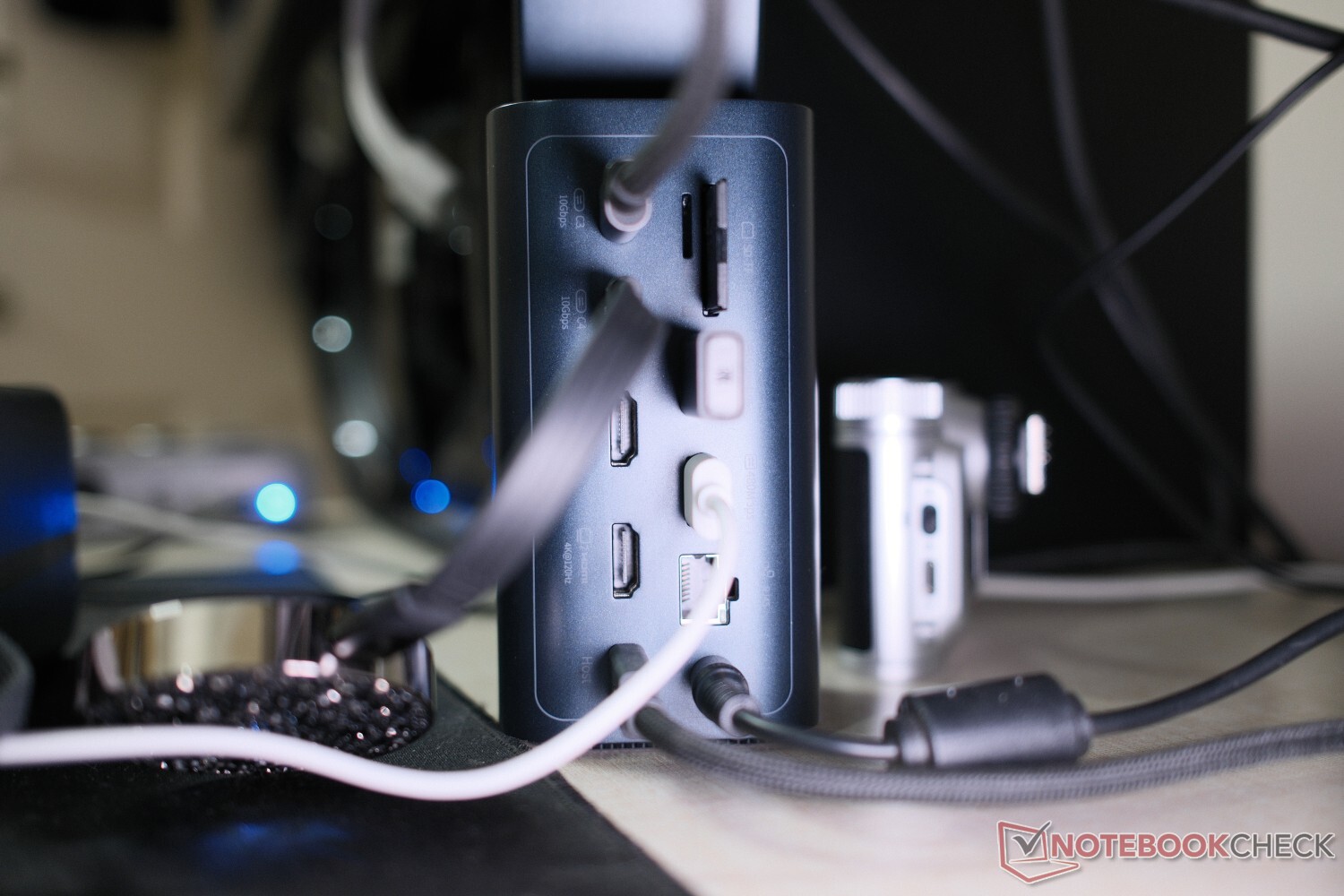
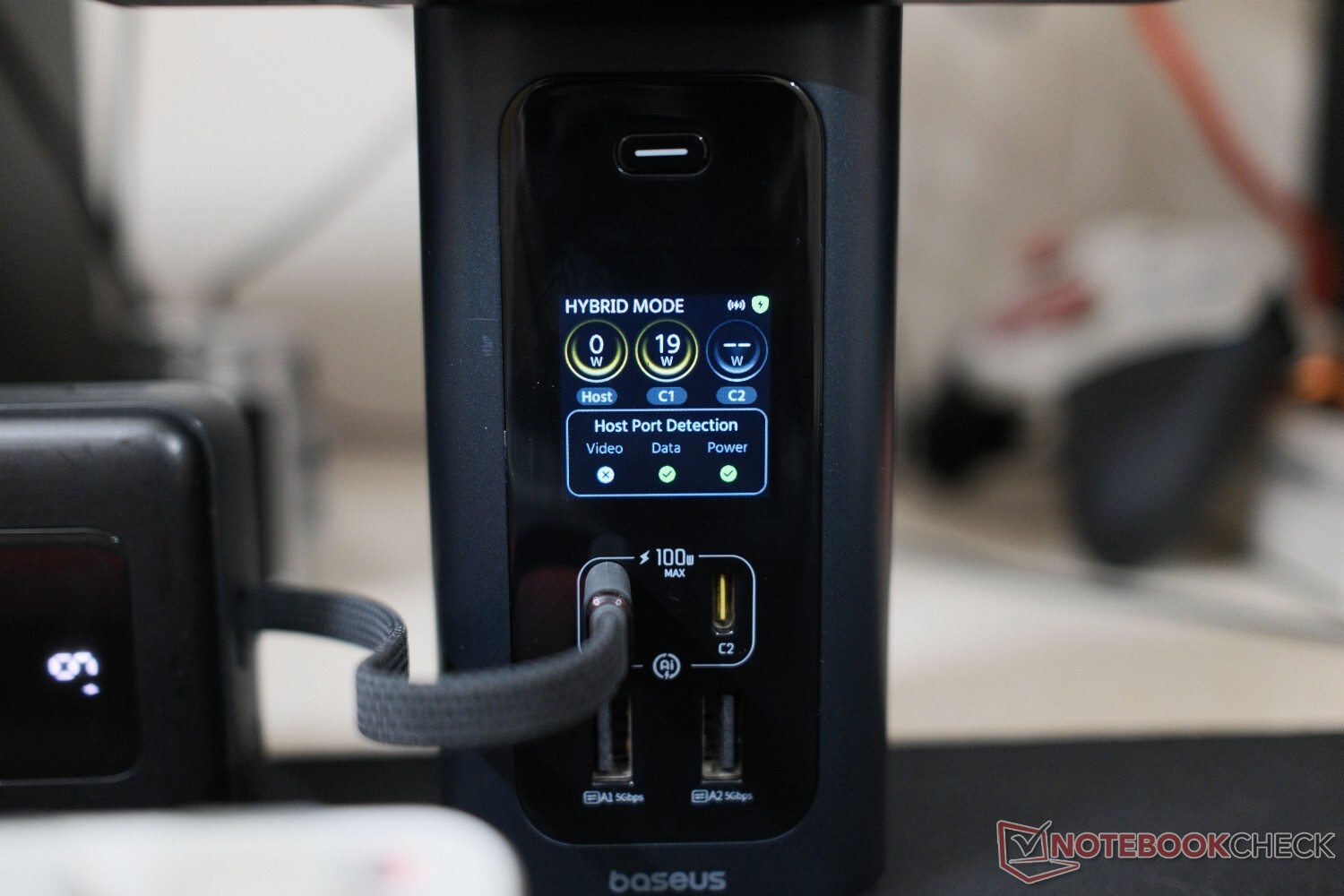
The Spacemate RD1 Pro captures attention instantly because it scales up vertically rather than sprawling across your desk. The outer shell uses a solid, dark aluminum alloy that feels rugged and doubles as a giant passive cooling block. Up front, Baseus added a glossy display panel with integrated digital status indicators. Instead of forcing you to guess why a monitor or drive isn't working, these icons light up to show active port data connections and live power metrics. It's pretty neat, and definitely convenient.
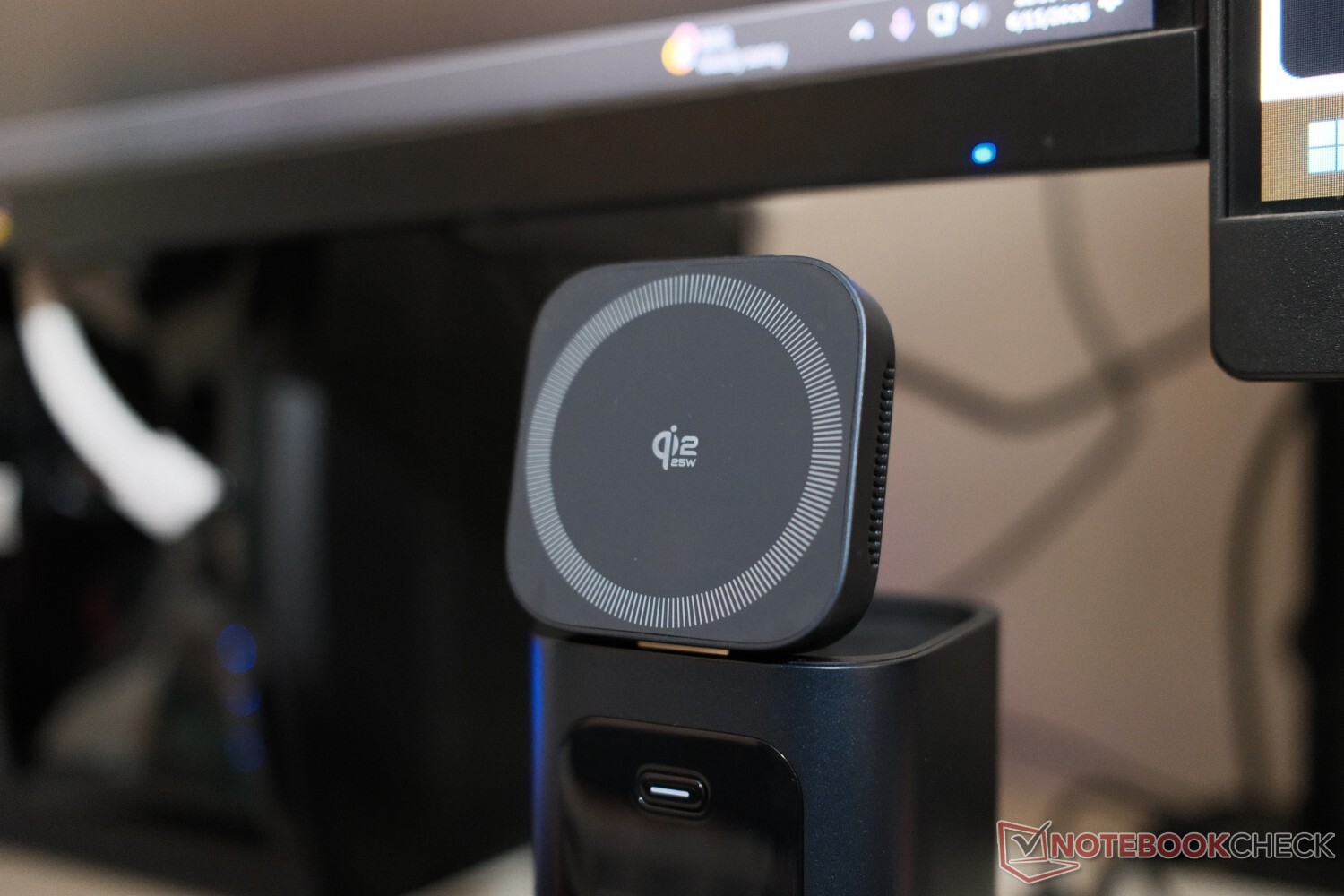
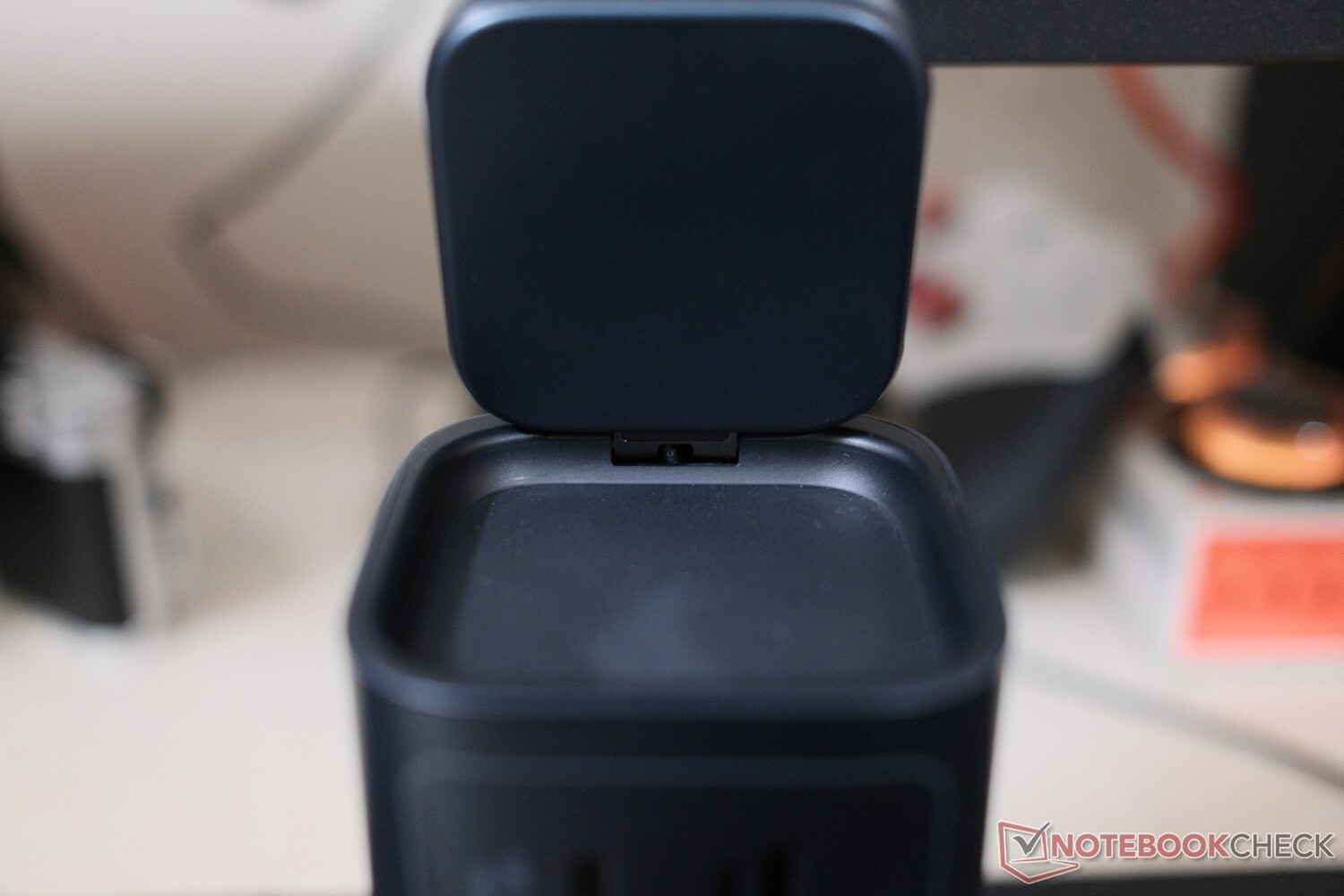
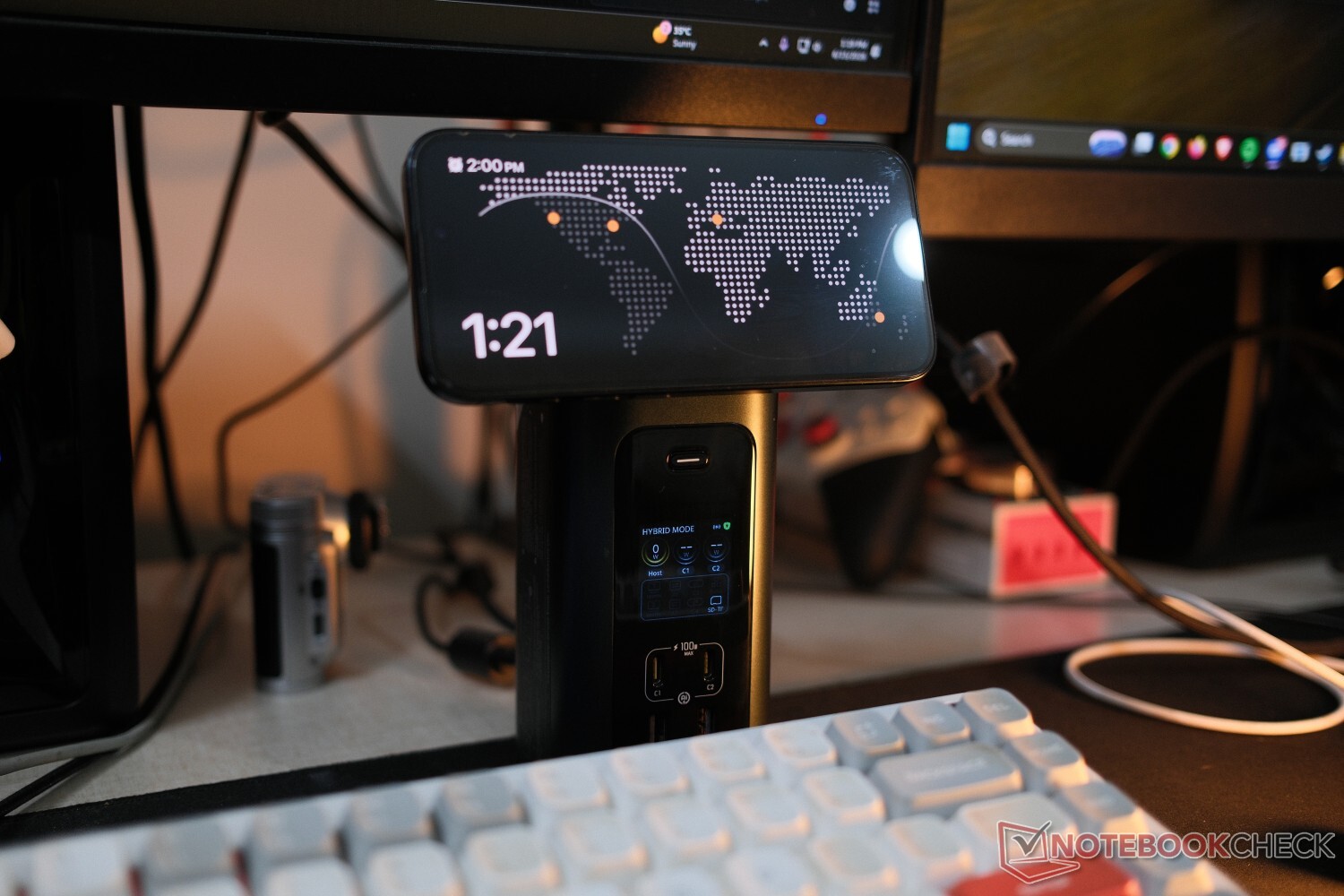
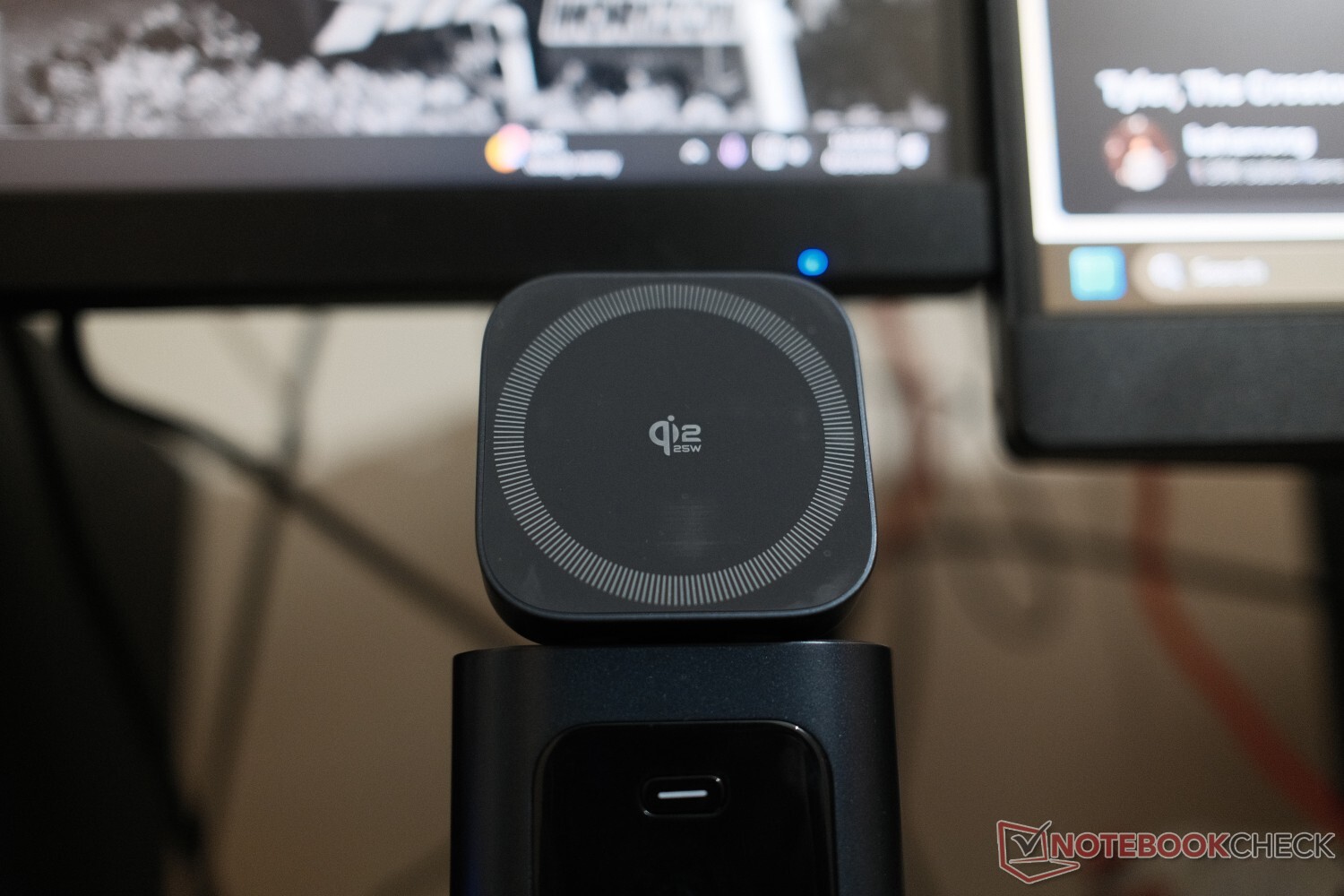
The real design highlight sits on top of the tower: a retractable, magnetic Qi2.2 wireless charging pad. It flips up to hold an iPhone securely at a comfortable viewing angle, and claims to push out a full 25 W of power. It is a highly practical solution that gets rid of another loose charging mat on your desk. The charging speed does throttle, however, when you're using the dock under a fair amount of load. Plus, another physical drawback is that because the tower itself is lightweight, stiff HDMI or DisplayPort cables running out of the back can make the frame tip slightly if you don't route them cleanly.
Multi-monitor performance - The operating system split
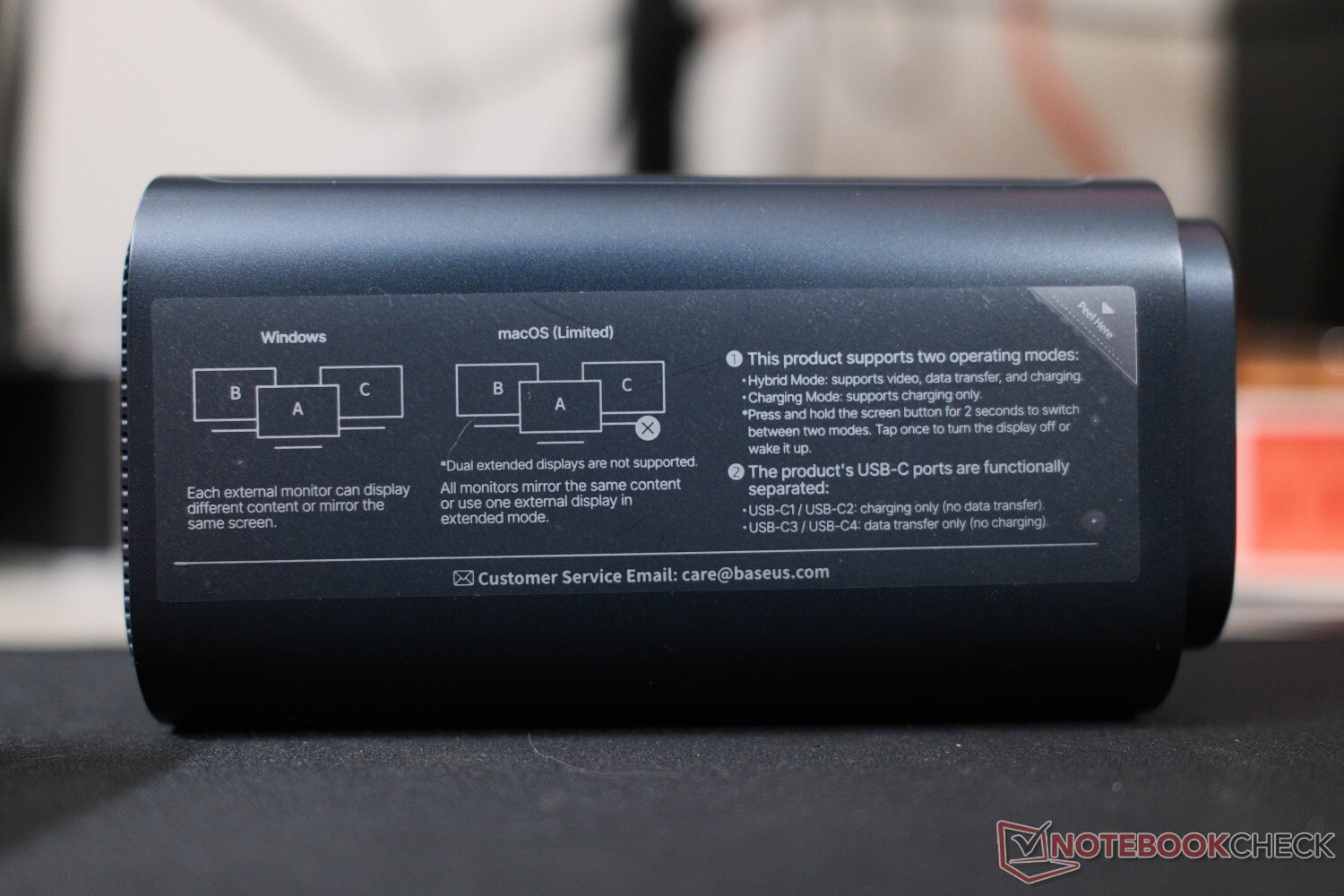
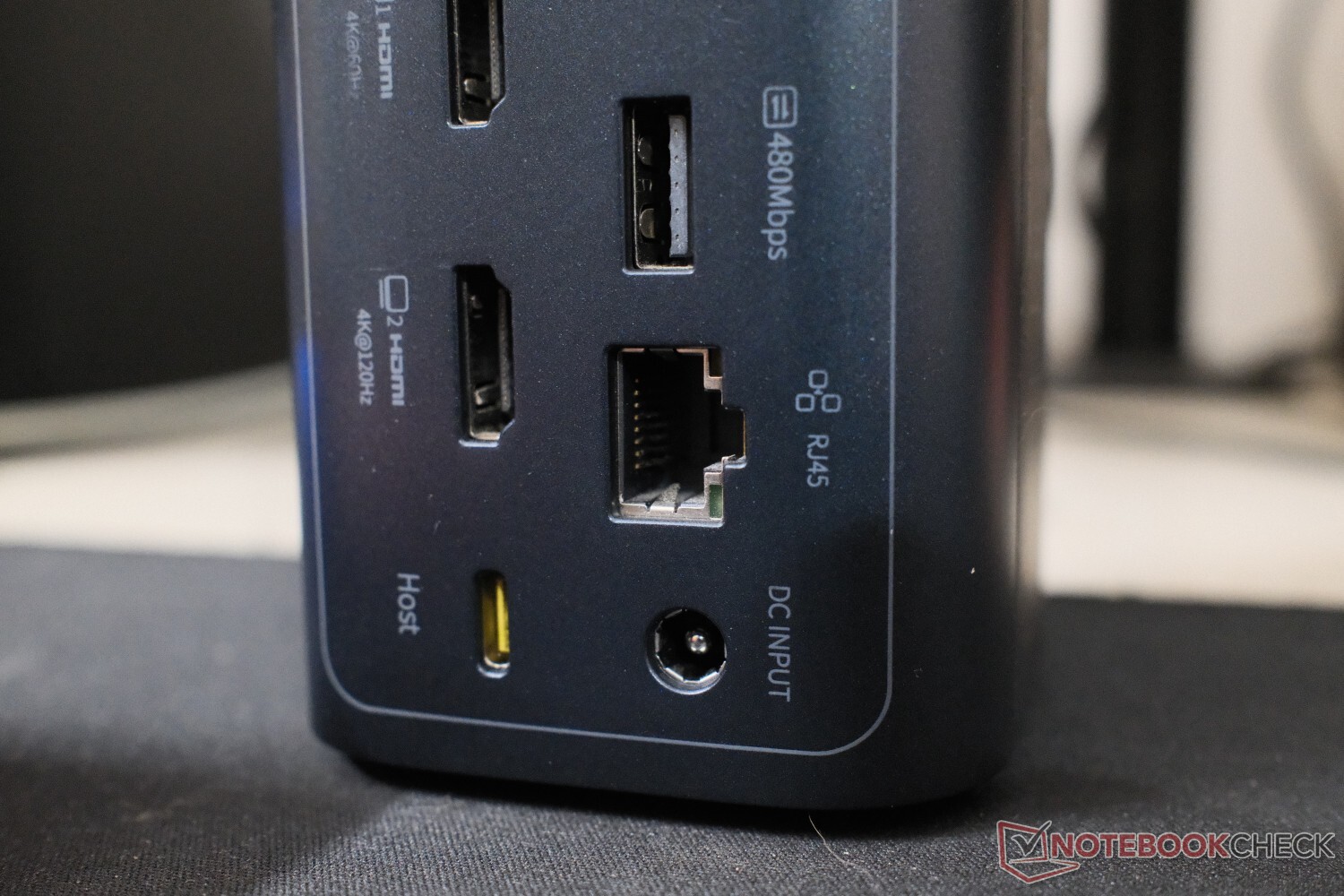
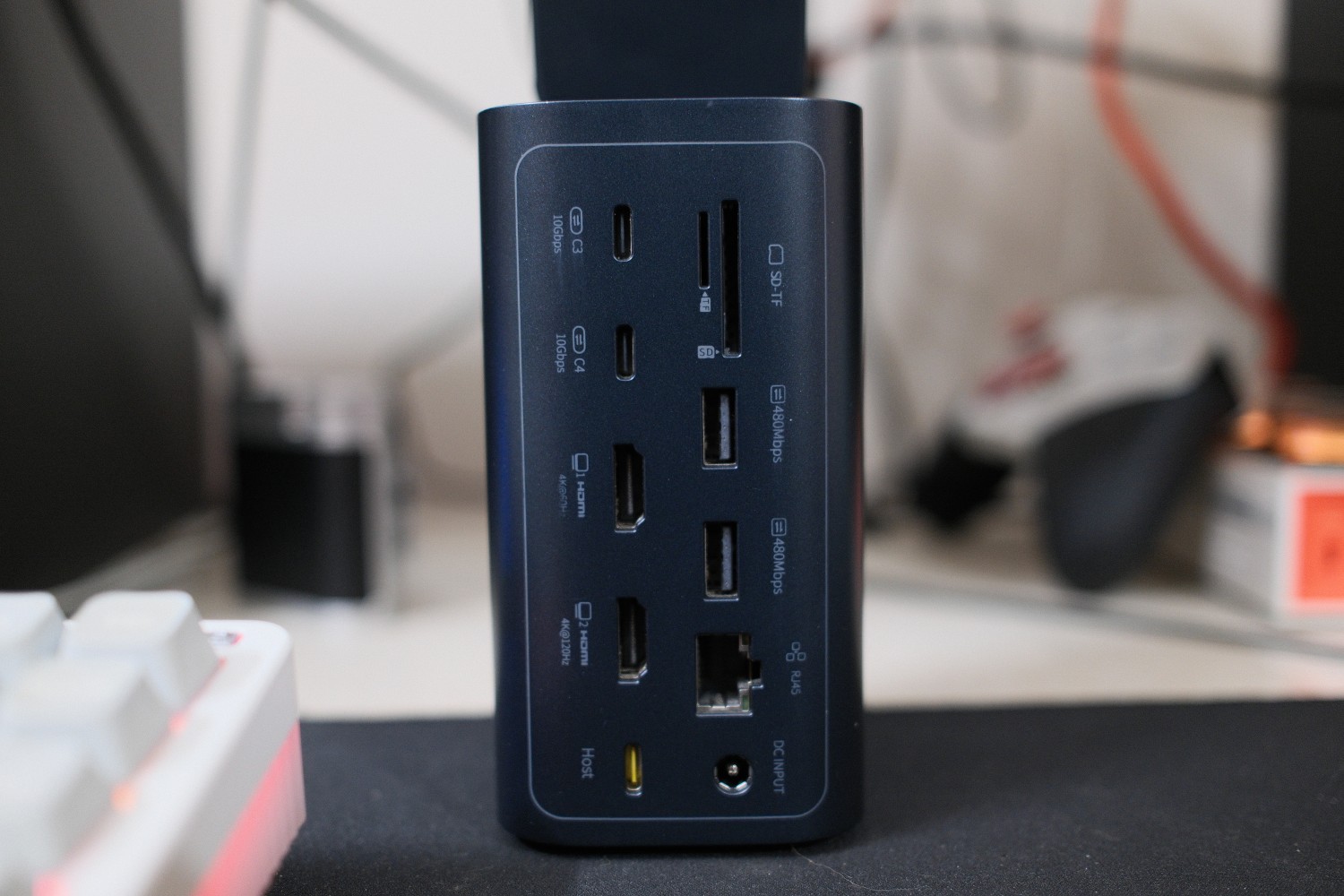
The rear panel packs dual HDMI ports — one handling up to 4K at 120 Hz and the other running at 4K at 60 Hz. For Windows users, setting up an extended multi-display layout is very simple and straightforward. Text looks perfectly sharp, and mouse tracking is fluid without any distracting latency. It's a great experience.
However, the multi-display situation changes completely if you are inside the Apple ecosystem. Because macOS natively lacks Multi-Stream Transport (MST) over standard Type-C connections, MacBooks cannot independently drive separate external displays through a single non-Thunderbolt cord. Plugging dual monitors into the Spacemate from a Mac results in a mirrored layout, and the second screen simply duplicates the first. If you are on a Mac and need an extended desktop across multiple monitors, you will still need to step up to a dedicated Thunderbolt 4 station, like this UGreen Thunderbolt 4 Dock (curr. $169.99 on Amazon).
Oh, and the lone button on front of the docking station doesn't turn the connected displays off — it merely turns the dock's info display off. This was a slight bummer as well.
Performance and benchmarks - High-speed data and silent power
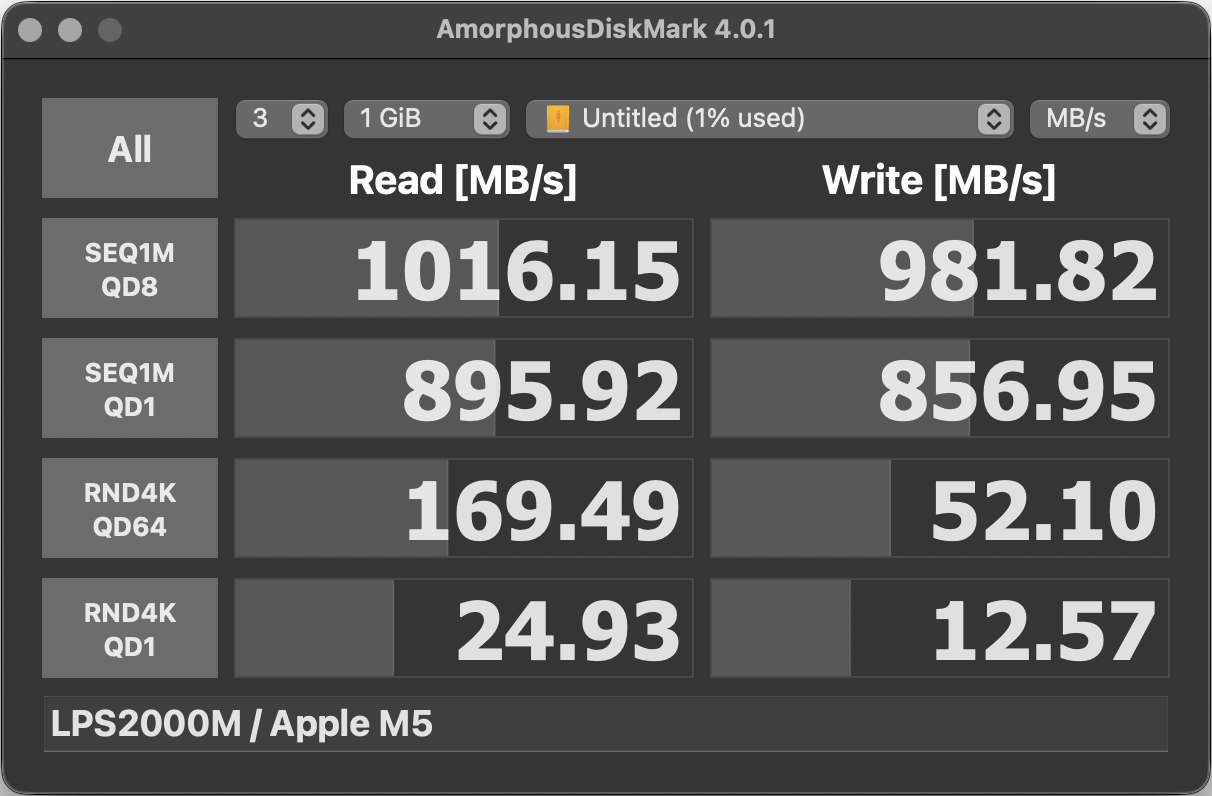
To check how well the internal controllers process data, we ran storage tests using a fast external solid-state drive, the Digiera LPS2000M (read our review of this 1 TB SSD here). Connected directly to a MacBook Pro M5 baseline, the drive pulled native sequential speeds of 1,016 MB/s read and 981 MB/s write.
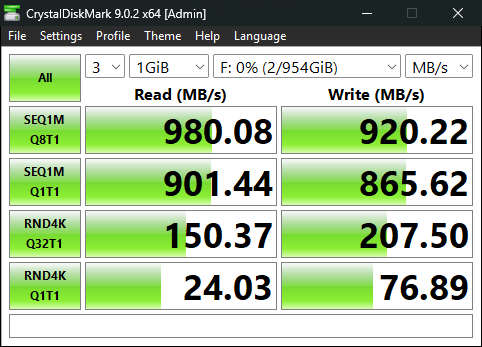
Routing the same drive through the Spacemate's 10 Gbps USB-C port on a Windows PC using CrystalDiskMark gave us great numbers. It stabilized at 980.08 MB/s read and 920.22 MB/s write. That is less than a 4% performance dip, and it proves that the internal hub circuitry doesn't throttle heavy data tasks like moving large video files or raw photo bins. Photographers will also appreciate the built-in SD and microSD card slots, which run at a steady 104 MB/s via the UHS-I standard.
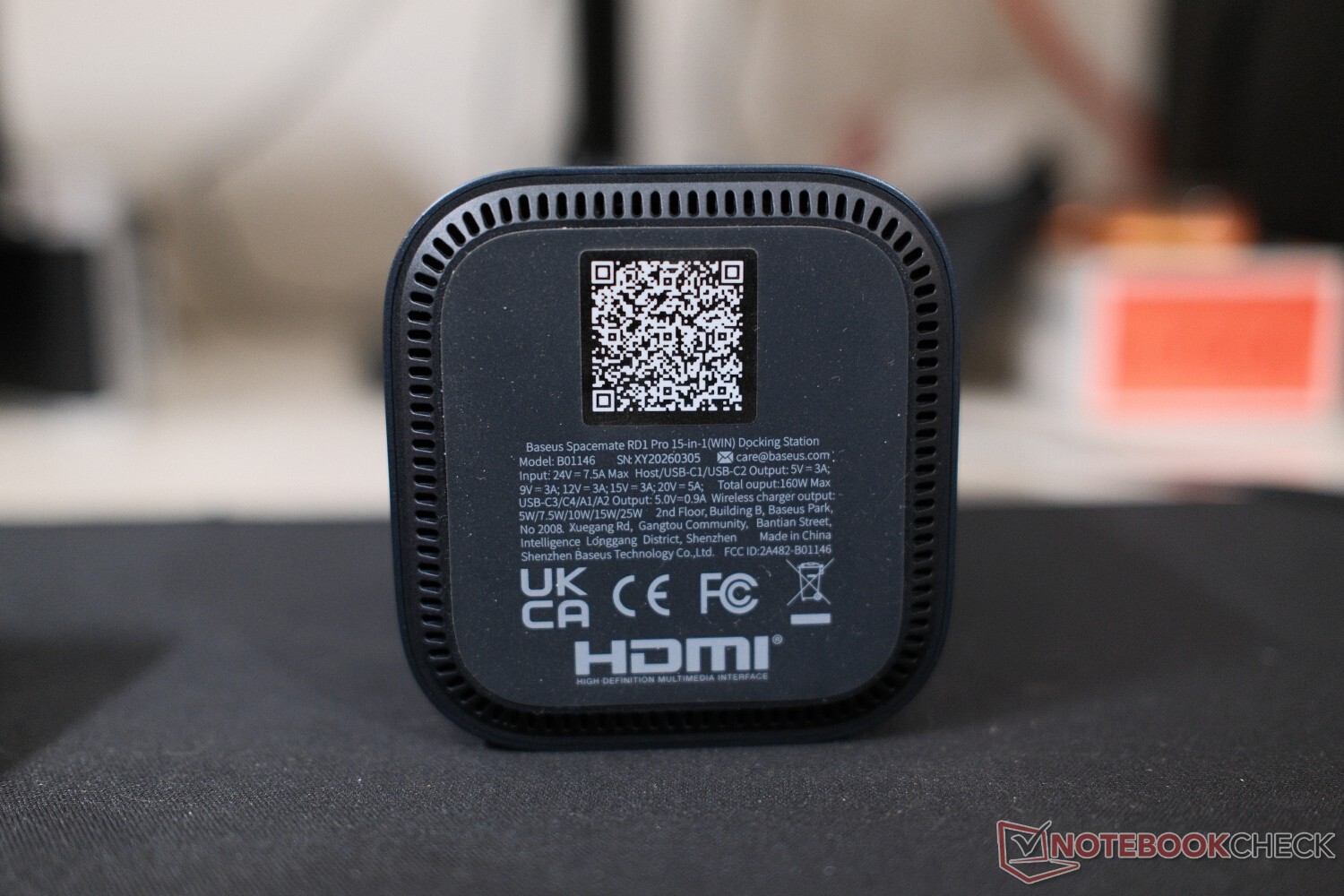
Power management is handled well, thanks to the hefty 180 W GaN power brick included right in the box. The RD1 Pro has a max power output of 160 W. The dock routes a stable 100 W of Power Delivery straight to your desktop/laptop. I tested the RD1 Pro with a MacBook as well - safe to say that it should keep power-hungry 16-inch setups fully charged under load as well, while leaving plenty of overhead for the 25 W Qi2.2 wireless pad. Best of all, the internal electronics run silently, even under high load. There's no high-pitched electrical buzzing or coil whine.
Display logic and wireless charging handshakes
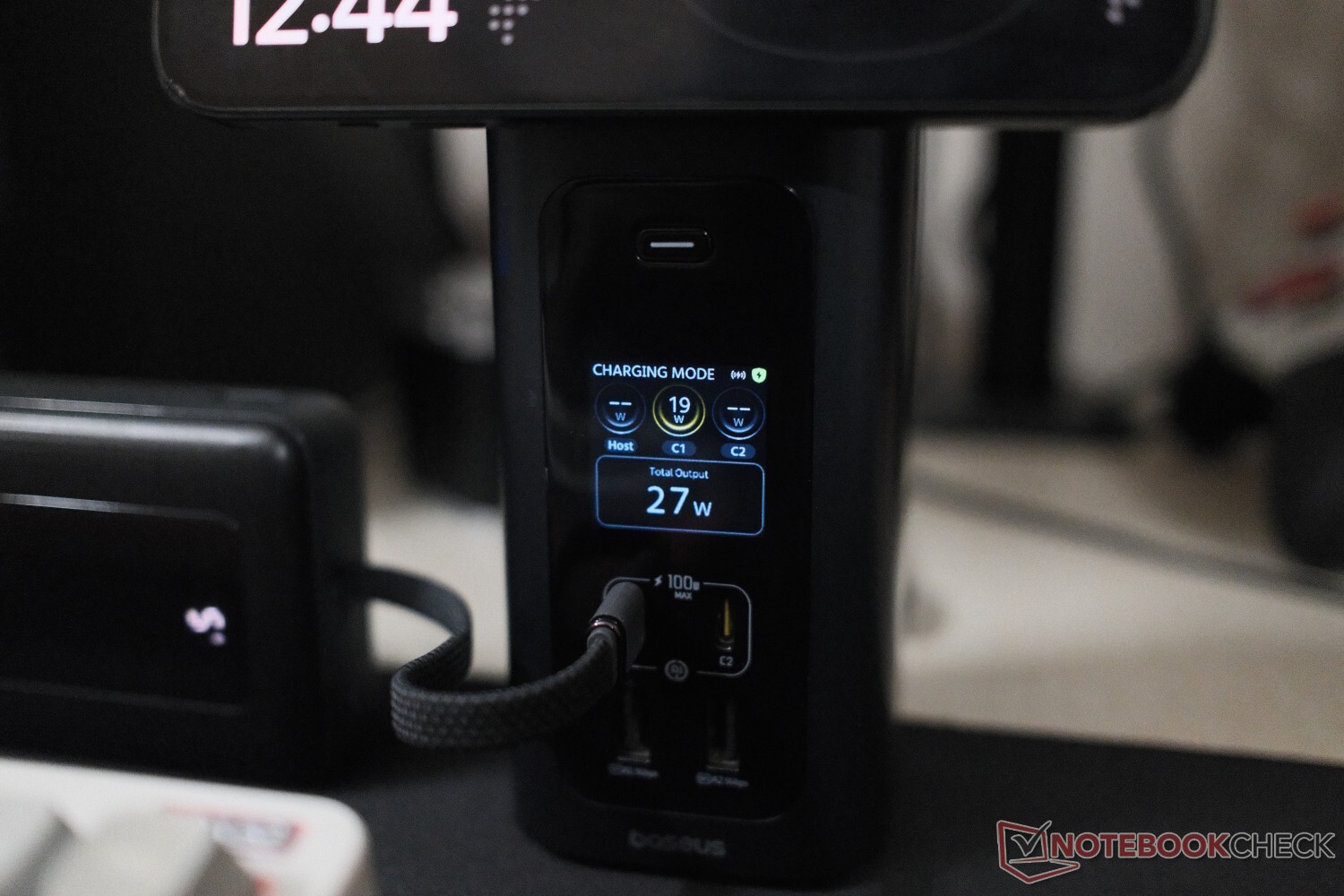
The front status screen features a very specific reporting logic that is worth mentioning. The docking system alternates between Hybrid Mode and Charging Mode. In Hybrid Mode, the real-world wireless charging wattage bypasses the screen altogether. Once the dock shifts over to Charging Mode, the total displayed output math combines your connected Host, C1, and C2 draws with the wireless charging channel. If your laptop and wired accessories are completely idle, the readout represents your wireless charging output alone.
While early feedback from the manufacturer suggested this 5 W reading might be a charging fallback protocol triggered by non-Qi2.2 hardware on the wireless pad, our testing proved otherwise. Placing a standard Qi device on the top magnetic mount does illuminate the charging indicator icon but leaves the live wattage reading at zero. The 5 W signature only appears the exact second the host computer system is powered on. This indicates that the front-facing screen is actually registering the baseline idle link overhead and controller handshake power required to keep the non-Thunderbolt interface active, instead of any localized wireless charging output. It is a minor quirk that shouldn't really impact performance too much, but one that users tracking their desk's power draw should keep in mind.
Thermals and everyday use
Given the massive amount of power moving through this dense 15-port config, Baseus outfitted the RD1 Pro with an internal graphene cooling system. Under continuous multi-hour workloads featuring dual monitors and heavy data transfers, the metal shell acts as an external heatsink. It's almost always warm to the touch, sure, but the active cooling prevents the internal silicon from throttling. The tiny fan inside runs quietly enough to easily fade into a typical office background noise.
Conclusion
The Baseus Spacemate RD1 Pro is a very capable vertical expansion hub for Windows users, thanks to fast 10 Gbps storage pass-through with a built-in Qi2.2 wireless phone mount. Mirroring limitations on macOS and slow 5 W charging fallbacks for older Qi hardware are transparent trade-offs, but on the other side, the included 180 W power supply and silent operation make it a very functional desk upgrade.
Transparency
The selection of devices to be reviewed is made by our editorial team. The test sample was given to the author by the manufacturer free of charge for the purposes of review. There was no third-party influence on this review, nor did the manufacturer receive a copy of this review before publication. There was no obligation to publish this review. As an independent media company, Notebookcheck is not subjected to the authority of manufacturers, retailers or publishers.
Disclaimer: Notebookcheck is not responsible for price changes carried out by retailers. The discounted price or deal mentioned in this item was available at the time of writing and may be subject to time restrictions and/or limited unit availability.
 Add as a preferred source on Google


