


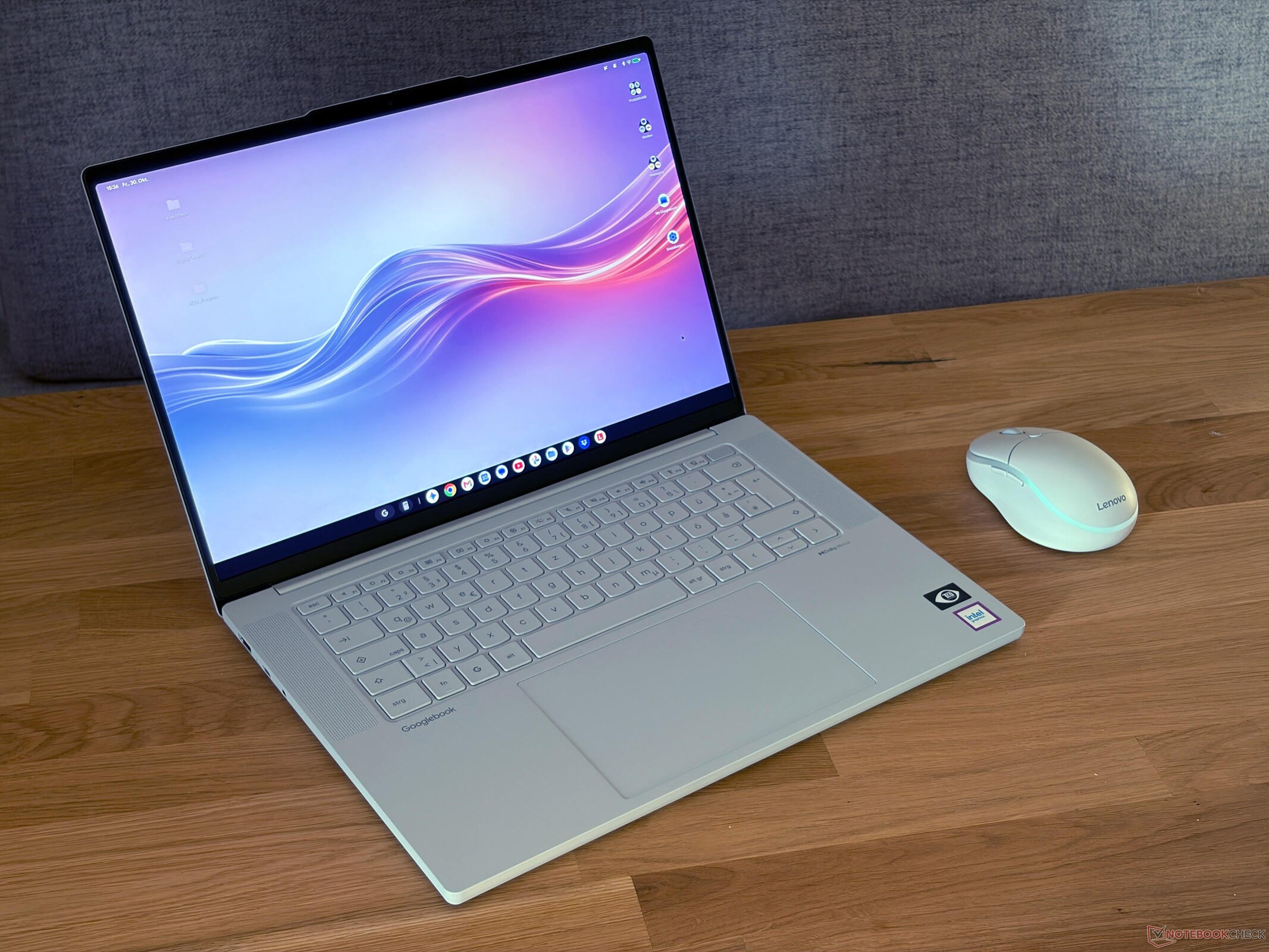
Verdict - Lenovo Googlebook 15 disappoints
Our impression of the new Lenovo Googlebook 15 is pretty sobering. We already tested two Googlebooks before, which featured premium cases in a 14-inch form factor, but Lenovo's larger 15-inch model feels like a pretty cheap device. The smooth surfaces simply feel like plastic, the hinges are wobbly and the keyboard is a bit disappointing. The only two advantages are the haptic trackpad as well as the low weight of ~1.3 kg. You also get Wi-Fi 7 as well as Thunderbolt 4, even though it does not really make a difference since Googlebook OS is simply a limiting factor. The Intel Core Ultra 5 CPU also provides plenty of performance considering you can only run Android apps (and there are still compatibility issues). Due to the high short-term power limit (which is unnecessary in our opinion), the fan is more active compared to the other Googlebooks.
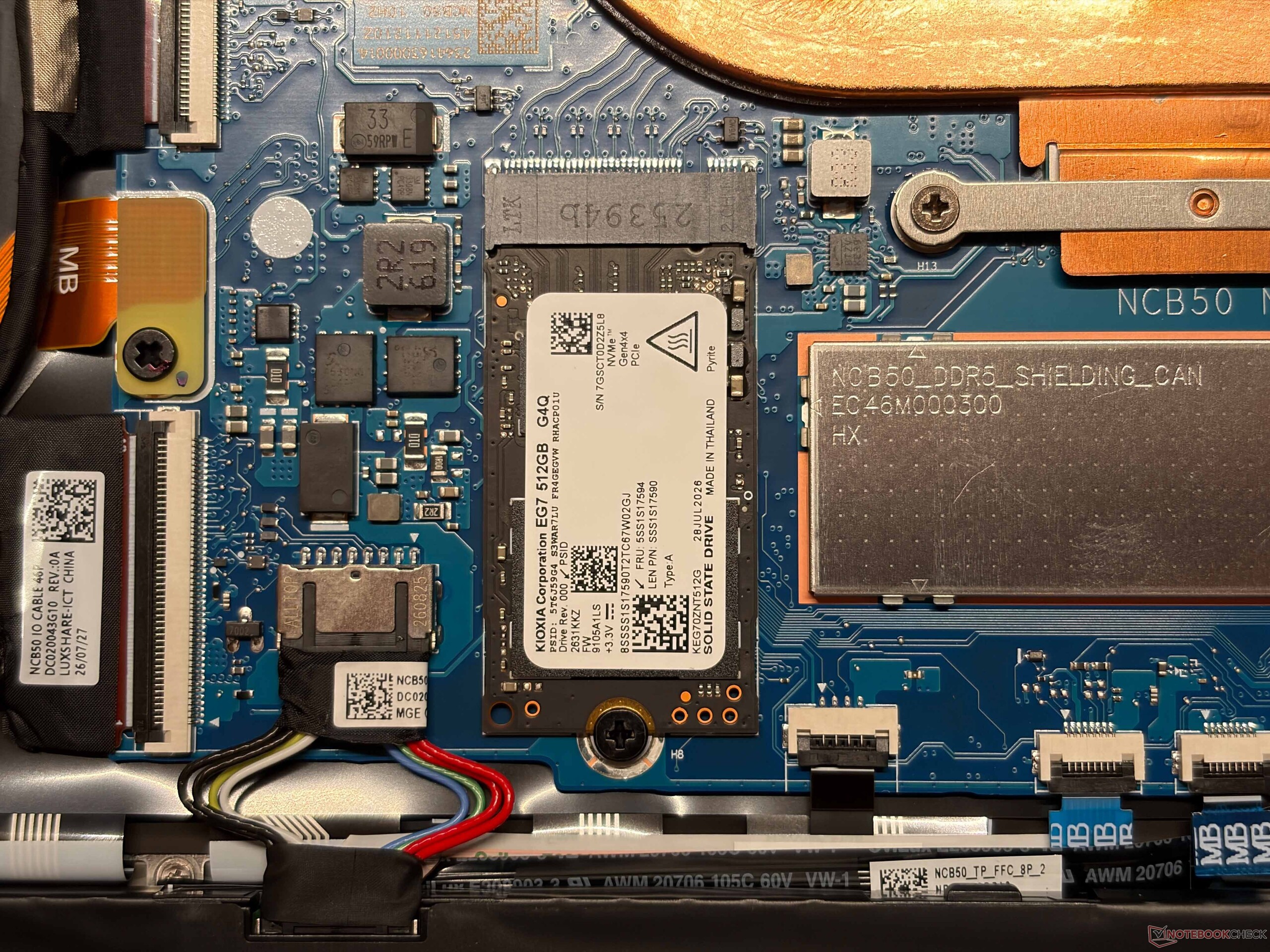
You can replace the M.2-2242 SSD and the sound system is really good. You also get a good OLED screen with accurate colors and HDR support, but Googlebook OS is once again a limitation because it only runs in sRGB mode. We already know this issue and hope Google will fix this problem soon. All in all, the Lenovo Googlebook 15 is a pretty underwhelming product and considering all the limitations as well as the price, we really don't know why you would buy this instead of a Windows system or a MacBook Air.
Pros
Cons

- $368.77Lenovo Chromebook m 15" - Everyday Laptop - Google Gemini - MediaTek Kompanio 540 CPU - 15.3" WUXGA IPS Display - 8GB RAM - 128GB UFS Storage - Integrated Arm Mali-G57 MC2 GPU - Luna Grey
- $429.99Lenovo Business 15.6" FHD Laptop, Intel Processor, 8GB DDR5, 128GB Storage | 1TB Cloud Storage, Office 365, Copilot AI, WiFi 6, USB-C, Anti-Glare Screen, Long Battery Life, Windows 11, Abyss Blue
- $1,689.20Lenovo LOQ - 2026 - Gaming Laptop - NVIDIA GeForce RTX 5060-15.3" WUXGA IPS Display - 165Hz Refresh Rate - Ryzen 7 250-16GB Memory - 1TB Storage - Luna Grey
Specifications
Case, Connectivity and Input Devices
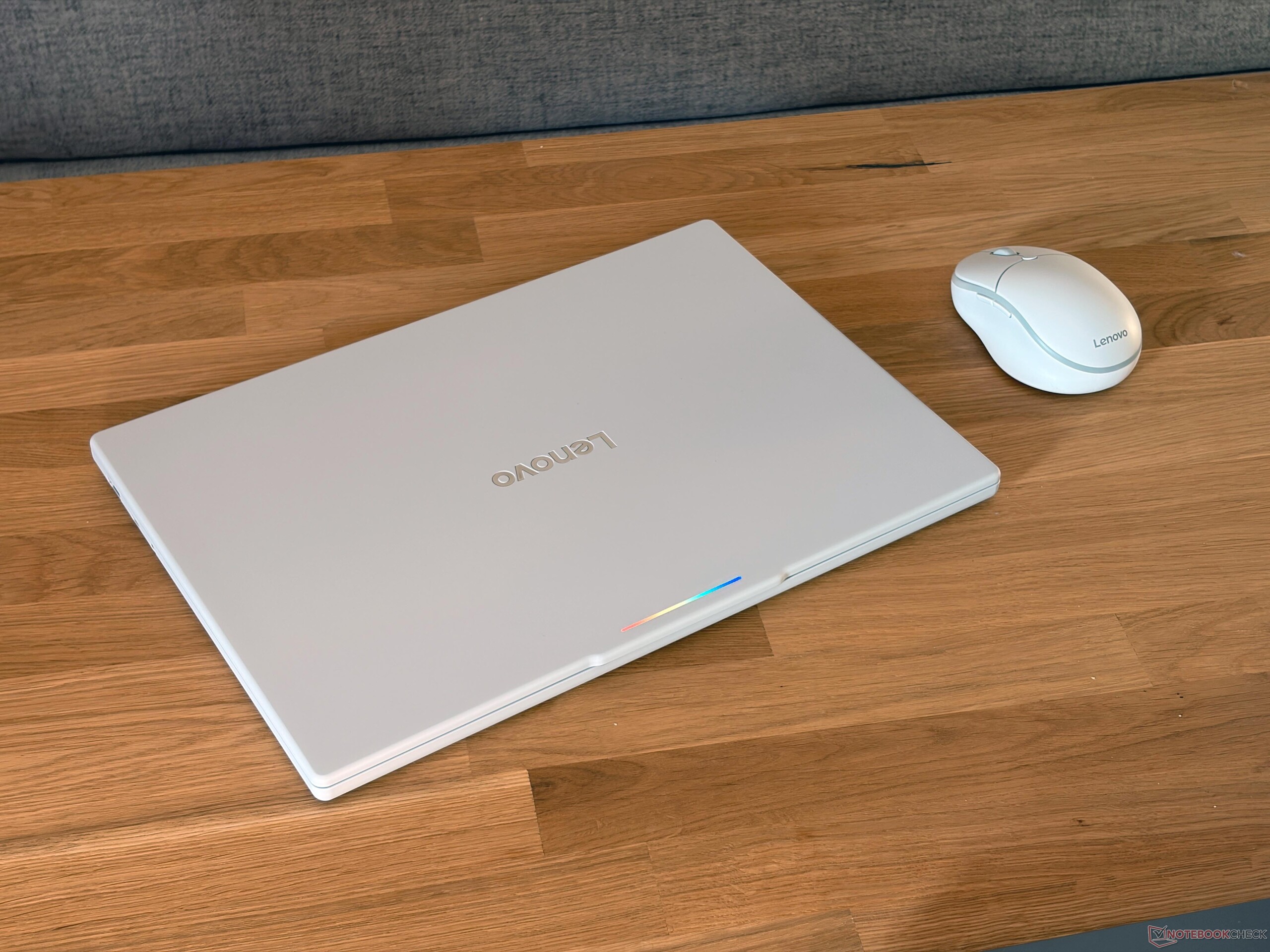
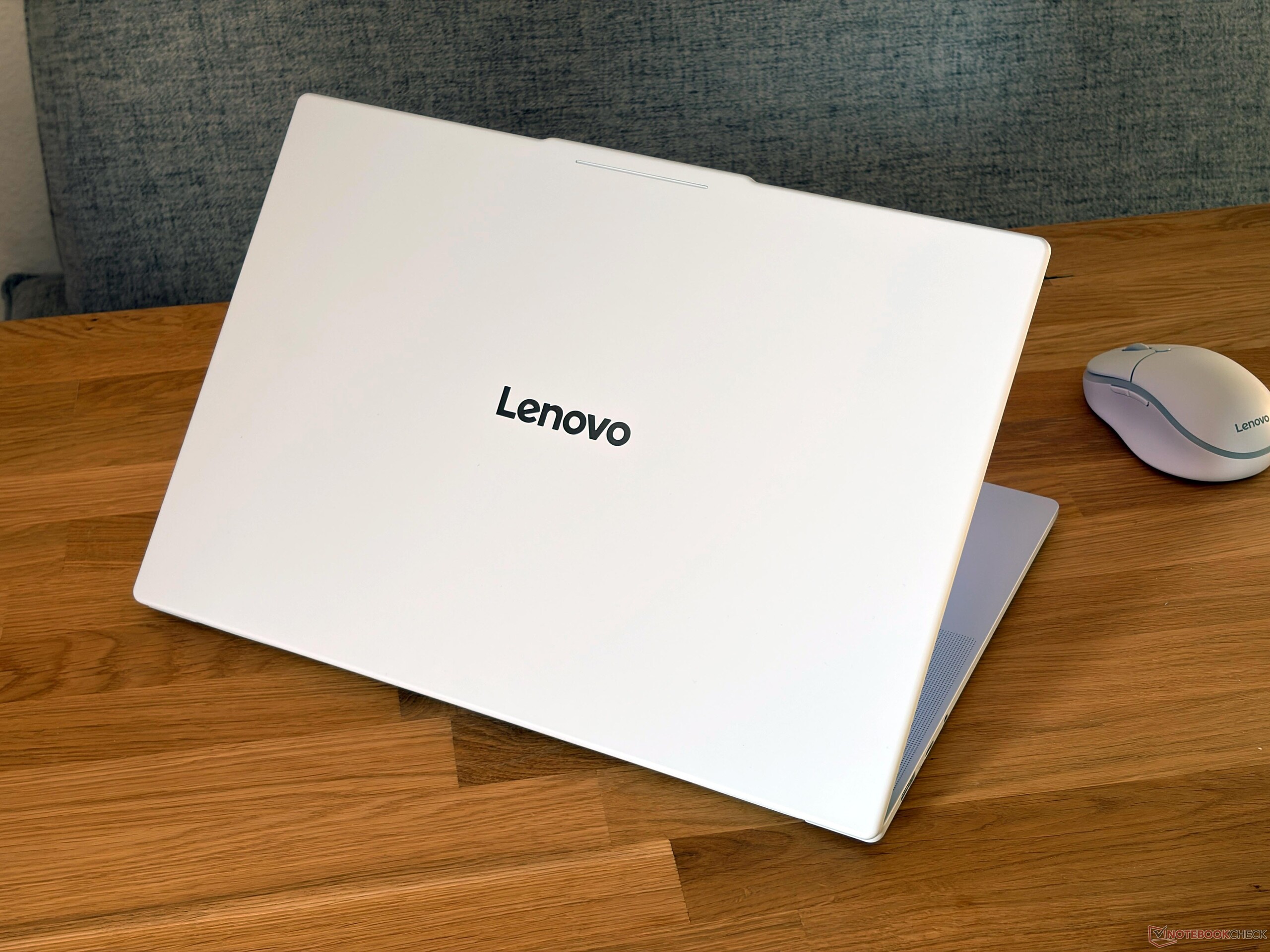
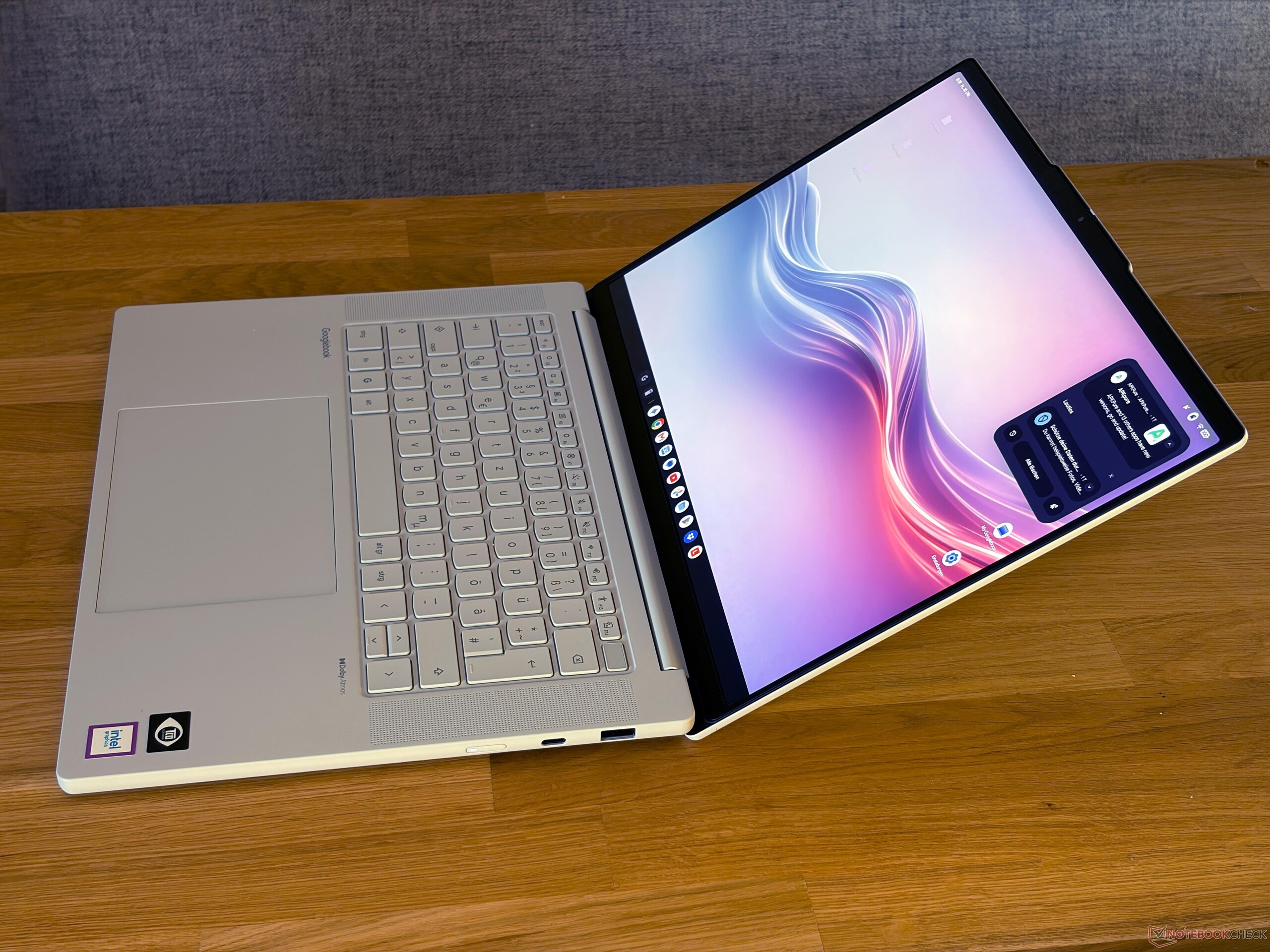
Lenovo uses a light grey (almost white) chassis for the Googlebook 15 and the initial impression is not great, because it feels like a pretty cheap plastic chassis with smooth surfaces. The lid in particular is a weak spot. The spec sheet reveals that it is partly made of metal, which surprised us. The device is pretty light at ~1.3 kg, which is an advantage. The stability of the base unit is okay, but the hinges are pretty wobbly. You also get the glow bar on the lid, but it is pretty useless because you simply cannot see it. All in all, this is simply not a premium case as we have seen on other Googlebooks so far (from Asus and HP).
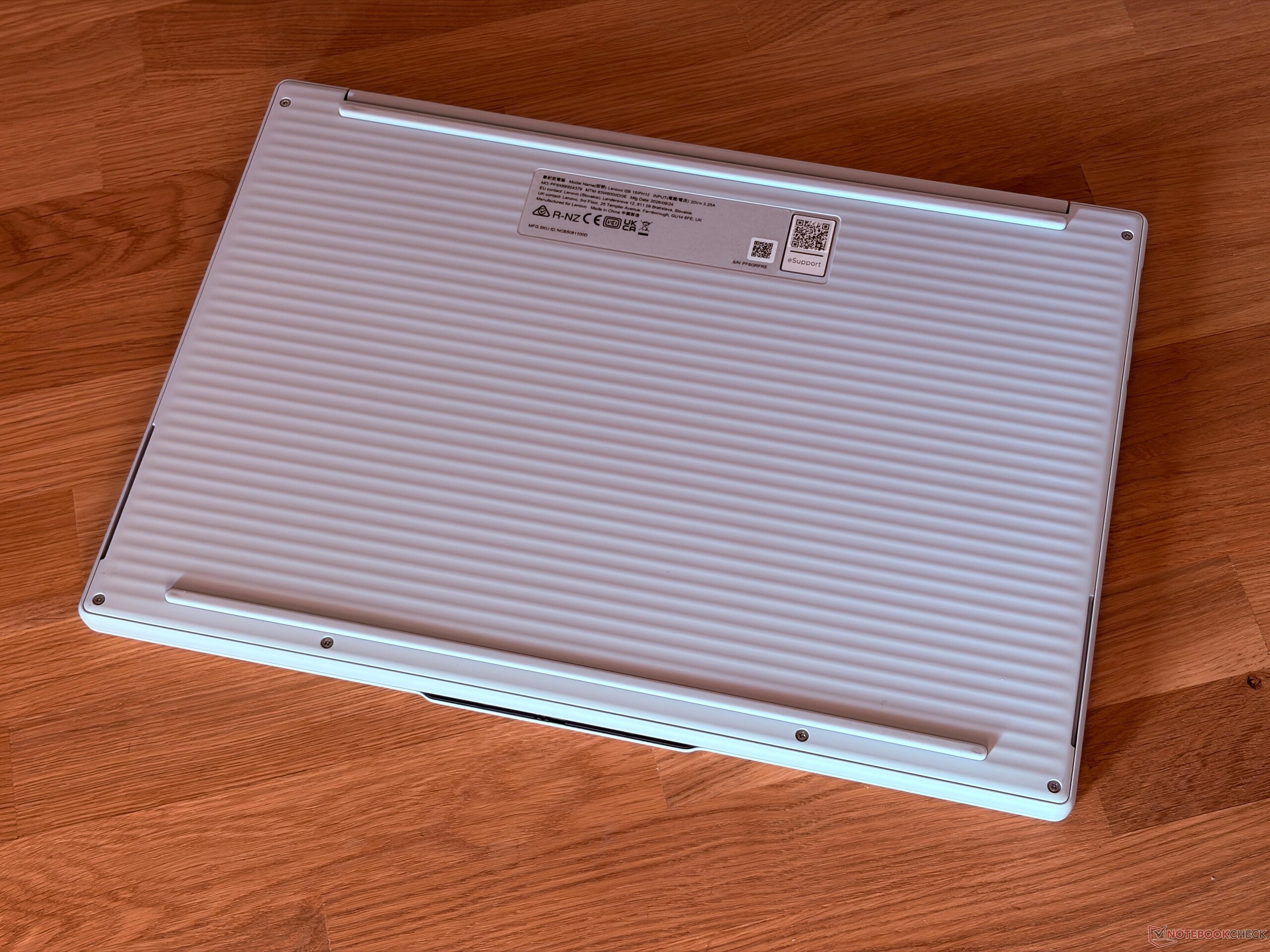
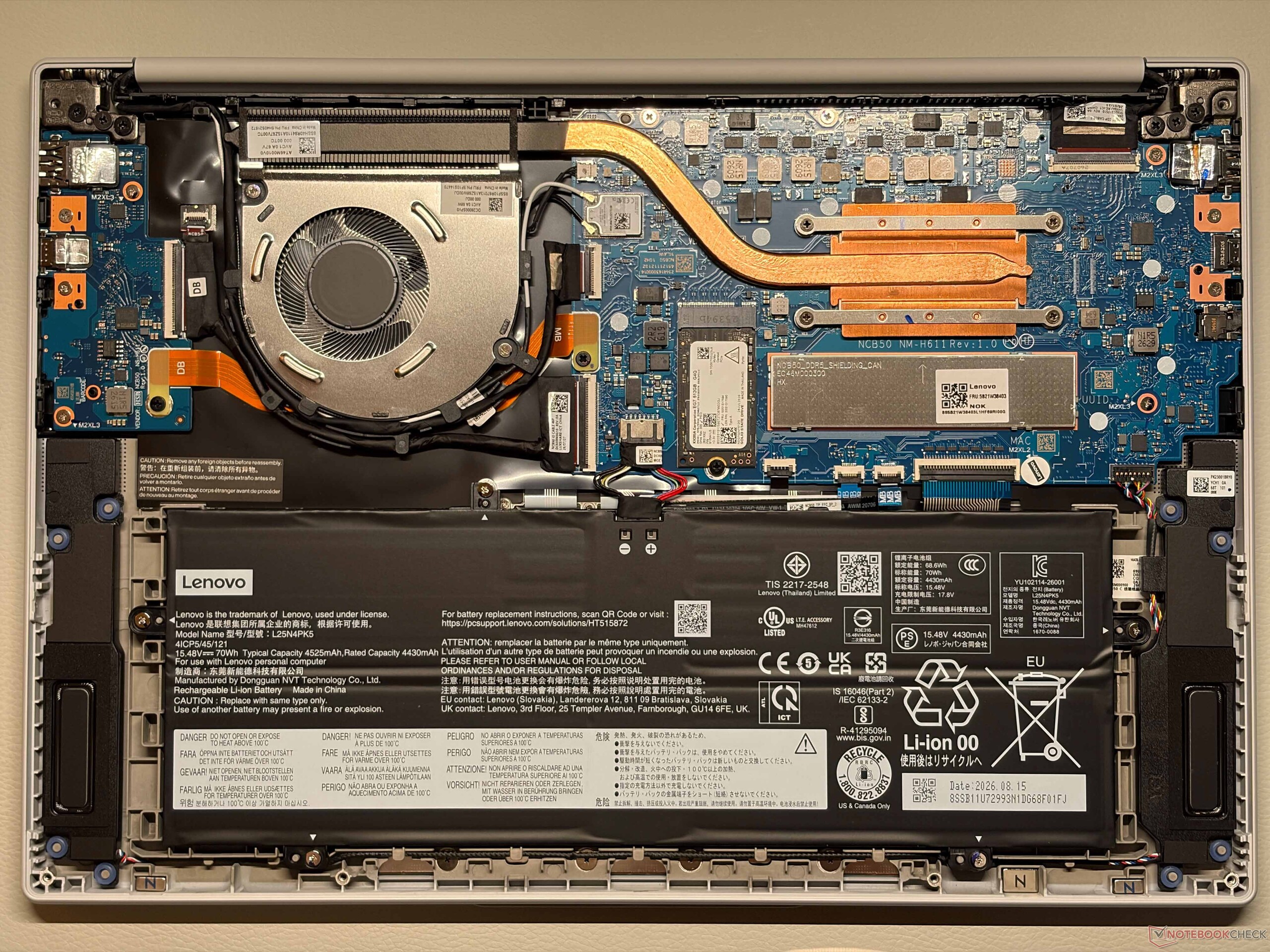
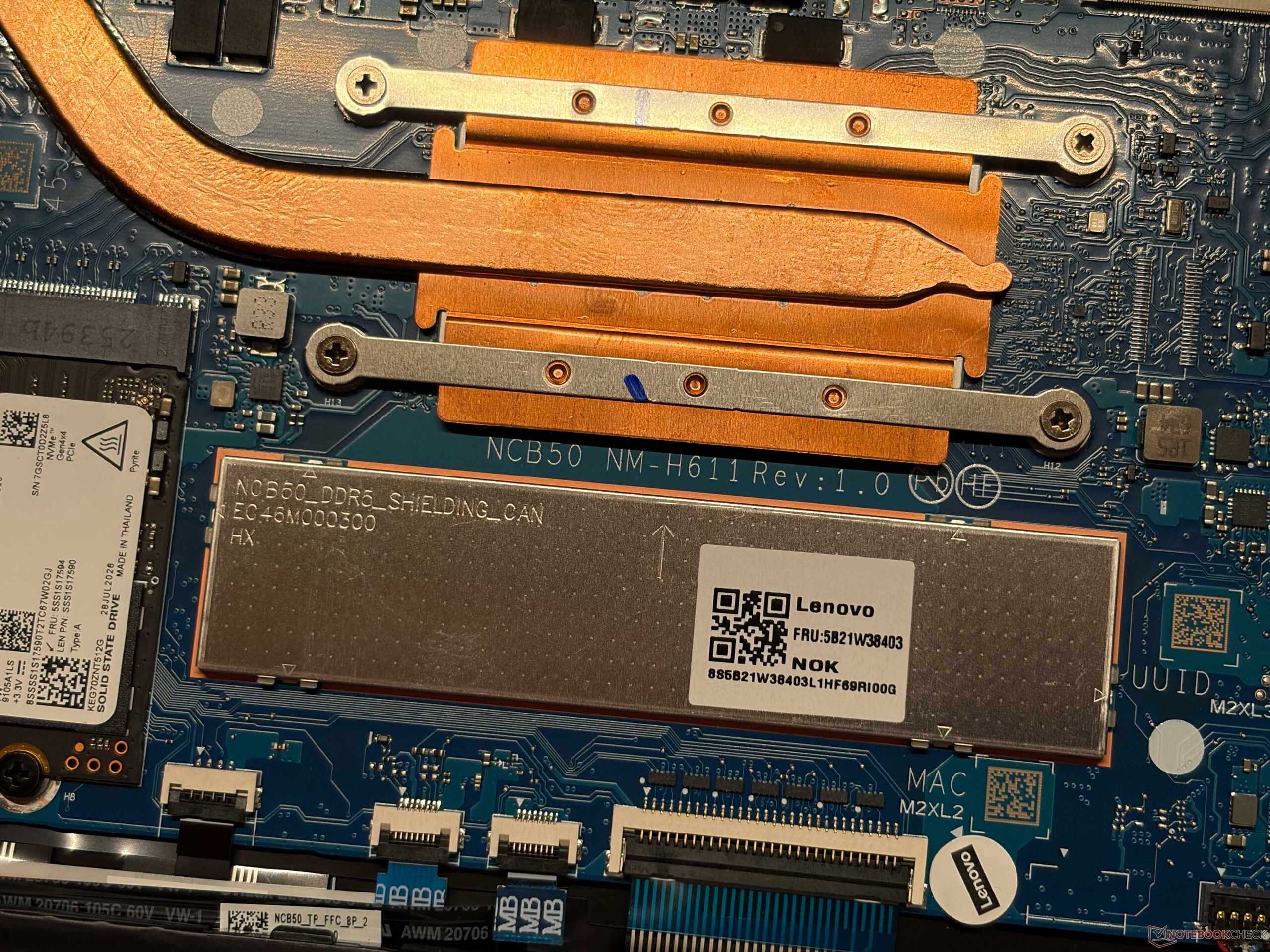
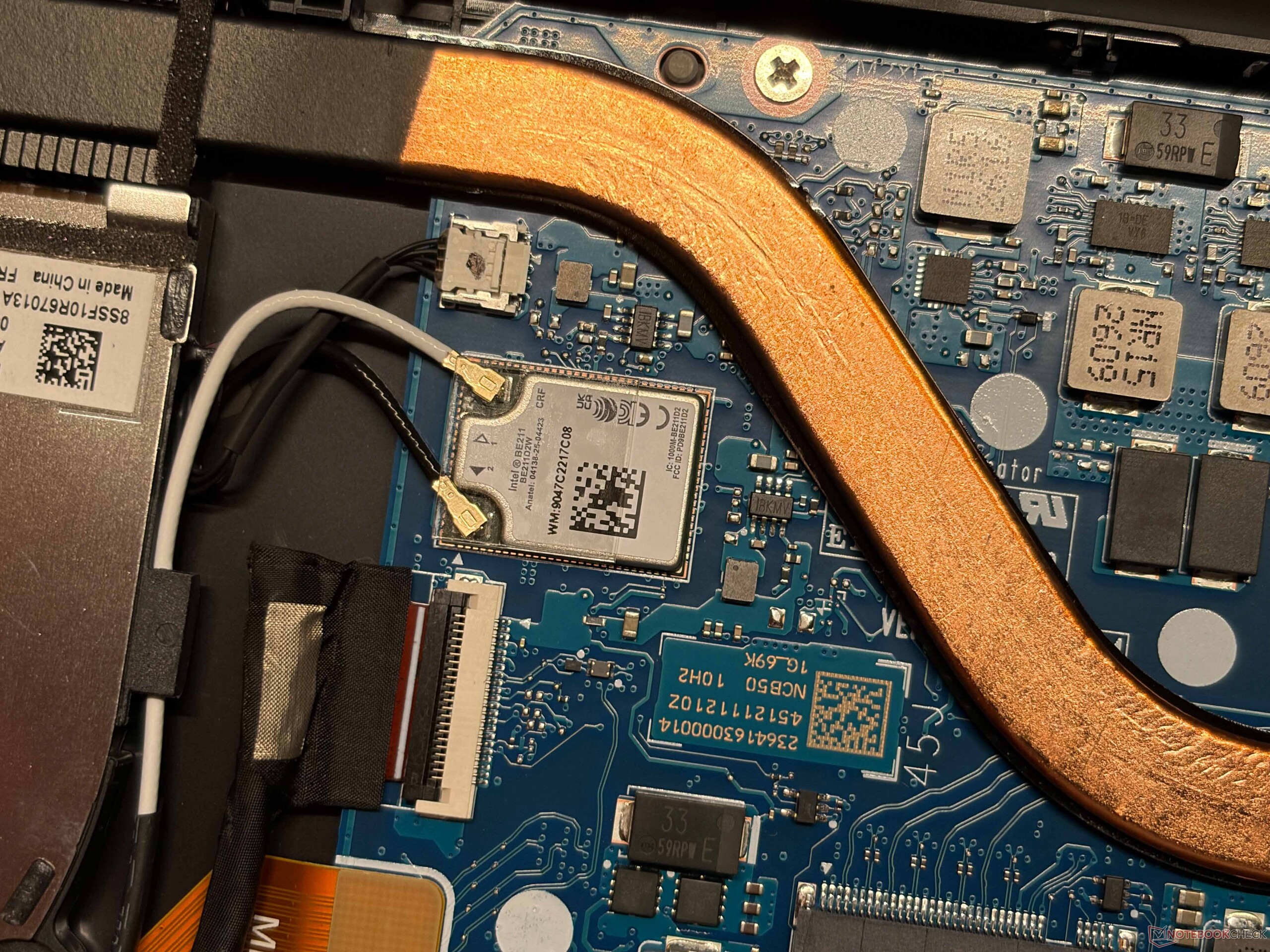
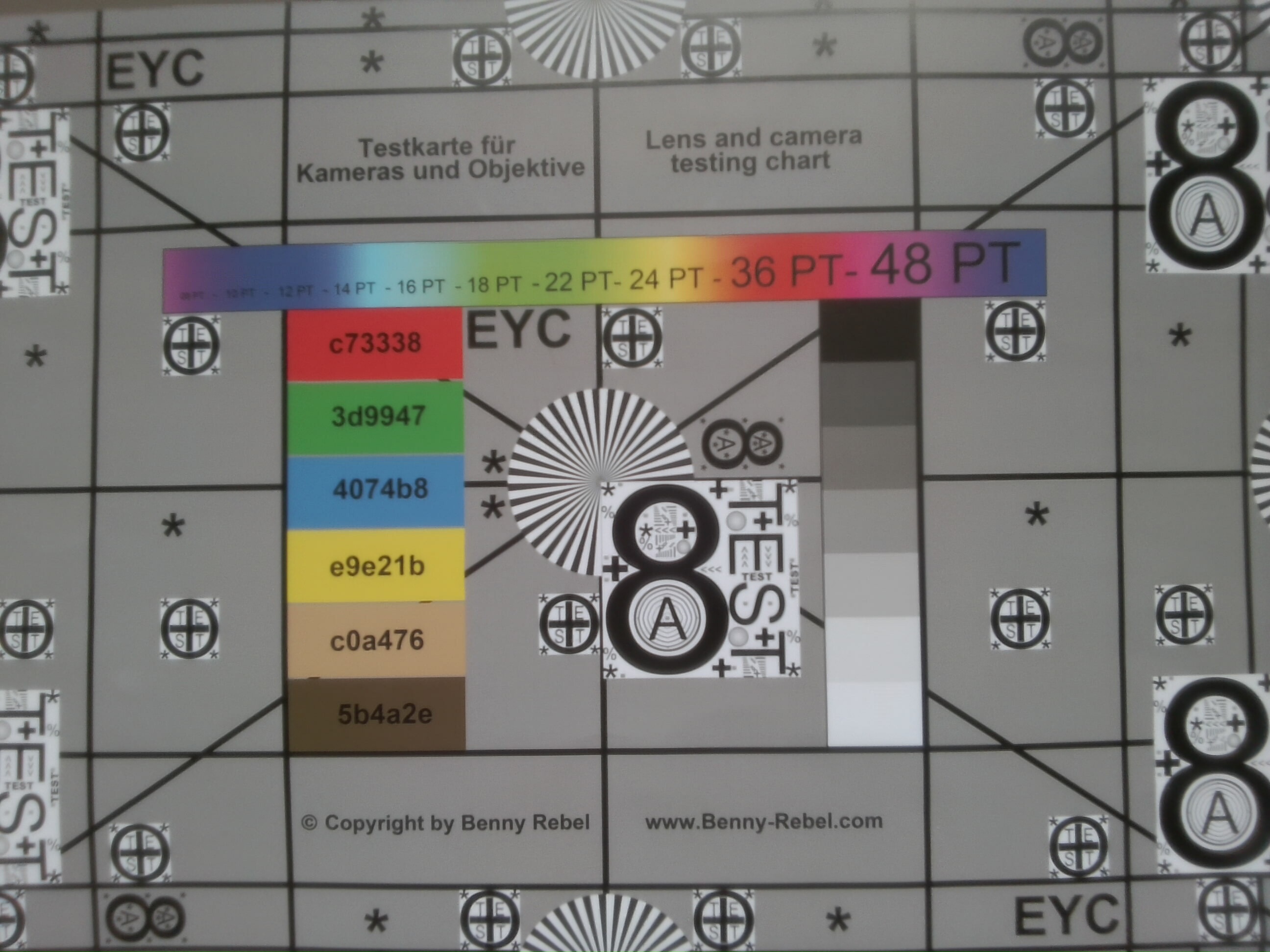
Maintenance options are limited to the battery, the single fan as well as the compact M.2-2242 SSD. Connectivity is good with two Thunderbolt 4 ports, USB-A as well as HDMI. Wi-Fi 7 is supported and you get a decent 5 MP webcam.
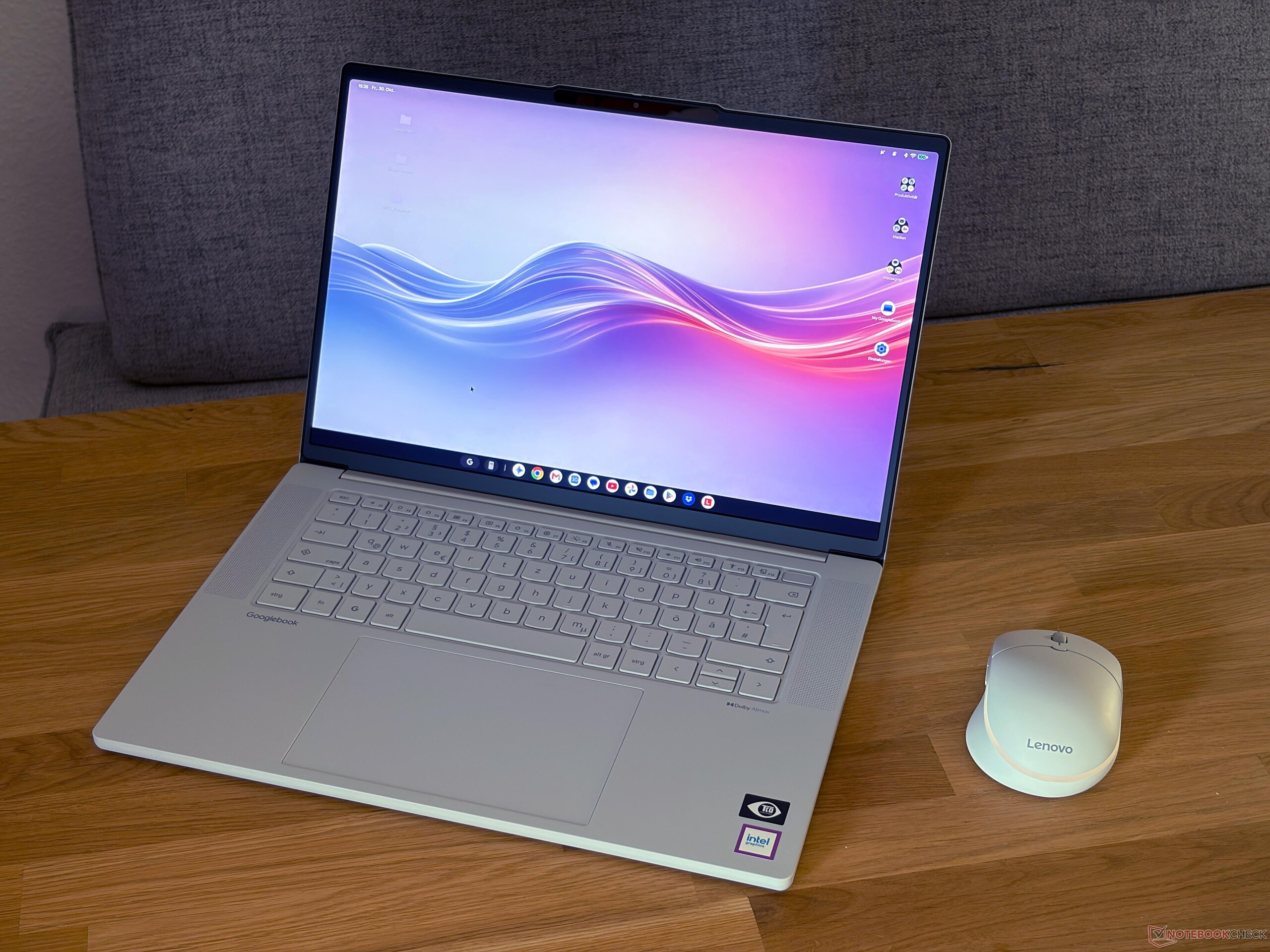
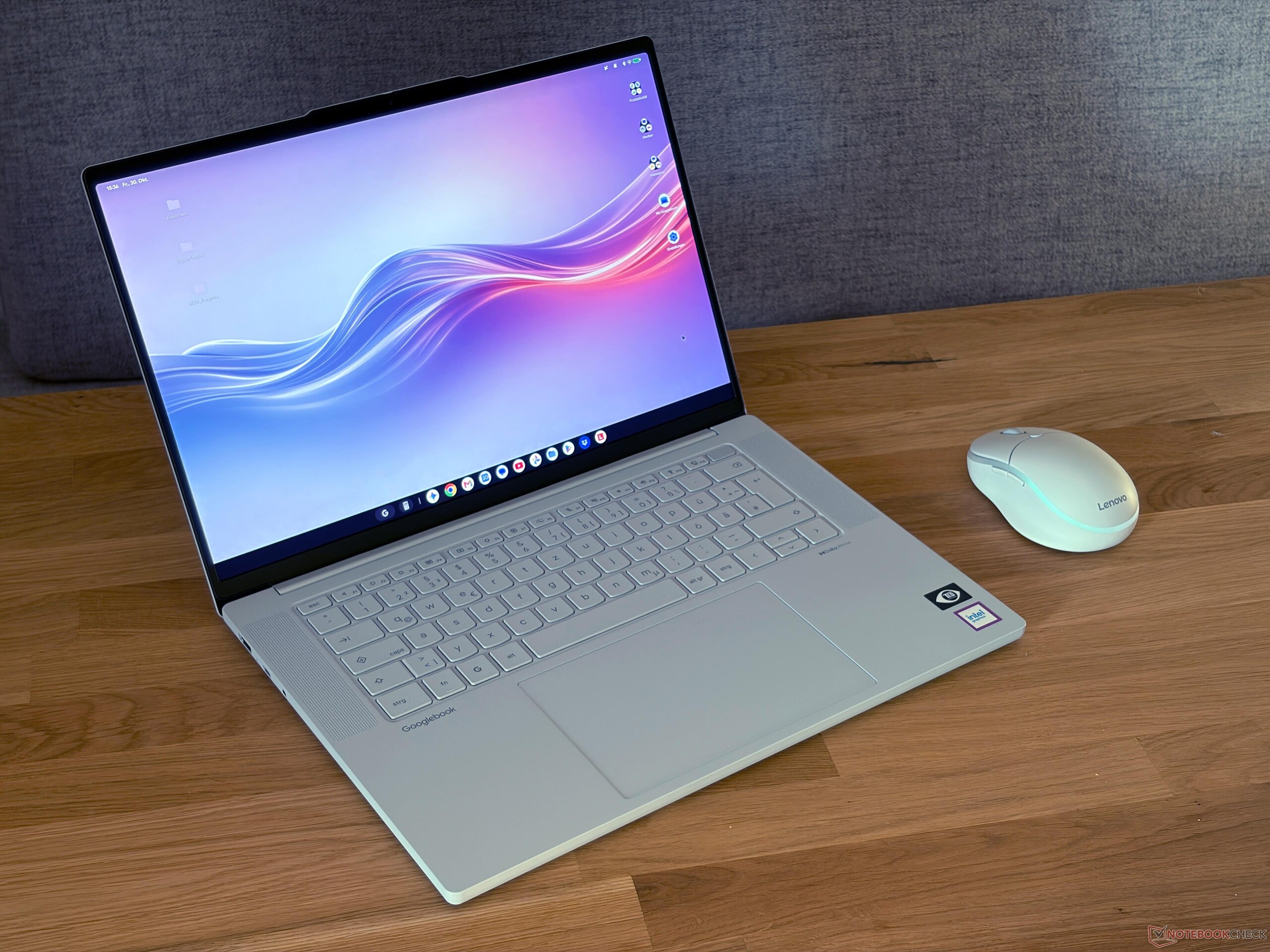
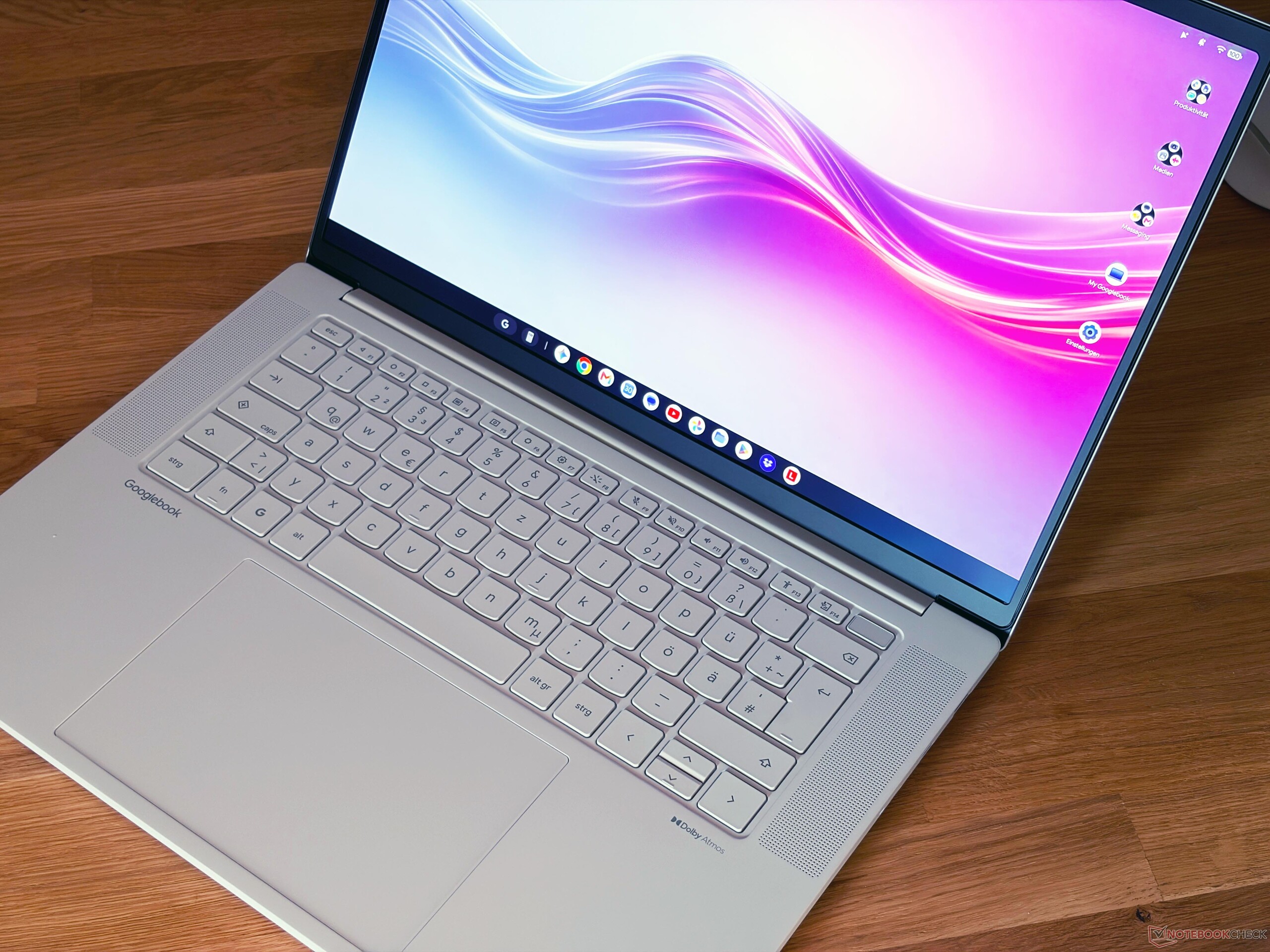
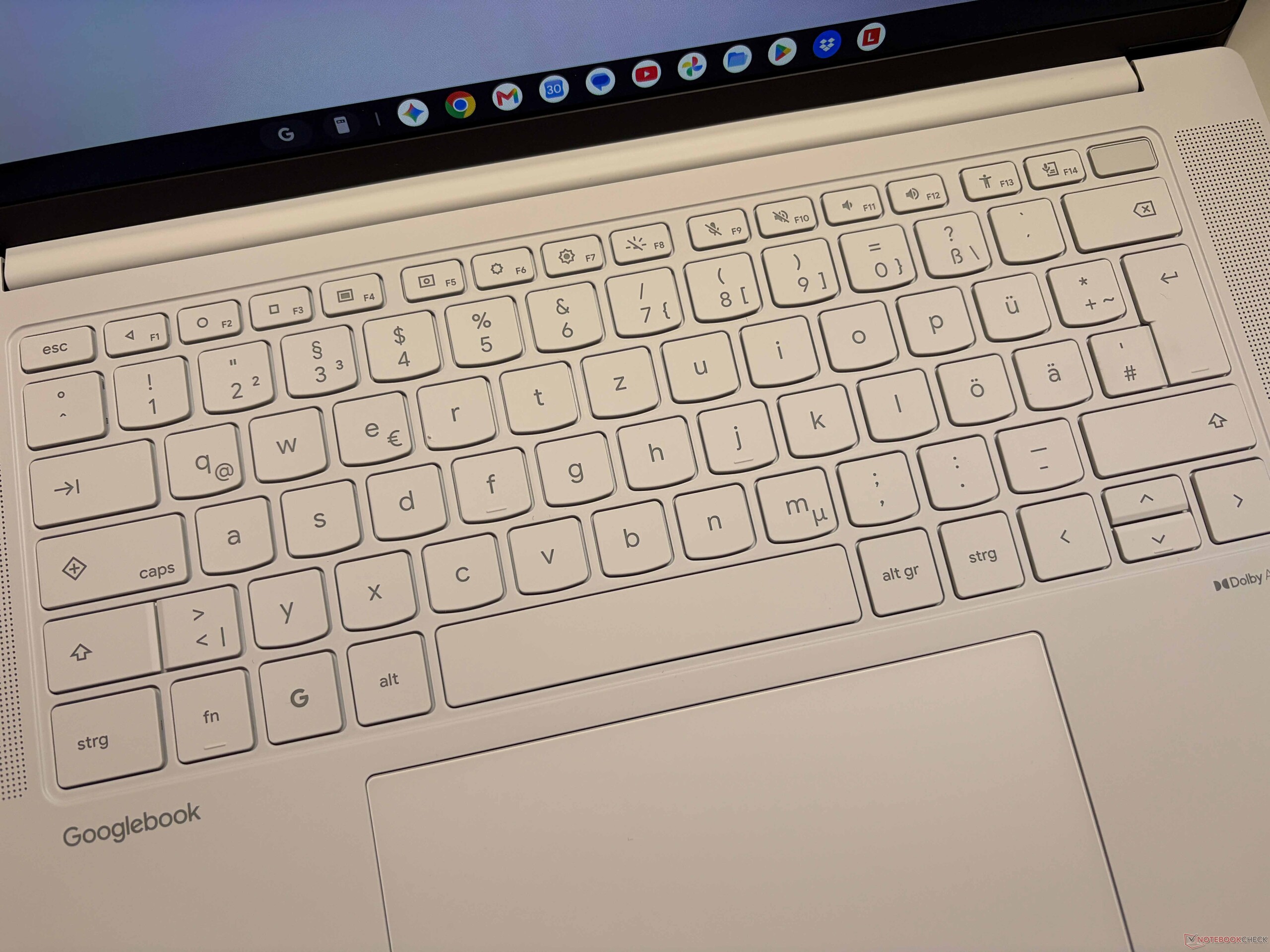
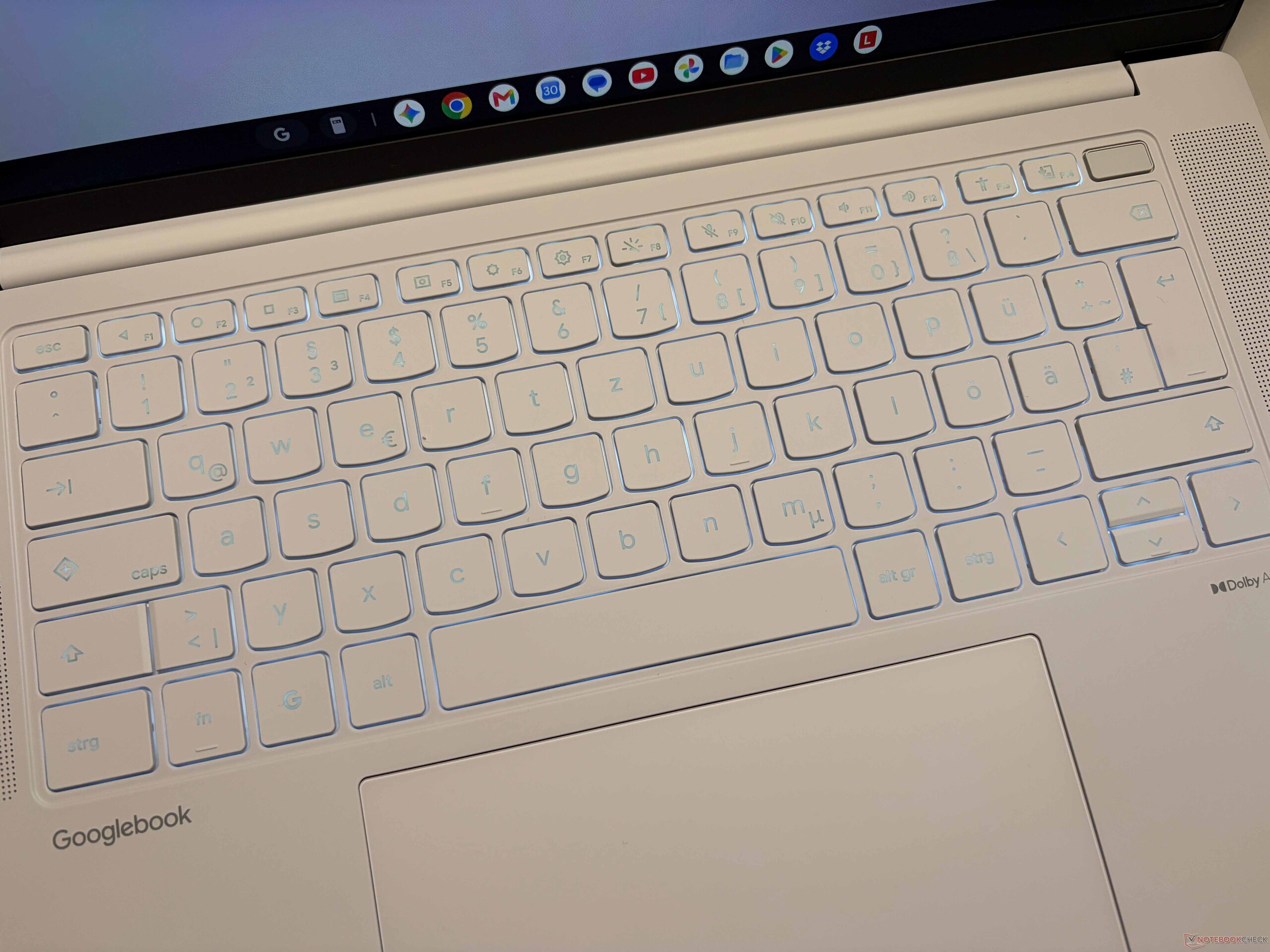
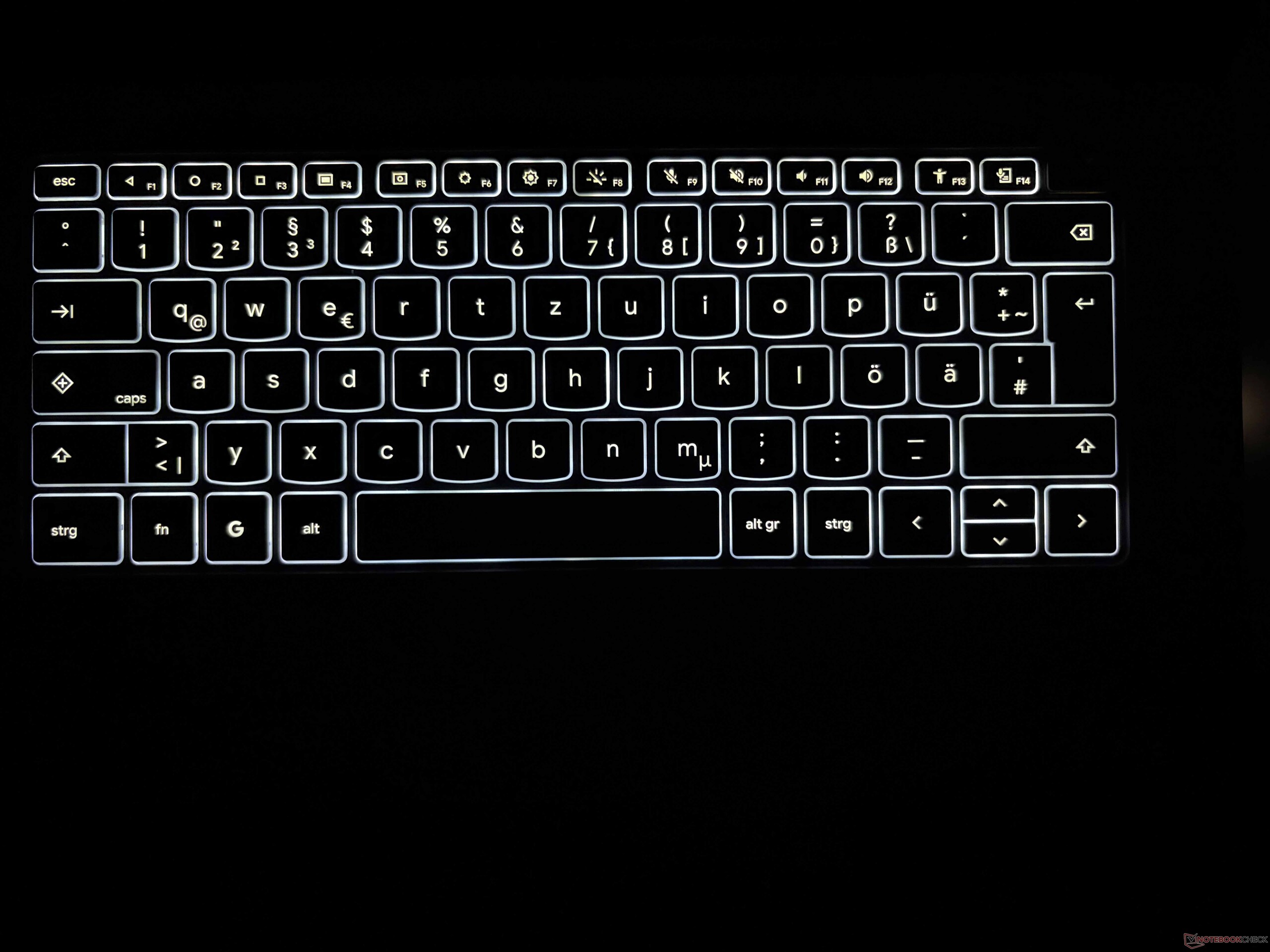
There is also a power button on the right side, which is surprising considering you get a dedicated fingerprint scanner button in the top right of the keyboard, which usually acts as a power button. The keyboard is also pretty mediocre and comparable to cheaper IdeaPad models. The key travel is pretty shallow at 1.3 mm and the white illumination is an issue, because there is simply not much contrast compared to the light grey key caps unless the environment is completely dark. The large haptic touchpad, however, works very well. Lenovo also offers a corresponding AI mouse with a magic cursor, which works well.




Display - 2.8K OLED with 120 Hz
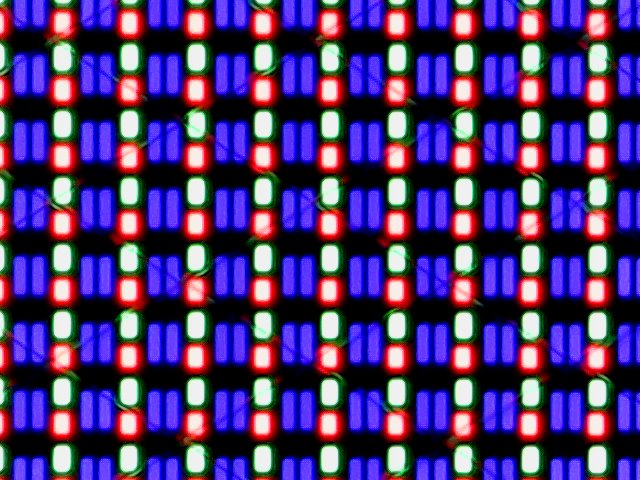
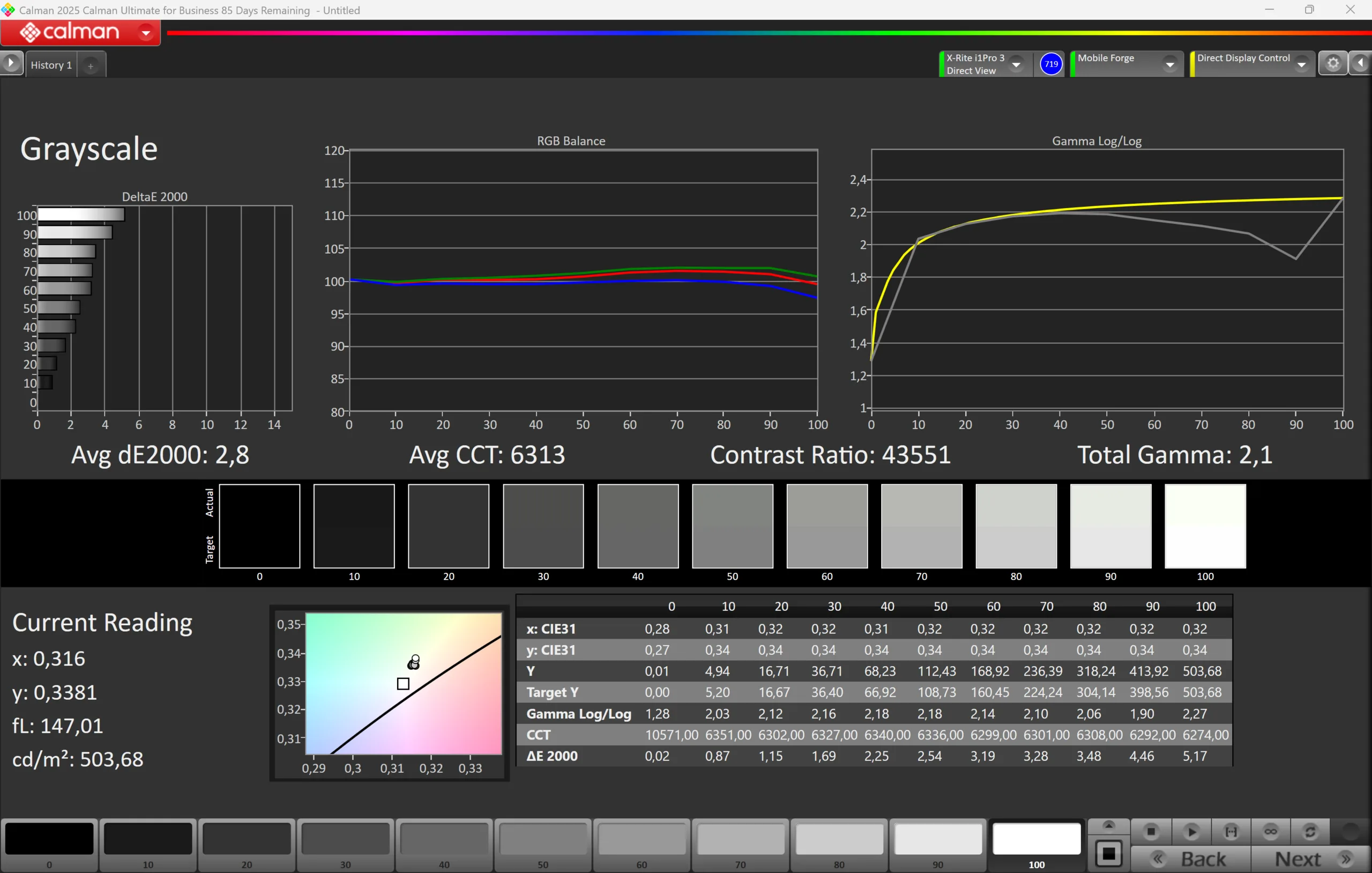
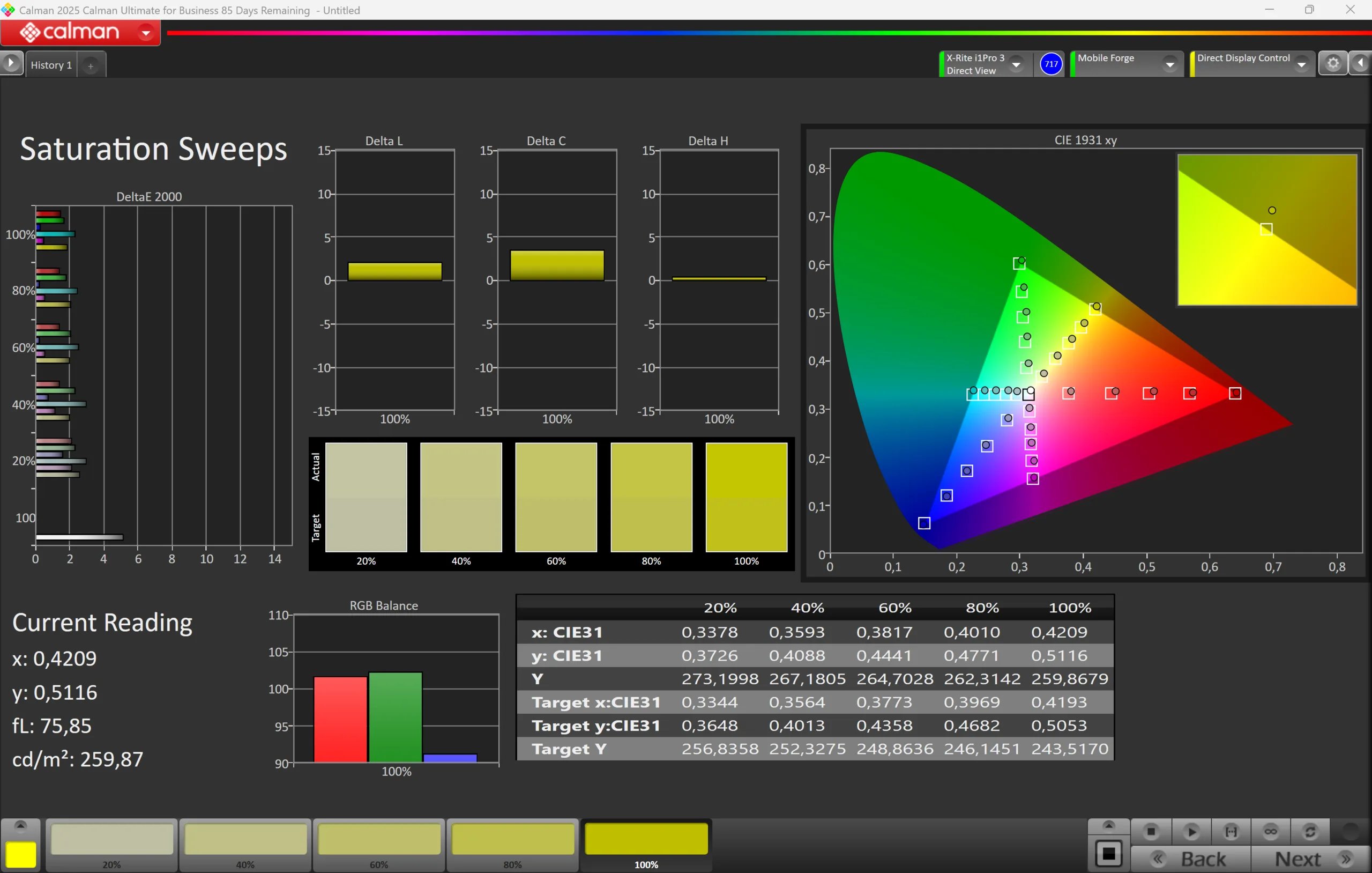
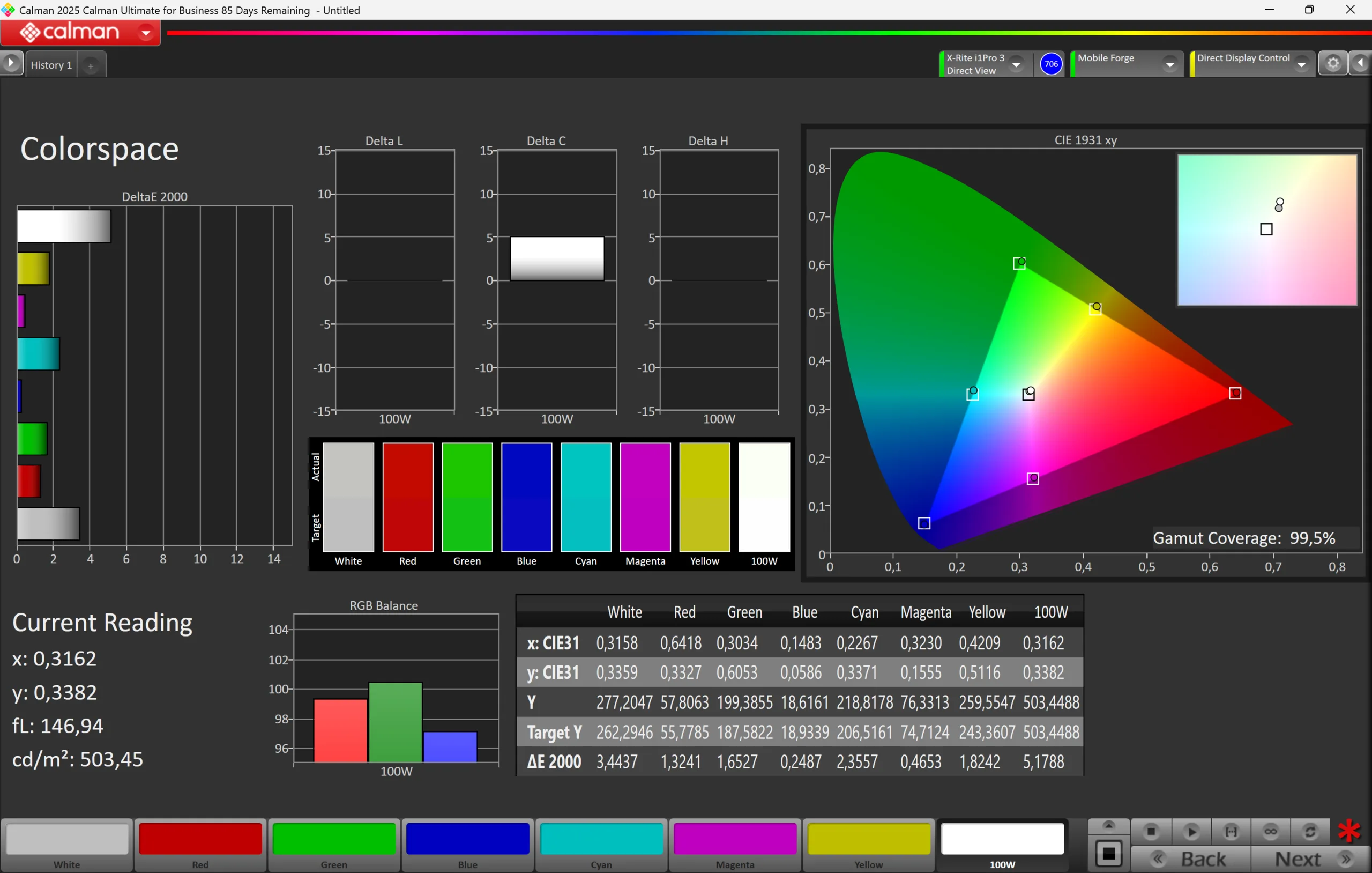
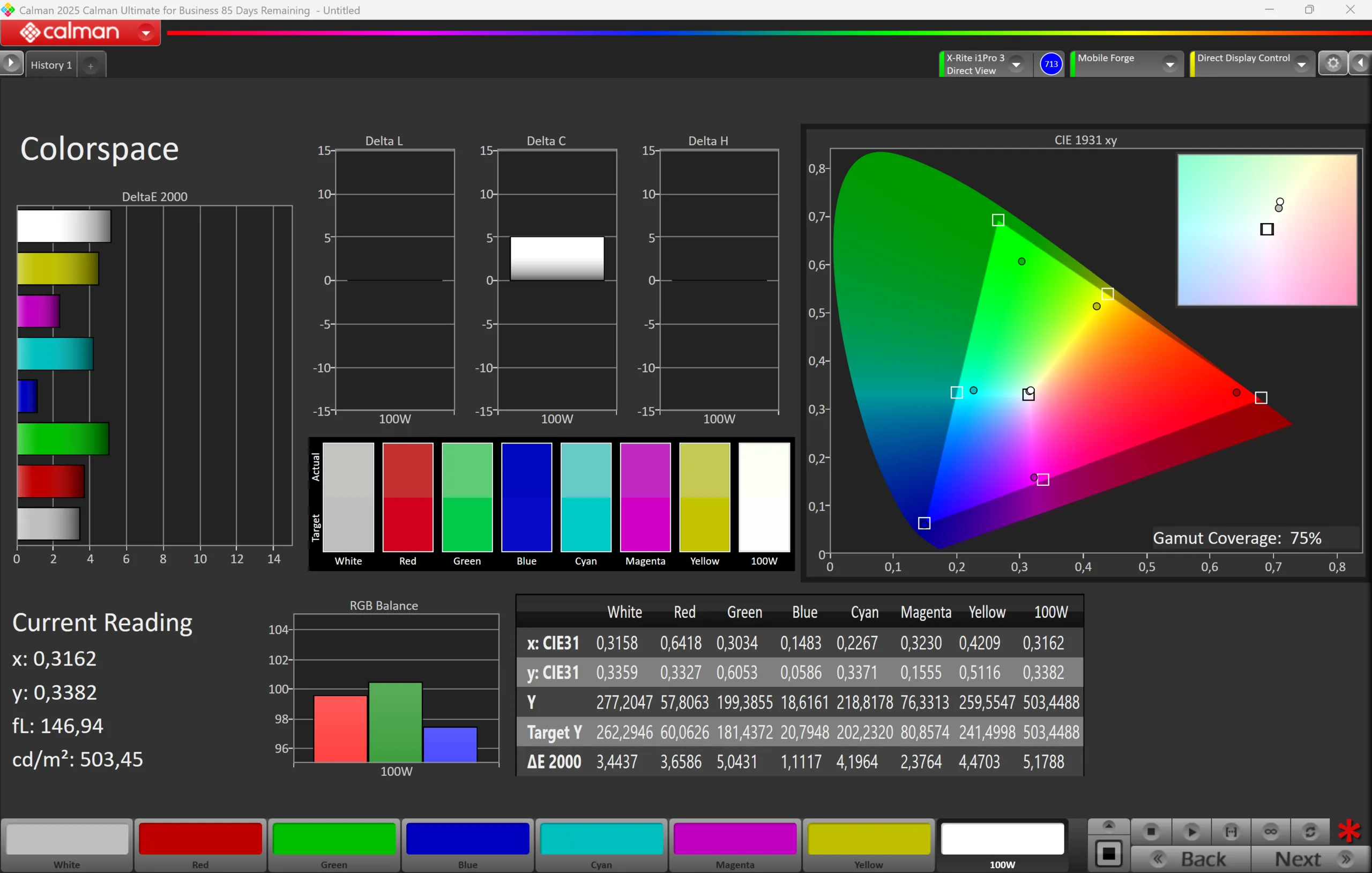
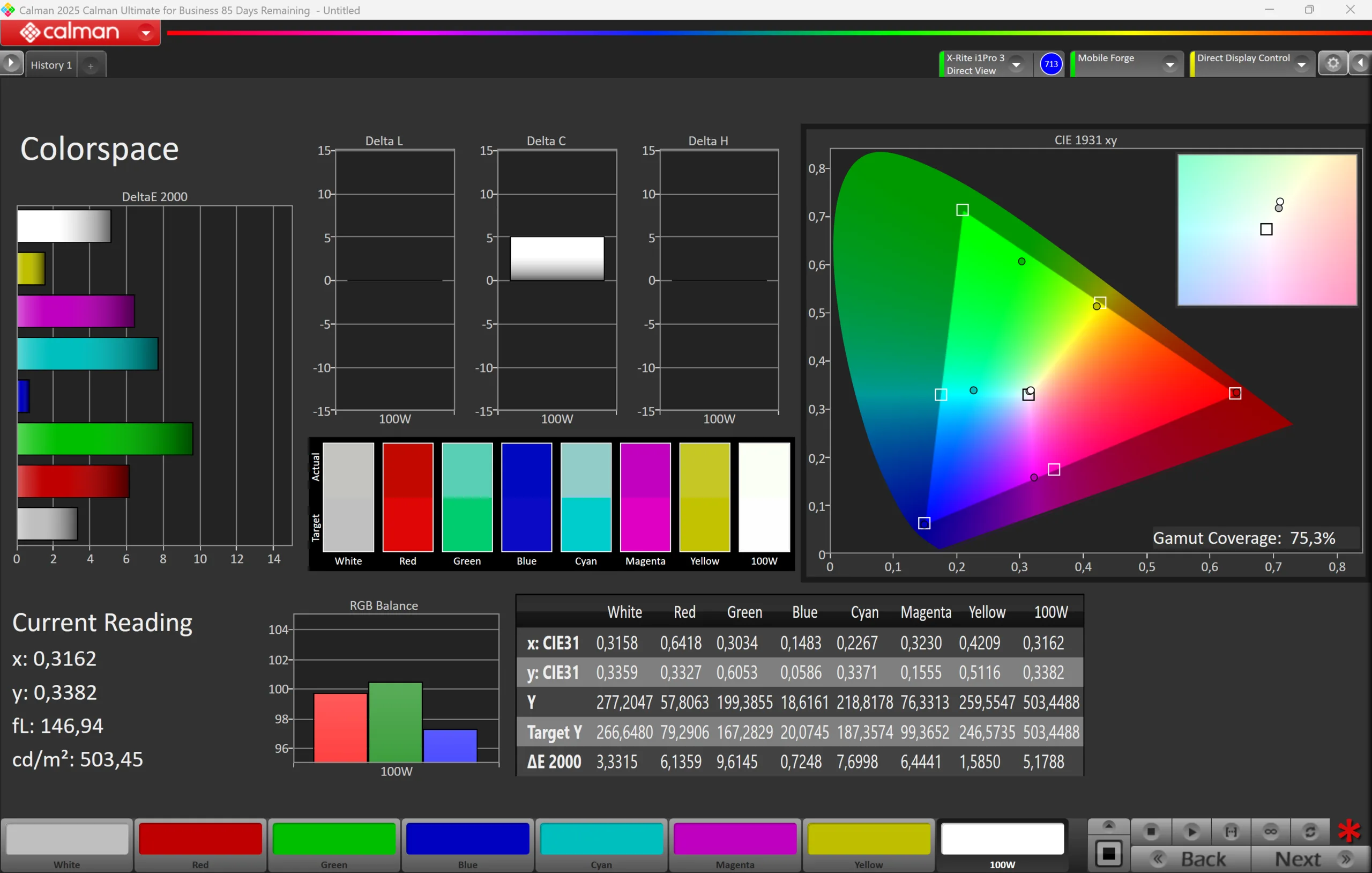
Lenovo uses a 15.3-inch OLED panel with a resolution of 2880 x 1800 pixels and a frequency of 120 Hz. The subjective image quality of the glossy screen is very good with deep blacks and rich colors. However, the color management of Googlebook OS is still problematic. While we did not experience the black value issue of the Asus Googlebook 14 or the HDR issues of the HP Googlebook 14c, the panel is once again limited to sRGB, even though the specs clearly state P3 color gamut. This seems to be a general issue with Googlebook OS, but the color accuracy is at least pretty accurate in our analysis with the professional CalMAN software for sRGB and you can edit pictures or videos.
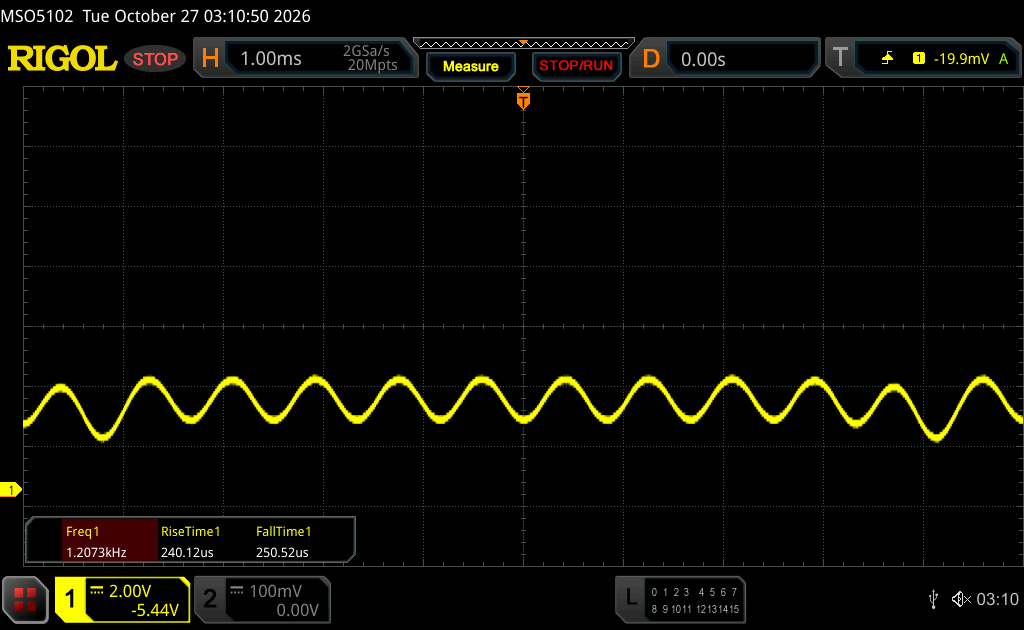
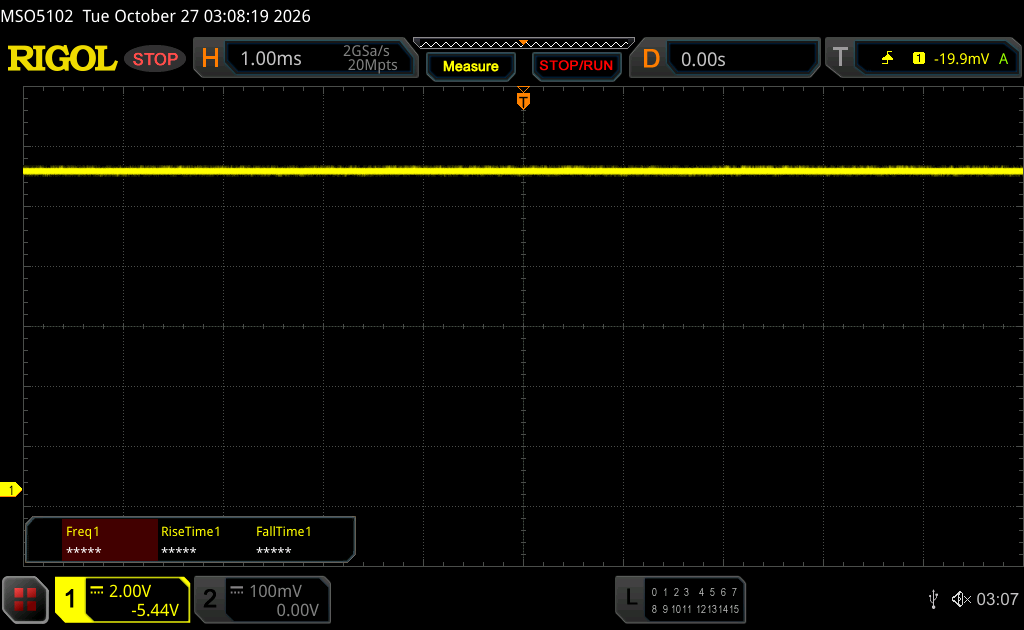
The brightness values are excellent with 500 nits for SDR contents and up to 1117 nits peak HDR brightness (702 nits for a completely white image), so media playback looks great on this OLED panel. Response times are very fast and the PWM frequency is very high at 1.2 kHz with a pretty small amplitude, so the flickering should not be an issue for most users.
| |||||||||||||||||||||||||
Brightness Distribution: 97 %
Center on Battery: 504 cd/m²
Contrast: 50400:1 (Black: 0.01 cd/m²)
ΔE ColorChecker Calman: 1.8 | ∀{0.5-29.43 Ø4.68}
ΔE Greyscale Calman: 2.8 | ∀{0.09-98 Ø4.93}
75.3% AdobeRGB 1998 (Argyll 3D)
99.5% sRGB (Argyll 3D)
75% Display P3 (Argyll 3D)
Gamma: 2.1
CCT: 6313 K
| Lenovo Googlebook 15 OLED, 2880x1800, 15.3", 120 Hz | Asus Googlebook 14 CX9406CAA OLED, 2880x1800, 14", 120 Hz | HP Googlebook 14c OLED, 2880x1800, 14", 120 Hz | Lenovo IdeaPad Slim 3 15IWC11 BOE NE153WU0-M60, IPS, 1920x1200, 15.3", 120 Hz | Schenker Connect 15 (E26) LG Philips LGD06F3, IPS, 1920x1080, 15.6", 60 Hz | |
|---|---|---|---|---|---|
| Display | -1% | 6% | -3% | -12% | |
| HDR Peak Brightness (cd/m²) | 1117 | 1266 13% | |||
| Display P3 Coverage (%) | 75 | 71.1 -5% | 83.2 11% | 72.3 -4% | 64.5 -14% |
| sRGB Coverage (%) | 99.5 | 93.8 -6% | 100 1% | 99.3 0% | 94.1 -5% |
| AdobeRGB 1998 Coverage (%) | 75.3 | 71.5 -5% | 80.6 7% | 72 -4% | 63.4 -16% |
| Response Times | -37% | -35% | -4504% | -4413% | |
| Response Time Grey 50% / Grey 80% * (ms) | 1.44 ? | 2.6 ? -81% | 2 ? -39% | 41.8 ? -2803% | 39.8 ? -2664% |
| Response Time Black / White * (ms) | 0.46 ? | 0.44 ? 4% | 0.5 ? -9% | 29 ? -6204% | 28.8 ? -6161% |
| PWM Frequency (Hz) | 1200 ? | 720 ? | 960 ? | ||
| PWM Amplitude * (%) | 33 | 44 -33% | 52 -58% | ||
| Screen | -554% | -27% | -217% | -564% | |
| Brightness middle (cd/m²) | 504 | 525 4% | 515 2% | 423.1 -16% | 431 -14% |
| Brightness (cd/m²) | 506 | 527 4% | 519 3% | 404 -20% | 412 -19% |
| Brightness Distribution (%) | 97 | 95 -2% | 98 1% | 93 -4% | 93 -4% |
| Black Level * (cd/m²) | 0.01 | 0.42 -4100% | 0.02 -100% | 0.17 -1600% | 0.45 -4400% |
| Contrast (:1) | 50400 | 1250 -98% | 25750 -49% | 2489 -95% | 958 -98% |
| Colorchecker dE 2000 * | 1.8 | 3.5 -94% | 2.9 -61% | 2.23 -24% | 2.04 -13% |
| Colorchecker dE 2000 max. * | 5.2 | 7.6 -46% | 6.2 -19% | 3.58 31% | 4.48 14% |
| Greyscale dE 2000 * | 2.8 | 5.6 -100% | 2.7 4% | 3.1 -11% | 2.28 19% |
| Gamma | 2.1 105% | 1.99 111% | 2.27 97% | 2.15 102% | 2.48 89% |
| CCT | 6313 103% | 6913 94% | 6483 100% | 6889 94% | 6627 98% |
| Colorchecker dE 2000 calibrated * | 1.09 | 1.06 | |||
| Total Average (Program / Settings) | -197% /
-303% | -19% /
-22% | -1575% /
-827% | -1663% /
-1029% |
* ... smaller is better

Display Response Times
| ↔ Response Time Black to White | ||
|---|---|---|
| 0.46 ms ... rise ↗ and fall ↘ combined | ↗ 0.25 ms rise | 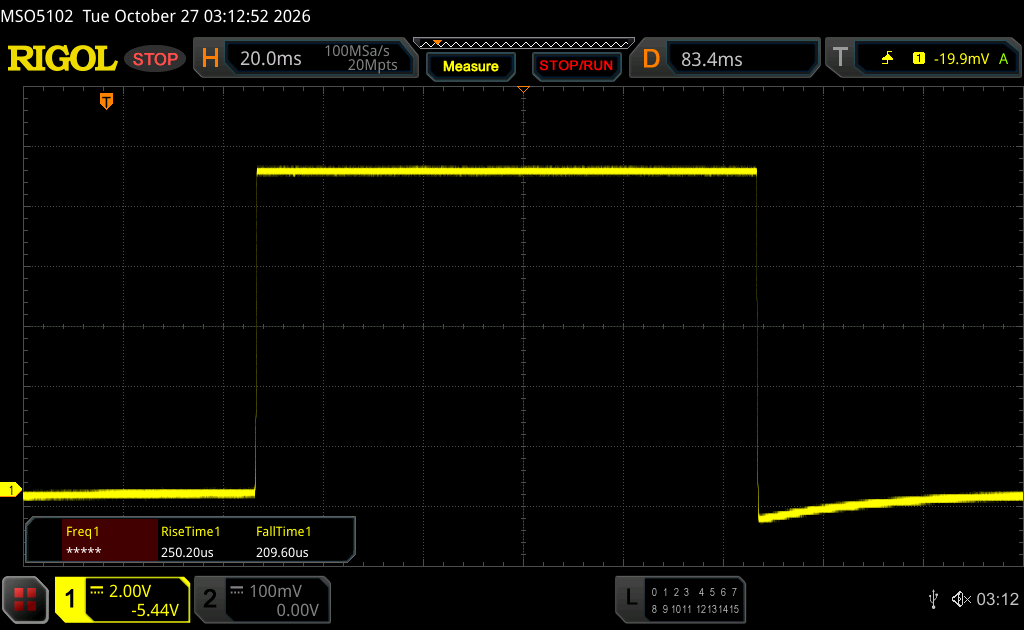 |
| ↘ 0.21 ms fall | ||
| The screen shows very fast response rates in our tests and should be very well suited for fast-paced gaming. In comparison, all tested devices range from 0.1 (minimum) to 240 (maximum) ms. » 1 % of all devices are better. This means that the measured response time is better than the average of all tested devices (19.6 ms). | ||
| ↔ Response Time 50% Grey to 80% Grey | ||
| 1.44 ms ... rise ↗ and fall ↘ combined | ↗ 0.69 ms rise | 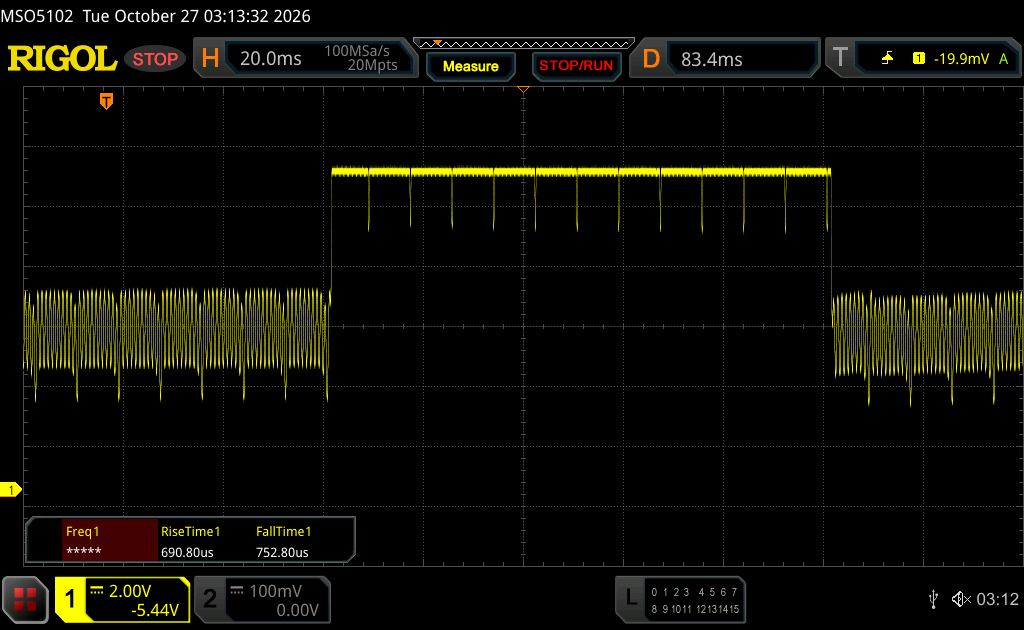 |
| ↘ 0.75 ms fall | ||
| The screen shows very fast response rates in our tests and should be very well suited for fast-paced gaming. In comparison, all tested devices range from 0.13 (minimum) to 636 (maximum) ms. » 8 % of all devices are better. This means that the measured response time is better than the average of all tested devices (30.6 ms). | ||
Screen Flickering / PWM (Pulse-Width Modulation)
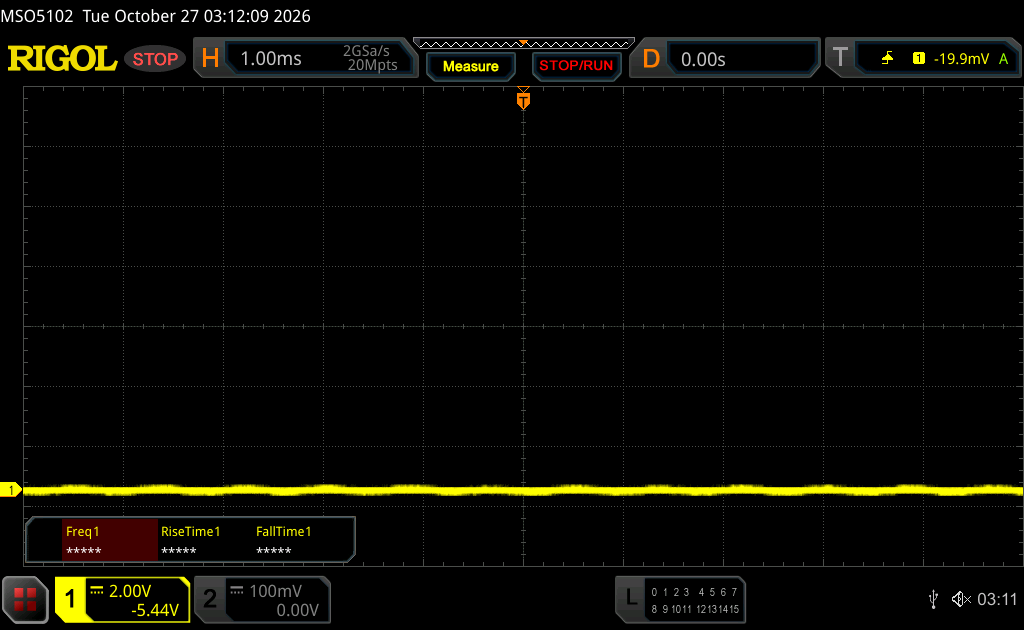
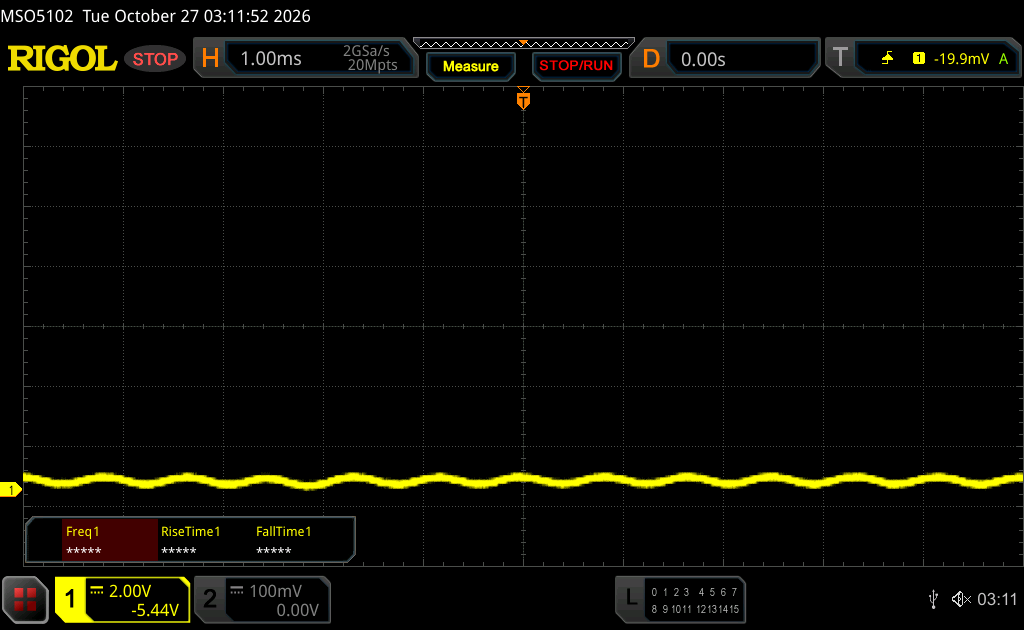
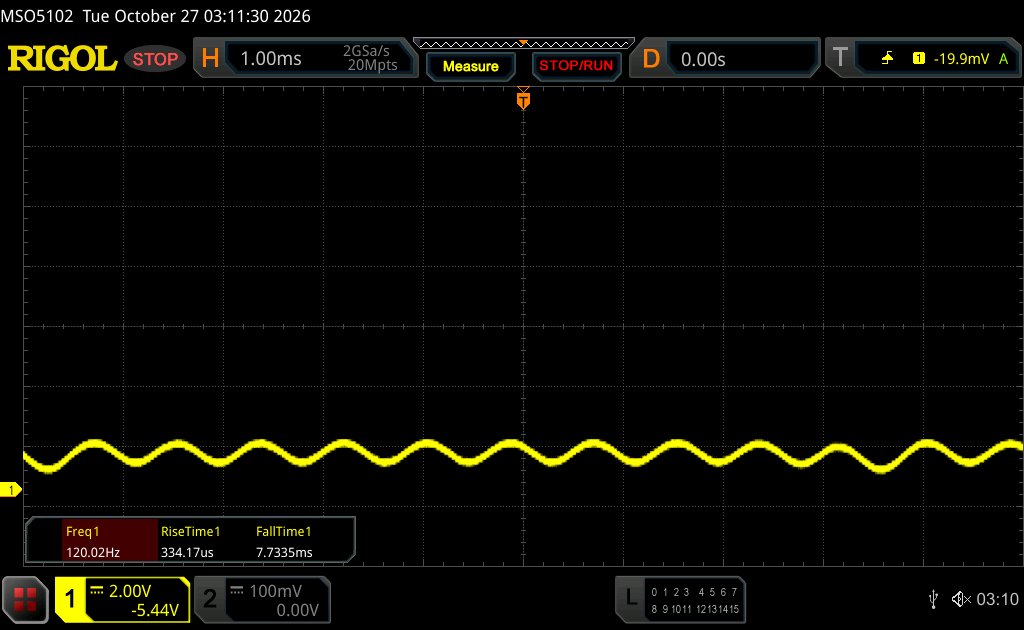
| Screen flickering / PWM detected | 1200 Hz Amplitude: 33 % | 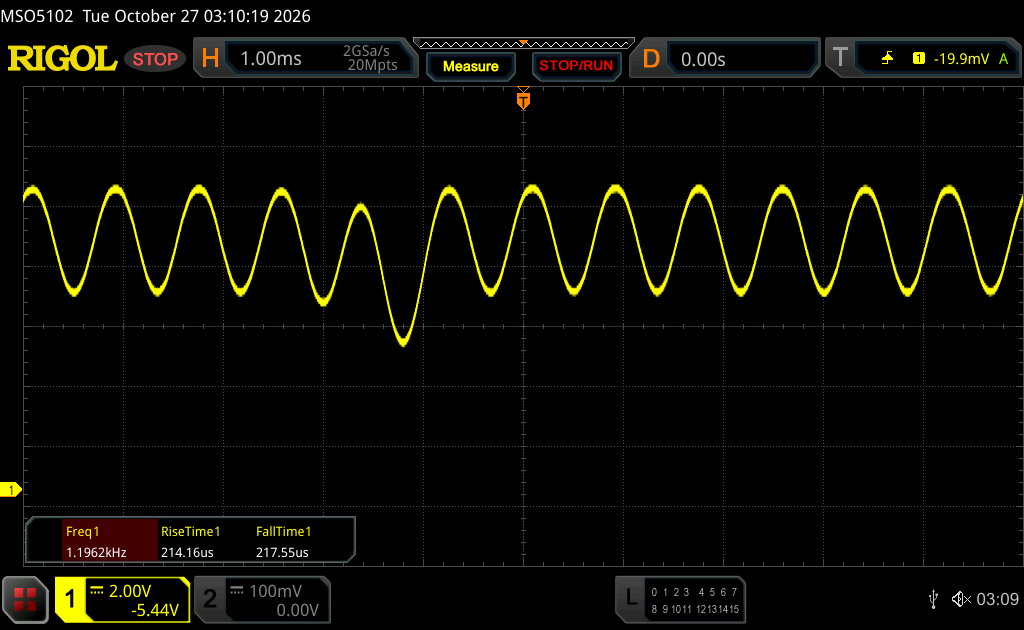 | |
| ≤ 99 cd/m² brightness | |||
The display backlight flickers at 1200 Hz (worst case, e.g., utilizing PWM) Flickering detected at a brightness setting of 99 cd/m² and below. There should be no flickering or PWM above this brightness setting. The frequency of 1200 Hz is quite high, so most users sensitive to PWM should not notice any flickering. Flickering occurs at relatively low brightness settings, so extended use at this brightness setting or lower can cause eyestrain. In comparison: 52 % of all tested devices do not use PWM to dim the display. If PWM was detected, an average of 7567 (minimum: 5 - maximum: 343500) Hz was measured. | |||


Performance - Intel Panther Lake
Lenovo uses an Intel Panther Lake Core Ultra 5 325 CPU in combination with 16 GB RAM, which cannot be upgraded and there are no other CPU/memory configurations available. Considering the fact that you are limited to Android apps anyway, the performance is more than sufficient and the Googlebook 15 is a responsive laptop. We did not experience any stability issues, either, but we still had issues with some Android apps that simply did not work on the Googlebook, including benchmarks like CrossMark or popular games like PUBG and Fortnite. We recommend streaming services like GeForce Now if you also want to play games on your Googlebook.
Based on our power measurements, the short-term power limit for the Core Ultra 5 325 should be around 45 Watts, but it quickly drops to ~20 Watts after a couple of seconds. The initial value is way too high in our opinion and simply results in more fan activity. You also get the Panther Lake iGPU with 4 Xe cores as well as a 512 GB PCIe 4.0 SSD from Kioxia (EG7, 476 GB free after initial set-up).
Geekbench 6.7: Multi-Core | Single-Core
WebXPRT 4: Overall
WebXPRT 5: Overall
3DMark: Steel Nomad Light Score | Wild Life Extreme
Geekbench AI: Single Precision CPU 1.7 | Half Precision CPU 1.7 | Quantized CPU 1.7
| Geekbench 7.0 / Multi-Core | |
| HP Googlebook 14c | |
| Asus Googlebook 14 CX9406CAA | |
| Lenovo Googlebook 15 | |
| Geekbench 7.0 / Single-Core | |
| HP Googlebook 14c | |
| Asus Googlebook 14 CX9406CAA | |
| Lenovo Googlebook 15 | |
| Geekbench 6.7 / Multi-Core | |
| HP Googlebook 14c | |
| Schenker Connect 15 (E26) | |
| Lenovo IdeaPad Slim 3 15IWC11 | |
| Asus Googlebook 14 CX9406CAA | |
| Lenovo Googlebook 15 | |
| Geekbench 6.7 / Single-Core | |
| HP Googlebook 14c | |
| Lenovo IdeaPad Slim 3 15IWC11 | |
| Schenker Connect 15 (E26) | |
| Asus Googlebook 14 CX9406CAA | |
| Lenovo Googlebook 15 | |
| WebXPRT 4 / Overall | |
| Asus Googlebook 14 CX9406CAA | |
| Lenovo Googlebook 15 | |
| HP Googlebook 14c | |
| Lenovo IdeaPad Slim 3 15IWC11 | |
| Schenker Connect 15 (E26) | |
| WebXPRT 5 / Overall | |
| Lenovo IdeaPad Slim 3 15IWC11 | |
| Asus Googlebook 14 CX9406CAA | |
| Lenovo Googlebook 15 | |
| HP Googlebook 14c | |
| 3DMark / Steel Nomad Light Score | |
| HP Googlebook 14c | |
| Asus Googlebook 14 CX9406CAA | |
| Lenovo Googlebook 15 | |
| 3DMark / Wild Life Extreme | |
| HP Googlebook 14c | |
| Asus Googlebook 14 CX9406CAA | |
| Lenovo Googlebook 15 | |
| Geekbench AI / Single Precision CPU 1.7 | |
| HP Googlebook 14c | |
| Schenker Connect 15 (E26) | |
| Asus Googlebook 14 CX9406CAA | |
| Lenovo Googlebook 15 | |
| Geekbench AI / Half Precision CPU 1.7 | |
| HP Googlebook 14c | |
| Asus Googlebook 14 CX9406CAA | |
| Lenovo Googlebook 15 | |
| Schenker Connect 15 (E26) | |
| Geekbench AI / Quantized CPU 1.7 | |
| HP Googlebook 14c | |
| Schenker Connect 15 (E26) | |
| Asus Googlebook 14 CX9406CAA | |
| Lenovo Googlebook 15 | |
Emissions & Power Consumption
System Noise
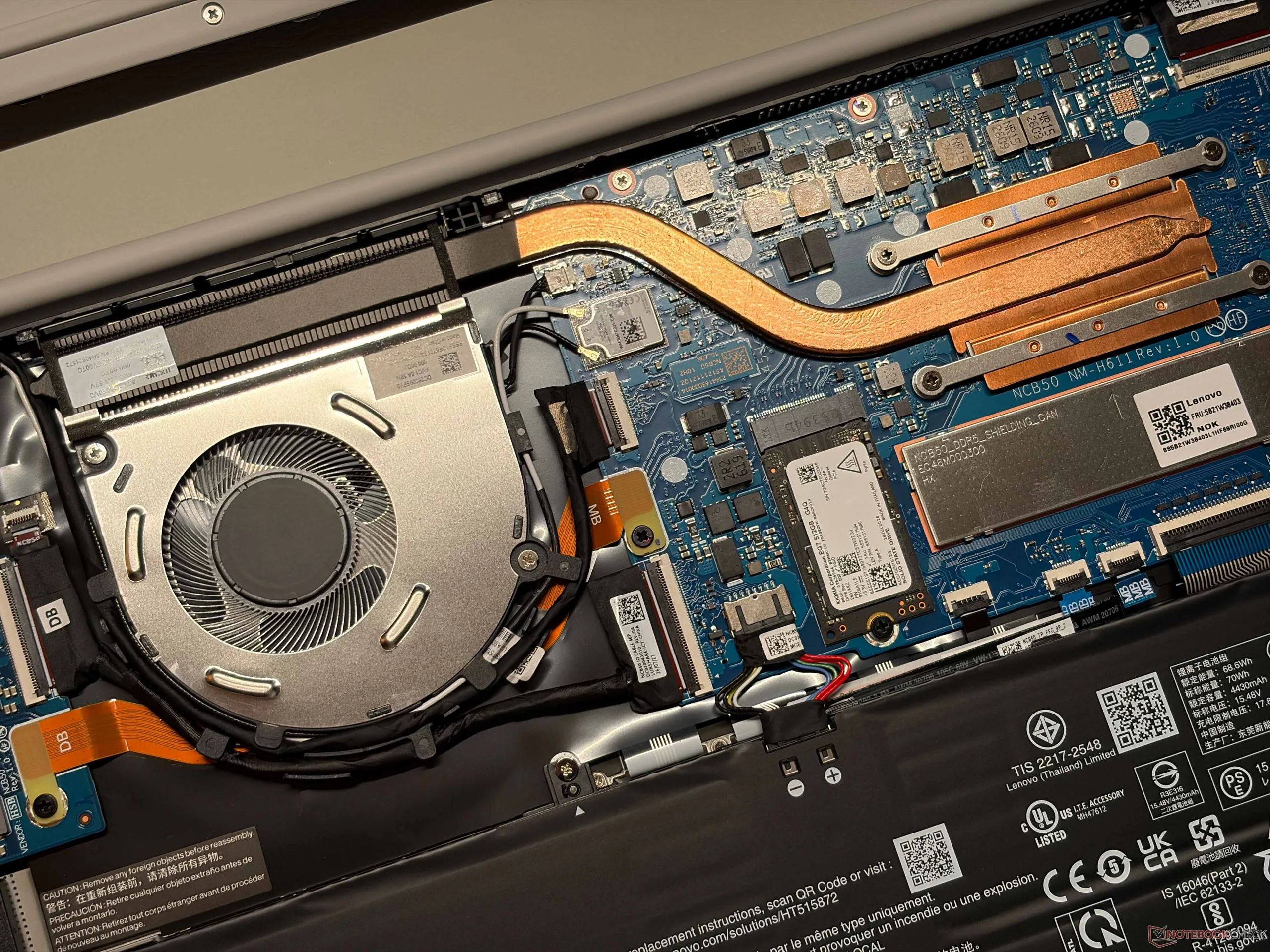
The Lenovo Googlebook 15 uses a single fan and while the overall noise levels are pretty low, the fan activity is noticeably higher compared to the other Googlebooks from Asus and HP we have tested before, which is a bit surprising considering the larger chassis. The fan will often start spinning even during light workloads, which surprised us. Compared to traditional Windows laptops, however, the laptop is still very quiet at up to ~34 dB(A). We did not hear any other electronic noises.
Noise level
| Idle |
| 24.4 / 24.4 / 26.5 dB(A) |
| Load |
| 28 / 33.8 dB(A) |
 | ||
30 dB silent 40 dB(A) audible 50 dB(A) loud |
||
min:  , med:  , max:  Earthworks M23R, Arta (15 cm distance) environment noise: 24.4 dB(A) | ||
| Lenovo Googlebook 15 Ultra 5 325, Intel Graphics 4 Xe3 PTL | Asus Googlebook 14 CX9406CAA Ultra 7 355, Intel Graphics 4 Xe3 PTL | HP Googlebook 14c SD X Elite X1E-80-100, Adreno X1-85 3.8 TFLOPS | Lenovo IdeaPad Slim 3 15IWC11 Core 7 350, Intel Graphics 2 Xe3 WCL | Schenker Connect 15 (E26) Core 5 120U, Iris Xe G7 80EUs | |
|---|---|---|---|---|---|
| Noise | 3% | -3% | -1% | 3% | |
| off / environment * (dB) | 24.4 | 24 2% | 24.8 -2% | 23.7 3% | 23 6% |
| Idle Minimum * (dB) | 24.4 | 24 2% | 24.8 -2% | 23.8 2% | 23 6% |
| Idle Average * (dB) | 24.4 | 24 2% | 24.8 -2% | 23.8 2% | 24.77 -2% |
| Idle Maximum * (dB) | 26.5 | 24 9% | 24.8 6% | 23.8 10% | 26.57 -0% |
| Load Average * (dB) | 28 | 26.2 6% | 29.6 -6% | 25.8 8% | 26.9 4% |
| Load Maximum * (dB) | 33.8 | 34.7 -3% | 37.2 -10% | 43.8 -30% | 33.44 1% |
| Cyberpunk 2077 ultra * (dB) | 43.8 | 33.44 |
* ... smaller is better
Temperature
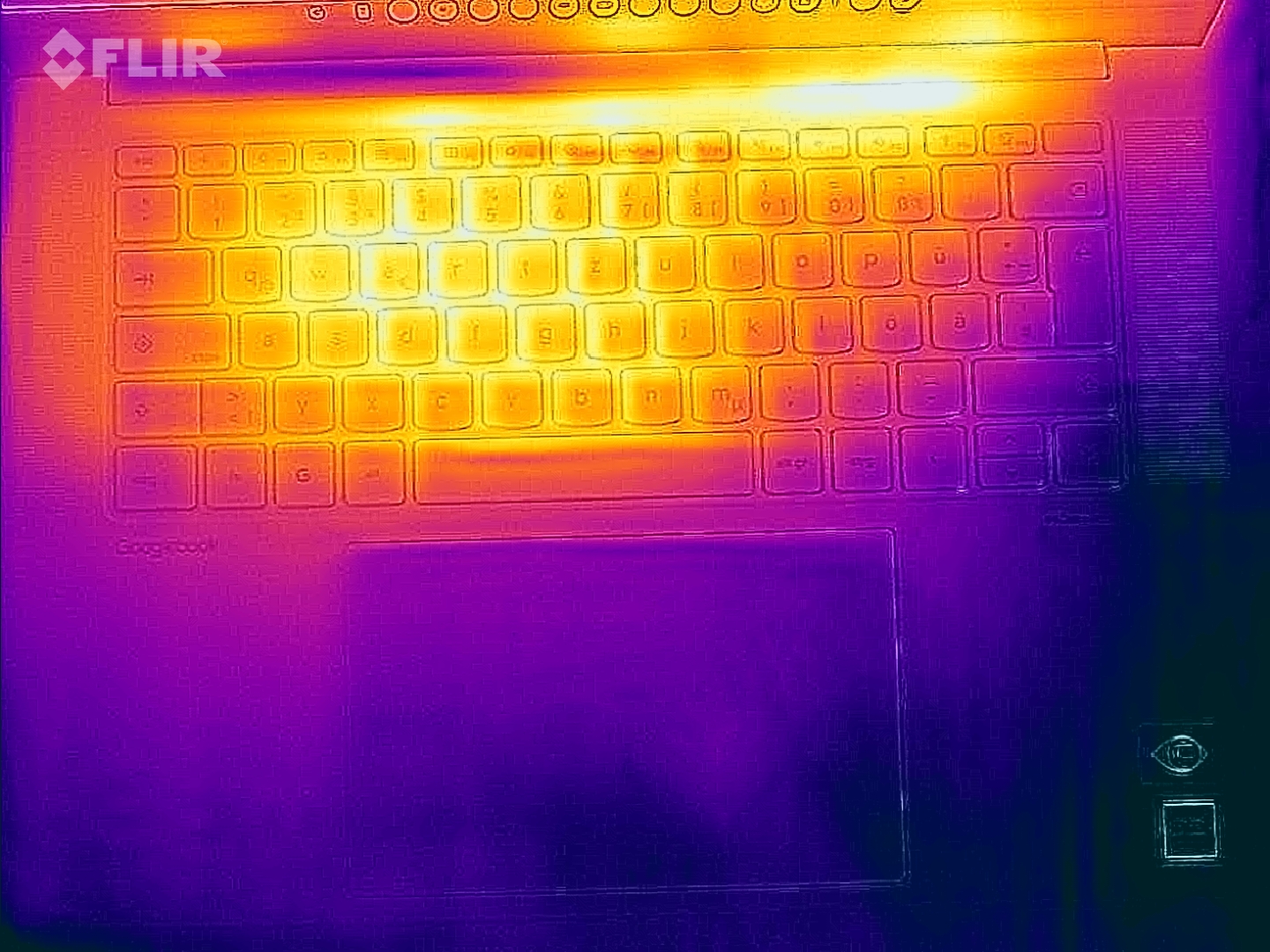
Surface temperatures are usually very low during lighter workloads and we only measured more than 40 °C on a few spots during our stress test with maximum CPU/GPU load, so there are absolutely no limitations here.
(+) The maximum temperature on the upper side is 39.5 °C / 103 F, compared to the average of 34.4 °C / 94 F, ranging from 21.2 to 62.5 °C for the class Office.
(±) The bottom heats up to a maximum of 42.9 °C / 109 F, compared to the average of 36.8 °C / 98 F
(+) In idle usage, the average temperature for the upper side is 25 °C / 77 F, compared to the device average of 29.5 °C / 85 F.
(+) The palmrests and touchpad are cooler than skin temperature with a maximum of 26.6 °C / 79.9 F and are therefore cool to the touch.
(±) The average temperature of the palmrest area of similar devices was 27.6 °C / 81.7 F (+1 °C / 1.8 F).
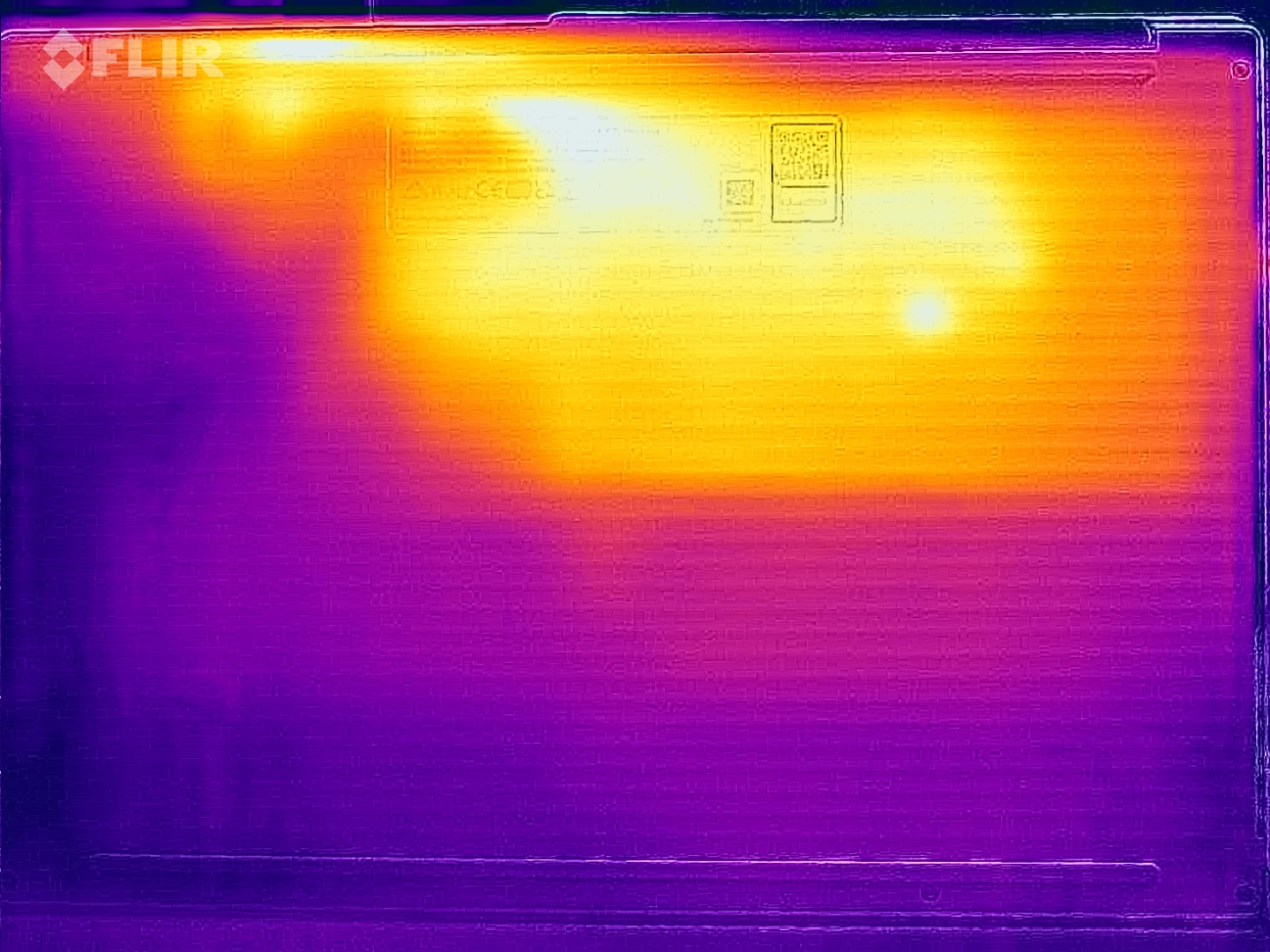
| Lenovo Googlebook 15 Ultra 5 325, Intel Graphics 4 Xe3 PTL | Asus Googlebook 14 CX9406CAA Ultra 7 355, Intel Graphics 4 Xe3 PTL | HP Googlebook 14c SD X Elite X1E-80-100, Adreno X1-85 3.8 TFLOPS | Lenovo IdeaPad Slim 3 15IWC11 Core 7 350, Intel Graphics 2 Xe3 WCL | Schenker Connect 15 (E26) Core 5 120U, Iris Xe G7 80EUs | |
|---|---|---|---|---|---|
| Heat | -2% | -13% | -5% | -14% | |
| Maximum Upper Side * (°C) | 39.5 | 38.9 2% | 50.8 -29% | 33.2 16% | 40 -1% |
| Maximum Bottom * (°C) | 42.9 | 37.2 13% | 51.6 -20% | 36 16% | 50 -17% |
| Idle Upper Side * (°C) | 25.9 | 28.7 -11% | 26.4 -2% | 30.6 -18% | 30 -16% |
| Idle Bottom * (°C) | 26 | 28.9 -11% | 26.6 -2% | 34.6 -33% | 32 -23% |
* ... smaller is better
Speakers
The sound system consists of four modules (2x 2W tweeters, 2x 2W woofers) and the sound quality is excellent.
Lenovo Googlebook 15 audio analysis
(+) | speakers can play relatively loud (82.2 dB)
Bass 100 - 315 Hz
(±) | reduced bass - on average 10.3% lower than median
(±) | linearity of bass is average (10.2% delta to prev. frequency)
Mids 400 - 2000 Hz
(+) | balanced mids - only 3% away from median
(+) | mids are linear (4.6% delta to prev. frequency)
Highs 2 - 16 kHz
(+) | balanced highs - only 1.5% away from median
(+) | highs are linear (4.1% delta to prev. frequency)
Overall 100 - 16.000 Hz
(+) | overall sound is linear (9.1% difference to median)
Compared to same class
» 1% of all tested devices in this class were better, 1% similar, 99% worse
» The best had a delta of 7%, average was 21%, worst was 53%
Compared to all devices tested
» 3% of all tested devices were better, 1% similar, 96% worse
» The best had a delta of 4%, average was 23%, worst was 136%
Asus Googlebook 14 CX9406CAA audio analysis
(+) | speakers can play relatively loud (87.5 dB)
Bass 100 - 315 Hz
(±) | reduced bass - on average 9.1% lower than median
(±) | linearity of bass is average (10.2% delta to prev. frequency)
Mids 400 - 2000 Hz
(+) | balanced mids - only 1.8% away from median
(+) | mids are linear (2.1% delta to prev. frequency)
Highs 2 - 16 kHz
(+) | balanced highs - only 2.6% away from median
(+) | highs are linear (5.4% delta to prev. frequency)
Overall 100 - 16.000 Hz
(+) | overall sound is linear (7.5% difference to median)
Compared to same class
» 0% of all tested devices in this class were better, 0% similar, 100% worse
» The best had a delta of 7%, average was 21%, worst was 53%
Compared to all devices tested
» 1% of all tested devices were better, 0% similar, 98% worse
» The best had a delta of 4%, average was 23%, worst was 136%
HP Googlebook 14c audio analysis
(+) | speakers can play relatively loud (82.2 dB)
Bass 100 - 315 Hz
(±) | reduced bass - on average 11.1% lower than median
(±) | linearity of bass is average (10.2% delta to prev. frequency)
Mids 400 - 2000 Hz
(+) | balanced mids - only 1.9% away from median
(+) | mids are linear (5.5% delta to prev. frequency)
Highs 2 - 16 kHz
(+) | balanced highs - only 3.3% away from median
(+) | highs are linear (5.6% delta to prev. frequency)
Overall 100 - 16.000 Hz
(+) | overall sound is linear (10.6% difference to median)
Compared to same class
» 2% of all tested devices in this class were better, 1% similar, 96% worse
» The best had a delta of 7%, average was 21%, worst was 53%
Compared to all devices tested
» 6% of all tested devices were better, 2% similar, 93% worse
» The best had a delta of 4%, average was 23%, worst was 136%
Lenovo IdeaPad Slim 3 15IWC11 audio analysis
(±) | speaker loudness is average but good (78.4 dB)
Bass 100 - 315 Hz
(-) | nearly no bass - on average 25.3% lower than median
(+) | bass is linear (6.9% delta to prev. frequency)
Mids 400 - 2000 Hz
(±) | higher mids - on average 5.5% higher than median
(±) | linearity of mids is average (7% delta to prev. frequency)
Highs 2 - 16 kHz
(+) | balanced highs - only 3.5% away from median
(+) | highs are linear (6.4% delta to prev. frequency)
Overall 100 - 16.000 Hz
(±) | linearity of overall sound is average (21.6% difference to median)
Compared to same class
» 77% of all tested devices in this class were better, 5% similar, 18% worse
» The best had a delta of 5%, average was 17%, worst was 45%
Compared to all devices tested
» 62% of all tested devices were better, 7% similar, 32% worse
» The best had a delta of 4%, average was 23%, worst was 136%
Schenker Connect 15 (E26) audio analysis
(±) | speaker loudness is average but good (75.07 dB)
Bass 100 - 315 Hz
(-) | nearly no bass - on average 20% lower than median
(±) | linearity of bass is average (8.2% delta to prev. frequency)
Mids 400 - 2000 Hz
(±) | higher mids - on average 6.8% higher than median
(+) | mids are linear (6.8% delta to prev. frequency)
Highs 2 - 16 kHz
(+) | balanced highs - only 2.9% away from median
(±) | linearity of highs is average (8.6% delta to prev. frequency)
Overall 100 - 16.000 Hz
(±) | linearity of overall sound is average (21.1% difference to median)
Compared to same class
» 52% of all tested devices in this class were better, 9% similar, 40% worse
» The best had a delta of 7%, average was 21%, worst was 53%
Compared to all devices tested
» 59% of all tested devices were better, 7% similar, 34% worse
» The best had a delta of 4%, average was 23%, worst was 136%
Power Consumption and Battery Life
Our review unit was not shipped with a power adapter and based on our measurements, we recommend a 65 W unit to be on the safe side. The maximum consumption can reach up to 57 Watts for a couple of seconds, but it quickly drops to around 33 Watts. The 70 Wh battery only manages mediocre runtimes: Our Wi-Fi test only ran for about 10.5 hours at 150 nits and almost 6 hours at full brightness.
| Off / Standby | 0.29 / 0.48 Watt |
| Idle | 3.3 / 9.9 / 10.2 Watt |
| Load |
30.1 / 57.7 Watt |
   
| |
Key:
min: ,
med: ,
max: Metrahit Energy | |
| Lenovo Googlebook 15 Intel Graphics 4 Xe3 PTL, Ultra 5 325, Kioxia EG7 512GB | Asus Googlebook 14 CX9406CAA Intel Graphics 4 Xe3 PTL, Ultra 7 355, Micron 2650 MTFDKBA512TGW | HP Googlebook 14c Adreno X1-85 3.8 TFLOPS, SD X Elite X1E-80-100, Western Digital PC SN5000S SDEQNSJ-512G-1002 | Lenovo IdeaPad Slim 3 15IWC11 Intel Graphics 2 Xe3 WCL, Core 7 350 | Schenker Connect 15 (E26) Iris Xe G7 80EUs, Core 5 120U, Samsung 990 Pro 1 TB | |
|---|---|---|---|---|---|
| Power Consumption | 21% | 34% | 12% | -25% | |
| Idle Minimum * (Watt) | 3.3 | 2.8 15% | 2.3 30% | 2.7 18% | 6.3 -91% |
| Idle Average * (Watt) | 9.9 | 3.7 63% | 3.6 64% | 7 29% | 10.4 -5% |
| Idle Maximum * (Watt) | 10.2 | 3.8 63% | 3.7 64% | 7.1 30% | 11 -8% |
| Load Average * (Watt) | 30.1 | 35.5 -18% | 22.5 25% | 35.2 -17% | 40 -33% |
| Load Maximum * (Watt) | 57.7 | 66.8 -16% | 64.2 -11% | 56.3 2% | 52 10% |
| Cyberpunk 2077 ultra external monitor * (Watt) | 33.8 | ||||
| Cyberpunk 2077 ultra * (Watt) | 38.1 | 30 |
* ... smaller is better
Notebookcheck Rating
Lenovo Googlebook 15
- 11/02/2026 v8
Andreas Osthoff
 Total Sustainability Score:
Potential Competitors in Comparison
Image | Model / Review | Price | Weight | Height | Display |
|---|---|---|---|---|---|
1. 85%  | Lenovo Googlebook 15 Intel Core Ultra 5 325 ⎘ Intel Graphics 4 Xe3 Panther Lake iGPU ⎘ 16 GB Memory, 512 GB SSD | Amazon: 1. $368.77 Lenovo Chromebook m 15" - Ev... 2. $429.99 Lenovo Business 15.6" FHD La... 3. $299.43 Lenovo 15.6" FHD Everyday La... List Price: 1379€ | 1.3 kg | 16 mm | 15.30" 2880x1800 222 PPI OLED |
2. 86.5%  | Asus Googlebook 14 CX9406CAA Intel Core Ultra 7 355 ⎘ Intel Graphics 4 Xe3 Panther Lake iGPU ⎘ 16 GB Memory, 512 GB SSD | Amazon: 1. $27.99 Smatree M37T Hard Protective... 2. $22.99 Alapmk Protective Case for D... 3. $27.49 Smatree MS37T Hard Protectiv... List Price: 1699€ | 967 g | 16.5 mm | 14.00" 2880x1800 243 PPI OLED |
3. 86.2%  | HP Googlebook 14c Qualcomm Snapdragon X Elite X1E-80-100 ⎘ Qualcomm SD X Adreno X1-85 3.8 TFLOPS ⎘ 16 GB Memory, 512 GB SSD | Amazon: 1. $269.90 HP - 14"" 2-in-1 Touchscreen... 2. $25.99 Tsgsta 65w USB c googlebook ... List Price: 1199€ | 1.3 kg | 10.9 mm | 14.00" 2880x1800 243 PPI OLED |
4. 75.7%  | Lenovo IdeaPad Slim 3 15IWC11 Intel Core 7 350 ⎘ Intel Graphics 2 Xe3 Wildcat Lake iGPU ⎘ 16 GB Memory | 1.3 kg | 18.9 mm | 15.30" 1920x1200 148 PPI IPS | |
5. 82.8%  | Schenker Connect 15 (E26) Intel Core 5 120U ⎘ Intel Iris Xe Graphics G7 80EUs ⎘ 32 GB Memory, 1024 GB SSD | List Price: 1500 Euro | 1.9 kg | 21 mm | 15.60" 1920x1080 141 PPI IPS |
Transparency
The selection of devices to be reviewed is made by our editorial team. The test sample was provided to the author as a loan by the manufacturer or retailer for the purpose of this review. The lender had no influence on this review, nor did the manufacturer receive a copy of this review before publication. There was no obligation to publish this review. As an independent media company, Notebookcheck is not subjected to the authority of manufacturers, retailers or publishers.
This is how Notebookcheck is testing
Every year, Notebookcheck independently reviews hundreds of laptops and smartphones using standardized procedures to ensure that all results are comparable. We have continuously developed our test methods for around 20 years and set industry standards in the process. In our test labs, high-quality measuring equipment is utilized by experienced technicians and editors. These tests involve a multi-stage validation process. Our complex rating system is based on hundreds of well-founded measurements and benchmarks, which maintains objectivity. Further information on our test methods can be found here.
 Add as a preferred source on Google


