




Google Gemini keeps reviewed chats for three years
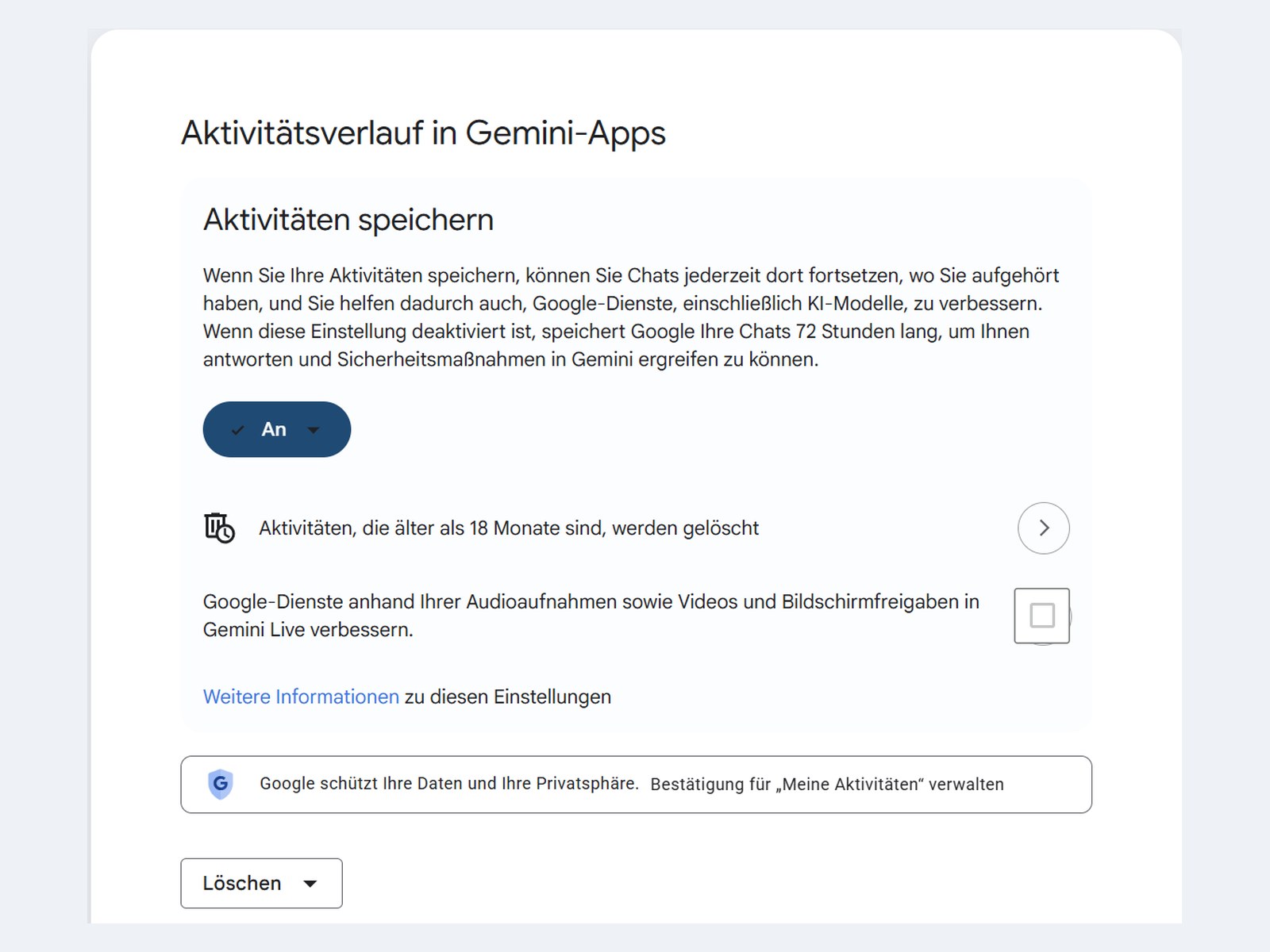
Google began removing Assistant from Android phones on Sept. 4. A device that makes the switch opens the Gemini app instead, and one setting there is already active. Google says so in its own help pages, "If you're 18 or over, Keep Activity is on by default."
Every request then goes into your activity record. That covers prompts and transcripts of Gemini Live conversations. It also covers the approximate location of your device and how you use the product. Google deletes the record automatically after 18 months. You can shorten that to 3 months, stretch it to 36 months, or switch off automatic deletion.
The switch does not stop everything
Off does not mean gone. With Keep Activity turned off, Google still holds your conversations in your account for 72 hours so it can respond to you, process feedback and protect its services. The same window applies to temporary chats.
Some conversations also reach review teams, made up of Google staff and trained external service providers. Google disconnects the data from your account before reviewers see it. That disconnection explains what happens next.
Deleting does not reach the reviewed chats
Google spells out the limit in its Gemini Apps Privacy Hub: "Chats reviewed by human reviewers (and related data like your language, device type, location info, or feedback) are not deleted when you delete your activity. Instead, they are retained for up to three years." Clearing your history removes it from your account page. The reviewed copy stays. The same three-year period covers feedback you submit with a thumbs up or down, along with the conversation it came from.
Audio is the exception, and it works in your favor. Google writes that "Your audio and Gemini Live videos and screenshares aren't used to improve Google services by default." Transcripts of those conversations are covered by Keep Activity. Your voice stays out, your words do not. ChatGPT has a similar gap in a different place, where the training toggle also stops less than most people assume.
What moves over from Assistant
Anyone who used Assistant for calls or messages may carry old records into the new app. Google writes that up to 90 days of saved Assistant communications request history may be imported from Web and App Activity into Gemini Apps Activity, and it limits this to "some regions". Google does not say which ones. The German version of the same passage is worded more firmly. It turns "may" into "will". The English text is the one that counts.
How to change it
You will find the control in the Gemini app under your profile picture, in the activity settings. In a browser, myactivity.google.com leads to the same place. There you can turn off Keep Activity, shorten the deletion period and clear the existing history. Order matters here. Turn the setting off first and delete afterwards, and anything reviewers have already seen still remains. Those copies stay out of reach whatever you do in your account.
Whether switching it off is worth it depends on how you use Gemini. Without stored activity the app loses its memory of earlier chats, and some connected services such as Google Workspace become unavailable. Anyone who misses Assistant has no choice left anyway, because the old assistant cannot be reactivated after the switch.
Source(s)
 Add as a preferred source on Google


