




Apple just killed the Mac mini upgrade that saved buyers hundreds
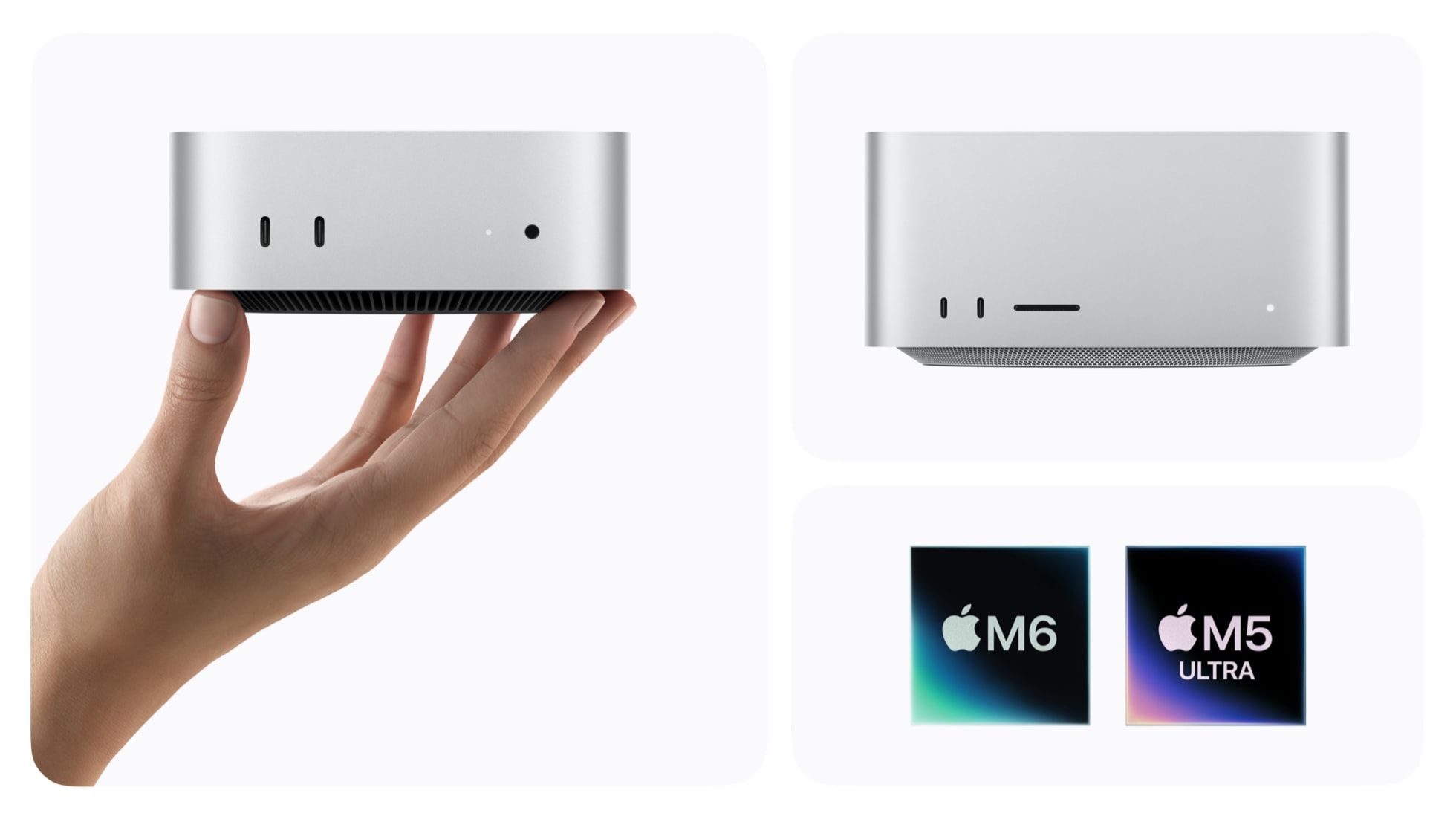
Apple’s M1 and M2 Mac minis had their NAND storage soldered directly to the logic board, leaving owners with no practical way to upgrade it after purchase. That changed with the M4 Mac mini in 2024, which placed the storage on a removable module. It was not as simple as replacing a standard M.2 SSD, but compatible modules eventually gave owners a cheaper way to add more internal storage. Now, Apple has reversed that change with the new M6 and M5 Pro Mac Mini models.
Expand Mac mini, a company that sells aftermarket storage modules for the M4 and M4 Pro Mac mini, opened both new models to see whether they could be upgraded in the same way. It found the NAND chips soldered directly to the logic board, with no storage slot inside either machine. This means existing M4 modules will not fit, and the company currently considers aftermarket upgrades for the new models unlikely. M4 and M4 Pro owners are not affected and can continue using compatible modules.
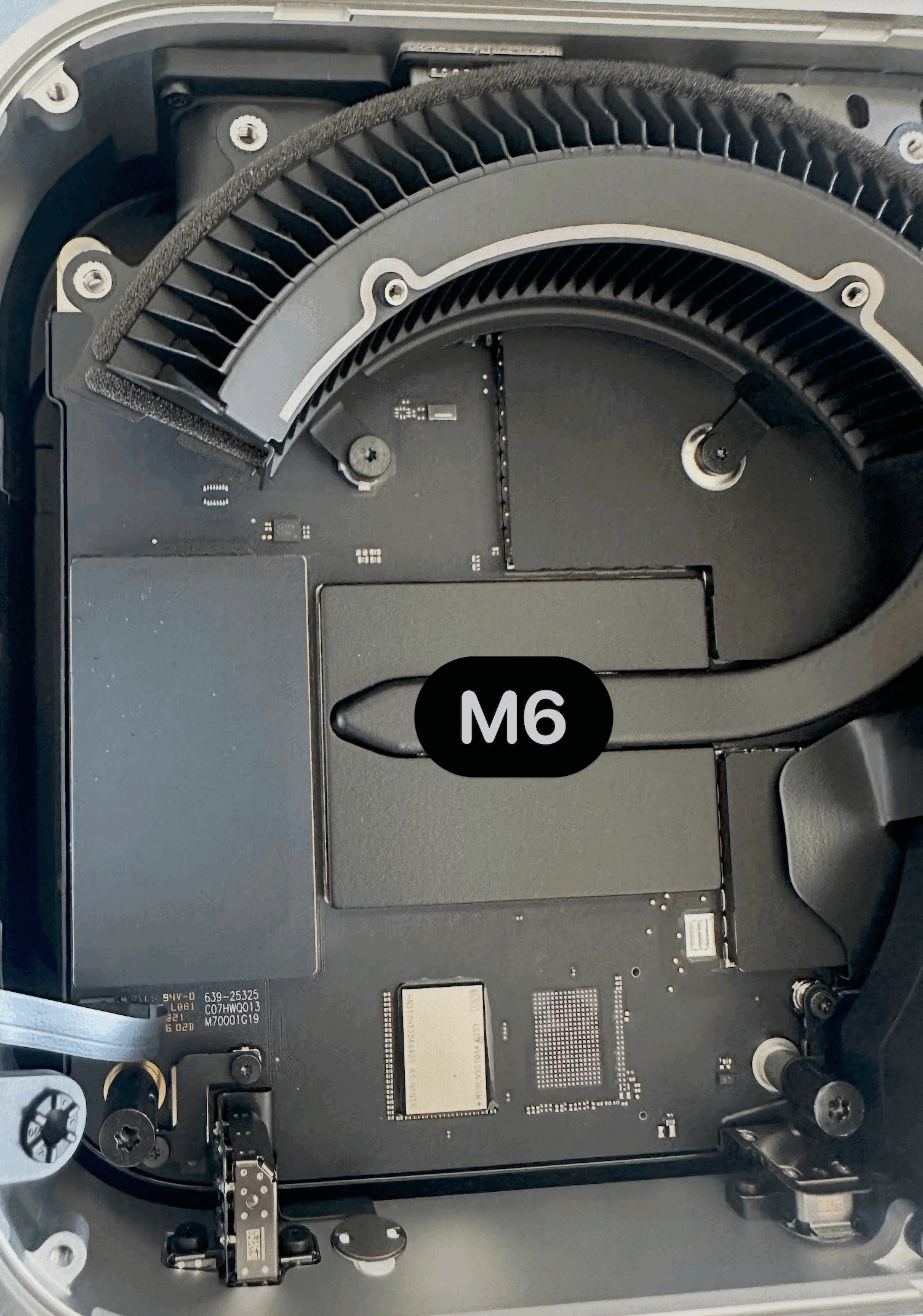
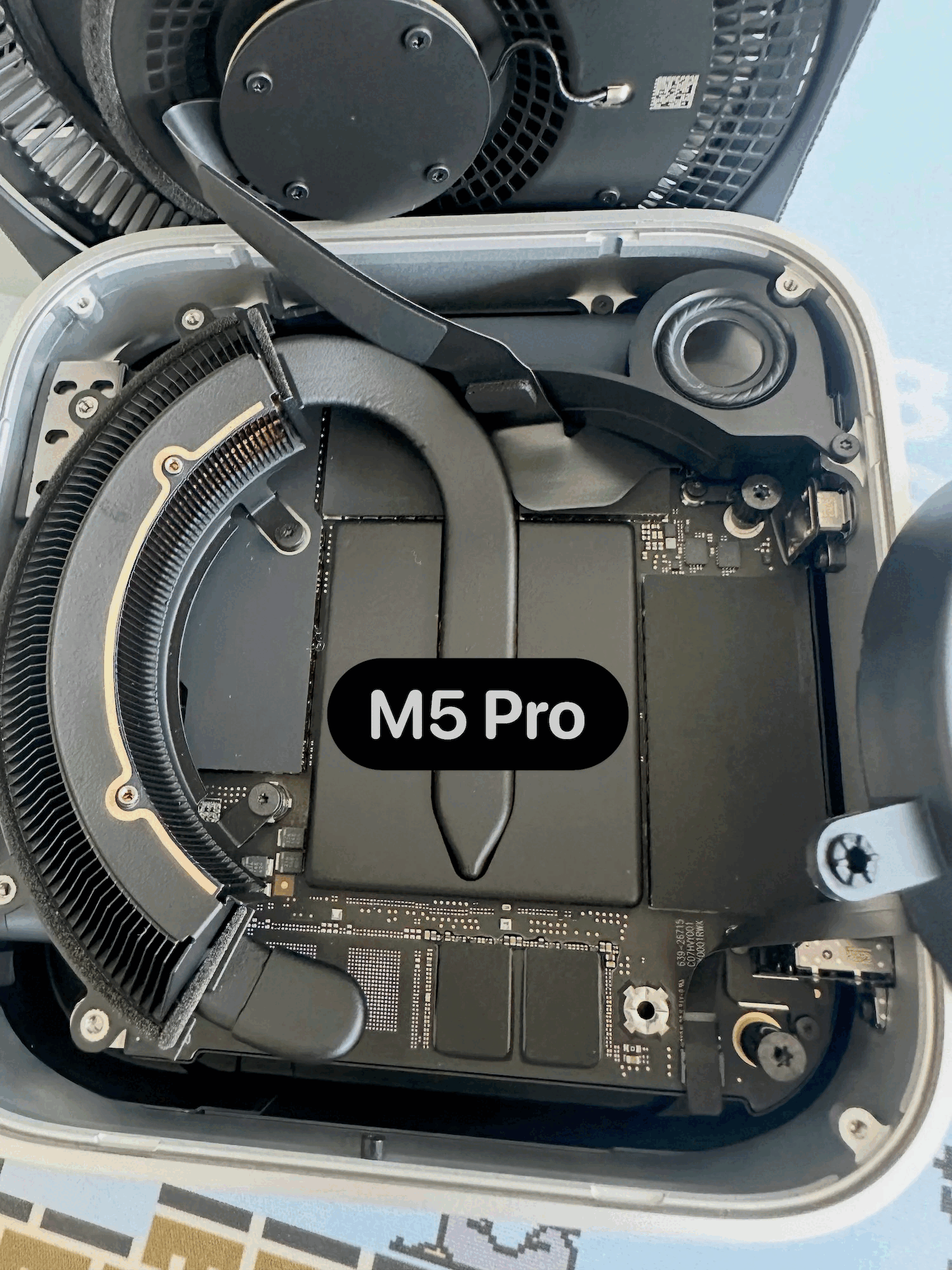
Losing the slot could make storage considerably more expensive for buyers. Expand Mac mini sells a 1TB module for the M4 model for $300 and a 2TB version for $420. Apple, meanwhile, charges $500 to configure the M6 Mac mini with 1TB instead of 256GB, while moving to 2TB costs $1,000. Buyers will therefore need to choose enough internal storage when ordering the computer or use an external SSD later.
While the Mac mini has returned to soldered storage, the new Mac Studio takes a different approach. Apple’s repair manual for the M5 Max and M5 Ultra models shows that their storage modules remain removable. Depending on the configuration, the machine may use either one or two modules, and models fitted with two require the correct module for each connector. Reaching them is not a quick job, as the bottom cover, power supply and internal frame must be removed first.
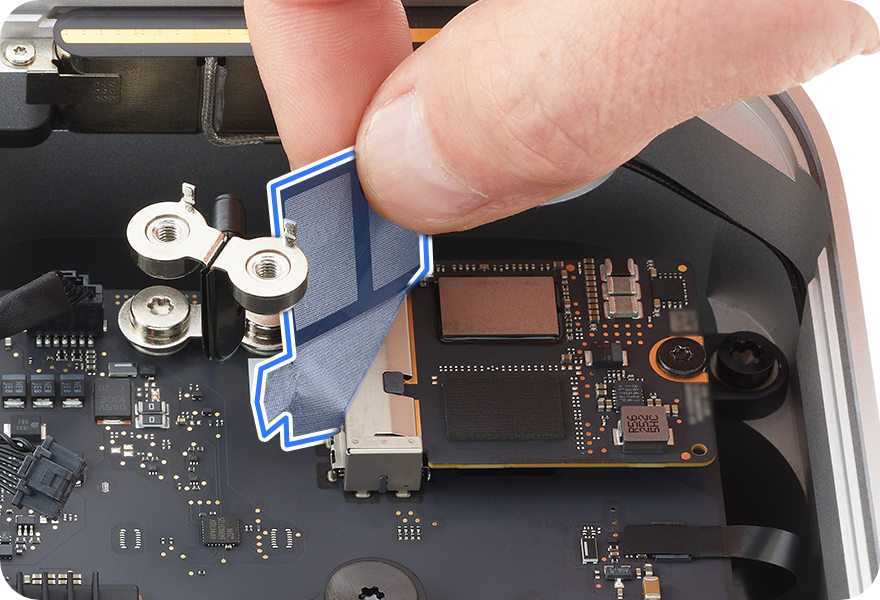
Even with this removable design, upgrading the Mac Studio is not guaranteed. It uses Apple-specific flash modules rather than standard M.2 SSDs, and another Mac running the latest version of macOS is needed to restore the machine after a replacement. Apple’s documentation explains how to replace faulty modules, but it does not say whether a higher-capacity set can be installed as an upgrade. For now, the Mac Studio retains replaceable storage for repairs, while the new Mac mini removes the cheaper upgrade route introduced with the M4 generation.
Source(s)
 Add as a preferred source on Google


