




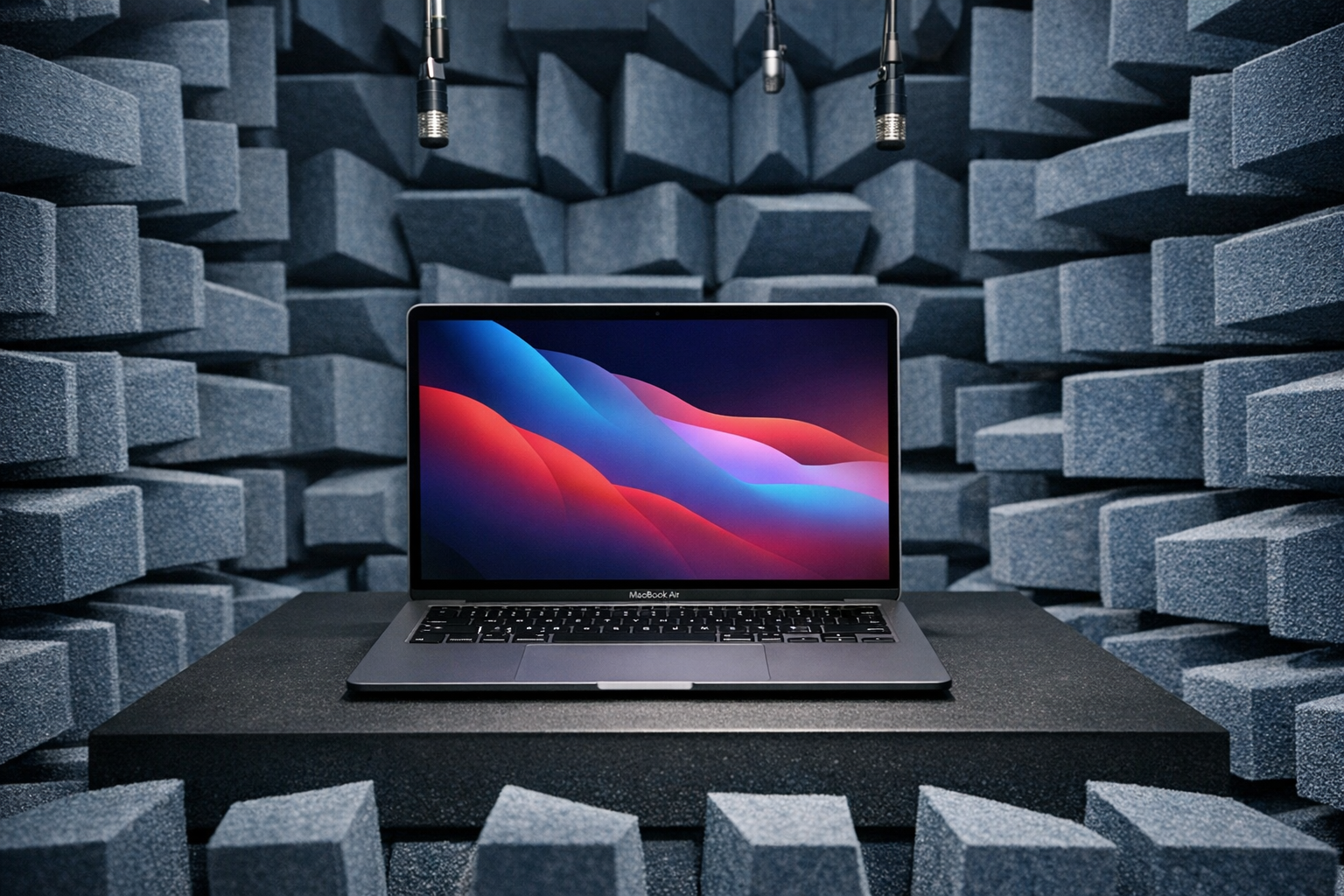
Ranking: Best silent laptops (with passive cooling) tested and rated
Q1 2026 update.
While smartphones manage without active cooling with precious few exceptions, having an internal fan or two has been standard for laptops for years. Shame, because with targeted processor and heat dissipation tech advancements, laptops without fans could have been so much more numerous and accessible, always silent and unobtrusive as the following representatives of the category impressively demonstrate.J. Simon Leitner, 👁 J. Simon Leitner (translated by DeepL) Published 🇩🇪
Hardly a week goes by without Notebookcheck receiving a reader request for a list of the best silent, i.e. passively cooled, laptops. Our replies so far have been quite simple: there are too few to make a list. Despite that still being the case, due to consistent reader interest, we will now do as asked by compiling a list of the best silent laptops that have been through our extensive testing. As a note, it is also possible to search directly all the laptops Notebookcheck has tested, obtaining the latest data whenever needed.
In addition to the systems listed below, you can also find some older laptops and Chromebooks in our database. These are unlikely to be in stock at any retailer at this point.
Further below, we will also list select models with a fan that are extremely quiet or let you deactivate the fan manually. We are happy to accept review suggestions for other passively cooled laptops and convertibles in the comments to this article (at the bottom of this page).
Best silent laptops (passively cooled laptops) to buy in Q1 2026
Image | Model / Review | Price | Weight | Height | Size | Resolution | Screen |
|---|---|---|---|---|---|---|---|
1. 91.2%  | Apple MacBook Air 13 M4 Entry Apple M4 10-Core ⎘ Apple M4 8-Core GPU ⎘ 16 GB Memory, 256 GB SSD | List Price: 1039€ | 1.2 kg | 11.3 mm | 13.60" | 2560x1664 | glossy |
2. 91.2%  | Apple MacBook Air 15 M4 Apple M4 10-Core ⎘ Apple M4 10-core GPU ⎘ 16 GB Memory, 1024 GB SSD | List Price: 1999€ | 1.5 kg | 11.5 mm | 15.30" | 2880x1864 | glossy |
3. 85.8%  | Microsoft Surface Pro 12 Qualcomm Snapdragon X Plus X1P-42-100 ⎘ Qualcomm SD X Adreno X1-45 1.7 TFLOPS ⎘ 16 GB Memory, 512 GB UFS 4.x | List Price: 1460€ | 1 kg | 13 mm | 12.00" | 2196x1464 | glossy |
The table above is an overview of the best silent laptops (passively cooled notebooks and convertibles) tested by Notebookcheck in the last 24 months as well as other devices that are relevant and still available. If two products have the same rating, the more recent review will be listed higher.
Link: all tested devices in this class
Editorial comment
As explained in the previous paragraphs, our list of 100 % silent, passively cooled laptops is very short for now. The category is dominated by Apple's MB Air laptops, which, with Apple's transition to its in-house M-series processors, banished the fan from the housing for good.
When the first few Qualcomm Snapdragon CPU-powered Windows laptops became available, there was great hope for a silent future, but this has not (yet) materialized with precious few exceptions, most of them rather old. Intel's Lunar Lake processors, which delivered admirable efficiency, also gave rise to some fanless machine expectations, but as things stand, the market has nothing to offer in this respect, either.
As an alternative to passively cooled laptops, a few select laptops with fans proved to be particularly quiet in our tests. Please scroll down to the end of this article to see those.
1st place - Apple MacBook Air 13 with M4 chip
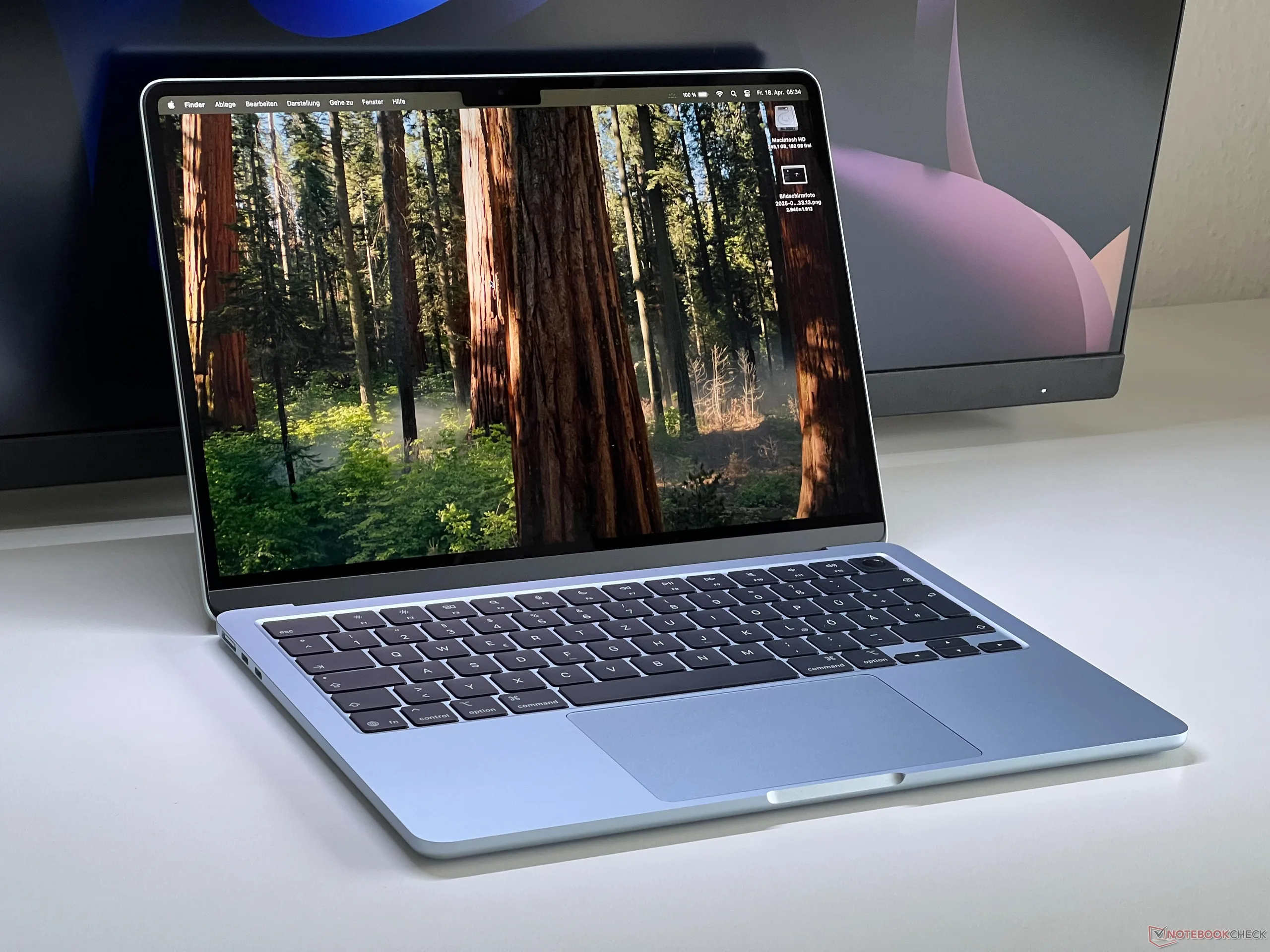
The M4-powered 13.6-inch MacBook Air (reviewed by Notebookcheck in April 2025) sets the standard for fanless subnotebooks. Despite the passive cooling, its computing power surpasses many Intel and AMD notebooks and remains unrivaled for single-core workloads. An important feature is the system's support for Thunderbolt 4 as well as two external monitors, which was previously not an option on many Apple silicon laptops. The base SKU delivers excellent value for money and is a first-class silent companion for demanding everyday digital work.
The MacBook Air 13 (M4, 2025) impresses as a silent, extremely powerful everyday companion with improved connectivity options
Worth criticizing are its 60-Hz display with high power consumption at maximum brightness, even if the image quality is impressive with no PWM flickering to speak of. The limited 256-GB SSD in entry-level models, which cannot be upgraded down the line, remains a drawback. Higher-capacity SSDs seem priced unfairly, with a ~250-euro surcharge for the 512-GB SKU. The same can be said for RAM.
2nd place - Apple MacBook Air 15 with M4 chip

The 15.3-inch MacBook Air 15 (full review) and its efficient M4 chip impress with CPU performance like the 13-inch model, and is entirely active cooling-free. Apple is far ahead of the competition in terms of single-core performance, but even in continuous multi-thread workloads, this fanless Air outperforms many Intel-based systems. Improvements as compared to the previous-gen model include support for two external monitors via Thunderbolt 4 and an improved 12-MP webcam.
Even with the price reduction for the base model taken into account, memory and storage upgrades remain disproportionately costly.
The new MacBook Air 15 with the M4 SoC is the market-leading silent notebook, with huge leaps in performance and sensible improvements to features.
With regards to the display, the Apple system continues to do without 120-Hz or a matte coating so as not to step on the more expensive MacBook Pros' toes. While the machine's built-in IPS panel offers very good image quality - without PWM flickering, too - it also consumes a lot of power at high brightness. Still, battery life is very solid here.
3rd place - Microsoft Surface Pro 12
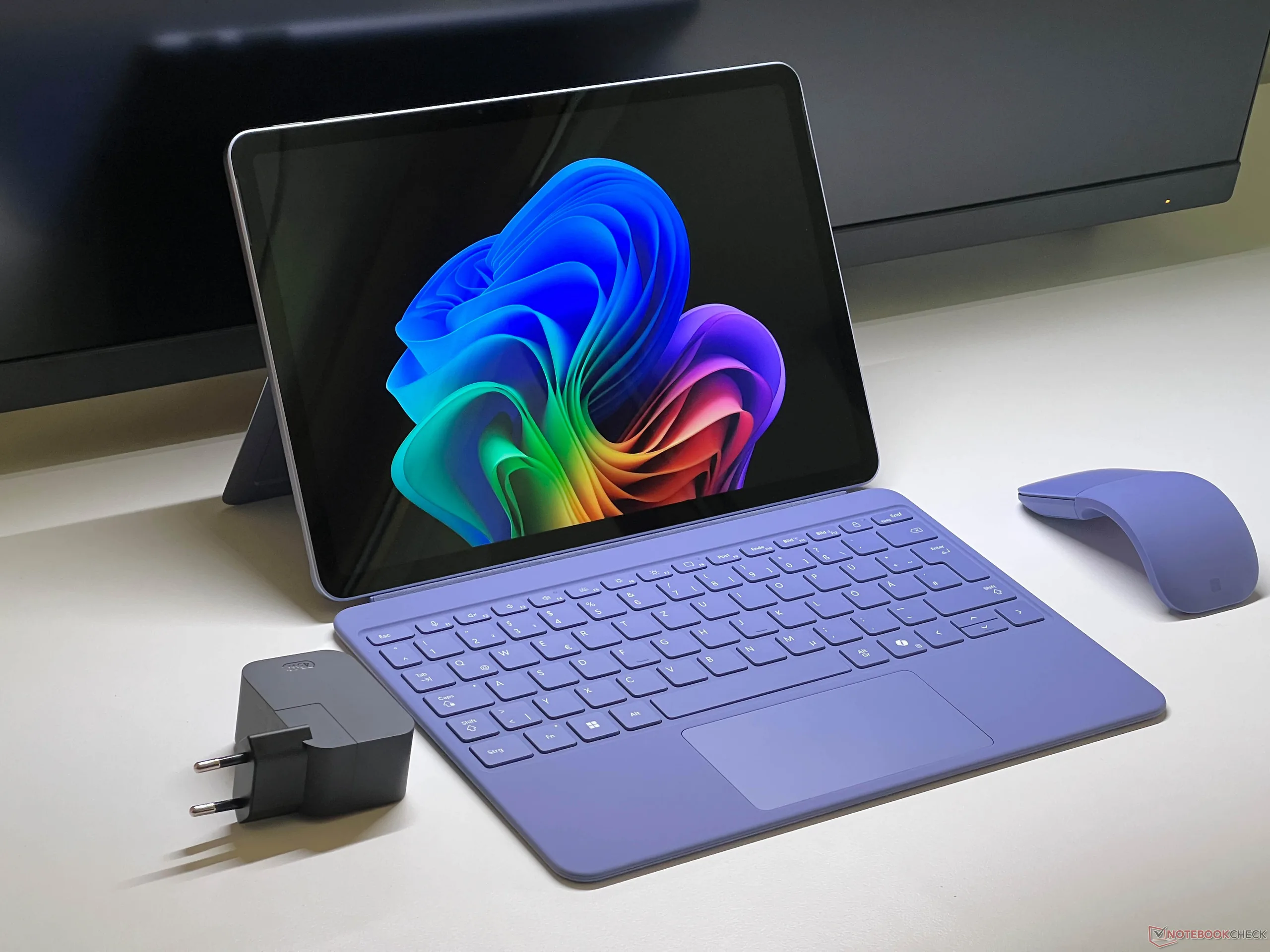
The Surface Pro 12 (Notebookcheck review) impresses as a high-quality everyday companion whose Snapdragon processor works completely silently thanks to passive cooling, something few current-generation Snapdragon-powered devices have. While its performance is completely sufficient for regular applications, the reduced set of connections and lack of maintenance/upgrade options limit how flexible and usable it can be in everyday use. Nevertheless, the machine remains an interesting, albeit not uncompromised, choice for mobile users sensitive to noise thanks to its solid display and decent battery life.
The Surface Pro 12 scores with silent performance thanks to passive cooling, but is functionally inferior to its better-equipped 13-inch sibling
The way the pen attaches to the system's back is considered impractical, and there are fewer features here compared to the 13-inch model as the latter has a replaceable SSD and a better display at a similar price. That being said, those benefits come at the cost of losing the attractive passive cooling solution.
Other tested laptops without fans
In our database, we can find quite a few older laptop models that manage without a fan. Some of these are still available to buy; some can only be had used. The Asus ExpertBook BR1104CGA is a simple and compact computer with an 11.6-inch screen, primarily intended for use in the education sector. Its weak Intel N100 processor is compensated for by long battery life of more than 13 hours. Lenovo's ThinkPad X1 Fold 16, which launched at the beginning of 2024 as a pioneer featuring a foldable 16-inch display for around $4,000, can now be had for ~1,800 euros brand-new.
Some Chromebooks were released in recent years with no active cooling fan, too. Among others, we tested the Lenovo IdeaPad Slim 3 and the Asus Chromebook CM14, both 14-inch laptops based on an ARM CPUs from Mediatek. HP tried something larger and Intel-based with the Chromebook 15a. As is usual with Chromebooks, these devices are limited to browser-based functions and applications.
Possible alternatives: Particularly unobtrusive laptops with active cooling
Just because a mechanical fan is present does not mean it makes noise all the time. Our tests show that there has been an encouraging trend in recent years towards laptops that are predominantly quiet in everyday use. The main reason for this are the improvements processor makers continuously deliver, making chips increasingly efficient. Cooling hardware is getting better, too. Vapor chamber cooling units, using liquid metal for thermal transfer, and similar technology significantly improves passive heat dissipation.
MacBook Pro models from Apple are very good at being mostly silent despite their built-in fans. The latest generation of the devices, based on Apple's in-house M5 processors, can handle short loads without making a sound. Only longer loads, such as rendering a video, make the fans clearly audible. As an example, we recently tested the new 14-inch Apple MacBook Pro built around the 10-core M5.
In particular, Intel delivered considerable improvements in terms of efficiency with its Lunar Lake processors. Some laptops sporting those offer the option of completely deactivating the fan in the performance and power consumption settings. We were able to do this on the recently tested LG Gram Pro 16, LG Gram 17 and Acer Swift 16 AI. Everyday applications such as Web browsing and streaming videos still work like a charm; only intensive multitasking or demanding applications push the machines to their thermal limits and require the built-in fan to be turned back on.
Measurements
| Apple MacBook Air 13 M4 Entry | Apple MacBook Air 15 M4 | Microsoft Surface Pro 12 | |
|---|---|---|---|
| Display | |||
| Display P3 Coverage (%) | 98.4 | 98.7 | 72.7 |
| sRGB Coverage (%) | 99.9 | 100 | 98.1 |
| AdobeRGB 1998 Coverage (%) | 87.9 | 88.3 | 73 |
| Response Times | |||
| Response Time Grey 50% / Grey 80% * (ms) | 34.5 ? | 23.2 ? | 35.1 ? |
| Response Time Black / White * (ms) | 27.2 ? | 14.7 ? | 15.1 ? |
| PWM Frequency (Hz) | |||
| Screen | |||
| Brightness middle (cd/m²) | 525 | 525 | 485 |
| Brightness (cd/m²) | 506 | 513 | 484 |
| Brightness Distribution (%) | 92 | 87 | 93 |
| Black Level * (cd/m²) | 0.42 | 0.32 | 0.24 |
| Contrast (:1) | 1250 | 1641 | 2021 |
| Colorchecker dE 2000 * | 1.4 | 1.7 | 0.9 |
| Colorchecker dE 2000 max. * | 2.8 | 4 | 1.7 |
| Greyscale dE 2000 * | 2 | 2.7 | 1.2 |
| Gamma | 2.2 100% | 2.2 100% | 2.16 102% |
| CCT | 6876 95% | 7010 93% | 6704 97% |
| Heat | |||
| Maximum Upper Side * (°C) | 44.9 | 44.9 | 44.7 |
| Maximum Bottom * (°C) | 42.6 | 43.9 | 45.1 |
| Idle Upper Side * (°C) | 23.9 | 23.4 | 26 |
| Idle Bottom * (°C) | 24 | 23.5 | 25.5 |
| Battery runtime | |||
| WiFi v1.3 (h) | 16.2 | 16.5 | 14.7 |
| H.264 (h) | 18.9 | ||
| Power Consumption | |||
| Idle Minimum * (Watt) | 1.9 | 2.2 | 1.2 |
| Idle Average * (Watt) | 8.7 | 11.5 | 4.1 |
| Idle Maximum * (Watt) | 8.8 | 11.6 | 4.7 |
| Load Average * (Watt) | 29.9 | 34.5 | |
| Cyberpunk 2077 ultra external monitor * (Watt) | 21.5 | 26.2 | 20.3 |
| Cyberpunk 2077 ultra * (Watt) | 18.5 | 24.4 | 20 |
| Load Maximum * (Watt) | 30.8 | 37.5 | 44.5 |
* ... smaller is better
 Add as a preferred source on Google


