




Pass-the-Passkey: new attacks target the password's successor
Our guide a password alone isn't enough landed well with the community, and it was written for beginners on purpose. The feedback raised exactly the fine points we left out back then. Now the research delivers the right occasion: at Black Hat USA (August 1 to 6, Las Vegas), security researcher Michael Grafnetter is presenting a family of attacks he calls Pass-the-Passkey. Time for the follow-up: what really sets passkeys apart, where their limits are and what you can do better.
Cloud passkey or hardware key, that is the difference
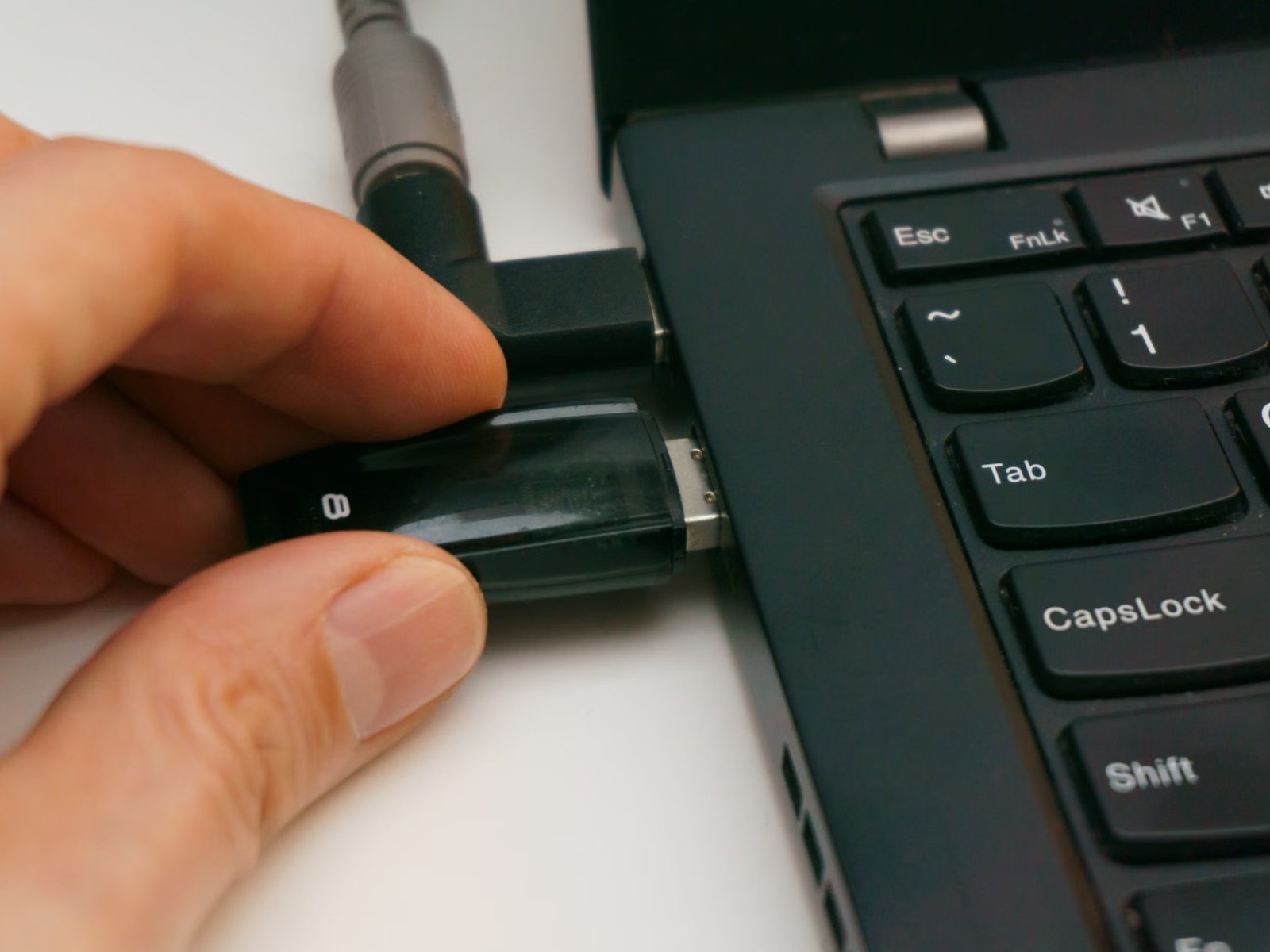
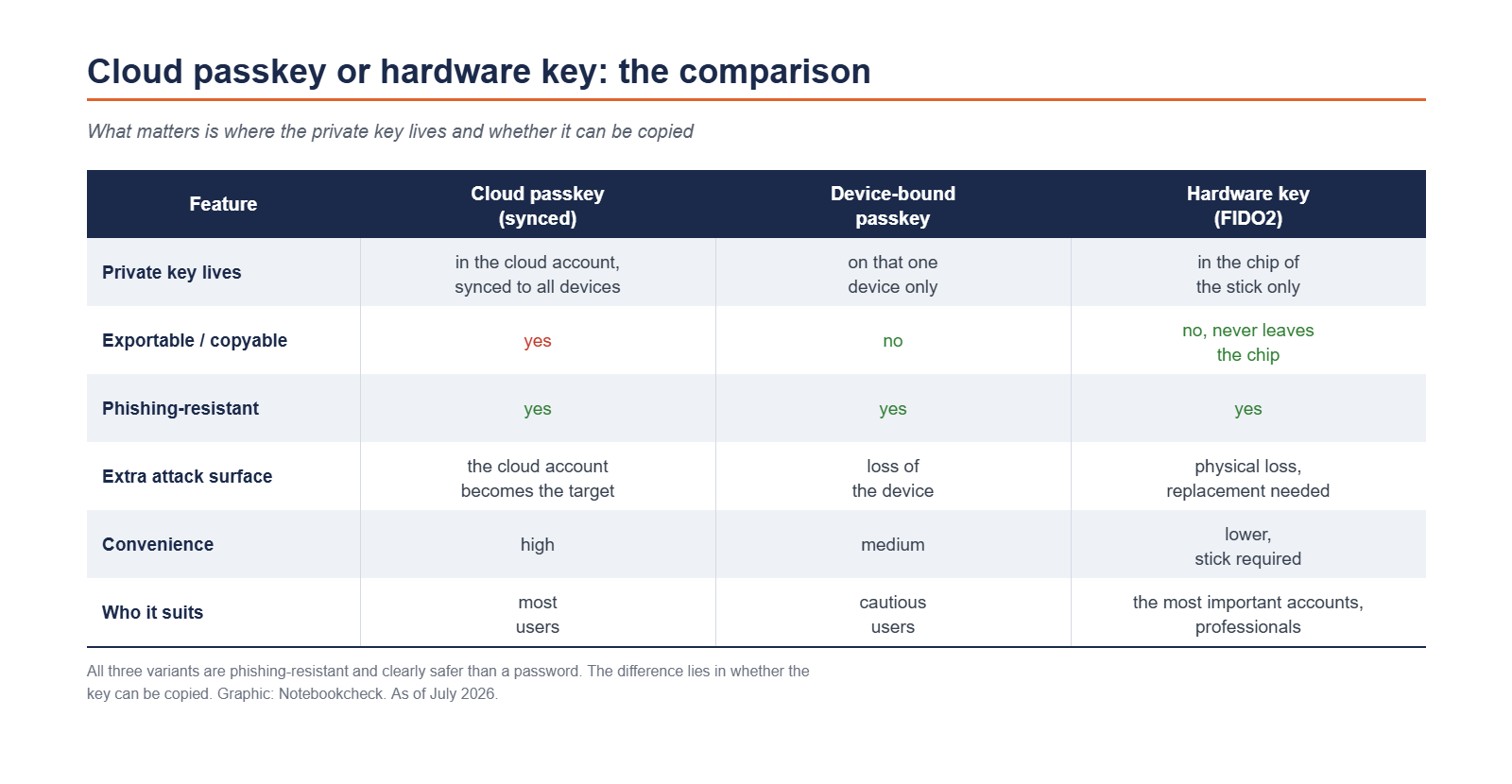
Passkeys come in two variants. The convenient one sits in a password manager or directly with Apple, Google or Microsoft and syncs to all your devices through the cloud. That is handy, but it opens up an extra line of attack. Whoever gets into your cloud account potentially gets to the synced passkeys as well. The second variant is the hardware key, a small USB or NFC stick. Its private key never leaves the chip and cannot be exported, as the FIDO Alliance describes it. For most people the cloud passkey is enough, because it stays phishing-resistant and is clearly better than a password. If you have accounts that need special protection, you are safer with a hardware key.
What the Pass-the-Passkey research shows
Michael Grafnetter, a security researcher at SpecterOps, took a close look at real passkey deployments and announced his findings on his blog DSInternals. What he found: when the surrounding environment is sloppy, old attack patterns can be brought back, even though passkey cryptography itself is solid. He calls it Pass-the-Passkey, after Pass-the-Hash. An attacker steals login data and reuses it without ever knowing the password. Specifically, he found three flaws in Windows 11 and Microsoft Entra ID that came close to being exploitable. Windows 11 wrote the signature of a sign-in to the event log in cleartext, where unprivileged accounts could read it, in some cases even remotely. The private key itself stayed protected in the authenticator. On top of that, Entra ID did not properly prevent those assertions from being reused. Together that would have been enough to take over privileged cloud accounts and defeat even phishing-resistant multi-factor sign-in. The main flaw is tracked as CVE-2026-34348 and was closed on July 14. Microsoft fixed the cloud side quietly. One thing matters for context: this mostly affects company setups with Entra ID, Windows Hello or FIDO2 keys, not your private passkey on your phone. Grafnetter's own verdict is that passkeys are a big step forward, but not a magic trick, and that the attack routes stay far more complex than with classic passwords.
Hardware keys are not all the same
A hardware key is not automatically the perfect answer. Look at the standard first. FIDO2 with WebAuthn is the modern, phishing-resistant route, while older one-time-code methods such as TOTP do not deliver that. Second, the best known brands such as YubiKey (available here at Amazon) or Google's Titan are mature, but their reach alone makes them a popular target, and they have had weak spots too. The EUCLEAK attack showed in 2024 that certain older YubiKeys can be cloned under lab conditions. If you want to shrink the attack surface, you can deliberately pick a less common but certified model. And for anything baked into the device, an iPhone for example, the sober assumption applies: what sits safely in the chip today might still be read out some day. A separate key that you can pull out when in doubt stays the more conservative choice.
The most common mistake: the old password stays switched on
The most expensive mistake is the one you cannot see. Many people set up a passkey but leave the old, weak password in place as a login. The back door then stays wide open and the passkey buys you little. Here is how to do it properly:
- Set up a passkey or a hardware key for the account.
- Save the recovery codes, ideally printed out or in an offline password manager.
- Switch off the old password wherever the service allows it.
- If that is not possible, replace the password with a long, complex one and keep it in a safe place only.
Is the switch worth it anyway?
Yes. Passkeys move the target, they do not remove it, and that is the honest message of the new research. They are still clearly safer than passwords, independent of data leaks and resistant to phishing. Microsoft is even making passkeys the default login for its cloud accounts starting September 1. For most people the synced passkey is the right step. Anyone who needs more protection adds a hardware key and closes the password back door. Grafnetter will show the details of Pass-the-Passkey at Black Hat, together with tools he is releasing as open source so that others can find further weak spots.
Update of 31 July 2026
We have made the description of the Windows flaw more precise. This passage previously said that Windows 11 wrote a full copy of the key into the event log. That wording came from the Dark Reading report we had linked as a source. What actually landed in the log was the signature of a sign-in, limited in time and audience, not the private key. The private key stays protected in the authenticator.
Microsoft pointed out the inaccuracy to us. The correction matches the announcement by Michael Grafnetter on DSInternals, who speaks of signatures, and the classification of CVE-2026-34348 as an information disclosure in the Windows Event Logging Service. None of this changes how serious the flaw was. Reusable signatures and the missing replay check in Entra ID were enough together to take over privileged cloud accounts.
Source(s)
 Add as a preferred source on Google


