





Nvidia GeForce Now India Review: The cloud gaming service you've been waiting for
RTX, No ₹eceipt.
Nvidia's GeForce Now is officially live in India, offering up to RTX 5080 GPUs in the Ultimate tier. In this review, we take a deep dive into the hardware that makes GeForce Now tick and evaluate the service across three popular AAA titles to see if this is worth ditching that enthusiast gaming PC build you've been holding back so far.Vaidyanathan Subramaniam 👁 Published
Verdict: RTX 5080-class gaming without the EMIs
Nvidia GeForce Now is now in public beta in India, and our initial experience has been largely positive. The service runs on Nvidia's own servers in India with no compromises on features compared to other regions. You get access to an RTX 5080 in the cloud with 48 GB of VRAM, which is a compelling proposition given current PC hardware prices.
Getting to your game with GeForce Now is pretty straightforward — link your game store, launch the game, and you're in. While GFN does not include a built-in catalog like Xbox Cloud Gaming, it’s a more effective way to play the games you already own on just about any device.
We tested the Ultimate tier on PC across three games, Call of Duty: Modern Warfare 3, Forza Horizon 5, and Cyberpunk 2077, at the highest stream settings.
A large part of the GFN experience boils down to the quality of your internet connection. Our pings to the Mumbai server from Bengaluru (about 1,000 km away) were under 40 ms on a mobile hotspot, though your numbers will shift based on your ISP and how far you are from Mumbai.
That being said, there are a few rough edges. The GFN app lacks granular in-session stream controls, load times could be snappier, and input lag, while manageable, has room to tighten. Both metrics are, of course, heavily ISP-dependent.
In due course, we will test the service in other locations and on other device form factors.
If your internet holds up and your library has some good titles you'd like to try on the move or on the couch, we strongly recommend giving GeForce Now a shot with a 90-day promotional pass.
Pros
Cons
Pricing and availability
Nvidia is launching GeForce Now beta in India with early access passes. According to Nvidia, these 90-day passes come with unlimited play with the ability to extend with another pass, pending beta availability.
Starting today, the Performance 90-day pass will be available for ₹999 ($11) while the Ultimate 90-day pass can be had for ₹1,999 ($21) on a first-come first-serve basis.
Gamers also have the option of purchasing 200 GB of persistent storage for ₹299 ($3) during the 90-day period.
Table of Contents
- Verdict: RTX 5080-class gaming without the EMIs
- GeForce Now SuperPods deep dive: AMD EPYC 9375F Zen 5 paired with Nvidia B40 RTX 5080 48 GB
- GeForce Now PC app: Easy access to your game library
- Streaming experience: Works well... for the most part
- GeForce Now limitations: A few pet peeves need addressing
- Notebookcheck's impressions of Nvidia GeForce Now in India
After months of waiting, Nvidia is finally launching GeForce Now (GFN) as a public beta in India.
We previously had a chance to try GFN at a closed-door media event in Mumbai, where Nvidia's own servers are located.
Now, we test the service more comprehensively to see how well GFN performs from other locations across the country and whether you should sign up for the 90-day promotional period.
GeForce Now SuperPods deep dive: AMD EPYC 9375F Zen 5 paired with Nvidia B40 RTX 5080 48 GB
Nvidia has traditionally been mum about the exact hardware that powers its GeForce Now servers, but it’s not too hard to determine some basics with a bit of poking around.
Note that some specs below may be speculative, synthesized based on currently available public information. A good starting point would be geforcenowspecs.cloud.
AMD EPYC 9375F together with 56 GB RAM

Steam system info refers to an AMD Ryzen 0x2 CPU model belonging to the 0x1a family. This suggests it is likely an AMD EPYC 9375F 32-core, 64-thread Zen 5 Turin CPU.
Games, however, see this identity masked as a standard AMD Ryzen CPU with eight cores and 16 threads, along with 56 GB of system RAM.
The EPYC lineup isn’t really aimed at gaming — its base clock is only 3.8 GHz, with an all-core boost of 4.4 GHz, but it should suit GFN’s 5K 120 fps requirements fairly well. It also offers 128 PCIe Gen5 x16 lanes, enabling multiple Nvidia B40 Blackwell GPUs and Connect-X7 networking.
However, it isn’t clear whether this CPU actually runs in a 1P or 2P (dual processor) configuration.
Nvidia B40 with denser 3 GB GDDR7 memory
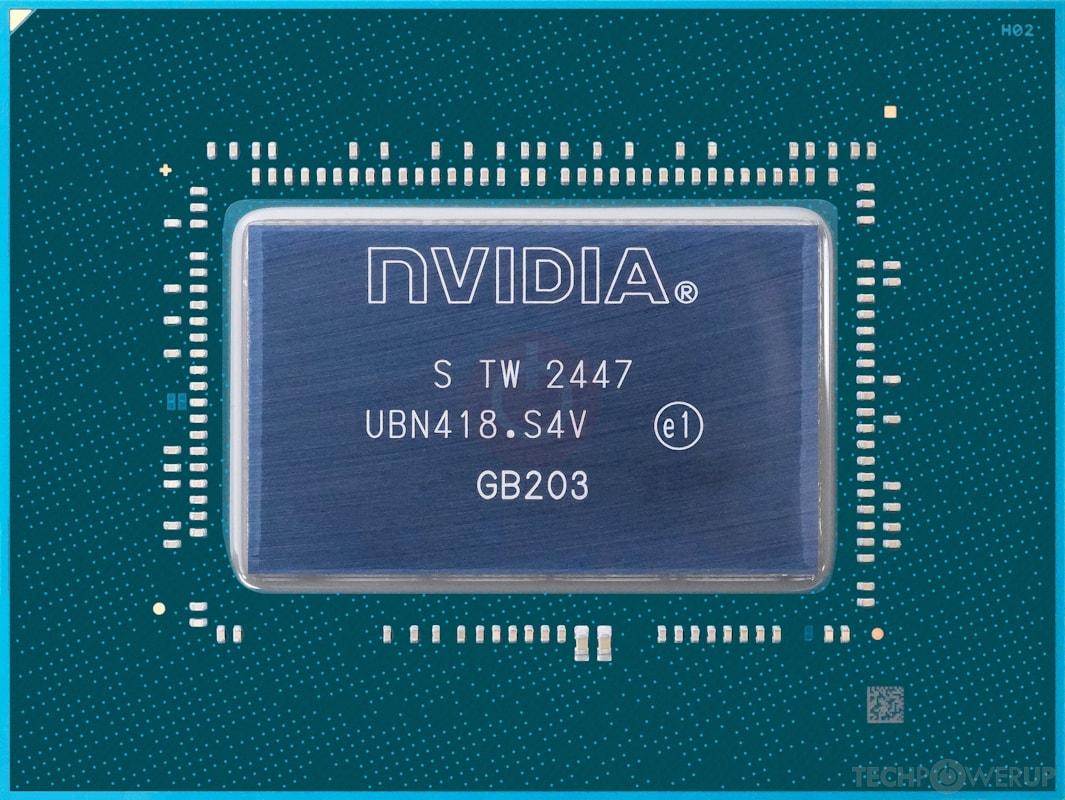
The GPU is a custom RTX 5080 with 48 GB of GDDR7 VRAM (consumer variants are limited to 16 GB). Because it uses GDDR7 rather than HBM VRAM, the current GFN GPU belongs to Nvidia’s B40-class AI accelerators that use a GB203 die as evidenced by its 0x2bb5 device ID.
This is an interesting prospect from a memory bandwidth perspective.
GB203 supports only a 256-bit memory bus, which typically limits it to either 16 GB or 32 GB of VRAM with standard 2 GB GDDR7 modules. To achieve 48 GB, Nvidia would have to use high-density 3 GB memory modules in a clamshell configuration, doubling the number of memory controllers to 16 on the same 256-bit bus instead of the usual 8.
This would yield a theoretical memory bandwidth of 896 GB/s (assuming a 28 Gbps memory clock). This is slightly lower than the 960 GB/s bandwidth found in consumer RTX 5080 cards, but plausible given the higher memory density, thermals limitations, and ECC requirements of a datacenter GPU.
Blackwell’s new dual 9th-gen NVENC encoders allow AV1 streaming at up to 10-bit 4:2:0 chroma subsampling, though streaming 10-bit 4:4:4 at high bitrates (Cinematic Quality Streaming) or selecting the Competitive preset defaults to the H.265 codec.

The B40 is a headless GPU with no display outs, but it can virtualize a single 28-inch monitor output at up to 5,120 x 2,880 resolution at 120 Hz and 32 bpp.
Taking a cue from the Nvidia L40, the total graphics power (TGP) of each B40 card should be around the 300 W mark. Four of them in one MGX 2U chassis would mean a combined TGP of 1200 W to 1400 W.
The GeForce Now service appears to be running the latest Game Ready Driver 595.97 (version 32.0.15.9597) at the time of testing.
Not all games are alloted Blackwell GPUs
During testing, we found that not all games use the AMD EPYC/Nvidia B40 combination. For a good number of titles, you'll be presented with an AMD Threadripper Pro 5955WX (Zen 3) with 24 GB of RAM and an Nvidia L40S.
The L40S is essentially a near-complete AD102 GPU with 18,176 CUDA cores (142 SMs) and 48 GB of GDDR6 memory. However, for game streaming, GeForce Now assigns a vGPU that "behaves" like an RTX 4080 with a "sliced" 28 GB of VRAM.
All-flash NVMe storage
GeForce Now likely uses Block Storage Virtualization to create virtual Logical Unit Numbers (LUNs) from a massive pool of all-flash NVMe drives (NVMe-over-Fabric).
The storage configuration is designed to quickly boot a guest Windows 11 session with four virtual SSDs inside a KubeVirt type-1 hypervisor.
These include three 2,199 GB drives and a 174 GB OS boot drive containing the Windows 11 image, Nvidia drivers, and GeForce Now-related software. This Windows 11 instance is wiped immediately after you exit the game.
This storage is distinct from the optional 200 GB to 1 TB of persistent storage, which is purchased separately.
The presence of three 2,199 GB drives suggests an MBR partitioning scheme with a 2.2 TB upper limit. While Nvidia does not disclose exactly what is stored on each of these three virtual drives, we can reasonably guess that they store game mounts, an asset cache, and user profile/shader cache data, respectively.
Load times during testing were quite impressive, but some games did take an indefinitely long time to start on occasion.
ConnectX-7 and Spectrum-X Ethernet networking

Nvidia says its GFN SuperPods use ConnectX-7 NICs. This is part of the Spectrum-X Ethernet core with BlueField-3 data processing units (DPUs), which provides InfiniBand-like performance using remote direct memory access over converged ethernet v2 (RoCE v2) on Nvidia's Spectrum-4 800 Gbps Ethernet switches.
We did observe during testing that the networking hardware seems to be fully aware of the stream from the GPU and the client's bandwidth. This allows dynamic stream bitrate adjustments even if set to a specific value in Settings.
The network can also signal the GPU to render at a lower-than-target resolution, if it senses bandwidth constraints.
Additionally, GeForce Now's networking stack leverages Nvidia Reflex and Cloud G-Sync to reduce latency and prevent visual tearing.
The service supports Low Latency, Low Loss, Scalable Throughput (L4S) to minimize network latency and packet loss. However, this requires ISP support and is not currently available on any Indian network.
Opus audio stream decoded at up to LPCM 7.1 surround
GeForce Now uses stereo encoding by default, but it supports up to 7.1 channels (likely Opus at 16- or 24-bit, 48 kHz, ~512 kbps VBR), depending on the price tier and client device capabilities.
We can infer this from Nvidia’s GFN open-source licensing notes, which mention the Opus 1.1 codec. Opus enables low-latency audio delivery without consuming excessive stream bandwidth and helps maintain tight sync between the audio and high-refresh-rate video.
In addition, the GeForce Now PC app is based on the Chrome Embedded Framework (CEF), which uses WebRTC that mandates an Opus implementation.
That said, the app or web client decodes the stream to uncompressed LPCM, which is then output through the PC soundcard or AV receiver without Dolby Digital or DTS encoding.
Nvidia recommends turning off spatial audio enhancements and properly configuring Windows audio channels for the best sound quality.
GeForce Now PC app: Easy access to your game library
Nvidia offers native GeForce Now clients for Windows, Android, Linux (including Steam Deck), and macOS. Other platforms can access the service via play.geforcenow.com in a browser.
The Windows client relies on the Chrome Embedded Framework, which brings some annoyances. For example, it doesn’t run at a native high refresh rate and appears to be capped at 60 Hz on our 240 Hz monitor.
It also installs to the %localappdata%\Nvidia Corporation directory and takes up 814 MB of disk space, with no option to choose a custom install path during setup.
The GeForce Now app interface is straightforward, with games categorized by publisher and features such as RTX, Reflex, RTX 5080 Ready, and so on. Unlike Steam, it doesn’t support custom categories.
The Settings page shows your account information and lets you connect various digital game stores, including Ubisoft, Battle.net, Epic Games, Steam, and Xbox Game Pass. EA Play is accessible by launching the relevant titles. You can’t link multiple accounts from the same store.
The app lets you select different server locations, adjust a range of streaming quality parameters, and run a quick network test. However, we were unable to select any server other than India at the time of testing.
Some of these settings and gameplay capture options are also available via the GeForce Now overlay by pressing Ctrl+G while in-game.


Streaming experience: Works well... for the most part
For testing purposes and to push the service to its limits, we used the highest settings possible in GeForce Now, including enabling the full 5K 120 fps, 10-bit 4:4:4 stream at a 100 Mbps bitrate.

Our reference display was an Alienware AW322QF 4K 240 Hz QD-OLED gaming monitor running in HDR/Dolby Vision mode.
The network used was a Jio True5G mobile hotspot, delivering downlink speeds up to 260 Mbps (36 ms ping from Bengaluru to Mumbai), connected to an Asus RT-BE96U Wi-Fi 7 router, which in turn connects to the PC via a 10 GbE cable.
Call of Duty: Modern Warfare 3
Call of Duty: Modern Warfare 3 helped us gauge the FPS experience on GeForce Now. The game's home screen showed slightly low-resolution textures during transitions.
GFN assigns an RTX 4080 instance for this game. At 4K Extreme settings with no upscaling, the game internally renders at up to 150+ fps, though the stream caps out at 120 fps.
Input lag was minimal but noticeable, especially if you've already played the game on local hardware.
We experienced occasional stutters, but gameplay was largely smooth.


Forza Horizon 5
Forza Horizon 5 was tested with the stream capped at 60 fps, although in-game rendering ran at a higher frame rate. An RTX 4080 instance was again assigned to this game.
We experienced occasional dips when starting the stream, but performance was much smoother afterward. Controlling the car and switching camera views during races was easy.
However, the audio quality was very poor. While users have reported general audio quality issues with GFN, it seems particularly bad in this game.
Also, foliage rendering at long distances did not look as good as it would typically be in a local render at similar quality settings.


Cyberpunk 2077: Phantom Liberty
Cyberpunk 2077: Phantom Liberty remains an excellent showcase for Nvidia technologies. We tested the game at 5K 120 fps HDR 10-bit 4:2:0 streaming AV1 on an RTX 5080 node.
In-game settings were maxed out using the RT Overdrive preset with path tracing enabled, DLSS 4 Transformer set to Quality, and multi-frame generation set to 4x.
The game felt largely smooth and responsive. Input lag was somewhat noticeable — likely due to frame generation — but it didn’t significantly hamper gameplay.
That said, we observed some stuttering when driving through crowded areas and during combat on roads with high vehicle/NPC density.


GeForce Now limitations: A few pet peeves need addressing
Overall, our initial GeForce Now experience in India has been largely positive. However, certain platform limitations can be frustrating.
First, not all games are assigned an RTX 5080. As a result, it’s not possible to push even higher frame rates in Forza Horizon 5 or Assassin's Creed Mirage, as you’ll have to contend with RTX 4080 nodes.
The RTX 4080 is a very capable GPU, but streams are limited to 4K 120 fps even when 5K is enabled. Also, streaming at 5K 120 fps disables video capture entirely. A smarter approach would be to allow encoding at 4K or below even while the game itself streams at 5K.
While it is understandable why Nvidia would want to segment GPU nodes by game type, offering access to the faster RTX 5080 across a wider selection of titles would enable higher frame rates and even smoother streams.
Another major frustration is that you can’t change stream settings once a game is launched. This is inefficient, especially for enthusiasts who like to try multiple stream-quality combinations and must fully launch and quit a game each time.
At times, the game itself does not quit completely, and you’ll have to wait quite a while for the previous session to fully shut down.
You also can’t access the game's save files or tweak its configuration files, as there is no file system. Therefore, if your game does not support cloud saves, you’ll have to play through the whole thing again.
You also can’t manually override the DLSS version like you can on PC. While this shouldn’t be a major issue, it would be great to leverage DLSS 4.5 presets and upscale the game from a lower native resolution for added smoothness.
Notebookcheck's impressions of Nvidia GeForce Now in India
Nvidia’s GeForce Now is impressive tech for anyone who wants to stream their game library without the hassle of investing in a gaming PC. We’re glad it has finally landed in India, but concerns about last-mile connectivity remain, along with a few gaps in platform features.
 Add as a preferred source on Google


