




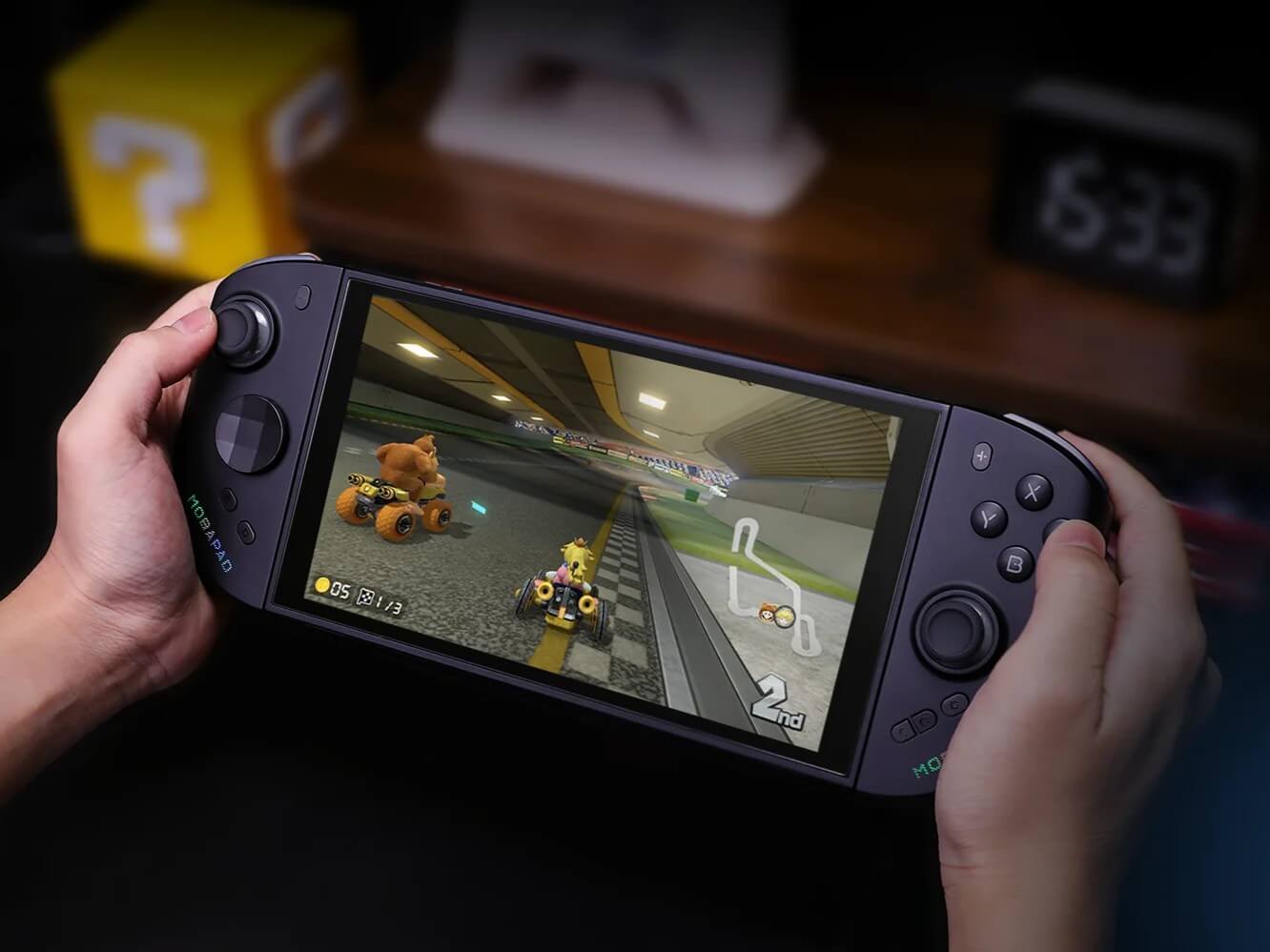
Mobapad M12S: Better than the original Switch 2 Joy-Cons?
Grip... go!
The Mobapad M12S aims to outperform Nintendo’s original Switch 2 Joy-Cons with a better grip, drift-free TMR sticks, and handy additional features. Our review highlights where the controllers excel and what their weaknesses are.Marc Zander (translated by Marc Zander) Published 🇩🇪 🇳🇱 ...
Are the Mobapad M12S Joy-Cons any good?
After extensive testing with various games, I can say: Mobapad’s M12S Joy-Cons are a good alternative to Nintendo’s original Joy-Cons. While the originals feel too narrow and small and can become tiring over time, these third-party Joy-Cons offer a significantly better grip, joysticks without drift issues thanks to TMR technology, and—due to the use of the Switch 2 protocol—authentic functions just like the original (key feature: charging in dock mode while on standby). There are now other alternatives available, such as the Nyxi Hyperion 3, and more are likely to follow. If you’re looking for an alternative with a better grip, you generally can’t go wrong with the M12S. The only issue was that the right stick was a bit harder to reach for my large hands, so the M12S isn’t quite the perfect Joy-Con replacement. You do get used to the grip over time, but anyone who’s ever played on the Steam Deck or the PS5 will know just how comfortable a button layout can be. If you can’t do without HD Rumble or frequently use Amiibo, you probably won’t be happy with the M12S, but you’ll find an alternative from the same manufacturer in the M12HD.
Pros
Cons
The Mobapad M12S Controller has good availability
Mobapad offers the M12S Joy-Con alternative directly on its own website; the Joy-Cons alone cost around 80 U.S. dollars there, with free shipping. Alternatively, AliExpress also offers the Switch 2 accessories. There, the M12S controllers cost $69.81 with free shipping. There’s also a bundle available that costs about twenty U.S. dollars more and includes a charging grip, allowing the Joy-Con alternatives to be used as controllers. More on that in the review.
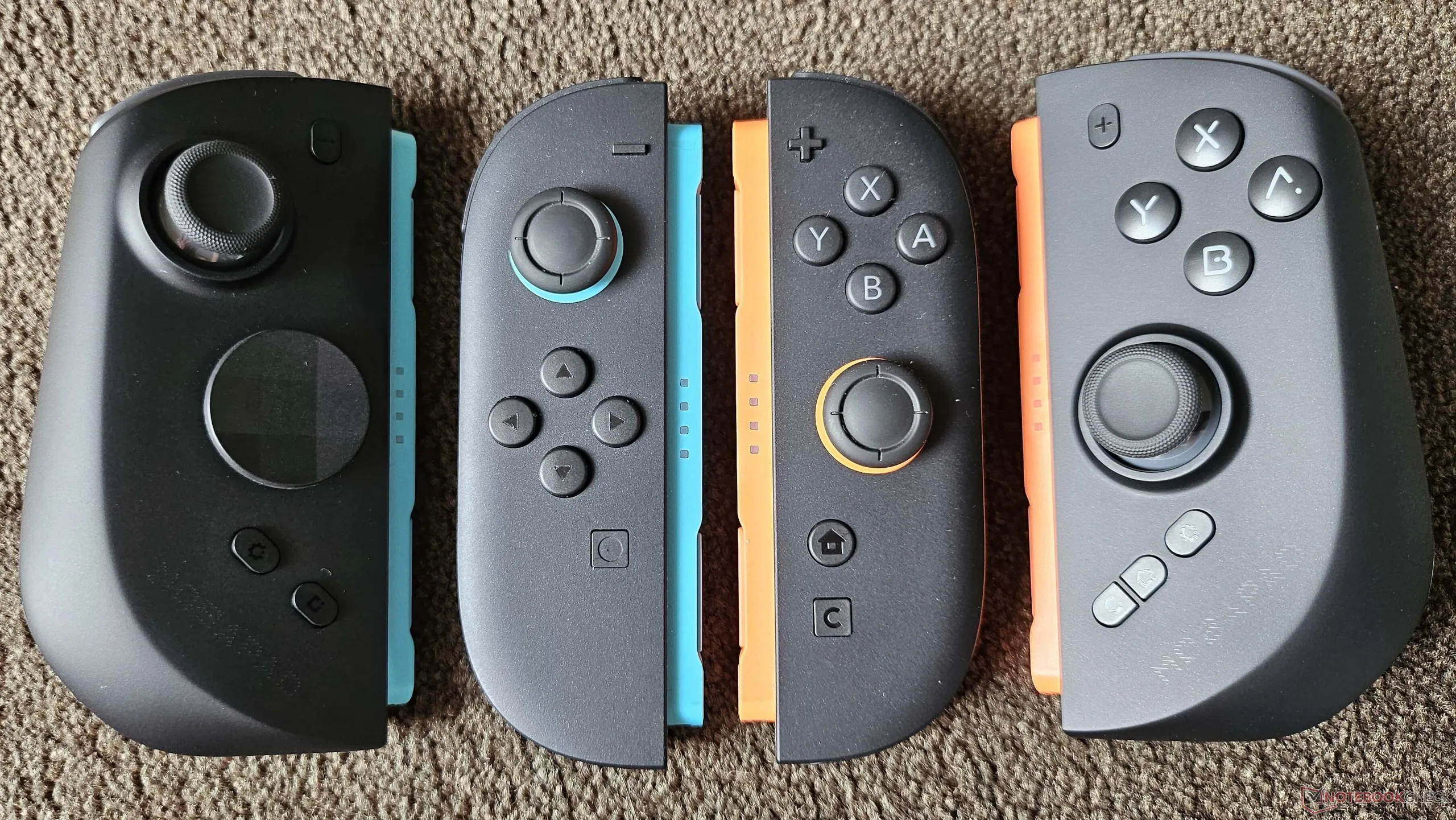
Technical Details of the Mobapad M12S Joy-Cons
| Stick technology: | TMR (contactless, no stick drift) |
| Battery capacity: | 800 mAh (for approx. 15 hours of playtime) |
| Weight: | Approx. 92.5 grams per Joy-Con (approx. 185 grams total) |
| Dimensions (W × D × H): | Approx. 59 × 42 × 116 mm per Joy-Con |
Package Contents and Setup of the Mobapad M12S
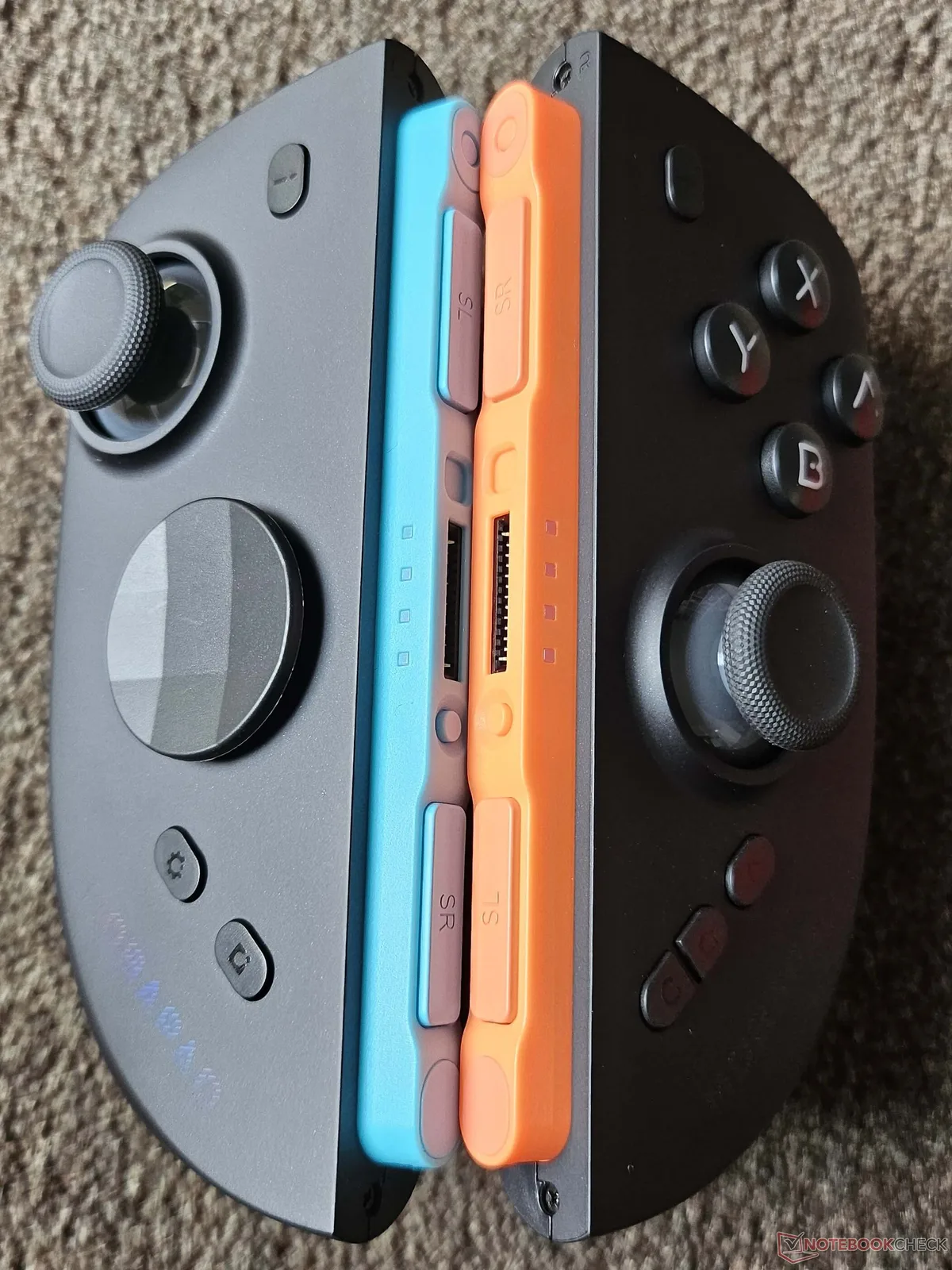
The box contains the two Joy-Cons, a quick start guide, a D-pad as an alternative to the pre-installed round analog D-pad (similar to the Xbox Elite controllers), and a sturdy plastic case for storing or transporting the M12S Joy-Cons. This third-party alternative to Nintendo’s original Joy-Cons also uses magnets to attach to the Switch 2 or the mount. The magnets are strong and attach securely to the handheld console. In my test, setup required no additional action on my part; both Joy-Cons were recognized immediately and worked right out of the box.
When I tried to swap out the D-pad, I ran into some minor issues. Nowhere in the instructions does it mention whether this can be done by simply pulling off the old one and attaching the new one, or if you might need to rotate the included D-pad slightly before removing it. The fact is: the analog D-pad is so tightly secured that you’re afraid you might damage something when removing it. Ultimately, you just have to use your fingernail to pry it up from the bottom with a bit more confidence to get it to come loose. Inserting the new D-pad is also confirmed by an audible click. Overall, I prefer the new D-pad because it looks more compact, though that’s a matter of personal taste. Both work flawlessly in games.
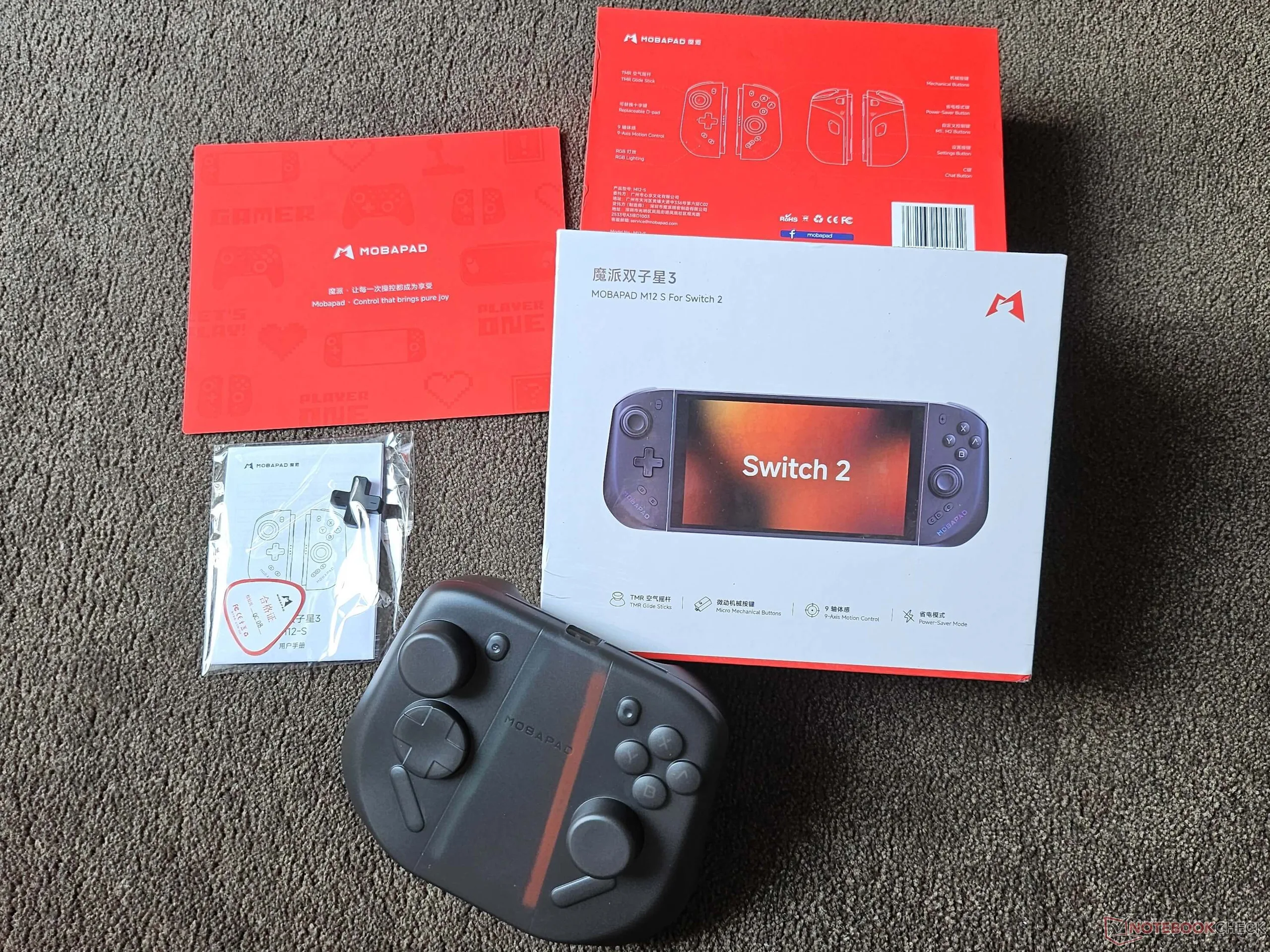
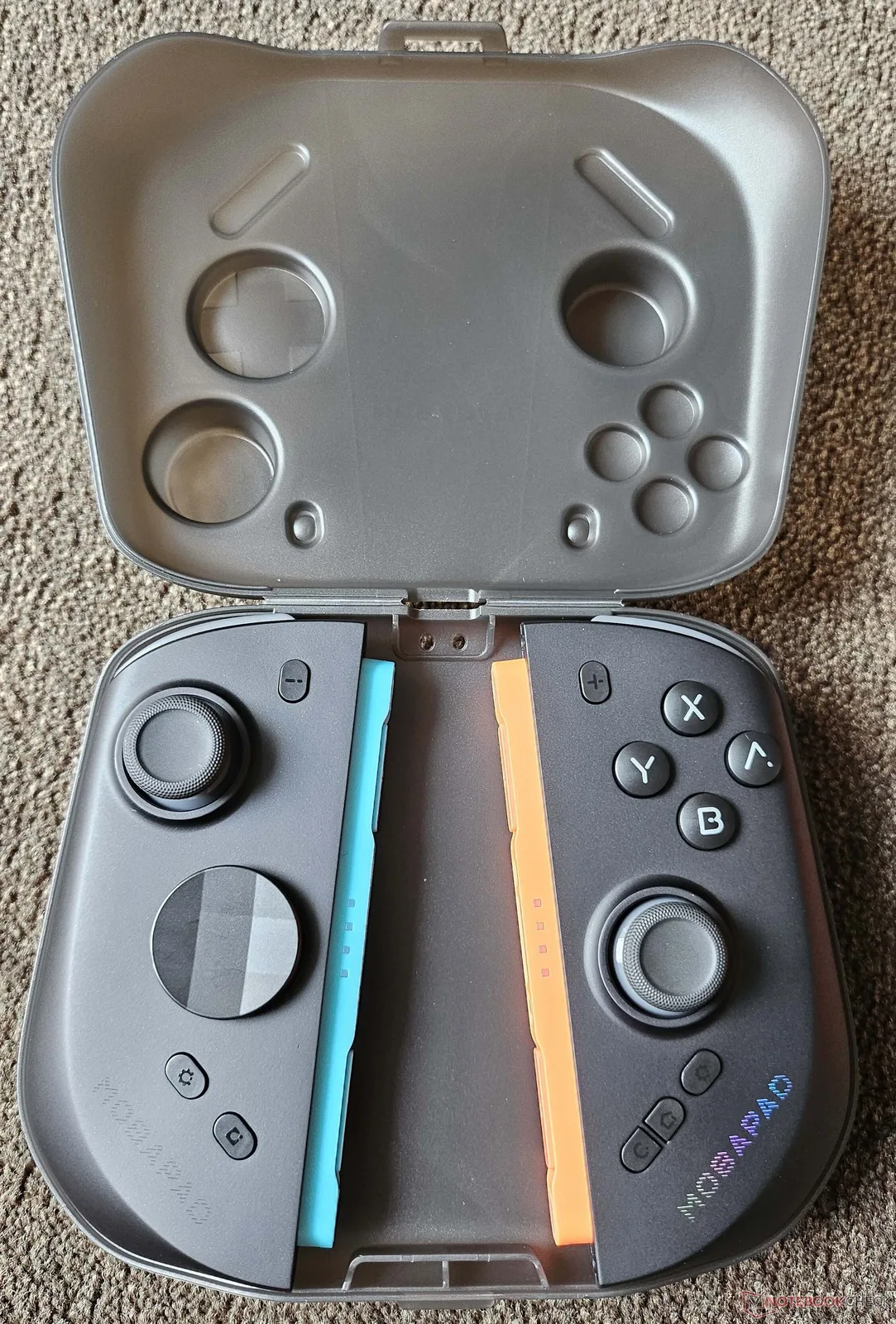
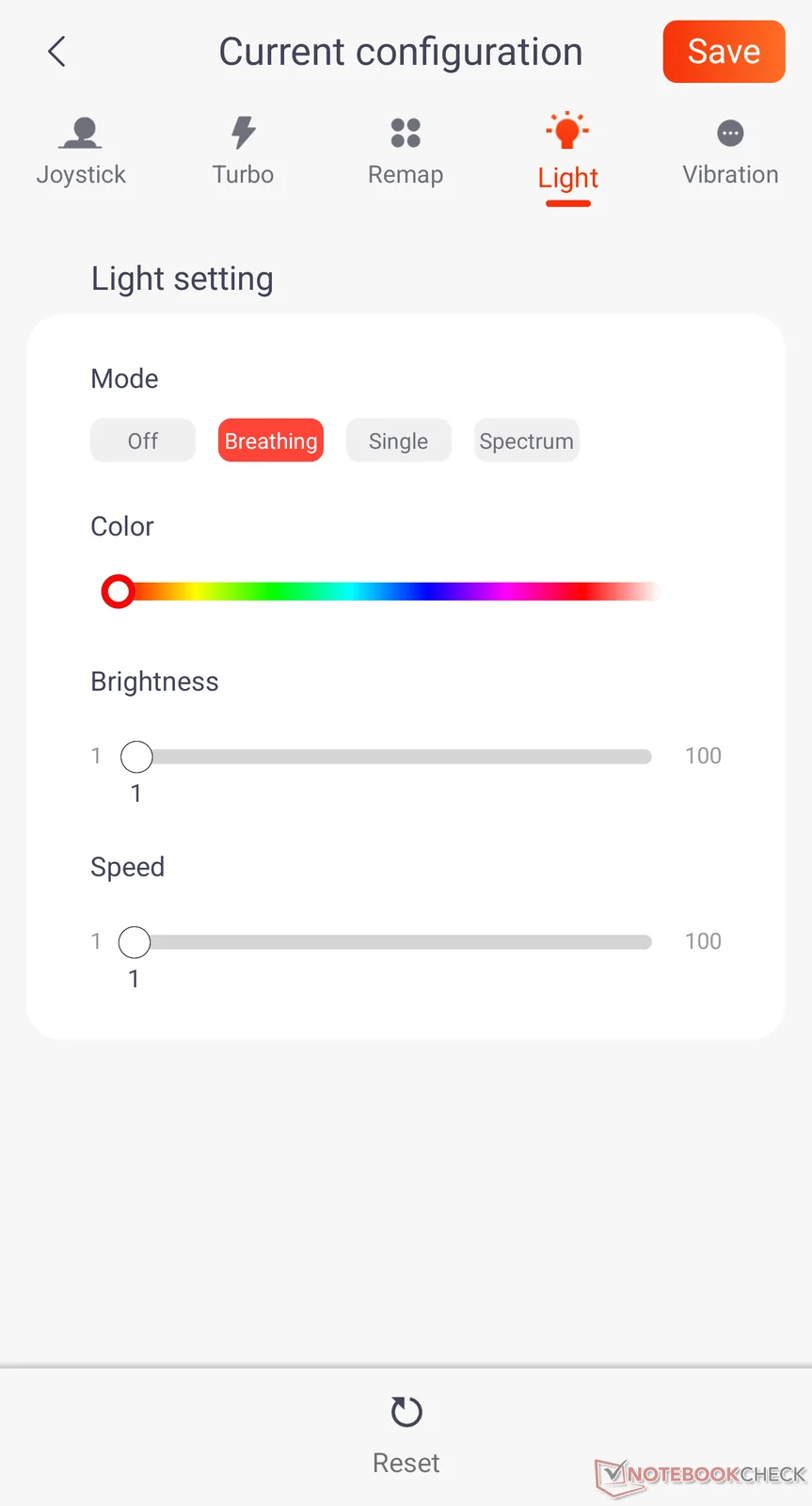
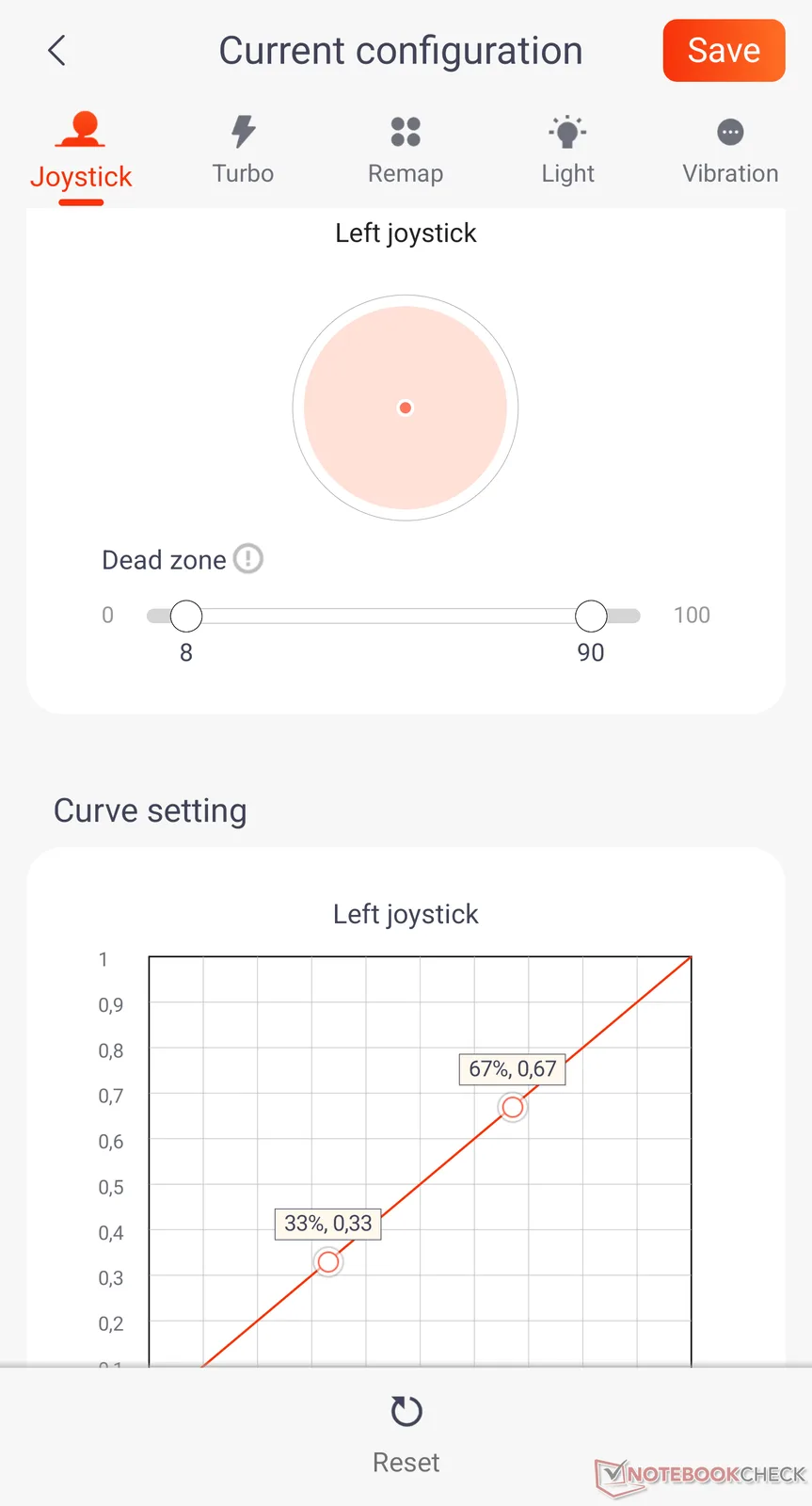
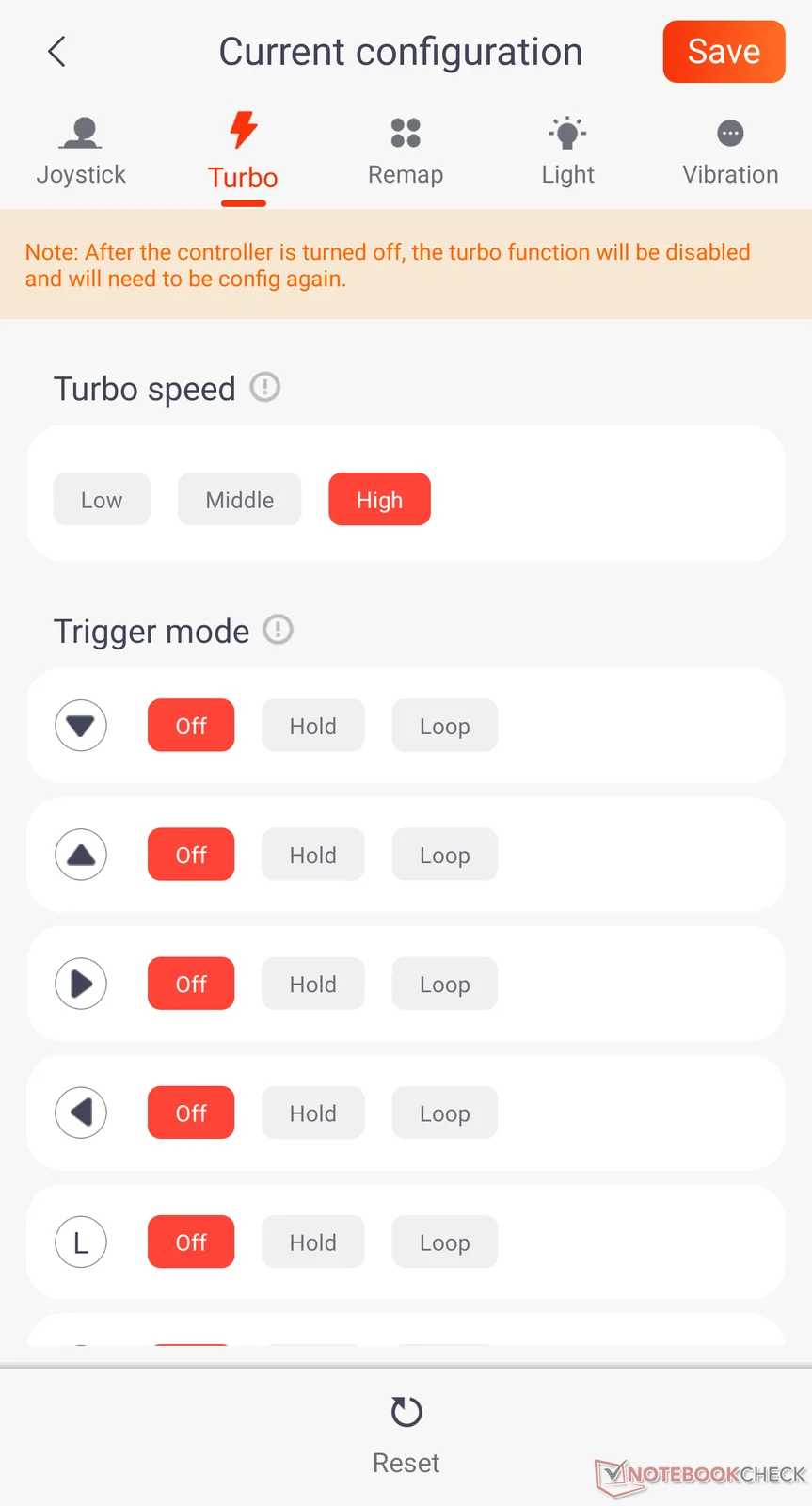
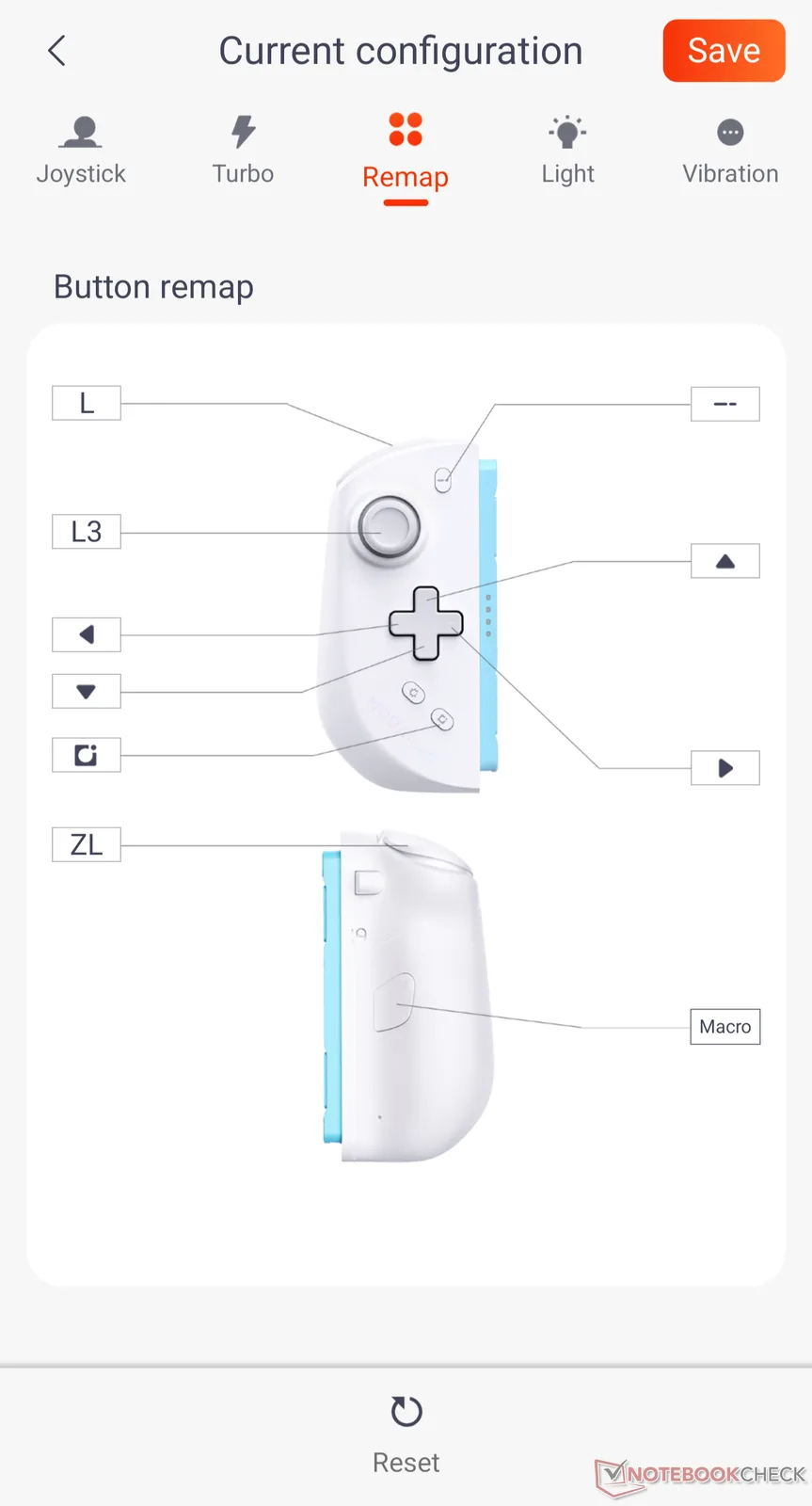
To access the special features, firmware updates, and settings such as the Mobapad Joy-Con logo lighting, the turbo buttons, or vibration (on/off) you’ll need an app on your smartphone. Here, the Joy-Cons (provided they are attached to the Switch 2 and briefly activated) are immediately recognized and can be customized individually. This allows you to assign macros to the rear buttons, for example. Speaking of the back: Both Joy-Cons have a small switch here that lets you choose whether the controller should use its battery and be connected in USB mode, or draw power from the Switch 2 battery and be paired via Bluetooth. Since the M12S Joy-Cons charge in standby mode even when docked—thanks to the Switch 2 protocol. I’ve always selected the “use own battery” option. I don’t believe that using the Switch 2’s battery significantly reduces playtime. Mobapad claims about 30 minutes of additional playtime when using the controller batteries.
Since I bought the M12S without a mount (because I practically never use the Switch’s included mount, preferring to use the Pro Controller when needed) here’s a quick note on that: The Mobapad Joy-Cons are incompatible with the original mount that comes with the Switch 2, as they’re too thick at the back (due to the protruding grip) to snap into place magnetically. So if you’d like a mount, you’ll need to order it at the time of purchase. If you forgot to do so, the mount can be purchased later as an accessory for $26.
Feel, Quality and Features of the Mobapad M12S Joy-Cons
When the M12S is attached to the Switch 2, the console has almost the same dimensions as Valve’s Steam Deck. Unfortunately, however, it does not have the same button layout. On the M12S, the sticks are offset like on an Xbox controller, which, with my larger hands, repeatedly required me to reposition my grip and rest the right Joy-Con on my bent little finger. Even when using the left stick with the tip of my thumb and the right stick with the middle of my thumb, the handling felt somewhat unnatural. The only comfortable way was to use the lower part of my thumb, but that was uncomfortable. So I preferred to use my bent little finger for support. To find out if this was due to my large hands, I had my 13-year-old son test the controllers. He got along better with them, though he also used the middle of his right thumb for control. Since the right stick isn’t used in games like Mario Kart anyway, this is tolerable, and I’ve gotten somewhat used to holding my right hand differently.
Overall, the buttons, D-pad, and sticks are superbly crafted, produce no unwanted friction, and have a satisfying click. The colored logo is mostly covered by your hand while in use, and can be turned off completely or adjusted to be darker or lighter via the app if needed. The vibration feature is okay, but not comparable to HD Rumble. Since I’m the first to turn off vibrations in every game, this isn’t a problem for me. Rumble enthusiasts might find this a drawback. Users of Amiibo or other games that use NFC probably won’t be happy with the M12S either, since the controllers don’t support NFC. I’m not the target audience here either, so this doesn’t really matter to me.
The M12S Joy-Cons feel great on the device in handheld mode; they offer a solid grip, and thanks to the waffle-patterned texture on the back, they stay comfortable in your hands even during longer gaming sessions. Mouse mode isn’t supported, but there’s a C button on the right Joy-Con that lets you use the chat function with the push of a button. In my test, however, the Joy-Cons acted up: After I briefly removed them to use them separately, they took on a ghostly life of their own once I clipped them back onto the Switch 2, causing buttons to be pressed and the stick to move without any input from me. This could only be fixed by restarting the console.

What is the difference between the Mobapad M12S and the M12HD?
Unlike the M12HD Joy-Cons, the M12S variant uses the original Switch 2 protocol. This means that the M12S are recognized as genuine Joy-Cons in handheld mode rather than merely as Pro Controllers or Switch 1 controllers (as with the M12HD). Additionally, they can be charged via the Switch 2 while in the dock and powered off. The M12HD variant charges only while the Switch 2 is actively in use and draws its power from the handheld’s battery. The S variant features standard vibration, while the HD variant offers HD Rumble. Otherwise, the M12S includes a C-button for the chat function (which the M12HD does not have, even via macro), a 9-axis gyroscope (the M12HD has only 6 axes), but they do not have NFC functionality, which Amiibo figures require (a feature the HD variant does support). So everyone has to decide for themselves: If you need HD Rumble, use Amiibo figures, and don’t care whether the Joy-Cons charge only while gaming or with the grip attached, or whether you can start the chat with a button, the M12HD is also a good choice. However, they aren’t an improvement over the M12S, nor are the M12S a stripped-down version.

Transparency
The selection of devices to be reviewed is made by our editorial team. The test sample was freely purchased by the author at his/her own expense. The lender had no influence on this review, nor did the manufacturer receive a copy of this review before publication. There was no obligation to publish this review. As an independent media company, Notebookcheck is not subjected to the authority of manufacturers, retailers or publishers.
 Add as a preferred source on Google


