




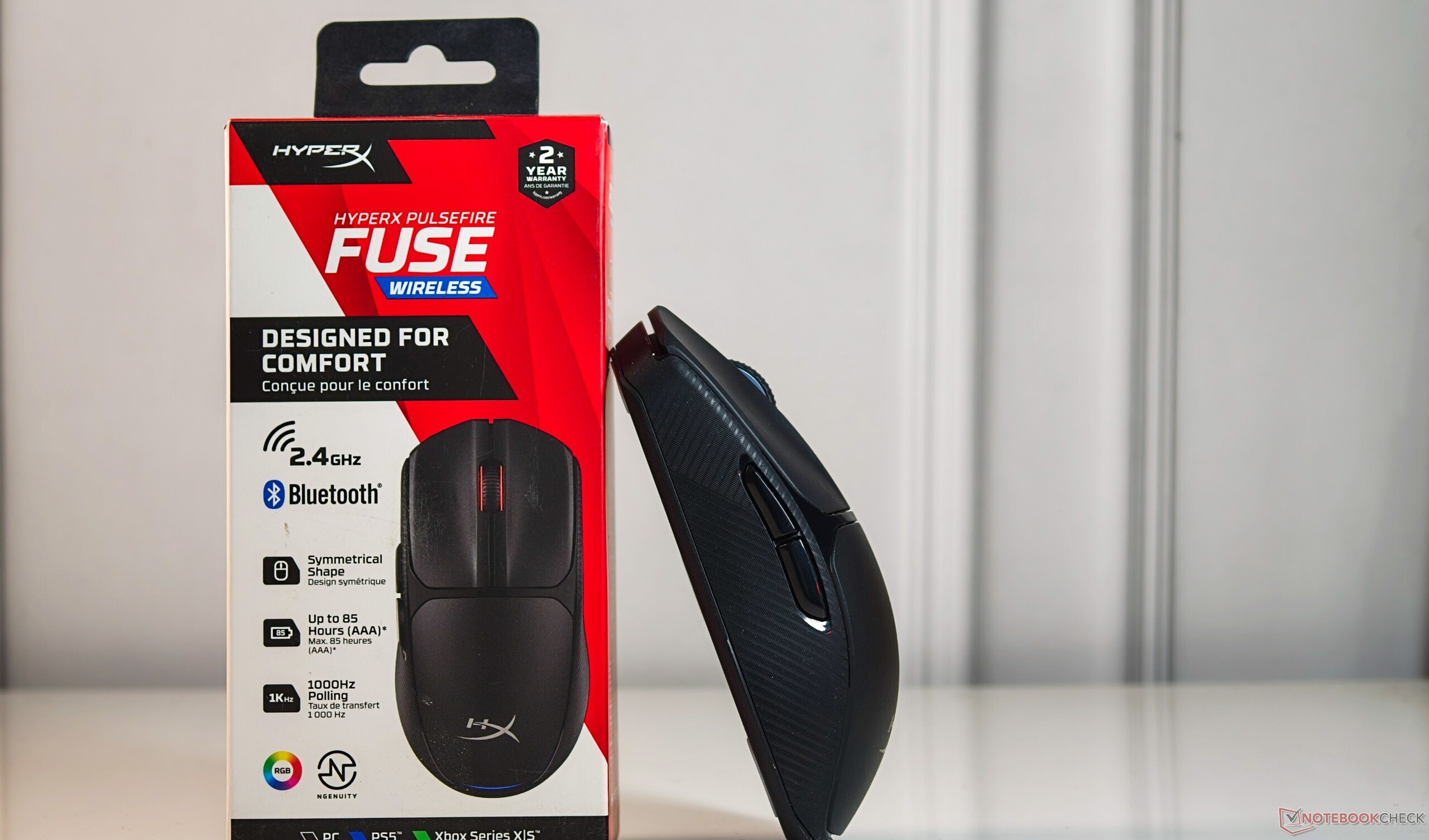
HyperX Pulsefire Fuse Wireless Mouse Review: A surprisingly complete package for casual gaming and productivity
Wireless without fusing the budget.
The HyperX Pulsefire Fuse Wireless aims to offer a good input experience at prices well under $40 with dual-mode wireless, Kailh switches, PAW3311 sensor, and a 1,000 Hz polling rate. We take a closer look at how well the mouse performs and some compromises you should be aware of.Vaidyanathan Subramaniam Published 🇳🇱 🇫🇷 ...
Verdict: When good enough is actually great
For an asking price of $41 (often lower), the HyperX Pulsefire Fuse Wireless doesn’t aim to be a Razer Basilisk V3 Pro or a Logitech G Pro 2 — and frankly, it doesn’t need to.
HyperX has cut very few corners when it comes to ergonomics. Sure, the mouse is better suited to a claw grip for smaller hands, but those with larger hands can adapt quickly. The differences become apparent, though, once you go back to a Logitech G304 or similar.
The Pulsefire Fuse Wireless relies on a PAW3311 sensor that gets the job done for non-competitive gaming and general productivity without hiccups. In our testing, it showed solid tracking with minimal DPI variance.
Whether it’s a playthrough of Battlefield 6 or Anno 117: Pax Romana, or just navigating your apps and the OS, the Pulsefire Fuse Wireless handles it all easily.
Other niceties include dual-mode 2.4 GHz wireless and Bluetooth connectivity, Kailh switches, ability to onboard a custom preset, and a 1,000 Hz polling rate. HyperX claims up to 85 hours of battery life, which may not be the longest, but replacing the battery just takes seconds.
There are some areas for improvement, however. The scroll wheel definitely needs to be smoother and scroll through more lines, and the clicks could be quieter. The DPI switch could be in a more accessible position for on-the-fly changes. HyperX’s Ngenuity app isn’t necessary in most cases, but it could use more polish and less bloat.
All in all, if you’re looking for an entry-level wireless mouse that covers most gaming and productivity needs, the HyperX Pulsefire Fuse Wireless is an easy pick to shortlist.
Pros
Cons
Price and availability
The HyperX Pulsefire Fuse Wireless is currently available on Amazon US for $41.47.
In India, the Pulsefire Fuse Wireless officially retails for ₹4,469, but can be had at a significantly discounted price of ₹2,290 on Amazon India and other retailers.

The HyperX Pulsefire Fuse Wireless gaming mouse is a low-cost variant of the Pulsefire Hast 2 Wireless.
HyperX has cut some corners with the Fuse Wireless, such as using a lower-resolution sensor, a regular AAA battery instead of a Li-ion rechargeable cell, no bundled low-friction skates, and a complete lack of wired connectivity.
In this review, we put the HyperX Pulsefire Fuse Wireless through its paces to see whether this gaming mouse is still a worthy companion despite these shortcomings.
Specifications: 12,000 DPI PAW3311 sensor
The Pulsefire Fuse Wireless uses a PixArt PAW3311 sensor. It does not quite match the high-end PMW3391 found in the Corsair IronClaw and M65 RGB Elite, or even the PMW3360 in the Mad Catz R.A.T. Air, but it delivers decent performance for a low-priced wireless gaming mouse.
The PAW3311 offers a maximum resolution of 12,000 DPI, adjustable in 50 DPI increments via the HyperX Ngenuity app.
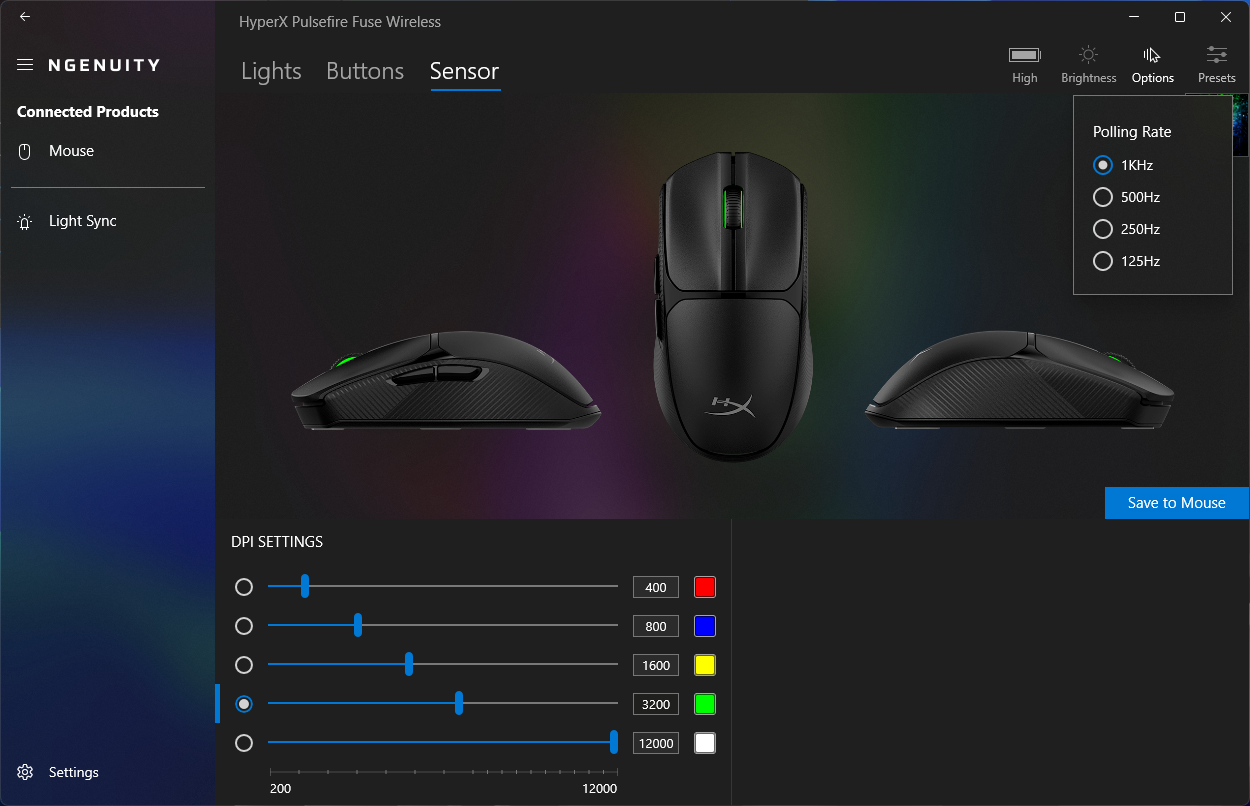
The mouse supports polling rates from 125 Hz to 1,000 Hz.
There are six programmable buttons, including the DPI switch.
| Connectivity | Wireless (2.4 GHz USB-A dongle, Bluetooth) |
| Sensor / Resolution | PixArt PAW3311 / 300 IPS |
| Max. sensor resolution | 12,000 DPI |
| Sensor acceleration | 35 G |
| Max. polling rate | 1,000 Hz |
| Preset DPIs | 400, 800, 1,600, 3,200 |
| Onboard memory | 1 profile |
| Total no. of programmable switches | 6 |
| Left / Right buttons | Kailh switches (rated for 20 million clicks) |
| Battery type | 1x AAA |
| Rated battery life | Up to 85 hours |
| Compatibility | PC, PS5, Xbox Series S/X |
| Weight | 64 g (75 g with battery) |
| In the box | HyperX Pulsefire Fuse, USB wireless dongle, AAA alkaline battery, Quick Start Guide |
| Warranty | 2 years |
Design and ergonomics: Compact, light build for claw and palm grips
The Pulsefire Fuse Wireless is built well for the price. The all-plastic chassis shows no flex or creaking, and the battery/receiver cover magnetically sits flush with no shifting.
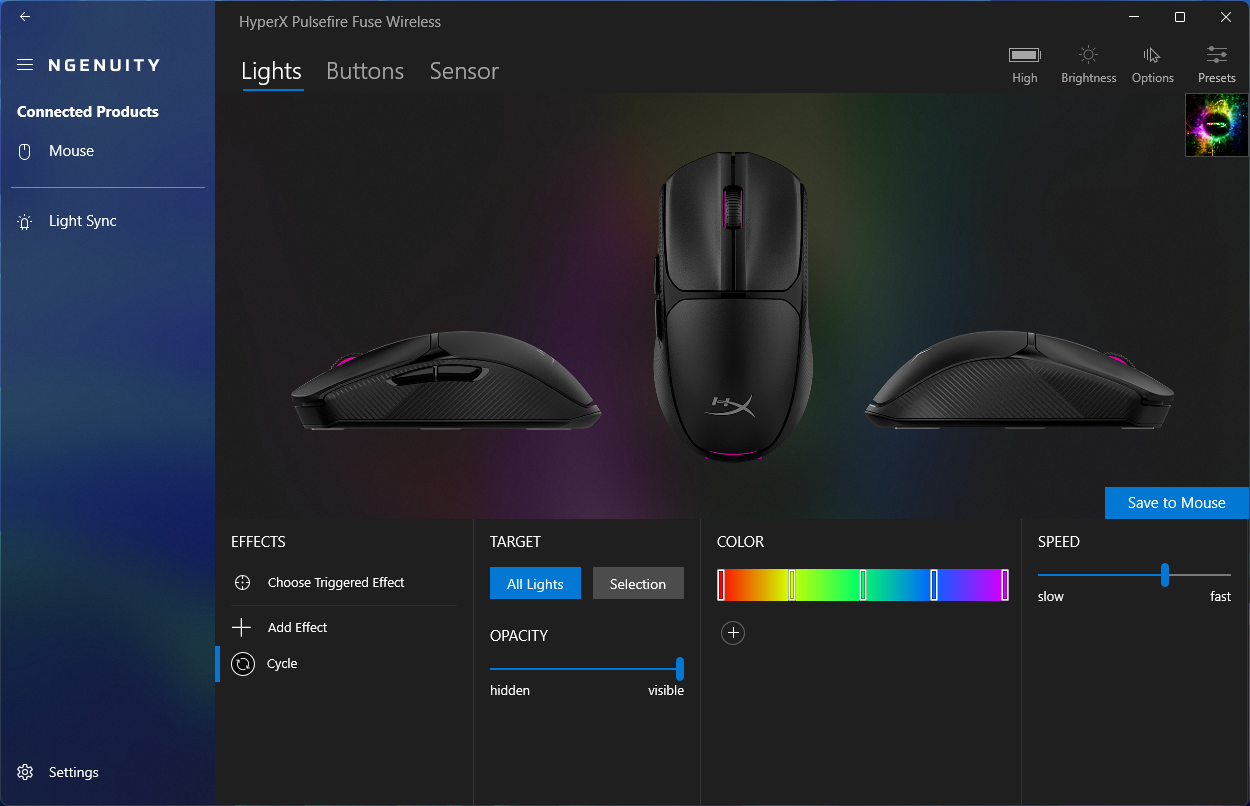
RGB is minimal — limited to the scroll wheel and palm base — and doubles as a DPI indicator by default, with some customization possible via Ngenuity.
The bottom houses the PAW3311 sensor surrounded by an elliptical PTFE skate, flanked by the wireless/off switch (left) and DPI button (right).
The DPI switch placement is a real inconvenience for on-the-fly adjustments mid-game.
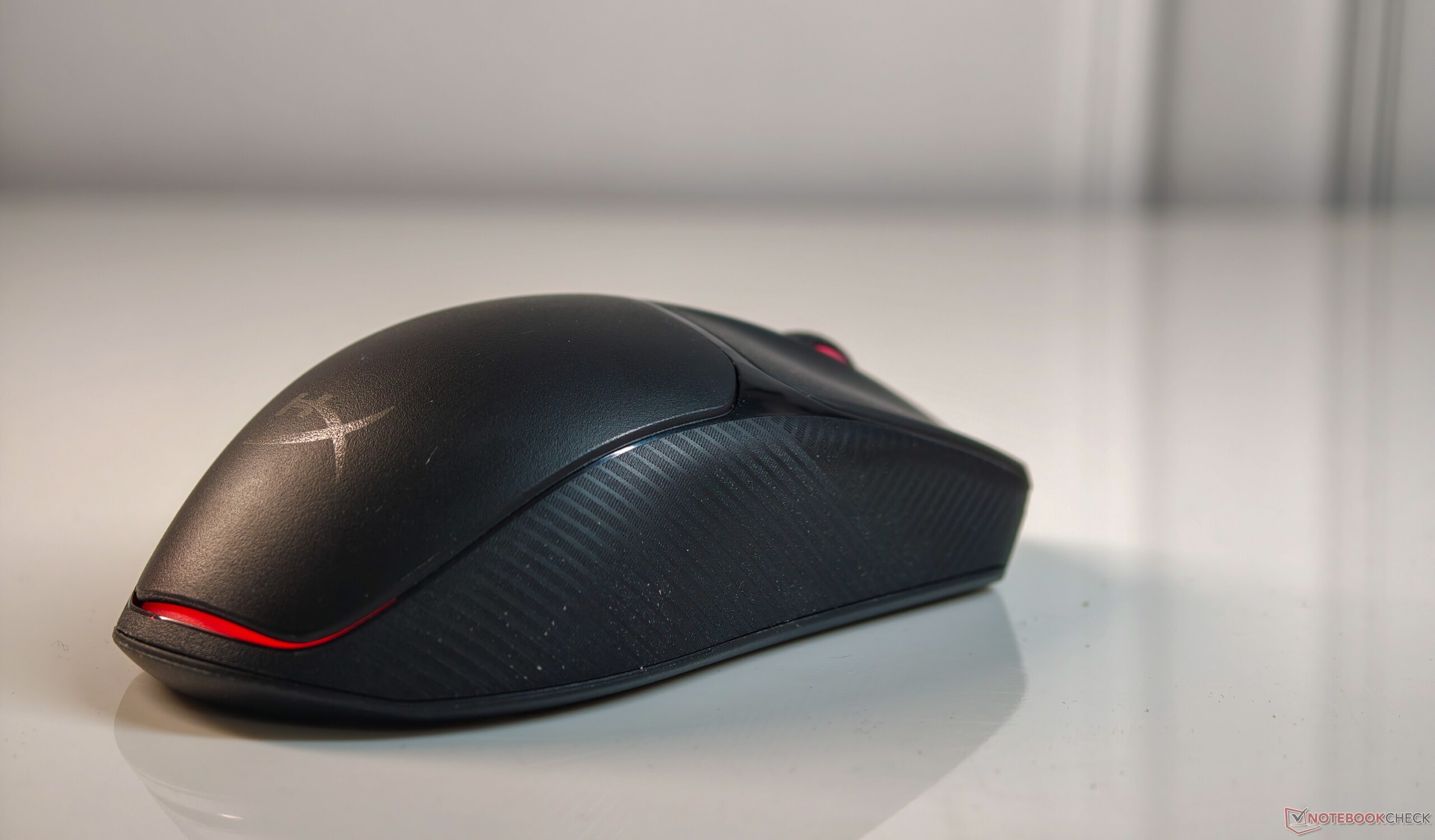
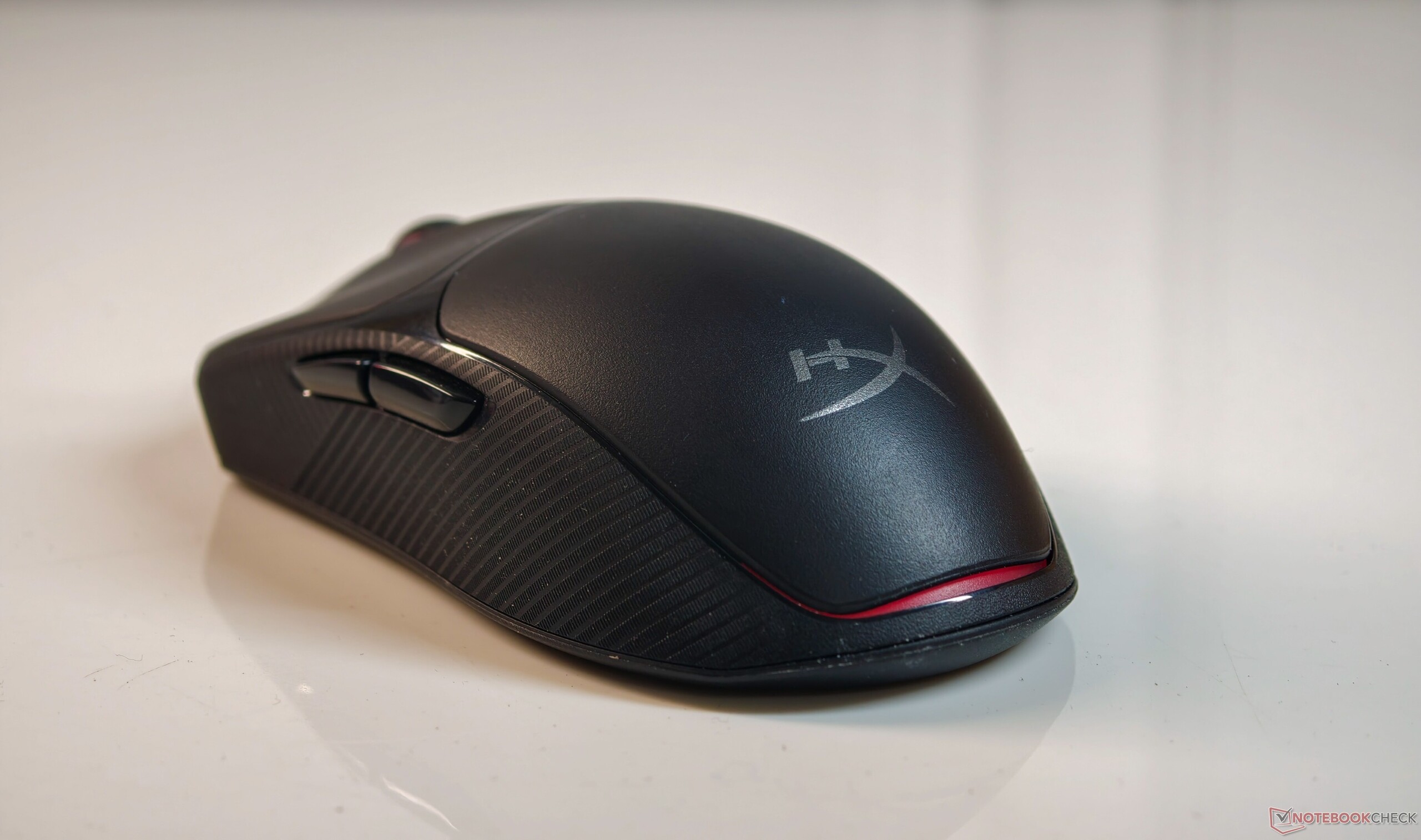
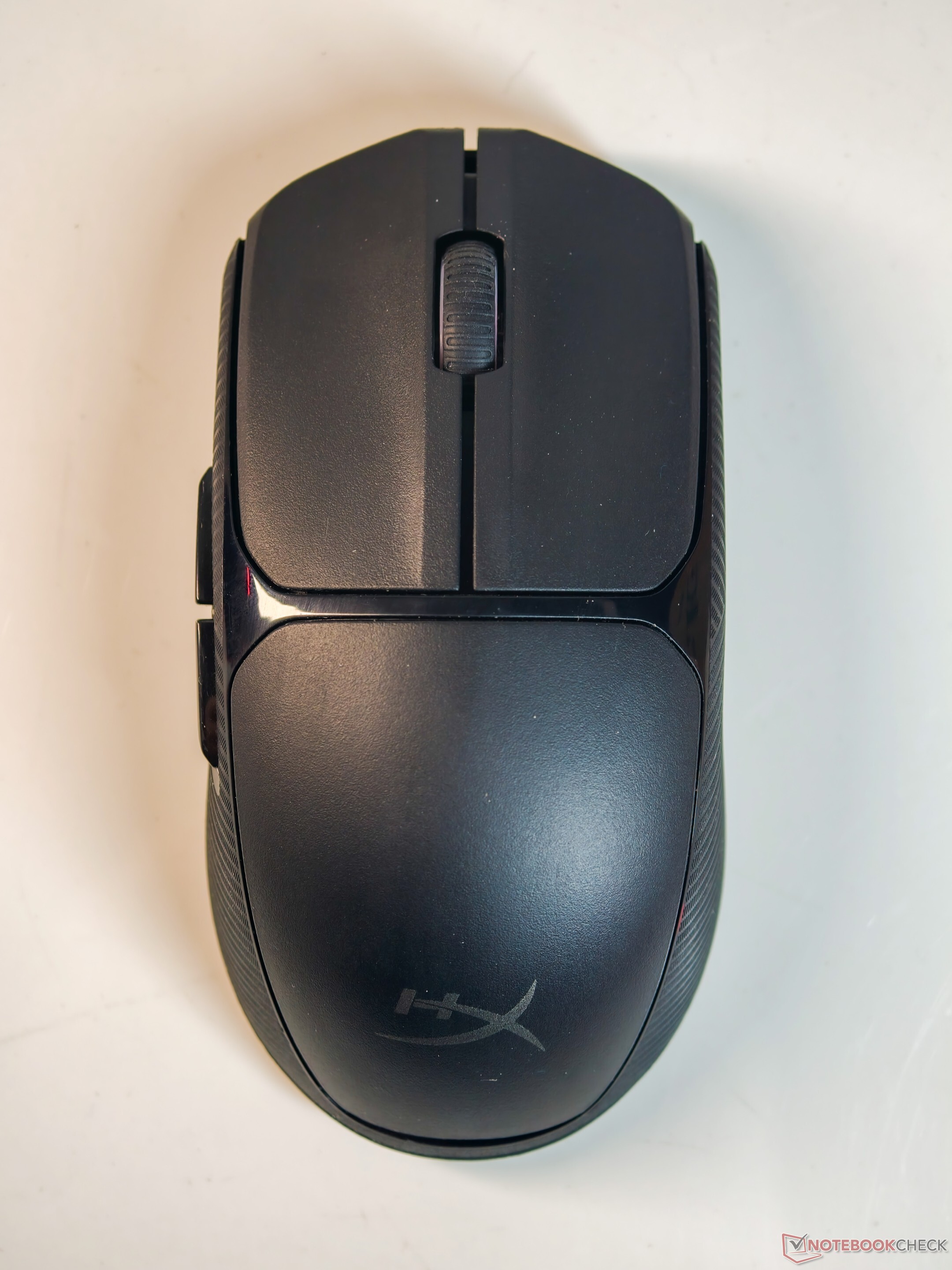
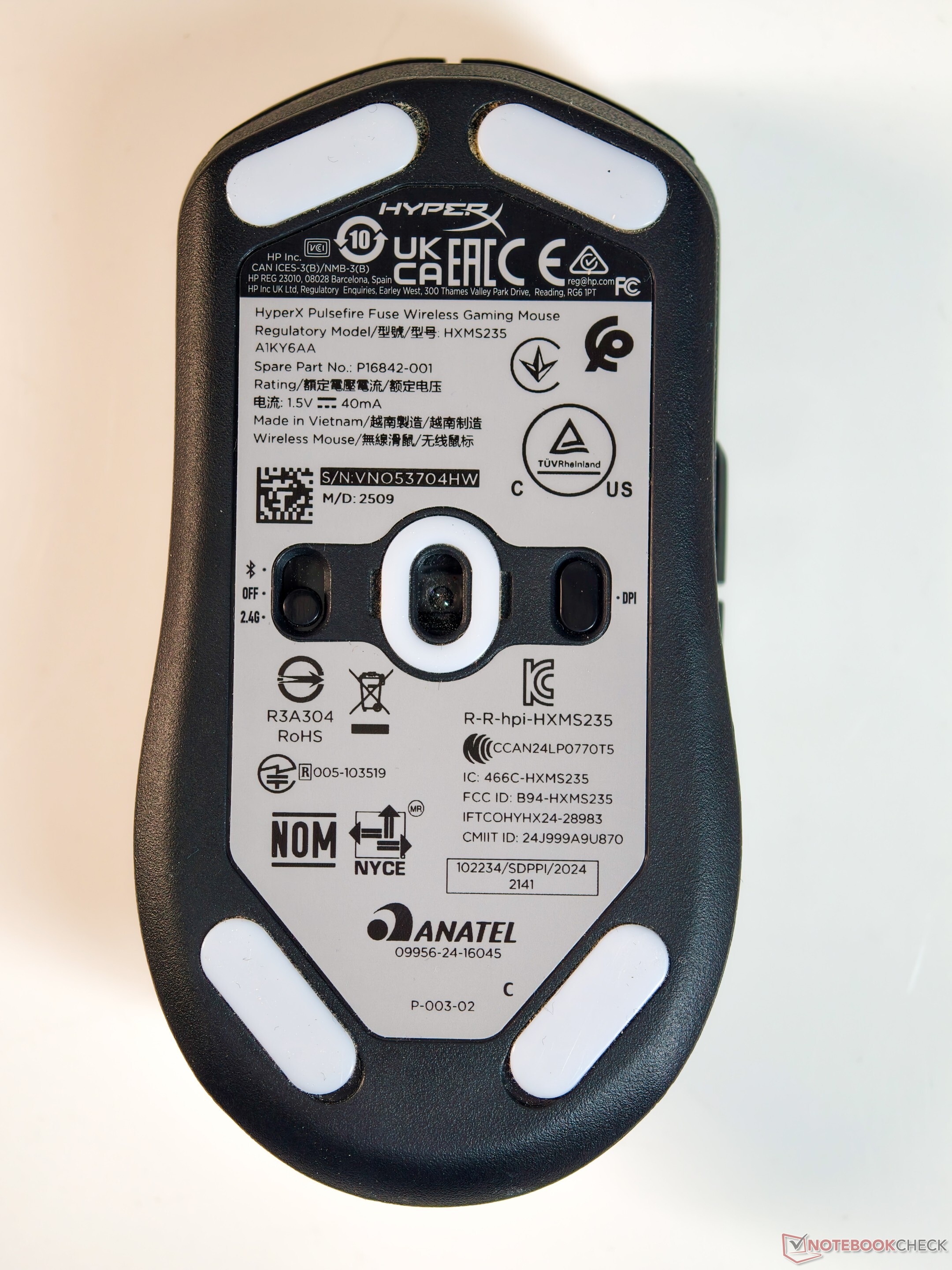
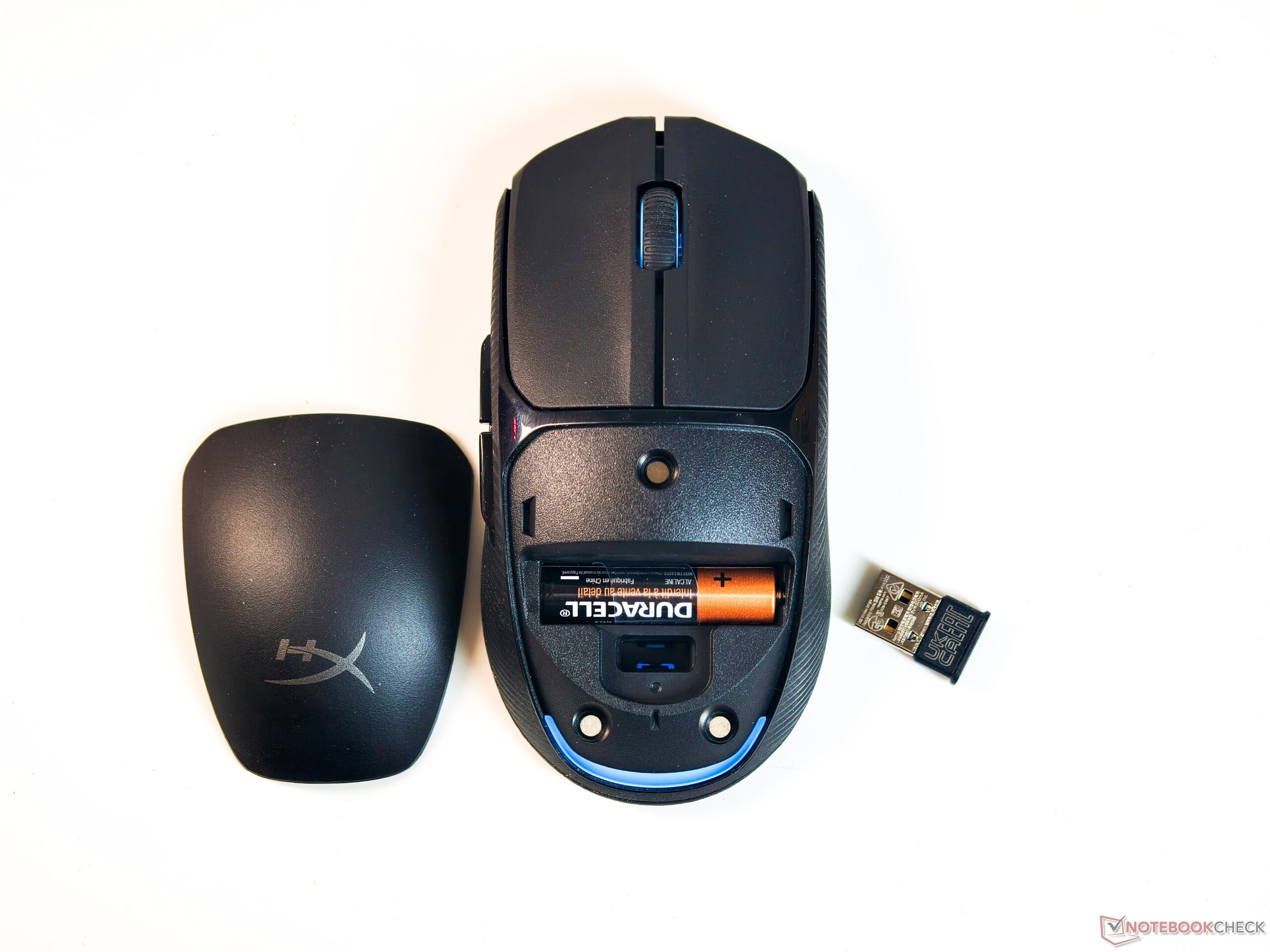

While technically ambidextrous, the mouse skews toward claw and palm grip users with smaller hands. Left-handers will find the thumb buttons cumbersome since they're only on the left side and will hit the pinky finger.
On the upside, textured grips make extended sessions comfortable, and the 75 g weight paired with five PTFE skates make for effortless glide on a quality mousepad.
The Kailh left and right buttons are clicky and tactile, though both they and the side buttons are noticeably loud. The scroll wheel feels a bit stiff to scroll and click, which becomes tiring during heavy document work.
Software: Bloated but covers just the basics
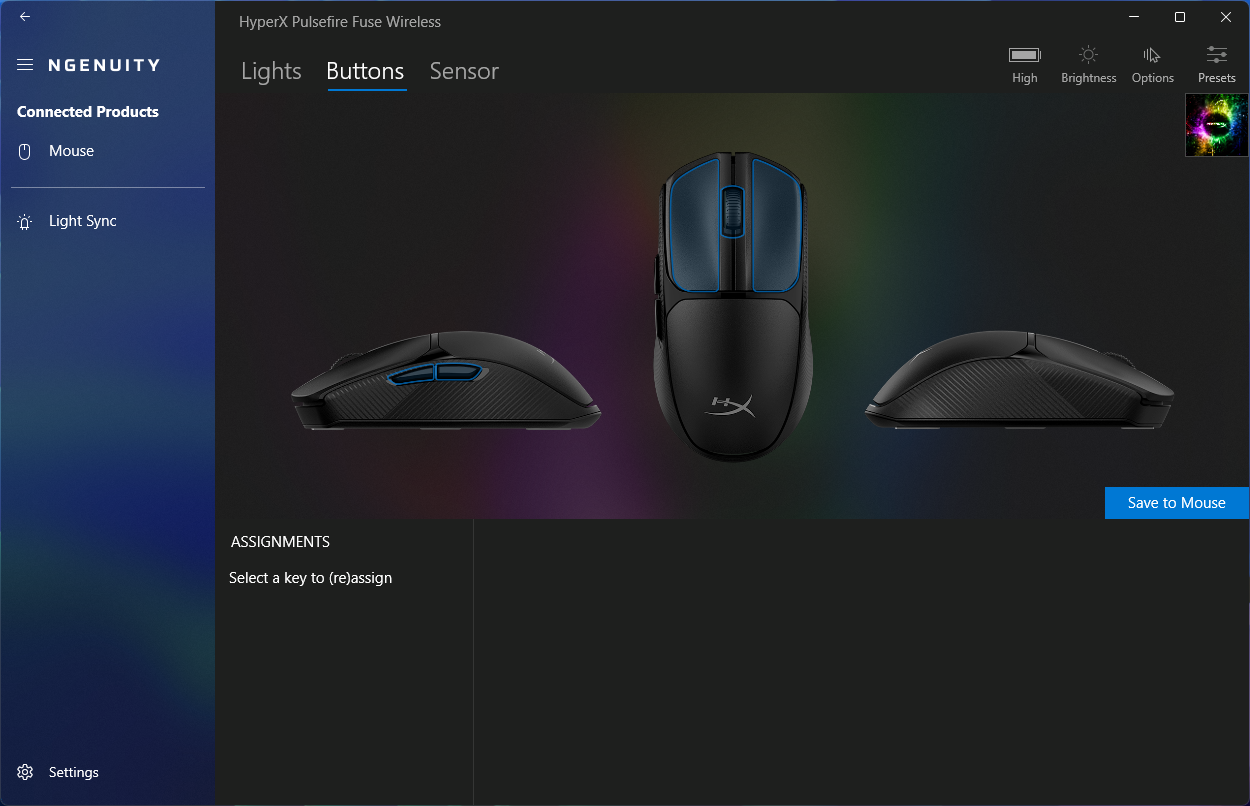
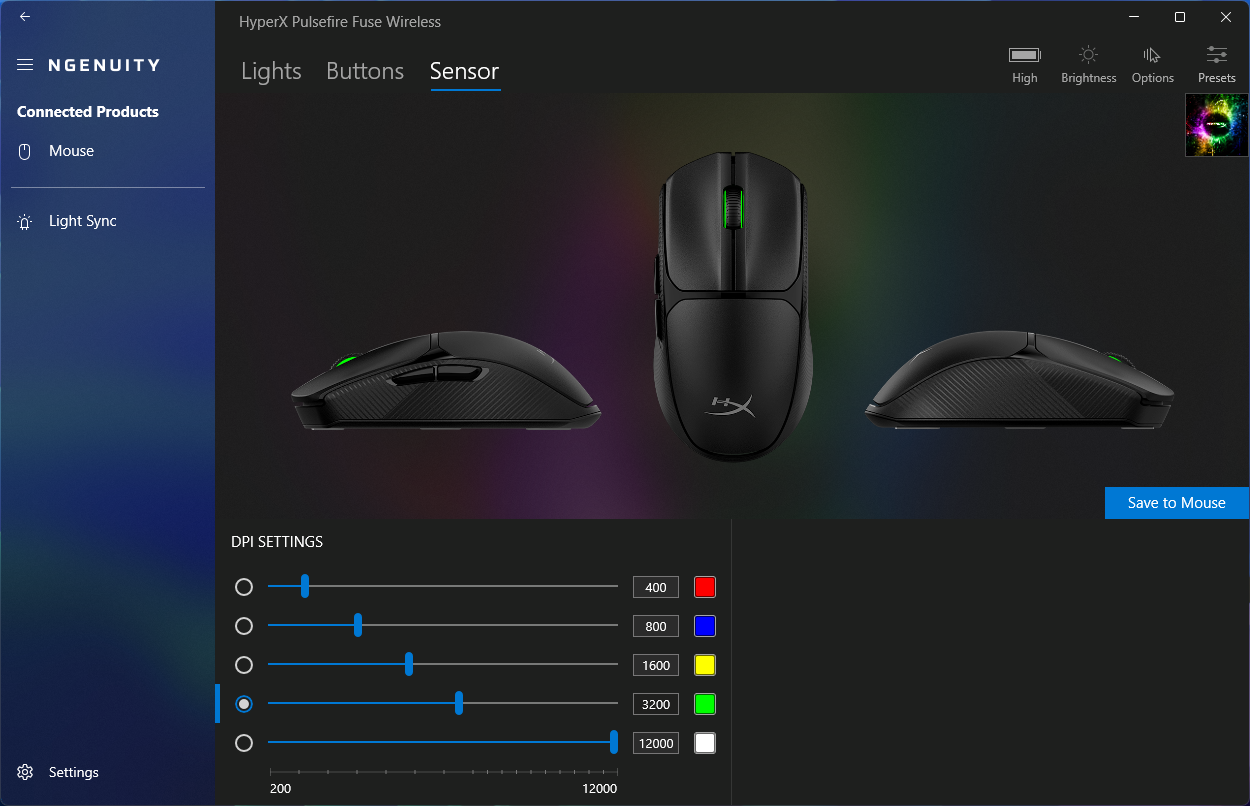
The Pulsefire Fuse Wireless works out of the box with no additional software required. For those who want more control, the HyperX Ngenuity app offers RGB customization and HyperX device syncing, button remapping, polling rate adjustments, up to five custom DPI modes, and one onboard preset storage.
The app isn't the most intuitive, however. The current public version constantly nags you to install a beta that the mouse isn't even compatible with. It installs to the restricted WindowsApps folder and takes up nearly half a gig of disk space.
Advanced features like angle snapping, lift-off distance adjustment, surface calibration, and manual firmware updates are absent entirely.
Performance: Good sensor characteristics with minimal DPI deviation
To evaluate the Pulsefire Fuse Wireless's performance, we set the pointer speed to 6/11 and disabled "Enhance pointer precision" in Windows settings. The polling rate was set to 1,000 Hz.
MouseTester Software Reloaded v1.5.3, developed by dobragab, was used to take sensor measurements on a Corsair MM350 Premium Gaming Mouse Pad - Extended XL (930 x 400 mm).
Various sensor parameters were evaluated at 800 DPI (typical FPS gaming), 3,200 DPI (typical desktop use on a high refresh rate monitor), and 12,000 DPI (the sensor maximum).
The firmware version displayed in Ngenuity was v4.1.1.1 at the time of testing.
DPI variation
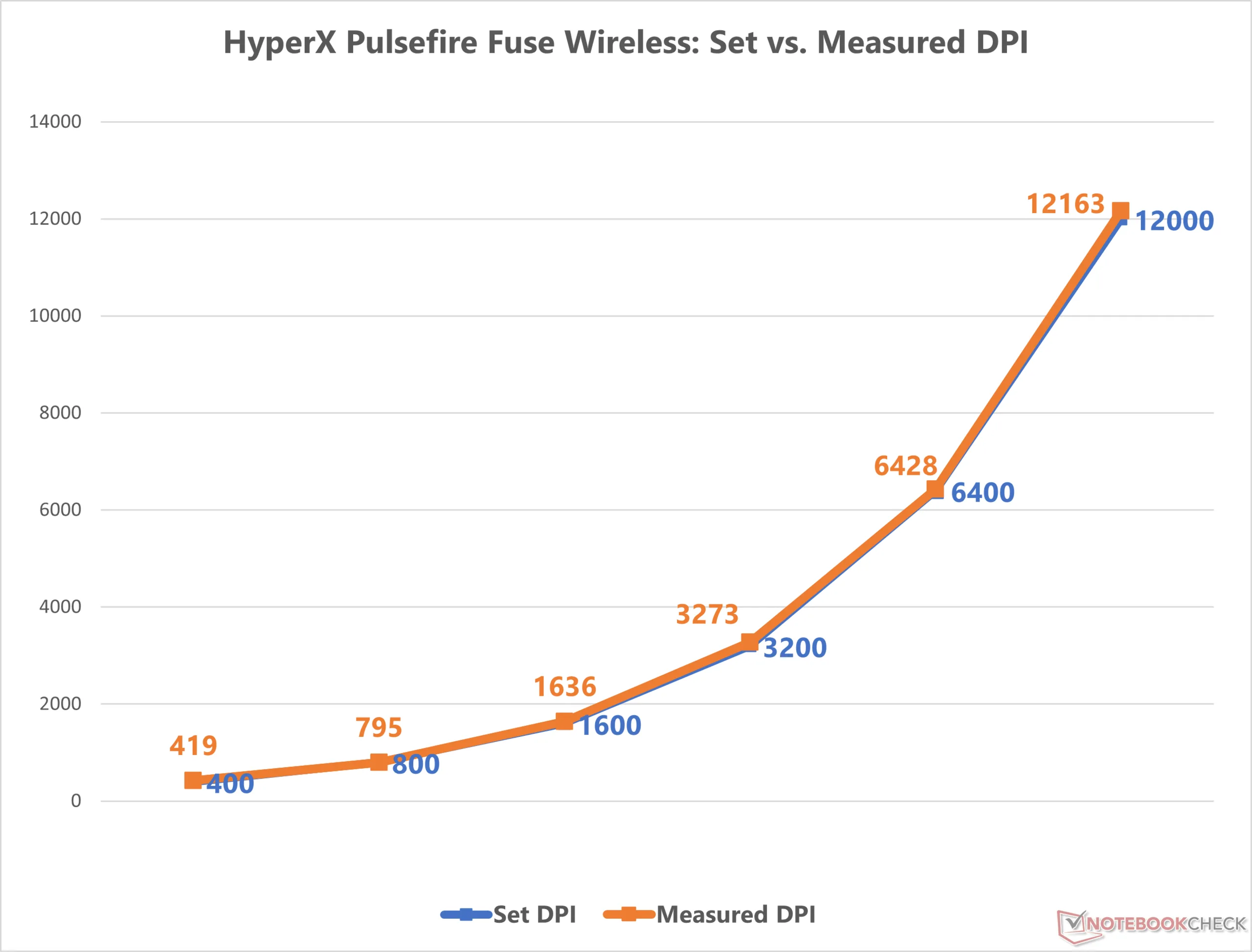
We measured the variation between the set DPI and the measured DPI by moving the Pulsefire Fuse Wireless across a fixed 10 cm distance. DPI readings were logged in triplicate with MouseTester Software Reloaded.
The variation between the set and measured DPI ranged from 0.43% (6,400 DPI) to 4.75% (400 DPI), which is very good given the budget positioning.
Variation at 800 DPI was only 0.62%, which should bode well for gamers.
Speed-related accuracy variance (SRAV)
Having a high speed-related accuracy variance (SRAV) means that the speed of the mouse’s physical movement will not match that of the character’s on screen.
Accelerating and decelerating the Fuse Wireless back to the origin showed decent SRAV curves, indicating that the mouse inherently has little to no sensor acceleration that could adversely affect gaming.
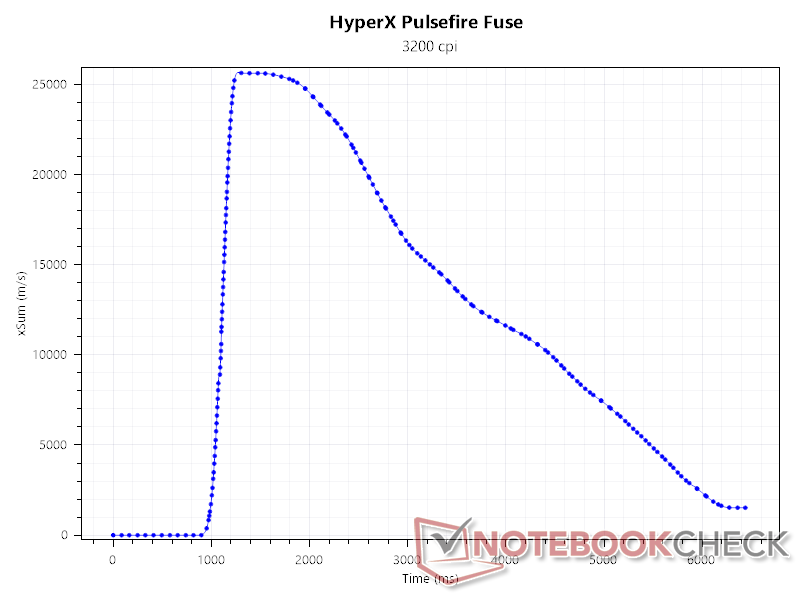
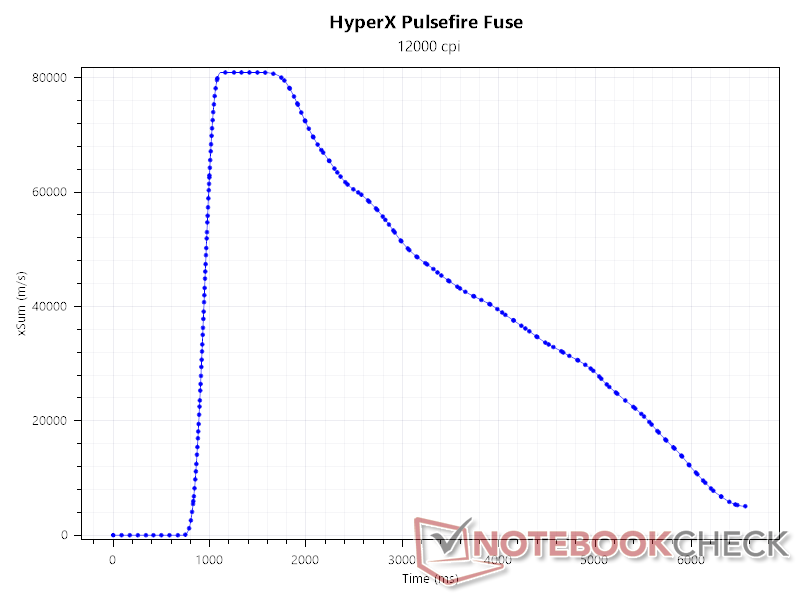
Sensor counts and Perfect control speed (PCS)
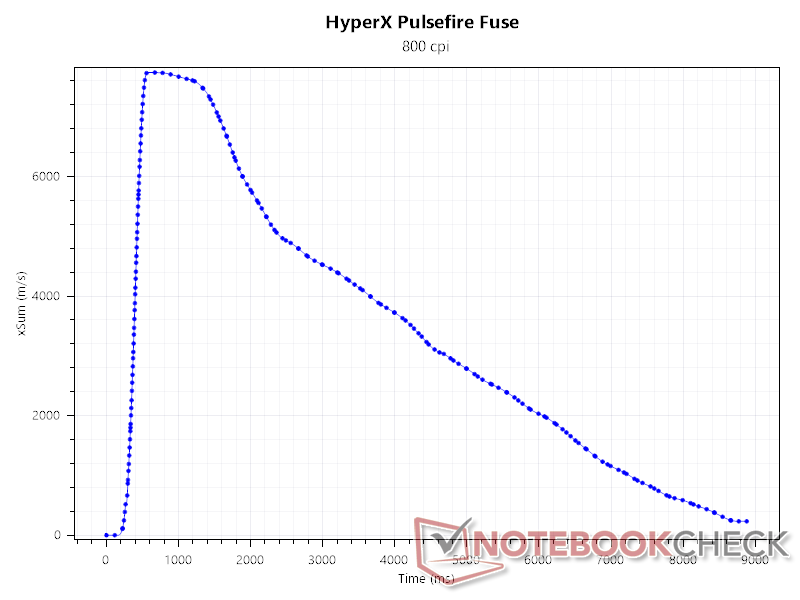
At a 1 kHz polling rate and 800 DPI, we find that the Fuse Wireless’s PAW3311 tracks a good number of counts close to the central curve.
Looking at the perfect control speed (PCS) curve, we find that the sweet spot for maximum tracking is when the mouse is moved at speeds between 1.2 m/s and 1.3 m/s.
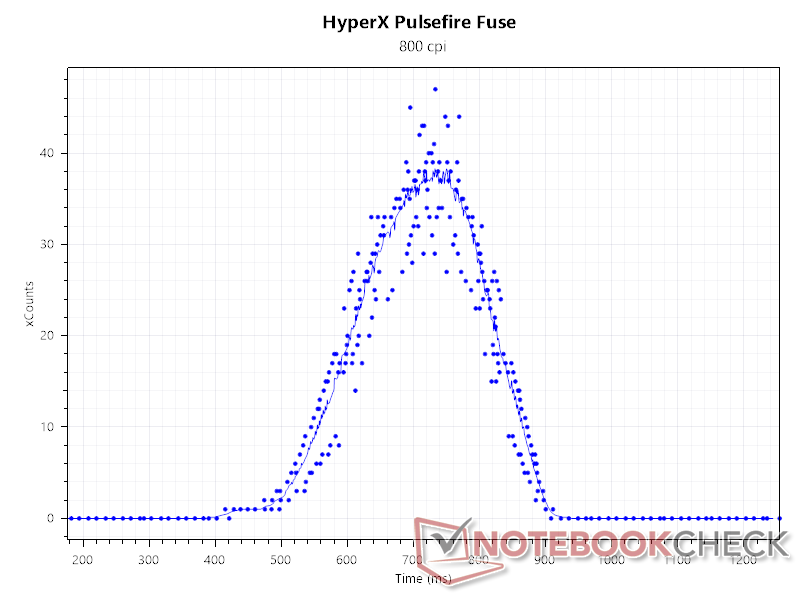
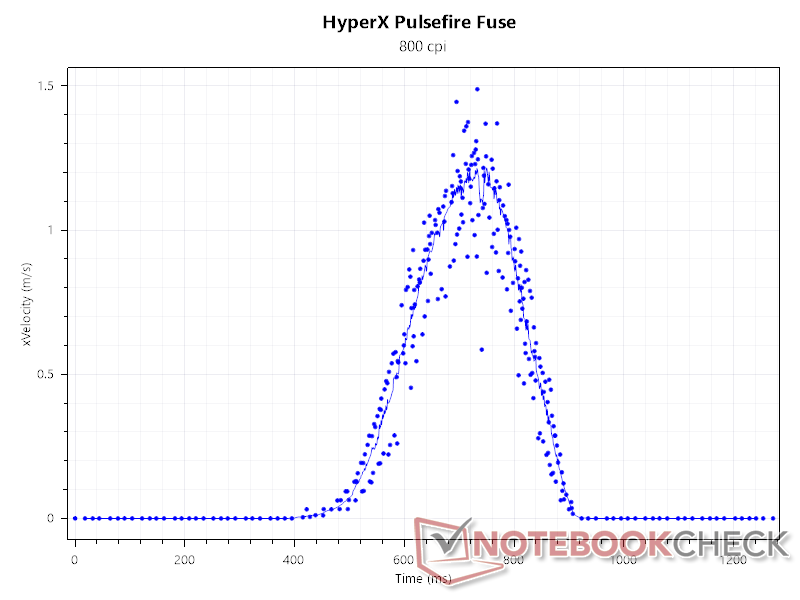
Polling rate and Update interval
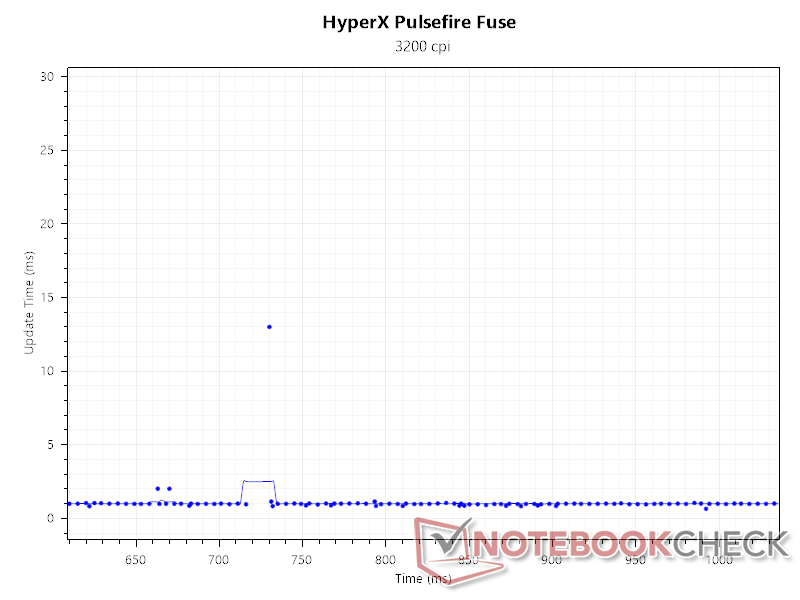
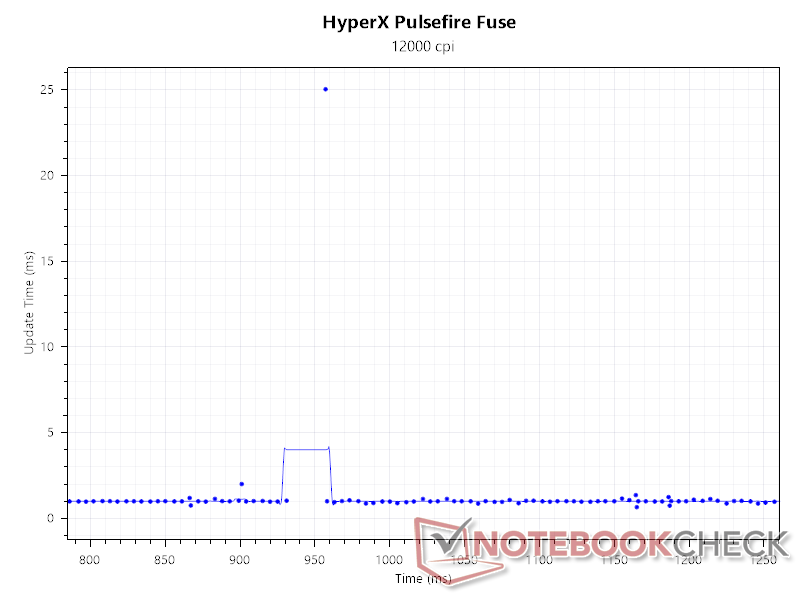
We find that the Pulsefire Fuse Wireless maintains a fairly consistent 1,000 Hz polling rate, though it can occasionally spike above 1,100 Hz for about 10 ms.
While there are a few frequency dips, especially at higher DPIs, they didn’t affect practical gaming because the drops usually last less than 40 ms, and real-world mouse movements are more random and over shorter distances.
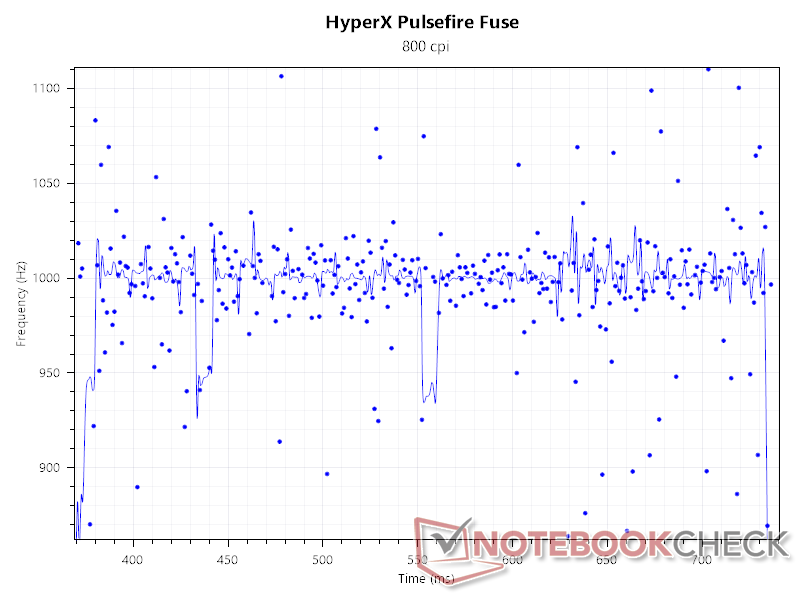
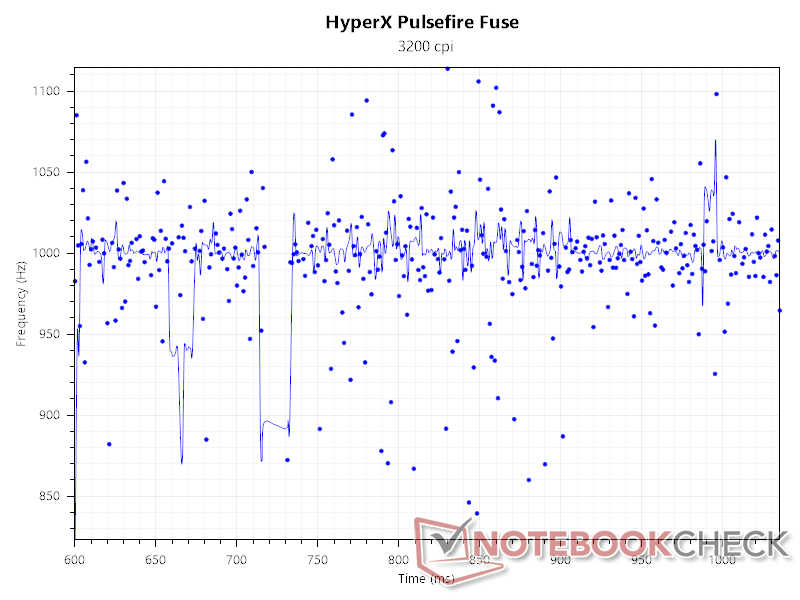
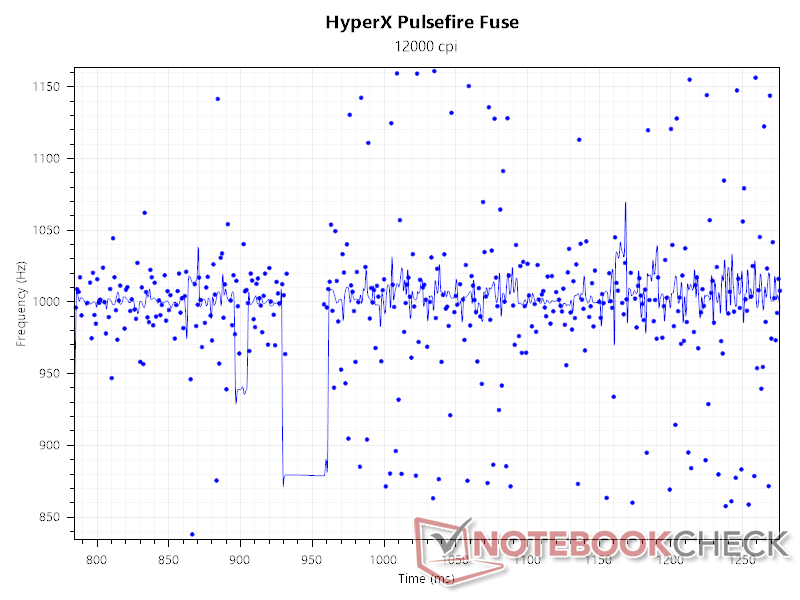
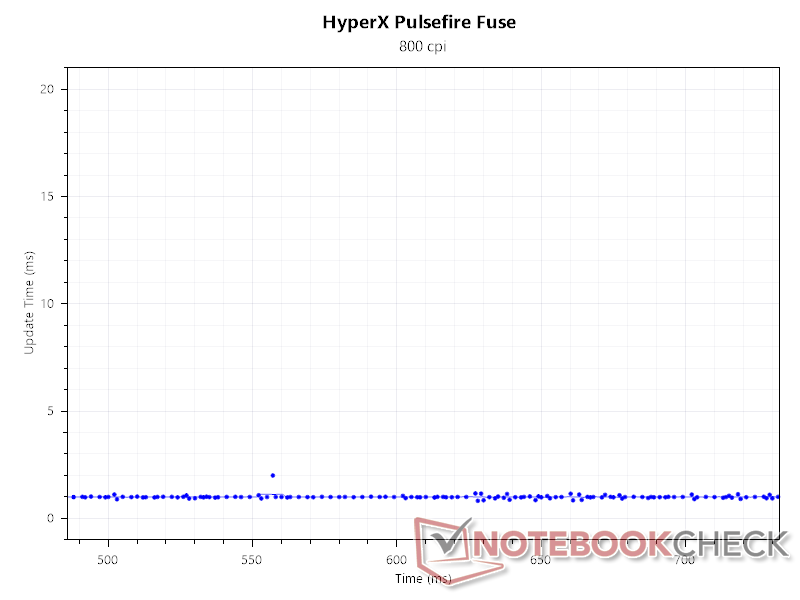
Consistent with the polling rate graphs above, we find the update interval to be consistently 1 ms at 1,000 Hz and 800 DPI.
Only at higher DPIs do we observe momentary increases in the update interval, which are quickly corrected.
Input lag and response time
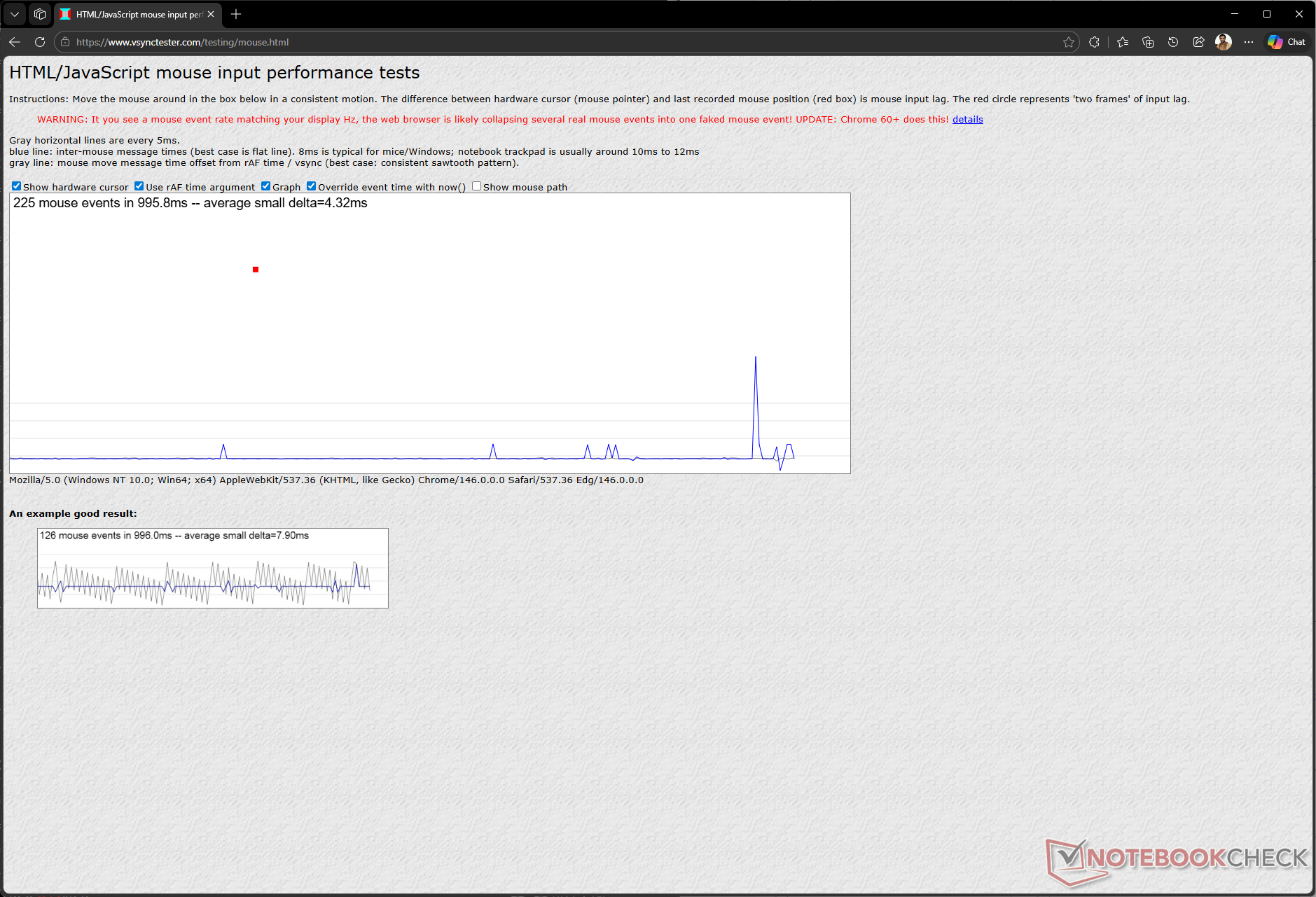
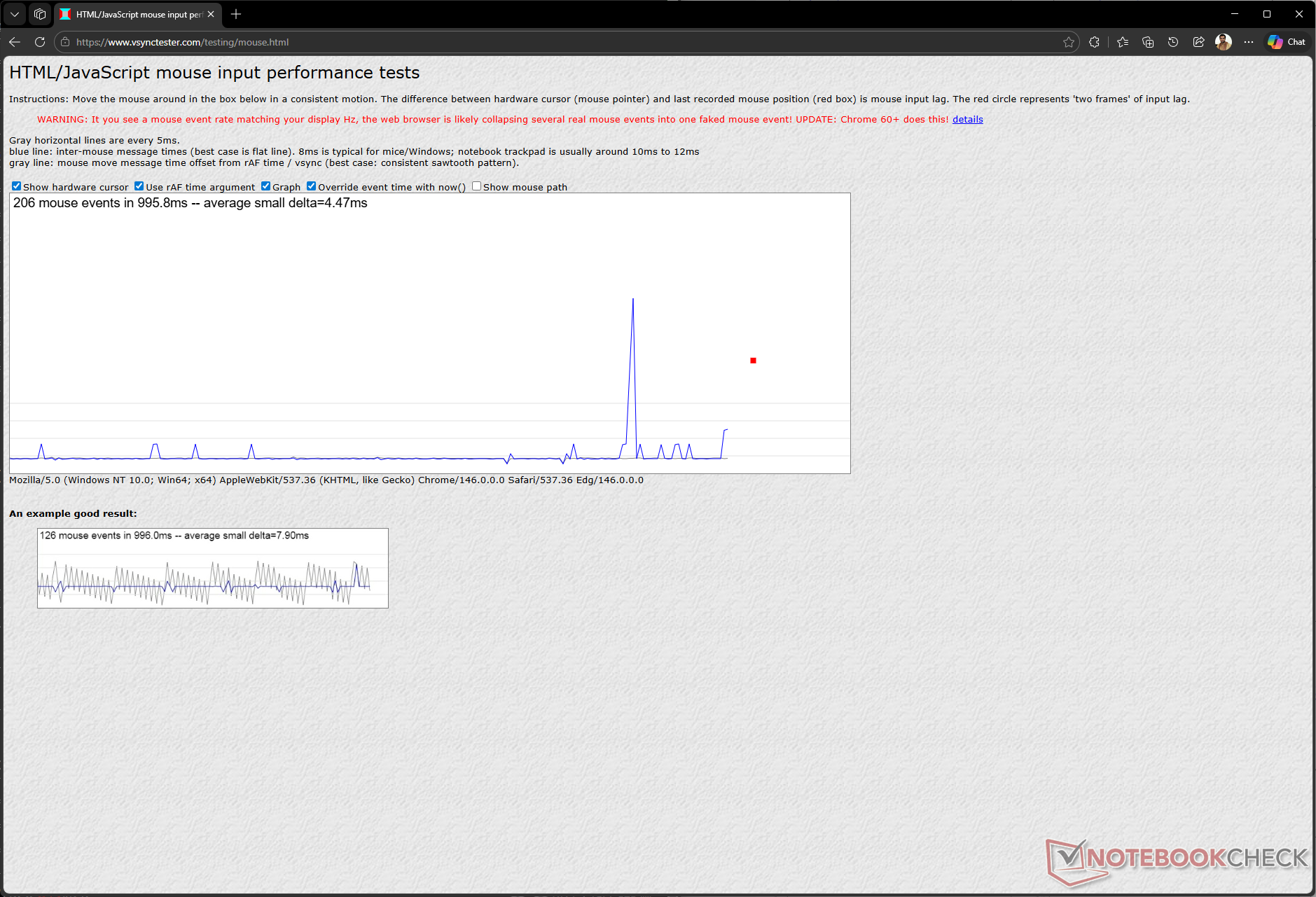
Input lag across the tested DPIs was around 4 ms, which is quite low compared to 8 ms we typically see with desktop mice.
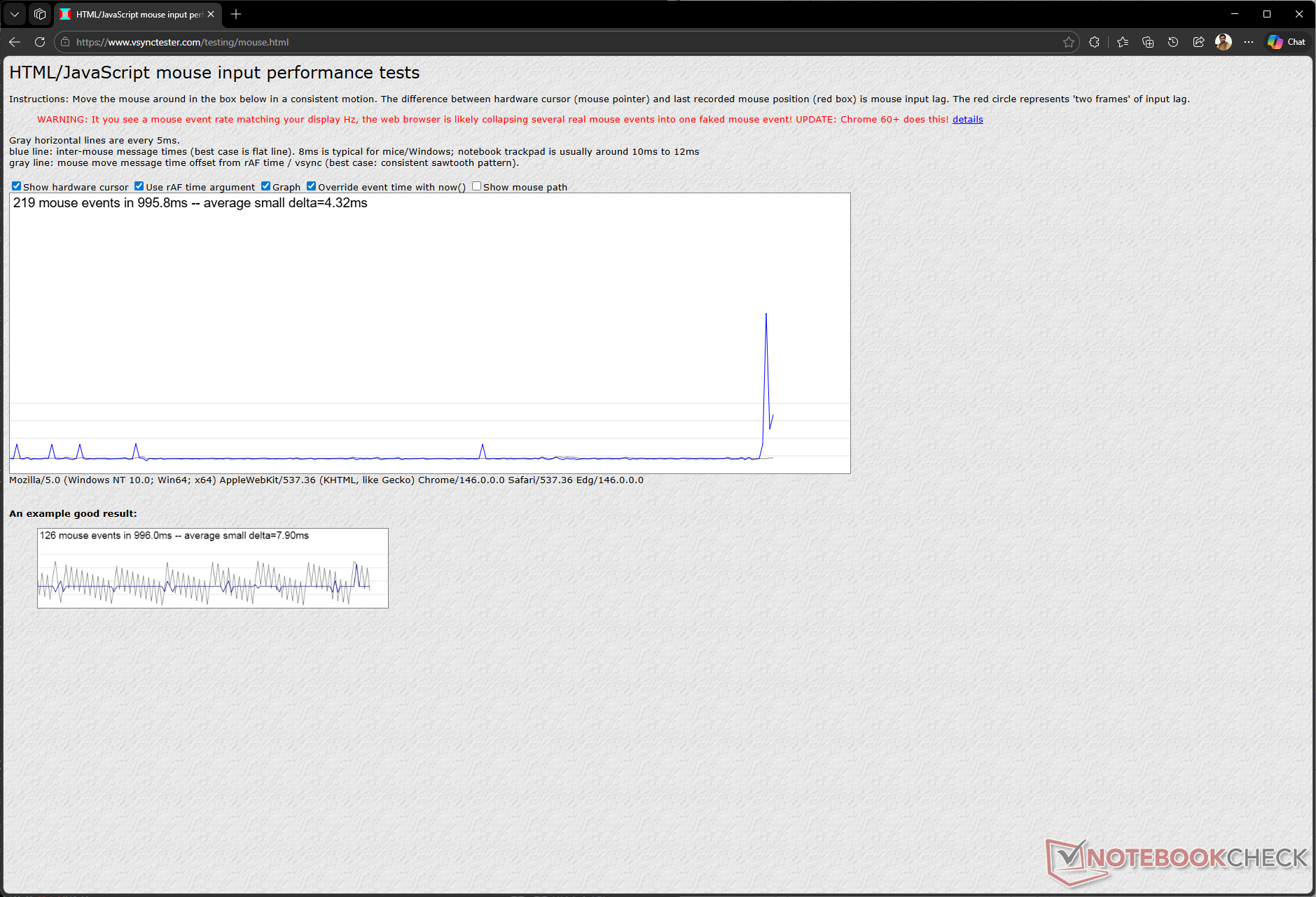
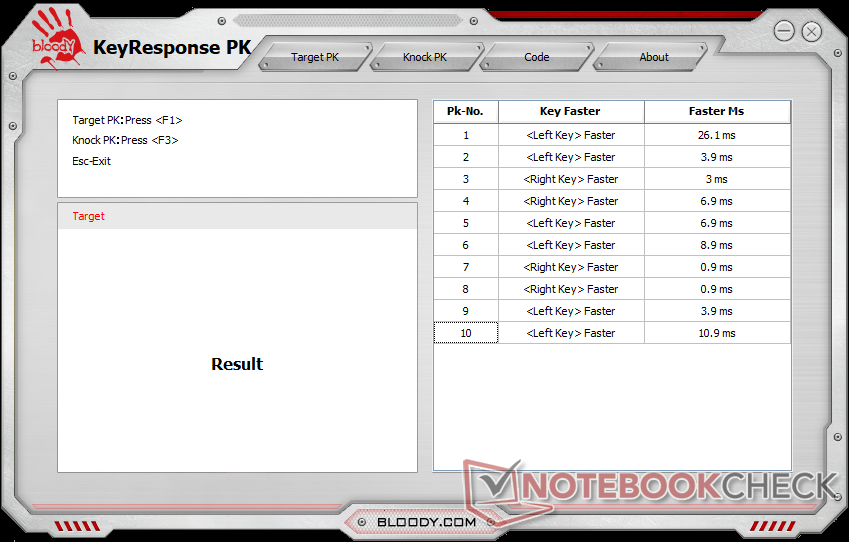
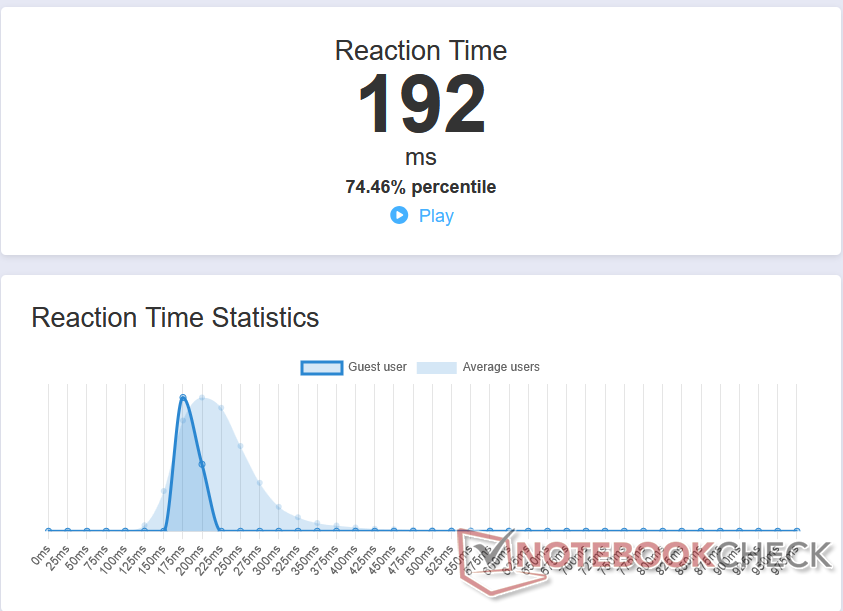
Response times with left and right clicks were low despite the mouse being wireless. We also achieved an average reaction time of 192 ms in the Human Benchmark tool.
While these readings vary widely from user to user, they indicate that the Pulsefire Fuse Wireless is indeed amenable for quick reactions in games.
Transparency
The selection of devices to be reviewed is made by our editorial team. The test sample was given to the author by the manufacturer free of charge for the purposes of review. There was no third-party influence on this review, nor did the manufacturer receive a copy of this review before publication. There was no obligation to publish this review. As an independent media company, Notebookcheck is not subjected to the authority of manufacturers, retailers or publishers.
 Add as a preferred source on Google


