




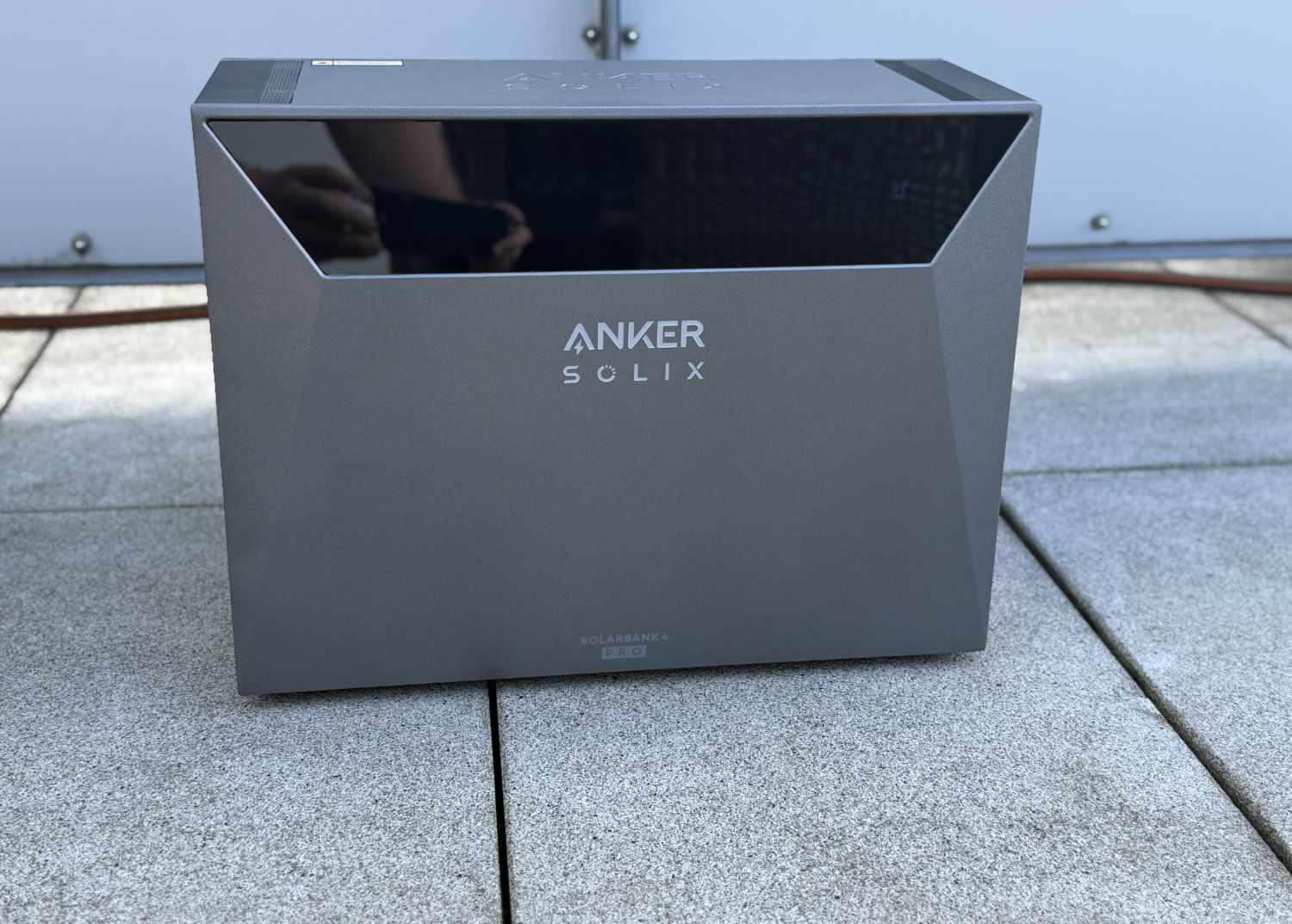
Even more power and capacity: Anker Solix Solarbank 4 Pro review
More than just a balcony power plant.
The Anker Solix Solarbank 4 Pro offers nearly twice the power and capacity of its predecessor. Our Solarbank 4 Pro review reveals what this means in practice and who this high-performance PV storage system is suitable for.Marcus Schwarten (translated by Marcus Schwarten (translation supported by DeepL)) Published 🇩🇪 🇳🇱 ...

Anker Solix Solarbank 4 Pro test conclusion: Strong, stronger, Solarbank 4
The Anker Solix Solarbank 4 Pro impressed in testing with its performance and functioned flawlessly throughout the testing period. With this fourth generation, Anker Solix has definitively moved beyond the realm of balcony power plants—even though operation at up to 800 W is possible. Its maximum feed-in and charging power of 2,500 W and PV input of up to 5 kWp bridge the gap between balcony microgeneration systems and small PV installations.
For those who plan to stay within the 800-W feed-in limit in the long term and use no more than four solar panels, the Solarbank 3 Pro remains sufficient based on our impressions. The fourth generation is particularly appealing because of its power reserves. If feed-in power of more than 800 W or PV modules totaling more than 2,000 Wp—the current statutory limits for plug-in solar systems—are planned either from the outset or in the future, the new generation offers significantly more room for expansion.
Pros
Cons
Price and availability
The manufacturer’s suggested retail price for the Anker Solix Solarbank 4 E5000 Pro is 1,999 euros. It is available directly from the manufacturer as well as on Amazon—often at a discounted price and optionally in various bundles.

Table of Contents
- Anker Solix Solarbank 4 Pro test conclusion: Strong, stronger, Solarbank 4
- Specifications: Solix Solarbank 4 Pro vs. Solarbank 3 Pro
- Features: Twice as much as the Solarbank 3 Pro
- Installation: Full power requires a qualified electrician
- App: Now with its own AI assistant
- Real-World Use: Impressive PV storage system
- Efficiency: Nearly 90 Percent makes it through
Every year, Anker Solix introduces a new Solarbank generation. In 2026, the Solarbank 4 Pro was launched, which—as one might expect—outshines the previous Solarbank 3 Pro in many respects.
We put the new storage system for balcony power plants and small PV systems through an extended hands-on test. Our Anker Solix Solarbank 4 Pro review reveals our impressions, what it has to offer, and who it is best suited for.
Specifications: Solix Solarbank 4 Pro vs. Solarbank 3 Pro
Before we get to the actual review, let’s first compare the specifications of the Solarbank 4 Pro with those of last year’s predecessor, the Solarbank 3 Pro (approx. 1,100 euros on Amazon). This provides an initial overview of the improvements and new features.
| Solix Solarbank 4 E5000 Pro | Solix Solarbank 3 E2700 Pro | |
| Capacity up to | 5,024 Wh | 2,688 Wh |
| Expandable | 30 kWh | 16 kWh |
| Battery type | LiFePO4 | LiFePO4 |
| Number of MPPT | 4 | 4 |
| PV input power | 5,000 W | 3,600 W |
| AC output power | 2,500 W | 1,200 W |
| AC charging power | 2,500 W | 1,200 W |
| AC outlet power | 3,600 W | 1,200 W |
| Dimensions | 460 × 305 × 355 mm | 460 × 254 × 279 mm |
| Protection | IP66 | IP65 |
| Weight | 50 kg | 29.2 kg |
| MSRP | 1,999 euros | 1,499 euros |
Features: Twice as much as the Solarbank 3 Pro
A glance at the spec sheet above shows that the new Anker Solix Solarbank 4 E5000 Pro is twice as powerful as its predecessor in many respects.
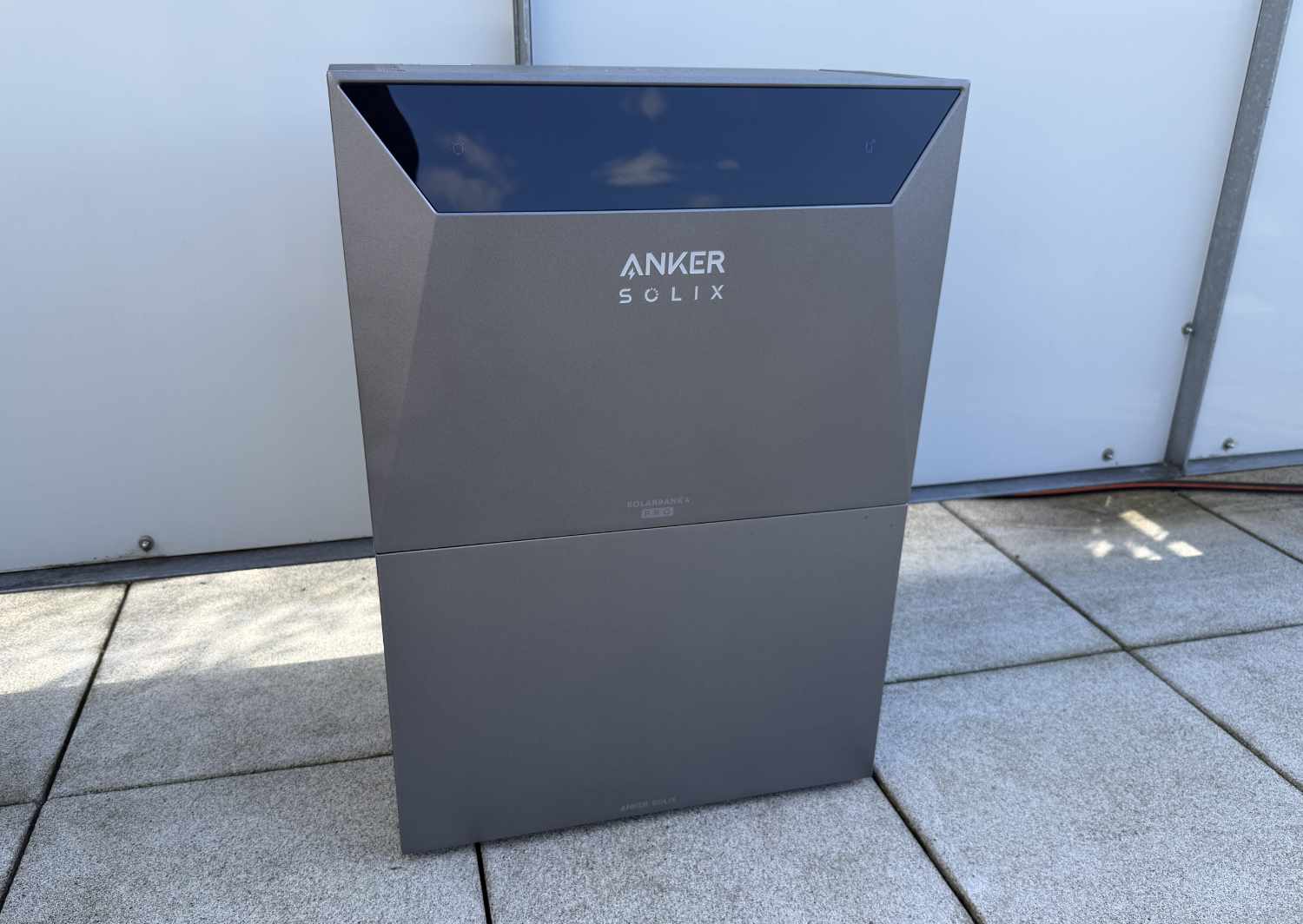
Let’s start with the storage capacity. The fourth generation features a long-life LiFePO4 battery (10,000 cycles or 15 years, according to the manufacturer) with a capacity of 5,024 Wh. That is a good 46 percent more than the Solarbank 3 Pro’s 2,688 Wh. The system can be expanded to up to 30 kWh using the BP5000 expansion battery, whose capacity has likewise increased to 5 kWh—again, nearly twice the Solarbank 3 Pro’s maximum of 16 kWh. It is also compatible with the older BP2700. In a multi-system configuration with the PowerDock, up to 120 kWh is possible.
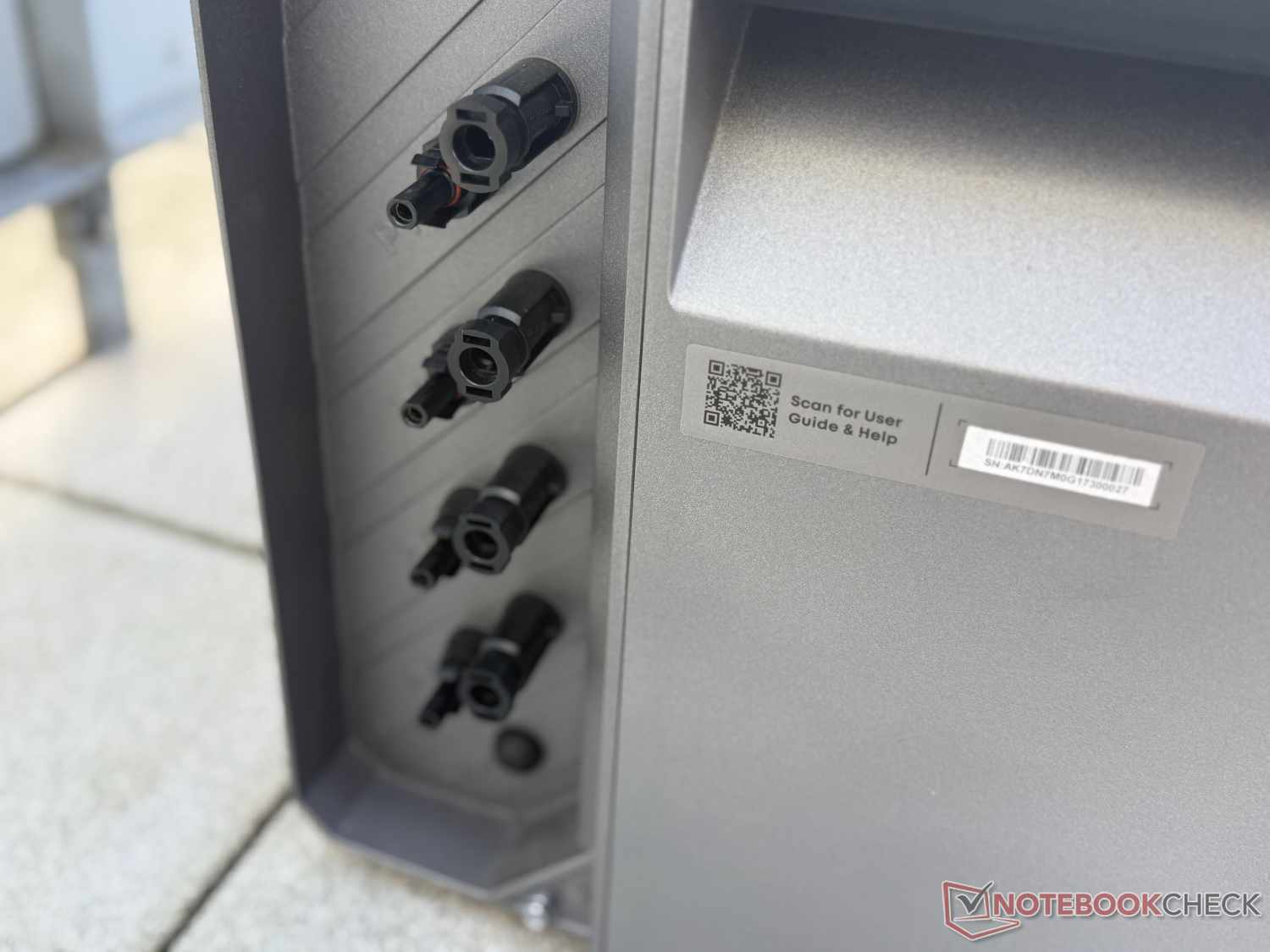
One thing that remains unchanged is that the Solarbank 4 Pro has four MPPT trackers (MC4 connectors, 16 to 50 V, max. 36 A). However, they can now handle up to 5,000 W of input power from solar panels. That is 1,400 W more than before and definitively takes the new generation beyond the realm of small balcony power plants.
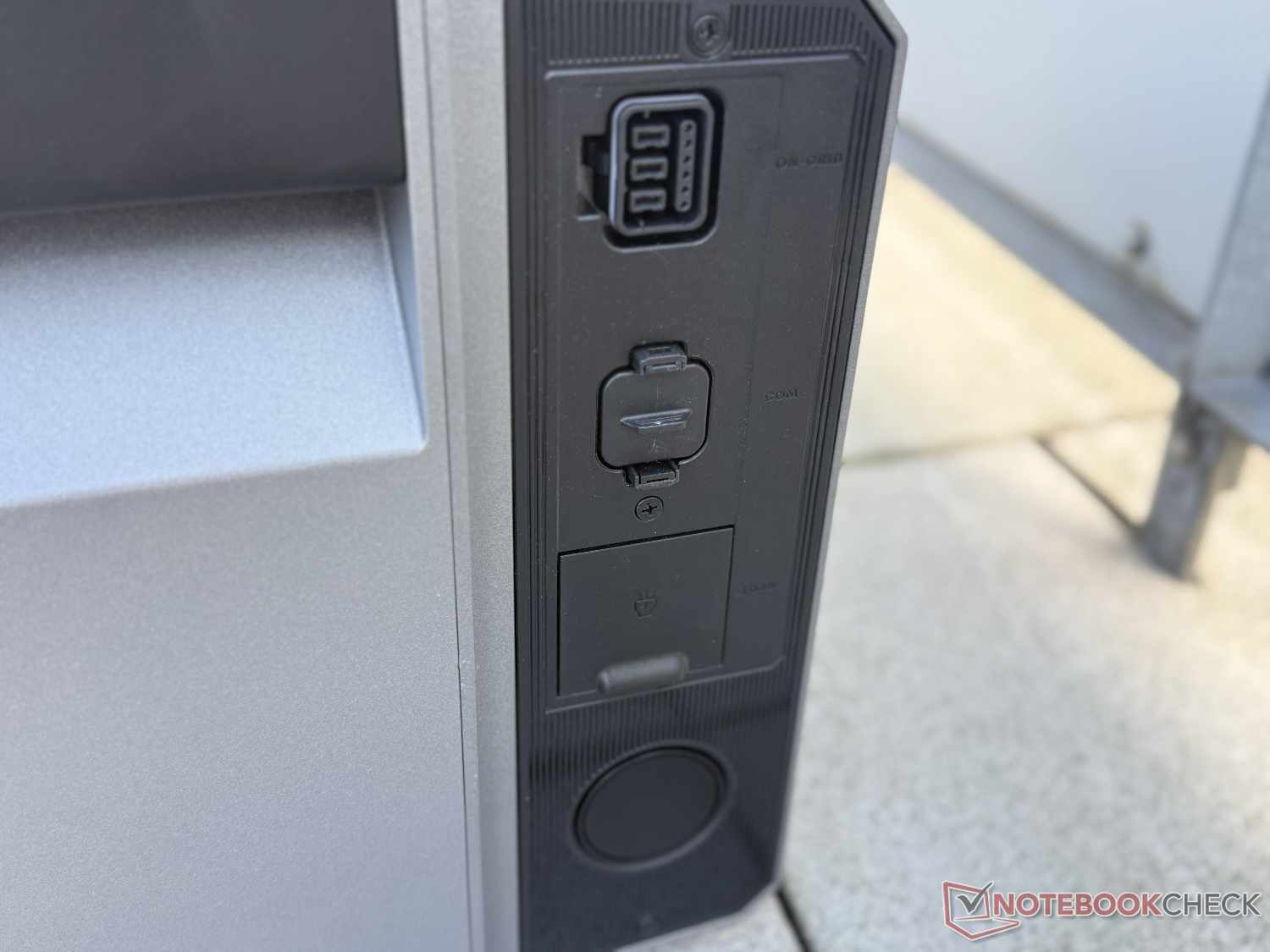
This is also reflected in the maximum feed-in power to the home grid, which has more than doubled to 2,500 W. However, this requires the use of a Wieland outlet and registration as a PV system—more on this later in our Solarbank 4 Pro review. The system can also operate at 800 W (800 VA). We do not want to go into too much detail about the rules and regulations here, as that would go beyond the scope of this review. The battery can now also be charged from the utility grid at up to 2,500 W, which is particularly interesting when combined with dynamic electricity rates.
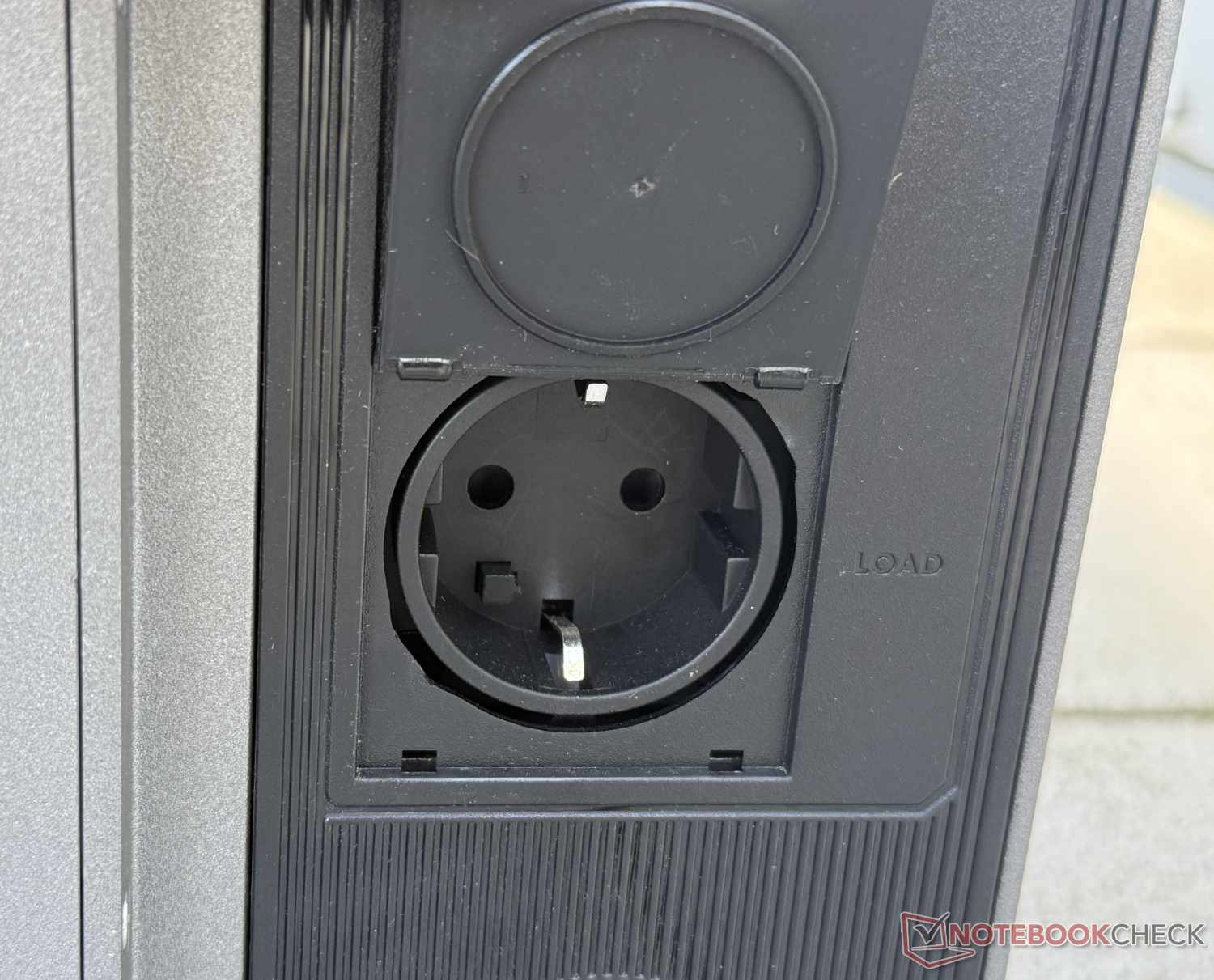
Like the previous generation, the fourth version also features an emergency power outlet that can operate independently of the grid. This allows individual devices drawing up to 2,500 W to be powered even during a power outage. With support from the grid, up to 3,600 W is possible. In several practical tests, the UPS function kicked in within a few milliseconds, ensuring a largely uninterrupted power supply.
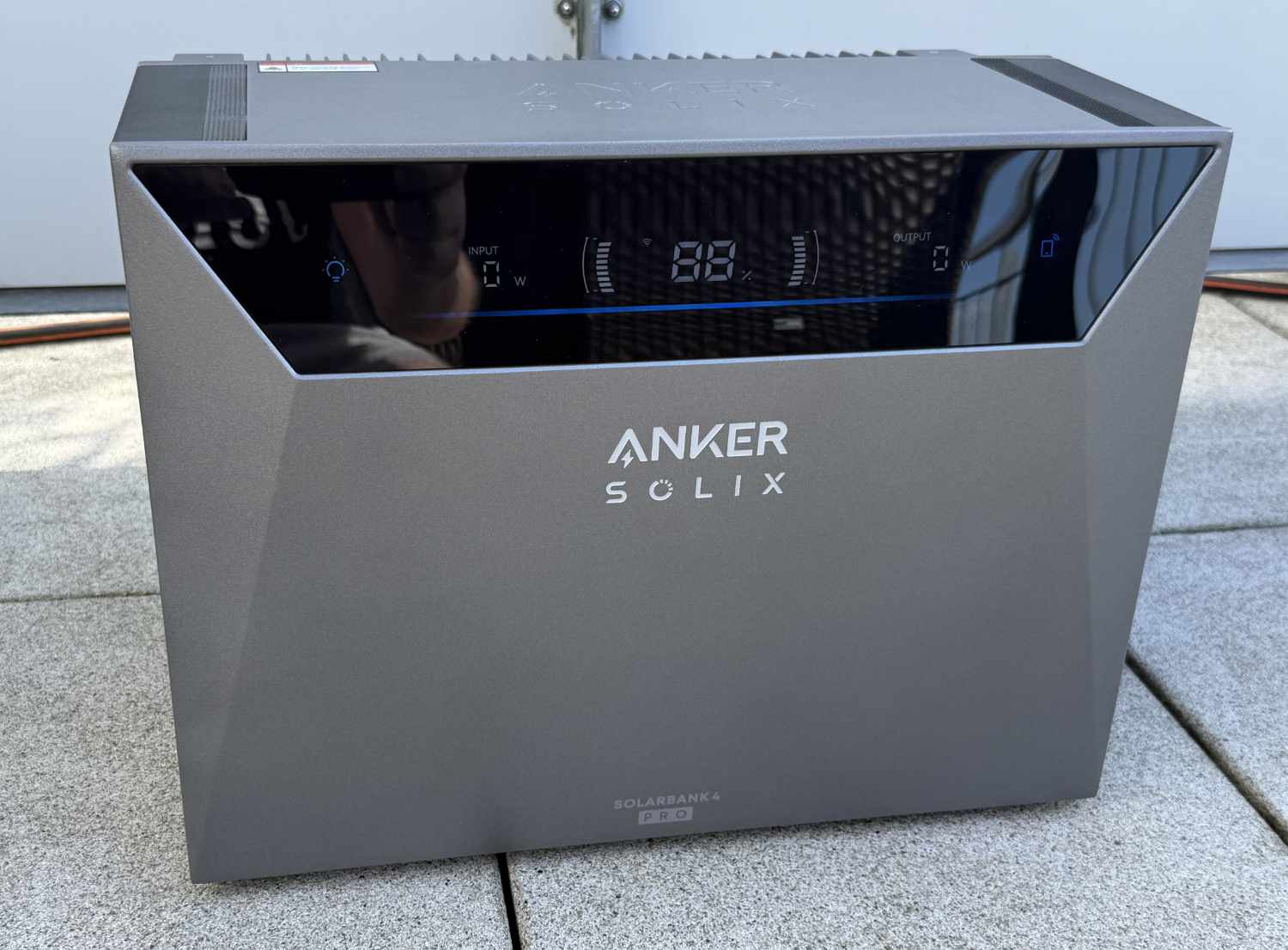
There are also several other changes that stand out compared with the Solarbank 3 Pro. In addition to the higher weight of around 50 kg, Anker Solix has changed the connection cable. It connects to the system using a different plug and is also thicker, meaning it is better equipped to handle up to 2,500 W. The manufacturer has also integrated a display into the front, similar to what we saw on the Solarbank AC Max this past spring. This is convenient because important data such as PV yield, grid feed-in, and battery charge level can be viewed directly on the Solarbank.
Installation: Full power requires a qualified electrician
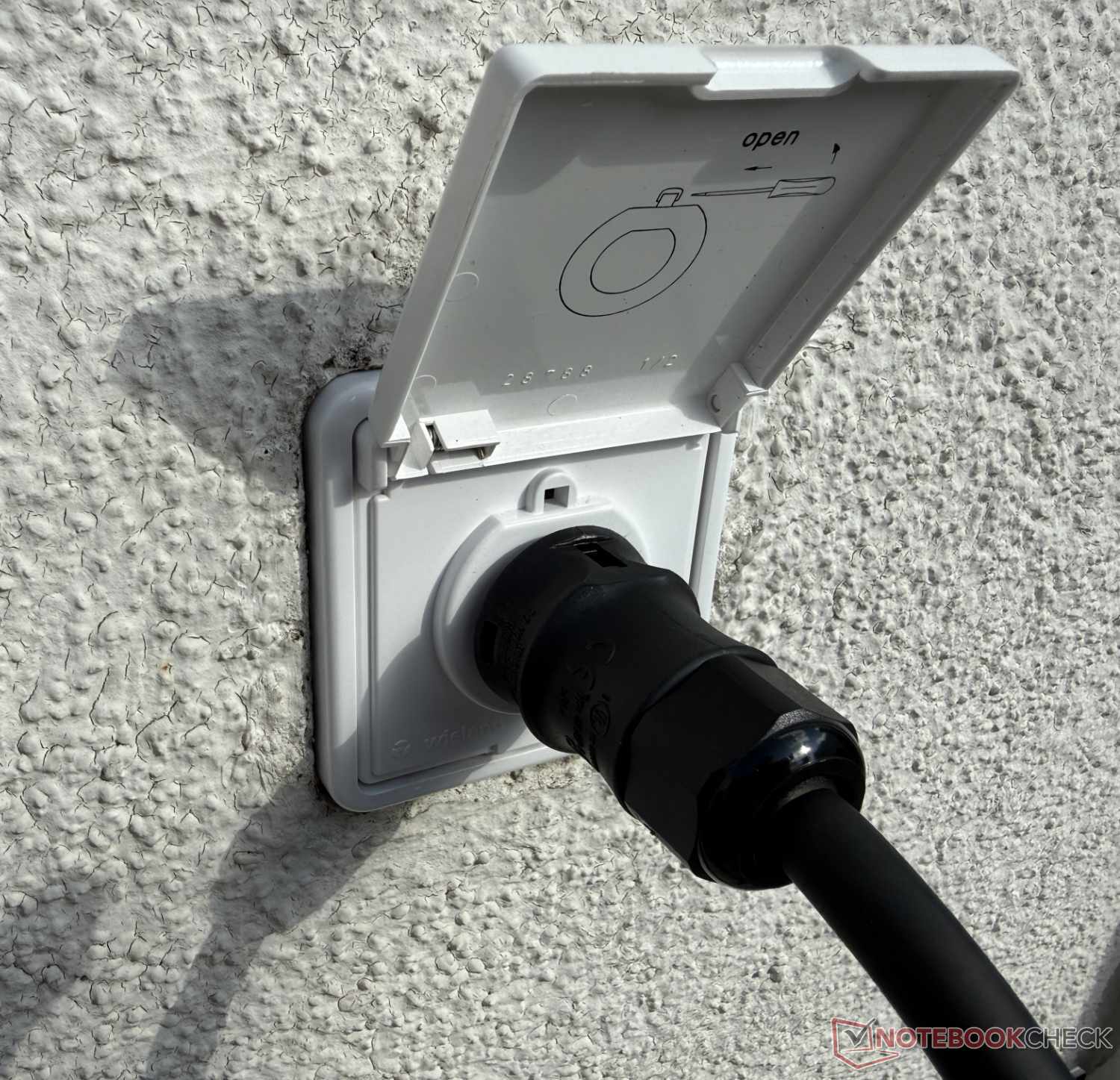
If you want to take full advantage of the Anker Solix Solarbank 4 Pro, you will need a qualified electrician to connect it via a Wieland outlet (matching cable not included; sold separately) and register it as a PV system. Otherwise, the steps are no different from the simple installation of a balcony power plant with a Schuko outlet.
First, the Solarbank 4 Pro must be carried to the installation site, which is a truly Herculean task given its weight of 50 kg. Two people are recommended. If it is installed together with one or more additional batteries, the main unit must also be lifted onto them. The connectors on the bottom and top must interlock.
After this strenuous task, the usual steps follow, such as connecting the system to the power grid and the solar panels. You will also need to connect it to the app and your home Wi-Fi network. The app guides you through the process well, so we did not encounter any problems during our test. Which brings us directly to the next topic.
App: Now with its own AI assistant
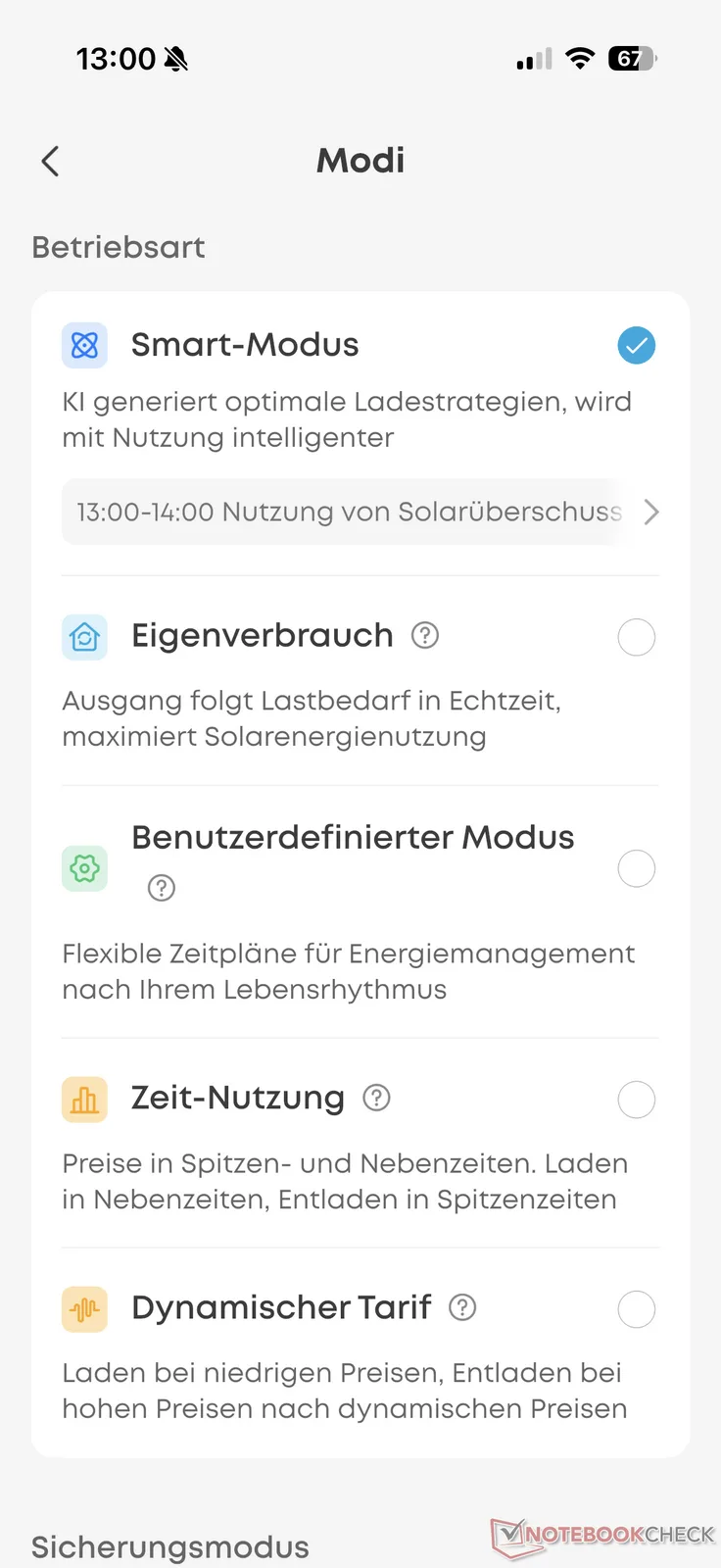
The Anker app is the control center for the Solarbank. It has become increasingly comprehensive over the past few years. At its core, however, nothing has changed. Various modes are available for controlling the system and its power feed-in, which we briefly introduce and explain below:
- Smart Mode: This is the most comprehensive mode. In addition to measuring household consumption via a compatible smart meter, it also takes dynamic electricity prices into account. The AI mode initially learns usage patterns and then seeks to maximize savings.
- Self-Consumption: This is the classic mode for households with a smart meter but without a dynamic electricity rate. The system adjusts power feed-in in real time to match the household’s electricity consumption.
- Custom Mode: This mode lets users create flexible schedules to adapt power feed-in to their routines. It is suitable for households without a smart meter. Discharging and charging can be configured in half-hour intervals and 50-W increments.
- Time-of-Use: This mode takes peak and off-peak prices into account, charging during off-peak periods and discharging during peak periods.
- Dynamic Rate: This mode takes a dynamic electricity rate into account, discharging when prices are high and charging when electricity costs are low.
In addition, there are two safety modes—Severe Weather Protection (automatic monitoring of warnings and preemptive charging for disaster preparedness) and Fast Charging (quick-start charging at maximum power)—which can be activated as desired.
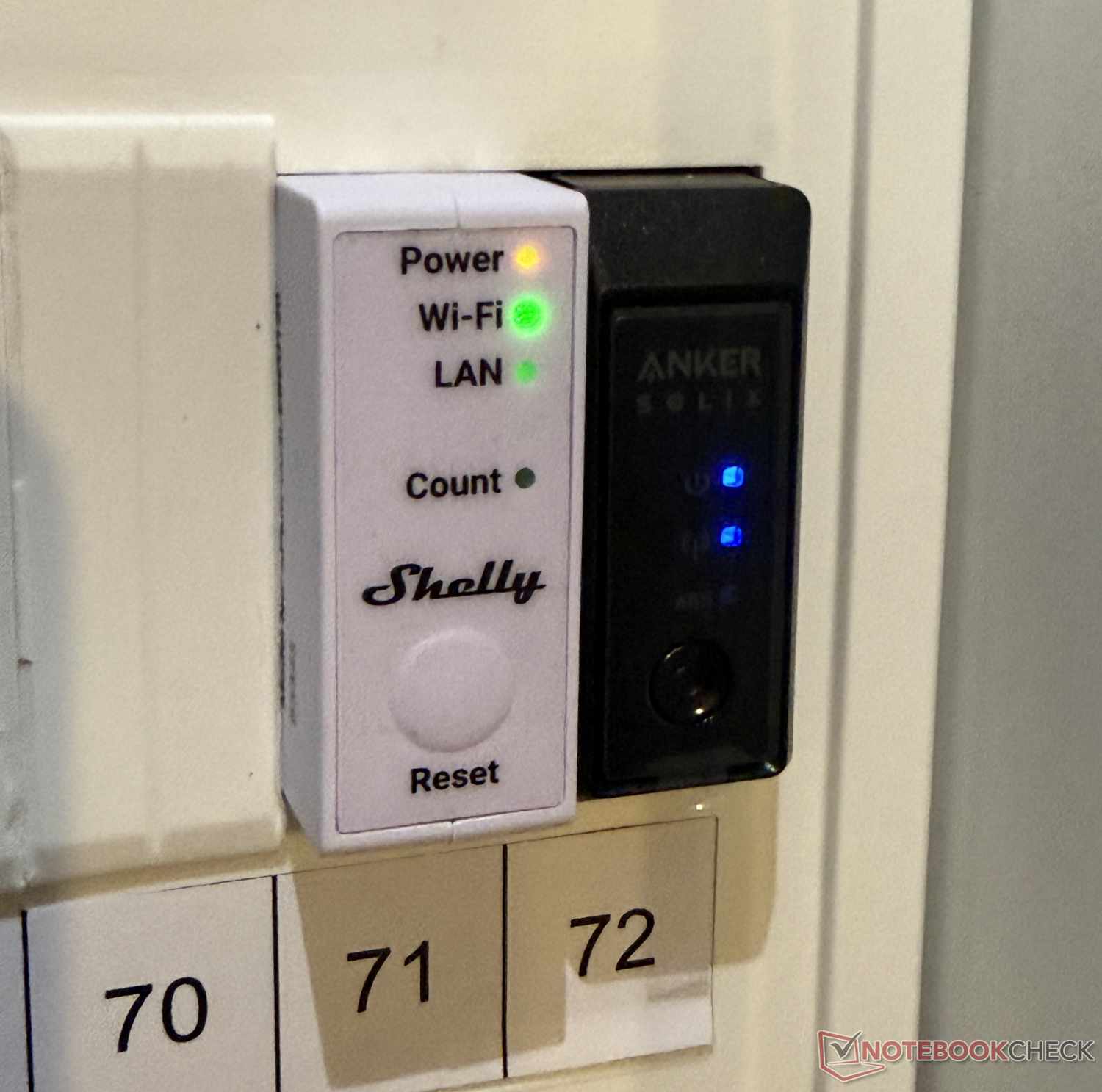
Of course, the Solarbank 4 Pro is most useful when paired with a smart meter. The new second-generation Anker Solix Smart Meter, which is now half as wide as its predecessor, is not the only compatible option. Anyone already using a Shelly Smart Meter or an everHome tracker can also connect it to the Solarbank. For our test, we tried a Shelly Pro 3 EM in addition to Anker’s solution, and it also worked without any issues.
In addition to setup and control, the Anker app is, of course, also used to view and analyze statistics. As usual, it provides significantly more information than the new display on the device itself. In addition to PV yield, the app provides detailed figures for household consumption, battery charge level, and electricity drawn from or fed into the grid—by day, week, month, and year. It also provides an energy balance showing where the generated energy went (home, storage, or grid) and how much money has already been saved based on the electricity price entered beforehand.
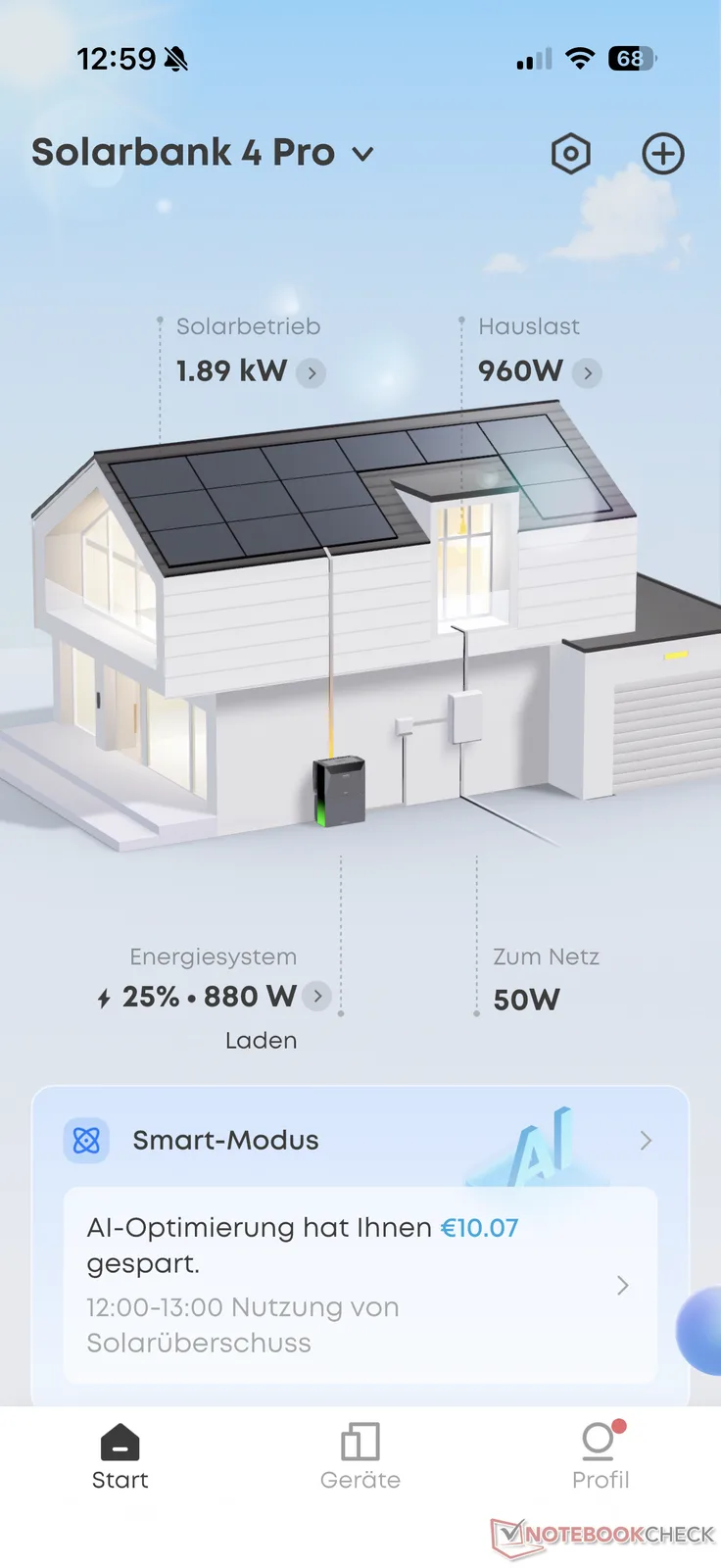
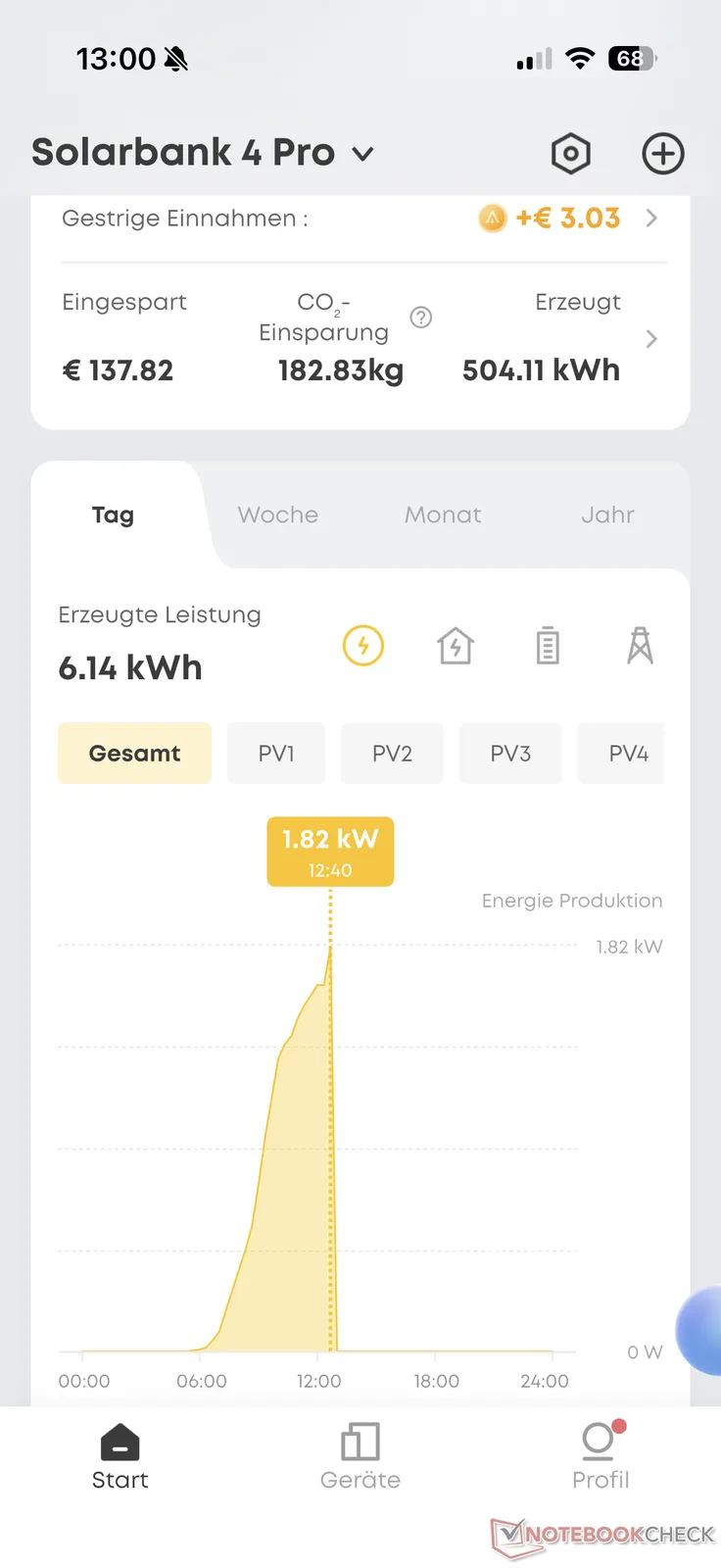
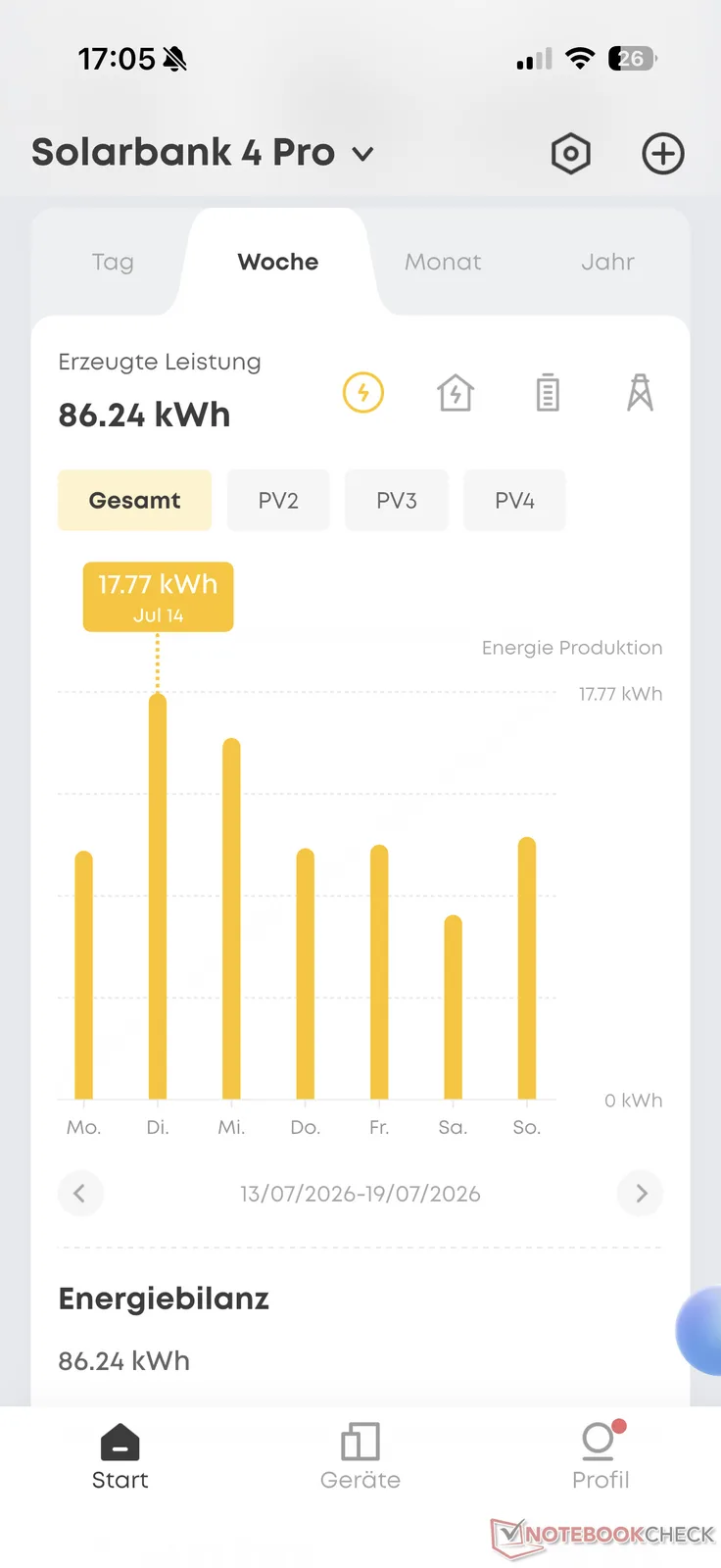
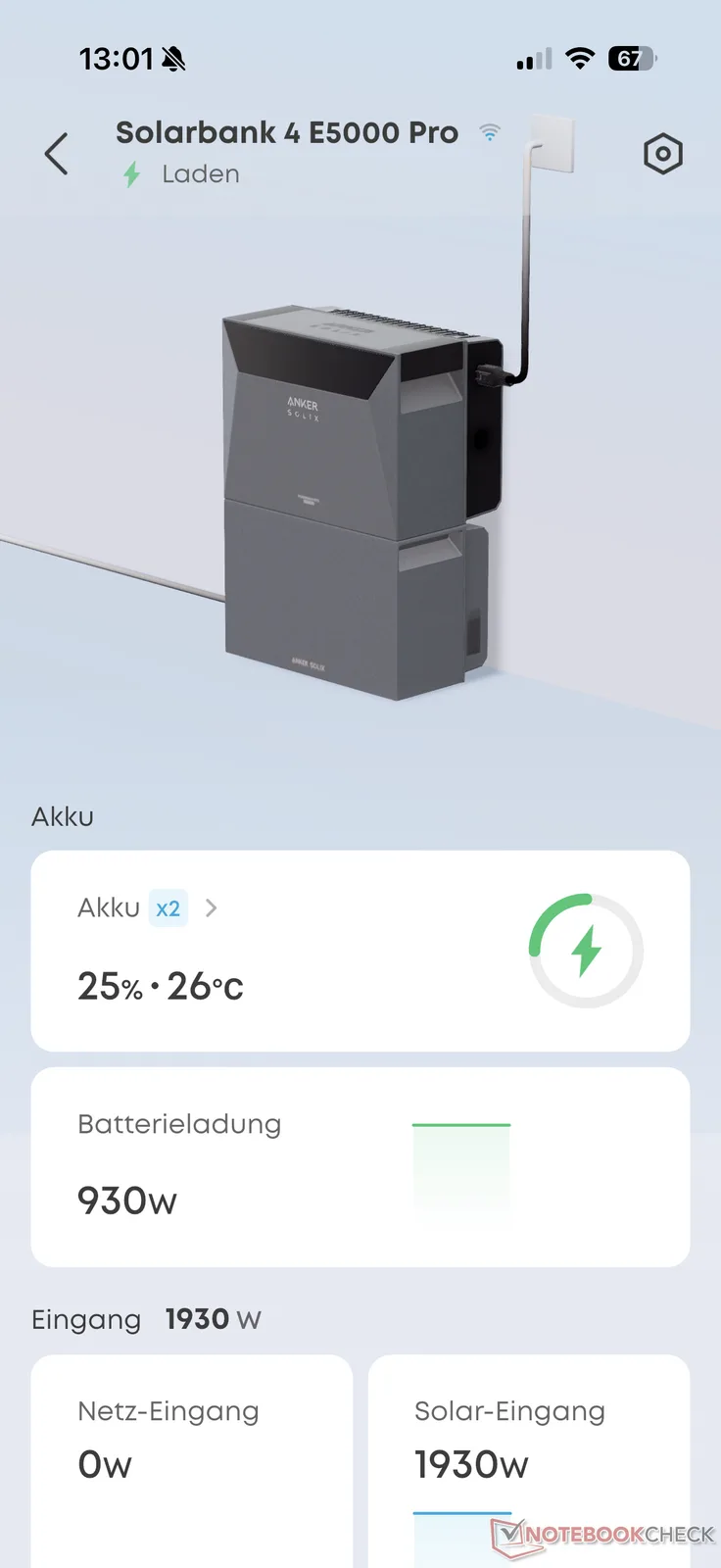
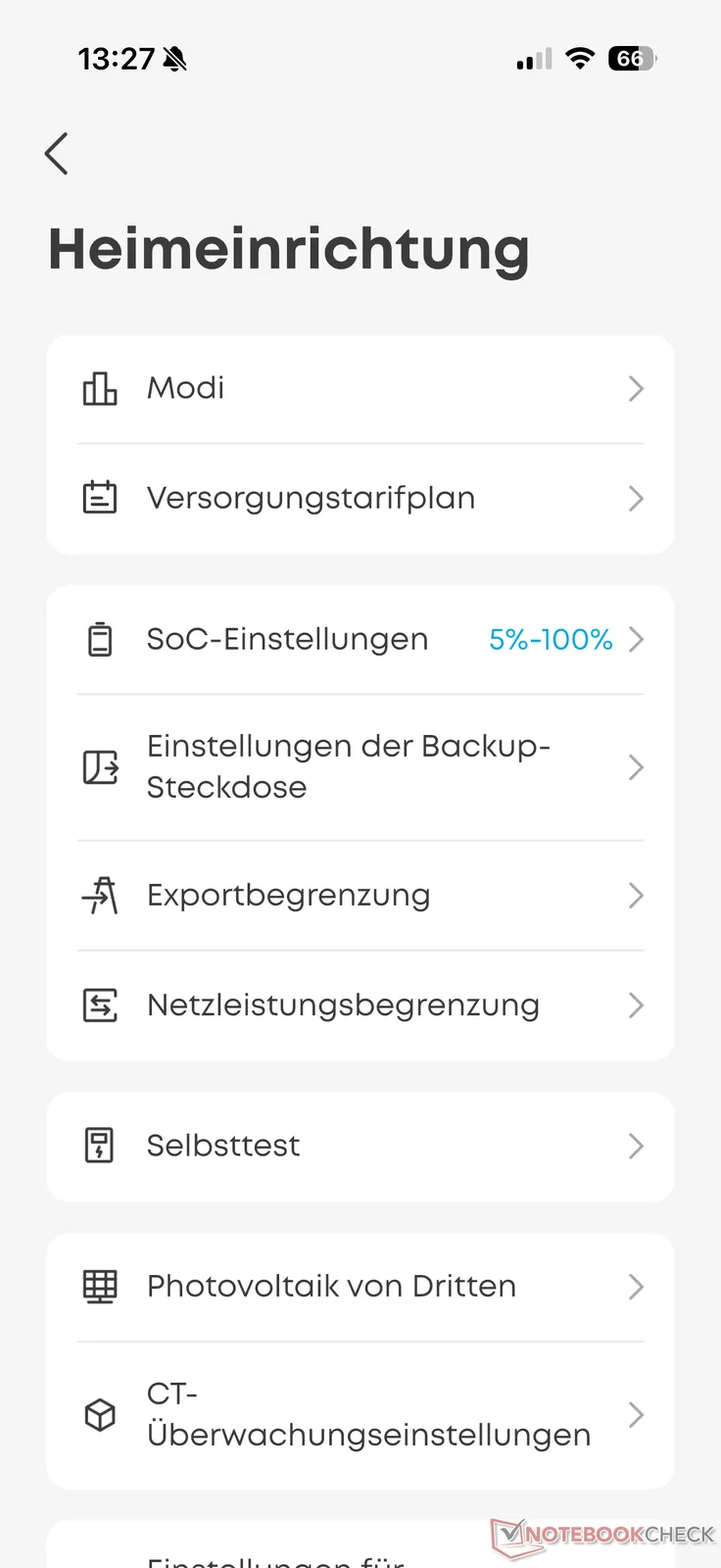
Another new feature is Anka, Anker’s own AI assistant. It can, for example, provide relevant energy recommendations based on the user’s lifestyle and device configuration. The assistant can also be controlled by voice to change settings or retrieve data. This worked well in several test queries and generally provided helpful information and relevant tips. It is a technical gimmick that can help users better understand and optimize the system.
Conveniently, the Solarbank 4 Pro can be integrated directly into Home Assistant without using the cloud. A direct connection via “Modbus TCP” is available and can be configured using the official Anker Solix integration in Home Assistant.
Real-World Use: Impressive PV storage system
During the test period, we initially operated the Anker Solix Solarbank 4 Pro—which, as usual, is very well made—as a balcony power plant with 800 W of feed-in power. Later, after registering it as a PV system, we operated it at the full 2,500 W via a Wieland outlet. Running it at full power is especially enjoyable after spending years using a balcony power plant limited to just 800 W.
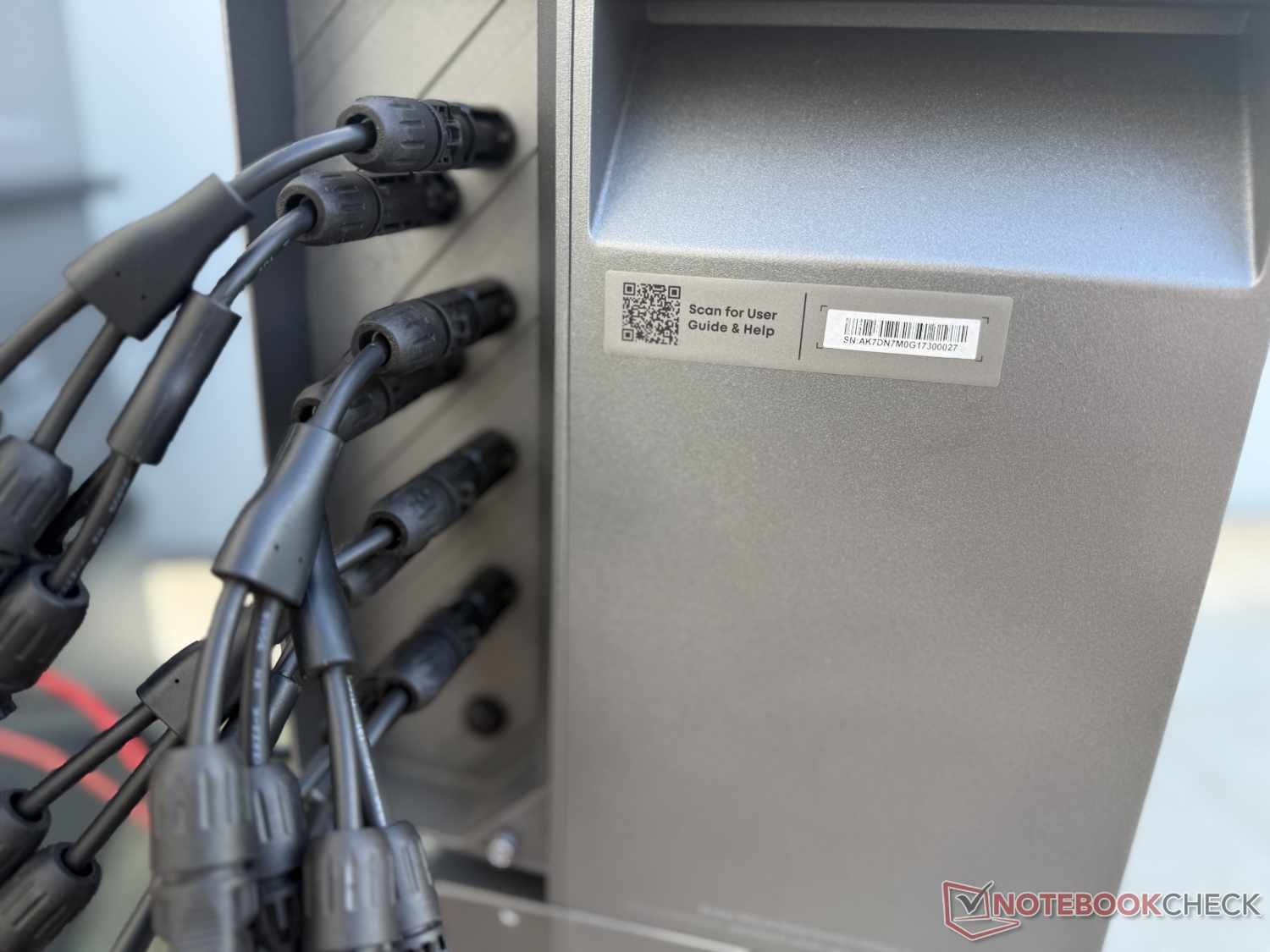
Once the red tape involved in installation, registration, insurance, and so on has been dealt with—which, of course, entails costs that make the purchase more expensive—the output of up to 2,500 W is sufficient to cover a large portion of the household load throughout the day. Additional electricity must be drawn from the grid only for a few high-power appliances or when several of them are running at the same time—which should ideally be avoided :-)—provided sufficient PV power is available. On sunny summer days, near-total self-sufficiency is therefore possible if enough panels are connected—in our test setup, seven panels totaling approximately 3.2 kWp. However, based on our test observations, the system could start operating a little earlier and continue generating a little later than it does, especially compared with some competitors. In other words, it could operate more effectively in low-light conditions.
In addition to the various modes for different use cases, the fast response to the smart meter’s readings stood out positively in our test. The system generally fed only a few watts too much or too little into the home grid. Consequently, with a sufficient battery charge and feed-in power, very little electricity was drawn from or fed into the utility grid and thus given away unnecessarily (zero feed-in).
We were able to test the AI mode only to a limited extent because we did not have a dynamic electricity rate. However, our initial impressions are quite positive. Those who want to maximize their savings can have the battery charge automatically and intelligently when electricity prices are low. With a conventional electricity rate without dynamic pricing, however, this makes no sense because the electricity purchased for this purpose always costs the same. It is therefore generally better to purchase it only when needed rather than temporarily storing it with slight losses (see the next section), except for disaster and power-outage preparedness.
Efficiency: Nearly 90 Percent makes it through
How profitable a balcony power plant or PV system is depends on various factors. In addition to the most obvious factor—the weather—the number and orientation of the connected PV modules, as well as the intelligent use of the energy generated, naturally play decisive roles. However, these factors vary from system to system and from household to household.
The efficiency of the system should not be overlooked either. We had the system continuously feed 400 W into the home grid. When discharging from 100 percent to the configured lower limit of 5 percent (5,024 Wh × 0.95 = 4,773 Wh), the system supplied approximately 4,250 Wh to the home. This means that around 89 percent of the stored energy was usable in this case.
In the other direction—when charging from the utility grid at up to 2,500 W—the uncalibrated meter recorded approximately 5,400 Wh flowing into the Solarbank 4 Pro. This means that approximately 13 percent of the supplied energy did not end up in the battery. One notable observation in practice was that, during a test charge at up to 2,500 W, the system maintained this power level at the Wieland outlet only for a while. The figure then dropped below 2 kW.
Overall, the Solarbank 4 Pro demonstrated solid efficiency. It should be noted that the efficiency figures also depend on the feed-in and charging power. They therefore provide only an approximate indication.
Transparency
The selection of devices to be reviewed is made by our editorial team. The test sample was provided to the author as a loan by the manufacturer or retailer for the purpose of this review. The lender had no influence on this review, nor did the manufacturer receive a copy of this review before publication. There was no obligation to publish this review. As an independent media company, Notebookcheck is not subjected to the authority of manufacturers, retailers or publishers.
 Add as a preferred source on Google


