Review: Dell Studio 15 Notebook
A new addition to the family.
Until now, Dell has offered two notebook series for private customers. On one hand were the Inspiron laptops, primarily designed for the price conscious newcomer, and on the other the XPS series, renowned for its performance and slick design. The new Studio line closes the gap between the existing models, orienting itself towards the design conscious multimedia user.

Those who liked the look of the Dell XPS ranks, but nevertheless could not get past the purchase price (and probably because cutting edge performance had far less importance to them) could well find what they are looking for with the new Studio models from Dell. They combine the fundamentals of the well known XPS design with the robust and budget image of the Inspiron ranks.
Like the usual Dell notebook families, the Studio models also provide extensive configuration possibilities, concerning not only hardware and software but also the notebook's appearance. In this respect, there are currently a total of 11 different designs to choose from, encompassing both a choice of colours for the display lid as well as various surfaces and colour features for the case.
Case
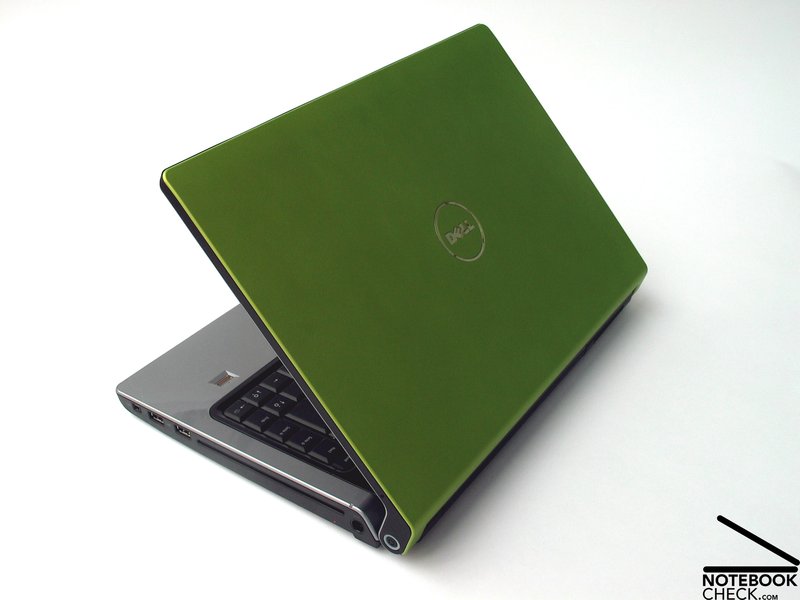
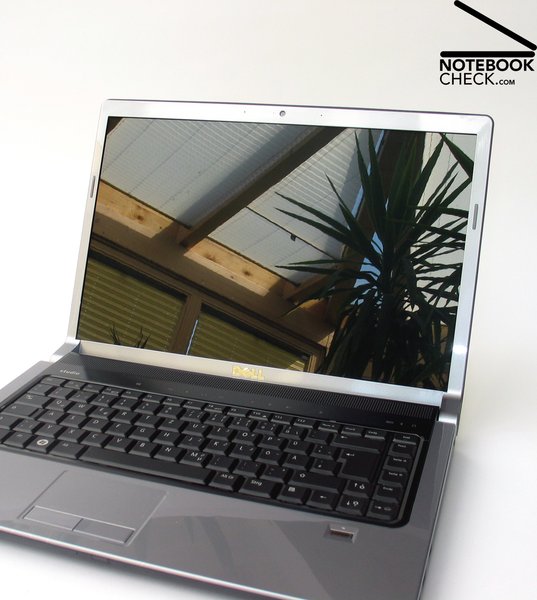
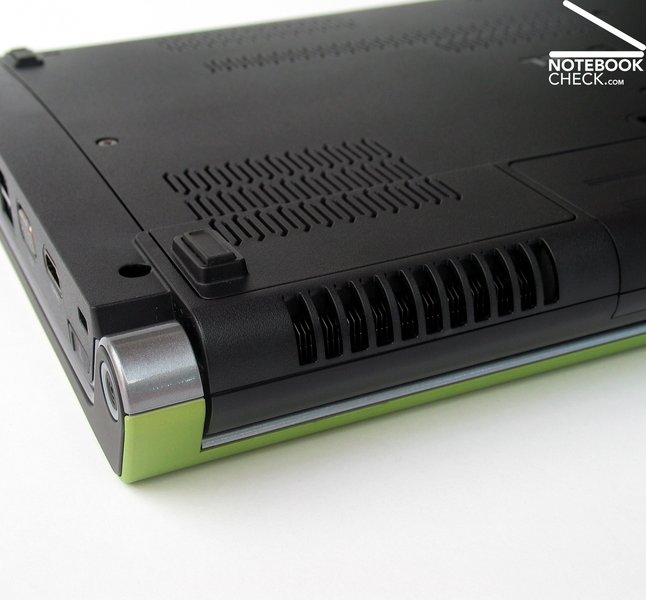
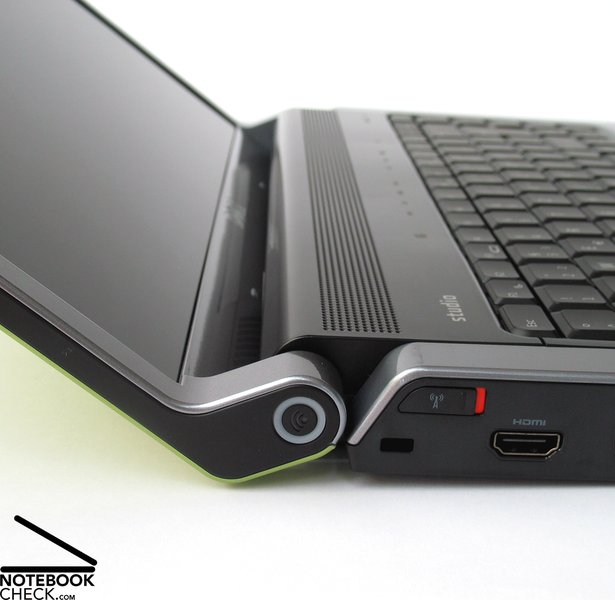
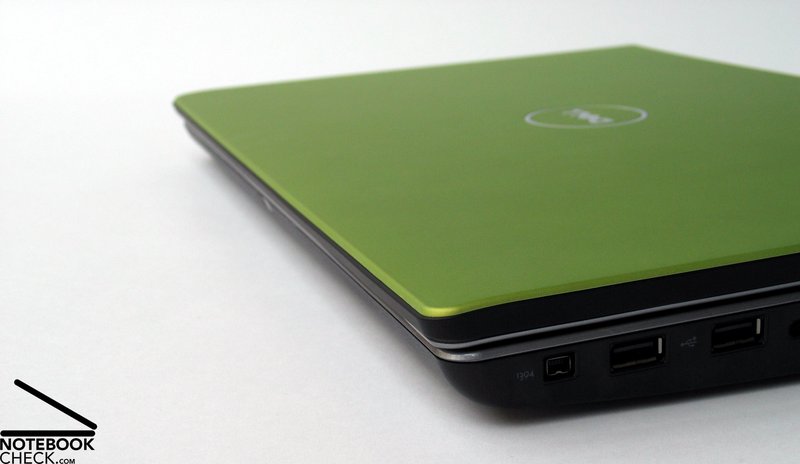
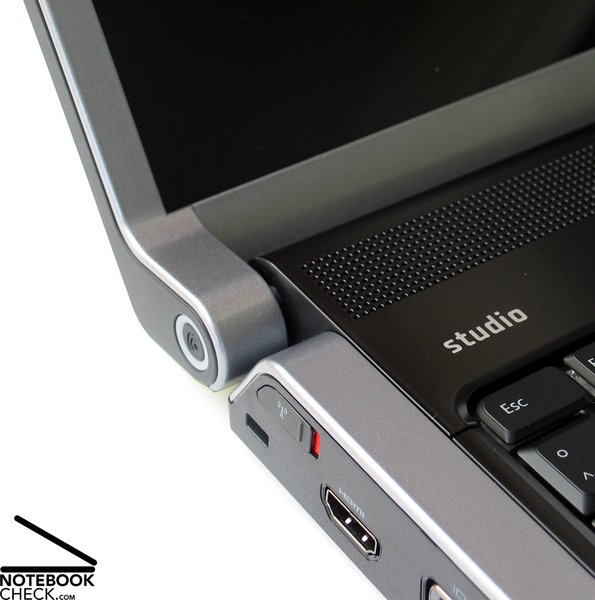
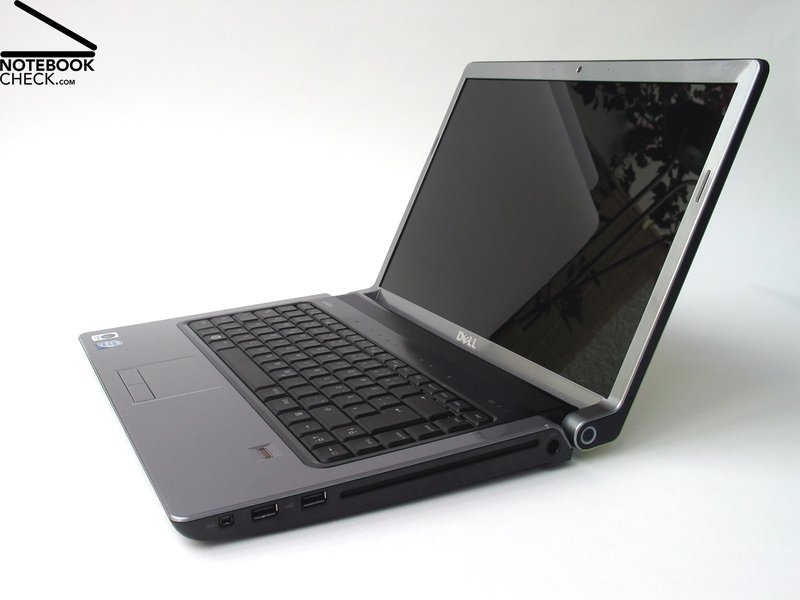
Even at first sight, the similarity between a Dell Studio 15 and a Dell XPS M1330 or even an XPS M1530 is clear. The biggest marker of this is the creatively distinctive hinge design, by which the closing mechanism is fastened to the unit's edges, making the display fold back behind the base unit upon opening. Aside from its interesting appearance, this arrangement makes both hinges extraordinarily sturdy, due to their larger dimensions.
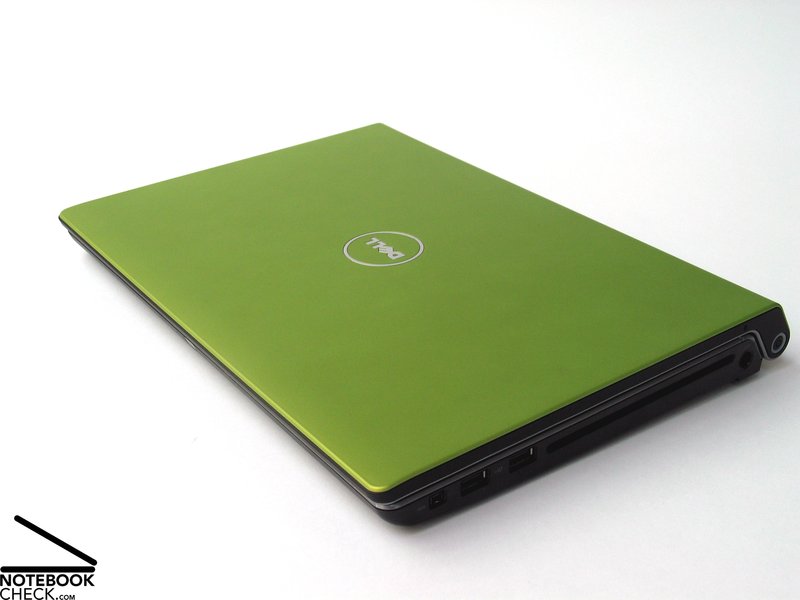
As in the XPS models, the colouration of the case plays an important role in the new Studio notebooks too. With a total of eight colours available, almost every aesthetic is taken care of. Those who prefer a discreter style will probably feel most at home with the black surface, while the more adventurous might be happier with red, orange or green.
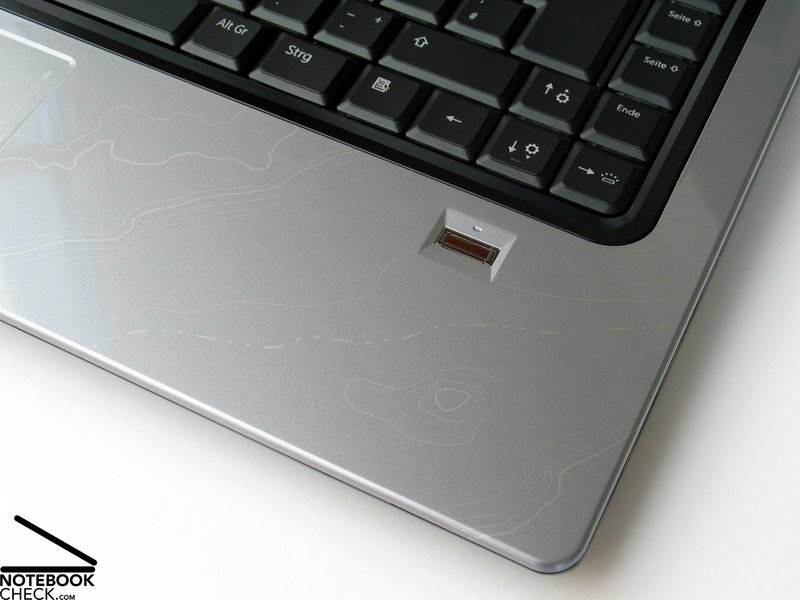
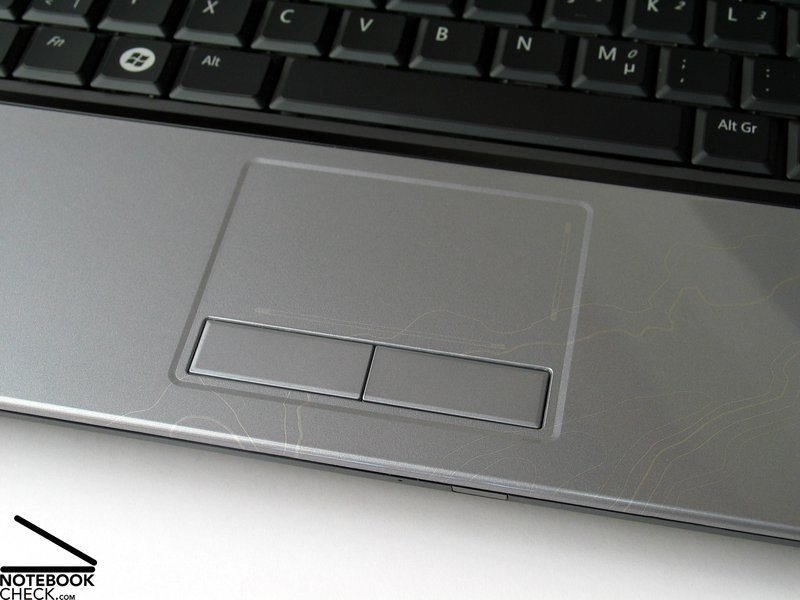
Not to fall behind the current trend, if desired, Dell will also factory apply patterns to the high-reflective base unit, similar to the Imprint Finish from HP. Selecting the term "topo" for example in the online shop will provide a variation in the base unit design with various heavy lines resembling (as the name suggests) the topographical pattern of a map. On the device itself however, these markings don't always look hugely effective. At first sight, they could even look a bit like a varnish or moulding defect in the exterior.
Although the surface materials are set entirely in plastic, the Dell Studio 15 generally does leave an impression of high quality. Although while working with the laptop we did notice minor deformations in the casing, both in the palm-rest area and on the under side, creaking noises remained almost non-existant. This also applied to picking the device up from the relatively small front edge - the Studio 15 handled this test pretty much trouble free.
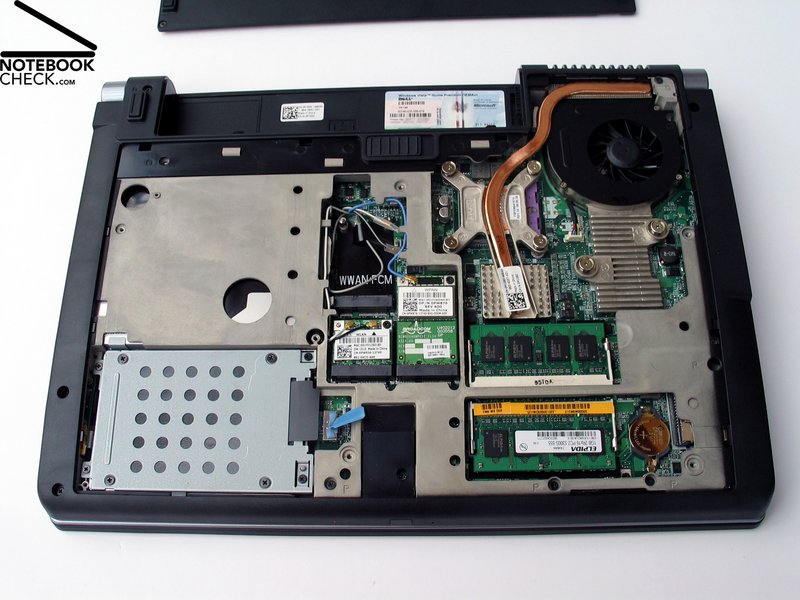
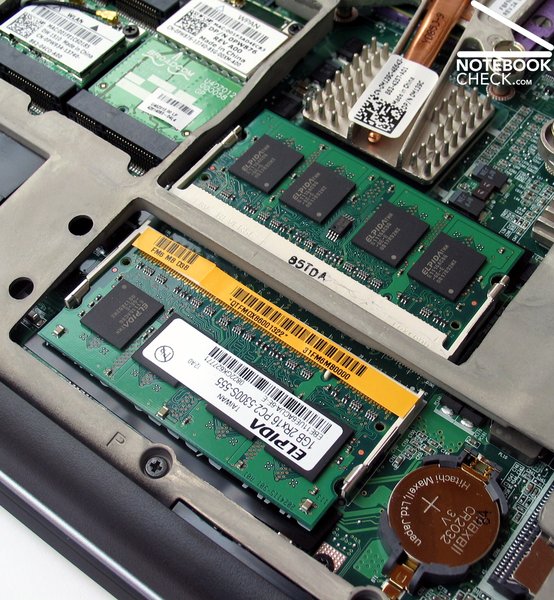
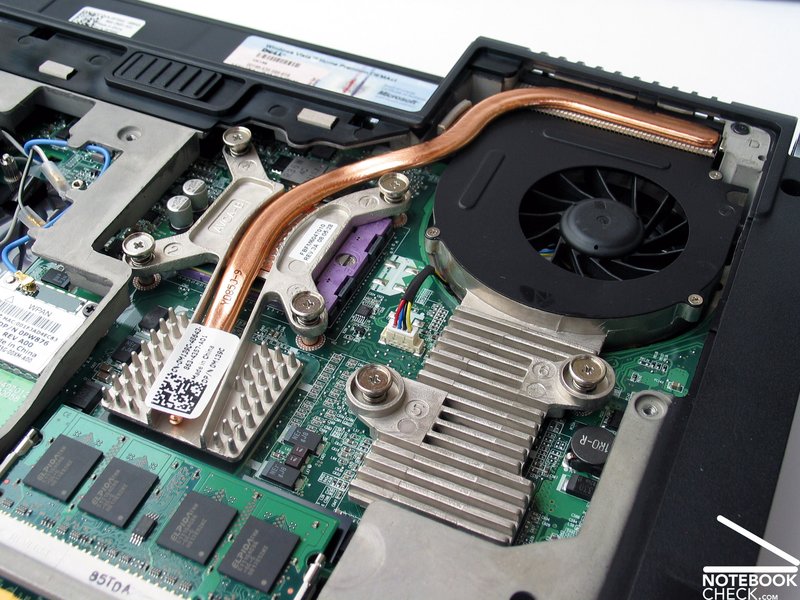
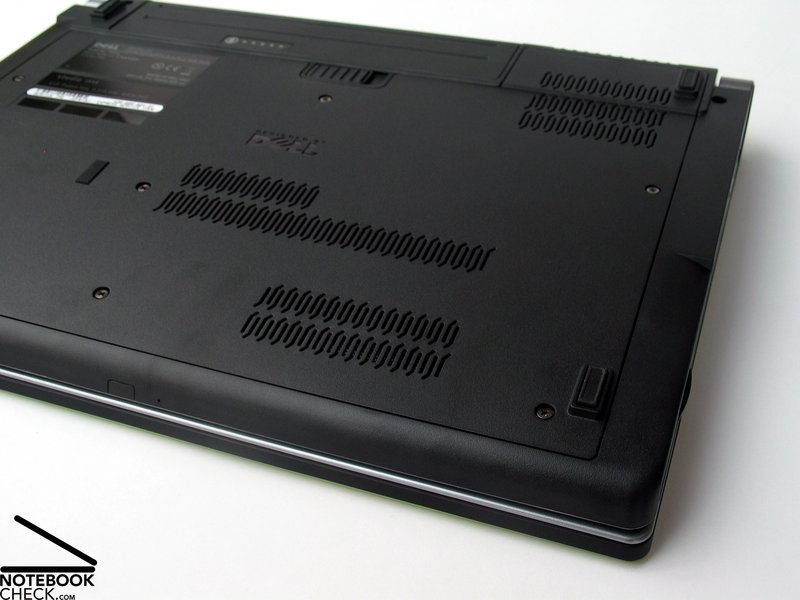
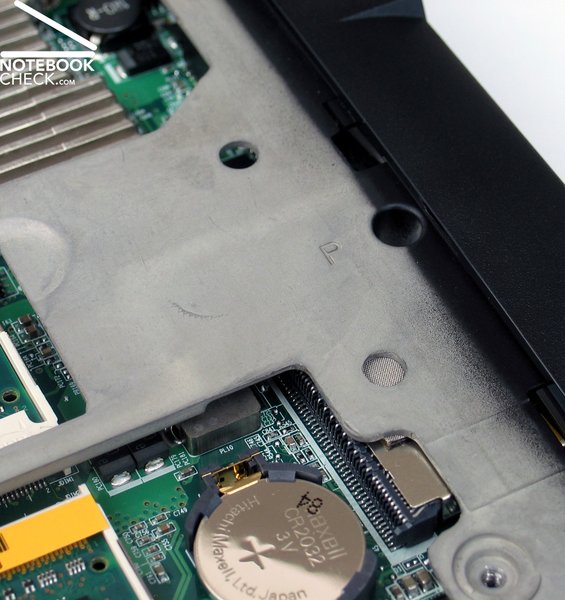
The reason for this good performance can be found under the generously sized maintenaince cover on the bottom of a unit, showing a sturdy magnesium frame.
The display-lid appeared extremely robust to the naked eye, however in practical tests was not quite as convincing. This part of the case showed very little resistance to torsion when pressure was applied.
Another thing that should be mentioned is the missing securing mechanism (eg. a closing hook) to latch the lid onto the base unit during transport in closed state.
On the bevelled front-side of the case, the display allows itself to be opened in quite a user friendly manner, without needing to fumble around with various sliding switches. This also brings the disadvantage of constantly needing to ensure objects will not get lodged in the space between the laptop's display and keyboard when stowing the device in a bag or during transport.
Peripheral Connections
The display closing mechanism and the slim front edge of the base unit alone hinder the positioning of any connections in this area. This leaves only the sides for arranging the various ports.
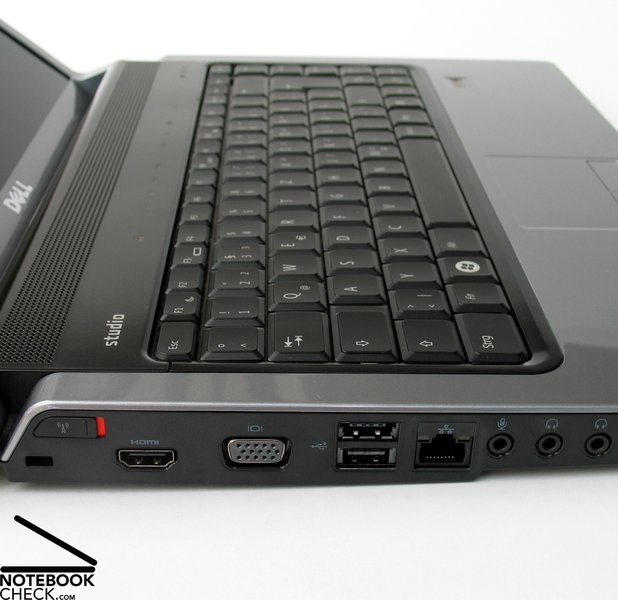
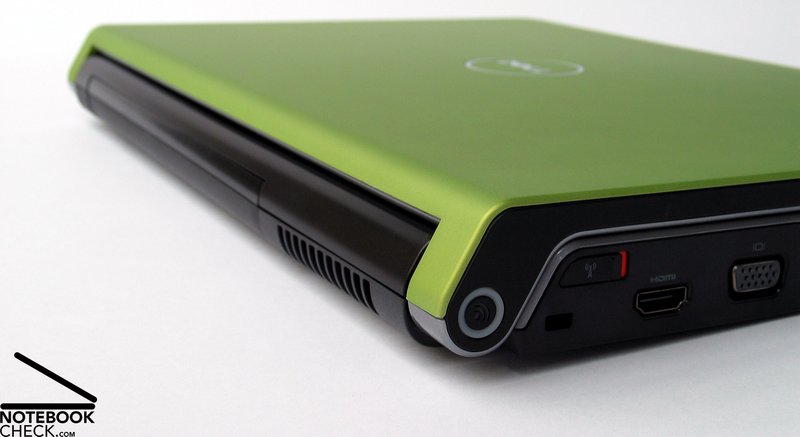
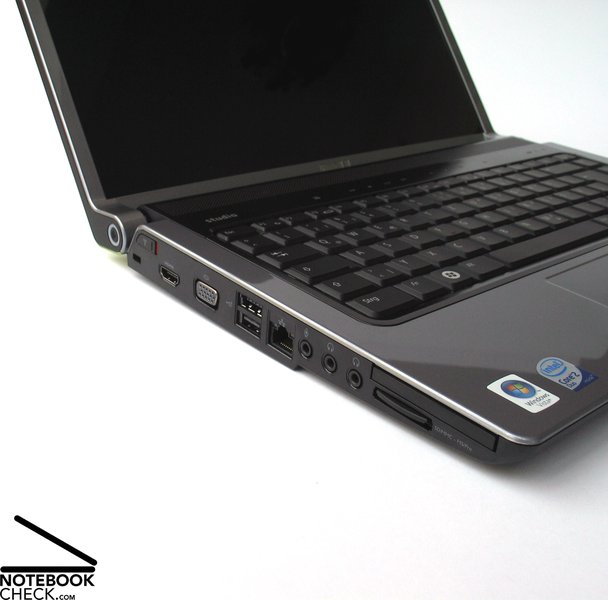
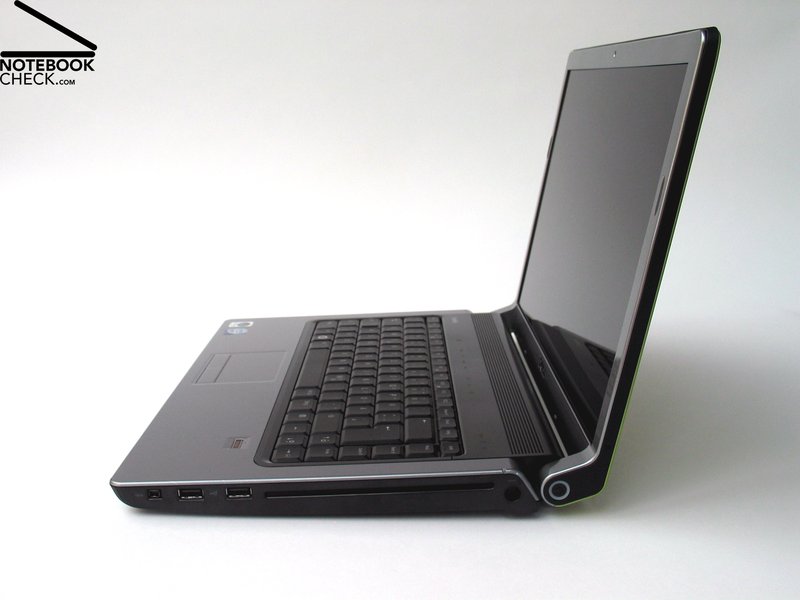
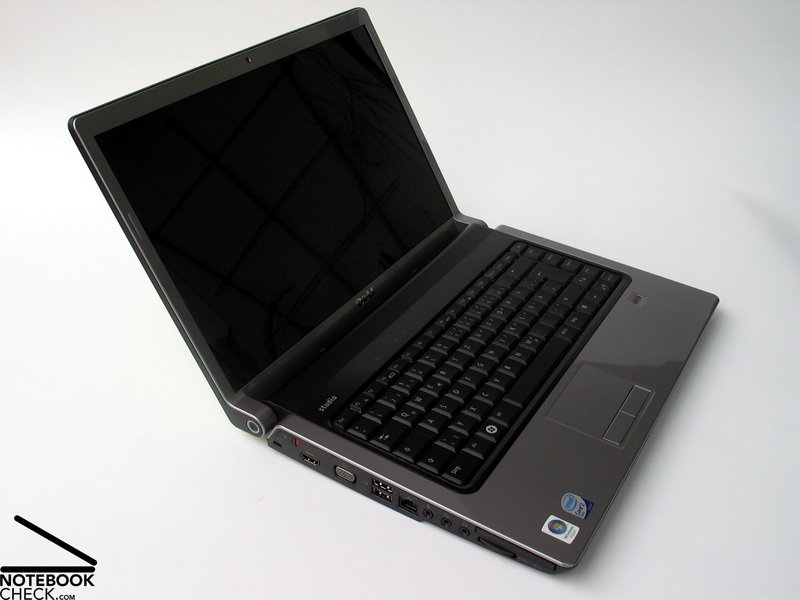
The left hand side of the Dell Studio 15 provides a whole range of peripheral connectors. Beneath the WLAN switch at the back lies a Kensington Lock with which, given the right accessory (like the Kensington Slim Microsaver available for €35.70 from the Dell Online Shop), the notebook can be chained to larger objects to protect against thievery.
Next to that lies a modern HDMI port for digital sound and image output, allowing the Dell Studio 15 to be connected to a high resolution external monitor or flatscreen TV. Continuing along, there is also an analogue VGA output, two USB ports laying on top of one another, a LAN connection, microphone and then two headphone outputs. Closest to the front lies an ExpressCard slot and an SD card reader.
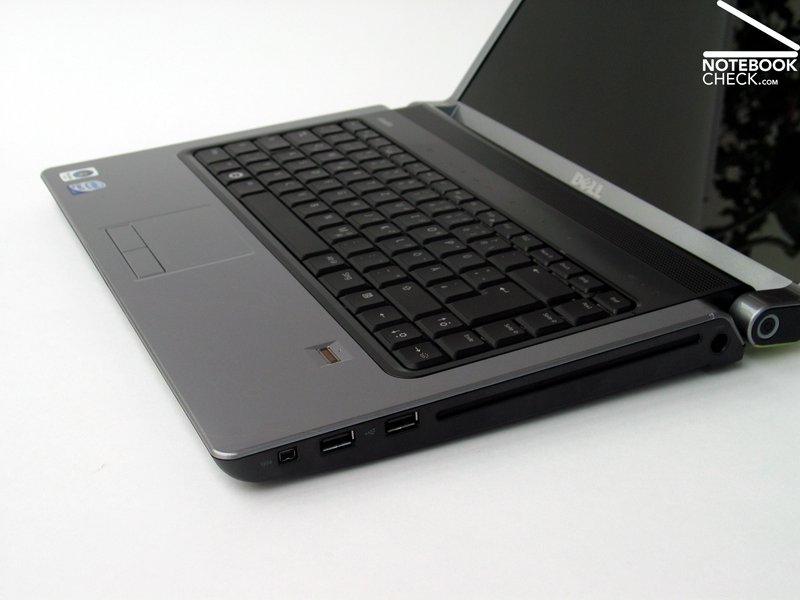
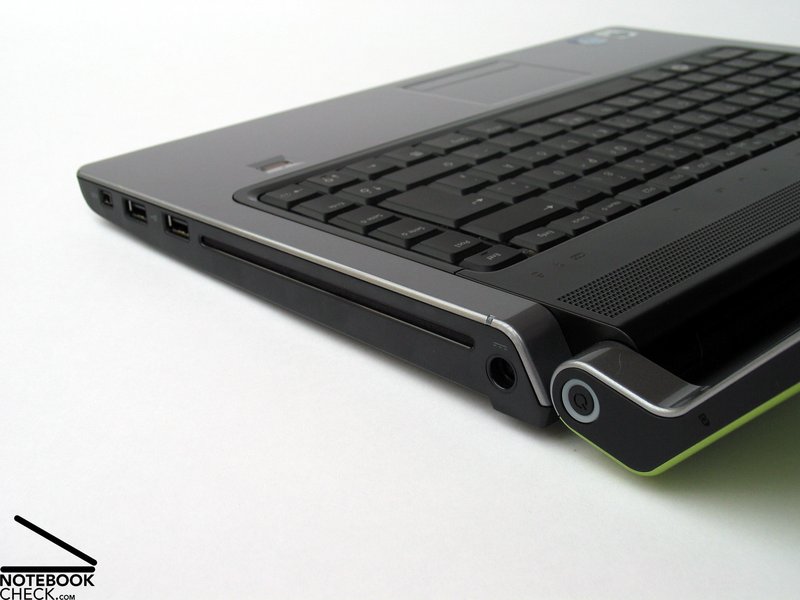
On the opposite edge there is a firewire port and two additional USB 2.0 connections. The dominant feature of this side however is the slot-style DVD drive, which can be supplied as either a conventional CD/DVD burner or a Blu-Ray/CD/DVD combo drive. The additional cost for the Blu-Ray setup currently lies at around 140 Euro. At the far back on this side also lies the notebook's power connector.
Generally, the selection of connections available placed the laptop at the high end of the multimedia notebook spectrum, above all due to the HDMI output. The location of the individual ports however was less impressive. All four USB ports lay quite far towards the front on the edges. This also applied for the LAN jack on the left hand edge. Depending on the connections used, the cables and plugs coming out the sides could get quite disruptive, particularly for left handers.




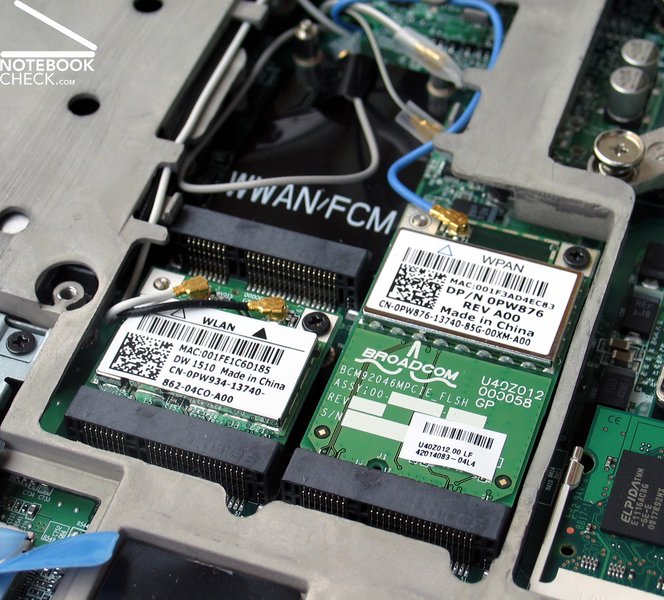
In terms of communication features, the Dell Studio 15, like the rest of its series, offers a Gigabit LAN ethernet module and depending on configuration either a 802.11b/g or a 802.11n Wireless LAN module. Bluetooth 2.0 is also optionally available, being particularly useful for communication with phones, PDAs and organisers. Even a consumer IR device is included on the front of the machine for line of sight communication with devices in range.
There is also the possibility to equip an integrated UMTS module. In principle it is possible to use any service provider, since the provided hardware is not SIM-locked. When used with Vodafone Germany however the customer is guaranteed technical support for the integrated harware (similar deals in other countries will likely apply). It is of course also possible to fit the notebook with a self-purchased Mini-Card for use in conjuction with the incorporated hardware (ie. the antenna and cabling).
Also included in the Studio 15 is a 2 megapixel webcam with a maximum resolution of up to 1600x1200 pixels.
In conjunction with the Kensington lock, security of both the notebook and its data is enhanced by an integrated fingerprint reader. The reader can manage both access to the computer as well as the organisation and input of various passwords.
The standard box comes with a remote control solution in ExpressCard format, which comfortably stows in its slot and allows the user to always be in on the action. There is also a printed handbook, various driver and sofware CDs, a Windows Vista Recovery DVD, Microsoft Works 9 and Roxio Creator 10.1.
Beside all this, Dell also provides a great deal of value adding extras such as a notebook bag, external input devices etc.
The offered hardware support should also be a point to think about. The minimum warranty duration starts at 12 months and can extend up to four years' on-site support. Depending on the current offer, this extra warranty costs between around 150 and 200 Euro.
Input Devices
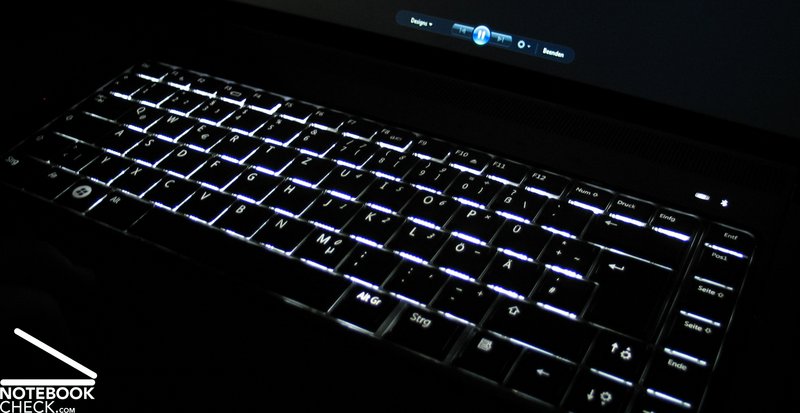
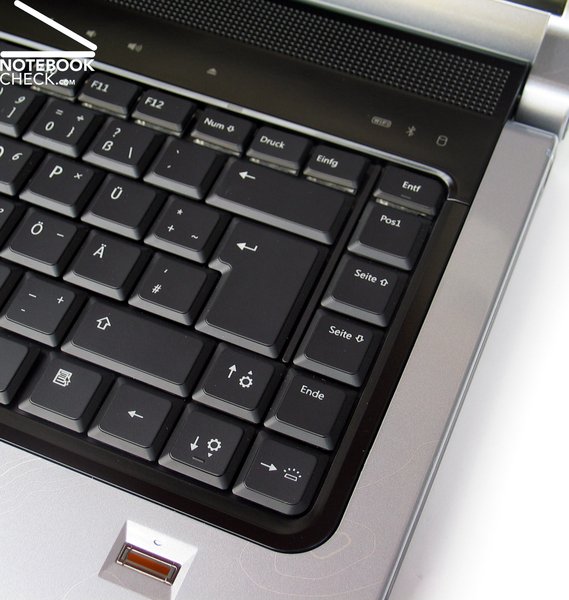
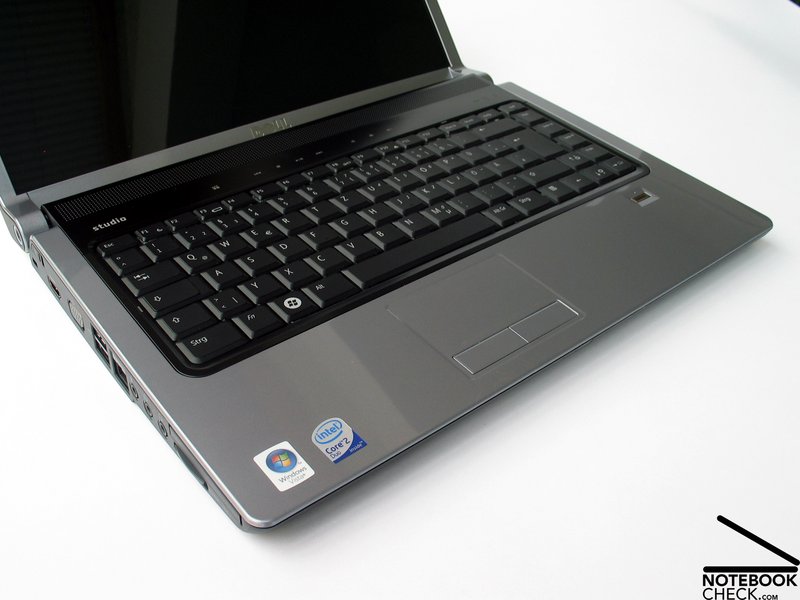
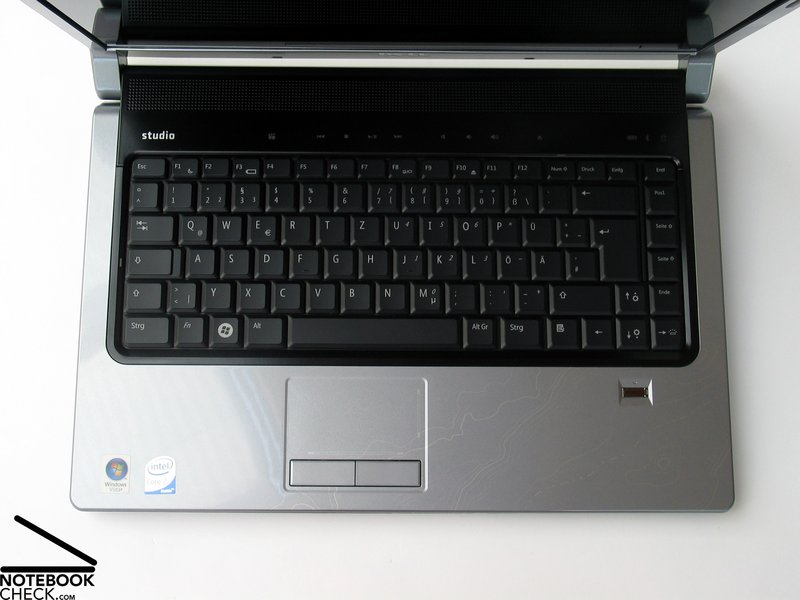
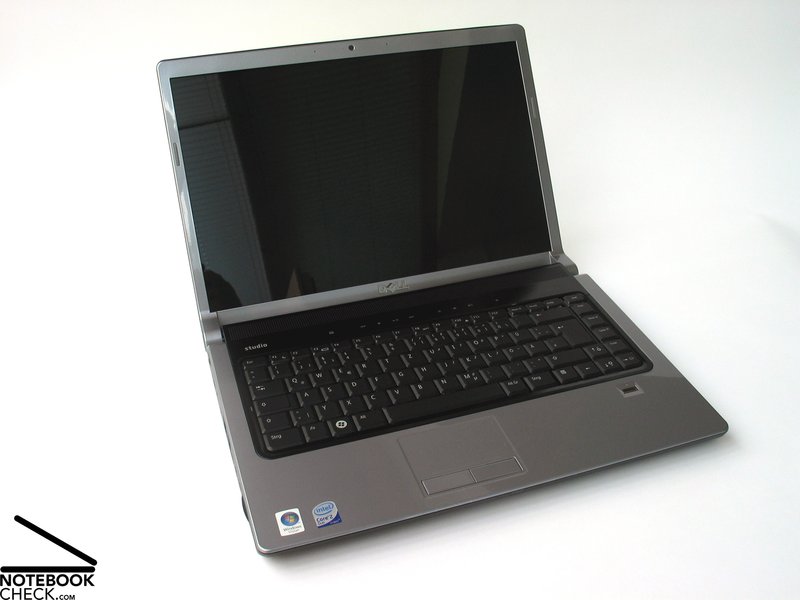
Even the keyboard appears extremely similar to the one in the XPS M1530. On the Studio 15 however presents itself in classic black with fine white imprinted letters.
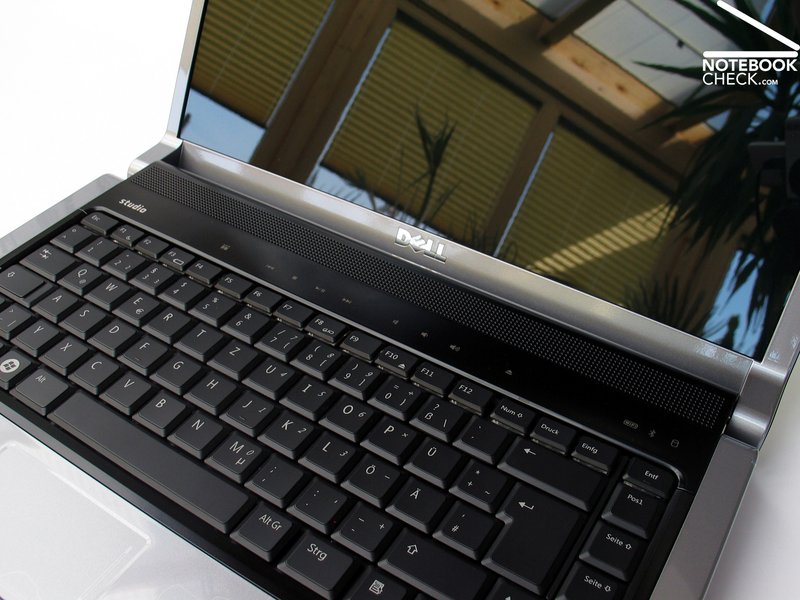
The keys are ordered according to the usual standard, with the Ctrl key at the bottom left and the Del key at the top right. One aspect that may take some getting used to is the column of keys to the right of the two-line enter key, which contains functions such as the Page Up/Page Down, Home and End keys.
In using the notebook, no reproaches could be made at all concerning the key layout. All functions and keys can be quickly and intuitively found. Subjectively typing felt extremely comfortable, being overall soft with a nevertheless easy to feel pressure point. The minimal light-clicking typing noise was also a big positive.
The touchpad at first sight appears to be constructed of the same colour and surface materials as the surrounding palm rests, however after use turns to be much slipperier as the rest of the surface finish. Under closer inspection, the minimally roughened surface responsible for this effect can be seen with the naked eye. Two discretely marked scroll regions on the pad can also be identified.
Control of the mouse pointer by means of the touchpad was quite comfortable. That said, despite its special surface, the gliding qualities of the pad could have nevertheless been somewhat better. We did find the touchpad buttons quite agreeable though, with their gentle action and almost imperceptible noise - very nice.
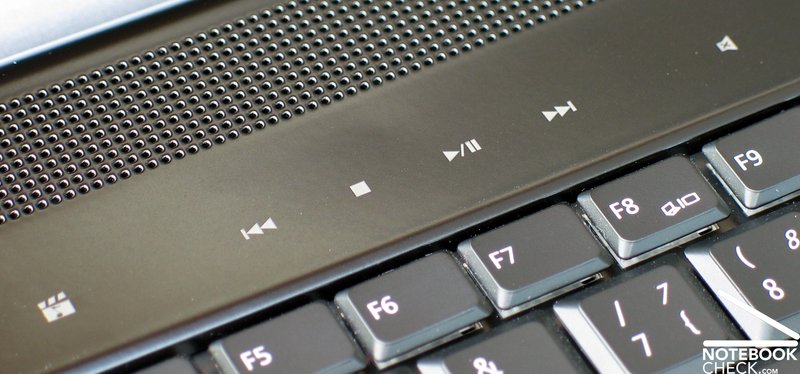
Finally the Studio 15 also offers a row of additional buttons, positioned in an unmarked touch sensitive zone above the keyboard. These buttons are used for example to control media player functions, volume control and the ejection of media from the slot-style optical drive.
Dell also offers a number of configuration options for the Studio 15's display. The range begins with a conventional 15.4 inch WXGA TFT display with a resolution of 1280x800 pixels. For a better display overview there are two further options in WXGA+ format which provide a maximum of up to 1440x900 pixels. It is also possible to choose between two lamp technologies here: a CCFL-TFT panel (cold cathode lamp) or an LED display.
The CCFL panel currently comes at an additional cost of 130 Euro, while the LED Panel attracts a cost of 110 Euro. Our test sample came equipped with the LED technology display, which under review produced first-class brightness and equivalent illumination scores. The display's brightness reading reached a solid maximum of 308 cd/m² with an illumination of 89.3%. The average brightness reading of 288.2 cd/m² also brought the panel to the forefront in this regard.
| |||||||||||||||||||||||||
Brightness Distribution: 89 %
Contrast: 790:1 (Black: 0.39 cd/m²)
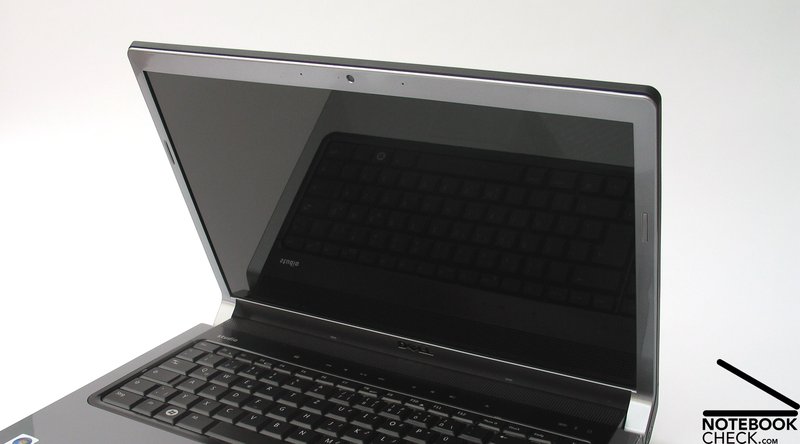
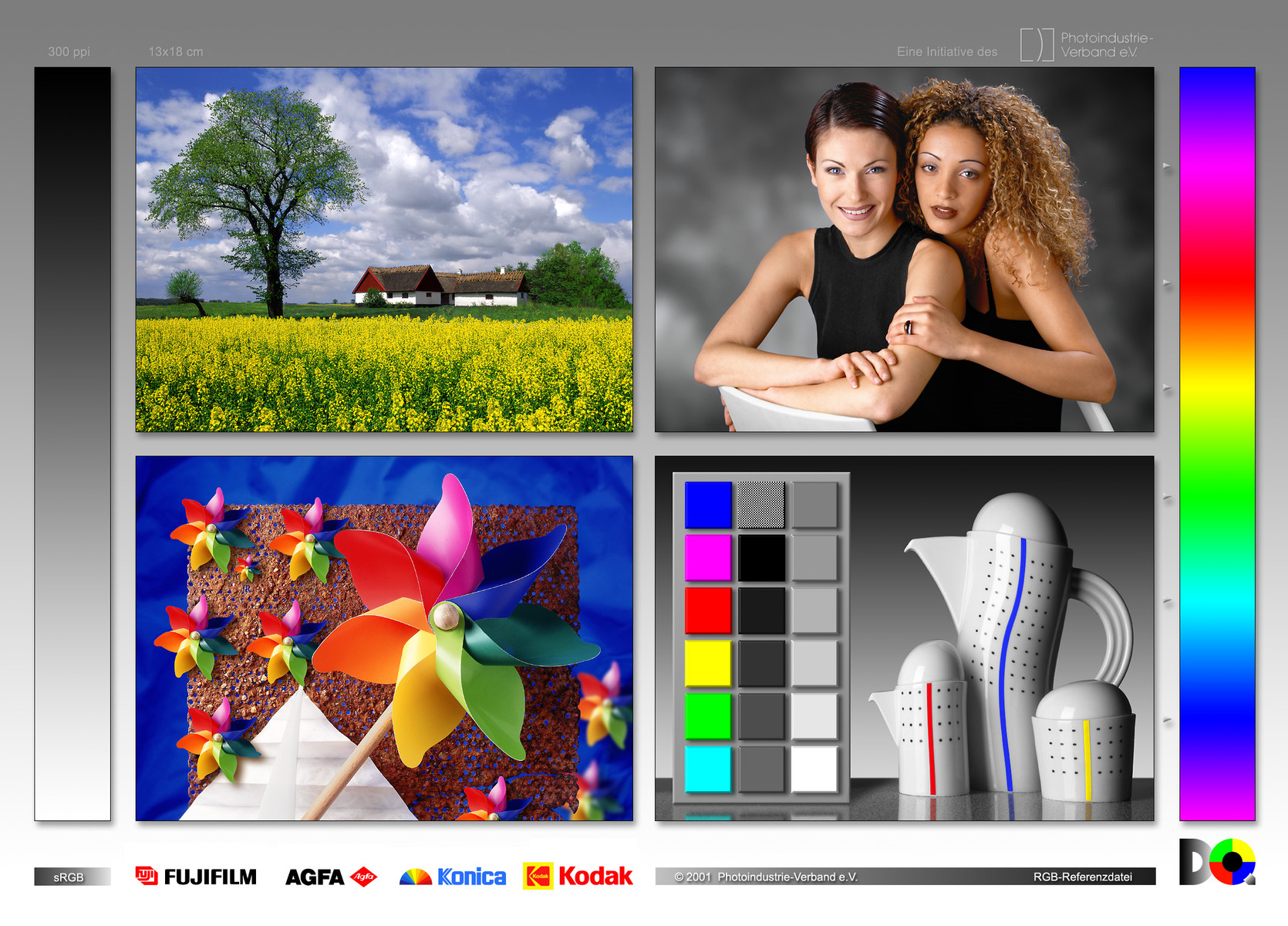
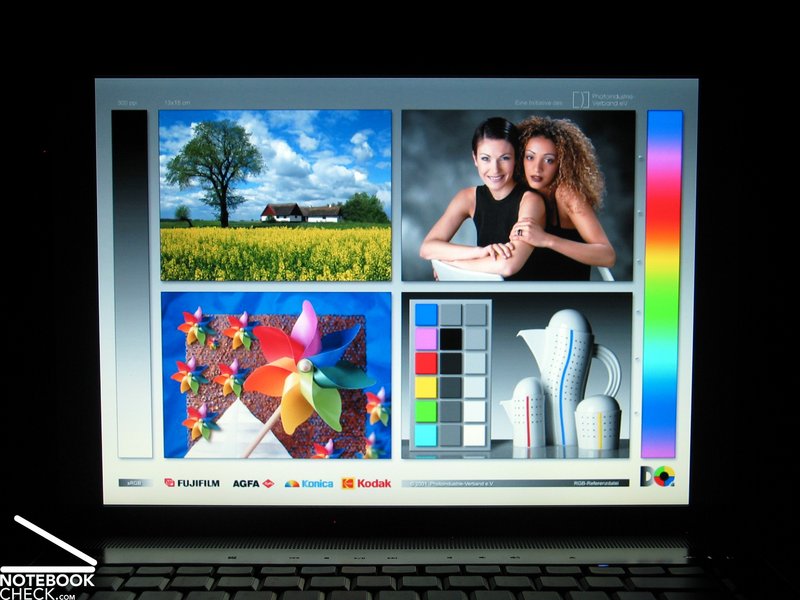
The LED display's colour reproduction was also highly convincing. The display provided crisp colours, probably even further improved by its reflective "TrueLife" surface. The display models we didn't test include the same surface technology - a nonreflective alternative is not currently available.
Outstanding results were also obtained in the realm of display contrast. With a black value of 0.39 cd/m², the panel achieved an excellent maximum contrast reading of up to 790:1.

Since the Dell Studio 15 makes the maximum possible brightness level available even in battery mode, the device still managed to deliver a quite reasonable picture under bright environmental light conditions, despite the reflective surface. This in principle means that outdoor use is quite possible, however disruptive reflections and glare may need to be compensated for accordingly.
In terms of perspective stability, the display provided an acceptable working range in both horizontal and vertical fields. Viewing from the flattest angles horizontally above all caused the introduction of distracting reflections, while moving outside of a viewing angle of about 30° vertically relatively quickly caused losses in contrast up to the point of strong alteration of the displayed picture.
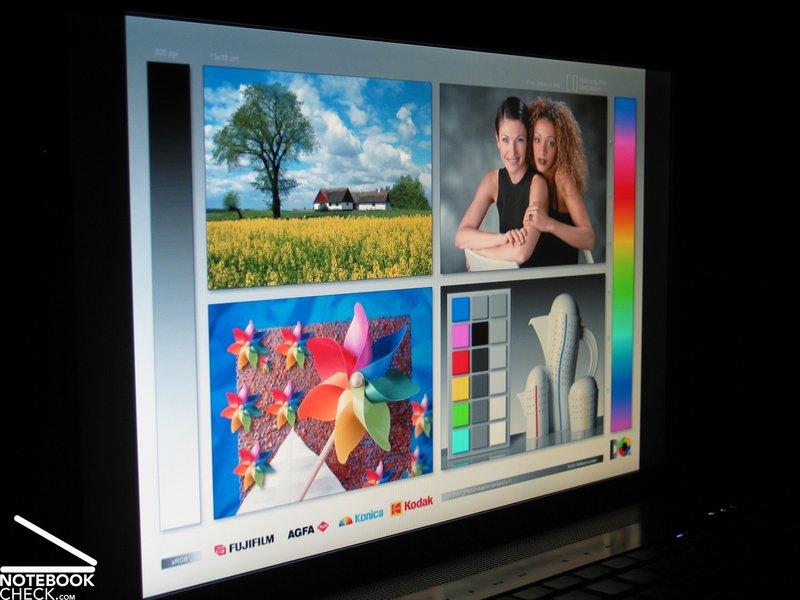
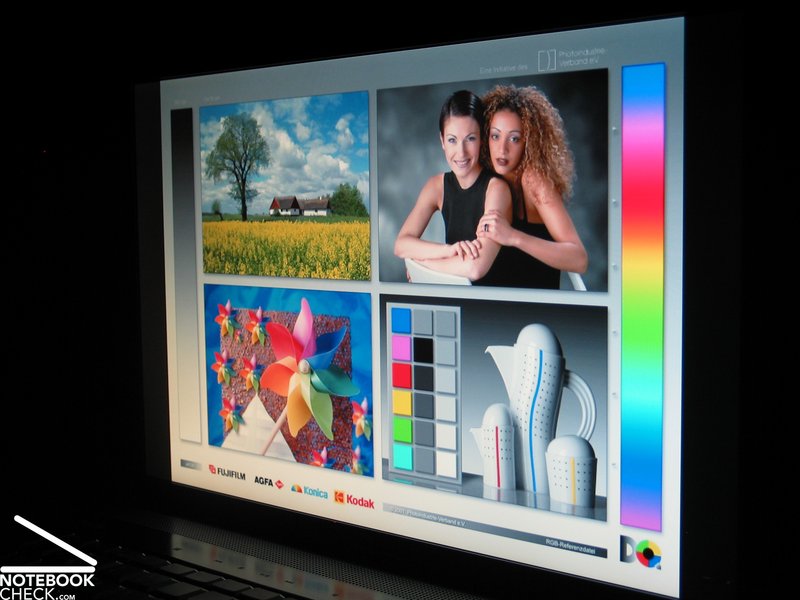
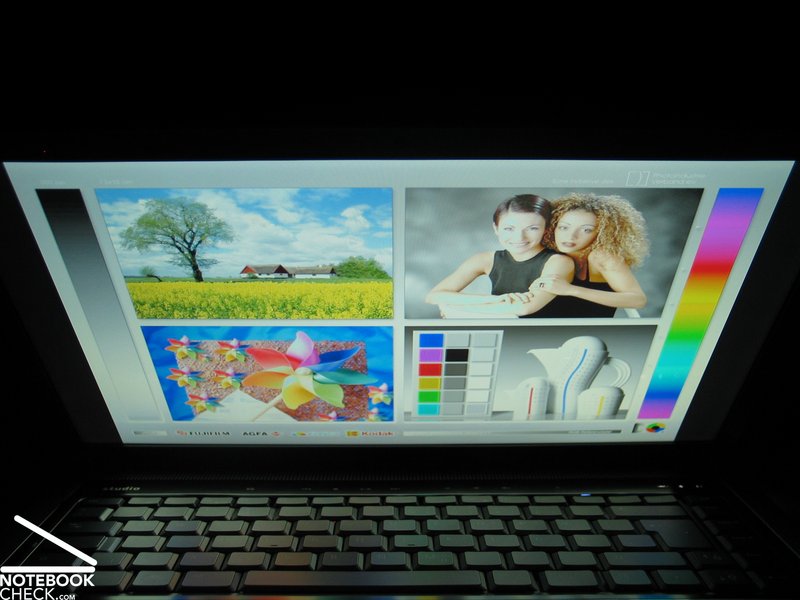
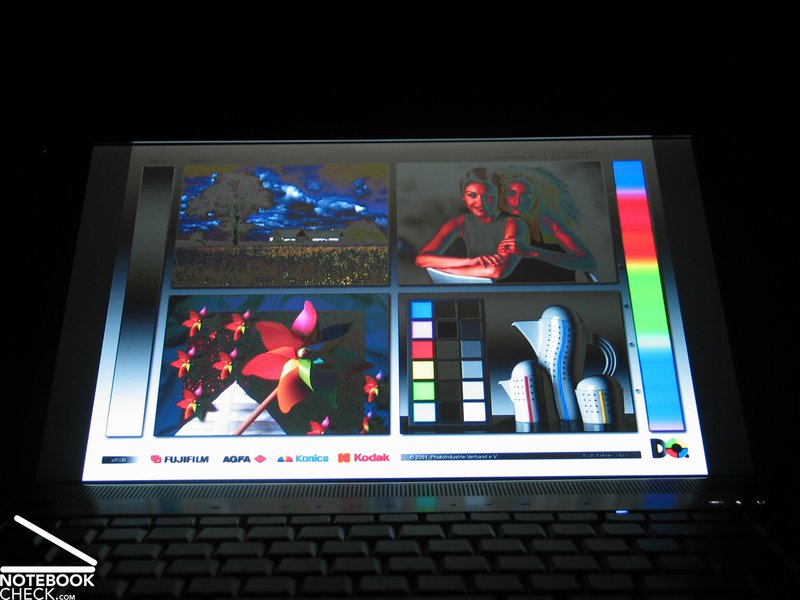
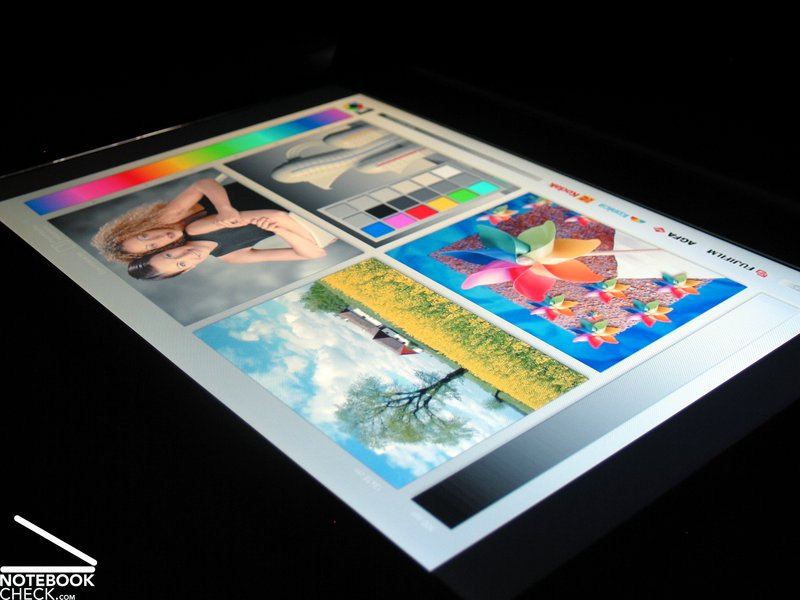
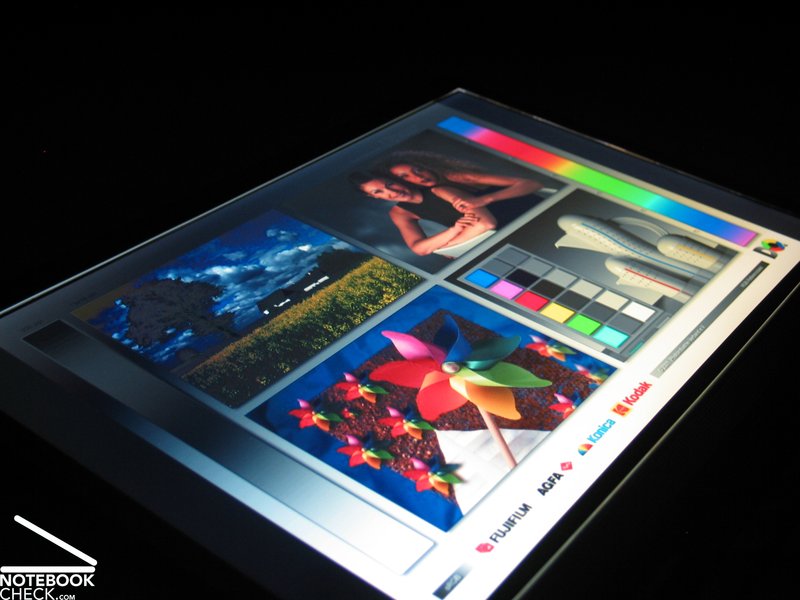
Video of various display viewing angles
Performance
Like practically all of Dell's notebooks, the Studio 15 has a whole range of equipment configurations to choose from depending on desire and wallet size. Aside from those components configurable in the web shop, there is often also further alternative equipment available through more direct communication with Dell. This particularly applies to changes in hard disk configuration, which can only be arranged via phone order.
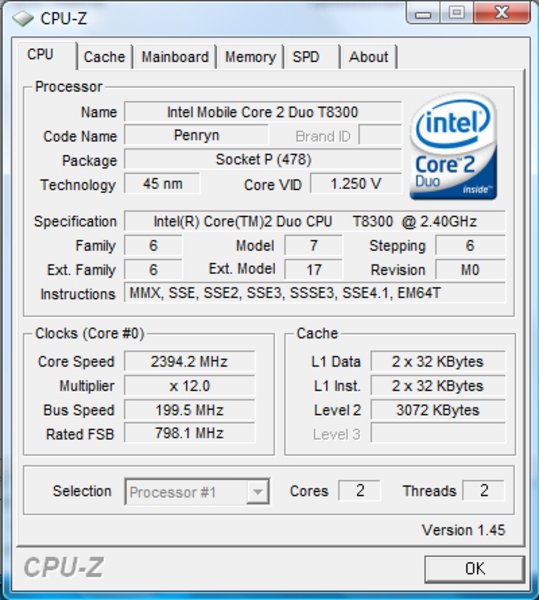
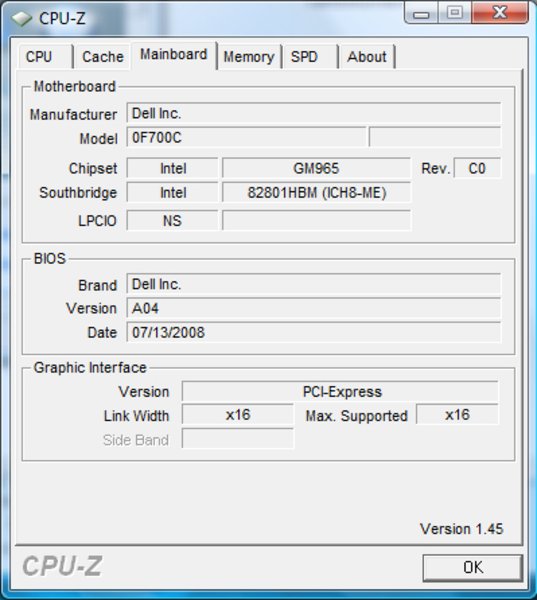
Our test model came equipped with the tried and true Santa Rosa platform with an Intel 965 Express chipset. This means any CPU from the Intel Penryn range with an FSB of up to 800MHz can be used. Currently, Dell's online offering from this range spans from the T5550 CPU with 1.83 GHz, 2MB L2-Cache and 667MHz FSB, up to the most powerful CPU currently available in this range, the T9300 (2.5 GHz, 6MB L2-Cache, 800 MHz FSB).
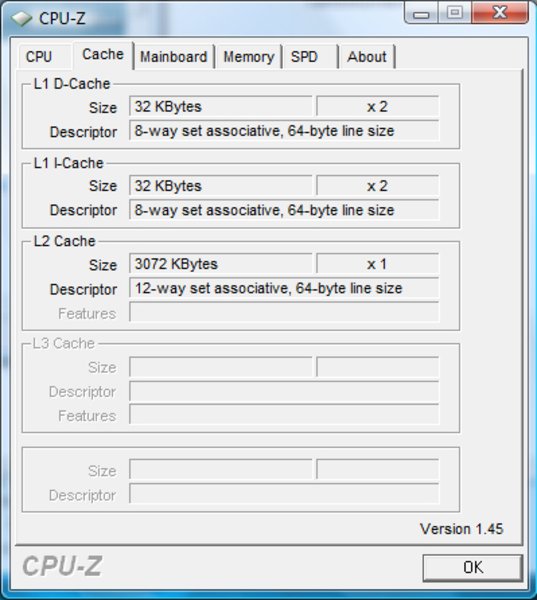
The test system we received was fitted with an Intel T8300 processor with a clock speed of 2.3 GHz, 3MB L2-Cache and 800 MHz FSB. Given its price and performance, another good choice would have been the T9300 CPU at an additional cost of 100 Euro.
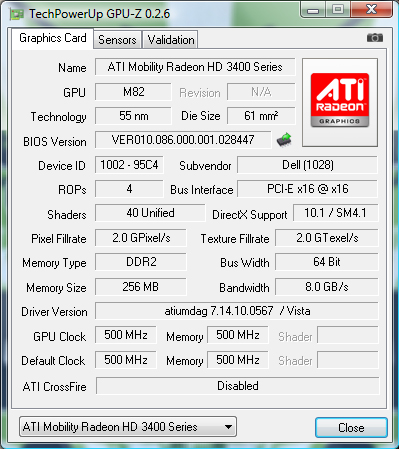
For the purpose of graphic performance, the customer can also choose between two different options: either an integrated Intel X3100 graphics solution or a dedicated ATI graphics card, a Mobility Radeon HD3450. While the integrated graphics card is recommended for users without huge multimedia ambitions, the card manufacturer's recommended usage is restricted to e-mail, internet, office and DVD playback, making the ATI graphics card a good option to consider for any user who intends to play a game now and then.
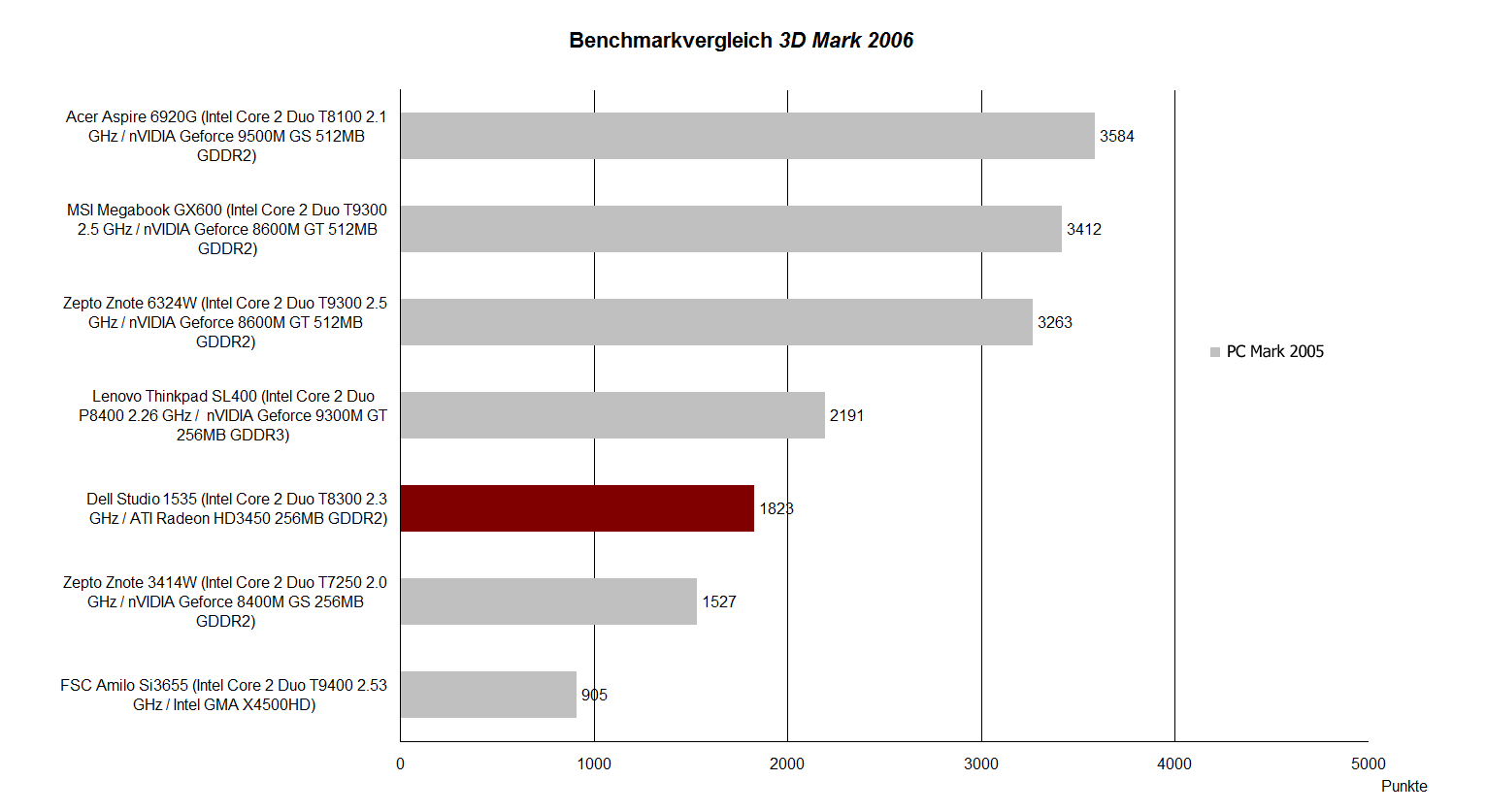
For the purpose of the performance review, our test sample was fitted with the dedicated ATI graphics card. In the 3DMark 2006 benchmark test, the Dell Studio's performance lay somewhere between a Geforce 8400M GS and a Geforce 9300M GS. Also to note would be that, in terms of the performance reached, the graphics chip provided was quite far below that of the classic multimedia / gaming configurations that use the Geforce 8600M GT or 9500M GS.
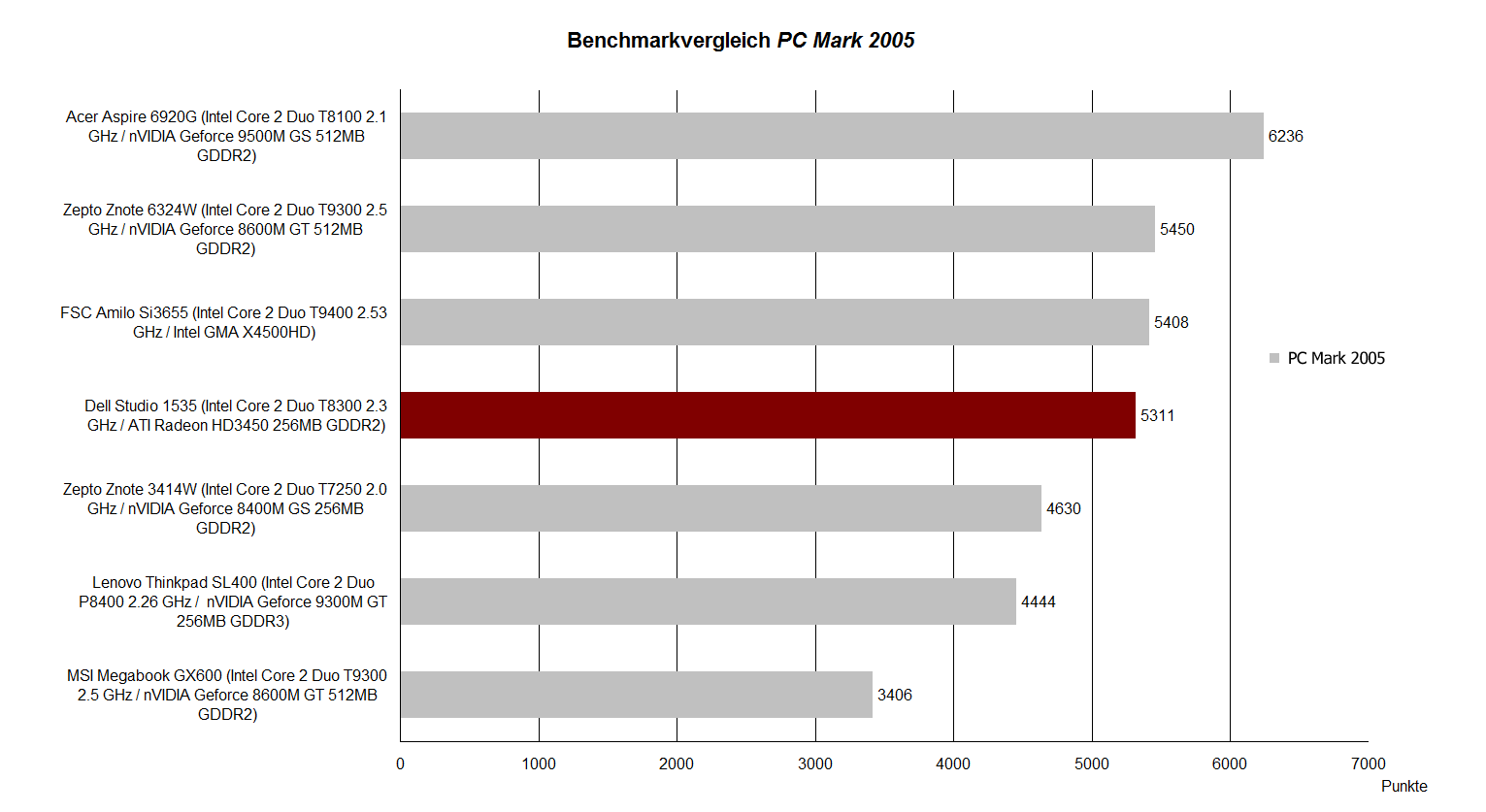
The Dell Studio 15 fares visibly better in the PCMark 2005 benchmark test. Reaching 5311 points, its result is comparable to more obviously performance-oriented machines like the Zepto Znote 6324W. Systems more capable in the 3DMark test such as the MSI Megabook GX600 were also outdone.
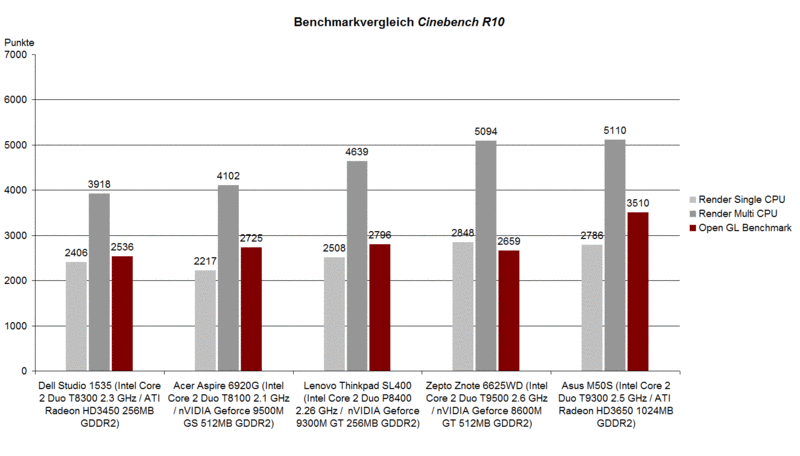
The tested configuration also displayed reasonable if not impressive performance in the Cinebench R10 benchmark. It is noteworthy however that in the rendering test, the performance of the T8300 CPU in the Studio 15 model fell below that of the T8100 CPU in the Acer Aspire 6920G. OpenGL performance (also important for older games) was comparable to other models with similar equipment.
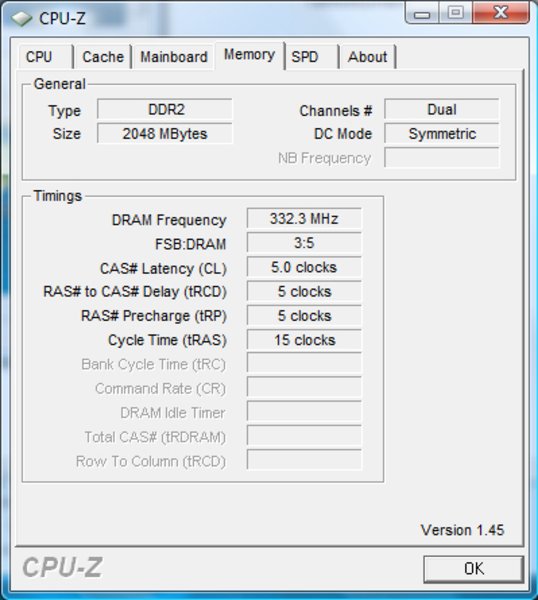
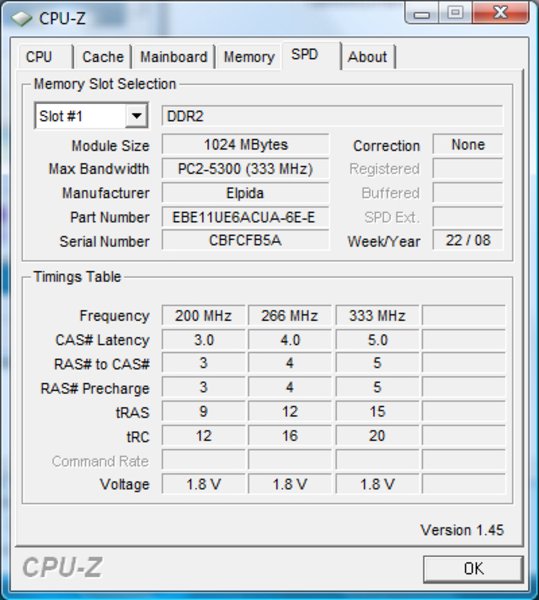
The Dell Studio 15 model we were provided was equipped with two PC5300 (667MHz) 1024MB RAM modules. Depending on the current offer, the notebook is also available with 3072MB or a maximum of 4096MB system memory.
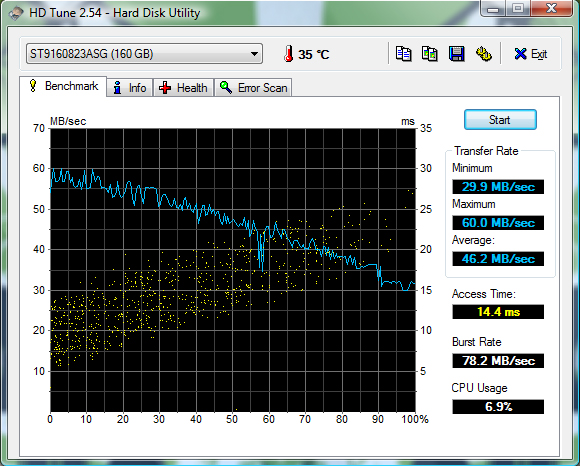
For mass storange, our test sample came with a speedy 160GB harddrive with a rotation speed of 7200 RPM. In the HDTune performance test, the hard disk achieved a first-class access time of just 14.4 milliseconds, with average transfer rates of approximately 60 MB/sec.
Dell also offers a wide range of other equipment variations, particularly regarding mass storage.
| 3DMark 2001SE Standard | 12859 points | |
| 3DMark 03 Standard | 4093 points | |
| 3DMark 05 Standard | 3566 points | |
| 3DMark 06 1280x800 Score | 1823 points | |
Help | ||
| PCMark 05 Standard | 5311 points | |
Help | ||
| Cinebench R10 | |||
| Settings | Value | ||
| Shading 32Bit | 2536 Points | ||
| Rendering Multiple CPUs 32Bit | 3918 Points | ||
| Rendering Single 32Bit | 2406 Points | ||

Gaming Performance
As can probably be surmised from the laptop's 3DMark 2006 performance, the Dell Studio 15 has limited suitability for gaming, at least in the configuration we tested. Responsible for this above all is the entry level ATI Radeon HD3450 graphics card.
Practical gaming tests confirmed that the Studio 15 is only really suited for the undemanding occassional gamer. In the Crysis CPU and GPU benchmark test (1024x768) the notebook reached a usable frame rate of 37-43 fps. In a gameplay test at 1024x768 resolution and the same low graphics level, the machine maintained a quite playable 35-40 fps. The graphics quality in both tests was however quite limited.
In Call of Duty 4, with a reduction of all detail and options to minimum, an equivalently playable result of between 35 and 70 fps was reached. The situation with Unreal Tournament 3 was similarly restricted. Only after a reduction of world and texture details to level 1/6 did we see a (nevertheless) quite playable performance of 58-60 fps at 1024x768.
Emissions
Noise
When the notebook is first turned on it is almost inaudible with the fan off. Depending on use and activated energy profile, this state can remain for some time. The system fan, when it turns on, brings the laptop's noise output to 35.6 dB(A). In this state, the Studio 15 can be described as clearly audible but hardly irritating.
Under load, the fan can further increase its speed, bringing the noise level to a maximum of 42.8 db(A). After a few seconds the rotation speed will drop, bringing the level to 38.8 db(A) with the fan still continuing to run constantly. Even this noise level was easily tolerable.
Noise level
| Idle |
| 30.7 / 35.6 / 35.6 dB(A) |
| HDD |
| 32.1 dB(A) |
| DVD |
| 36.2 / dB(A) |
| Load |
| 38.8 / 42.8 dB(A) |
 | ||
30 dB silent 40 dB(A) audible 50 dB(A) loud |
||
min:  , med: , med:  , max: , max:  (15 cm distance) (15 cm distance) | ||
Temperature
The Dell Studio 15, even after a long time under load, stayed impressively cool. Maximum temperatures on the top side of the baseunit rose to no more than 31.5°C. Even the device's under side stayed in the by no means problematic region, with a maximum of just 33.5°C. These readings put nothing in the way of mobile use on the user's lap.
(+) The maximum temperature on the upper side is 31.5 °C / 89 F, compared to the average of 36.8 °C / 98 F, ranging from 21 to 71 °C for the class Multimedia.
(+) The bottom heats up to a maximum of 33.5 °C / 92 F, compared to the average of 39.1 °C / 102 F
(+) The palmrests and touchpad are cooler than skin temperature with a maximum of 30.9 °C / 87.6 F and are therefore cool to the touch.
(-) The average temperature of the palmrest area of similar devices was 28.7 °C / 83.7 F (-2.2 °C / -3.9 F).
Loudspeakers
The Studio 15 includes two integrated loudspeakers located above the keyboard. Testing with various different music tracks produced extremely thin, almost metallic sound, with no signs of fullness at all. The maximum volume was also quite limited.
Using one of the two sound outputs with headphones at least provided a better, fuller sound. In testing however, we discovered that unplugging headphones from the middle sound output jack did not reactivate the loudspeakers. Only after reinserting and then removing the plug from the front jack were the loudspeakers correctly reactivated.
Battery Life
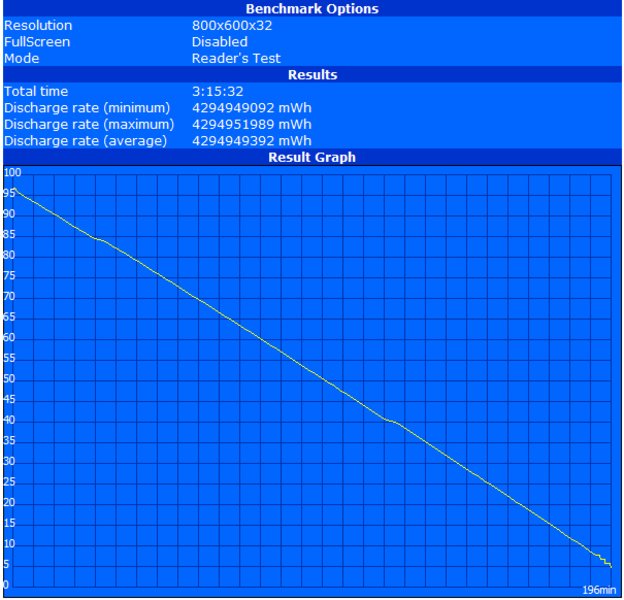
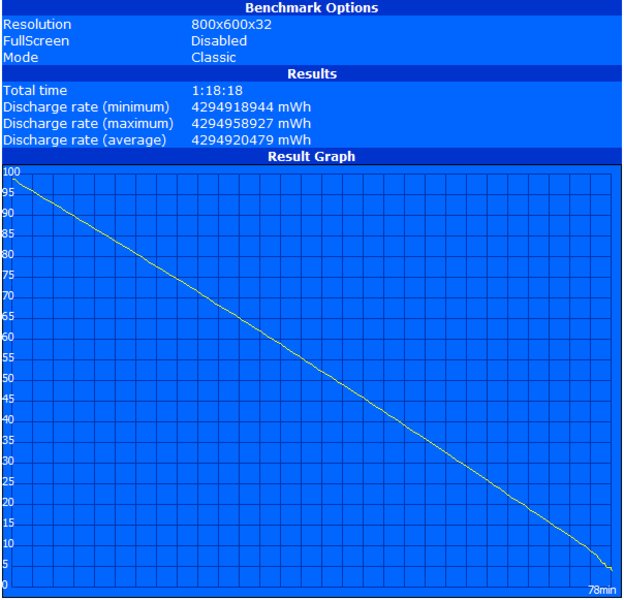
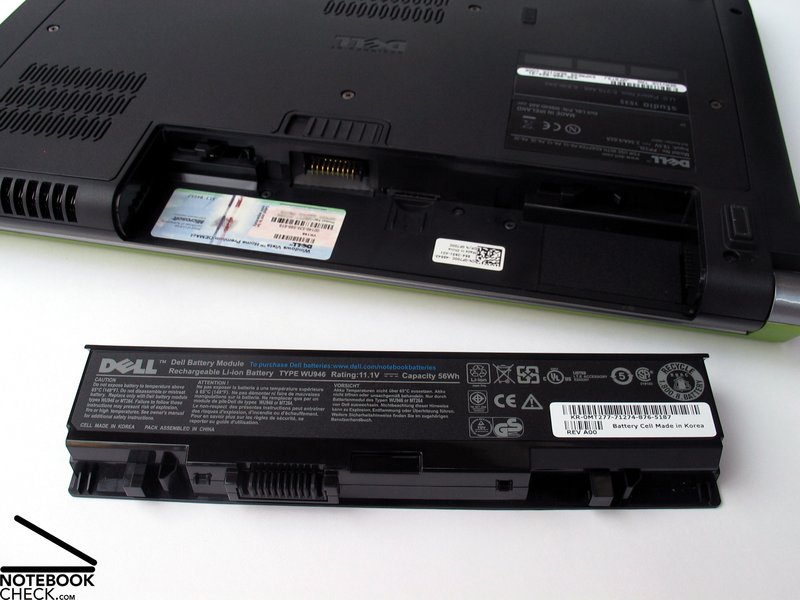
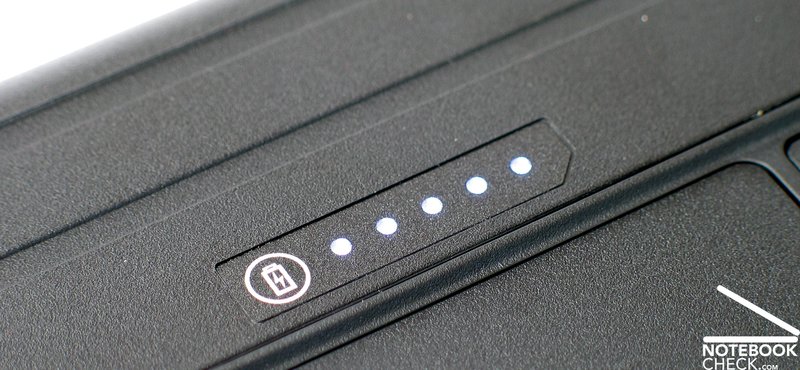
In its basic configuration, the Dell Studio 15 comes with a 6-cell Lithium Ion battery with a capacity of 56Wh. Our test sample was equipped with this same energy source. Alternatively there is also a 9-cell battery available with a capacity of 87Wh. With this battery, the values in the tests below are increased by approximately 50%.
The maximum possible battery life was measured using the BatteryEater readers test tool at minimum display brightness, maximum energy sparing profile and deactivated WLAN. At these settings a reasonable reading of 196 minutes' battery life was obtained.
Under load in the BatteryEater Classic Test (maximum brightness, WLAN on, maximum performance energy profile) the notebook reached a maximum run-time of 78 minutes.
In practical tests, such as DVD playback at maximum display brightness, the Studio 15 displayed a battery life of 118 minutes. This lifespan could be used in an emergency to see the way through an average Hollywood flick.
During wireless web surfing (brightness level 10/15) the Studio 15's is considerably more generous, offering with 161 minutes of surfing time a quite usable lifespan.
Depending on use, the Studio 15's battery life can be described as anywhere between quite sufficient and somewhat too short. For those with greater mobility needs however, there is still the option to equip the aforementioned 9-cell battery. While this addition sticks out a little at the back and bottom of the machine, it does bring a considerable increase in battery life.
| Off / Standby | 0 / 0 Watt |
| Idle | 33 / 38 / 42 Watt |
| Load |
68 / 73 Watt |
   
| |
Key:
min: ,
med: ,
max: | |
Verdict
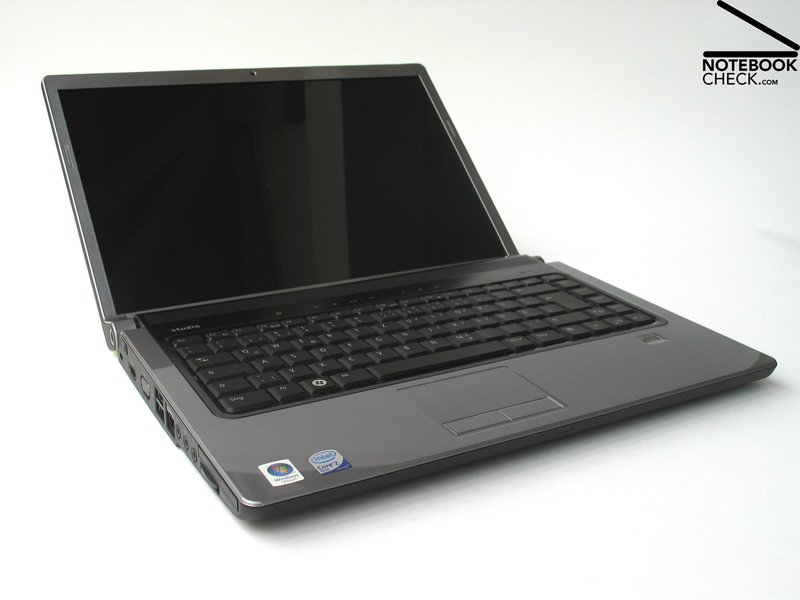
With its new Studio series, Dell has been extremely successful in filling the gap between the Inspiron and XPS machines. The Studio models offer reasonable multimedia performance at an interesting starting price. The Studio 15 however will generally only suffice for moderate multimedia use since, particularly for games, the ATI Radeon HD3450 (the fastest graphics card available for the model) quickly runs out of steam.
The Dell Studio 15 scores points above all due to it's chic case, which beside its attractive linework will also quickly find friends due to the possibility of implementing a personal design. Dell has also clearly made some good choices in terms of case sturdiness.
In terms of ports on offer, the HDMI connector is a big positive. The positioning of individual ports around the case is however not quite as optimal, particularly in terms of the USB ports, which lie noticeably too close to the front. To handle its communication needs, the Studio 15 is fully equipped with the series standard Gigabit LAN port, either b/g or n WLAN, Bluetooth 2.0 and optional UMTS/HSDPA.
The display on the Dell Studio 15 was quite a welcome surprise. The LED panel delivered an outstanding maximum brightness of 308 cd/m² at a very good illumination level of 89.3%. The panel was also quite impressive in terms of colour reproduction and contrast.
Finally, when it came to emissions, the notebook's surface temperatures remained extremely low. It was only the integrated loudspeakers that could have been more convincing.
The battery life with the 6-cell battery was acceptable, with the option of a 9-cell battery available for those with greater mobility needs.
The Dell Studio is an appealing device for the price conscious multimedia newcomer who places value on an attractively designed case and a good display. Expectations should not be set too high in terms of 3D graphics performance however as the current model's resources in this respect are rather limited, when compared to other models currently available. For those with higher graphical ambitions would probably feel more at home with one of the XPS series.
 Add as a preferred source on Google