




Unbloated network – Replacing provider routers with OpenWRT: project overview (part 1)
Why I want to replace my provider router
I ignored this problem for a long time, but now I’m tackling it. For example, the Wi-Fi network from the router can’t even reach my kitchen through two walls; even the adjacent room struggles with reception—the signal is extremely weak. On top of that, the router’s Wi-Fi technology is outdated after years of use (Wi-Fi 5).
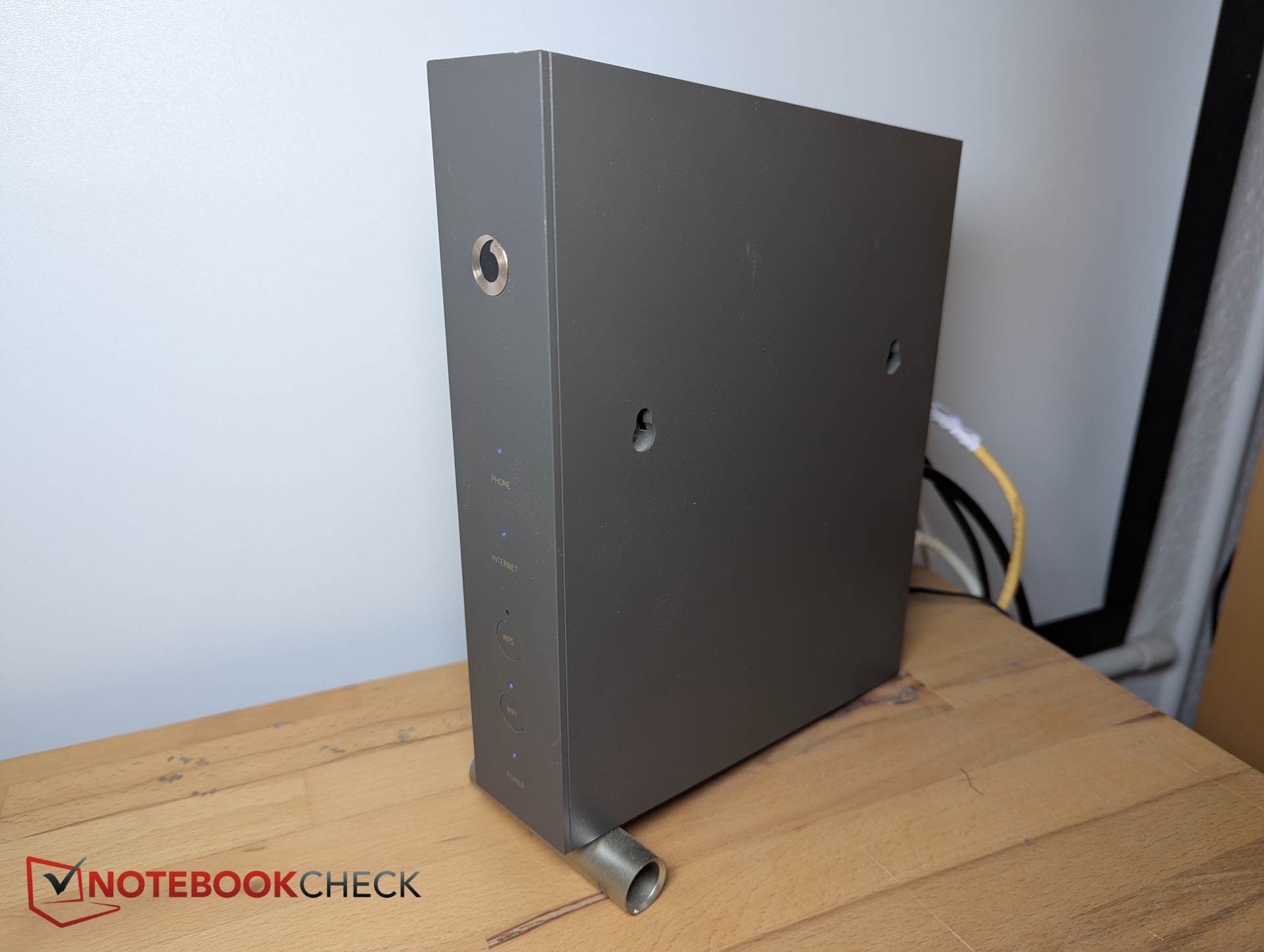
Other weaknesses of provider all-in-one devices
The Vodafone router is basically a “black box” for me. I don’t know how often the provider pushes updates remotely, which open services for remote maintenance could be potential security risks, or what firewall rules are actually applied (censorship?). Vodafone could also log or track my browsing history (privacy). And if the device reboots, everything goes offline—including the phone (single point of failure).
The goal: Cleanly separate modem, router, and Wi-Fi
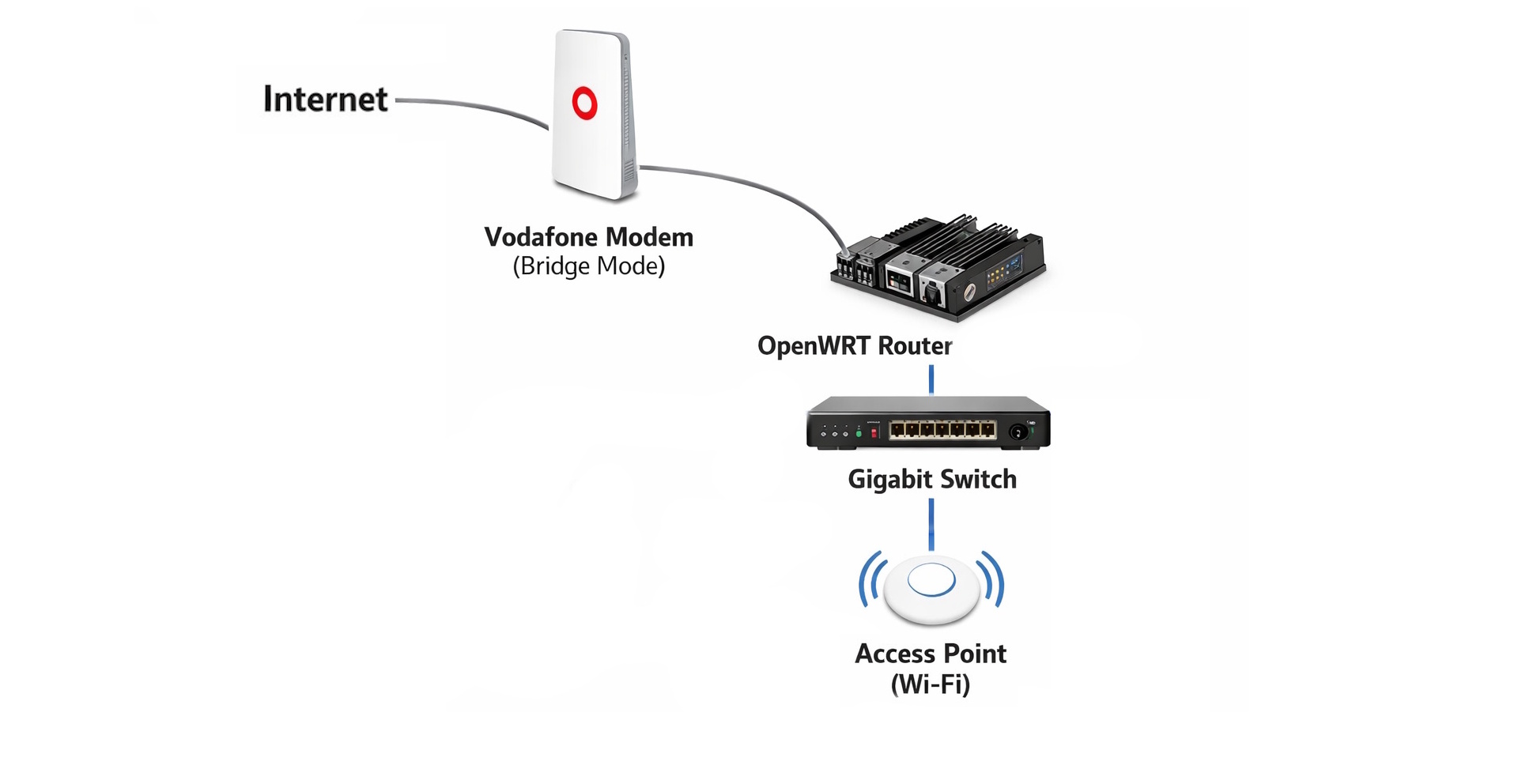
My long-time Vodafone router combines everything: modem, router, and Wi-Fi access point. The idea now is to split these functions across multiple devices. The Vodafone box will act only as a simple modem, with its router and Wi-Fi features disabled. A low-power mini-PC will become the new router, and a separate energy-efficient access point will handle Wi-Fi. Between them, a small switch will connect LAN devices (like a PC via Ethernet, an AV receiver, or a home server). The setup will look roughly like this:
Does this make sense technically?
Wait—this means adding three new devices instead of the single Vodafone all-in-one. Is it really worth switching to a Vodafone modem plus a separate router, switch, and access point?
As I explained earlier, provider black boxes have many drawbacks. Technically, separating the functions makes sense for several reasons:
- Better network security and segmentation
- Improved energy and resource efficiency
- Easier troubleshooting and greater stability
- Less strain on individual devices
An all-in-one router hits its limits quickly, especially if you plan to run multiple services, virtual machines, or network segments later.
Why separating devices can also make ecological sense
Sure, splitting one device into four might seem inefficient. But the energy calculation isn’t as straightforward as it seems, and it depends heavily on the hardware you choose. Choosing energy-efficient devices is key. Here’s a rough estimate of the power usage for each device:
The Vodafone router consumes around 12–15 W continuously—maybe more, since DOCSIS is always active, Wi-Fi is always on, and the internal SoC and switch are running constantly. In the new setup, the numbers look like this:
| Components | Power consumption |
|---|---|
| Vodafone Router all-in-one with DOCSIS and WLAN | 12 - 15 W |
| Vodafone Router (modem only) | 7 - 9 W |
| Router (Zimaboard 1) | 4 - 6 W |
| Switch (5-Port) | 3 - 5 W |
| Access Point | 4 - 7 W |
| Total | 18 - 27 W |
Yes, that’s higher than before. And it’s fair to say that openly. A single combo device is slightly more energy-efficient. But the extra power use is almost negligible:
- Minimal additional electricity costs
- Greater security
- No Single Point of Failure
- Better privacy
- More modern and reliable Wi-Fi
- More flexibility, for example when switching providers
- Potentially longer lifespan for each individual device
Above all—and this is probably my main personal reason for the project—you learn a lot about networking and configuration, taking full control of your home network.
Looking ahead: Hardware selection in the next part
The next part will focus on hardware: what options are available, what a device needs to become an OpenWRT router, and whether you can use just any PC or even a Raspberry Pi.
 Add as a preferred source on Google


