




Googlebook gets unlocked: Bootloader unlocking paves the way for Magisk root
The first Googlebook laptops have just gone on sale, starting in the US on October 4 and reaching several other markets a day later. Models from Acer, Asus, Dell, HP and Lenovo run Googlebook OS, which combines Android’s software foundation with desktop features from ChromeOS. Alongside native Android apps and the full Chrome browser with extensions, the laptops include an isolated Linux environment for running development tools.
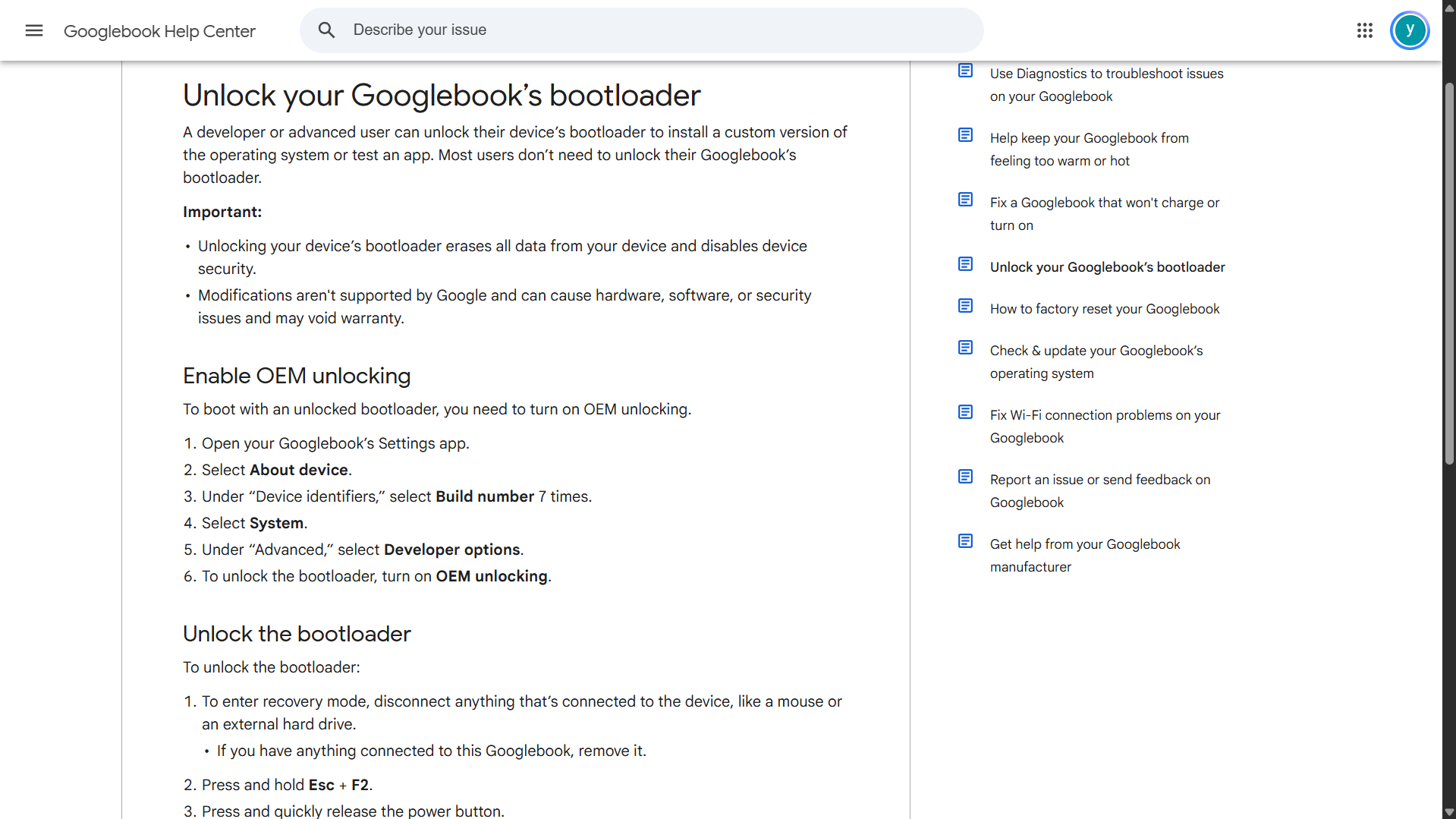
The Googlebook support page notes that the bootloader can be unlocked to install a custom version of the operating system or test apps. The instructions describe enabling OEM unlocking in Developer options before selecting “Unlock bootloader” from the recovery menu. However, unlocking the bootloader erases all device data and disables security protections. Modifications made afterwards are unsupported and could cause hardware, software or security problems, and may void the warranty.
Magisk creator John Wu has also confirmed that the Android rooting tool is being adapted for Googlebook. Magisk can grant root access to individual apps and install modules for changes such as replacing system fonts or modifying system settings. To work with Googlebook, it needs to accommodate Headless System User Mode (HSUM), which keeps the background system account separate from the accounts used to run apps. This conflicts with Magisk’s existing handling of root access but John Wu says changes to its user handling are already being prepared.
Googlebook OS also includes standard Android recovery, fastboot and fastbootd, giving it familiar tools for installing system software. However, flashing from another computer over USB currently requires specialised cables. John Wu says he has found an alternative way to modify and flash the device without that USB connection, although the method has not yet been detailed. He said new code and installation instructions would follow in the coming days.
Source(s)
 Add as a preferred source on Google


