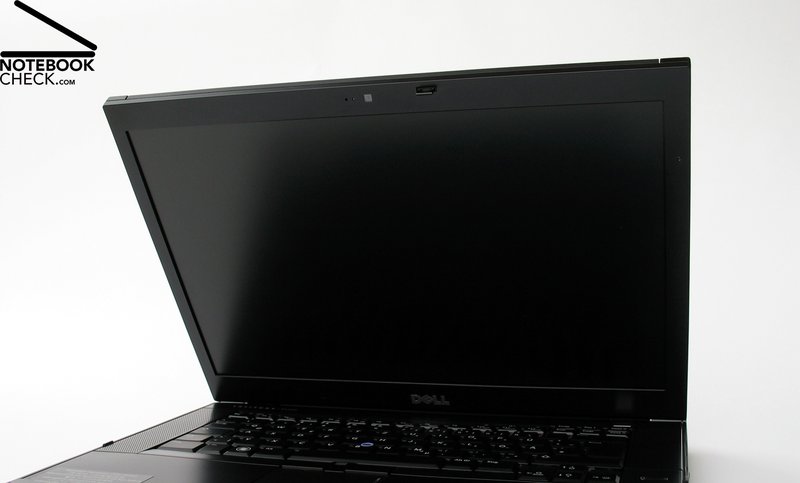
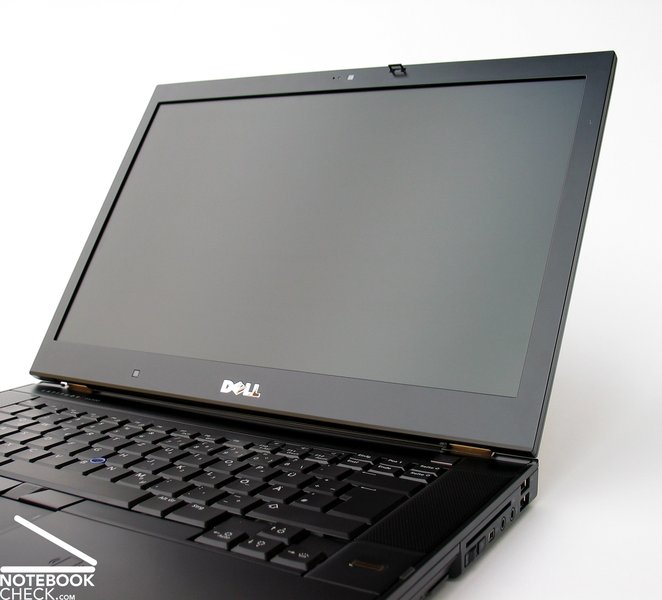
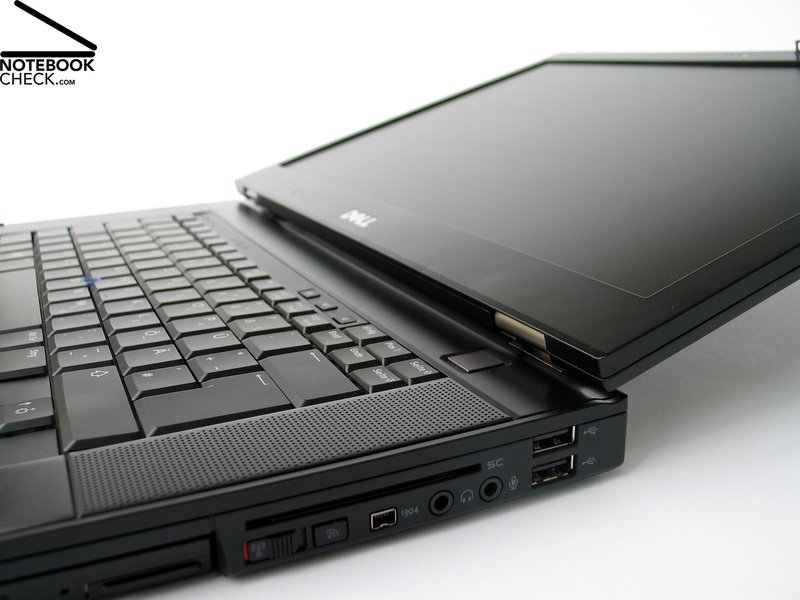
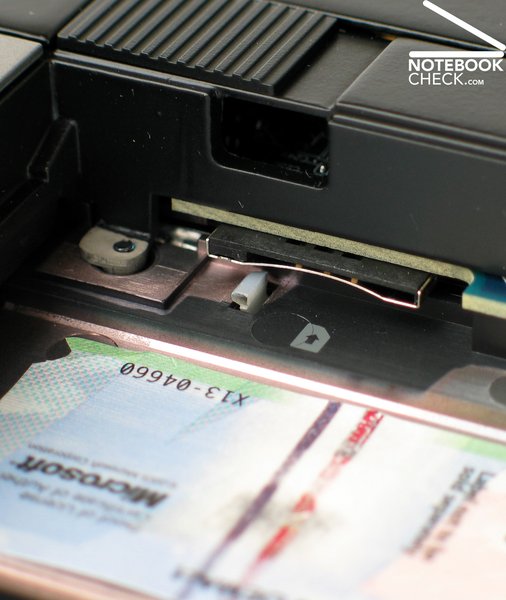
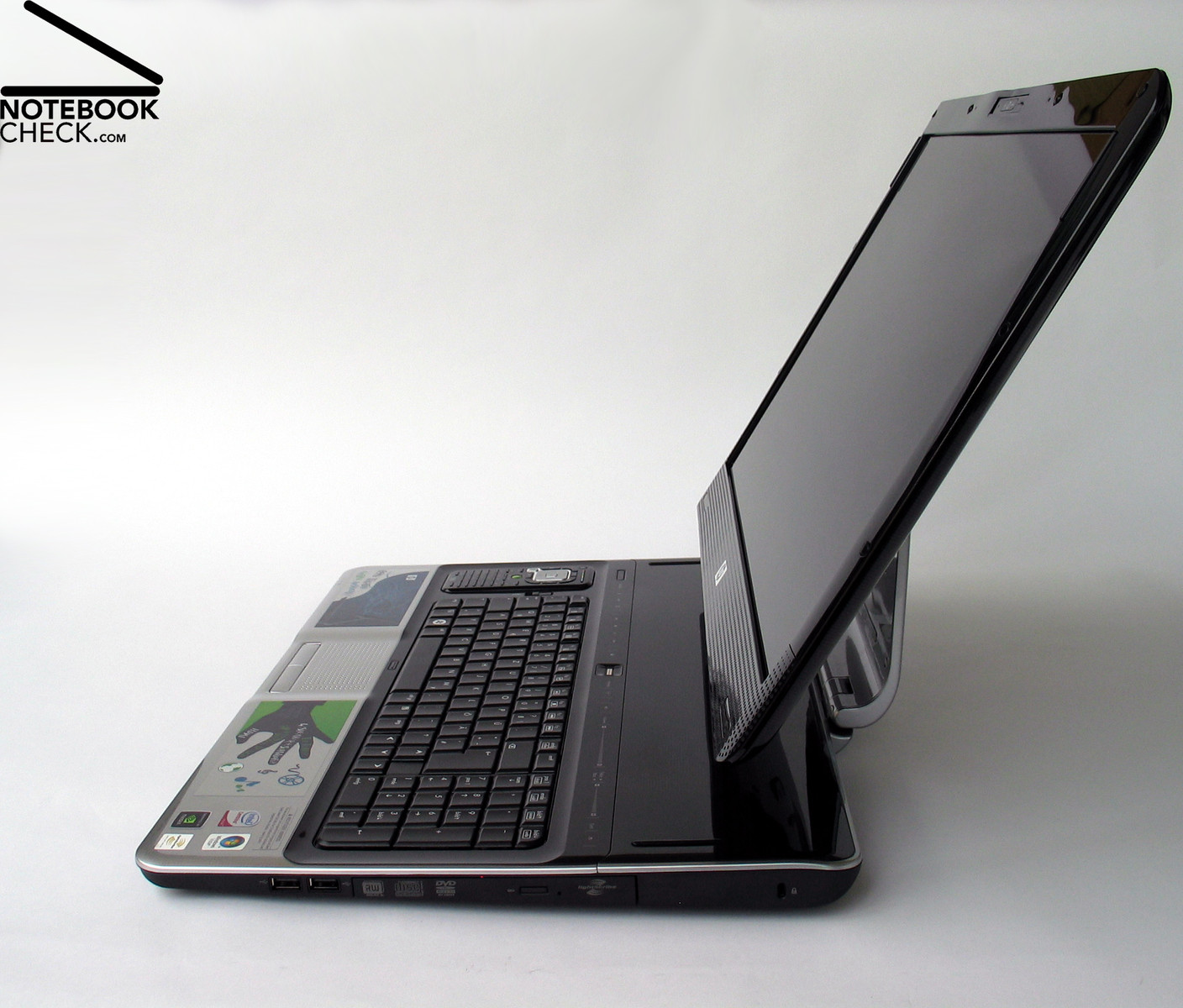
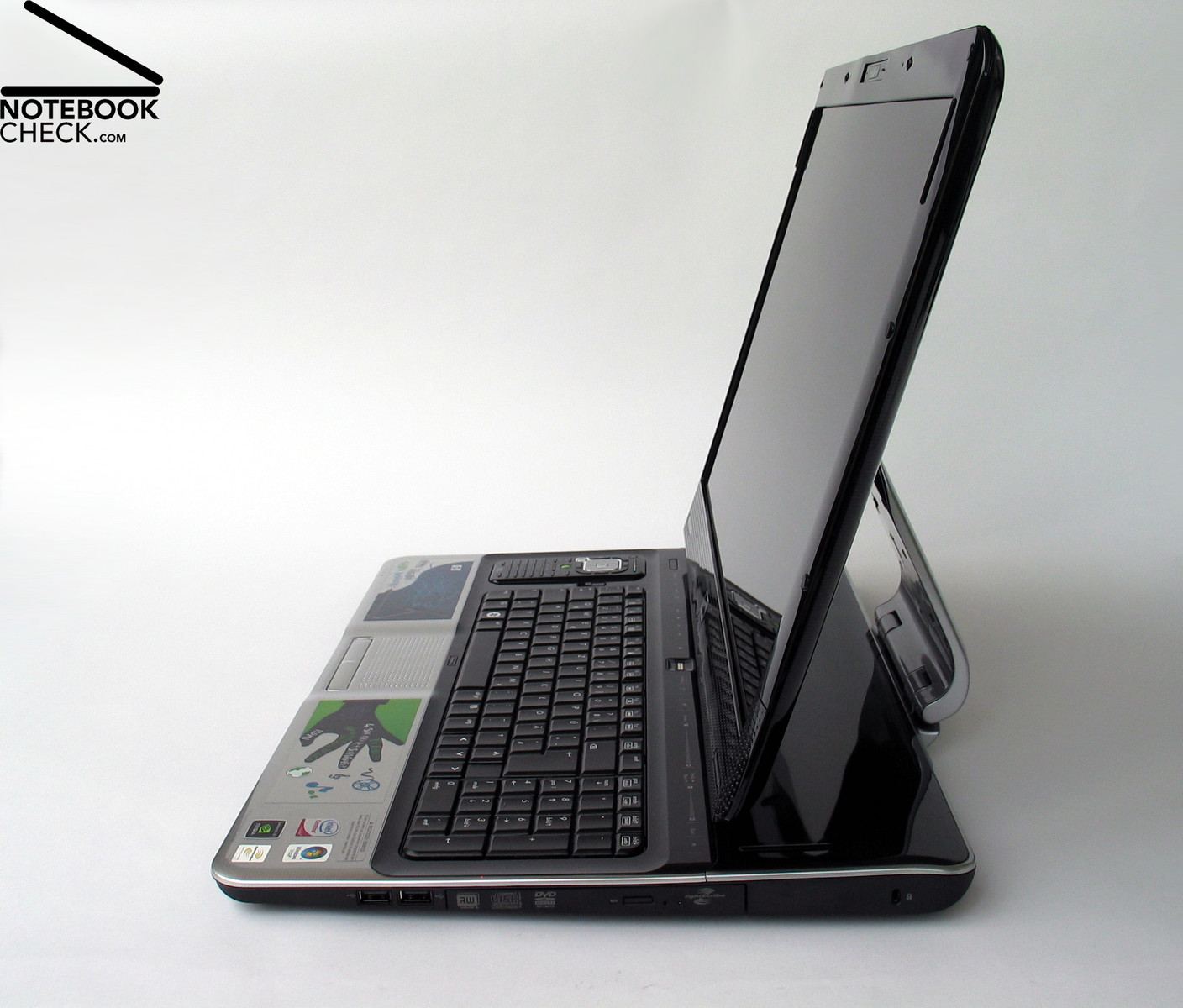
Wie eingangs schon erwähnt, verrichtet der innovative Display-Klappmechanismus eine einwandfreie Arbeit. Abgesehen von leisen Knarzgeräuschen lässt sich das Panel ohne Probleme in eine für den Benutzer angenehme Position bringen. Auf einen Verriegelungsmechanismus wird dabei jedoch verzichtet.
Review Dell Precision M4400 Notebook
Precision in Latitude Look
The Precision M4400 is presumably just right for all those who already liked the Dell Latitude E6500, but weren't sure, because of the too low graphics performance. Based on the same mobile 15.4 inch platform, the M4400 offers first-class performance for 3D visualizations by a powerful Quadro FX 770M graphics card by nVIDIA. This article covers how this mobile workstation performs in our tests.

Basically, Dell offers three different product lines for business customers. The Vostro series covers the entry-level notebooks, which fulfil the base requirements for a business notebook at an attracting price/performance ratio. It follows the Latitude series, which especially focuses on many communication features and scores points by an excellent mobility.
Finally, the Precision series is designed for top performance, equipped with powerful CPUs and GPUs and can so also be of interest for professional 3D graphics and visualization. For these purposes one might probably also consider the XPS series, but, this is primarily designed for gaming.
Of course also private customers, who want to profit from the mature and stable technology of professional notebooks and are poised for spending more money for them, may buy these notebooks. If so, you should consider the price of the business models listed by Dell is exclusive of VAT, but VAT has to be definitely added for private customers. On the part of Dell, shipping fees are also fine print up to the last cost listing.
Case
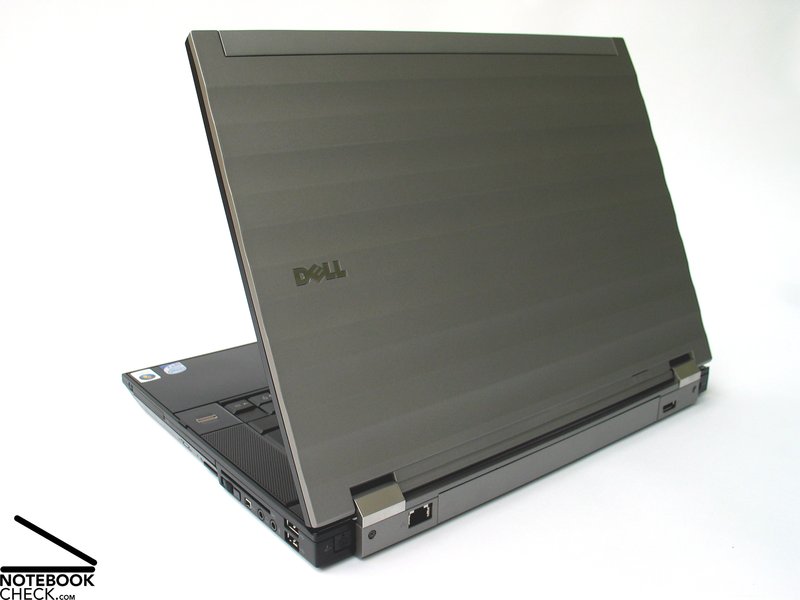
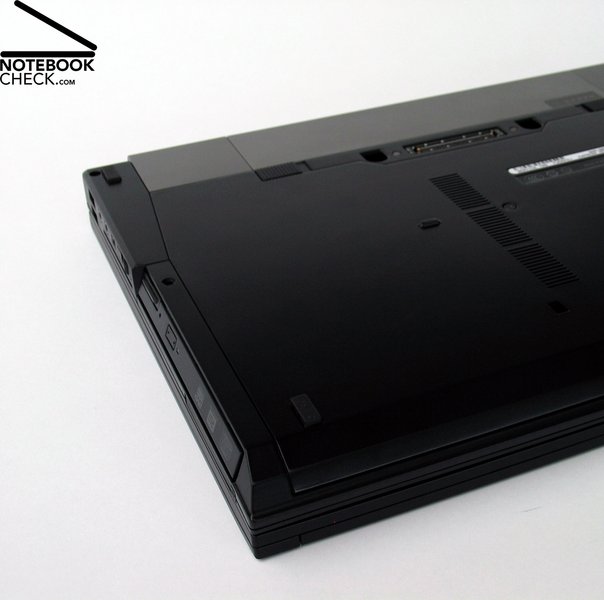
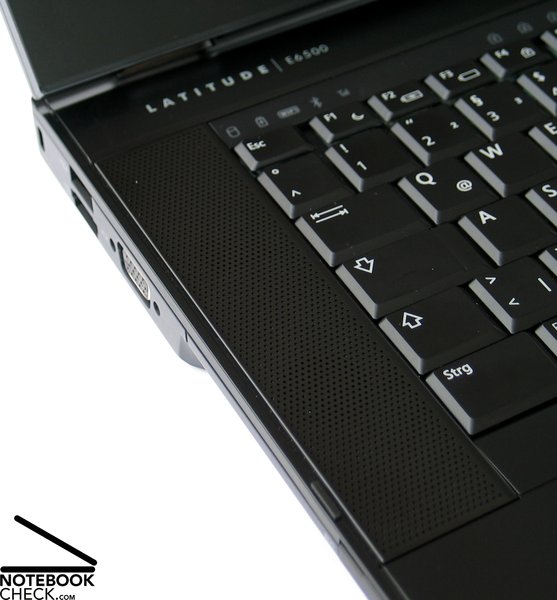
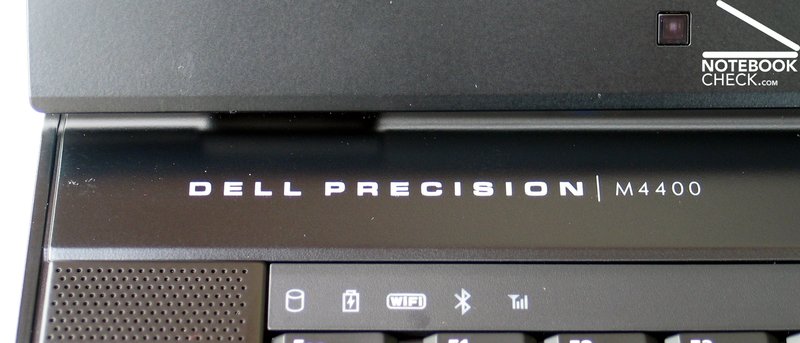
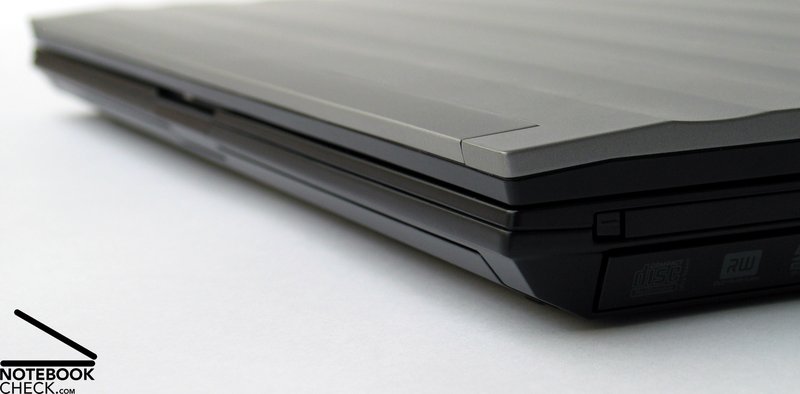
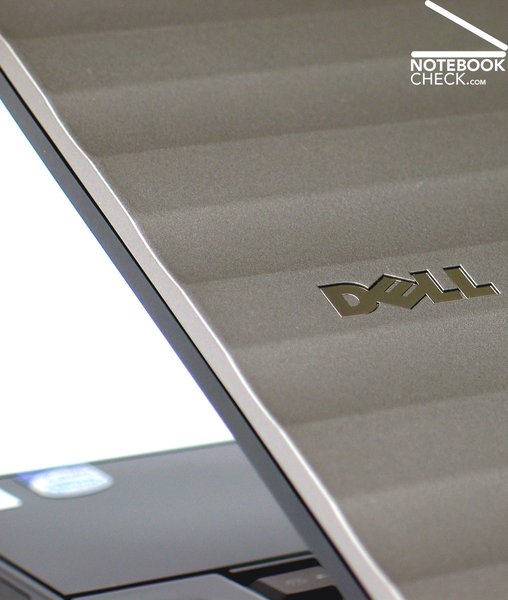
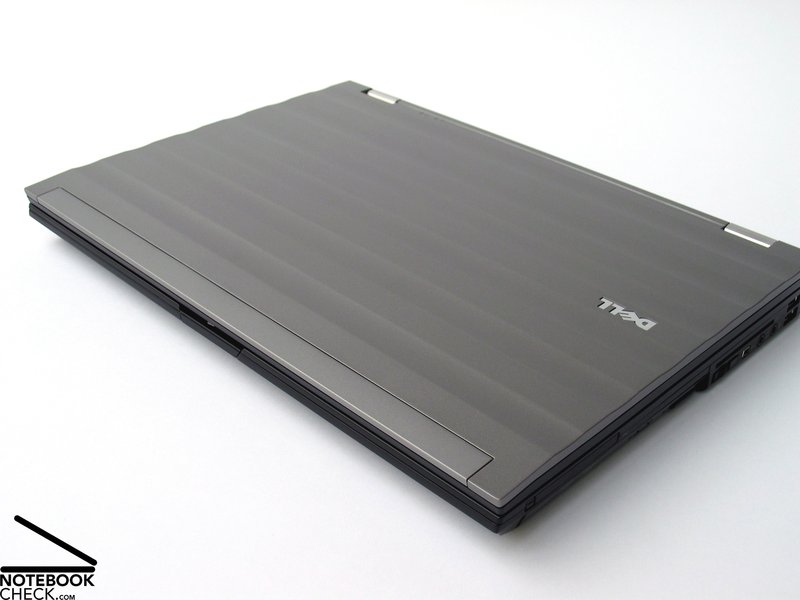
Even if the case, which is well-known in the meanwhile, is not labled with 'Latitude', the case of the Dell Precision M4400 is nevertheless identical to the barebone of the Latitude E6500. In order to also create an outward impression of the capable technology of the Precision models, only a single change of the design was carried out. That is except of the type designation left above the keyboard.
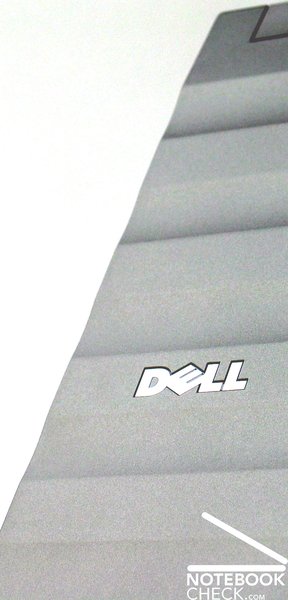
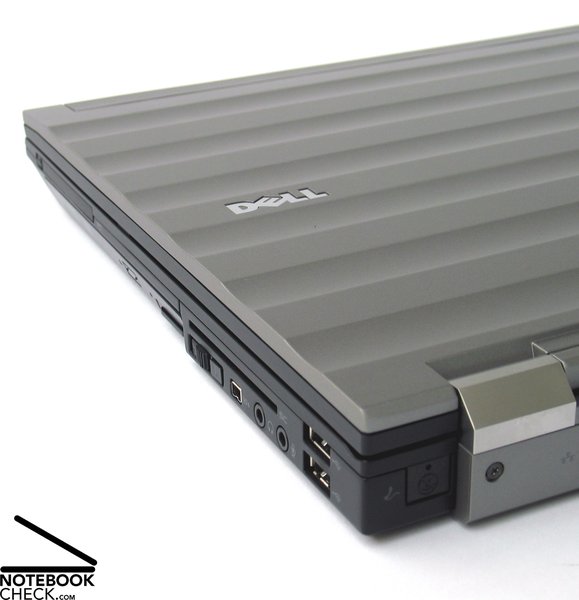
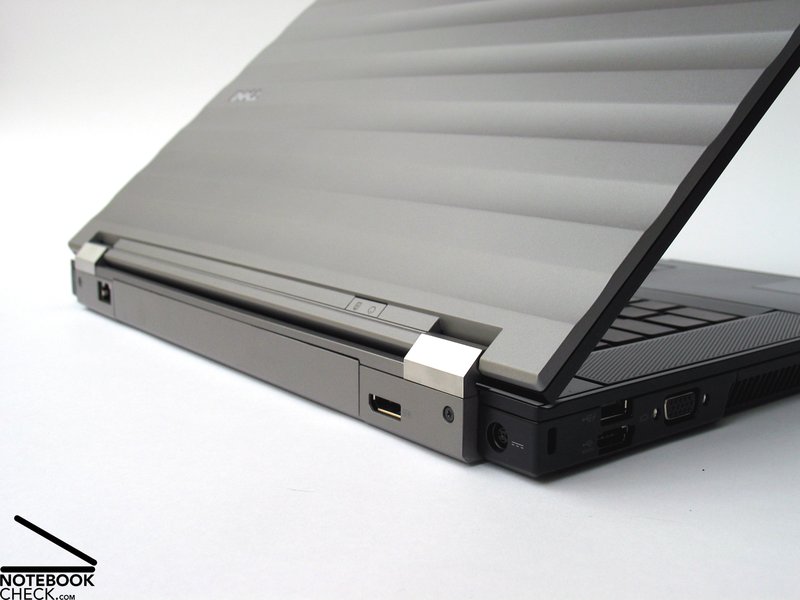
This change concerns the display lid, which now has a silver finish and a wavelike structure. The stability of the case stayed the same. Also the Precision M4400 is exclusively made of magnesium parts. This is also true for the re-designed lid.
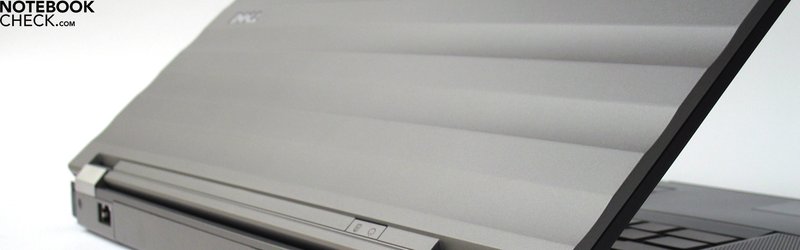
So, we can in general in terms of the case refer to the Review of the Dell Latitude E6500, which we have already scrutinzed earlier. Some of the following pictures are also from this review, because the look of the Precision M4400 does except of the lid not differ from the Latitude E6500.
To summarize, the case stability of the M4400 is excellent. So, nothing gets in the way of an intensive mobile use of this notebook.
Connectivity
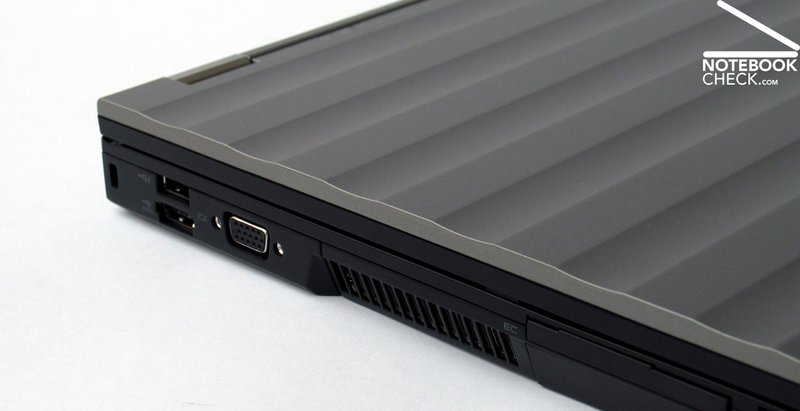
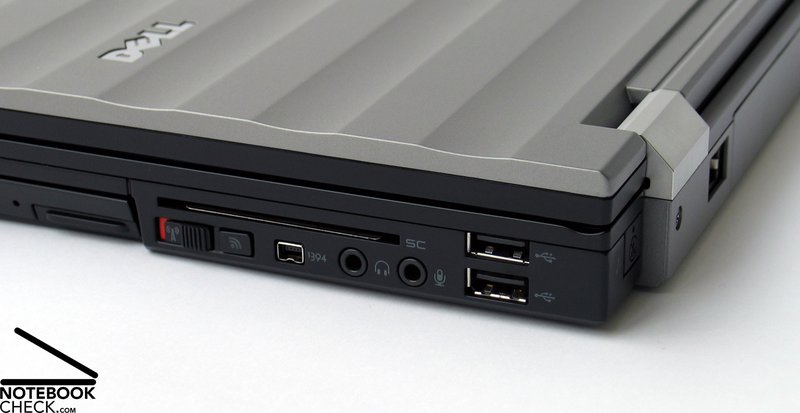
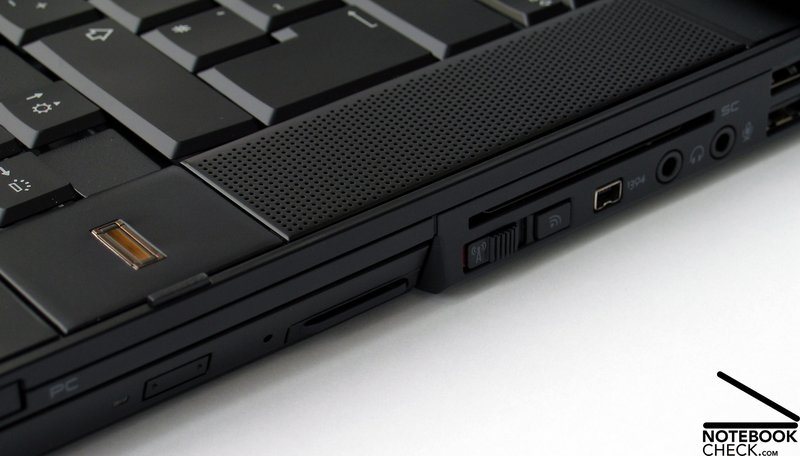
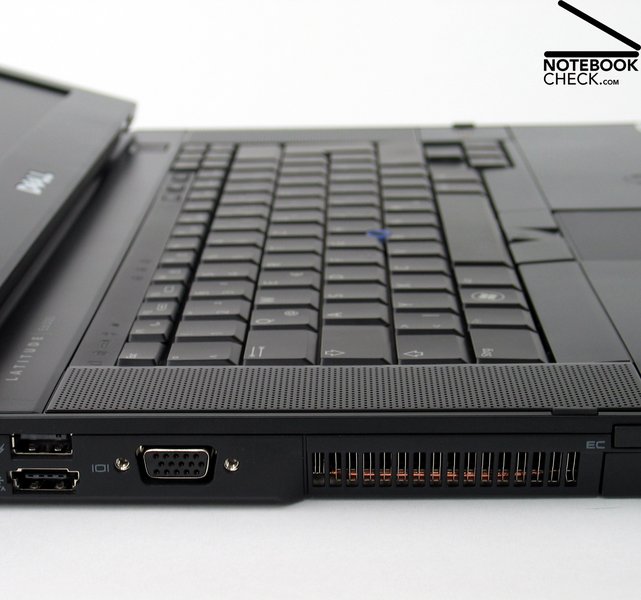
Also concerning connectivity the Dell Precision M4400 and the Latitude E6500 are virtually identical. In total 4 USB 2.0 ports are available, whereas one is a combined USB-eSATA port, to which one can e.g. connect an external hard drive at first-class transfer rates and access times (comparable to a buit-in hard drive).
Besides an obligatory FireWire port and LAN and audio ports (headphones and microphone), the built-in new digital display port belongs to the most important features. This allows alike an HDMI port or alike a clearly bigger DVI port, connecting an external screen to the notebook at digital transfer quality and it also support high resolutions of especially big displays. According to Dell up to two external 30 inch displays with a maximum resolution of 2560x1600 pixels are supported by the Dell Precision M4400.
This offers excellent possibilities of maximum desktop size and overview especially for graphics and CAD users.
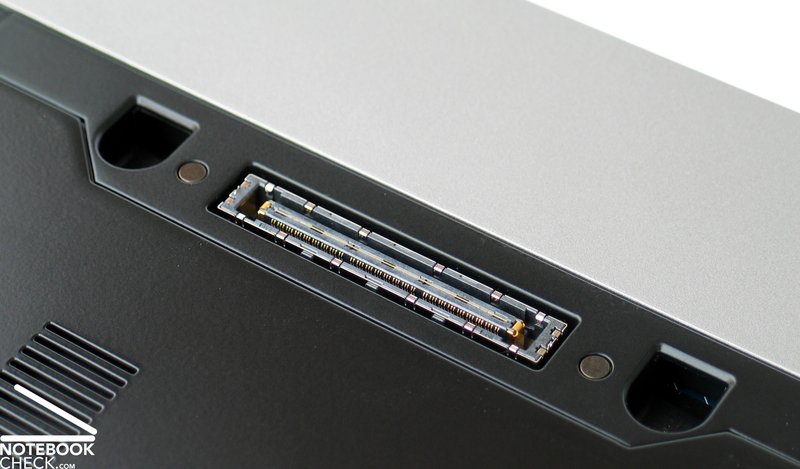
Via the two PCCard and ExpressCard slots the Precision M4400 can also be enhanced by a number of additional features. In this aspect also the docking port on the bottom side of this notebook is important, because it allows connecting the M4400 to a compatible docking station and enhance the connectivity this way. In case of the E-Port Plus by Dell, this is two further display interfaces via DVI or Displayport, which allows connecting two external screens as mentioned above.
But, this is still not all. Alike the Latitude E6500 also the Precision M4400 omes with a modular drive slot, which can, e.g., be used to equip this notebook with a second hard drive or simply keep a plastic dummy for lower weight.
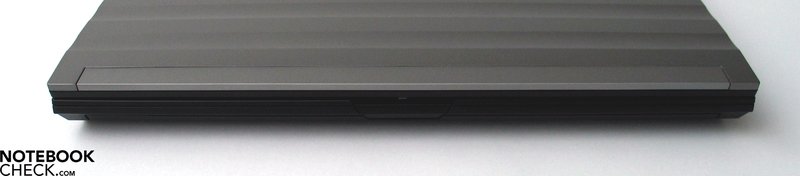
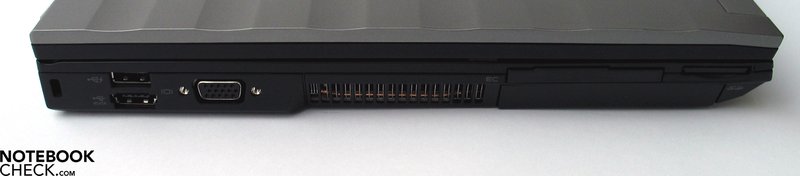
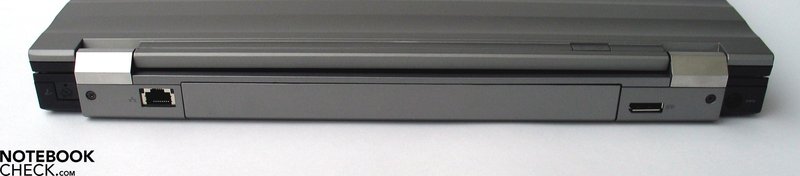
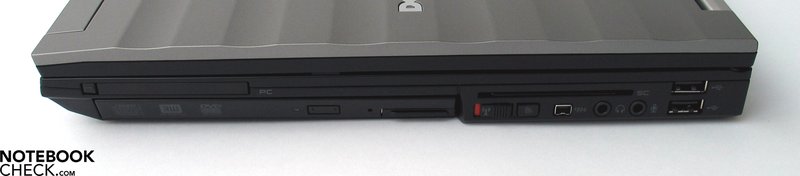
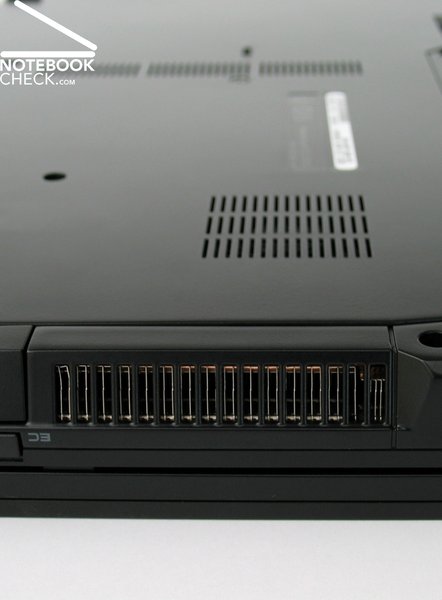
Also the location of the interfaces can be called brilliant. The offered interfaces are distributed on the left and right side towards the back. So, the areas left and right beside the laptop are always free from disturbing cables and plugs. Due to this design, left and right handers have except of the vent hole, which is on the left side, the same working condition.
The base equipment of the Dell Precision M4400 includes a built-in Gigabit LAN chip by Intel (82567LM). Regarding WLAN Dell offers a number of options. Besides the home-made Dell Wireless 1397 (802.11g) and the 1510 module (802.11a/g/n) also the up-to-date Intel modules, Wireless 5100 and 5300, are an option for the M4400. The latter two differ in the supported maximum transfer rate of 300 Mbps for the Intel 5100 chip and the 450 Mbps for the Intel 5300 WLAN module.
Furthermore, an 56k modem is optionally available. But, our test sample was not equipped with such and the provided slot is occupied by a plastic dummy.
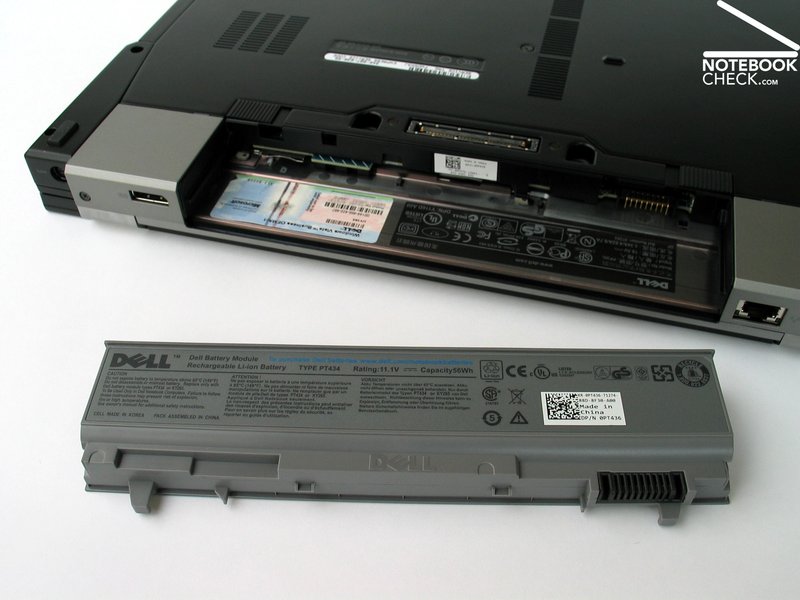
Alike already the Latitude E6500, also the Precision M4400 is UMTS ready, and it can be optionally equipped with Dell's Wireless 5530 HSDPA module. The SIM card of the particular service provider can also be added via the battery slot.
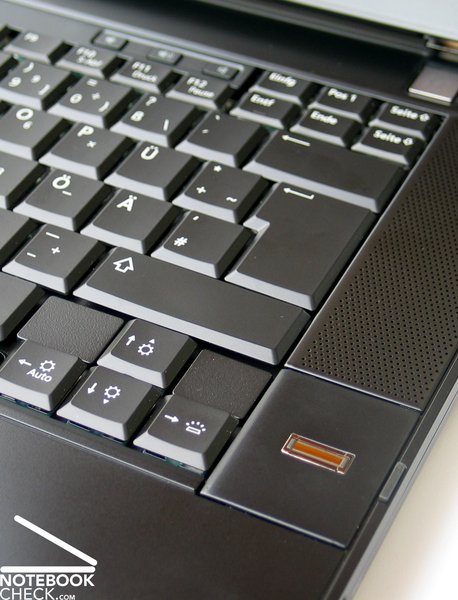
The M4400 offers many security features. One of it is, e.g., the TPM 1.2 chip for data encryption. Access control can be either implemented by the optional fingerprint reader or by the SmartCard reader.
In this aspect also the integrated Dell ControlPoint software is to some degree helpful. Comparable to the Lenovo ThinkVantage software, it helps configuring your laptop.
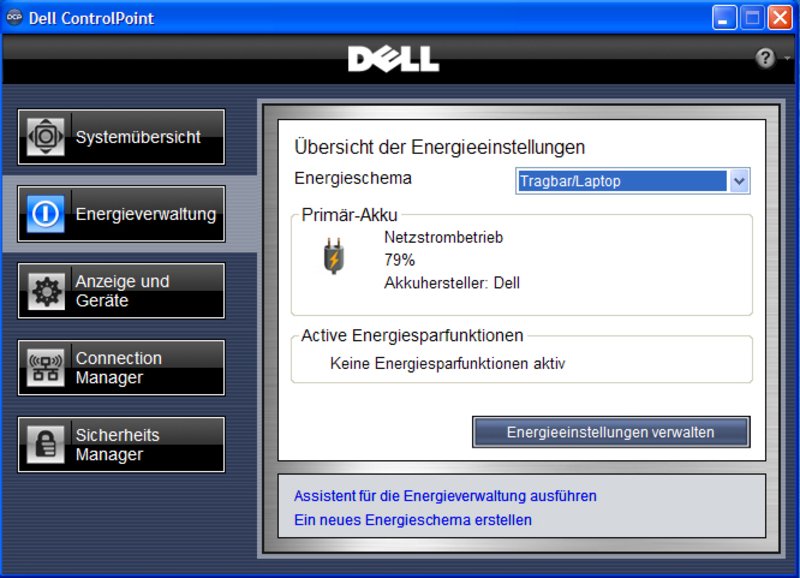
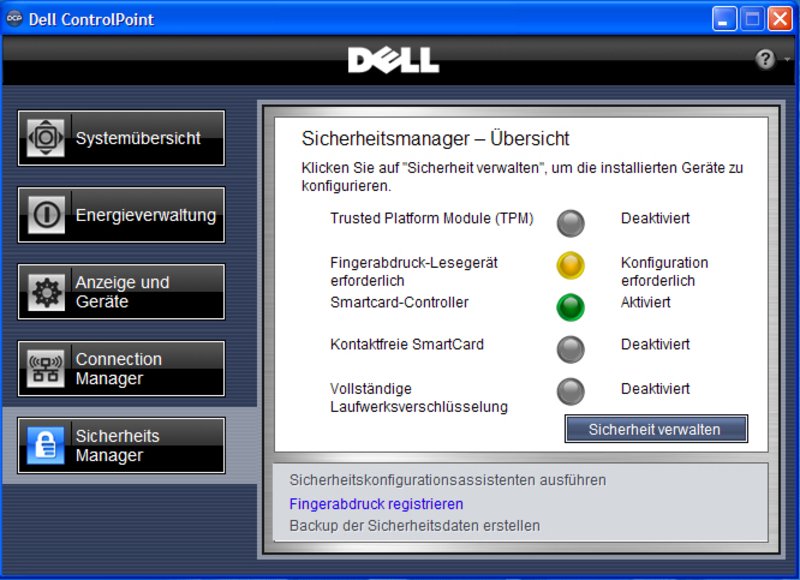
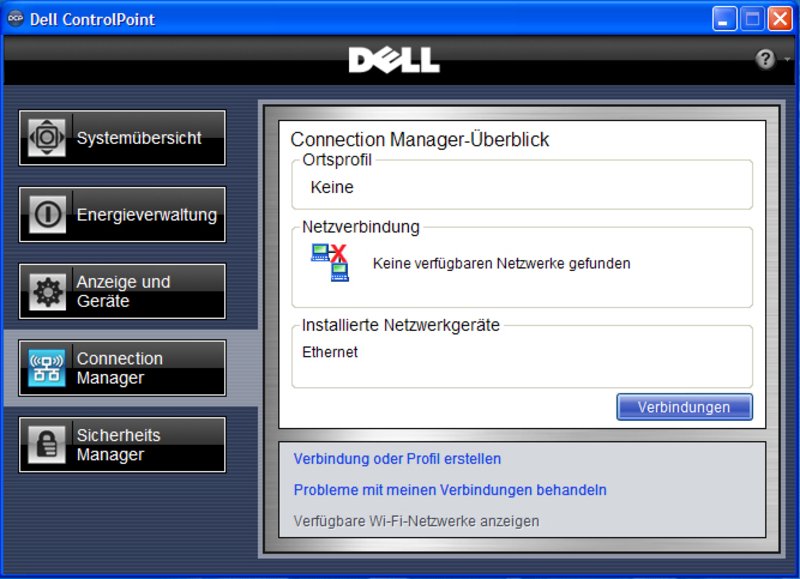
Except of the fact that Dell offers many accessories for nearly all of its notebooks, the Dell Precision M4400 is also available with a number of different operating systems. These include e.g. Windows Vista Ulimate and Business, optionally in 32- or 64-Bit version, and also a downgrade to Windows XP Professional or Professional x64 for each of the offered Vista versions. So, you can continue working with XP as you might be used to, and upgrade to the Vista version included in the delivery later on, provided that you have a valid Windows XP license.
Even for those you do not want to run Windows or want to try something else Dell has an appropriate offer. That is RedHat Linux Version 5.1 with 64-Bit support.
In terms of warranty Dell extends three years base warranty with on-site service on the next work day ex factory. Furthermore, it is also possible to enhance the warranty to up to five years ProSupport (surcharge: 288.- Euro). This also includes that a technician is always on standby in case of hardware problems and support for standard applications like Office, Adobe Photoshop, ...
Input Devices
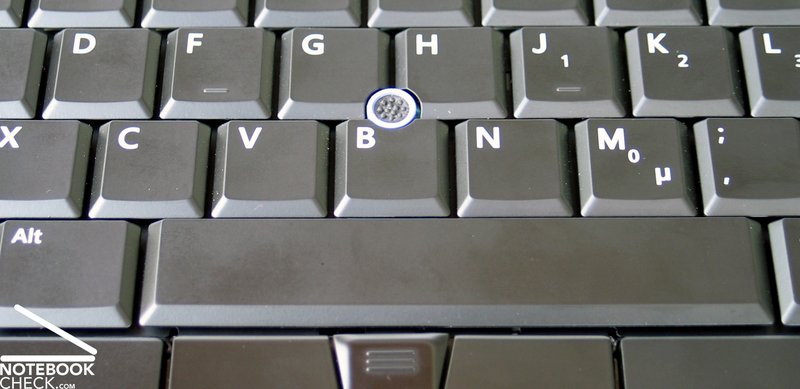
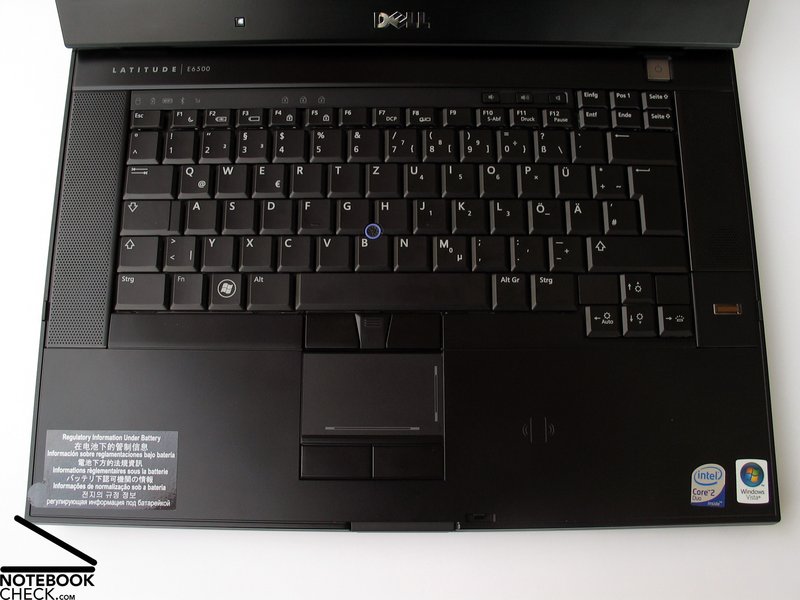
Also here the same already mentioned in the Review of the E6500 holds true. Also the Precision M4400 optionally comes with a keyboard lighting, which is helpful in dim environments.
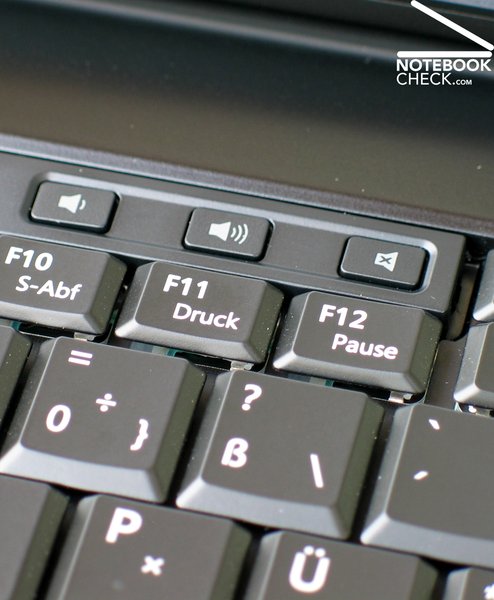
The keyboard layout groups the function keys alike Thinkpad models already do for a long time. An advantage is the key size, which allows getting used to this keyboard in a short time. Apropos familiarization phase: The keyboard of the M4400 unfortunately also has a space bar, which is not centred. So, you might make mistakes in the beginning, especially with the left thumb.
Typing on this keyboard can be characterised by a clear feedback. The very comfortable tapping convinced, because even when typing slightly more forcefully, the noise stayed low.
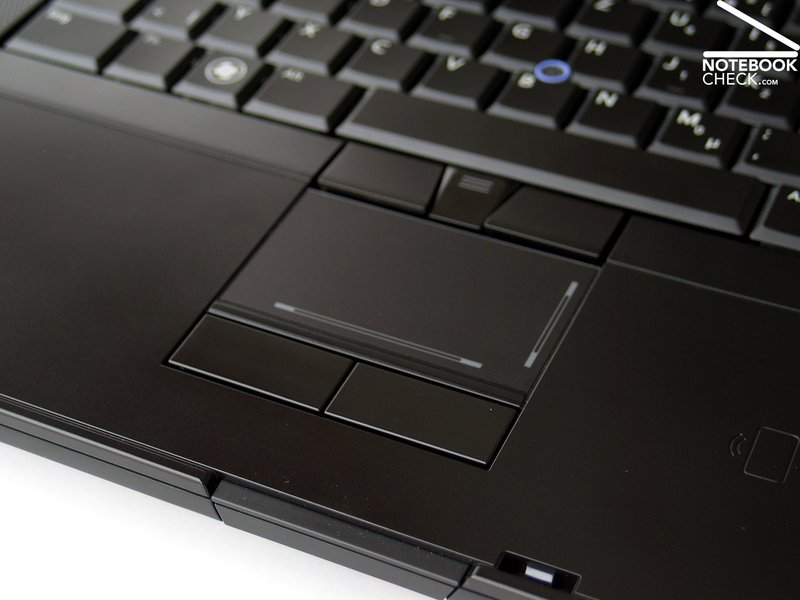
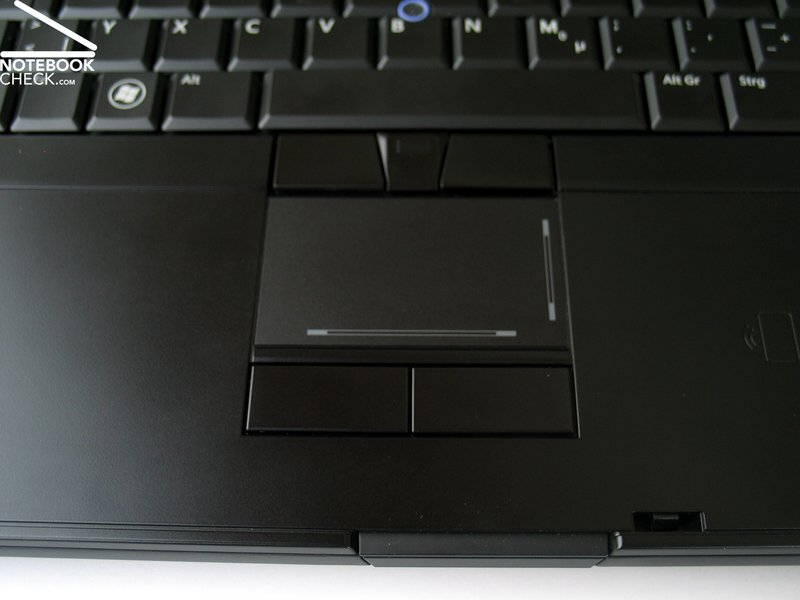
The built-in touchpad/trackpoint combination can also be called very good. Both of them allow navigating without problem even without external mouse. Nevertheless, they do not reach the high quality of the mobile mouse replacements in the up-to-date Thinkpad T and W models.
But, in terms of keyboard Dell could already catch up in the meanwhile and depending on individual preferences you might even prefer it over the already well-known Lenovo/IBM input panel. Even more, because Lenovo allowed the quality of the Thinkpad keys to slightly drop.
Display
In order to cope with the demands of the discriminating CAD and picture editing customers, Dell offers even as much as four different display version for the Precision M4400. The entry-level model is a WXGA panel with a resolution of 1280x800 pixels and matte anti-glare coating. The next higher resolution available is provided by a 1440x900 pixels WXGA LED panel, with which our test sample was equipped with.
Nevertheless, for the actual target group of the Precision M4400, photo, CAD, and 3D visualisation professionals, only one of the top two panels are of interest. First of all the matte dual CCFL (dual lamp technology) WUXGA panel with a resolution of 1920x1200 pixels, which should be very bright and therewith ready for outdoor operation, or the RGB-LED display in WUXGA format, for best colour depiction (TrueLife - reflecting).
The WXGA+ LED panel, our test sample came with too, achieved a maximum brightness of good 306 cd/m² in the test of the display brightness. The brightness fades down to 252 cd/m² in the left upper corner, which still gives a passable illumination of 82.4%.
| |||||||||||||||||||||||||
Brightness Distribution: 82 %
Contrast: 651:1 (Black: 0.47 cd/m²)
The measured black value of this display, i.e., the minimum representable brightness (=black) is very low. A black value of 0.47 cd/m² gives together with the maximum brightness an excellent maximum contrast of 651:1 for this LED WXGA+ display.
Our personal impression was that this display is very bright. When we ran the Spyder 3 Tools by Datacolor for calibrating the colours, it turned out that the blue tones are too dominant and, so, the colours look rather cold in the uncalibrated picture.
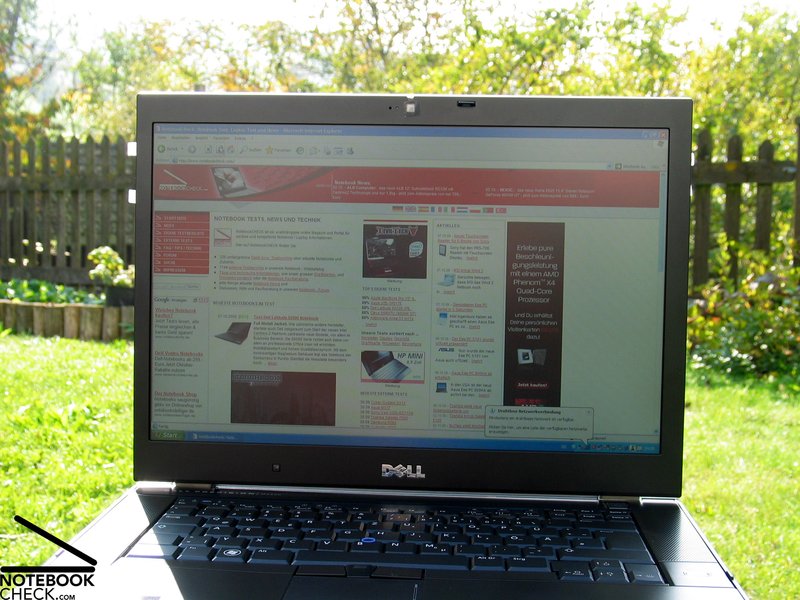
Outdoor operation is not at all a problem for the Precision M4400. Due to a very good average brightness of about 286 cd/m² and a matte display surface, this screen is fit for outdoor usage, because it even stays legible in very bright environments and in the sun.
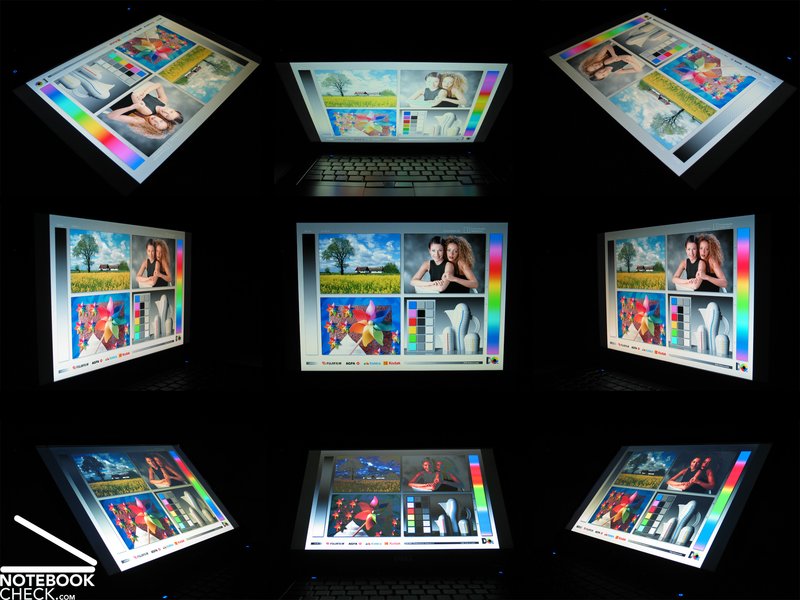
Regarding viewing angle stability this LED panel has a rather big area of operation in horizontal direction. Only at very flat angles the contrast of the picture diminishes.
Essentially narrower yet sufficient is the stable area of operation in the vertical axis. If the viewing angle gets flatter, the picture also changes in this direction.
Video of Display's Viewing Angles
Performance
As mentioned in the introduction, the Dell Precision M4400 is a compact, powerful workstation, so to say an equivalent to the Latitude E6500 and in terms of performance also the bigger, 17 inch, Precision M6400. So, the M4400 is especially appropriate for power users, which also consider mobility very important. Because of its weight of 2790 gramme it is still to some degree possible to use this notebook in a mobile way without problems.
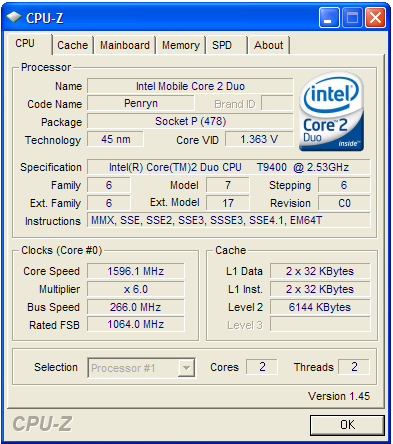
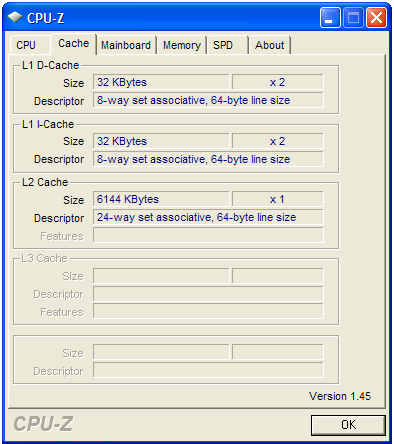
Dell reacts to the claim for higher graphics and calculation power, but equipping this notebook with processors of the Intel Centrino 2 product range and in terms of graphics by a professional, application optimized Quadro FX 770M by nVIDIA. The entry-level CPU is thereby an Intel Core 2 Duo P8400 chip with 2.26 GHz and 3MB L2 cache. The range of processors supported by the Precision M4400 ranges up to today's most powerful mobile CPU, the Intel Core 2 Extreme processor with full 3.06 GHz calculation power and 6MB L2 cache. However, also the price of this solution is at its maximum, as the Extreme CPU costs plus 700.-. Considering the price/performance ratio a T9400 CPU with 2.53 GHz and 6MB L2-cache is likely more interesting. Learn about further details in our Comparison of current Intel Centrino 2 CPU models.
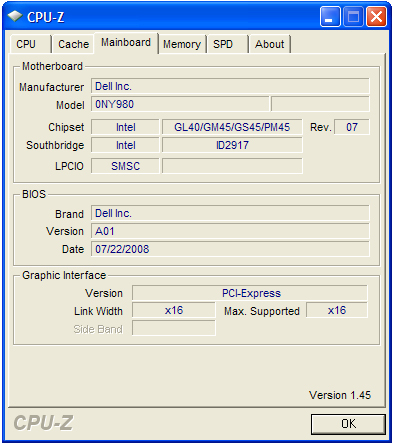
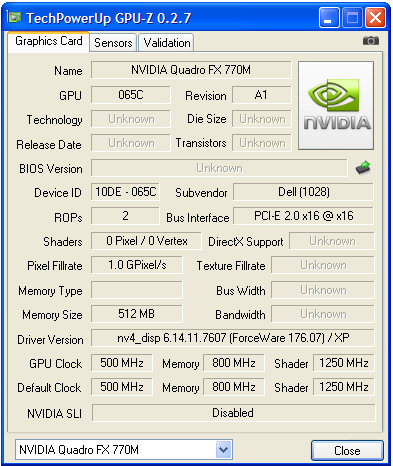
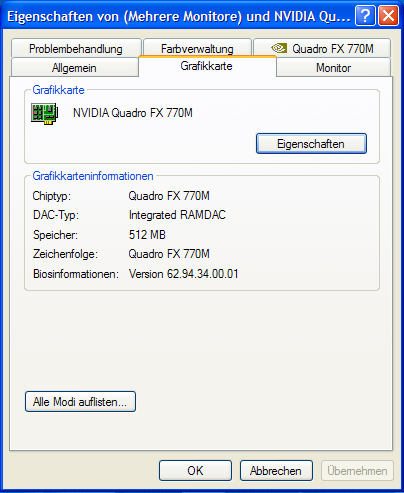
Also in terms of graphics and 3D performance the Precision M4400 was equipeed with a very powerful graphics card. The built-in nVIDIA Quadro FX 770M is technically speaking based on the Geforce 9600M GT graphics card, a mid-range graphics card, which is often found inside compact, playable notebooks.
Because it comes with certified drivers, optimized for the most popular CAD and visualisation applications, the Quadro FX 770M is specialised for professional users and guarantees the best performance and a stable, perfect operation.
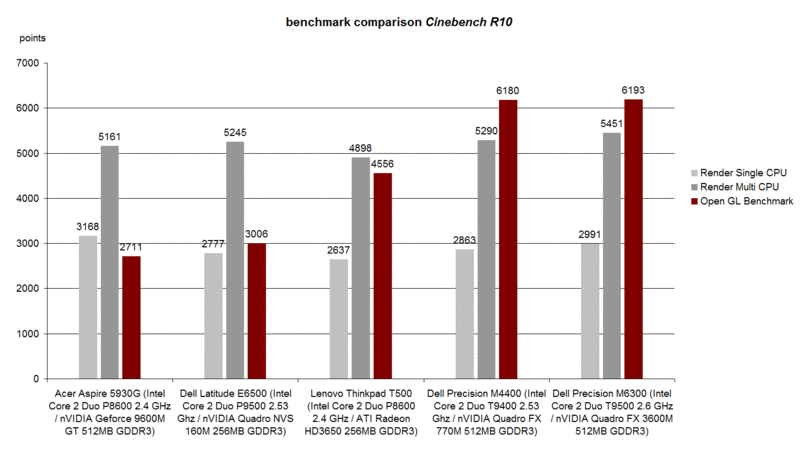
This optimisation gets, e.g., obvious in the Cinebench R10 benchmark tests. The Dell Precision M4400 with Quadro FX 770M Grafik achieves excellent 6180 points in the OpenGL Shading test and therewith it reaches about the level of, e.g., the Precision M6300 with Quadro FX 3600M graphics. In contrast, the Geforce 9600M GT in the Acer Aspire 5930G achieves only 2711 points, that is less than half the performance, only because its graphic drivers aren't optimized.
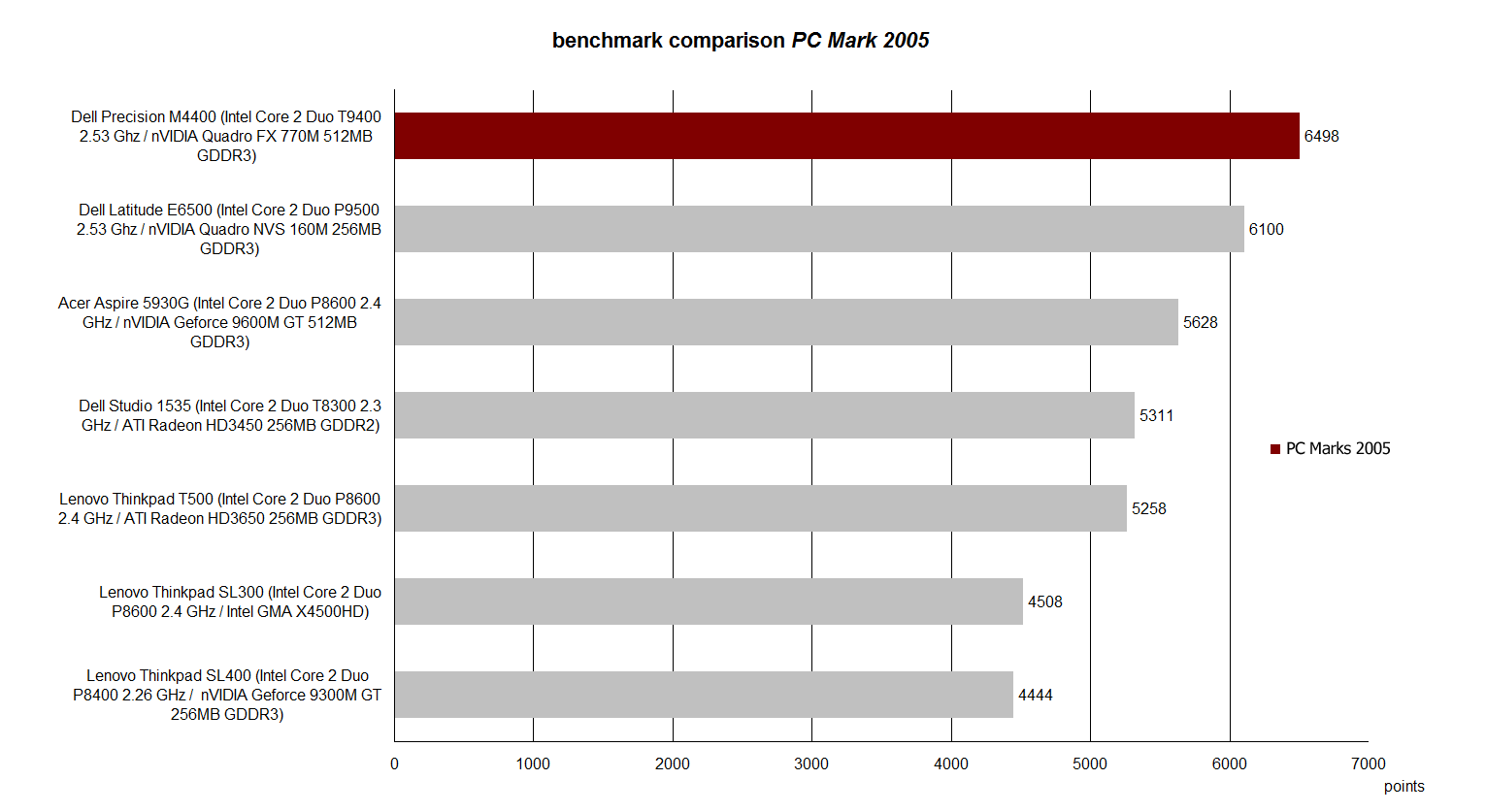
The same is true for the PC Mark 2005 benchmark test. With an excellent result of 6498 points the Dell Precision M4400 gets already close to the Alienware m15x, which so far reigns supreme in the 15 inch notebook class (clearly more than 7000 points). If the test sample was equipped with the top CPU (Core 2 Extreme) and the like for all other hardware components, the M4400 would probably easily go beyond 7000 points.
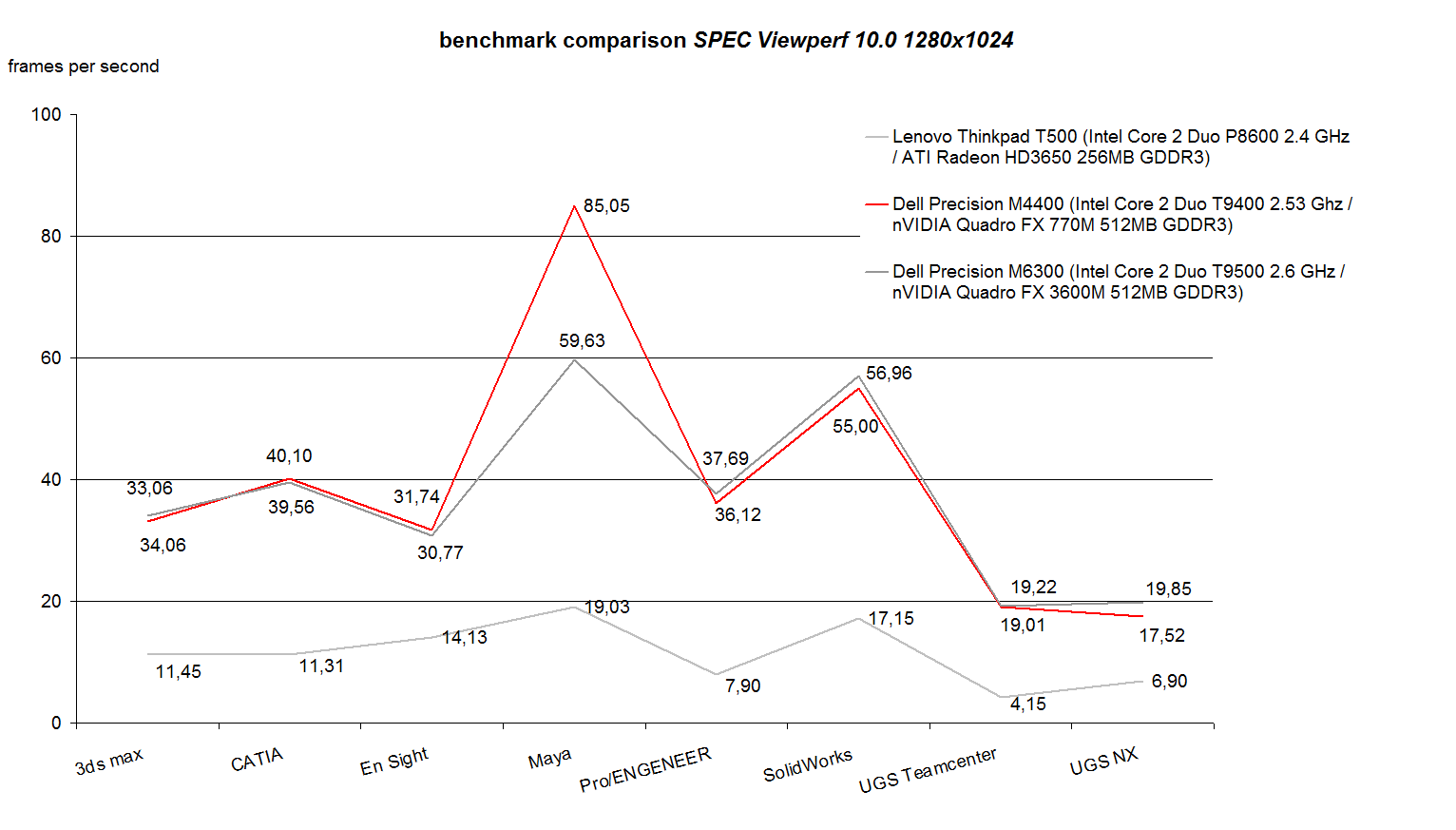
The M4400 is also able to prove its superior performance in the SPEC Viewperf 10.0 benchmark test. In the performance check with popular 3D visualisation and constructions software the M4400 rates very good. Compared to the Precision M6300, the former signature product of Dell's mobile workstations, which has in the meanwhile been replaced by the M6400, the M4400 with Quadro FX770M Grafik takes the lead in many test parts. The performance gain in the visualisation software Maya from Autodesk the performance gain is especially impressing.
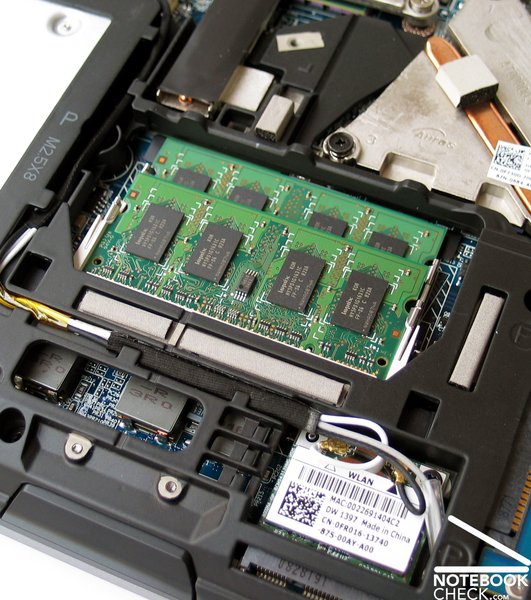
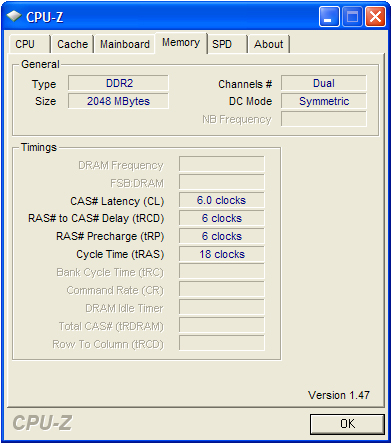
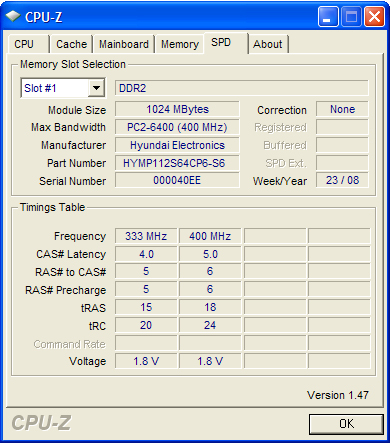
Our test sample was equipped with two RAM modules, 1024 MB each. Thereby DDR2 PC2-6400 modules with a clock rate of 800MHz in dual channel mode were used. Thanks to Intel's Montevina platform the Dell Precision M4400 is able to support a total of up to 8 GB RAM, but, this will be hardly utilized these days, because 4GB modules are still disproportionally expensive. Nevertheless, a 64-bit operating system is recommendable respectively necessary from 3-4 GBs RAM capacity upwards.
As a matter of fact the Montevina platform would in general also support DDR3 RAM modules. According to Dell, the standard equipment does not include DDR3 modules, because they still cost much and the availability is still limited while the performance gain of the new chips is rather small. But, they do not exclude that they will offer them later.
In terms of mass storage devices you have generally the same choices than for the E6500. The available hard disks include standard hard drives with a revolution speed of 5400 rpm and a maximum capacity of up to 500 GB, special encrypted hard drives with a gross capacity of up to 160 GB, fast hard drives with integrated acceleration sensor with 7200 rpm and a capacity of up to 320 GB, and SSD drives with up to 64 GB capacity.
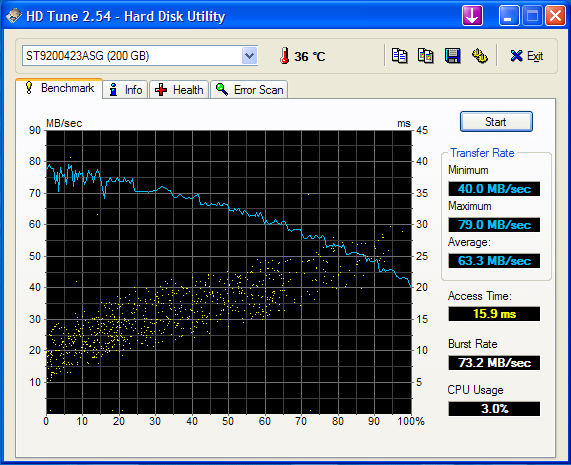
Our test sample was equipped with a fast 200 GB hard drive with 7200 rpm and 200 GB capacity. In the HDTune benchmark this ST9200423ASG from Seagate achieved a very good transfer rate of 63.2 MB/s in average and a low access time of 15.9 ms.
Furthermore, the writing speed measured with the HDTune file benchmark of about 65-70 MB/s is also good.
| 3DMark 2001SE Standard | 34871 points | |
| 3DMark 03 Standard | 17192 points | |
| 3DMark 05 Standard | 11161 points | |
| 3DMark 06 Standard Score | 5363 points | |
Help | ||
| PCMark 05 Standard | 6498 points | |
Help | ||
| Cinebench R10 | |||
| Settings | Value | ||
| Shading 32Bit | 6180 Points | ||
| Rendering Multiple CPUs 32Bit | 5290 Points | ||
| Rendering Single 32Bit | 2863 Points | ||

Gaming Performance
There is no doubt hat using the Dell Precision as gaming notebook is luxury, but it is possible in theory, because this notebook comes with a powerful graphics card, which reaches the same performance level than a Geforce 9600M GT. The following gaming tests prove that this business notebook also performs well in current computer games.
In the realtime strategy game, Supreme Commander - Forged Alliance, the Dell M4400 achieved an average frame rate of 20-45 frames per second, on a resolution of 1024x768 pixels and medium graphic detail level in a multiplayer match 3 vs. 3. So, this game is with passable graphics rather well playable.
The 1st-person shooter Call of Duty 4 - Modern Warfare, ran smoothly on a frame rate, which permanently exceeded 35 fps, on a resolution of 1024x768, deactivated anti-aliasing, and all other settings 'on' or 'medium'.
The performance of the M4400 was also good in the fast ego-shooter Unreal Tournament 3. The recorded frame rate stayed constantly near about 62 fps on a resolution of 1024x768. After we increased the resolution to 1280x800 pixels, the performance dropped to 55-62 Fps. Not before selecting a resolution of 1440x900 pixels the frame rate fell to occasionally critical 35-62 fps. We ran all the tests on standard detail level (level 3/5).
Finally, the performance was also passable in the hardware demanding shooter Crysis. In the GPU benchmark test the Precision M4400 achieved an average frame rate of 39 fps on a resolution of 1024x768 pixels and medium details. When we ran the first mission of the demo we recorded a performance of about 35-45 fps in practice.
Spieleleistung
Emissions
System Noise
Regarding noise emissions the Dell Precision M4400 has two faces. On the one hand this mobile workstation is with a maximum noise level of 32.3 dB(A) very quiet in idle mode or with moderate office load. So, you can say it is very quiet yet decently audible in this state.
If you systematically operate this laptop at full capacity, i.e., both CPU cores and the graphics card, the M4400 behaves completely different. Here the system fan speeds up to its maximum and reaches a maximum noise level of 47.3 dB(A). Even if this is already a rather critical level, we personally did not feel that the noise is uncomfortable. Furthermore, the noise level falls relatively quickly back to the quiet idle state once the task is completed.
Noise level
| Idle |
| 32.3 / 32.3 / 32.3 dB(A) |
| HDD |
| 35.8 dB(A) |
| DVD |
| 35.8 / dB(A) |
| Load |
| 41.3 / 47.3 dB(A) |
 | ||
30 dB silent 40 dB(A) audible 50 dB(A) loud |
||
min:  , med: , med:  , max: , max:  (15 cm distance) (15 cm distance) | ||
Temperature
Much to our surprise the heating of the case is absolutely low under load. Obviously, the system fan is able to ensure a sufficient air flow inside. On the top side we measured a maximum temperature of 37.2°C close to the touchpad. The bottom side got only marginally warmer and reached a maximum of 42.1 °C.
(+) The maximum temperature on the upper side is 37.2 °C / 99 F, compared to the average of 36.8 °C / 98 F, ranging from 21 to 71 °C for the class Multimedia.
(±) The bottom heats up to a maximum of 42.1 °C / 108 F, compared to the average of 39.1 °C / 102 F
(±) The palmrests and touchpad can get very hot to the touch with a maximum of 37.2 °C / 99 F.
(-) The average temperature of the palmrest area of similar devices was 28.7 °C / 83.7 F (-8.5 °C / -15.3 F).
Loudspeakers
The built-in loudspeakers should be the same than in the Dell Latitude E6500. The sound of the two speakers is on low volume rather passable. On maximum volume the speakers slightly overdrive and sound rather tinny.
The audio signal was perfect and clear via the 3.5mm stereo headphones jack.
Battery Life
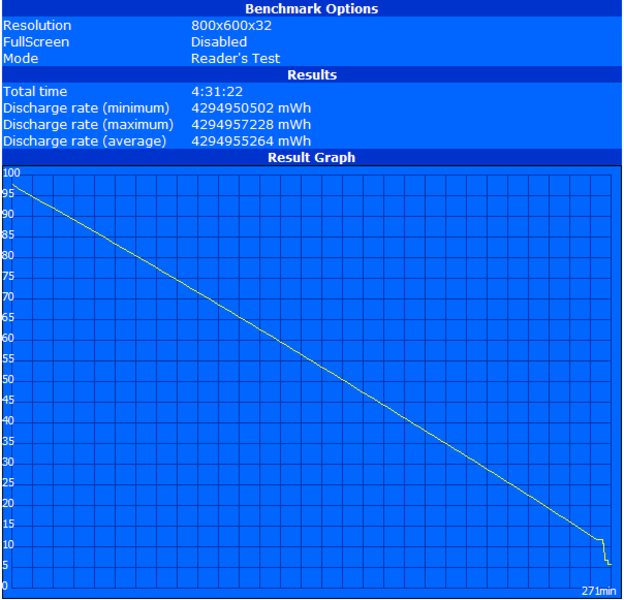
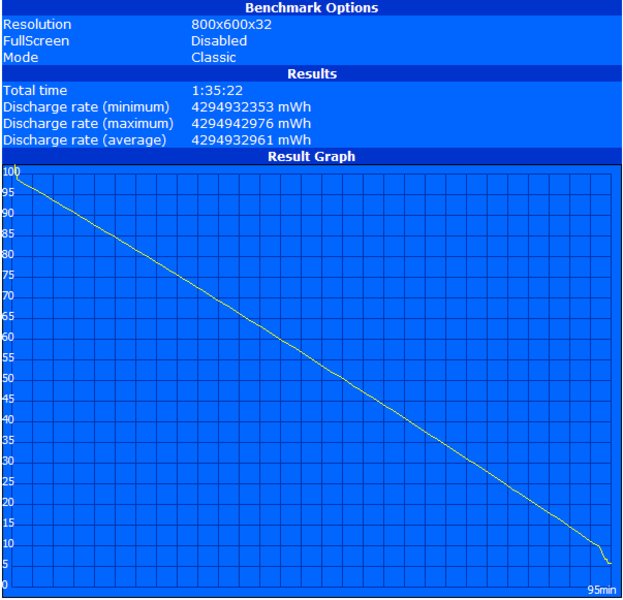
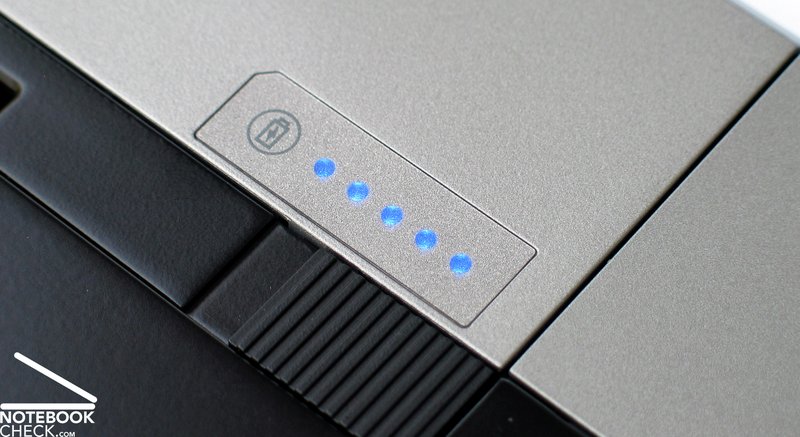
In terms of battery equipment the Precision M4400 also measures up to the Latitude E6500, which is nearly identical in construction. In the standard equipment the M4400 also comes with a 6 cell lithium-ions battery with a capacity of 56 Wh. In the test of the possible maximum runtime by the BatteryEater Readers test (minimum brightness, energy saving mode, WLAN deactivated), this notebook achieved a runtime of at least 271 minutes, that is about 4.5 hours.
In the BatteryEater Classic test, acting as the lowest battery runtime under load to be expected (maximum brightness, profile: highest performance, WLAN on), the M4400 still achieved a runtime of passable 95 minutes.
When watching DVDs (maximum brightness, profile: balanced, WLAN off), a test which is close to the practice, this laptop still ran for 145 minutes, which is rather useful, because a film of average length can be completely watched on battery without problems.
When browsing the Internet via wireless WLAN on maximum brightness and with active energy saving profile, the result of 197 minutes for the runtime was also respectable.
So, the Precision M4400 has already with standard battery a rather good mobility. Due to the optional 9 cell main battery with a capacity of 85 Wh or the compatible 12 cell supplement battery, which can be docked to the bottom side of the notebook and powers the notebook via the docking interface, the Dell Precision M4400 can also be upgraded in terms of battery life. This way, it should even be possible to work for a whole work day on battery.
| Off / Standby | 0 / 0 Watt |
| Idle | 13.1 / 18 / 17.5 Watt |
| Load |
57.2 / 68.5 Watt |
   
| |
Key:
min: ,
med: ,
max: | |
Verdict
Already the Latitude E6500 from Dell could nearly completely convince. In principal the Precision M4400 is identical in construction, but the available hardware components are optimized for calculation and 3D performance. The result is note-worthy.
Due to powerful Core 2 Duo processors from Intel up to a Core 2 Extreme CPU, which is today's most powerful mobile processor, and a Quadro FX 770M from nVIDIA the compact Precision M4400 closes in terms of performance the gap to the in the meanwhile obsolete Precision M6300 workstation.
Its magnesium case can convince hardly any point of critique. The chassis is very flexural rigid and robust, and should also be able to stand an intensive mobile use. Also the peripheral connectivity and the arrangement of the ports is first-class.
Where the display is concerned, Dell offers a number of options specific to the requirements of the M4400's target group. So, it offers two high-resolution WUXGA panels with maximum overview and workspace, one with special RGB-LED technology for best colour depiction, the other utilizes the dual lamp technology with special high brightness and matte surface in order always guarantee a legible display especially in outdoor operation.
The results of the performance tests could also convince. Especially the model with Quadro FX 770M graphics card offers a first-class performance, espcecially for graphics and 3D applications, e.g., 3D Studio max, CATIA, or Maya.
Despite the huge performance reserve capacities this laptop is very quiet in idle and office mode. Not before the load is increased, you have to live with a very loud fan.
Another advantage of the Precision M4400 is its rather good battery life, which can already achieved with the standard 6 cell battery. Due to a number of upgrade options regarding battery and energy supply this notebook can also be set up for very high demands on mobility.
To summarise, the Dell Precision M4400 left a solid picture, and can especially be recommended for professional CAD and visualization users who also demand a very mobile notebook. With the right equipment the M4400 leaves nothing to be desired at the time of writing, whereas the price of the high-end equipment quickly clearly exceeds the 2000.- Euro level.
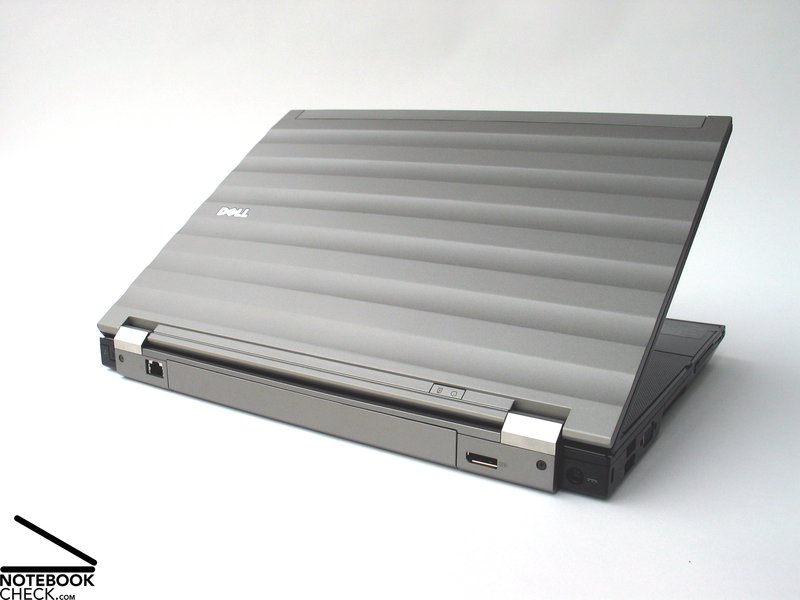
Many thanks to Planet Notebook for kindly providing us with the test sample. Here you can configure and also buy this notebook.
 Add as a preferred source on Google