




Windows 11 26H2 brings a hidden performance boost — and may slash RAM usage
The latest Windows 11 26H2 update may look like a minor release on paper, but some users are reporting noticeably lower memory use and faster response times after installing it. The update brings together several performance improvements that Microsoft has gradually delivered through monthly patches, including a Low Latency Profile designed to make common Windows actions feel quicker.
Windows 11 versions 24H2, 25H2 and 26H2 share the same servicing branch, meaning many of 26H2’s changes had already been delivered before the update formally arrived. Microsoft describes 26H2 as an enablement package that turns on selected features and resets the operating system’s support lifecycle.
One of the most noticeable changes is the Low Latency Profile. When a user opens the Start menu, Search, Notification Center or an application, Windows temporarily pushes the processor close to its maximum clock speed for one to three seconds. The system completes the task quickly and then allows the CPU to return to an idle state—a technique Microsoft calls “race to sleep.”
Microsoft began rolling out the feature to Windows shell elements in June, then expanded it to app launches in August. Tests cited by Windows Latest showed faster launch times for applications including WhatsApp, Calculator and the Weather app. Because Microsoft used controlled feature rollouts, not every PC received the changes at the same time. The broader 26H2 release should make those optimizations available to more systems.
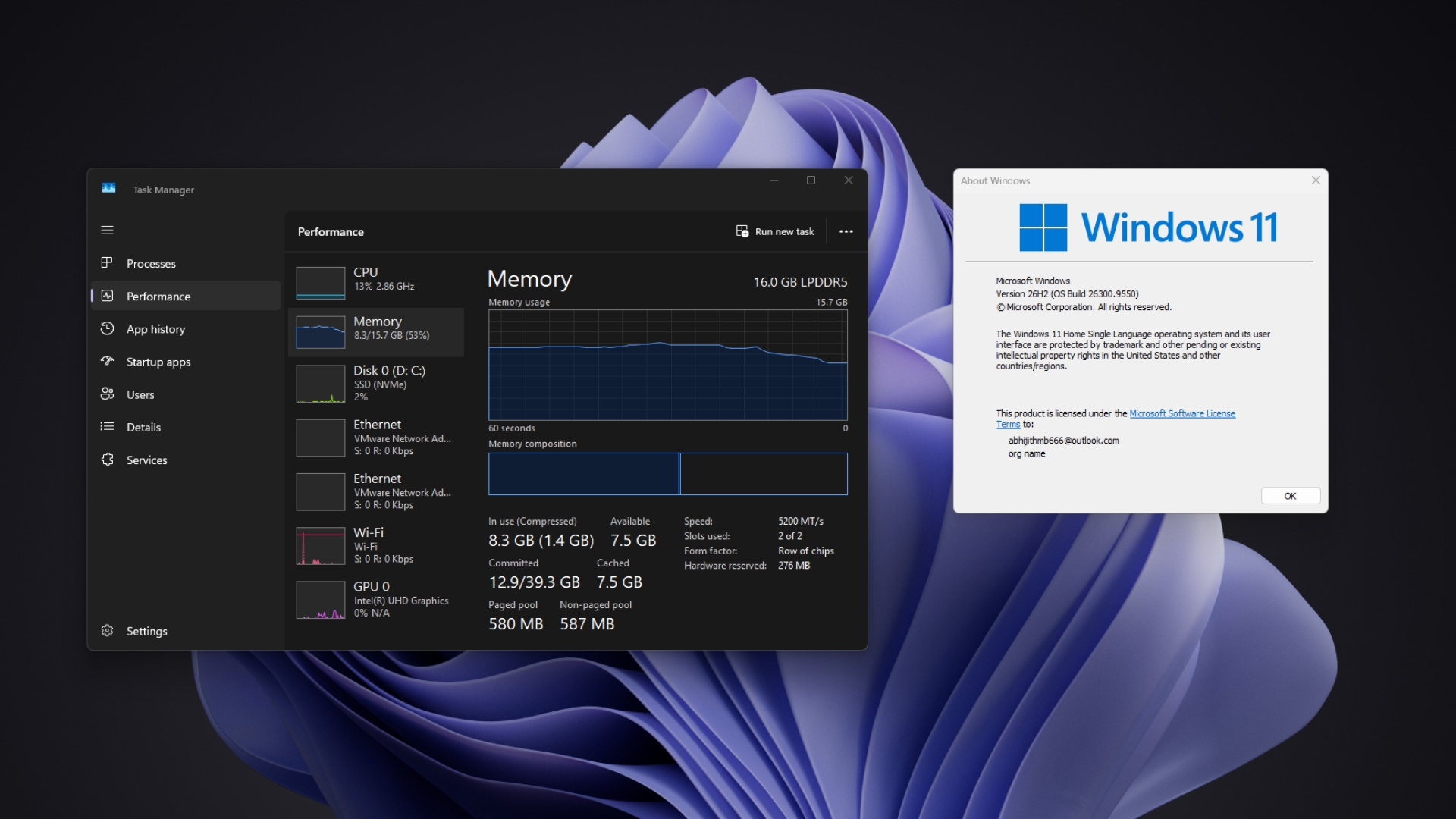
The more surprising change in 26H2 is its reported RAM use. Windows Latest said that a three-year-old laptop with 16GB of memory used about 7GB immediately after restarting on 26H2, compared with more than 10GB before the update. A Reddit user cited by the publication reported around 2GB less memory use after booting a PC with 48GB of RAM, while another user said usage on a 32GB system fell from 9.1GB on Windows 11 25H2 to 7.5GB on 26H2. An 8GB system reportedly showed no change, illustrating that results can vary considerably by hardware and configuration.
However, there is no confirmation that 26H2 itself is responsible for the lower memory consumption. Startup applications, cached data, application versions and browser tab management can all affect the figures, while Microsoft has not announced a specific RAM reduction as part of the update.
The RAM changes may nevertheless be part of a broader optimization effort. Microsoft has previously said it is working to make Windows 11 more responsive under heavy load and reduce its memory footprint. The company has identified memory management, memory compression, WinUI and WebView2 as areas for improvement, and has described better performance on systems with 8 GB of RAM as a priority.
Windows 11 has also received improvements to File Explorer, Search and WinUI throughout the year. Microsoft says File Explorer is now faster and more responsive after optimizations that reduce its reliance on preloading. Together with the Low Latency Profile and other changes, these smaller improvements could make the operating system feel faster without introducing a major new feature.
Source(s)
 Add as a preferred source on Google


