




Windows 11 Search gets a big makeover — it can now control your PC with simple commands
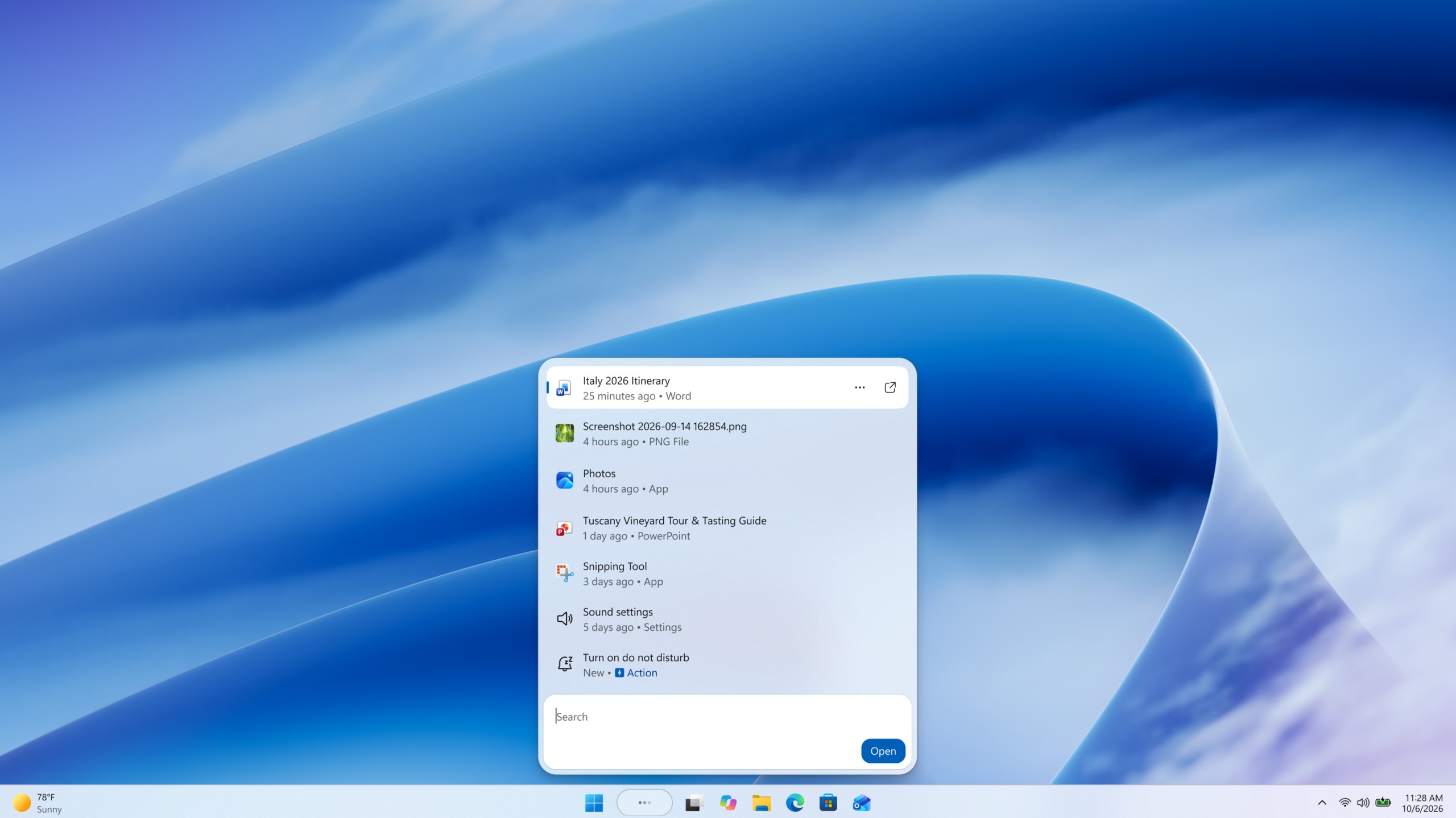
Microsoft is turning Windows Search into more than a tool for finding files and apps within the OS. At its Windows and Surface event, the company unveiled a new Search experience that acts as a system hub, allowing users to perform thousands of actions directly from the Windows 11 taskbar.
According to Windows lead Pavan Davuluri, the new Search will allow users to perform a wide range of system actions without opening individual settings or applications. Microsoft describes it as an agentic interface that can understand what users want and carry out tasks on their behalf.
For example, users will be able to type commands such as “switch to Dark mode,” “turn on Night light” or “turn on Bluetooth.” Search can also handle quick adjustments, including “dim my screen” or “mute,” as well as workspace management commands such as “minimize all my windows” or “arrange windows on screen.”
Microsoft says these are only the first actions, with more being added over time. Phone-related actions are also planned through Phone Link, including the ability to send a text message from Search using a connected smartphone.
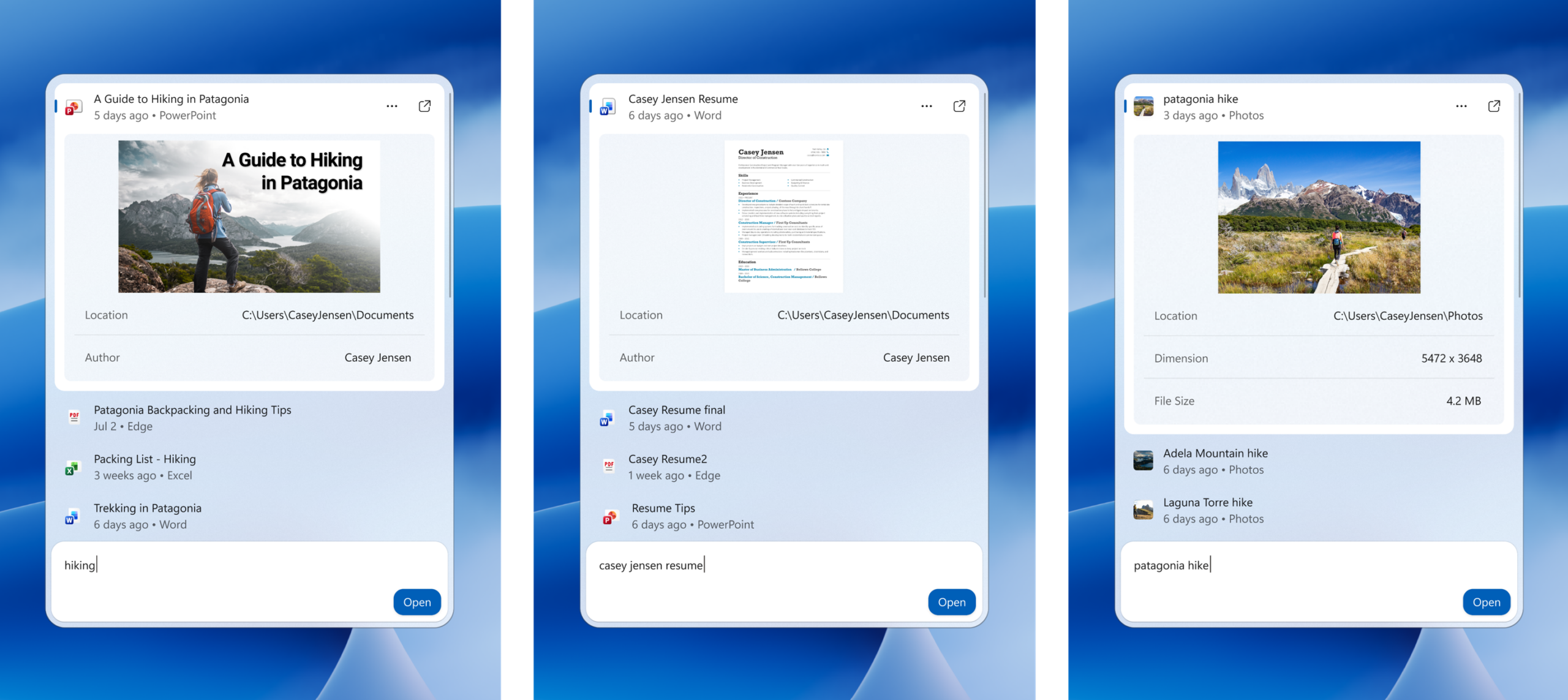
The redesigned Search isn't abandoning its traditional purpose. The new experience is built on WinUI 3, which Microsoft says makes Search faster and more efficient in its use of system resources. Early testing has shown substantial improvements in performance and memory usage, while the interface has been simplified into a single list instead of the current layout with a large preview pane.
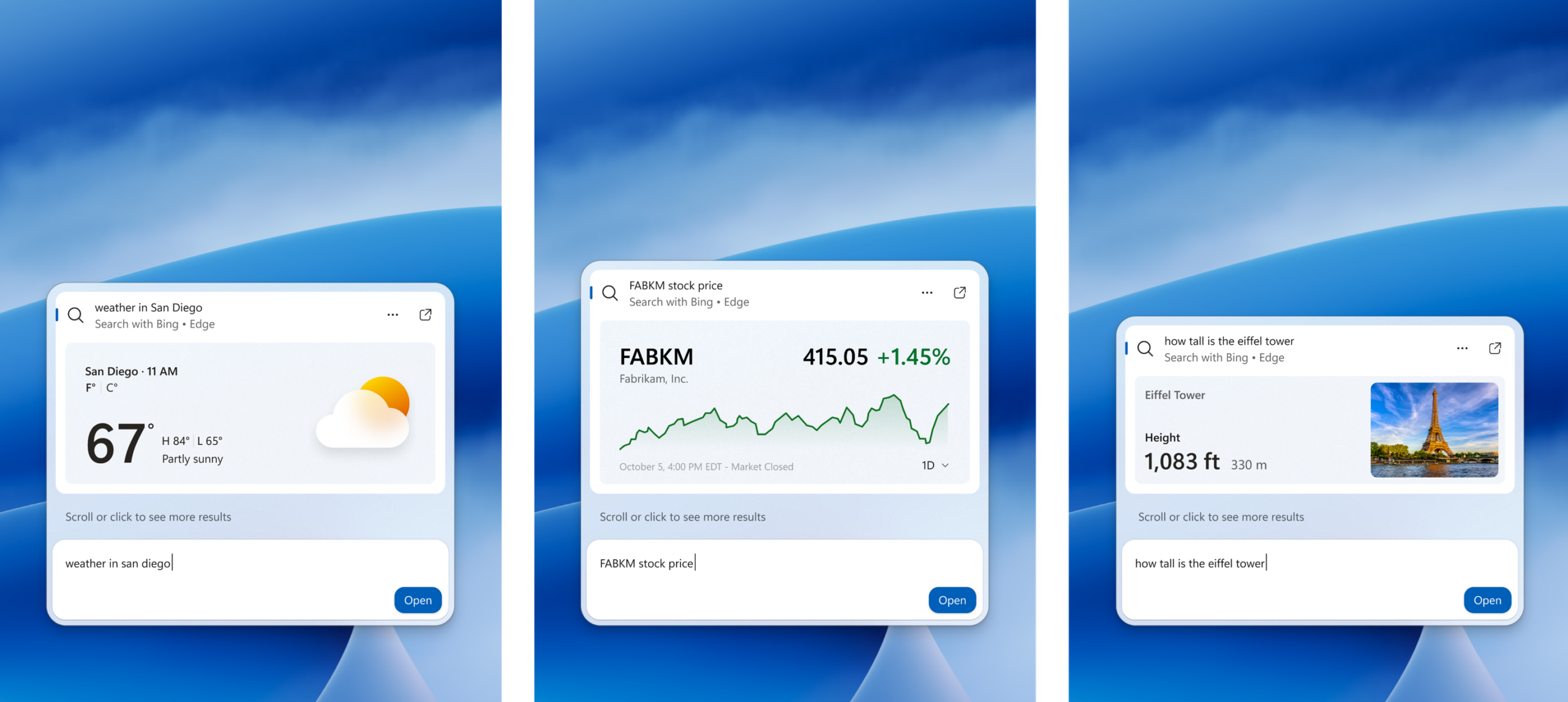
Microsoft is also improving how Search understands queries, including better matching for typos and synonyms. Later this year, the company plans to add inline previews and richer file information, as well as enhanced web previews. These could display answers to queries such as “weather in San Diego” or “How tall is the Eiffel Tower?” without requiring users to leave Search.
The new Search also integrates Microsoft Copilot directly into its interface. Users can invoke the AI assistant from Search and view its responses without switching to a separate Copilot app. A shortcut is also available for those who want to open the full Copilot experience.
Microsoft is gradually rolling out the new Search experience to Windows Insiders starting October 7, 2026, with the initial preview available through the Experimental channel. The first release supports English. Microsoft says Insiders can use the preview to provide feedback on performance, result relevance, stability and the user interface before the feature is expanded further.
Source(s)
 Add as a preferred source on Google


