




WhatsApp: the encryption protects a stranger's device too
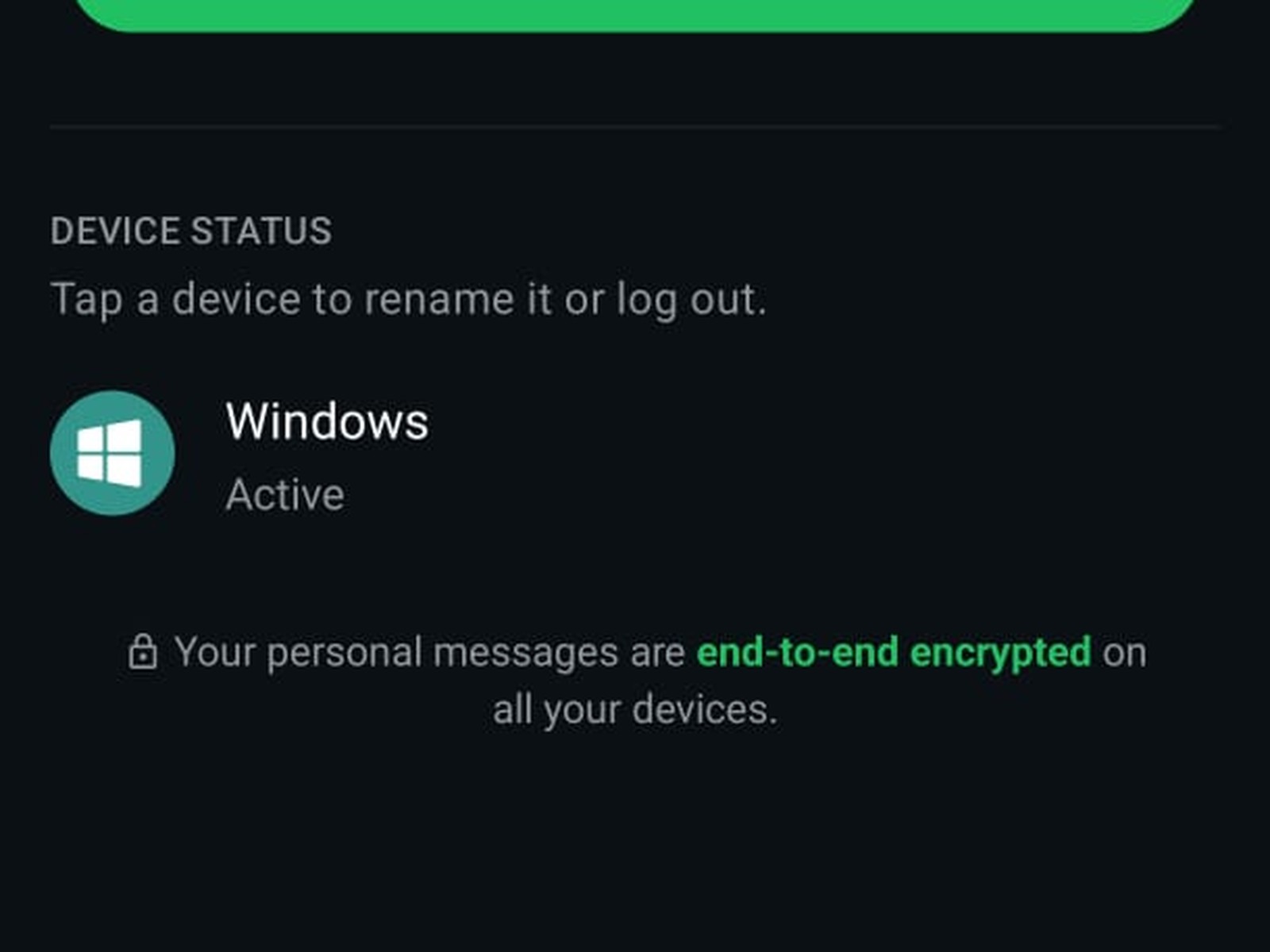
Open the WhatsApp settings on your phone and tap "Linked devices". Right at the bottom, directly under the list, sits a line with a small padlock in front of it. "Your personal messages are end-to-end encrypted on all your devices." The line is correct. It just sits in an unfortunate spot, because it reassures you exactly where a problem would show up.
Linked devices do not break the encryption, they take full part in it. The help centre puts it plainly: "Your personal messages, media, and calls are end-to-end encrypted. Each linked device connects to WhatsApp independently, maintaining the same expected level of privacy and security through end-to-end encryption." Someone who links a device to your account is not standing outside and listening in. They are standing inside.
Four devices, a one-time code, fourteen days
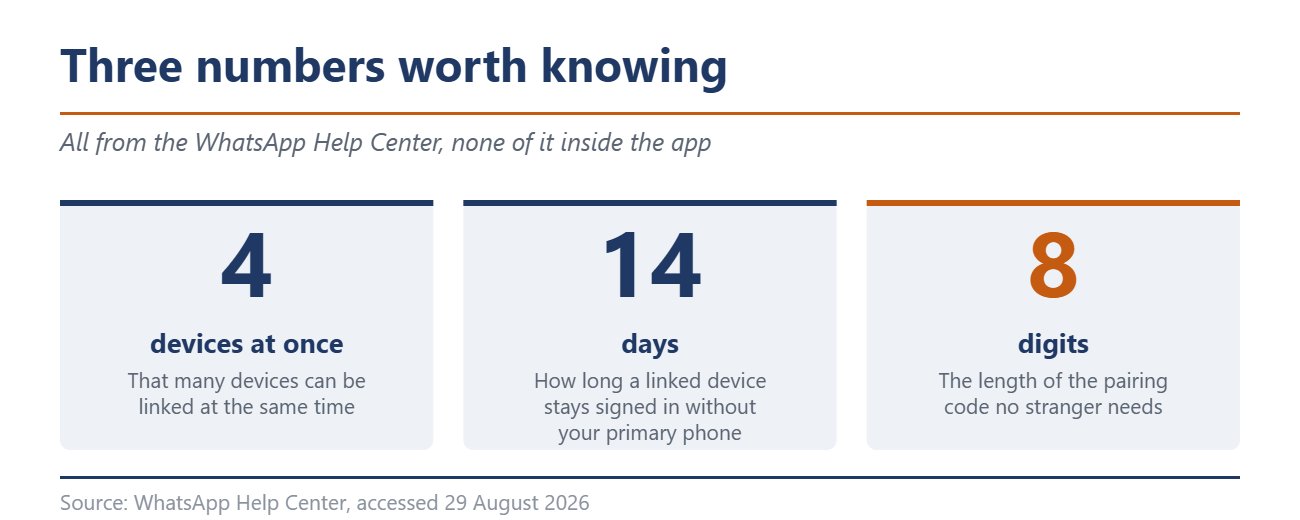
Up to four devices can be connected to your account at once. Either a QR code does the job or, for a while now, your phone number alone. WhatsApp writes: "You can link a device using your primary account phone number and a one-time code." Your primary phone does not have to stay online afterwards.
One deadline remains, and it sits in the help centre as well. "You'll need to log in to WhatsApp on your primary phone every 14 days to keep linked devices connected to your WhatsApp account." That rule sounds like protection. It only works against devices nobody uses any more. Anyone who opens WhatsApp daily, and most people do, keeps every linked device alive that way, a stranger's device included.
The scheme is called ghost pairing
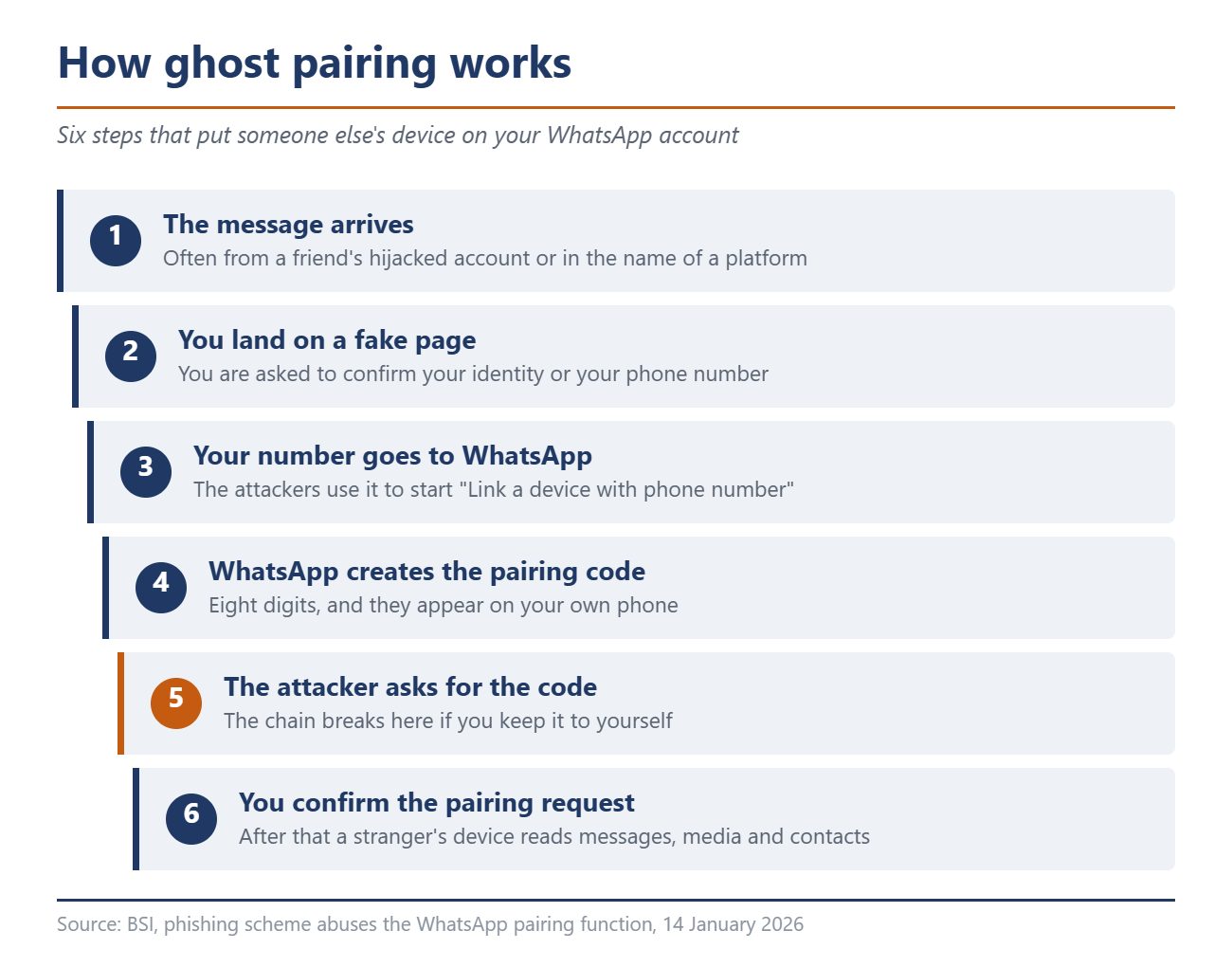
In January 2026 the BSI warned about a phishing method that abuses exactly this function. The sequence is unremarkable and effective for that very reason. The message arrives, often from the already hijacked account of an acquaintance or in the name of a social platform, and leads to a fake page. There you are asked to confirm your identity or your phone number.
What happens next is described by the BSI like this: the attackers pass the number on to WhatsApp and use it to start the "Link a device with phone number" function. WhatsApp creates an eight-digit pairing code, which the criminals then ask for. In the app a pairing request then appears, and victims are meant to confirm it themselves.
Here lies the difference to everything users have learned about account takeovers. If someone re-registers your number, you are thrown out and notice at once. Linking a device is not a registration, which is why none of that happens. You stay signed in, your chats carry on, your phone behaves normally. The BSI states the consequence soberly and writes that the attack often goes undetected for a long time, because a legitimate function of the app is being abused and WhatsApp keeps running as usual.
WhatsApp has warned since March, but not always
Meta has since added something and announced a warning for device linking on 11 March 2026. In its own words, WhatsApp will now alert users "when behavioral signals suggest a linking request might be suspicious" and show where the request is coming from.
Two limits sit in that single sentence. The warning depends on behavioural signals, and it rates a request as possibly suspicious. A notice on every pairing is expressly not what this is, it is a risk detection that can be wrong. Meta gives no details on regions, platforms or a schedule in the announcement, and the post appeared in the Indian newsroom with figures from India. Whether the warning shows up on a European account cannot be told from outside.

The self-check that always works
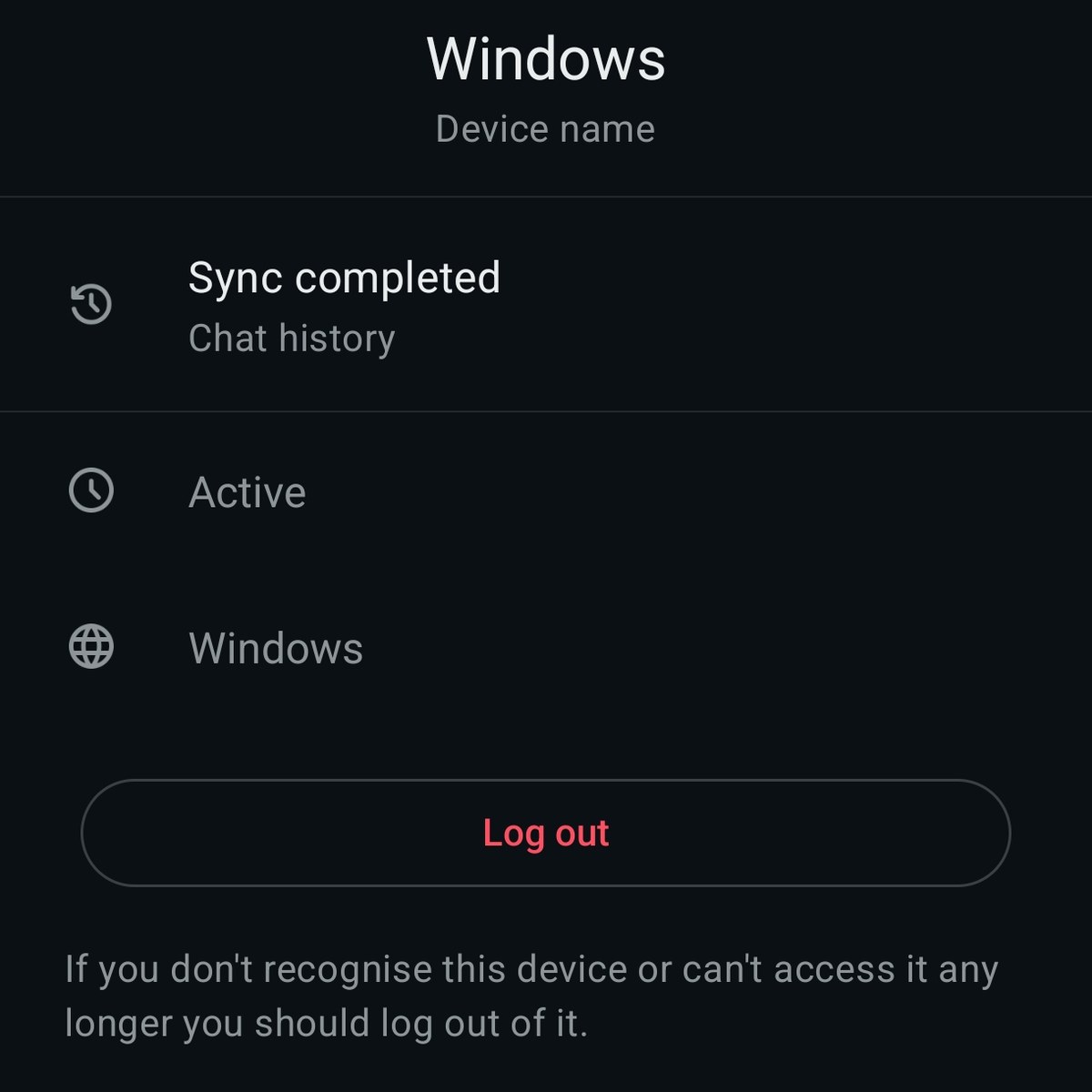
Regardless of all that, there is a route that works at any time and takes two minutes. In the WhatsApp settings, under "Linked devices", you find the "Device status" section and inside it every device currently attached to your account. One tap opens the detail view with the device name, the platform and the note "Sync completed" for the chat history. At the bottom sits a red "Log out" button, and under it a line showing that WhatsApp reckons with the case: "If you don't recognise this device or can't access it any longer you should log out of it."
One detail is missing, and it is the most important one. WhatsApp only shows whether a device is active right now or when it was last used. When it was linked appears nowhere. An entry you cannot place cannot be dated either, and you never learn how long someone has been reading along. In case of doubt, log it out and then check your two-step verification.
That got sturdier on 25 August 2026. The six-digit PIN became a full password, longer, alphanumeric, special characters allowed. On top of that you can set up a passkey, and since the update even several of them. Neither prevents ghost pairing, because there you confirm it yourself. Both make it considerably harder for attackers to turn a hijacked access into something lasting.
What to take away
A pairing code is like a key you throw out of the window. Nobody but you needs it, and no genuine website asks for it. Anyone pushing you towards a QR code or after eight digits is after your account. The rest is routine, so open the device list now and then, log out entries you do not know, and read the reassuring line underneath for what it is, a statement about encryption and not about who is reading along.
Source(s)
BSI: Phishing scheme abuses the WhatsApp pairing function, 14 January 2026
Meta Newsroom: Meta Launches New Anti-Scam Tools, 11 March 2026
Meta Newsroom: New Account Security Features for WhatsApp, 25 August 2026
WhatsApp Help Center: About linked devices and How to link a device with phone number
Own check in WhatsApp for Android on 29 August 2026
 Add as a preferred source on Google


