




This M.2 2230 NVMe SSD is unlike most others; costs far too much for what it is
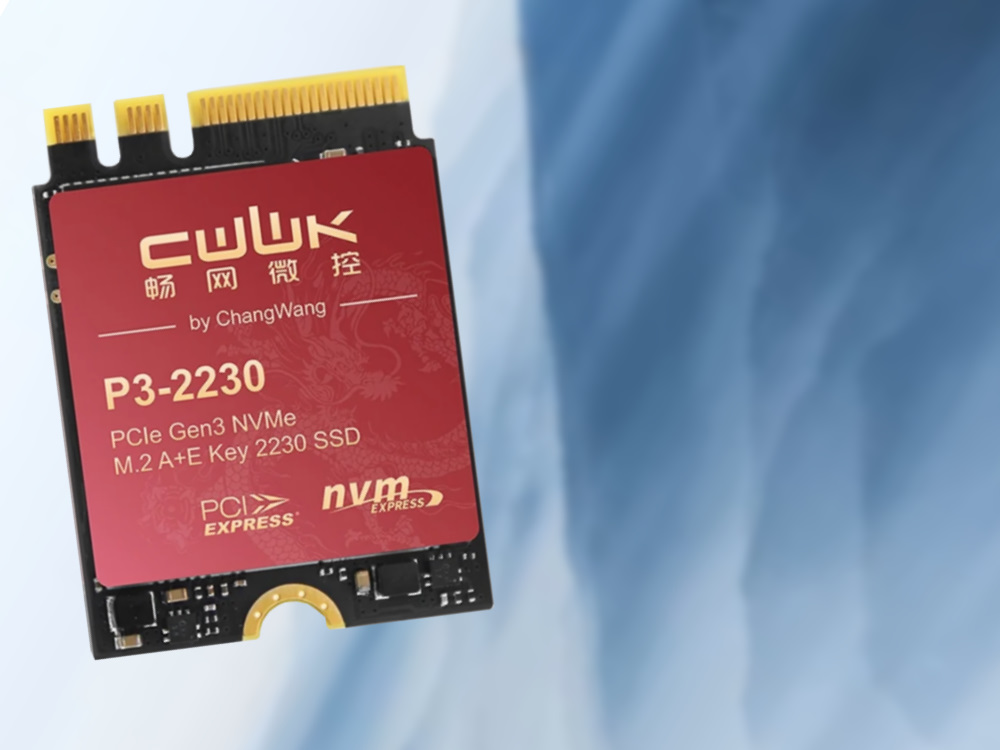
It's 2026, and most computers ship with 4-lane PCIe 4 NVMe SSDs offering sequential read speeds up to 7.9 GB/s, best-case scenario. The bad part is, the average laptop or mini-PC now comes with just one or two B/M-key M.2 NVMe SSD slots, and no SATA III SSD compatibility, meaning internal storage expansion options are limited.
The average 2016-to-2020-era laptop is likely to feature one PCIe 3 B/M-key NVMe SSD slot, and one SATA III SSD/HDD slot. 2013 to 2015 systems are likely to only have one or two SATA III SSD/HDD slots.
What makes all those machines from different eras similar is that they all sport an extra M.2 slot with PCIe 3 speeds (depending on the platform, PCIe 4 is possible, too) that gets little attention, and can technically be used to add more storage. 2012 and 2013 were the years when M.2 Wi-Fi card slots with a combined A+E key took over from mini-PCIe slots, while PCIe 2 was superseded by PCIe 3, enabling speeds of 0.9 GB/s per lane. 13 years on, we still get that exact A/E-key M.2 slot in most mini-PCs, laptops, and desktop computers. Time to show it some love.
CWWK P3-2230/Oaknode OAK-2230 puts neglected M.2 slot to good use
The CWWK/Oaknode SSD, which seems to be the same product with slightly different branding, comes in 3 capacity variants, all costing at least 2x as much as one would expect given the specs on offer:
- "Lianyun MAP1202" controller [actually a Maxio MAP1202 - ?];
- 256 GB, 512 GB, 1024 GB;
- claimed speeds of up to 890 MB/s via the sole PCIe 3 lane;
- "graphene copper" heat dissipation pad;
- Amazon.com links: Seller 1, seller 2;
- Aliexpress links: Seller 1, seller 2.
Prices are on the higher side, with the 1-TB option costing way over $200, and the cheapest 256-GB variant starting at way over $80.
The most obvious caveat of installing an SSD like this is that you will have to remove your Wi-Fi/Bluetooth card. You will have to make sure the antennas' connectors are somehow insulated so that they do not short-circuit anything once you put the system back together. To be able to connect to Wi-Fi networks with the original Wi-Fi adapter removed, you will need a USB Wi-Fi dongle, which are not as fast and trouble-free as their PCIe counterparts, and may be virtually useless under certain Linux distros.
In case something goes wrong, warranty may be difficult to claim, too, as is the case with many products from little-known Chinese brands.
With many ultra-budget Intel CPUs like the Celeron N4020, M.2 slots are limited to PCIe 2 speeds, which is 500 MB/s per lane; not any faster than a decent SATA III SSD. The same goes for pre-Skylake Y and U power class Core chips. It makes little sense to buy an expensive PCIe 3 SSD for laptops and mini-PCs with PCIe 2 rather than PCIe 3.
A few 2018-and-newer Intel-powered laptops come with CNVi-interface rather than PCIe-interface Wi-Fi adapters; such machines may or many not be compatible with SSDs like the P3-2230/OAK-2230, and need to be reviewed on a per-case basis. Please read Maik Schmitt's post in the comment section below.
Pre-2012 machines are unlikely to sport full NVMe support meaning the SSD might work but will not be perceived as a bootable drive.
Source(s)
Aliexpress and Amazon US, linked above
Notebookcheck laptop reviews
Teaser image: CWWK via Aliexpress; Alessio Soggetti via Unsplash
 Add as a preferred source on Google


