


From Fire to Alexa: What Amazon’s new tablets do differently
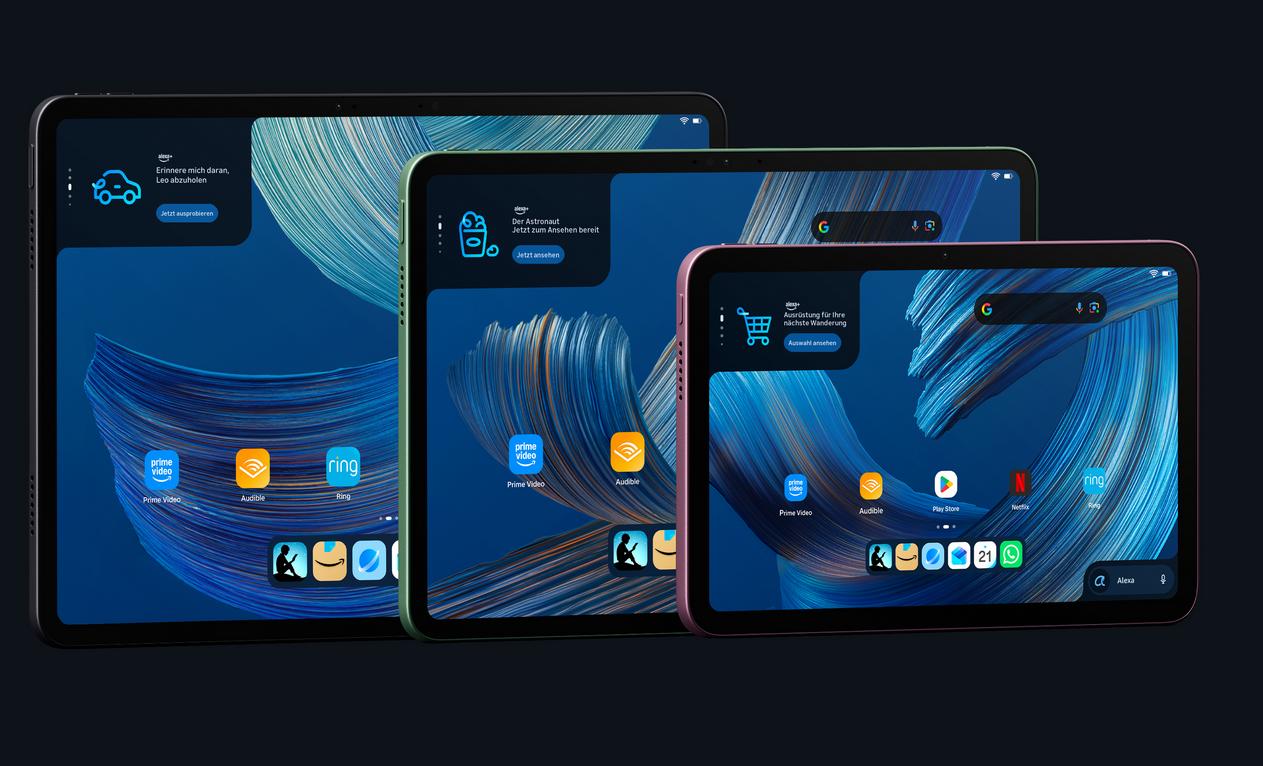
For years, it was simple: Amazon’s tablets were called Fire. They were affordable, but you often had to put up with ads, and they weren’t the fastest tablets around.
Still, if you were already invested in Amazon’s ecosystem and regularly used apps such as Audible, Amazon Music, or Prime Video, they worked well for you.
Now a lot of things are changing. Amazon calls them Alexa tablets, and they do quite a few things differently from their predecessors. The Alexa Tablet 8, the cheapest and most compact model, starts at €229 directly from amazon.com and is also available from other retailers. We’ve already thoroughly reviewed one of them, and here’s what stood out compared with earlier models.
A new operating system closer to stock Android
For years, Amazon used its own operating system, Fire OS. It was based on Android, but it was fairly closed off, with its own app store and little room for customization.
Amazon’s Alexa tablets come with an operating system that’s closer to stock Android and includes the Google Play Store, which offers a much wider selection of apps. If you prefer alternative app stores, those are fairly easy to install too.
Widgets let you personalize the tablet
If you’ve used an Android tablet before, you’ll feel right at home. Amazon’s new AI assistant, Alexa+, is always within reach via an input box at the bottom right of the home screen. At the top left, a widget shows the current weather along with updates about your media and deals from Amazon.
Swipe right to see an overview of your content, including items from your Kindle library.
You can use it without an account
That overview only works if you’re signed in to your Amazon account, but signing in is no longer required. You can use the tablet with just a Google account or with no account at all.
The sturdy, well-made chassis is a pleasant surprise on a budget device like the Amazon Alexa Tablet 8. To find out what else we learned about this compact tablet, read our full review.
Sources
 Add as a preferred source on Google


