


Baseus SpaceMate RD1 Plus is a rock solid 14-in-1 docking station with some room for improvement
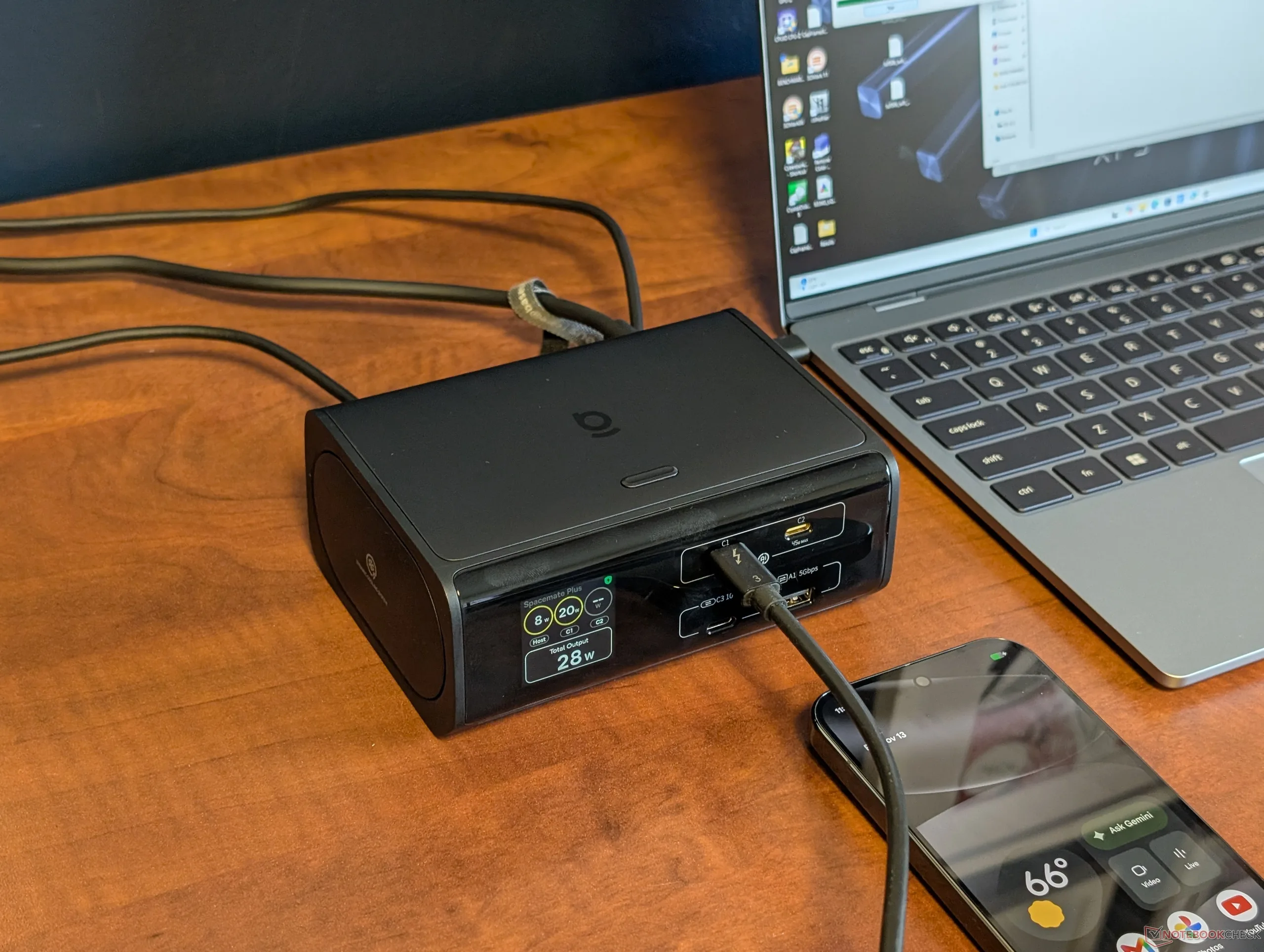
Announced just last month in October, the SpaceMate RD1 Plus is the latest docking station from Baseus now shipping on Amazon for $180. The powered 14-in-1 dock integrates a 1.5-inch display for monitoring power output in real-time.
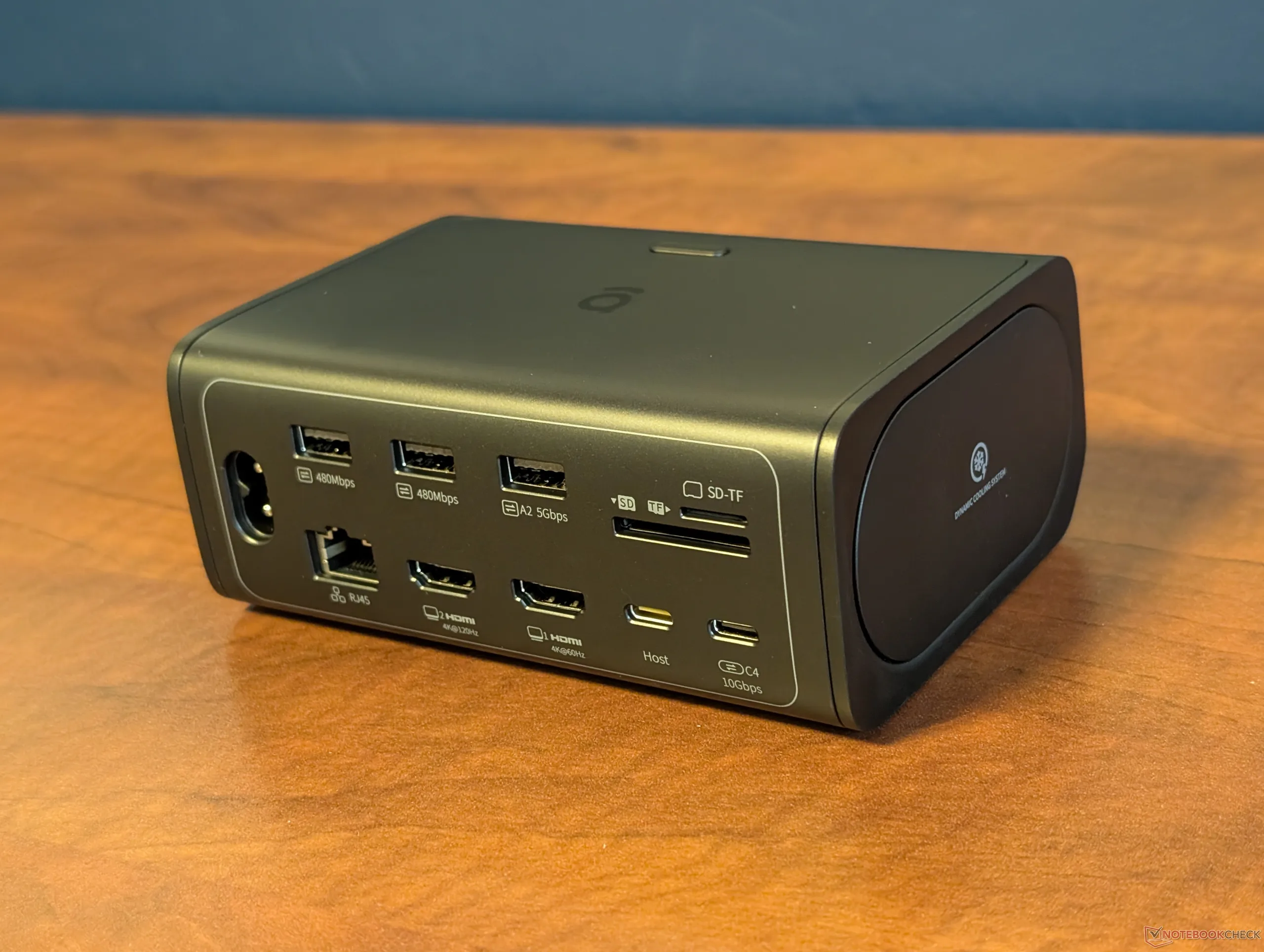
The available ports are shown by the pictures below. The unit is surprisingly heavy for its size at 902 g which gives a better sense of quality or construction when compared to most other docks. Much of the weight can be attributed to the integrated PSU and so the dock only requires an easy-to-replace universal AC power cord instead of a specialized AC adapter to operate.
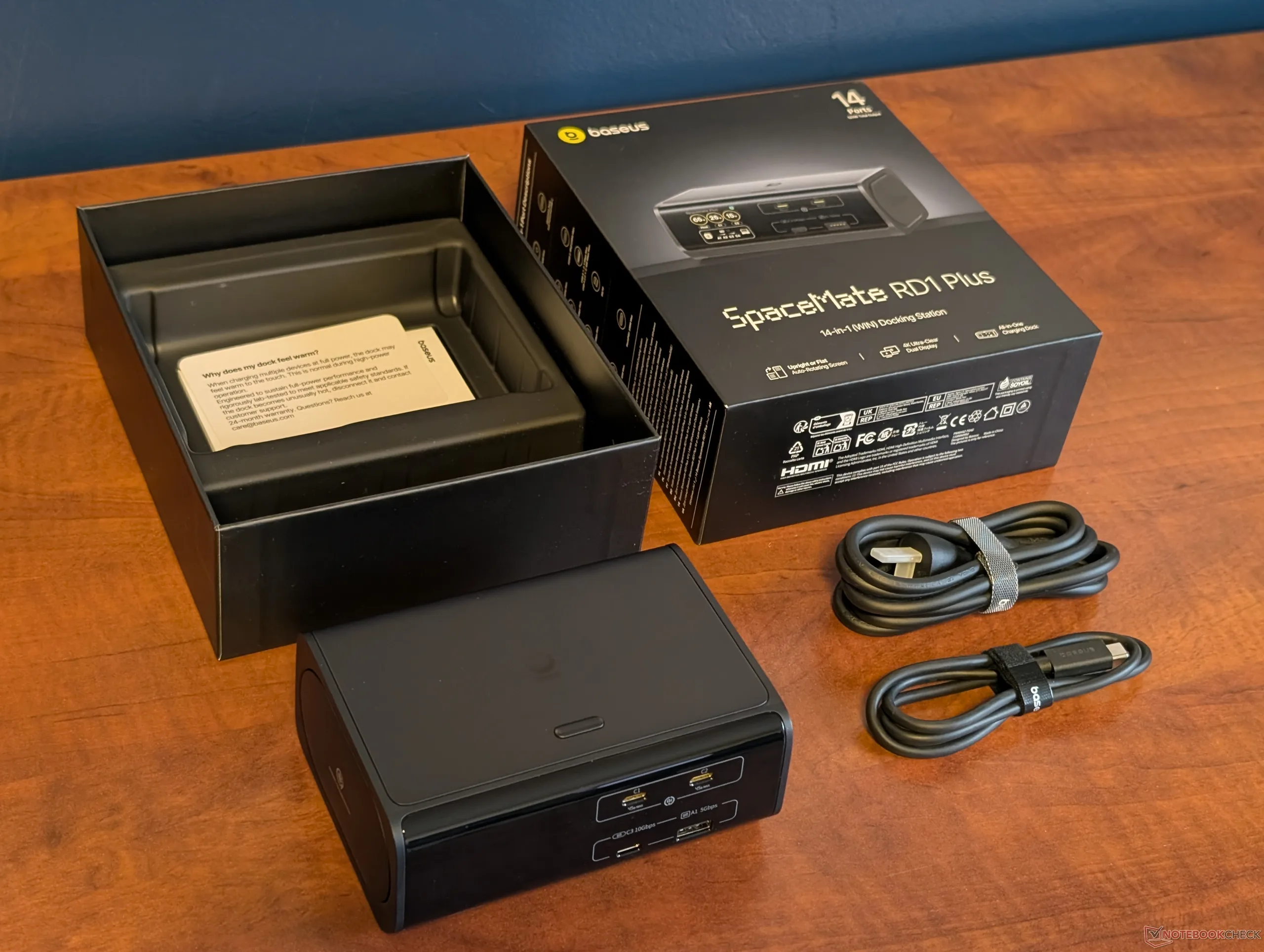
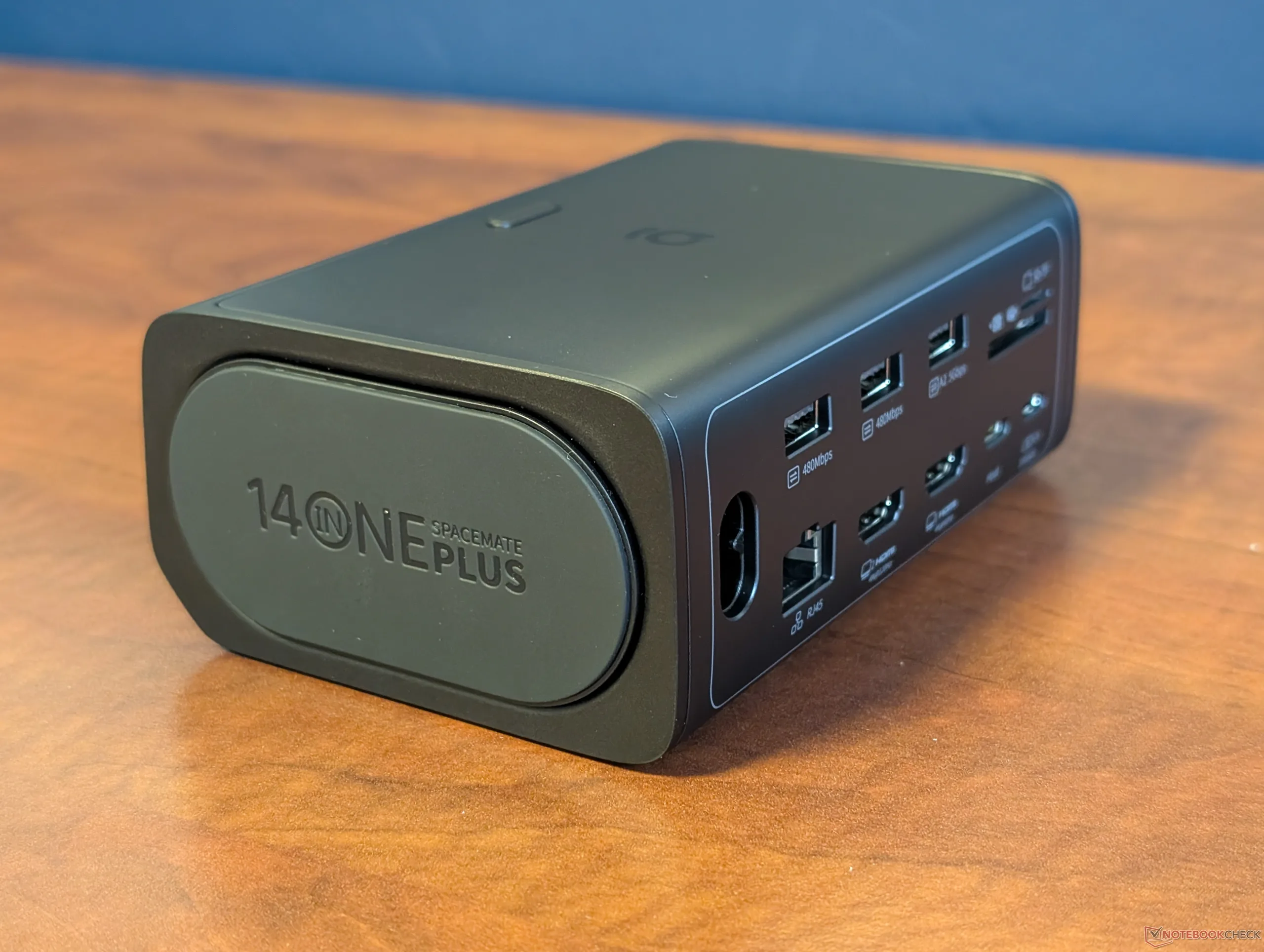
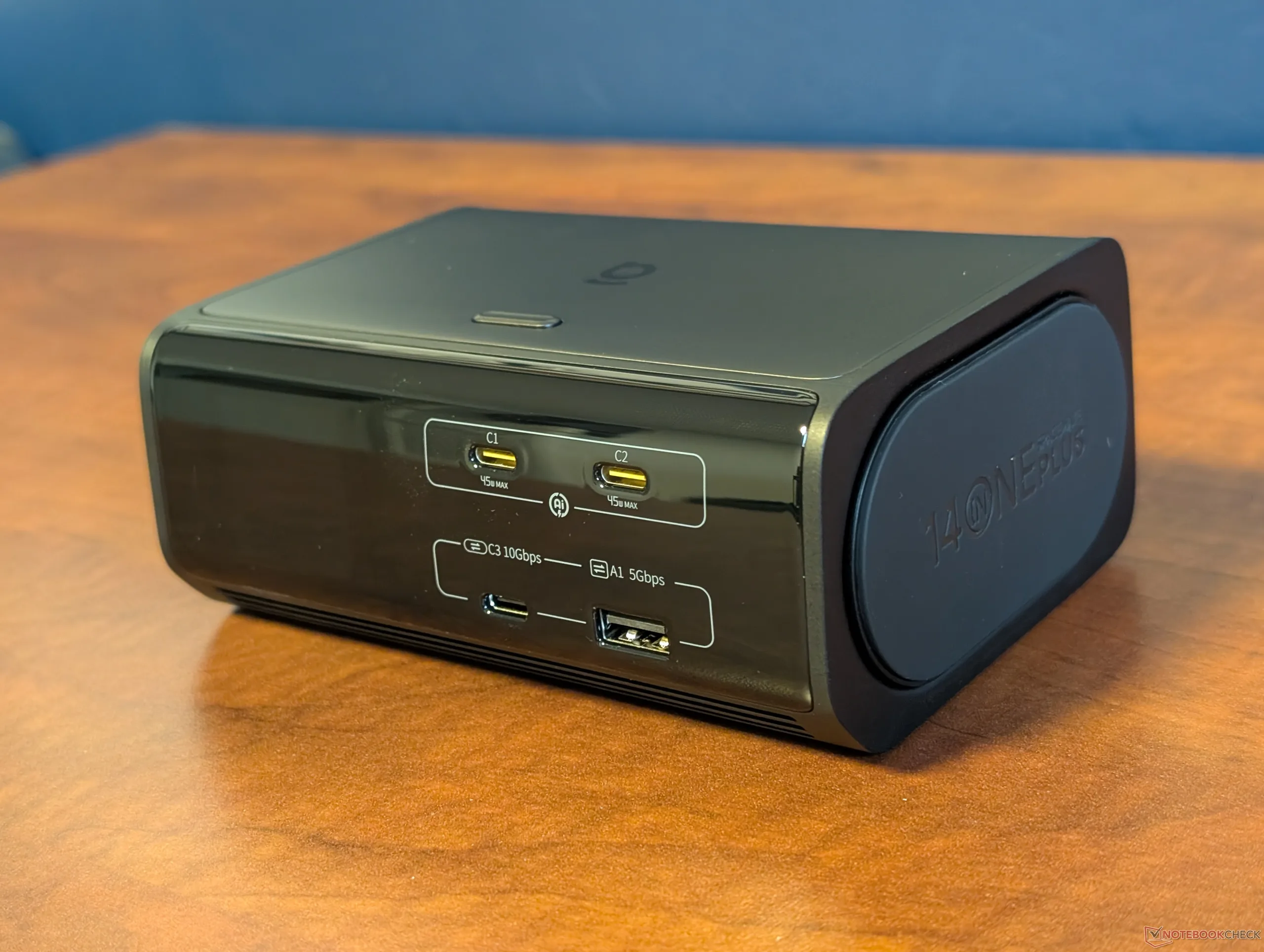
Hardware-wise, we love the compact design and rubberized bottom surface for vertical or horizontal positioning; no separate vertical stand is needed. The screen will also automatically rotate depending on the positioning of the unit, but this rotation will sometimes fail as shown below.
Nominally, the power output maxes out at 190 W when adding together the 100 W USB-C port for the host PC plus the front two USB-C charging ports at 45 W each. However, the dock itself can output only up to 120 W between all three USB-C ports with priority given to the host PC as needed should the total demand exceed 120 W.
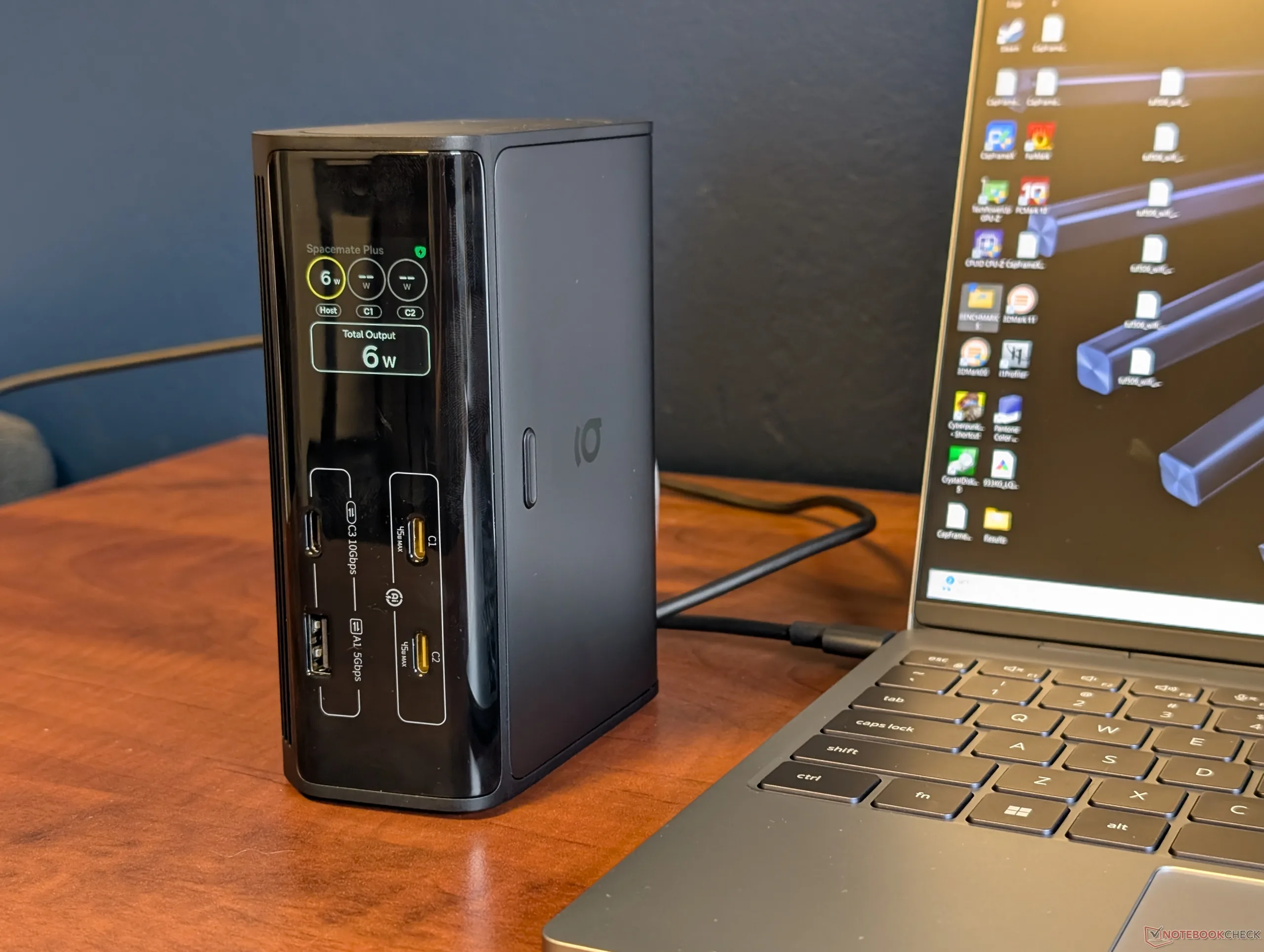
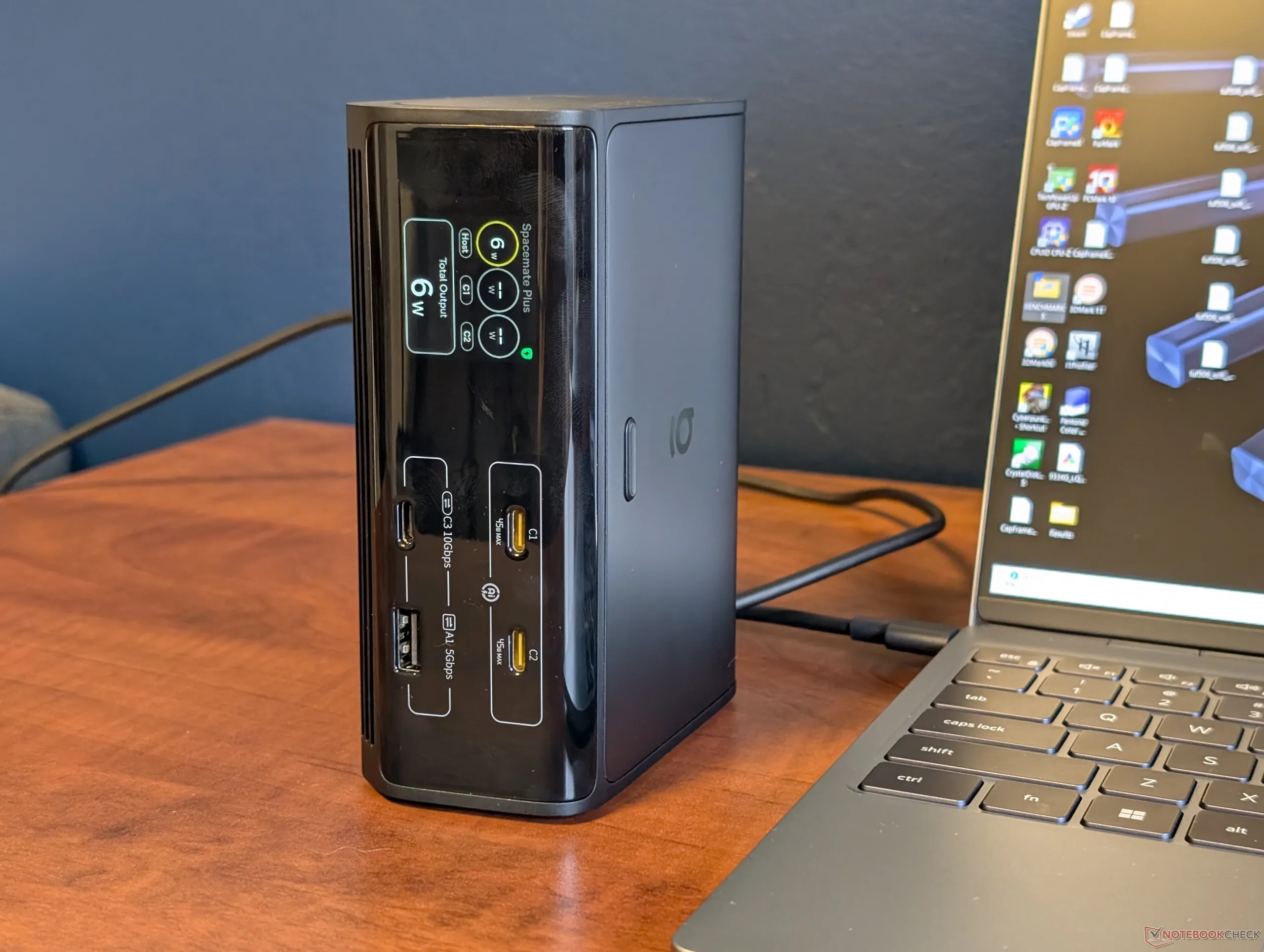
In the majority of cases, the 120 W limitation shouldn’t be an issue. Most USB-C laptops are at most 65 W to 80 W which would leave a headroom of at least 40 W. We connected our Dell XPS 13 with Wildcat Lake as an example and even that would demand only 45 W to 50 W when at 100 percent CPU utilization. It’s not until you move up to certain performance laptops like those with Nvidia Spark or dedicated GeForce graphics will the 100 W to 120 W limitation be a bottleneck.
The color screen itself is crisp with real-time readings for power output and on/off lights for most ports. Unfortunately, there are no controls or touchscreen features and so the screen is passive. When connecting a USB-C cable with no video support, for example, the screen would automatically flash a helpful message informing you that the USB-C cable supports only data and power but no video. The message would last for just a few seconds and can be easily missed since there are no on-screen controls.
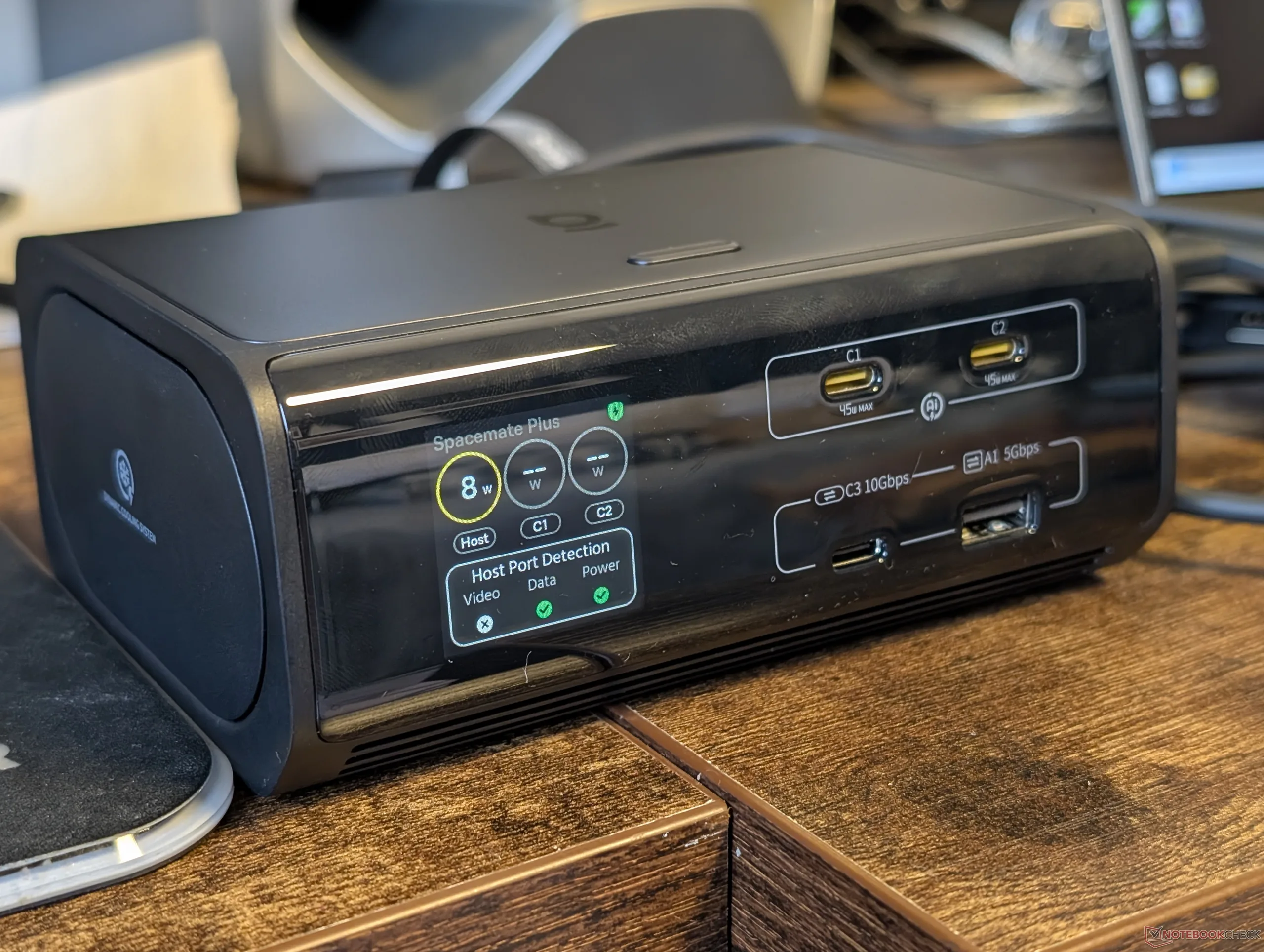
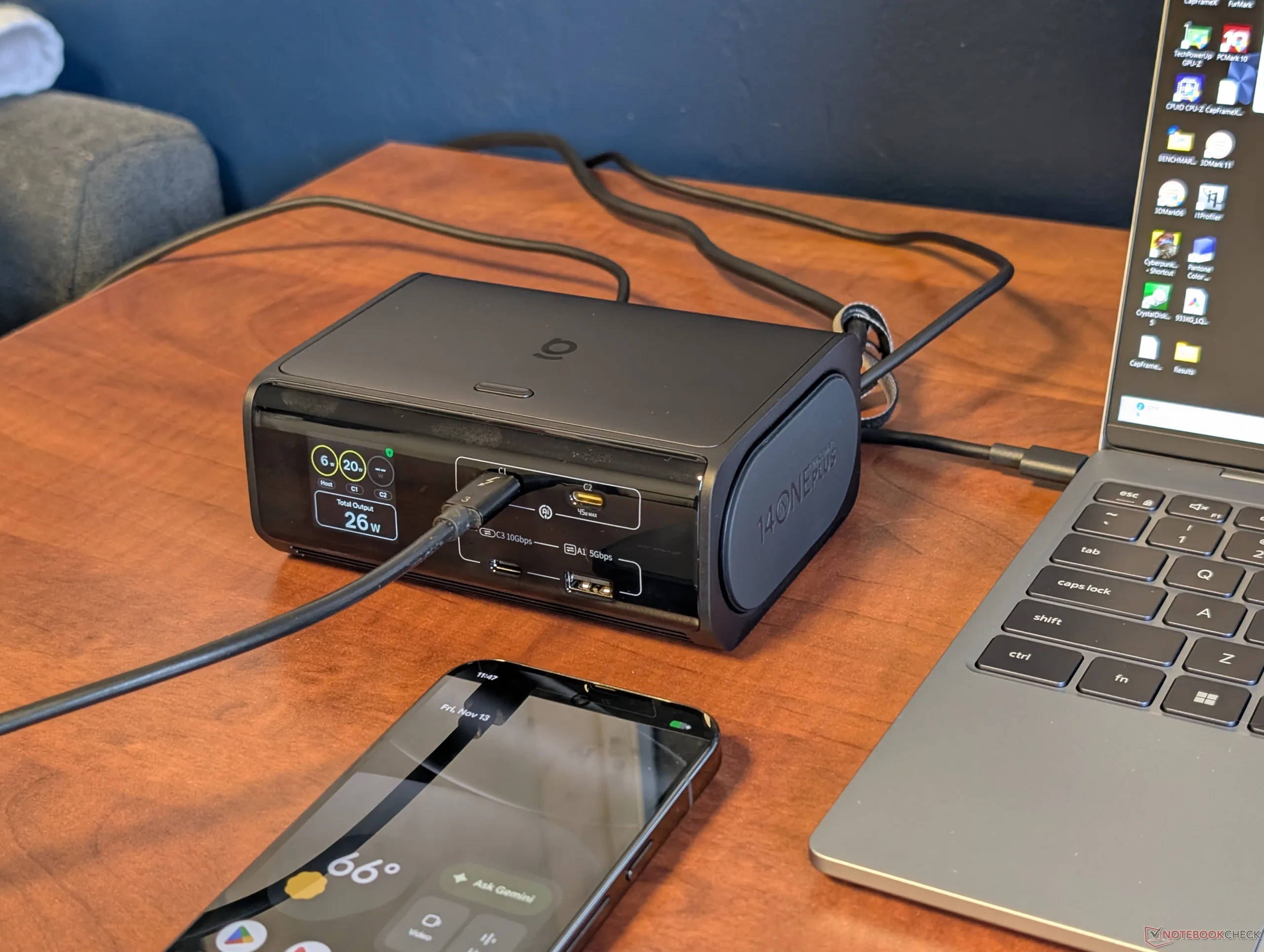
Furthermore, the screen shows no info for the HDMI ports or USB 2.0 ports along the rear. It could have arguably benefited from a larger size to show additional details as you can only fit so much info about the 14 ports on such a small screen.
Transfer rates from both the full-size SD and microSD readers are quite slow as well. Despite the manual claiming support for UHS-I speeds of up to 104 MB/s, our UHS-II cards would only read at up to ~33 MB/s.
Annoyingly, the USB-C cable included in the box supports just data and power with no video. If you want to output HDMI video through the dock, for example, then you’ll want to find your own USB-C cable with Thunderbolt or DisplayPort support to connect between your host PC and the dock.
Speaking of video, none of the USB-C-out ports on the dock support DisplayPort or video-out and so any video must be via HDMI. This is arguably the biggest setback for the SpaceMate RD1 Plus as DisplayPort and USB-C video are becoming commonplace on newer monitors.
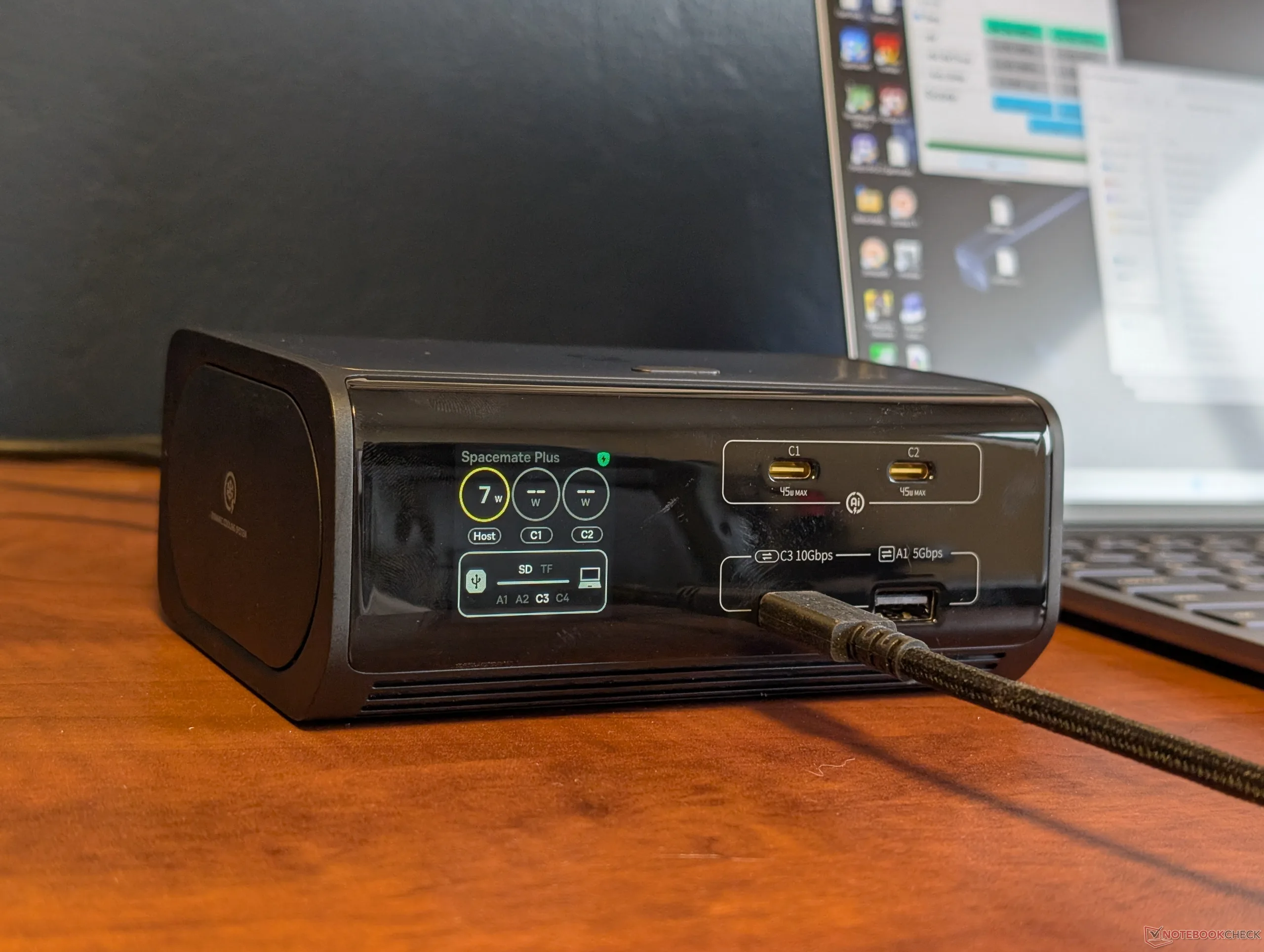
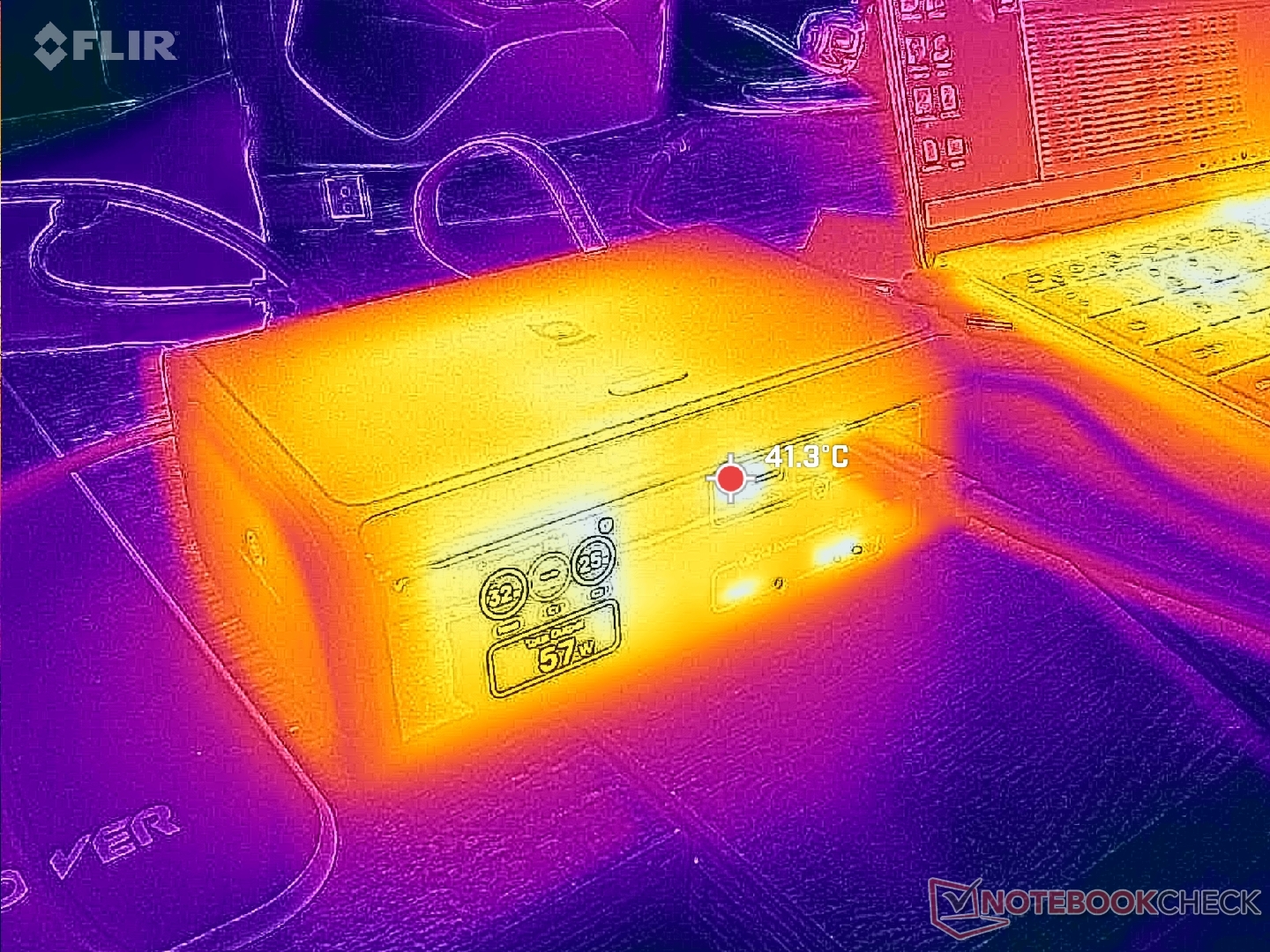
While the dock itself has strong first impressions from a hardware and design perspective, its screen could have certainly been expanded upon to give additional features and more data that enthusiasts love to see.
| Pros | Cons |
| + Integrated PSU; no external power brick + Relatively compact for a powered 14-in-1 dock + Integrated display shows useful real-time info + Strong build quality | - Video-out must be via HDMI - Integrated display is far too small for monitoring 14 individual ports - No touchscreen controls or settings - Slow SD card reader |
Disclaimer: Notebookcheck is not responsible for price changes carried out by retailers. The discounted price or deal mentioned in this item was available at the time of writing and may be subject to time restrictions and/or limited unit availability.
 Add as a preferred source on Google


