




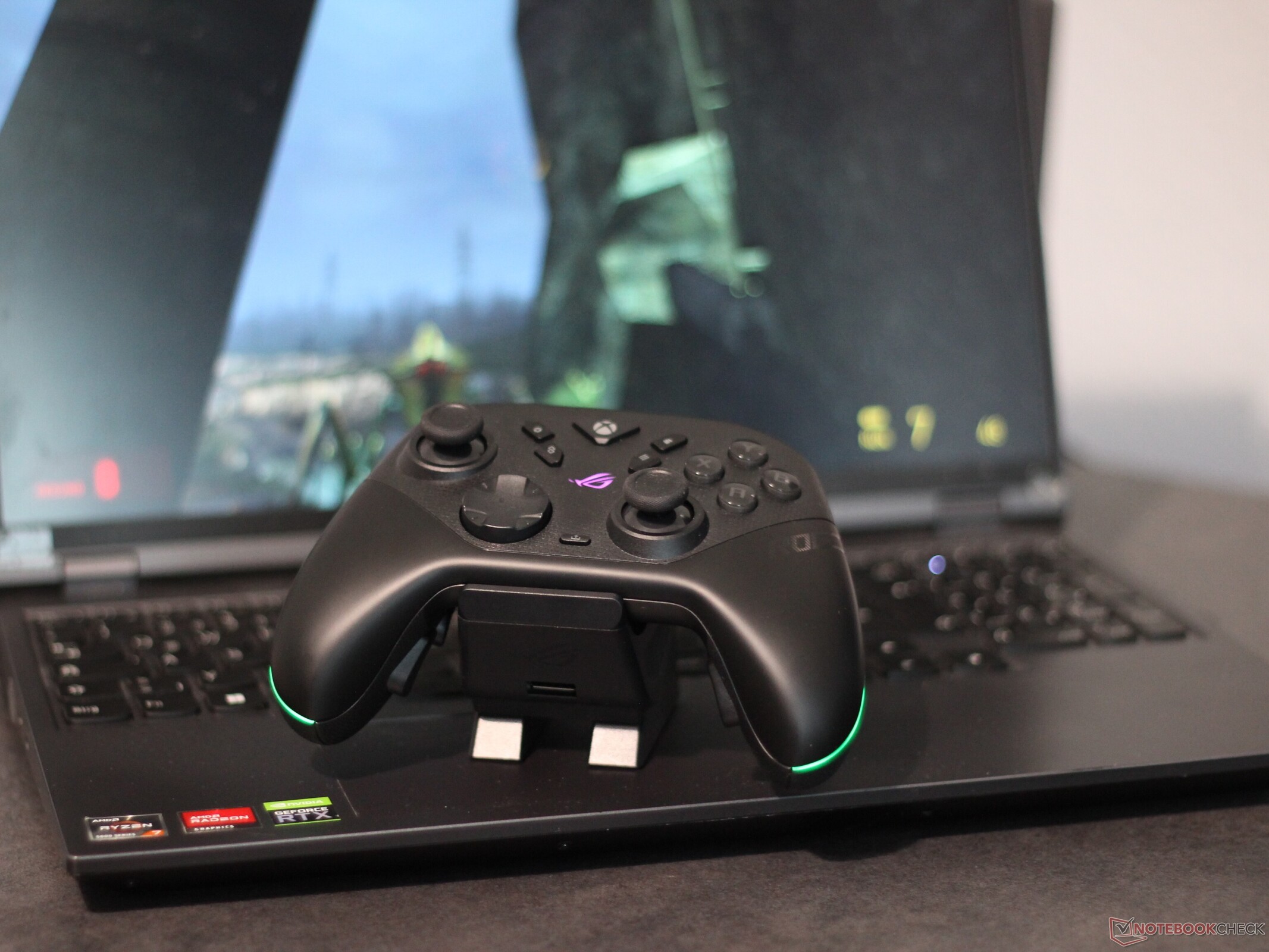
Asus ROG Raikiri II review: Gaming controller with TMR and additional options
That clicks!
With the ROG Raikiri II, Asus offers a new and very well-equipped controller. It features not only modern sensor technology for the analog sticks, but also micro switches that provide particularly crisp feedback, even during fast inputs.Silvio Werner, ✓ Ninh Duy (translated by DeepL / Ninh Duy) Published 🇩🇪 🇫🇷 ...
Strong overall package at a premium price
The ROG Raikiri II (Xbox) is a very capable controller. Reliable detection of movement inputs clearly counts as a strength. In addition, the extensive use of micro switches is a notable advantage, especially for dedicated gamers - provided they can tolerate the associated background noise. The feature set is appropriate for the price, as are the available connectivity options. The Gear Link web interface offers a wide range of configuration settings, including options for the additional inputs.
The main point of criticism is the high price: the ROG Raikiri II (Xbox) is currently even more expensive than the Xbox Elite Wireless Controller. It also lacks a display, unlike the Raikiri Pro. Even a small display would make it easier to identify and select profiles; instead, users have to rely on different RGB lighting schemes depending on the active profile.
Pros
Cons
Price and availability
The Asus ROG Raikiri II is currently listed by various retailers at a price of €209 (approx. $249) and is also available through the Asus web store.
Translator’s note: In the US, the controller is available via Amazon at a significantly lower price.

The Asus ROG Raikiri II Xbox is a high-end controller that uses TMR joysticks and micro switches. It can be used on a PC as well as with the ROG Xbox Ally or Xbox consoles, and supports wireless signal transmission via 2.4 GHz, as well as a wired connection with polling rates of up to 1,000 Hz.
Specifications
| Category | Gamepad |
| Size | 105 × 65 × 155 mm |
| Connection types | USB, 2.4 GHz, Bluetooth |
| Polling rate (max.) | 1,000 Hz |
| Weight | 256 grams (controller only) |
| Layout | Xbox (offset joysticks) |
| Joystick technology | TMR |
| Trigger technology | TMR or micro switches |
| Buttons | mostly micro switches |
| Additional buttons | 4 (rear) + 2 (front) |
| Package contents | Controller, charging station, carrying bag |
| Battery life | Up to 50 hours with RGB enabled and vibration disabled (manufacturer specification) |
With bag, charging station and stickers
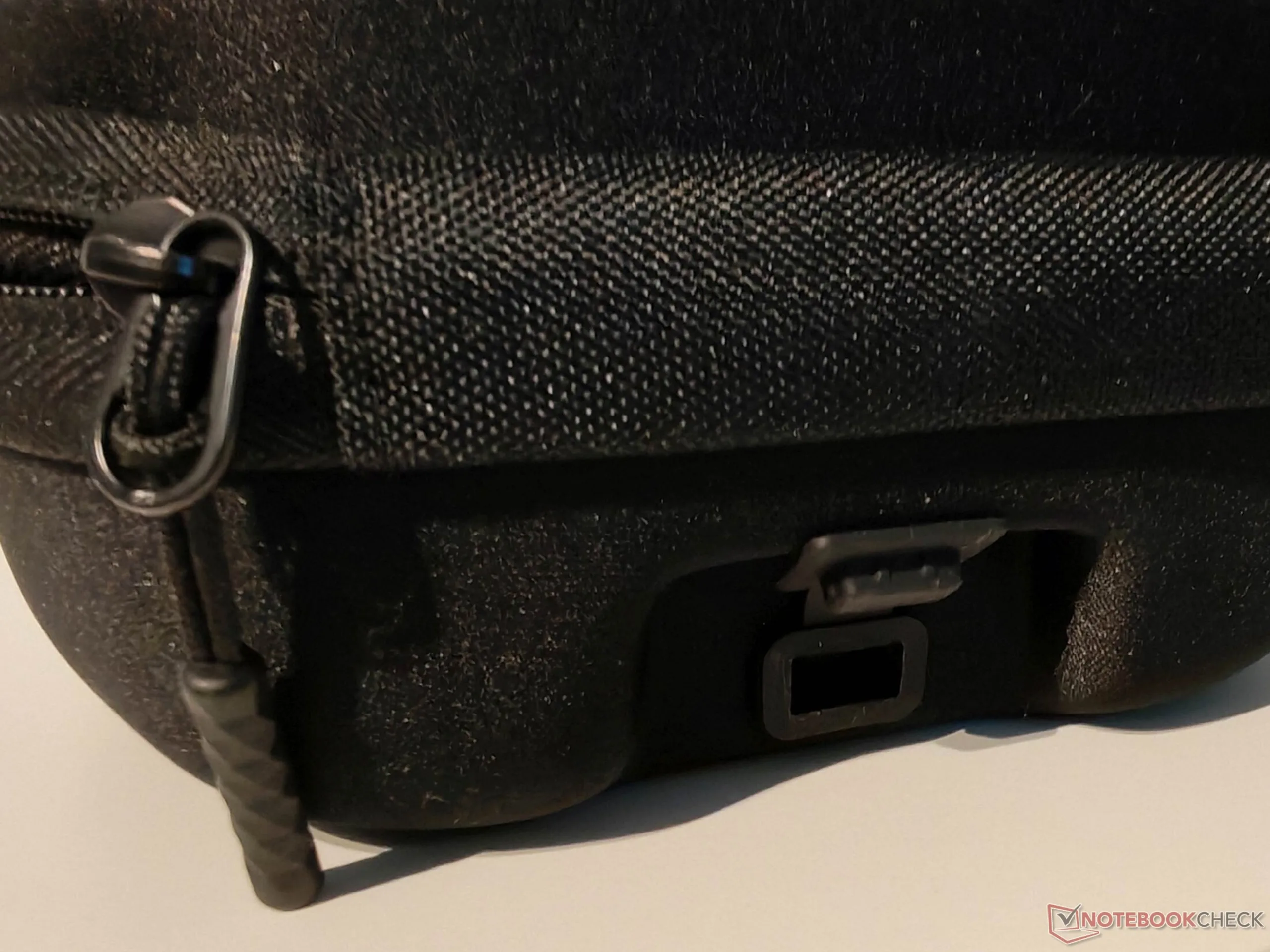
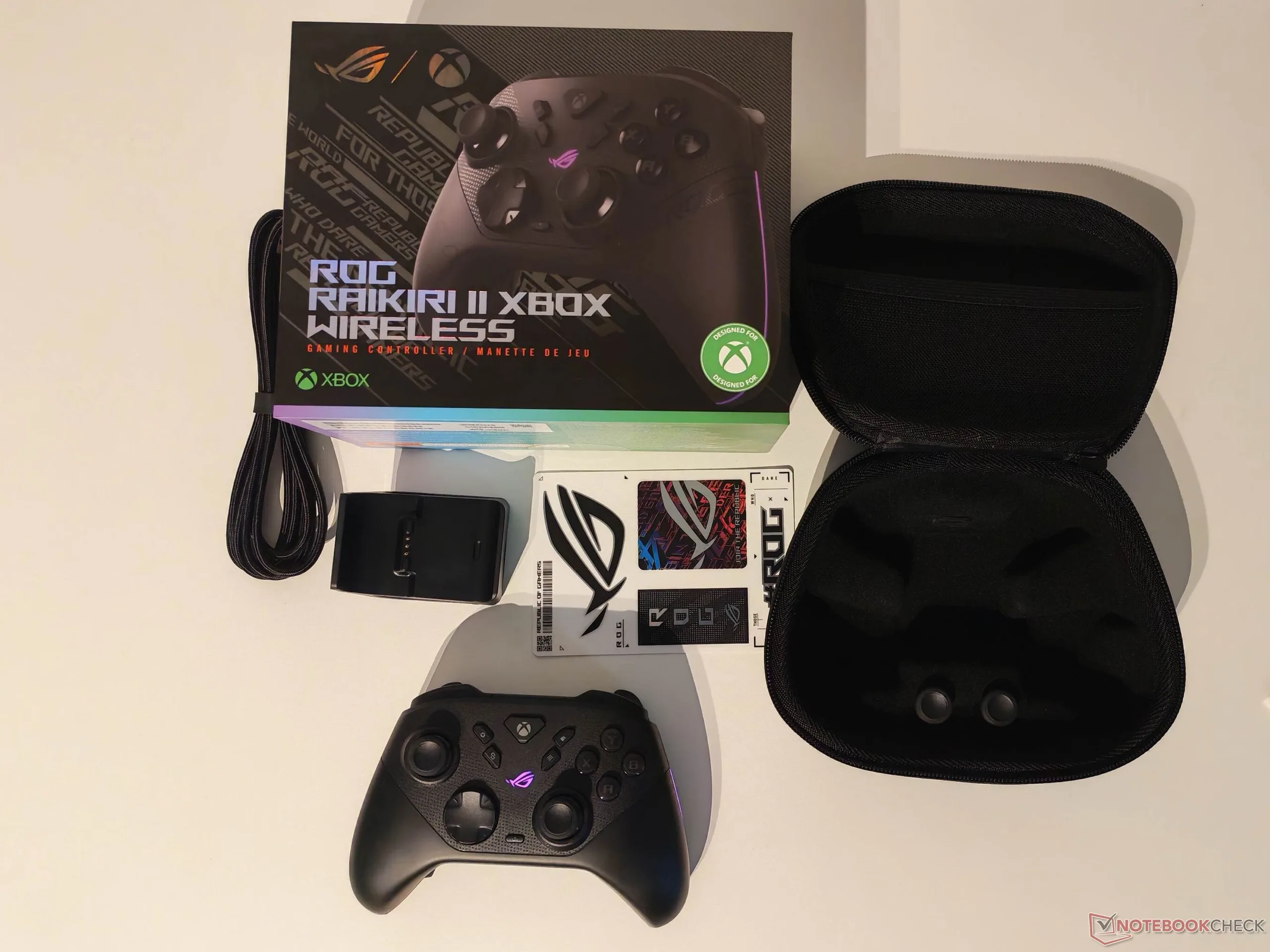
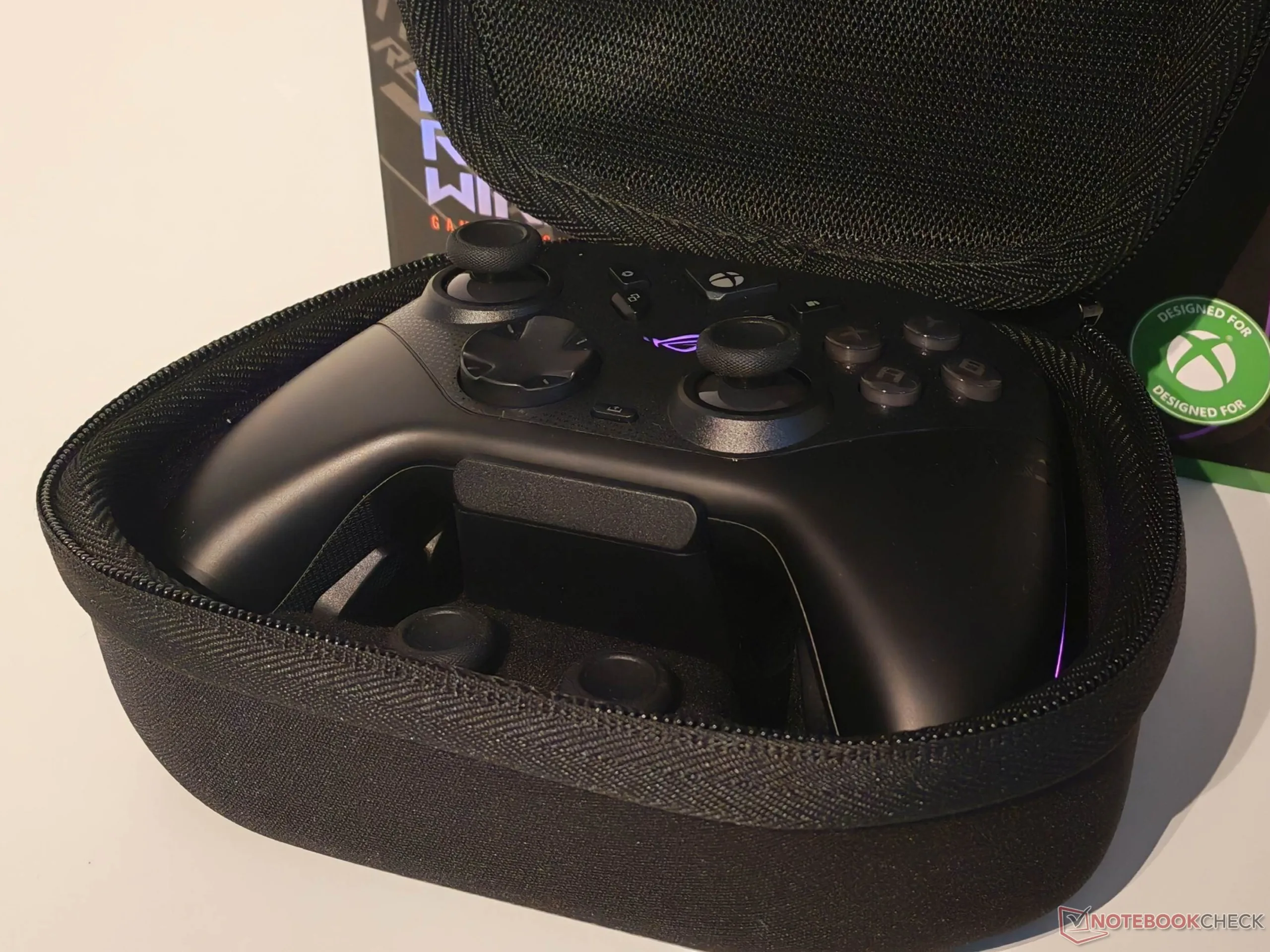
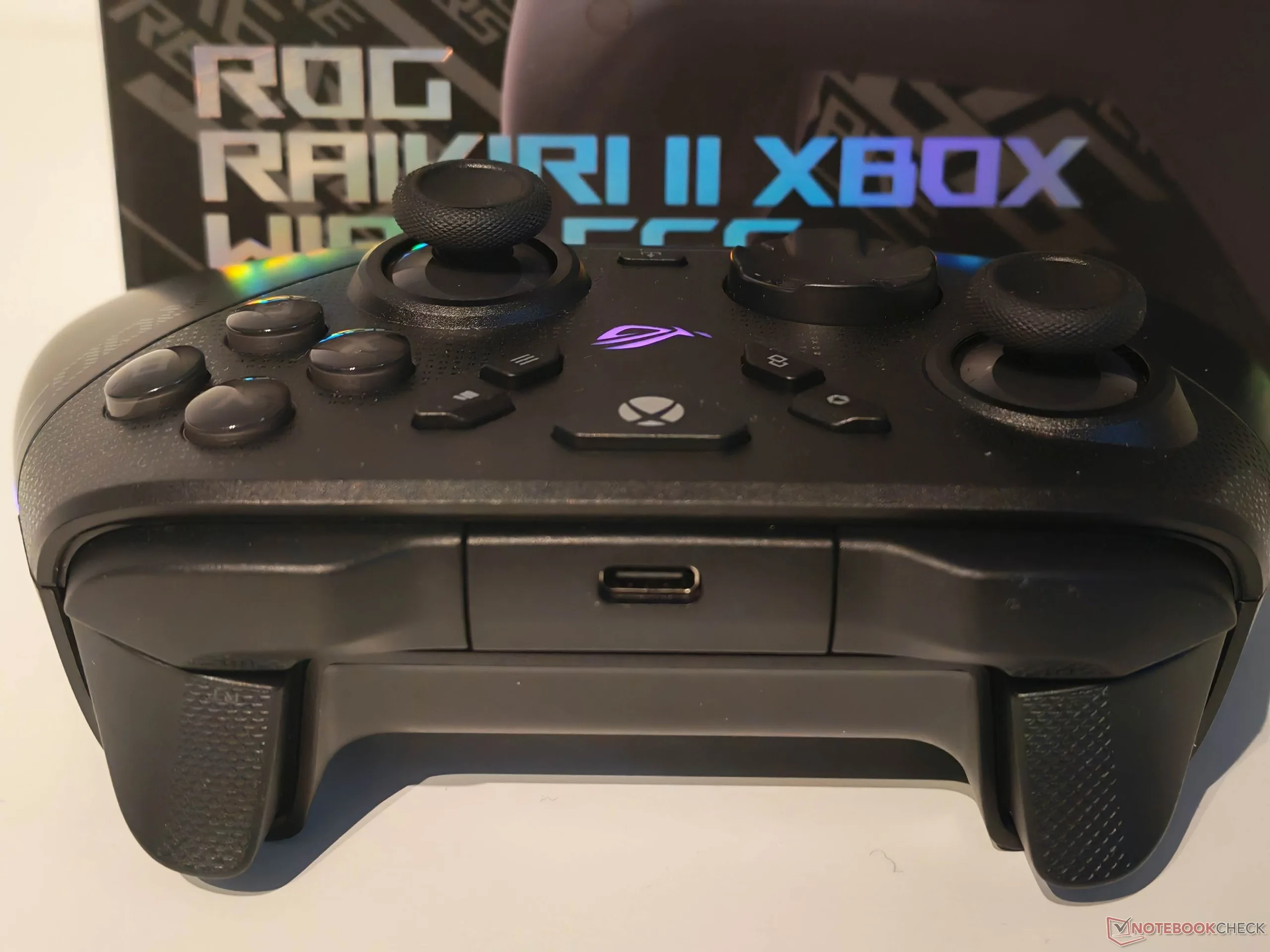
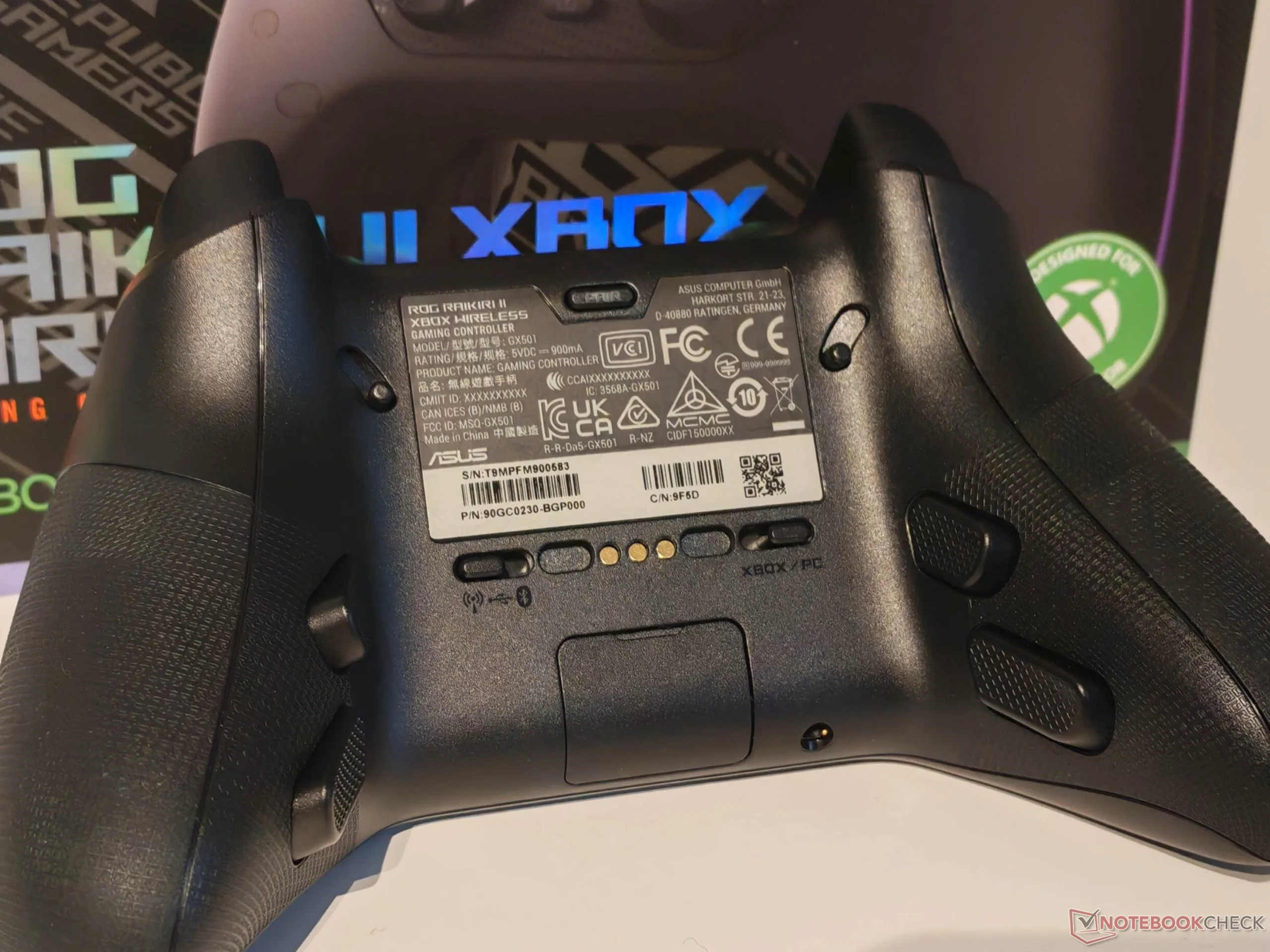
The included accessories of the Asus ROG Raikiri II are remarkably comprehensive. In addition to the controller, the package includes a carrying bag that also houses the charging station. Thanks to a dedicated opening, USB charging is possible even when the controller is stored inside the bag. Charging within the station is handled via pogo pins, which means the USB Type-C port is not subjected to constant wear.
The wireless receiver can be stored inside the controller itself, but it can also be inserted into the charging station. Two replacement thumbsticks and a small set of ROG stickers are also included. Asus bundles a reasonably sized 2.5-meter USB Type-A to Type-C cable.
The bag is well made and easy to use. The build quality of the controller itself also leaves little room for criticism: the joystick grips are partially rubberized, while the triggers, shoulder buttons, and the additional rear buttons feature textured surfaces. The battery is integrated, which is a clear drawback from a repairability standpoint.
It clicks properly with micro switches
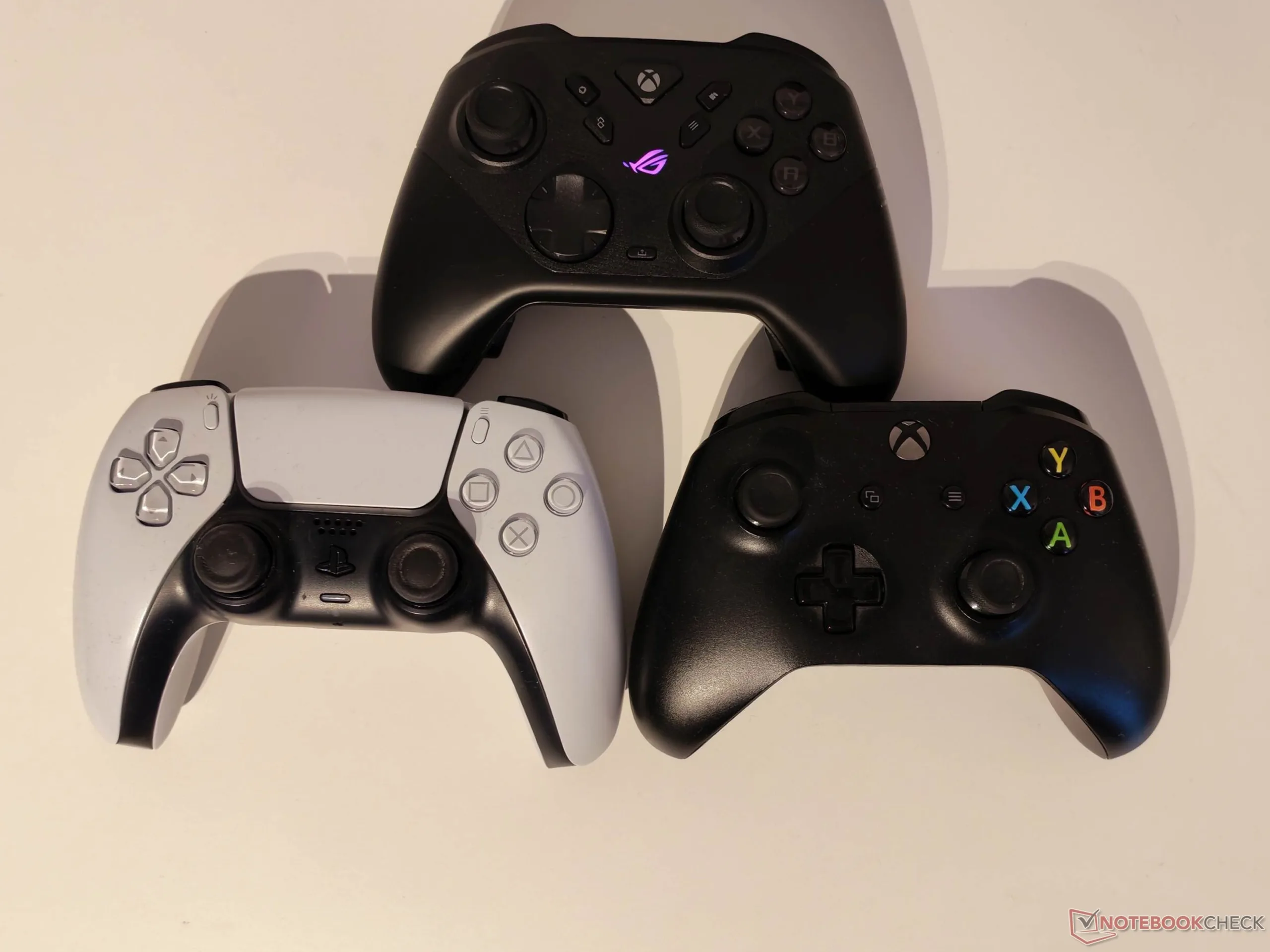
Asus uses micro switches wherever possible. Accordingly, the face buttons, the directional pad, as well as the shoulder and rear buttons all produce a distinct click, as do the triggers when their trigger travel is shortened. This extensive use of micro switches is far from standard and is likely one of the main selling points of the Asus ROG Raikiri II. Our experience with the micro switches was very positive: they trigger reliably and provide clear tactile feedback. Compared with Microsoft’s current Xbox standard controller, Sony’s DualSense, and the Nintendo Switch Pro Controller, this feedback is significantly more pronounced, both acoustically and haptically. This is generally a positive trait, although users do need to appreciate - or at least tolerate - the pronounced clicking.
Reducing the trigger travel works very quickly, at the latest by the fourth activation, even without having to adjust your grip or rotate the controller. Importantly, this shortening does not occur purely at the signal-processing level, but is instead implemented mechanically via a micro switch. This function is particularly useful in games such as Stardew Valley, where the currently selected tool is chosen (by default) using the triggers. In shooters as well, shortened trigger travel is commonly preferred.
At around 256 grams, the Asus ROG Raikiri II is not dramatically but still noticeably lighter than the Xbox controller (290 grams) and the DualSense 2 (284 grams). Its design and dimensions are not identical to those of the Xbox controller: the triggers are longer (or wider) and rounded, and a notably good 8-way D-pad is used, with the diagonal directions slightly recessed. Fortunately, our initial concern that the additional buttons might compromise ergonomics proved unfounded. The middle and ring fingers can rest on the extra buttons without the risk of accidental activation, while still allowing reliable input.
Switching between the different connection modes (2.4 GHz, Bluetooth, and wired) as well as between Xbox and PC use is handled via sliders. The controller can also be used with a smartphone via Bluetooth, although this is not officially supported. Depending on the specific title, we were nevertheless able to use the controller. That said, it does not appear to be properly recognized or fully supported on smartphones. Audio output is supported via a standard 3.5 mm jack.
Gear Link with many configuration options
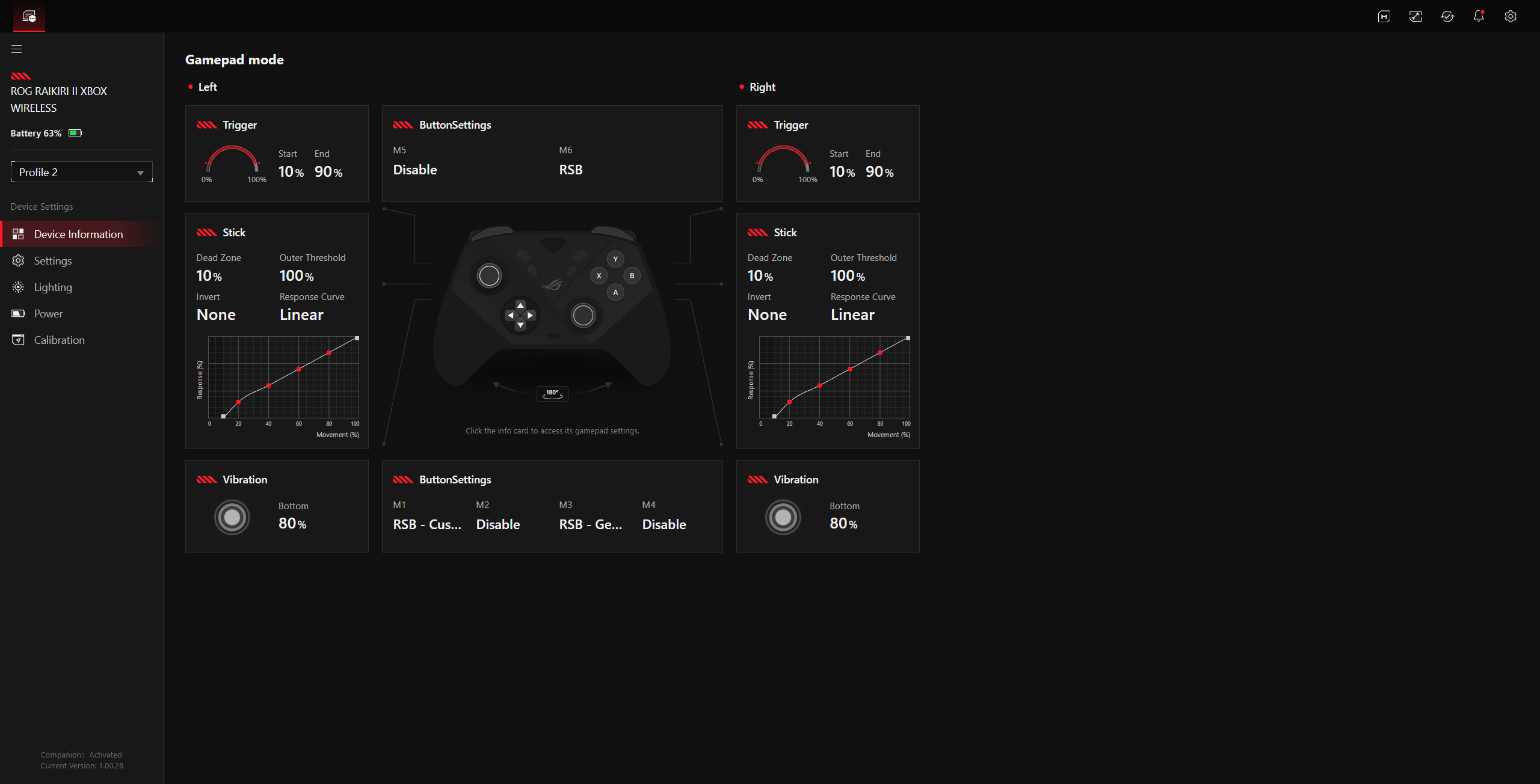
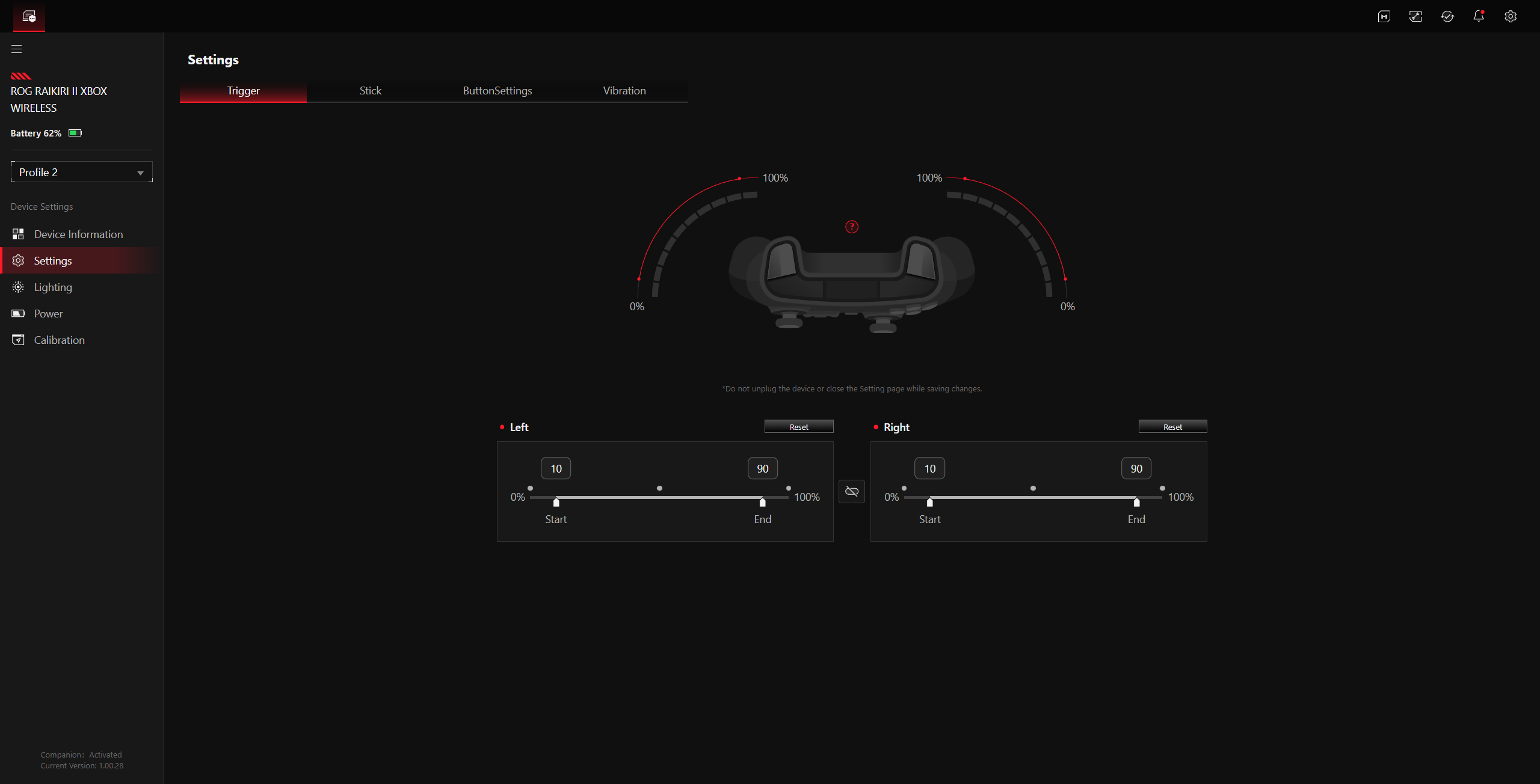
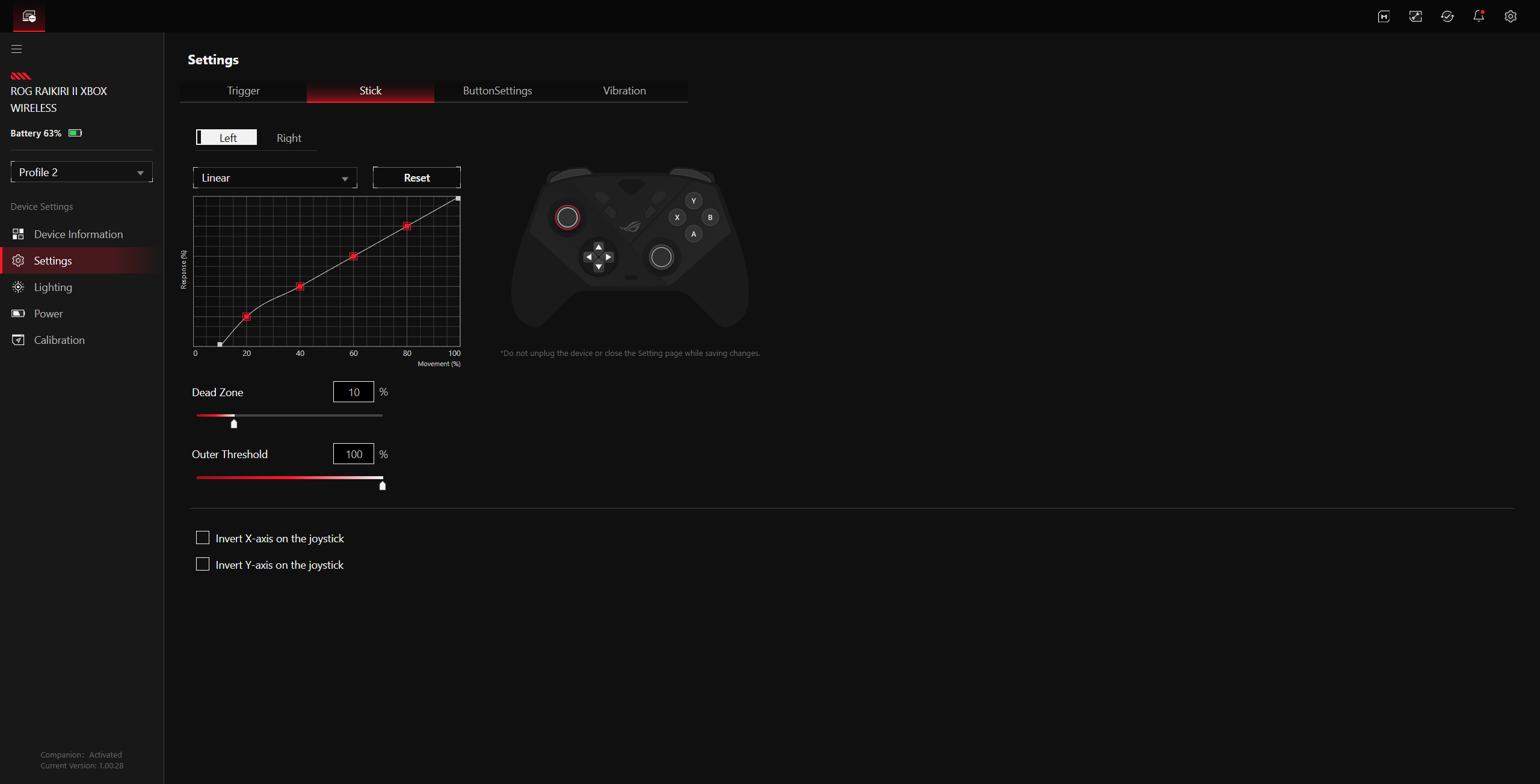
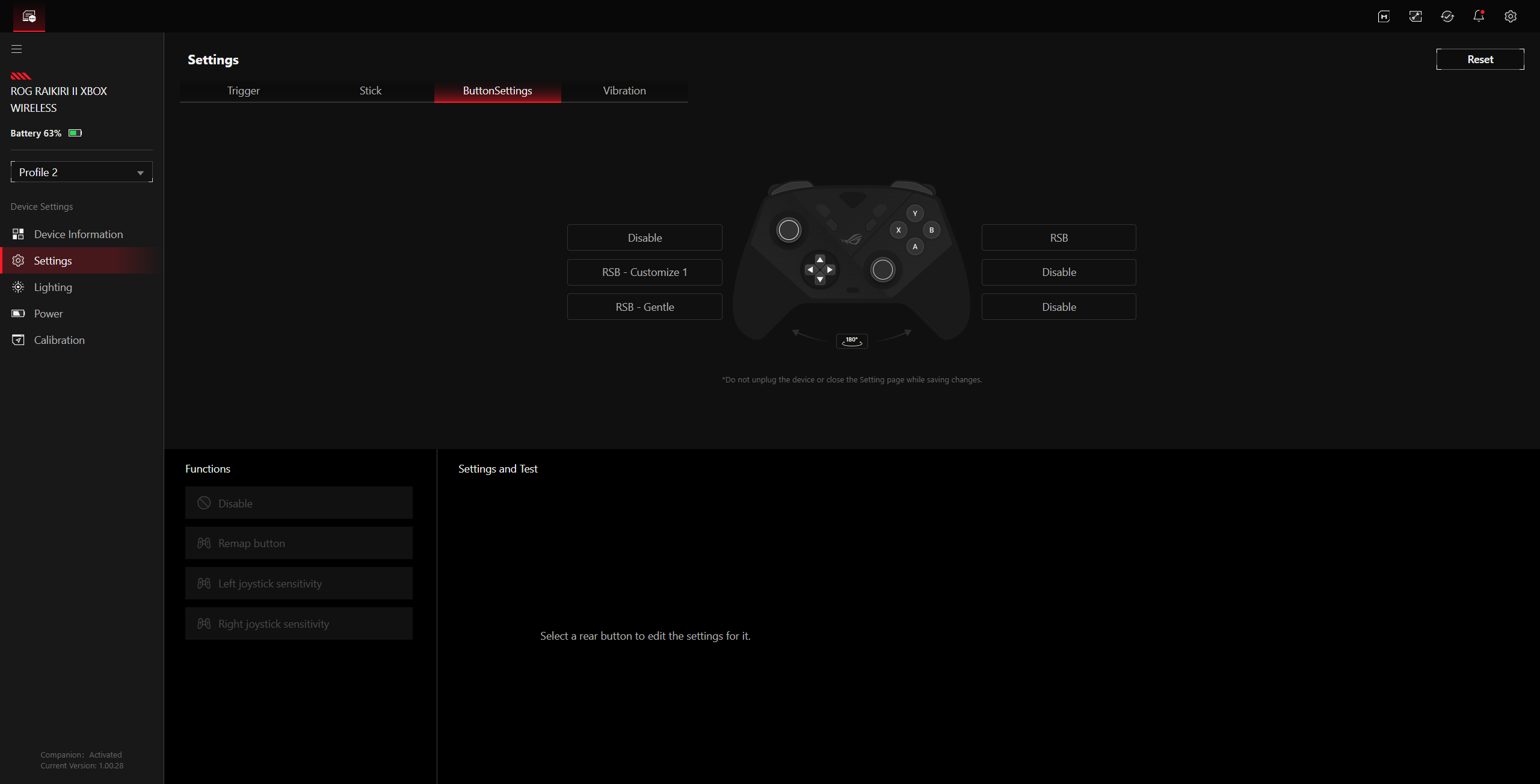
Configuration is handled via the web-based Gear Link interface, similar to the setup used for the Asus ROG Azoth 96 HE—there is no smartphone app. The range of configuration options is extensive. For example, the behavior of the analog sticks can be adjusted in great detail. In addition, at least on a Windows PC, not only the four additional rear buttons but also two buttons on the front can be configured. These can be assigned to trigger other buttons. In shooters, for instance, it can be both conceivable and useful to map the directional pad inputs to the shoulder buttons.
Macro programming is not supported. This is, however, a deliberate decision by the manufacturer, as the use of macros on consoles could be interpreted as cheating. While this topic has been more prominent in user discussions and media coverage in the past, third-party software can of course still be used.
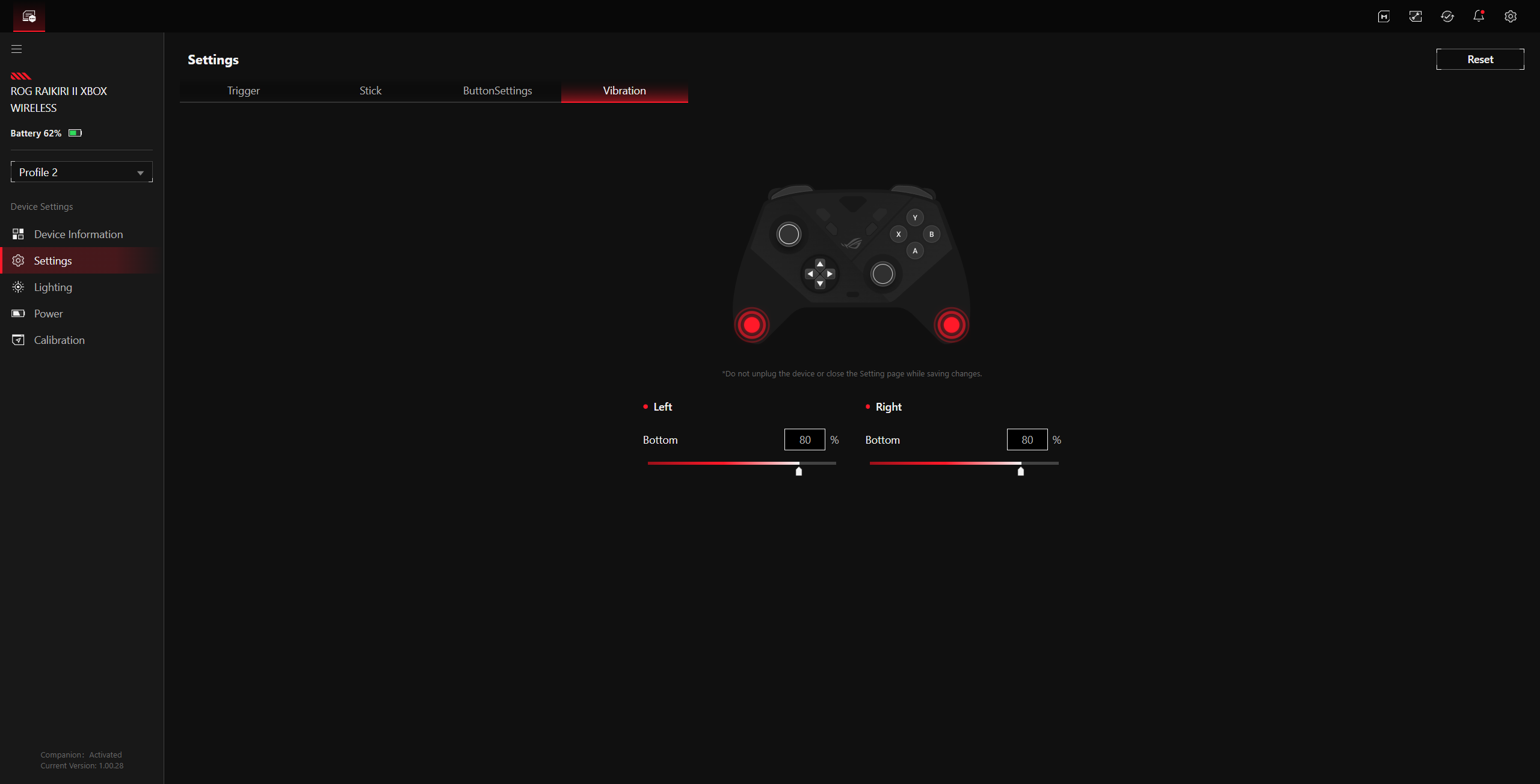
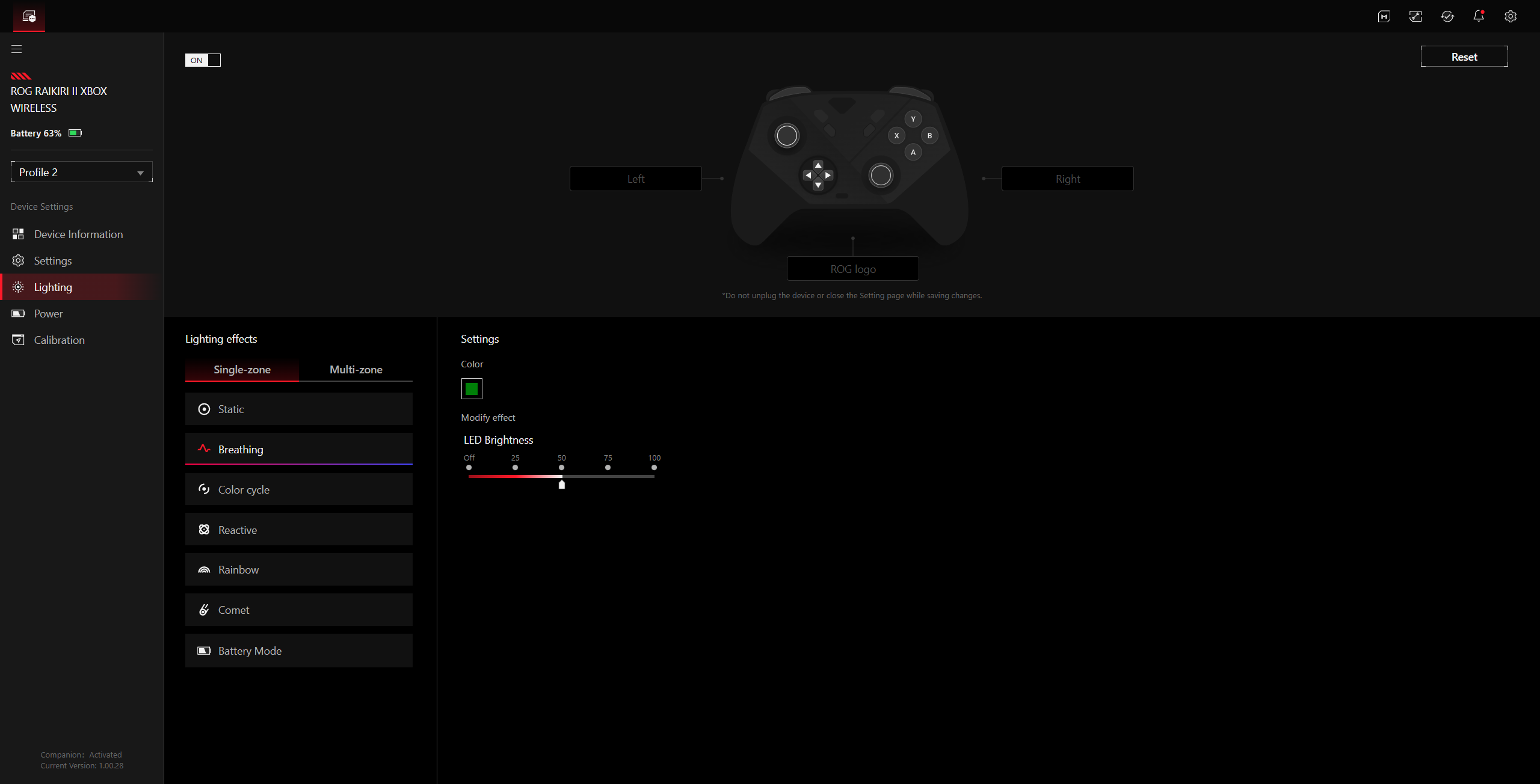
Vibration intensity can be adjusted separately for the two vibration motors, and the RGB lighting can be configured across three zones (left, right, and the ROG logo). Switching between the five profiles is done via a key combination (Pair + Y). In addition, joystick curves can be changed at the press of a button and independently of the active profile—as long as the button is held—similar to a sniper button on a mouse. In shooters, this can be useful for switching between vehicle-mounted weapons, normal gameplay, and sniping.
Precise control without distractions
We used the controller in shooters, platformers, and the aforementioned Stardew Valley. Aside from the pronounced acoustic feedback, it remained unobtrusive in the best possible sense. Inputs were recognized reliably at all times, and the precision of analog input is beyond reproach. We view the strong haptic and acoustic feedback as a positive, particularly in demanding titles.
Compared with the Asus ROG Raikiri Pro, the Asus ROG Raikiri II lacks a display. While such a feature is not strictly necessary in everyday use, even a small display would be advantageous when working with multiple profiles. With the Asus ROG Raikiri II, the currently selected profile can at least be indicated via different lighting effects, which works well in practice.
Transparency
The selection of devices to be reviewed is made by our editorial team. The test sample was provided to the author as a loan by the manufacturer or retailer for the purpose of this review. The lender had no influence on this review, nor did the manufacturer receive a copy of this review before publication. There was no obligation to publish this review. As an independent media company, Notebookcheck is not subjected to the authority of manufacturers, retailers or publishers.
 Add as a preferred source on Google


