




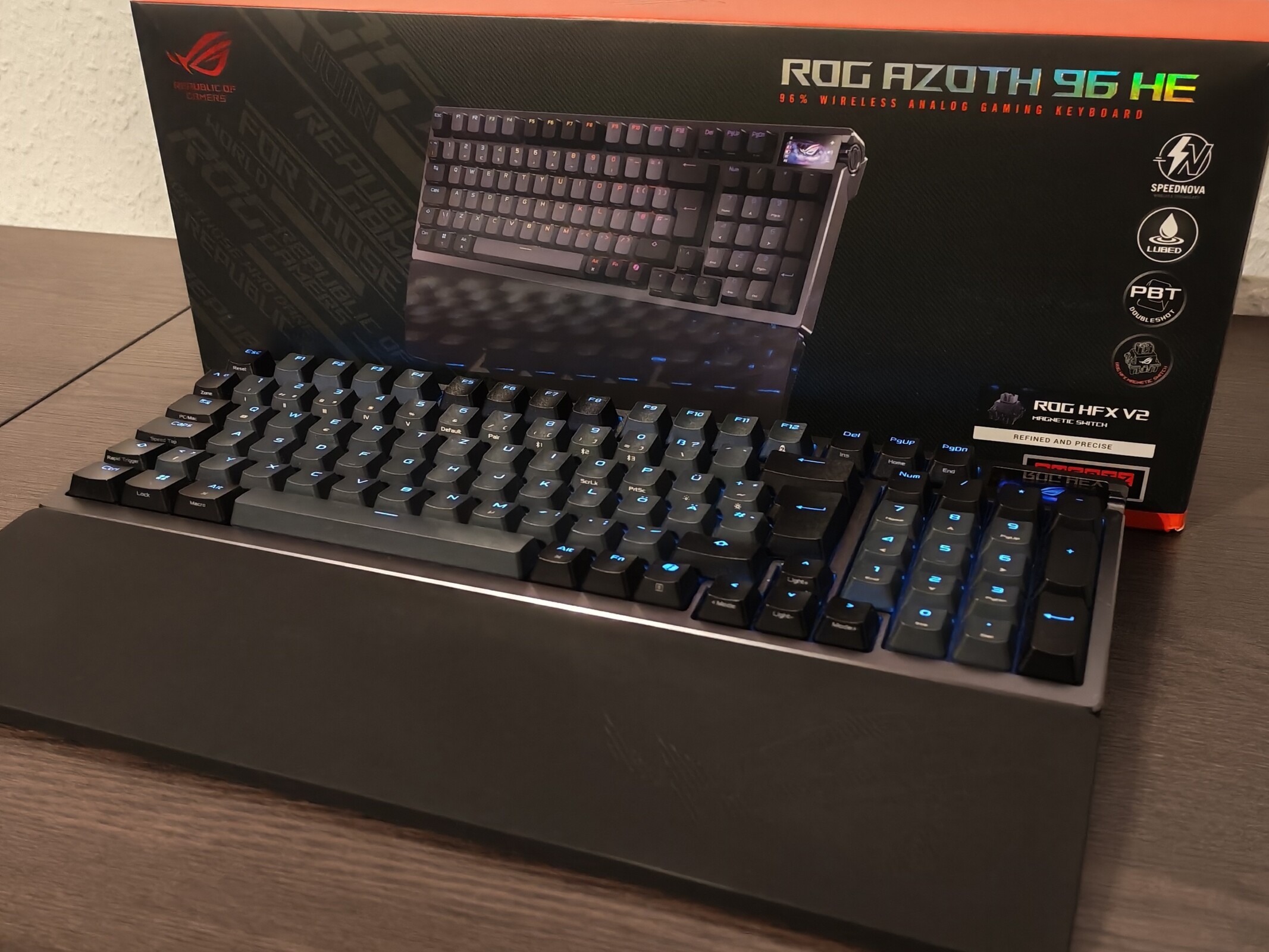
Asus ROG Azoth 96 HE review: A premium keyboard with a few software issues
OLED display included.
The Asus ROG Azoth 96 HE combines a compact 96% layout with an OLED display, a multifunction knob, and high-precision adjustable switches - ideal for demanding gamers and frequent typists. In our review, we take a closer look at how the premium keyboard performs in everyday use, where the Gear Link software still falls short, and whether the high price is justified.Silvio Werner 👁 (translated by DeepL / Ninh Duy) Published 🇩🇪 🇫🇷 ...
Excellent keyboard with slight software shortcomings
With the ROG Azoth 96 HE, Asus offers a very compelling keyboard. Despite its compact dimensions, it not only provides an almost complete layout, but also an OLED display and a dedicated rotary control. The typing feel is very pleasant and enables reliable input recognition - and, if desired, very sensitive input as well. The small screen and the rotary control add genuine value.
Management via the Gear Link software is simple and clearly structured, and it supports many configuration options. Unfortunately, the generally good wrist rest cannot be attached, and the software still lacks certain functions, which slightly detracts from the otherwise very positive overall impression. Among the missing features, the lack of macro assignment is particularly significant for gamers.
Overall, the ROG Azoth 96 HE is definitely worth a look - especially for gamers with a larger budget and high expectations for build quality.
Pros
Cons
Price and availability
The ROG Azoth 96 HE has been listed since November and has been available since December. Price comparisons currently show the keyboard starting at €361
With the Asus ROG Azoth 96 HE, Asus offers a keyboard packed with modern features and an almost complete layout, yet with remarkably compact dimensions. In this review, we take a closer look at whether the concept works.
Data sheet
| Form factor and size | 96 %, 382 x 136 x 42 millimeters |
| Switches | ROG HFX V2 Magnetic Switches |
| Material | Aluminum and plastic |
| Connectivity | USB Type-C, 2.4 GHz, Bluetooth |
| Max polling rate | 8,000 Hz |
| Keycaps | DoubleShot keycaps |
| Display | 1.47 inch OLED screen |
| Additional controls | Rotary knob |
| Software | Gear Link (web-based) |
| In the box | Keyboard, additional keycaps/buttons (spares), wireless adapter/dongle, USB Type-C cable, USB Type-A to Type-A adapter, manual, wrist rest |
Complete package contents and a sensible layout
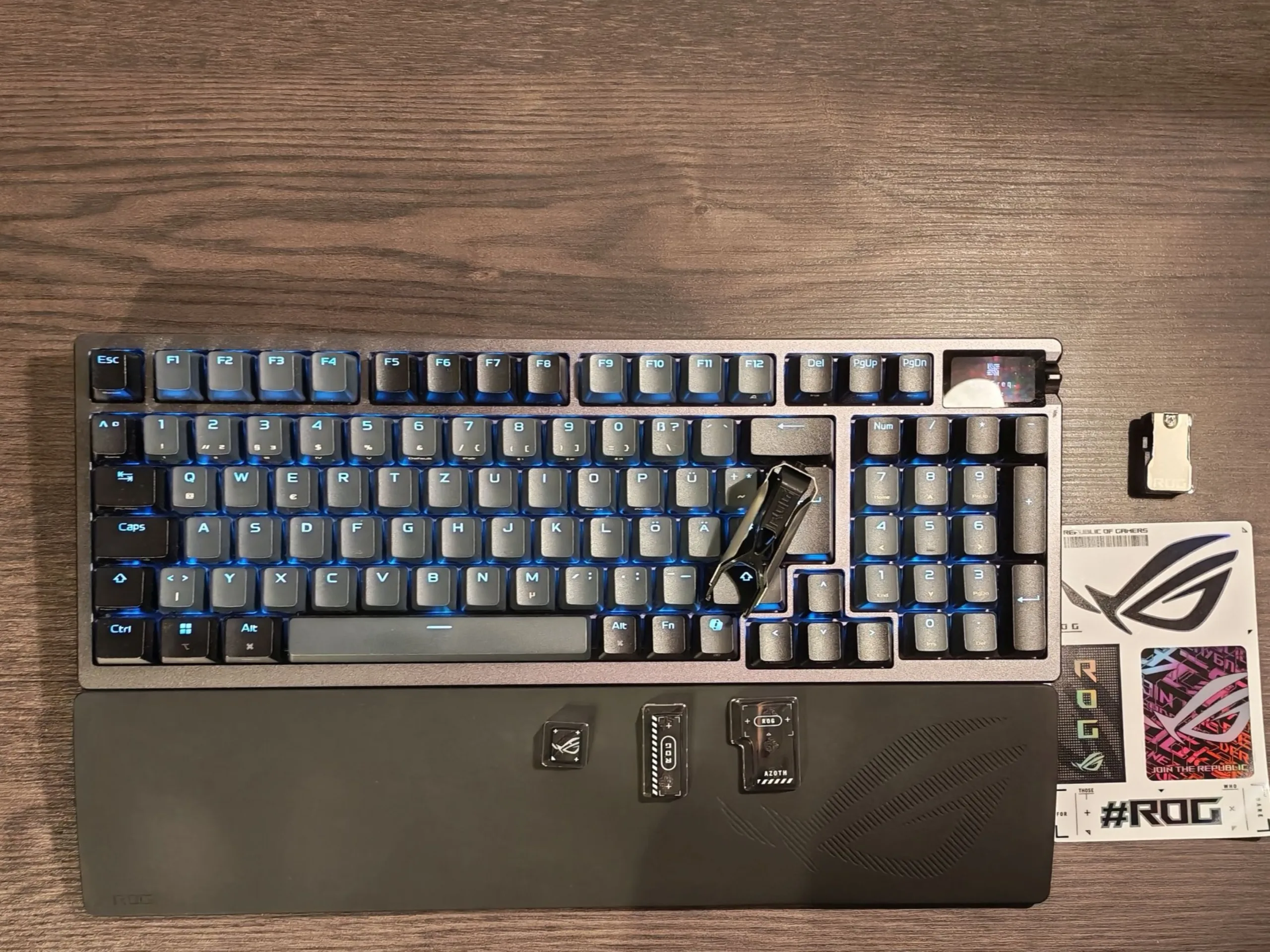
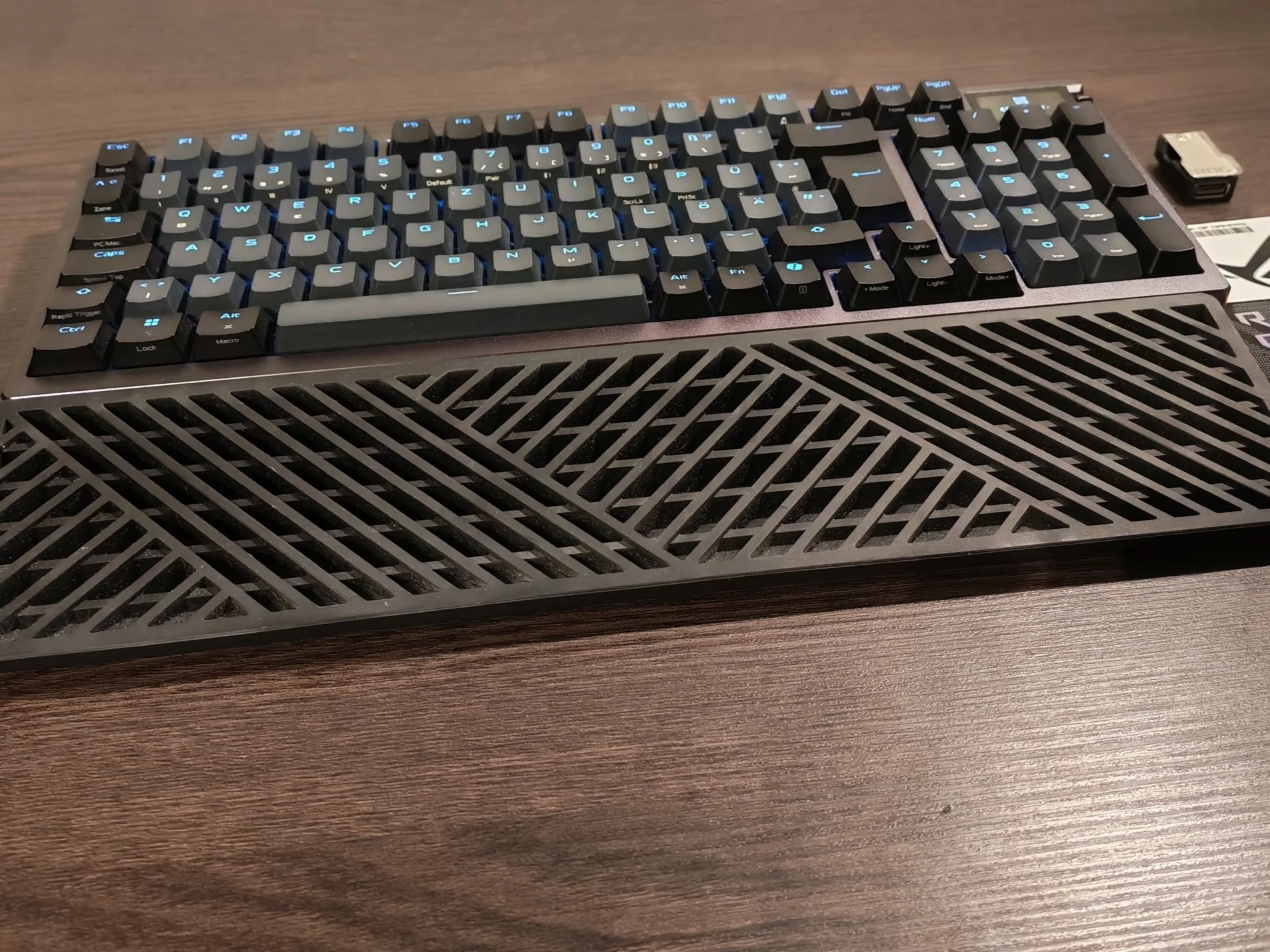
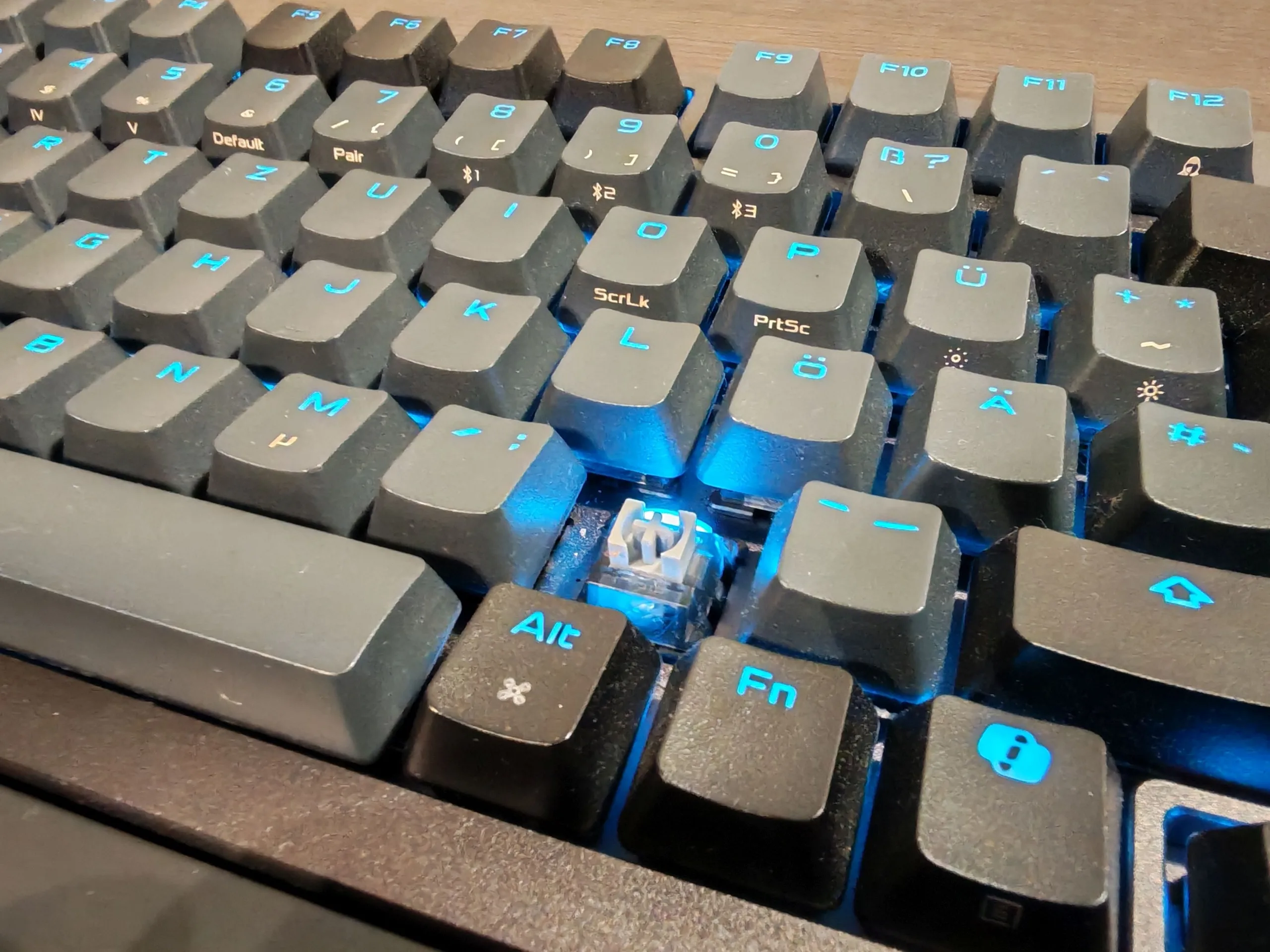
In the box, Asus includes a wrist rest, a USB Type-C cable, a USB adapter, an extension cable for the USB receiver, a control keycap to replace the Copilot keycap, and three transparent additional keycaps in the ROG layout. There are also tools for removing keycaps and switches - these two tools can be clipped together. Setup is extremely straightforward and can be done via USB, Bluetooth, or the included wireless receiver, which can be stored inside the keyboard when not in use. No software installation is required, even for extensive configuration options - but more on that later.
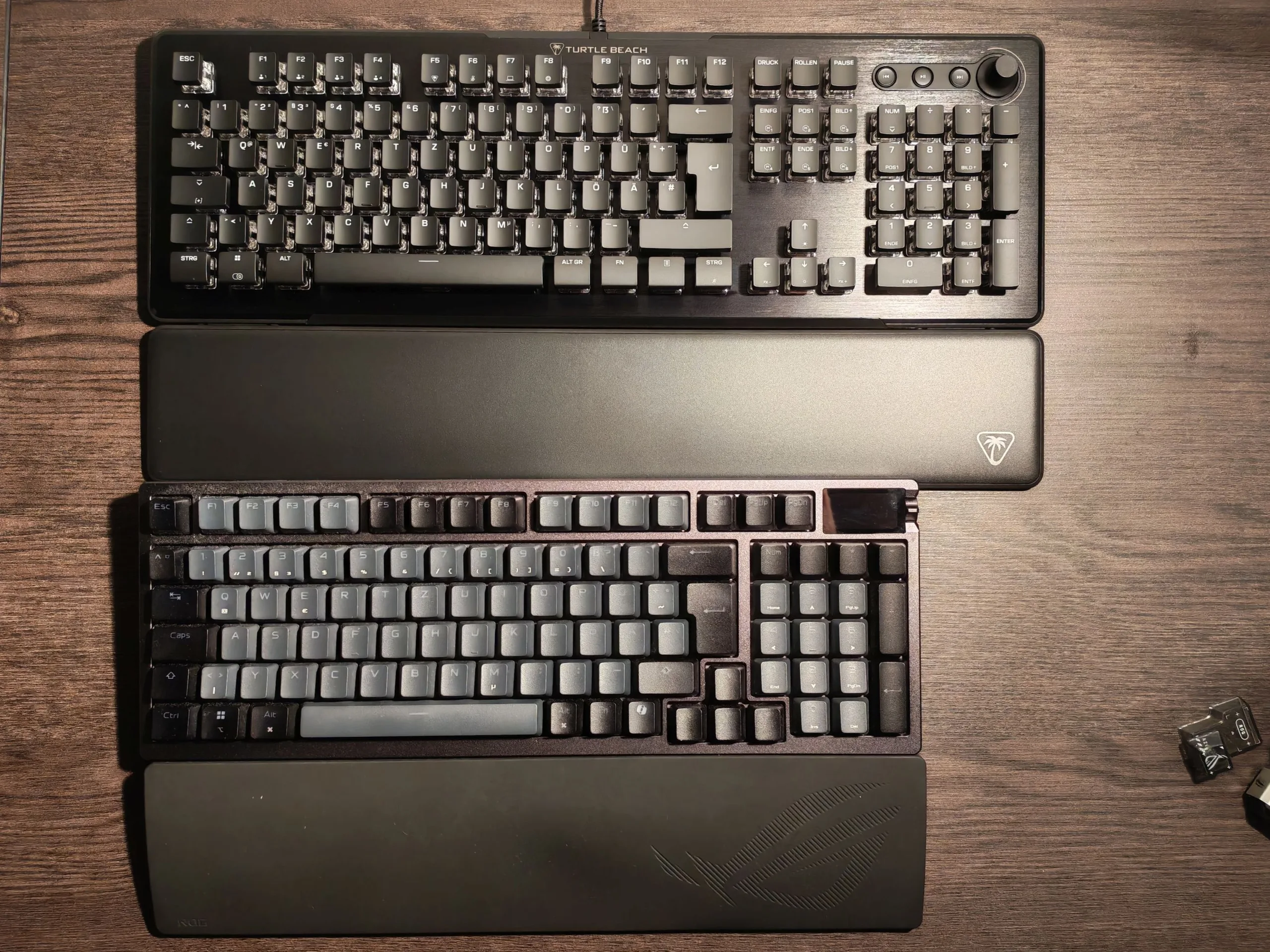
The number in the product name refers to the layout: this is a 96% keyboard. As such, it does not include all typical keys, meaning the six-key navigation cluster has been omitted. Compared to a standard keyboard, the right Shift key is smaller than usual, which effectively pushes the arrow keys into the main key block. The default key assignments for Print Screen have also been adjusted accordingly. In principle, however, the key mapping is fully customizable - something we will cover again later. The numeric keypad is fully included, although the 0 key is shortened, which reduces the gap between the numpad and the main section. As a result, the Asus ROG Azoth 96 HE is very compact at 382 × 136 mm without any real functional compromises, while the wrist rest adds roughly another 90 mm.
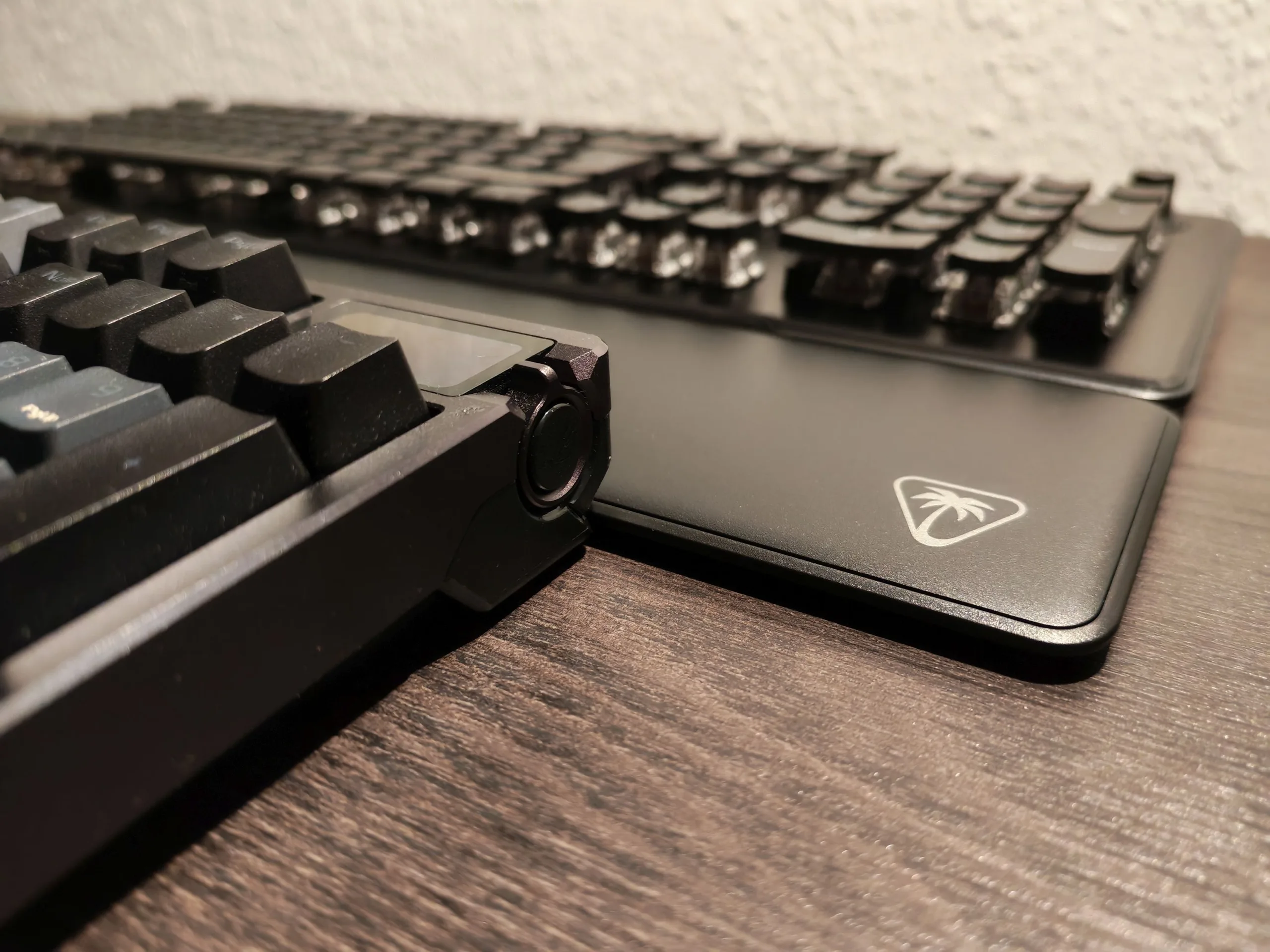
We are not fully convinced by the wrist rest. It is made of durable and generally comfortable rubber and usually does not slip. However, both the wrist rest and the keyboard itself can slide slightly on a large mouse pad, for example - and the wrist rest cannot be attached to the keyboard. We also have a second, admittedly minor point of criticism regarding the package contents: aside from a kind of cloth pouch, there is no proper carrying case (even a cheaper one) for transport to the next LAN party, which would have been a nice addition at a price of €400.
OLED display and rotary control add value
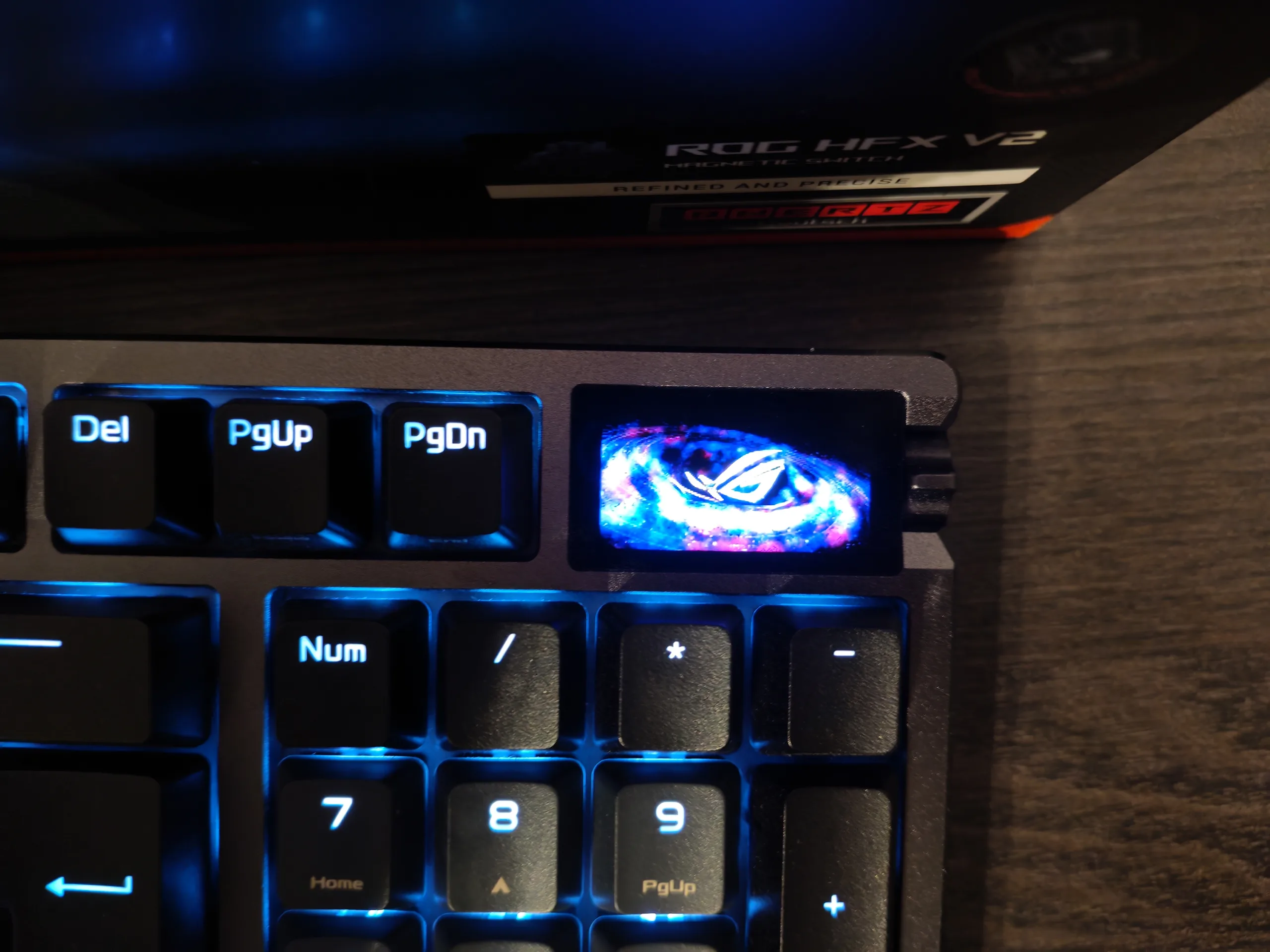
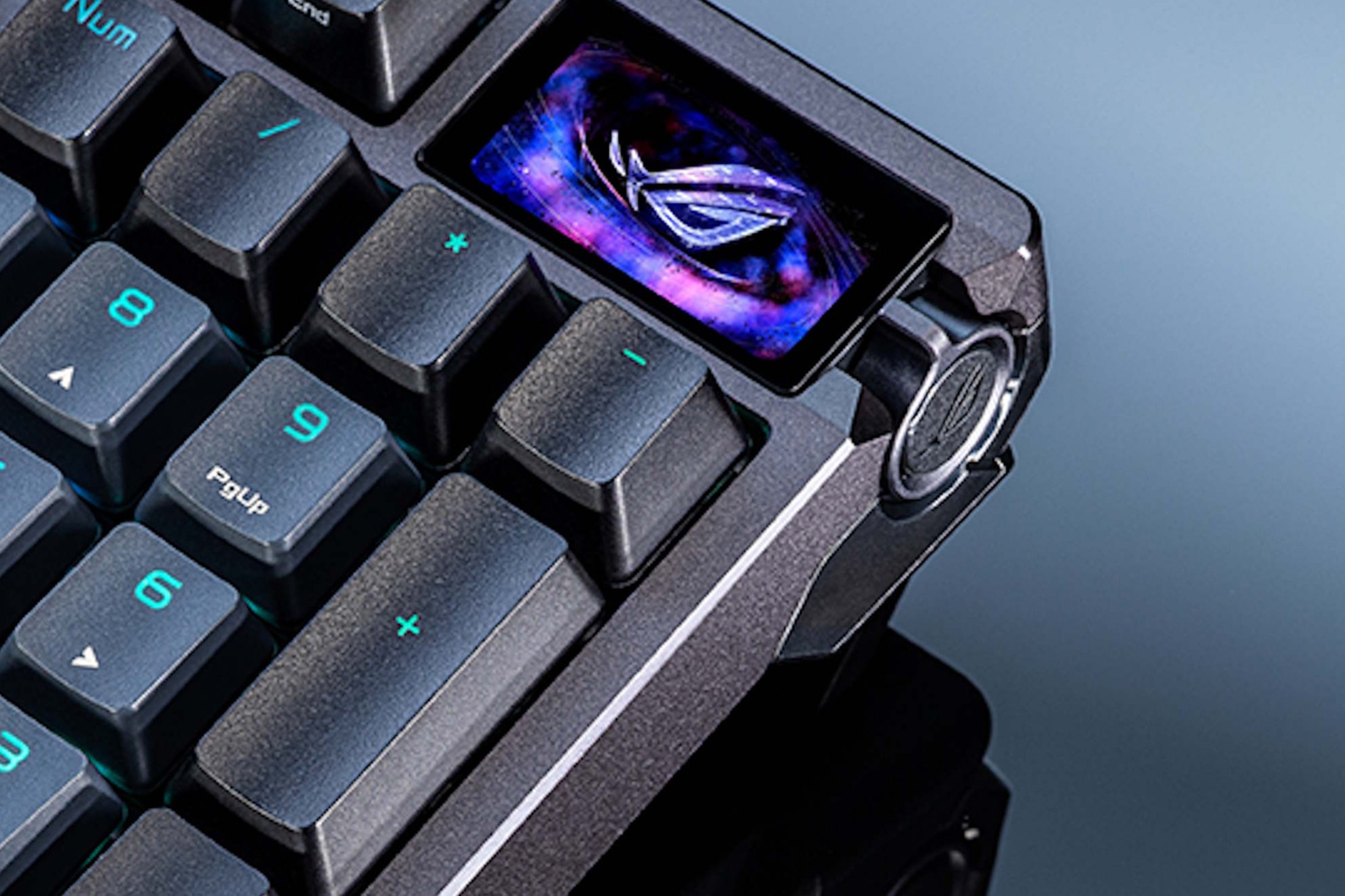
The keyboard features a 1.47-inch OLED touchscreen display and a multifunction control unit on the right-hand side. The control unit can be used to navigate up and down, and it includes both a side button and a button on the rotary knob itself. Put simply, you can swipe on the touchscreen to switch between different views, while the control unit allows you to adjust the volume and stop media playback.
In our testing, the display proved genuinely useful and can reduce the need to rely on the software. However, users should be aware that the OLED screen is fixed and cannot be tilted or rotated. For example, switching quickly between media controls and volume adjustment requires additional clicks. We would have liked to see a second small rotary control on the side. Other ROG keyboards, such as the ROG Falchion Ace 75 HE, offer additional input controls like this - although they do not include the dedicated rotary knob.
The software is strong, but not yet complete
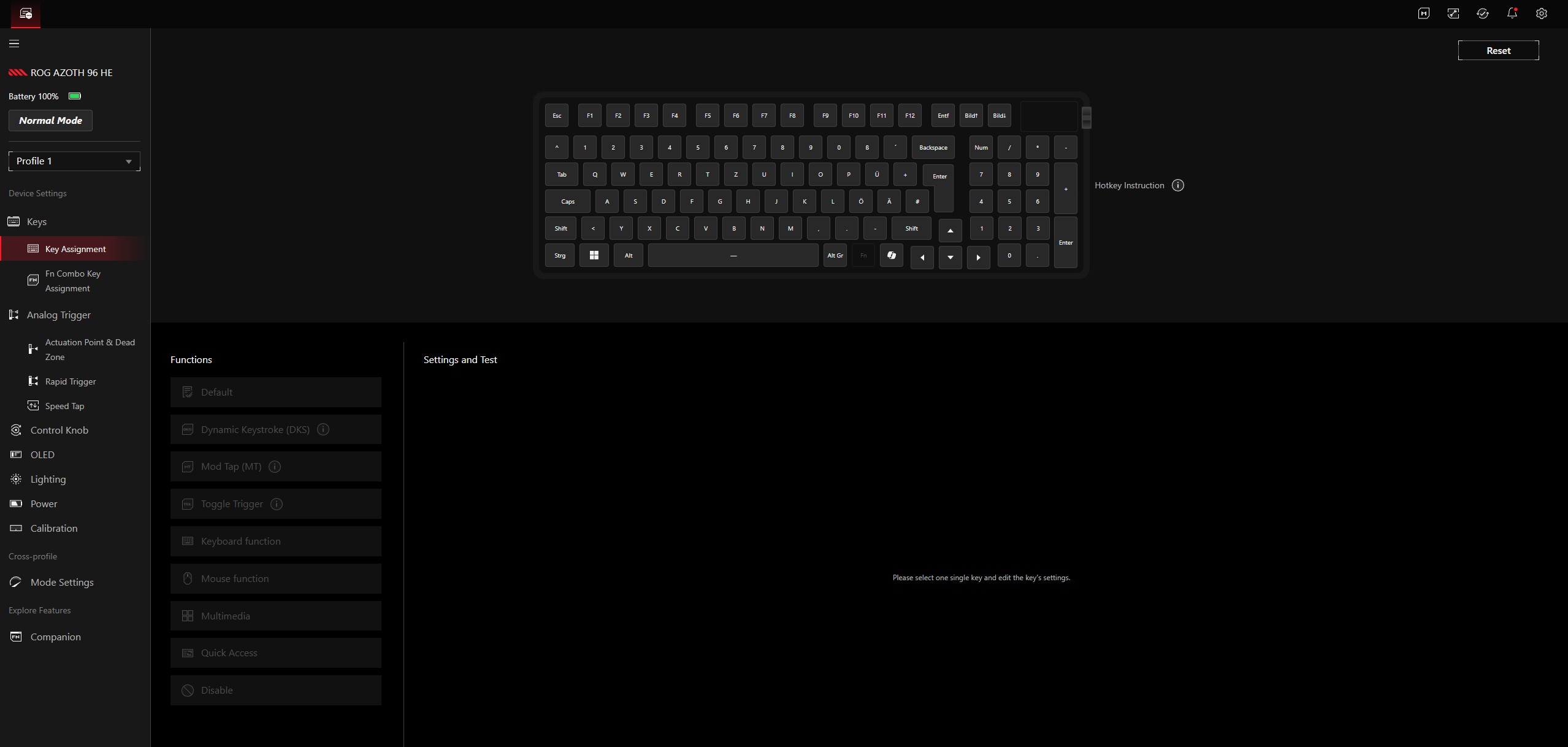
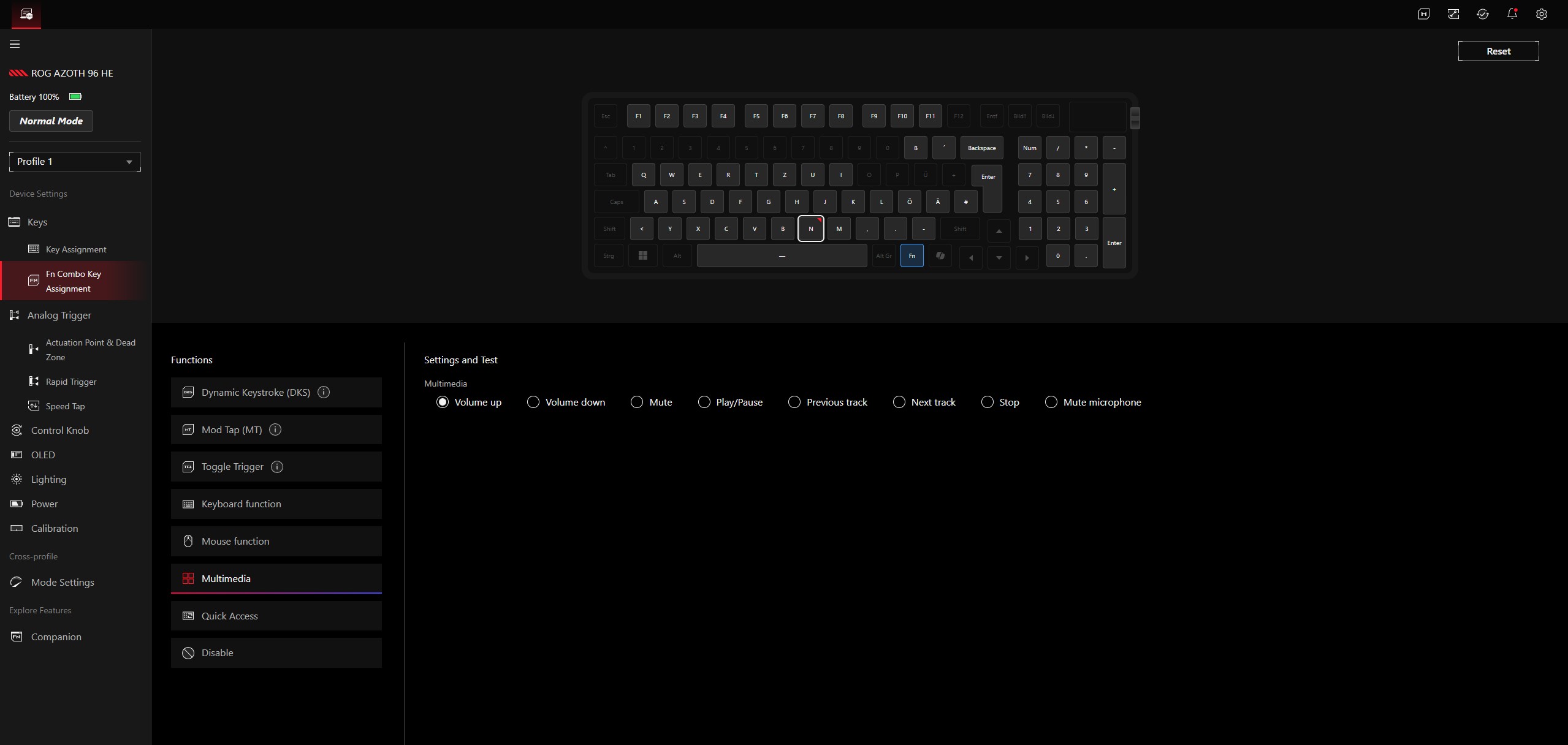
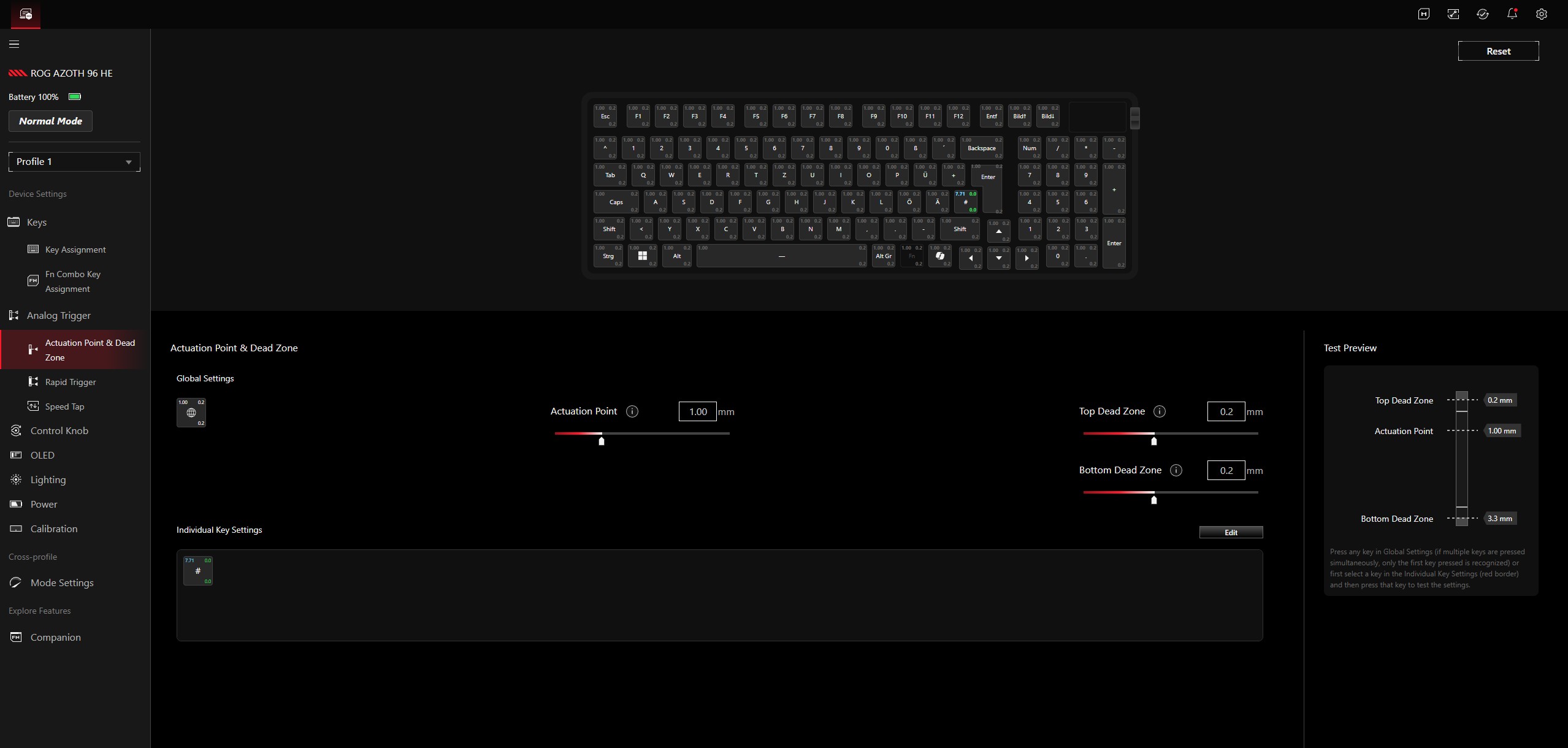
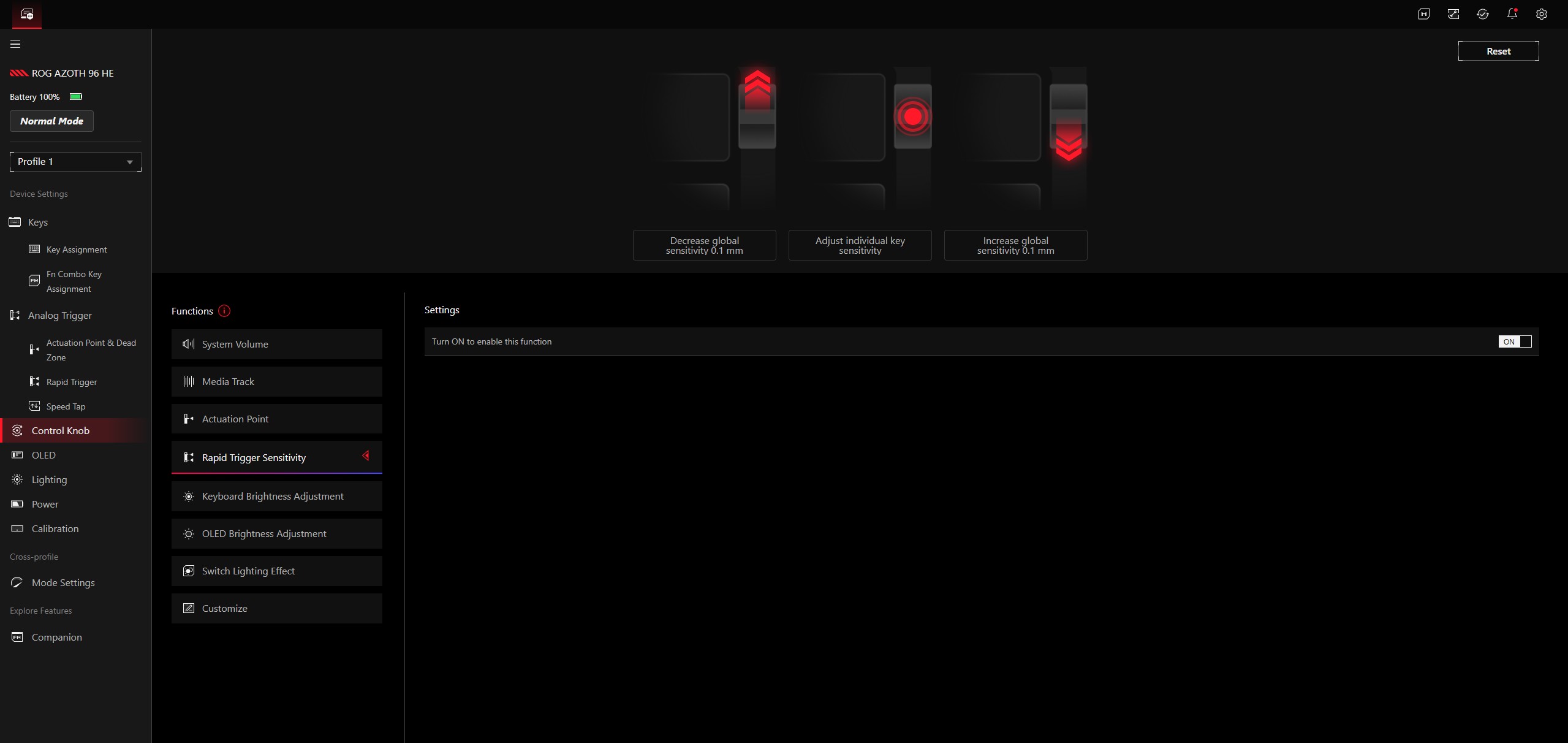
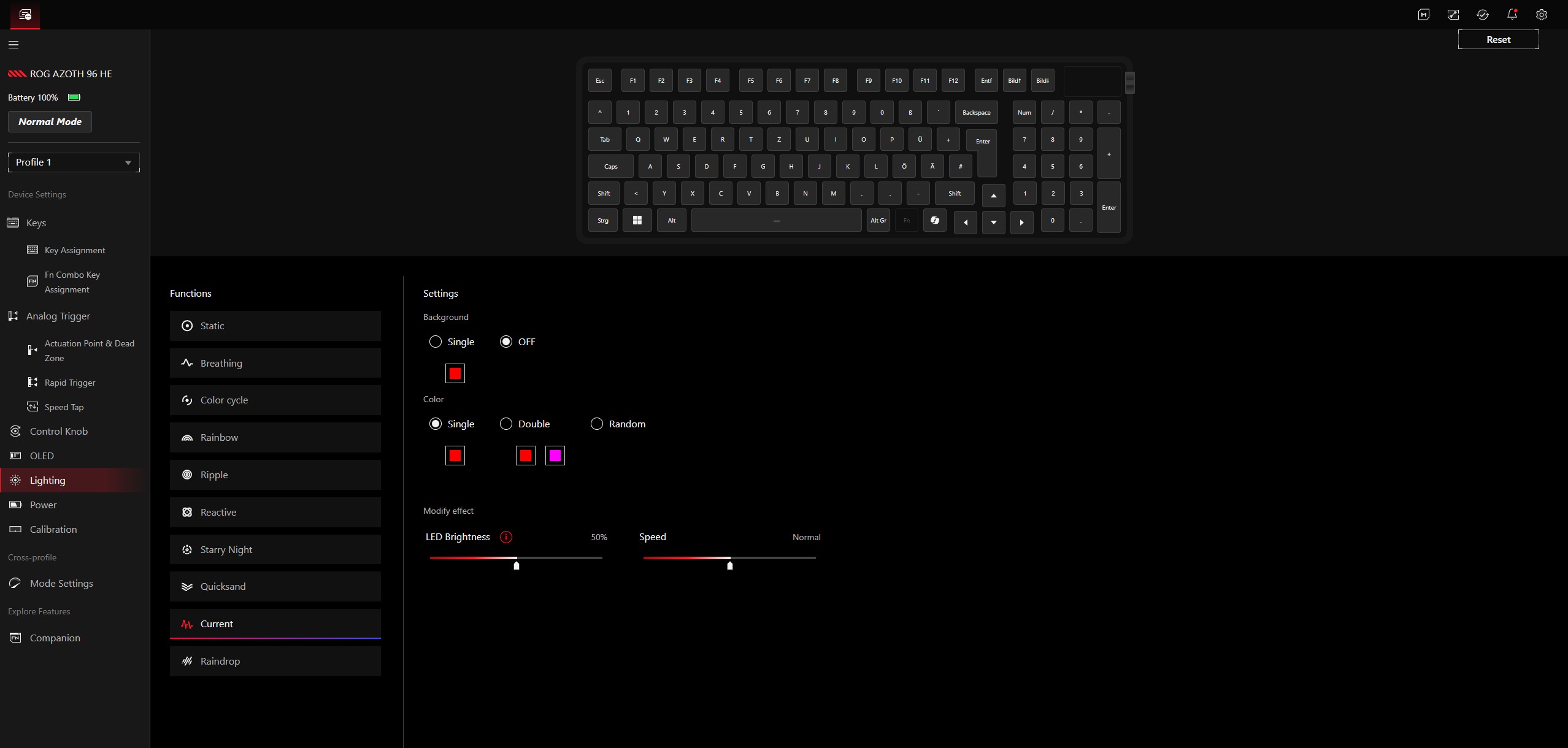
The Asus ROG Azoth 96 HE is managed and configured via Gear Link, which uses a clearly structured web interface. Installing an additional app (Gear Link Companion) is not required, but it does enable some extra functions. The range of options is extensive - for example, you can create multiple profiles. Different functions can be assigned to almost all keys, and separate actions for tap and hold are supported as well. In addition, different functions can be triggered depending on how far a key is pressed. The Fn keys can be used to assign multimedia controls, among other things. Gear Link also supports setting an individual actuation point for each key.
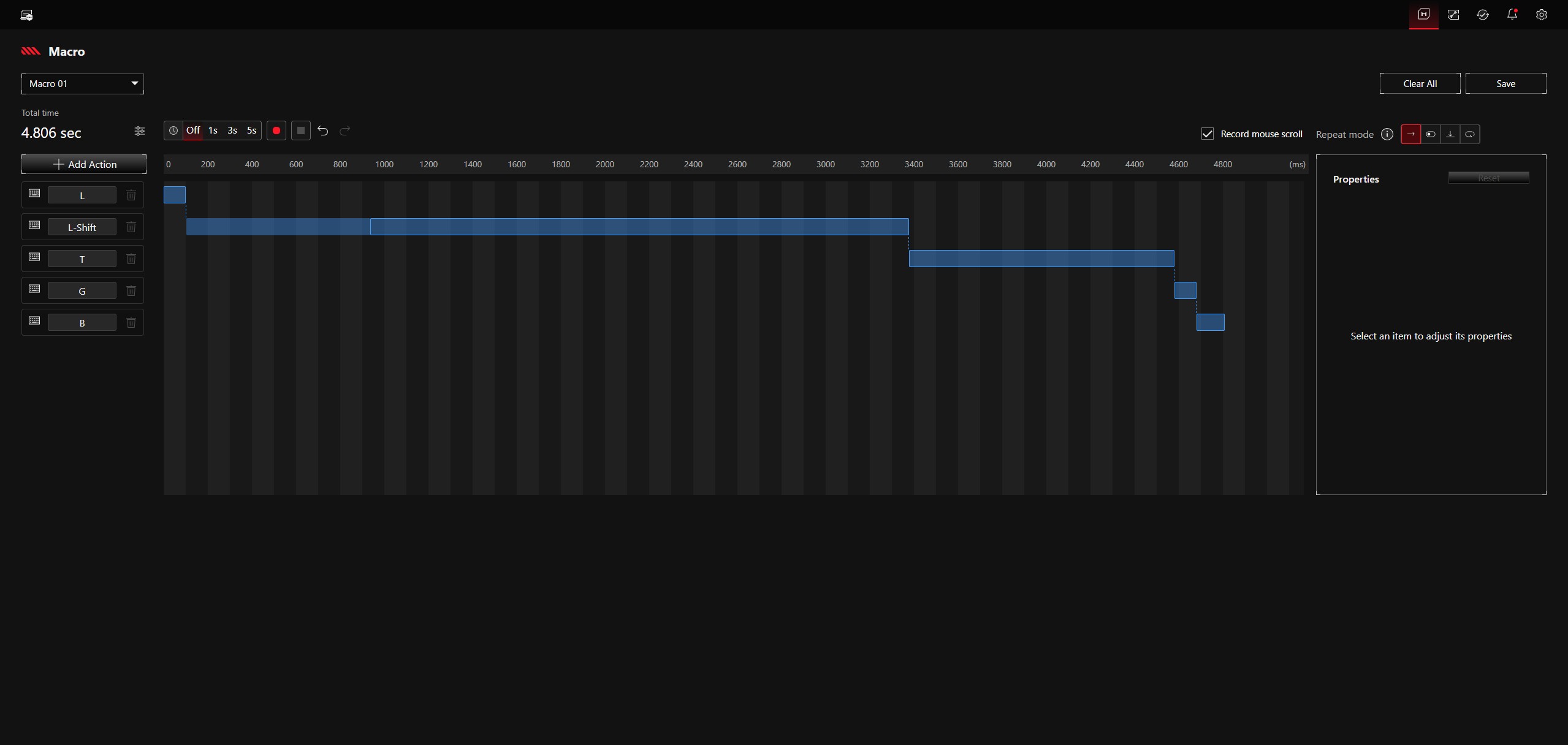
Gear Link works well, is stable, and generally offers many functions, but it is also our biggest point of criticism - at least for now. While there is a macro editor, macros will only be assignable to the Asus ROG Azoth 96 HE in a future Gear Link version, expected in the first quarter of 2026. Macros can already be recorded using third-party software, of course, but this is a feature that should be available at launch on a premium product. There is also a second, smaller limitation: launching arbitrary programs is currently not possible, and this function is only planned for the second half of the year. As a workaround, and in the absence of program assignment, we currently use the well-functioning on-the-fly macro editor, entering the Run dialog (Win+R) followed by the path to the executable file. This naturally limits the speed to how quickly the macro can be recorded manually. Users should also note that Gear Link is a web interface; according to Asus, it only works offline if the device overview was opened while connected to the internet and the browser tab remains active.
Precise input and good typing feel
The ROG Azoth 96 HE performs excellently in everyday use, productive applications, and gaming. We explicitly recommend taking some time to set the optimal actuation depth - this adjustability is a major advantage over a conventional keyboard and makes it possible in practice to find the best balance between fast actuation and avoiding accidental inputs. The actuation point can be adjusted in 0.01 mm steps within a range of 0.1 to 3.5 mm.
The typing feel of the linear ROG HFX V2 switches is on the softer side, but without negatively affecting precision. The stock damping system works very effectively. Two Poron base layers can be removed if desired, and overall noise levels remain within reasonable limits for a mechanical keyboard. As you would expect at this price point, there is also no "ping," meaning no metallic-sounding noise. Bottoming out produces a crisp but not unpleasant sound. In addition to the relatively elaborate damping system, the keyboard’s sheer mass (around 1,400 grams) is also likely to contribute to the restrained noise level.
We used the keyboard primarily without the two-stage adjustable feet, which increase the typing angle. Despite the keyboard’s height of just over three centimeters, it remains ergonomic to use thanks to the wrist rest. With the softer typing feel and the option to configure a shallow actuation point, the ROG Azoth 96 HE can be used for long periods with relatively little fatigue. The metal construction also ensures high stability, and the keyboard does not flex.
That said, we have to admit this quite openly: in practice, we simply did not notice the 8,000 Hz polling rate, or rather the difference compared to a lower polling rate. Signal transmission was completely trouble-free at all times, whether wired or via 2.4 GHz or Bluetooth. In faster shooters, we particularly enjoyed using the Speed Tap function, which prioritizes the most recent input. This makes the keyboard more forgiving if you accidentally keep holding the opposite direction key while strafing. We did not measure battery life, but we can provide a reasonably well-founded estimate. In Standard mode (8K polling rate) using the 2.4 GHz connection, and with the backlight set to 50% brightness (active only on pressed keys), we were able to work for well over 20 hours before the battery dropped below 80%.
Transparency
The selection of devices to be reviewed is made by our editorial team. The test sample was provided to the author as a loan by the manufacturer or retailer for the purpose of this review. The lender had no influence on this review, nor did the manufacturer receive a copy of this review before publication. There was no obligation to publish this review. As an independent media company, Notebookcheck is not subjected to the authority of manufacturers, retailers or publishers.
 Add as a preferred source on Google


