Review Asus X51R Notebook
Close to the Limit. Currently the demand for notebooks is in general high, but, especially the market for reasonable beginner notebooks booms. Of course all manufacturers intent to put effort into this market segment, and place really reasonable notebooks in this segment, because the sales volume is high. This is also true for the well-known manufacturer Asus, who offers the X51R at a retail price of about 600,- Euro. Read here, how this low-cost notebook differs from the rest of the Asus series.
Case
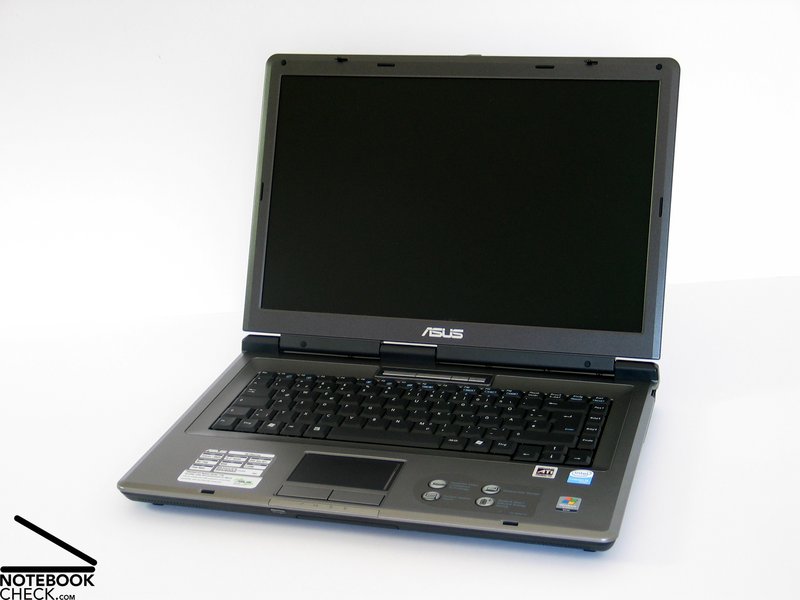
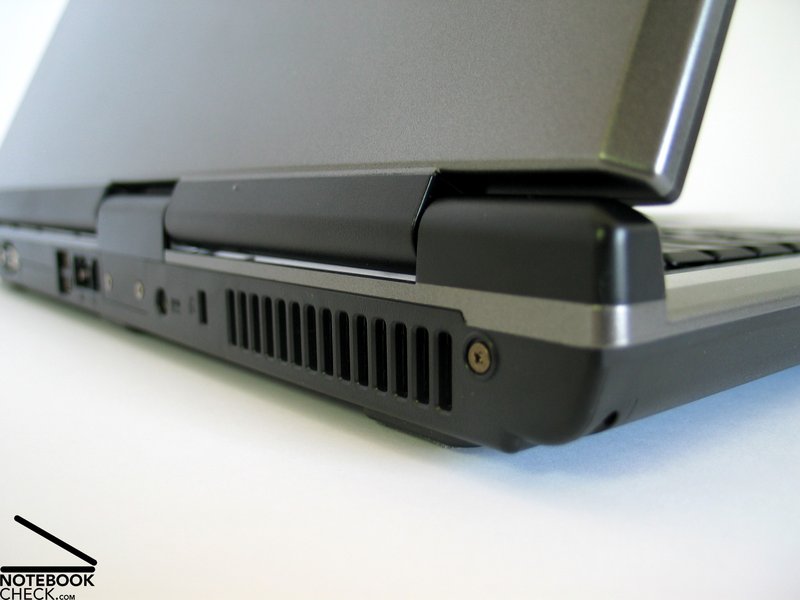
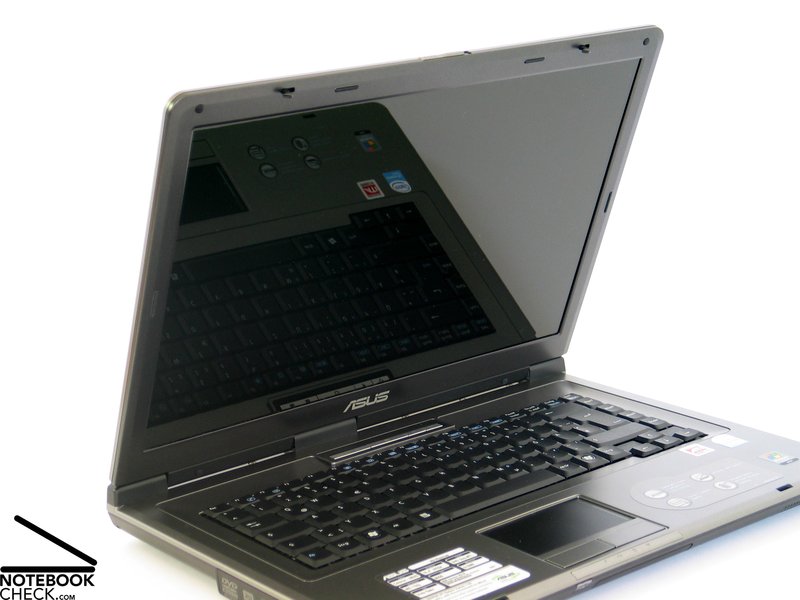
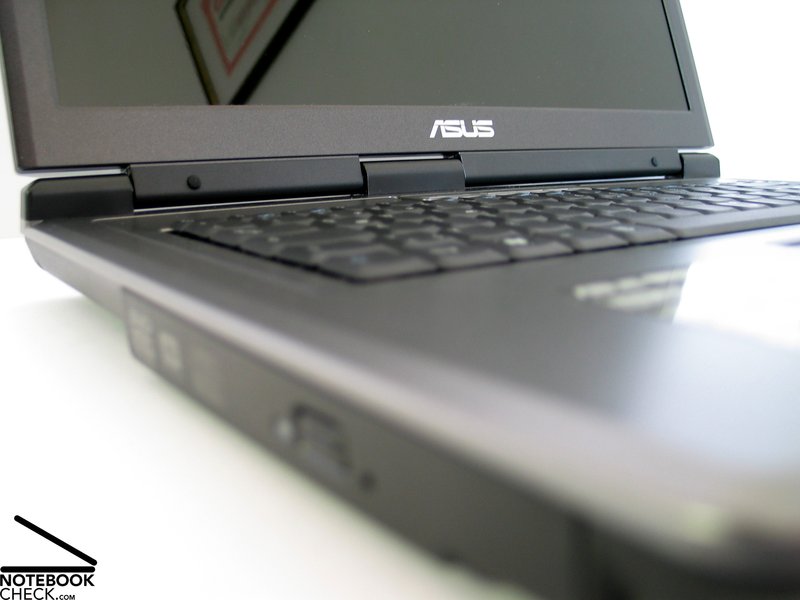
Asus notebooks are characterized by a rather flat, angular, and geometric design. However, the design is also used to draw the outline of single lines. They do not only differ in means of color, but also regarding used materials.
How does the X51R differ from Asus' current product range? Simply, by not following any of the mentioned aspects. Neither the color choice nor the used materials give the X51R any individual outlook.
This might sound heavy, but, it does not harm the X51R. Its silver gray design lets it appear rather decent, and also its pleasing design well classifies it as low-cost model. If there weren't multiple Asus logos, this notebook could be easily mismatched another manufacturer.
Nevertheless, the case appears to be very stable and compact. If you think that it is impossible to get a sound case for 600,-, you'll be disabused. Neither does the X51R's case have special anomalies regarding deflections nor regarding pressure and bending force resistance. It's even possible to pick up the notebook at its front edge without any creaking noise. Regarding this aspect the only weak region can be found at the bottom side of the notebook next to the optical drive. Here, the case clearly yields under pressure.
The X51R's display is moderately robust. Regarding flexural rigidity it rates generally well. However, it is not really able to counter applied forces at the display's outer side. Still, we reviewed already a couple of clearly sensibler cases.
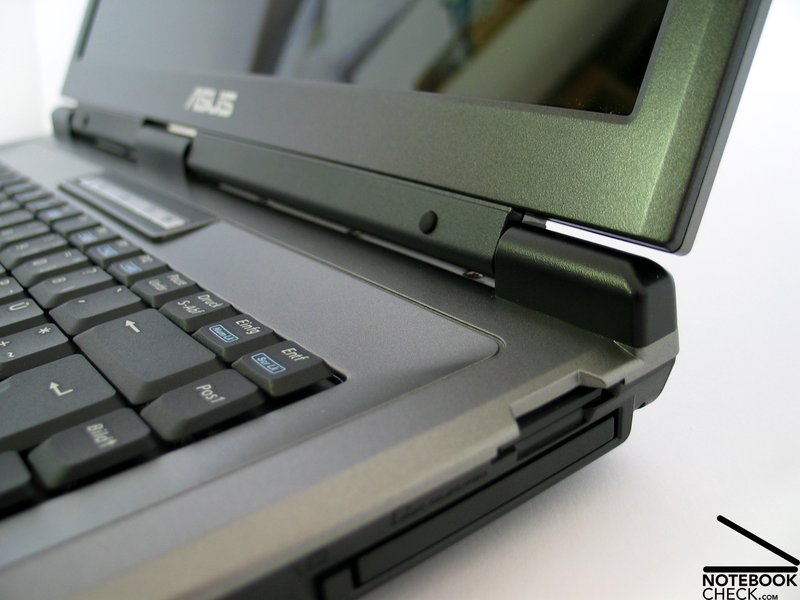
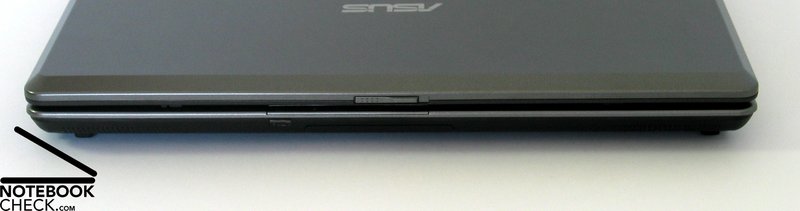
The size of the hinges subjectively appears to be sufficient, furthermore, they are well capable of holding the 15.4 inch WXGA panel in the chosen position. A slight, nearly negligible see-saw can still be observed. The ramshorn hook secures the closed display absolutely tight, so, there is nothing left to criticize here.
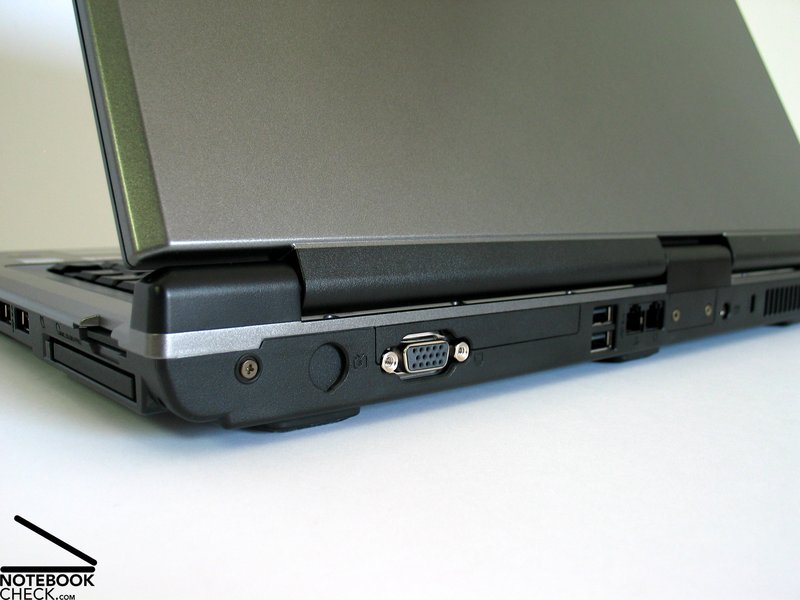
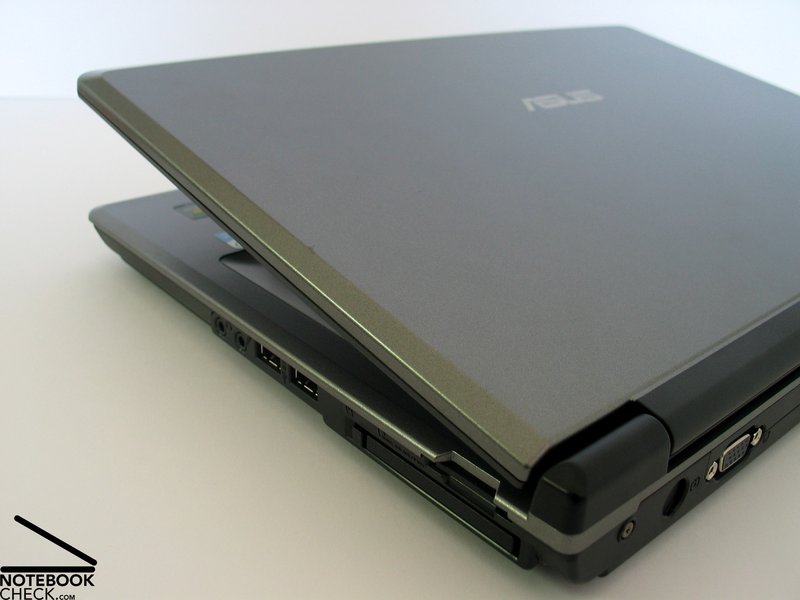
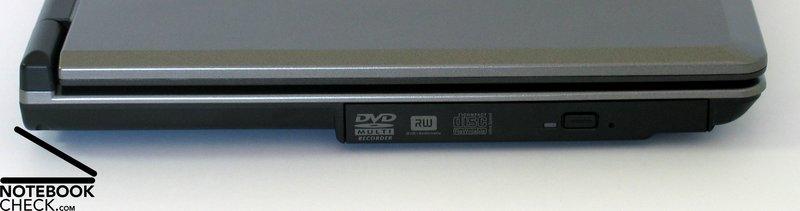
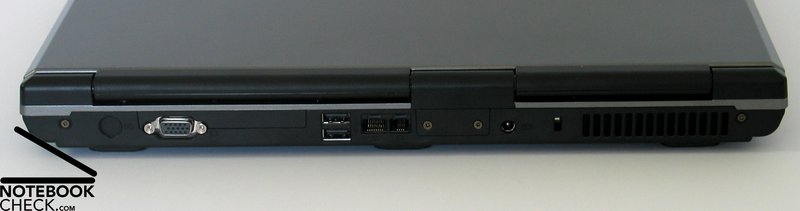
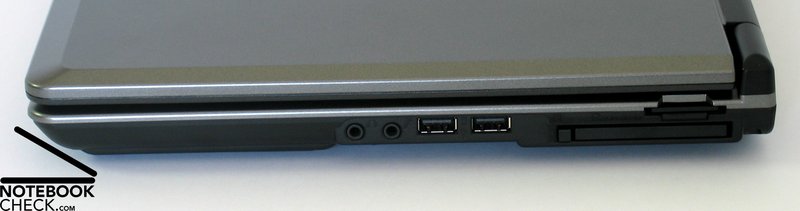
The ports of the notebook are partly at its back side and partly at the right side. The number and variety of ports provided is rather short: Besides 4 USB ports, only a VGA out, both audio ports, a modem, and a Lan adapter are provided by the notebook.
Input Devices
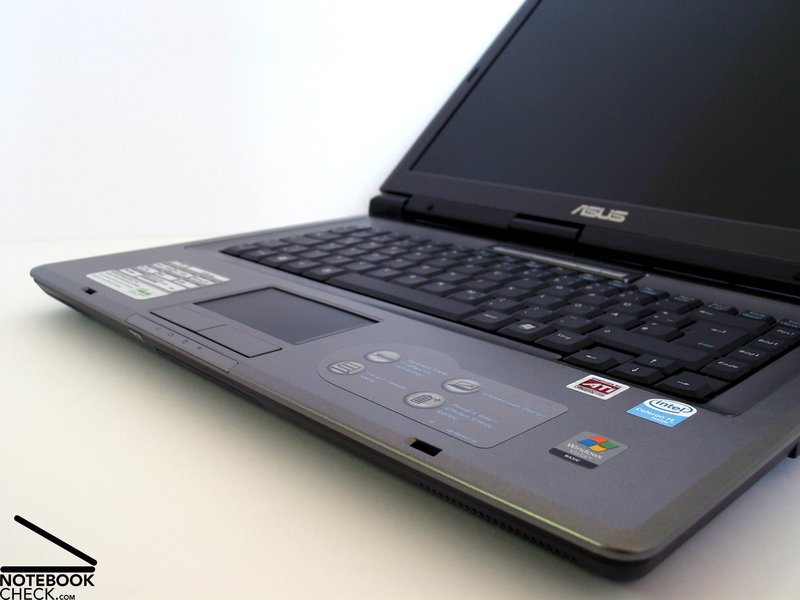
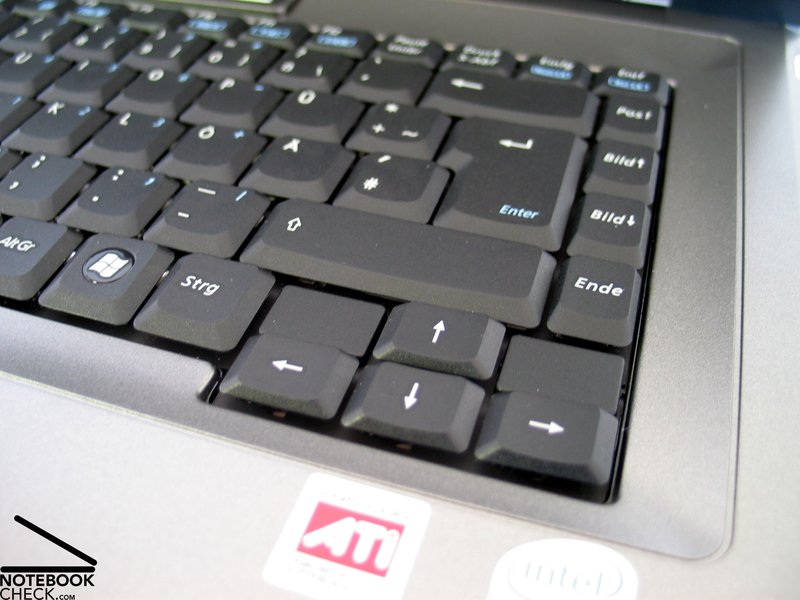
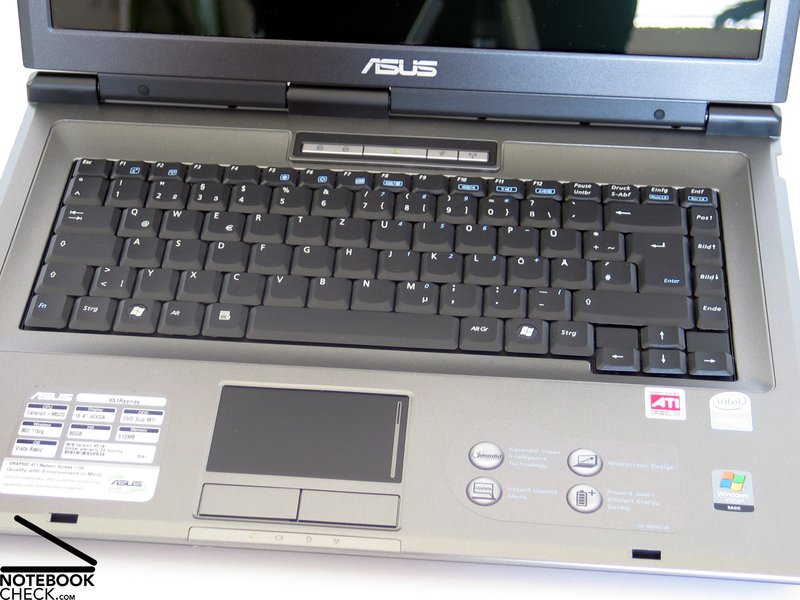
The Asus X51R's keyboard is not especially structured in any way. Guided by the American archetype, the available rectangle was segmented into sub-rectangles and filled with keys. Only the cursor block does not totally follow this strict order.
The key size is generally alright. Nearly all keys (again except of the cursor keys and the F-keys) are well and user-friendly dimensioned. Although the F-keys and the cursor keys are made smaller, you won't face any negative impact on use.
During typing, you'll detect that the total keyboard somewhat yields under pressure and is only rather loosely attached. At forceful typing, a clear clatter can be heard.
Typing feels comfortable and is characterized by a well recognizable point of pressure. Typing very fast, might feel uneasy, because the pressure point is somewhat overemphasized.
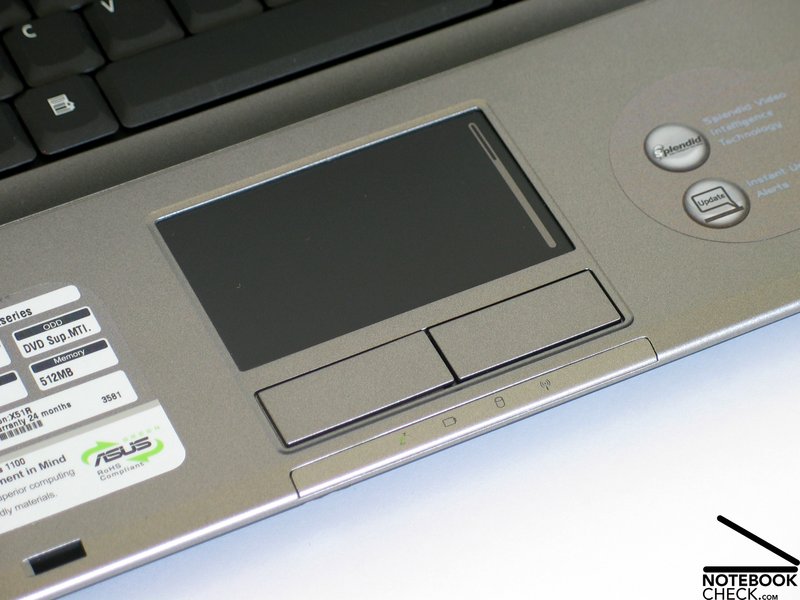
The color of the Asus X51R's touch pad goes well with the rest of the case. Furthermore, it has a comfortable surface with good sliding properties and it precisely reacts to user actions.
Both of the touch pad buttons react at their total extend and can be used be applying a comfortable amount of force. However, its comparably loud clicking noise somewhat annoys.
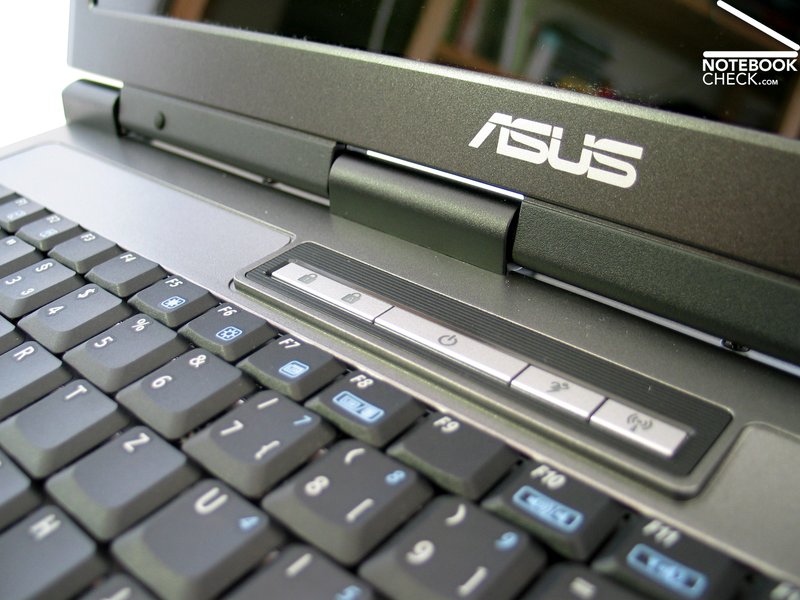
In the center above the keyboard there are the Asus typical hot keys, which can be used to, e.g., switch between different energy/performance profiles or to (de)activate the wireless function. The volume is controlled by the key combination Fn F11/F12.
Display
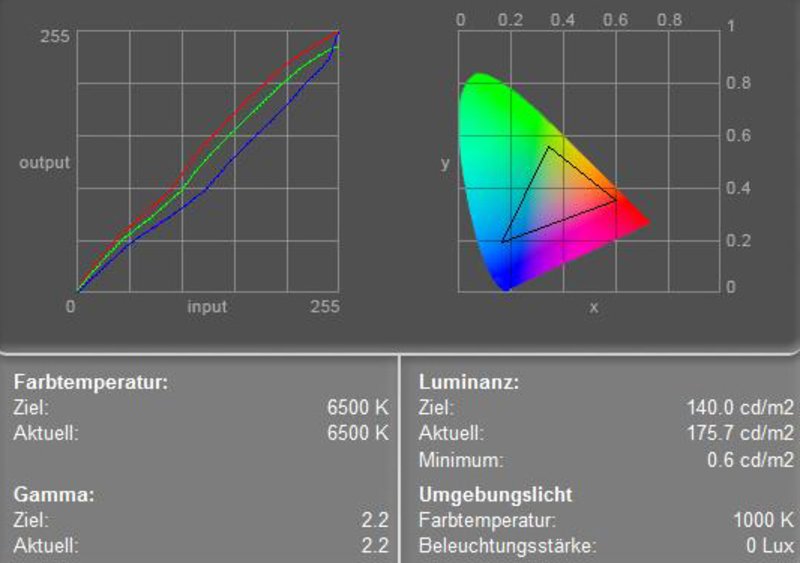
The display, too, keeps a potential for saving. Surprisingly the reflecting 15.4 inch display with a resolution of 1280x800 pixels did not really rate bad during our review.
The maximum brightness was measured in its center and is very good at 175.7 cd/m². The average brightness of also well 151.3 cd/m² and the acceptable illumination of 78.6% can hardly be criticized, too.
The color diagram depicts a lowered blue color curve and a slightly raised red color curve. In total red colors dominate and let the colors appear warmer. Therefore, we recommend to rather not use this display for image editing.
| |||||||||||||||||||||||||
Brightness Distribution: 79 %
Contrast: 293:1 (Black: 0.6 cd/m²)
The relatively low black value together with the very good maximum brightness also lead to a good result regarding contrast ratio, which is noteworthy 293:1 and therewith exceeds clearly many of the comparable 15 inch displays.
The display's speed of reaction is average, it rates grade 6 of the Pixperan test of legibility.
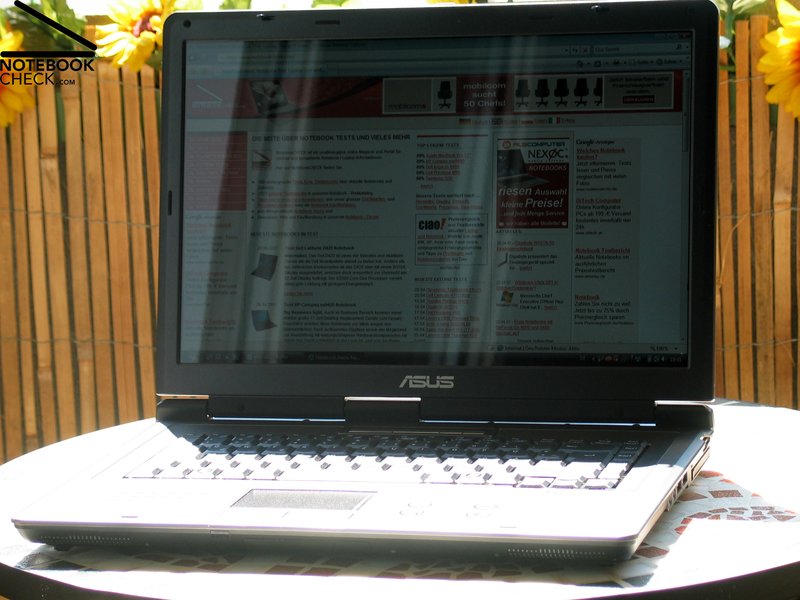
Although the good brightness and illumination would make this display fit for outdoor usage, its reflecting surface causes heavy reflections especially in bright environments. So working in the sunshine is rather difficult.
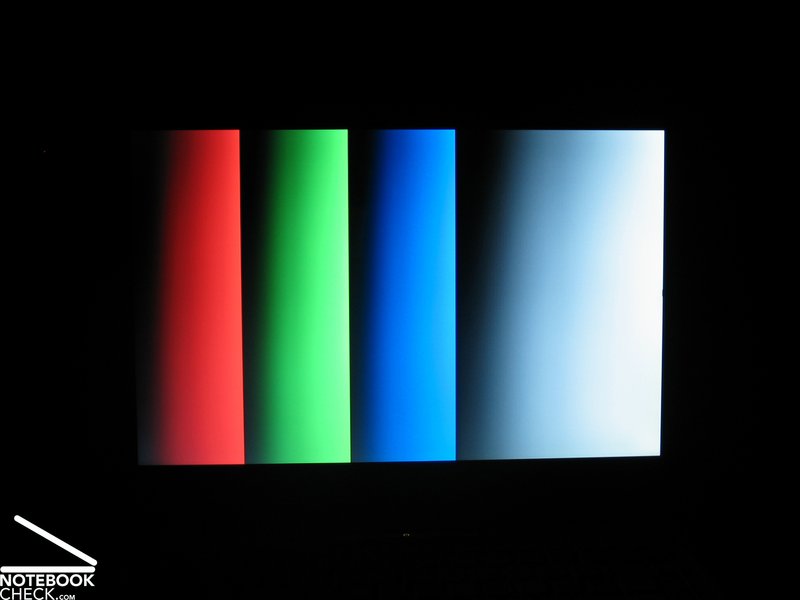
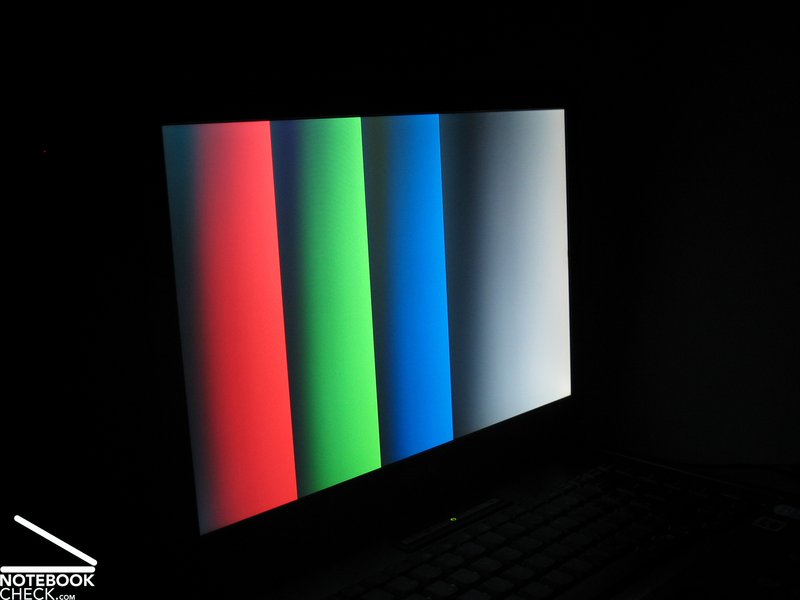
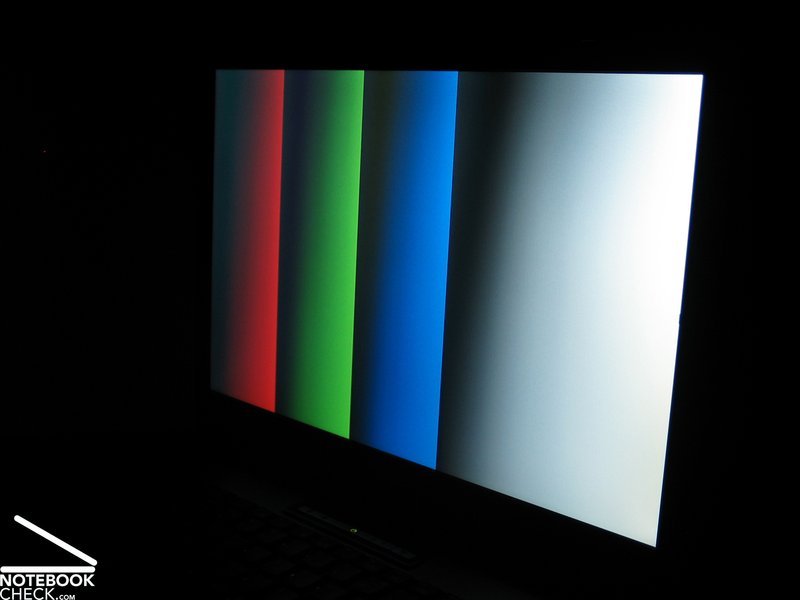
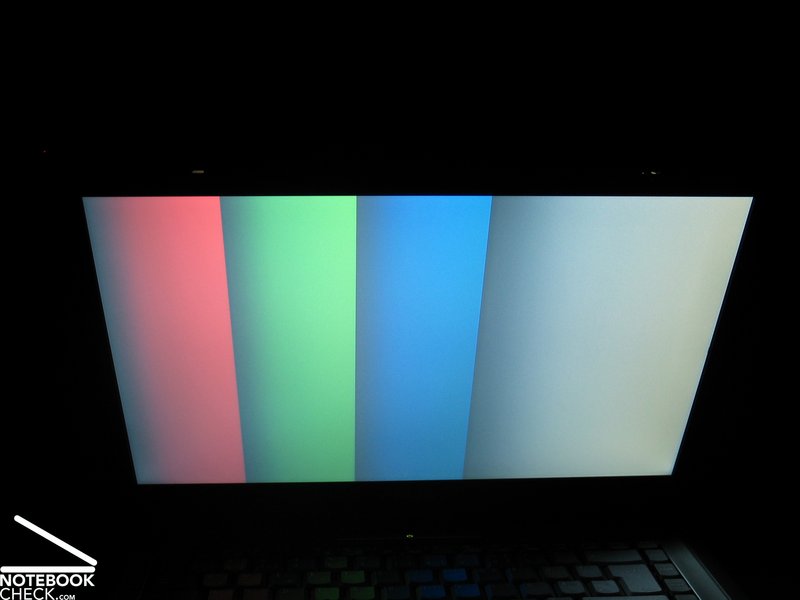
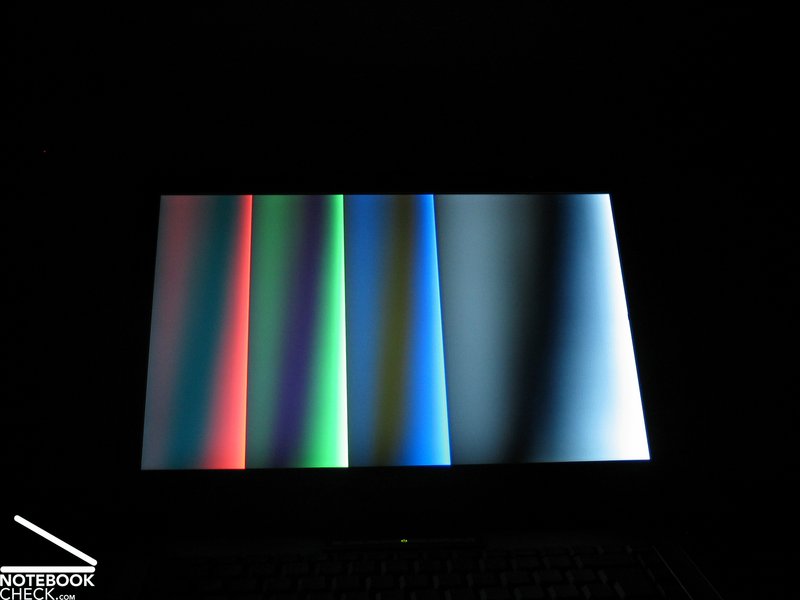
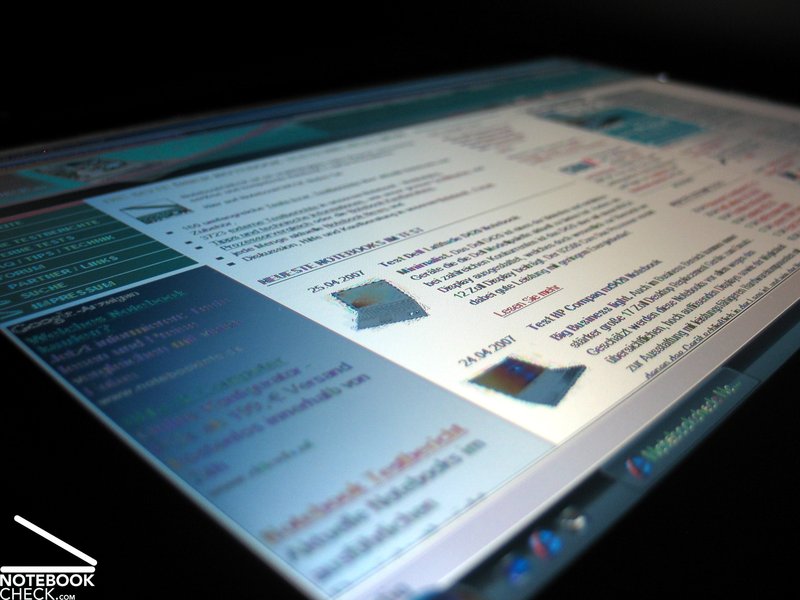
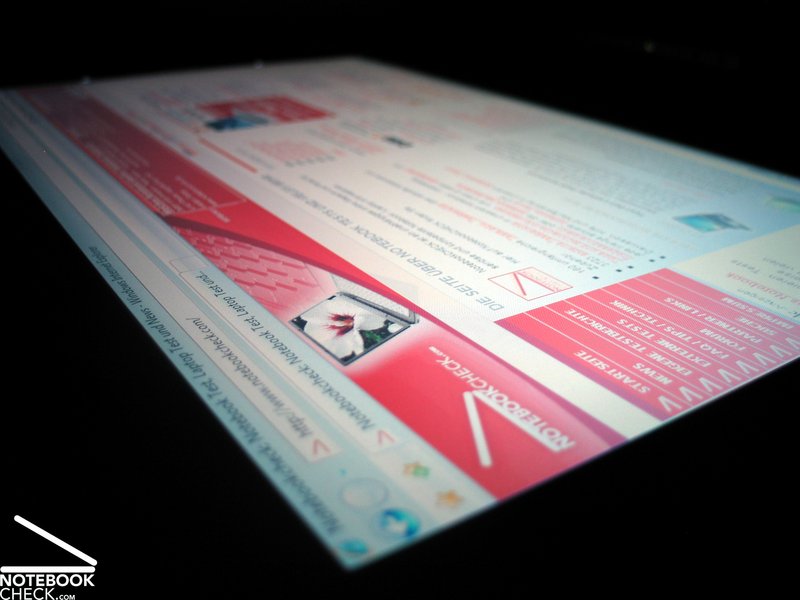
Horizontally, the stability to the vantage point is mainly limited by reflections at acute angles. Otherwise its picture is stable to the vantage point.
Vertically, you can observe the usual whitening or darkening, depending on whether you move your vantage point down or up, outside an adequately big area of operation.

Performance
Up to here, besides a poor equipment with interfaces, we did not face any heavy saving measure. Performance is another exciting aspect, also, because of the provided Windows Vista with its high demands on system resources.
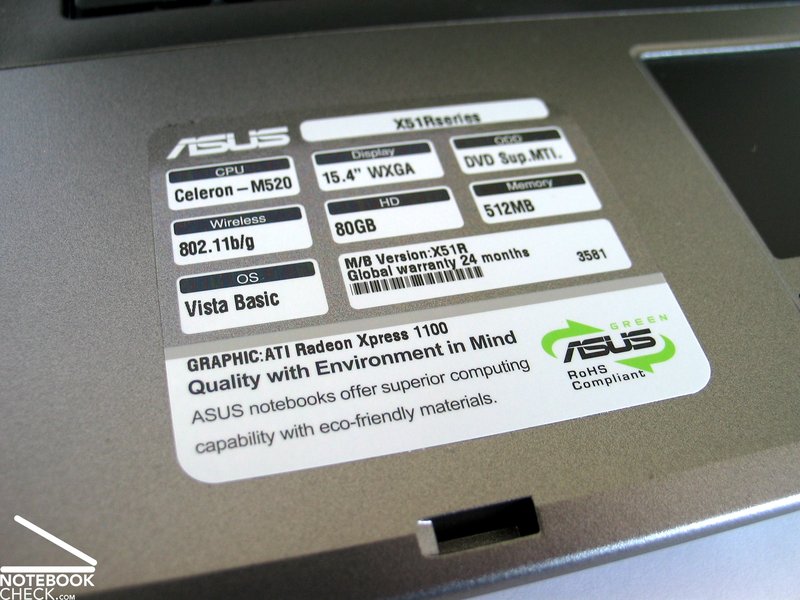
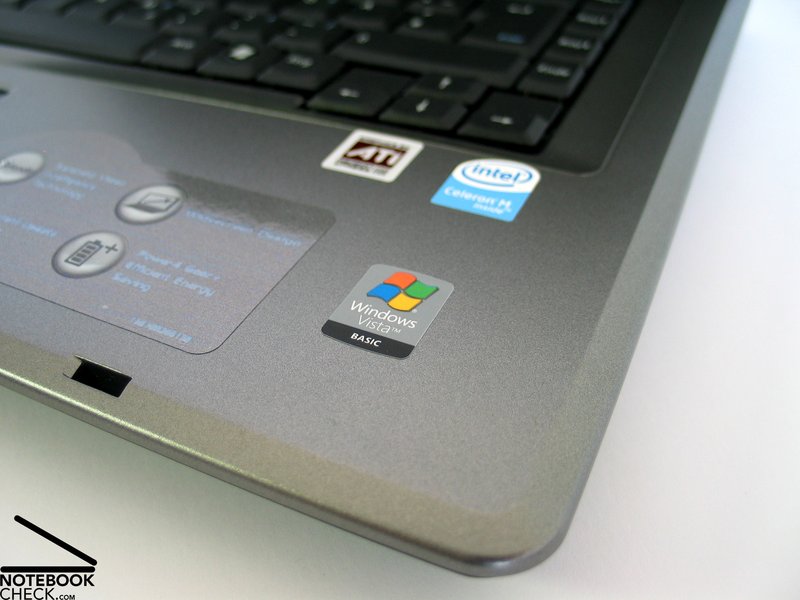
The review verifies this. The Asus X51R is equipped with an Intel Celeron M 520 processor, an new Celeron brand with 64Bit capability, which also allows the use of Vista. Well, allows, but doesn't make it joyful.
This notebooks is also equipped with an integrated Intel 950 GMA video chip which fulfills the minimum requirements of Vista, but there are hardly any reserve capacities for 3D multimedia applications.
But, the main bottle neck of the hardware equipment is the available main memory. Only 512MB RAM are hardly sufficient for Vista, even more, if also the video card uses a part of it.
This does not mean, that Windows Vista cannot be run on this notebook, however, you'll face clear limitations compared to fitter systems. After Vista finally booted after a while, a you'll notice a delay when starting and executing programs.
It took up to 2 seconds to open a simple .txt file. Although this does not sound too much, this seems to be a long time during a working process.
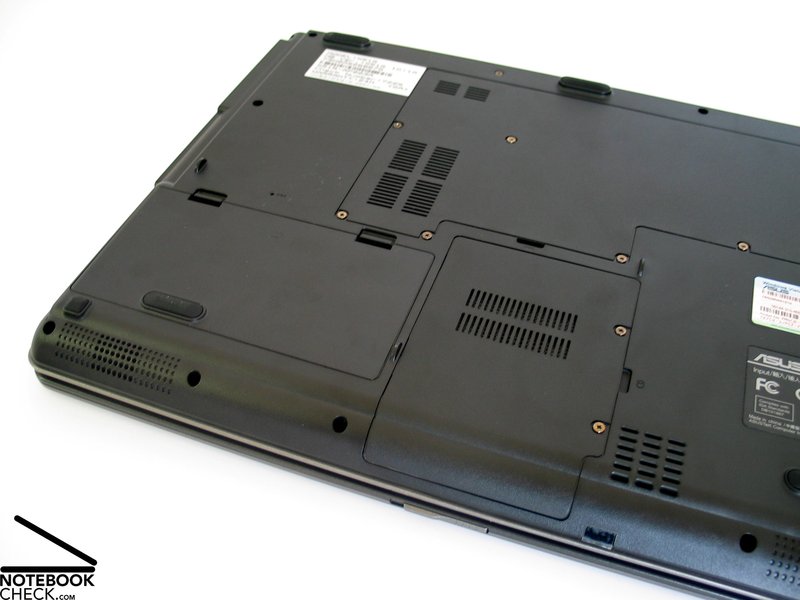
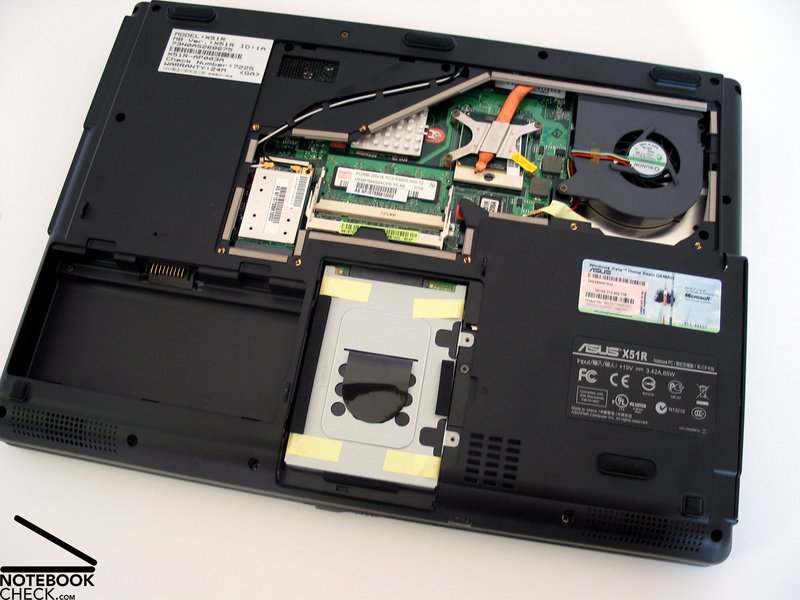
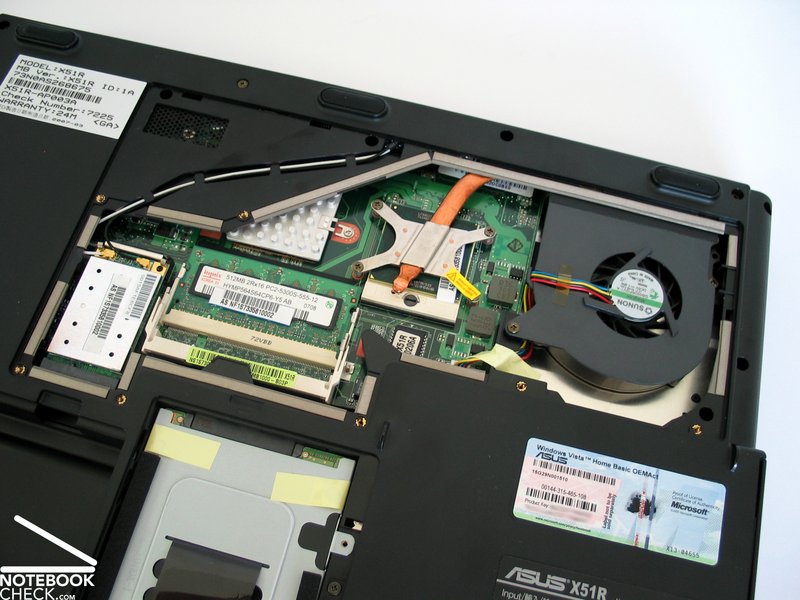
Fortunately, neither technically nor financially big efforts are necessary to fix this main problem. You can get another 512MB bank for clearly less than 50.-, and even an untrained user is able to put it into the free memory slot. All you need is a crosstip screwdriver.
With a total of 1GB main memory even Vista should run more smoothly without big problems and the notebook should be fit for office and internet applications. However, don't even think to play games with the Asus X51R, except you should consider very old games at Amiga level...
The provided 80GB hard disk rated average regarding transfer rates and access times. Also the capacity should be alright for standard use.
Further information about the video card can be found here or in our comparison of mobile video cards. Detailed information about the Celeron M CPU can be found here.
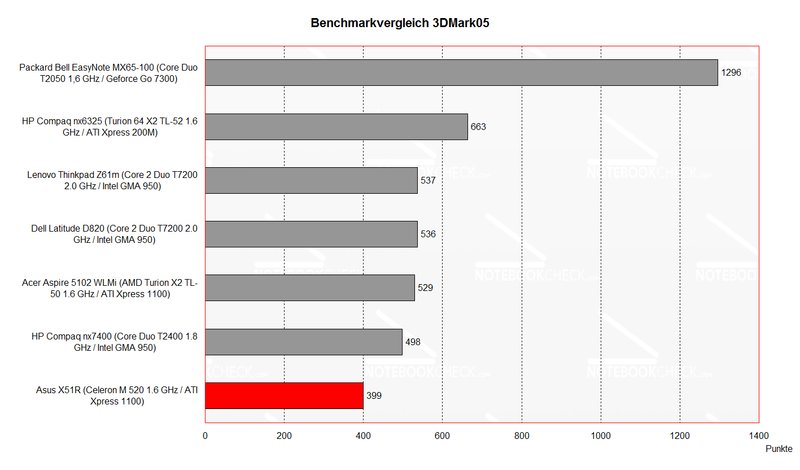
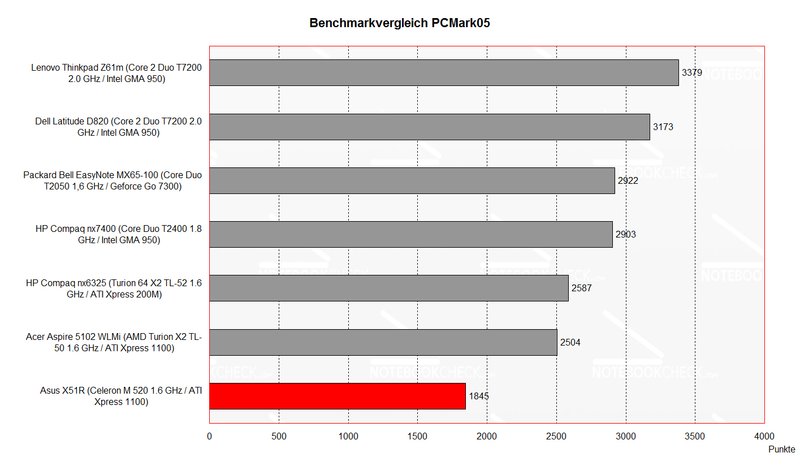
Please also look at our benchmark list of mobile processors or at our benchmark list of mobile video cards, in order to compare this notebook to other configurations.
| 3DMark 2001SE Standard | 4127 points | |
| 3DMark 03 Standard | 1100 points | |
| 3DMark 05 Standard | 399 points | |
| 3DMark 06 Score Unknown Setting | 71 points | |
Help | ||
| PCMark 05 Standard | 1845 points | |
Help | ||

Emissions
Loudness
During idle mode the fan frequently changes its revolutions. A maximum noise level of 35.0 dB is well acceptable and hardly disturbing, however, the unsteady noise level draws attention.
Even the maximum noise level under load of 38.1 dB is alright.
Noise level
| Idle |
| 32.4 / 41.3 / 41.3 dB(A) |
| HDD |
| 37.9 dB(A) |
| DVD |
| 36.5 / dB(A) |
| Load |
| 0 / 41.3 dB(A) |
 | ||
30 dB silent 40 dB(A) audible 50 dB(A) loud |
||
min:  , med: , med:  , max: , max:  (15 cm distance) (15 cm distance) | ||
Noise level
| Idle |
| 31.4 / 35 / 35 dB(A) |
| HDD |
| 33.4 dB(A) |
| DVD |
| 40.2 / dB(A) |
| Load |
| 0 / 38.1 dB(A) |
|
| ||
30 dB silent 40 dB(A) audible 50 dB(A) loud |
||
min: , med: , max: (15 cm distance) | ||
Temperature
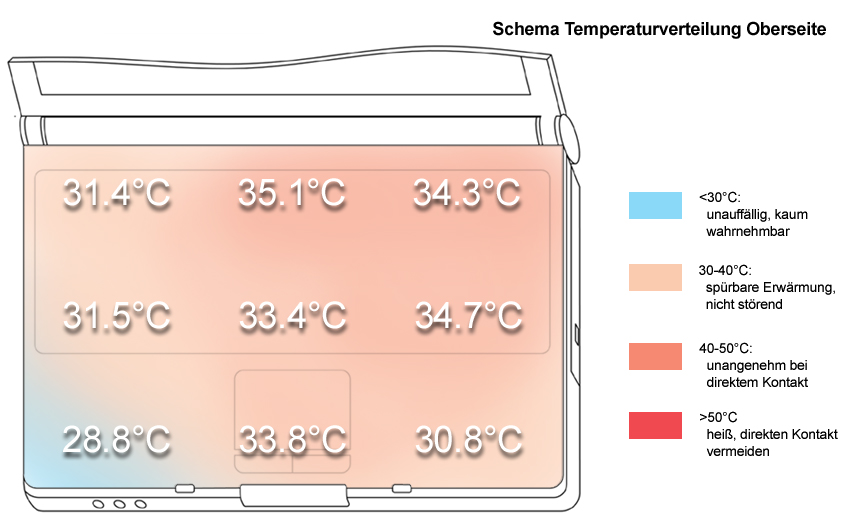
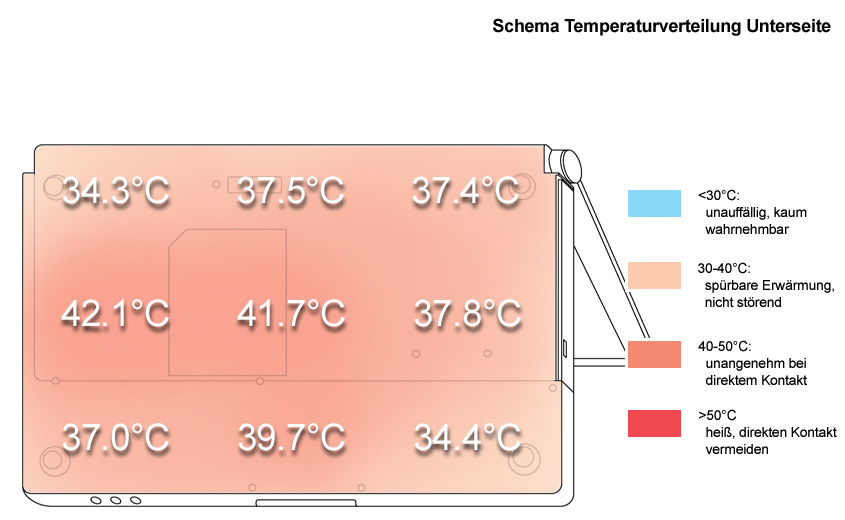
Similar to the noise emissions also the heating of the Asus X51R is rather limited. A maximum of 34.7°C at the top side and of 42.1°C at the bottom side are unlikely to disturb at all.
Upper side
palmwrist: 30.8°C max: 35.1°C avg: 32.6°C
Bottom side
max: 42.1°C avg: 38.0°C
Speakers
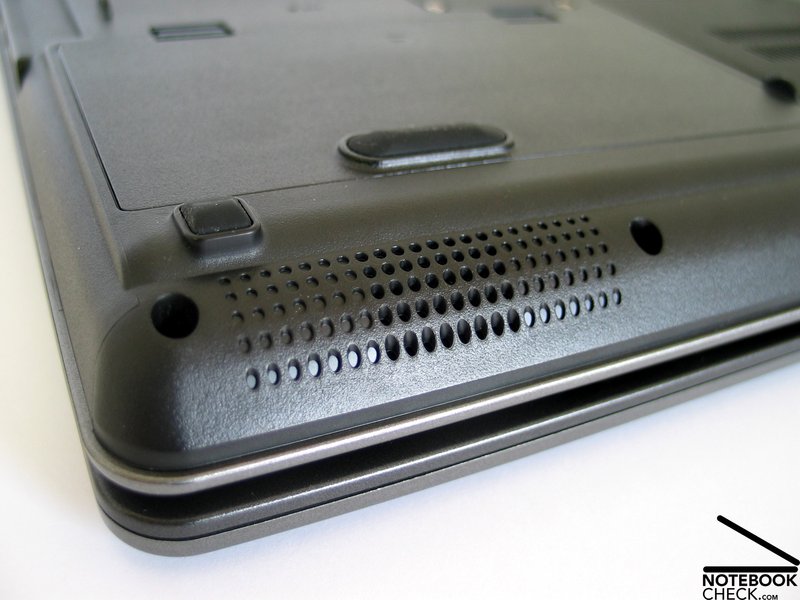
Both of the speakers at the front edge provide you with a rather acceptable sound at limited maximum volume. Whilst at normal operation only the basses are somewhat missing, at maximum volume the sound gets in total somewhat unclear.
Battery Runtime
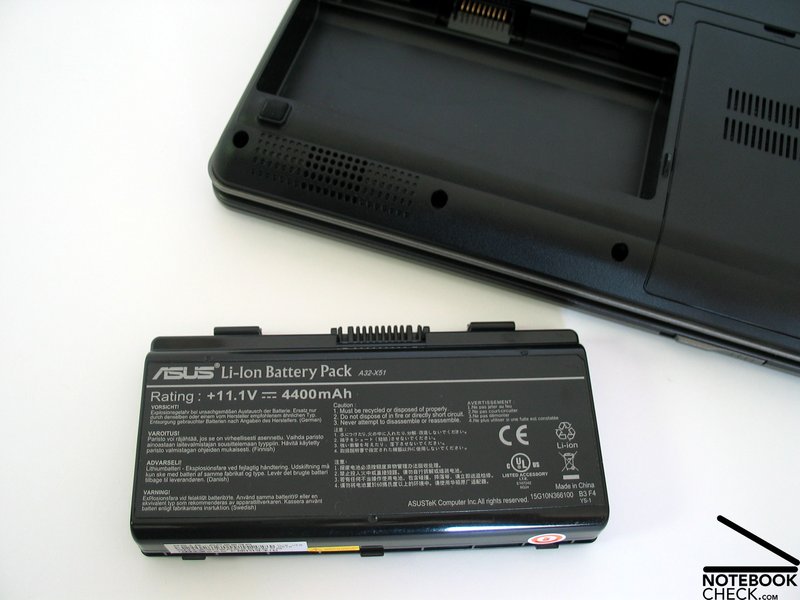
The maximum battery runtime is rather poor. At minimum energy demand the runtime of the X51R is only slightly above 2 hours. Under load only about 1.5 hours are possible. So the mobile use of this notebook is rather restricted.
| Off / Standby | 0 / 0 Watt |
| Idle | 19.5 / 26.4 / 27.4 Watt |
| Load |
39 / 36.7 Watt |
   
| |
Key:
min: ,
med: ,
max: | |
Verdict
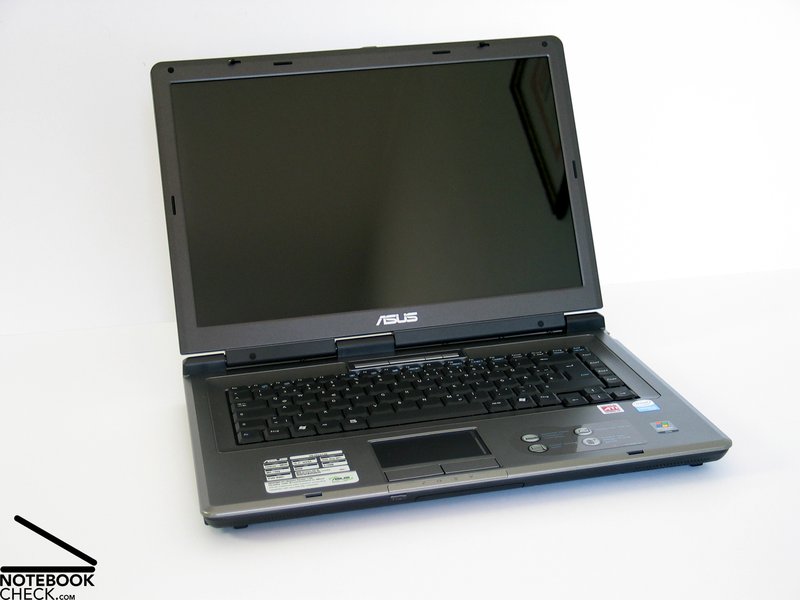
In total we were surprised that a very reasonable notebook still rates passable in many aspects. Especially the display surprised us in a positive way. Only the performance suffers from savings. It's quite a difference regarding price and also performance, whether a Celeron or Dualcore CPU is built-in.
The Asus X51R's workmanship is besides some smaller weaknesses alright. Especially robustness and stability of the case stuck out. Although there is nothing striking regarding design, the X51R looks alright.
In general, the input devices are alright, small weaknesses regarding typing, especially that the keyboard is not attached to the case really tight, hints on the price class.
As already mentioned the display surprised us in a positive way. Despite it is a reflecting panel, its measurement values regarding brightness, illumination and contrast were altogether alright.
The performance is this notebook's main weakness. Not even the Celeron processor is the weakest part, no, it's clearly the main memory of only 512MB. This is hardly sufficient for Windows Vista (pre-installed per default). Well, you can run Vista, but you should definitely upgrade to at least 1GB.
Although the noise emissions were rather limited, the fan annoyed by rapidly changing its revolutions. On the contrary, the surface temperatures are totally alright.
The battery runtime is the second weakness for the benefit of a low price. A maximum of roughly 2 hours are clearly insufficient for a planed mobile use.
 Add as a preferred source on Google