




Windows 11 KB5077181: Microsoft claims stability, my Lenovo LOQ proves otherwise
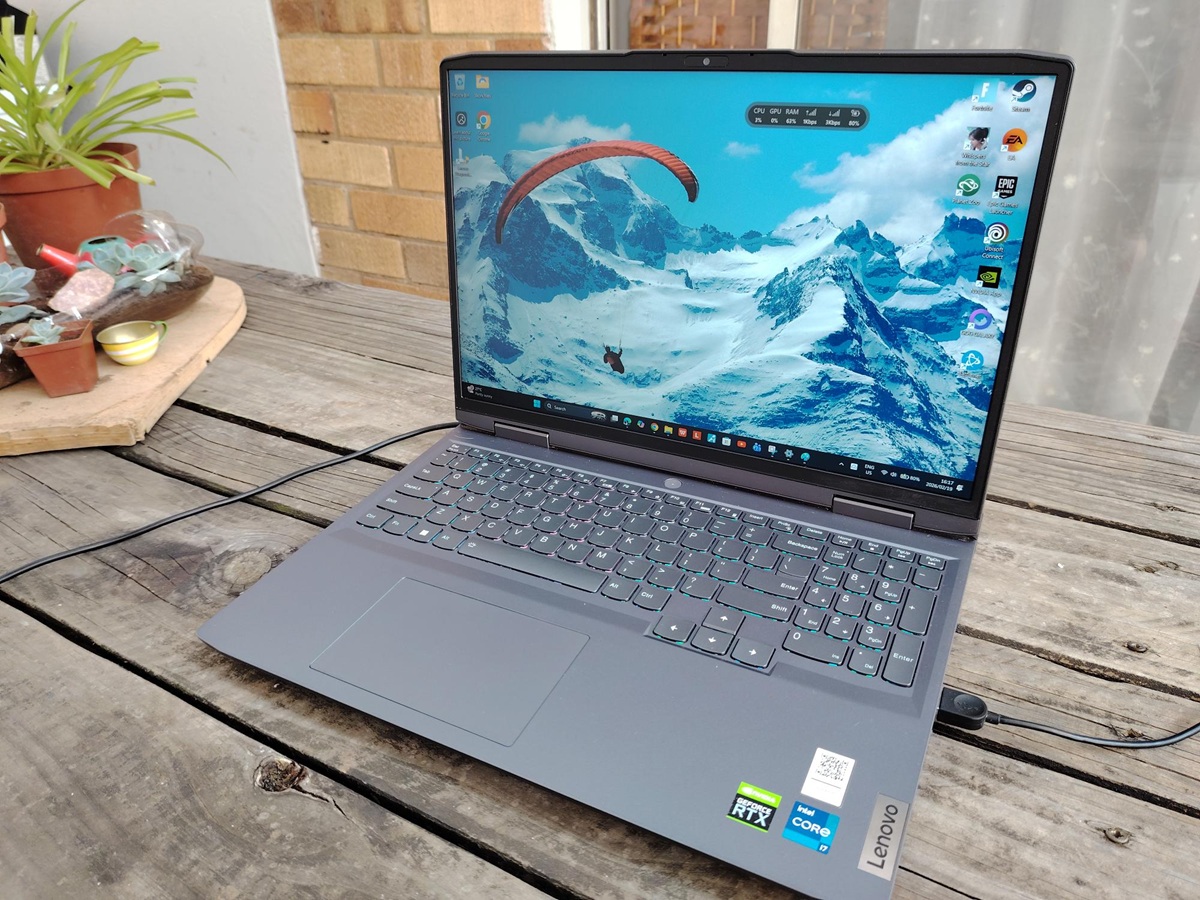
KB5077181 began as a standard Patch Tuesday item. Microsoft shipped the Windows 11 February 2026 cumulative update on February 10, 2026, listing OS Builds 26100.7840 and 26200.7840 and stating it was “not currently aware of any issues” at publication time.
The complaint timeline changed quickly after that
On Notebookcheck, I first covered the February rollout from the “what’s included” angle, including Microsoft’s notes about a WPA3-Personal Wi-Fi fix and the Secure Boot certificate rollout, targeting data” now bundled into Windows quality updates.
Within days, KB5077181 reporting shifted from release notes to breakage reports. I published a follow-up after user complaints consolidated around a familiar set of failure patterns, including boot loops, DHCP networking regressions that can leave devices “connected but no internet,” sign-in failures, and installation errors such as 0x800f0983.
That is the broader backdrop for this piece. The reason I am revisiting KB5077181 now is that similar symptoms surfaced on one of my own test systems during the same mid-February complaint window.
What I saw on my Lenovo LOQ after KB5077181
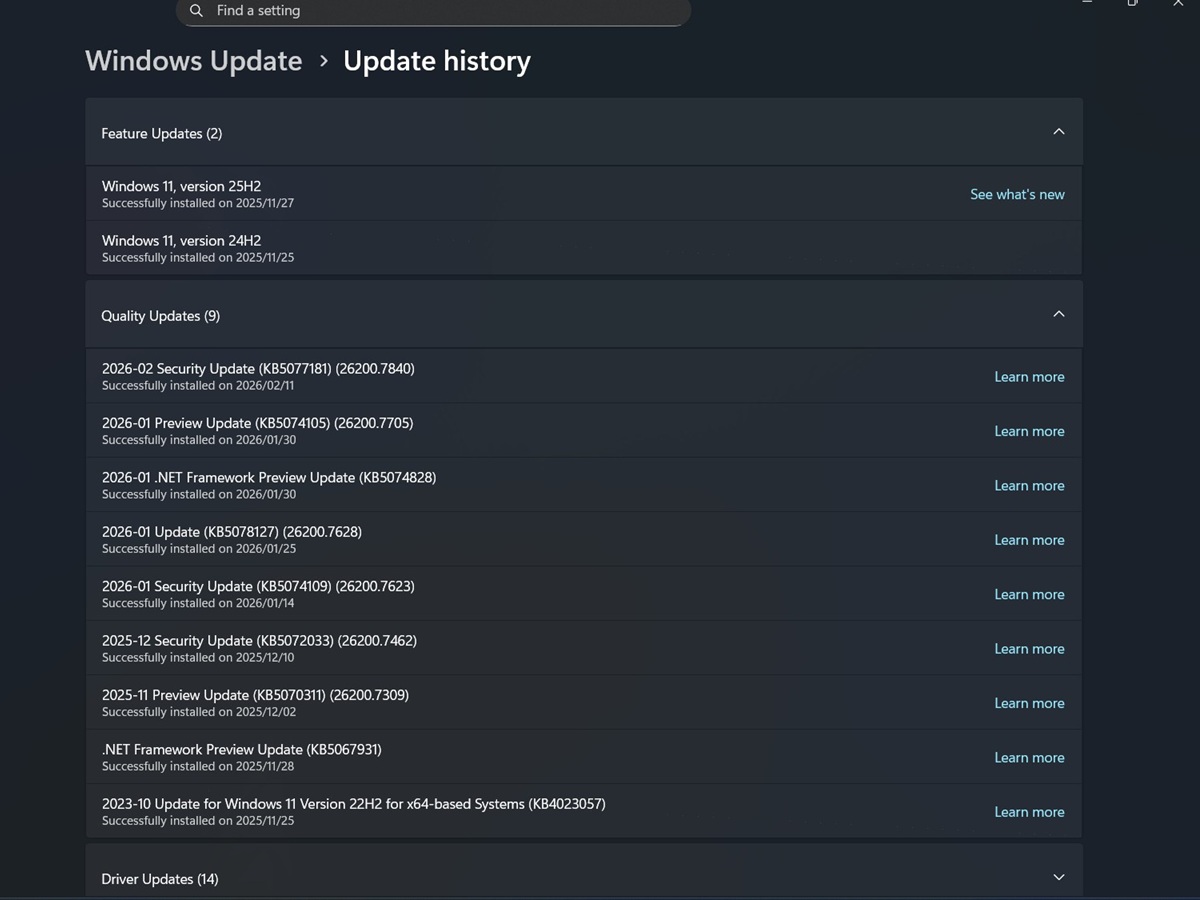
On my Lenovo LOQ, Windows Update history shows the February security update KB5077181 as successfully installed on 2026/02/11, and it lists the system as moving to Build 26200.7840 (25H2).
Not long after that install, my LOQ began showing intermittent “connected but no internet” behavior. Windows would indicate Wi-Fi connectivity, but browsing and apps would intermittently stall as if there was no usable connection.
Bluetooth instability followed. My Beoplay Portal headset and an Xbox Series controller started disconnecting intermittently.
I also noticed something harder to ignore than flaky Wi-Fi. After selecting Shut down, not Sleep or Hibernate, and placing the laptop in my backpack, the chassis later felt warm, suggesting the machine may not have fully powered off or may have resumed unexpectedly.
Separately, I began noticing intermittent stutter during gaming and video playback on a system running Nvidia graphics. As of today (February 19, 2026), that stutter is still present on my LOQ.
Another symptom that has persisted is shutdown behavior. On multiple occasions, the system has taken an unusually long time to power down after selecting Shut down, sometimes around three to five minutes, which is far slower than I would expect from a Core i7-13620H and NVMe-class SSD system.
This is still a single-machine observation and does not prove the update is the root cause, but the symptom direction overlaps with the wider KB5077181 reports that have been building since mid-February.
For context, the prior update on this same machine was the 2026-01 Preview Update KB5074105, which Update History shows as successfully installed on 2026/01/30, taking the system to Build 26200.7705.
Test system notes
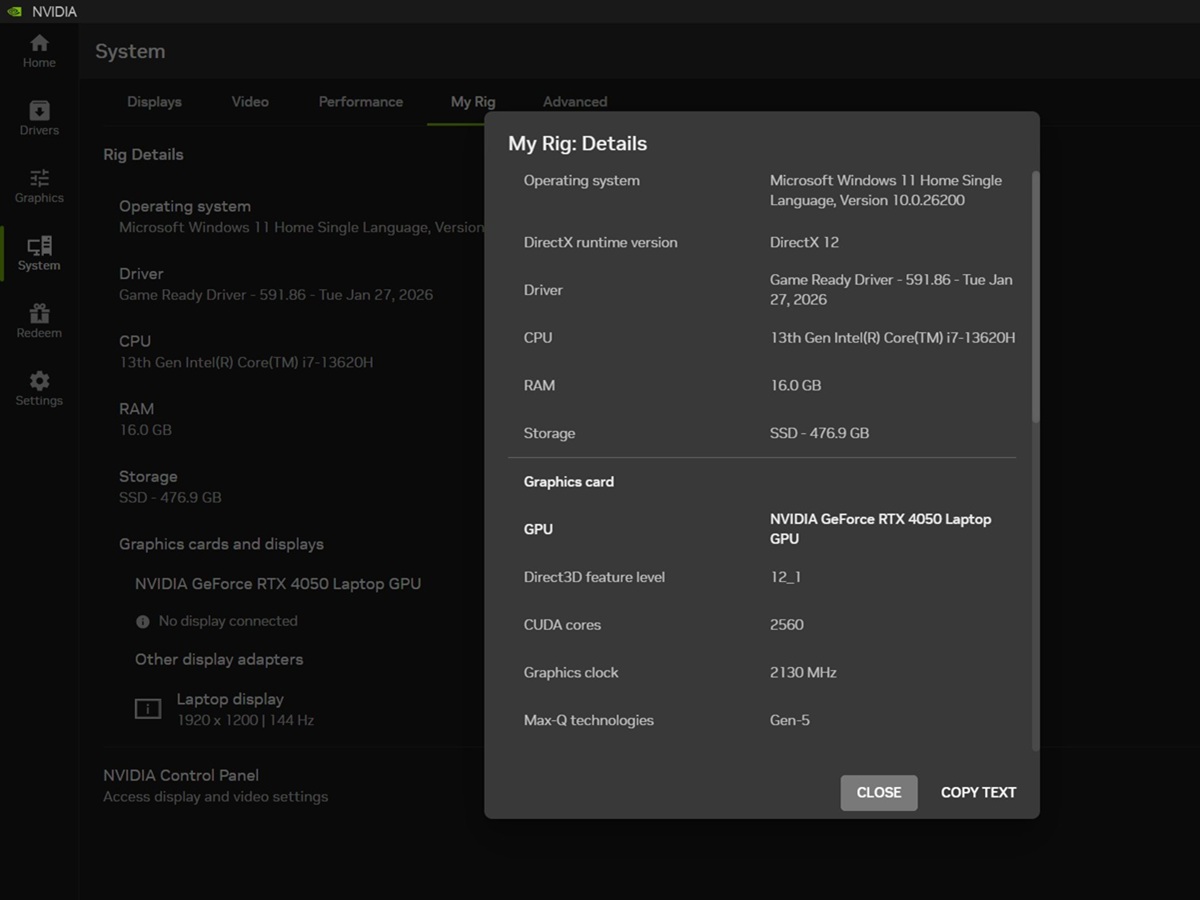
These observations were made on the following configuration:
- Laptop: Lenovo LOQ 16IRH8 (Type 82XW, SKU 82XW0042SA), depot unit previously provided by Lenovo
- OS: Windows 11 Home Single Language, version string shown on the device: 10.0.26200 build family
- CPU: Intel Core i7-13620H
- RAM: 16 GB
- Storage: 512 GB-class Micron SSD (476.9 GB usable)
- GPU: Nvidia GeForce RTX 4050 Laptop GPU (6 GB GDDR6, 95 W max graphics power, Advanced Optimus)
- Display: 1920×1200, 144 Hz, G-SYNC
- Nvidia App 11.0.6.383; Game Ready Driver 591.86 (Tue Jan 27, 2026)
What Microsoft says KB5077181 changes
Microsoft’s KB entry for KB5077181 confirms the February 10, 2026, release date, the two OS builds (26200.7840 and 26100.7840), and that it bundles the latest security fixes plus improvements from the previous month’s optional preview release.
In Microsoft’s published highlights (as summarized in my Patch Tuesday coverage), KB5077181 includes a fix related to full-screen gaming eligibility and a fix for a WPA3-Personal Wi-Fi connectivity issue that could occur after installing an earlier update. Microsoft also notes that Windows quality updates now carry “targeting data” used to determine which devices are ready to receive new Secure Boot certificates as part of a phased rollout.
At publication time, Microsoft’s KB page states it is not currently aware of any issues with KB5077181.
How does this line up with the wider KB5077181 complaint window?
In my earlier KB5077181 issue report, the key failures being discussed in the wild included boot loops, SENS sign-in failures, DHCP networking regressions, and installation errors (including 0x800f0983), despite Microsoft’s official release notes presenting the update as routine.
Windows Central’s roundup, published later in the same complaint window, also describes KB5077181 installation failures and expands the symptom list to include multiple install error codes and a mix of connectivity, Bluetooth, audio, and display or GPU instability reports, including reports referencing Nvidia systems.
My Lenovo LOQ symptoms do not match every reported case, but the “connected but no internet” behavior, Bluetooth instability, and the broader performance regressions fit the same cluster of complaints that has defined KB5077181 coverage since the second week of February.
What is confirmed, what is reported, and what I observed
Confirmed in Microsoft documentation: KB5077181 is the February 10, 2026, Windows 11 cumulative update for 24H2 and 25H2 that moves systems to OS Builds 26100.7840 and 26200.7840.
Reported by users and consolidated in coverage: installation failures and a broad set of post-update regressions, including DHCP-related connectivity failures and device instability.
Observed on my test system: intermittent Wi-Fi behavior consistent with “connected but no internet,” Bluetooth disconnects, unexpected warmth after shutdown, continued stutter during gaming and video playback (still present as of Feb. 19), and very slow shutdown behavior that can take roughly three to five minutes.
Source(s)
 Add as a preferred source on Google


