




Lenovo ThinkPad T14 Intel vs HP EliteBook 8 AMD: Two of the best 14-inch business laptops compared

When one is considering business laptops for a corporate fleet or just as a personal productivity device, two brand names are sure to come up: Lenovo ThinkPad and HP EliteBook. Both represent the commercial laptop lines of the two largest PC manufacturers by sales numbers, and they carry a huge legacy to their names. And within the ThinkPad and EliteBook lineups, the two central pillars are the ThinkPad T series and HP EliteBook 8 series. We reviewed the newest 14 inch versions of both, making a direct comparison possible.
Black or silver: ThinkPads look very different from EliteBooks
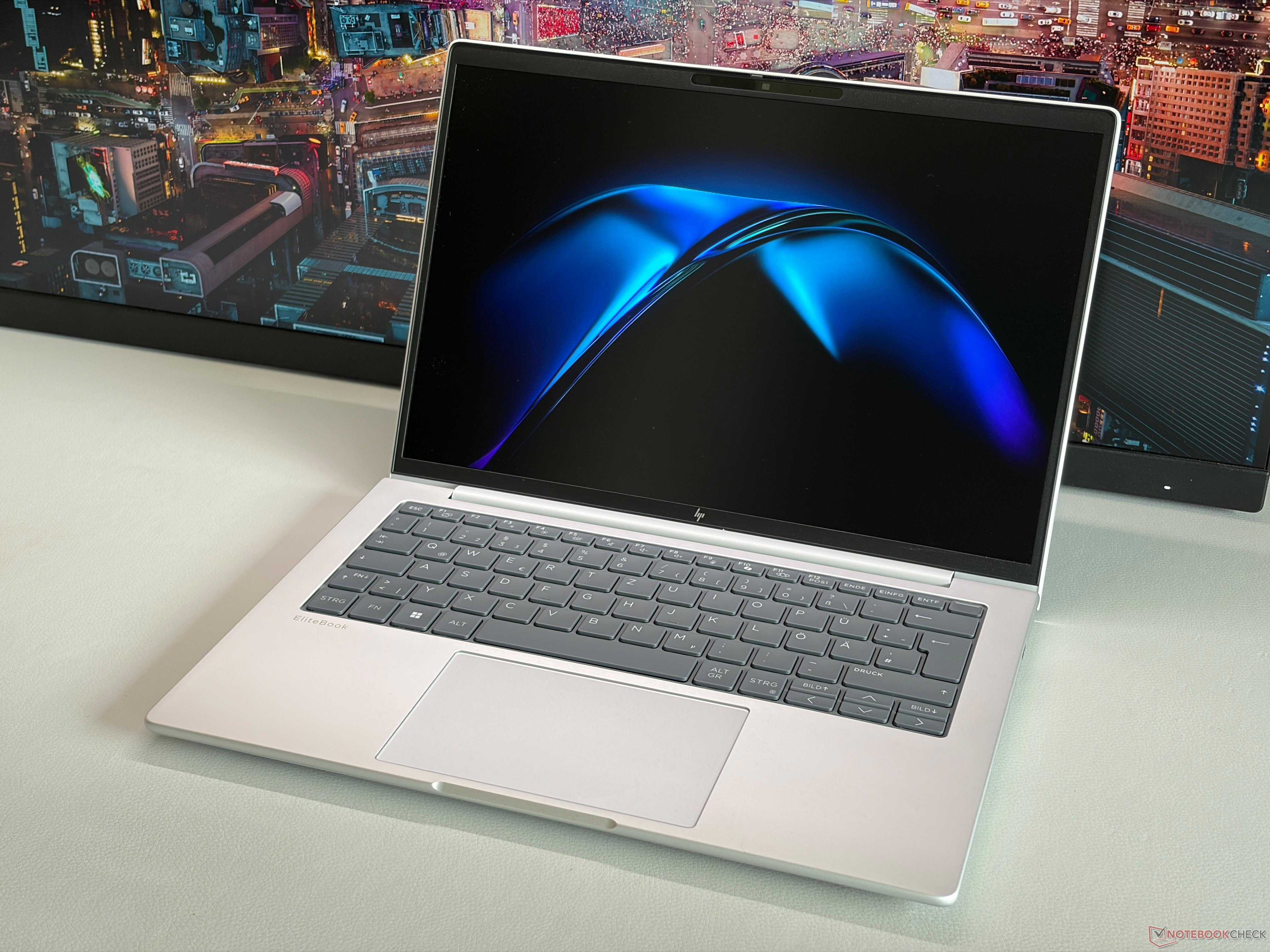
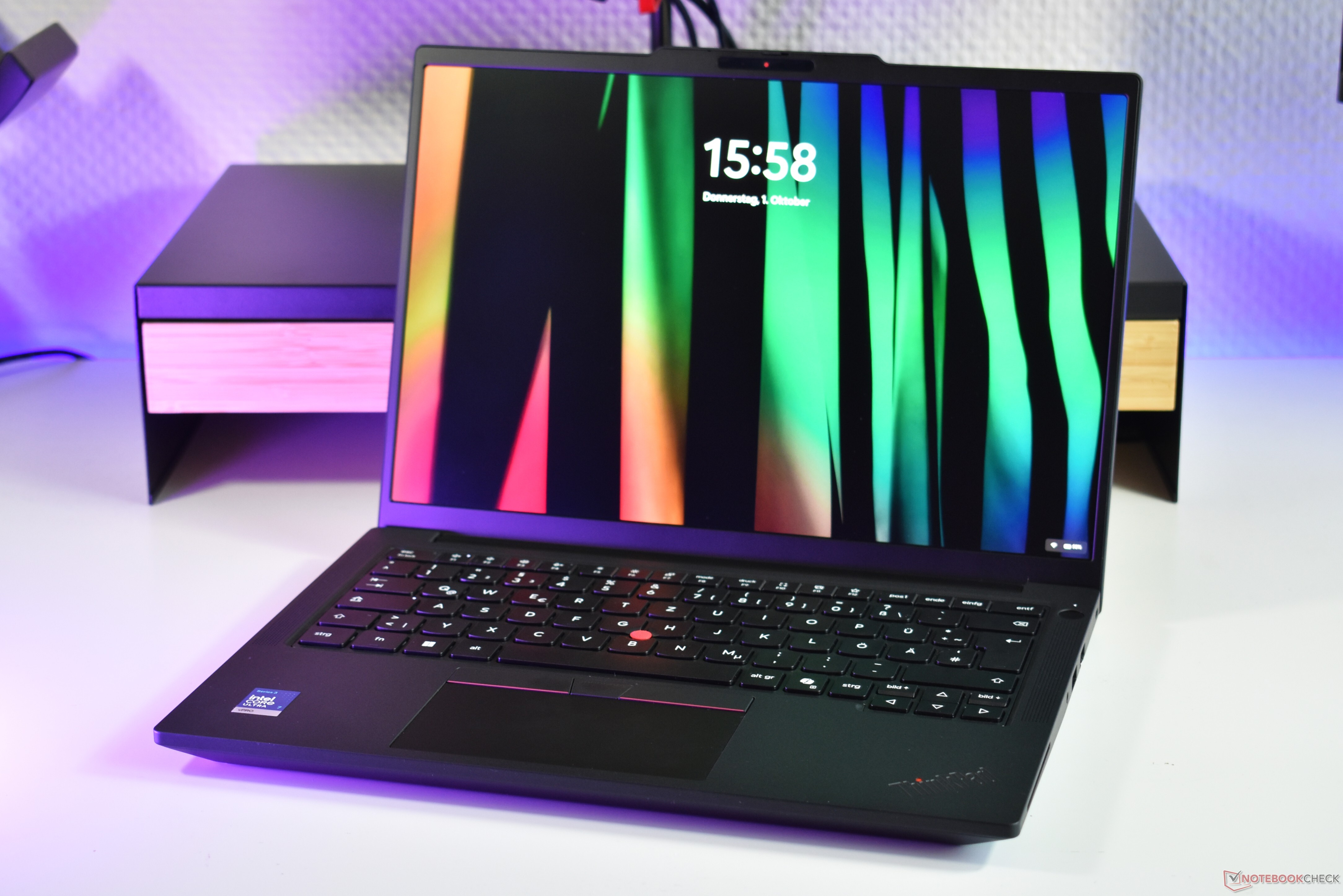
From the outside, the HP EliteBook 8 G2a 14 and the Lenovo ThinkPad T14 Gen 7 look very different. One is a black, boxy slab, the other is a silver slab with rounded corners. The silver EliteBook is mostly made out of aluminum, while the ThinkPad uses black plastic and an internal magnesium frame.
In terms of overall quality, both are pretty much equal, though some people may prefer the easier to clean metal surface of the EliteBook. In turn, the EliteBook is a big heavier. The other big difference is the ThinkPad TrackPoint and its dedicated buttons, which the EliteBook does not have. Instead, it has a bigger glass touchpad, while the ThinkPad uses a plastic, mylar surface. Both offer excellent keyboards, with the ThinkPad having a better keyboard layout but the EliteBook offering a slightly better typing experience.
When it comes to the other physical features, the ThinkPad has one more USB-A port, while the EliteBook has one more USB-C port, which is placed on the right side of the system. USB-C is more useful, since you can use it to charge the system. On the other hand, the ThinkPad T14 G7 always comes with RJ45 Ethernet, which is merely optional on the EliteBook 8 G2a 14. Speaking of optional: RAM was soldered for the version of the EliteBook we tested, but the ThinkPad always either has LPCAMM2 (Intel) or SO-DIMM memory (AMD). Another plus for the ThinkPad: the user removable keyboard.
ThinkPad versus EliteBook, Intel versus AMD
Both the ThinkPad and the EliteBook can be configured with various display options. The main difference: The ThinkPad has an optional 2.8K (2,880 x 1,800) OLED screen, while the EliteBook instead bets on a WUXGA (1,920 x 1,200) OLED screen or a 2.5K (2,560 x 1,600) IPS panel. The ThinkPad option is better overall, but some users may prefer the IPS screen over OLED for fears of burn in or PWM.
Coming to the performance, we recently tested the Lenovo ThinkPad T14 Gen 7 with the more powerful Ultra 7 366H. The ThinkPad overall outdid the EliteBook 8 G2a 14 with the AMD Ryzen 7 450 by around six percent in terms of CPU performance. At least, the EliteBook does have a slightly faster GPU, but both are not well endowed in this regard. After all, these are business laptops. Meanwhile, on battery life, temperatures and fan noise, the ThinkPad and EliteBook are pretty equal, with a slight advantage to the ThinkPad on the battery life - especially if you configure it with the optional 75 Wh battery
All in all, the ThinkPad and EliteBook are matched in many areas, with the deciding points coming down mostly to personal preferences. We would give the edge to the ThinkPad, due to the fact that it always has upgradeable RAM, which is only optional on the EliteBook.
 Add as a preferred source on Google


