




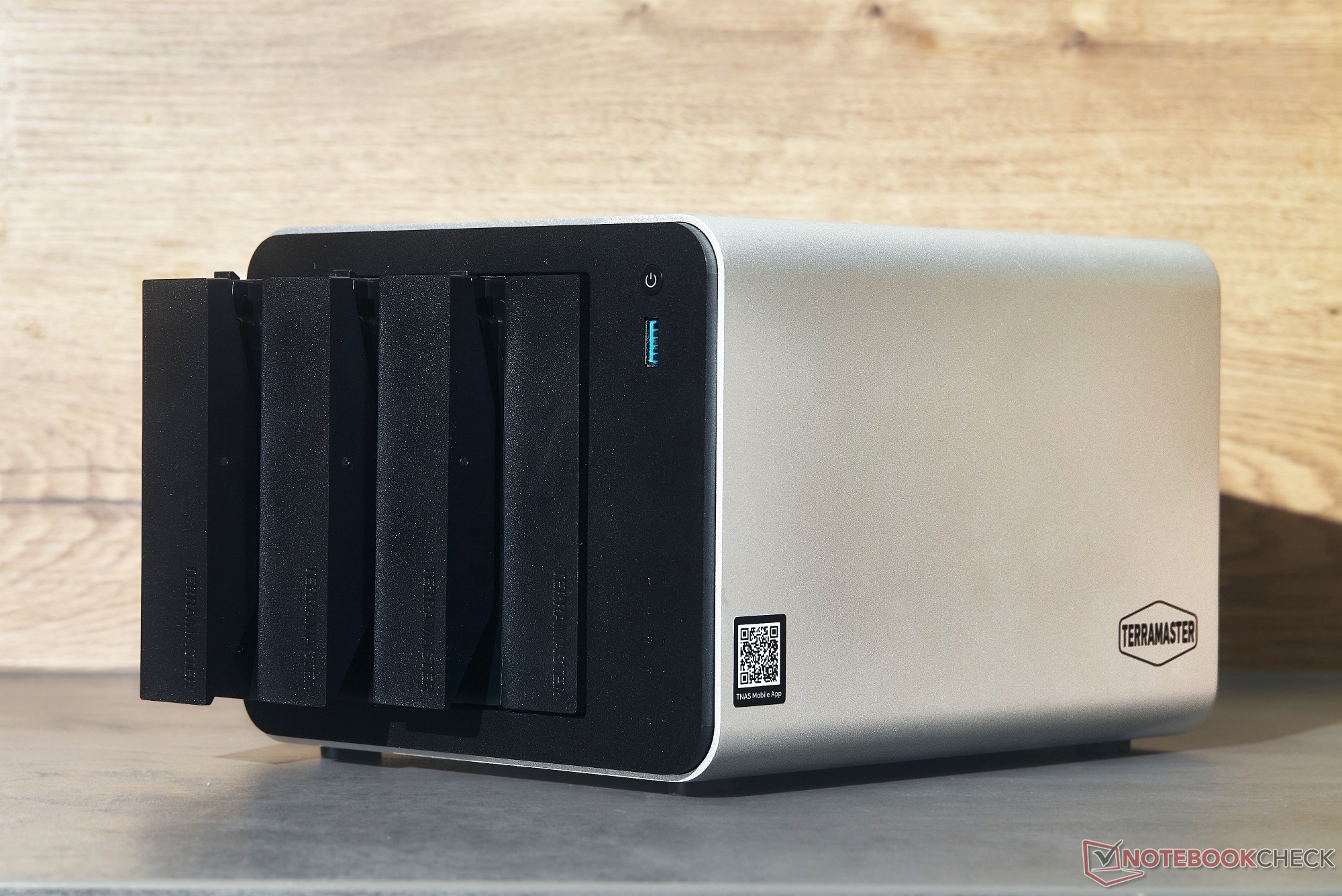
Hands-on review: TerraMaster F4-425 Pro delivers twice the performance at higher price
Quiet media server.
The TerraMaster F4-425 Pro doubles the number of its processor cores to eight, offering twice the performance of its predecessor. With its quiet fans and sleek metal chassis, the NAS is an impressive backup solution and media server, but its higher price puts it in competition with some even faster alternatives.Hannes Brecher (translated by Hannes Brecher) Published 🇩🇪 🇳🇱 ...
Verdict - TerraMaster F4-425 Pro impresses as media server
The TerraMaster F4-425 Pro is twice as fast as the F4-425 Plus, making it better suited for multiple users, more demanding software, and AI applications such as OpenClaw. Its performance was impressive with popular applications like Jellyfin, Immich, backups, and retro gaming via Retrom.
However, the DRAM crisis has also led to a price increase to $799 for the tested configuration, or $699 for a version with Intel Processor N305 and 8 GB RAM. At this higher price point, TerraMaster is competing with models like the Minisforum N5 Air, which offers a significantly faster Ryzen 7 255, USB 4, a PCIe x16 slot, and 10 Gbit/s Ethernet.
Thanks to its energy-efficient Intel chip, the TerraMaster F4-425 Pro features a quiet fan and performance that’s more than sufficient for a media server and a backup solution, making it a top recommendation specifically as a media server, where quiet operation, and, depending on its placement, its sleek metal chassis are big advantages. The simple setup of TOS7 allows even beginners to effortlessly set up a Jellyfin server.
Pros
Cons
Price and availability
The TerraMaster F4-425 Pro is available either with an Intel Core i3-N305 and 8 GB of RAM for a list price of $699.99 /€739.99, or with an Intel Core i3-N350 and 16 GB of RAM for $799.99 / €839.99. The NAS is now available on Amazon, among other retailers.

Apart from its significantly faster processor, the TerraMaster F4-425 Pro is identical to the F4-425 Plus, which we have already tested. For this reason, this brief review focuses on the new features.
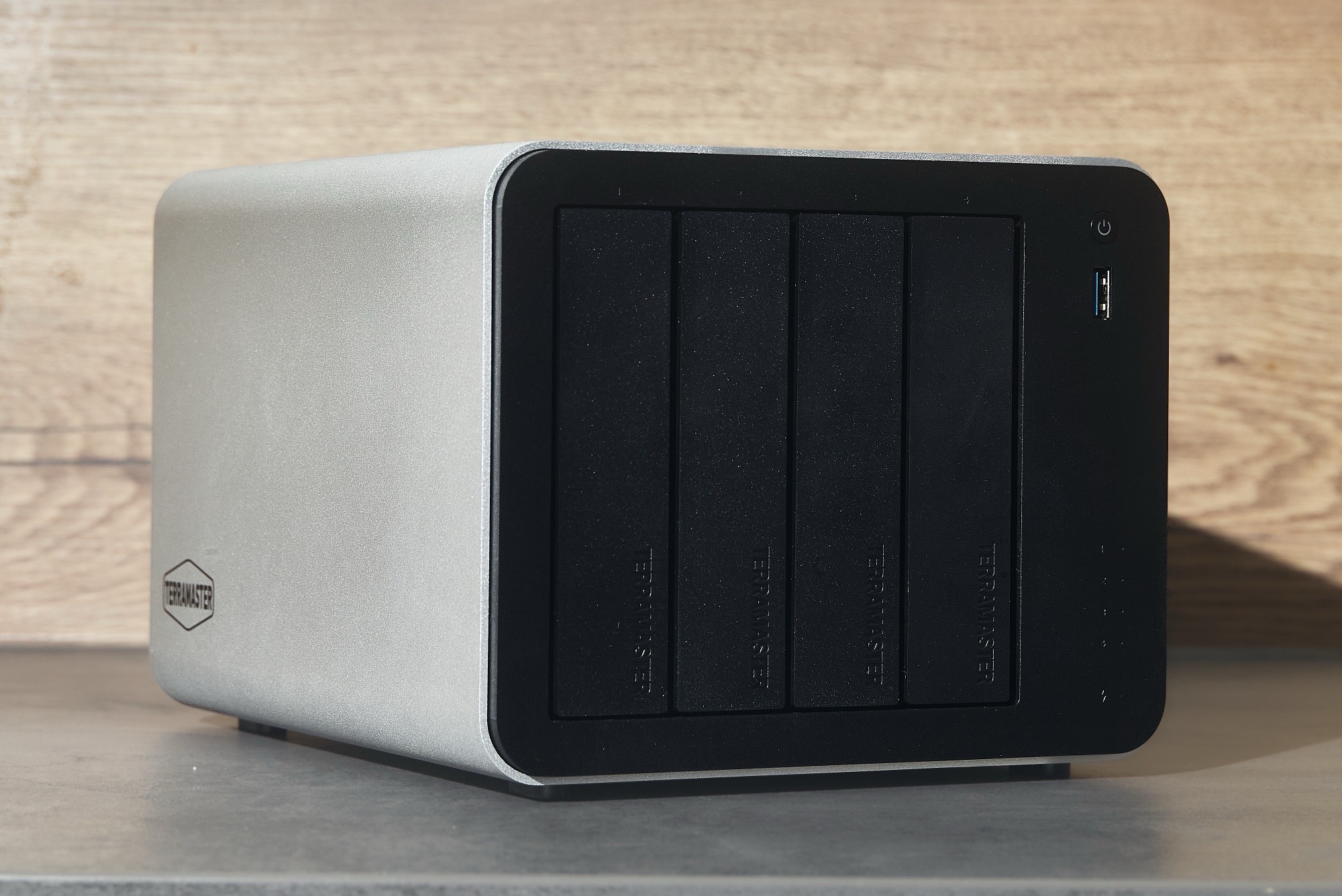
Like the F4-425 Plus, the F4-425 Pro aims to impress with its versatility. The F4-425 Pro once again offers space for four hard drives and three SSDs, and can be expanded with external hard drives via four 10 Gbit/s USB ports. The Linux-based TOS7 promises broad software compatibility, but also includes AI features in the form of OpenClaw.
Specifications
| Processor | Intel Core 3 N350 (8 Gracemont efficiency cores, 3.9 GHz) |
| Graphics | Intel UHD Graphics 32 EUs (Alder Lake-N) |
| RAM | 16 GB DDR5-4,800, 1x SO-DIMM |
| Ports | 1x USB-C (10 Gbit/s), 3x USB-A (10 Gbit/s) |
| Network | 2x LAN (5 Gbit/s) |
| Storage | 4x 3.5" HDD (SATA), 3x M.2 SSD (PCIe 3.0 x1, 8 Gbit/s) |
| Dimensions | 150 x 181 x 219 millimeters (height x width x depth) |
| Weight | 2.9 kilograms |
| Power supply | 90 watts |
| Price | $799.99 |
Versatile NAS with metal chassis
The TerraMaster F4-425 Pro's chassis is identical to that of the F4-425 Plus, details can be found in our review of the older model. The high-quality aluminum body sets this NAS apart from many cheaper models, and its sleek design looks great on a desk. The front and back panels, as well as the hard drive trays, are made of relatively high-quality plastic.
Replacing a hard drive couldn’t be easier – the trays can be pulled out of the case with one hand, the hard drive is secured without screws, and is automatically recognized as soon as it’s inserted into the NAS. Status LEDs indicate the activity of up to four hard drives.
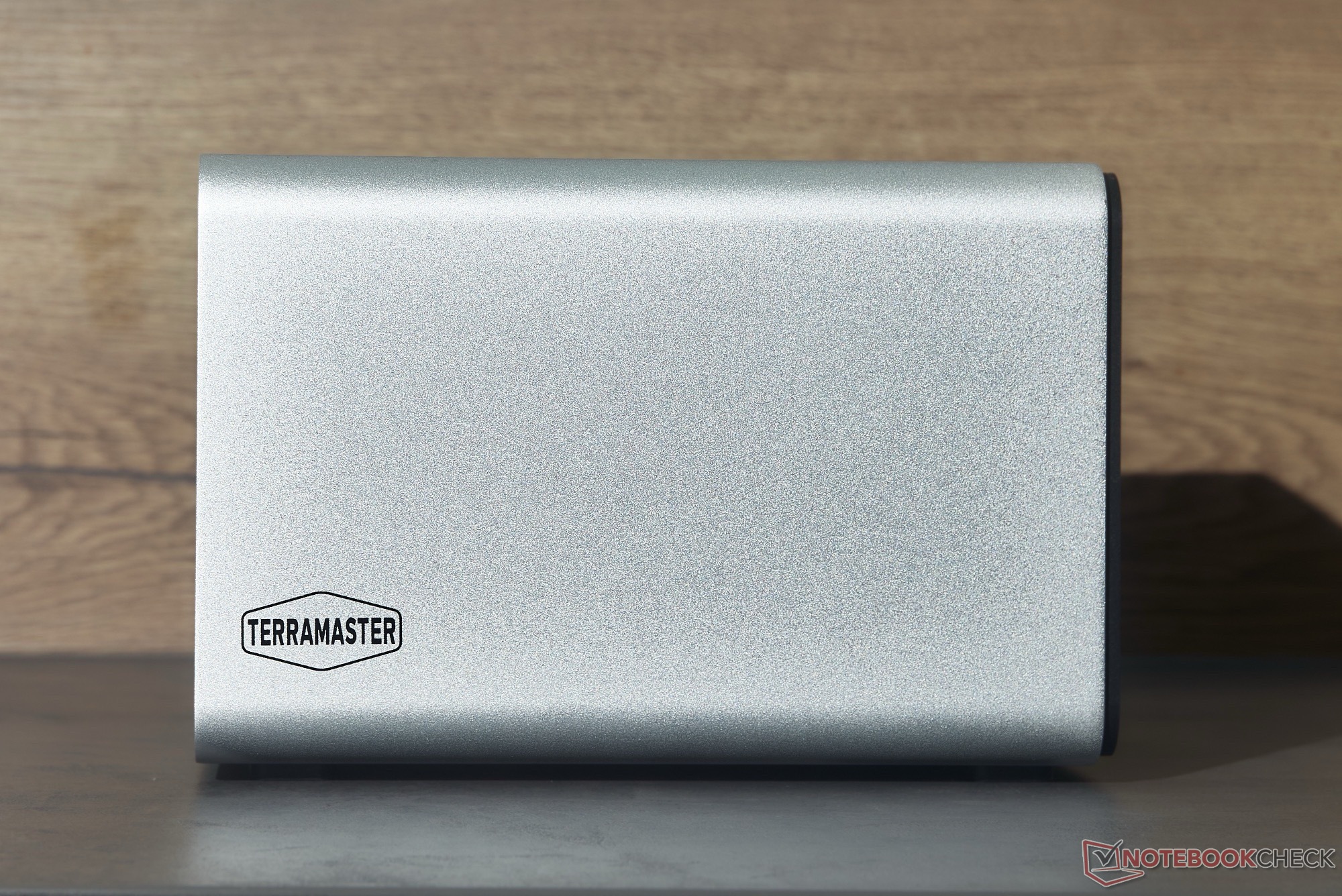
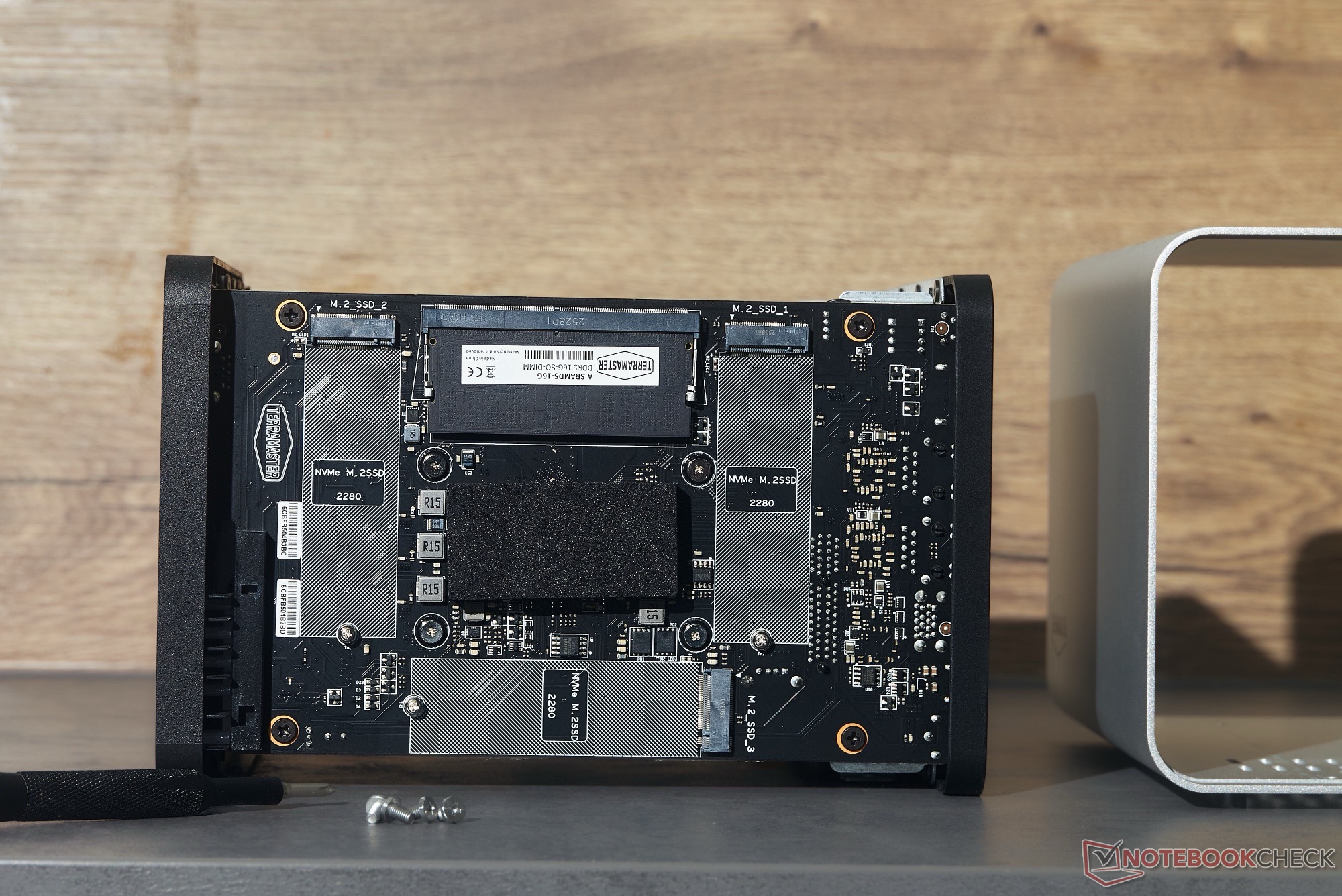
To access the three SSDs, you need to loosen four screws on the bottom and remove the metal casing. This isn't complicated, but unlike with hard drives, the SSDs cannot be replaced while the system is running. Hard drives and SSDs can be configured into two separate RAID storage pools.
However, TOS7’s versatile storage configuration also allows you, for example, to manage each hard drive and SSD individually, use the hard drives as a backup for an SSD RAID, or configure an SSD as a "Hypercache" to boost the performance of the hard drives. In testing, this resulted in significantly shorter access times for apps hosted via Docker – a simple website with 610 KB images loaded in 0.6 seconds instead of 2.8 seconds over the internet using Hypercache, thanks to the SSD’s faster access times.
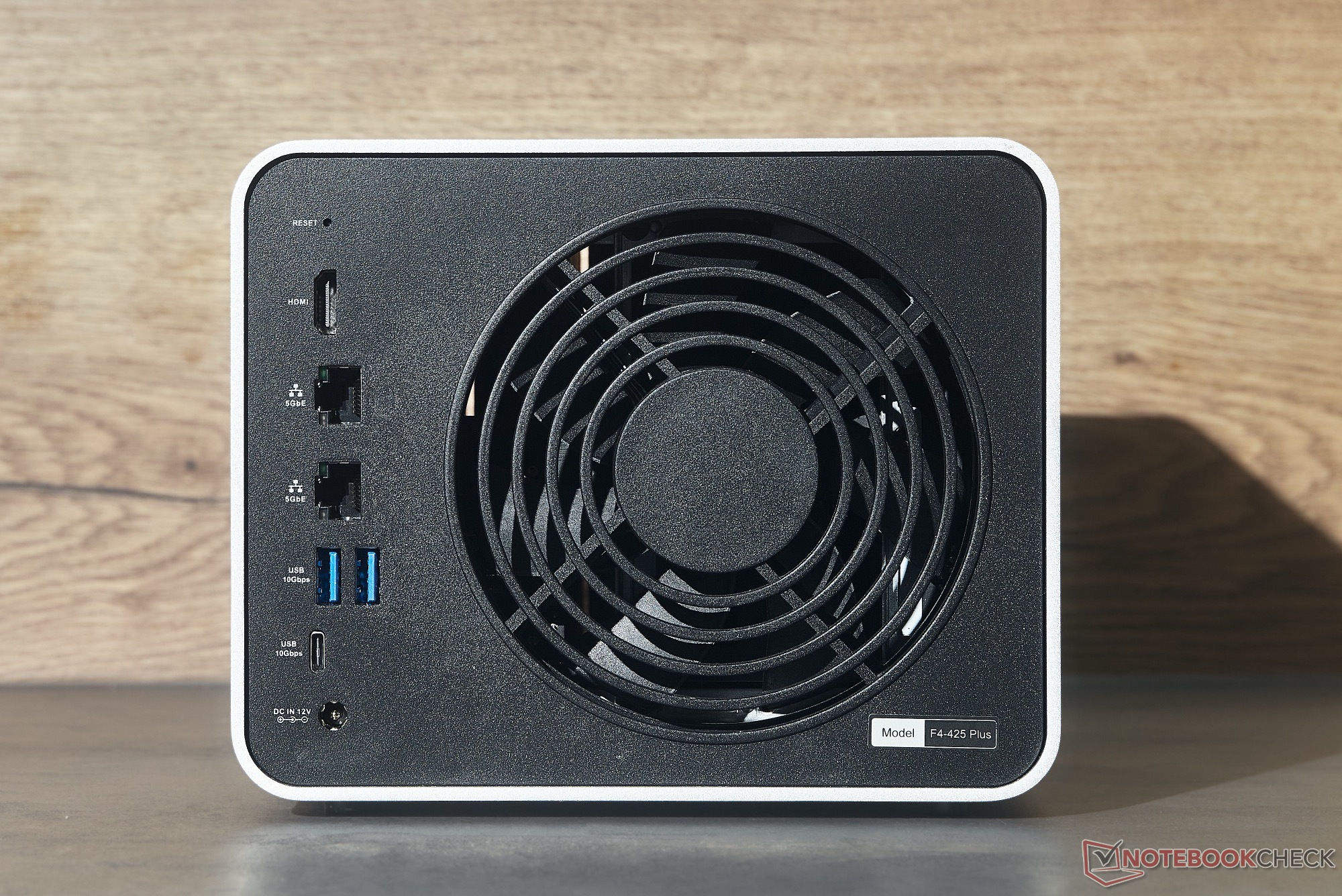
The TerraMaster F4-425 Pro features three USB-A ports and one USB-C port, all of which support a bandwidth of 10 Gbit/s, allowing external SSDs to be connected at high speeds. The bottleneck is the two Ethernet ports, which are limited to a bandwidth of 5 Gbit/s each, while some competing models already support 10 Gbit/s Ethernet.
Double the performance with the Intel N350
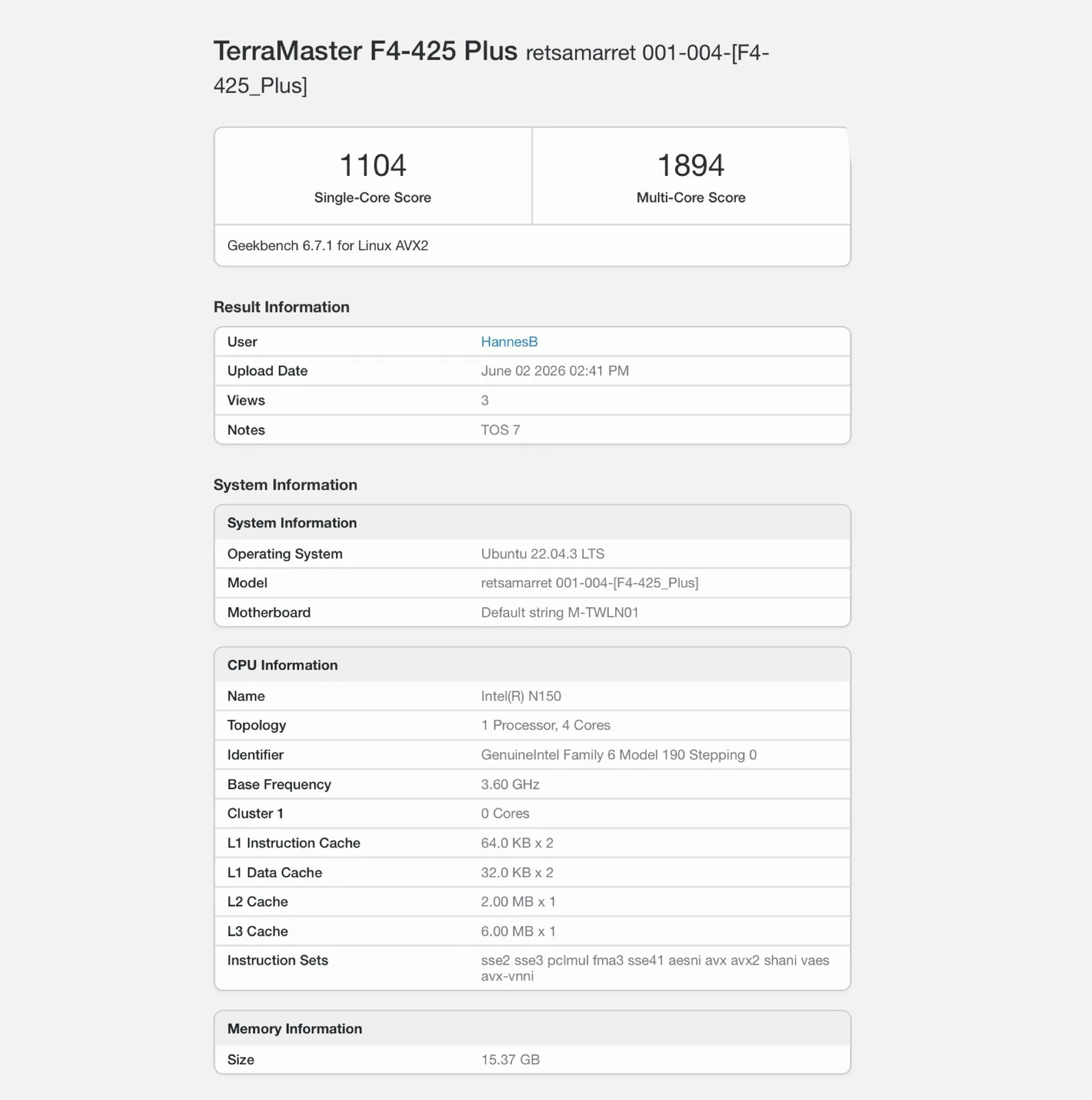
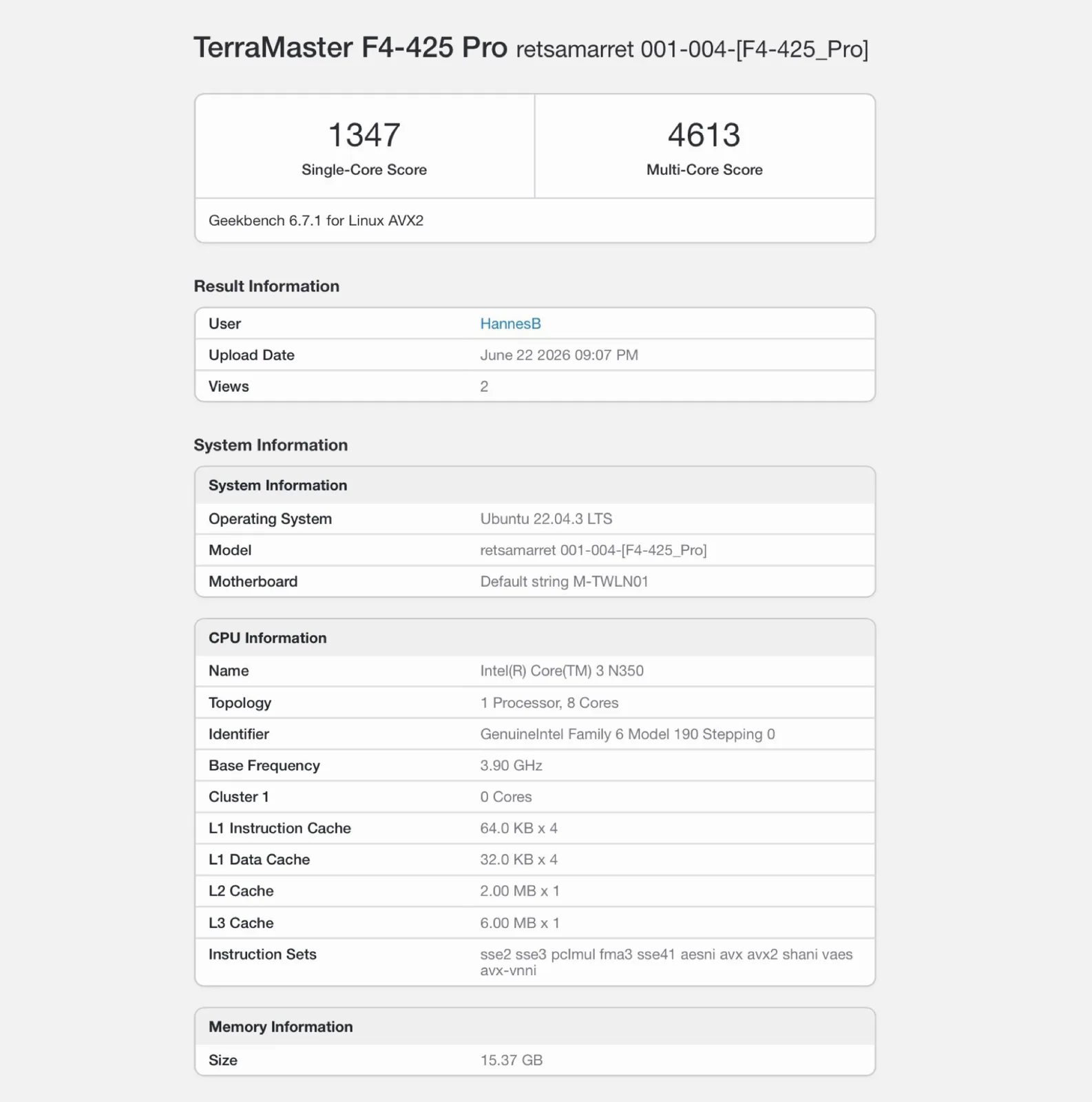
The major hardware upgrade in the TerraMaster F4-425 Pro is the Intel Core 3 N350, which, although based on the same architecture as the Intel Processor N150, offers eight Gracemont efficiency cores instead of four, slightly higher clock speeds of 3.9 GHz instead of 3.6 GHz, and an iGPU with 32 execution units instead of 24. In our benchmarks, the chip in the F4-425 Pro delivers roughly the performance one would expect from the Intel Core 3 N350, whereas the chip in the previous model delivered slightly insufficient multi-threaded performance. As a result, the new model is more than twice as fast in our test.
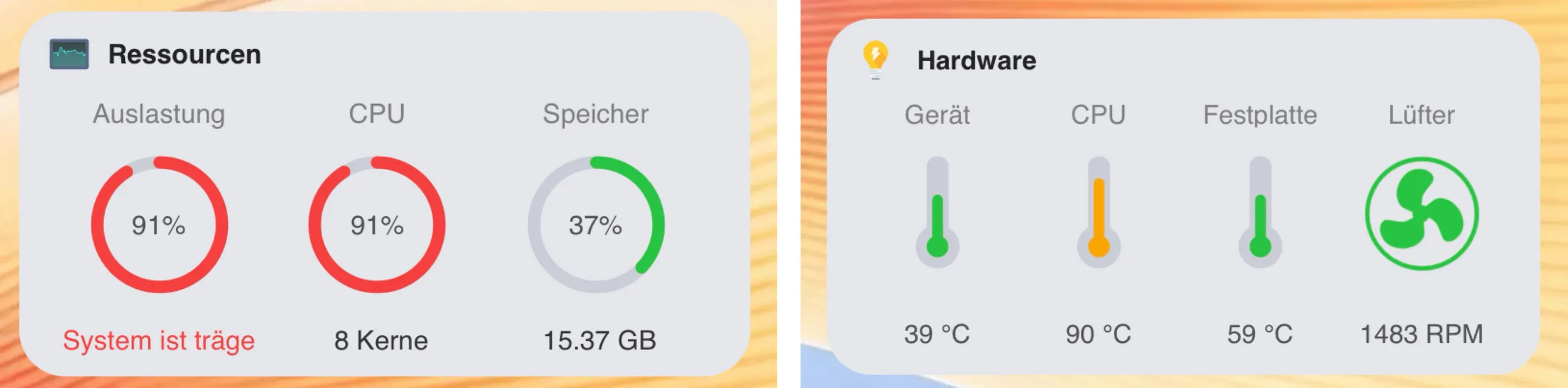
The cooling system remains very quiet even under load and is drowned out by the operating noise of the hard drives. However, TerraMaster has only partially adjusted the fan curve to accommodate the faster chip, so we observed CPU temperatures of up to 94 °C under sustained load. This is still below Intel’s specified maximum of 105 °C, so the processor is not throttled. Users who prefer lower temperatures can manually increase the fan speed in the settings.
The integrated graphics chip can decode H.264, H.265, MPEG-4, and AV1 with hardware acceleration, and is said to be capable of playing back content in real time at resolutions up to 4K and 60 frames per second. This worked flawlessly in our tests, even via the open-source media server Jellyfin.
As with the F4-425 Plus, it’s clear that TOS7, based on Ubuntu 22.04 LTS, operates very efficiently in terms of RAM usage. With a total of ten active Docker apps, including Jellyfin, the Google Photos alternative Immich, and the OneDrive alternative OwnCloud, TOS7 requires only 3.2 GB of RAM. While Immich processes newly uploaded photos, RAM usage rises to 5.9 GB, whereas a Jellyfin 4K stream has no noticeable effect on RAM usage.
TOS7 improves user experience
In addition to the new processor, there are also software updates, although TOS7 is also available as a free update for the TerraMaster F4-425 Plus. The system is based on Ubuntu 22.04 LTS. The beta version 7.0.0616 was used in the test. Minor issues identified during the testing period, such as occasionally inaccurate values in the resource monitor within system settings or failed file uploads via Apple’s Safari browser, have already been resolved with the update to version 7.0.0706.
There were no crashes during the approximately one-month testing period. According to TerraMaster, TOS7 introduces over 50 new features and more than 1,000 new minor improvements. From a user’s perspective, the significantly more organized system settings and the new storage manager make a big difference, as the setup of storage pools, Hypercache, and USB hard drives is now presented in a much clearer manner.
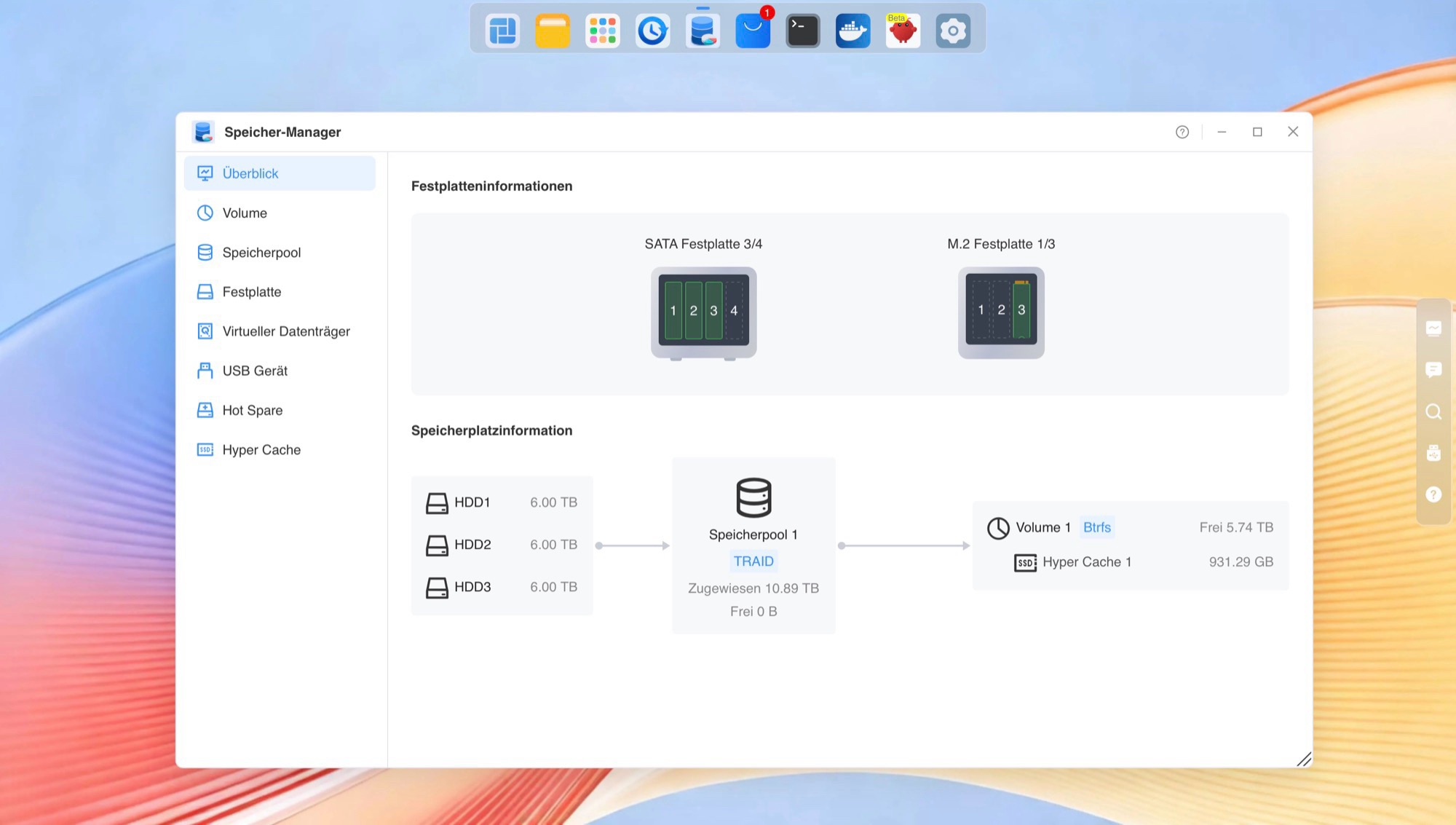
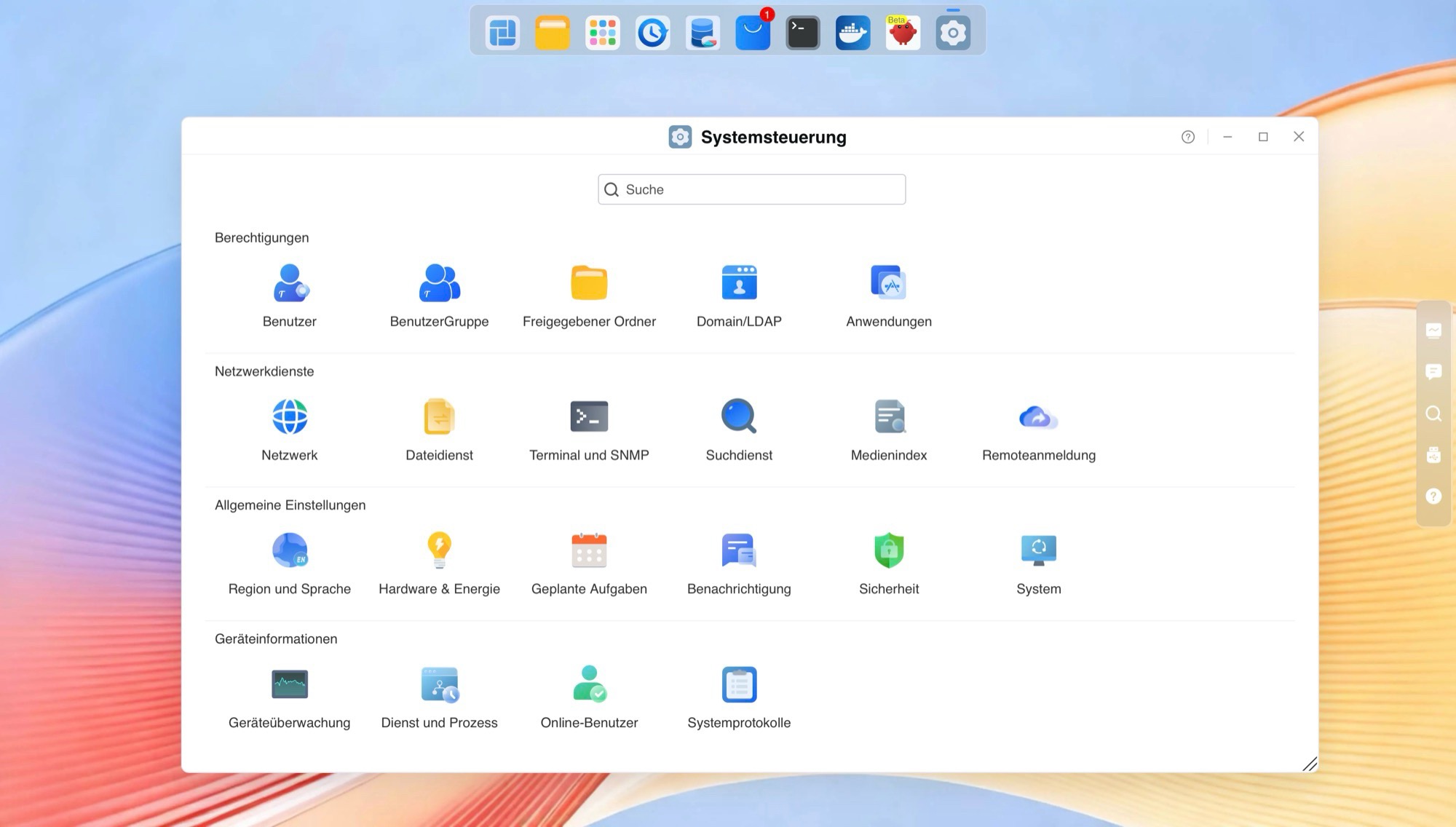
TOS7 now also supports virtual machines and comes bundled with OpenClaw, which, according to TerraMaster, allows 90 percent of the operating system’s functions to be executed using natural language with AI support. While this works in many cases, it’s relatively slow – users familiar with TOS7 and Docker can almost always perform the same tasks faster manually.
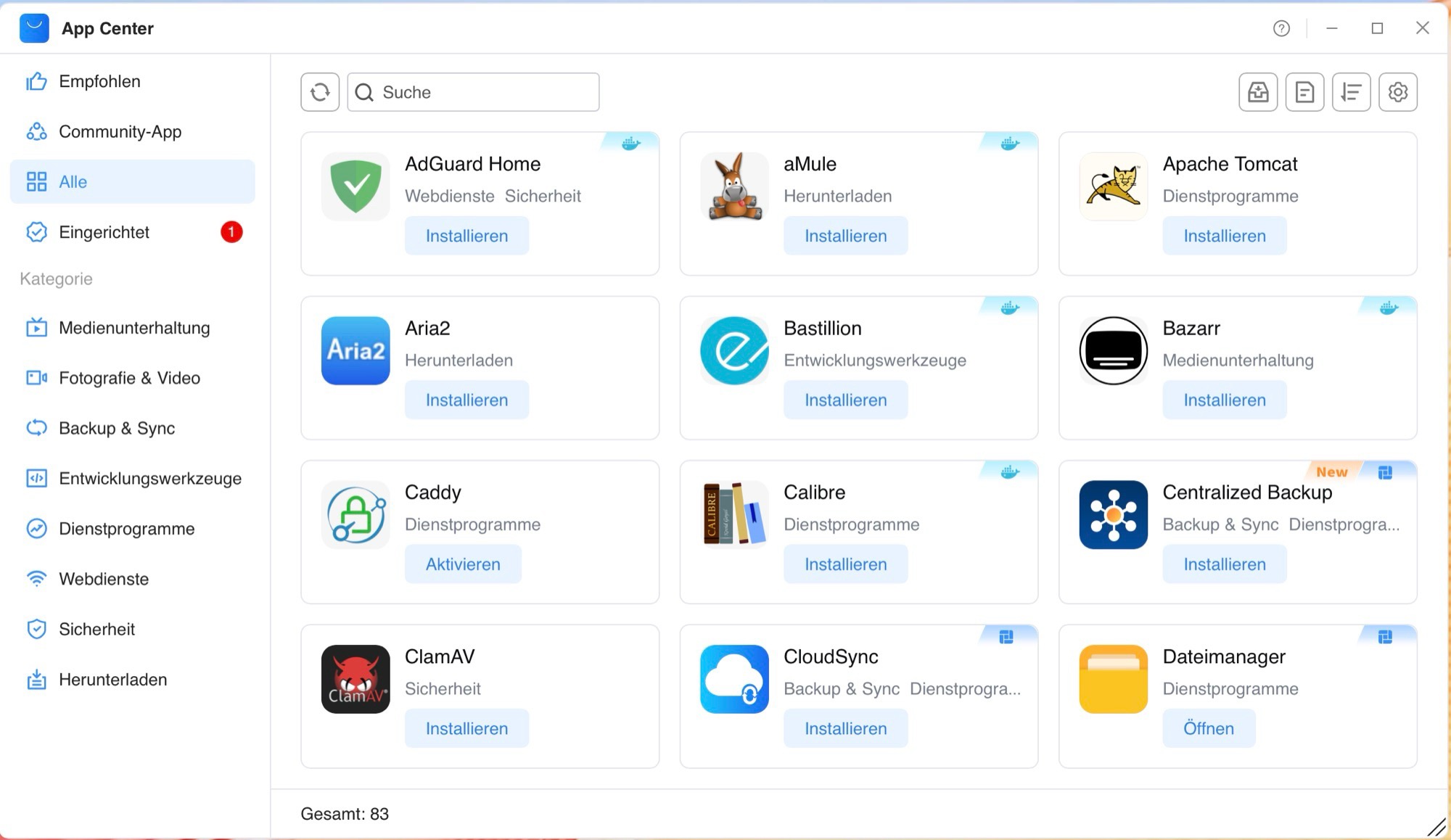
The selection of apps in TOS7 remains somewhat smaller than that of some competitors. While TerraMaster offers Jellyfin, Plex, VirtualBox, WordPress, an iTunes server, several backup apps, and Nextcloud directly in the App Store, many apps, such as Immich, are still only available via Docker. Although Portainer and a Docker Manager make it easy to install and manage Docker apps, for users without any prior knowledge, installing some apps via Docker can be a test of patience.
Summary
The TerraMaster F4-425 Pro is an F4-425 Plus with a faster processor. The NAS remains an excellent media server with a relatively quiet fan, and with the Intel Core 3 N350, it offers more performance headroom for OpenClaw or for use by multiple people. Power users might miss 10 Gbit/s Ethernet or a processor with an integrated NPU for better AI performance. The flexibility provided by four hard drives, three SSDs, and broad support for Docker apps remains the NAS’s greatest strength.
Transparency
The selection of devices to be reviewed is made by our editorial team. The test sample was given to the author by the manufacturer free of charge for the purposes of review. There was no third-party influence on this review, nor did the manufacturer receive a copy of this review before publication. There was no obligation to publish this review. As an independent media company, Notebookcheck is not subjected to the authority of manufacturers, retailers or publishers.
 Add as a preferred source on Google


