



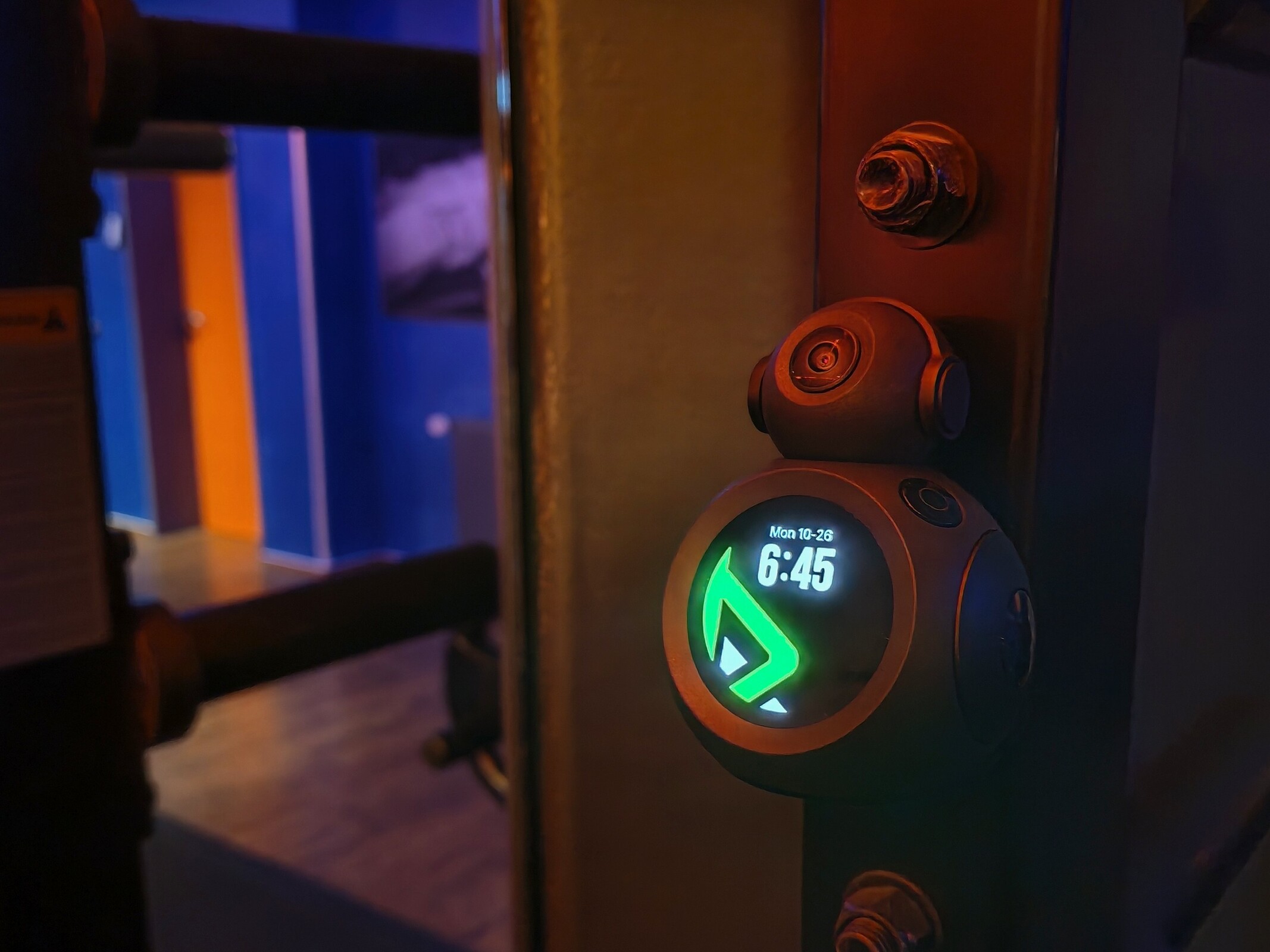
BodyPark Atom review: AI camera tracks your reps and analyzes lifting form
Good form, mostly
The BodyPark Atom is a smart workout companion that uses AI to analyze training sessions. It showed clear strengths during testing and could be a worthwhile purchase for beginners, though it has some limitations, including its exercise recognition accuracy.Silvio Werner (translated by Silvio Werner) Published 🇩🇪
The BodyPark Atom is a capable workout companion
When the BodyPark Atom was introduced, I wrote in our internal editorial chat that, for me personally, the Atom is the most interesting fitness gadget of recent years. In our test, it became clearly apparent: the BodyPark Atom basically works, but is weakest when it comes to concrete live feedback and could use a bit more customizability. Therefore, it is not a complete replacement for a fitness trainer if you expect complete guidance during an exercise.
Complete fitness beginners should definitely not rely completely on the BodyPark Atom—at least if they are about to start weight training. However, if users limit themselves to bodyweight exercises or have proper execution shown to them by a trainer or an experienced athlete, the BodyPark Atom can be a motivating gadget that makes evaluating one's own exercise execution and logging training progress modernly simple and well possible. Definitely on the plus side is also the very well-stocked training library, which also helps to broaden one's horizons a bit.
Buyers must nevertheless be aware that with the BodyPark Atom, they are dependent on the provider's cloud infrastructure; nevertheless, the subscription model is quite fair.
Pros
Cons
Price and availability
The BodyPark Atom is available directly from the manufacturer at a regular price of $239. A $299 bundle includes the Tripod Dock, the tripod itself, the Pocket Bag, and 12 months of Pro membership. The Plus membership is free for life.
Table of Contents
- The BodyPark Atom is a capable workout companion
- Specifications
- Hardware: A cute little workout companion
- How I approached testing the BodyPark Atom
- Tracking and analysis: Detailed form analysis with motion graphs
- Live feedback: Too lenient, with limits to what the camera can see
- Training plans and AI features: Flexible prompts, with a few drawbacks
- Extra features: Ergonomics and jump rope
- Everyday use: Setup, battery life, and gym etiquette
The BodyPark Atom is a small gadget with a display, camera, microphone, speaker, and network connectivity. It records and assesses your form and guides you through your workout. The app offers an extensive exercise library and detailed workout analysis.
Specifications
| Device category | Fitness gadget |
| Dimensions | 71 × 60 × 90 mm |
| Weight | 155 grams |
| Display | 1.43-inch OLED, 466 × 466 pixels |
| Camera | 5 megapixels, ultra-wide angle, 1/2.8-inch CMOS sensor |
| Hardware and connectivity | Speaker, microphone, Wi-Fi 5 |
| Special features | Workout guidance, recording, and analysis; extensive app features |
Hardware: A cute little workout companion
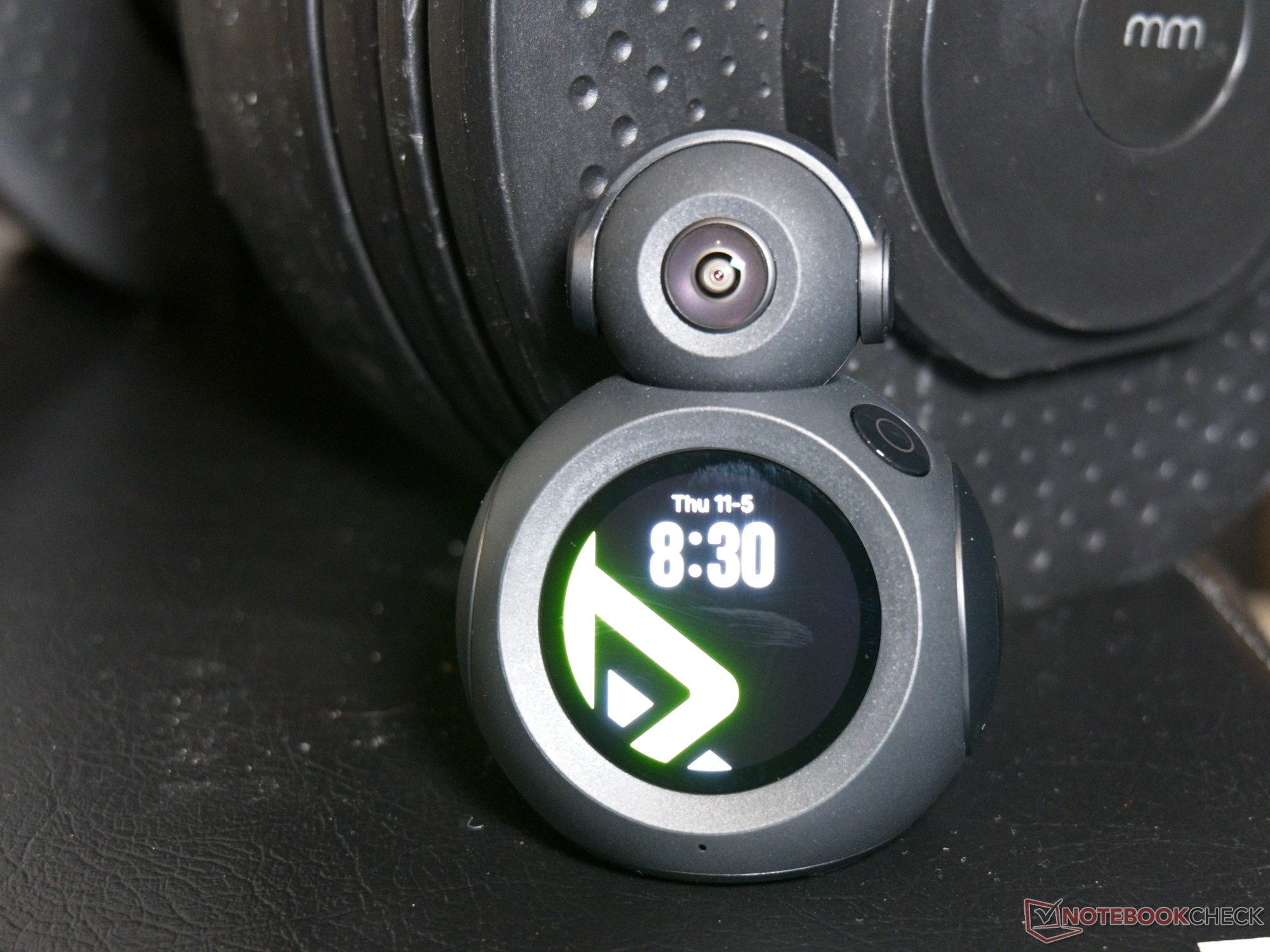
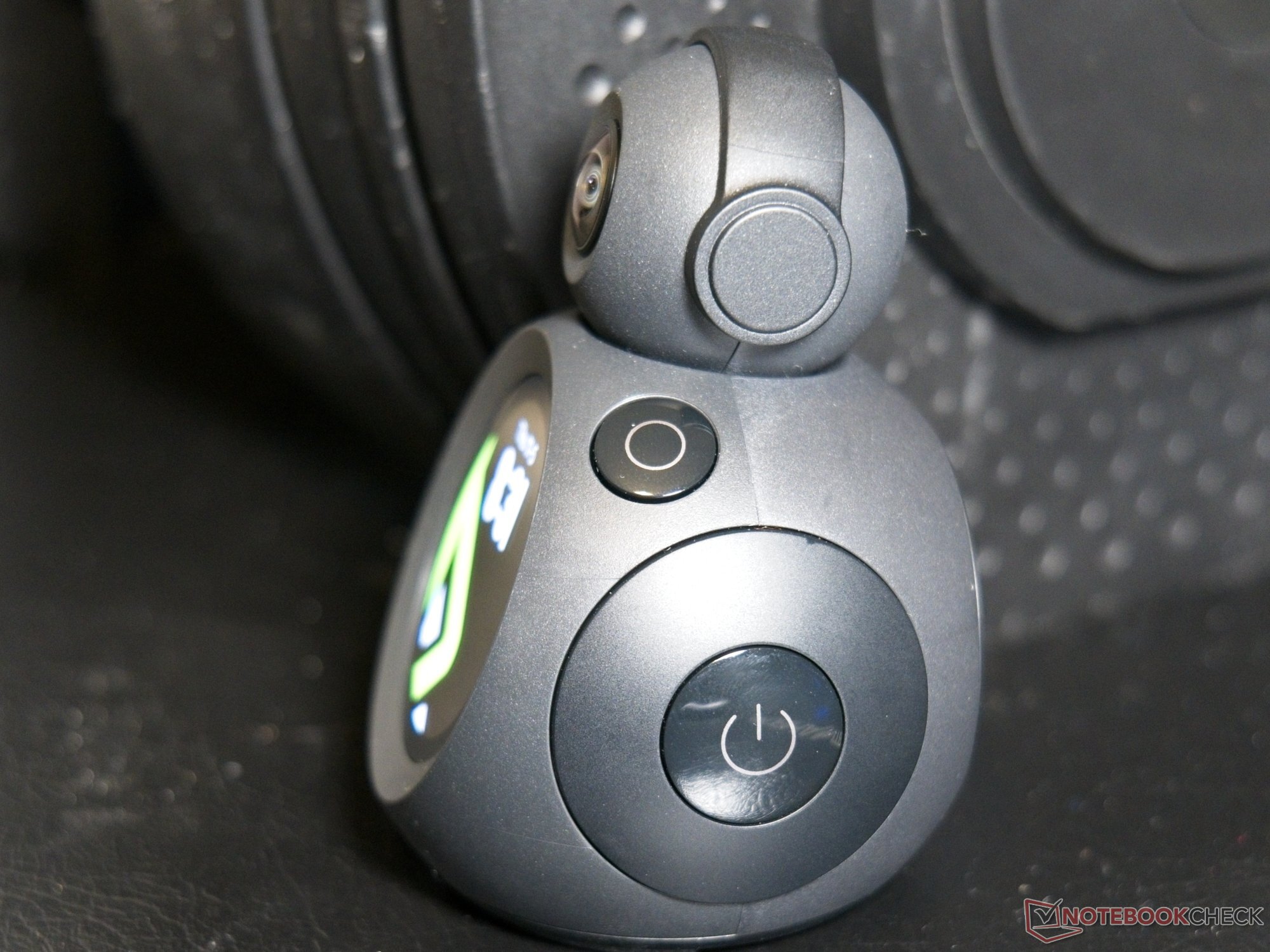
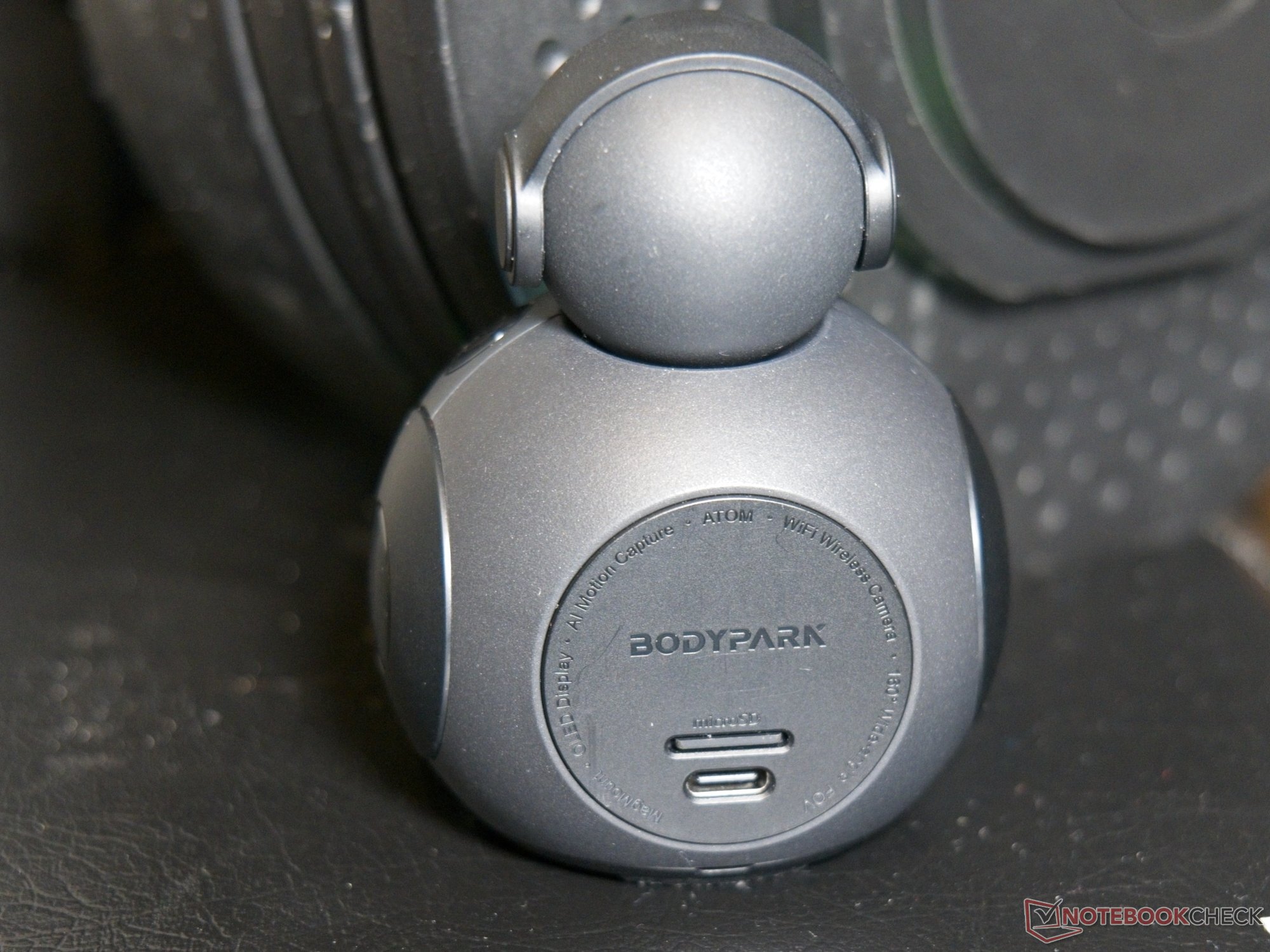
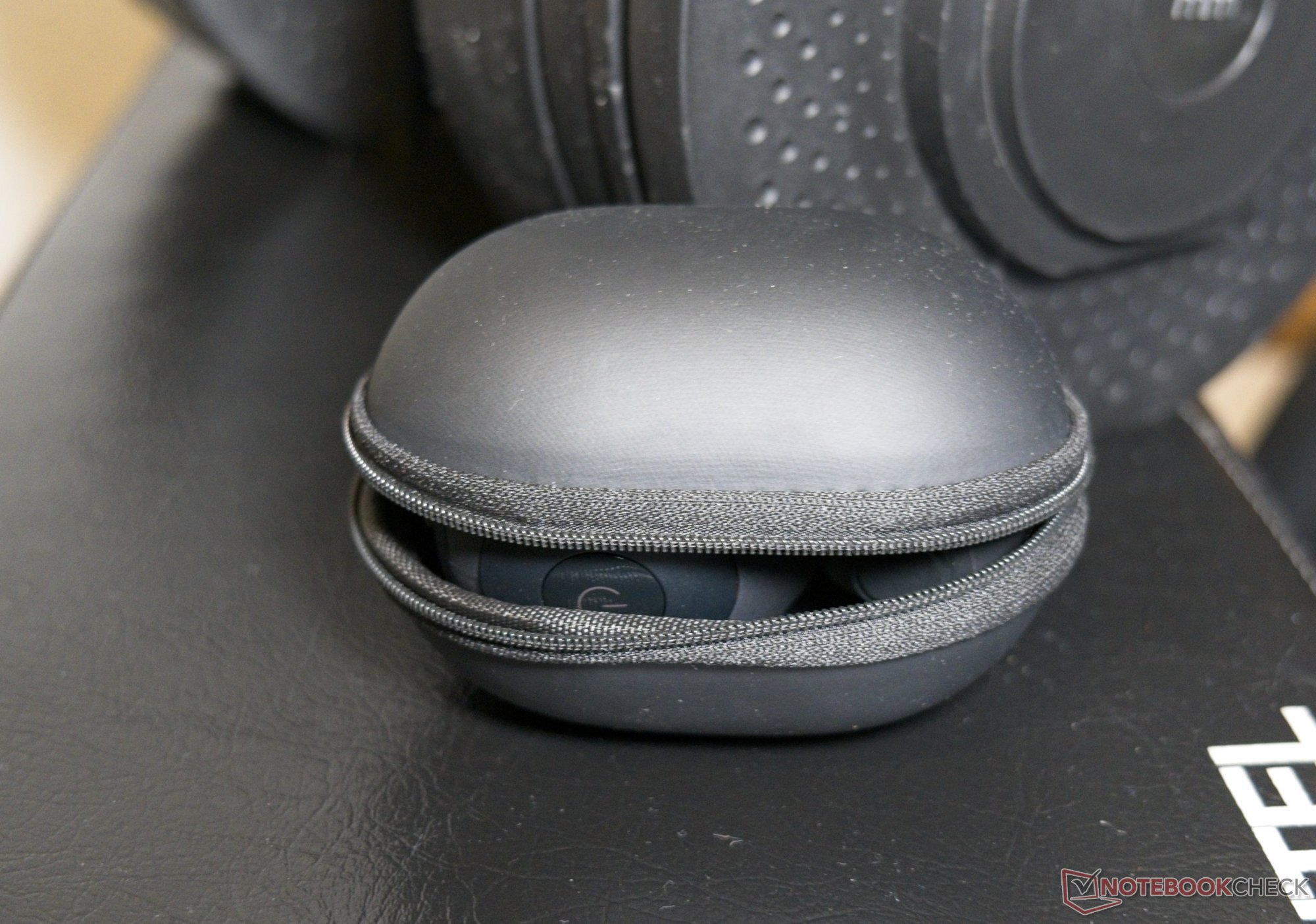
The BodyPark Atom measures 60 × 71 × 90 mm (2.36 × 2.80 × 3.54 inches). It features a spherical body with a top-mounted camera, a 1.44-inch OLED display, a microphone, a speaker, and a 5-megapixel 1/2.8-inch CMOS sensor. The camera captures stills at 5 megapixels, while motion tracking runs at 720p. Although the display is relatively small, it remains easy to read. The speaker is loud enough for gym use, though headphones are the more considerate option. While the camera is sufficient for motion tracking, its photo and video quality is fairly limited and unlikely to satisfy fitness influencers.
Bluetooth 5 and Wi-Fi 5 are supported. Because data is processed in the manufacturer’s cloud, a Wi-Fi connection or smartphone hotspot is required. The touchscreen proved fairly responsive, with no major hiccups during testing. Tilting the camera is usually enough to frame the shot, and the magnetic back makes it easy to attach the Atom to a rack.
One clear drawback is that the BodyPark Atom does not include a tripod mount out of the box. The mount is part of the Performance Kit, which costs $90 more and also includes a sturdy tripod, a carrying bag, and 12 months of Pro membership. Sold separately, the Tripod Dock costs a reasonable $16.
How I approached testing the BodyPark Atom
A bit of background first: I am not a professional athlete, though I have been strength training for eight years. I currently hit the gym three times a week and do some cardio as well. At 33, I train recreationally, with no ambitions to break personal records or step onto a stage. Consequently, I cannot say—and will not attempt to assess in this review—whether the BodyPark Atom is suitable for competition prep or a structured program such as powerlifting. That applies to our overall verdict as well: my observations are from the perspective of a recreational athlete. Partial reps, for example, can certainly be useful, but they are less relevant to that audience.
The subscription model is worth noting here. According to BodyPark’s website, if you order now, core features such as live guidance and rep counting are covered by a permanent membership (“Lifetime Plus included”). The upgraded Pro subscription costs €105 if paid annually or €12.99 if paid monthly.
Tracking and analysis: Detailed form analysis with motion graphs
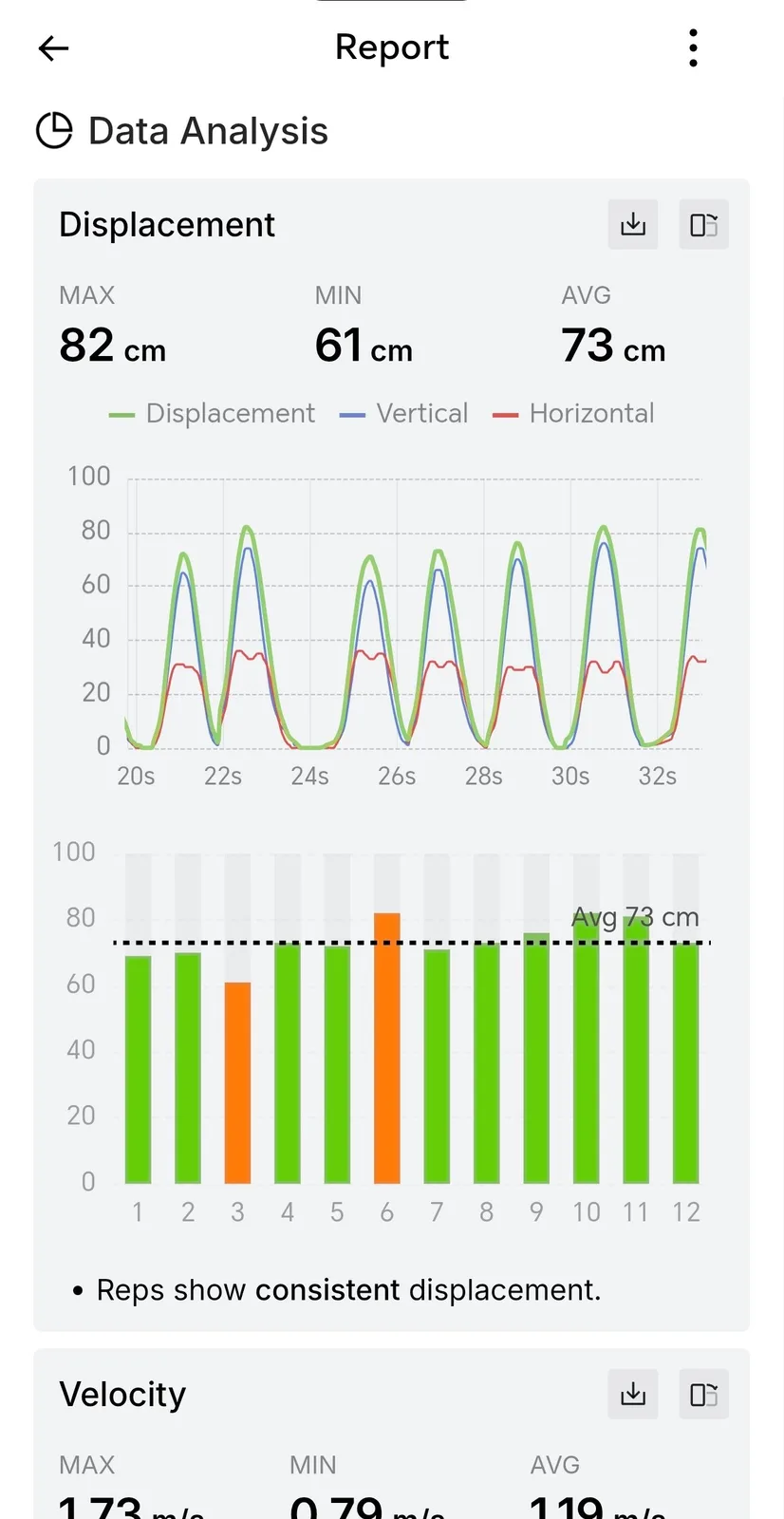
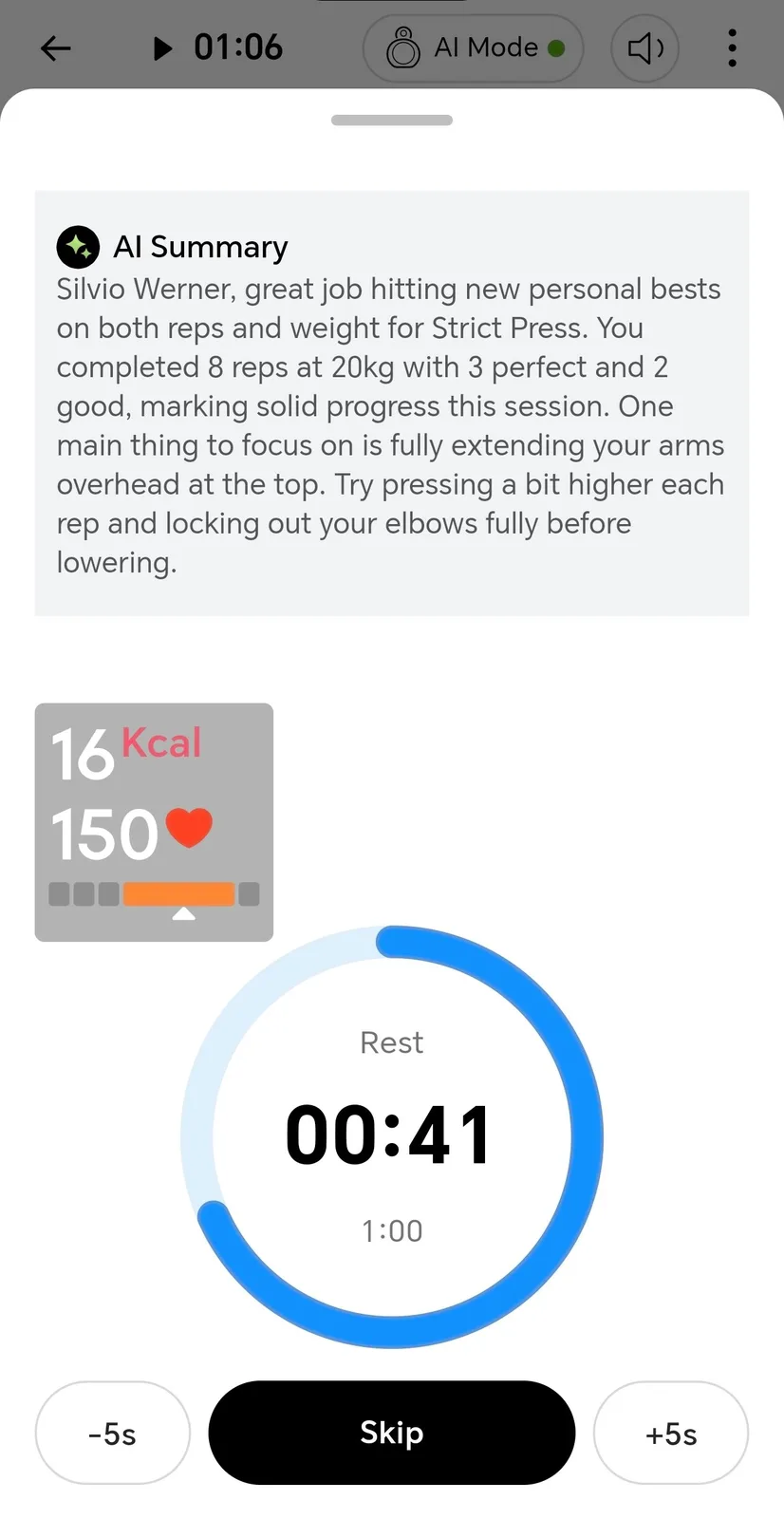
The BodyPark Atom works on a simple principle: a camera films you and identifies your head and individual joints. That may not sound like much, but it is enough to track an exercise and assess your form. If your head moves well ahead of your hips during a squat, for example, the BodyPark Atom can quickly tell that your form is off.
This straightforward tracking also supports more detailed analysis, which the system delivers reliably. You can generate a comprehensive report for each set, complete with recorded video and optional motion-path overlays showing exactly what the BodyPark Atom tracked. The tracking itself works even at an unrealistically fast pace, though the live display occasionally struggles to keep up.
The report also plots movement over time, featuring separate graphs for vertical and horizontal motion. This is particularly useful for exercises such as the bench press, where the goal is a steady vertical path—setting aside advanced intensity techniques. The horizontal path should ideally trace a subtle J-curve, which becomes noticeably flatter on an incline press. The graph makes that easy to see at a glance.
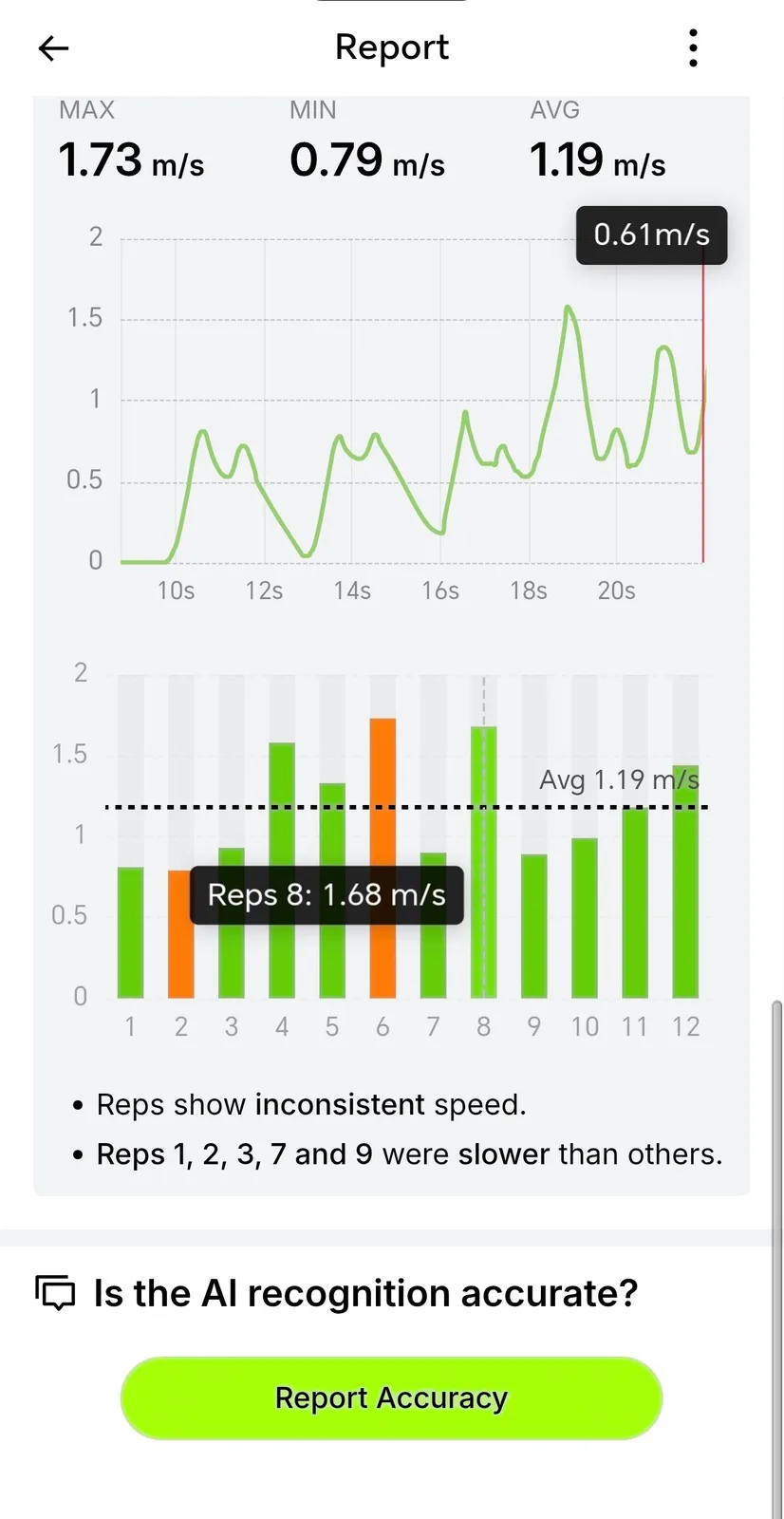
These curves make it clear when your form begins to break down, and the report flags it explicitly. It is normal for the final rep to look less than textbook when deliberately training to fatigue. However, if you are a recreational lifter barely getting through half a set at half your usual range of motion, you are better off lowering the weight to reduce your risk of injury. The report also provides maximum, minimum, and average velocity in m/s (ft/s). These figures are likely estimates rather than exact measurements, though they remain no less useful for recreational lifters.
Live feedback: Too lenient, with limits to what the camera can see
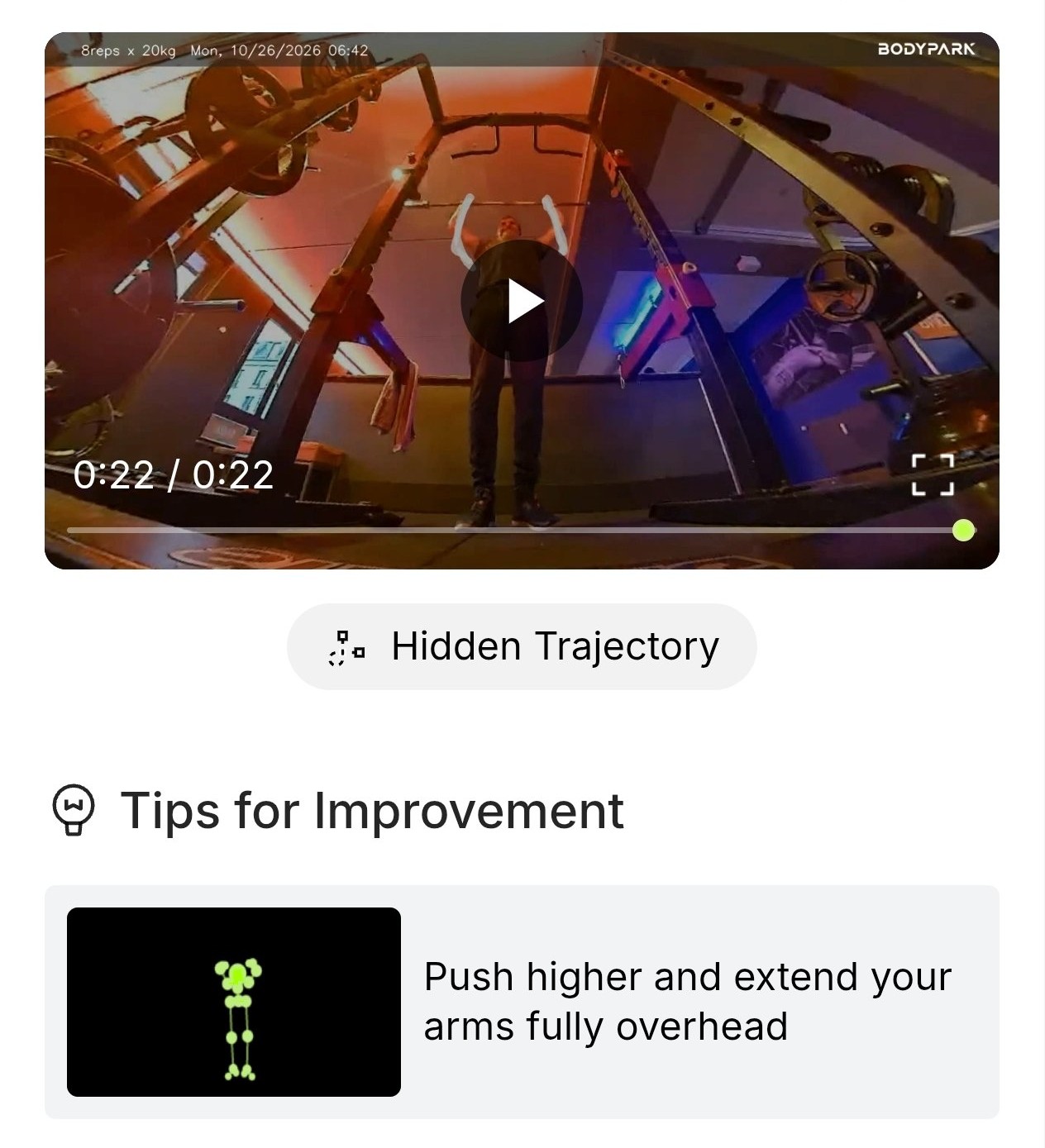
The BodyPark Atom can provide live feedback during exercises in addition to tracking form and reps, though it was not entirely convincing in testing. The Atom tends to be overly lenient. For example, it fails to flag when you do not lower the bar far enough toward your chest during a bench press. While the app clearly displays significant variations in rep speed afterward, a real-time alert during the set would be more useful. There are limits to its leniency, however: it rightly stops counting reps performed with an extremely short range of motion, triggering an audible alert and an on-screen warning.
This points to a broader weakness: there is very little you can configure. Being able to set how far your elbows should drop during a bench press, for instance, would be a meaningful improvement. As it stands, you are largely at the mercy of what the Atom’s algorithm already deems acceptable.
Relying on a single camera introduces another limitation. During squats, for example, the system only detects forward torso lean if the error is pronounced. It also failed to pick up on deliberately overextended wrists during a bench press—a mistake that impairs force transfer and increases injury risk. Furthermore, the quality of live coaching varies noticeably depending on the exercise: squats received much more specific cues, such as advice on stance width, than bench or shoulder press variations.
Training plans and AI features: Flexible prompts, with a few drawbacks
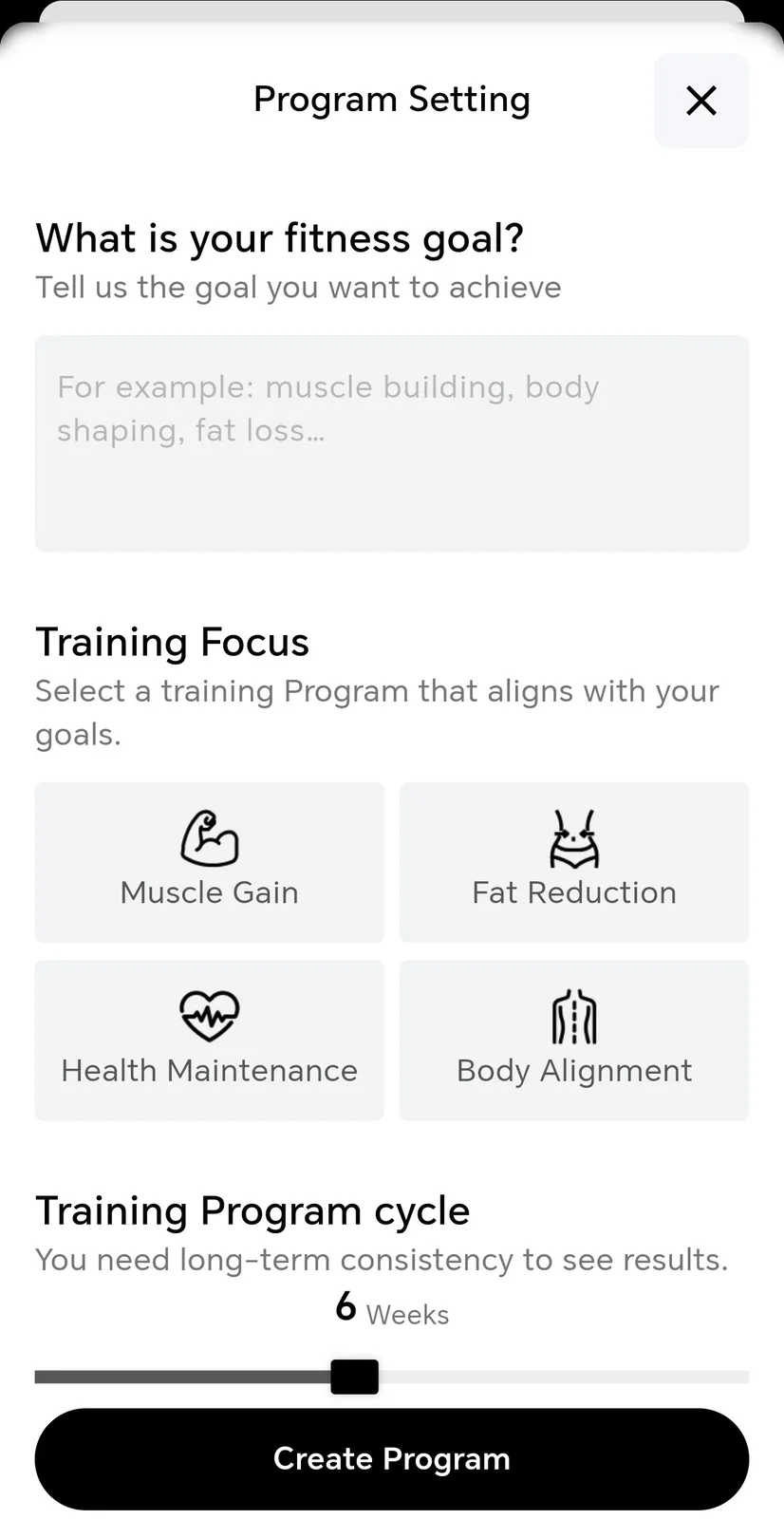
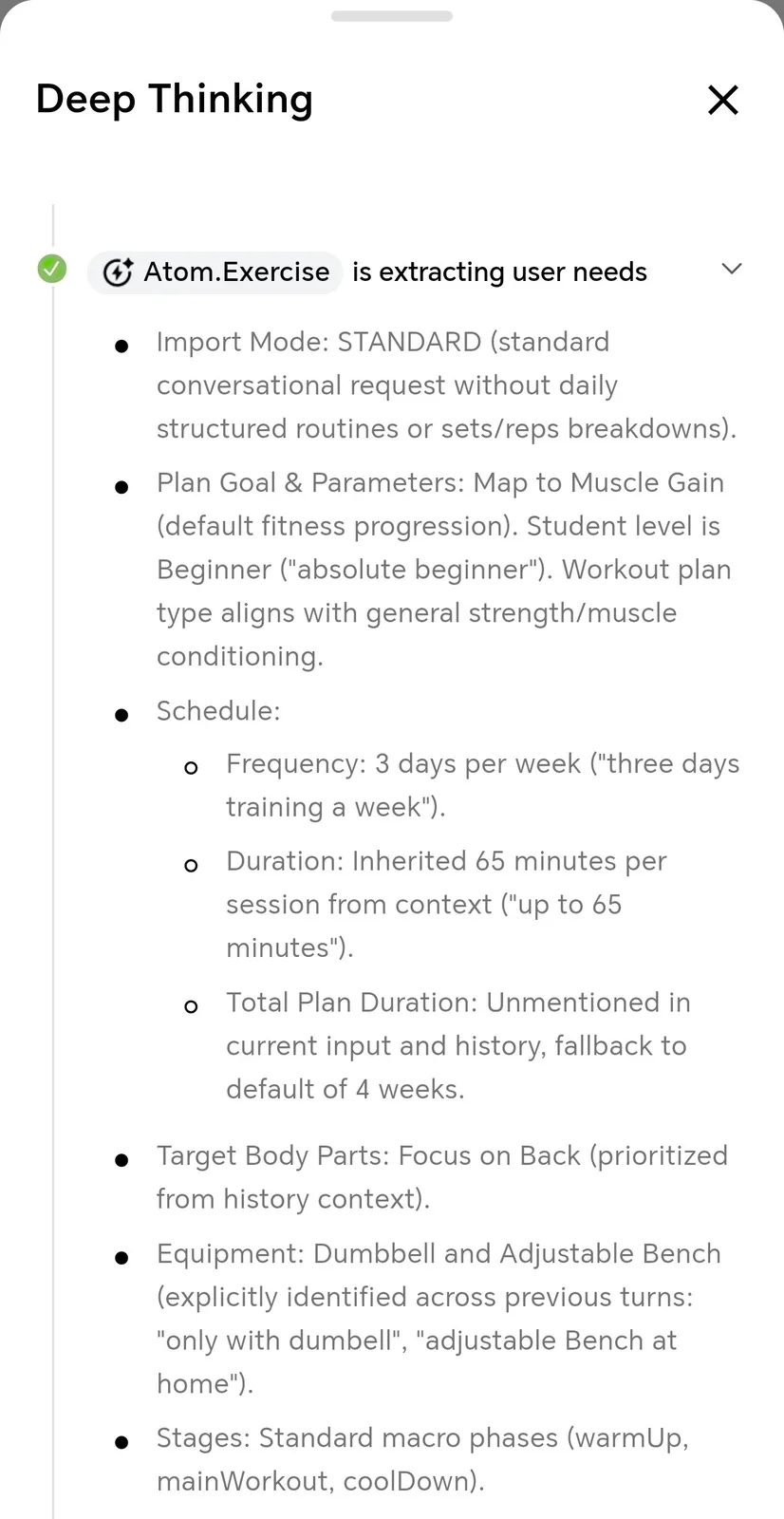
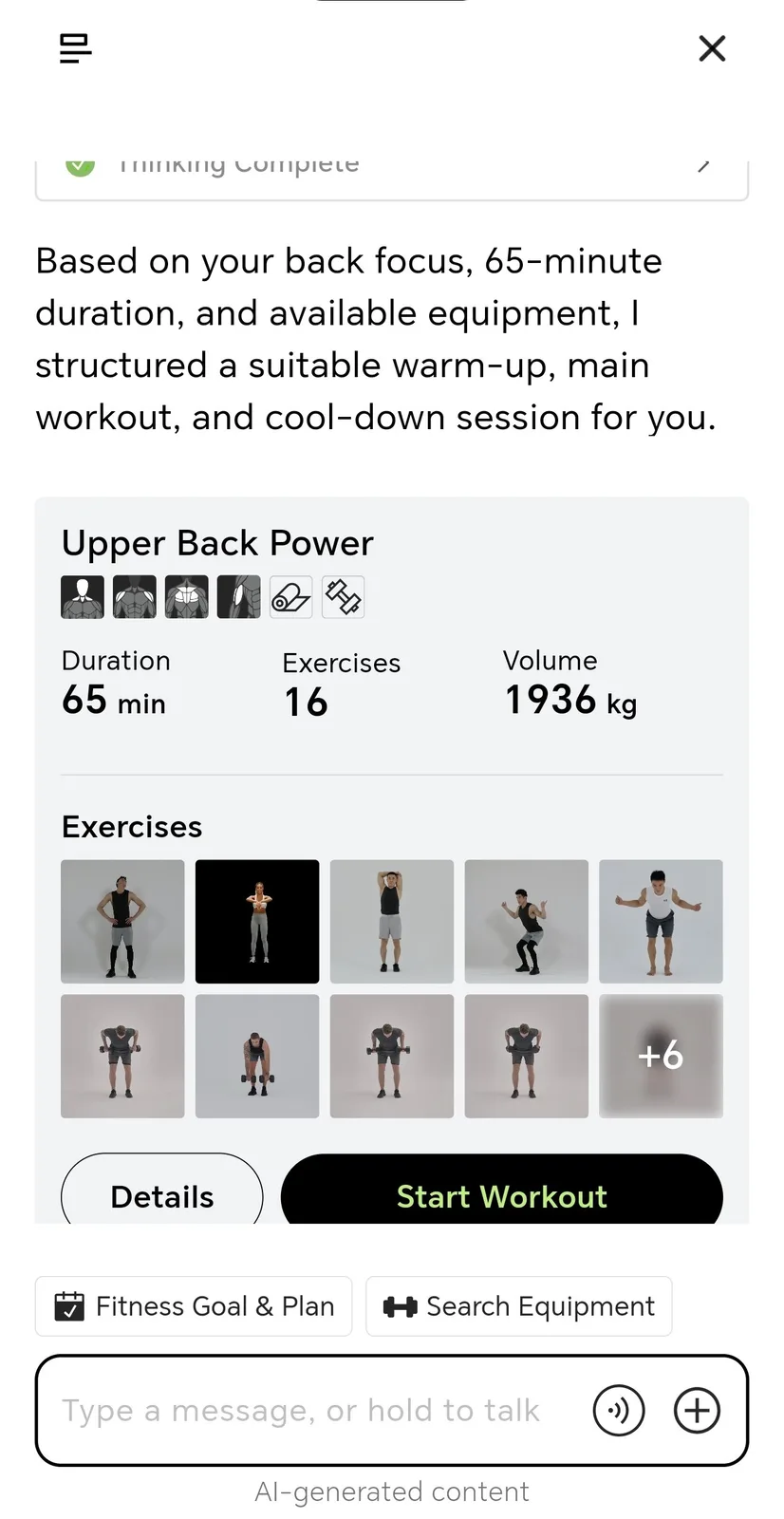
The BodyPark Atom relies heavily on AI to generate personalized training plans, offering considerable flexibility in what you can request. Its graphical interface lets you specify a training focus, frequency, session length, and exercise difficulty, alongside free-text fields for health limitations and custom preferences.
Once a plan is generated, however, you cannot edit it manually, so expect some trial and error. The system does remember details from earlier prompts, such as your available equipment. A free-form request for a beginner workout using adjustable dumbbells and an incline bench produced a sensible shoulder-focused program, though it included a few unconventional—yet workable—exercises. Another free-form request, this time for a beginner routine with simple movements and more equipment, also turned out well overall, even if the conventional deadlift is not typically considered a standard beginner exercise. Adjusting the difficulty setting helps mitigate this.
One frustrating design choice is the inability to preview a generated plan in its entirety; during testing, I had to click through it step by step. On the other hand, the Atom assembled a well-structured push-pull-legs routine that followed my instructions closely. For complete beginners, however, sticking with the pre-built workouts or standard training plans is advisable, as they are well structured and easier to navigate.
The exercise library is extensive and can be filtered by available equipment or target muscle group. There are just over 300 bodyweight movements alone, and the app listed 1,006 exercises in total as of October 16, with 772 supporting active AI tracking. Instructional guides and demonstration videos are included, and updates continue to expand both the exercise catalog and AI tracking support.
Extra features: Ergonomics and jump rope
The device also offers several extra features. For example, it can monitor neck posture during long work sessions and includes a built-in Pomodoro timer. A feature called OneSet suggests random seated or standing exercises on request, geared more toward desk stretching than a full workout. Users can also capture photos and videos, use voice controls, and log jump-rope sessions complete with a leaderboard. Voice control proves genuinely useful in practice. While OneSet is not groundbreaking, it provides an easy way to fit a bit more movement into an office workday.
Everyday use: Setup, battery life, and gym etiquette
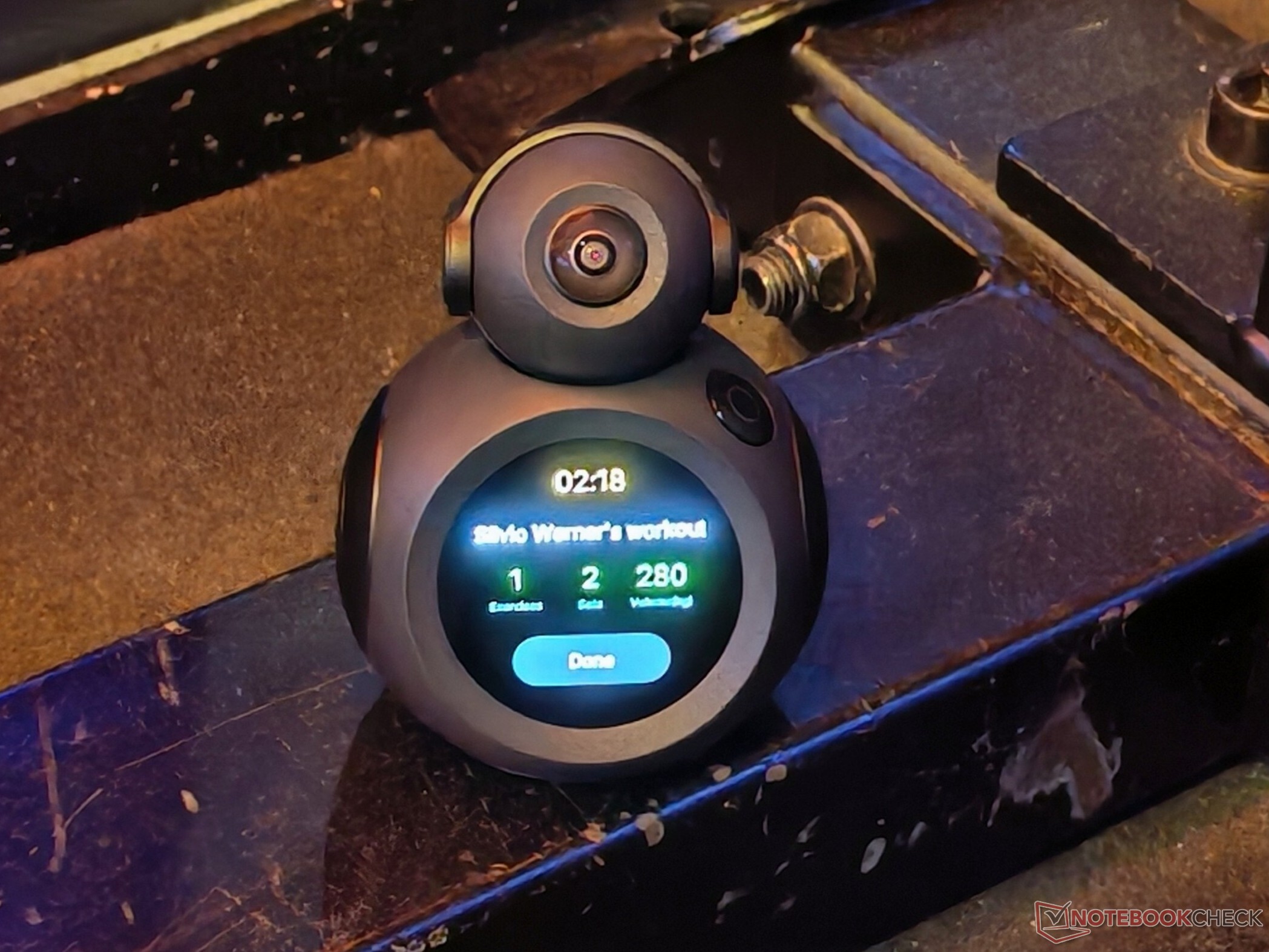
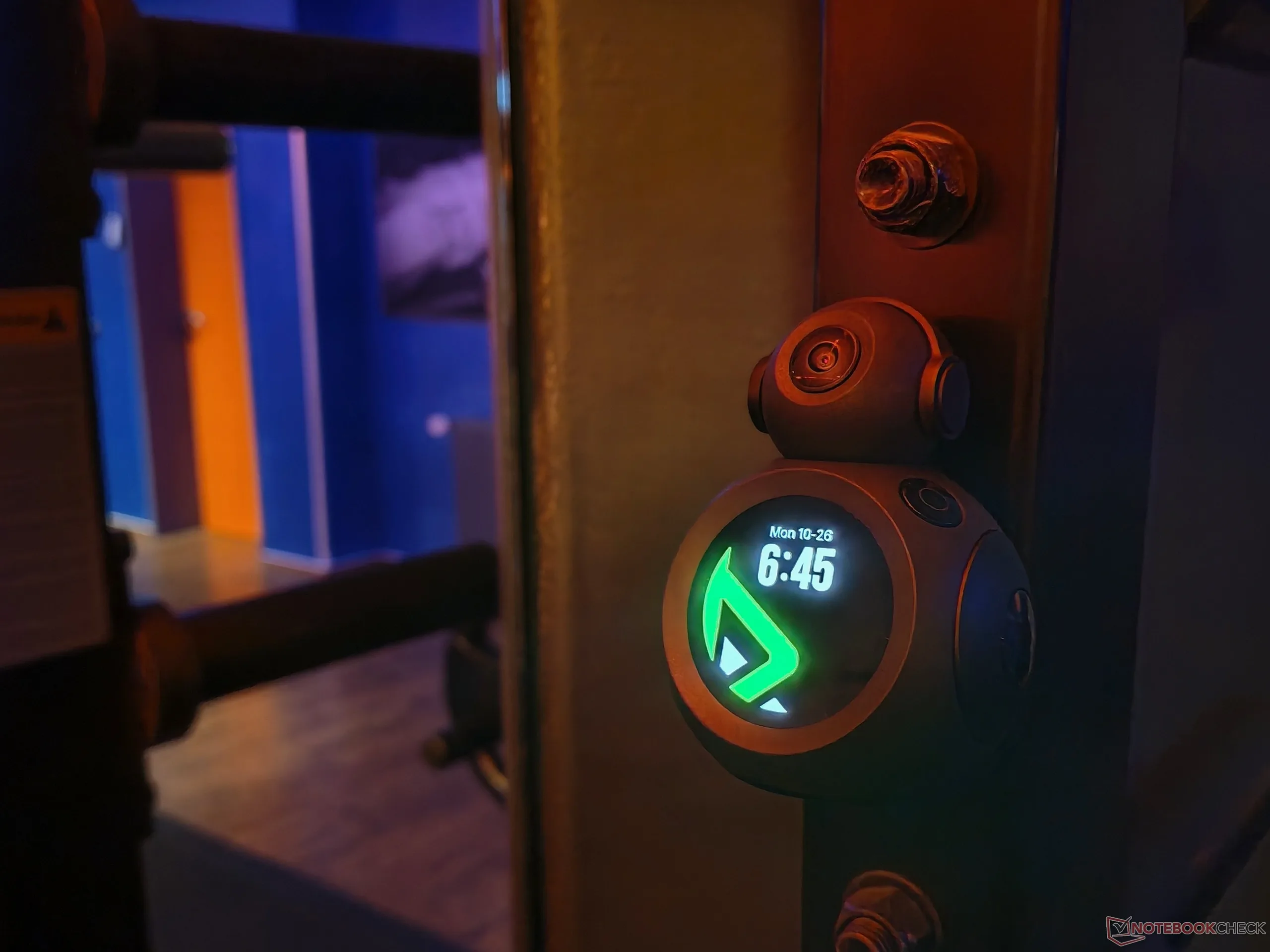
You will usually start by selecting a workout or an individual exercise, which is straightforward to do on a smartphone. The BodyPark Atom’s display shows your form as you exercise. You do not actually need to hold your phone during a set, though it can be useful for beginners, as it allows you to watch a proper-form demonstration alongside your live video feed with motion-path overlays. However, the BodyPark Atom cannot send spoken feedback directly to a Bluetooth headset; the audio must be routed through the paired phone.
Positioning the device is straightforward in practice. About 1 meter (3.3 feet) of distance works well, and tilting the camera by hand is usually all the adjustment required. The area should be well lit, though ordinary indoor lighting is sufficient. You will not need to bring a charging cable to the gym: the manufacturer rates battery life at seven hours of active use and 72 hours on standby, and testing yielded around three hours of active use. Finally, there is the elephant in the room: while the BodyPark Atom includes a physical privacy shutter, reactions at the gym may vary. Much depends on the gym’s culture and how accustomed members are to seeing tripods used to check lifting form.
Transparency
The selection of devices to be reviewed is made by our editorial team. The test sample was given to the author by the manufacturer free of charge for the purposes of review. There was no third-party influence on this review, nor did the manufacturer receive a copy of this review before publication. There was no obligation to publish this review. As an independent media company, Notebookcheck is not subjected to the authority of manufacturers, retailers or publishers.
 Add as a preferred source on Google


