




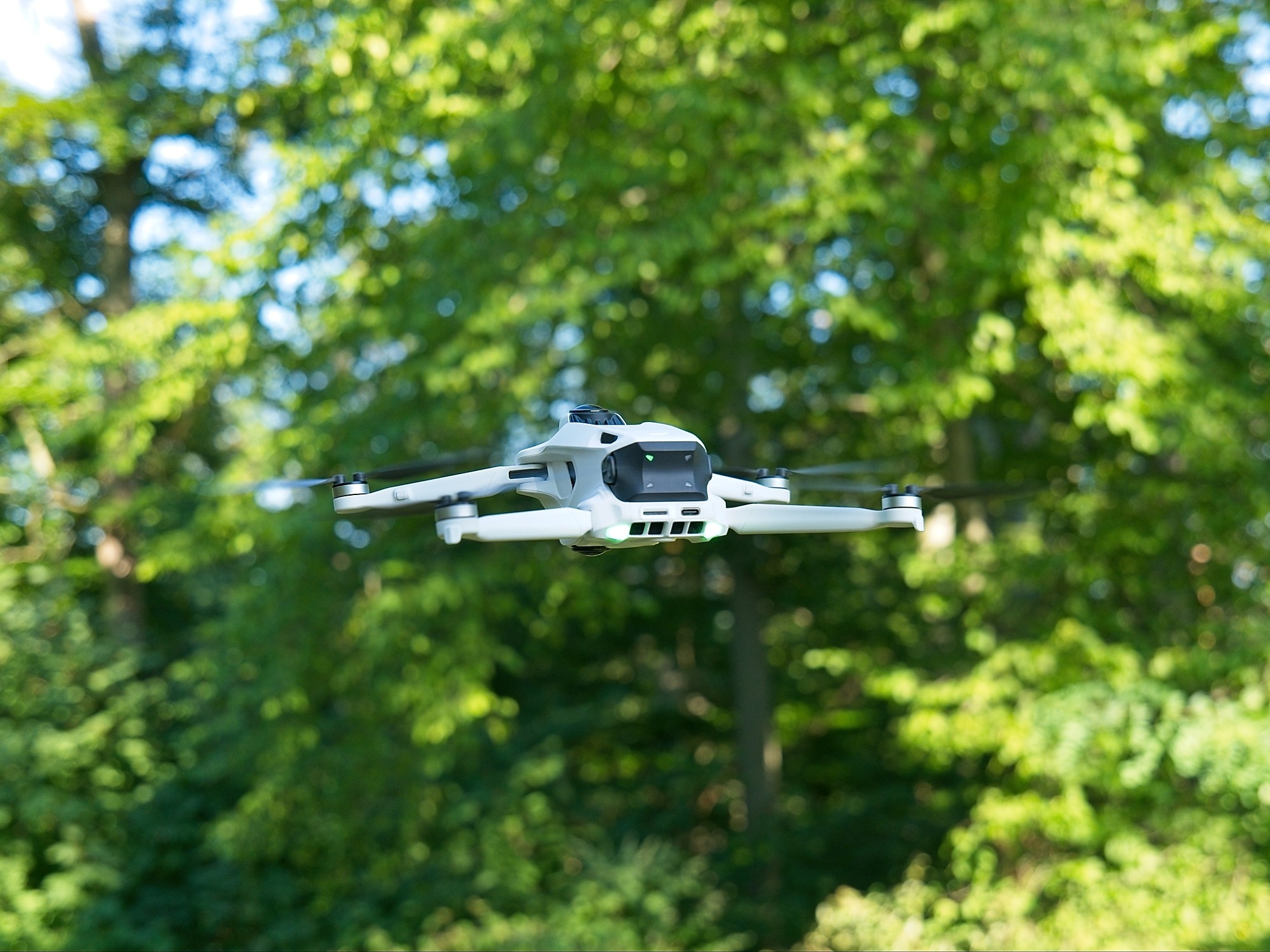
Antigravity A1 review: Immersive 360° flying made easy
Freedom & Format.
In testing, the Antigravity A1 impresses as an immersive, beginner-friendly 360° drone with intuitive motion controls, good image quality, and robust obstacle detection. However, its high starting price of 1,599 dollars, the requirement for a spotter, and the lack of a traditional controller limit its everyday usability.Silvio Werner (translated by Silvio Werner) Published 🇩🇪 🇪🇸 ...
Immersive and beginner-friendly
One thing actually surprised us a bit during our test of the Antigravity A1: how beginner-friendly it is. The combination of the headset, the highly intuitive controller, and 360° recording allows even absolute beginners to capture very usable footage after no more than two simulator flights—footage that can even be automatically edited on a smartphone. Compared to the DJI Avata 360—which, mind you, is significantly cheaper—the Antigravity A1 stays below the 250-gram limit, which makes it much easier for beginners to use without dealing with red tape.
On the other hand, the design is quite rigid: a second person is required as a spotter for legal operation. The lack of an option for a traditional controller is frustrating; it feels like an unnecessary limitation and, depending on the situation, reduces the device’s practical value. There’s little to complain about when it comes to image quality, however—aside from the design-related stitching and the well-known zoom limitations of 360° drones. As much as the Antigravity A1 is, in principle, suitable for beginners, its price—at least 1,399 euros—isn’t necessarily affordable for every newcomer.
Pros
Cons
Price and Availability
The Antigravity A1 is available in the standard bundle for 1,599 dollars and also through Amazon, among other places. The Explorer bundle, priced at 1,898 dollars, includes three rechargeable batteries, among other items.

Table of Contents
- Immersive and beginner-friendly
- Specifications – Manufacturer Information
- Package Contents and Hardware
- Simple controls and an immersive experience
- Advanced obstacle detection, external display, and head tracking
- On the Mandatory Use of Headsets and the Spotter Requirement
- Simple shots; some thought required
- No record-breaking battery life, easy-to-use software
The Antigravity A1 is a drone that weighs less than 250 grams in its standard configuration, which means it falls into the C0 class and can therefore be flown without a pilot’s license. The model is operated using VR/AR goggles and a motion-controlled controller.
Specifications – Manufacturer Information
| Flight weight | 249 grams (with standard battery) |
| Maximum speeds (horizontal, vertical, in S-mode) | 8 m/s (17,9 mph), 16 m/s (35,8 mph) |
| Wind resistance | 10.7 m/s (24 mph), Level 5 |
| Maximum flight time | 24 minutes (with standard battery) |
| Image sensor | 1/1.28 inch |
| Video resolution | 7,680 x 3,840 @ 30 FPS, 5.2K @ 50 FPS, 4K @ 100 FPS |
| Maximum video bitrate | 170 Mbps |
| Photo resolution | 55, 14 MP |
| Live video quality | 2K@30 FPS |
| Maximum transmission distance | 6 km (CE), 10 km (FCC) |
| Obstacle detection | Omnidirectional, optical, infrared sensors on the ground |
Package Contents and Hardware
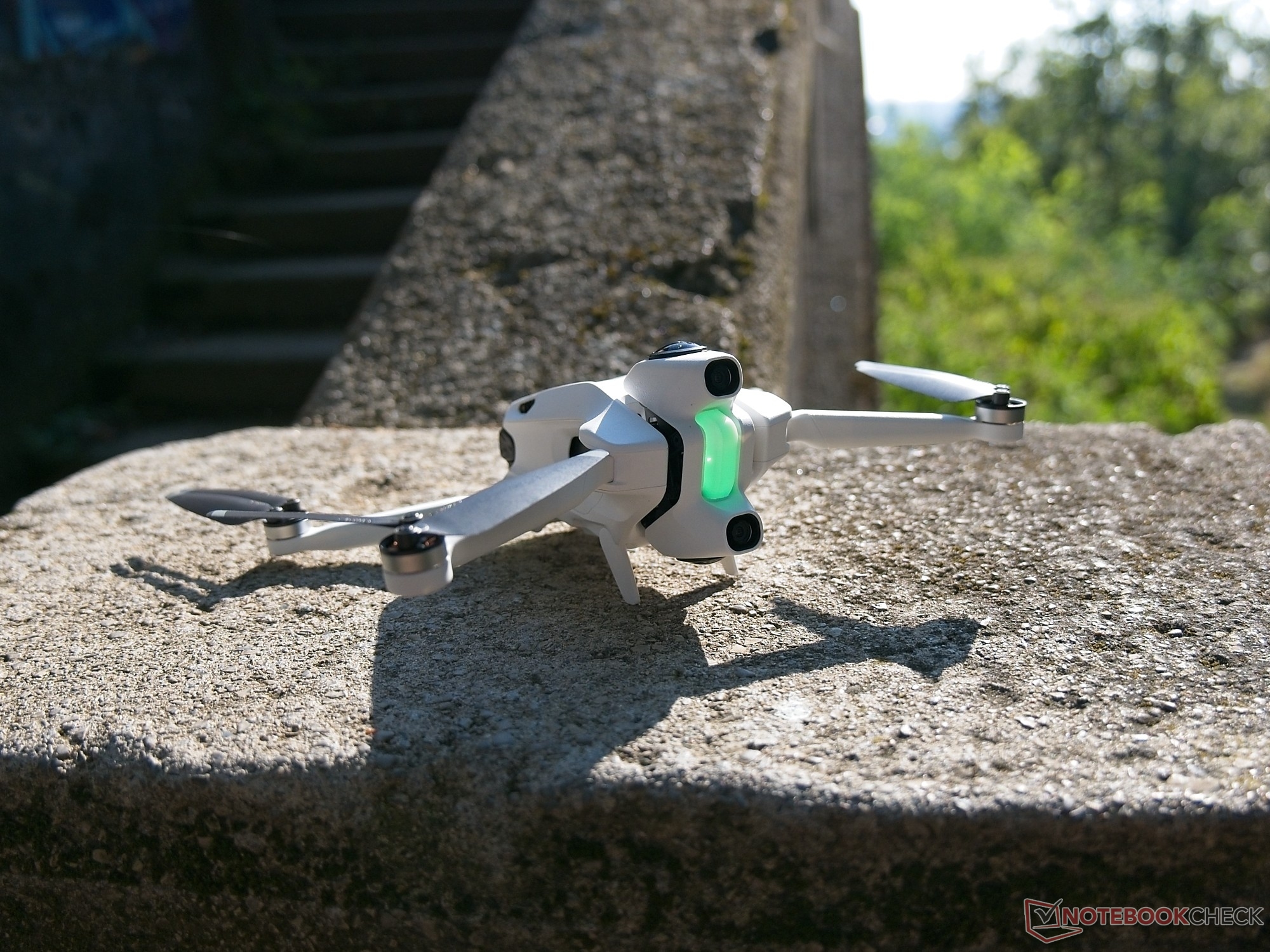
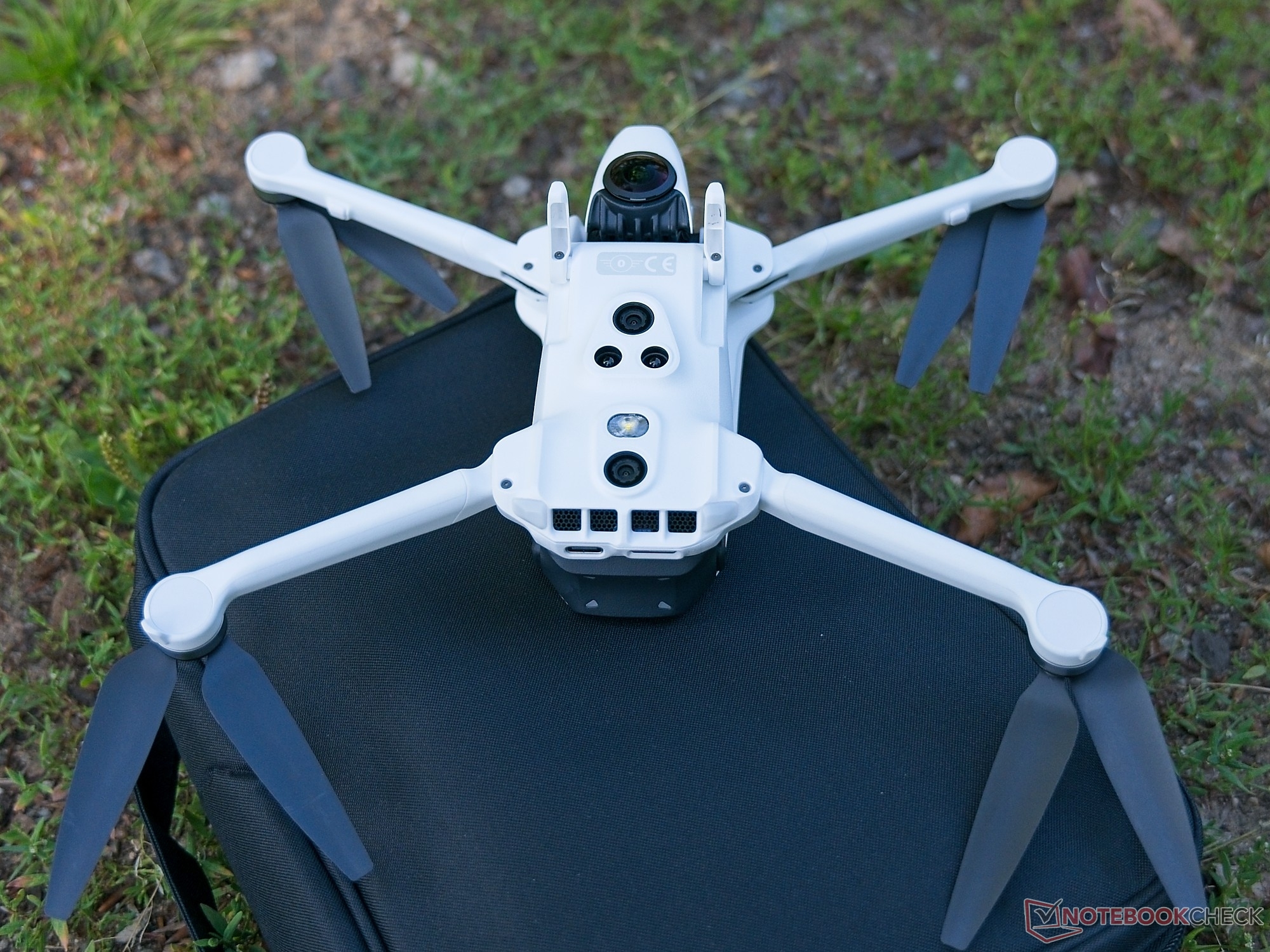
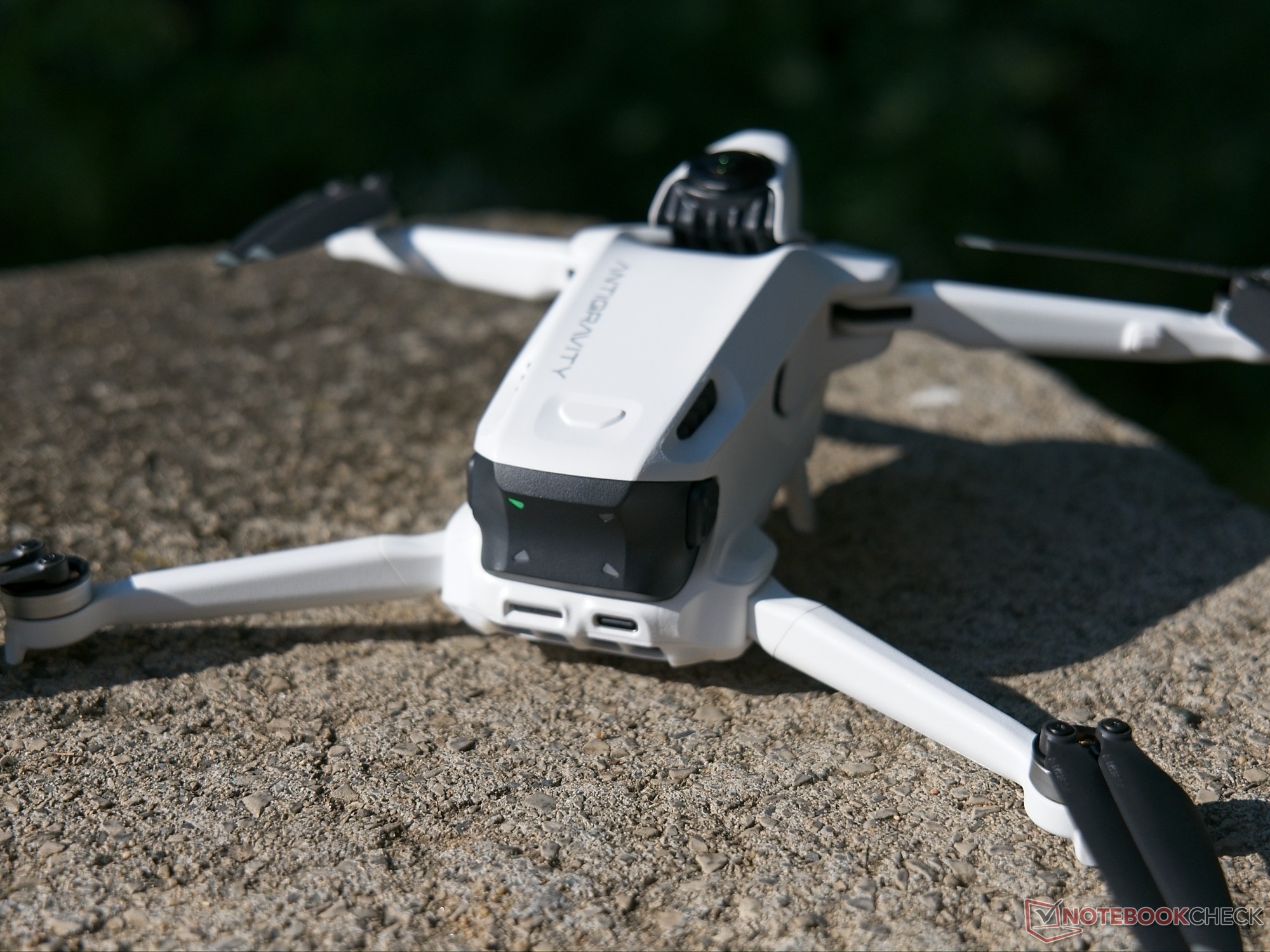
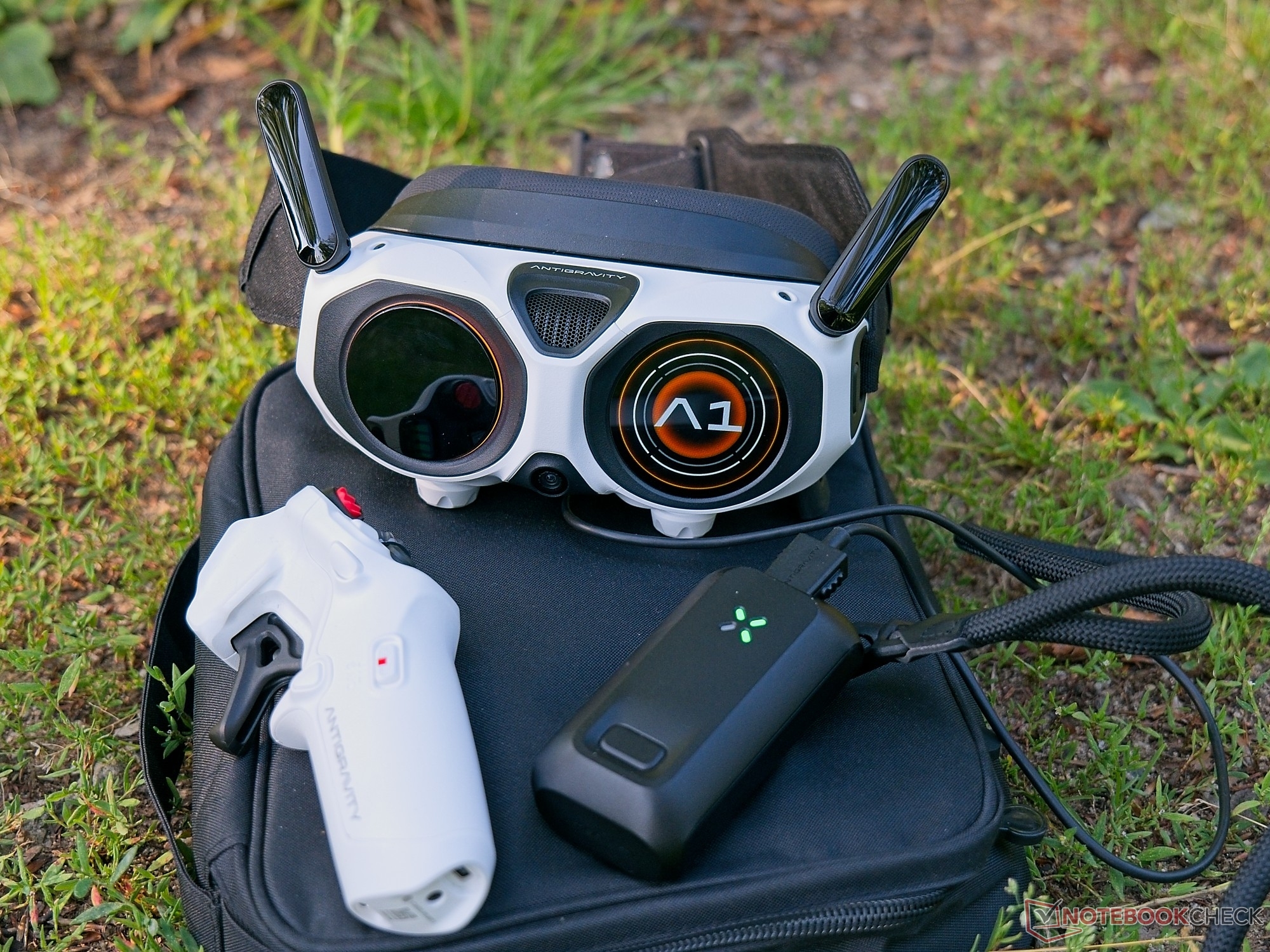
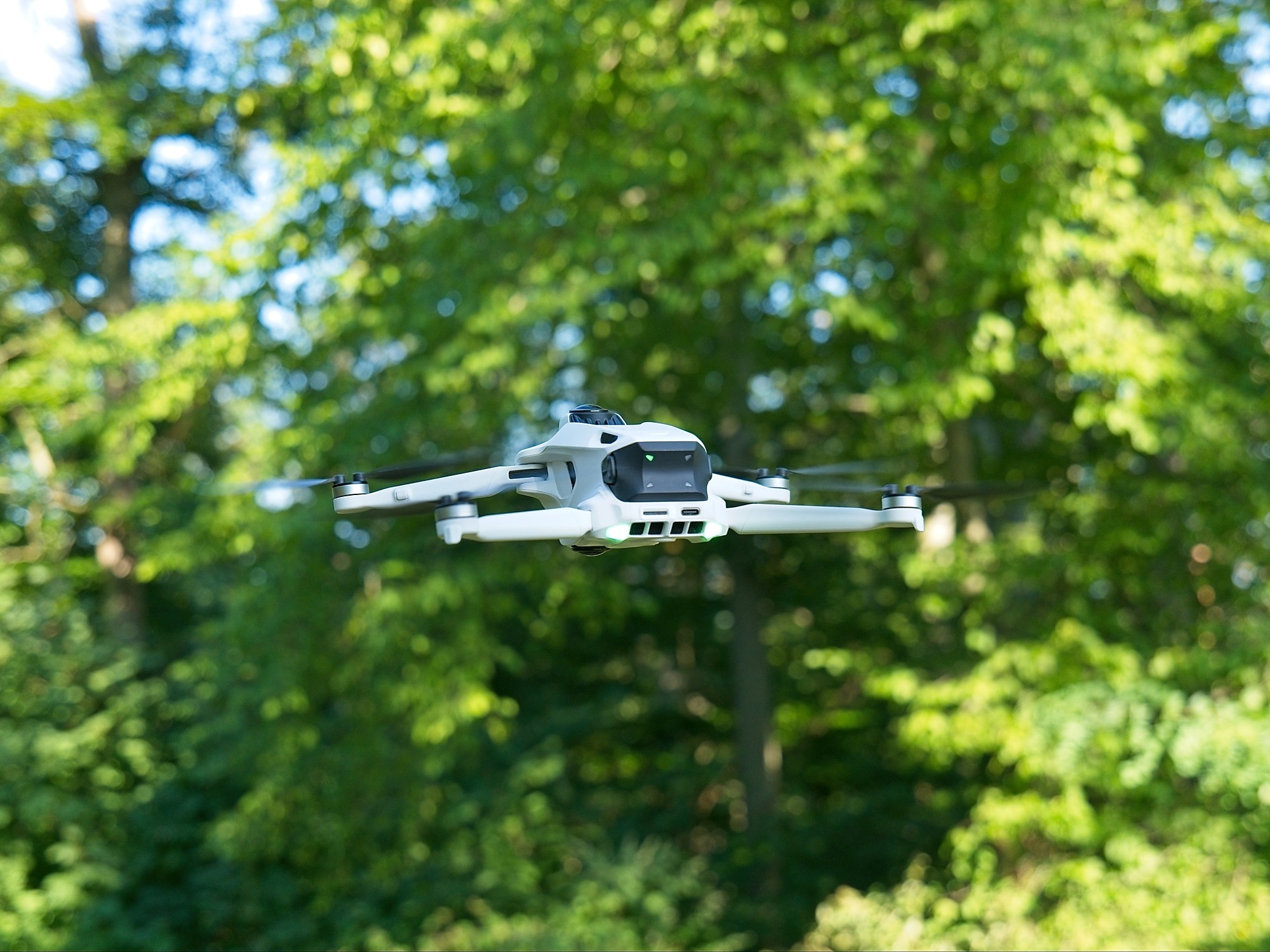
The drone itself comes standard with four unprotected rotors, several image sensors on the front, top, and bottom, and two landing legs that fold out together. The plastic on the top surface of the Antigravity A1, for example, appears relatively delicate, but the essential components give a robust impression. The integrated lighting can be useful for flights at dusk and also uses colored signals to convey system and error messages.
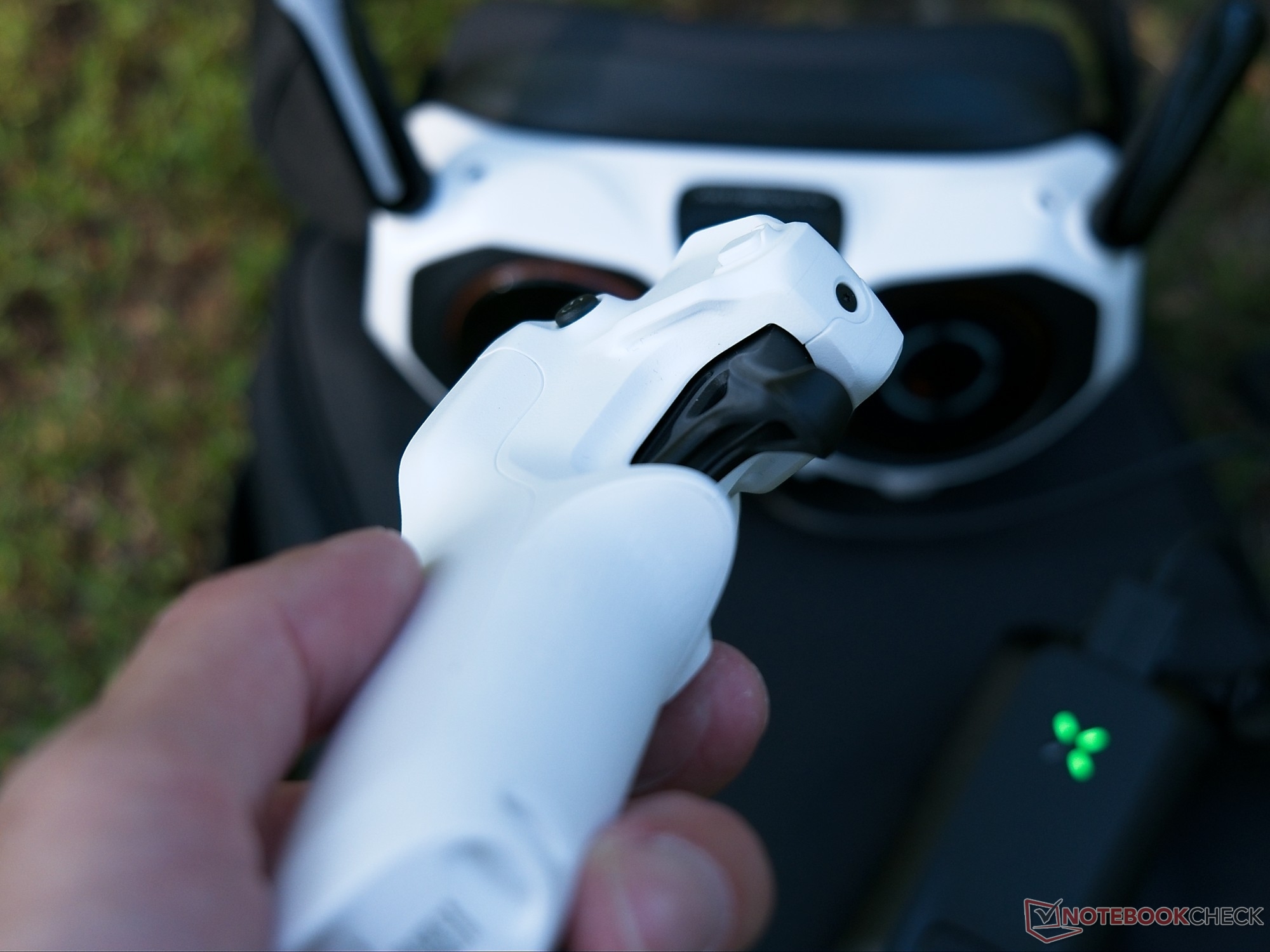
As is to be expected given its design, the Antigravity A1 does not include a mechanical gimbal; however, the camera sensors are mounted on a shock absorber to isolate them from vibrations. The Vision Goggles serve as the display unit. They not only show the pilot the flight view but are also equipped with antennas. The goggles are powered by a power bank that must be worn around the neck—the included cable is simply too short to carry the power bank in a pants pocket. The controller is equipped with a throttle, a rotary control, and several buttons and fits comfortably in the hand.
Simple controls and an immersive experience
After a firmware update, all you need to do is turn on the paired goggles, the controller, and the drone. There is a tutorial that you should definitely follow carefully. There is also a flight simulator—I would strongly recommend it to anyone who has no experience with VR drones.
The controls differ fundamentally from those of typical drones: Instead of using two joysticks, you use the motion controller to point where you want to fly, and the throttle then determines the speed based on the current mode. In our video, you can get a feel for the overall controls and the VR experience. For this test, I had two people with absolutely no drone experience try out the controls in Freemotion mode—the controls are intuitive from the outset. It helps immensely that the drone’s video feed is displayed in real time. The controller has quite a few buttons, some of which can be custom-mapped. Operating all the buttons is noticeably easier with larger hands or, at the very least, longer fingers. Control is also possible in FPV mode; this mode is significantly more direct and agile and requires only a twist of the wrist instead of an outstretched arm.
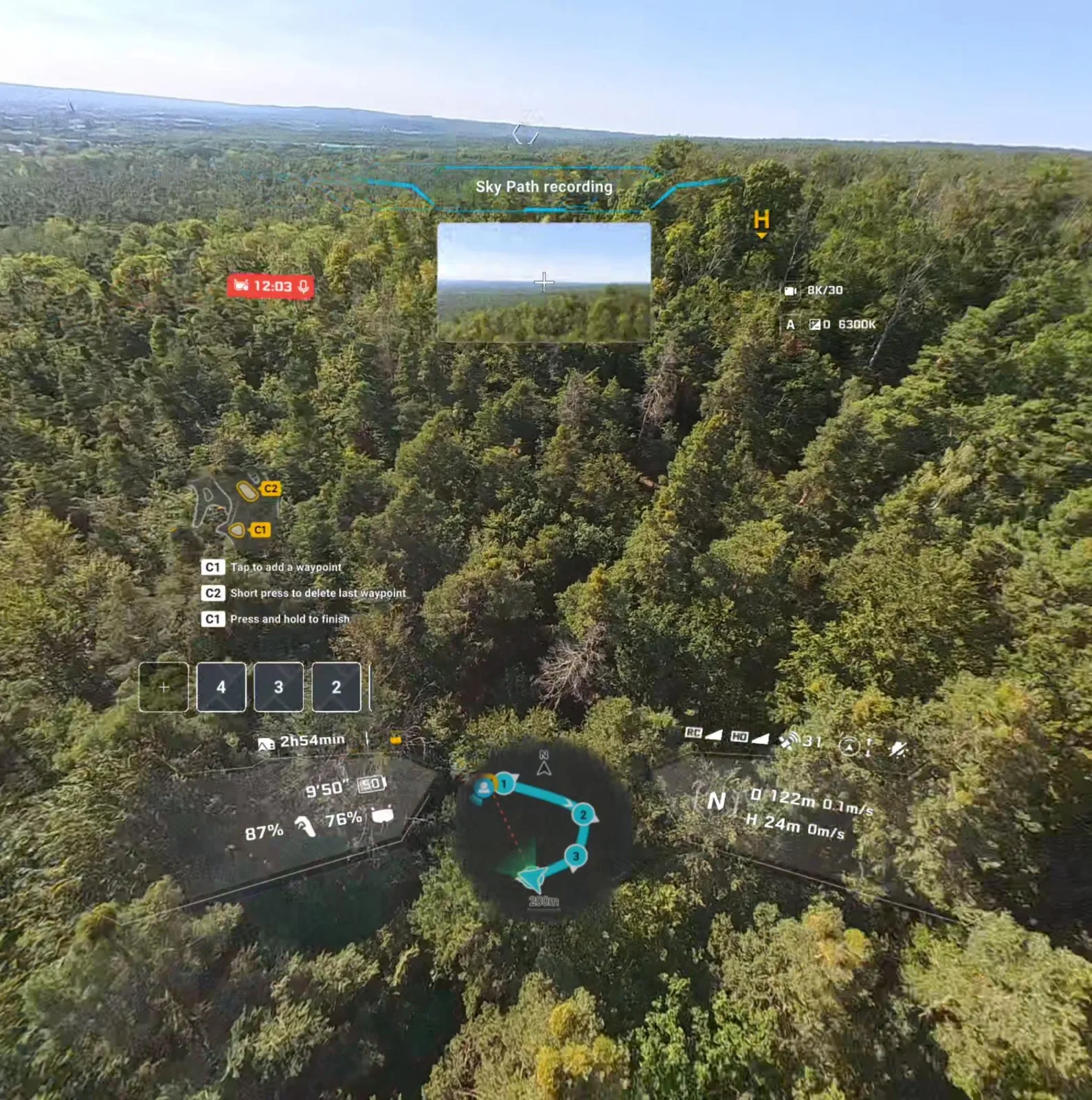
The Antigravity A1 is heavily geared toward direct control. Flight routes can be created, configured within certain limits, and then flown—though these routes must first be flown manually as a test run. Autonomous flight along preconfigured GPS routes is not supported. Objects or larger structures, such as a tree, can be tracked—also in AR view—and the drone can then fly around them or away from them. This works well in practice.
Advanced obstacle detection, external display, and head tracking
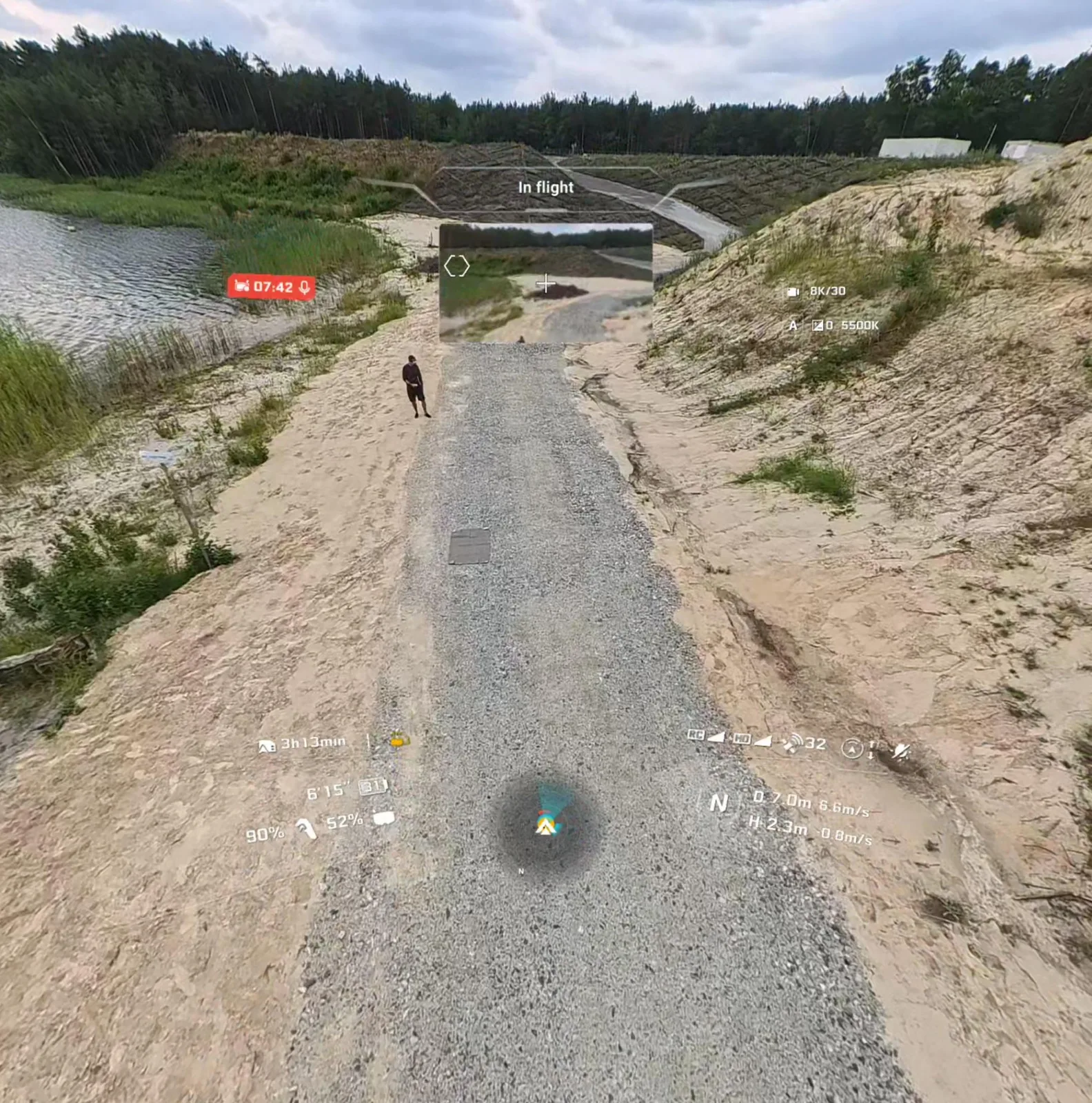
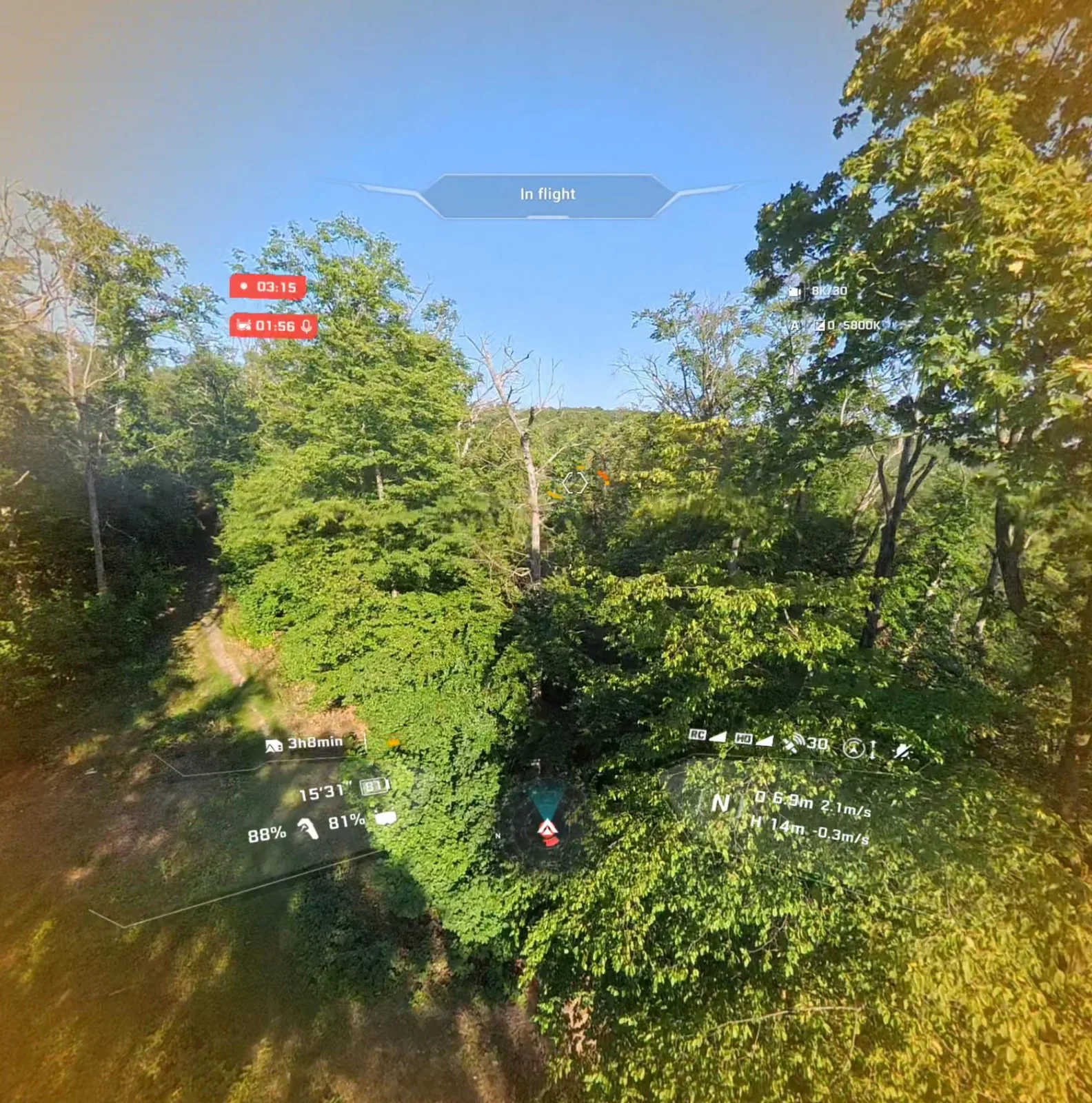
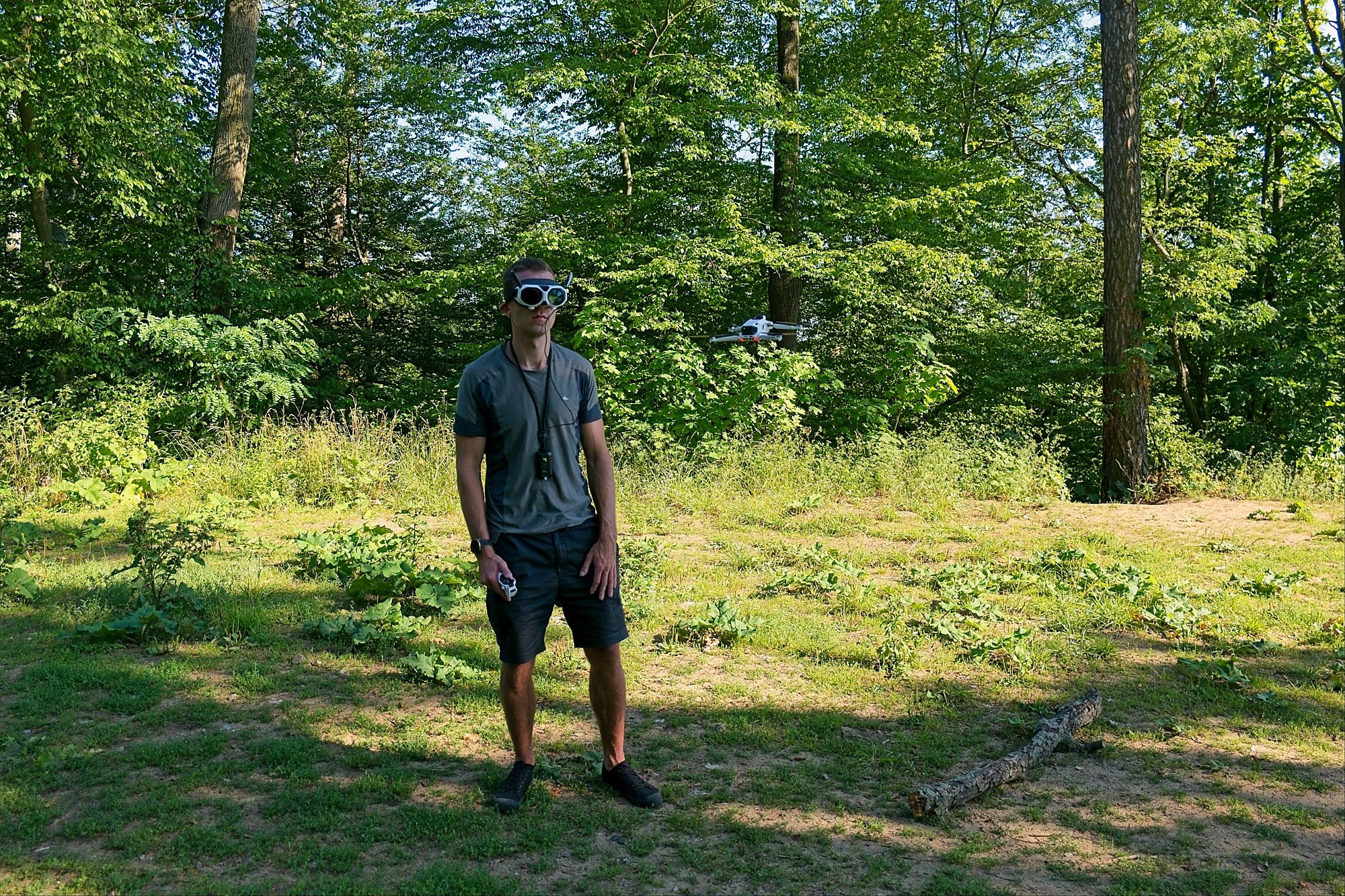
The drone was tested not only in open fields and obstacle-free terrain but also in the woods. The good news: The Antigravity A1 detects obstacles well and persistently avoids colliding with them, though it can still navigate through an archway, for example. The collision detection system makes itself very clear—not only with red indicators but also with audible alerts. The display in the VR headset was sharp, at least for me when I was not wearing glasses and after I had adjusted the interpupillary distance. The screen can also be “widened,” so to speak, for an even more immersive experience. At the very edges of the field of view, there is a perceptible drop in sharpness.
The ability to look around at any time creates an extremely good sense of spatial awareness. A clever solution: There’s a rotary control on the controller that lets you rotate the drone and the center of the display without having to turn your entire body. The Vision Goggles also come with a very capable external display that mirrors the current image on the internal display. At this point, however, it should be noted that for legal operation of the Antigravity A1, a second person must actively monitor (spot) the drone—and that person should generally avoid looking at the screen.
On the Mandatory Use of Headsets and the Spotter Requirement
Conceptually, the system also has its limitations: While the passthrough function is useful for quick orientation, it is not suitable for actual operation. Anyone hoping to record themselves while exercising alone will be disappointed—to do so legally, you essentially need a small film crew consisting of a pilot, a spotter, and the athlete, who can’t be the pilot and, strictly speaking, can’t be the spotter either if they don’t want to monitor the surroundings the entire time. Tracking other people generally works without any problems. Not always, but certainly sometimes, I would have liked the option to control the device without the AR glasses. Unfortunately, there’s no traditional controller or display unit with an integrated transmitter.
That’s a shame, because thanks to its powerful obstacle detection, the Antigravity A1 would likely be a lot of fun even during very agile flights—with or without AR glasses, but with a dual-joystick controller. The 360° field of view would reduce the need for very precise drone alignment in such situations. I would have liked this feature during landing as well, but only in very specific situations. Automatic landing with the retractable landing gear works flawlessly. However, I did perform some landings on very small landing surfaces—specifically, a 30 × 20-centimeter bag. With a traditional controller, that would be a bit easier.
Simple shots; some thought required
The Antigravity A1 is marketed using the “Fly First, Frame Later” principle—which is technically accurate but can also quickly lead to certain misconceptions. As a general rule: Yes, thanks to the continuous 360° recording, an athlete or an object, for example, can hardly fall out of the frame. For shots where you only get one chance, this is an invaluable safety net. Nevertheless, the resolution of the selected frame is limited, so you should maintain an appropriate distance from the subject to minimize the need to zoom in later. Drones with a single image sensor generally achieve noticeably better detail and image sharpness—but the aerial shot must then be perfect on the first try.

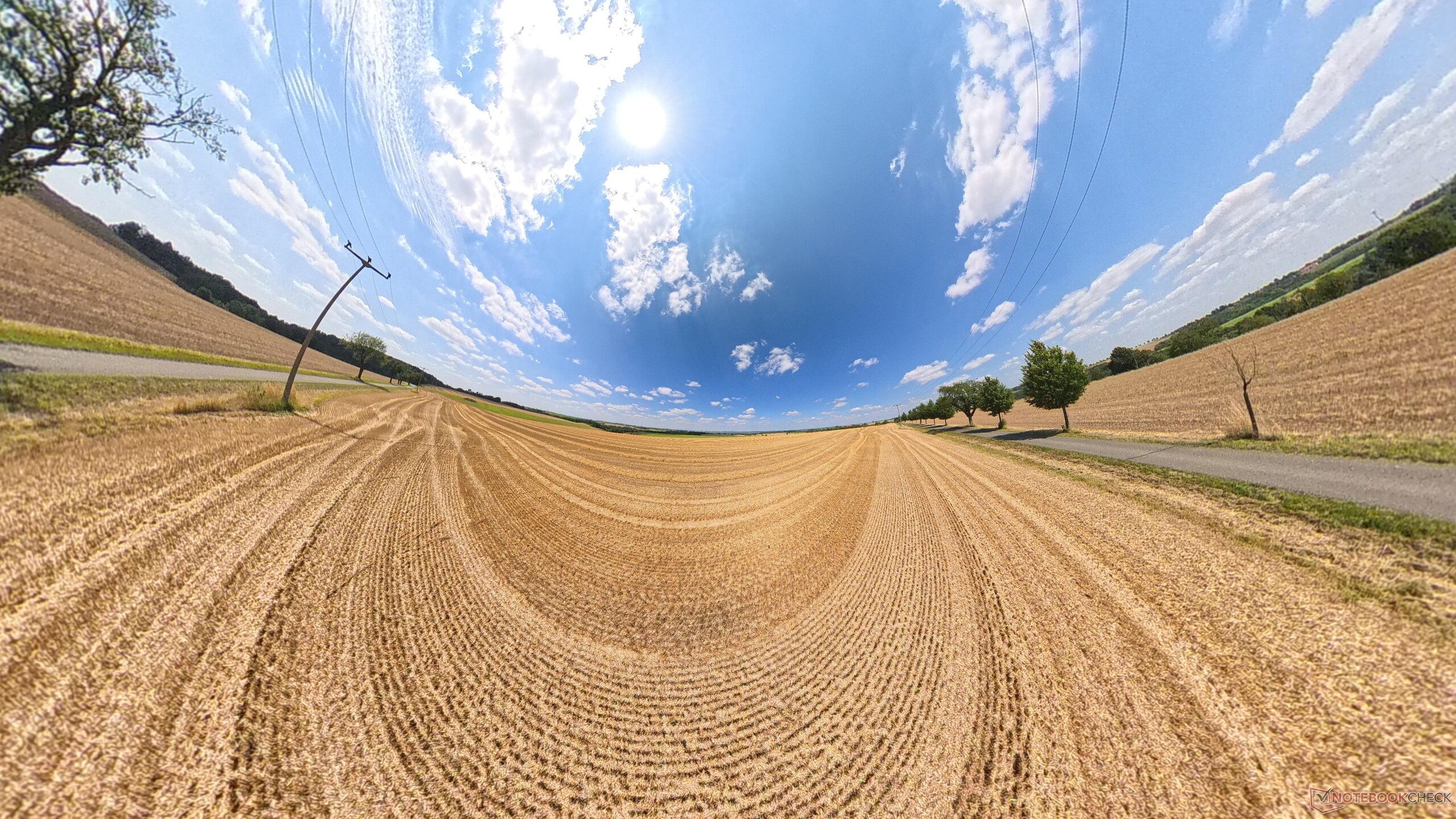
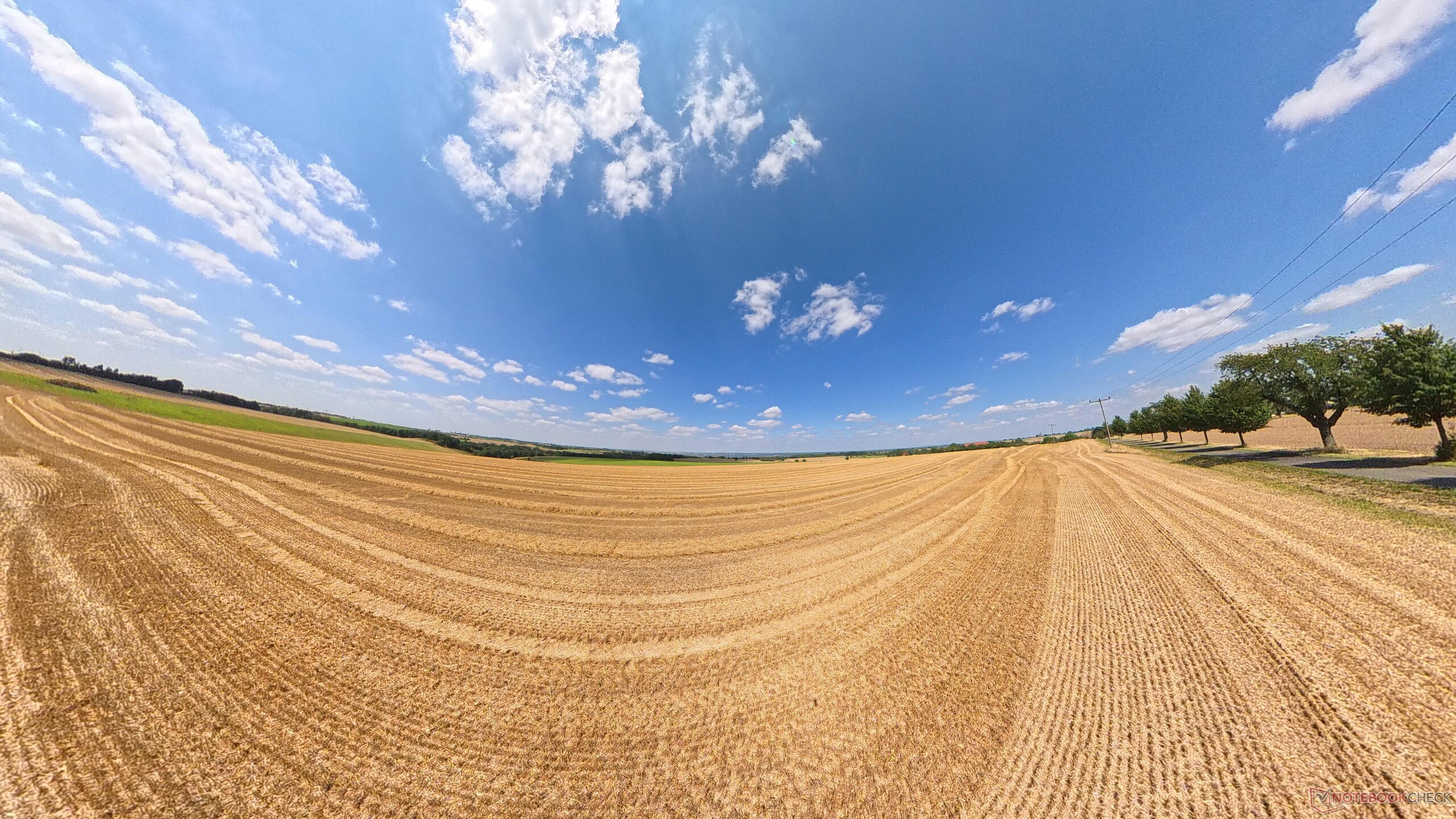




On the other hand, the 360° concept enables effects that are extremely challenging—or even impossible—to achieve with conventional drones in terms of flight maneuvering; the Tiny Planet effect is a prime example of this. However, the time required for post-production should not be underestimated. You can get a good idea of the image quality from our test video. We highly recommend checking out the DJI Avata 360 review and the video.
Generally, the videos feature excellent stabilization and a balanced contrast ratio—even in challenging lighting conditions, such as in the woods, details in the shadows do not completely disappear. However, if the sun shines directly into the exposed lenses, pronounced lens flares can sometimes occur, which should be taken into account when planning flights. A second important issue is stitching: The Antigravity A1 must seamlessly fuse the 360° image from the sensors and remove its own housing from the image. In the hands-on video, this seam is usually only visible if you specifically look for it—as we did in our test. The stitching can become particularly noticeable when objects or people are filmed from a very close distance.
No record-breaking battery life, easy-to-use software
Antigravity specifies a battery life of 22 to 24 minutes for the A1 with the standard battery. In practice, I was able to achieve about 15 minutes of continuous recording while primarily using the normal speed mode—with a safety reserve of at least 15 percent battery charge. Charging the battery inside the drone takes about an hour. The charge level can also be roughly indicated in four stages outside the drone by simply tapping the battery briefly.
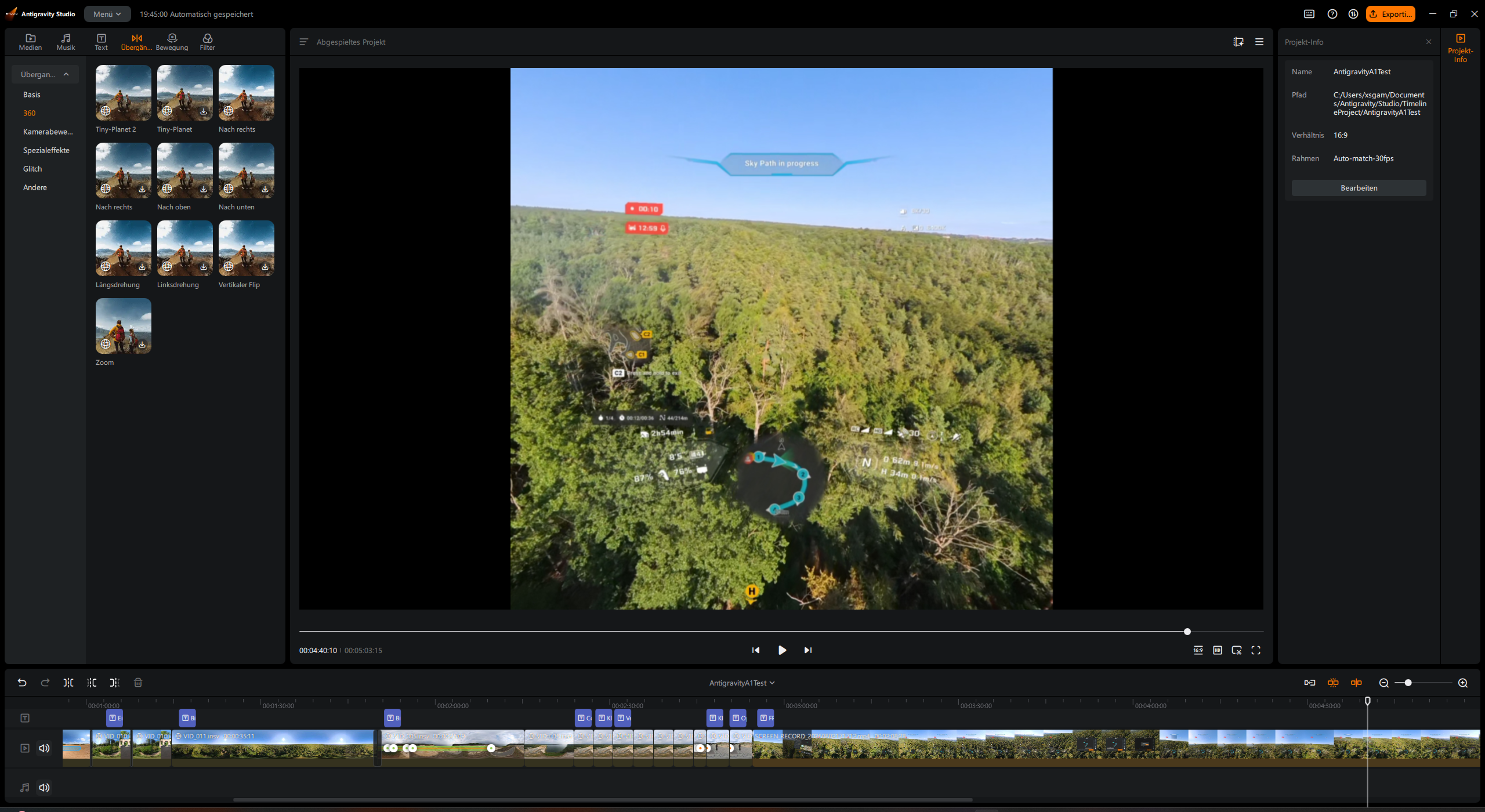
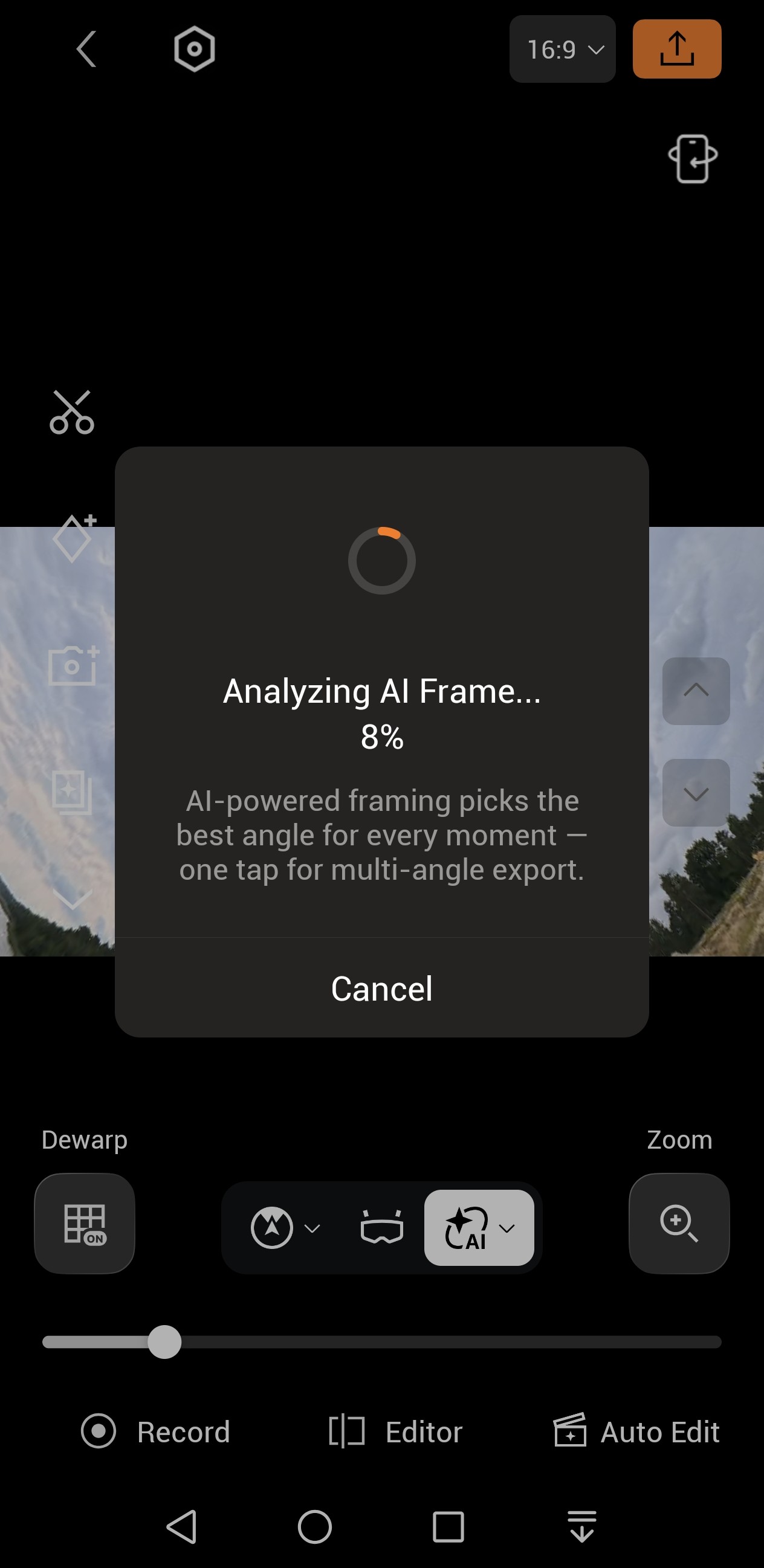
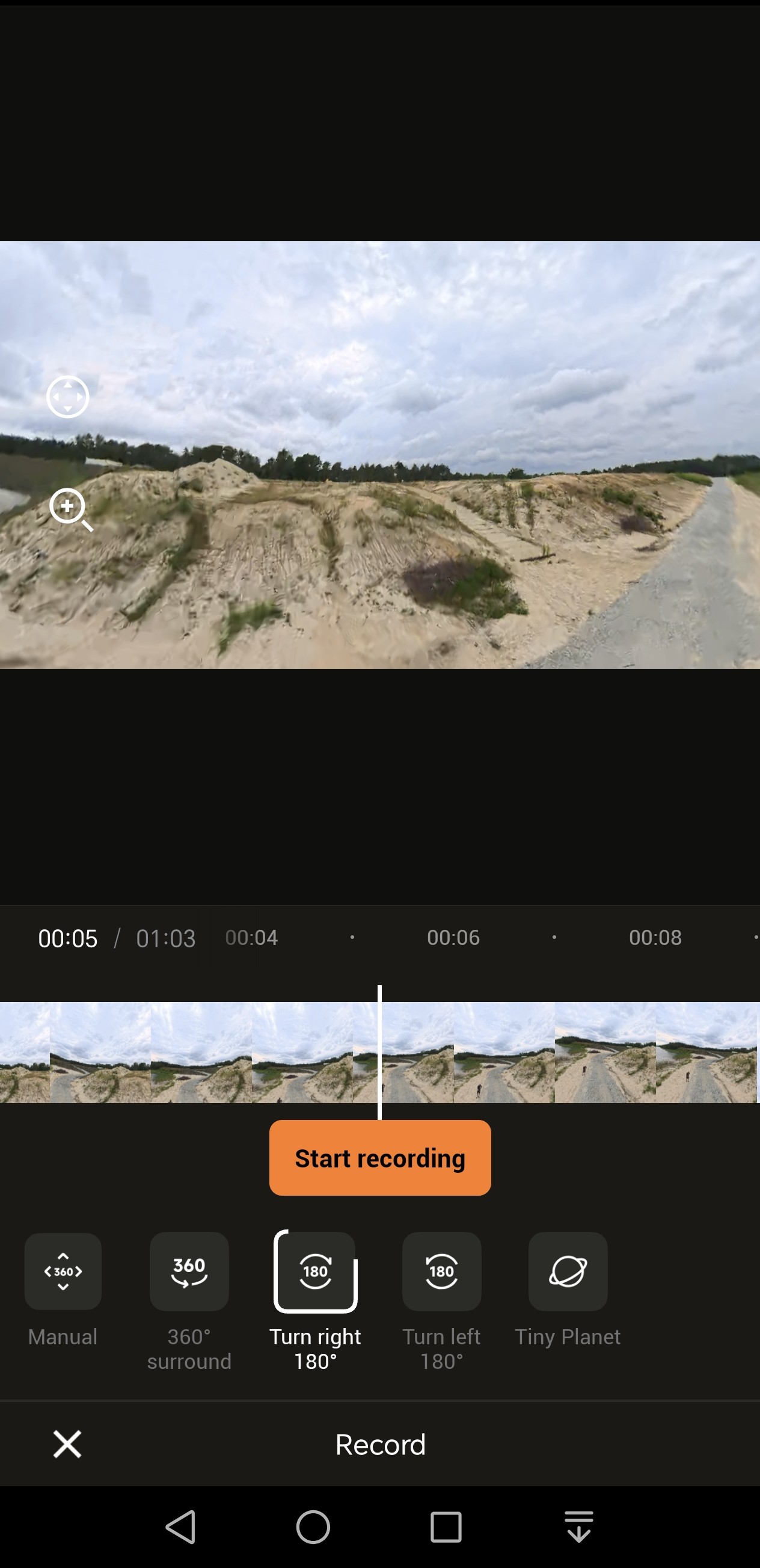
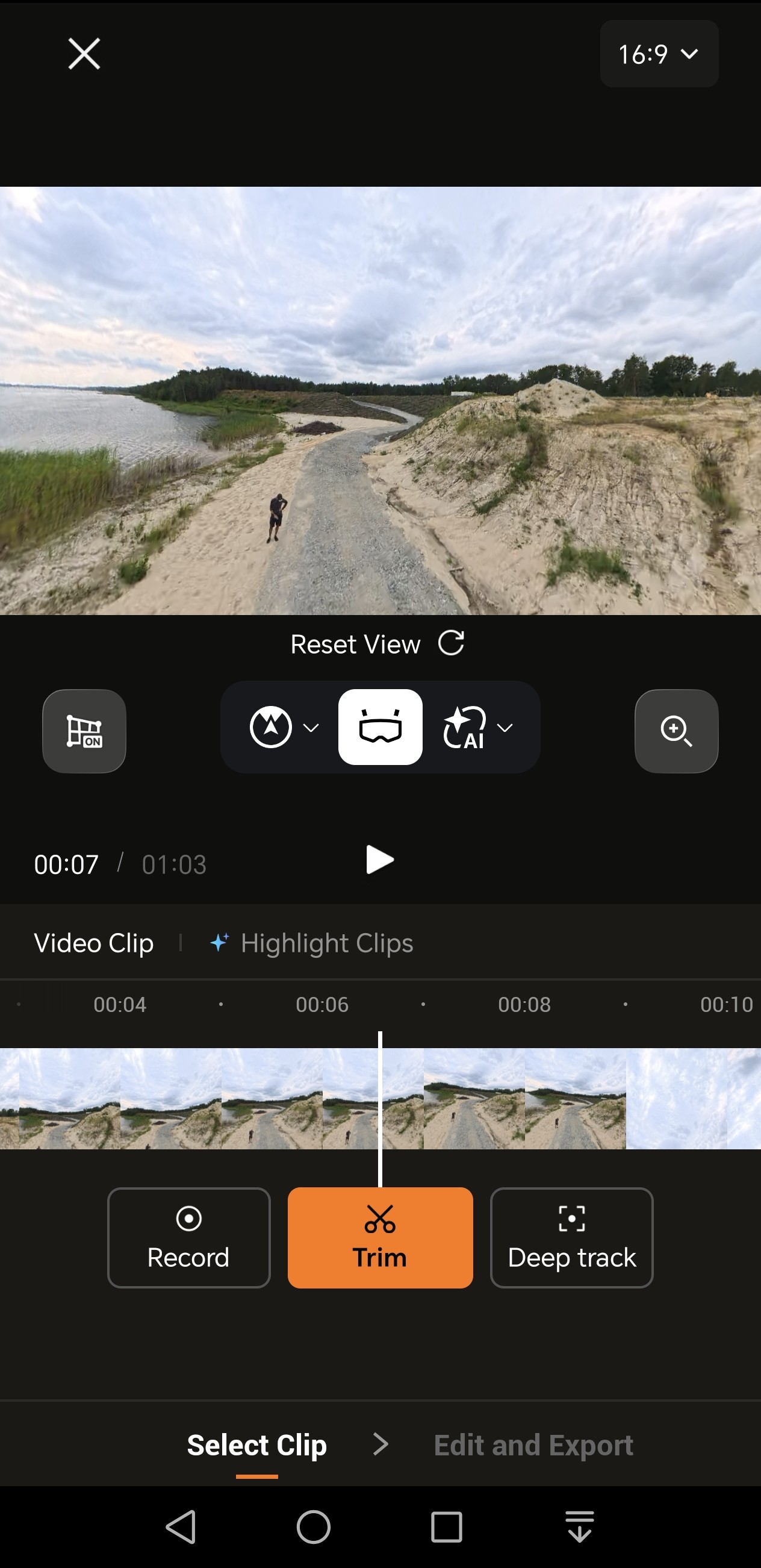
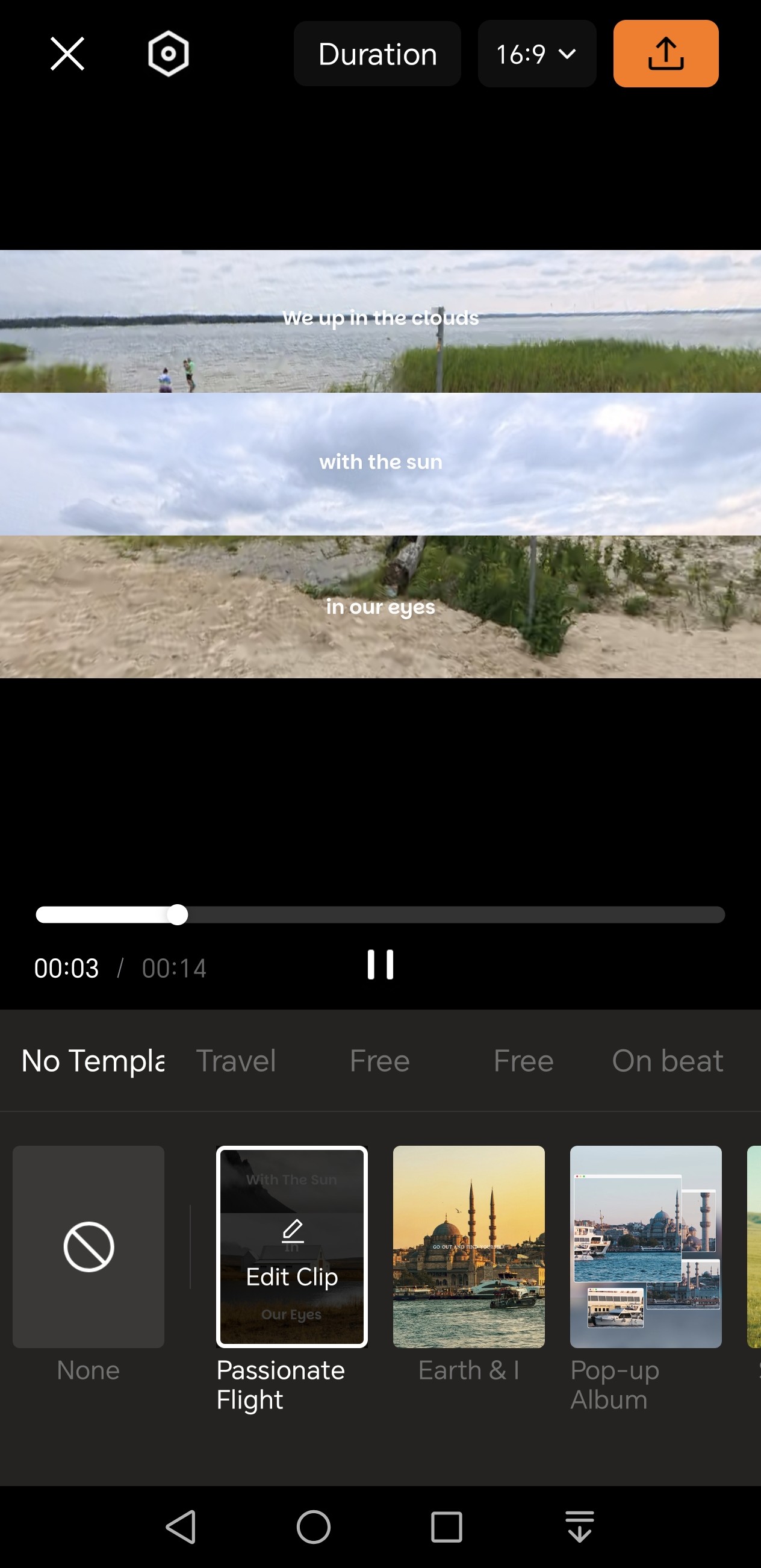
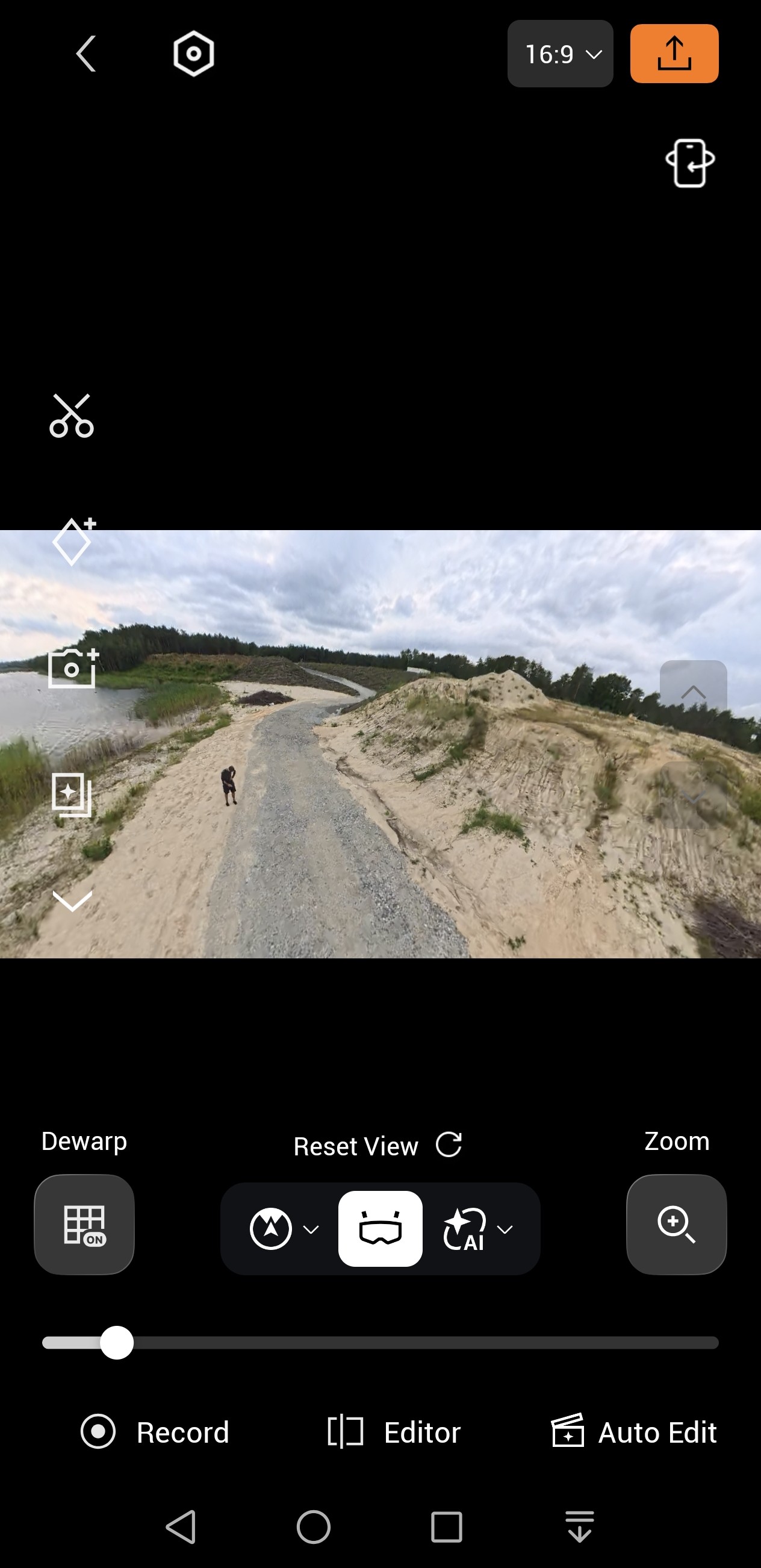
Both intended editing methods worked without any major issues during testing. The smartphone app also offers editing suggestions upon request, but this requires either a very powerful smartphone, a lot of time, or fairly short clips. The desktop application Antigravity Studio includes all the necessary features. Anyone who has ever worked with timelines will quickly find their way around. The viewing angles—and changes to them—can be adjusted for the entire clip or for sections defined by keyframes; keyframe transitions make it easy to create smooth changes in perspective. Deep Track, which tracks objects and people, can also be activated in post-production. It’s possible to convert the head-tracking view into adaptive keyframes with a keyframe density configurable at three levels—this significantly smooths out jerky head movements. Antigravity Studio offers numerous transitions, movements, and filters. Animated text and audio can also be created or imported.
Transparency
The selection of devices to be reviewed is made by our editorial team. The test sample was given to the author by the manufacturer free of charge for the purposes of review. There was no third-party influence on this review, nor did the manufacturer receive a copy of this review before publication. There was no obligation to publish this review. As an independent media company, Notebookcheck is not subjected to the authority of manufacturers, retailers or publishers.
 Add as a preferred source on Google


