Review Dell XPS M1210 Notebook
GAMER'S DARLING. Dell XPS is quasi a synonym for high-performance multimedia notebooks. It is very interesting, that there is also a 12 inch notebook available, that is Dell's XPS M1210 with Core 2 Duo CPU and a Geforce 7400 video card, which is suitable for games.
Case
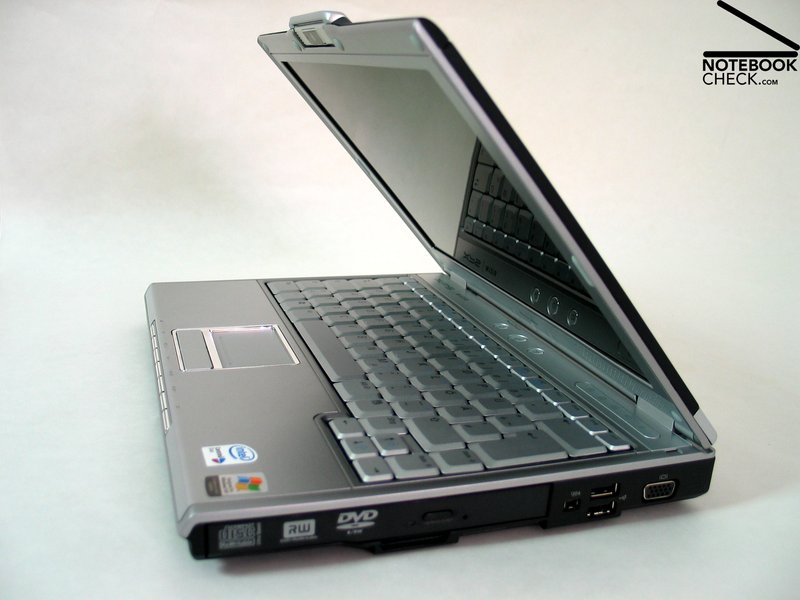
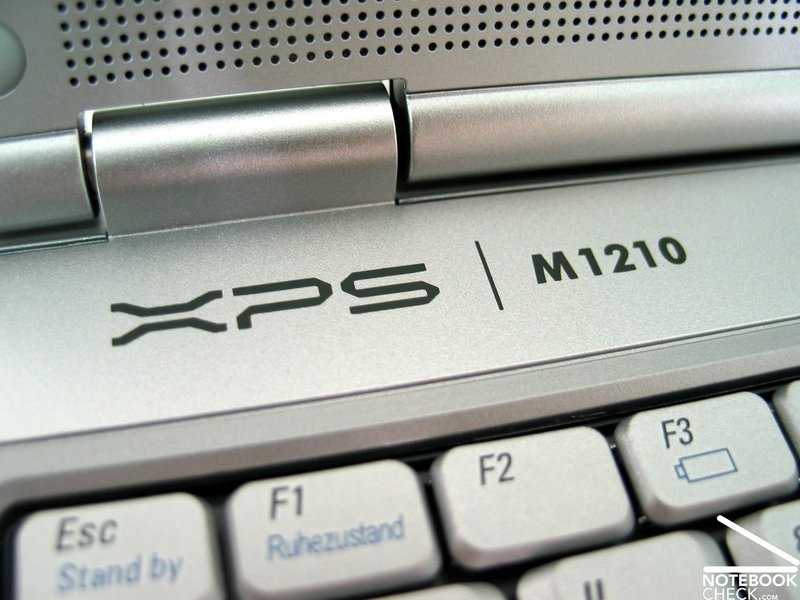
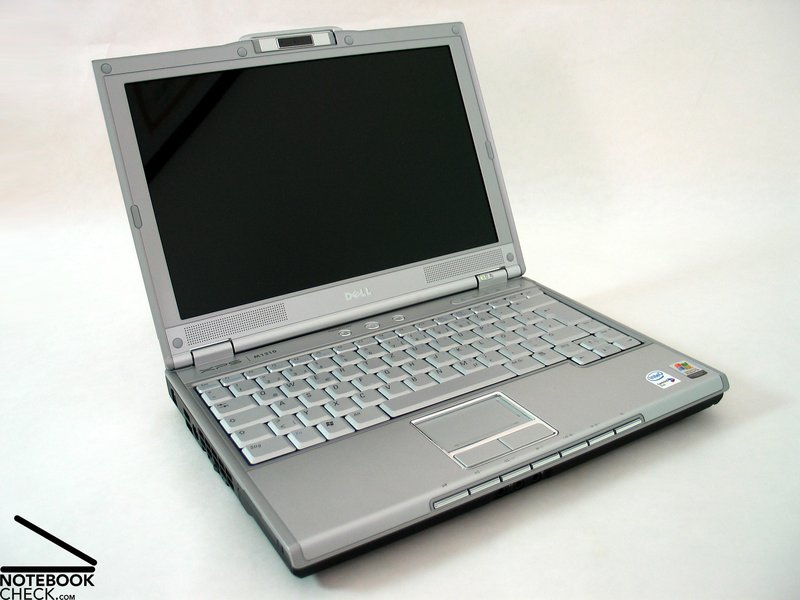
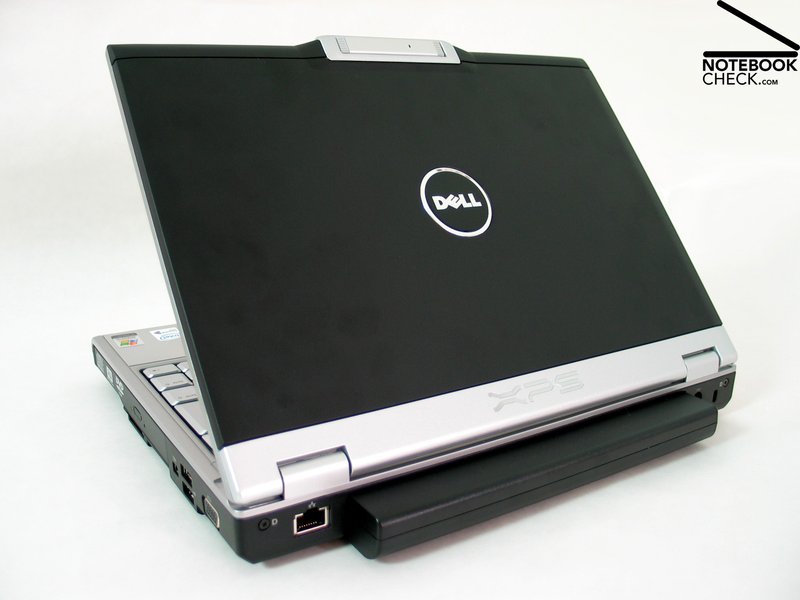
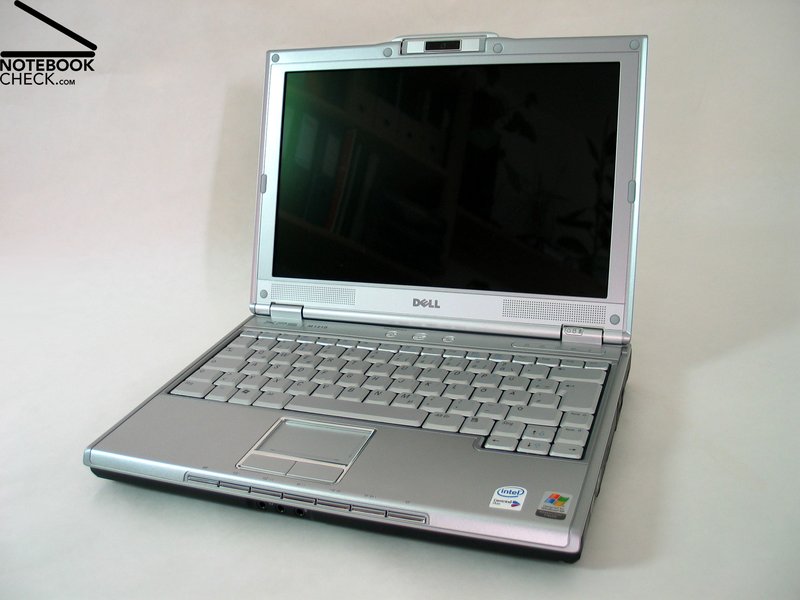
All those you are familiar with Dell's XPS series, will quickly find similarities of this notebook's design to its bigger counterparts. In the contrary to the rather traditional design of the Inspiron series, XPS tries to cause a sensation through its technical looking forms and colors and also through fantastical light games.
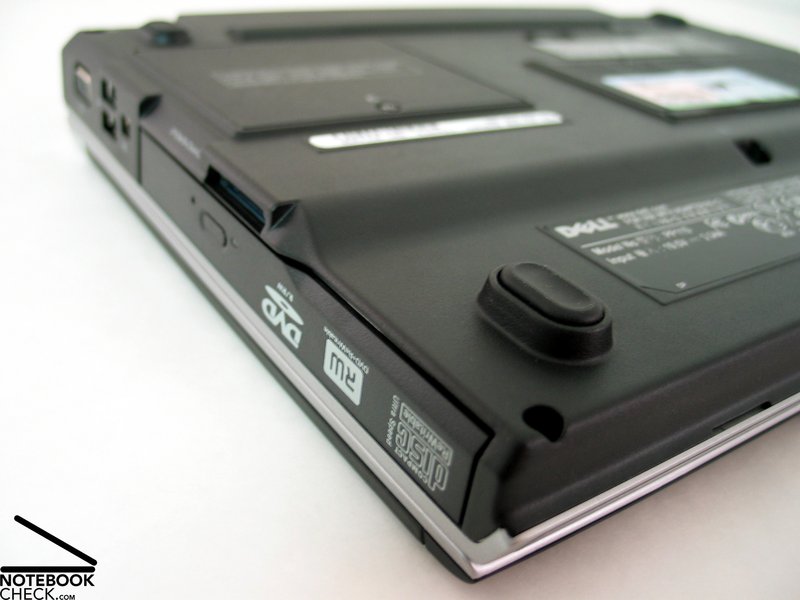
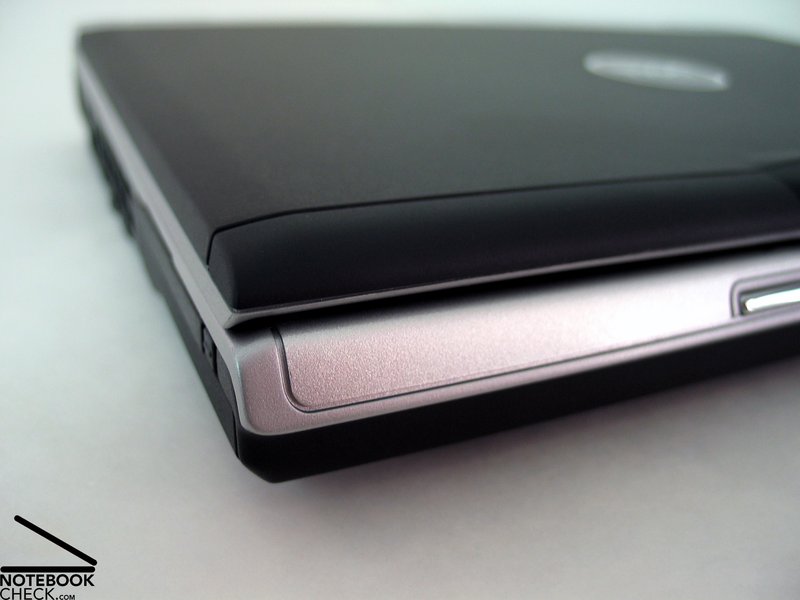
Dell XPS M1210's coloring turned out well. The trough is matt black and the support of the hand balls and the bezel of the keyboard are silver. The display is silver at its inner side and has a black metal cover.
The material: XPS M1210's main material is magnesium. The base unit is, besides the cover on the front side, completely out of metal. Furthermore, the display is stiffened by a magnesium cover.
No wonder that the robustness of the notebook profits from the first-class material and the excellent workmanship. One can pick up the M1210 at every edge and corner without problems. Not in the slightest can be observed instability of the case.
Furthermore, the huge height of the notebook contributes on the stability of the notebook. Its net height is 27mm, without display cover and nipples. On the one side this is good for the notebook, but not so nice to look at.
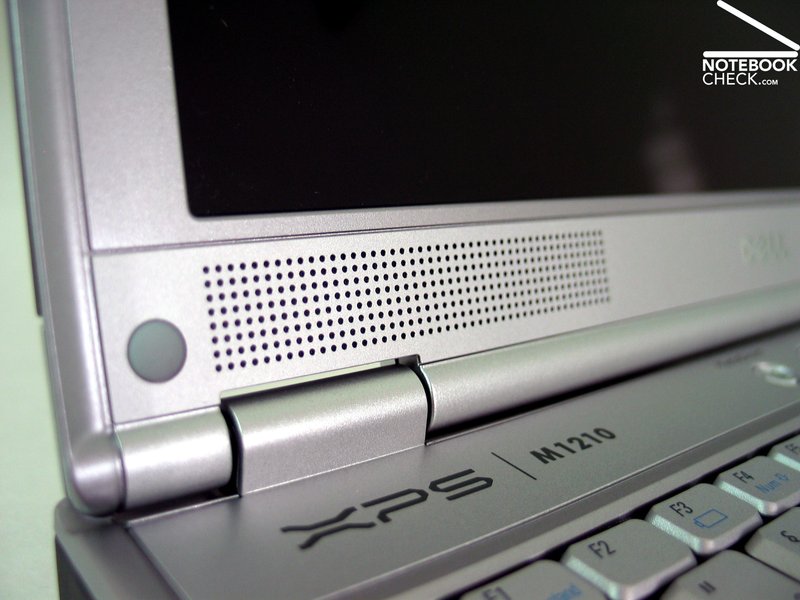
The hinges look rather small compared to the big case. Still, they are sufficient for the thin 12 inch display. The display can be adjusted easily, but is basically still able to keep its position.
Unfortunately, the transport lock was omitted. Additionally, the display is easy to open. Therefore, it is recommended to put the notebook into a separate bag, if it is transported, in order to prevent penetration of foreign bodies.
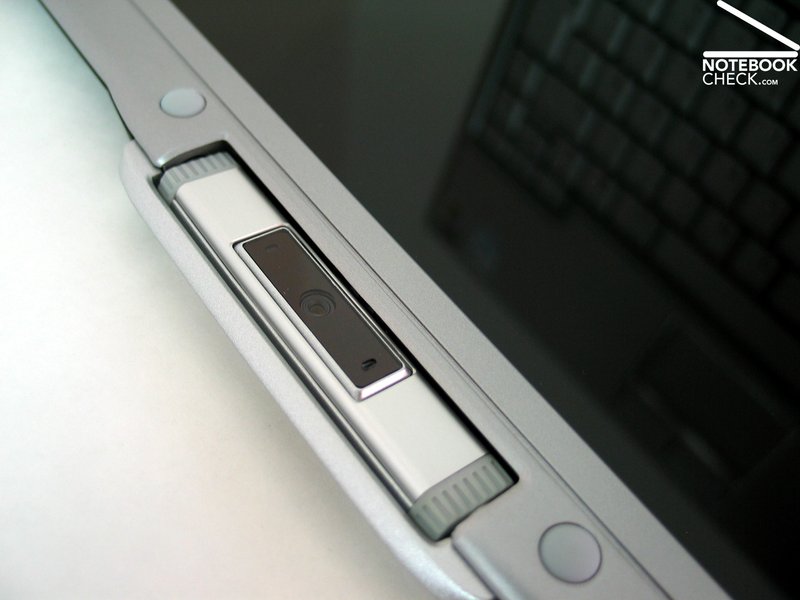
At the top edge of the display there is a 1.3 Mega pixel web cam, which can be panned to the outside around its longitudinal axis.
Another plus of the Dell XPS M1210 is the - for a notebook of its class - above-average number of available ports and there useful order. The notebook e.g. comes with a total of 4 USB 2.0 ports, even some 15.4 inch notebooks of the multimedia class have less.
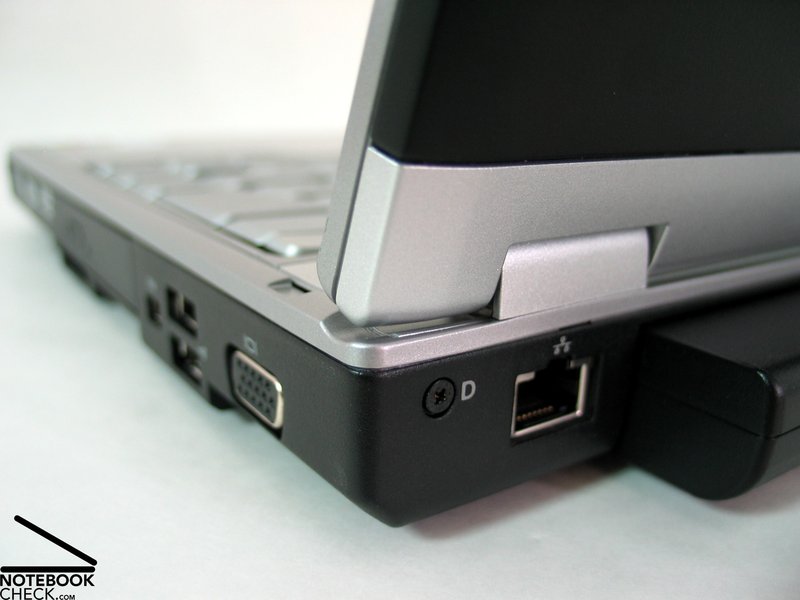
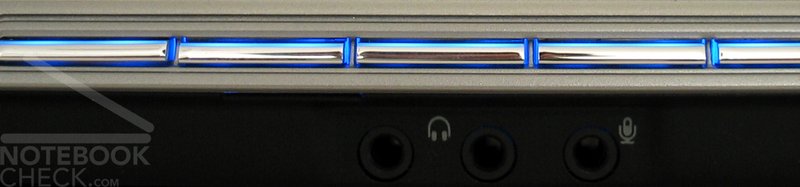
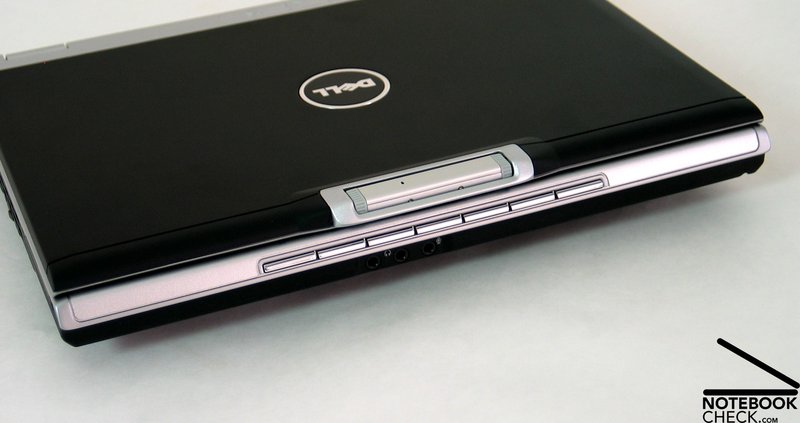
Besides the audio ports, which are in the center of the front edge, all ports are at the left and right side near the back or at the backside left and right of the battery pack.
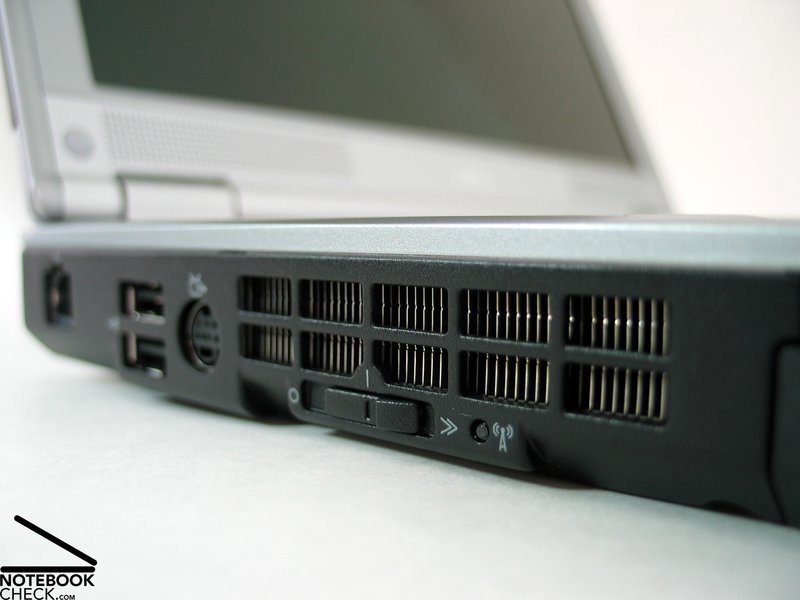
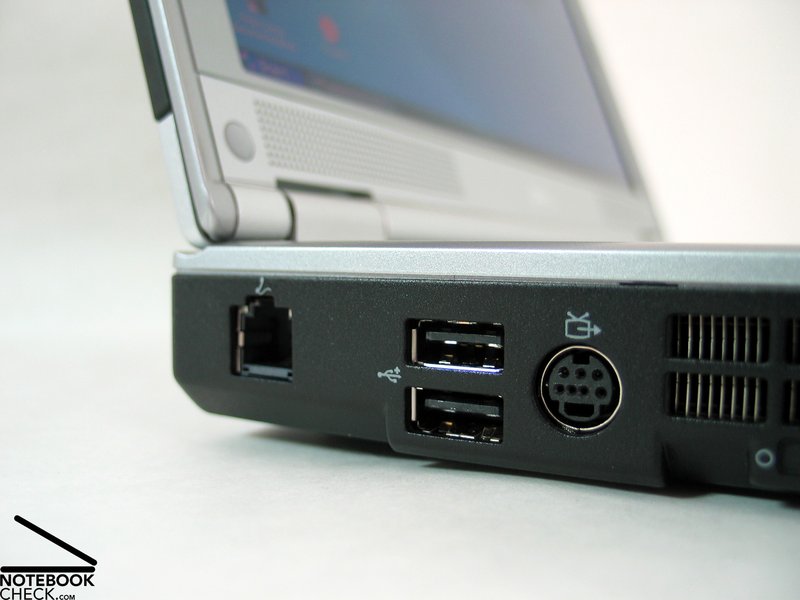
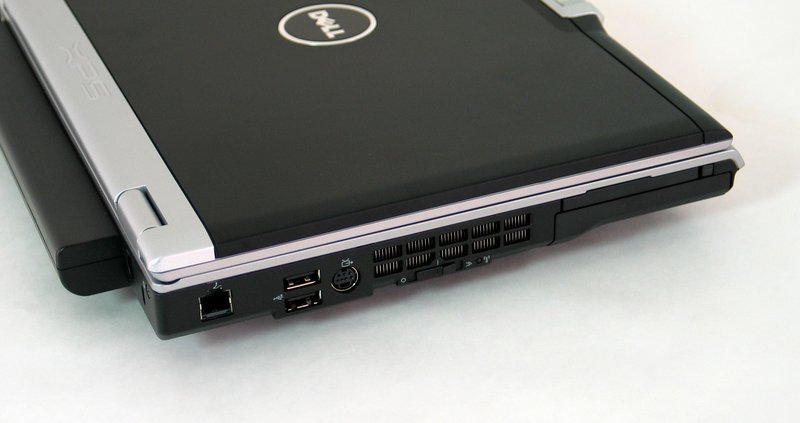
On the left side there are the modem interface, 2 USB 2.0 ports, S-Video out and an Expresscard slot. In the center there is the vent hole of the fan and below it a switch for activation of the WLAN.
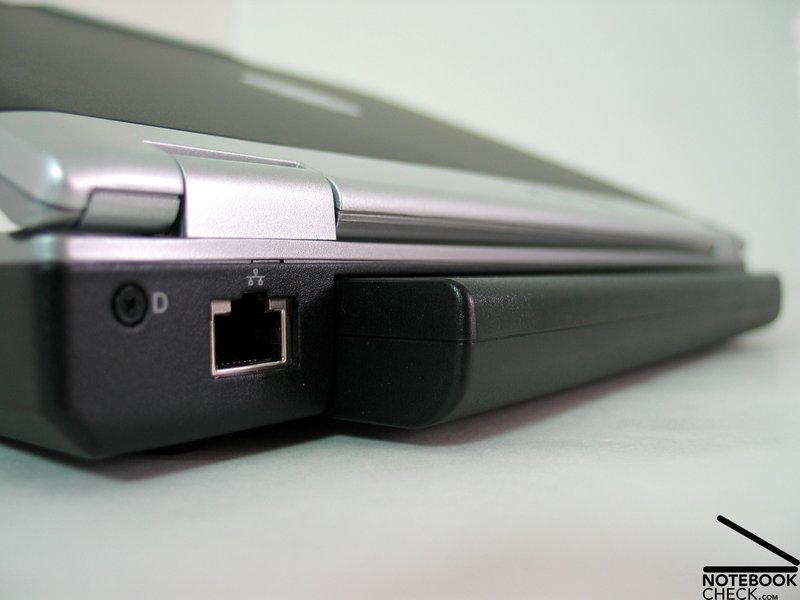
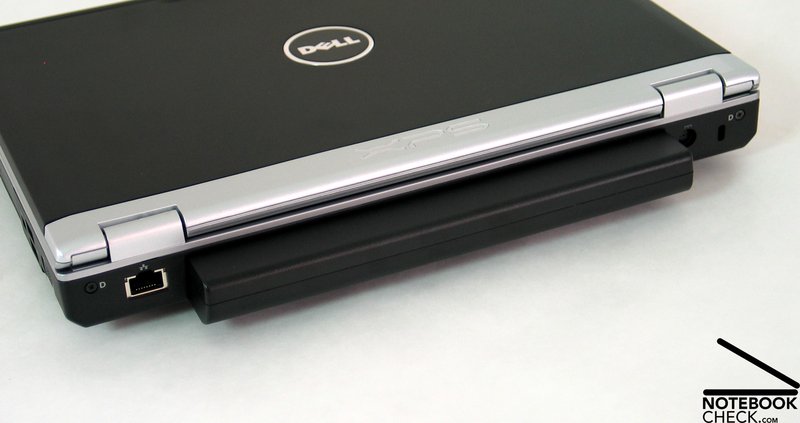
At the back side there is the battery pack in the center. The 9 cell version protrudes 2 cm. Left and right of it, there are the power connector, the Kensington lock and on the other side the LAN port.
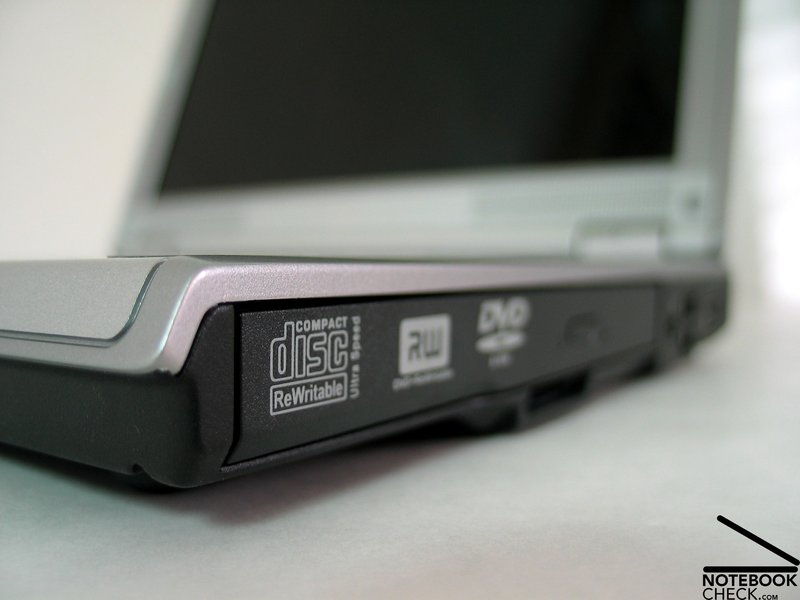
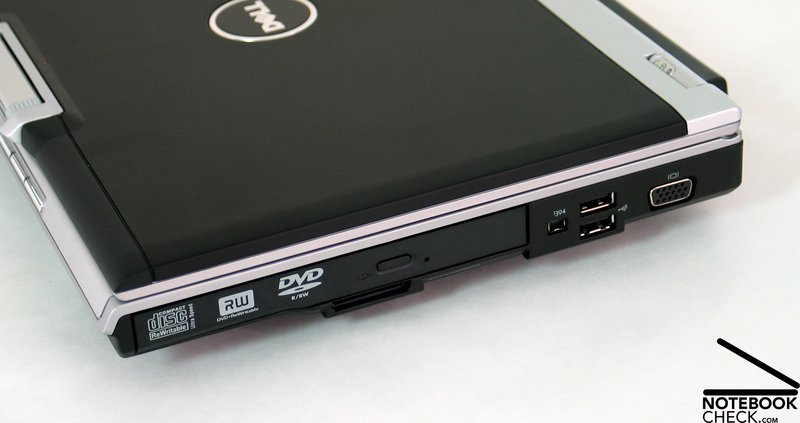
The DVD drive is on the right side near the front, in front of it there is a 5in1 Cardreader. Next to the optical drive there are a Firewire port, 2 further USB 2.0 ports and a VGA port for connection of an external display.
In total, it comes with a rich equipment, which is placed sensible and user friendly.
Input Devices
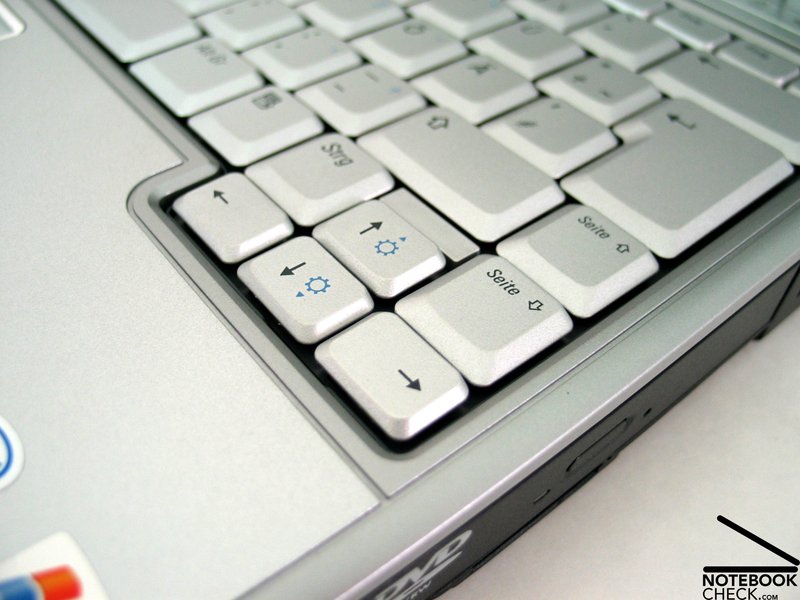
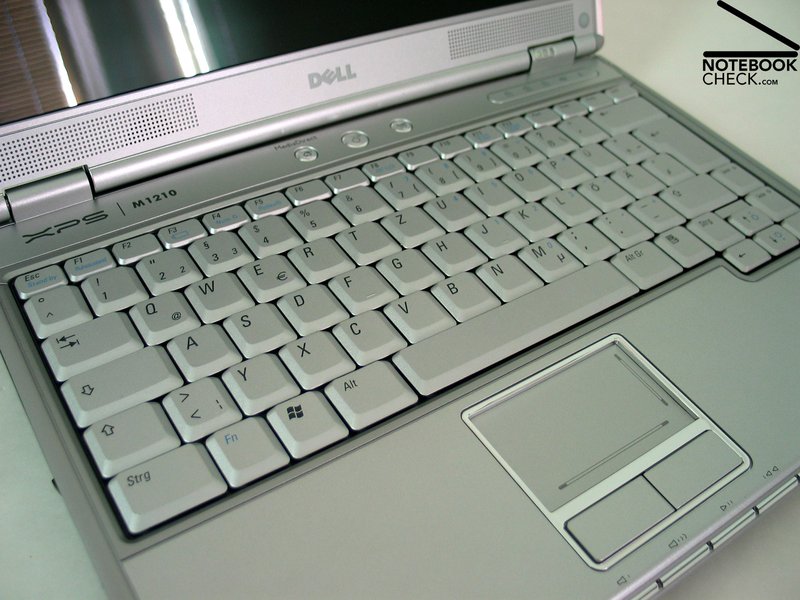
The keyboard looks ordered and clear. The size of the keys is relatively big. Only the F-keys, the Del and the Insert key are only half of their usual size.
The subjective typing feeling is jerky and possibly a little too hard. We had some problems with the space bar, because the bezel of the keyboard is a little too high and so the space bar is difficult to press with flat lying thumbs.
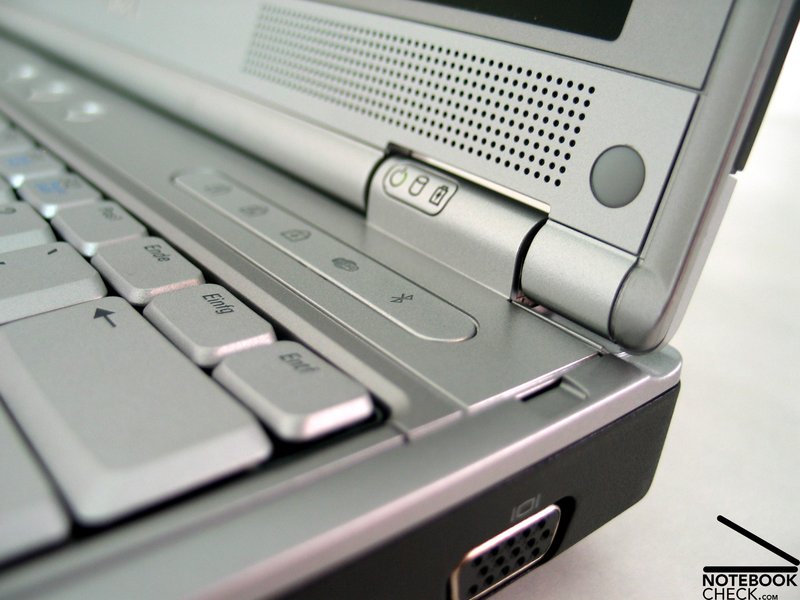
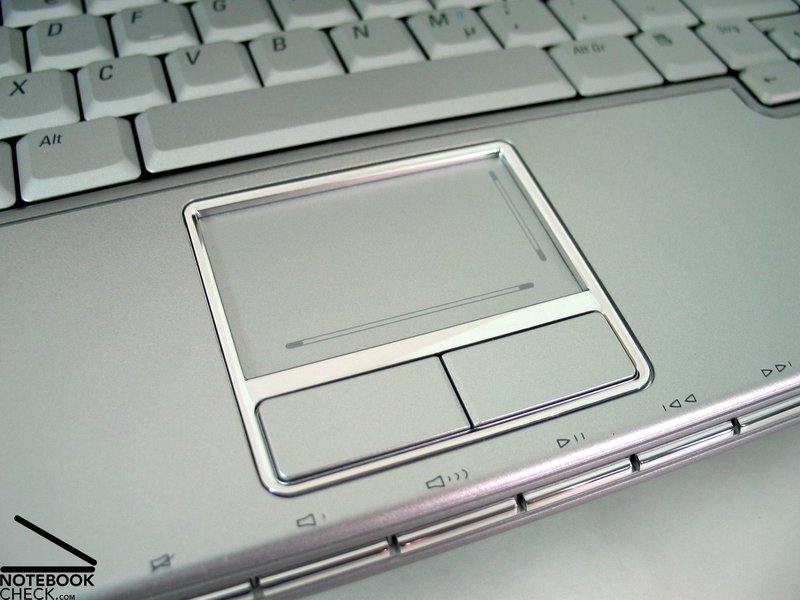
At the front side, there are the keys which control the multimedia functions and the loudness. These are lighted through blue LEDS, which are typical for XPS notebooks. Compared to the XPS M1710, the brightness of the LEDs is rather decent.
Furthermore, there are two further keys above the keyboard besides the On/Off switch. The first is for starting the Media Center Assistant, the second for activation of the web cam. An optimal placement for quick takes.
The M1210's touch pad impressed us positively. It reacts well and allows a precise control of the mouse pointer. Both buttons are especially comfortable in their use, they have a soft and well sensible travel. The noise emissions of the touch pad buttons as well as of the keyboard do not disturb at all.
Display
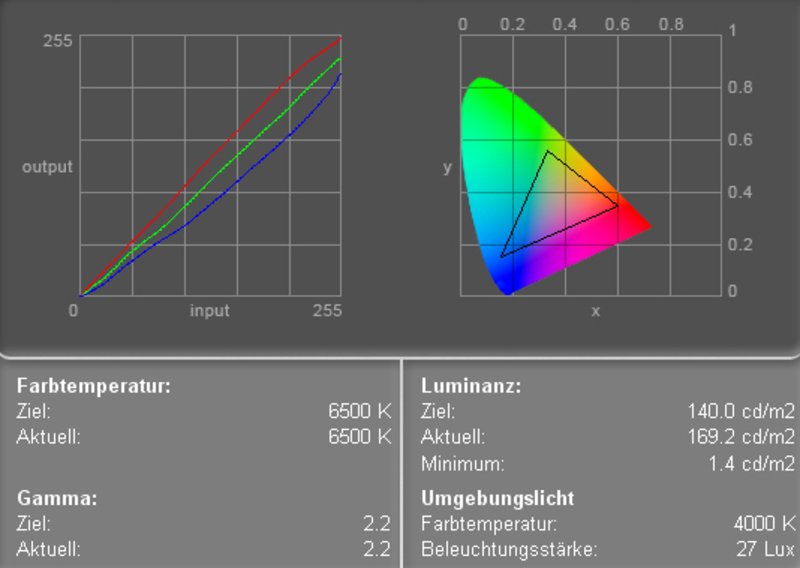
Dell's XPS M1210 is equipped with an 12 inch "TrueLife" display, which has a reflecting surface. The maximum resolution is 1280x800 pixels. The measured maximum brightness is good: 162.2 cd/m² in the center of the display. Also very good, the distribution of the brightness is: 88.7%.
The color diagram shows a slight deviation of the red and green curve and a relatively heavy deviation of the blue curve. This leads to warm colors.
| |||||||||||||||||||||||||
Brightness Distribution: 89 %
Contrast: 118:1 (Black: 1.4 cd/m²)
The maximum contrast ratio is rather moderate at 118:1. The reason is the high black value of 1.4 cd/m². The Pixperan test of legibility is of grade 7, this means that the display is, regarding its speed of reaction, slightly above-average.
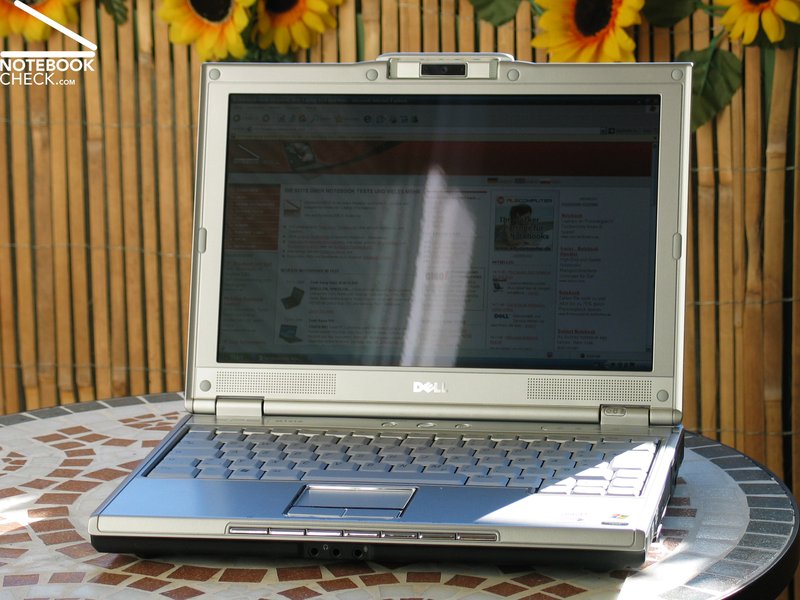
The reflecting display reflects heavily outdoors, which impairs its usability especially in bright environments. As one can see from the picture, the content of the display stays legible, because of the display's good brightness.
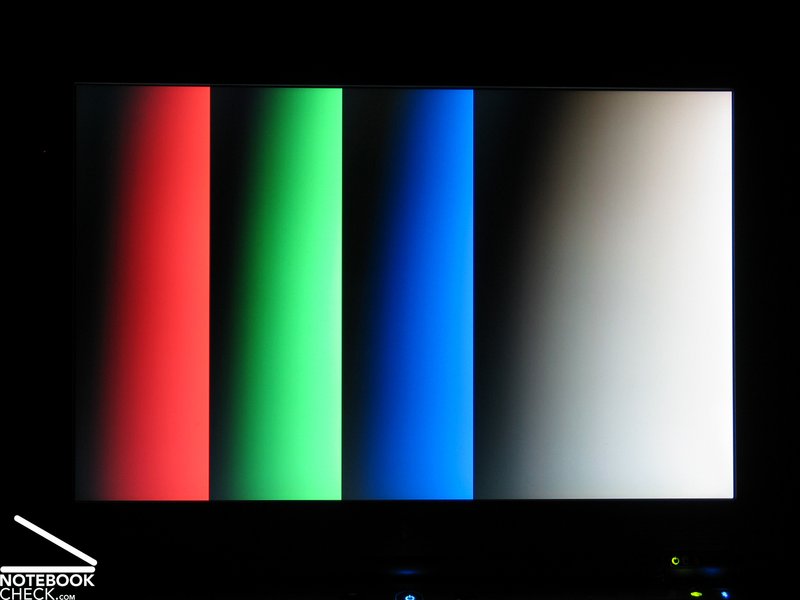
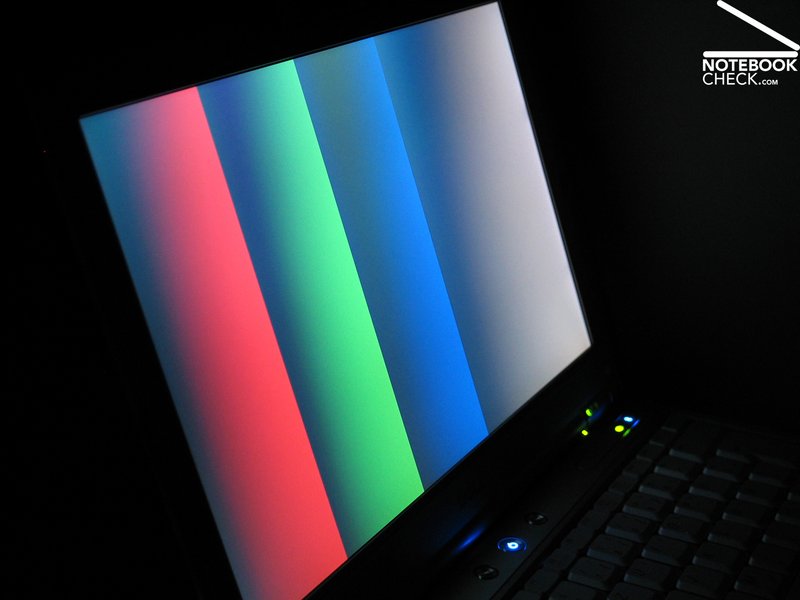
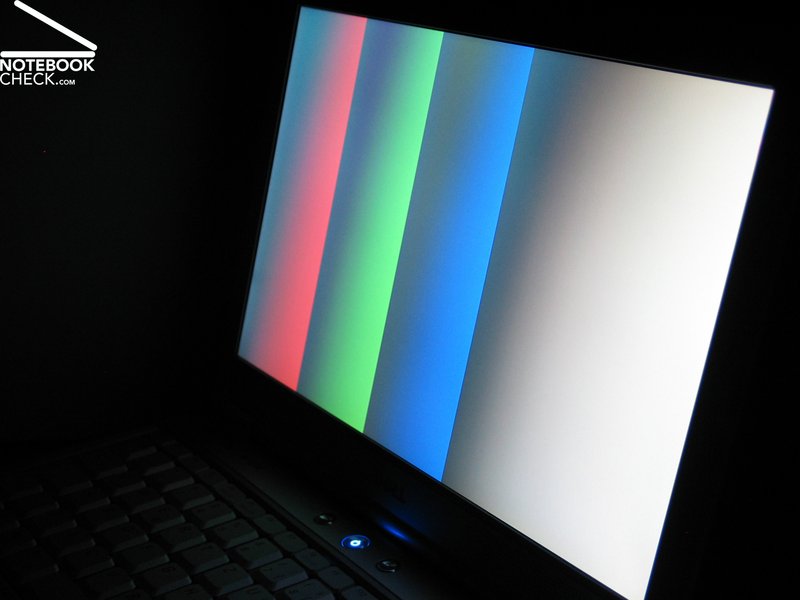
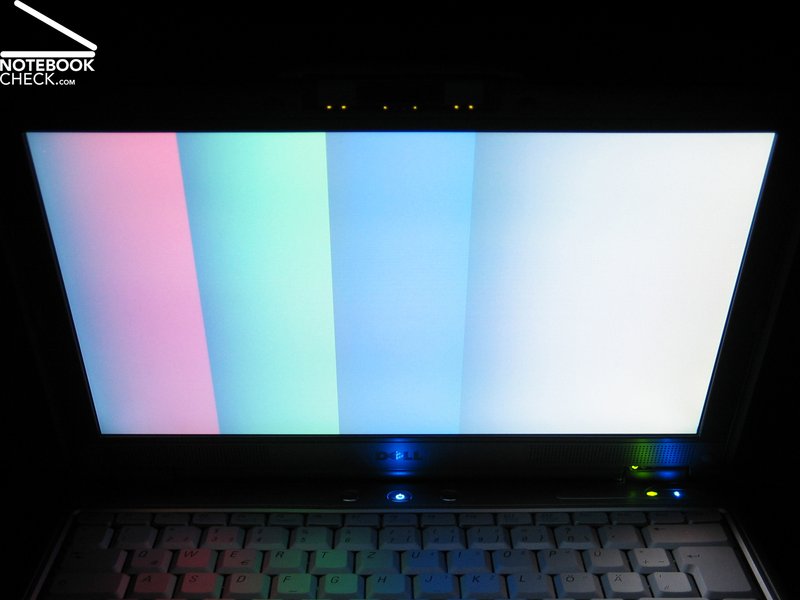
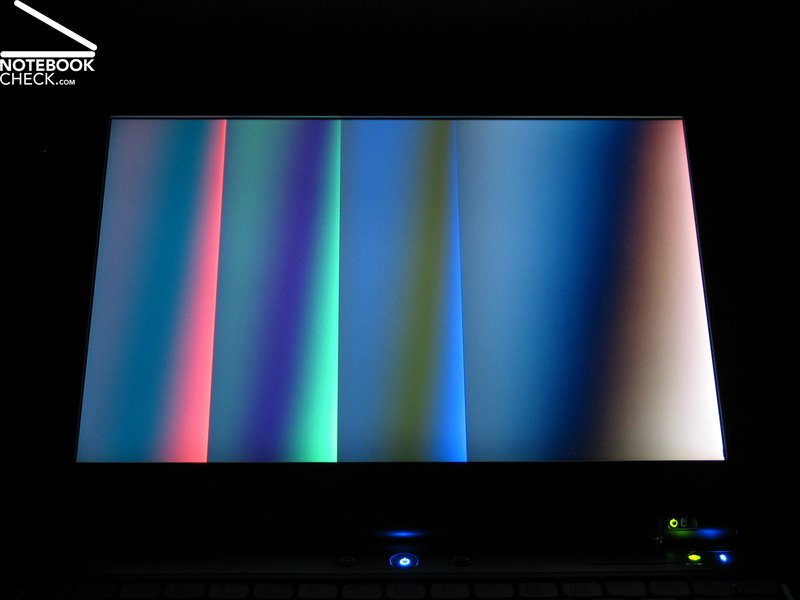
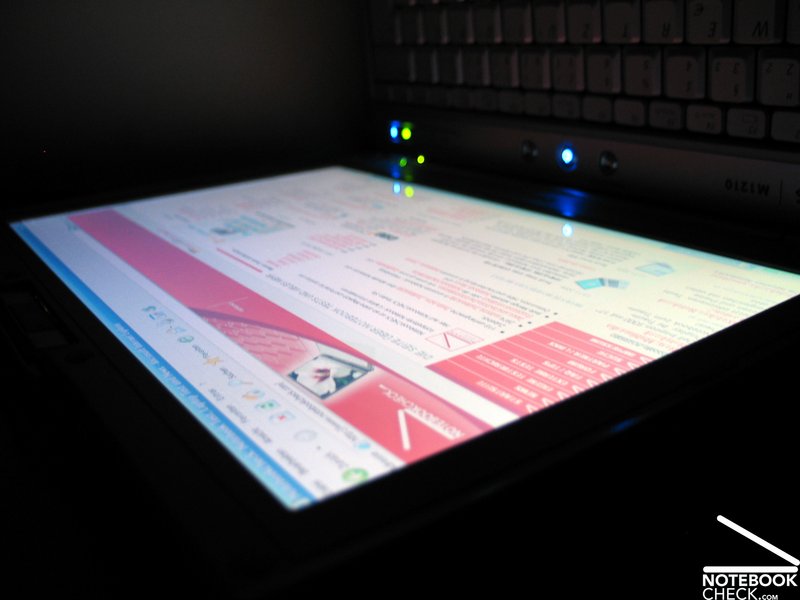
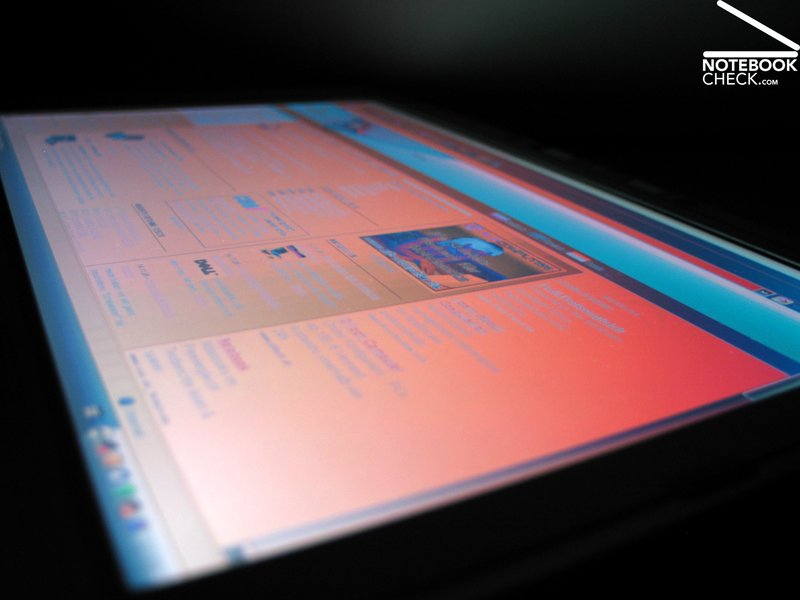
The stability to the vantage point is not more than sufficient. Horizontally as well as vertically, it has only a small area of operation without changes. Horizontally, the contrast diminishes at acuter angles. Vertically,one can observe heavy dimouts or a heavy brightening. Vertically, the display changes nearly to unrecognizable at extreme angles.

Performance
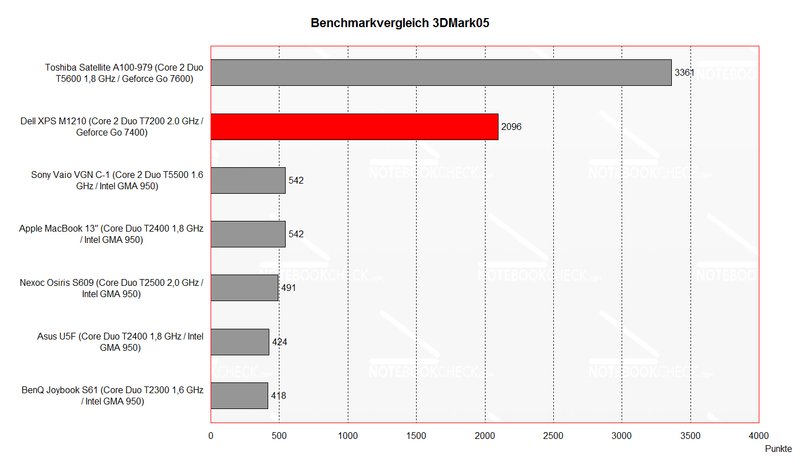
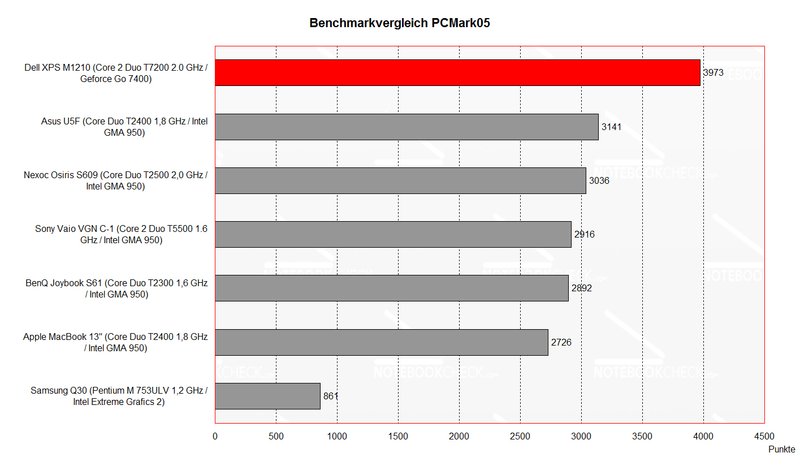
Because of the Core 2 Duo CPU and the NVIDIA Geforce 7400 video card, Dell's XPS M1210 wins against nearly all notebooks of the 12 inch subnotebook class.
The PCMark application benchmarks as well as the 3DMark results are excellent. At the time of writing there is nearly no subnotebook with hardware of higher performance available.
Gamers are especially pleased by the good 3D performance. The XPS M1210 makes it possible to play under way. It is even possible to play current ego-shooter, even if the number of details and the resolution have to be slightly turned down.
According to an American magazine, it is even possible to play Half Life 2 in good quality (notebookreview.com).
Furthermore, the low access time of the 120 GB Toshiba hard disk attracted our attention, because it is a standard 5400 revs model.
Further information about the video card can be found here or in our comparison of mobile video cards. Detailed information about the Core 2 Duo T7200 CPU can be found here.
Please also look at our benchmark list of mobile processors or at our benchmark list of mobile video cards, in order to compare this notebook to other configurations.
| 3DMark 2001SE Standard | 14979 points | |
| 3DMark 03 Standard | 4577 points | |
| 3DMark 05 Standard | 2096 points | |
| 3DMark 06 Score Unknown Setting | 834 points | |
Help | ||
| PCMark 04 Standard | 6344 points | |
| PCMark 05 Standard | 3973 points | |
Help | ||

Emissions
Loudness
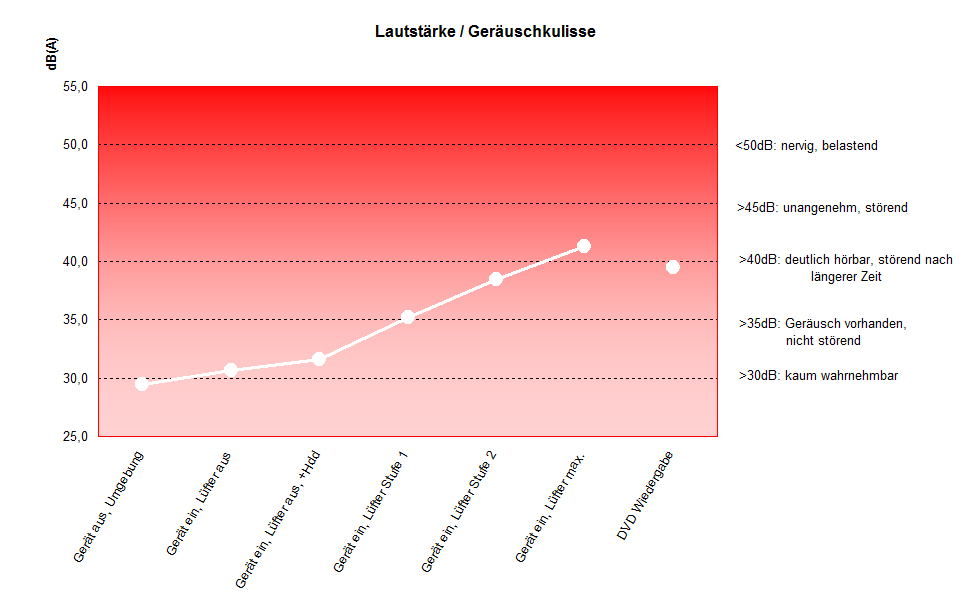
Despite of its option for good performance the Dell XPS M1210 is of pleasant loudness in idle mode. During office or WLAN operation we measured most of the time 35.2 dB. The fans run all the time, but they do not necessarily disturb. If under full load for a longer duration, a maximum loudness of 41.3 dB is reached in game mode. This is still acceptable.
The vent hole at the bottom of the notebook is likely to cause problems during mobile operation, because it is easily blocked by soft undergrounds and the notebook might run low on fresh air under these circumstances.
Noise level
| Idle |
| 30.7 / 38.5 / 35.2 dB(A) |
| HDD |
| 31.6 dB(A) |
| DVD |
| 39.5 / dB(A) |
| Load |
| 0 / 41.3 dB(A) |
 | ||
30 dB silent 40 dB(A) audible 50 dB(A) loud |
||
min:  , med: , med:  , max: , max:  (15 cm distance) (15 cm distance) | ||
Temperature
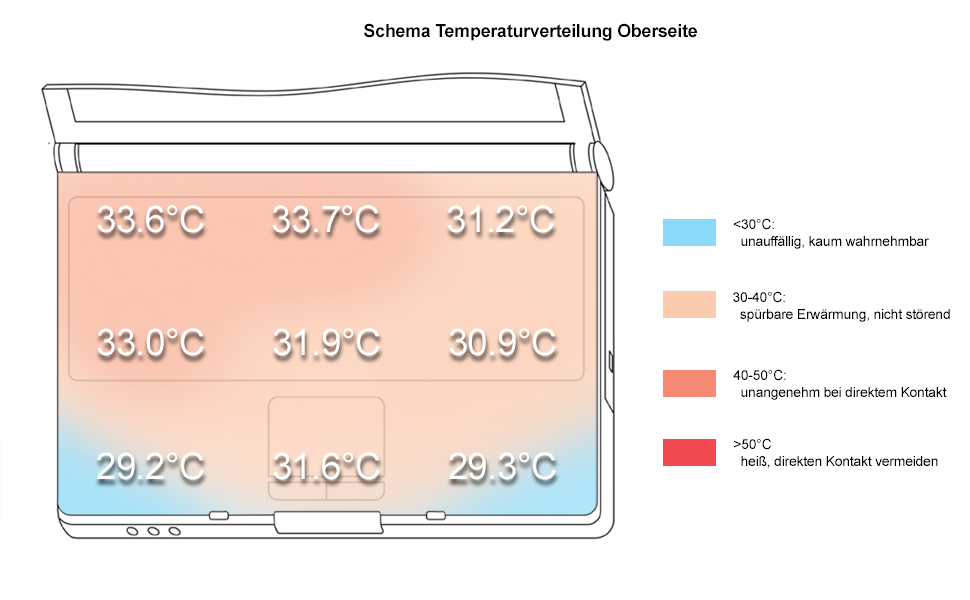
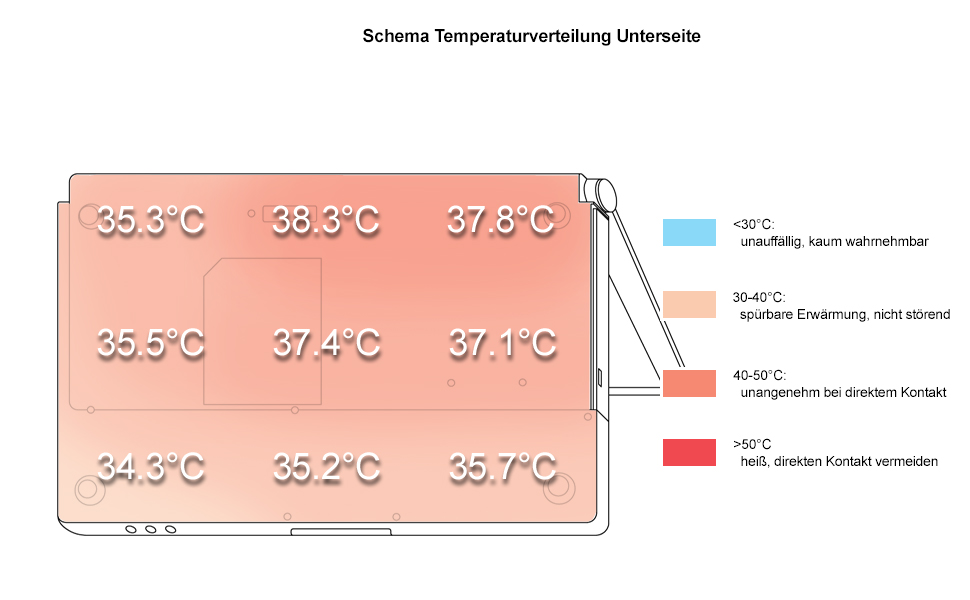
The measure maximum surface temperatures are a little higher especially at the bottom side of the notebook, but the are still within an acceptable range. The maximum measured temperature at the bottom side was 41.2°C and the maximum measured temperature at the upper side was 33.7°C.
Upper side
palmwrist: 29.3°C max: 33.7°C avg: 31.6°C
Bottom side
max: 41.2°C avg: 37.1°C
Lautsprecher
Die beiden Lautsprecher befinden sich Links und Rechts unterhalb des Displays und versorgen den Benutzer mit durchaus akzeptablem Sound. Wie bei vielen anderen Geräten trübt aber das Fehlen von Basstönen das Klangerlebnis.
Battery Runtime
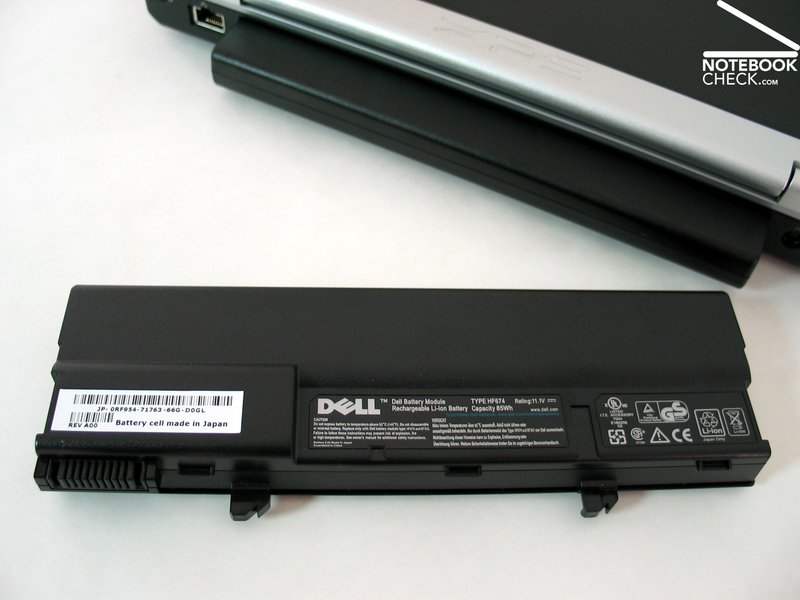
The reviewed notebook was equipped with a 9 cell 85 Wh (7600 mAh) lithium ions battery and an integrated charge display. The battery runtime are very good and promises a long mobile operation. We measured a minimum of about 2.5 hours and a maximum of about 5 hours. During WLan operation we measured a battery runtime of 3.5 hours.
Nevertheless, we observed a slight problem with the battery: The release button stuck, and we were unable to remove the battery from the case. Certainly a problem, which needs to be fixed by the Dell service.
Energy demand
Without Load (Idle), min. brightness, without WLAN: 20.3 Watt
+ max. brightness: 25.5 Watt
+ WLAN: 26.3 Watt
Full load (+WLAN, max. brightness): max. 54.8 Watt
Verdict
The review approved, what is to be supposed by the technical data of the notebook. Dell XPS M1210 is a small high-performance notebook, one can even play more demanding games. Nevertheless we want to mention, that there is still a big performance difference between a GeForce 7400 and a GeForce 7600, which cannot be compensated by small cool XPS details.
Still, the notebook could fully convince through its design and workmanship and high-quality materials.
On the one hand the display is bright enough and has an excellent distribution of brightness, but its weak points are the contrast ratio and the very limited vantage points.
The noise emissions as well as the surface temperature are acceptable.
We were very pleased by the battery runtime of Dell's XPS M1210. With a battery runtime of up to 5 hours, one can easily work without power supply.
 Add as a preferred source on Google