Review Acer Aspire 5530G Notebook
Crossfire for Everyone.
Even if the idea of two graphic cards in one notebook was primarily reserved for high performance bolides, gradually you find models with a dual graphic solution in low priced starting devices. Theoretically, the Crossfire technology from ATI makes it possible to operate two different GPUs parallel to one another. In the following review, you can read of which use the combination of two HD3470 graphic cards is.

Note: The tested model from Aspire is from the 5530G-703G32Bi configuration series, with courtesy of AMD. Differences to various models found in retail with the same brand name can't be completely excluded.
Case
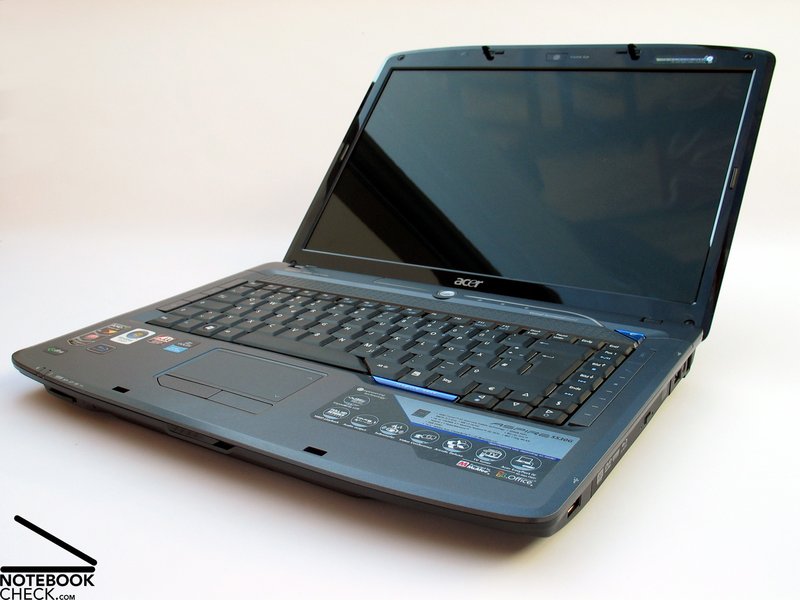
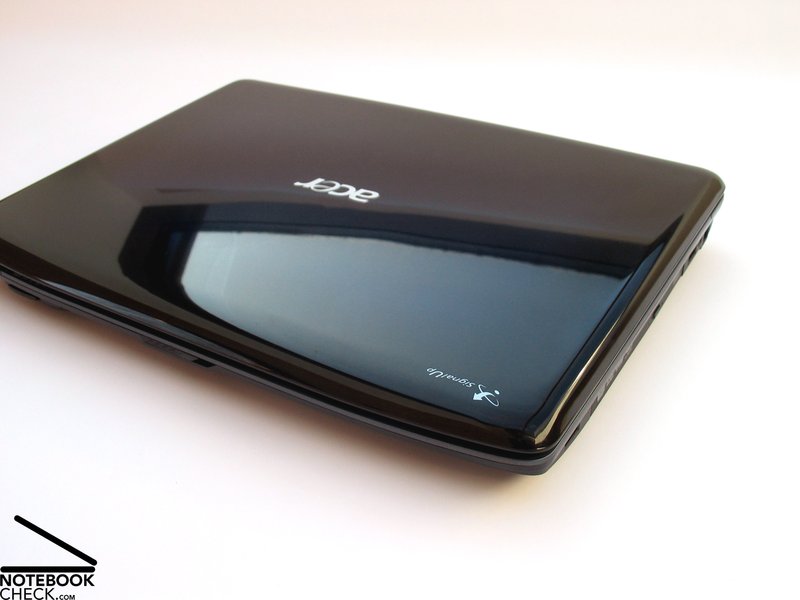
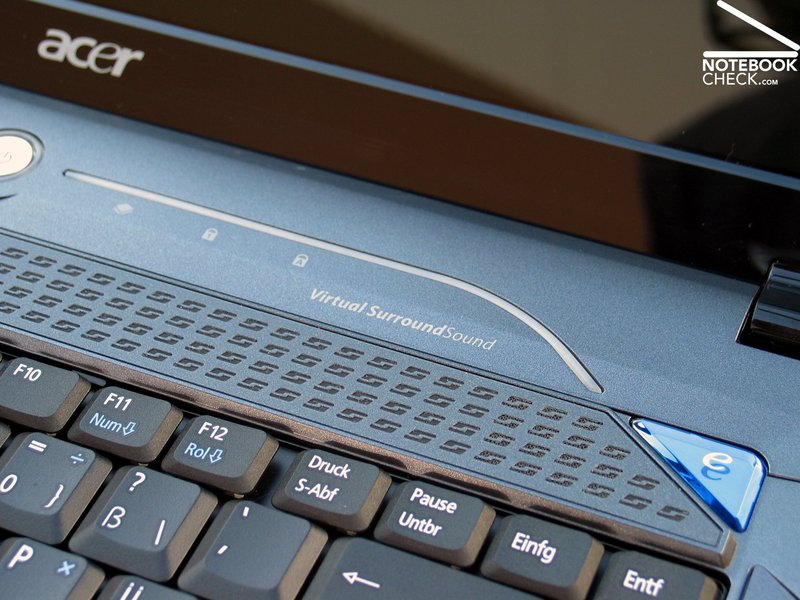
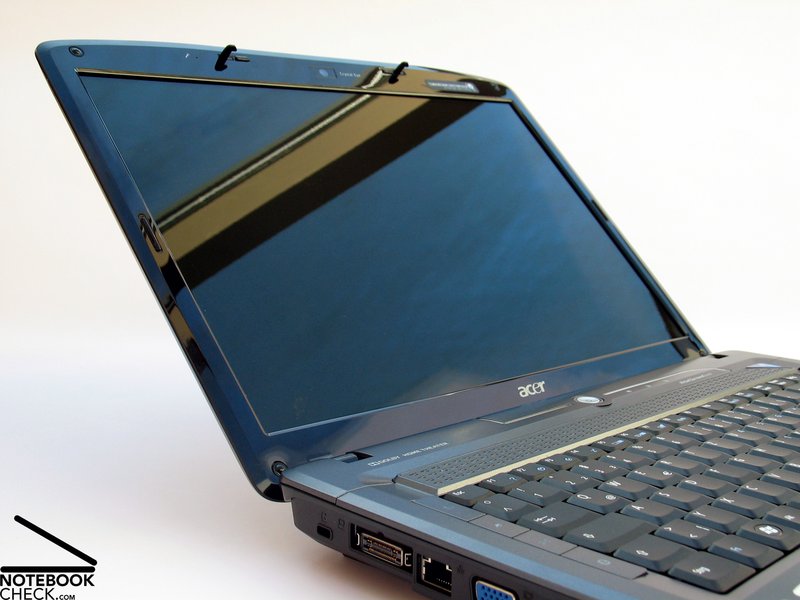
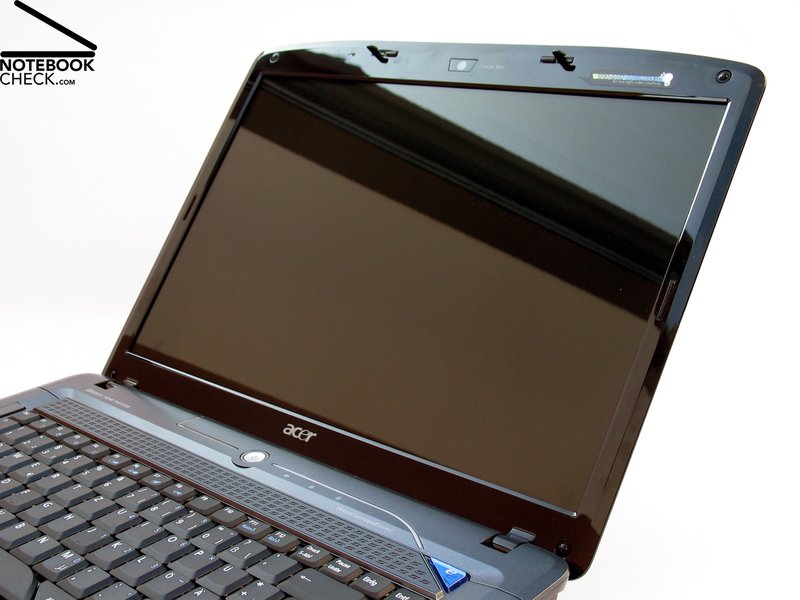
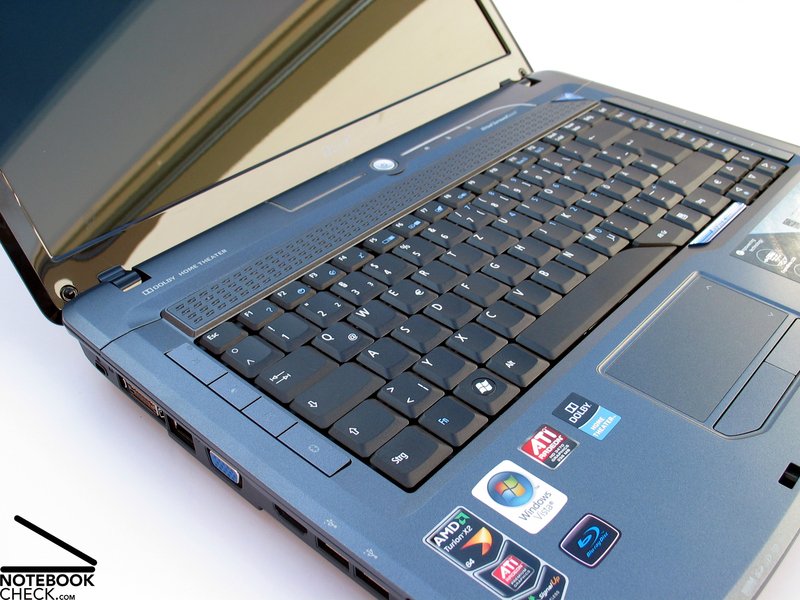
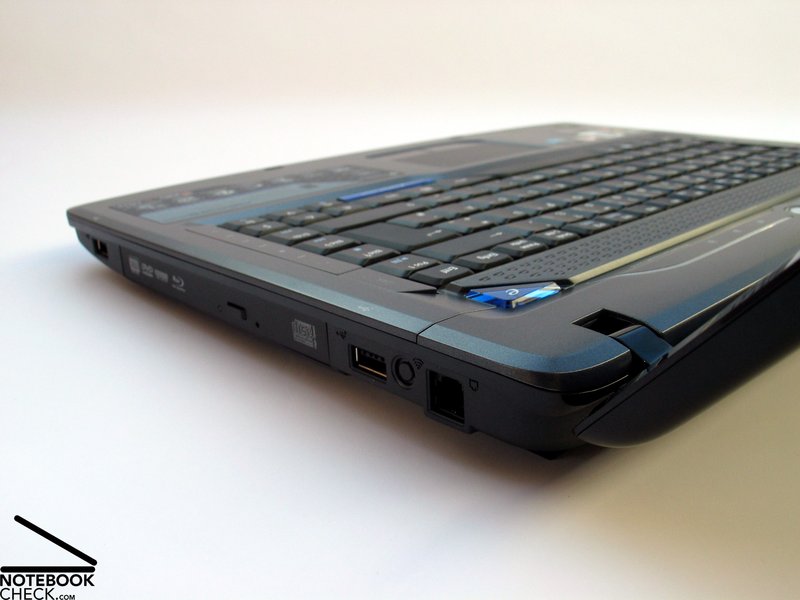
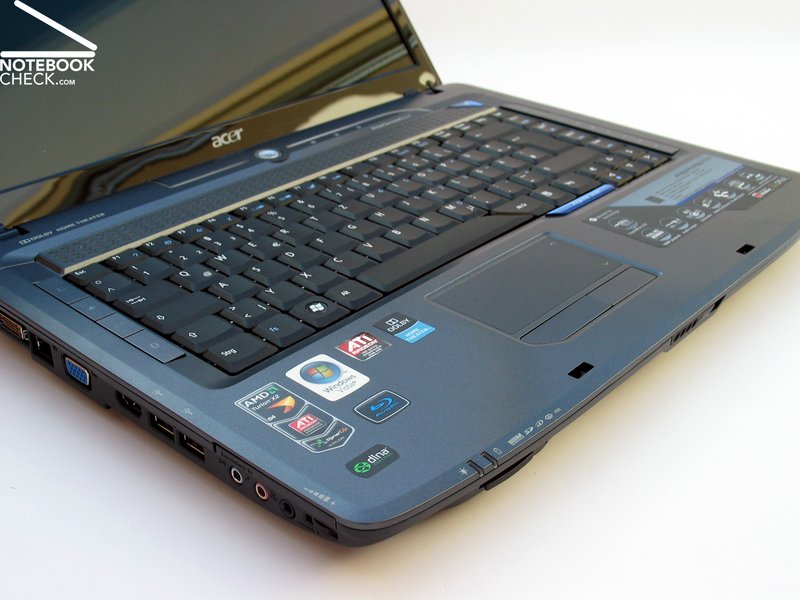
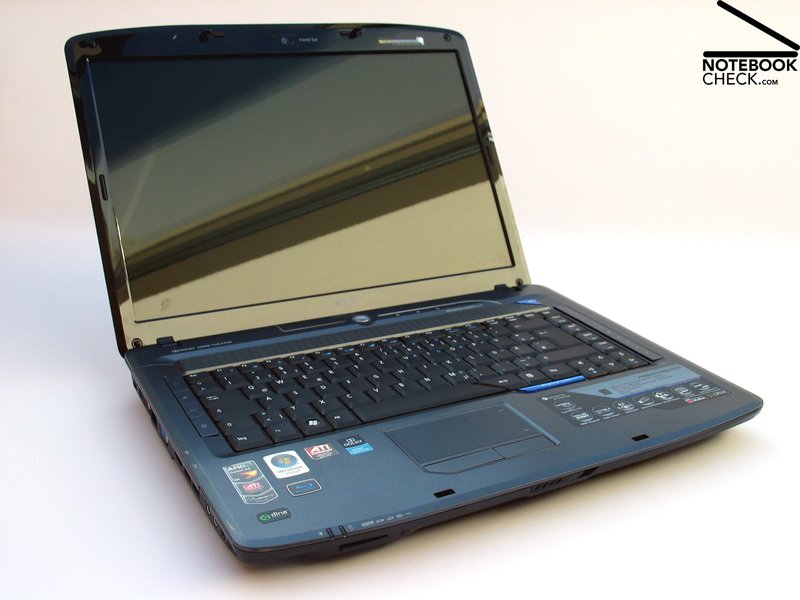
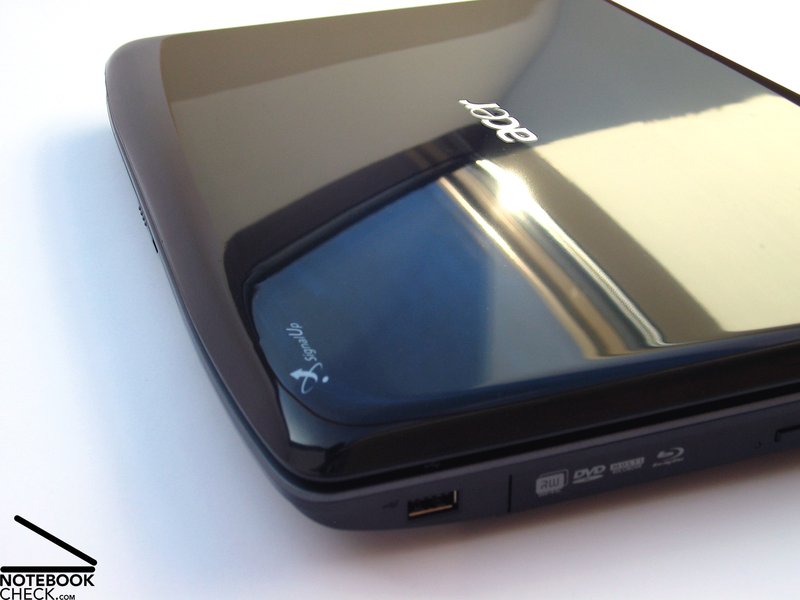
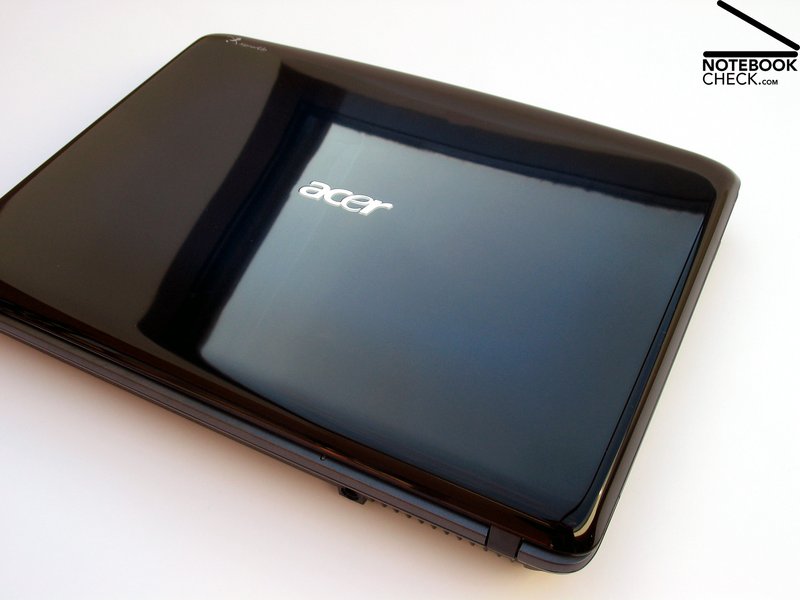
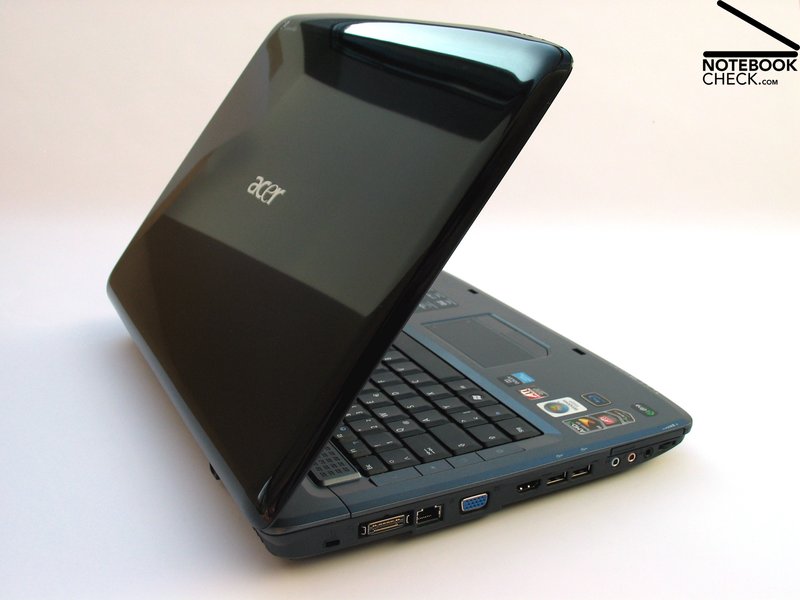
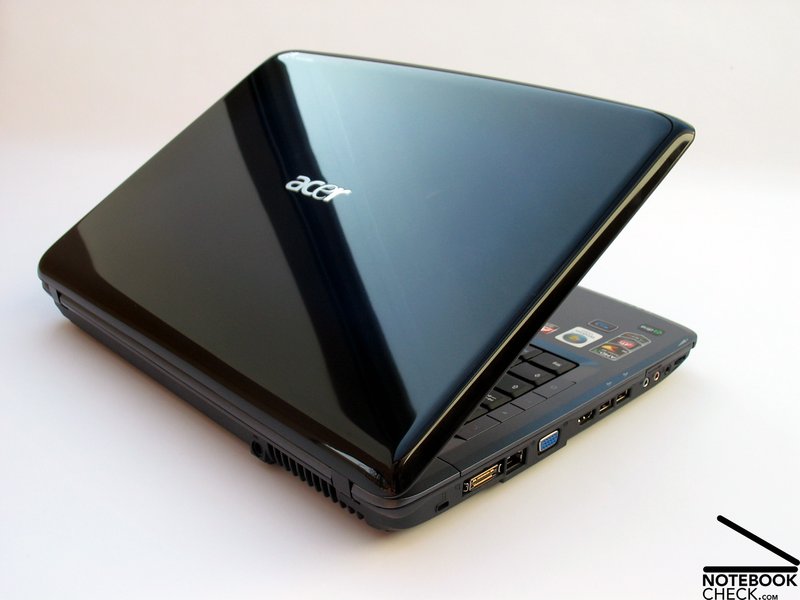
The case presents itself in the well-known Gemstone outfit from the Acer Aspire range. Extensive LED illumination, particularly in the area of the on/off button, provide for a creative highlight. Especially the staging of the LED power button is a bit too much for our taste because the shrill blue light is always in the line of sight when looking at the display and therefore can be described as annoying.
Even though exclusively plastic components are used for the case, it appears to be very qualitative. The dark grey covers for the palm rests are especially responsible for this, not only giving them a good feel but also a good stability.
Actually, the whole case presents itself as a very compact chassis which puts away a frequent carrying around well enough. Practically, this will stay within a limit due to the fact that the notebook weighs a bit under 3 kilograms plus half a kilogram for the necessary power supply.
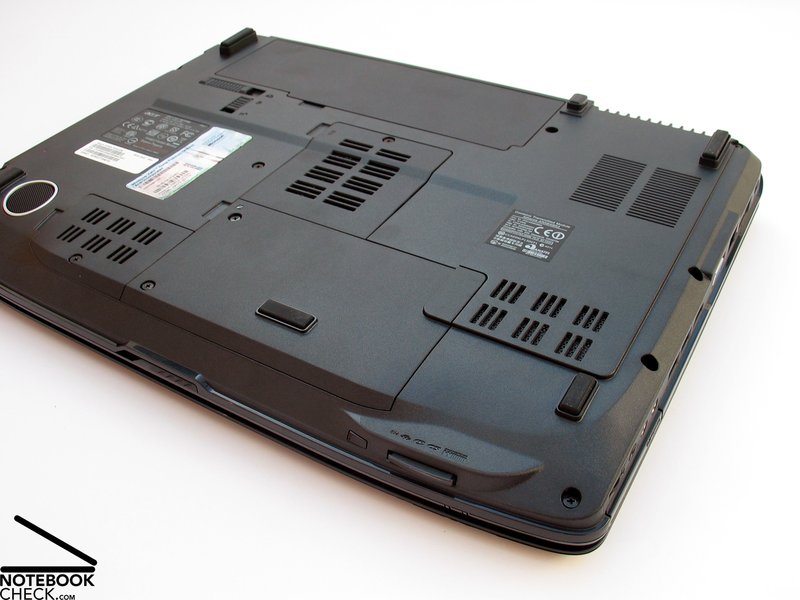
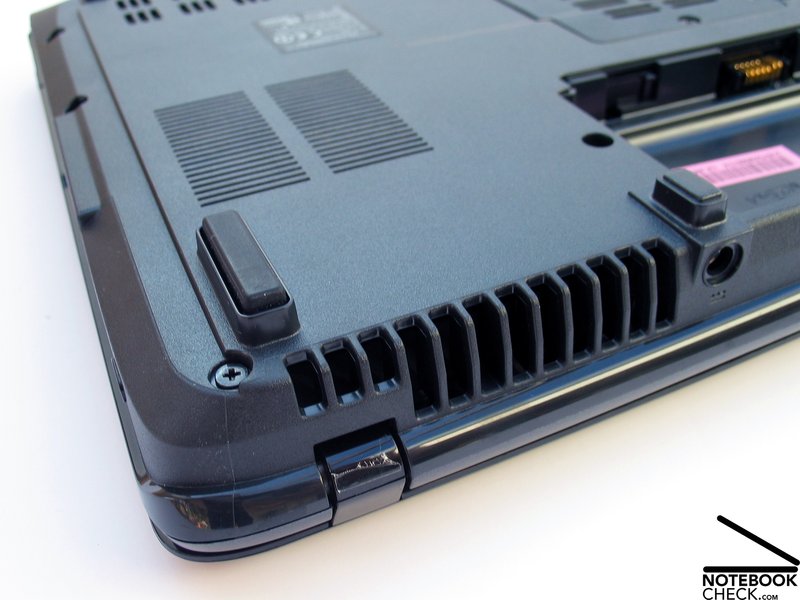
We could ascertain problems in the area of the bottom side of the case-tray in the test. It comes to obvious deformations under point pressure. The same applies to the display lid, which gives away somewhat under pressure and then show image distortions in the display.
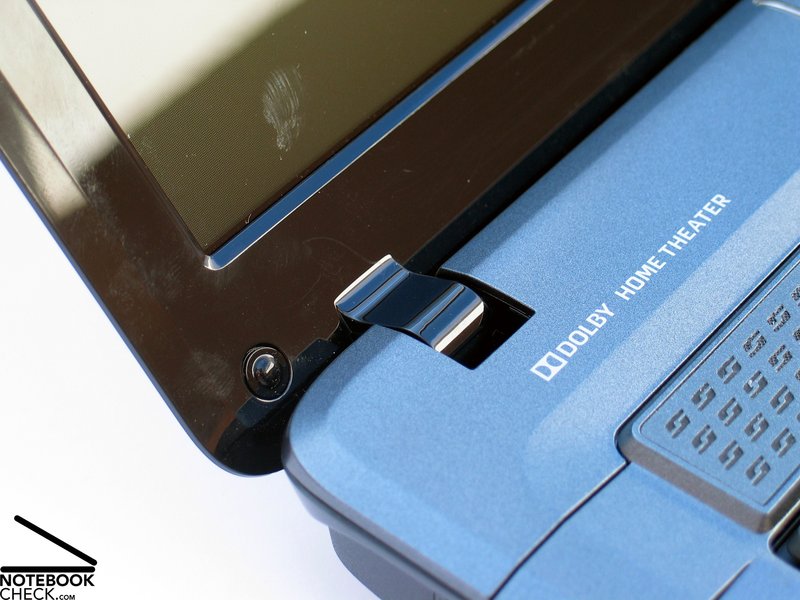
The display hinges seemed almost undersized but they held the display of the test device quite acceptably in place. Observable was also the limited opening angle of the screen to 135°, which shouldn't lead to restrictions in stationary use of the device.
Connectivity
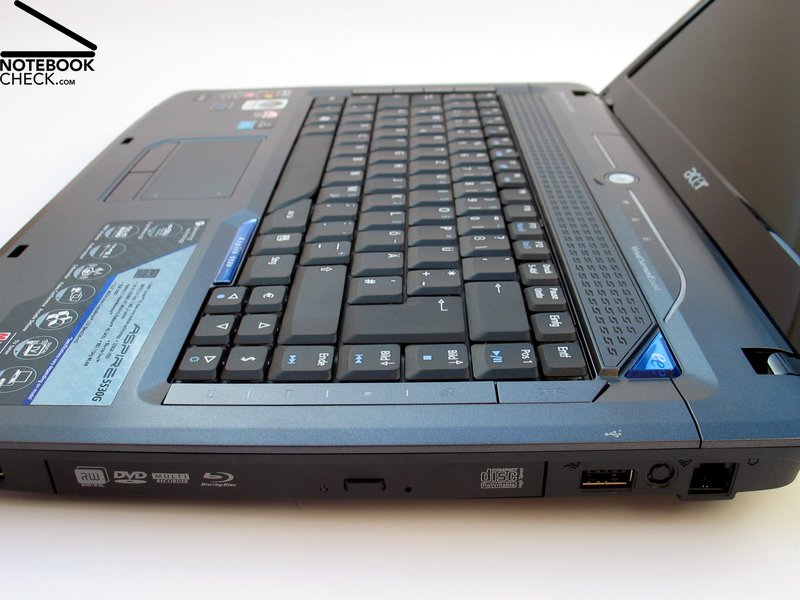
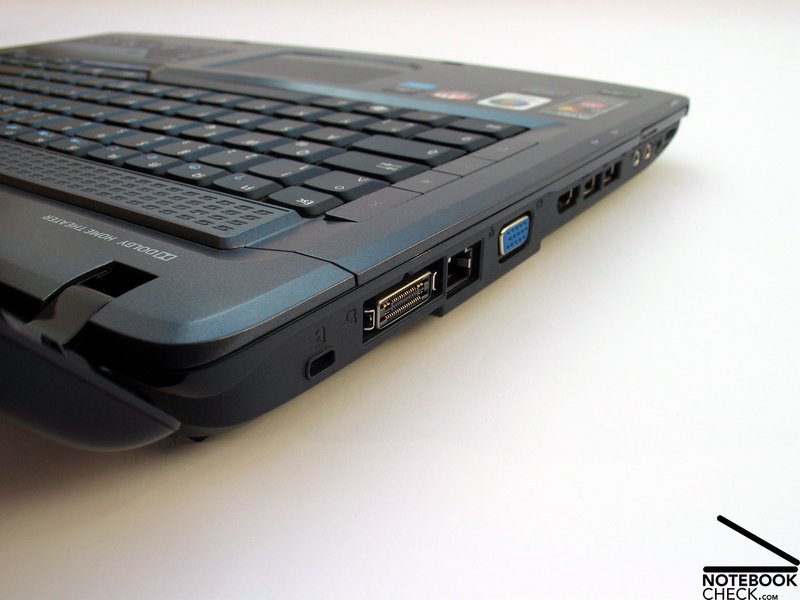
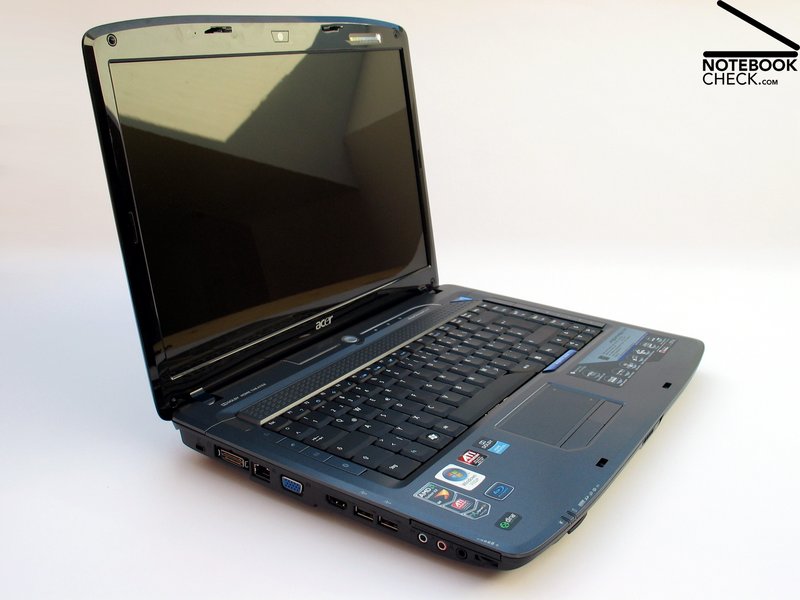
Already at first sight, a throughout very generous connectivity is noticed in consideration of the low starting price of approx. 700.00 Euros. Unusual for this price category is the docking port on the left case edge. With the Acer EasyPort IV Connector the docking station from Acer with the same name can be connected to the Aspire 5530G. Summarized, the Acer EasyPort further offers 4 USB 2.0 ports, DVI-D-out, RJ45 networking port, audio ports and a connection for the notebook power supply.
At a price of approx. 90.00 Euros, the EasyPort IV can provide valuable services, especially at regular mobile use. With a single plug, all external devices in your office surroundings can be connected/disconnected to the notebook. An additional advantage is the excessive number of the total of ports.
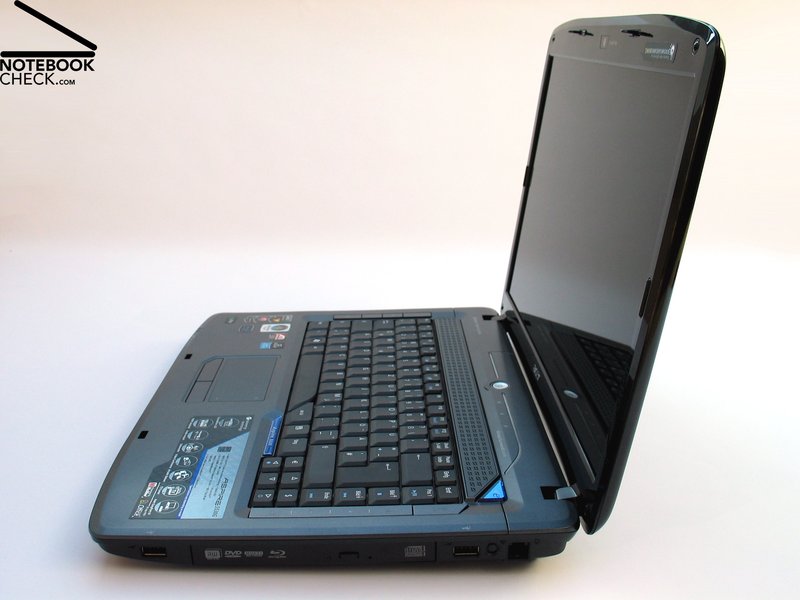
The Aspire 5530G from Acer already offers an attractive configuration on the device itself. To this can be counted 4 USB 2.0 ports, a HDMI-out with HDCP support, a common analog monitor port, 3.5mm audio ports (headphones, microphone, line-in) as well as a modem and a LAN connection.
The single ports are distributed almost completely around the whole device, whereas the majority is concentrated on the left side. Objections arising through a cable surge around the device can be countered with the offered docking port.
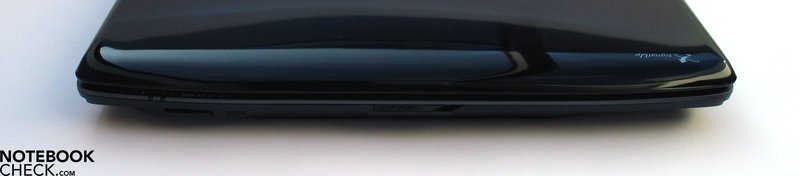
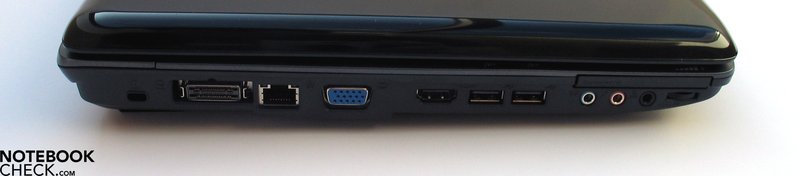
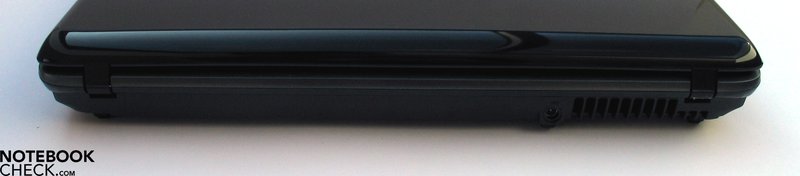
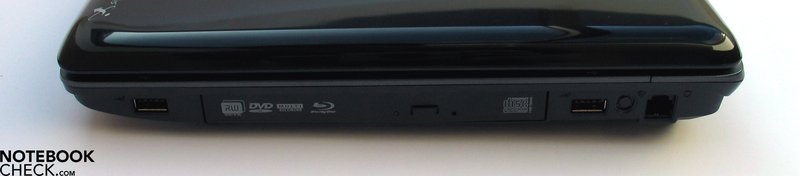
Acer also equips its Aspire 5530G very generously with communication modules. Included is, for instance, the Gigabit Ethernet from Broadcom and a802.11b/g wireless LAN module. A Bluetooth 2.0+EDR belongs to the standard equipment of the configuration variation 703G32Bi. With this, a wireless communication with your mobile phone or external wireless peripheral devices shouldn't be a problem.
In regards to warranty, Acer offers a total of 24 months guarantee – which isn't necessarily a matter of course in this price category.
Input Devices
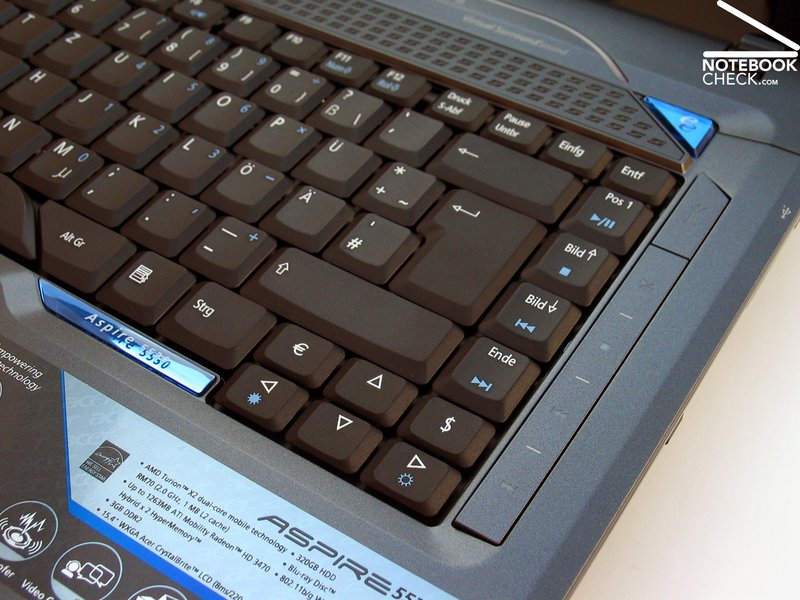
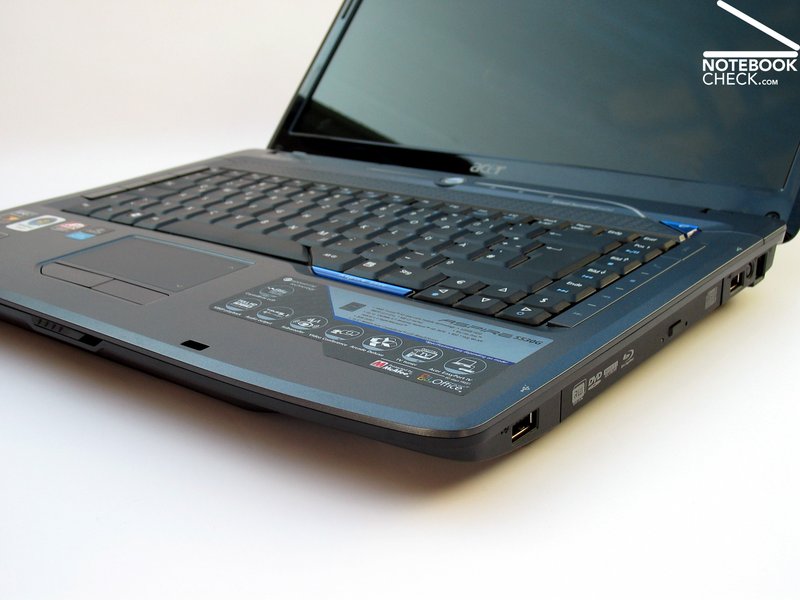
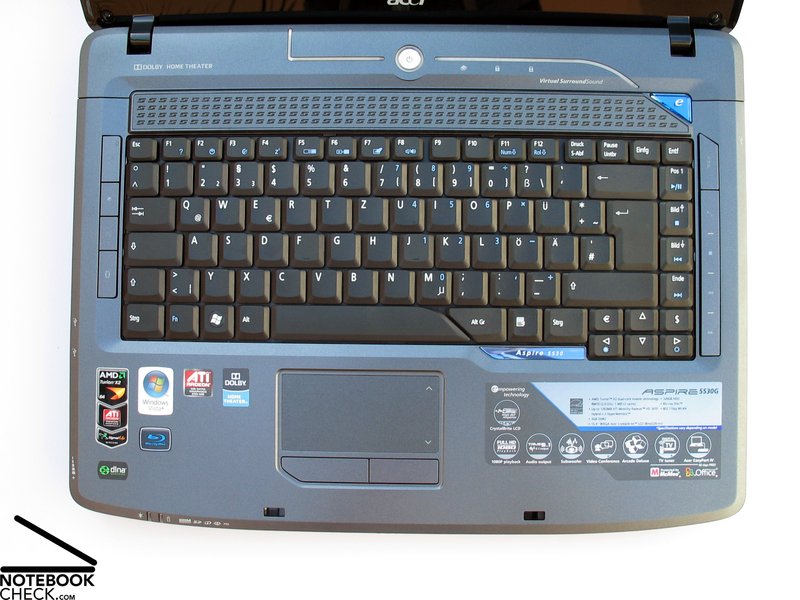
The keyboard isn't just a functional input device for Acer, at least not in the Aspire series. It serves also as a design element of the notebook. A leitmotif is drawn, starting with the LED illumination in the area of the on/off button over the bar of the additional keys on the right side of the keyboard edge and the name plate under the keyboard and cuts off angular with the space bar and the bordering AltGr key.
The user has to decide if he likes this or not. Fact is, there is no disadvantage when using the keyboard. The typing feel on the keyboard distinguishes itself through a palpable pressure point, with an almost subjectively too long stroke length. This may be related to the keyboard unit, which gives in under pressure and recoils during typing.
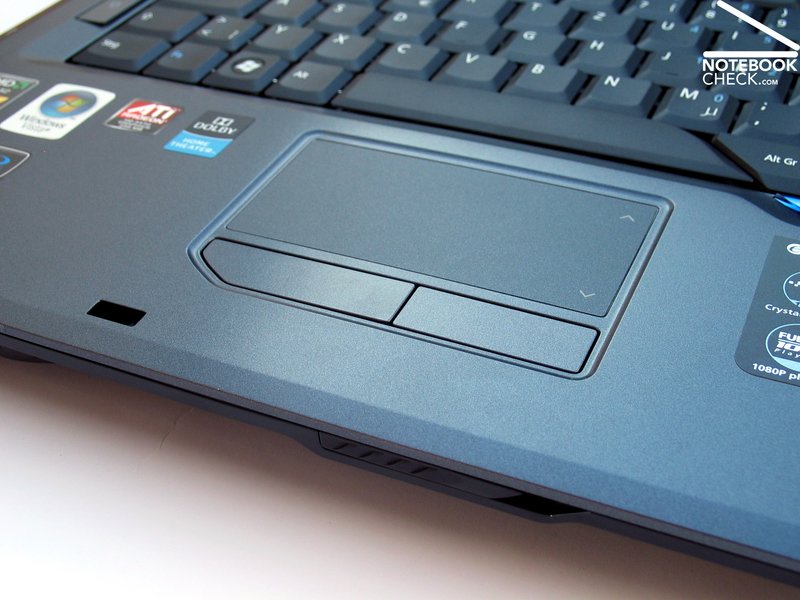
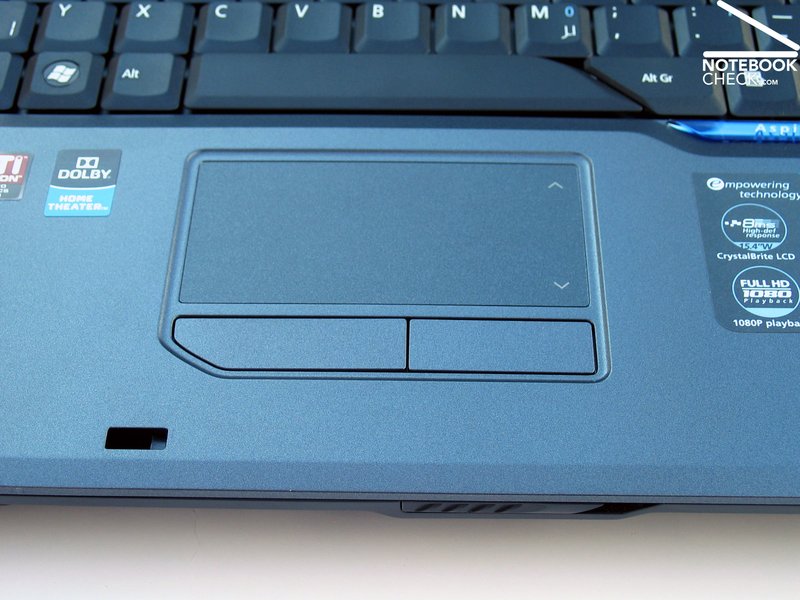
The touchpad shows an especially generous operating surface with a specifically marked scrolling field. The surface can be described as being thoroughly gliding-eager. The pad responded perfectly in the test and was very suitable as a mouse substitute. Both keys could be pressed just as nicely and made a clicking noise that wasn't disturbing.
Display
The Aspire 5530G has a 15.4 inch display with a resolution of 1280x800 pixels. The tag "CrystalBrite" refers to the reflective surface which is a usual for notebooks in this price category, though. This also applies for the offered resolution in WXGA format. This is fully sufficient for daily applications, but can lead to problems when working with several windows, in consideration to the overview.
In the scope of the conducted measurements with the Mavo Monitor Brightness Indicator, the stated brightness values couldn't quite be confirmed. In the middle display area we noted a maximum brightness of 182.0 cd/m2. A decrease of brightness of down to 137 cd/m2 in the upper corners was evident. With this, the illumination of the display is merely 75.3%.
| |||||||||||||||||||||||||
Brightness Distribution: 75 %
Contrast: 192:1 (Black: 0.95 cd/m²)
The applied screen reached a result of 0.95 cd/m2 in the evaluation of the minimum possible educible brightness. This means the screen has approx. 192:1 as the maximum possible educible contrast. In regards to the response time, Acer states a value of 8.0 milliseconds.
The cards are stacked against the Acer Aspire 5530G when it comes to the outdoor suitably of the notebook. On the one hand, the reflective GlareType screen provides for annoying reflections in bright surroundings, on the other however, the brightness of the screen is just within the average field.
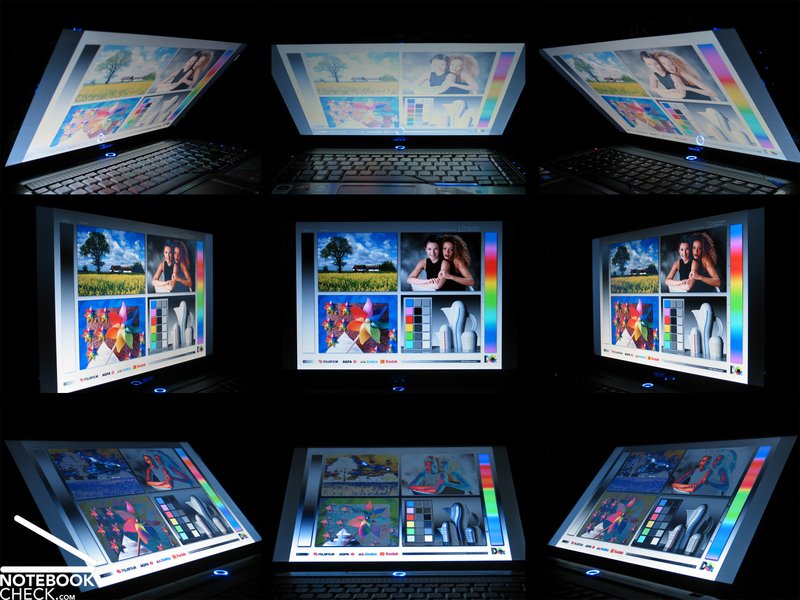
The display of the 5530G didn't present a convincing performance in consideration of the stable viewing angle. There are already massive color falsifications to be observed at minor irregularities from the ideal vertical viewing angle. In the horizontal area, you have to struggle more with increasing reflections the further the viewing area is slanted.
Performance
In the Acer Aspire 5530G an ATI/AMD chip combination is used. In consideration of performance, the processors from AMD might just be placed behind the equally clocked Intel chips, but for simple tasks this is unimportant. For multimedia starter notebooks, the price also plays a particularly important role and AMD has a lead on this.
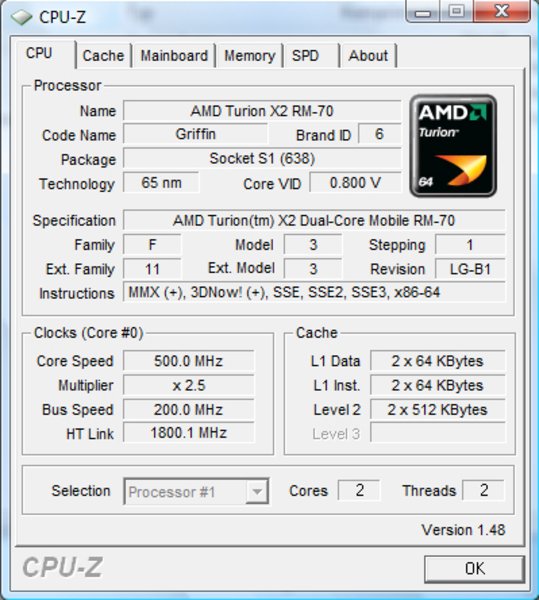
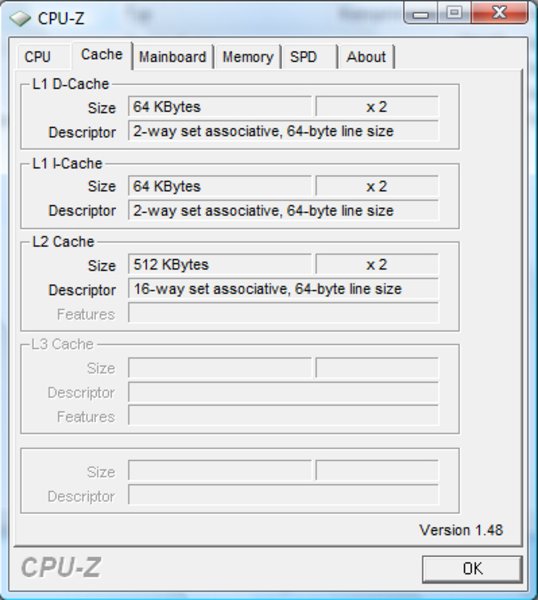
Acer uses an AMD Turion X2 RM-70 chip as a CPU. This bids two computer cores with a clock rate of 2 gigahertz. A significant difference to Intel chips is found in the architecturally smaller L2-cache with 512Kb per core. The RM-70 is made in a 65 nanometer technology and correlates to the older Merom CPUs from Intel. The AMD Puma range forms the basis for the CPU, of which the front side bus clock rate is 3600 MHz.
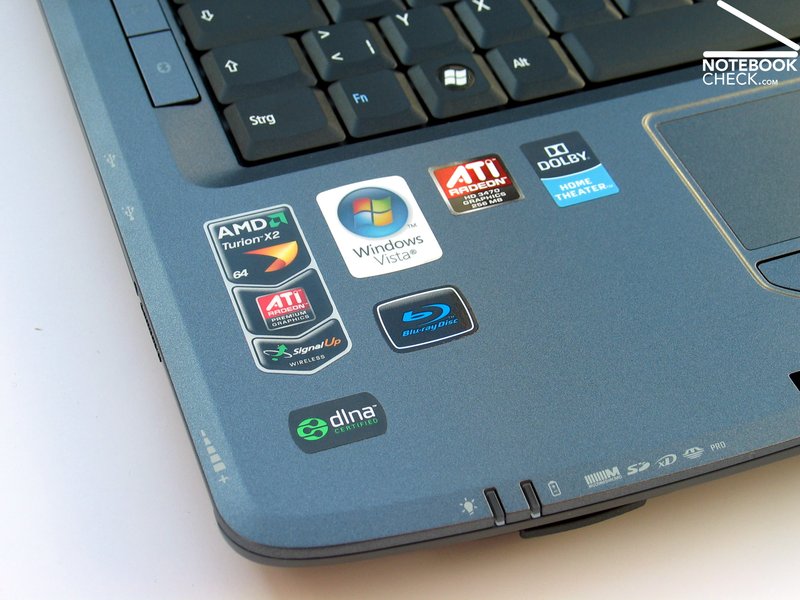
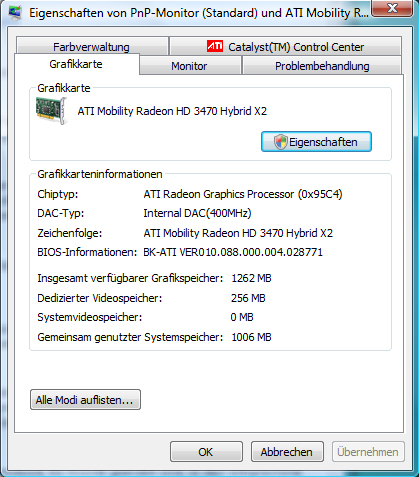
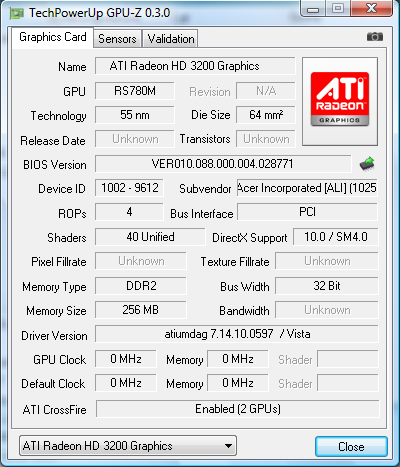
Two graphic cards are put to use right away in the Aspire 5530G for graphic computing. Two Mobility Radeon HD3470 chips in a Hybrid Crossfire combination are applied. Depending on the required performance, either one single card or both cards simultaneously provide for the according power.
But, if you think two graphic cards equal to two times as much performance, you're wrong there. The advantage is far smaller, in the best case approx. 20%, as it will become obvious in the 3DMark 2006 benchmark test. In practical use, for instance in computer gaming, the increase of performance turns out to be even less and provides only for a few more frames, not to mention a jump in performance in consideration of detail level or resolution.
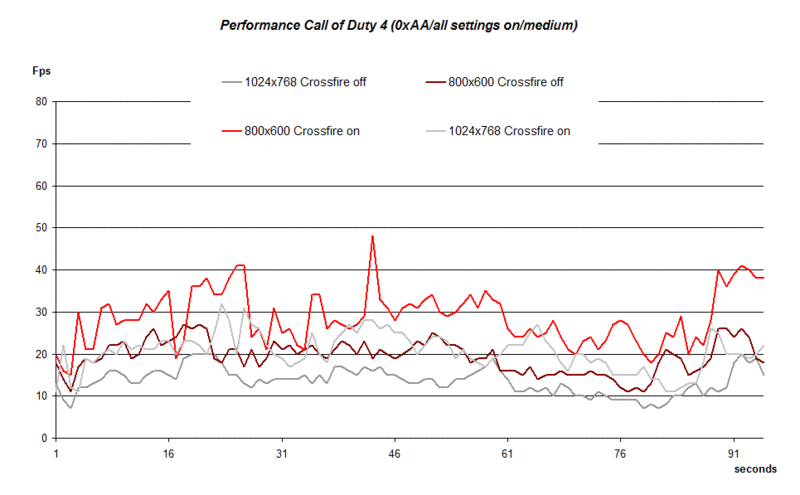
We tested the practical gaming performance of the Aspire 5530G with the popular shooter "Call of Duty 4". In order to even get the game in a playable area the minimum resolution of 800x600 pixels had to be chosen. In the test a noticeable benefit of the Crossfire solution from ATI was seen, after all. The frame rates achieved when insinuating the game was considerably above those results of only one graphic card with the activated Crossfire function. Nevertheless, you don't get beyond the area of approx. 30fps permanently, though, which hinders a stuttering-free gaming fun, in any case.
For testing reasons we ran "Crysis" on the device, too. In the GPU benchmark test, the Acer Aspire 5530G reached averagely 32.11 fps (3 run-throughs, best value) with the activated Crossfire function, in a resolution of 800x600 pixels and low details. The result with the deactivated Crossfire function turned out very interesting, as well: 39.02 fps in the GPU benchmark test.
This indicates a rather dire Crossfire support from "Crysis", which has to cope more with the extra overhead of both ATIHD3470 graphic cards than it is of use in the end.
Very sobering was the result of the test with the probably currently most performance hungry games: "GTA IV".
The benchmark test integrated into the game couldn't reach a playable performance even with the minimum resolution of 800x600 pixels and all details on minimum or deactivated. The HD3470 Crossfire solution only just reached 15.28 fps in the benchmark test. With the Crossfire option deactivated, so with only one HD3470, the 5530G reached a slightly bit better 16.00 fps. Howsoever, "GTA IV" remains practically unplayable.
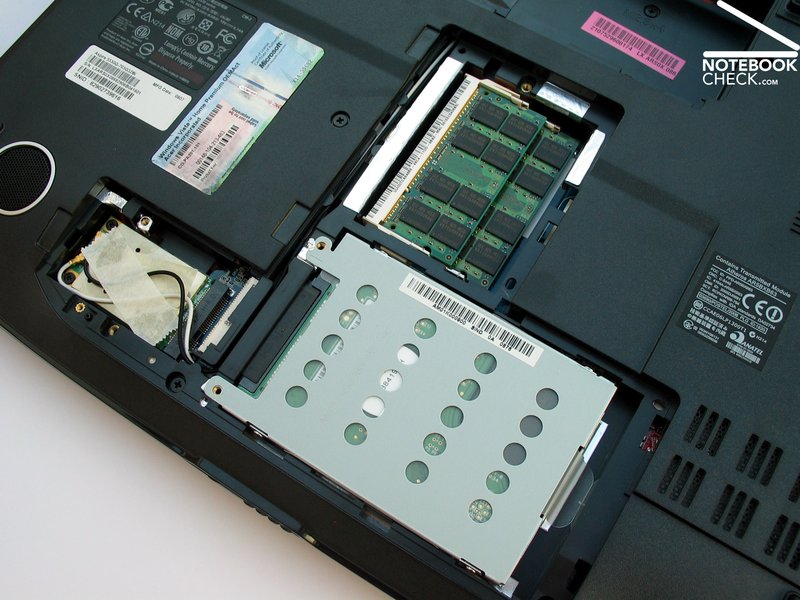
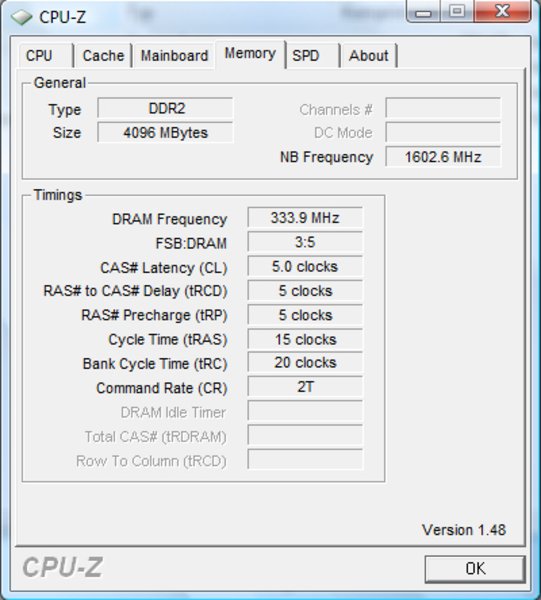
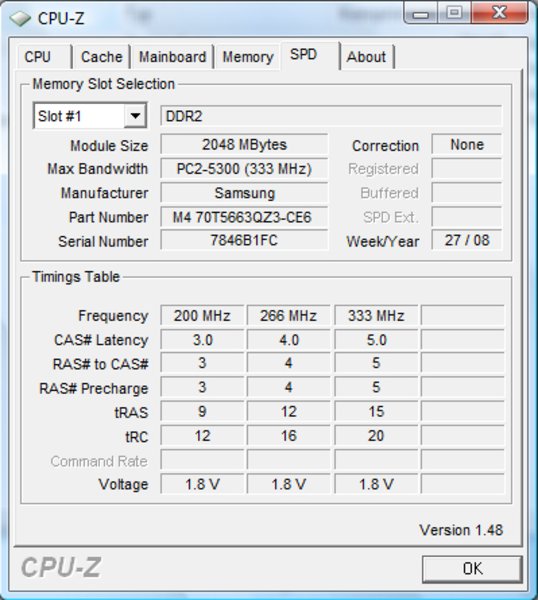
Our test sample was equipped with a total of 4 GB RAM of type DDR2 PC2-5300. It was a bit surprising that the system was fitted with merely a 32 bit operating system (Windows Home Premium). Only a bit over 3GB of the RAM could actually be used with that.
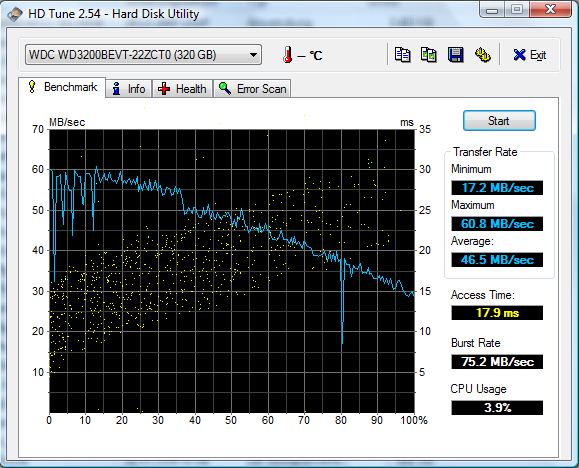
A voluminous 320GB hard disk from Western Digital (WD3200BEVT) is used as the mass storage. The data storage medium with a format of 2.5 inches runs with a velocity of 5400 rpm and presents an acceptable access time of 17.9 milliseconds and transfer rates of up to 60.6 MB/sec in the HDTune benchmark test. With this, it is in the center span of comparable 5400 models.
| 3DMark 2001SE Standard | 10748 points | |
| 3DMark 03 Standard | 5471 points | |
| 3DMark 05 Standard | 4527 points | |
| 3DMark 06 1280x768 Score | 2327 points | |
Help | ||
| PCMark 05 Standard | 3805 points | |
Help | ||
| Cinebench R10 | |||
| Settings | Value | ||
| Shading 32Bit | 2098 Points | ||
| Rendering Multiple CPUs 32Bit | 3012 Points | ||
| Rendering Single 32Bit | 1556 Points | ||

Emissions
System Noise
The notebook stays pleasantly quiet and only the running noise of the hard disk is audible after turning it on. The fan starts up after a short time, though, making the notebook very perceptible. The Aspire 5530G can be described as audible but not disturbing with 35.1 dB(A) on the indicator scale. In classic office applications the notebook remains on this level.
We could get a maximum of 44.4 dB(A) out of the Aspire 5530G under load. The CPU as well as both graphic cards have to be used to capacity for a longer period of time. The notebook has to be described as unpleasantly loud in this condition.
Noise level
| Idle |
| 30.7 / 35.1 / 0 dB(A) |
| DVD |
| 37.3 / dB(A) |
| Load |
| 39.8 / 44.4 dB(A) |
 | ||
30 dB silent 40 dB(A) audible 50 dB(A) loud |
||
min:  , med: , med:  , max: , max:  (15 cm distance) (15 cm distance) | ||
Temperature
The upper side of the base unit only warms itself up slightly and reaches a maximum of up to 37.8°C in the area behind the keyboard. A similar result is seen on the bottom side of the device. While the case heating is rather low in the front area, we can measure maximum temperatures of up to 46.2°C in the back area. When using the laptop on the thighs, this can get unpleasant.
(+) The maximum temperature on the upper side is 38.4 °C / 101 F, compared to the average of 36.8 °C / 98 F, ranging from 21 to 71 °C for the class Multimedia.
(-) The bottom heats up to a maximum of 46.2 °C / 115 F, compared to the average of 39.1 °C / 102 F
(+) The palmrests and touchpad are reaching skin temperature as a maximum (33.2 °C / 91.8 F) and are therefore not hot.
(-) The average temperature of the palmrest area of similar devices was 28.7 °C / 83.7 F (-4.5 °C / -8.1 F).
Loudspeakers
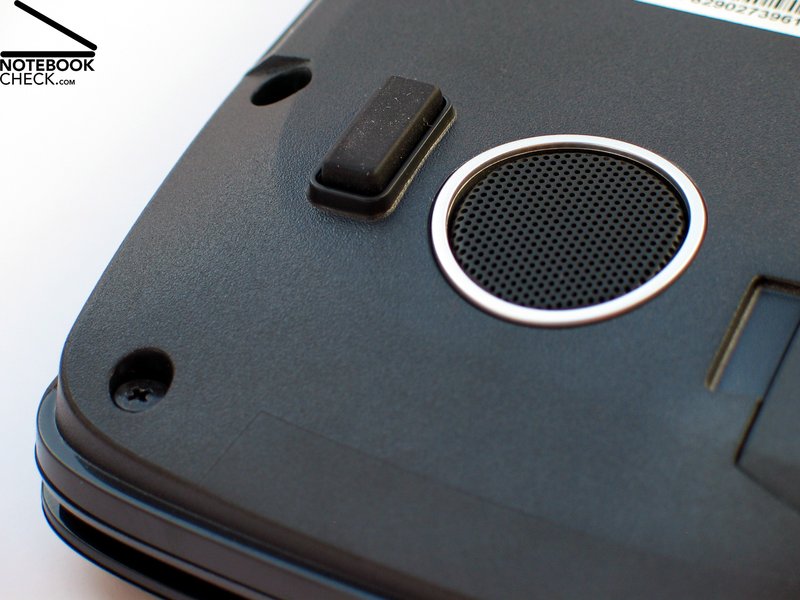
If you follow the official statements from Acer, the Aspire 5530G should almost be capable of replacing a hi-fi system: certified Dolby sound system, stereo loudspeakers and an additional subwoofer, 5.1 surround audio output and S/PDIF support.
In the practical test, the Aspire couldn't really convince in regards to its sound quality. The emitted tones sounded muffled and constrained – as though they didn't really want to leave the case. The subwoofer only provided a mediocre service. Its presence is very audible, but it is far off from being a full sound experience.
Battery Life
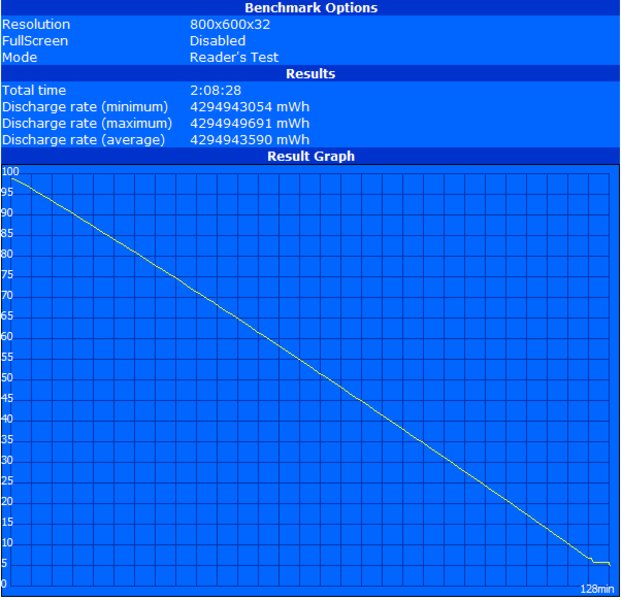
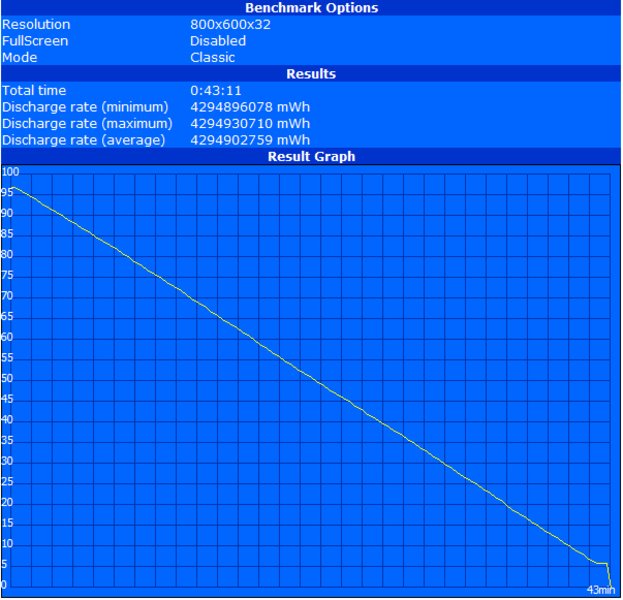
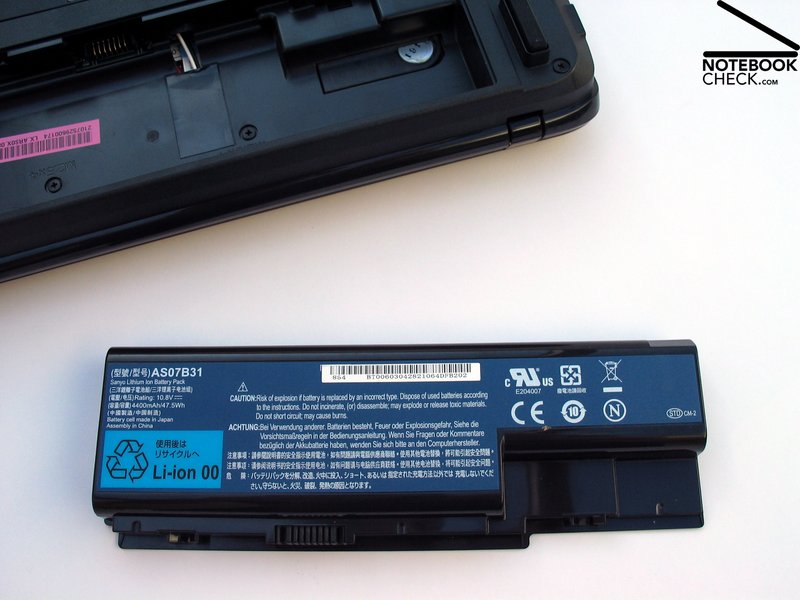
Equipped with a lithium-ion battery with a capacity of 47.5 Wh, the Aspire 5530G didn't deliver very optimistic results in the battery test. For instance, the notebook achieved in the BatteryEater Reader's test a maximum possible battery runtime of merely 128 minutes with maximum energy saving options. The BatteryEater Classic certifies the 5530G a battery life of only 43 minutes as the lowest runtime limit.
The practical test of the runtime in WLAN mode doesn't look much better, as expected. A short excursion is possible with 115 minutes, but you shouldn't move too far away from a socket. The same applies to DVD playing. A considerable decrease has to be awaited when playing Blu-Ray because the decoding of HD data has a greater deal of computing complexity and a significantly higher power consumption due to this.
| Off / Standby | 0 / 0 Watt |
| Idle | 25.6 / 28.3 / 35.1 Watt |
| Load |
69.3 / 79.8 Watt |
   
| |
Key:
min: ,
med: ,
max: | |
Verdict
The AcerAspire 5530G-703G32Bi positions itself as a low-priced multimedia starting device which tries to distinguish itself from the mass-market of possible competitors in this league, with its extensive connectivity, the integrated Blu-Ray drive and not last but least the Crossfire graphic solution.
The well-known Acer 15.4 inch chassis, as it is also used for a few other models from Acer, serves as the basis. The notebook design is impressive, even if we didn't find the LED illumination of the base unit very agreeable.
The offered docking port, which is very unusual for consumer notebooks in this price category, surprised us in a very positive way. This can be very helpful for office use of the device, especially if you are planning to often use the notebook mobile.
The only brake in mobile use of the device is the battery life, which is very tightly measured with a maximum of up to 2 hours. Also the total weight of the notebook of about 3 kilograms plus the power supply with approx. 500 grams and with which you hardly can do without, don't really contribute to the mobility of the Aspire 5530G.
The AMD/ATI combination is good for the demand on the purse in consideration of the graphic and processor and also makes an unproblematic use of the notebook for daily applications possible. The hardware finds its performance limits fast when doing computationally intensive programs. This applies especially to the Crossfire graphic solution with two Mobility Radeon HD3470 graphic cards in gaming application.
It is still valid here: It's better to have one highly efficient performance graphic card than two combined weaker graphic chips.
The application field for the Acer Aspire 5530G can be specified as light multimedia fare in stationary use. This reaches from playing DVDs and Blu-Rays up to less sophisticated computer games. In consideration of the equipment the price is also configured absolutely fair.
 Add as a preferred source on Google