





How does Notebookcheck test laptops and smartphones? A behind-the-scenes look into our review process
A deep dive on how we carry out product testing.
We have a meticulous methodology for testing laptops, phones, and tablets that allows for impartial and objective ratings. This article offers a comprehensive look behind the scenes — a detailed explanation of what we measure and how we do it — and tells you how we interpret the results.Simon Leitner, Klaus Hinum, Marc Herter, ✓ Vaidyanathan Subramaniam (translated by DeepL) Published 🇩🇪 🇷🇺
Ever since Notebookcheck started about 20 years ago, we have measured and tested thousands of laptops and smartphones. For our reviews, we have developed specific criteria aimed at testing all aspects of the device that are relevant to the user.
Apart from traditional benchmarks, our reviews also encompass numerous hardware tests. Since our testing also covers smartphones, tablets, and convertibles in addition to laptops, the criteria for each device category change accordingly.
New, advanced technologies are being developed constantly. We endeavor to keep our testing at pace with the changing technological landscape. However, please note that manufacturer specifications (e.g., brightness, color space, weight, dimensions, etc.) can often vary significantly due to different measurement methods and measuring devices.
Below, you will find an overview of all of our review criteria and details on each individual aspect of the devices that we test.
Chassis and build
We keenly evaluate the chassis and build quality of the test devices we receive and evaluate them on the following aspects:
- Design (colors and design)
- Materials
- Feel (haptics)
- Dimensions
- Weight
- Workmanship (gap dimensions, paintwork, edges, accuracy of fit, accuracy of fit of the individual parts, etc.)
- Stability (behavior under pressure — with a finger press or hand, torsion resistance, etc.)
- Hinges (force required, rocking, opening angle)
The evaluation of individual points is also at the discretion of the respective editor and is carried out after consultation with the editorial team and the responsible senior editor. A comparison with other test devices of the class is also drawn up.
Ports, connectivity, and hardware
We evaluate the range of available ports, connectors, and their positioning, including any additional functions and communication features offered.
The available communication modules such as LAN, WLAN, Bluetooth, and mobile communications are assessed.
For smartphones, in addition to a practical test of the telephony functions, we also carry out a standardized Wi-Fi test connected to our reference Wi-Fi 6E router, the Asus ROG Rapture GT-AXE11000.
SD Card reader
If the review device features an SD card reader, it is subjected to a test of expected transfer rates using the Angelbird AV Pro V60 128 GB microSD — our current fast reference SD card.
The transfer rate is tested when copying large blocks of data (such as videos) from the SD card to the test device, by using the AS SSD Seq. Read test, as well as while copying many individual images.
250 images of around 5 MB are transferred three times from the SD card to the test device. The transfer time is automatically logged by a script developed in-house.
The values of some particularly fast or slow devices are shown below for comparison, including some devices that offer middling SD card reader transfer speeds.
| SD Card Reader | |
| average JPG Copy Test (av. of 3 runs) | |
| Microsoft Surface Laptop Studio 2 RTX 4060 (Angelbird AV Pro V60) | |
| Asus ROG Ally Z1 Extreme (Angelbird AV Pro V60) | |
| Average of class Multimedia (23 - 531, n=37, last 2 years) | |
| Lenovo IdeaPad Pro 5 16IMH G9 RTX 4050 (Toshiba Exceria Pro SDXC 64 GB UHS-II) | |
| Acer Nitro 14 AN14-41-R3MX (AV PRO microSD 128 GB V60) | |
| maximum AS SSD Seq Read Test (1GB) | |
| Asus ROG Ally Z1 Extreme (Angelbird AV Pro V60) | |
| Average of class Multimedia (37.3 - 1455, n=36, last 2 years) | |
| Microsoft Surface Laptop Studio 2 RTX 4060 (Angelbird AV Pro V60) | |
| Lenovo IdeaPad Pro 5 16IMH G9 RTX 4050 (Toshiba Exceria Pro SDXC 64 GB UHS-II) | |
| Acer Nitro 14 AN14-41-R3MX (AV PRO microSD 128 GB V60) | |
Wi-Fi performance
We currently use the Asus ROG Rapture GT-AXE11000 tri-band router for our Wi-Fi performance tests. The review sample is placed at a distance of one meter from the router on the same level.
A server is connected to the router via 2.5 GbE LAN. iPerf3 with settings -i 1 -t 30 -w 4M -P 10 -O 3 is used to determine the transmission speed between the server and the test device in both directions.
The fastest transmission standard supported by the test device up to Wi-Fi 6E is used, as well as an older standard such as Wi-Fi 5. 30 data blocks are transmitted during the test. This helps us determine whether the connection with the router is stable or subject to fluctuations.
| Networking | |
| iperf3 transmit AXE11000 | |
| Asus Zenbook S 16 UM5606-RK333W | |
| Average of class Multimedia (606 - 1978, n=54, last 2 years) | |
| Asus ZenBook 14 UM3402Y | |
| iperf3 receive AXE11000 | |
| Asus Zenbook S 16 UM5606-RK333W | |
| Average of class Multimedia (682 - 1818, n=54, last 2 years) | |
| Asus ZenBook 14 UM3402Y | |
| iperf3 transmit AXE11000 6GHz | |
| Average of class Multimedia (869 - 2373, n=23, last 2 years) | |
| Asus ZenBook 14 UM3402Y | |
| iperf3 receive AXE11000 6GHz | |
| Average of class Multimedia (1212 - 2361, n=23, last 2 years) | |
| Asus ZenBook 14 UM3402Y | |
GNSS
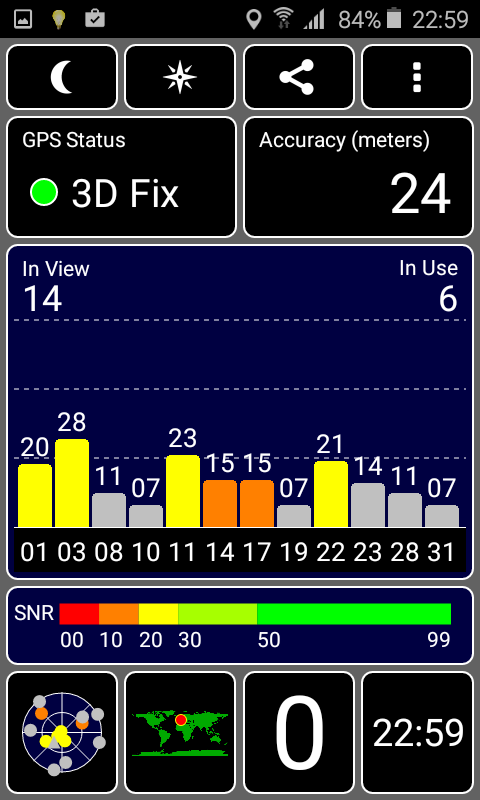
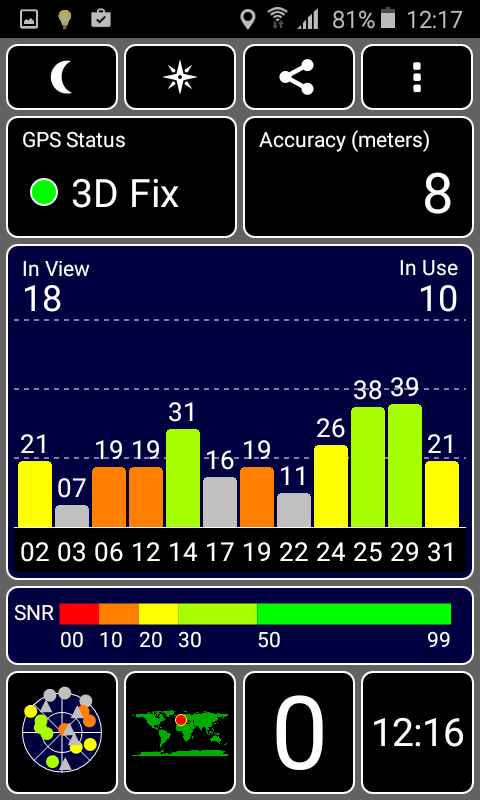
Mobile devices equipped with a GNSS module are subjected to a practical test. The reviewer takes a known route by bike and records it with both the test device and our navigation reference.
The comparative data allows us to infer the precision and reliability of the GPS module used. Satellite signals inside and outside buildings are also recorded.


Camera
We test the front (webcam/selfie camera) and rear camera (main camera on smartphones) and evaluate the achievable image quality using standardized reference cards, as well as in direct practical comparison with current flagship devices.
Image sharpness, color reproduction, contrast, light sensitivity, and video function are evaluated among other parameters.
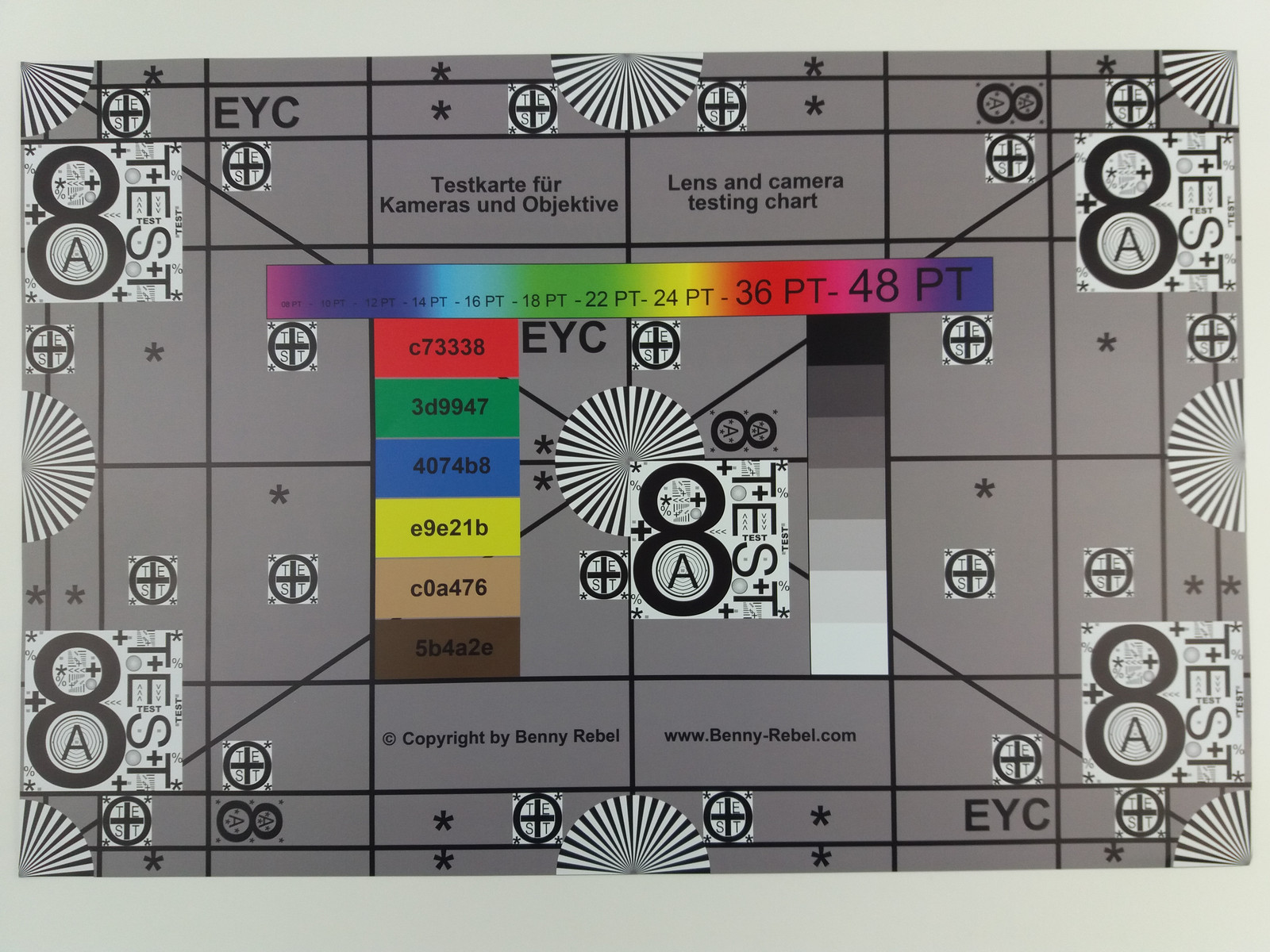


The following is an image comparison using the 2016 Samsung Galaxy. Three different scenes are used to compare various available camera lenses.
The main image can be navigated around to reveal details in comparison with other devices.
Image comparison
Choose a scene and navigate within the first image. One click changes the position on touchscreens. One click on the zoomed-in image opens the original in a new window. The first image shows the scaled photograph of the test device.
Main CameraMain CameraUltra-wide angle5x ZoomLow light


Maintenance, sustainability, and warranty
Devices should last as long as possible and be repairable in the event of a failure or emergency. That's why, wherever possible, we also take a look inside our review units and check what upgrade and repair options are available.
In terms of sustainability, we also check the packaging for the use of environmentally friendly materials, the spare parts supply offered by the manufacturer, software update plan, and hardware warranty.
We also try to provide information on the expected CO₂-equivalent emissions of a device, if provided by the manufacturer.
Input devices
Whether laptops or smartphones, all devices come with different input devices. These include keyboards, touch or click pads, touchscreens, input pens or, in the case of gaming handhelds, controller elements.
We examine the following with respect to keyboards:
- Key layout (arrangement, size, grouping, overview, function keys, labeling)
- Typing feel (stroke distance, pressure point, stroke, background noise)
- Additional keys
For touchscreens and touchpads:
- Response behavior (surface, multi-touch, precision, smoothness)
- Mouse replacement buttons (operation, background noise)
- virtual keyboard (layout, feedback, responsiveness, key size)
Of course, we also look at sensors, digitizers, digital input pens and other input methods.
Display
To evaluate a device's display quality, we take various measurements and also check practical applications. First, we note the resolution and format (pixel density) using general information from the operating system.
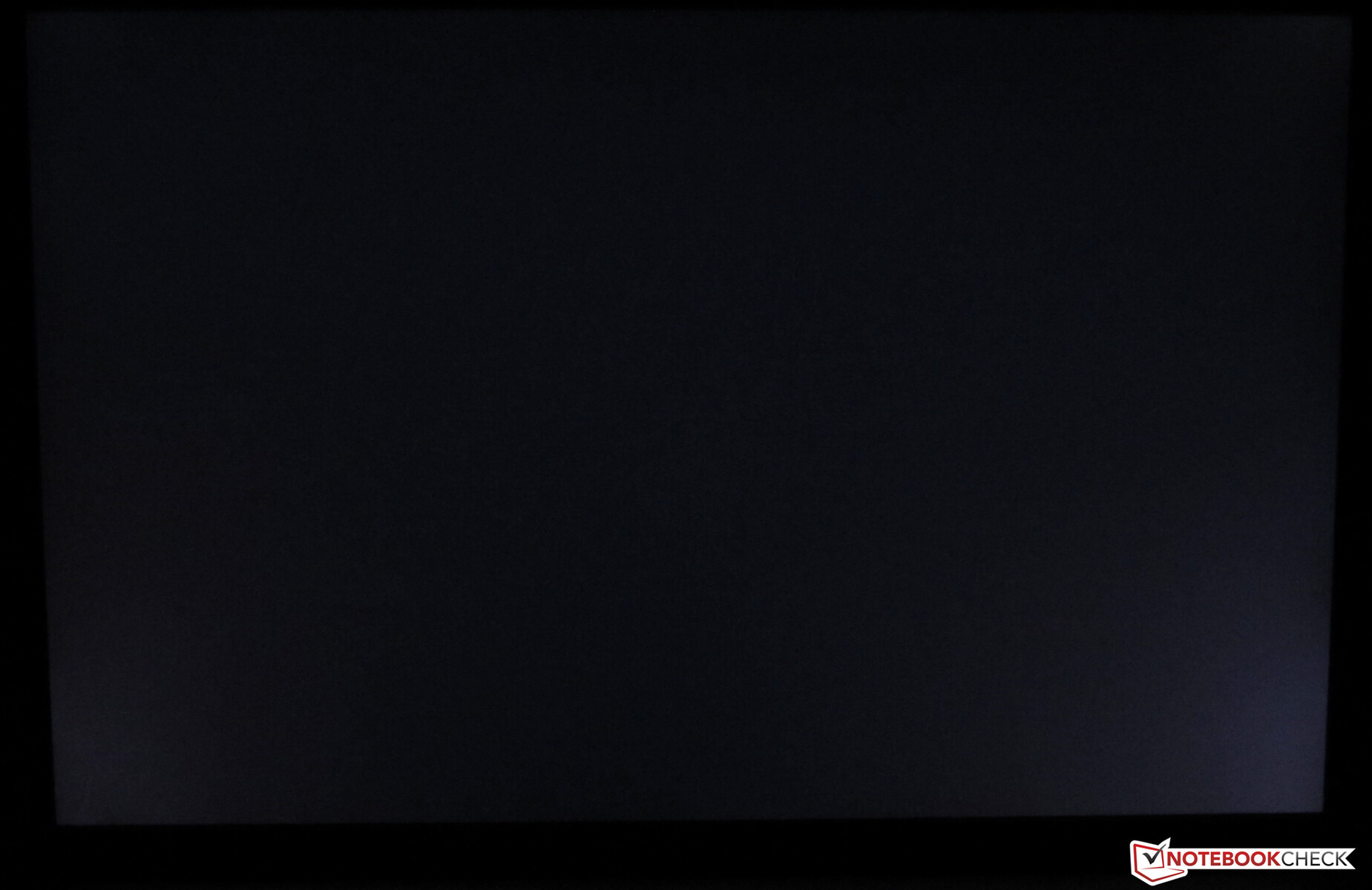
We use a microscope to examine the screen's subpixel matrix for unusually large pixel pitches. The illumination (shading, light bleeding) as well as viewing angles and reflections in outdoor use are checked using camera images.
We then take the below measurements using the X-Rite i1Basic Pro 3 spectrophotometer, a ThorLabs PDA100A-EC or PDA100A2 photodetector, and a Rigol or Siglent oscilloscope:
- Display brightness [cd/m²] (maximum, minimum, mains/battery operation)
- Contrast (max., black level)
- Color representation (DeltaE - Calman ColorChecker, grayscale, and saturation)
- Displayable color space (sRGB, AdobeRGB, Display P3)
- Screen flickering due to PWM or control of the pixels
- Response times (100% black to 100% white, 50% grey to 80% grey)
Our measured values can sometimes deviate significantly from the manufacturer's specifications, as they use different measurement methods (color space calculation in 2D vs. 3D space, brightness with APL, other measuring devices, theoretical values of the panel, distance during measurement, etc.).



Brightness, backlight homogeneity, and contrast
We use an X-Rite i1Basic Pro 3 spectrophotometer in conjunction with the latest version of the Calman Ultimate software from Portrait Displays to measure the brightness and color characteristics of the screen.
To determine the maximum brightness, the screen is divided into nine measurement zones. At 100 % brightness, the luminance is determined in cd/m² (candela per square meter, also known as nits). A "warm-up phase" of around 10 minutes is observed for all screen measurements.
Device-dependent options, such as automatic brightness or content-adaptive adjustments, are deactivated, and any preset color profiles are not taken into account, i.e. the base measurements are taken in the delivery state.

The black value is determined in a darkroom to avoid stray light. It is carried out at 100 % black in the central measurement quadrant. The maximum contrast we calculate from this refers to the values determined in this way in the central display area.
To determine the illumination, the maximum measured value is set in relation to the minimum brightness determined. All values determined are summarized as follows:
Brightness, backlight homogeneity and contrast: AU Optronics B156HAN02.1
| |||||||||||||||||||||||||
Brightness Distribution: 92 %
Center on Battery: 324 cd/m²
Contrast: 1580:1 (Black: 0.2032 cd/m²)
ΔE ColorChecker Calman: 6.11 | ∀{0.5-29.43 Ø4.71}
calibrated: 3.65
ΔE Greyscale Calman: 4.9 | ∀{0.09-98 Ø4.96}
Gamma: 1.925
CCT: 6365 K
Color accuracy: Delivery state vs. calibrated
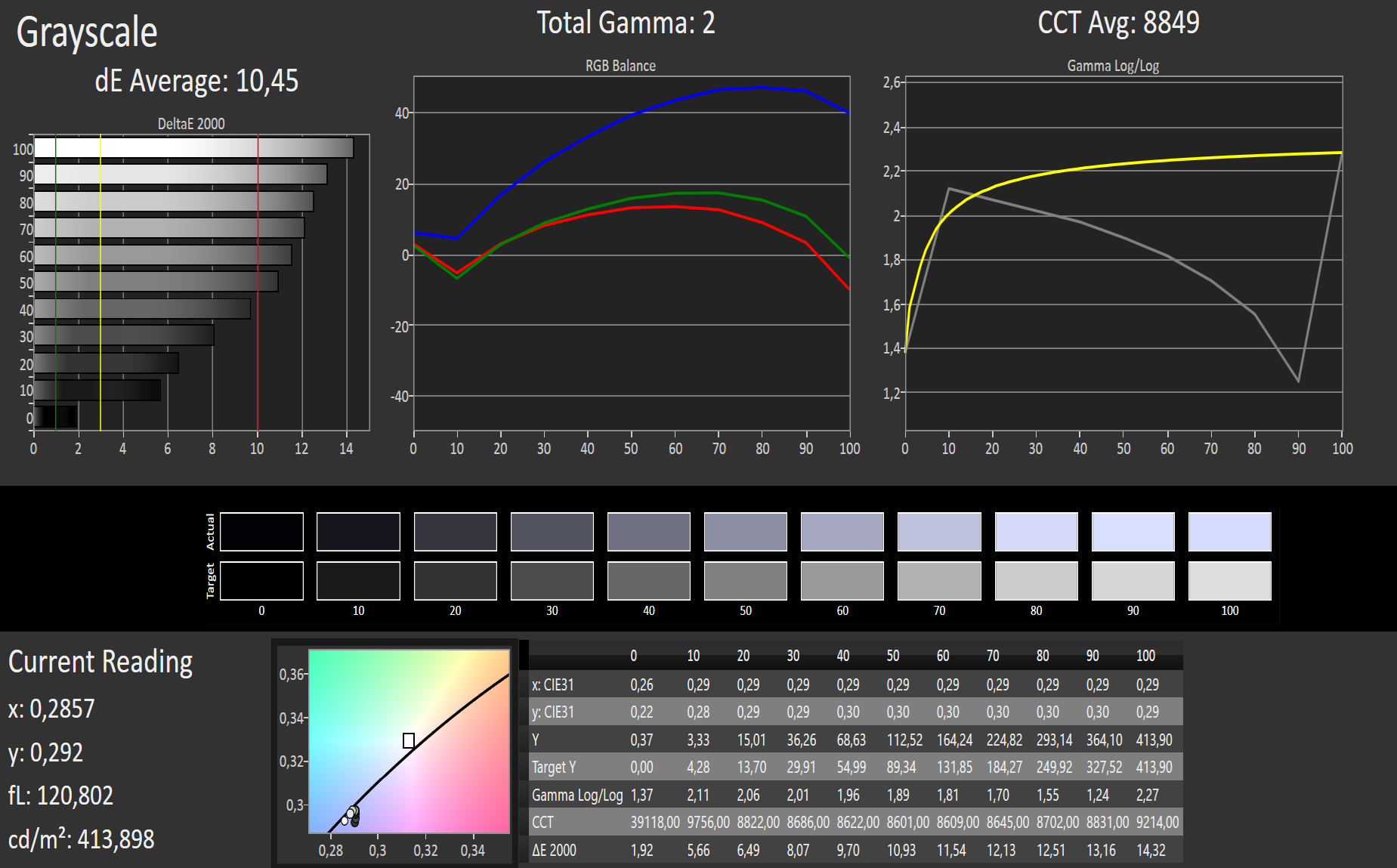
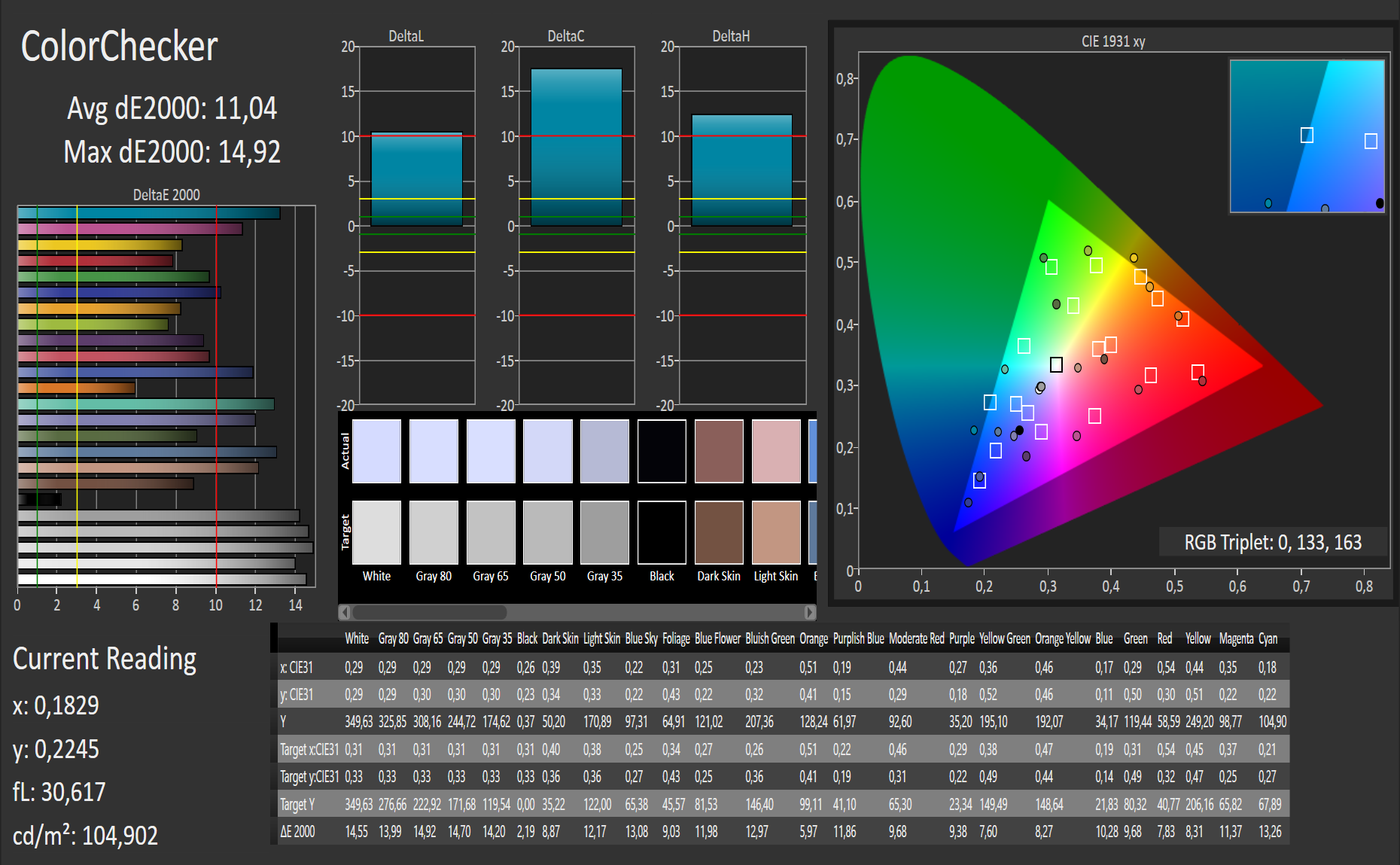
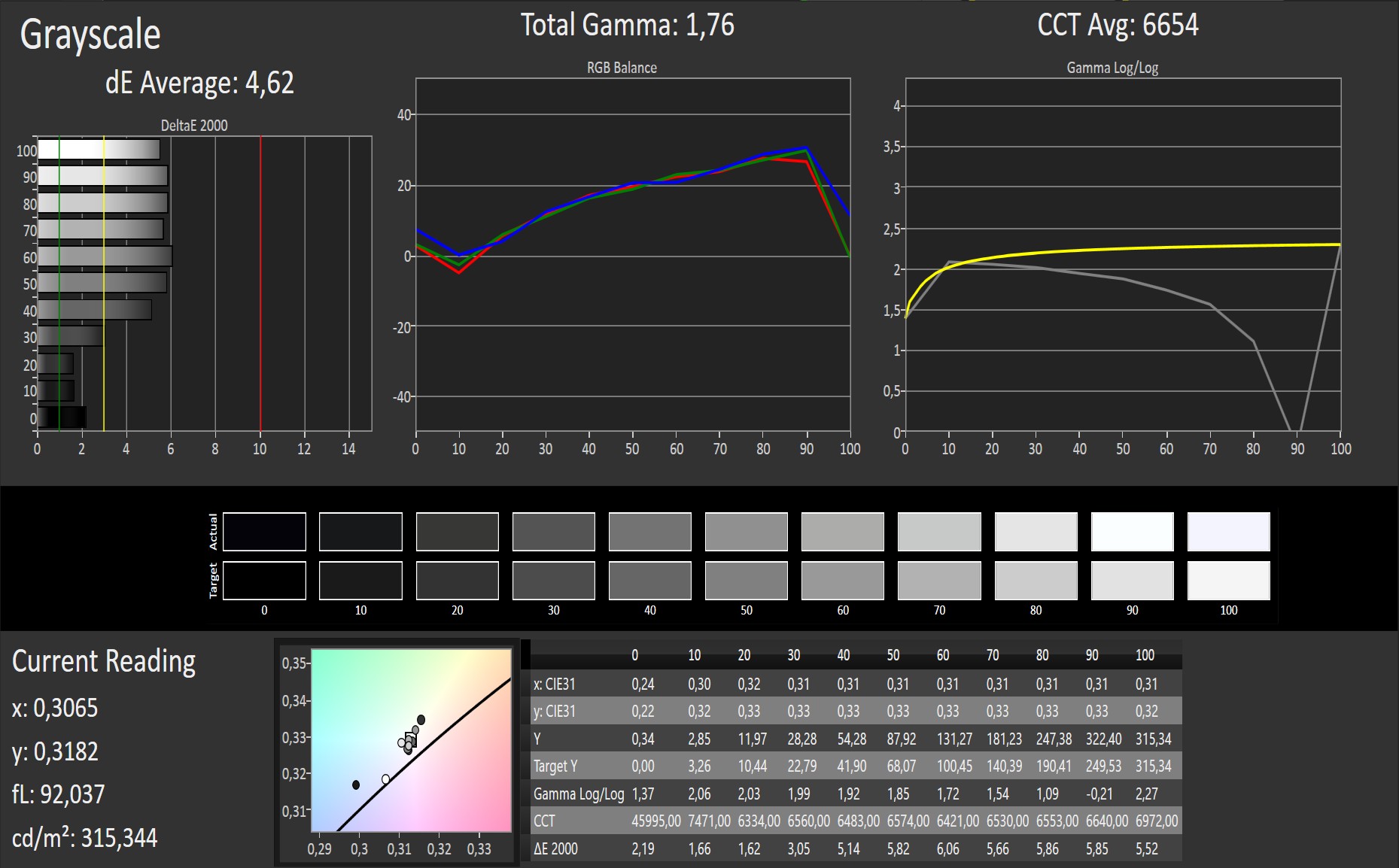
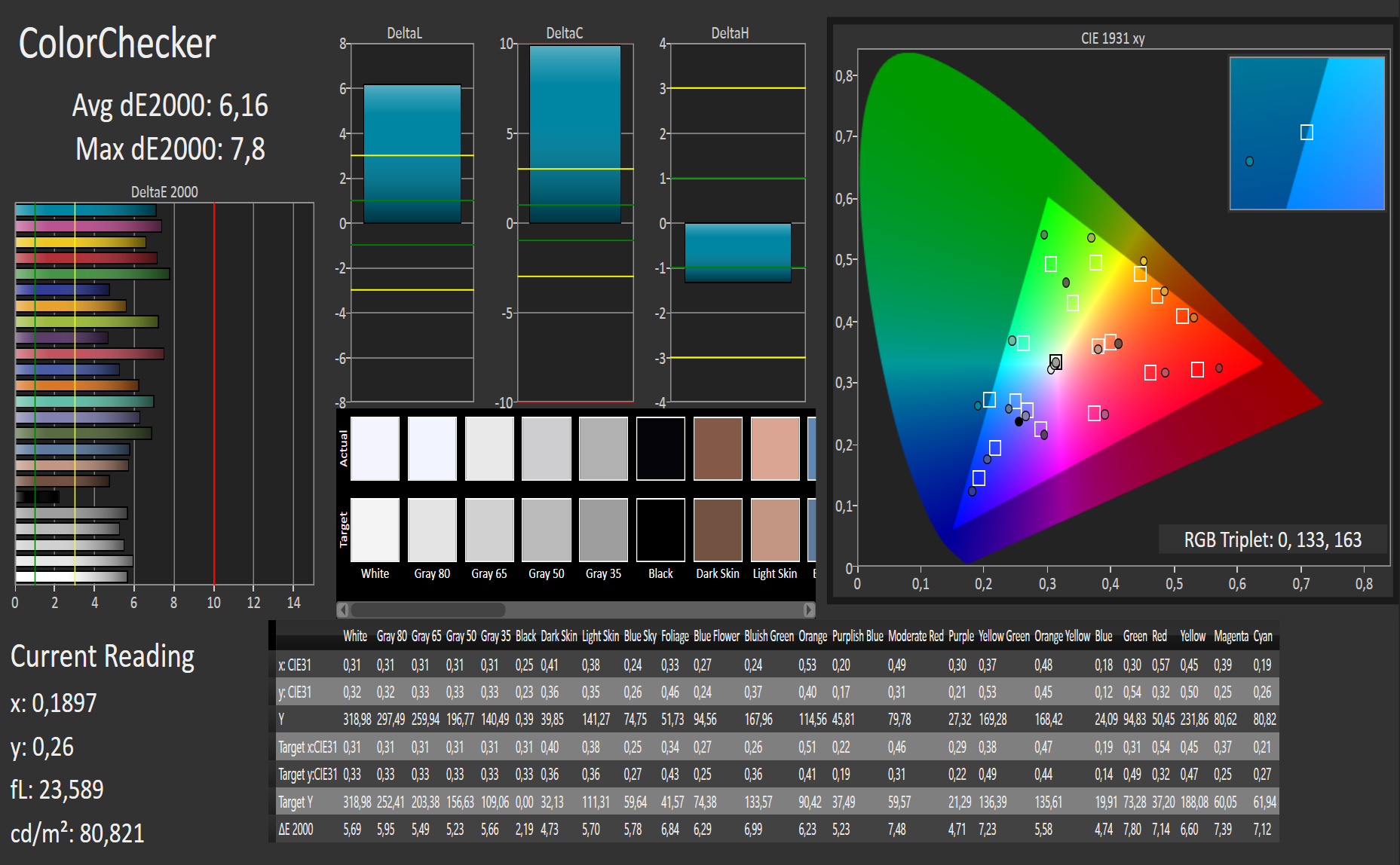
We also measure the color representation using the X-Rite i1Basic Pro 3 spectrophotometer in conjunction with the Calman Ultimate software. Here, the target and actual state are determined for specified colors. The color fidelity is specified according to the DeltaE 2000 color distance.
DeltaE 2000 values less than 3 for the displayed color are hardly distinguishable by the human eye from the sRGB target values. This is actually difficult even for values below 5, but the differences become increasingly apparent at higher deviations (see the graphs below).
Devices intended for use in editing graphics, images, and videos should therefore operate in the range below 3 or support a correspondingly good calibration.
An appropriate calibration is also carried out as part of the tests, and the display is measured again for color accuracy. A corresponding ICC color profile is offered for free in our reviews, which can be used for improved color accuracy in color-sensitive workflows.

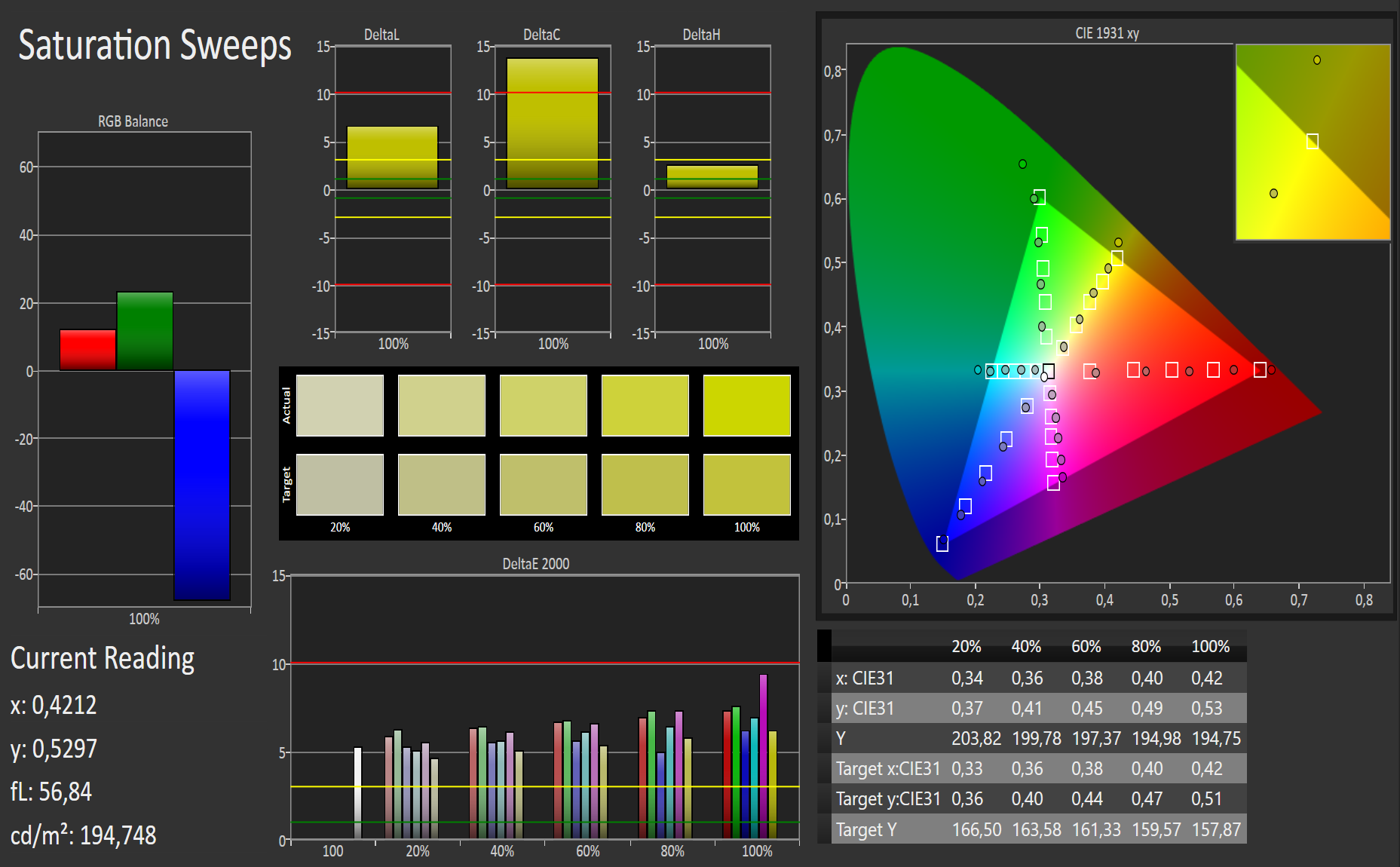
Color space coverage
In addition to the correct display of colors, the displayable color space also plays an important role for professional graphics and image editing.
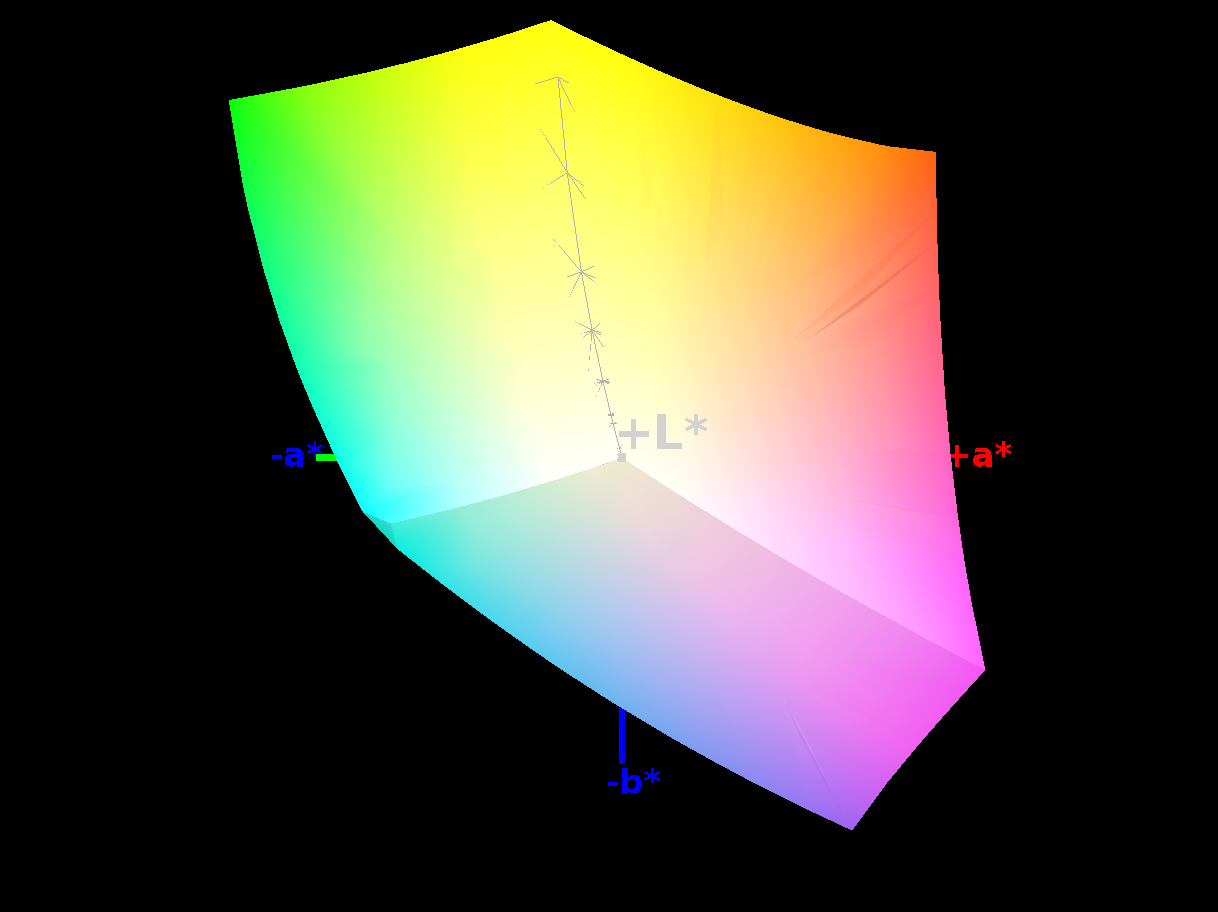
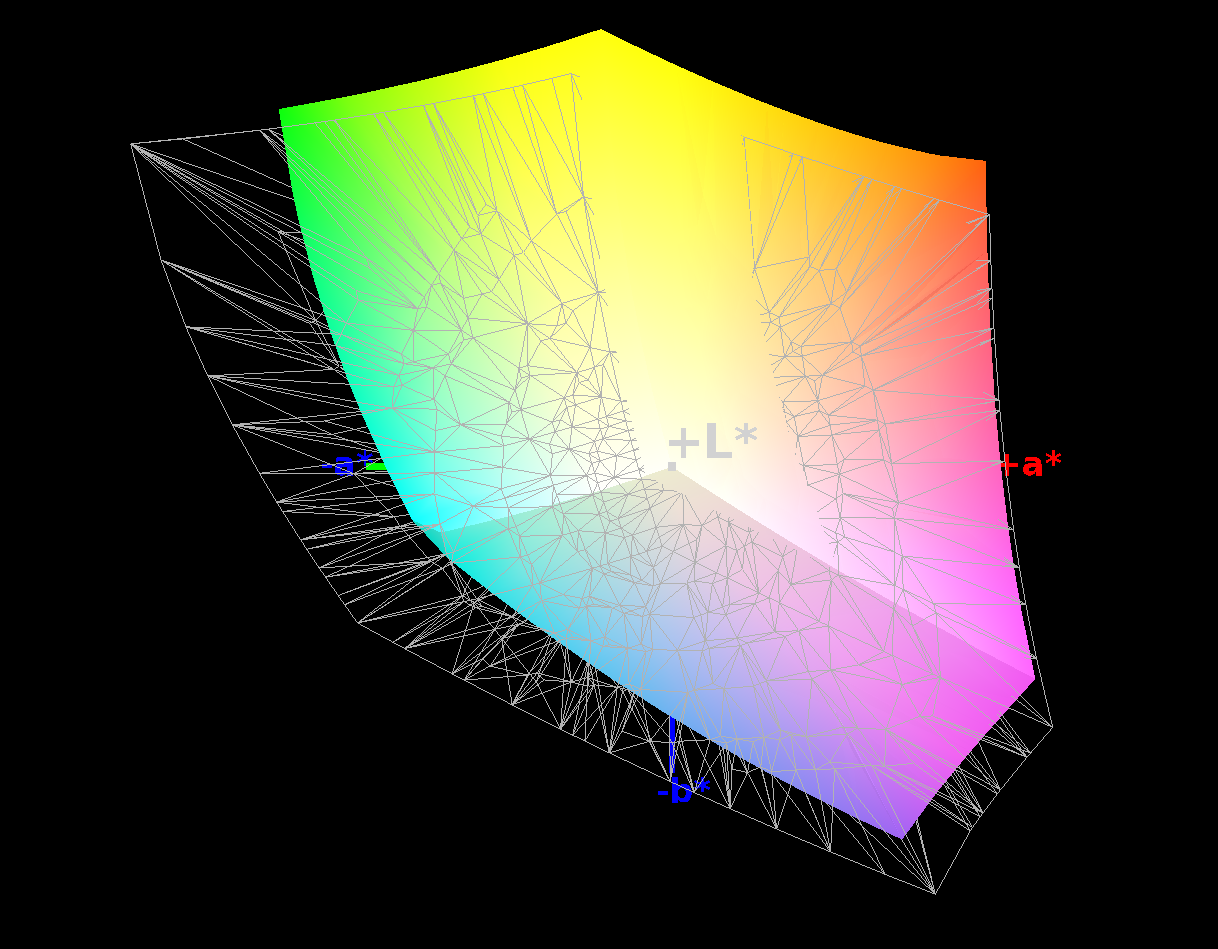
We check our test devices for coverage of the sRGB, AdobeRGB, and Display P3 color spaces. The .icc file created by X-Rite's i1Profiler is used here in conjunction with the Argyll software.
The color gamut coverage is determined in 3D space. This differs from the 2D color gamut values shown by Calman but is much more accurate and representative.
Response times

Using an oscilloscope and a professional switchable gain photodetector from Thorlabs (PDA100A-EC or its successor PDA100A2), we measure the response speed when switching from 100% black to 100% white and from 50% grey to 80% grey.
A low response time is particularly relevant for gaming laptops. For perspective, monitors specially designed for gaming or OLED panels have a response time of just a few milliseconds.
Display Response Times
| ↔ Response Time Black to White | ||
|---|---|---|
| 17 ms ... rise ↗ and fall ↘ combined | ↗ 4 ms rise | 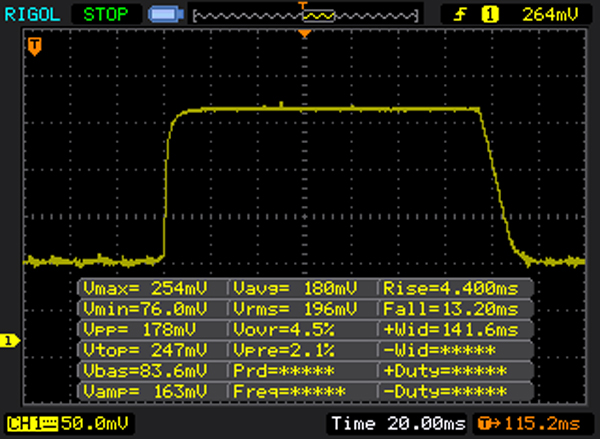 |
| ↘ 13 ms fall | ||
| The screen shows good response rates in our tests, but may be too slow for competitive gamers. In comparison, all tested devices range from 0.1 (minimum) to 240 (maximum) ms. » 39 % of all devices are better. This means that the measured response time is better than the average of all tested devices (19.8 ms). | ||
| ↔ Response Time 50% Grey to 80% Grey | ||
| 25 ms ... rise ↗ and fall ↘ combined | ↗ 9 ms rise | 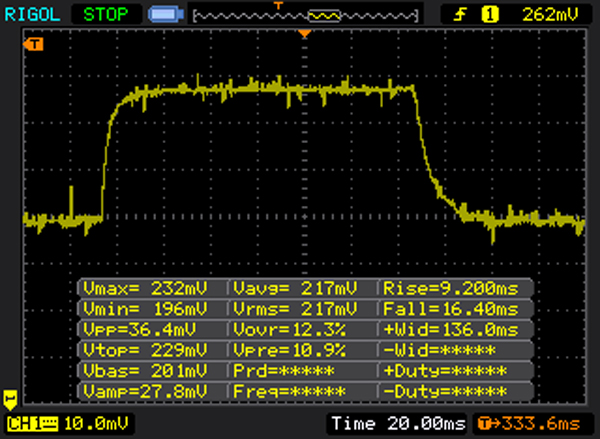 |
| ↘ 16 ms fall | ||
| The screen shows relatively slow response rates in our tests and may be too slow for gamers. In comparison, all tested devices range from 0.165 (minimum) to 636 (maximum) ms. » 35 % of all devices are better. This means that the measured response time is better than the average of all tested devices (31 ms). | ||
Flickering and PWM
Pulse width modulation (PWM) or other technical limitations can cause screens to flicker. With PWM, the brightness of the display's backlight is not dimmed, but the perceived brightness is reduced by switching the lighting on and off at very short intervals.
Depending on the frequency used, this can have undesirable effects (fatigue, headaches, etc.) on sensitive people. As a general rule, the higher the frequency, the less likely it is to affect the user. A list of all tested devices, sorted by flicker frequency, can be found here.
Screen Flickering / PWM (Pulse-Width Modulation)
| Screen flickering / PWM detected | 200 Hz | 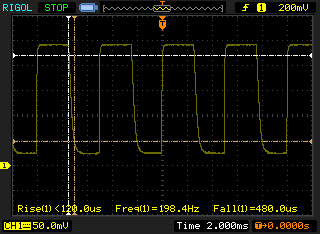 | |
The display backlight flickers at 200 Hz (worst case, e.g., utilizing PWM) . The frequency of 200 Hz is relatively low, so sensitive users will likely notice flickering and experience eyestrain at the stated brightness setting and below. In comparison: 52 % of all tested devices do not use PWM to dim the display. If PWM was detected, an average of 7754 (minimum: 5 - maximum: 343500) Hz was measured. | |||
Part of the analysis is also the evaluation of the device's display for outdoor legibility. Here, it is tested practically how the built-in display copes with particularly bright ambient light conditions (3,000-10,000 cd/m², overcast to sunny conditions) and whether the displayed content is still easy to read.
Decisive factors include type of display surface (matte panels prevent annoying reflections), any reflection-reducing coatings, brightness of the displayed image and, as a result, image contrast.
Viewing angle stability
Among other things, the various display technologies available differ in terms of their viewing angle stability. There are major differences in viewing content at extreme angles between IPS and TN screens, for example.
However, the latter are only rarely used in modern notebooks. Tablets, smartphones, and even laptops are increasingly coming equipped with OLED panels. Mini-LED screens, on the other hand, are technically IPS displays, but have the option of adjusting the brightness in many individual zones.
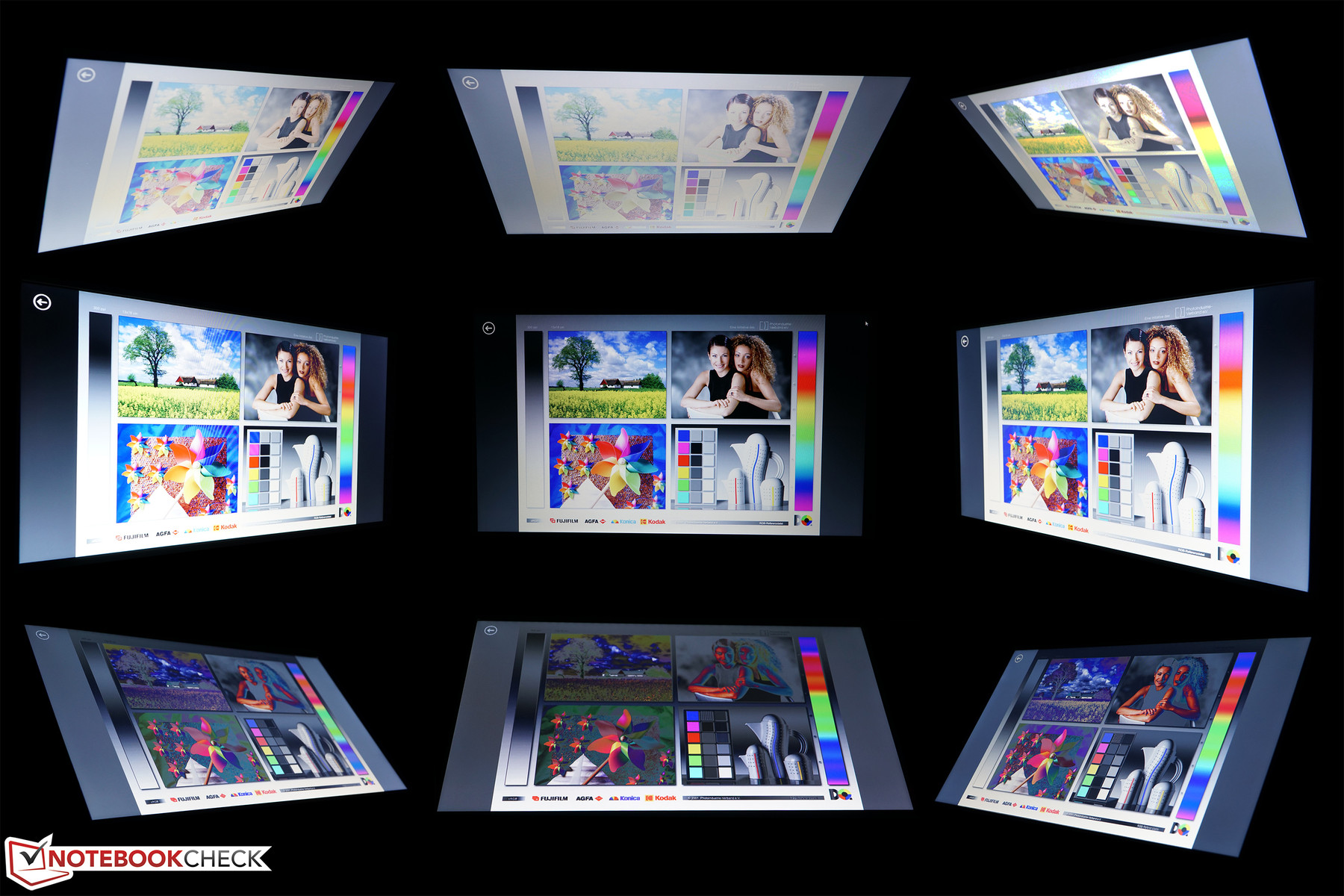
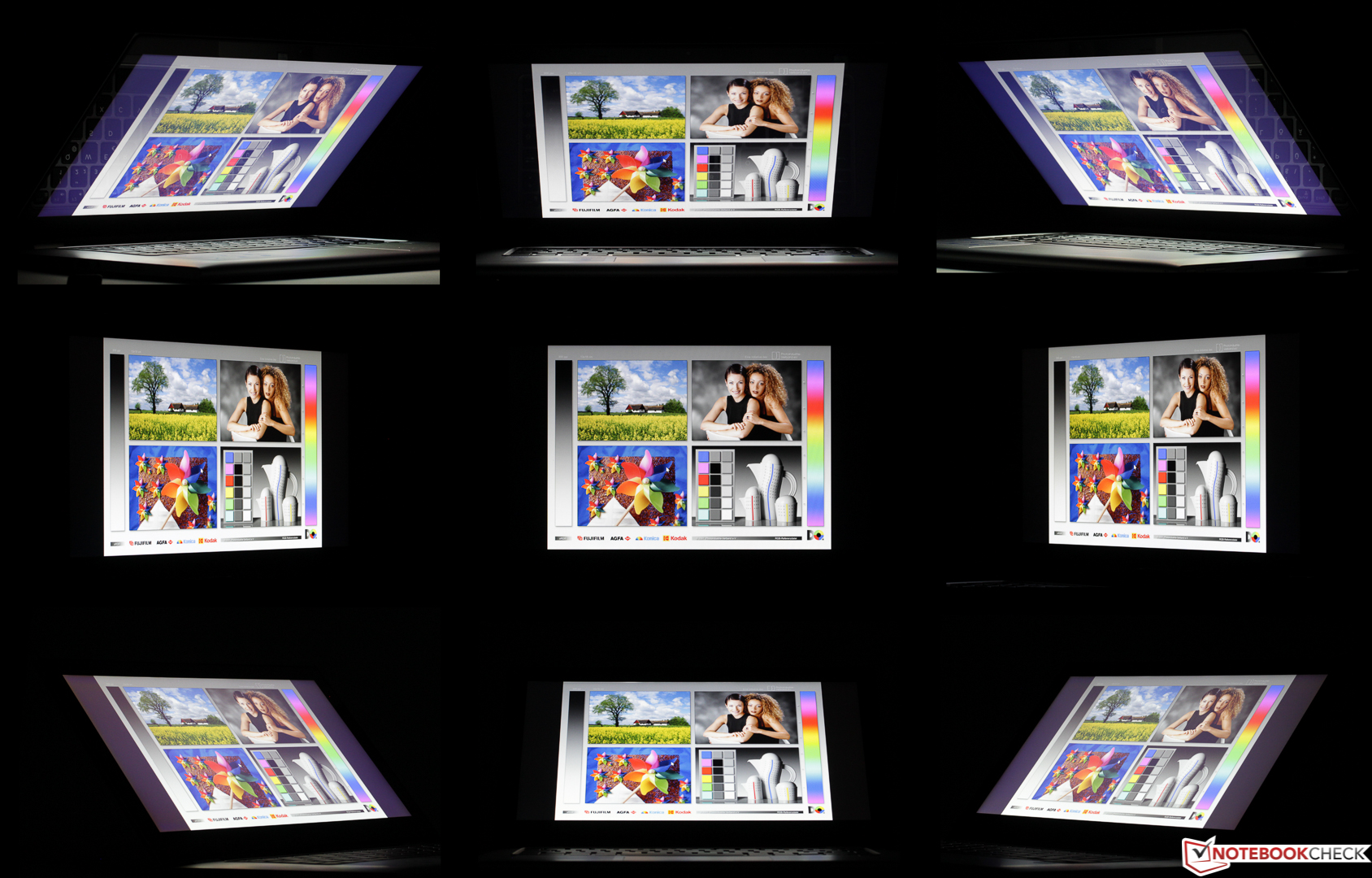
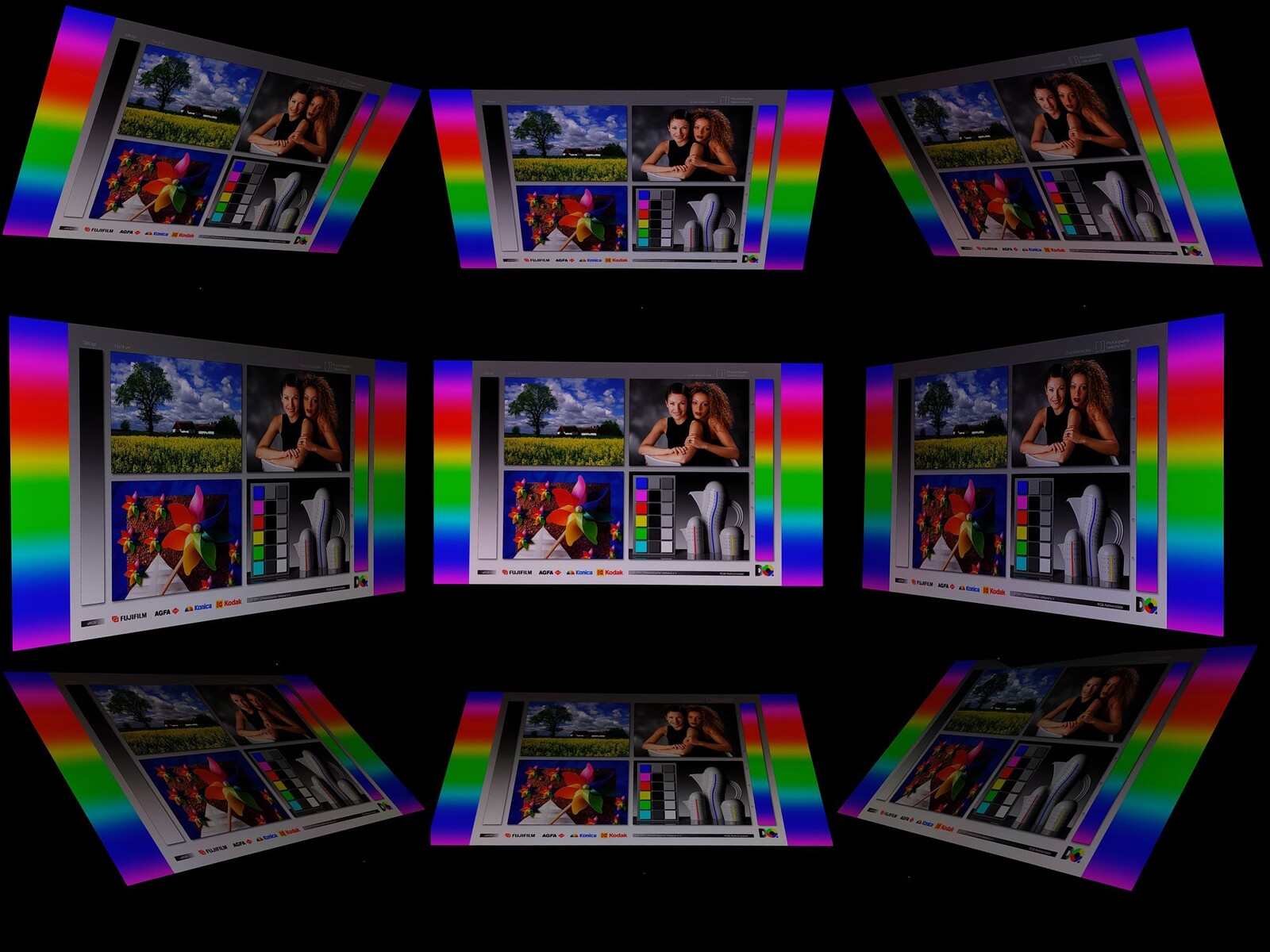
We carry out an analysis in the tests using a reference image comparison with deviations of 45 degrees along all axes. The display is photographed in a darkroom at a fixed aperture and shutter speed for visualization.
Performance
Depending on the device class in question and the expected area of application, we test the performance of the respective model using various benchmark tests. These are programs that test individual components or the entire system and rate them by the number of points achieved.
We also run several practical tests with various programs and games, as they can often be used to test the processor and graphics card to the limit. If the games do not offer a representative integrated benchmark, we use CapFrameX to record the frame rates.
Before the tests, the system is brought up to date with Windows updates. If actively suggested by the system, the latest graphics drivers are also installed for devices with a dedicated graphics solution. No changes are made to the clock rates on the test system unless this is explicitly stated for demonstration purposes.
A driver update after our tests and, of course, any modifications can often lead to improvements in gaming and benchmark performance. In our opinion, it is the responsibility of the manufacturer to equip its system with up-to-date and powerful software at the time of delivery and to make updates as convenient as possible for the user.
The following areas are tested in terms of performance:
- CPU (Cinebench, Blender, etc...)
- System (PCMark, CrossMark, etc...)
- DPC latencies (LatencyMon and standardized test routine)
- Mass storage (CrystalDiskMark, AS SSD, and DiskSpd read loop)
- GPU (3DMark, Geekbench, etc...)
- Gaming (a mix of current games and popular older titles).
Further information:
- Comparison of mobile graphics cards: Detailed information, technical data, and performance values of all available mobile graphics cards, sorted according to their performance
- Benchmark list of mobile graphics adapters: Sortable table in which all available mobile graphics cards can be sorted according to various benchmarks and technical data
- Smartphone graphics adapter benchmark list: Sortable table with all tested smartphone graphics solutions
- Benchmark list of mobile CPUs: Sortable table in which all available mobile processors can be sorted according to various benchmarks and technical data
- Smartphone processors benchmark list: Table with all tested processors primarily used in smartphones
- Game performance list: Which GPU can play current games smoothly and at which settings
- Laptop SSD and HDD benchmarks: Table with numerous benchmarks of solid state drives and hard disks
- DPC latency ranking: Results table and information on the topic of DPC latencies and real-time applications
Emissions
Noise

Our measurements are carried out using a calibrated Earthworks Audio M23R measurement microphone, a high-quality external sound card, and the ARTA measurement software, in accordance with a standardized test arrangement.
The measurement microphone is positioned in the center at a distance of 15 cm from the test device, secured against any directly transmitted vibrations. The measurement sound pressure level (SPL) is given in dB(A). The following scenarios are measured:
- Idle
Minimum: Minimum measurable noise level during operation without load (Windows energy profile: Best power efficiency)
Median: Predominantly observable noise level during operation without load (Profile: Balanced)
Maximum: Highest observable noise level during operation without load (Profile: Best performance) - Load
Maximum: Highest observable noise level during operation when the system is under load (Profile: High performance, 100% CPU and GPU load using Prime95 in-place large FFTs torture test and FurMark)
Gaming: Highest observable noise level while the game Cyberpunk 2077: Phantom Liberty is running in 1080p Ultra settings without upscaling
The following comparative values can be used to interpret the measurement results:
If there is silence for the human ear in a living room, then the noise level of the background noise is around or less than 28 dB(A). In a living room in the city center, traffic, and other noises can cause background noise levels of up to 40 dB(A). A conversation at normal volume is around 60 dB(A). In an open-plan office, the noise level can be up to 70 dB(A).
However, all these values are highly dependent on the distance to the sound source. Our measurements are therefore carried out at a fixed distance of 15 cm from the test devices. Doubling the distance to the test device would reduce the measurable and perceptible volume by 6 to 10 dB(A). The measured values are displayed graphically and can be classified using a subjective perception scale (possible deviations due to different frequencies):
- Below 30 dB(A): Operating noise barely perceptible
- up to 35 dB(A): Noise present, but not disturbing. Ideal condition for office equipment
- up to 40 dB(A): Noise emissions clearly audible, possibly disturbing after a longer period of time
- up to 45 dB(A): Noise emissions have an unpleasant effect in quiet surroundings. Still acceptable when playing games
- above 50 dB(A): Above this threshold, a laptop can be described as unpleasantly loud
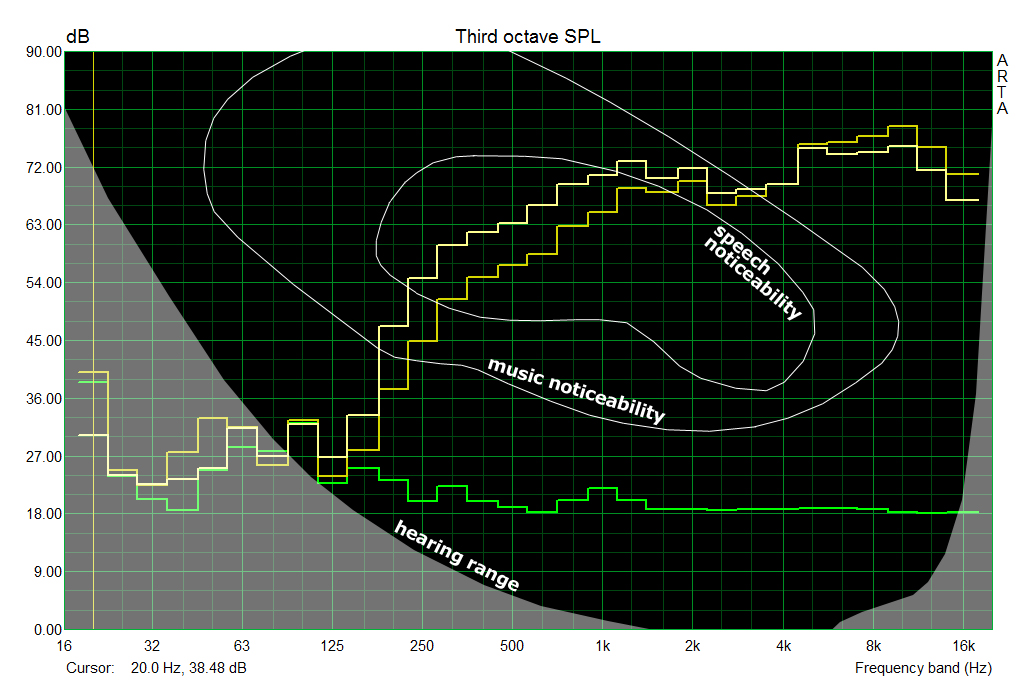
In addition to our measurements, we also record a frequency diagram of the individual fan speeds. This allows us to classify whether the perceived noise is low or high frequency.
In our measurements, the audible range starts at around 125 Hz and extends up to around 16,000 Hz, depending on the volume.
Temperatures
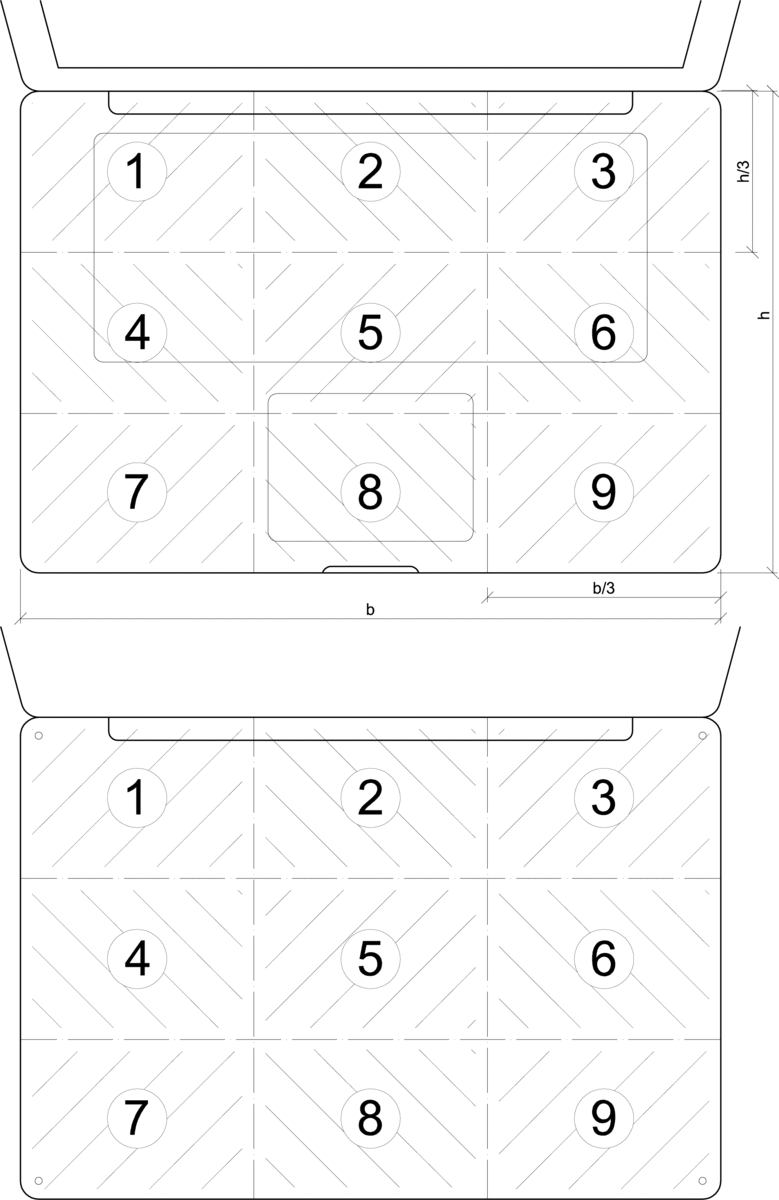

The distribution of the surface temperature, which can also be directly felt by the user, is determined by a non-contact measurement using an infrared thermometer (Raytek Raynger ST or similar). Here too, the top or bottom of the notebook is divided into nine measurement zones, in each of which the maximum detectable value is recorded.
For control purposes, the extreme values are checked with a calibrated Fluke T3000 FC via contact measurement and, if necessary, the emission levels set on the measuring devices are adjusted. The measurement is carried out after 60 minutes in the idle state of the laptop and in the stress test after 60 minutes of system load (100% CPU and GPU load) with the Prime95 in-place large FFT torture test and FurMark running at 1,280 x 720 with no AA.
In addition, the temperature development of the core components (GPU and CPU) is checked in the stress test and observed with regard to any restrictions (throttling) (tools: HWInfo64, HWMonitor, GPUz,...).
The following rating scale helps to interpret the results shown:
- less than 30 °C: Barely perceptible and inconspicuous heating.
- 30 to 40 °C: Heating well noticeable but not disturbing.
- 40 to 50 °C: uncomfortable with direct contact over a longer period of time
- over 50 °C: surface feels hot, especially problematic when used on the thighs
The surface temperature of metal housings should not exceed the ambient temperature by more than 30 °C. Warm plastic housings are usually much more tolerable due to their low heat capacity in direct contact.
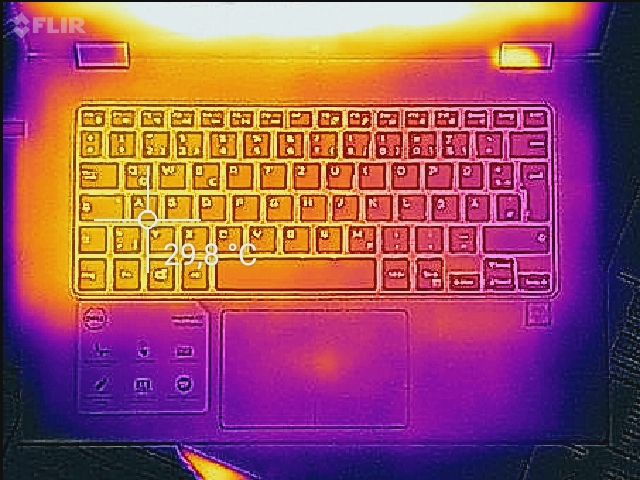
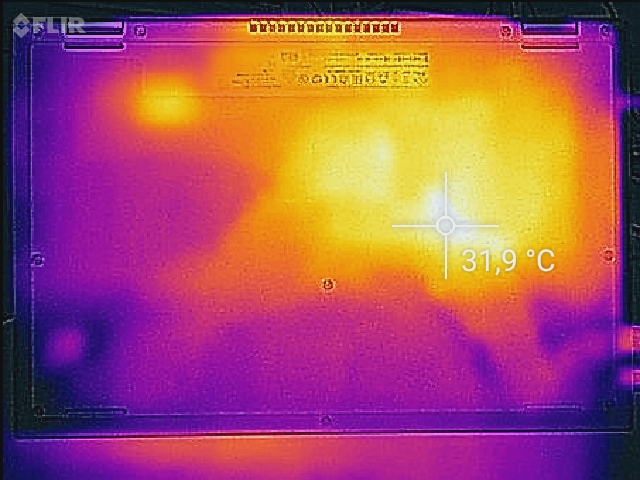
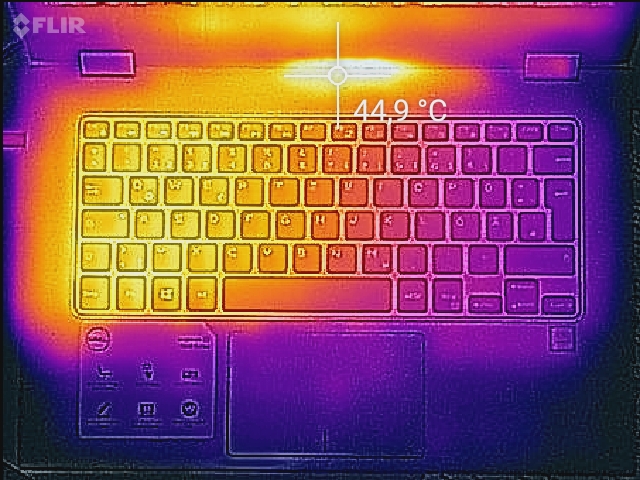
In addition to the specified maximum values, we create thermographic images with the FLIR One Pro that illustrate the continuous distribution of surface temperatures.

Speakers
The speakers are assessed in terms of their sound and in combination with the maximum possible volume. For our measurements, we again used the Earthworks Audio M23R microphone and the measurement software ARTA in accordance with the standardized test setup.
We use pink noise as the output file. Here, humans perceive all frequency ranges of the audible sound spectrum at approximately the same volume. Measurements are taken at maximum volume and, if necessary, also at lower levels if we detect clipping.
Different devices can be compared with each other in the frequency diagram provided. Individual frequency curves can be shown or hidden by selecting or deselecting the selection boxes. Ideally, all frequency ranges of the audible spectrum (125 Hz to 16 kHz) should be equally loud. The overall volume should be at least 80 dB(A).
Power consumption

In addition to the battery life, we also measure the power consumption of the test device in different operating states (primary side power supply). We differentiate between the following settings:
- Idle: power consumption during operation in idle mode.
Minimum: All additional radios deactivated (WLAN, Bluetooth, etc.), minimum display brightness, and activated power-saving measures (Windows power profile: Best power efficiency)
Medium: Maximum brightness, additional radios deactivated (Power profile: Balanced)
Maximum: Maximum observed energy consumption in idle mode, all radios active, maximum display brightness (Power profile: Best performance) - Load: Operation under load at maximum display brightness, all additional functions active (Power profile: High performance)
Maximum: Maximum measured power draw during stress test with 100% CPU and GPU load using the Prime95 in-place large FFTs and FurMark 1,280 x 720 with no AA
Gaming: Average power consumption while playing Cyberpunk 2077: Phantom Liberty in 1080p Ultra settings without upscaling
For Android devices, we use the Burnout Benchmark app.
On iOS, we use Asphalt 8 for medium (fast race, credits) and PUBG Mobile in the lobby (Ultra HD details, max framerate) for maximum power draw
We also measure some benchmarks and load scenarios when the laptop is connected to an external monitor and the display is deactivated. The values determined here provide information about the efficiency of the computing hardware in the context of the benchmark results.
We currently use the Metrahit Energy multimeter from Gossen Metrawatt as our measuring device. Thanks to its simultaneous TRMS current and voltage measurement and high accuracy, it can also perform measurements such as the standby consumption of smartphones, for example.
Battery life
We currently differentiate between four different battery run times in our tests:
- Minimum runtime: Determined during operation under load with the help of the BatteryEater software tool (Classic Test). The following settings are made on the test device: maximum display brightness, all communication modules switched on (WLAN, Bluetooth), Windows power profile set to Best performance.
For Android-based devices, the Burnout-Benchmark app is used as a substitute.
For iOS-based devices, we use PUBG in the lobby (Ultra HD details, max frame rate). - Maximum runtime: Also determined with the BatteryEater tool (Reader's Test). The possible run time is measured with minimum display brightness, all power-saving functions activated, WLAN and Bluetooth deactivated, and Windows power profile set to Best power efficiency.
For Android-based devices, a script that calls up pages of a text document in the browser is used as a substitute: http://www.notebookcheck.com/fileadmin/Notebooks/book1.htm - WLAN operation: Achievable runtime in WLAN operation with adjusted display brightness (~150 cd/m²) and activated power-saving measures (power profile Balanced or similar). For the run time test, an automatic script (updated on 05.03.2015 to v1.3 with HTML5, javascript, and no flash) is executed, which calls up a mix of Internet pages that change constantly every 30s.
- Video playback: We perform our H.264 test with the freely available Big Buck Bunny Film in 1080p and H.264 encoding in a continuous loop. The power-saving measures are activated, the screen is set to a brightness of 150 cd/m², Wi-Fi and Bluetooth are switched off (flight mode), and the sound is set to silent.
- Gaming: Battery life while playing Cyberpunk 2077: Phantom Liberty in 1080p Ultra without upscaling.
With regard to the test results, it should be noted that our test samples are generally new devices and full battery performance can only be achieved after several complete charging and discharging cycles. The tests carried out are thus only indicative of the review device's battery life.
Verdict
Every product tested by us as part of a detailed report is assessed in all the areas listed above and compared with competing options in the same class. The evaluation result is made up of a total of 12 points that define the number of points achieved as a percentage on a scale of 0-100 (the higher the better).
Finally, the reviewed device receives an overall evaluation in which the individual evaluation points are taken into account to varying degrees with regard to the device class in question. Except the chassis and input devices, all evaluation criteria are proposed automatically and based on a database using a special algorithm, whereby the collected measurement and benchmark data forms the basis.
You can find more information about our new rating system in this article along with our points weighting table. Our constantly updated Rating Table gives a summary of all rated devices in our reviews at a glance.
 Add as a preferred source on Google


