Deutsch
 Español
 Français
 Italiano
 Nederlands
 Polski
 Português
 Русский
 Türkçe
 Svenska
 Chinese
 Magyar
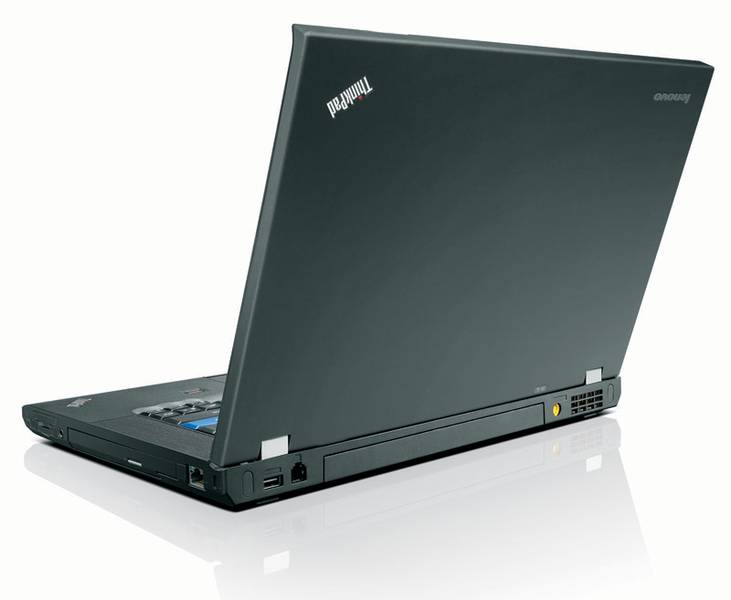
Lenovo Thinkpad W Series
 Processor: Intel Core 2 Duo T9400, Intel Core 2 Extreme QX9300, Intel Core i7 2820QM, Intel Core i7 620M, Intel Core i7 720QM, Intel Core i7 820QM, Intel Core i7 920XM
Graphics Adapter: ATI Mobility FireGL V5700, ATI Mobility Radeon HD 3650, NVIDIA Quadro 2000M, NVIDIA Quadro FX 2800M, NVIDIA Quadro FX 3700M, NVIDIA Quadro FX 3800M, NVIDIA Quadro FX 880M
Display: 15.40 inch, 15.60 inch, 17.00 inch, 17.20 inch, 17.30 inch
Weight: 2.7kg, 2.76kg, 2.8kg, 2.9kg, 3.92kg, 4.1kg, 4.14kg, 5kg
Price: 1600, 1800, 2000, 2100, 2300, 2400, 3500, 4300, 5100 euro
Average of 59 scores (from 85 reviews)
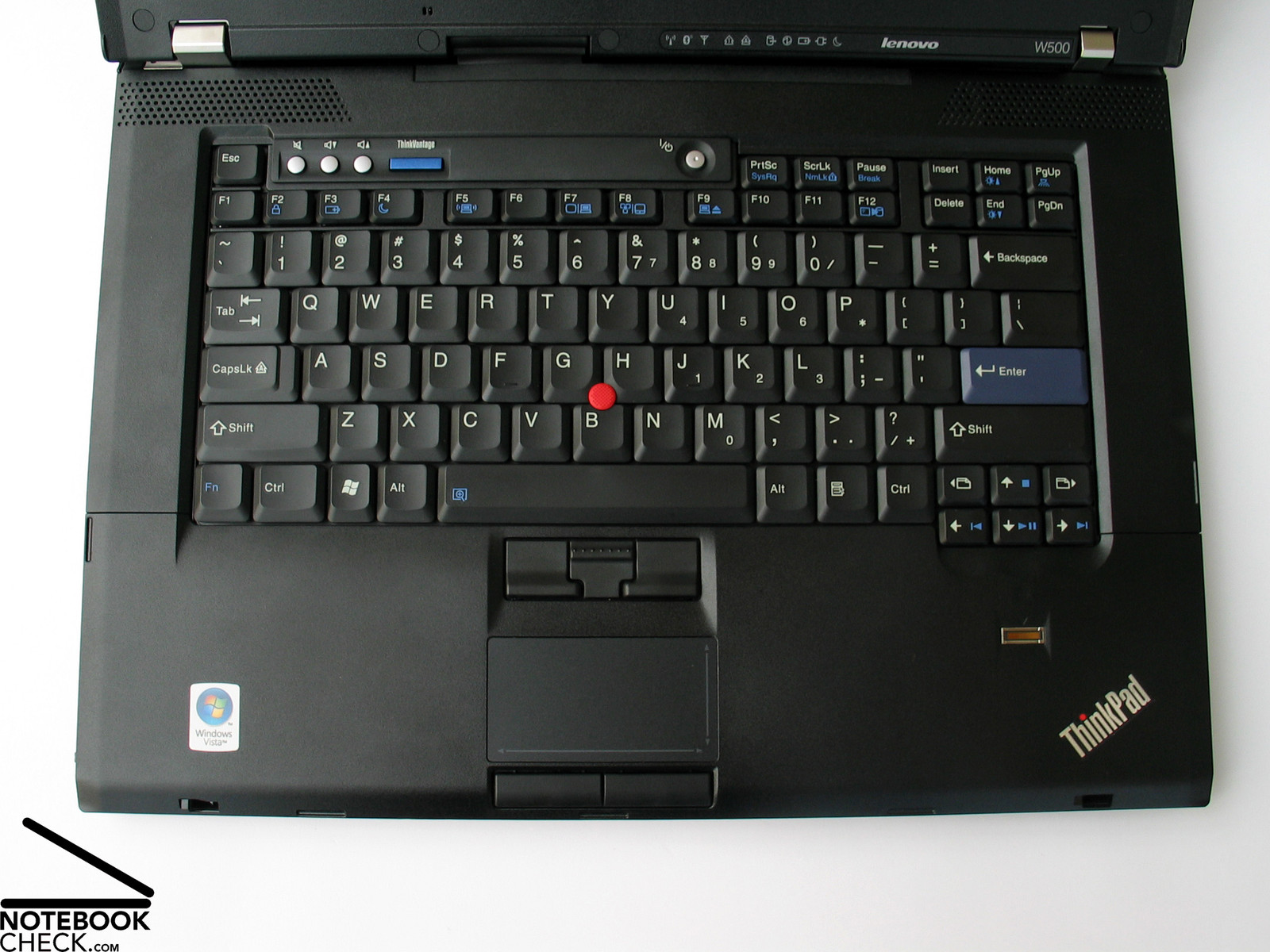
Lenovo Thinkpad W500 2055-51U
Specifications
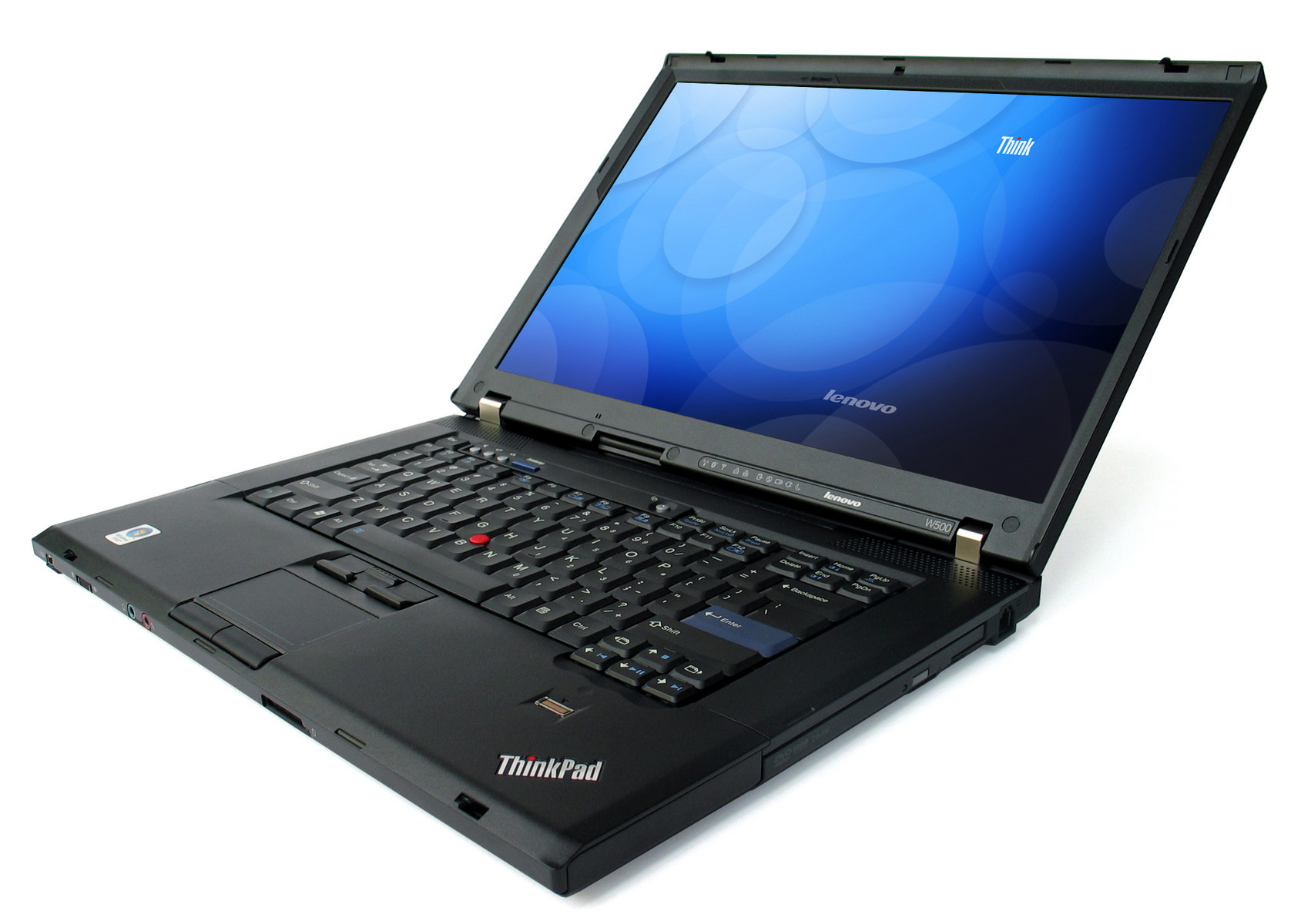 Notebook: Lenovo Thinkpad W500 2055-51U
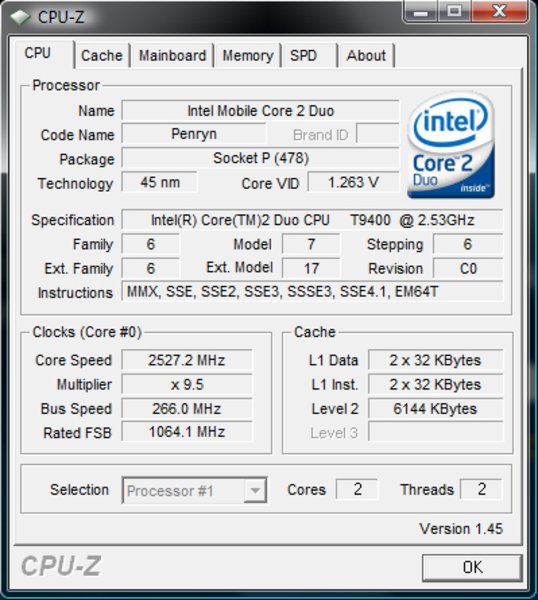
Processor: Intel Core 2 Duo T9400
Graphics Adapter: ATI Mobility Radeon HD 3650 512 MB
Display: 15.40 inch, 16:10, 1920 x 1200 pixels
Weight: 2.76kg
Price: 2000 euro
Links: Lenovo homepage
Pricecompare
Average Score:
Reviews
Pure performance. Until now the Thinkpad T-Model from Lenovo, which was enhanced after the short ending -p, set the standard for professional users with high performance demands. After a complete overhaul of the Lenovo product lineup, coincident with the launch of the Intel Centrino 2, Lenovo is now starting a few new notebook series. Among them are the new mobile workstations with the labels W500 and W700, which are meant to replace the Thinkpad Txxp models.
Source: BCW - Business Computing World
 Archive.org version
Lenovo has engineered a fantastic breed of mobile workstation with the ThinkPad W500. No other PC manufacturer has a mobile workstation that delivers the power, performance and productivity tools that Lenovo has packed into this beast. The mobile workstation flat out delivers the performance demanding users require at the desk as well as in the field, in a solution that’s comfortably portable.
Single Review, online available, Medium, Date: 10/01/2009
performance: 80%
Source: BCW - Business Computing World
Archive.org versionLenovo has engineered a fantastic breed of mobile workstation with the ThinkPad W500. No other PC manufacturer has a mobile workstation that delivers the power, performance and productivity tools that Lenovo has packed into this beast. The mobile workstation flat out delivers the performance demanding users require at the desk as well as in the field, in a solution that’s comfortably portable.
Single Review, online available, Medium, Date: 10/01/2009
performance: 80%
Foreign Reviews
Source: Notebookcheck
 DE→EN Archive.org version
Single Review, online available, Long, Date: 11/04/2008
Rating: Total score: 85% performance: 89% display: 75% mobility: 76% workmanship: 88% ergonomy: 89% emissions: 88%
Source: Notebookcheck
DE→EN Archive.org versionSingle Review, online available, Long, Date: 11/04/2008
Rating: Total score: 85% performance: 89% display: 75% mobility: 76% workmanship: 88% ergonomy: 89% emissions: 88%
Source: Notebookcheck
DE→EN Archive.org versionSingle Review, online available, Long, Date: 09/16/2008
Rating: display: 50% workmanship: 80%
Source: Notebookcheck
DE→EN Archive.org versionSingle Review, online available, Long, Date: 09/16/2008
Rating: display: 50% workmanship: 80%
Lenovo Thinkpad W700
Specifications
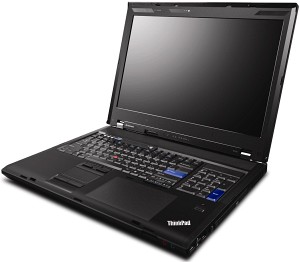 Notebook: Lenovo Thinkpad W700
 Processor: Intel Core 2 Extreme QX9300
Graphics Adapter: NVIDIA Quadro FX 3700M 1024 MB
Display: 17.00 inch, 16:10, 1920 x 1200 pixels
Weight: 4.14kg
Price: 3500 euro
Links: Lenovo homepage Thinkpad W700 (Model)
Pricecompare
Average Score:
Reviews
Size matters.Not only in the gaming sector but also in professional CAD/CAM applications does performance play an important role. Obviously, the performance-independent expectations of users on an adequate notebook differs considerably from gaming devices, which is why the leading business notebook manufacturers have their own series for this target group in their repertoire. The Thinkpad W700 with a Quad-Core CPU and Quadro FX 3700 graphic is the flagship device from Lenovo.
Source: Hardware Zone
Archive.org versionWe've been dying to get our hands on the dual-screen version of the Lenovo ThinkPad W700 for ages, but alas, this was not meant to be as Lenovo didn't have appropriate units available for this region. With that said, the single screen version shares pretty much the same specs and based on what we've been testing, the machine actually does deliver the goods. Hardware performance was top notch, and the build and feel of the unit was excellent. Retailing at S$8000, the W700 is not one for the faint hearted consumer. Then again, we really only expect businesses that require the use of heavy duty machines for graphical design to acquire these powerful mobile workstations.
90, Preis 50, Leistung 80, Verarbeitung 80
Single Review, online available, Long, Date: 05/05/2009
Rating: Total score: 90% price: 50% performance: 80% workmanship: 80%
Source: Hardware Zone
Archive.org versionWe've been dying to get our hands on the dual-screen version of the Lenovo ThinkPad W700 for ages, but alas, this was not meant to be as Lenovo didn't have appropriate units available for this region. With that said, the single screen version shares pretty much the same specs and based on what we've been testing, the machine actually does deliver the goods. Hardware performance was top notch, and the build and feel of the unit was excellent. Retailing at S$8000, the W700 is not one for the faint hearted consumer. Then again, we really only expect businesses that require the use of heavy duty machines for graphical design to acquire these powerful mobile workstations.
90, Preis 50, Leistung 80, Verarbeitung 80
Single Review, online available, Long, Date: 05/05/2009
Rating: Total score: 90% price: 50% performance: 80% workmanship: 80%
Source: Comp Reviews
Archive.org versionThe Lenovo ThinkPad W700 is certinaly not a system that many people will be looking at for home use. This thing is designed as a mobile workstation and it is very well suited to this task. Features such as the built-in Wacom tablet and color calibration are not vital to home users but can be critical to designers on the go. The system provides outstanding performance thanks to its high end components. All of this comes with a very high price tag that will make most consumers look elsewhere.
4 von 5, Leistung exzellent, Display exzellent, Preis sehr schlecht
Single Review, online available, Short, Date: 01/14/2009
Rating: Total score: 80% price: 30% performance: 95% display: 95%
Source: Comp Reviews
Archive.org versionThe Lenovo ThinkPad W700 is certinaly not a system that many people will be looking at for home use. This thing is designed as a mobile workstation and it is very well suited to this task. Features such as the built-in Wacom tablet and color calibration are not vital to home users but can be critical to designers on the go. The system provides outstanding performance thanks to its high end components. All of this comes with a very high price tag that will make most consumers look elsewhere.
4 von 5, Leistung exzellent, Display exzellent, Preis sehr schlecht
Single Review, online available, Short, Date: 01/14/2009
Rating: Total score: 80% price: 30% performance: 95% display: 95%
Source: Techradar
Archive.org versionThe Lenovo W Series is a range of laptops aimed at the workstation market, with the Lenovo ThinkPad W700 (£3053 inc. VAT) being the second model in the range. This machine is a hulking 4.3kg desktop replacement that has been designed with the professional photographer in mind. A workstation needs a number of different factors in order to work properly. If high-end and demanding tasks are your stock in trade, the Lenovo ThinkPad W700 is currently the only real workstation worth considering.
4 von 5, Leistung gut, Display ausgezeichnet
Single Review, online available, Short, Date: 01/08/2009
Rating: Total score: 80% performance: 80% display: 95%
Source: Techradar
Archive.org versionThe Lenovo W Series is a range of laptops aimed at the workstation market, with the Lenovo ThinkPad W700 (£3053 inc. VAT) being the second model in the range. This machine is a hulking 4.3kg desktop replacement that has been designed with the professional photographer in mind. A workstation needs a number of different factors in order to work properly. If high-end and demanding tasks are your stock in trade, the Lenovo ThinkPad W700 is currently the only real workstation worth considering.
4 von 5, Leistung gut, Display ausgezeichnet
Single Review, online available, Short, Date: 01/08/2009
Rating: Total score: 80% performance: 80% display: 95%
Source: Tech Advisor
Archive.org versionThe ThinkPad W700 may look understated - and it's a bit of a kitchen-sink approach to computing - but it's a top-flight notebook. For on-the-go graphics artists, or those looking for the ultimate mobile workstation, it's hard to beat.
4 von 5
Single Review, online available, Medium, Date: 12/19/2008
Rating: Total score: 80%
Source: Tech Advisor
Archive.org versionThe ThinkPad W700 may look understated - and it's a bit of a kitchen-sink approach to computing - but it's a top-flight notebook. For on-the-go graphics artists, or those looking for the ultimate mobile workstation, it's hard to beat.
4 von 5
Single Review, online available, Medium, Date: 12/19/2008
Rating: Total score: 80%
Source: PC Mag
Archive.org versionThe Lenovo ThinkPad W700 delivers a ton of wow features, including an internal color calibrator, a palm-rest digitizer, and an option for a secondary screen.
4.5 von 5, Leistung ausgezeichnet
Single Review, online available, Long, Date: 12/16/2008
Rating: Total score: 90% performance: 95%
Source: PC Mag
Archive.org versionThe Lenovo ThinkPad W700 delivers a ton of wow features, including an internal color calibrator, a palm-rest digitizer, and an option for a secondary screen.
4.5 von 5, Leistung ausgezeichnet
Single Review, online available, Long, Date: 12/16/2008
Rating: Total score: 90% performance: 95%
Source: Geek.com
Archive.org versionSo what mobile workstation should you buy? If you scroll down the list, you’ll see that the ThinkPad W700 and the EliteBook 8730w are very evenly matched. Obviously you’ll have to weight the individual categories on your own (price is probably more important to you than power brick size) but it is very hard to declare one system the clear victor in this deathmatch. Each company clearly has a good idea what the other is up to and the EliteBook takes a lot of design cues from the ThinkPad, like the dual navigation, exceptional keyboard, oversize hinges, and the super clean interior (though the 8730w has predecessors at HP).
Preis gut
Comparison, online available, Long, Date: 11/18/2008
Rating: price: 80%
Source: Geek.com
Archive.org versionSo what mobile workstation should you buy? If you scroll down the list, you’ll see that the ThinkPad W700 and the EliteBook 8730w are very evenly matched. Obviously you’ll have to weight the individual categories on your own (price is probably more important to you than power brick size) but it is very hard to declare one system the clear victor in this deathmatch. Each company clearly has a good idea what the other is up to and the EliteBook takes a lot of design cues from the ThinkPad, like the dual navigation, exceptional keyboard, oversize hinges, and the super clean interior (though the 8730w has predecessors at HP).
Preis gut
Comparison, online available, Long, Date: 11/18/2008
Rating: price: 80%
Source: Laptop Logic
Archive.org versionWhile nicknamed around the office as "world's largest laptop" the W700 really packs some power. This laptop can easily substitute your desktop and its much easier to move around. You can't really travel with this thing but for a price around $3000 it might be a good idea to keep this puppy locked away safe at home anyway. The W700 is one heck of a powerhouse with a great selection of features. While it is heavy and large in size and will take a nice chunk out of your pockets, if you are looking for a top of the line computer for visual and graphic aid, this is the laptop for you. The 17 inch Lenovo w700 is a great machine and worth the money.
(von 5): 3.3, Ausstattung 4, Mobilität 1.5, Leistung 4, Preis sehr schlecht
Single Review, online available, Medium, Date: 11/10/2008
Rating: Total score: 66% price: 30% performance: 80% features: 80% mobility: 30%
Source: Laptop Logic
Archive.org versionWhile nicknamed around the office as "world's largest laptop" the W700 really packs some power. This laptop can easily substitute your desktop and its much easier to move around. You can't really travel with this thing but for a price around $3000 it might be a good idea to keep this puppy locked away safe at home anyway. The W700 is one heck of a powerhouse with a great selection of features. While it is heavy and large in size and will take a nice chunk out of your pockets, if you are looking for a top of the line computer for visual and graphic aid, this is the laptop for you. The 17 inch Lenovo w700 is a great machine and worth the money.
(von 5): 3.3, Ausstattung 4, Mobilität 1.5, Leistung 4, Preis sehr schlecht
Single Review, online available, Medium, Date: 11/10/2008
Rating: Total score: 66% price: 30% performance: 80% features: 80% mobility: 30%
Source: Geek.com
Archive.org versionThe W700 is something completely new to the ThinkPad line, while being a natural extension of models like the T61p. Sooner or later Lenovo had to come out with a 17-inch model and it’s nice to see that they did it right the first time. This means a spare-no-expense product, but the W700 isn’t for the general consumer, or even for most professionals. It is for a range of demanding users, from content creators to engineers who need serious power and occasional mobility. Even within the small subset of prospective buyers we can see segmentation as the need of someone buying a $3000 W700 will be somewhat different than the person buying (most likely expensing) a $6000 model, but the processor, graphics, and storage options make a versatile product. Overall, it’s a lot of technology to stuff into a notebook and it’s one of a very small group of elite workstation replacements to arrive this year.
Single Review, online available, Medium, Date: 10/23/2008
Source: Geek.com
Archive.org versionThe W700 is something completely new to the ThinkPad line, while being a natural extension of models like the T61p. Sooner or later Lenovo had to come out with a 17-inch model and it’s nice to see that they did it right the first time. This means a spare-no-expense product, but the W700 isn’t for the general consumer, or even for most professionals. It is for a range of demanding users, from content creators to engineers who need serious power and occasional mobility. Even within the small subset of prospective buyers we can see segmentation as the need of someone buying a $3000 W700 will be somewhat different than the person buying (most likely expensing) a $6000 model, but the processor, graphics, and storage options make a versatile product. Overall, it’s a lot of technology to stuff into a notebook and it’s one of a very small group of elite workstation replacements to arrive this year.
Single Review, online available, Medium, Date: 10/23/2008
Source: Laptop Mag
Archive.org versionLike its dual-core twin, the quad-core Lenovo ThinkPad W700 incorporates several innovative features, but its Q9300 processor is the most impressive. It will give professional digital artists or multimedia hobbyists the power to crunch data faster on a mobile platform faster than ever before. Although the $4,949 price tag stings a little in the current economy, you can configure the machine with lower-end specs, such as an Nvidia FX 2700M GPU and a single 160GB HDD, bringing the price to $3,729. But the Lenovo ThinkPad W700’s quad-core processor has all the power and amenities you’ll need to handle your graphics workload, while giving you a glimpse at the future of mobile computing.
4 von 5, Leistung sehr gut, Display gut, Preis schlecht
Single Review, online available, Long, Date: 10/22/2008
Rating: Total score: 80% price: 40% performance: 90% display: 80%
Source: Laptop Mag
Archive.org versionLike its dual-core twin, the quad-core Lenovo ThinkPad W700 incorporates several innovative features, but its Q9300 processor is the most impressive. It will give professional digital artists or multimedia hobbyists the power to crunch data faster on a mobile platform faster than ever before. Although the $4,949 price tag stings a little in the current economy, you can configure the machine with lower-end specs, such as an Nvidia FX 2700M GPU and a single 160GB HDD, bringing the price to $3,729. But the Lenovo ThinkPad W700’s quad-core processor has all the power and amenities you’ll need to handle your graphics workload, while giving you a glimpse at the future of mobile computing.
4 von 5, Leistung sehr gut, Display gut, Preis schlecht
Single Review, online available, Long, Date: 10/22/2008
Rating: Total score: 80% price: 40% performance: 90% display: 80%
Source: Hot Hardware
Archive.org versionLenovo set out to build the ultimate mobile graphics workstation with the ThinkPad W700. And in comparison to every other similarly classed notebook we could find, we think they have succeeded. No other notebook comes close to offering the level of raw performance, pixel precision, and configuration flexibility which is offered on the W700. No matter which competitor you look at, be it Apple, Dell, HP, all of them have some sort of drawback which keeps them from truly competing with the Thinkpad W700. When this model hits the market in the next few weeks, Lenovo will have a sizable technological lead over competing mobile workstations -- one which we don't think will be diminished for quite some time.
Leistung ausgezeichnet, Preis schlecht, Mobilität schlecht
Single Review, online available, Very Long, Date: 10/13/2008
Rating: price: 40% performance: 95% mobility: 40%
Source: Hot Hardware
Archive.org versionLenovo set out to build the ultimate mobile graphics workstation with the ThinkPad W700. And in comparison to every other similarly classed notebook we could find, we think they have succeeded. No other notebook comes close to offering the level of raw performance, pixel precision, and configuration flexibility which is offered on the W700. No matter which competitor you look at, be it Apple, Dell, HP, all of them have some sort of drawback which keeps them from truly competing with the Thinkpad W700. When this model hits the market in the next few weeks, Lenovo will have a sizable technological lead over competing mobile workstations -- one which we don't think will be diminished for quite some time.
Leistung ausgezeichnet, Preis schlecht, Mobilität schlecht
Single Review, online available, Very Long, Date: 10/13/2008
Rating: price: 40% performance: 95% mobility: 40%
Source: Notebookreview.com
Archive.org versionIn my not so distant professional past, I worked as a graphic designer creating corporate marketing collateral. I was often on the road, working face-to-face with clients to put the finishing touches on print and web projects, and hence I speak from experience in saying that attempting to do any measure of serious design work on most notebooks – even larger desktop replacement models – is usually an exercise in frustration. Questionable displays, limited storage space, and poor processor responsiveness were my day to day headaches back then. The fact that the ThinkPad W700 squarely addresses every one of these concerns – and several others – will likely make it the workstation that many mobile graphics pros have been waiting for, even with its heavy price tag.
Leistung gut, Verarbeitung gut, Display schlecht, Preis schlecht
User Review, online available, Long, Date: 10/08/2008
Rating: price: 40% performance: 80% display: 40% workmanship: 80%
Source: Notebookreview.com
Archive.org versionIn my not so distant professional past, I worked as a graphic designer creating corporate marketing collateral. I was often on the road, working face-to-face with clients to put the finishing touches on print and web projects, and hence I speak from experience in saying that attempting to do any measure of serious design work on most notebooks – even larger desktop replacement models – is usually an exercise in frustration. Questionable displays, limited storage space, and poor processor responsiveness were my day to day headaches back then. The fact that the ThinkPad W700 squarely addresses every one of these concerns – and several others – will likely make it the workstation that many mobile graphics pros have been waiting for, even with its heavy price tag.
Leistung gut, Verarbeitung gut, Display schlecht, Preis schlecht
User Review, online available, Long, Date: 10/08/2008
Rating: price: 40% performance: 80% display: 40% workmanship: 80%
Source: Laptop Mag
Archive.org versionIn the ThinkPad W700, Lenovo has incorporated some truly innovative features, but we’re not entirely convinced of their practicality. A built-in digitizer is a step closer to a dream that professional photographers and designers have had for years, but while it would do the trick for light work, we don’t see it replacing a larger tablet for everyday use. Regardless, if you’re into digital content creation, CAD/CAM engineering, or professional photo editing, the Lenovo ThinkPad W700 workstation—while not cheap, at $3,802—has all the power and amenities you’ll need to handle your graphics workload.
4 von 5, Leistung ausgezeichnet, Preis schlecht, Mobilität mangelhaft
Single Review, online available, Medium, Date: 10/01/2008
Rating: Total score: 80% price: 40% performance: 95% mobility: 50%
Source: Computer Shopper
Archive.org versionArtsy types and video editors almost always go for Macs. But those who need to rely on a PC will find just what they need in a surprising brand: Lenovo. The company bills the ThinkPad W700 as a “portable workstation” with a full-size keyboard, color-accurate screen, powerful processor and GPU, and a built-in digitizer. With its color-calibrated screen, optional CompactFlash slot, and built-in pen/digitizer combo, the W700 is a traveling photographer’s dream machine.
8.5 von 10, Leistung gut, Display exzellent, Mobilität mäßig
Single Review, online available, Short, Date: 10/01/2008
Rating: Total score: 85% performance: 80% display: 95% mobility: 60%
Source: Laptop Mag
Archive.org versionIn the ThinkPad W700, Lenovo has incorporated some truly innovative features, but we’re not entirely convinced of their practicality. A built-in digitizer is a step closer to a dream that professional photographers and designers have had for years, but while it would do the trick for light work, we don’t see it replacing a larger tablet for everyday use. Regardless, if you’re into digital content creation, CAD/CAM engineering, or professional photo editing, the Lenovo ThinkPad W700 workstation—while not cheap, at $3,802—has all the power and amenities you’ll need to handle your graphics workload.
4 von 5, Leistung ausgezeichnet, Preis schlecht, Mobilität mangelhaft
Single Review, online available, Medium, Date: 10/01/2008
Rating: Total score: 80% price: 40% performance: 95% mobility: 50%
Source: Computer Shopper
Archive.org versionArtsy types and video editors almost always go for Macs. But those who need to rely on a PC will find just what they need in a surprising brand: Lenovo. The company bills the ThinkPad W700 as a “portable workstation” with a full-size keyboard, color-accurate screen, powerful processor and GPU, and a built-in digitizer. With its color-calibrated screen, optional CompactFlash slot, and built-in pen/digitizer combo, the W700 is a traveling photographer’s dream machine.
8.5 von 10, Leistung gut, Display exzellent, Mobilität mäßig
Single Review, online available, Short, Date: 10/01/2008
Rating: Total score: 85% performance: 80% display: 95% mobility: 60%
Foreign Reviews
Source: c't - 23/09
Comparison, online available, Long, Date: 11/01/2009
Rating: performance: 85% features: 90% display: 80% ergonomy: 90% emissions: 90%
Source: c't - 23/09
Comparison, online available, Long, Date: 11/01/2009
Rating: performance: 85% features: 90% display: 80% ergonomy: 90% emissions: 90%
Source: Chip.de - 8/09
Single Review, , Very Short, Date: 07/01/2009
Rating: Total score: 80% price: 60%
Source: Chip.de - 8/09
Single Review, , Very Short, Date: 07/01/2009
Rating: Total score: 80% price: 60%
Source: Notebookcheck
DE→EN Archive.org versionSingle Review, online available, Long, Date: 03/26/2009
Rating: Total score: 89% price: 98% performance: 63% display: 84% mobility: 63% workmanship: 88% ergonomy: 84% emissions: 89%
Source: Notebookcheck
DE→EN Archive.org versionSingle Review, online available, Long, Date: 03/26/2009
Rating: Total score: 89% price: 98% performance: 63% display: 84% mobility: 63% workmanship: 88% ergonomy: 84% emissions: 89%
Lenovo Thinkpad W500 4061-2JG
Specifications
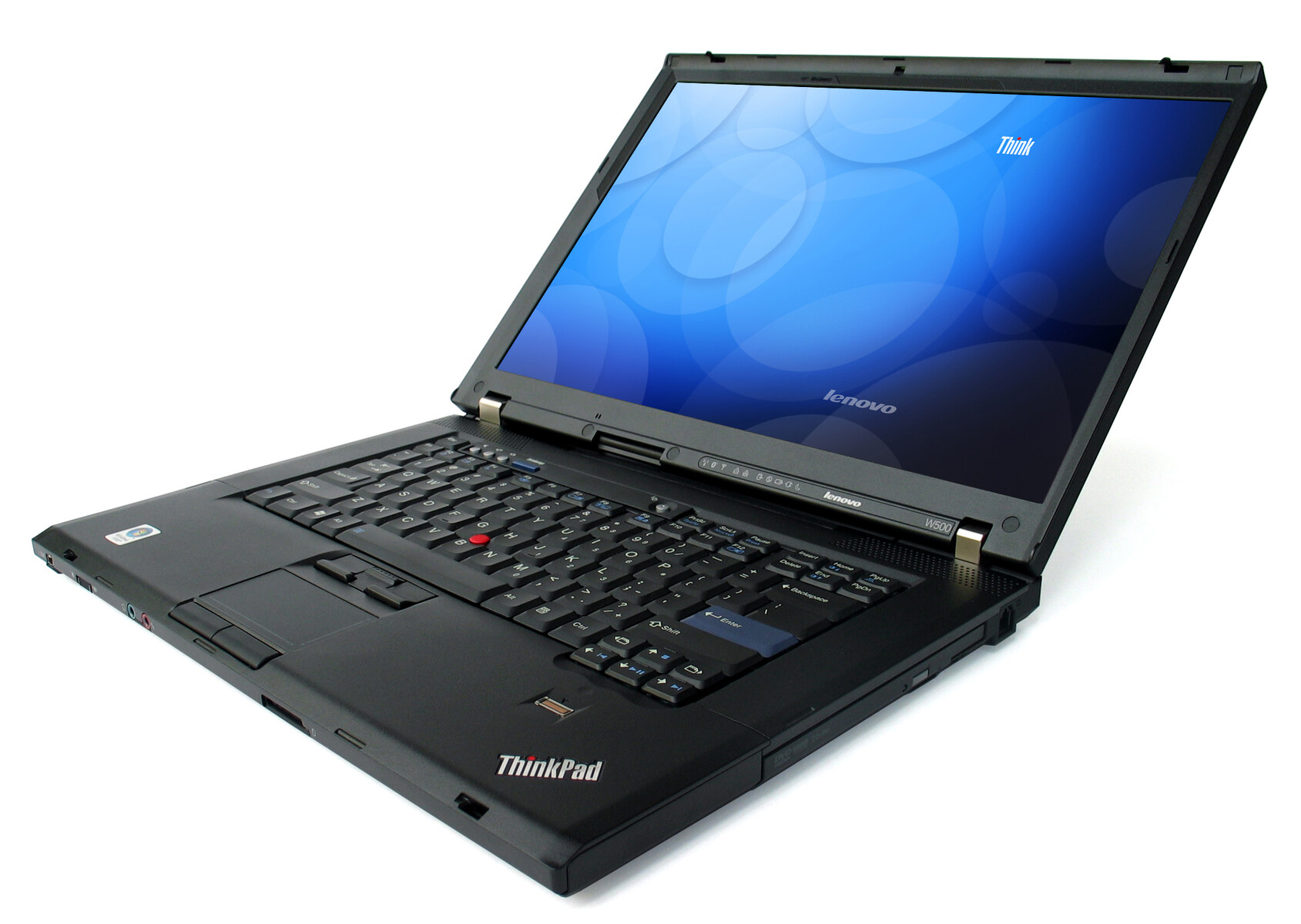 Notebook: Lenovo Thinkpad W500 4061-2JG
Processor: Intel Core 2 Duo T9400
Graphics Adapter: ATI Mobility FireGL V5700 512 MB
Display: 15.40 inch, 16:10, 1920 x 1200 pixels
Weight: 2.76kg
Price: 2000 euro
Links: Lenovo homepage
Pricecompare
Average Score:
Reviews
W500, Part 2. After we had reviewed a pre-release sample in our first review, we now got hold of an officially available model for this test, which was equipped with Core 2 Duo T9400 CPU and ATI FireGL V5700 graphics card. Read in the following review how this 15 inch workstation made by Lenovo performs compared to various competitors.
Source: PC Pro
Archive.org versionLenovo has been prolific of late producing, like a stage magician, a seemingly endless string of laptops from its copious pockets. Last month we had the company's first netbook - the IdeaPad S10e - and the excellent, low-cost ThinkPad SL500, and before that we had the rather more swanky 15in T500 with its high resolution 1,680 x 1,080 screen and switchable dual graphics. Now it's the turn of the W500, which to look at is as inseperable from the T500 as an identical twin. Both bear the same dimensions at 356 x 255 x 35mm, both weigh almost exactly the same - to within a few grammes - and both have precisely the same chassis. A super-fast workstation laptop with a great screen - but it's only worth buying if you need the ISV certification.
83, Display 90
Single Review, online available, Medium, Date: 02/01/2009
Rating: Total score: 83% display: 90%
Lenovo ThinkPad W700ds
Specifications
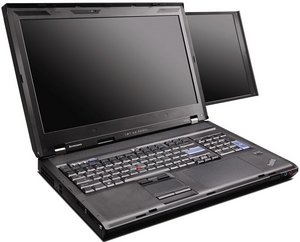 Notebook: Lenovo ThinkPad W700ds
Processor: Intel Core 2 Extreme QX9300
Graphics Adapter: NVIDIA Quadro FX 3700M
Display: 17.00 inch, 16:10, 1920 x 1200 pixels
Weight: 5kg
Price: 5100 euro
Links: Lenovo homepage ThinkPad W700ds (Model)
Pricecompare
Average Score:
Reviews
Source: PC World
Archive.org versionThe second screen doesn't add much functionality, and it consumes an inordinate amount of battery life. It's a pretty big waste of money, too--it adds $420 to the cost of an otherwise-comparable W700. For that money, you could buy a 24-inch desktop display, connect it to a W700, and enjoy a desktop that stretches from here to Sunday. The W700 is a well-designed desktop replacement notebook; the W700ds adds nothing that I couldn't get in another, better form, for less money.
77, Leistung 76, Ausstattung 85
Single Review, online available, Medium, Date: 03/06/2009
Rating: Total score: 77% performance: 76% features: 85%
Source: Hot Hardware
Archive.org versionThe machine we received for evaluation was outfitted with 4GB of RAM, a 2.53GHz Intel Core 2 Extreme QX9300, an NVIDIA Quadro FX 3700 1GB GPU, and dual Hitachi hard drives running in RAID 0 configuration. Its sale price? $6,209.00 as configured. ThinkPad W700ds pricing ranges from just over $3000 though, to approximately $8000 for a fully loaded configuration.
Preis 40, Leistung 80, Mobilität 30
Single Review, online available, Medium, Date: 02/26/2009
Rating: price: 40% performance: 80% mobility: 30%
Source: Digital Trends
Archive.org versionEven if you’re willing to accept that full-desktop power comes with a full-desktop weight and size (as you should be), it will take a user who is absolutely salivating for a second screen (and willing to overlook a number of other annoying factors) to find satisfaction in the W700ds. The side screen’s small size, poor image quality and buggy drivers all conspired to make it truly a tough sell. Sure, it will make life in Photoshop a little easier when you can drag your tools off to the side, but we’re not really sure if that additional convenience and capability comes anywhere near justifying the additional price, size, and weight. Power users like video editors and travelling engineers should probably check into the original W700 as a more practical purchase.
55, Preis 40, Leistung 90, Display 70, Mobilität 30, Verarbeitung 80
Single Review, online available, Long, Date: 02/04/2009
Rating: Total score: 55% price: 40% performance: 90% display: 70% mobility: 30% workmanship: 80%
Source: Notebookreview.com
Archive.org versionSince my first look at the original W700, I’ve never tried to hide my feeling that Lenovo has done a lot right with this platform when it comes to designing a mobile workstation for graphics pros. Putting the question of its astronomical cost aside for the moment – after all, this will be a legitimate business expense with long-term return for most potential W700 buyers – Lenovo has put together a machine that, for commercial graphics or design work, really is almost impossible to beat.
Leistung 60, Display 90, Verarbeitung 80
Single Review, online available, Very Long, Date: 02/02/2009
Rating: performance: 60% display: 90% workmanship: 80%
Source: Tech Advisor
Archive.org versionWhile big-screen notebooks have become popular these days, Lenovo has taken the trend one step further. Its Lenovo ThinkPad W700ds mobile workstation has two screens, together with a quad-core processor and the best graphics this side of a desktop PC. The Lenovo ThinkPad W700ds is about as expensive as it gets these days. However, if your work (or play) requires this level of power and performance, it's well worth the price and weight.
Preis zufriedenstellend, Leistung gut
Single Review, online available, Long, Date: 01/05/2009
Rating: price: 70% performance: 80%
Source: Computer Shopper
Archive.org versionOnce you've gotten used to working with multiple displays, using a single monitor can seem cramped and restrictive; it's like trying to work on a kid's classroom desk. With Lenovo's ThinkPad W700ds, you can now have multimonitor convenience even when you're on the road. The ThinkPad W700 series already packed a no-compromise set of desktop computing capabilities into a notebook; the W700ds builds the added convenience of a second monitor right into the unit. Just beware of the price before you fall in love: Our tested configuration will run you $5,098, though base configurations start at a somewhat more reasonable $3,069. Lenovo manages to sneak a smaller second screen into its top-of-the-line powerhouse notebook, building a no-sacrifices portable workstation with special appeal for the graphics and video-editing crowd.
8.6 von 10, Display gut, Leistung exzellent, Mobilität sehr schlecht, Preis schlecht
Single Review, online available, Long, Date: 01/01/2009
Rating: Total score: 86% price: 40% performance: 95% display: 80% mobility: 30%
Source: Laptop Mag
Archive.org versionLike previous W700s, the Lenovo ThinkPad W700ds incorporates a slew of innovative features, but its secondary display is truly groundbreaking. Exact pricing has not yet been set, but our configuration is valued at close to $4,600 without the secondary screen, and Lenovo said that the second screen will come with a $500 premium. You can bring the cost down by hundreds of dollars and still get the secondary display if you configure the system with a dual-core CPU, a slower graphics chip, and a single hard drive. So is a 10.6-inch screen worth an extra $500 when 19-inch external monitors can be had for $100? It is if you need to take that screen with you to a work site and you can’t pack an external monitor in a carton. As mobile components become less expensive, we expect the prices of high-performance notebooks like this one to come closer to those of similarly configured desktops. If you need that kind of mobile horsepower and versatility today, the W700ds is worth every penny.
4 von 5, Ergonomie gut, Leistung ausgezeichnet, Mobilität sehr schlecht, Preis schlecht
Single Review, online available, Very Long, Date: 12/30/2008
Rating: Total score: 80% price: 40% performance: 95% mobility: 30% ergonomy: 80%
Foreign Reviews
Source: ZDNet
DE→EN Archive.org versionSingle Review, online available, Long, Date: 05/15/2009
Rating: Total score: 82% performance: 90% features: 90% mobility: 50% ergonomy: 90%
Source: c't - 9/09
Comparison, , Long, Date: 03/15/2009
Rating: performance: 90% features: 90% display: 90% mobility: 70% ergonomy: 90% emissions: 90%
Source: Benchmark.pl
 PL→EN Archive.org version
Comparison, online available, Long, Date: 05/12/2010
Rating: Total score: 80% performance: 80% display: 80% mobility: 50% ergonomy: 80% emissions: 80%
Lenovo ThinkPad W500
Specifications
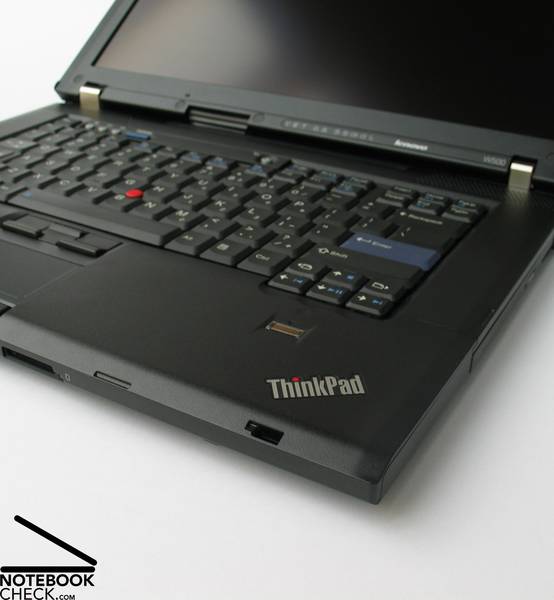 Notebook: Lenovo ThinkPad W500
Processor: Intel Core 2 Duo T9400
Graphics Adapter: ATI Mobility Radeon HD 3650
Display: 15.40 inch, 16:10, 1920 x 1080 pixels
Weight: 2.8kg
Price: 2000 euro
Links: Lenovo homepage
Pricecompare
Reviews
Source: BCW - Business Computing World
Archive.org versionLenovo has engineered a fantastic breed of mobile workstation with the ThinkPad W500. No other PC manufacturer has a mobile workstation that delivers the power, performance and productivity tools that Lenovo has packed into this beast. The mobile workstation flat out delivers the performance demanding users require at the desk as well as in the field, in a solution that’s comfortably portable.
Single Review, online available, Medium, Date: 10/01/2009
performance: 80%
Lenovo Thinkpad W510 4319-29G
Specifications
 Notebook: Lenovo Thinkpad W510 4319-29G
Processor: Intel Core i7 820QM
Graphics Adapter: NVIDIA Quadro FX 880M 1024 MB
Display: 15.60 inch, 16:9, 1920 x 1080 pixels
Weight: 2.76kg
Price: 2100 euro
Links: Lenovo homepage
Pricecompare
Average Score:
Reviews
Workstation in 15 inches. When searching for an efficient laptop for the business field, you'll sooner or later likely end up by Lenovo's Thinkpad W models. They have also been upgraded to state-of-the-art with the Thinkpad W510. To be precise, we'll now be looking at a W510 model with an Intel Core i7-820QM processor, an Nvidia Quadro FX 880M graphic card and a four gigabyte RAM.
Source: Phoronix
Archive.org versionThinkPad W510 overall is a nice notebook that is built very well and does play well with Linux for the most part.
Single Review, online available, Short, Date: 10/15/2010
Rating: workmanship: 80%
Source: Phoronix
Archive.org versionThinkPad W510 overall is a nice notebook that is built very well and does play well with Linux for the most part.
Single Review, online available, Short, Date: 10/15/2010
Rating: workmanship: 80%
Source: Tech Advisor
Archive.org versionOverall, the Lenovo Thinkpad W510 is a compromise. Packing workstation-class components into a 15-inch class chassis results in a system with overall solid CPU performance and reasonably good graphics performance, all built into a sturdy, if somewhat heavy, chassis. The addition of features like colour calibration and USB 3.0 are a plus, but those are mitigated by other limitations, such as the lack of Blu-ray burner. It's not inexpensive, either. In the end, the Lenovo Thinkpad W510 offers an excellent alternative for workstation users on the go who are looking for overall good performance and are willing to live with its minor shortcomings.
Single Review, online available, Medium, Date: 05/13/2010
Rating: Total score: 90%
Source: Tech Advisor
Archive.org versionOverall, the Lenovo Thinkpad W510 is a compromise. Packing workstation-class components into a 15-inch class chassis results in a system with overall solid CPU performance and reasonably good graphics performance, all built into a sturdy, if somewhat heavy, chassis. The addition of features like colour calibration and USB 3.0 are a plus, but those are mitigated by other limitations, such as the lack of Blu-ray burner. It's not inexpensive, either. In the end, the Lenovo Thinkpad W510 offers an excellent alternative for workstation users on the go who are looking for overall good performance and are willing to live with its minor shortcomings.
Single Review, online available, Medium, Date: 05/13/2010
Rating: Total score: 90%
Source: PC World
Archive.org versionLenovo's 15.4-inch workstation-class laptop offers excellent an CPU and a good display, but the Windows 7 touch interface and 3D performance aren't great.
Single Review, online available, Very Short, Date: 05/12/2010
Rating: performance: 92% features: 90%
Source: PC World
Archive.org versionLenovo's 15.4-inch workstation-class laptop offers excellent an CPU and a good display, but the Windows 7 touch interface and 3D performance aren't great.
Single Review, online available, Very Short, Date: 05/12/2010
Rating: performance: 92% features: 90%
Source: Notebookreview.com
Archive.org versionThe Lenovo ThinkPad W510 offers great performance, excellent build quality, and a beautiful 1080P multi-touch display with a 95% color gamut. The notebook offers a wide range of high-end features including four DDR3 memory slots to allow a total of 16GB of RAM, an optional Intel Core i7-920XM Extreme Edition processor, an optional multi-touch 1080P display, and an optional built-in color calibrator.
Single Review, online available, Long, Date: 03/15/2010
Rating: Total score: 90% performance: 80% features: 100% ergonomy: 90%
Source: Notebookreview.com
Archive.org versionThe Lenovo ThinkPad W510 offers great performance, excellent build quality, and a beautiful 1080P multi-touch display with a 95% color gamut. The notebook offers a wide range of high-end features including four DDR3 memory slots to allow a total of 16GB of RAM, an optional Intel Core i7-920XM Extreme Edition processor, an optional multi-touch 1080P display, and an optional built-in color calibrator.
Single Review, online available, Long, Date: 03/15/2010
Rating: Total score: 90% performance: 80% features: 100% ergonomy: 90%
Foreign Reviews
Source: Notebookjournal
DE→EN Archive.org versionSingle Review, online available, Long, Date: 10/04/2010
Rating: performance: 90% features: 80%
Source: Notebookjournal
DE→EN Archive.org versionSingle Review, online available, Long, Date: 10/04/2010
Rating: performance: 90% features: 80%
Source: Notebookcheck
DE→EN Archive.org versionSingle Review, online available, Long, Date: 03/05/2010
Rating: Total score: 89% performance: 90% display: 94% mobility: 70% workmanship: 95% ergonomy: 93% emissions: 80%
Source: Notebookcheck
DE→EN Archive.org versionSingle Review, online available, Long, Date: 03/05/2010
Rating: Total score: 89% performance: 90% display: 94% mobility: 70% workmanship: 95% ergonomy: 93% emissions: 80%
Source: Notebook.cz
 CZ→EN Archive.org version
Single Review, online available, Medium, Date: 04/01/2010
Rating: performance: 90% display: 95% workmanship: 80%
Source: Notebook.cz
CZ→EN Archive.org versionSingle Review, online available, Medium, Date: 04/01/2010
Rating: performance: 90% display: 95% workmanship: 80%
Source: Voz.vn
 VN→EN Archive.org version
Single Review, online available, Medium, Date: 10/26/2010
Rating: Total score: 95%
Source: Voz.vn
VN→EN Archive.org versionSingle Review, online available, Medium, Date: 10/26/2010
Rating: Total score: 95%
Lenovo ThinkPad W701ds
Specifications
 Notebook: Lenovo ThinkPad W701ds
Processor: Intel Core i7 920XM
Graphics Adapter: NVIDIA Quadro FX 3800M
Display: 17.00 inch, 16:10, 1920 x 1200 pixels
Weight: 4.1kg
Price: 1800 euro
Links: Lenovo homepage
Pricecompare
Average Score:
Reviews
Source: Comp Reviews
Archive.org versionLenovo's ThinkPad W701 is system that is deigned for a certain set of users. Graphics professionals and designers will appreciate its optional features that give it some of the best display, color and input features on the market. The problem is that the system already starts at a fairly high $2600 price tag and these extra features will increase the price. Outside of the targeted users, there are more affordable and equally power options available.
Single Review, online available, Medium, Date: 07/14/2010
Rating: Total score: 80%
Source: Techradar
Archive.org versionThe ThinkPad W701 is the latest version, and provides near industry-leading performance, features and usability.
Single Review, online available, Short, Date: 05/30/2010
Rating: Total score: 80%
Source: Tech Advisor
Archive.org versionThe Lenovo ThinkPad W701ds laptop feels solidly built. You'll have to lug the massive 8.97-pound system between big desks, but it's like carrying a powerful workstation almost anywhere. The battery lasts for about 2hrs 10 mins, a reasonable length for a portable with this much power and speed. Considering this machine's complete roster of ports and extras for content creators - including the colour calibrator, the Wacom tablet surface and the extra LCD screen - this high-end laptop seems equipped to help you complete any challenging job.
Single Review, online available, Medium, Date: 04/26/2010
Rating: performance: 80% mobility: 60% workmanship: 80%
Source: PC World
Archive.org versionAimed at content creators and engineers, this portable Goliath could replace desktop workstations, letting pros stay productive anywhere.It's hardly fitting to call this massive laptop a desktop replacement; it's a workstation alternative, able to take your most demanding applications anywhere. In addition to ridiculously fast performance, this laptop offers a built-in Wacom drawing tablet, a color-calibration tool, and even a second LCD. If you crunch real-time data on oil rigs or if you design jet engines while flying over the Atlantic, this could be your new PC. Anybody desiring one of the fastest, most tricked-out, and most costly portables around will find a great sidekick here.
Single Review, online available, Length Unknown, Date: 04/22/2010
Rating: Total score: 90% performance: 96% features: 94%
Lenovo Thinkpad W701 2500-2EG
Specifications
 Notebook: Lenovo Thinkpad W701 2500-2EG
Processor: Intel Core i7 720QM
Graphics Adapter: NVIDIA Quadro FX 2800M 1024 MB
Display: 17.20 inch, 16:10, 1920 x 1200 pixels
Weight: 3.92kg
Price: 2300 euro
Links: Lenovo homepage
Pricecompare
Average Score:
Reviews
It's all about power. The Thinkpad W701 series is the biggest and highest performance range from Lenovo. The workstation is equipped with high-performance professional graphics chips and quad-core CPUs. In the review: one of the cheapest variants with Core i7-720QM CPU and Quadro FX 2800M graphics.
Foreign Reviews
Source: Notebookcheck
DE→EN Archive.org versionSingle Review, online available, Long, Date: 08/27/2010
Rating: Total score: 88% performance: 93% display: 90% mobility: 65% workmanship: 89% ergonomy: 86% emissions: 88%
Source: Notebookcheck
DE→EN Archive.org versionSingle Review, online available, Long, Date: 08/27/2010
Rating: Total score: 88% performance: 93% display: 90% mobility: 65% workmanship: 89% ergonomy: 86% emissions: 88%
Lenovo ThinkPad W510-NTK55RT
Specifications
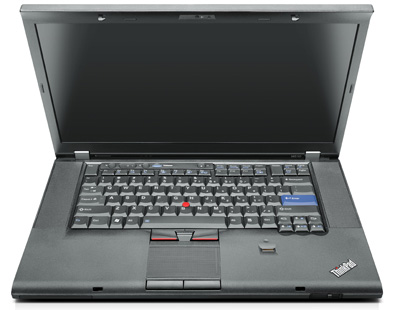 Notebook: Lenovo ThinkPad W510-NTK55RT
Processor: Intel Core i7 720QM
Graphics Adapter: NVIDIA Quadro FX 880M
Display: 15.60 inch, 16:9, 1920 x 1080 pixels
Weight: 2.9kg
Price: 1600 euro
Links: Lenovo homepage
Pricecompare
Average Score:
Foreign Reviews
Source: Retera
 RU→EN Archive.org version
Single Review, online available, Medium, Date: 11/16/2010
Rating: Total score: 75% performance: 80% display: 68% mobility: 48% emissions: 15%
Lenovo ThinkPad W701ds-2500
Specifications
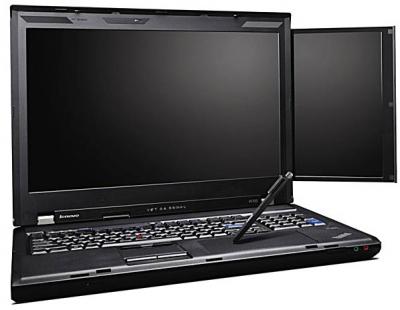 Notebook: Lenovo ThinkPad W701ds-2500
Processor: Intel Core i7 820QM
Graphics Adapter: NVIDIA Quadro FX 2800M
Display: 17.30 inch, 16:10, 1920 x 1200 pixels
Weight: 4.1kg
Price: 4300 euro
Links: Lenovo homepage
Pricecompare
Average Score:
Reviews
Source: Trusted Reviews
Archive.org versionIt may only appeal to those with big, specific demands and bigger wallets, but the Lenovo ThinkPad W701ds' complement of unique features (like its RGB-LED backlit screen with built-in hardware colorimeter, secondary display and integrated Wacom tablet) means it has no competition. Considering it's also powerful, very well-built and offers every connection you could want along with surprisingly decent battery life, it truly deserves its title of 'mobile workstation'.
Single Review, online available, Very Long, Date: 02/11/2011
Rating: Total score: 80% price: 70% performance: 90% features: 100% mobility: 70% ergonomy: 80%
Lenovo ThinkPad W510-4319-A29
Specifications
 Notebook: Lenovo ThinkPad W510-4319-A29
Processor: Intel Core i7 620M
Graphics Adapter: NVIDIA Quadro FX 880M
Display: 15.60 inch, 16:9, 1600 x 900 pixels
Weight: 2.7kg
Links: Lenovo homepage
Pricecompare
Foreign Reviews
Source: IT.com.cn
 zh-CN→EN Archive.org version
Single Review, online available, Medium, Date: 03/21/2011
Lenovo ThinkPad W520
Specifications
Notebook: Lenovo ThinkPad W520Processor: Intel Core i7 2820QM
Graphics Adapter: NVIDIA Quadro 2000M 2048 MB
Display: 15.60 inch, 16:9, 1920 x 1080 pixels
Weight: 2.7kg
Price: 2400 euro
Links: Lenovo homepage ThinkPad W520 (Model)
Pricecompare
Average Score:
Reviews
Takin' Care of Business. Lenovo ThinkPads of the W series are pure-bred professional laptops that have earned a reputation for powerful performance, above all in the area of graphics and computation-intensive office tasks. The ThinkPad W520 is the most recent 15.6" model in the series and is said to reconcile tradition with technological progress, but is the ThinkPad W520 all it's cracked up to be?
Source: Comp Reviews
Archive.org versionFor anyone that needs a serious laptop with lots of performance for workstation class work on the go, there is no question that the Lenovo ThinkPad W520 is one of the best options on the market. It offers some superb performance thanks to its quad core processor yet still manages some excellent running times. Graphics professionals will also want to look into the upgraded IPS display and color calibrator that is one of the best on the market for color accuracy.
Single Review, online available, Short, Date: 04/29/2011
Rating: Total score: 80%
Source: Notebookreview.com
Archive.org versionThe Lenovo ThinkPad W520 workstation most definitely lives up to its ThinkPad name and workstation standards. It provides great all-over performance with its quad-core i7 processor, NVIDIA Quadro 2000M graphics, and 8GB DDR3 RAM. The 95% color gamut FHD display is easily conducive to professionals in the graphics arts or similar industry. It also has a wide range of ports and features, such as the two HighSpeed 3.0 USB ports and the Pantone huey PRO color calibration system. We did not feel as though the complaints we did have about the workstation were deal breakers in the least bit. For those in need of a powerful workstation, this system should be a definite option.
Single Review, online available, Medium, Date: 04/29/2011
Rating: Total score: 80% price: 70% performance: 90% features: 90% mobility: 90% ergonomy: 70%
Source: Comp Reviews
Archive.org versionFor anyone that needs a serious laptop with lots of performance for workstation class work on the go, there is no question that the Lenovo ThinkPad W520 is one of the best options on the market. It offers some superb performance thanks to its quad core processor yet still manages some excellent running times. Graphics professionals will also want to look into the upgraded IPS display and color calibrator that is one of the best on the market for color accuracy.
Single Review, online available, Short, Date: 04/29/2011
Rating: Total score: 80%
Source: Notebookreview.com
Archive.org versionThe Lenovo ThinkPad W520 workstation most definitely lives up to its ThinkPad name and workstation standards. It provides great all-over performance with its quad-core i7 processor, NVIDIA Quadro 2000M graphics, and 8GB DDR3 RAM. The 95% color gamut FHD display is easily conducive to professionals in the graphics arts or similar industry. It also has a wide range of ports and features, such as the two HighSpeed 3.0 USB ports and the Pantone huey PRO color calibration system. We did not feel as though the complaints we did have about the workstation were deal breakers in the least bit. For those in need of a powerful workstation, this system should be a definite option.
Single Review, online available, Medium, Date: 04/29/2011
Rating: Total score: 80% price: 70% performance: 90% features: 90% mobility: 90% ergonomy: 70%
Source: Laptop Mag
Archive.org versionThe ThinkPad W520 provides really strong workstation-level performance in a portable 6.2-pound package with amazing battery life, a gorgeous screen, and the industry's best keyboard. However, the $2,969 configuration we reviewed is pretty pricey for a laptop that doesn't include a solid state drive, though we highly recommend adding that as an option. The sound could also be better. Still, if you're looking for a workstation that can plow through any task, the ThinkPad W520 is a solid choice.
Single Review, online available, Short, Date: 04/25/2011
Rating: Total score: 70%
Source: Laptop Mag
Archive.org versionThe ThinkPad W520 provides really strong workstation-level performance in a portable 6.2-pound package with amazing battery life, a gorgeous screen, and the industry's best keyboard. However, the $2,969 configuration we reviewed is pretty pricey for a laptop that doesn't include a solid state drive, though we highly recommend adding that as an option. The sound could also be better. Still, if you're looking for a workstation that can plow through any task, the ThinkPad W520 is a solid choice.
Single Review, online available, Short, Date: 04/25/2011
Rating: Total score: 70%
Source: Keith Comb's Blahg
Archive.org versionI didn’t think the Lenovo ThinkPad W520 would be much of an improvement. It’s the same keyboard, chassis, screen, etc. as the ThinkPad W510. But the beauty is below the surface and in this case, the Sandy Bridge chipset offers much better performance while managing energy use much more efficiently. You’ll certainly want to watch for more scientific testing by the professional review blogs and organizations but it sure looks like a super machine for your consideration. I look forward to seeing how it fairs against the competition in the shootouts. Until then, buy with confidence. This is a sweet machine ready to do some hard work. Let me know if you have any questions.
Single Review, online available, Medium, Date: 03/27/2011
Source: Keith Comb's Blahg
Archive.org versionI didn’t think the Lenovo ThinkPad W520 would be much of an improvement. It’s the same keyboard, chassis, screen, etc. as the ThinkPad W510. But the beauty is below the surface and in this case, the Sandy Bridge chipset offers much better performance while managing energy use much more efficiently. You’ll certainly want to watch for more scientific testing by the professional review blogs and organizations but it sure looks like a super machine for your consideration. I look forward to seeing how it fairs against the competition in the shootouts. Until then, buy with confidence. This is a sweet machine ready to do some hard work. Let me know if you have any questions.
Single Review, online available, Medium, Date: 03/27/2011
Foreign Reviews
Source: Notebookcheck
DE→EN Archive.org versionSingle Review, online available, Long, Date: 05/07/2011
Rating: Total score: 88% performance: 91% display: 88% mobility: 83% workmanship: 90% ergonomy: 89% emissions: 82%
Source: Notebookcheck
DE→EN Archive.org versionSingle Review, online available, Long, Date: 05/07/2011
Rating: Total score: 88% performance: 91% display: 88% mobility: 83% workmanship: 90% ergonomy: 89% emissions: 82%
Comment
Lenovo: Lenovo ("Le" from English legend, novo (Latin) for new) was founded in 1984 as a Chinese computer trading company. As of 2004, the company was the largest laptop manufacturer in China and, after acquiring IBM's PC division in 2005, the fourth largest in the world. In addition to desktops and notebooks, the company manufactures monitors, projectors, servers, etc, and specializes in developing, manufacturing and marketing consumer electronics, personal computers, software, enterprise solutions and related services.
In 2016, the company ranked first in the world in computer sales. It still held it in 2023 with about 23% global market share. Important product lines are Thinkpad, Legion and Ideapad.
In 2011, it acquired a majority stake in Medion AG, a European computer hardware manufacturer. In 2014, Motorola Mobility was purchased, which gave Lenovo a boost in the smartphone market.
Only some 3D games with very low demands are playable with these cards.
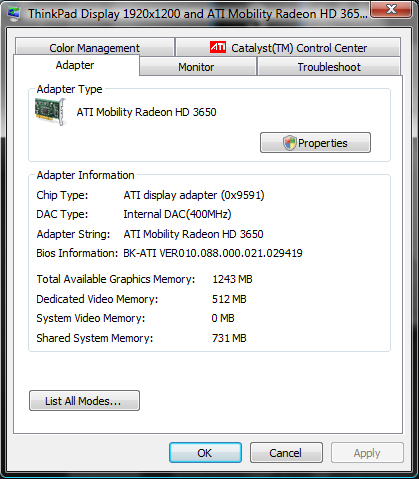
ATI Mobility Radeon HD 3650: The Hd 3650 is a middle class graphics card (in 2008) and compareable to an 8600M GT GPU from Nvidia. It is fabricated in 55nm process and due to Avivo video engine the graphic card can support the processor with several video operations (HD video too).
ATI Mobility FireGL V5700: The FireGL V5700 is a professional graphics card and based on the HD 3650 core chip. Especially the OpenGL performance should be higher than with a consumer card.
Modern games should be playable with these graphics cards at low settings and resolutions. Casual gamers may be happy with these cards.
NVIDIA Quadro FX 3700M:
Professional high-end mobile workstation graphics card with certified drivers. The Quadro FX 3700M features even more shaders than the 9800M GTX (128 versus 112) while maintaining comparable clock speeds.
NVIDIA Quadro FX 3800M:
Professional workstation graphics card with certified drivers for optimal CAD and DCC support. The Quadro FX 3800M is based on the GeForce GTX 280M core and when compared to the FX 3700M, the FX 3800M features higher clock speeds and is produced on a 55nm manufacturing process.
NVIDIA Quadro FX 2800M:
Professional high-end workstation graphics card with certified drivers. Because of its 96 shader cores, the Quadro FX 2800M is similar to the GeForce 9800M GT but is produced in 55nm and features a higher core clock.
NVIDIA Quadro 2000M:
Mobile middle-class workstation graphics card based on the Fermi architecture. The 128 Bit memory bus and the DDR3 memory could be potential bottlenecks of the 2000M.
Non demanding games should be playable with these graphics cards.
NVIDIA Quadro FX 880M: Professional middle class workstation graphics card that is based on the GeForce 330M core but features lower clock rates.
» Further information can be found in our Comparison of Mobile Graphics Cards and the corresponding Benchmark List.
Intel Core 2 Duo: This is the Core Duo and Core Solo successor with a longer pipeline and 5-20% more speed without more power consumption. As an addition to the Core Duo design there exists a fourth decoder, an amplified SSE-unit and an additional arithmetical logical unit (ALU).
The Core 2 Duo for laptops is identical to the desktop Core 2 Duo processors but the notebook-processors work with lower voltages (0.95 to 1188 Volt) and a lower Frontside bus clock (1066 vs 667 MHz). The performance of equally clocked notebooks is 20-25% lower than Desktop PCs because of the lower Frontside bus clock and the slower hard disks.
T9400:
The T9400 is a fast middle class dual core CPU for laptops and basically a Core 2 Duo P9500 with a higher TDP of 35 Watt.
Intel Core 2 Extreme: The fastest Core 2 Duo variants of Intel are called Core 2 Extreme. Technically, these processors are based on a Merom/Penryn (X9000) core like all other Core 2 Duo processors, too.
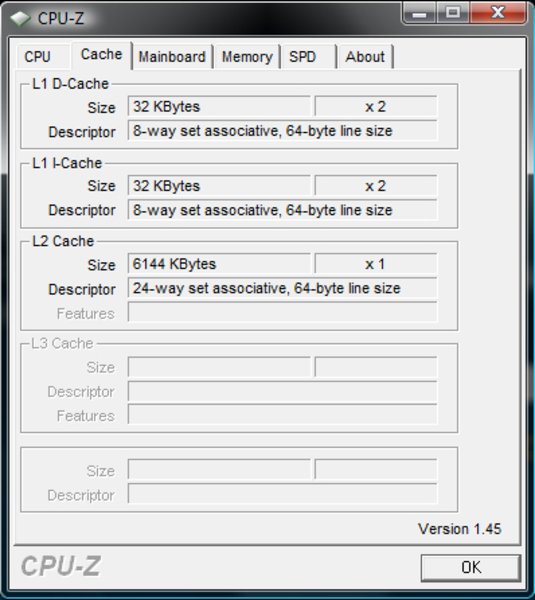
QX9300: Expensive mobile Quad Core CPU with a free multiplicator and a TDP of 45 Watt. Due to the large Level 2 cache and the 2.5 GHz the CPU offers a good performance for single and multithreaded applications.
Intel Core i7: The Intel Core i7 for laptops is based on the LG1156 Core i5/i7 CPU for desktops. The base clock speed of the CPUs is relatively low, but because of a huge Turbo mode, the cores can dynamically overclock to up to 3.2 GHz (920XM). Therefore, the CPU can be as fast as high clocked dual-core CPUs (using single threaded applications) but still offer the advantage of 4 cores. Because of the large TDP of 45 W / 55 W, the CPU is only intended for large laptops.
820QM:
The Core i7-820QM is a high-end quad core CPU for laptops that clocks due to the Turbo Mode from 1.73-3.06 GHz. Therefore, the processor combines the advantages of fast single core CPUs and slow quad-core CPUs. Hyperthreading allows the simultaneous use of 8 Threads in parallel.
920XM: Fastest Core i7 laptop CPU in 2009 but with a TDP of 55 Watt it is pretty power hungry. Due to the Turbo Mode, the CPU can run with up to 3.2 GHz. Because of the Extreme tag, the multiplier is not locked, and therefore the CPU is easy to overclock.
720QM: The Core i7-720QM is the slowes Core i7 Quad Core in 2009 and clocks between 1.6 and 2.8 GHz (due to the Turbo Mode). Therefore, it combines the advantages of a slow quad core CPU with a fast single core one. Compared to the faster Core i7 mobile CPUs, the 720QM only features 6MB L3 Cache.
620M:
The Core i7-620M is the fastest Dual-Core CPU for laptops (at the time of introduction in Q1 2010). The 620M clocks betwenn 2.66 and 3.33 GHz due to the Turbo Mode and because of Hyperthreading, 4 threads are executed simultaneously. In the package, Intel also included a second die with an integrated GPU (GMA HD) and a memory controller. Therefore, the TDP of 35 Watt of the whole package is still quite good.
2820QM: Fast Quad-core processor based on the Sandy Bridge architecture with an integrated graphics card and dual-channel DDR3 memory controller.
» Further information can be found in our Comparison of Mobile Processsors.
17.00: This display size is a standard format for desktop replacements (DTR). The DTR laptops are heavier to carry, need more power, but texts are easy to read and high resolutions are no problem. DTR are mainly intended for stationary desk use, where weight and energy hunger don't matter. In return, you enjoy the advantages of high resolutions (more details, better legibility).
» To find out how fine a display is, see our DPI List.
2.7 kg:
With this weight, a laptop is rather heavier than average. Devices in this range shine more with screen size and performance than with mobility.
5 kg:
A laptop with this weight is comparatively heavy and less designed for mobility than for use at the desk. Therefore, the devices tend to shine less with battery life than with a large screen and higher performance.
82.95%: This rating is slightly above average, there are somewhat more devices with worse ratings. However, clear purchase recommendations look different.
» Further information can be found in our Notebook Purchase Guide.