




Ray-Ban Meta: How to stop your glasses from training AI
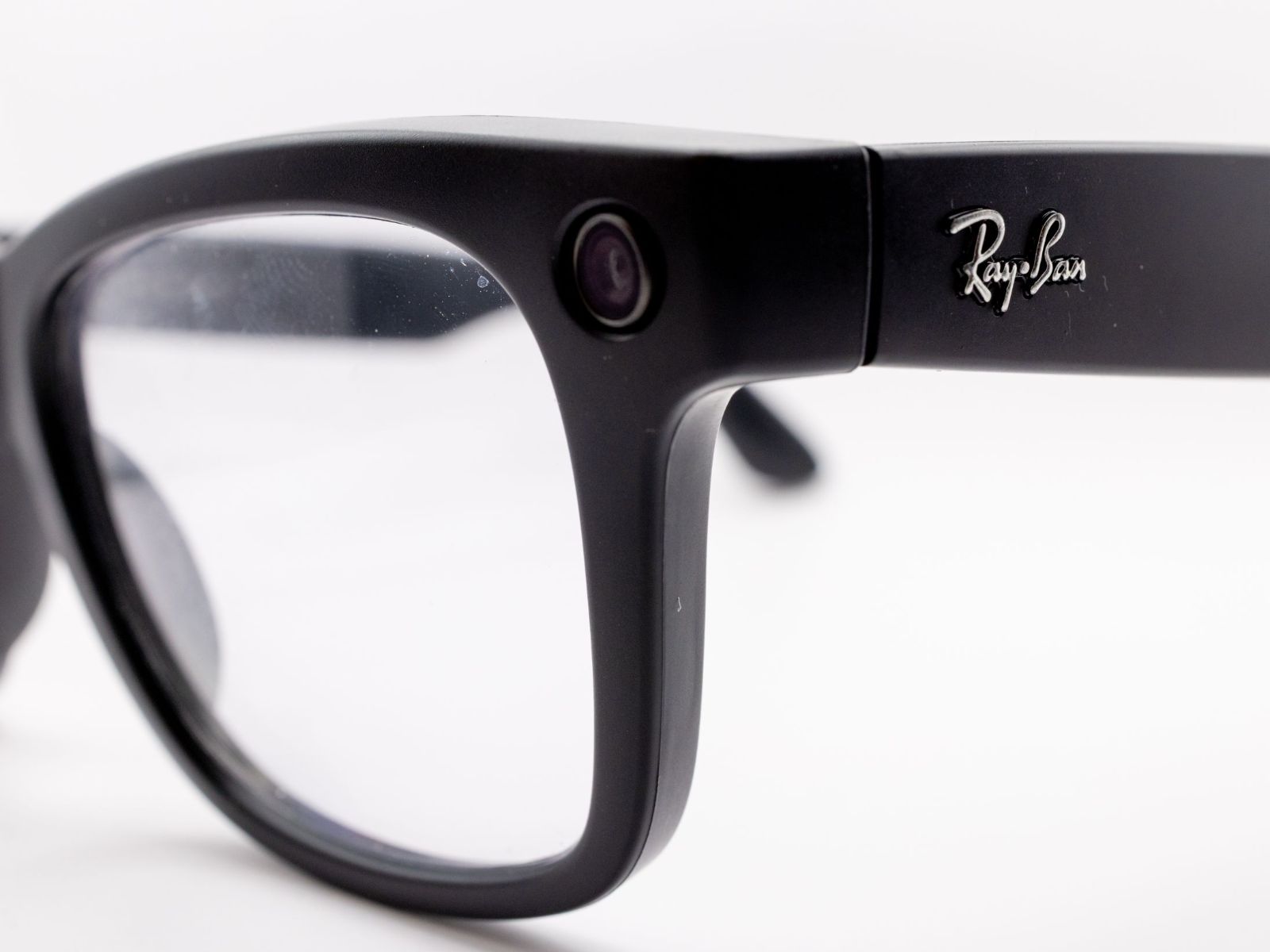
Asking your Ray-Ban Meta glasses what a sign says sends Meta a photo. That image doesn't show up in your camera roll, which is why many owners don't know it exists. According to Meta's help page on visual data, the company stores these captures from AI requests and may use them to train its models, through automated systems or human review. Since September 24, you can switch that off. A second setting covers your voice, and how much control you get there depends on where you live.
What the glasses send to Meta
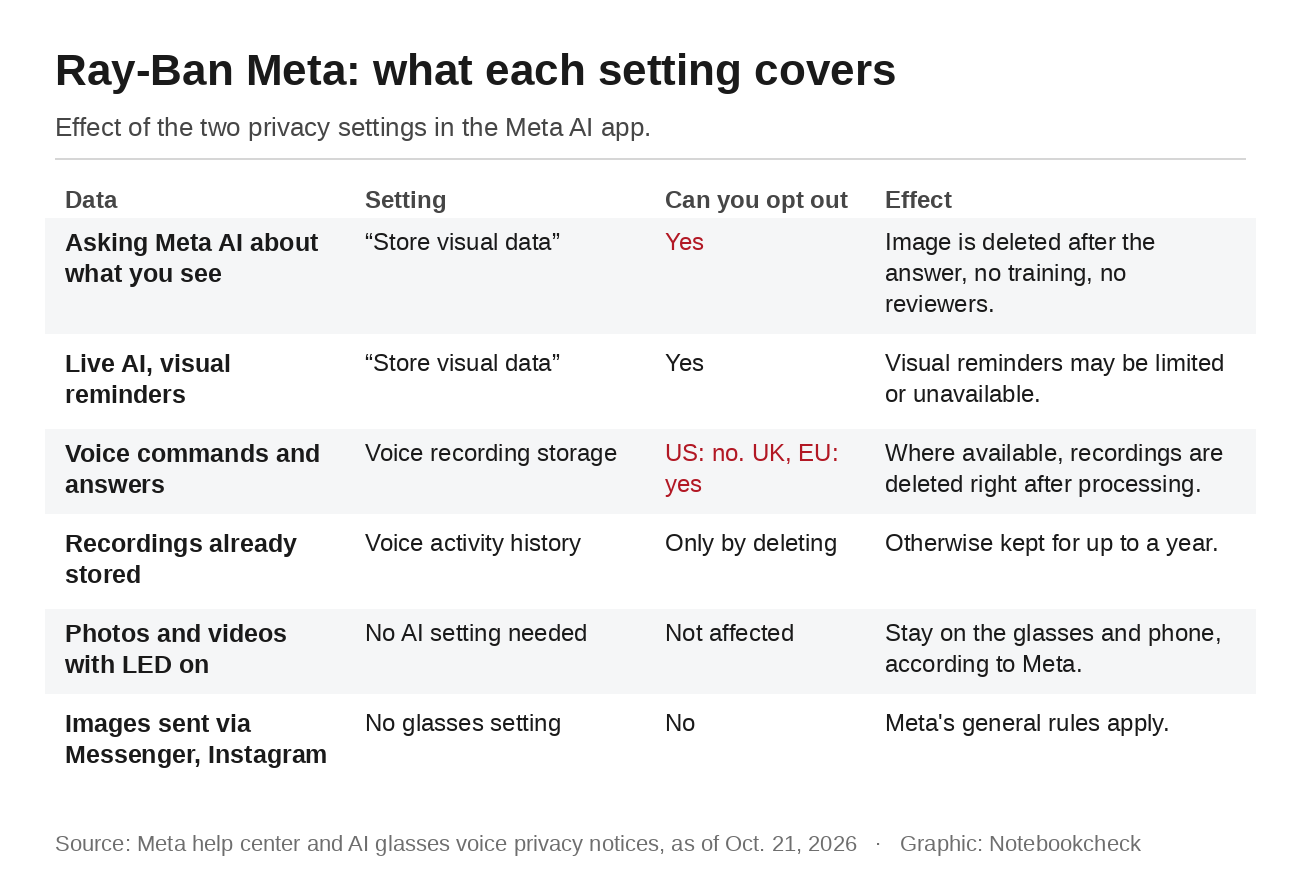
Meta treats two kinds of images differently. Photos and videos you take with the capture LED on, by pressing the button or asking the glasses to take a picture, stay on the glasses until you import them to your phone, according to Meta. Everything Meta AI looks at is a different matter. When you ask the glasses to translate a menu or use Live AI, the camera creates what Meta calls visual data. Meta stores it and uses it to power features and improve its products unless you change the setting.
In February, the Swedish newspapers Svenska Dagbladet and Göteborgs-Posten reported what that can mean. Workers at Sama, an outsourcing firm in Nairobi, said they had labeled footage from the glasses for AI training, including people having sex, using the toilet and undressing, as well as bank details. Meta later ended the contract, saying Sama did not meet its standards, as The Next Web reported. Sama issued redundancy notices to 1,108 employees in April.
Setting one: Images from your AI requests
The new setting is in the Meta AI app. Open your glasses settings, tap Meta AI in the Experiences section and turn off "Store visual data from AI experiences." The glasses need to be out of their case and connected to your phone. If you own more than one pair, repeat the step for each of them, Engadget notes.
Once the setting is off, your visual data is no longer available for human review, isn't used for training and isn't stored after your request is answered. "If you've opted out and you ask your glasses to translate a menu, we'll use your visual data to answer your question and then it's gone," Meta told Engadget. The trade-off is that features such as visual reminders may be limited or unavailable. The change only applies going forward. Visual data processed before you switched it off isn't covered.
In Germany, it isn't fully clear whether Meta uses these images for training at all. The country's federal data protection commissioner quotes Meta in an undated FAQ as saying that neither chats nor images are currently used for training. Meta's own help page lists no regional exception. If the setting shows up in your app, turning it off costs you nothing but visual reminders.
Setting two: Your voice
The new setting only covers images. Voice recordings fall under a separate notice, and Meta handles them differently by region. The US voice privacy notice says: "Text transcripts and audio recordings of your voice interactions are stored by default to help improve Meta's products." US owners lost the option to turn that off in April 2025. The UK and German versions read differently. They say "you can choose to store your voice recordings," and Meta AI keeps working with storage off, with recordings deleted right after processing, VR.org found when comparing the regional versions.
Stored recordings are kept for up to a year and can be reviewed by trained staff, with the pitch of the voice altered. That includes accidental activations. When Meta's systems detect a false wake, the recording is deleted within 90 days of detection. Wherever you live, you can review and delete your voice history in the Meta AI app, and recordings made before you changed a setting stay there until you delete them or the year runs out.
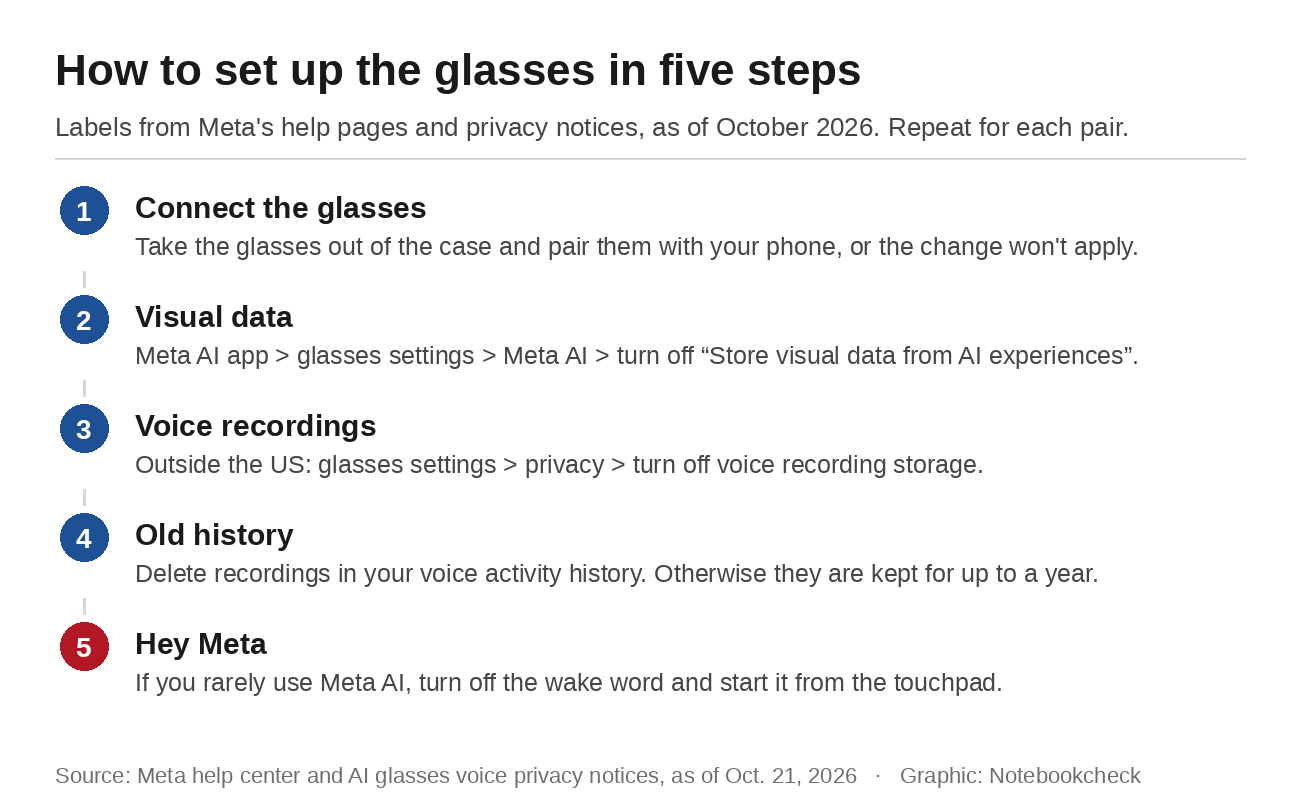
A report from mid-October shows why that history is worth checking. An owner of three pairs said they had recorded ordinary conversations after a firmware update, even though nobody had said "Hey Meta." Android Authority could not reproduce the problem. Meta said on October 13 that the issue had been resolved but did not explain the cause. If you only use Meta AI occasionally, turn off the wake word and start the assistant from the touchpad instead.
What no setting covers
Meta lists several things the visual data setting doesn't cover. Images you share with Meta AI on other surfaces such as Messenger or Instagram are excluded, and so is metadata like camera exposure settings or the text descriptions the AI generates from an image. Public posts on Facebook and Instagram are handled separately, as our guide on how to opt out of AI training explains.
The people in front of the camera have the least control. Bystanders have no app and no setting. In September, Hamburg's data protection authority concluded that the glasses' LED tells bystanders too little, and that recording identifiable strangers outside a close circle of friends and family will rarely be lawful. When wearers ask Meta AI about their surroundings, the LED on the second-generation glasses doesn't light up at all, according to the report. France's data protection authority CNIL advises taking the glasses off wherever you would put your phone away.
Source(s)
Meta Help Center: Storing visual data from AI experiences
Meta: AI glasses voice privacy notice (Germany, in German)
Meta: AI glasses voice privacy notice (US)
German Federal Data Protection Commissioner: FAQ on Ray-Ban Meta smart glasses (in German)
Engadget: Meta will stop training its AI on visual data from its smart glasses if you opt out
Engadget: How to stop Meta training its AI on your smart glasses visual data
VR.org: Recording bug and voice storage rules by region
Android Authority: Ray-Ban Meta glasses reportedly recorded conversations without the wake word
The Next Web: Meta ends Sama contract after reports from Kenyan workers
 Add as a preferred source on Google


