




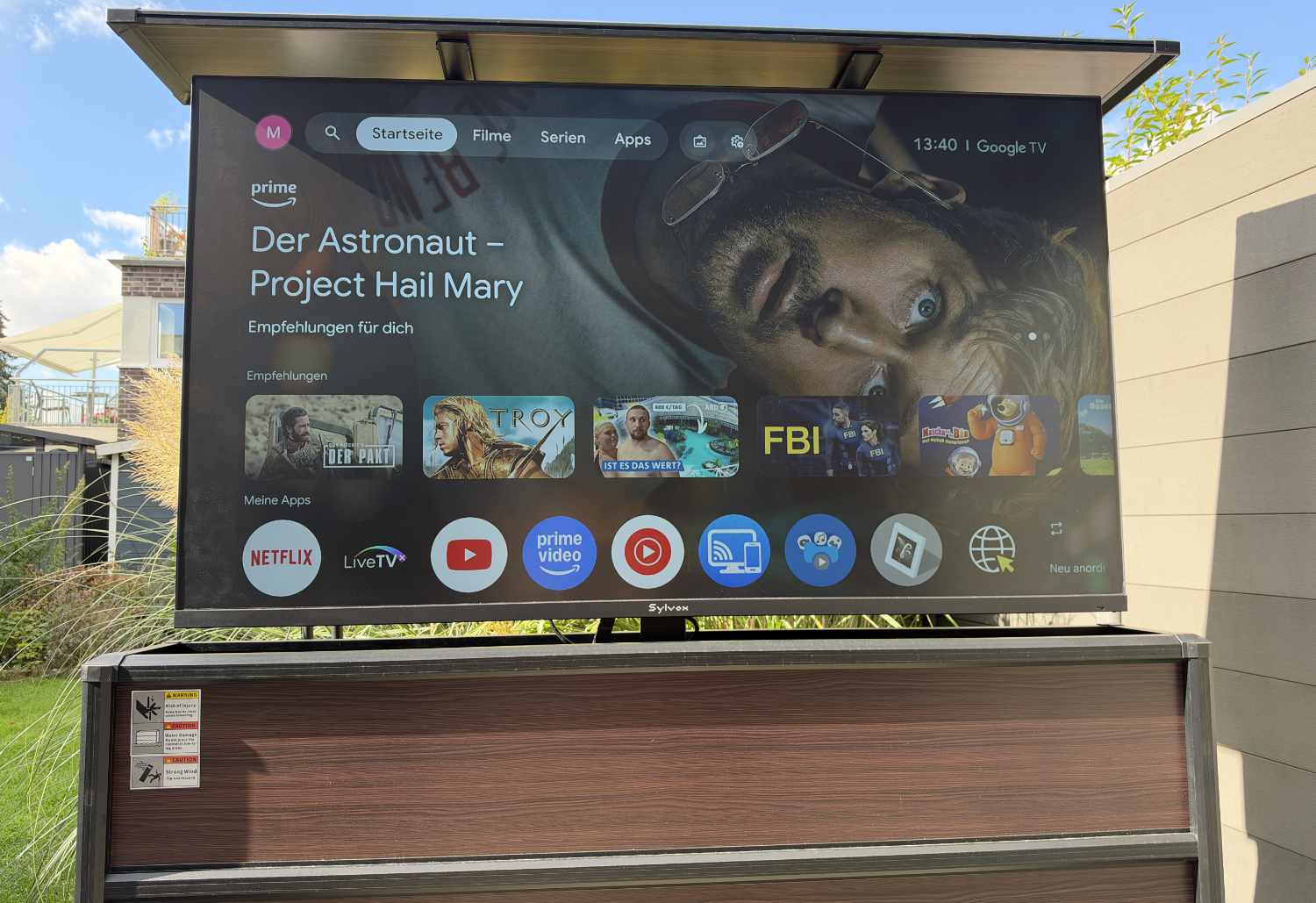
Outdoor TV withstands even direct sunlight: Sylvox Frameless Pro review
Television outdoors.
The Sylvox Frameless Pro brings the TV experience outdoors. In our review, this nearly bezel-less outdoor TV impresses with its picture, among other things, but also has a few drawbacks. The same goes for the sideboard with TV lift, which we also tested.Marcus Schwarten (translated by Marcus Schwarten (translation supported by DeepL)) Published 🇩🇪
Sylvox Frameless Pro review verdict: Outdoor TV experiences
Thanks to its high picture brightness, the Sylvox Frameless Pro delivers an impressive outdoor viewing experience in the test, even in sunshine. The Smart TV is even more impressive in shaded areas. There, the LCD panel puts in a decent performance, although the picture is far from convincing in every respect. In the test, we were less impressed by the constant fan noise and the muffled sound. Google TV opens up many possibilities, although there are occasional short wait times.
With the Outdoor TV Lift Cabinet, Sylvox offers the right “packaging” for anyone who doesn’t want wall mounting. However, the sideboard with TV lift comes in for some criticism in the test. It is also almost as expensive as the TV, which is itself rather pricey.
Pros
Cons
Price and availability
The recommended retail price for the Sylvox Frameless Pro depends on the screen size. Prices start at $2,299 MSRP for the 43-inch model. The 55-inch model costs $2,999 MSRP, the 65-inch model $3,999, and the 75-inch model $5,299. It is available, among other places, directly from the manufacturer and from Amazon.

Table of Contents
Anyone who wants to watch TV outdoors usually relies on a projector or hauls the television from the living room out onto the terrace, for example to watch the soccer World Cup with friends. But that need not be the case. Anyone who wants to regularly watch sports, movies, and more in their own garden or on their balcony can do so easily with an outdoor TV.
Sylvox offers various smart TVs for outdoor use. The manufacturer unveiled the Frameless Pro series at IFA 2026. Our Sylvox Frameless Pro review reveals what sets it apart and how well the outdoor TV performed in practice. For our test, we had the television paired with the “Outdoor TV Lift Cabinet”, where the weatherproof TV can be stored safely.
Specifications
| Size | 43, 55, 65, 75 inches |
| Resolution | 4K UHD |
| Brightness | 2,000 nits |
| Operating system | Google TV |
| IP rating | IP56 |
| RRP | from €2,799 |
Features & package contents: LCD panel in a robust metal housing
Sylvox offers the Frameless Pro in 43-, 55-, 65- and 75-inch sizes, which are also typical sizes for indoor smart TVs. After all, it features a classic LCD panel, protected for outdoor use by its weatherproof casing. Pouring water over it had no effect in this test, and neither did the weather during the test period.
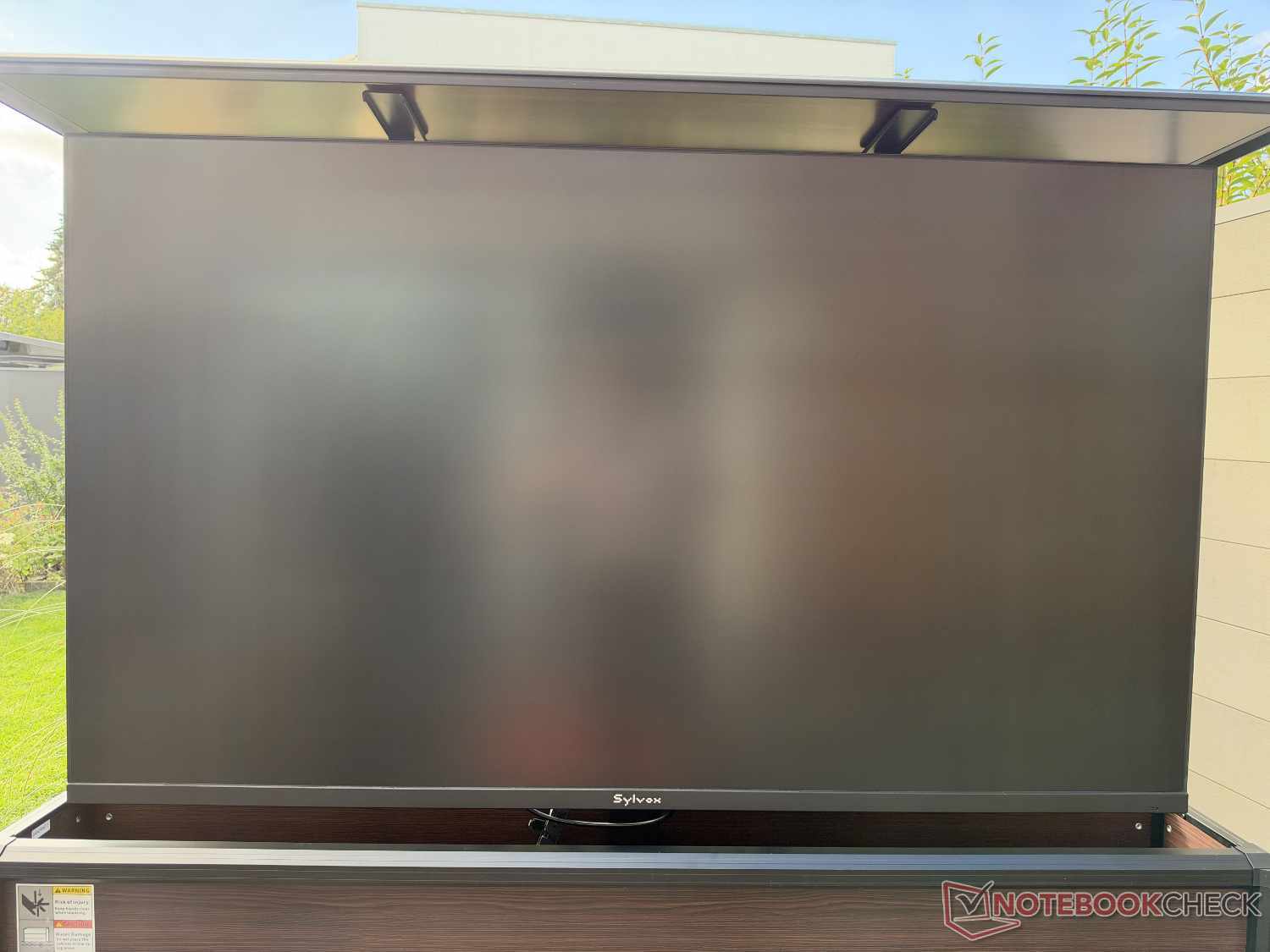
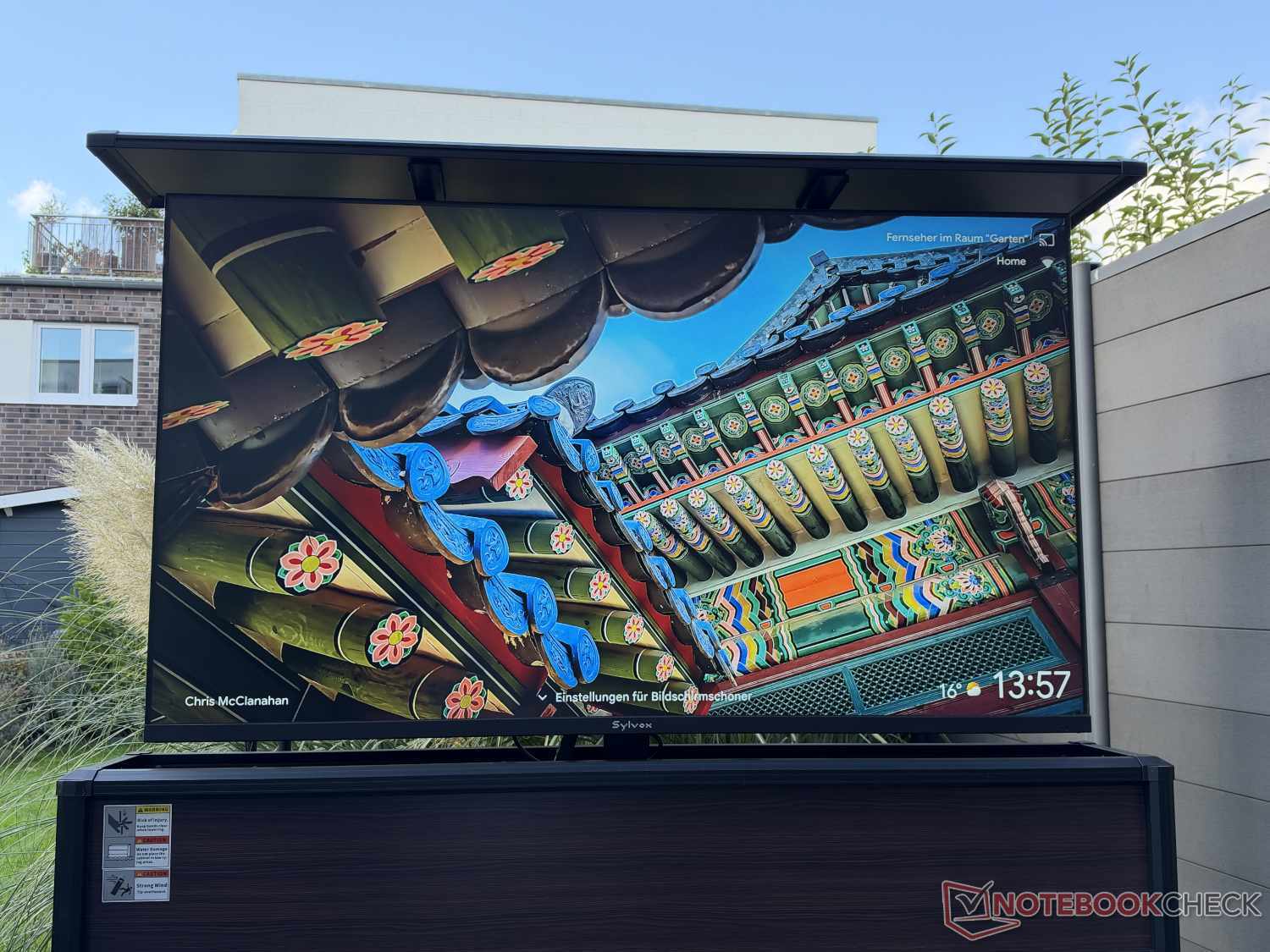
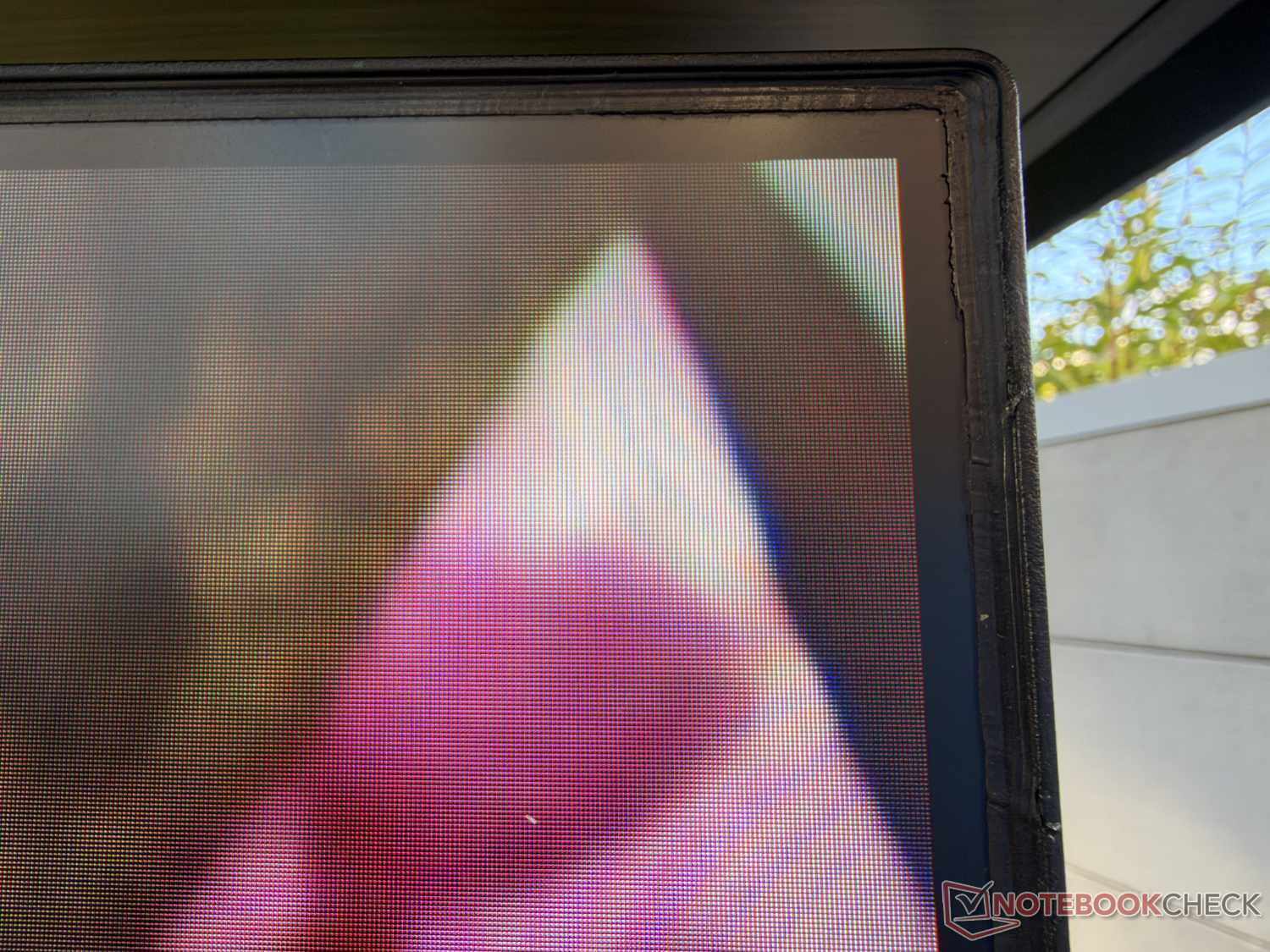
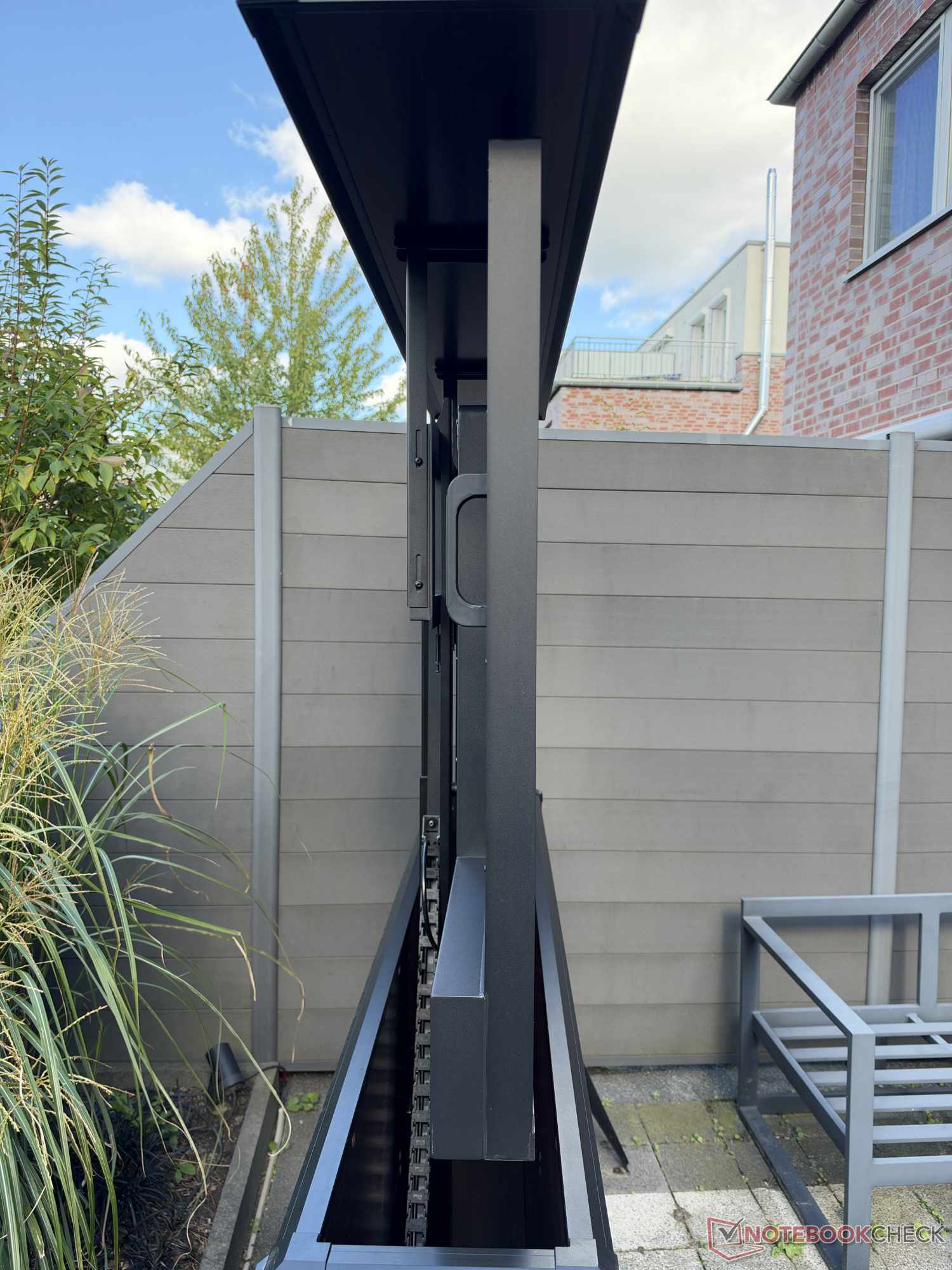
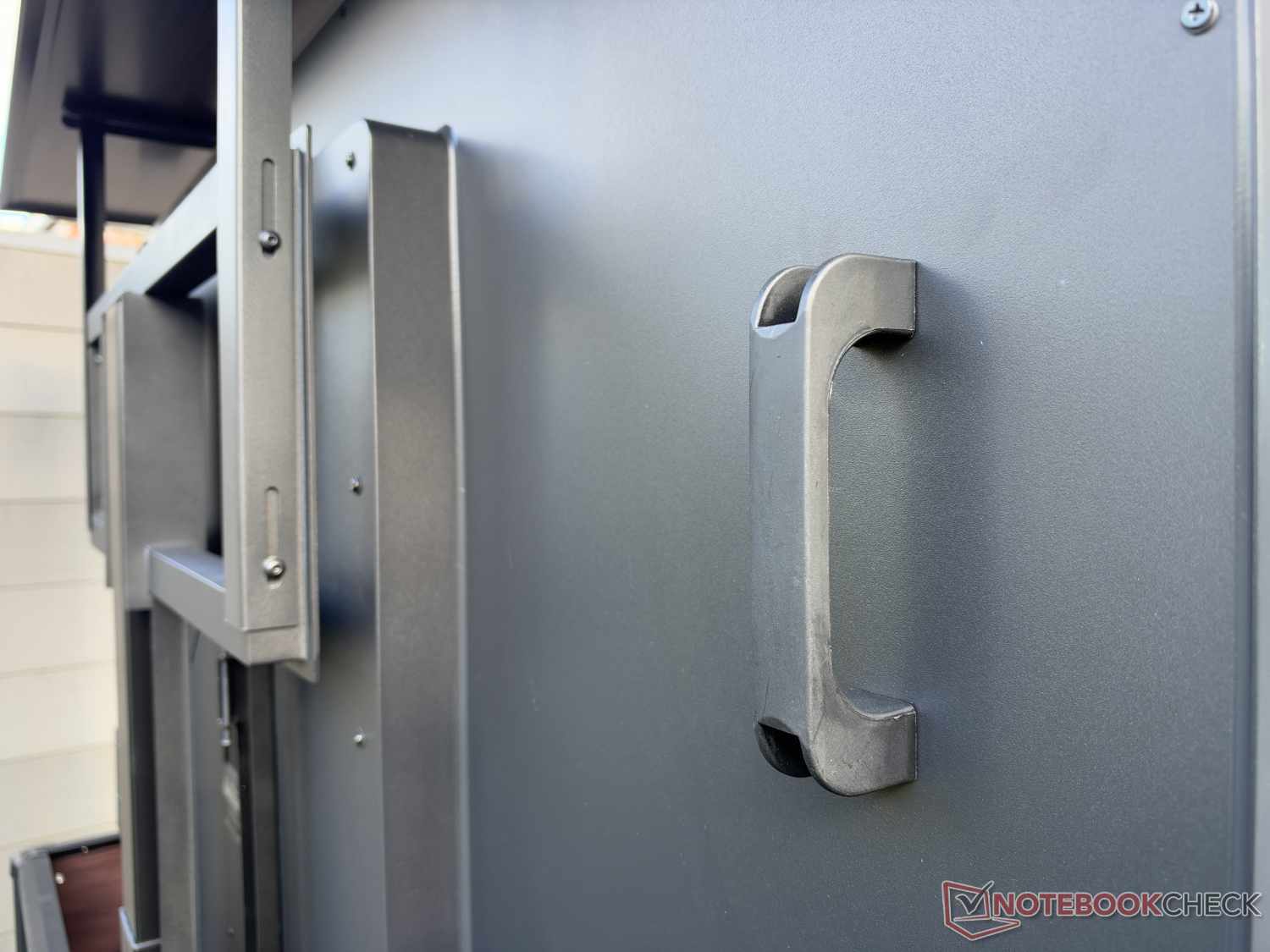
The display is housed in a robust metal casing, which was well finished in our case—although the silicone seal between the panel and frame could be neater in places. According to the manufacturer, the device is protected against dust and powerful water jets in accordance with IP56, making it suitable for outdoor use. The manufacturer specifies a permitted temperature range of -30°C to +50°C, which unfortunately we were unable to verify within the scope of our testing. In our hands-on test, we had the 65-inch version, which weighs a good 25 kg and measures approx. 145 x 84 x 8.7 cm.
The Frameless Pro’s distinctive feature is the relatively thin bezels around the panel, which also give the model its name. They measure only approx. 9 mm on the left, right, and top, and approx. 2.7 cm at the bottom. This means the screen accounts for around 95 percent of the device’s surface area (screen-to-body ratio), which is a remarkable figure for an outdoor TV.
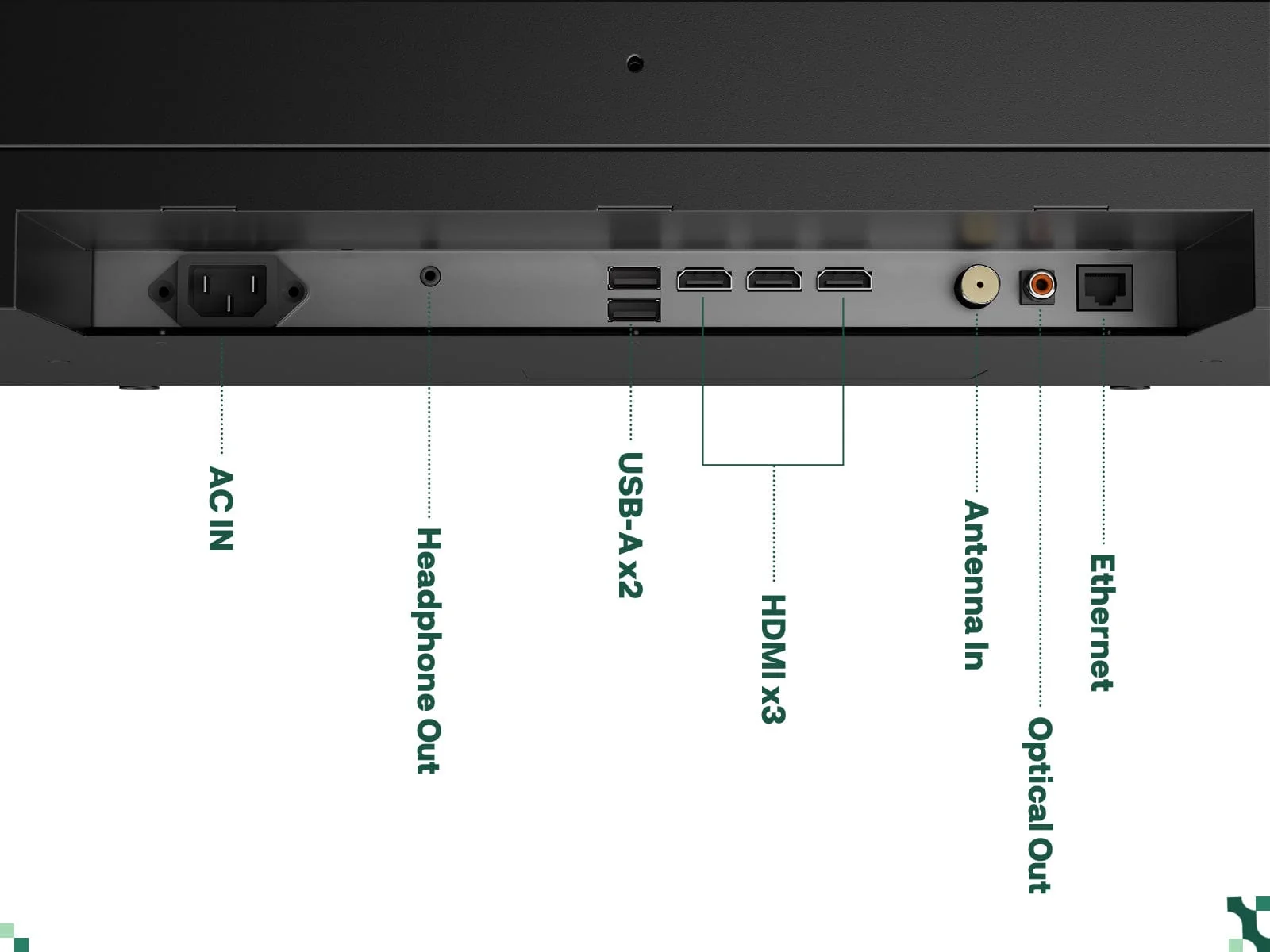
The resolution is the now-standard 4K UHD, or 3,840 x 2,160 pixels. The manufacturer specifies brightness of up to 2,000 nits. We explain what that means further below in our Sylvox Frameless Pro review. Sylvox uses Google TV as its operating system. The underside has three HDMI ports (one with eARC), two USB-A ports, an optical digital audio port, an antenna connection, Ethernet, and a 3.5 mm headphone jack.
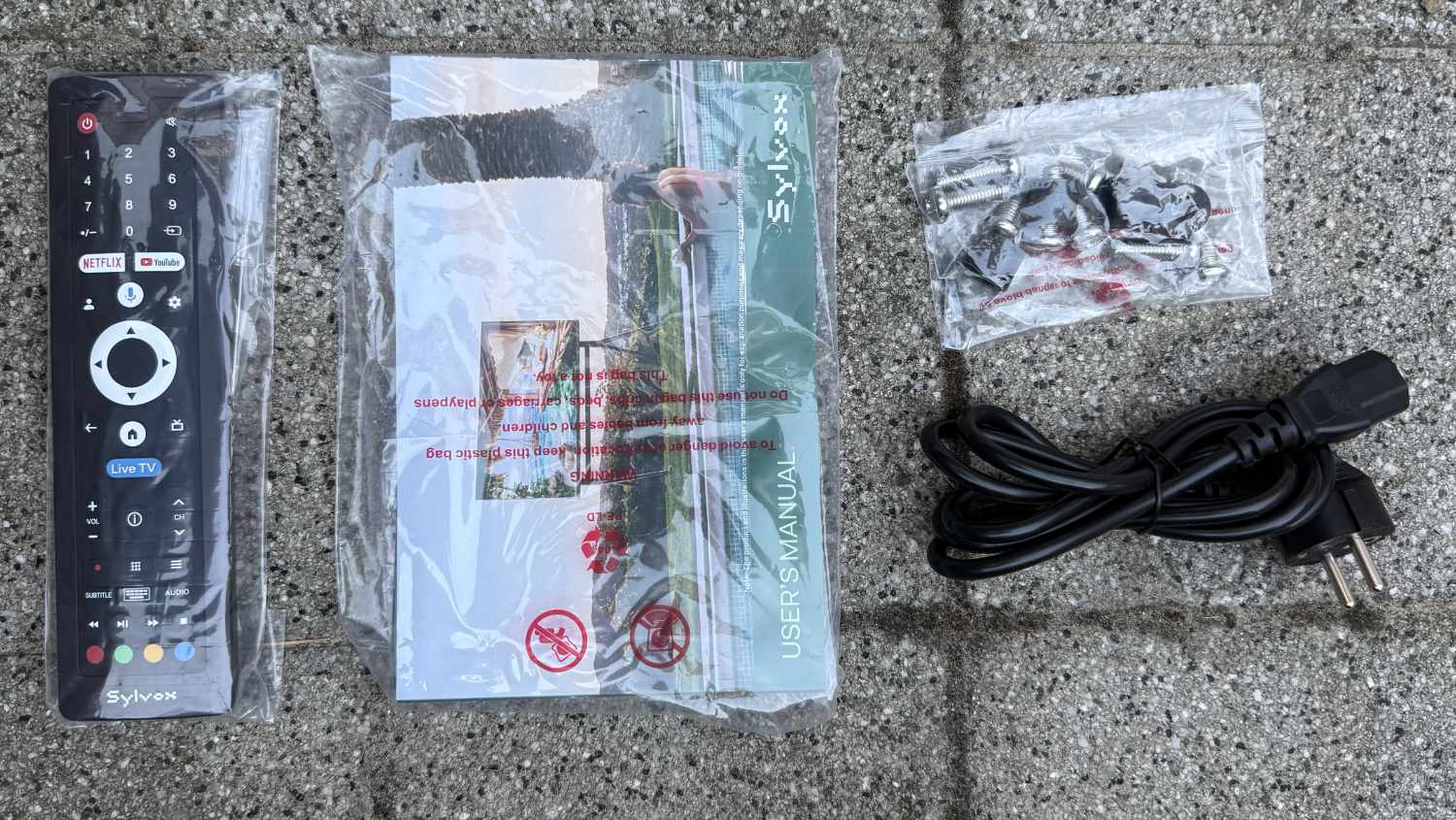
Included in the package, alongside the television itself, are a remote control, power cable, mounting screws for a VESA mount, and a manual—but no feet or wall mount. The manufacturer offers various optional accessories, including different mounting options, soundbars, and an outdoor TV sideboard with an integrated lift, which we’ll discuss later in our review.
Operating system & everyday use: Google TV for streaming & more
Setting up the Sylvox Frameless Pro is very simple. Besides mounting it on a VESA bracket, all you need to do is connect the supplied power cable. You can then turn on the TV using the power button on the underside of the device. You also need to insert two AAA batteries—which unfortunately are not included—in the IP66-protected remote control. To do so, first loosen four small screws on the back.
After switching it on, the Google TV operating system starts. Initial setup is required, and as usual, it’s especially easy to complete using a smartphone. You’ll go through the usual steps required for indoor TVs and projectors with Google TV, including signing in to a Google account and selecting the apps to install.
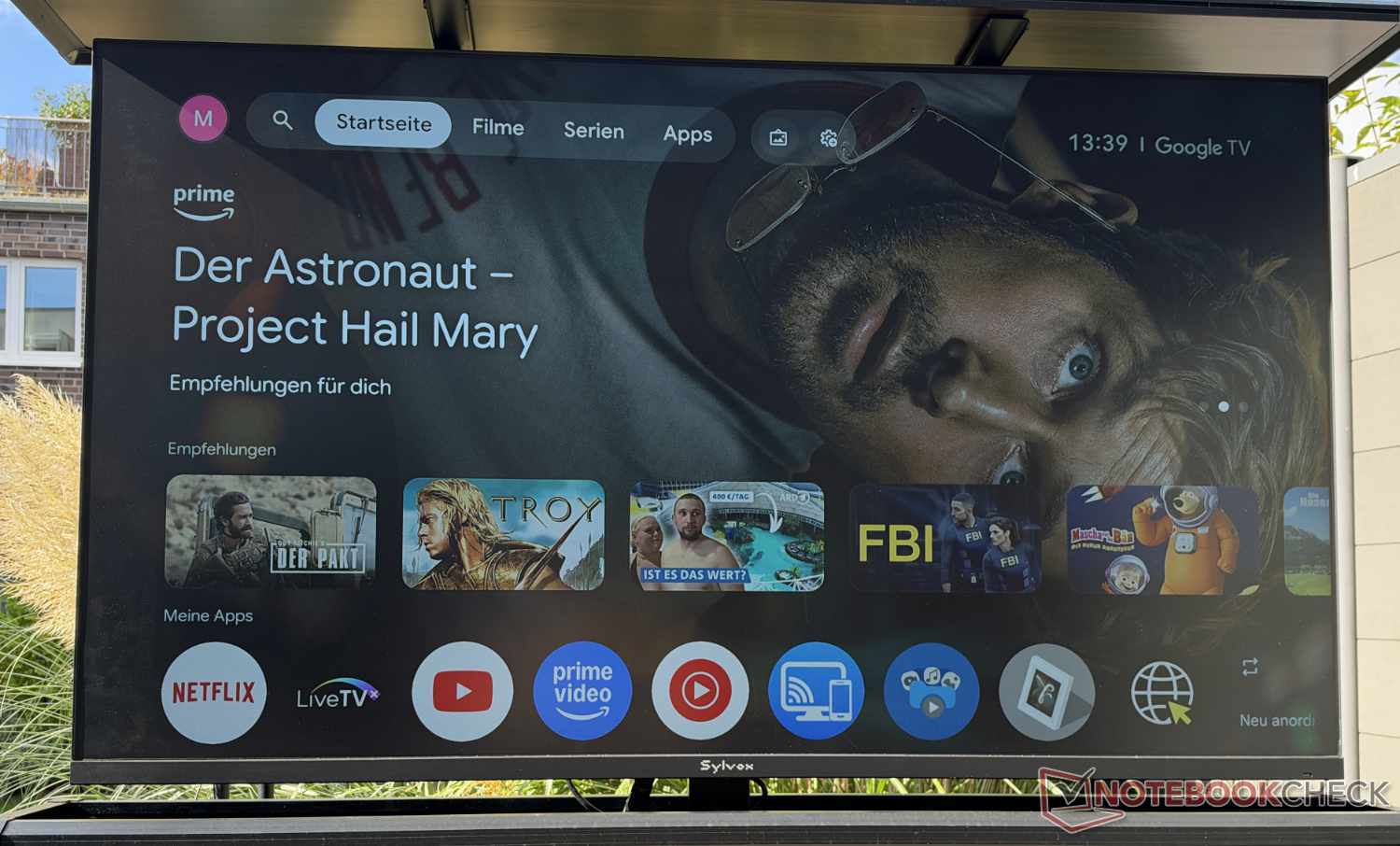
Setup takes around 15 minutes. Then you can start enjoying TV outdoors. We’d also like to share a few practical impressions beyond the picture and sound quality discussed in the following section. One slight drawback we noticed is that the connections are difficult to access, as they are hidden under a cover on the underside of the TV. This is necessary for weatherproofing and is manageable, especially since you generally don’t need to access them very often.
One thing to bear in mind before buying is that an antenna signal (DVB-T2/C/S2) is required for traditional TV reception. That’s just a side note, though. These days, the device will most likely be used for streaming content, which only requires Wi-Fi reception or a LAN cable at the installation location. Google TV is the perfect platform for this, as the operating system provides access to countless apps—including all the popular streaming platforms, such as Netflix, YouTube, Prime Video, and Disney+.
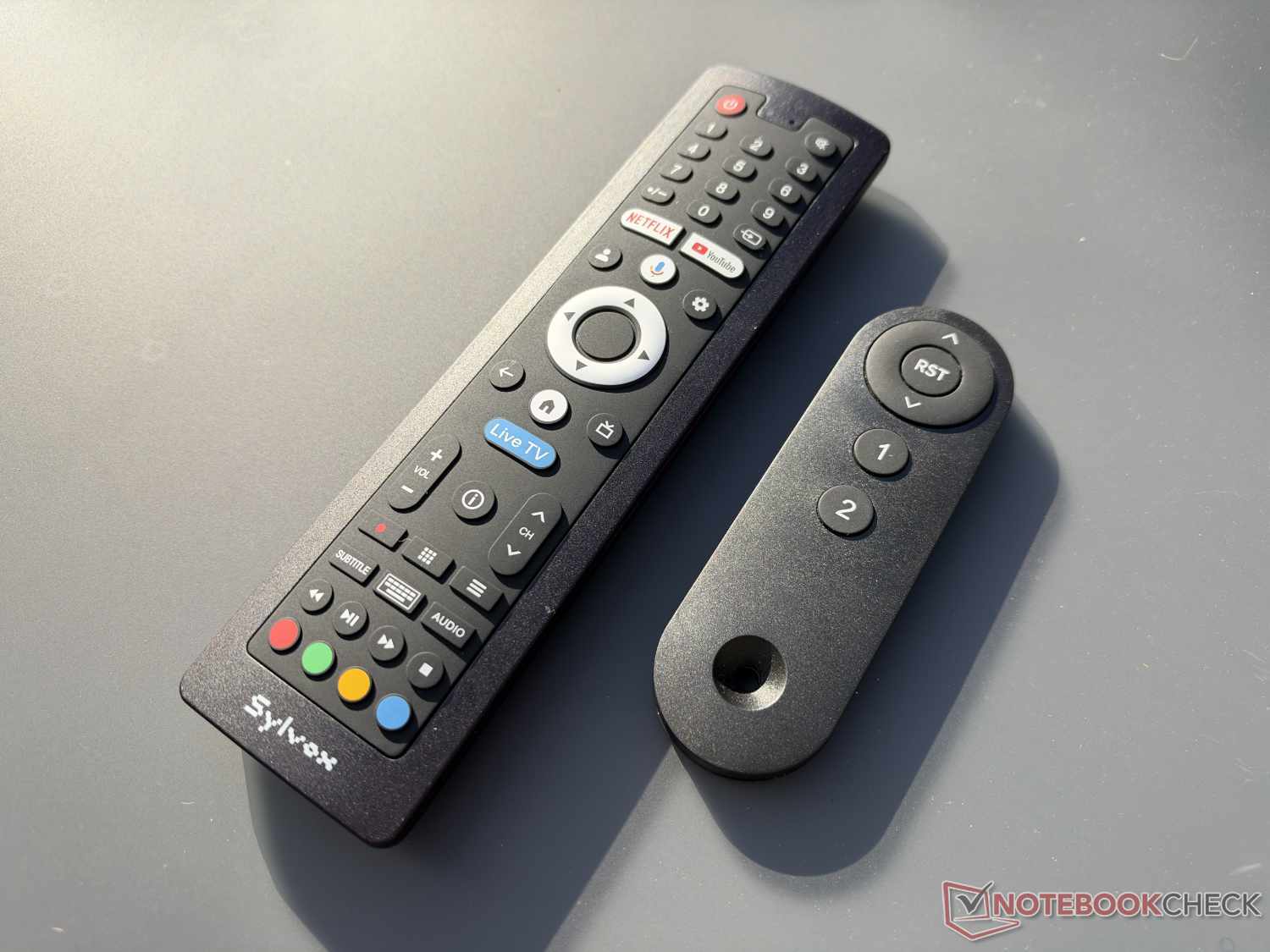
Dedicated buttons are provided on the remote for the first two services, allowing quick access. The voice remote also supports voice commands via Google Assistant (not Gemini), which worked well in our hands-on test. Other features include personalized AI-generated backgrounds when the device is not in use, as well as wireless streaming from a smartphone via Google Cast (but not AirPlay).
In addition to the weight and the device’s thickness of almost 9 cm—which matter less once it has been set up—we also found the fan noise rather loud. During very quiet scenes or when the sound is off, it is still clearly audible from a good 2 m away. The processor is not the fastest either, which affects how smoothly the device responds, including when starting up the device and launching apps.
Picture & sound: Can also be used in sunshine.
As explained at the outset, Sylvox uses an LCD panel in the Frameless Pro. Thanks to its UHD resolution, the image is high-resolution. However, as is typical of LCDs, the picture lacks the brilliance of OLED panels in terms of color and black reproduction, as well as contrast (3,000:1). Even so, the results are more than solid, with vivid colors and decent contrast.
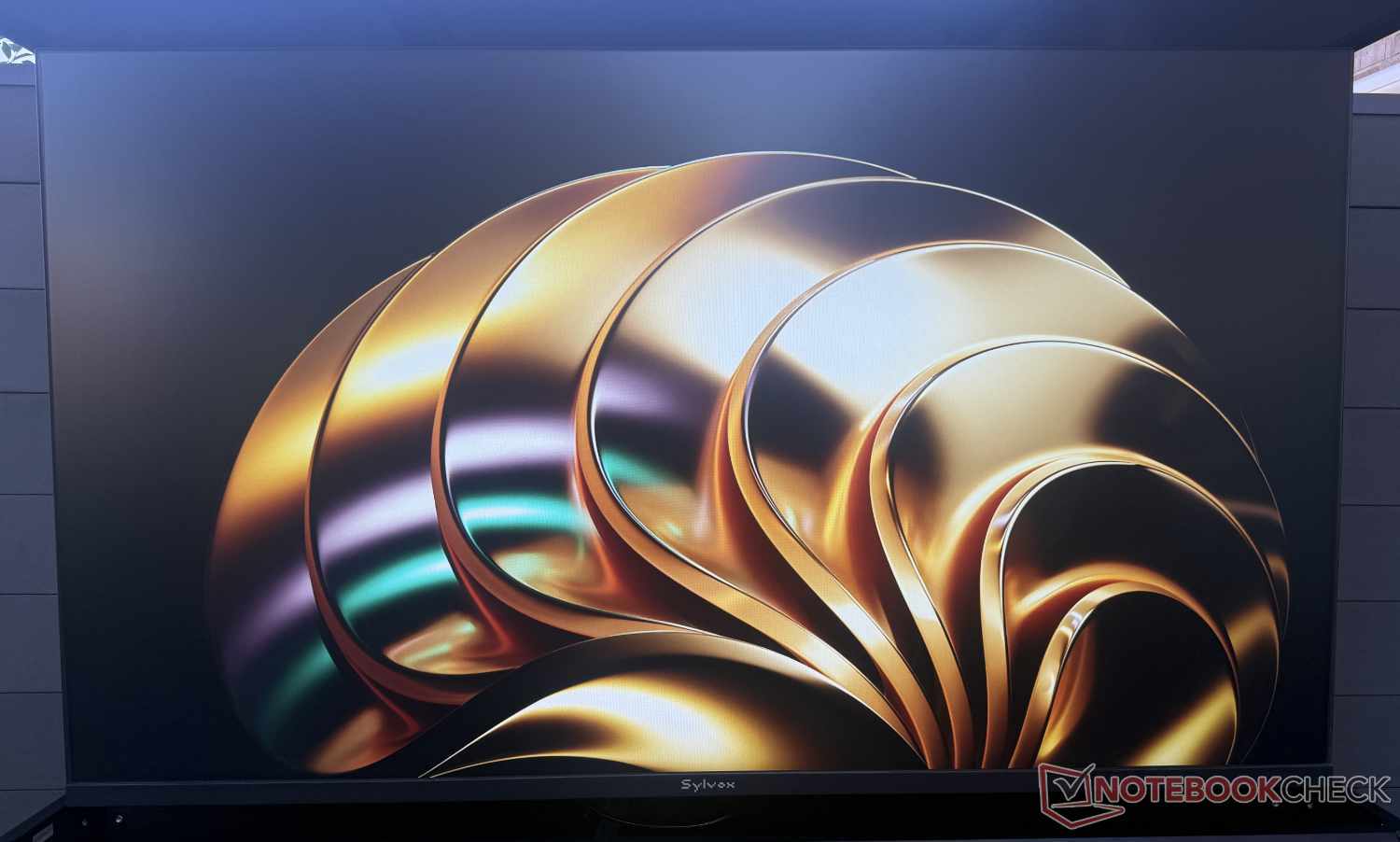
Brightness is extremely important for an outdoor TV. The manufacturer specifies 2,000 nits. That gives the device a respectable, but not outstanding, result. Practical performance matters even more to us than theory. And the Frameless Pro performed well in our test, even though it unfortunately supports only HDR10, not HDR10+ or Dolby Vision.
When directly comparing the two halves of a TV positioned half in the shade and half in the sun, the picture is naturally much more vivid on the shaded side. But even in direct sunlight, the result is still perfectly solid. Naturally, black levels and color reproduction suffer. But in bright scenes, the picture is still easy to make out. Dark scenes can sometimes be a little hard to see. So watching a soccer game in the sunshine is no problem, but a dark movie doesn’t fare quite as well.
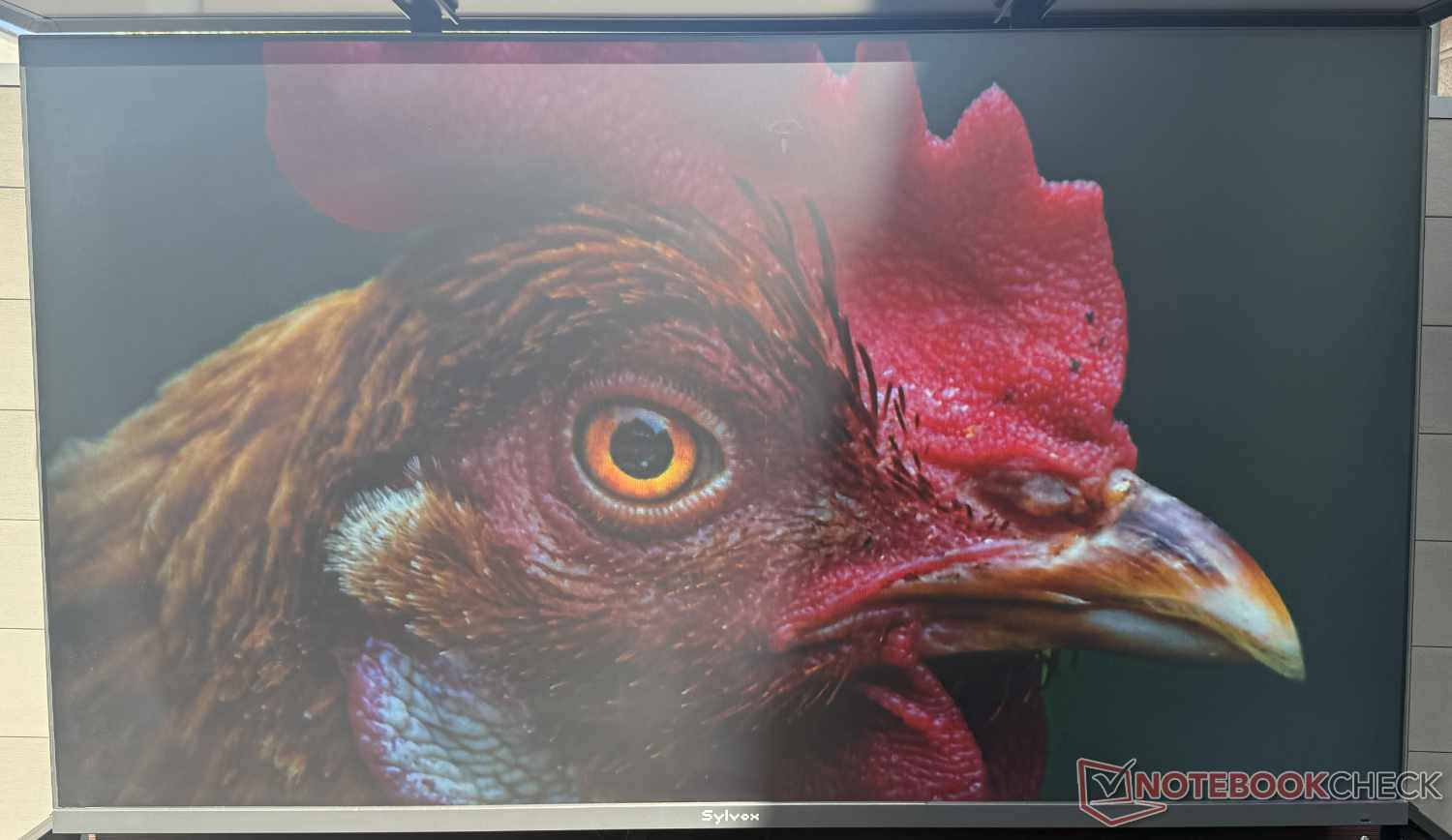
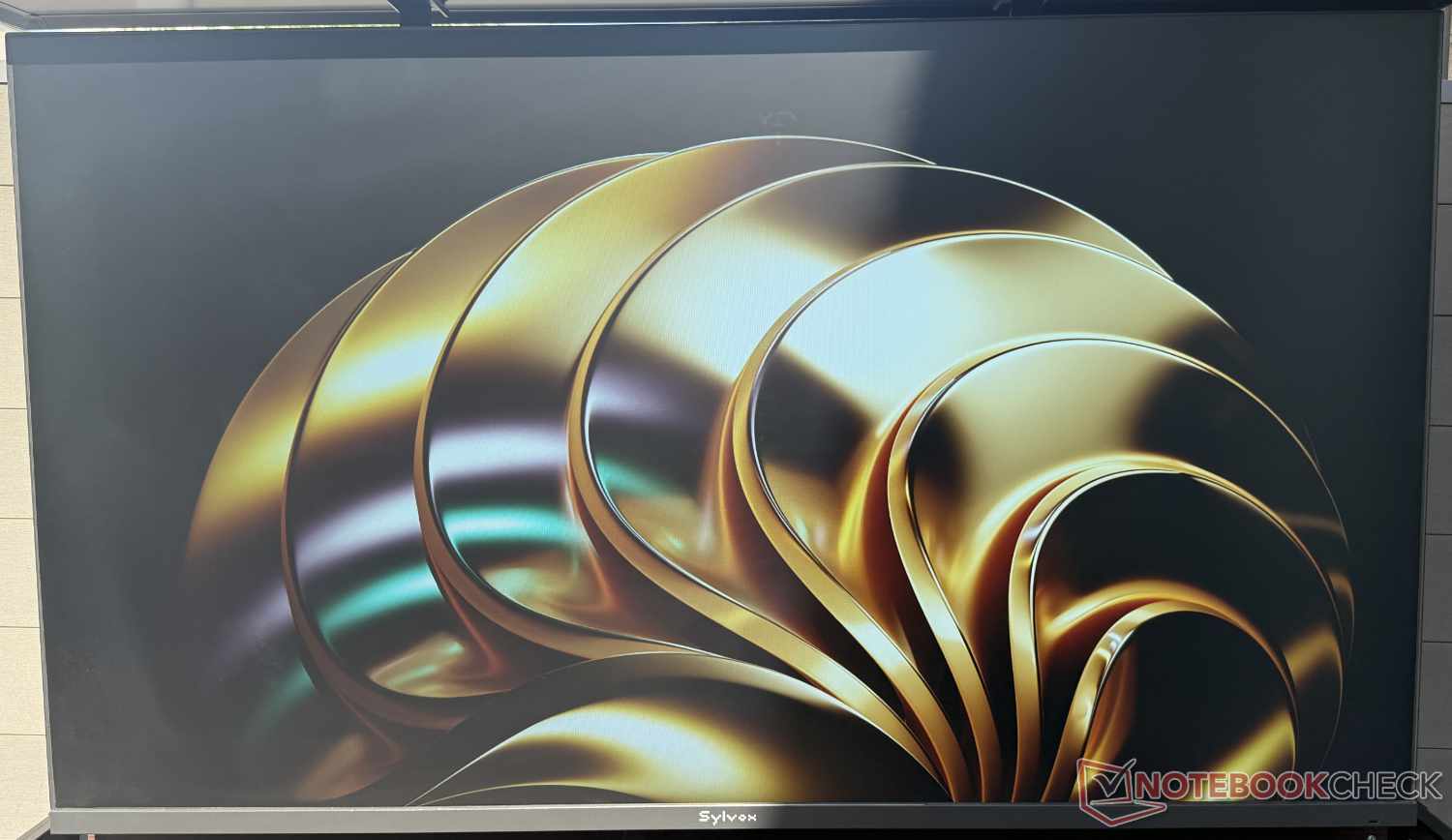
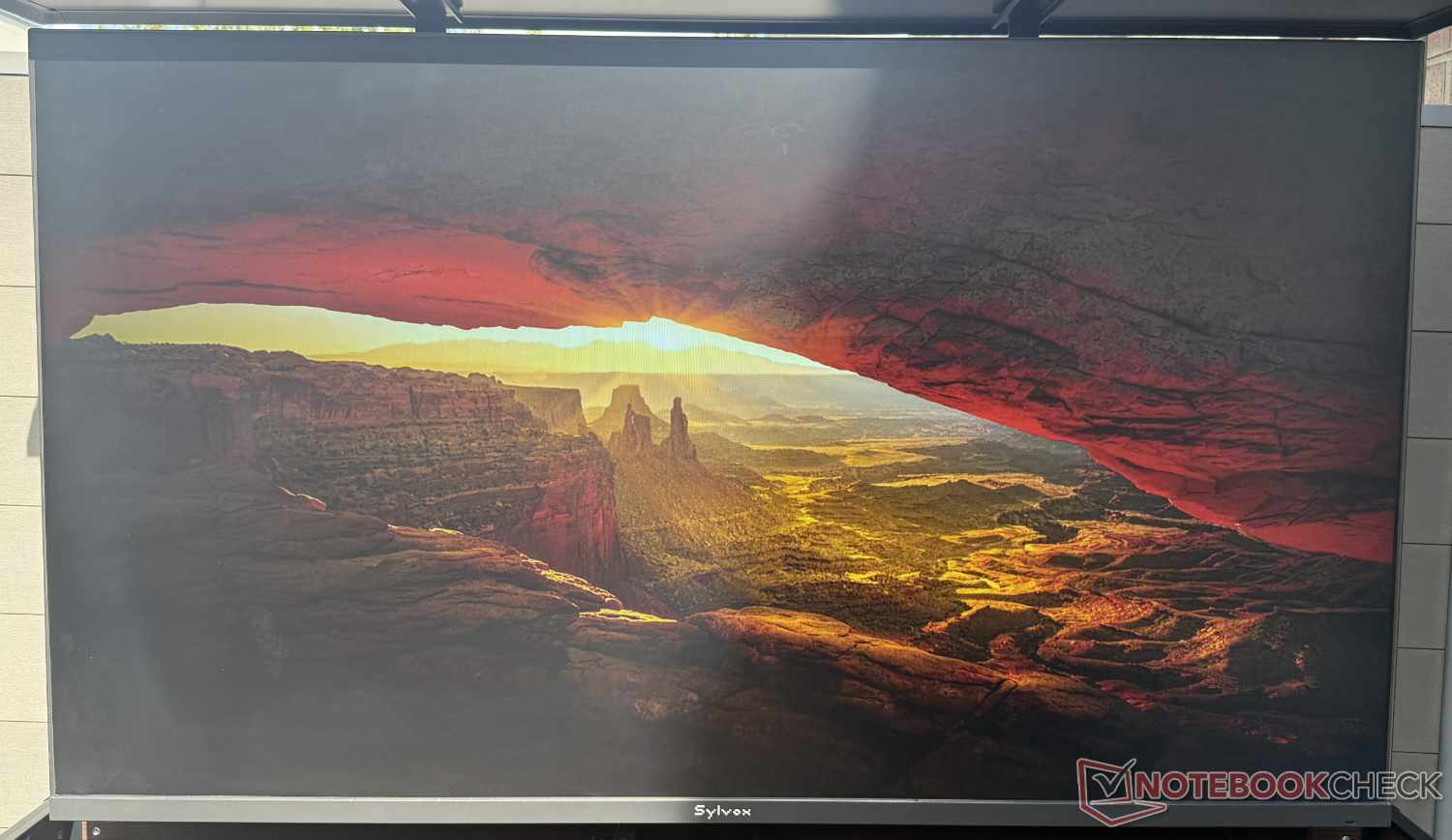
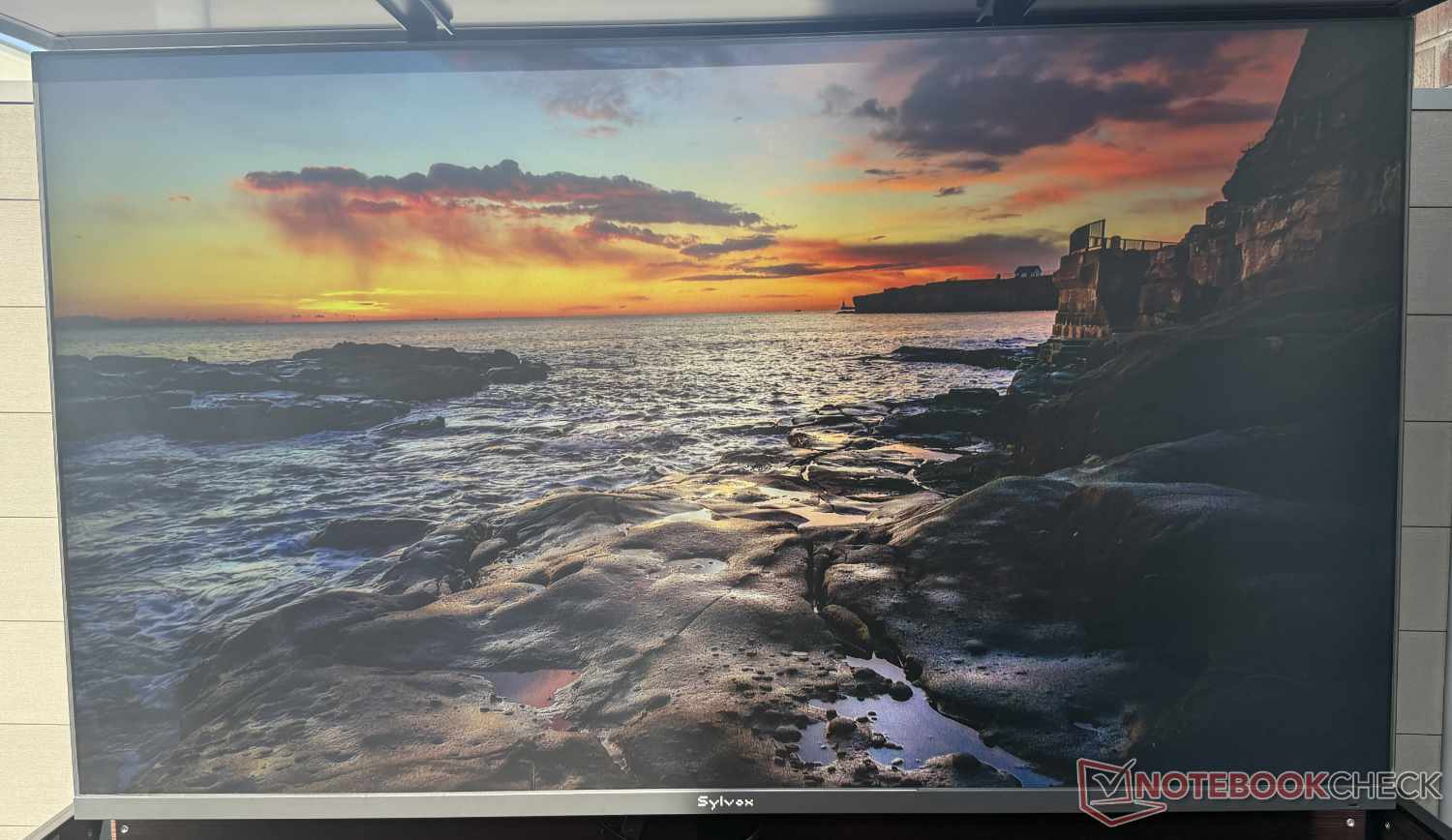
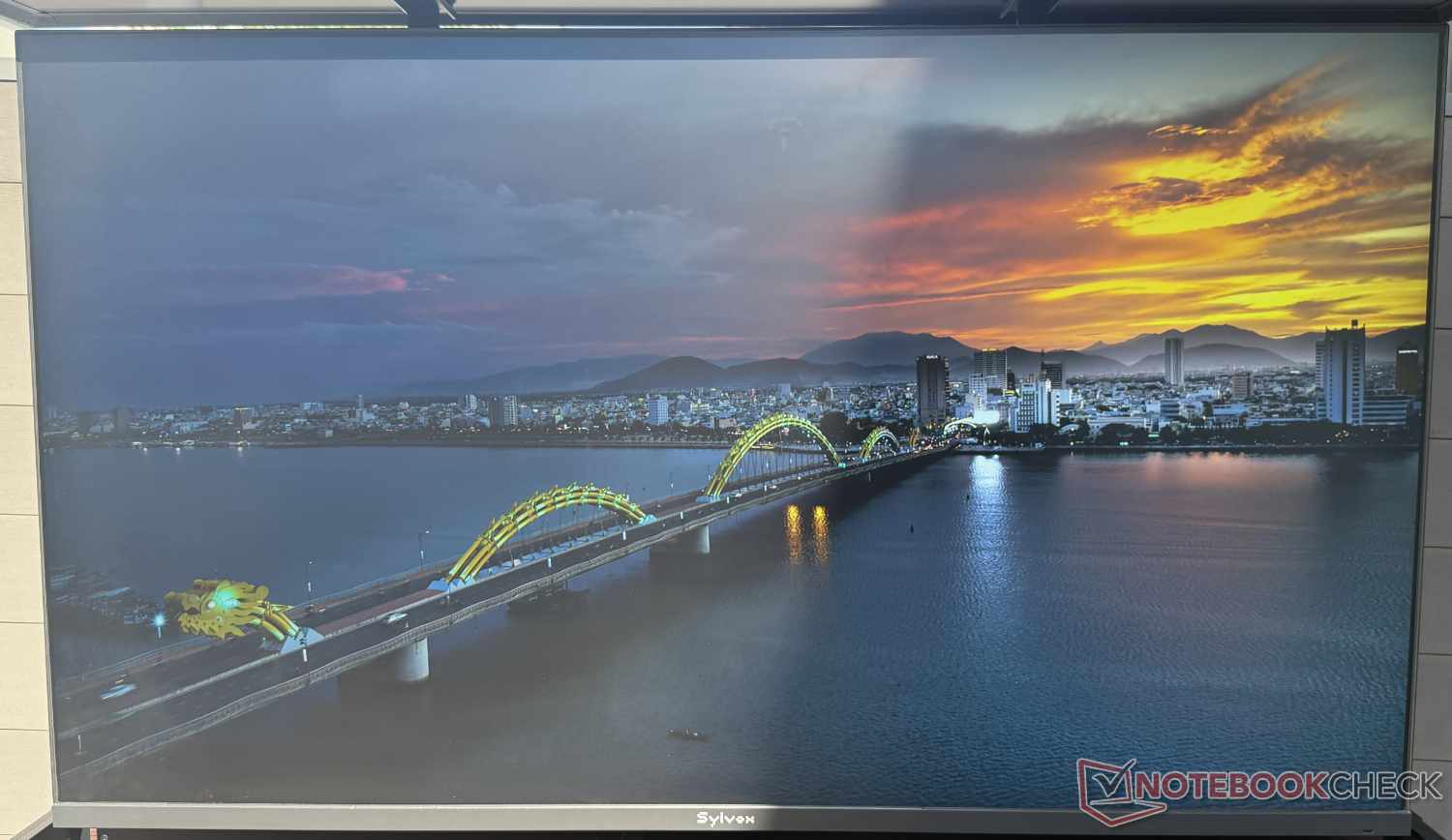
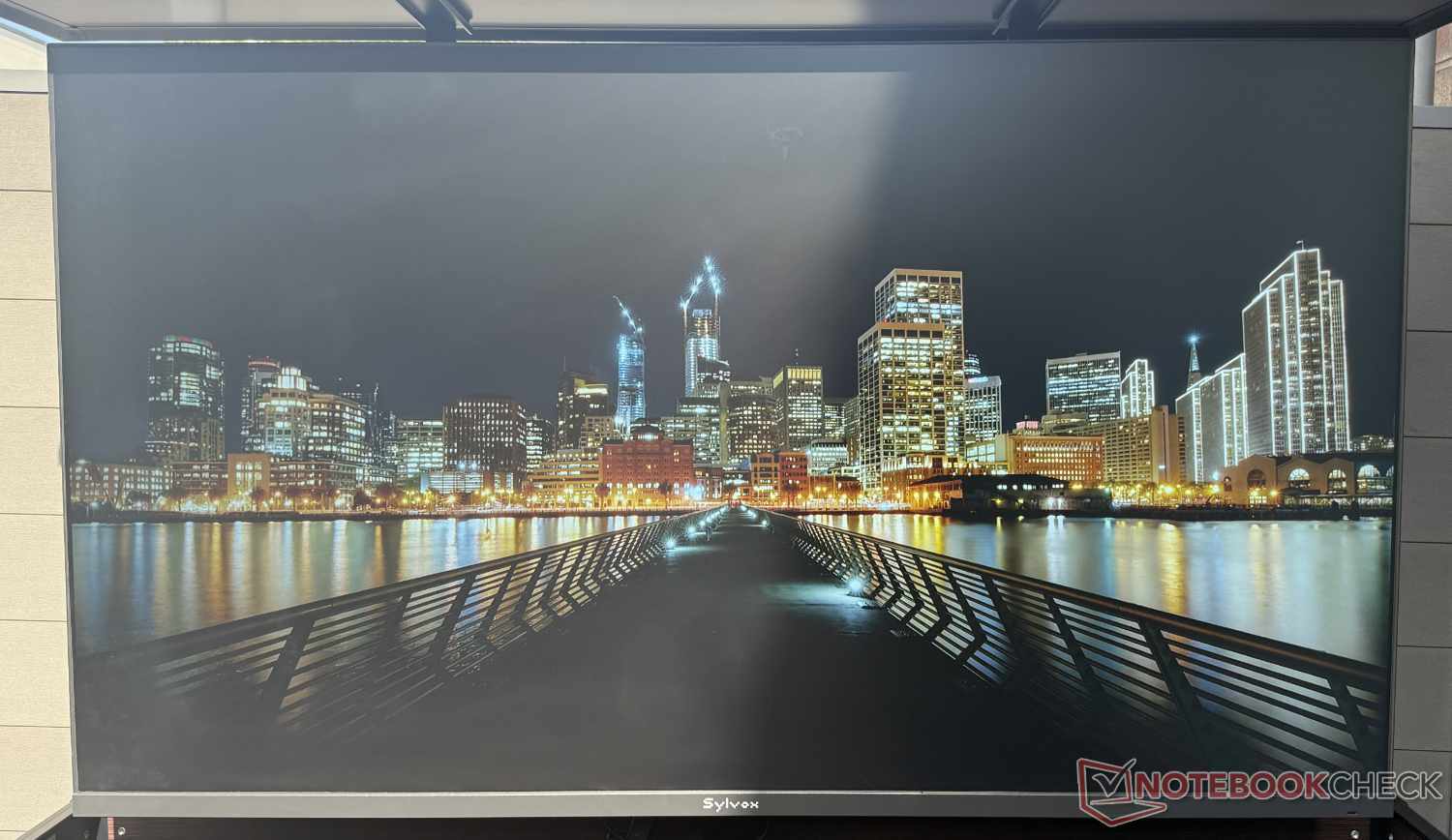
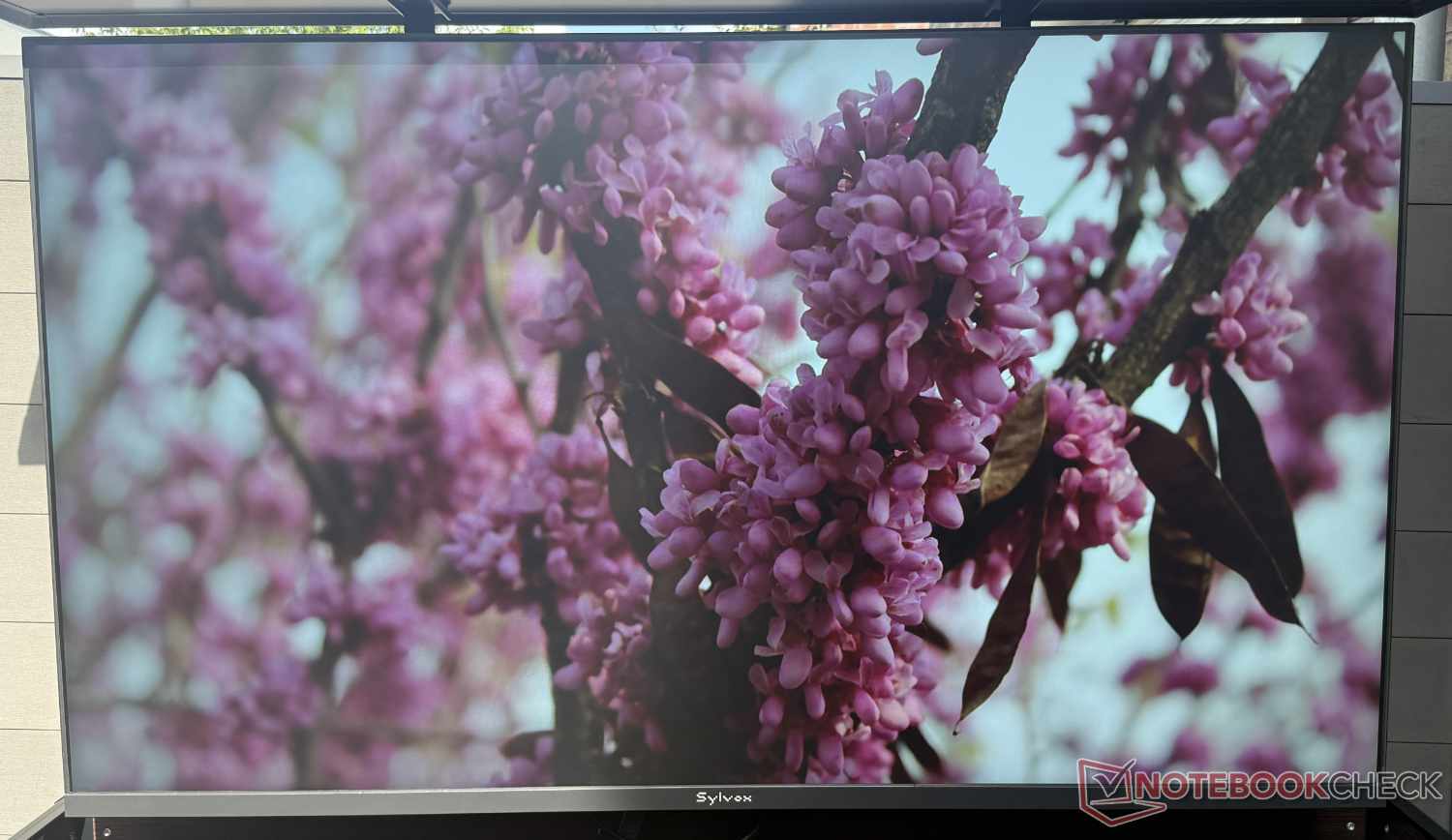
The experience is of course better when the sun isn’t shining directly on the screen—even though the matte screen has virtually no reflections. We therefore recommend using it (where possible) primarily in shaded areas or positioning it so it faces away from the sun. Unfortunately, the Frameless Pro isn’t ideal for fast-moving scenes or gaming, as it refreshes at a maximum of only 60 Hz and doesn’t support 120 Hz—not to mention HDMI 2.1 and other gaming features.
Sound is of course also part of the TV experience. Sylvox advertises Dolby Atmos through the Frameless Pro’s built-in stereo speakers. The sound can be adjusted to suit your preferences to a limited extent using the sound modes in the settings. Ultimately, though, the sound lacks power in the bass (as is the case with many TVs) and is relatively muffled.
In outdoor use, however, this is ultimately less noticeable than in the living room. And the sound is more than adequate for live sports and the like. The manufacturer optionally offers various soundbars that can be paired with the outdoor TV and are also designed for outdoor use. However, none were available for this test—unlike the following...
Outdoor TV Lift Cabinet: Criticism dampens the excitement
For the test, Sylvox also provided the Outdoor TV Lift Cabinet on loan, in addition to the Frameless Pro. This is an outdoor piece of furniture in which the 65- or 75-inch smart TV can be stored safely on the patio or balcony, or in the garden, when not in use. At the push of a button, the TV extends by a good 90 cm with a soft whir in just under 50 seconds, or moves back into the cabinet in the opposite direction.
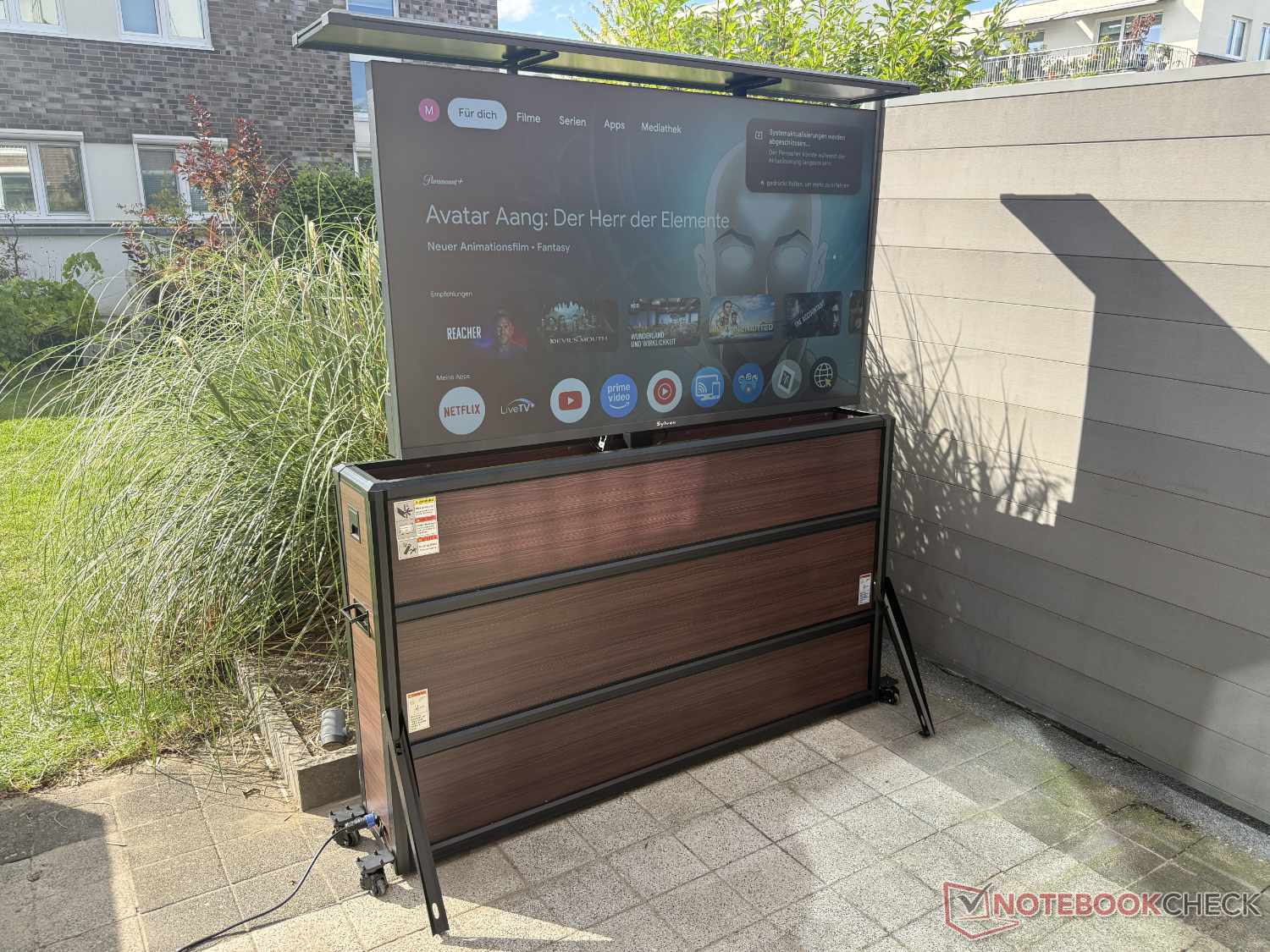
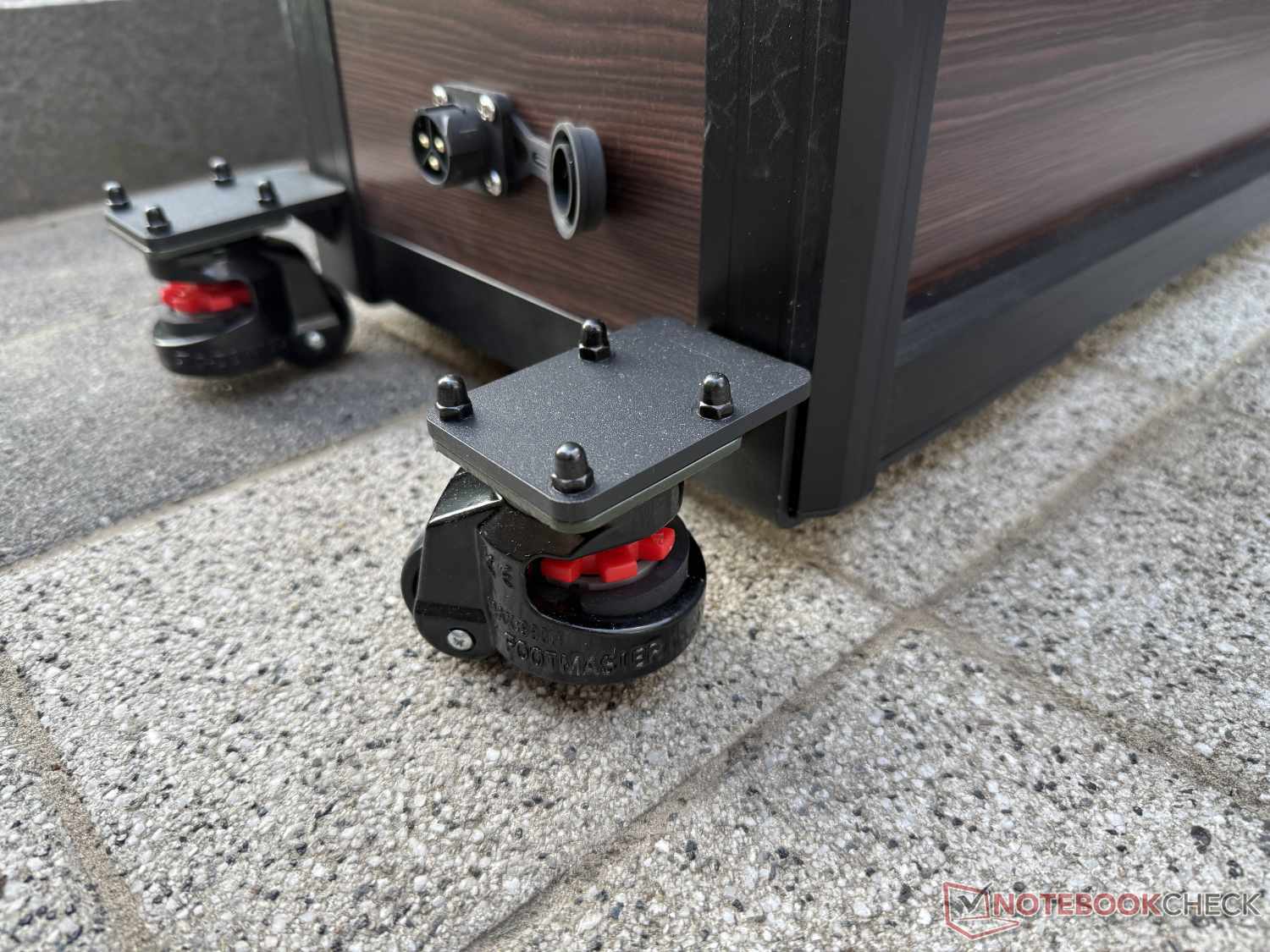
The cabinet measures just over 180 cm wide, 75 cm deep (with the legs extended) and 100 cm high in the case of the 65-inch model we tested. So even in the smaller 65-inch version, it is a substantial piece of furniture that requires plenty of space. Thanks to four 360-degree wheels underneath, which can be locked in place by lowering the brake pads, the cabinet, weighing over 50 kg (without the TV), is still easy to move.
Unpacking it from the huge box turned out to be easier than expected. Since the TV sideboard comes pre-assembled, all you ultimately need to do is mount the TV on the VESA bracket of the electrically extendable arm. To do this, remove the top cover. It is attached to the TV mount only with Velcro, which allows quick access but doesn’t give a particularly sturdy or durable impression.
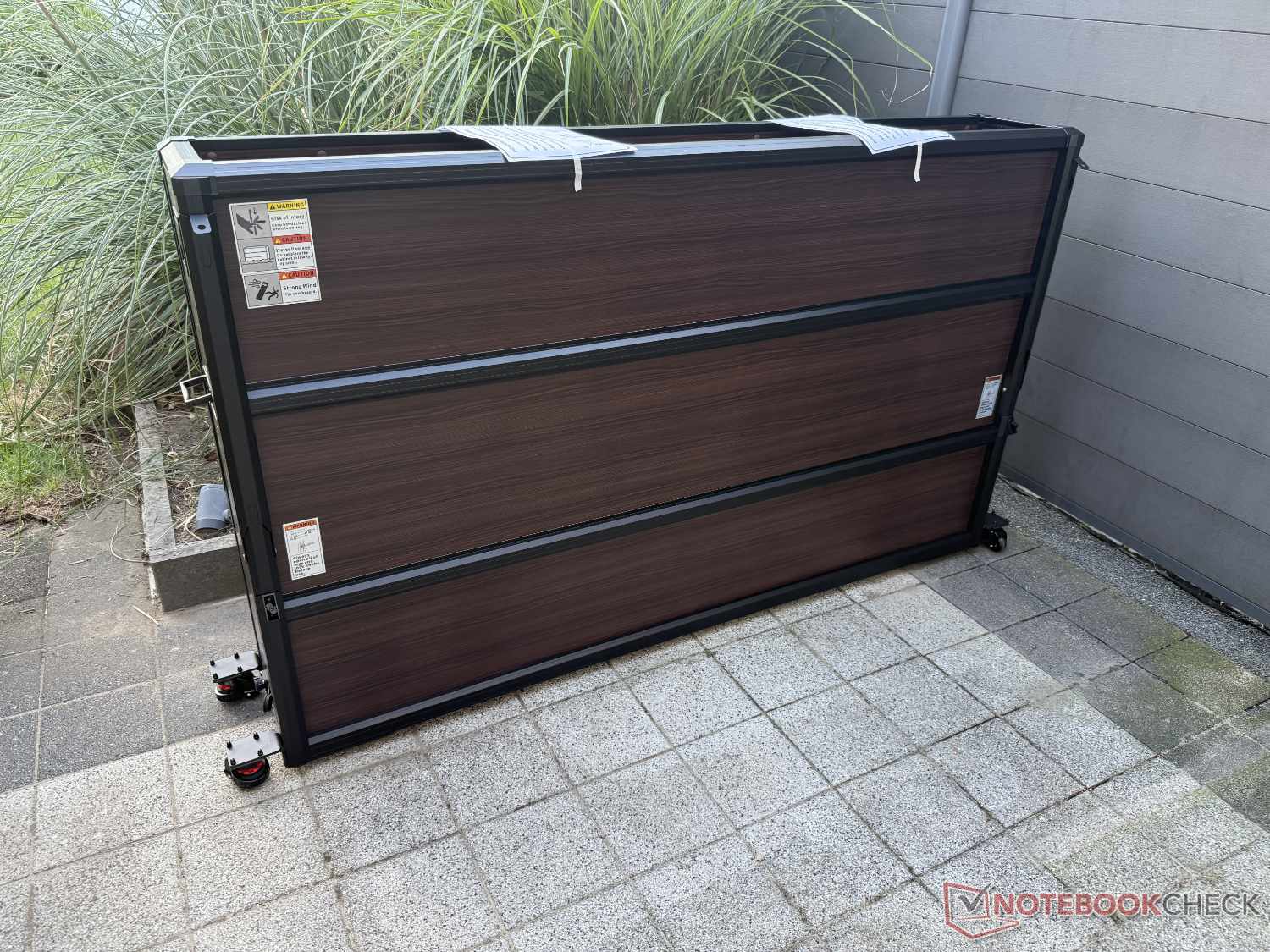
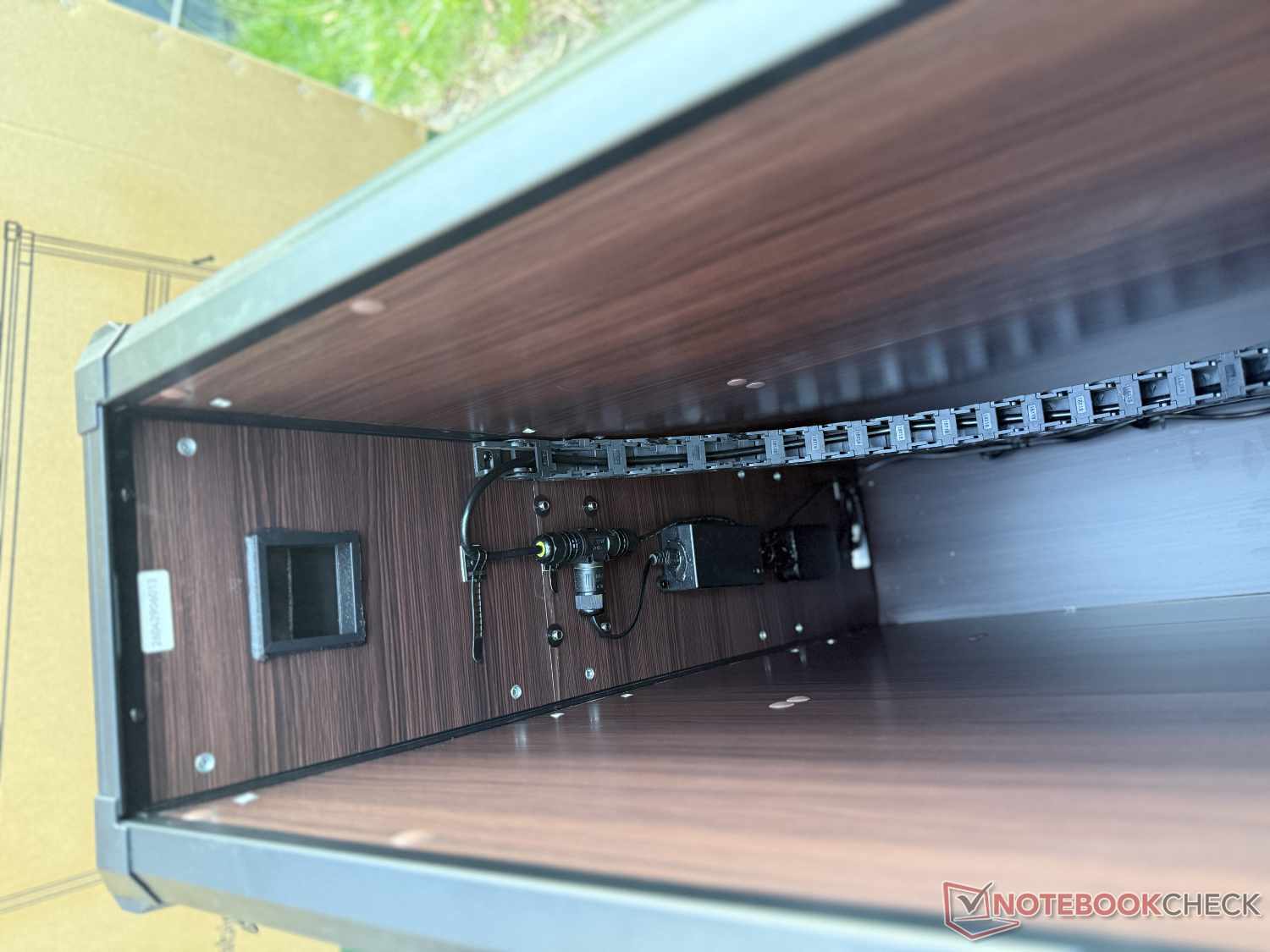
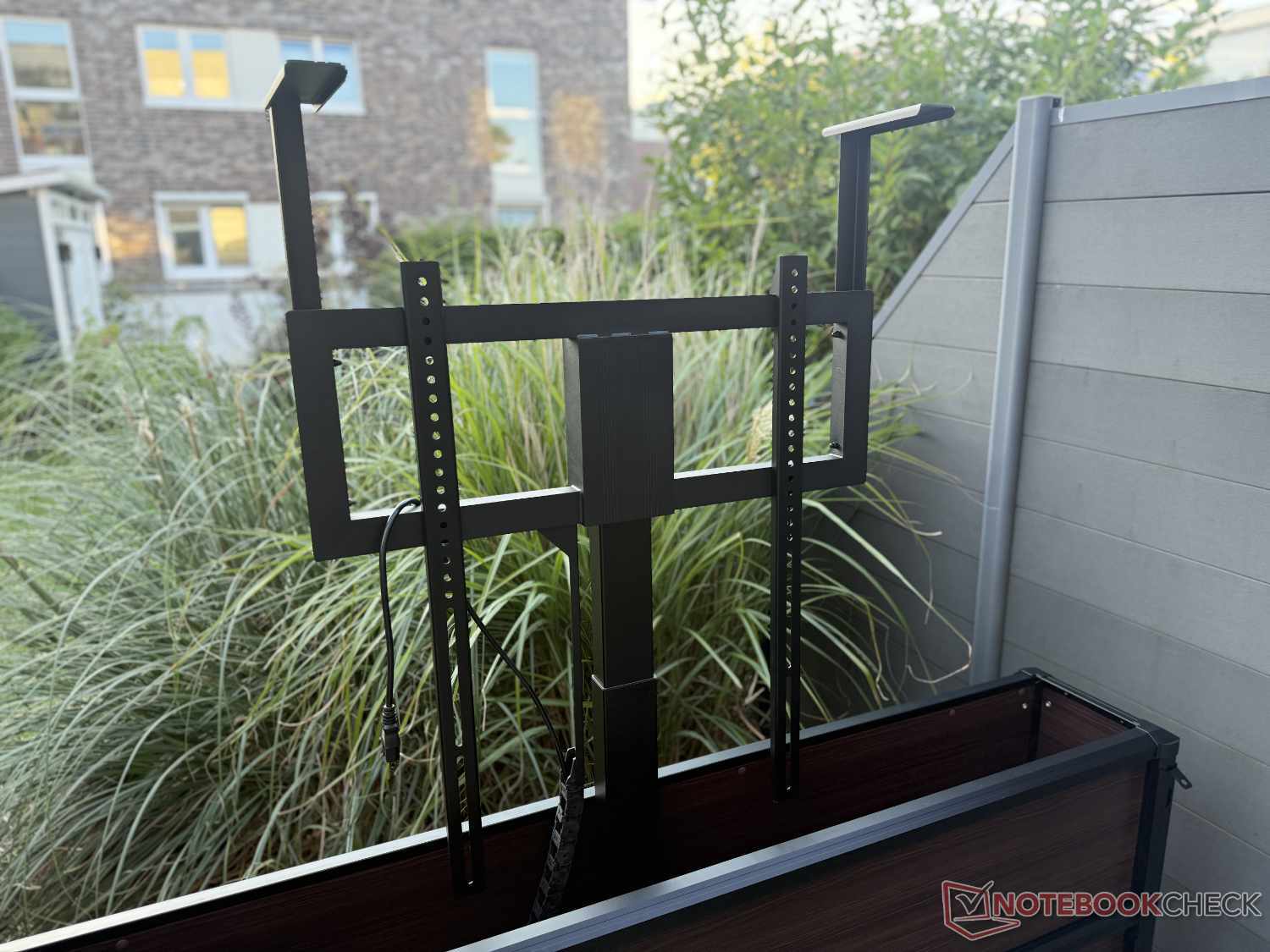
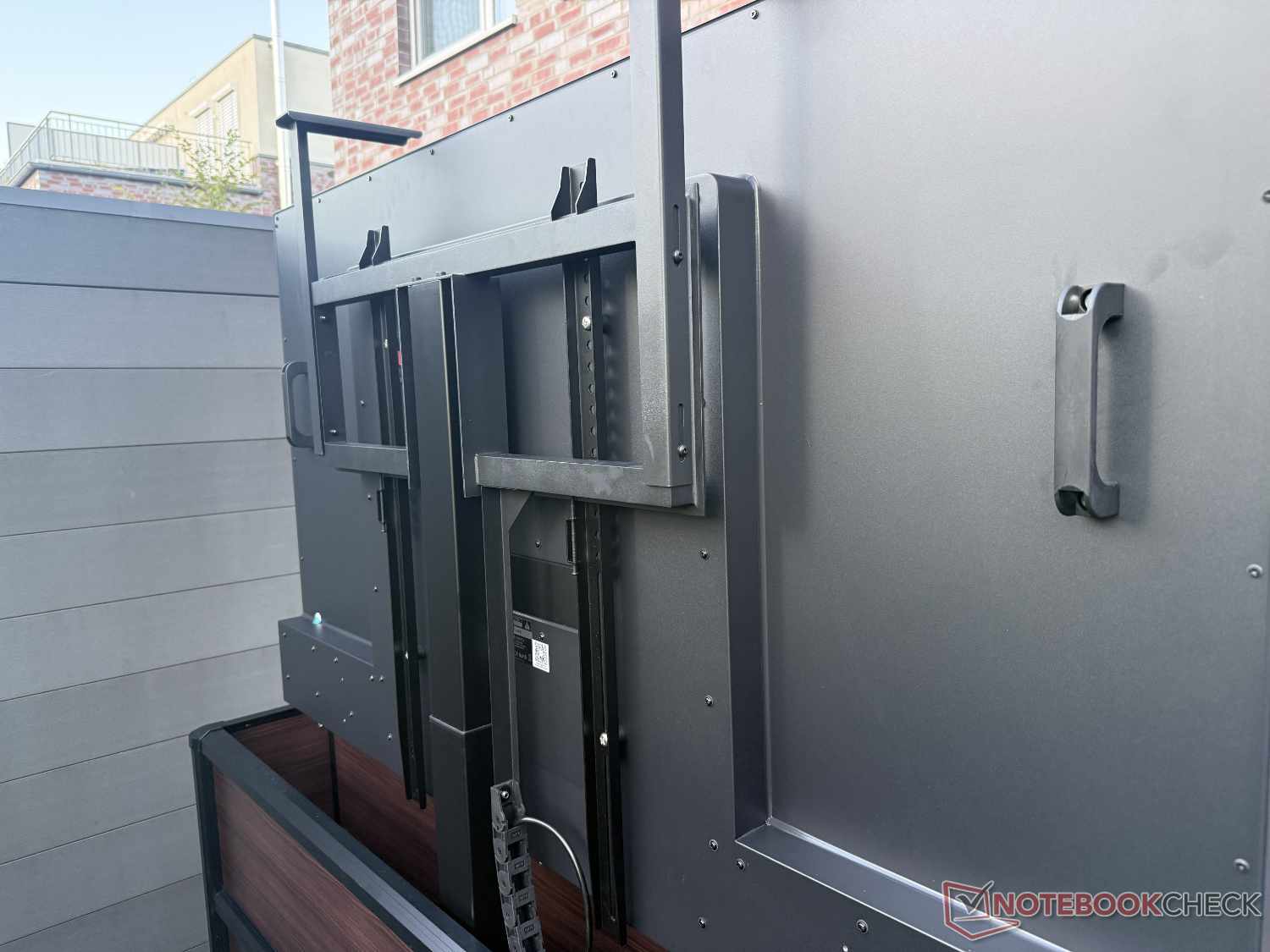
The reason for this solution is presumably to prevent more serious injuries. There is no sensor system to stop the drive if an obstacle gets caught between the cabinet wall and the lid as it lowers. This is a hazard and, in our view, a clear drawback. An adult finger may offer enough resistance for the Velcro to come loose, preventing overly serious consequences. But we don’t want to imagine what might happen to a child’s finger. So caution is advised when the TV retracts into the cabinet.

Unfortunately, this is not the only criticism we had after testing the Outdoor TV Lift Cabinet. A look inside reveals a sticker stating that the motor powering the lift is only rated IP20 (meaning it is not protected against moisture or water). This is highly questionable for an outdoor unit. If heavy rain suddenly starts while it is in use, even a light breeze could easily drive rain through the gap between the raised TV and the cabinet, where it would land directly on the motor block. The motor is also only about a finger’s width above the ground. Splashing rain or a puddle forming could also cause problems — in the worst-case scenario, even an electric shock. We are still waiting to hear back from the manufacturer about this.
There are also a few things we would like to see for the $3,999 MSRP. For starters, the TV stand unfortunately has no room for a soundbar. That’s a shame, because, as we mentioned earlier, we had some thoughts about the TV’s sound. It would also be convenient if the cabinet could be controlled using the TV remote. However, we can understand why the manufacturer may have shied away from the effort involved. Instead, the sideboard comes with a mini remote featuring two arrow buttons for raising and lowering the TV and two memory buttons.
We don’t want to say too much about the design, since that’s a matter of personal taste. We would certainly like to see a range of design options. In our view, the combination of the faux-wood finish and black aluminum frame isn’t particularly stylish. It would look much more understated if one of the design options simply had dark aluminum walls as well. But, as mentioned, that’s a matter of taste and also depends on the rest of the furnishings on your patio or balcony.
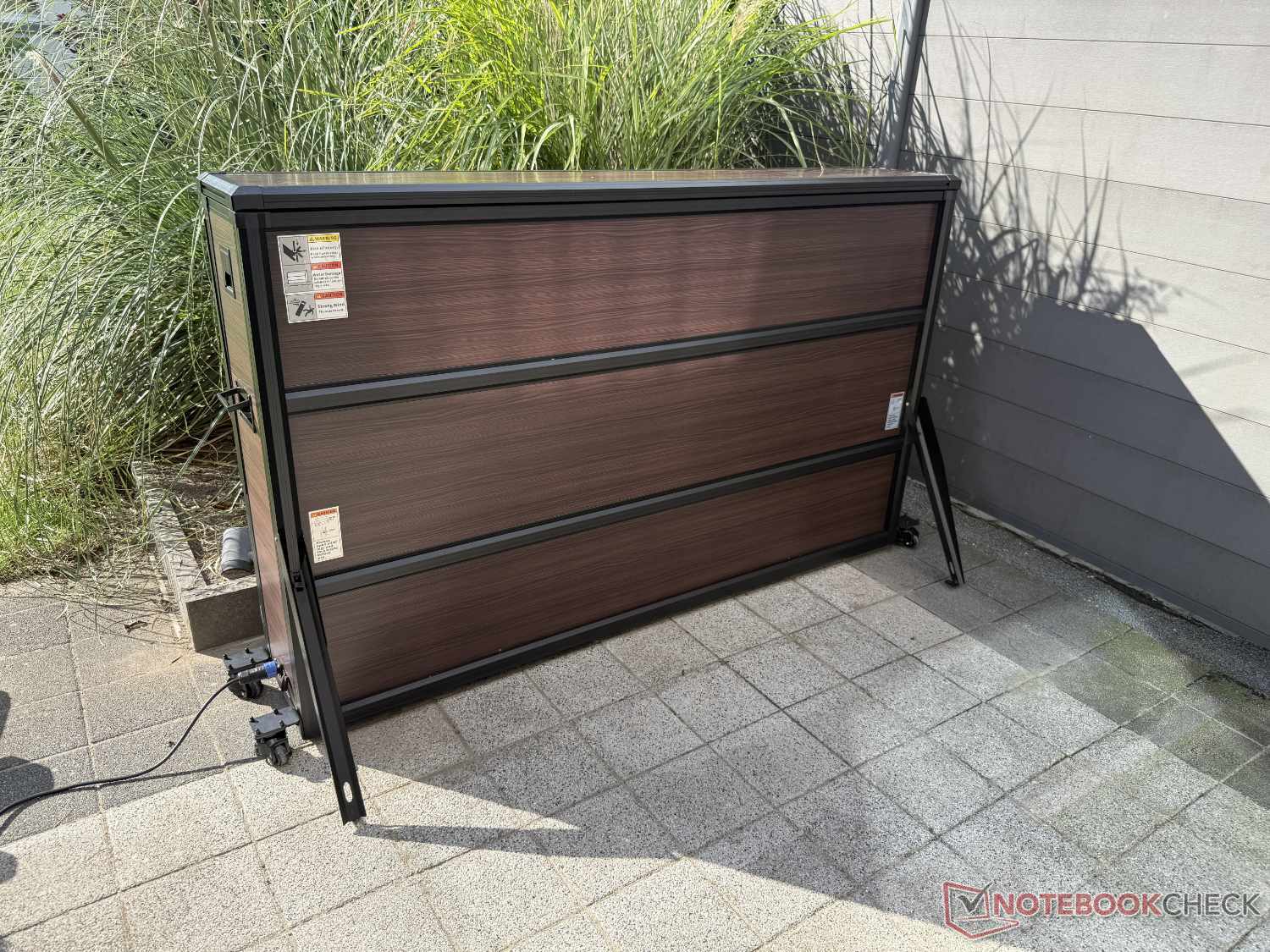
Overall, the Outdoor TV Lift Cabinet is a practical solution, but it is certainly not without its drawbacks—and it costs almost as much again as the outdoor TV itself. If there’s no way to mount the TV on a wall at your planned installation spot, this offers a reasonably elegant way to “hide” the device. However, if you decide to go for it, our advice (from our own experience) is to make sure all four feet are folded out and locked in place once the Outdoor TV Lift Cabinet is in position. Despite weighing around 75 kg with the TV included, the cabinet is quite susceptible to wind and can tip over in stronger gusts.
Transparency
The selection of devices to be reviewed is made by our editorial team. The test sample was provided to the author as a loan by the manufacturer or retailer for the purpose of this review. The lender had no influence on this review, nor did the manufacturer receive a copy of this review before publication. There was no obligation to publish this review. As an independent media company, Notebookcheck is not subjected to the authority of manufacturers, retailers or publishers.
 Add as a preferred source on Google


