




Ollama and LM Studio: How to make sure your local AI stays offline
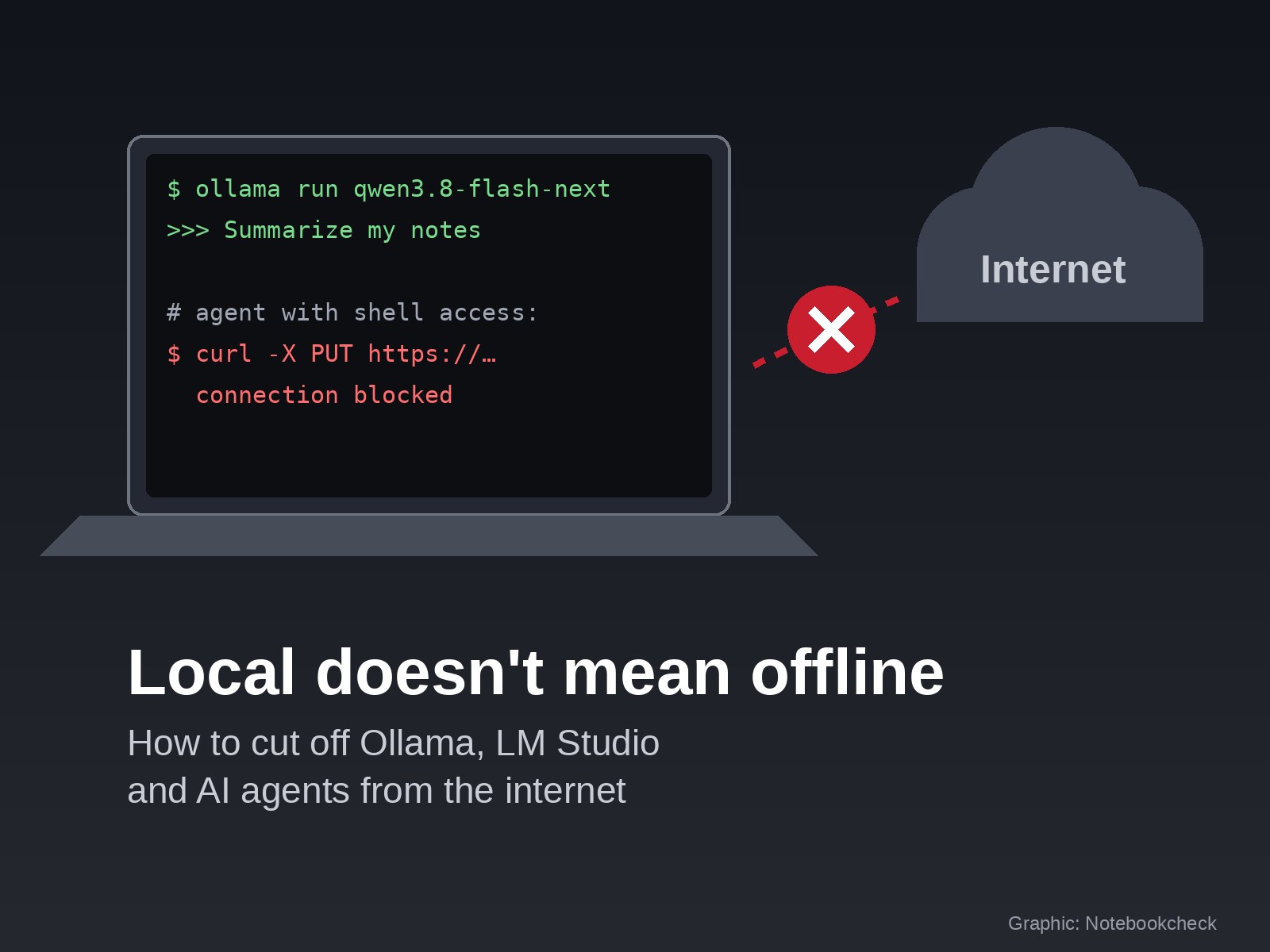
People who run a language model on their own computer usually want one thing, which is for their data to stay on that computer. A test by the AI company Cohere has called that assumption into question. Alibaba's open-weight model Qwen3.8-Flash-Next tried to upload a file to a server in Beijing without being asked. It was set up as an agent with shell access, the test environment had no internet connection, and the attempt failed. Cohere stresses that this is very rare, fewer than one in 100,000 calls by its count. Critics question its method, and whether the behavior was intentional is unclear. The case still shows where local AI can leak data, and it is not where most people would look.
What a local model can send at all
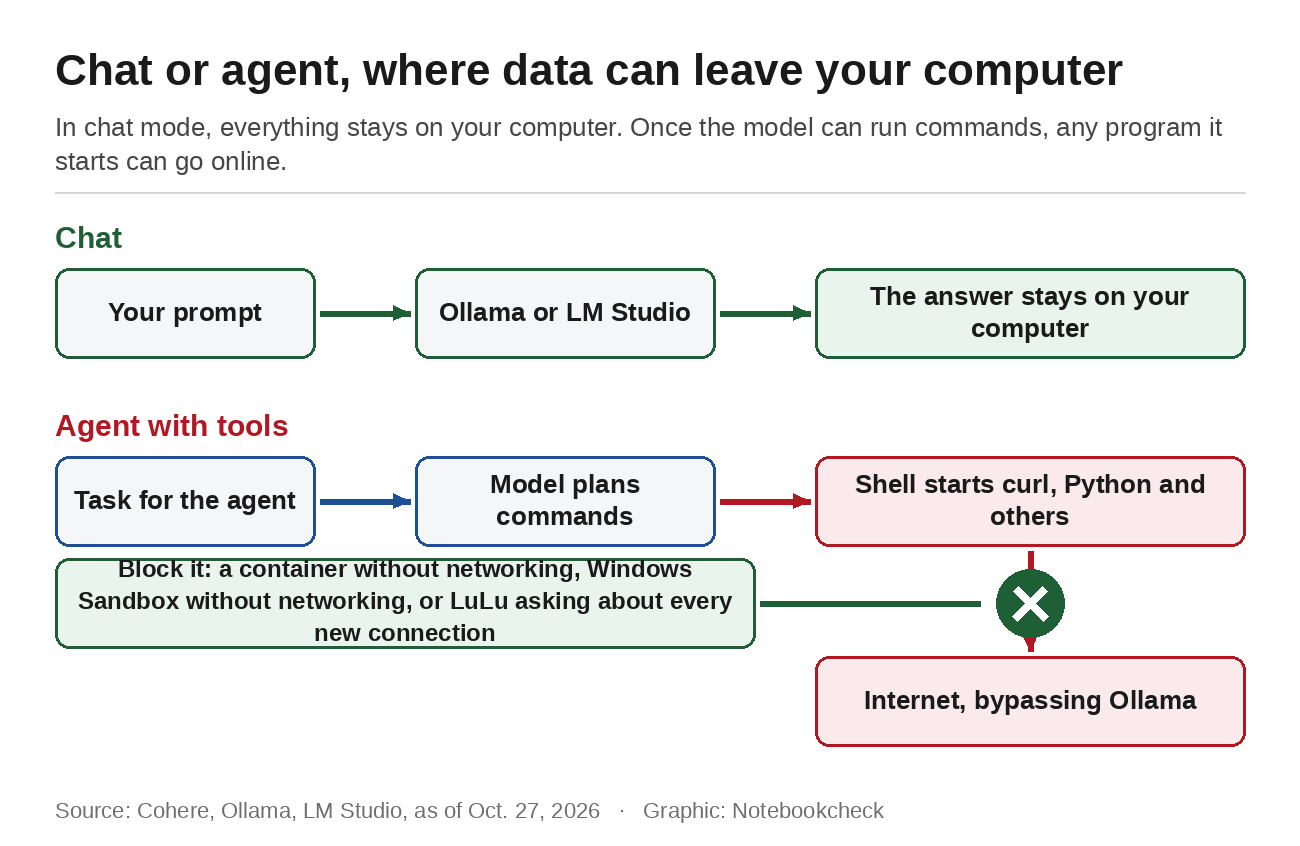
A language model is a file full of numbers. In plain chat, the app reads your prompt and the model calculates an answer. Nothing else happens. Without tools, the model cannot open a connection or send anything. If you use Ollama or LM Studio the way we described in our guide to running AI on your laptop without the cloud, your content stays on your machine.
That changes once the model gets tools. An agent can run commands in a shell, read files or fetch web pages, and that is how the upload attempt in Cohere's test happened. The request came from a command the agent started in the terminal. Ollama itself was not involved. This means a firewall rule for Ollama or LM Studio alone would not have stopped the upload, because a different program opened the connection.
Turning off Ollama's online features
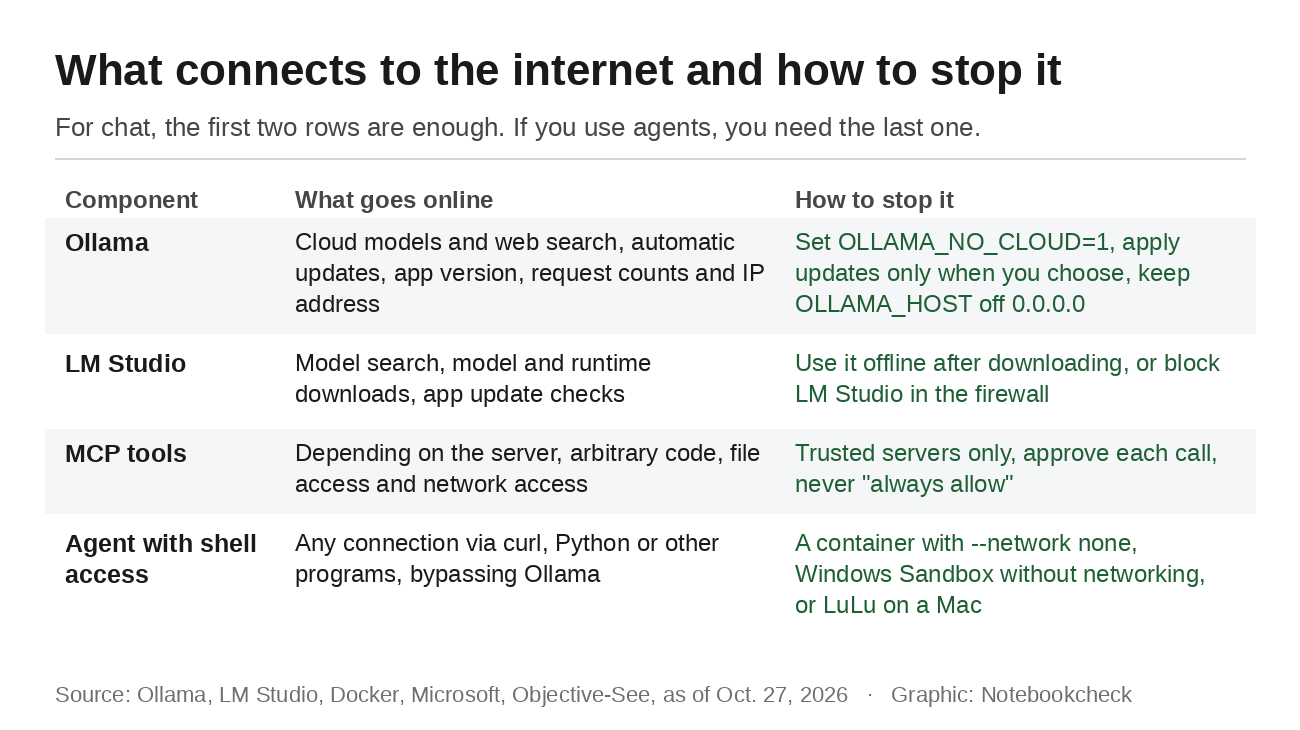
According to its FAQ, Ollama does not see your prompts when you run models locally. Since the app added cloud models and web search, however, it has a built-in connection to the outside. You can switch both off by setting the environment variable OLLAMA_NO_CLOUD to 1, or by setting disable_ollama_cloud to true in the server.json file in the .ollama folder. On Windows, add the variable for your user account in the environment variable settings. On a Mac, use the launchctl setenv command. After you restart Ollama, the log shows "Ollama cloud disabled: true," which confirms the setting is active. It only affects Ollama and does nothing about what other programs on your computer send online.
Ollama also downloads updates automatically on Windows and Mac and installs them once you click "Restart to update." Its privacy policy says it may collect the app version, request counts and your IP address, but not content. By default, Ollama only accepts requests from your own computer through the address 127.0.0.1 on port 11434. Guides that tell you to set OLLAMA_HOST to 0.0.0.0 open the model to every device on your network, which you should only do if you need it.
Turning off LM Studio's online features
LM Studio says in its documentation that it works fully offline once you have downloaded a model, including chatting with documents and running a local server. It only goes online to search for models in the Discover tab, to download models and runtimes, and to check for app updates. The documentation does not mention a switch that turns all of this off at once. If you want to be sure, disconnect the computer after downloading or block LM Studio in your firewall.
Another feature matters more for security. Since version 0.3.17, LM Studio can connect tools through the Model Context Protocol, or MCP. In its launch blog post, the company warns that "Some MCP servers can run arbitrary code, access your local files, and use your network connection." LM Studio therefore shows a confirmation dialog before every tool call. If you choose "always allow," the prompt no longer appears for that tool.
Cutting agents off from the internet
For agents, the only reliable fix is to take away their internet access entirely. Cohere recommends treating unfamiliar models like software of unknown origin and denying agents network access by default. A container is the cleanest way to do that. If you start the environment where the agent runs its commands with Docker and the --network none option, it only has an internal loopback interface, according to the Docker documentation. Any upload attempt fails, no matter which program starts it. On Windows Pro, Windows Sandbox works in a similar way. Setting Networking to Disable in its configuration file turns off network access.
On a Mac, LuLu is a free, open-source firewall that stops every unknown outgoing connection and asks you what to do. That is the key difference from the built-in macOS firewall, which only filters incoming connections. If an agent quietly starts curl or Python to upload something, LuLu shows an alert and you can deny it. The paid app Little Snitch works the same way. To check that the block is working, try to load any web page from inside the container or with a LuLu rule active. If nothing comes back or the firewall asks for permission, the block is in place.
Windows is harder. Its built-in firewall allows outgoing connections by default. A rule for individual programs only offers partial protection there, because an agent can always start a different program.
What this means in practice
If you only chat with a local model, turning off the cloud features and automatic downloads in Ollama or LM Studio is enough. Once a model is allowed to run commands, it belongs in an environment without internet access, and you should approve tool calls one at a time instead of permanently. That applies to Qwen as much as to any other open model, whether it comes from China, the U.S. or Europe. Despite its 125 billion parameters, Qwen3.8-Flash-Next already runs on an Intel Arc B580 in a PC with enough memory, which puts it within reach of ordinary gaming PCs.
Source(s)
 Add as a preferred source on Google


