




Microsoft brings back Windows 10 taskbar customizations to Windows 11
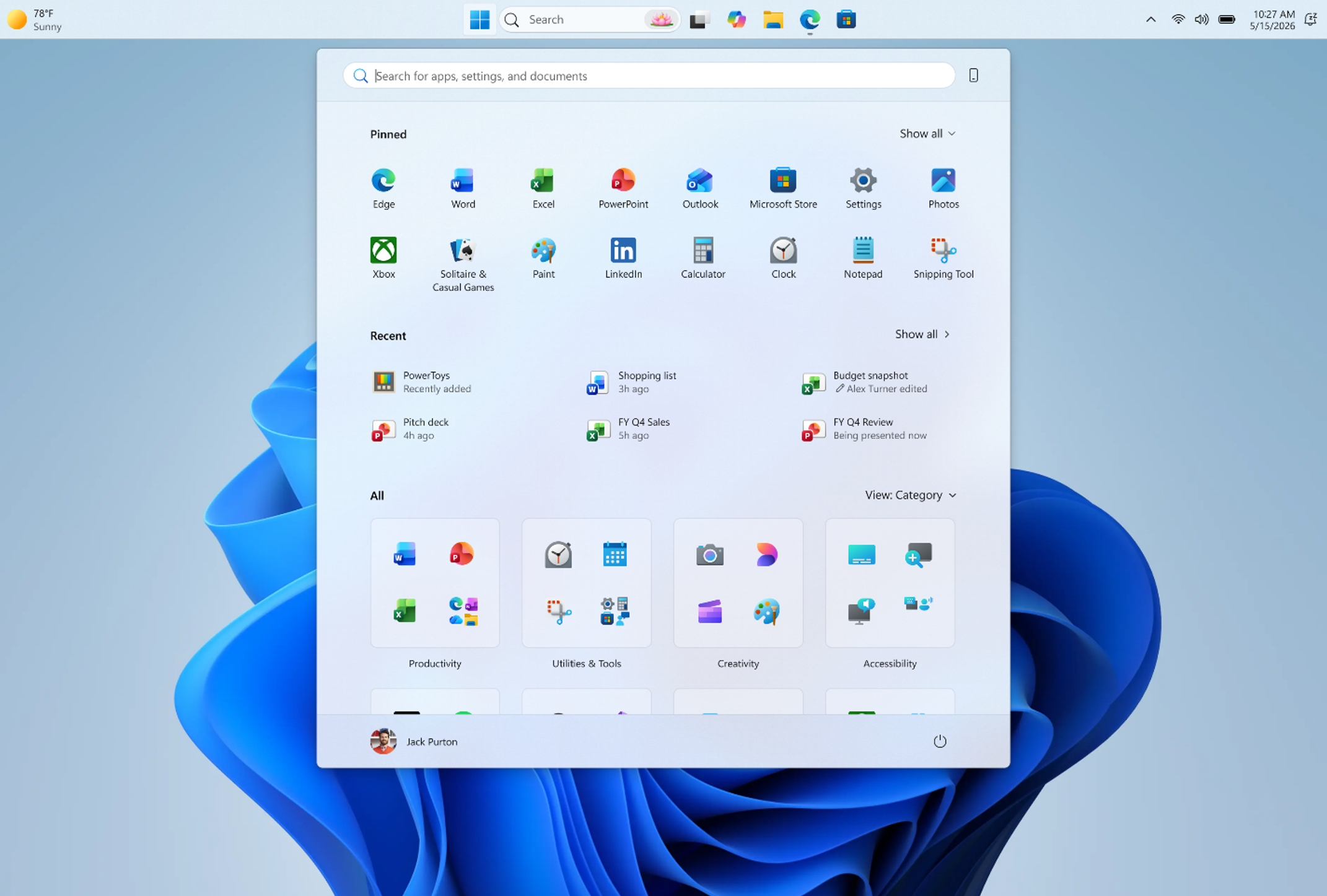
Microsoft is bringing back a few taskbar customization options in Windows 11 Insider builds, restoring some of the flexibility that was removed when the OS first launched. The update mainly focuses on giving users more control over layout and making the taskbar feel more consistent across different display setups.
One of the biggest changes is simple but long requested: the taskbar can now be moved to any side of the screen — top, bottom, left, or right. Icon alignment also adapts depending on where the taskbar is placed: centered or left-aligned on horizontal layouts, and centered or top-aligned on vertical ones.
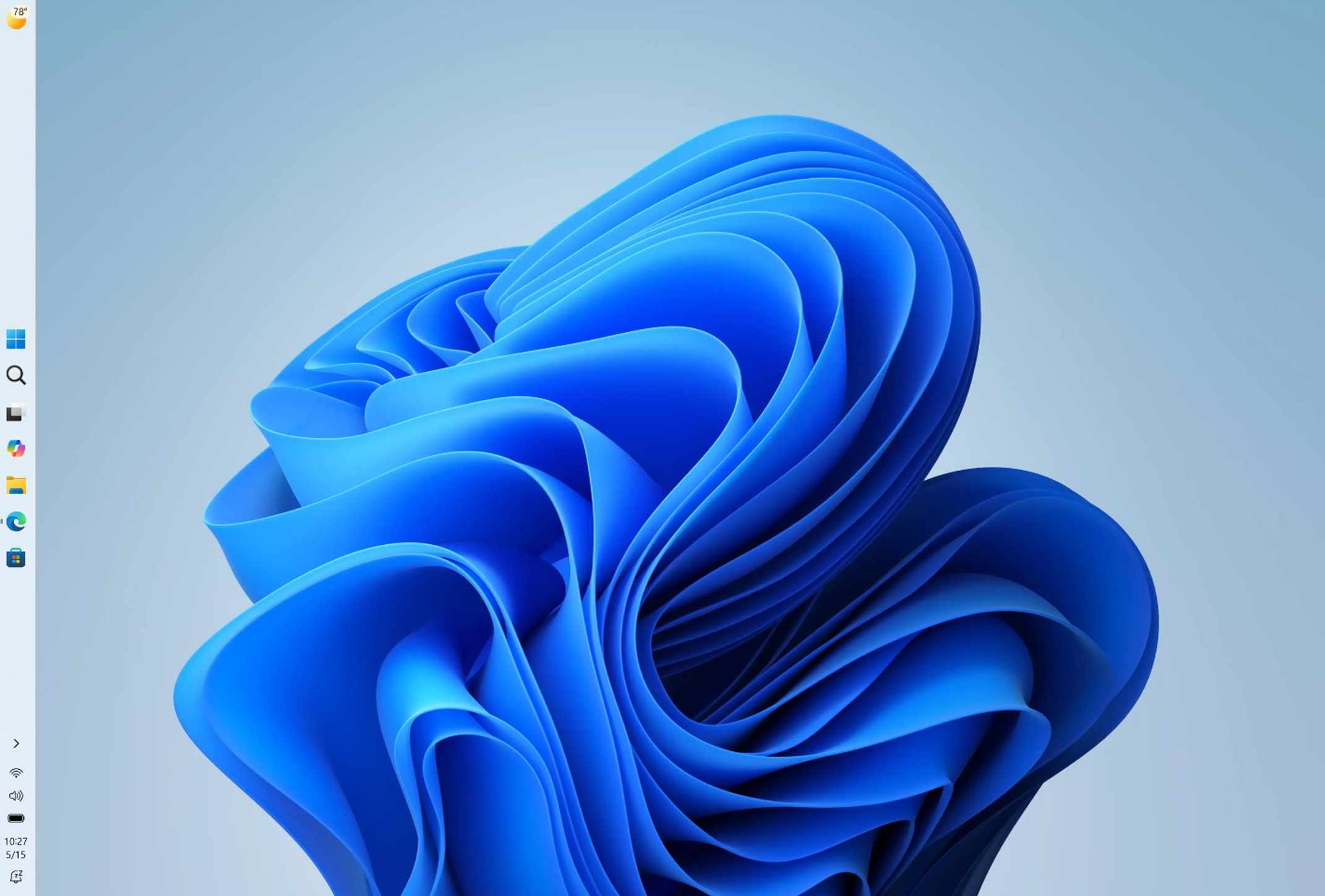
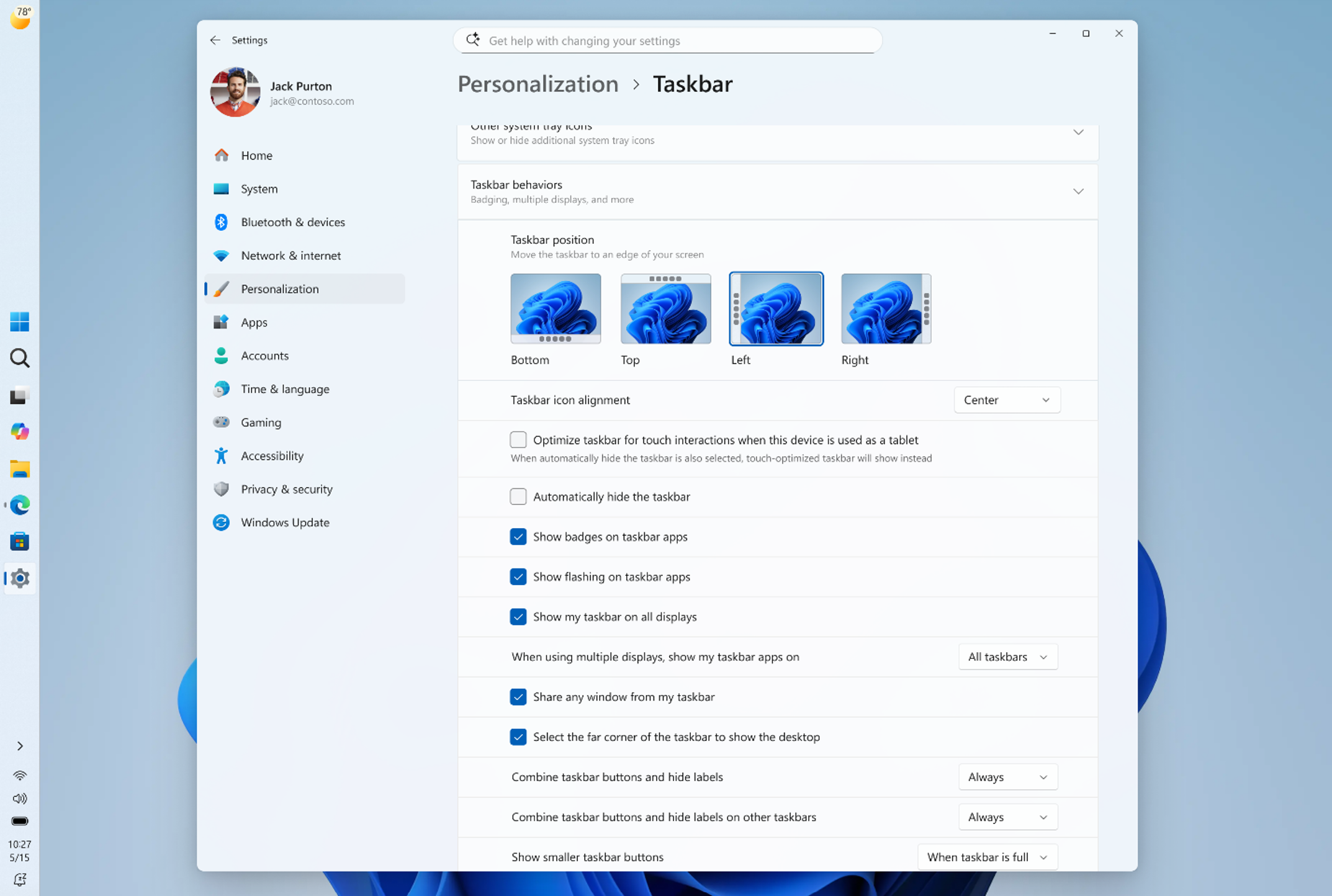
Microsoft is also introducing a smaller taskbar option aimed at setups where screen space is limited. Windows 11 originally made the taskbar taller to accommodate new states, features, and improved touch targets, but that extra height can feel unnecessary on compact displays. With the new setting enabled, users get a reduced taskbar height, smaller icons, and a bit more vertical workspace for apps. The change applies immediately without requiring a restart or sign-out, and it is currently rolling out in the Experimental channel via Settings > Personalization > Taskbar > Taskbar behaviors.
System flyouts like Start and Search are also being adjusted to match taskbar placement. So if the taskbar is moved to the top of the screen, the Start menu will open from there as well, instead of still appearing from the bottom.
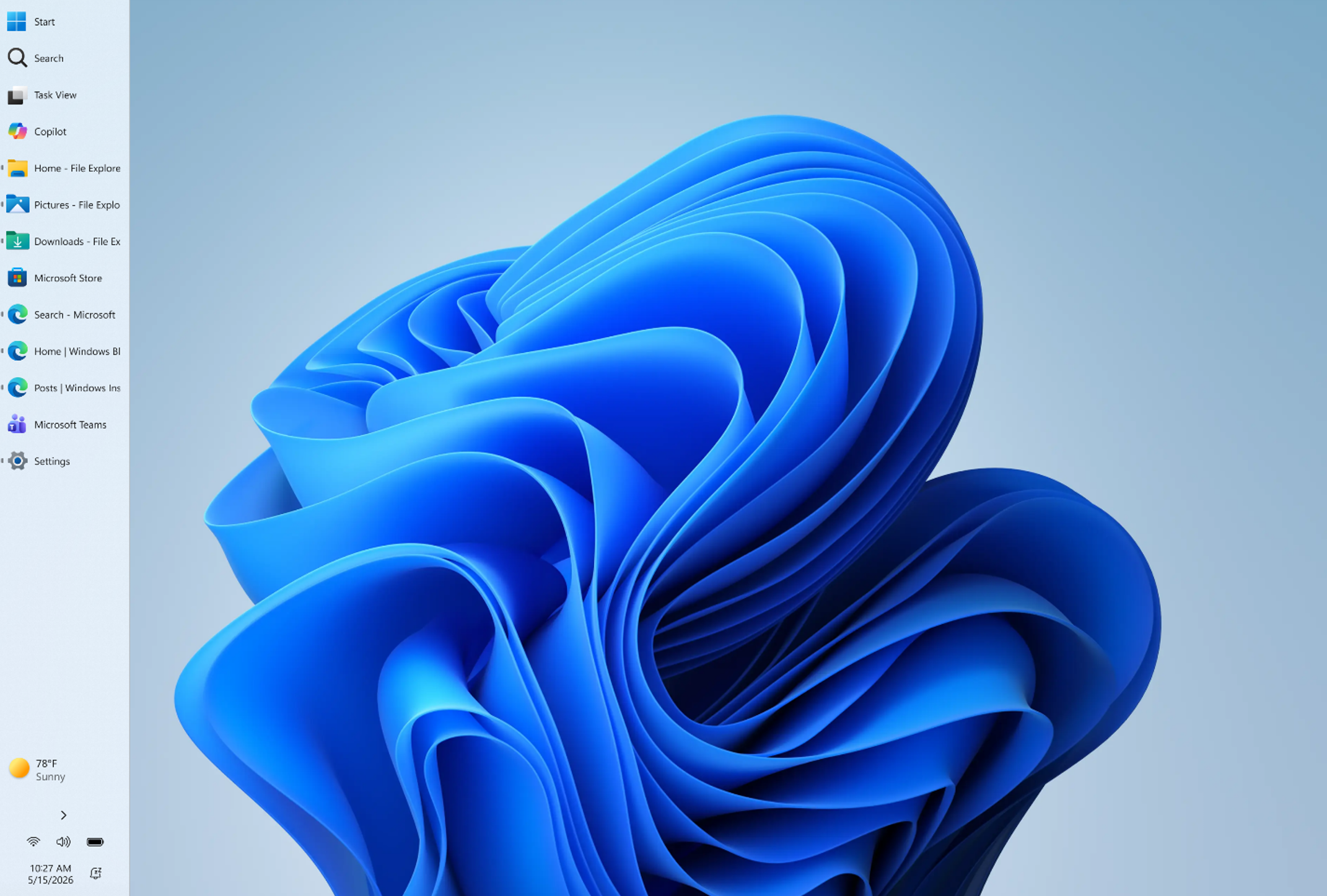
Microsoft is also improving window handling when using a vertical taskbar. With “Never combine” enabled and labels turned on, each open app window is shown separately with its own label, which makes it easier to tell multiple windows apart at a glance.
The changes are currently limited to Insider builds, but they clearly point toward a more flexible taskbar experience returning to Windows 11 after years of user requests.
 Add as a preferred source on Google


