




Compact & affordable smart lock with Matter: Yale Linus L2 Lite review
Smart Lock instead of a key.
As compact as a premium model, but still affordable. The Linus Smart Lock L2 Lite comes in a handy format complete with Matter. Our test reveals who the bargain smart lock is suitable for and what compromises need to be made.Marcus Schwarten (translated by DeepL / Marcus Schwarten) Published 🇩🇪 🇳🇱 ...
Yale Linus Smart Lock L2 Lite test conclusion: Affordable & compact
For less than 150 euros, the Yale Linus Smart Lock L2 Lite is a compact smart lock with a plastic housing. Premium functions such as Wi-Fi on board or USB-C charging are not available in this price range.
However, this does not apply to Matter. This means that the Linus Smart Lock L2 Lite can be integrated into the smart home in a simple and versatile way, allowing it to be controlled remotely even without a Wi-Fi bridge. It can also be used with various accessories such as the keypad with fingerprint sensor and the Yale Dot (NFC).
In the test, the Yale Linus Smart Lock L2 Lite made a good impression, albeit not perfect in every respect. A few compromises have to be made at this low price. If you want an even more premium feel and features, you can opt for the larger Linus Smart Lock L2 or the significantly more expensive Nuki Smart Lock Ultra.
Price and availability
The Yale Linus Smart Lock L2 Lite is currently not available in the USA., In Europe, the recommended retail price is 139 euros. It is available, for example, directly from the manufacturer and on Amazon, in the colors black and silver.
The MSRP for the Yale Smart Keypad 2 - Fingerprint is 129 euros, for the Yale Dot 29 euros.

The days of bulky smart locks are over. Even inexpensive models now come in a compact design, as the Yale Linus Smart Lock L2 Lite proves. The affordable smart door lock is positioned below the Linus Smart Lock L2 and therefore comes with fewer features, but also significantly more compact form. Our Yale Linus Smart Lock L2 Lite review reveals what buyers have to do without and what they can expect.
Specifications Yale Linus Smart Lock L2 Lite
| Power supply | 3x CR123A |
| Dimensions | 61mm x 72mm (Ø x D) |
| Weight | 260 g |
| Connectivity | Matter over Thread, Bluetooth 5.4 |
| What’s in the box | Smart Lock, mounting plate + adhesive pad, 3x CR123A batteries, 2.5 mm hexagon key |
| Colors | Black, silver |
| MSRP | 139 Euro |
Housing and features: Compact & made of plastic
The Yale Linus Smart Lock L2 Lite comes in a housing measuring 61 mm in diameter and 72 mm in depth. It is therefore barely larger than the significantly more expensive Nuki Smart Lock Ultra (approx. 350 euros on Amazon), but cannot quite keep up with the Tedee Lock Go 2 (approx. 150 euros on Amazon) from the same price range. The price premium of 100 to 200 euros for premium smart locks is not noticeable here in the dimensions, but in the material and features.
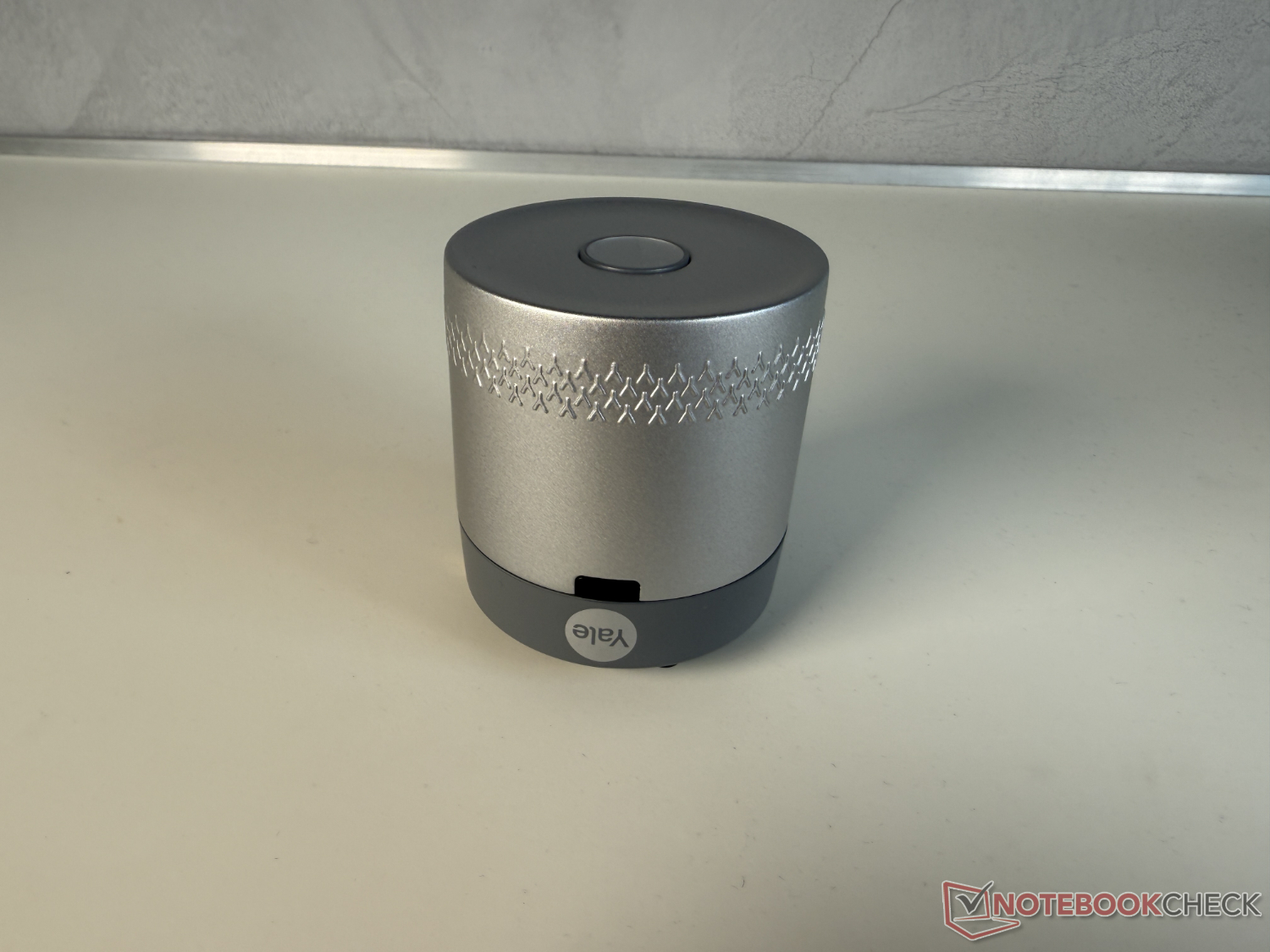
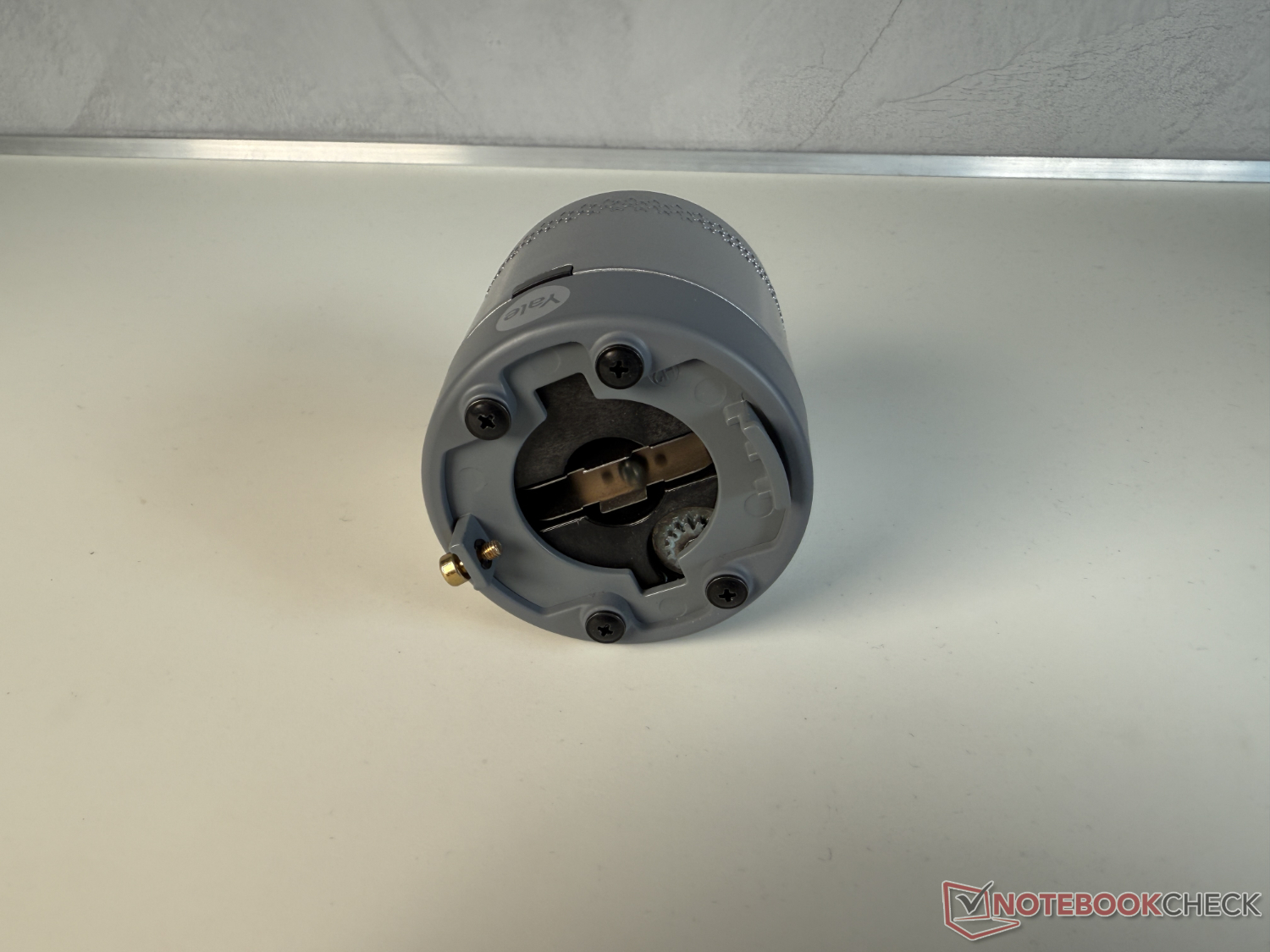
The Linus Smart Lock L2 Lite has a plastic casing that still feels solid. Many features of the Yale Linus Smart Lock L2 (approx. 180 euros on Amazon), which is around 100 euros more expensive according to the MSRP, are also on board in the Lite version, at least in part. For connectivity, Bluetooth 5.4 is available for local control and Matter over Thread for remote access. If you are not using a Matter system, you will need the Yale ConnectX Wi-Fi Bridge to access the Smart Lock remotely via Wi-Fi. More on this below.
The smart lock cannot read the door status via DoorSense, it only knows the status of the door lock. It is powered by three CR123A batteries, which are included.
Security made simple with Yale!
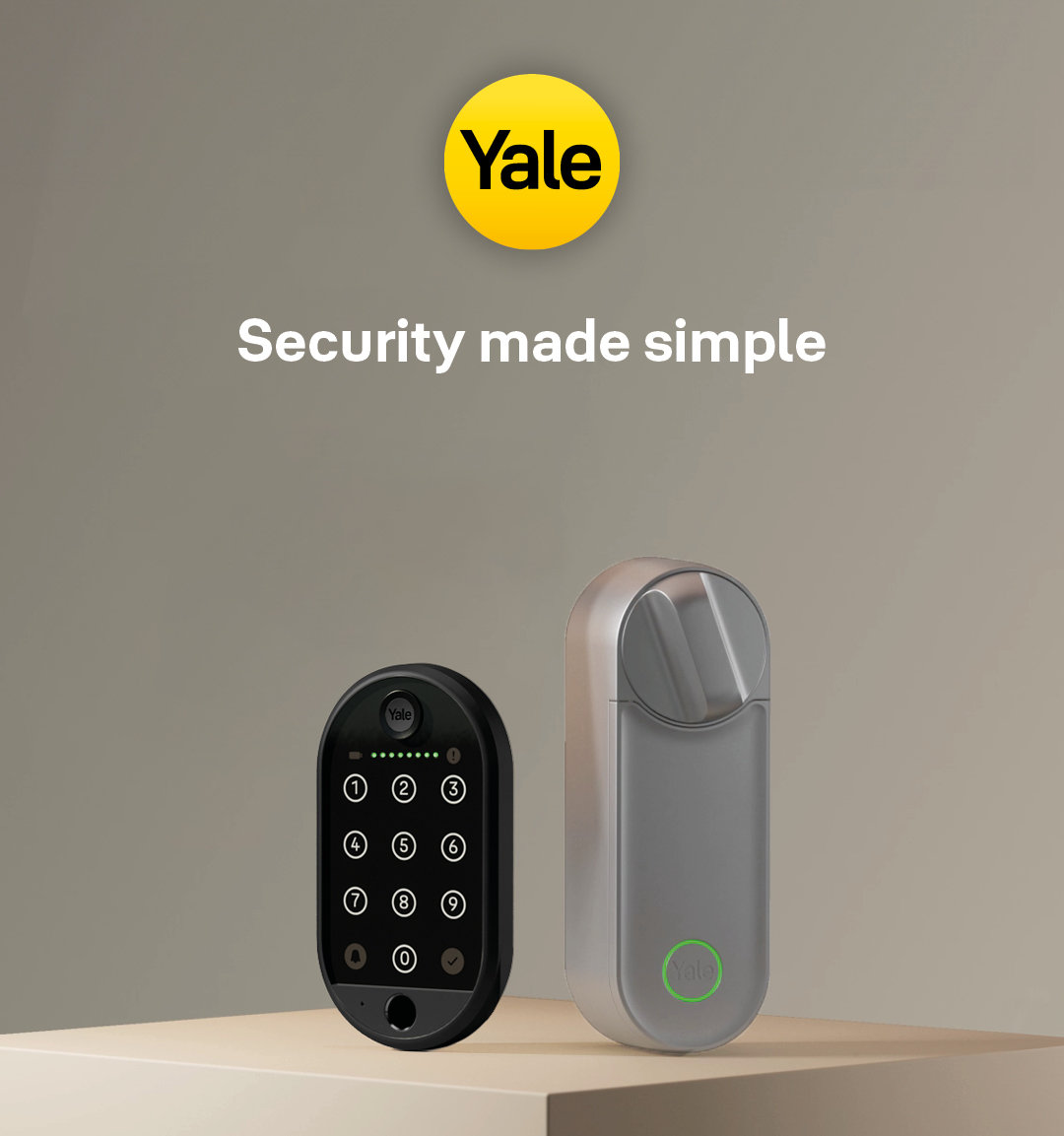
The Yale Linus® L2 Starter Set is the perfect solution for easy, keyless access to your home. With the Yale Linus® L2 Smart Lock, you can open, lock and manage your door anytime, anywhere via the Yale home app on your smartphone. In combination with the Yale Smart Keypad 2 - Fingerprint, you can easily open your door by entering a PIN code.
Quiet, fast and with built-in Wi-Fi and Matter, the Yale Linus® Smart Lock L2 and stands out with its high-quality, sleek metal design!
Discover Yale's best offer now and make your life smart!
Installation and operation: quick and easy
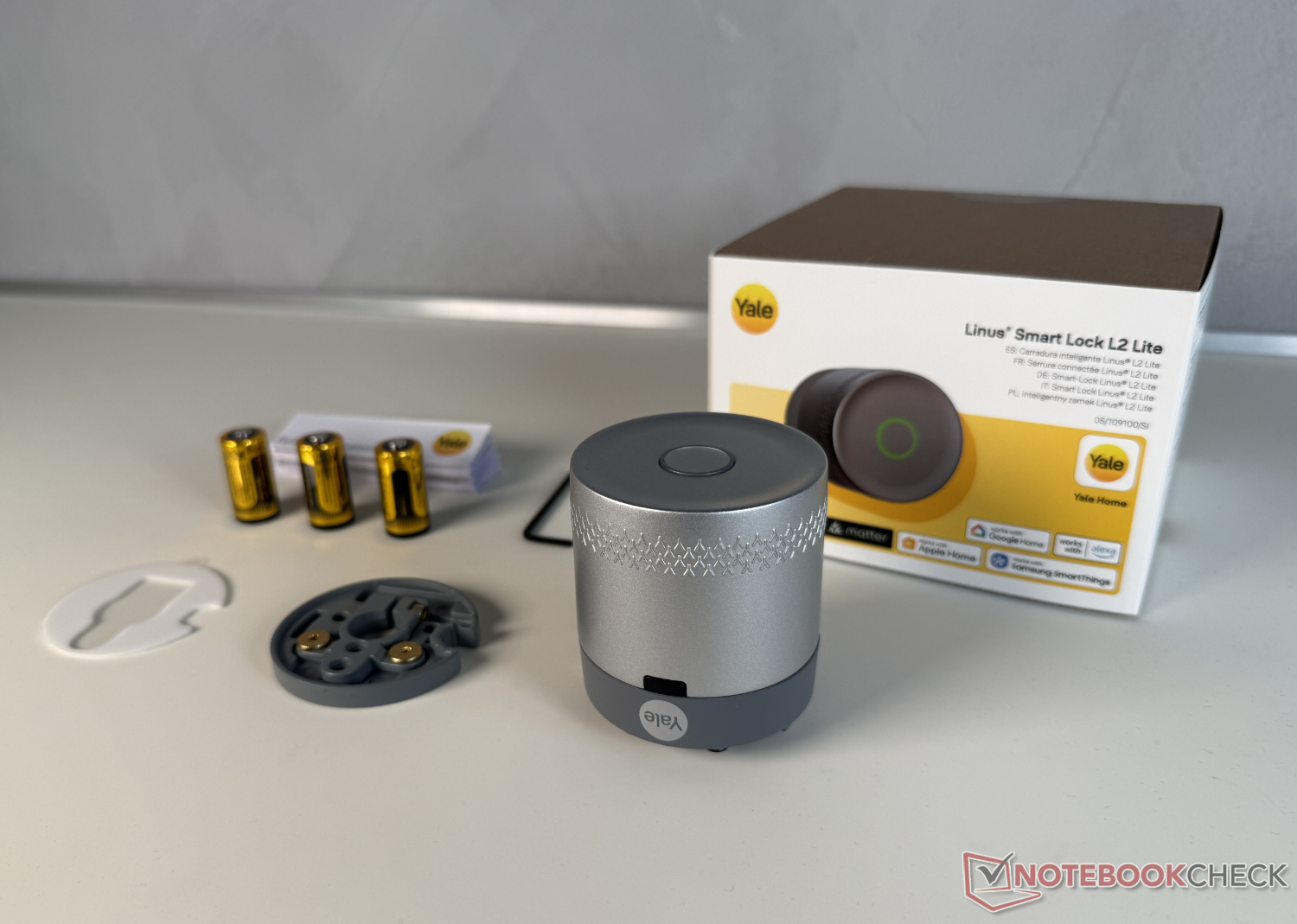
This brings us to the package contents and installation. This was very easy in our practical test and worked without any problems. This is also due to the fact that the Yale app takes the user by the hand in many small steps and illustrates it with short videos.
Of course, the Yale Linus Smart Lock L2 Lite must fit your own door and the locking cylinder installed in it. This can be checked with this compatibility check (ideally before purchase). According to Yale, the Smart Lock can be installed on almost all Euro profile and Swiss round cylinders.
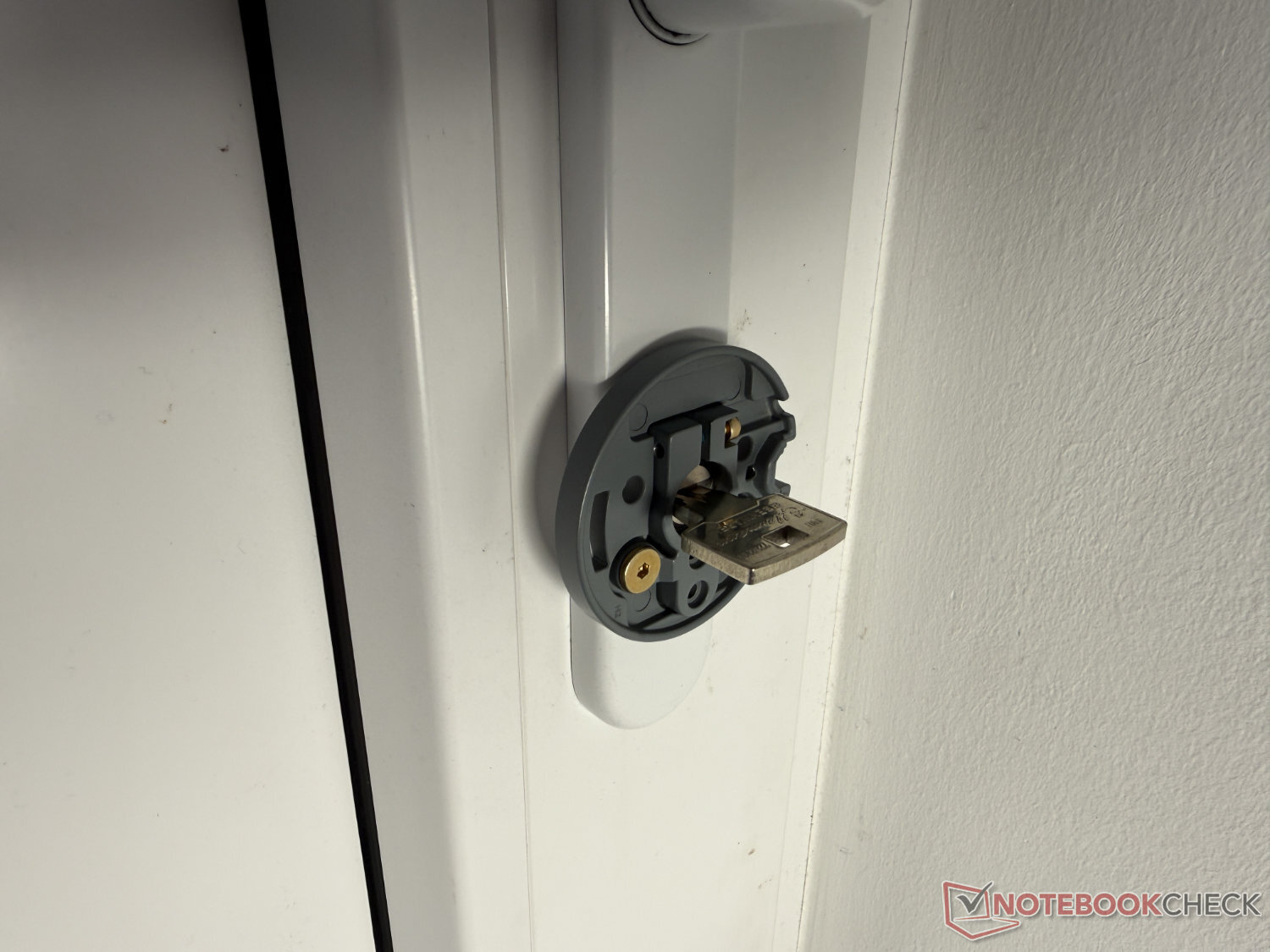
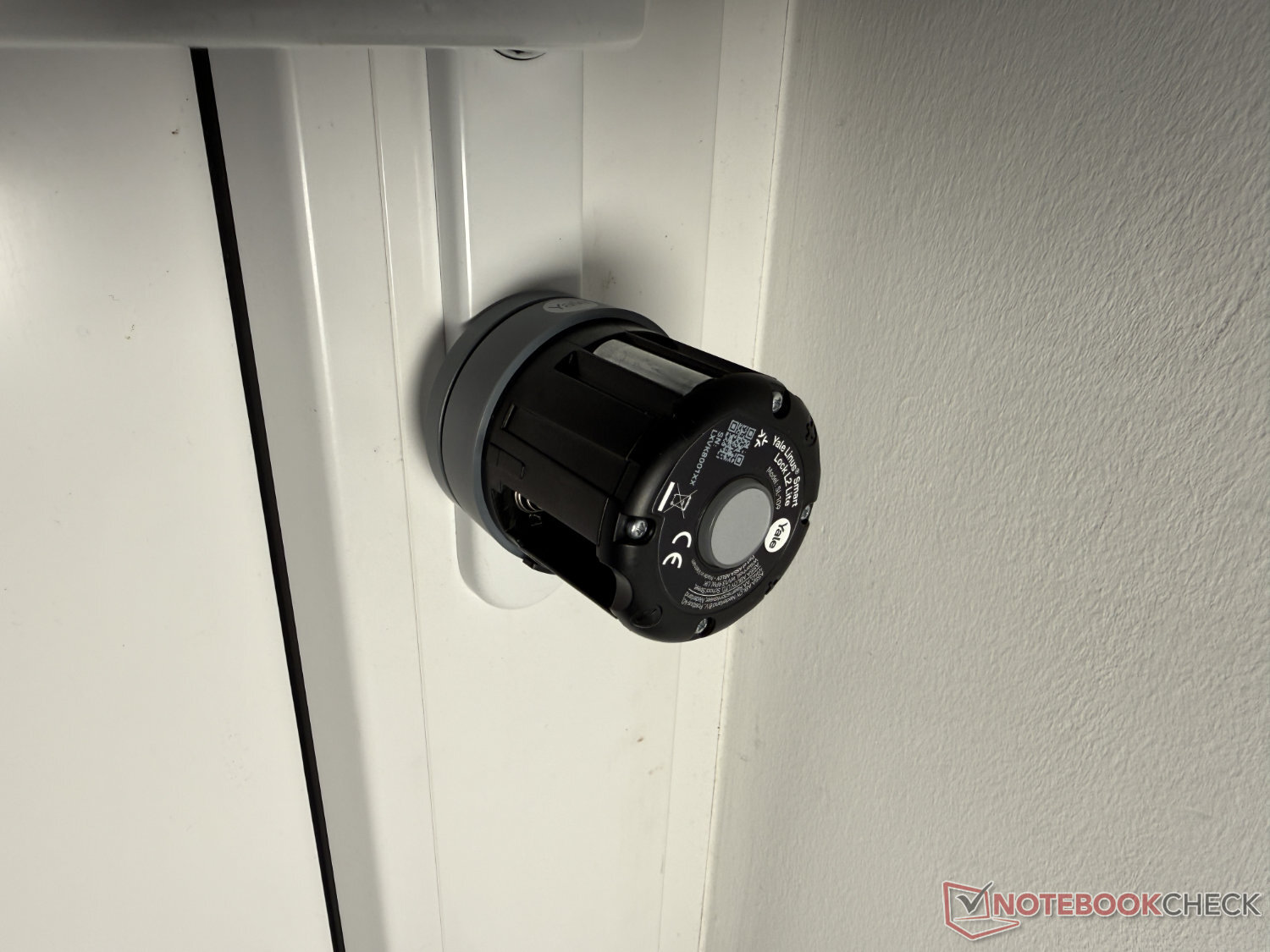
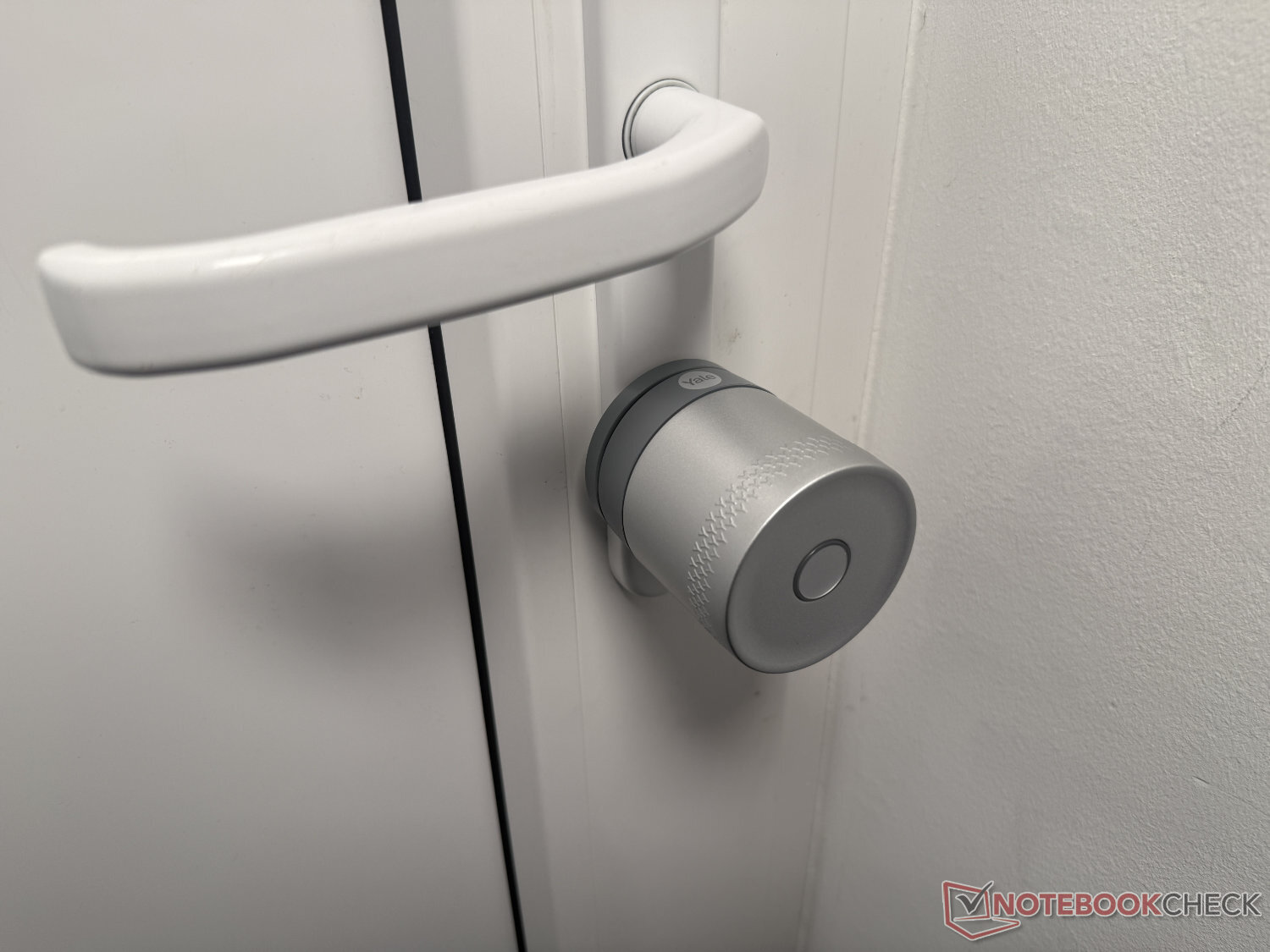
For installation, simply attach the mounting plate with the adhesive pad and the small screws to the cover of the lever handle set. Drilling is not necessary. The lock itself is then placed on the plate and screwed in place with a small screw and the enclosed 2.5 mm hexagon key. In practice, this did not make the most stable impression in combination with the plastic housing, but ultimately held well.
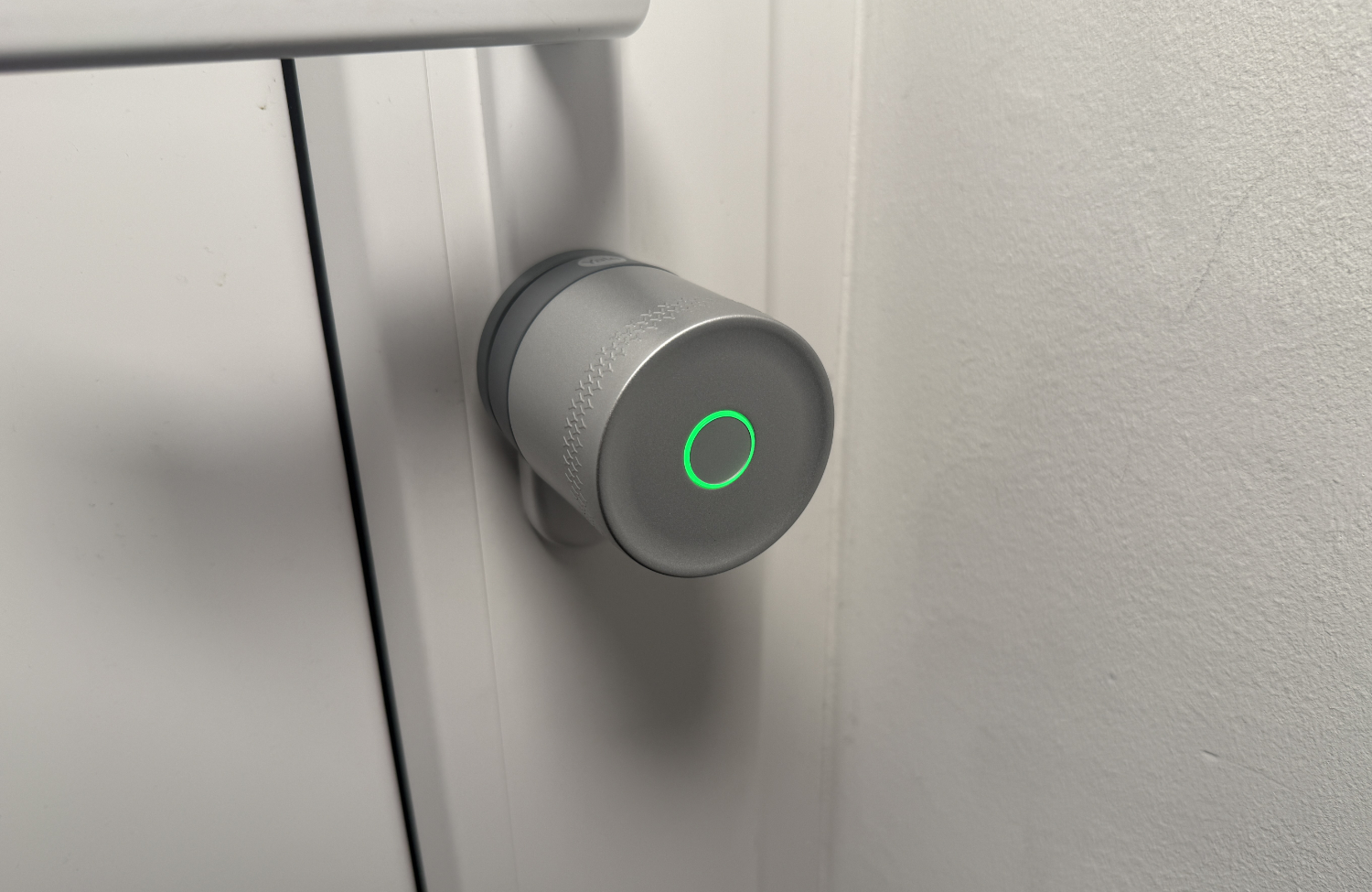
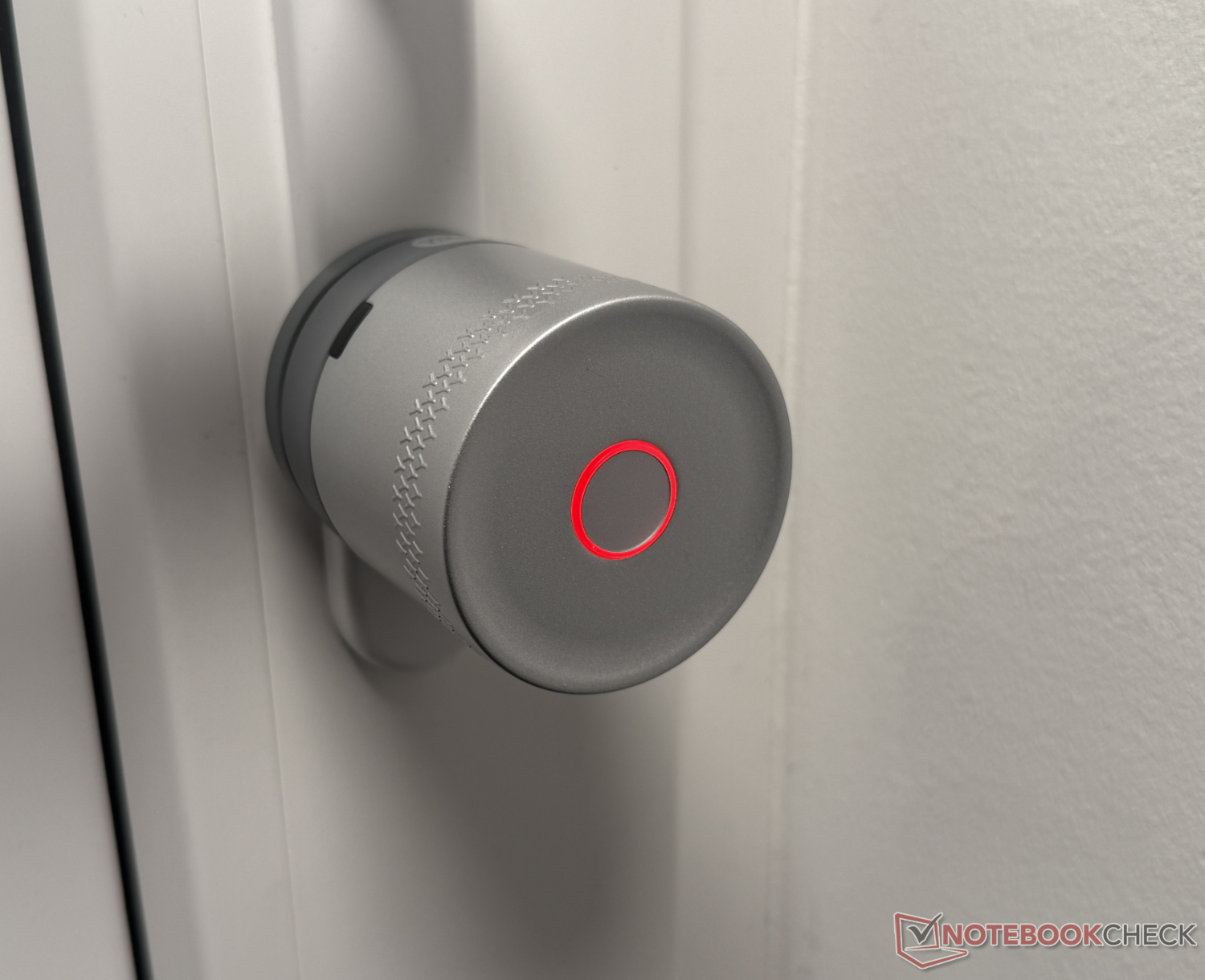
After installing the Smart Lock on the door, the app performs a calibration. Here it is important to follow the instructions for the individual steps exactly so that the Linus Smart Lock L2 Lite can then function properly. The Smart Lock is operated in the most traditional way, either by turning the knob or pressing the small button. This also indicates the respective status via an LED ring: Green for unlocking, red for locking.
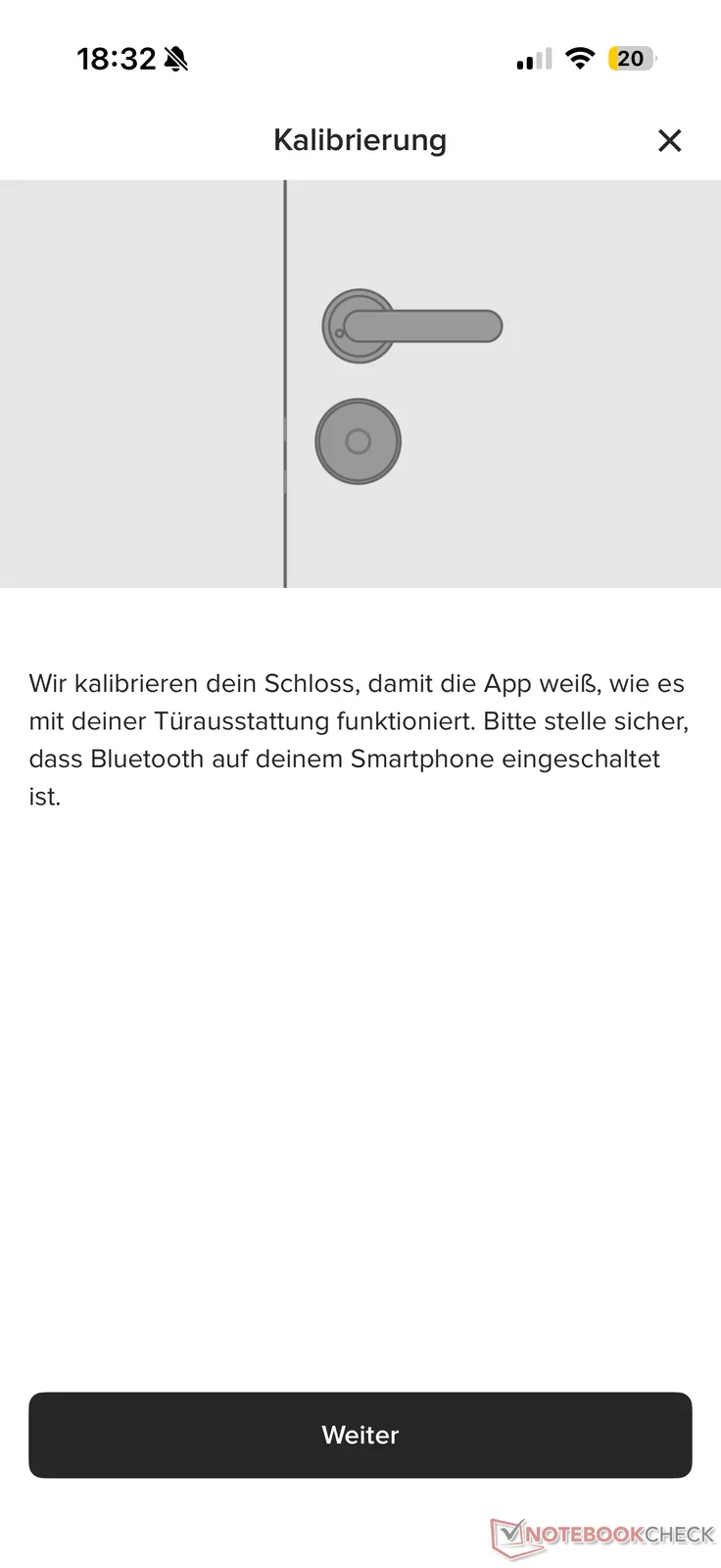
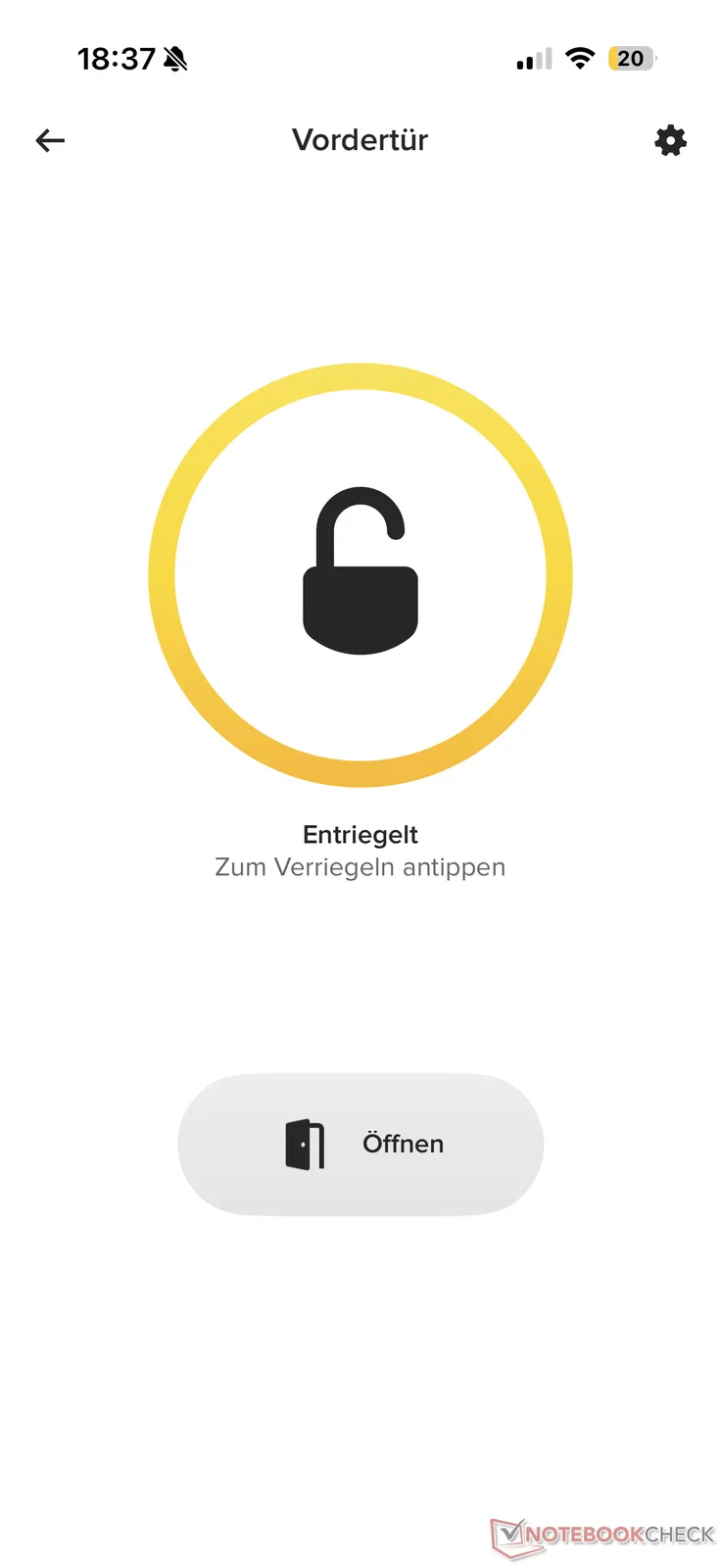
Alternatively, the Yale Linus Smart Lock L2 Lite can of course be locked and unlocked via the Yale app. This requires a Bluetooth connection without additional accessories and Matter setup. This sometimes took a while to establish in the test and is also very limited in range. Locking the Smart Lock via the app from bed in the evening can therefore fail, depending on the distance. We explain below in our Yale Linus Smart Lock L2 Lite review what other options are available (including in Yale's accessories portfolio).
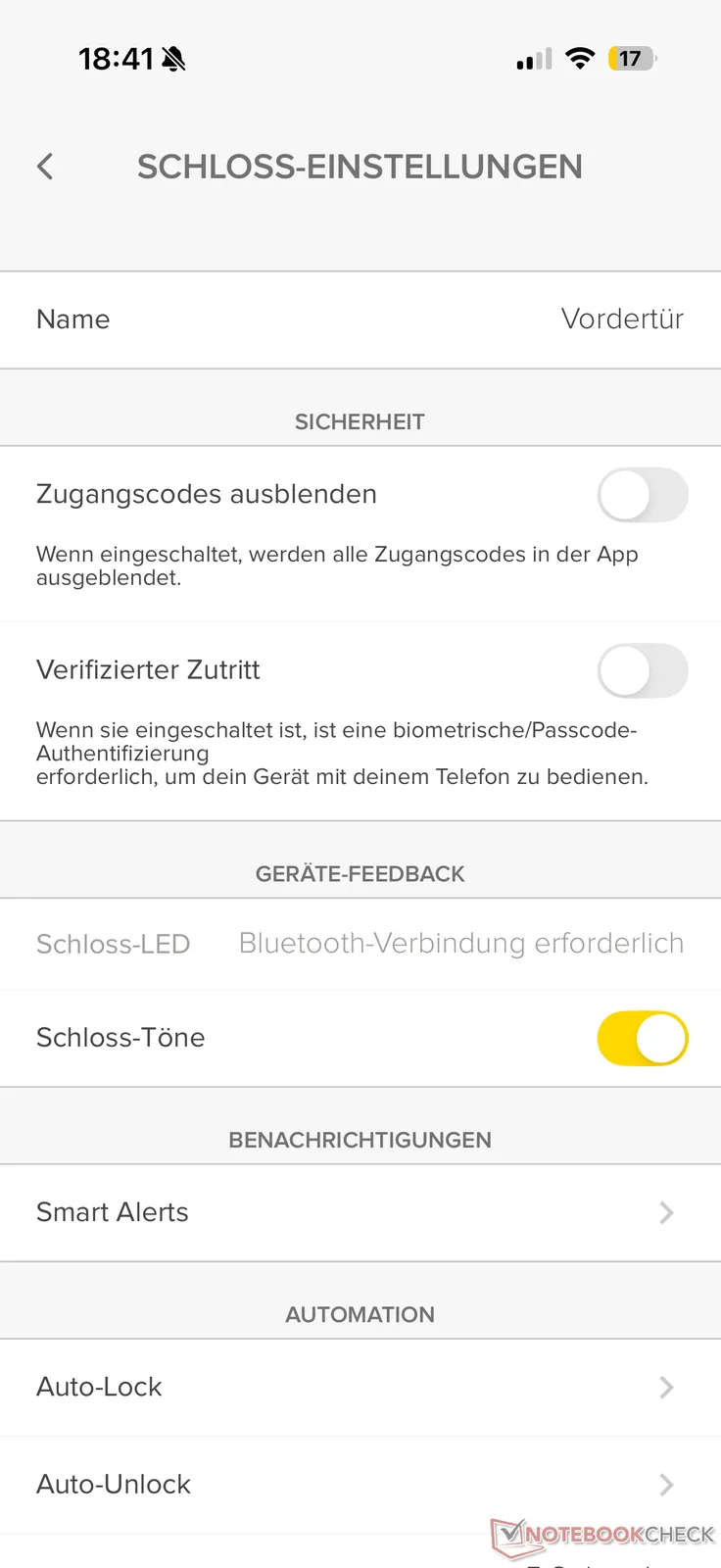
The app offers various options for adapting the behavior of the Smart Lock to your own needs - albeit with a few limitations. For example, the door lock can be locked automatically at a desired time (Auto-Lock). However, the Wi-Fi bridge is required for auto-unlock at a specific time, while unlocking when you get home (via device location) works via Bluetooth. Among other things, automations can be configured in conjunction with other Yale smart home products.
Everyday life and battery life: No Wi‑Fi, but Matter
During the test period, the Yale Linus Smart Lock L2 Lite worked reliably and excelled with its ease of use, but was not particularly fast at around 7 seconds per process. Establishing a connection via Bluetooth usually only took a few seconds when arriving at the front door. This meant that the front door was usually unlocked or locked quickly - especially in combination with the accessories mentioned below. Digging the key out of your pocket is now a thing of the past.
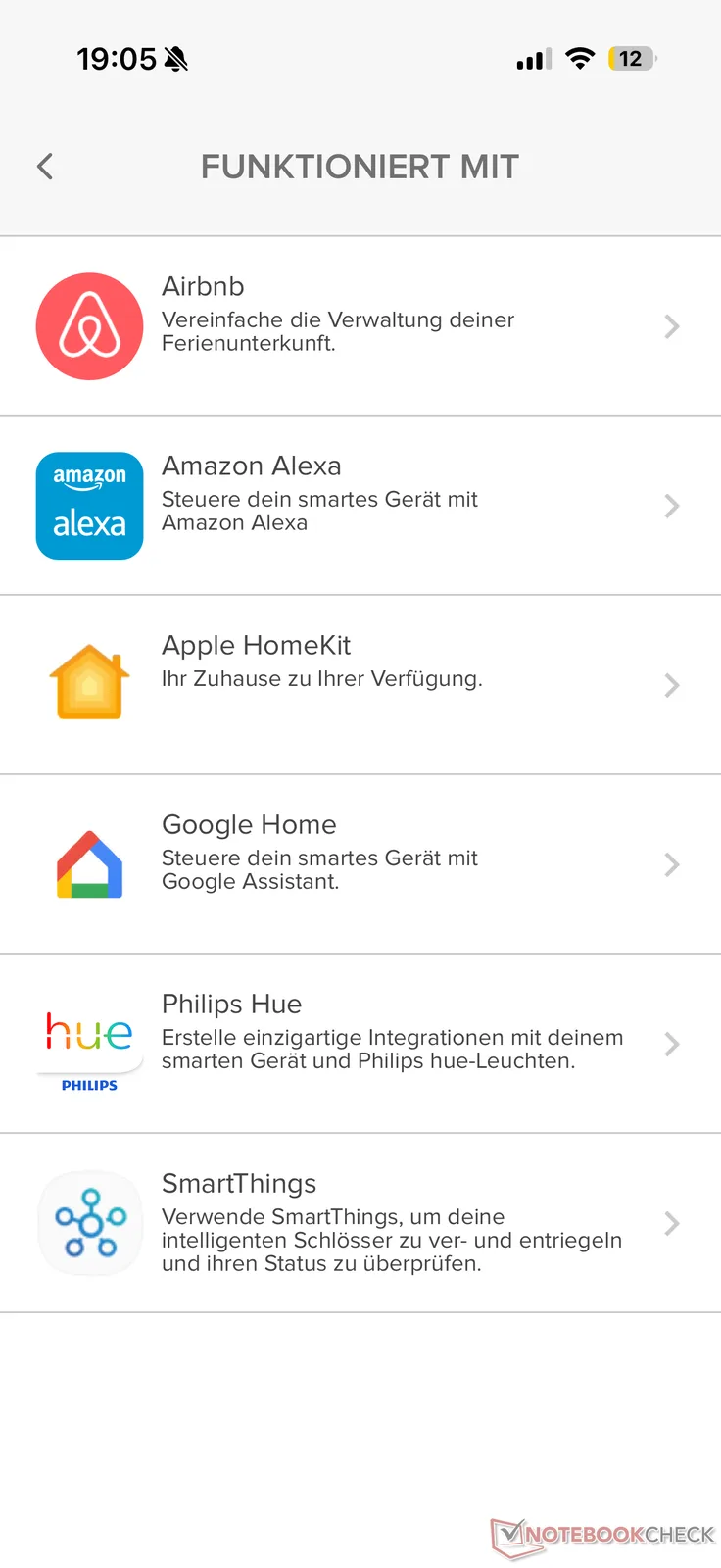
However, if you want to control and check the door remotely, for example to open the door for the letter carrier or friends, you need either the manufacturer's Wi‑Fi bridge (approx. 70 euros on Amazon), which was not available for our test, or a Matter smart home. This is more convenient with higher-quality or more expensive smart locks with integrated Wi-Fi (such as the Linus Smart Lock L2), although connectivity via Matter also worked well with the Lite version. However, this requires a Matter control center. The Linus L2 Lite can be networked with Amazon Alexa, Apple HomeKit, Google Home, Philips Hue and SmartThings.
Another small disadvantage of the affordable Yale Linus Smart Lock L2 Lite is that it needs rather special and expensive but compact CR123A batteries and cannot be charged via USB-C. When these run out, they have to be replaced and disposed of. Alternatively, they can be replaced with rechargeable batteries. In this case, it makes sense to have six so that the Smart Lock also works when recharging. Premium models are somewhat easier to use here, as a USB power bank can usually simply be connected.
We cannot yet say anything about the battery life, as our test period was not long enough for this. The manufacturer claims a battery life of up to six months, although this depends heavily on the intensity of use as well as the door lock's mobility.
We measured the volume of the Yale Linus Smart Lock L2 Lite in the test at around 68 dB (from a distance of 1 m). This puts the inexpensive model on a par with the standard mode of the more expensive Nuki Smart Lock Ultra, but which can optionally operate more quietly in Gentle mode. There is nothing comparable with this significantly cheaper test candidate, so you will have to live with the considerable noise level (especially at night) in any case.
Accessories: Smart Keypad 2 - Fingerprint and Yale Dot tested
The manufacturer also offers a range of accessories. We tried out the Smart Keypad 2 - Fingerprint and the Yale Dot.
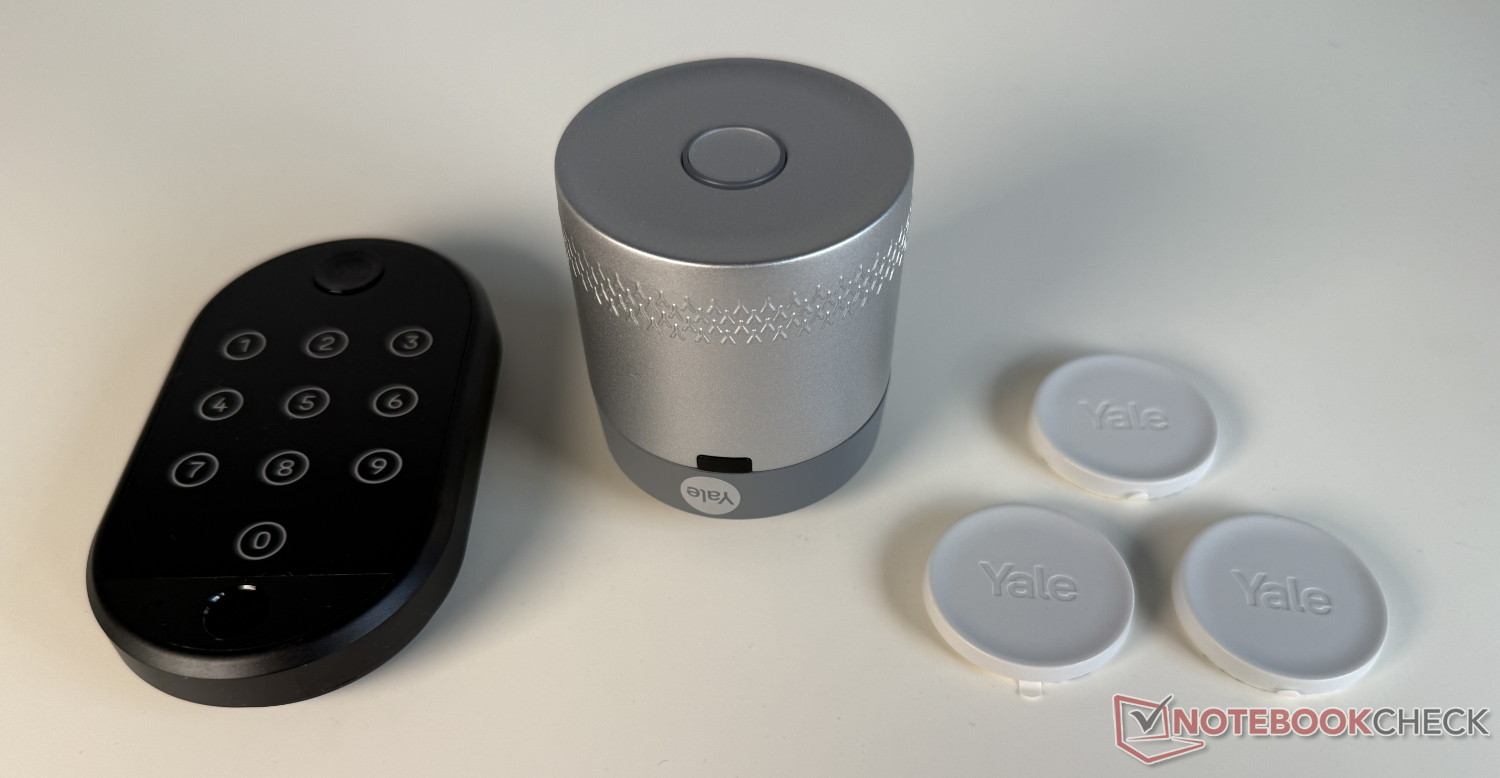
Yale Smart Keypad 2 - Fingerprint: PIN or fingerprint
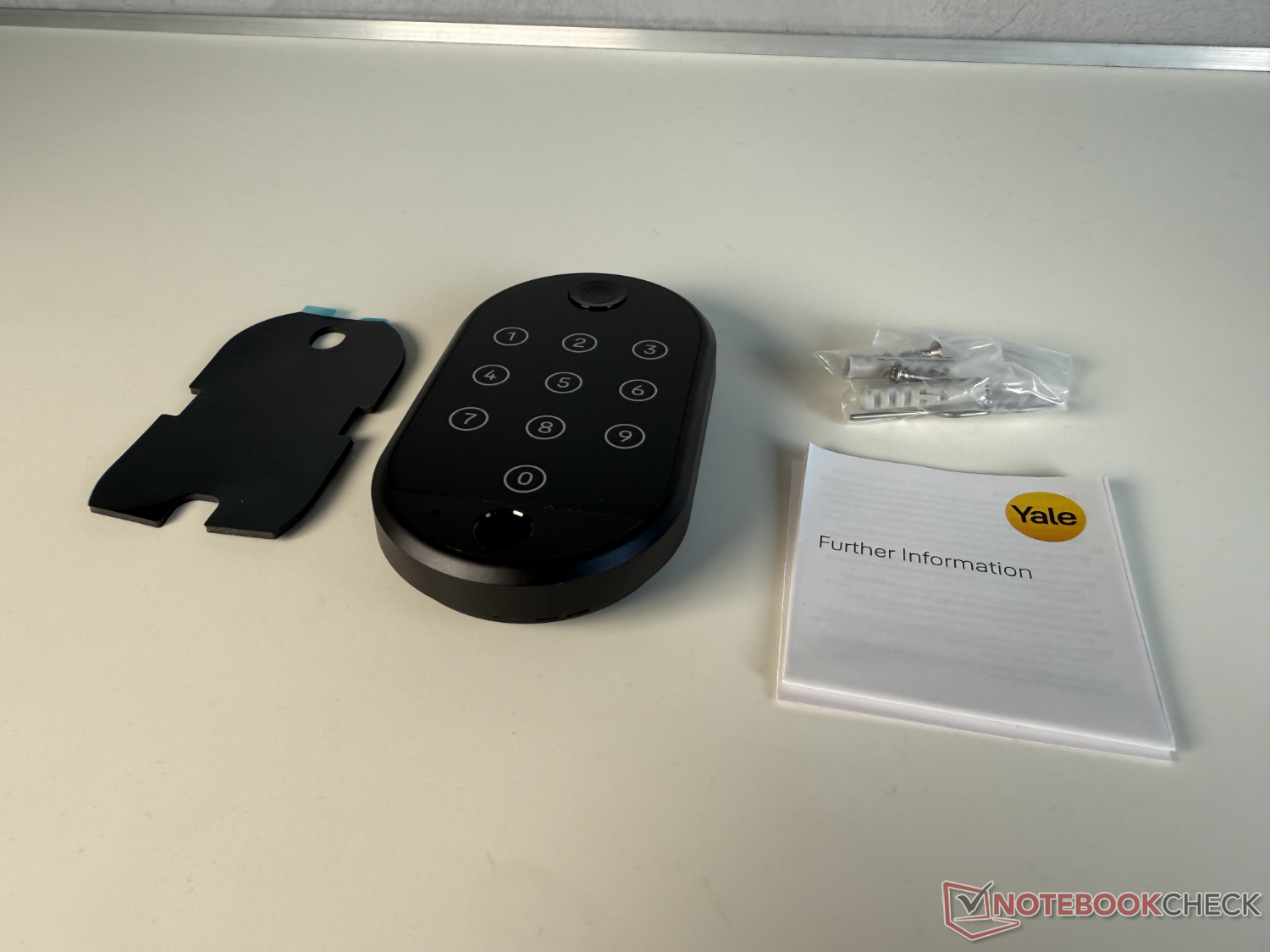
The Smart Keypad 2 - Fingerprint (approx. 113 euros on Amazon) is a classic keypad for entering a four to eight-digit PIN code, which is also equipped with a fingerprint sensor. It can be mounted using either the provided screws or the adhesive pad. Establishing the connection via the app worked without any problems. This also shows that the Yale app takes the user by the hand.
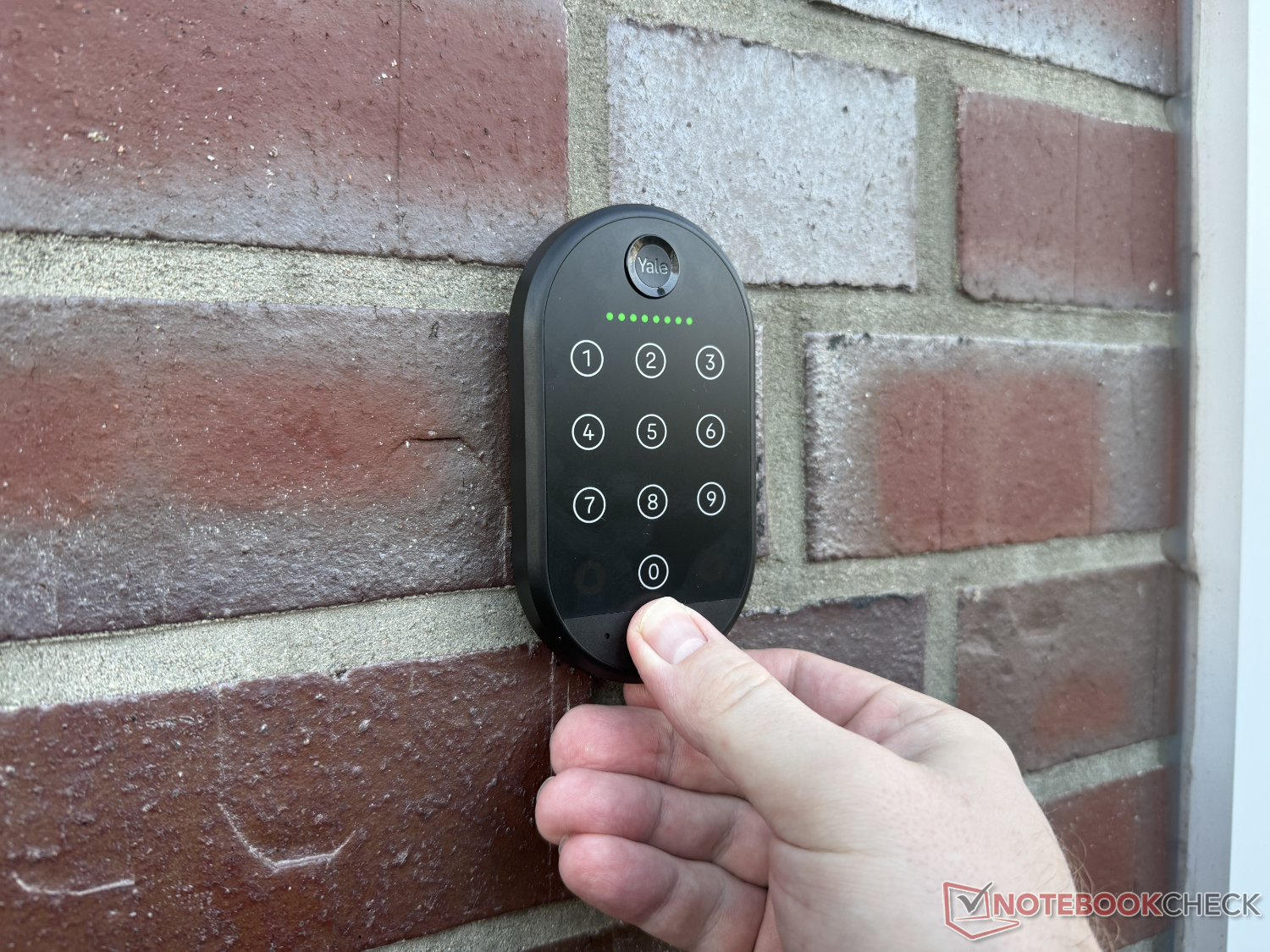
The initial scanning and subsequent opening of the door via fingerprint worked without any problems during the test period. Small LEDs indicate the status. The reaction of the door lock was minimal, so it unlocked immediately. PIN entry via the illuminated number pad also worked without any problems.
Yale Dot: Open the door via NFC
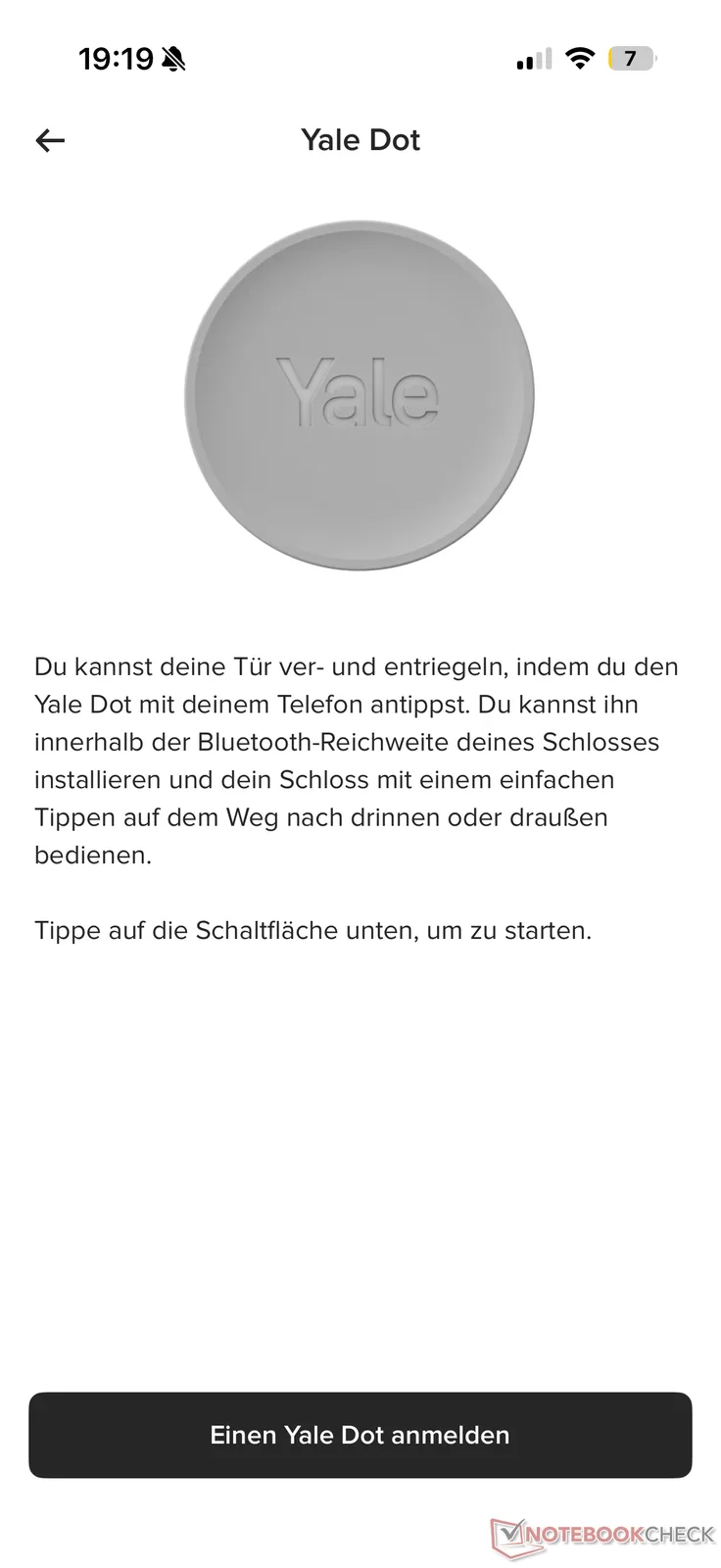
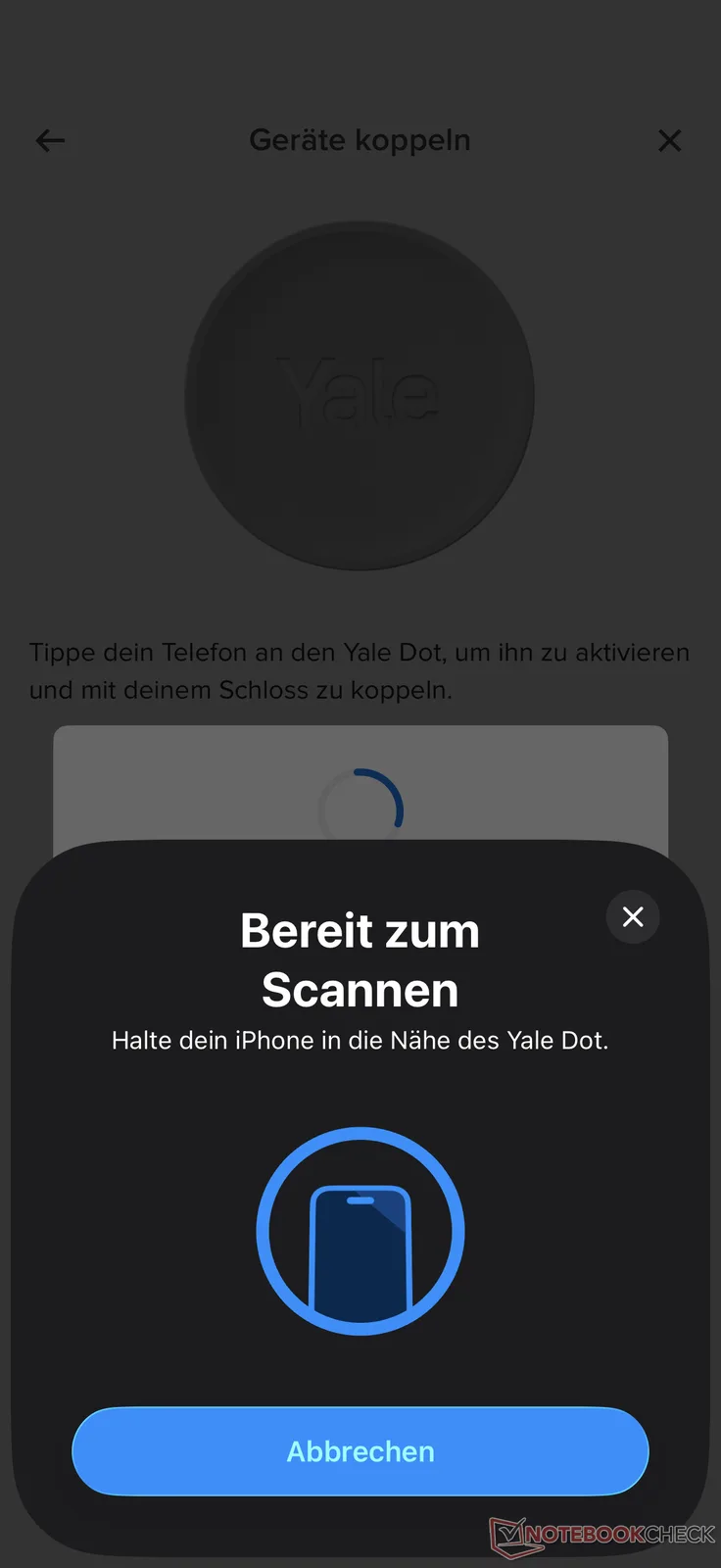
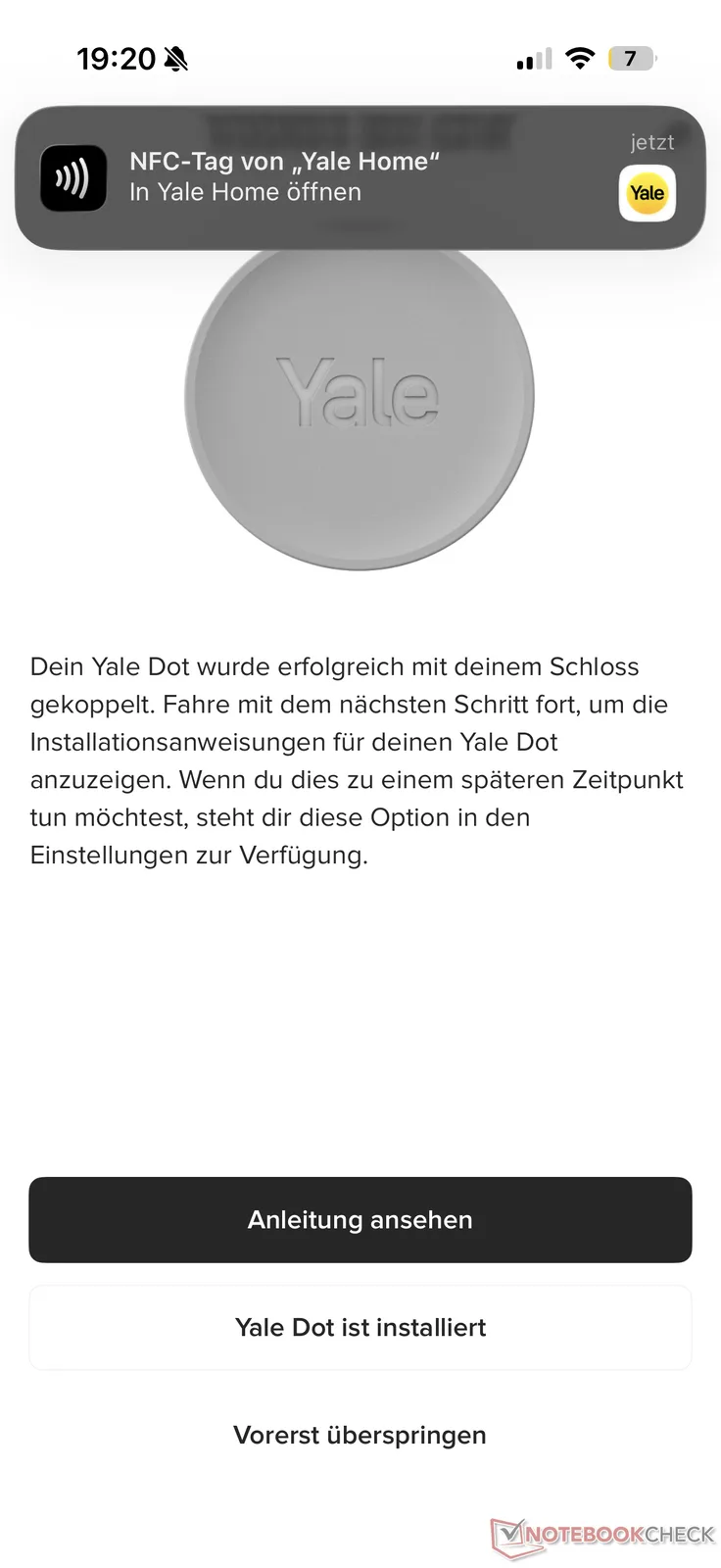
Another alternative is the Yale Dot. For example, it is available in a pack of three for just under 30 euros MSRP, although it can already be ordered from Amazon at a significantly lower price. This is an NFC tag.
To open or close the Linus Smart Lock L2 Lite after simply setting up the Yale Dot via the app, all you have to do is hold your smartphone up to the small plastic disk. A small notification window appears at the top of the display (tested on an iPhone 16 Pro), which opens or closes the lock when tapped (depending on the status).
Transparency
The selection of devices to be reviewed is made by our editorial team. The test sample was given to the author by the manufacturer free of charge for the purposes of review. There was no third-party influence on this review, nor did the manufacturer receive a copy of this review before publication. There was no obligation to publish this review. As an independent media company, Notebookcheck is not subjected to the authority of manufacturers, retailers or publishers.
 Add as a preferred source on Google


