Deutsch
 Español
 Français
 Italiano
 Nederlands
 Polski
 Português
 Русский
 Türkçe
 Svenska
 Chinese
 Magyar
Samsung Chromebook XE Series
 Processor: unknown, Intel Celeron 867, Intel Celeron N2840, Intel Comet Lake i5-10210U, Intel Core m3 6Y30, Intel Kaby Lake Celeron 3965Y, Samsung Exynos 5250 Dual, Samsung Exynos 5420 Octa
Graphics Adapter: unknown, ARM Mali-T604 MP4, ARM Mali-T628 MP6, ARM Mali-T860 MP2, Intel Graphics Media Accelerator (GMA) HD Graphics, Intel HD Graphics (Bay Trail), Intel HD Graphics 515, Intel HD Graphics 615, Intel UHD Graphics 620
Display: 11.60 inch, 12.10 inch, 12.20 inch, 12.30 inch, 13.30 inch
Weight: 1.04kg, 1.1kg, 1.2kg, 1.33kg, 1.4kg, 1.5kg
Price: 230, 250, 300, 400, 500, 550, 1000 euro
Average of 85 scores (from 142 reviews)
Samsung Chromebook XE303C12-A01US
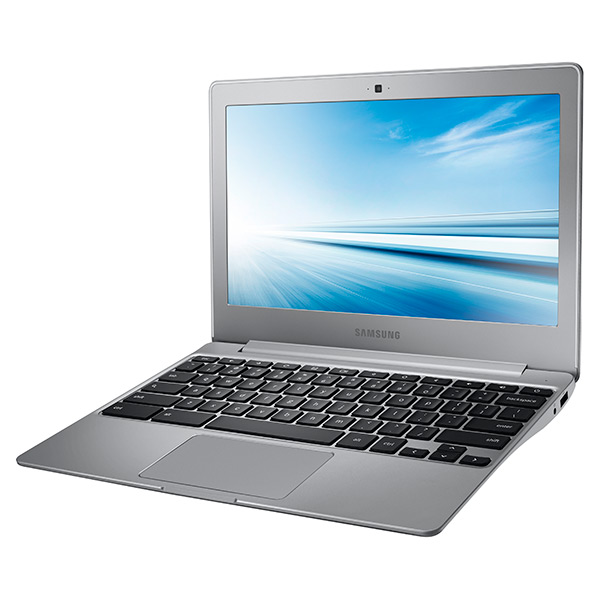
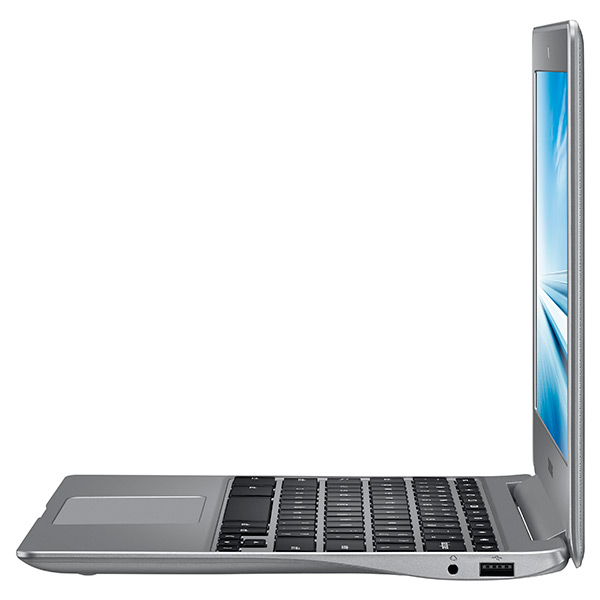
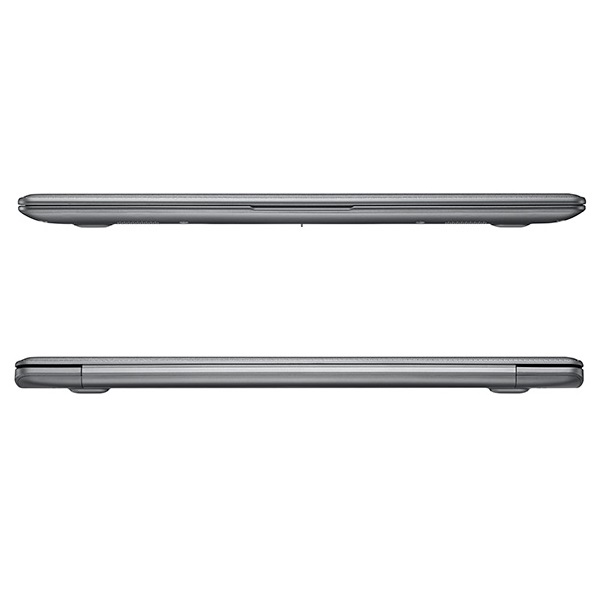
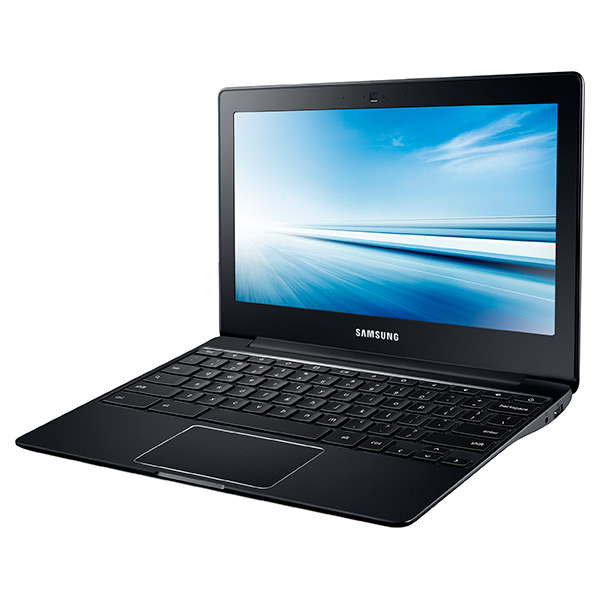
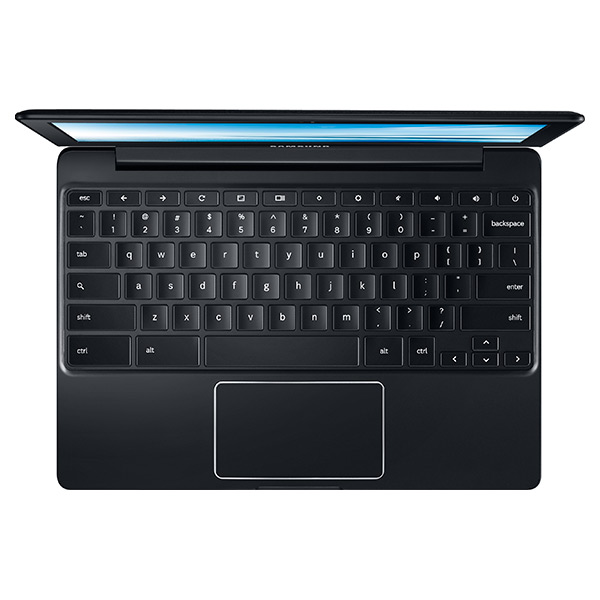
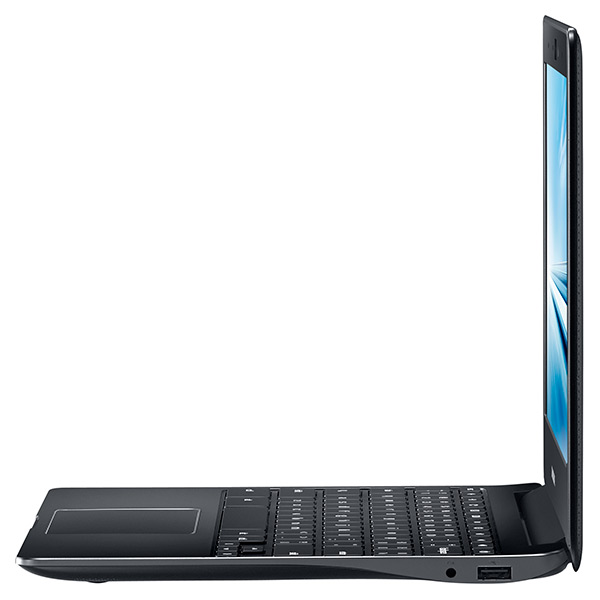
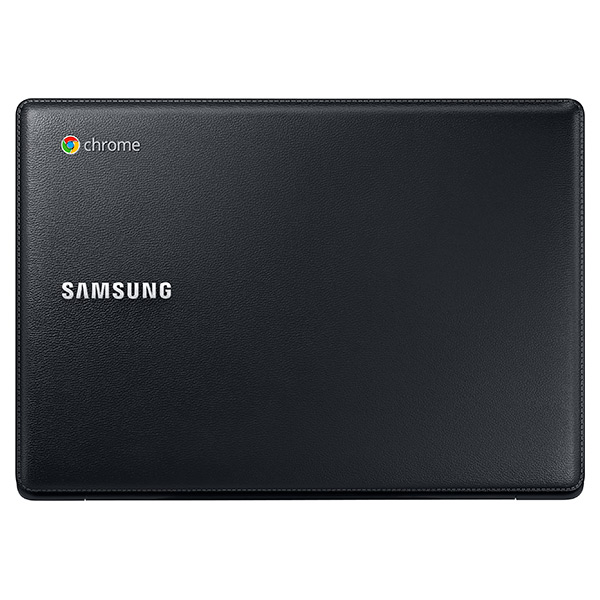
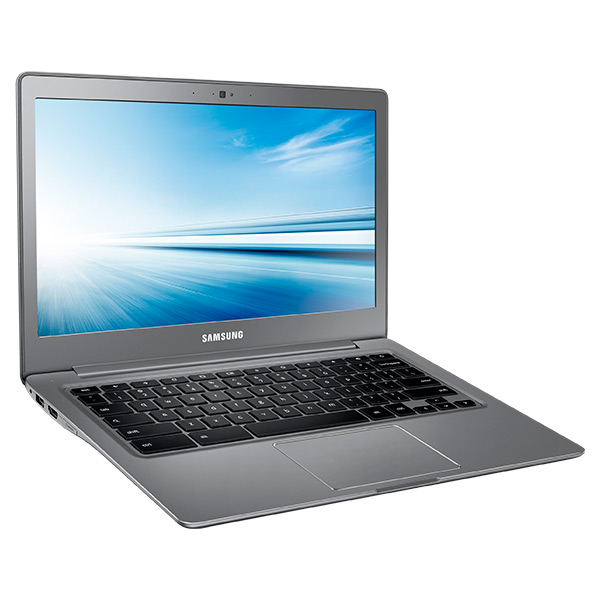
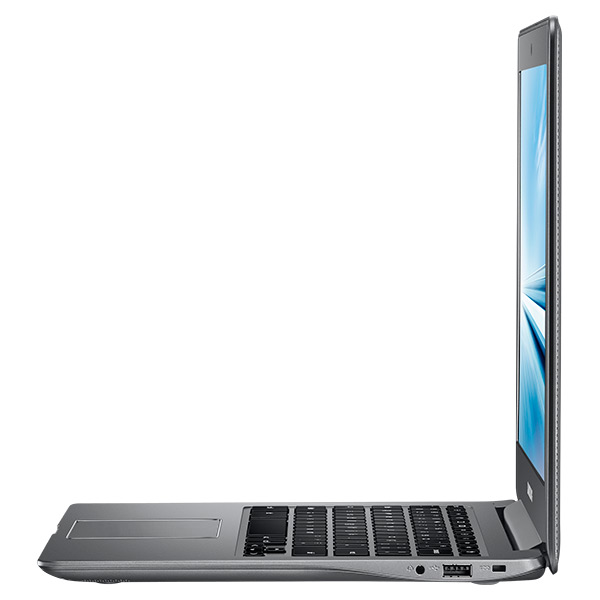
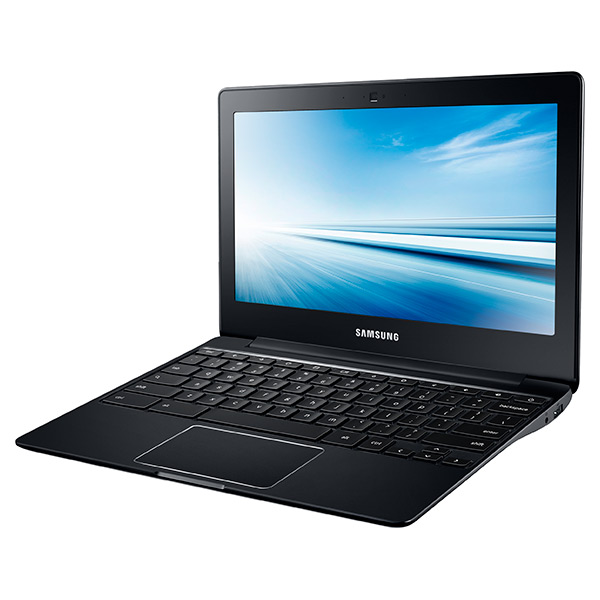
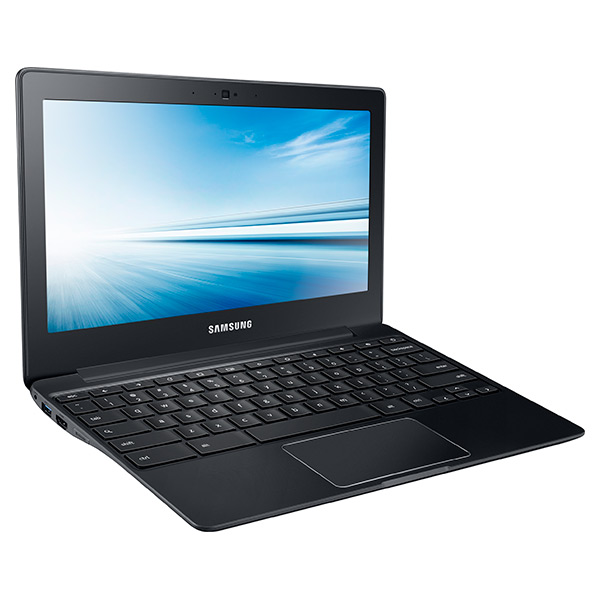
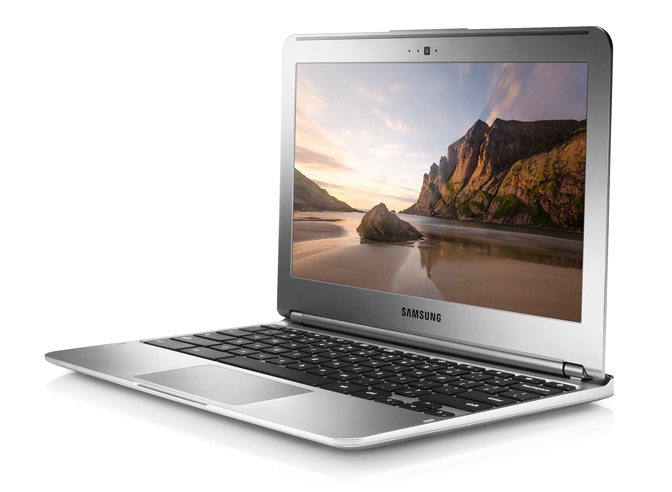
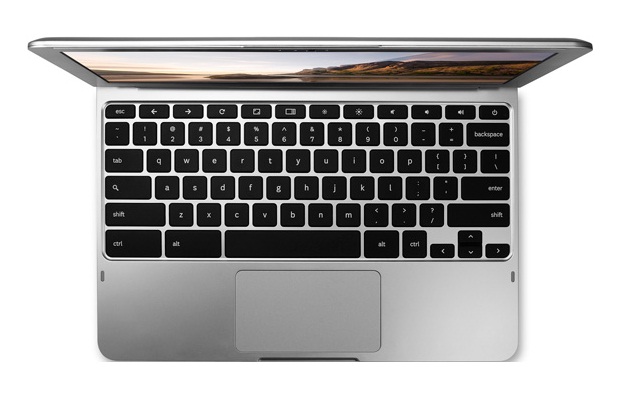
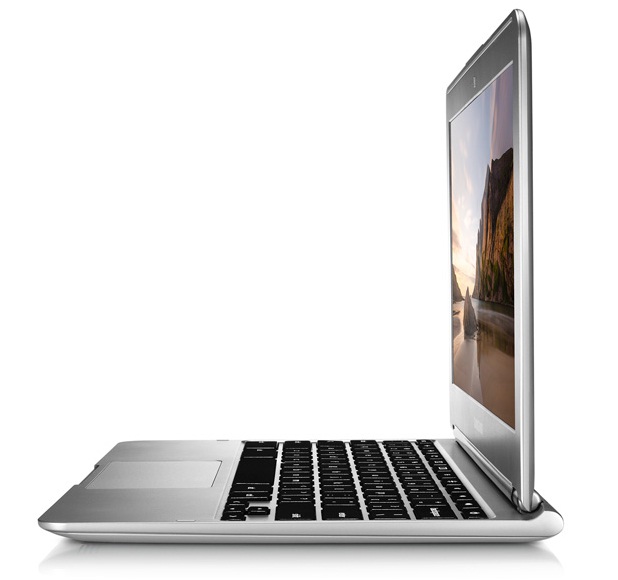
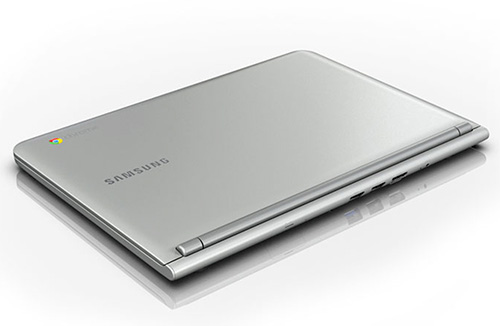
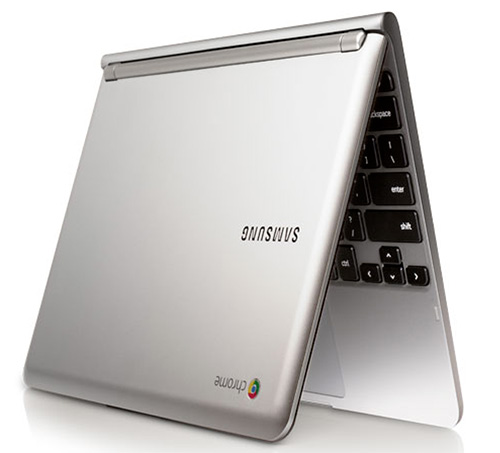
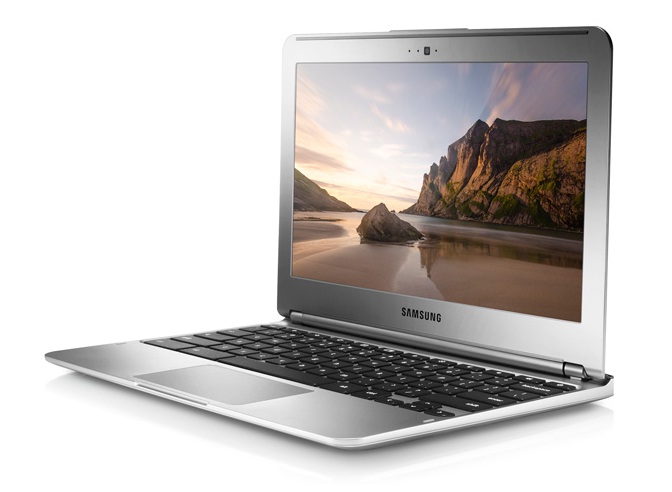
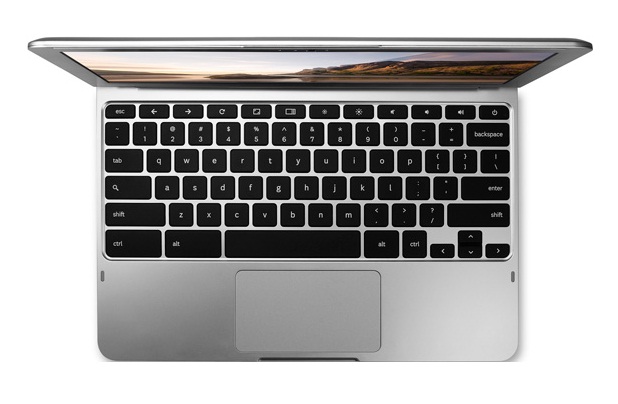
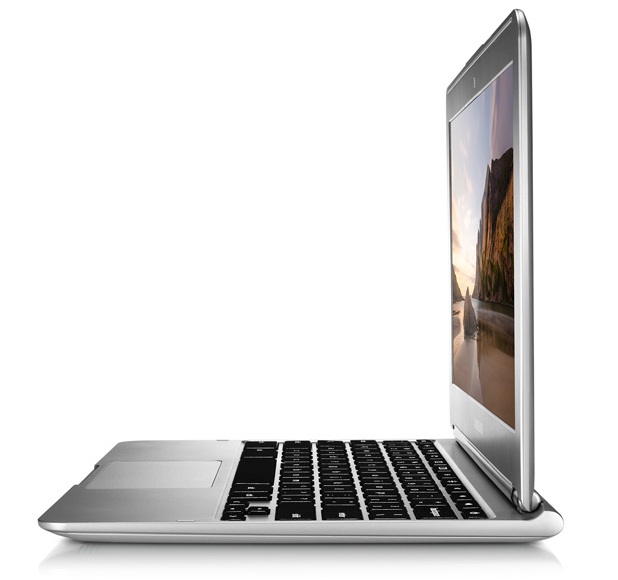
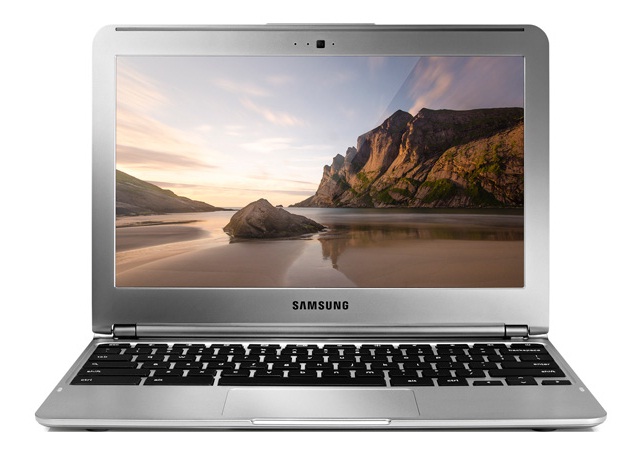
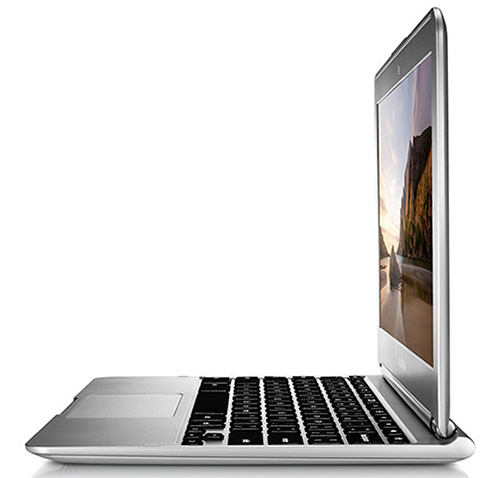
The Samsung Chromebook Series 3 belongs to a series of Chromebooks released by Google in early 2013. The notebook is held together by an sturdy, all plastic silver casing. The small, 0.69 inch (18 mm) thick notebook weighs only 1.1 kg, making it lightweight enough to be comfortably portable.
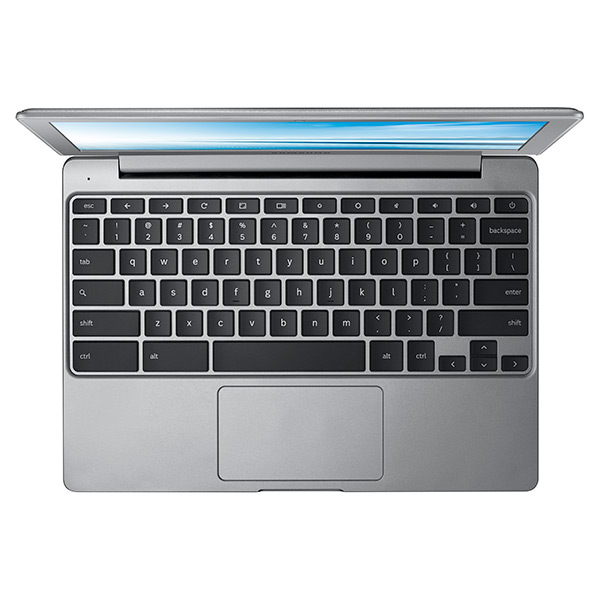
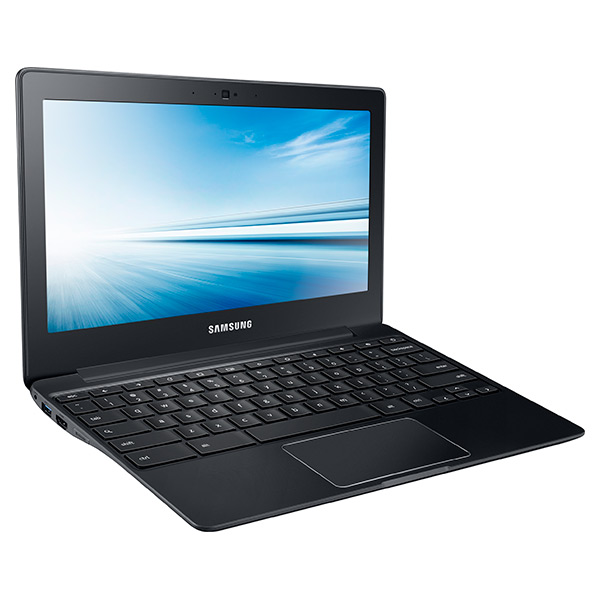
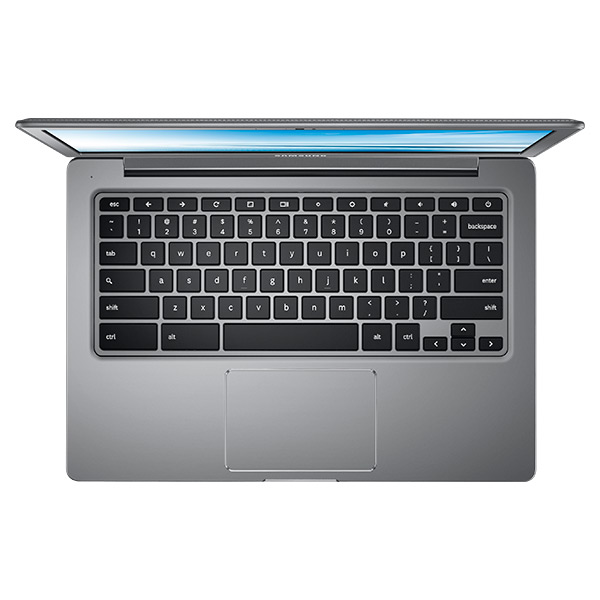
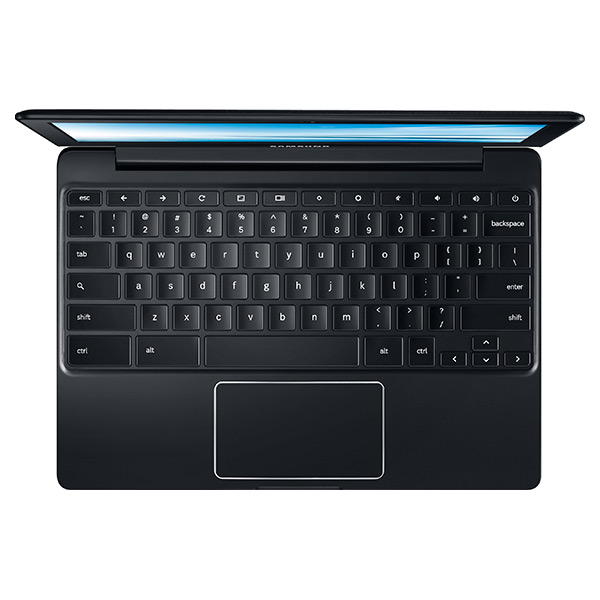
It has an 11.6 inch TN display with a resolution of 1366 x 768. IPS technology, which would allow users to view the screen from all angles, is not used. Color temperature and grayscale are not accurate either. Due to the small size of the screen, users probably won't try watching FHD movies, anyway. Because of its small size, the notebook does not have a standard keyboard. The Chromebook Series 3 has a Chiclet keyboard that may take some getting used to for people accustomed to desktop keyboards.
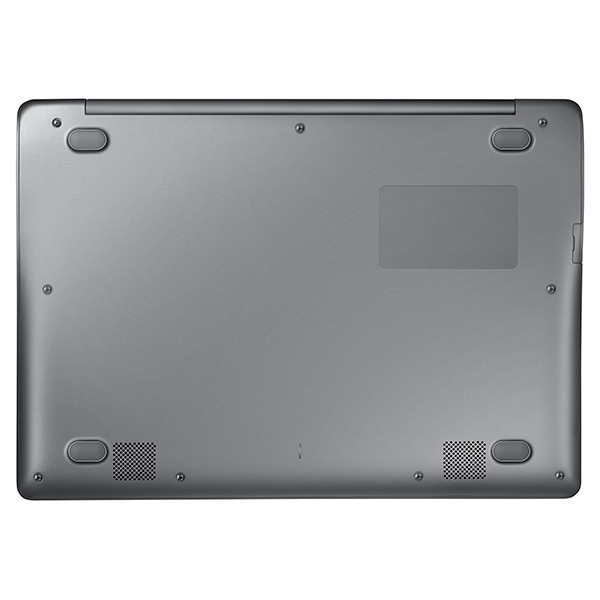
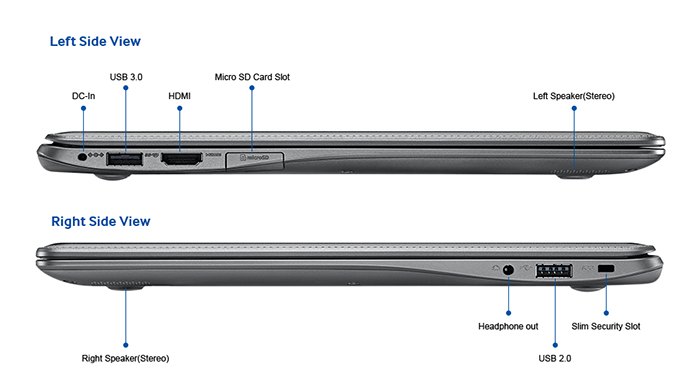
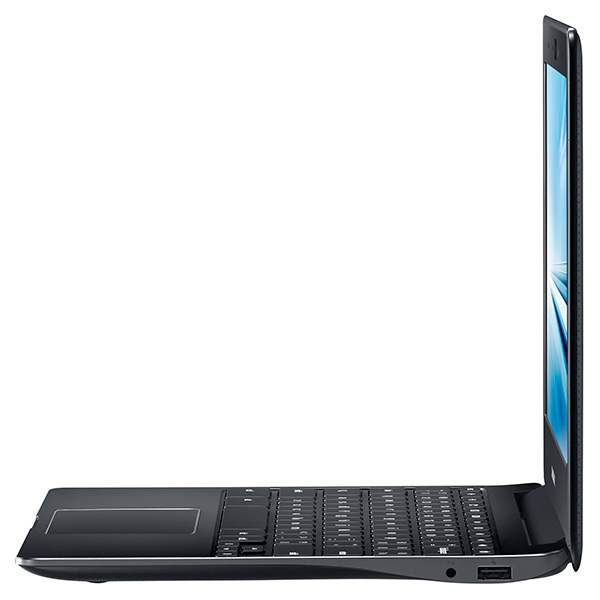
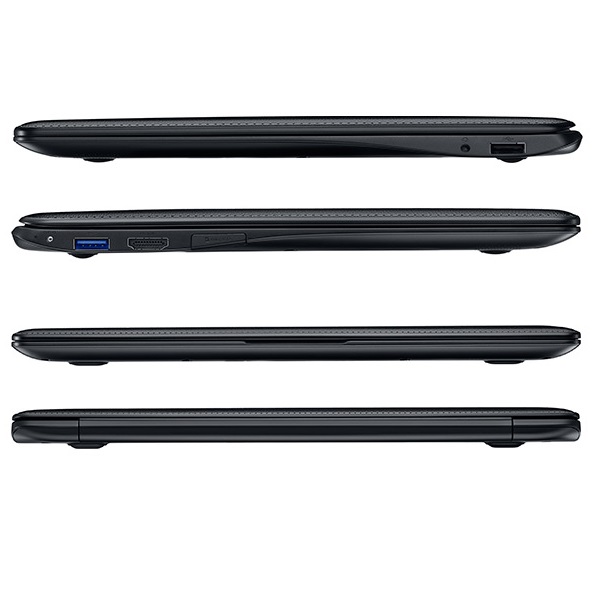
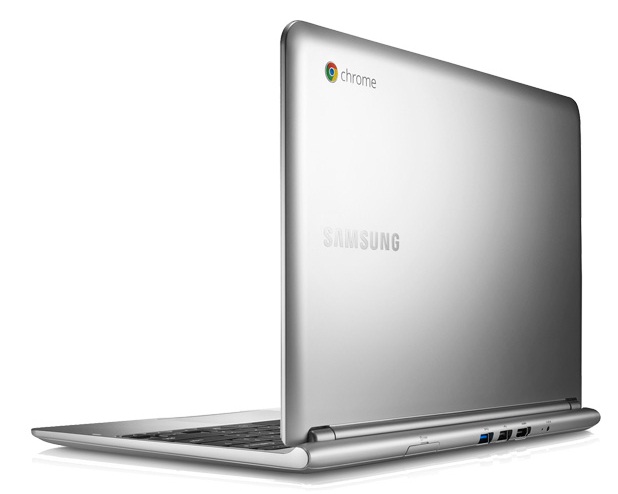
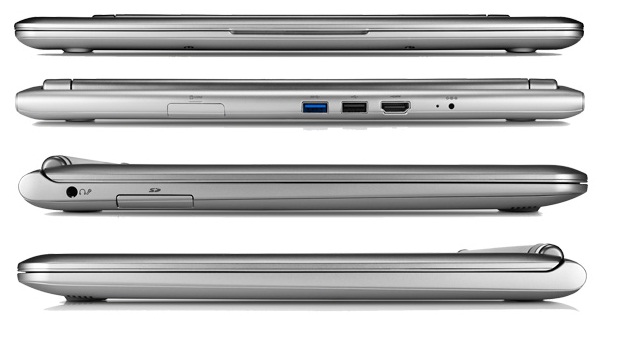
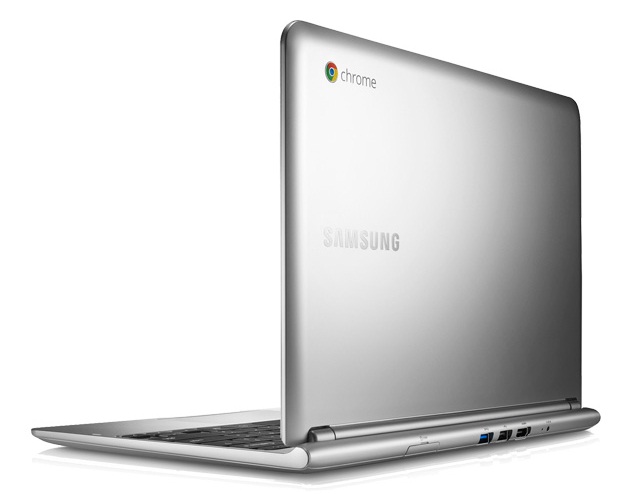
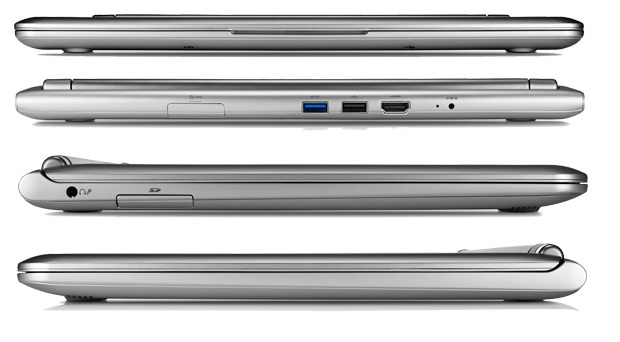
The Chromebook has a Chrome OS operating system that is equipped with Samsung’s Exynos 5 dual-core ARM processor (1.7 GHz) and 2 GB of RAM. It runs smoothly and quickly with lighter applications. The interfaces include HDMI out, a USB 3.0 port and a USB 2.0 port, a headphone and microphone jack and a card reader. There's only 16 GB internal flash memory in the device. However, Chromebook owners can access their Google Drive to get a free 100 GB upgrade. The Chromebook has a great battery life of up to 10 hours of video streaming.
Specifications
 Notebook: Samsung Chromebook XE303C12-A01US
Processor: Samsung Exynos 5250 Dual
Graphics Adapter: ARM Mali-T604 MP4
Display: 11.60 inch, 16:9, 1366 x 768 pixels
Weight: 1.1kg
Price: 250 euro
Links: Samsung notebook section Chromebook XE303C12-A01US (Model)
Pricecompare
Average Score:
Reviews
Chrome is in. Despite its limited scope and continuing overlap with tablets and smartphones, the Chromebook is looking to stay and stand its ground. We take a closer look at the 11.6-inch Samsung Series 3 Chromebook equipped with the same processor as the Nexus 10. Can you go wrong with a $250 laptop?
Source: Hardware Secrets
 Archive.org version
The Samsung Chromebook is aimed at a very specific kind of user: the one who is looking for a low-cost, simple and easy-to-use, light and thin laptop, exclusively for internet access. It can also be used for simple tasks as text editing, but always using online services. In other words, it can run anything that runs in a web browser.
Single Review, online available, Long, Date: 09/02/2014
Source: Hardware Secrets
Archive.org versionThe Samsung Chromebook is aimed at a very specific kind of user: the one who is looking for a low-cost, simple and easy-to-use, light and thin laptop, exclusively for internet access. It can also be used for simple tasks as text editing, but always using online services. In other words, it can run anything that runs in a web browser.
Single Review, online available, Long, Date: 09/02/2014
Source: Comp Reviews
Archive.org versionJust as with its pricing, the Samsung Series 3 Chromebook falls in between the competitors. It may not have the longest running time or best performance but it gets the job done and provides a good set of peripheral ports that are missing from its most direct competitor. The keyboard is certainly comfortable as long as you can live with the small size of the system.
Single Review, online available, Short, Date: 02/12/2014
Rating: Total score: 60%
Source: Comp Reviews
Archive.org versionJust as with its pricing, the Samsung Series 3 Chromebook falls in between the competitors. It may not have the longest running time or best performance but it gets the job done and provides a good set of peripheral ports that are missing from its most direct competitor. The keyboard is certainly comfortable as long as you can live with the small size of the system.
Single Review, online available, Short, Date: 02/12/2014
Rating: Total score: 60%
Source: Notebooks.com
Archive.org versionWho will enjoy a Samsung Chromebook? People with simple online needs that want an ultra-portable machine for a bargain cost. Of the Chromebooks now available, the Samsung Chromebook hits the sweet spot. The Acer Chromebook looks too barebones and the Chromebook Pixel looks like overkill for a web only machine. A few others make them, but none look and feel as good as the Samsung Chromebook.
Single Review, online available, Short, Date: 08/30/2013
Source: Notebooks.com
Archive.org versionWho will enjoy a Samsung Chromebook? People with simple online needs that want an ultra-portable machine for a bargain cost. Of the Chromebooks now available, the Samsung Chromebook hits the sweet spot. The Acer Chromebook looks too barebones and the Chromebook Pixel looks like overkill for a web only machine. A few others make them, but none look and feel as good as the Samsung Chromebook.
Single Review, online available, Short, Date: 08/30/2013
Source: Gadgetspeak
Archive.org versionWhile I saw a prototype unit a couple of years ago at Google, earlier versions of Chromebooks have passed me by. Rather different to a PC notebook and also different from a Google Tablet a Chromebook is a category of its own. Unless you require Windows programs then this certainly worth considering as it is fast in running and booting.
Single Review, online available, Short, Date: 06/12/2013
Rating: Total score: 80% price: 80% performance: 80%
Source: Gadgetspeak
Archive.org versionWhile I saw a prototype unit a couple of years ago at Google, earlier versions of Chromebooks have passed me by. Rather different to a PC notebook and also different from a Google Tablet a Chromebook is a category of its own. Unless you require Windows programs then this certainly worth considering as it is fast in running and booting.
Single Review, online available, Short, Date: 06/12/2013
Rating: Total score: 80% price: 80% performance: 80%
Source: Techradar
Archive.org versionTraditionally, we'd have said that a Chromebook isn't good enough to be your primary computer, and in too crowded a market with smartphones and even tablets, to consider as a second computer. And actually, it could be a useful second machine, especially if your primary computer is a desktop tower or all-in-one, or even just a bulky, heavy laptop. It's a good chuck-it-in-a-bag-and-head-to-Starbucks-to-get-some-work-done machine. It is, ultimately, good at doing the thing it's designed to do. All you have to do is decide if that thing is right for you.
Single Review, online available, Long, Date: 05/14/2013
Rating: Total score: 80%
Source: Techradar
Archive.org versionTraditionally, we'd have said that a Chromebook isn't good enough to be your primary computer, and in too crowded a market with smartphones and even tablets, to consider as a second computer. And actually, it could be a useful second machine, especially if your primary computer is a desktop tower or all-in-one, or even just a bulky, heavy laptop. It's a good chuck-it-in-a-bag-and-head-to-Starbucks-to-get-some-work-done machine. It is, ultimately, good at doing the thing it's designed to do. All you have to do is decide if that thing is right for you.
Single Review, online available, Long, Date: 05/14/2013
Rating: Total score: 80%
Source: Ubergizmo English
Archive.org versionCircling back to the initial question, I found it to be “good enough”, especially for $250. That is coming from someone who owns a MacBook Air and mostly run, you guessed it, the Chrome browser on it. Are you considering a Chromebook? What is holding you back? Share your thoughts with us and our readers!
Single Review, online available, Medium, Date: 03/25/2013
Source: Ubergizmo English
Archive.org versionCircling back to the initial question, I found it to be “good enough”, especially for $250. That is coming from someone who owns a MacBook Air and mostly run, you guessed it, the Chrome browser on it. Are you considering a Chromebook? What is holding you back? Share your thoughts with us and our readers!
Single Review, online available, Medium, Date: 03/25/2013
Source: Good Gear Guide
Archive.org versionSamsung's Chromebook is a great size for an everyday laptop. However, it makes use of Google's Chrome OS, so it's not like a regular Windows or Mac laptop, and it needs an Internet connection to function properly. It's worth considering if you already make extensive use of Google's services in your everyday work.
Single Review, online available, Long, Date: 03/20/2013
Rating: Total score: 70%
Source: Good Gear Guide
Archive.org versionSamsung's Chromebook is a great size for an everyday laptop. However, it makes use of Google's Chrome OS, so it's not like a regular Windows or Mac laptop, and it needs an Internet connection to function properly. It's worth considering if you already make extensive use of Google's services in your everyday work.
Single Review, online available, Long, Date: 03/20/2013
Rating: Total score: 70%
Source: PC World
Archive.org versionThis Chromebook is really designed for people who do little more than surf the web and create documents and spreadsheets, and who want something light, portable, and with a physical keyboard. It only has 16GB of internal storage, but never fear: Chromebook users get 100GB of free Cloud Drive storage for two years. While the Chromebook isn’t for everyone, it’s certainly a cheap and productive alternative to a similarly-equipped tablet. You don’t get a touchscreen, but you do get extra Cloud Drive storage, better performance, and a keyboard.
Single Review, online available, Short, Date: 03/19/2013
Rating: Total score: 70%
Source: PC World
Archive.org versionThis Chromebook is really designed for people who do little more than surf the web and create documents and spreadsheets, and who want something light, portable, and with a physical keyboard. It only has 16GB of internal storage, but never fear: Chromebook users get 100GB of free Cloud Drive storage for two years. While the Chromebook isn’t for everyone, it’s certainly a cheap and productive alternative to a similarly-equipped tablet. You don’t get a touchscreen, but you do get extra Cloud Drive storage, better performance, and a keyboard.
Single Review, online available, Short, Date: 03/19/2013
Rating: Total score: 70%
Source: Reg Hardware
Archive.org versionHas Google cracked the Chromebook second time around? Just about. Clearly you need to be in the market specifically for a cheap and smallish machine for day-to-day web surfing and some light media consumption, but assuming you are then both of these machines do a good job and the price is certainly right. In a nutshell, then, the Samsung is the purer Chromebook, but the Acer is the better cheap laptop.
Comparison, online available, Medium, Date: 02/19/2013
Source: Reg Hardware
Archive.org versionHas Google cracked the Chromebook second time around? Just about. Clearly you need to be in the market specifically for a cheap and smallish machine for day-to-day web surfing and some light media consumption, but assuming you are then both of these machines do a good job and the price is certainly right. In a nutshell, then, the Samsung is the purer Chromebook, but the Acer is the better cheap laptop.
Comparison, online available, Medium, Date: 02/19/2013
Source: Trusted Reviews
Archive.org versionIf you’re happy with a laptop that needs to be online to get the most from it, the Samsung Series 3 Chromebook 303C is worth considering. It’s slim, stylish, light, quiet, lasts a good while on a charge, offers a great typing experience and it's available for a ridiculously good price. For students and casual users especially, this non-Windows machine presents an excellent buy - despite niggles like rear-facing connectivity and a somewhat dull screen taking a little of the shine off.
Comparison, online available, Long, Date: 02/06/2013
Rating: Total score: 80% price: 100% performance: 80% features: 80% display: 60% mobility: 80% workmanship: 80%
Source: It Pro
Archive.org versionCheap and cheerful - the Chromebook is a bargain for those who just need a device for basic word processing tasks and to browse the web. We can see why it’s taken off in the education market. Despite it appearing to be more secure than the Android platform, we find hard to recommend the Chromebook at this time for business use as the functionality remains limited.
Single Review, online available, Short, Date: 02/06/2013
Rating: Total score: 50%
Source: Trusted Reviews
Archive.org versionIf you’re happy with a laptop that needs to be online to get the most from it, the Samsung Series 3 Chromebook 303C is worth considering. It’s slim, stylish, light, quiet, lasts a good while on a charge, offers a great typing experience and it's available for a ridiculously good price. For students and casual users especially, this non-Windows machine presents an excellent buy - despite niggles like rear-facing connectivity and a somewhat dull screen taking a little of the shine off.
Comparison, online available, Long, Date: 02/06/2013
Rating: Total score: 80% price: 100% performance: 80% features: 80% display: 60% mobility: 80% workmanship: 80%
Source: It Pro
Archive.org versionCheap and cheerful - the Chromebook is a bargain for those who just need a device for basic word processing tasks and to browse the web. We can see why it’s taken off in the education market. Despite it appearing to be more secure than the Android platform, we find hard to recommend the Chromebook at this time for business use as the functionality remains limited.
Single Review, online available, Short, Date: 02/06/2013
Rating: Total score: 50%
Source: Wired Magazine
Archive.org versionWIRED Pricing hits the sweet spot: $250 for the Wi-Fi-only model. Keyboard and trackpad are responsive and comfortable. Great for watching streaming video, video chatting, and working in the cloud. Good battery life. Supports multiple user logins and office Docs editing. Chrome Remote Desktop app allows you to get into your other computers (Macs or PCs) easily. Updates arrive over the air automatically. TIRED MacBook Air styling is more of a head-scratcher than a head-turner. Display is low-res and materials are far from top-notch. No keyboard backlight. No Bluetooth device support other than mice and keyboards.
Single Review, online available, Short, Date: 01/30/2013
Rating: Total score: 70%
Source: Wired Magazine
Archive.org versionWIRED Pricing hits the sweet spot: $250 for the Wi-Fi-only model. Keyboard and trackpad are responsive and comfortable. Great for watching streaming video, video chatting, and working in the cloud. Good battery life. Supports multiple user logins and office Docs editing. Chrome Remote Desktop app allows you to get into your other computers (Macs or PCs) easily. Updates arrive over the air automatically. TIRED MacBook Air styling is more of a head-scratcher than a head-turner. Display is low-res and materials are far from top-notch. No keyboard backlight. No Bluetooth device support other than mice and keyboards.
Single Review, online available, Short, Date: 01/30/2013
Rating: Total score: 70%
Source: Pocket Lint
Archive.org versionThe Samsung Series 3 does elevate the Chromebook concept a step further, and it's the best one we've seen, hence a slight improvement compared to the Series 5 550's score, but we're still not totally sold. It's a mix of good and bad, which makes for an untimately average experience.
Single Review, online available, Short, Date: 12/12/2012
Rating: Total score: 70%
Source: Pocket Lint
Archive.org versionThe Samsung Series 3 does elevate the Chromebook concept a step further, and it's the best one we've seen, hence a slight improvement compared to the Series 5 550's score, but we're still not totally sold. It's a mix of good and bad, which makes for an untimately average experience.
Single Review, online available, Short, Date: 12/12/2012
Rating: Total score: 70%
Source: PC Pro
Archive.org versionChromebooks were always going to struggle to challenge proper Windows laptops or netbooks for straightforward appeal or flexibility, and Samsung and Google’s first effort entirely failed to recognise that fact. Overpriced and limited in scope, the original model was one for early adopters only.
Single Review, online available, Short, Date: 12/07/2012
Rating: Total score: 83% price: 100% performance: 50% features: 83% workmanship: 83%
Source: PC Pro
Archive.org versionChromebooks were always going to struggle to challenge proper Windows laptops or netbooks for straightforward appeal or flexibility, and Samsung and Google’s first effort entirely failed to recognise that fact. Overpriced and limited in scope, the original model was one for early adopters only.
Single Review, online available, Short, Date: 12/07/2012
Rating: Total score: 83% price: 100% performance: 50% features: 83% workmanship: 83%
Source: Digital Trends
Archive.org versionHardware-wise, the Series 3 is a solid laptop. However, as with all Chromebooks, the sticking point is the software. With this model, you have the advantage of the low $250 price tag. That amount isn’t much for a machine that can do basic tasks fairly well, especially if you know you’re going to use it in areas where connectivity isn’t in question.
Single Review, online available, Long, Date: 11/21/2012
Rating: Total score: 85%
Source: Digital Trends
Archive.org versionHardware-wise, the Series 3 is a solid laptop. However, as with all Chromebooks, the sticking point is the software. With this model, you have the advantage of the low $250 price tag. That amount isn’t much for a machine that can do basic tasks fairly well, especially if you know you’re going to use it in areas where connectivity isn’t in question.
Single Review, online available, Long, Date: 11/21/2012
Rating: Total score: 85%
Source: T3
Archive.org versionSamsung and Google are trying to sell the Chromebook as an ‘additional’ computer and at £229, the price is definitely right for a great looking laptop that covers most of the a computing bases but still has some way to go before it can be considered an operating system on par with what Apple and Microsoft currently serve up.
Single Review, online available, Very Short, Date: 11/20/2012
Rating: Total score: 80%
Source: T3
Archive.org versionSamsung and Google are trying to sell the Chromebook as an ‘additional’ computer and at £229, the price is definitely right for a great looking laptop that covers most of the a computing bases but still has some way to go before it can be considered an operating system on par with what Apple and Microsoft currently serve up.
Single Review, online available, Very Short, Date: 11/20/2012
Rating: Total score: 80%
Source: PC Mag
Archive.org versionThe Samsung Chromebook Series 3 may not rival the latest ultrabooks in processing power, or offer the touch interfaces of tablets and smartphones, but it offers a reasonably priced laptop for those who can get by with web access and cloud-based storage and tools. For budget buyers that don't need much more than a way to get online, the Chromebook is even more affordable than the Editors' Choice Acer Aspire 5349-2635, and is a more palatable option than the more expensive Samsung Series 5 Chromebook 550 (XE550C22-H01). It's also several hundred dollars cheaper than the Microsoft Surface RT tablet, which may have a slick design, but suffers from many of the same limitations. Whether you're a writer pounding out verbiage at Starbucks or a college student researching a term paper, the Samsung Chromebook Series 3 may be all you need, at a price that's hard to ignore.
Single Review, online available, Short, Date: 11/12/2012
Rating: Total score: 80%
Source: PC Mag
Archive.org versionThe Samsung Chromebook Series 3 may not rival the latest ultrabooks in processing power, or offer the touch interfaces of tablets and smartphones, but it offers a reasonably priced laptop for those who can get by with web access and cloud-based storage and tools. For budget buyers that don't need much more than a way to get online, the Chromebook is even more affordable than the Editors' Choice Acer Aspire 5349-2635, and is a more palatable option than the more expensive Samsung Series 5 Chromebook 550 (XE550C22-H01). It's also several hundred dollars cheaper than the Microsoft Surface RT tablet, which may have a slick design, but suffers from many of the same limitations. Whether you're a writer pounding out verbiage at Starbucks or a college student researching a term paper, the Samsung Chromebook Series 3 may be all you need, at a price that's hard to ignore.
Single Review, online available, Short, Date: 11/12/2012
Rating: Total score: 80%
Source: Techradar
Archive.org versionAnd actually, it could be a useful second machine, especially if your primary computer is a desktop tower or all-in-one, or even just a bulky, heavy laptop. It's a good chuck-it-in-a-bag-and-head-to-Starbucks-to-get-some-work-done machine.
Single Review, online available, Long, Date: 11/09/2012
Rating: Total score: 80%
Source: Techradar
Archive.org versionAnd actually, it could be a useful second machine, especially if your primary computer is a desktop tower or all-in-one, or even just a bulky, heavy laptop. It's a good chuck-it-in-a-bag-and-head-to-Starbucks-to-get-some-work-done machine.
Single Review, online available, Long, Date: 11/09/2012
Rating: Total score: 80%
Source: Engadget
Archive.org versionNo matter how cheap Chromebooks get, they will always be a polarizing class of product: there are some people who couldn't be paid to use a laptop where everything is done in the browser. That said, $249 seems like an appropriate price for this sort of device -- more so than $450, certainly, which is what the last-gen model sold for.
Single Review, online available, Long, Date: 11/07/2012
Source: Engadget
Archive.org versionNo matter how cheap Chromebooks get, they will always be a polarizing class of product: there are some people who couldn't be paid to use a laptop where everything is done in the browser. That said, $249 seems like an appropriate price for this sort of device -- more so than $450, certainly, which is what the last-gen model sold for.
Single Review, online available, Long, Date: 11/07/2012
Source: Computer Shopper
Archive.org versionGiven its $249 price, excellent keyboard, attractive design, and light weight, it’s hard not to recommend the new ARM Chromebook—for users going into the purchase with their eyes open. The latter is a key point: It’s not for everyone, due to the still undercooked Chrome OS, which brings some frustrations and limitations.
Single Review, online available, Long, Date: 11/01/2012
Rating: Total score: 70%
Source: Laptop Mag
Archive.org versionWhile previous Chromebooks were too pricey and limited in functionality, the Samsung Chromebook Series 3 comes closest to capturing Google's original vision. With a cost of $249, this notebook gets people online on the cheap and provides a comfortable keyboard and touchpad. The 1.7-GHz Exynos 5 dual processor and 2GB of RAM can't run some of the games in the Chrome Store, but these components should satisfy many user's needs.
Single Review, online available, Long, Date: 11/01/2012
Rating: Total score: 70%
Source: Liliputing
Archive.org versionSamsung’s Chromebook XE303 is one of the cheapest laptops you can buy. But it’s an incredibly capable little machine for a $249 laptop. It’s thin, it’s light, and it feels very fast — even if it doesn’t actually have as much raw processing power as many laptops on the market. If you need to run desktop apps such as iTunes, QuickBooks, or Photoshop, the Chromebook might be a compliment to your primary computer, not a replacement for it.
Single Review, online available, Long, Date: 11/01/2012
Source: Stuff TV
Archive.org versionWhile the Chromebook concept is better on paper than it is in practice, we still admire the fact that Samsung and Google have made a usable, well-built laptop for less than £230. The astonishing battery life makes it ideal for workers on the go, and its relatively cheap price and walled-garden OS is attractive to parents. But stick to Windows or Mac computers if you want anything more.
Single Review, online available, Short, Date: 11/01/2012
Rating: Total score: 80%
Source: Computer Shopper
Archive.org versionGiven its $249 price, excellent keyboard, attractive design, and light weight, it’s hard not to recommend the new ARM Chromebook—for users going into the purchase with their eyes open. The latter is a key point: It’s not for everyone, due to the still undercooked Chrome OS, which brings some frustrations and limitations.
Single Review, online available, Long, Date: 11/01/2012
Rating: Total score: 70%
Source: Laptop Mag
Archive.org versionWhile previous Chromebooks were too pricey and limited in functionality, the Samsung Chromebook Series 3 comes closest to capturing Google's original vision. With a cost of $249, this notebook gets people online on the cheap and provides a comfortable keyboard and touchpad. The 1.7-GHz Exynos 5 dual processor and 2GB of RAM can't run some of the games in the Chrome Store, but these components should satisfy many user's needs.
Single Review, online available, Long, Date: 11/01/2012
Rating: Total score: 70%
Source: Liliputing
Archive.org versionSamsung’s Chromebook XE303 is one of the cheapest laptops you can buy. But it’s an incredibly capable little machine for a $249 laptop. It’s thin, it’s light, and it feels very fast — even if it doesn’t actually have as much raw processing power as many laptops on the market. If you need to run desktop apps such as iTunes, QuickBooks, or Photoshop, the Chromebook might be a compliment to your primary computer, not a replacement for it.
Single Review, online available, Long, Date: 11/01/2012
Source: Stuff TV
Archive.org versionWhile the Chromebook concept is better on paper than it is in practice, we still admire the fact that Samsung and Google have made a usable, well-built laptop for less than £230. The astonishing battery life makes it ideal for workers on the go, and its relatively cheap price and walled-garden OS is attractive to parents. But stick to Windows or Mac computers if you want anything more.
Single Review, online available, Short, Date: 11/01/2012
Rating: Total score: 80%
Source: AnandTech
Archive.org versionThe move to ARM doesn't fundamentally change the performance or usability of the Chromebook. It's still a slow (relative to more expensive notebooks), limited use notebook. That's not necessarily a bad thing, but you need to be aware of what you're getting into with this thing. The display is functional but not very good. Build quality is decent but the new Chromebook is still a plastic notebook.
Single Review, online available, Long, Date: 10/31/2012
Source: AnandTech
Archive.org versionThe move to ARM doesn't fundamentally change the performance or usability of the Chromebook. It's still a slow (relative to more expensive notebooks), limited use notebook. That's not necessarily a bad thing, but you need to be aware of what you're getting into with this thing. The display is functional but not very good. Build quality is decent but the new Chromebook is still a plastic notebook.
Single Review, online available, Long, Date: 10/31/2012
Foreign Reviews
Source: Netzwelt
 DE→EN Archive.org version
Positive: low price; non-glare panel; good keyboard
Single Review, online available, Medium, Date: 03/19/2013
Source: Netzwelt
DE→EN Archive.org versionPositive: low price; non-glare panel; good keyboard
Single Review, online available, Medium, Date: 03/19/2013
Source: Computer Totaal
 NL→EN Archive.org version
Comparison, online available, Very Short, Date: 09/22/2013
Rating: Total score: 80%
Source: Computer Totaal
NL→EN Archive.org versionComparison, online available, Very Short, Date: 09/22/2013
Rating: Total score: 80%
Samsung Chromebook XE550C22-H01UK
Specifications
 Notebook: Samsung Chromebook XE550C22-H01UK
Processor: Intel Celeron 867
Graphics Adapter: Intel Graphics Media Accelerator (GMA) HD Graphics
Display: 12.10 inch, 16:10, 1280 x 800 pixels
Weight: 1.5kg
Price: 550 euro
Links: Samsung notebook section
Pricecompare
Foreign Reviews
Source: Zone-Numerique
 FR→EN Archive.org version
Postive: Compact size; lightweight; inexpensive.
Single Review, online available, Short, Date: 10/19/2012
Samsung Chromebook XE303C12-H01DE
Specifications
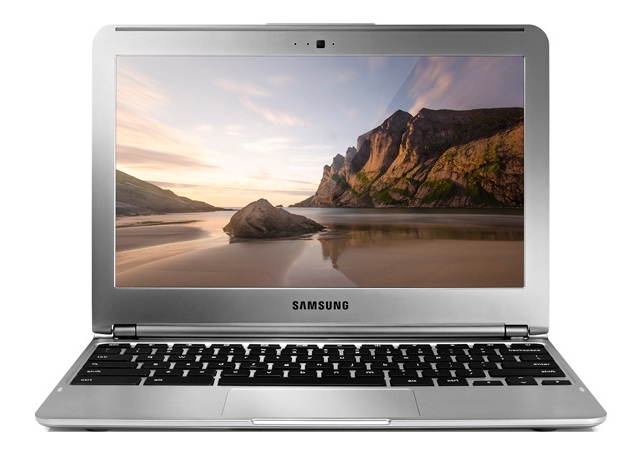 Notebook: Samsung Chromebook XE303C12-H01DE
Processor: Samsung Exynos 5250 Dual
Graphics Adapter: ARM Mali-T604 MP4
Display: 11.60 inch, 16:9, 1366 x 768 pixels
Weight: 1.1kg
Price: 400 euro
Links: Samsung notebook section
Pricecompare
Average Score:
Reviews
Source: TechHive.com
Archive.org versionZusammenfassend kann man sagen, dass das Chrome OS an einigen Stellen noch nicht ganz ausgereift scheint du dass die Ruckler sicherlich nicht von der Hardware kommen sondern von der Software. Der Prozessor kann nämlich eigentlich FullHD Videos ohne Probleme abspielen und auch der Arbeitsspeicher dürfte ausreichen.
Single Review, online available, Medium, Date: 03/19/2013
Foreign Reviews
Source: Computerbild - Heft 7/2014
Single Review, , Length Unknown, Date: 03/16/2014
Rating: Total score: 79%
Source: SFT - Heft 2/2014
Single Review, , Length Unknown, Date: 01/01/2014
Rating: Total score: 85%
Source: Onlinekosten.de
DE→EN Archive.org versionSingle Review, online available, Long, Date: 07/16/2013
Rating: Total score: 72% performance: 40% features: 67% display: 80% mobility: 70% workmanship: 90% ergonomy: 70%
Source: Notebookinfo
DE→EN Archive.org versionSingle Review, online available, Medium, Date: 03/19/2013
Rating: Total score: 98% performance: 75% display: 80% mobility: 90% ergonomy: 90% emissions: 100%
Source: ITespresso
DE→EN Archive.org versionPositive: consolidated body; high processing power
Single Review, online available, Short, Date: 03/19/2013
Source: Chip.de
DE→EN Archive.org versionPositive: good workmanship and battery runtime Negative: subprime display; low performance
Single Review, online available, Medium, Date: 03/19/2013
Source: PC Welt
DE→EN Archive.org versionPositive: light weight device; low price
Single Review, online available, Long, Date: 03/19/2013
Source: PCM
NL→EN Archive.org versionSingle Review, online available, Very Short, Date: 03/22/2013
Rating: Total score: 80%
Source: Hi-Tech Mail
 RU→EN Archive.org version
Positive: Cloud storage; good autonomy; good price.
Single Review, online available, Long, Date: 12/06/2013
Samsung Chromebook XE503C12-K01US
Specifications
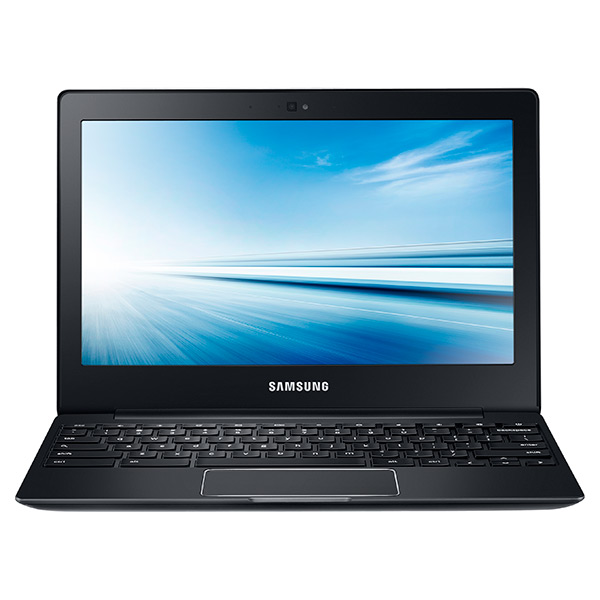 Notebook: Samsung Chromebook XE503C12-K01US
Processor: Samsung Exynos 5420 Octa
Graphics Adapter: unknown
Display: 11.60 inch, 16:9, 1366 x 768 pixels
Weight: 1.2kg
Price: 300 euro
Links: Samsung notebook section Chromebook XE503C12-K01US (Model)
Pricecompare
Average Score:
Reviews
Source: Engadget
Archive.org versionSamsung's entry-level Chromebook isn't perfect, what with its washed-out display, limited RAM and lack of a full-sized SD slot. Despite those shortcomings, though, it's still a solid choice, thanks to its premium design, comfortable keyboard and long battery life. So, while shoppers have plenty of good options at this price, you can't go wrong with what Samsung has to offer.
Single Review, online available, Long, Date: 12/15/2014
Rating: Total score: 78%
Source: Engadget
Archive.org versionChromebooks still aren't for everyone: There will always be people who need stronger performance. Who need full offline access. Who need to install Skype. If that's you, no Chromebook will do, even if it is wrapped in fake leather. For a certain kind of customer, though -- schools, students on a budget, a traveler in need of a lighter laptop -- Chrome OS could be compelling.
Single Review, online available, Long, Date: 05/30/2014
Samsung Chromebook XE503C12-K01UK
Specifications
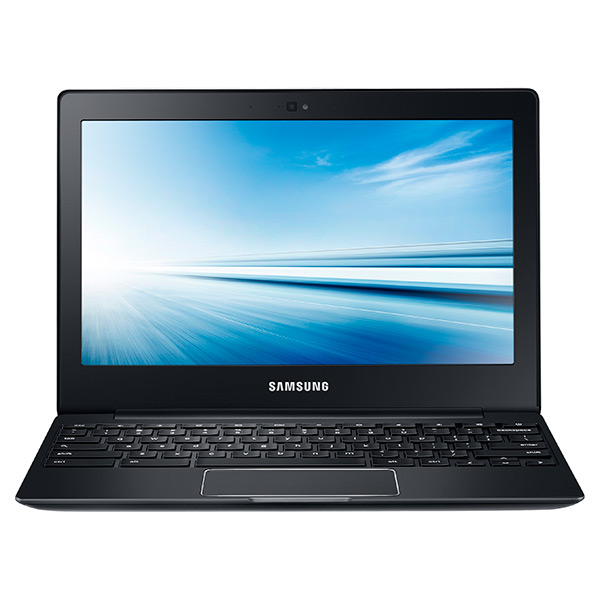 Notebook: Samsung Chromebook XE503C12-K01UK
Processor: Samsung Exynos 5420 Octa
Graphics Adapter: unknown
Display: 11.60 inch, 16:9, 1366 x 768 pixels
Weight: 1.2kg
Price: 300 euro
Links: Samsung notebook section Chromebook XE503C12-K01UK (Model)
Pricecompare
Average Score:
Reviews
Source: PC Pro
Archive.org versionStill, you may well be willing to put up with the occasional pause or stutter, given how good the battery life is. When looping a cached 720p YouTube video with Wi-Fi turned off and the screen set to 120cd/m2, the Chromebook 2 lasted a significant 7hrs 39mins, almost two hours longer than the lifespan of the Dell Chromebook 11. That's enough to bump up the Samsung's Performance rating a notch.
Single Review, online available, Very Short, Date: 06/17/2014
Rating: Total score: 67% price: 50% performance: 67% features: 67% workmanship: 67%
Samsung Chromebook XE503C32-K01US
Specifications
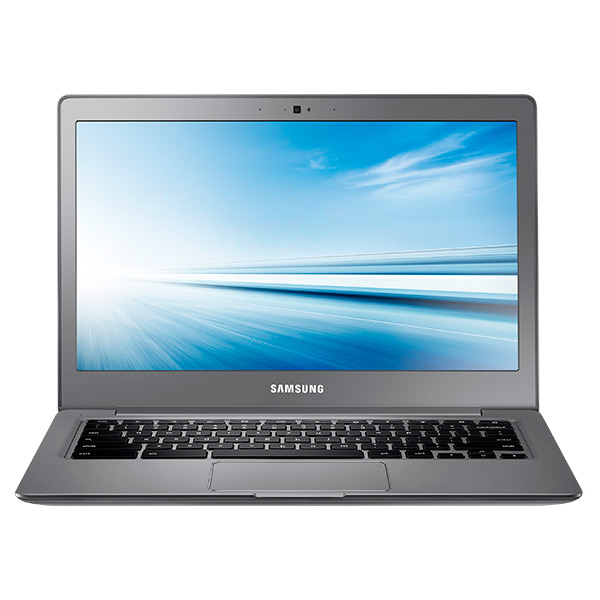 Notebook: Samsung Chromebook XE503C32-K01US
Processor: unknown
Graphics Adapter: ARM Mali-T628 MP6
Display: 13.30 inch, 16:9, 1920 x 1080 pixels
Weight: 1.4kg
Price: 400 euro
Links: Samsung notebook section Chromebook XE503C32-K01US (Model)
Pricecompare
Average Score:
Reviews
Source: Notebooks.com
Archive.org versionBuyers will enjoy the Samsung Chromebook 2 if they don’t mind the price. At $399.99 from Samsung and most online or physical stores, it’s one of the most expensive Chromebooks available. If Samsung put in an Intel Haswell processor, we’d not even mention the price on our list of Cons above. The Samsung Exynos 5 Octacore processor doesn’t run as fast as the Intel Haswell processors that most manufacturers were using in the previous generation of Chromebooks.
Single Review, online available, Very Short, Date: 11/22/2014
Source: Comp Reviews
Archive.org versionIf you just hate the low resolution screens in Chromebooks and want something with a bit more style, then the 13-inch Chromebook 2 from Samsung is going to be the one to look at thanks to its 1920x1080 resolution screen and faux-leather trim. The design even features an excellent keyboard and long battery life but you will have to live with some inconsistent performance compared to other Chromebooks and a price that puts it close to a full blown laptop.
Single Review, online available, Short, Date: 09/17/2014
Rating: Total score: 70%
Source: Notebookreview.com
Archive.org versionWith a starting price of $319, the Samsung Chromebook 2 is a logical choice for someone looking for a basic, portable laptop for web browsing, streaming media, checking email, and working in Google Docs. The Chromebook 2, like all Chromebooks we’ve seen to date, is the epitome of “good enough.” If you don’t need to do much on your laptop, then a Chromebook is “good enough.”
Single Review, online available, Medium, Date: 08/20/2014
Rating: Total score: 57%
Source: Laptop Mag
Archive.org versionThe $399 Samsung Chromebook 2 looks slick, boots quickly and has everything you need to make the most of Google's budding Chrome OS. Its full-HD display puts it a step above many Chromebook competitors, and its lightweight design and 9.5-hour battery life make it an ideal companion for the road.
Single Review, online available, Long, Date: 07/02/2014
Rating: Total score: 70%
Source: PC Pro
Archive.org versionAlso, bear in mind that Google’s OS has come on a lot in recent times: it allows documents and spreadsheets to be edited offline, for example, and some apps and games can be installed locally. At the same time, the amount you can get done online has increased. If you haven’t considered a Chromebook before, the Samsung Chromebook 2 13.3in might make you think again.
Single Review, online available, Very Short, Date: 06/19/2014
Rating: Total score: 67% price: 83% performance: 50% features: 83% workmanship: 83%
Samsung Chromebook XE500C12-K01US
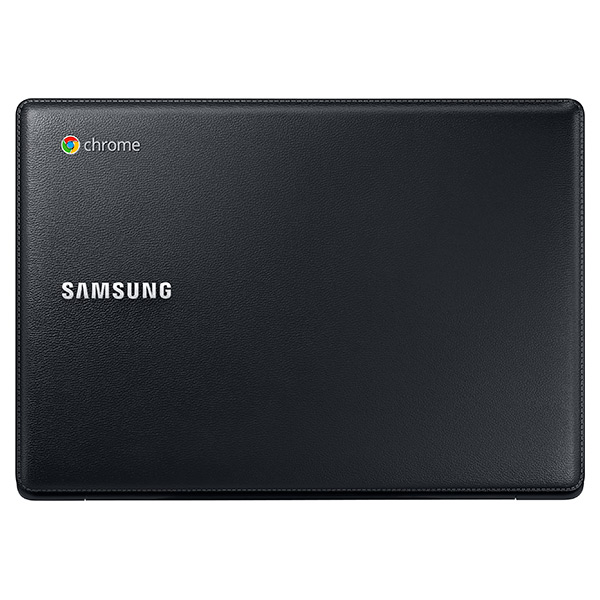
The Chromebook 2 is a new classy laptop from Samsung built for on the go. On the outside, the Samsung Chromebook 2 (XE500C12-K01US) comes in sleek metallic silver with a beautiful leather cover. Its emphasis on portability makes it one of the lightest and slimmest laptop in the market, only weighing a mere 1.2 kg and 1.69 cm thick. A metal frame reinforces chassis and lid and makes the device very solid. The 11.6 inch anti-glare display features a resolution of 1366 x 768 resolution and looks crisp and clear indoors and outdoors.
While the price is affordable, the Chromebook 2 definitely does not sacrifice performance. The Chromebook 2 is able to cold boot-up in 10 seconds, making sure that users can be more productive. It boast 9 hours battery life, perfect for those who are on the go without access to a power point. The Chromebook also comes with a bundle of useful apps such as AirDroid and Wunderlist, and 100 GB Google drive cloud storage for 2 years for free to make up for the low internal storage. If you are a value seeking consumer looking for a portable laptop with one of the best battery life in the market, the Samsung Chromebook 2 is definitely the way to go.
Specifications
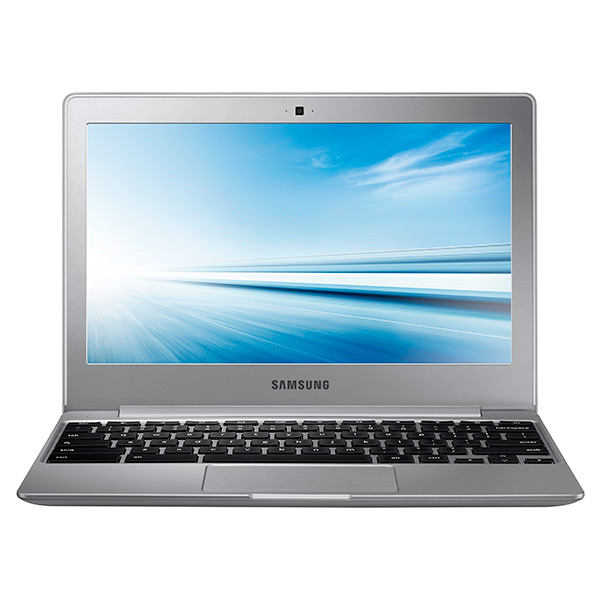 Notebook: Samsung Chromebook XE500C12-K01US
Processor: Intel Celeron N2840
Graphics Adapter: Intel HD Graphics (Bay Trail)
Display: 11.60 inch, 16:9, 1366 x 768 pixels
Weight: 1.2kg
Price: 230 euro
Links: Samsung notebook section Chromebook XE500C12-K01US (Model)
Pricecompare
Average Score:
Reviews
Long, cool, and quiet. Compared to last year's model, the Samsung Chromebook 2 is largely the same in terms of features and appearance. However, the manufacturer has improved upon one key aspect that propels this updated model near the top of the Chromebook list.
Source: Toptenreviews
Archive.org versionAlso, bear in mind that Google’s OS has come on a lot in recent times: it allows documents and spreadsheets to be edited offline, for example, and some apps and games can be installed locally. In short, if you haven’t considered a Chromebook before, the Samsung Chromebook 2 13.3in might just make you think again.
Single Review, online available, Medium, Date: 03/08/2017
Source: Toptenreviews
Archive.org versionAlso, bear in mind that Google’s OS has come on a lot in recent times: it allows documents and spreadsheets to be edited offline, for example, and some apps and games can be installed locally. In short, if you haven’t considered a Chromebook before, the Samsung Chromebook 2 13.3in might just make you think again.
Single Review, online available, Medium, Date: 03/08/2017
Source: Computer Shopper
Archive.org versionIf you can limit the amount of browser tabs you have open while you surf the Web, the Samsung Chromebook 2 XE500 offers excellent value and is one of the better Chromebooks that you can get your hands on overall. Anyone who uses a PC primarily for Web surfing, e-mail, social media, and other Internet-focused tasks should check it out.
Single Review, online available, Long, Date: 12/23/2014
Rating: Total score: 80%
Source: Computer Shopper
Archive.org versionIf you can limit the amount of browser tabs you have open while you surf the Web, the Samsung Chromebook 2 XE500 offers excellent value and is one of the better Chromebooks that you can get your hands on overall. Anyone who uses a PC primarily for Web surfing, e-mail, social media, and other Internet-focused tasks should check it out.
Single Review, online available, Long, Date: 12/23/2014
Rating: Total score: 80%
Source: Wired Magazine
Archive.org versionIf your top priorities in a Chromebook are price, speed, and battery life, this is a model to consider. The 2GB of RAM could be better, but for general around-the-house use—basic web browsing, editing documents, battling the email inbox, and so on—it will suffice. Considering there are Samsung models with the Exynos 5 Octa processor and a full 4GB of RAM inside that are only $50 more, one of those machines would be better for anything more than the basics.
Single Review, online available, Very Short, Date: 12/10/2014
Rating: Total score: 60%
Source: Wired Magazine
Archive.org versionIf your top priorities in a Chromebook are price, speed, and battery life, this is a model to consider. The 2GB of RAM could be better, but for general around-the-house use—basic web browsing, editing documents, battling the email inbox, and so on—it will suffice. Considering there are Samsung models with the Exynos 5 Octa processor and a full 4GB of RAM inside that are only $50 more, one of those machines would be better for anything more than the basics.
Single Review, online available, Very Short, Date: 12/10/2014
Rating: Total score: 60%
Source: Slashgear
Archive.org versionYou’ll get a full day’s use on a single charge, too. Samsung says 9 hours, and that’s about what I got. I went pretty hard for a full day, and the Chromebook 2 gently slipped into “please plug me in”. That’s a big plus, and means you could probably take this for a short vacation (with light use) without a charger. Start getting into video playback, and the battery life dips.
Single Review, online available, Short, Date: 12/01/2014
Source: Slashgear
Archive.org versionYou’ll get a full day’s use on a single charge, too. Samsung says 9 hours, and that’s about what I got. I went pretty hard for a full day, and the Chromebook 2 gently slipped into “please plug me in”. That’s a big plus, and means you could probably take this for a short vacation (with light use) without a charger. Start getting into video playback, and the battery life dips.
Single Review, online available, Short, Date: 12/01/2014
Source: Liliputing
Archive.org versionSamsung’s Chromebook 2 with an Intel Bay Trail processor is a small, inexpensive, and speedy-enough-for-casual-use laptop with a fanless design for quiet operation. It has a matte display, which some folks will consider a plus, but it has limited viewing angles and doesn’t get as bright as some other laptop displays.
Single Review, online available, Long, Date: 11/08/2014
Source: Liliputing
Archive.org versionSamsung’s Chromebook 2 with an Intel Bay Trail processor is a small, inexpensive, and speedy-enough-for-casual-use laptop with a fanless design for quiet operation. It has a matte display, which some folks will consider a plus, but it has limited viewing angles and doesn’t get as bright as some other laptop displays.
Single Review, online available, Long, Date: 11/08/2014
Source: Slashgear
Archive.org versionI found the spec sheet a good fit for what Chromebooks are meant to do. You’ll do some light web surfing, maybe play a few games, check your social feeds, and work on a paper or two. So long as you’re invested in the Google ecosystem, that all becomes quite simple and seamless. If you’re migrating between OSs, it may not be so simple, but that’s another argument for another day.
Single Review, online available, Very Short, Date: 10/31/2014
Source: CNet
Archive.org versionThere's not a lot of wow factor when it comes to Chromebooks (with the exception of maybe Google's pricey Pixel), and the Samsung Chromebook 2 doesn't really change that. It is, however, an inexpensive well-built and nice-looking Chromebook for its price, and the included video-chat support is a fine bonus.
Single Review, online available, Long, Date: 10/31/2014
Rating: Total score: 74% performance: 70% mobility: 70%
Source: Slashgear
Archive.org versionI found the spec sheet a good fit for what Chromebooks are meant to do. You’ll do some light web surfing, maybe play a few games, check your social feeds, and work on a paper or two. So long as you’re invested in the Google ecosystem, that all becomes quite simple and seamless. If you’re migrating between OSs, it may not be so simple, but that’s another argument for another day.
Single Review, online available, Very Short, Date: 10/31/2014
Source: CNet
Archive.org versionThere's not a lot of wow factor when it comes to Chromebooks (with the exception of maybe Google's pricey Pixel), and the Samsung Chromebook 2 doesn't really change that. It is, however, an inexpensive well-built and nice-looking Chromebook for its price, and the included video-chat support is a fine bonus.
Single Review, online available, Long, Date: 10/31/2014
Rating: Total score: 74% performance: 70% mobility: 70%
Source: Digital Trends
Archive.org versionWith a solid build, improved battery life, and good audio for an 11.6-inch laptop, the Chromebook 2 XE500C12 is a very solid entry into the now-crowded sub-$300 Chromebook market. If your budget is tight, note that Asus’ $200 Chromebook C200 has 2GB of RAM, as well as a similar (though slightly slower) Intel Bay Trail-M processor.
Single Review, online available, Long, Date: 10/17/2014
Rating: Total score: 70%
Source: Laptop Mag
Archive.org versionA more powerful Intel Celeron processor definitely makes the $249 11-inch Samsung Chromebook 2 faster than its 13-inch brother. I also liked the leatherlike design and responsive touchpad, but there's still room for improvement. The Chromebook 2's keyboard feels somewhat cramped, and the display doesn't offer vibrant colors or very much brightness.
Single Review, online available, Long, Date: 10/17/2014
Rating: Total score: 60%
Source: Digital Trends
Archive.org versionWith a solid build, improved battery life, and good audio for an 11.6-inch laptop, the Chromebook 2 XE500C12 is a very solid entry into the now-crowded sub-$300 Chromebook market. If your budget is tight, note that Asus’ $200 Chromebook C200 has 2GB of RAM, as well as a similar (though slightly slower) Intel Bay Trail-M processor.
Single Review, online available, Long, Date: 10/17/2014
Rating: Total score: 70%
Source: Laptop Mag
Archive.org versionA more powerful Intel Celeron processor definitely makes the $249 11-inch Samsung Chromebook 2 faster than its 13-inch brother. I also liked the leatherlike design and responsive touchpad, but there's still room for improvement. The Chromebook 2's keyboard feels somewhat cramped, and the display doesn't offer vibrant colors or very much brightness.
Single Review, online available, Long, Date: 10/17/2014
Rating: Total score: 60%
Source: PC Mag
Archive.org versionWhile the Samsung Chromebook 2 offers some solid improvements over the Samsung Chromebook Series 3, it's now just one among many, as the category has grown from only a few to a two-fisted handful. The Chromebook 2 does have a lot to offer, like long battery life and a surprisingly robust collection of included apps, but the primary appeal is still the price—the Chromebook 2 is one of the least expensive models you can buy. You'll definitely have better features on the likes of the Acer Chromebook C720P-2600, with its touch display, or the HP Chromebook 11 with Verizon LTE, but for simple value for your dollar, the Samsung Chromebook 2 (XE500C12-K01US) lands toward the front of the pack.
Single Review, online available, Very Short, Date: 10/16/2014
Rating: Total score: 80%
Source: PC Mag
Archive.org versionWhile the Samsung Chromebook 2 offers some solid improvements over the Samsung Chromebook Series 3, it's now just one among many, as the category has grown from only a few to a two-fisted handful. The Chromebook 2 does have a lot to offer, like long battery life and a surprisingly robust collection of included apps, but the primary appeal is still the price—the Chromebook 2 is one of the least expensive models you can buy. You'll definitely have better features on the likes of the Acer Chromebook C720P-2600, with its touch display, or the HP Chromebook 11 with Verizon LTE, but for simple value for your dollar, the Samsung Chromebook 2 (XE500C12-K01US) lands toward the front of the pack.
Single Review, online available, Very Short, Date: 10/16/2014
Rating: Total score: 80%
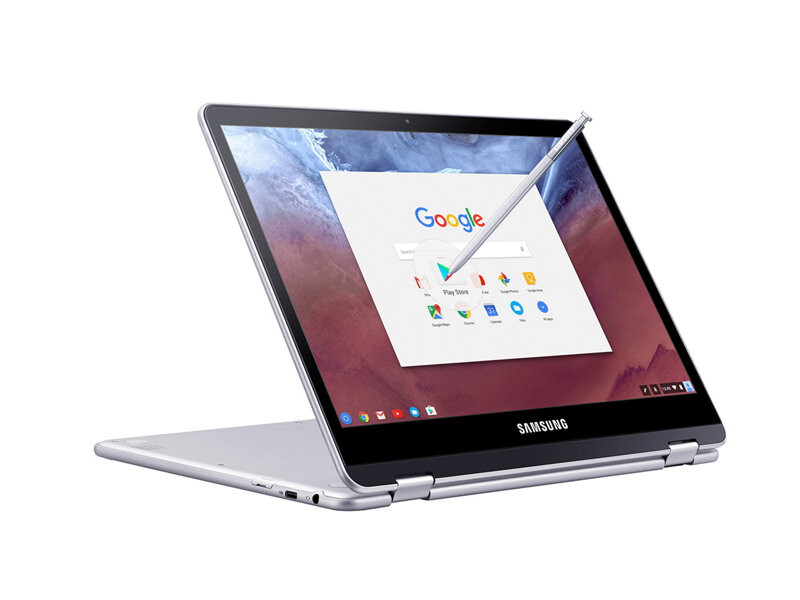
Samsung Chromebook Plus XE513C24-K01US
Specifications
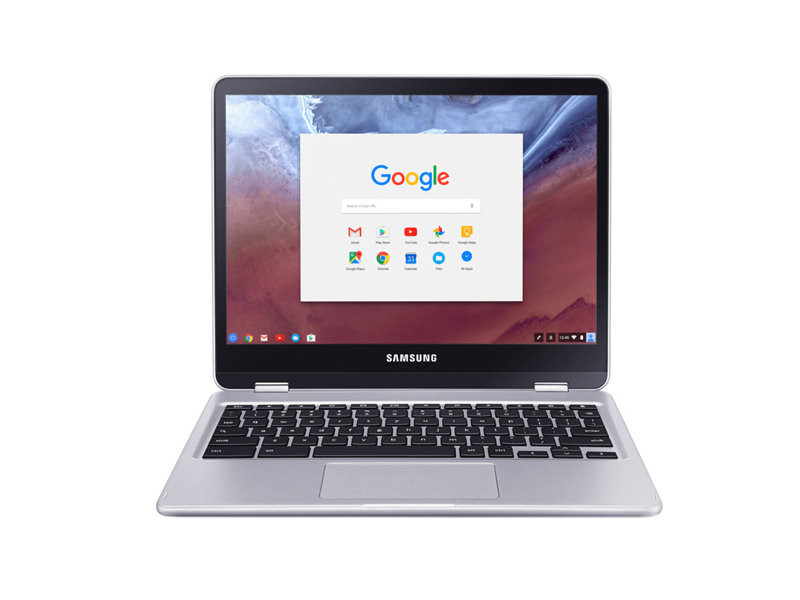 Notebook: Samsung Chromebook Plus XE513C24-K01US
Processor: unknown
Graphics Adapter: ARM Mali-T860 MP2
Display: 12.30 inch, 3:2, 2400 x 1600 pixels
Weight: 1.1kg
Links: Samsung notebook section
Pricecompare
Average Score:
Reviews
Source: Notebookreview.com
Archive.org versionThe Samsung Chromebook Plus offers a great lightweight and simple computing experience that is perfect for people who simply need a laptop for the basics. The embedded stylus is a nice added feature that certainly allows this device to fill a niche. It’s fun, and it feels great to use. Save for a few stumbling points the Samsung Chromebook Plus really puts forth a great polished experience. The sleek simple design looks and is perfect for travel. The device’s portability is only further bolstered by the long lasting battery. The display is breathtaking, with excellent color depth and brightness. Even the ARM processor took us by surprise, with solid multitasking. Add in the Android app support and you have more versatility than you have ever had on the Chrome OS platform.
Single Review, online available, Medium, Date: 04/20/2017
Source: Gotta Be Mobile
Archive.org versionSamsung makes the best Chromebook money can buy. It will get better when they release the Samsung Chromebook Pro, which adds an Intel Core M processor making it faster, but reducing battery life. The Samsung Chromebook Plus includes the excellent S Pen with great palm rejection while writing or drawing. The bright and sharp screen displays text, video and images beautifully and lets users turn down brightness to extend the already great battery life.
Single Review, online available, Very Long, Date: 04/15/2017
Source: Android Guys
Archive.org versionIt has so far been an excellent travel companion and work machine for when I want to get stuff done without being stuck at my desk. The addition of Android apps makes this an excellent laptop replacement and workstation for getting writing done. I’d say it’s definitely a strong showcase for Chrome OS and one of the best Chromebooks ever made, if you can justify the high price tag compared to the competition.
Single Review, online available, Very Long, Date: 04/14/2017
Rating: Total score: 84% price: 60% performance: 80% workmanship: 100%
Source: PC Mag
Archive.org versionOur Editors' Choice chromebook, the Asus Chromebook Flip, another 2-in-1, outshines the Chromebook Plus on battery life, local storage space, and overall performance. Plus, you get accidental damage coverage and a backlit keyboard, for just $50 more. If you're interested in a Windows-based system, the 11-inch Lenovo Yoga 710, our Editors' Choice for budget 2-in-1 convertible laptops, has a more powerful processor, 256GB of storage, a better keyboard, and improved battery life for about the same price.
Single Review, online available, Very Long, Date: 04/13/2017
Rating: Total score: 70%
Source: Laptop Mag
Archive.org versionThe Samsung Chromebook Pro and Plus are the first Chromebooks to include an embedded stylus and support Android apps as soon as you log in. The lightweight, aluminum chassis and crisp, vivid display also help define these machines as premium 2-in-1s. However, if you don't need the stylus or premium screen, Asus's Chromebook Flip C302CA costs $50 less, has a much better keyboard and offers more internal storage; it does not come with Google Play preloaded, but you can easily get it.
Comparison, online available, Very Long, Date: 02/24/2017
Rating: Total score: 80%
Source: Chrome Unboxed
Archive.org versionHere’s the bottom line for many of you. If you are buying a Samsung Chromebook with Android Apps in mind right now, the Plus should be where you gravitate to. You are likely to see less issue with apps for the time being.
Single Review, online available, Long, Date: 02/22/2017
Source: The Verge
Archive.org versionI want an inexpensive, tablet-style device that combines the best of mobile apps with a desktop-class browser. Windows isn't really there, the iPad isn't really there, and the Mac will apparently never be there. But with some fixes to Android and some developer help, this device could be exactly what I want. Google is chasing after exactly the right thing with Chrome OS right now.
Single Review, online available, Very Long, Date: 02/10/2017
Rating: Total score: 83%
Foreign Reviews
Source: Comprar Tec
 ES→EN Archive.org version
Positive: Low price; smart stylus pen; slim size and lightweight; backlit keyboard. Negative: High price.
Single Review, online available, Very Long, Date: 01/17/2017
Source: HDblog.it
 IT→EN Archive.org version
Positive: Nice display; solid workmanship; high autonomy. Negative: Mediocre speakers; uncomfortable keyboard.
Single Review, online available, Medium, Date: 05/27/2017
Source: Tweakers
NL→EN Archive.org versionSingle Review, online available, Very Short, Date: 01/06/2018
Rating: Total score: 100%
Samsung Chromebook Pro XE510C24-K01US
Chromebooks are not quite as prolific as one might think. It begs the question if it is suitable for a casual blogger or even users who just wants to stay connected. While the specification may not seem earth shattering, it is worth mentioning because it will play a role in one of the chromebook’s key strength, which is battery endurance. So, what exactly does the Samsung Chromebook Pro XE510C24-K01US sport? It is powered by an Intel Core m3-6y30 processor with 4 GB of RAM and a 32 GB eMMC-based SSD. If the storage capacity seems disappointing to you at the first glance, it means you are not the target audience. For its given target audience and price it is quite nice to see that Chromebook’s out there sport high resolution displays. The Samsung Chromebook Pro XE510C24-K01US features a LED QHD 2400 x 1600 pixel screen, which is quite impressive. It is reasonably bright and vivid. Due to its aspect ratio users can get more vertical space when viewing photos or reading web pages. However, when watching videos, which are usually 16:9 or 21:9 formatted, this might feel claustrophobic due to the letterbox effect. If you are able to get used to it, this should be a minor gripe. Another thing to mention here is its chassis design and quality, which is quite impressive for its price. The all brushed aluminium chassis looks and feels premium. It seems that Samsung that no expenses were spared. Even so its weightage is quite impressive at only 1.088 kg, which is as good as a kilo. Overall Samsung made sure the Samsung Chromebook Pro XE510C24-K01US remains light and robust to frequent travelers, who may pocket it with them. The way the Samsung Chromebook Pro XE510C24-K01US is sized means that the keyboard is will to be cramped. The distance between keys is normal, but the actual height of the individual keys is reduced, which can be annoying since you might press the wrong key. Worse still if this keyboard is targeted at bloggers, one might end up with many hours of correcting mistakes due to it. In terms of key travel, it is quite shallow. With only 1 mm of actuation it feels like there are times you might second guess yourself if you had actually pressed the key. Although on the trackpad side of things, things are a wee bit better. Tracking on the trackpad feels accurate enough. Because the Samsung Chromebook Pro XE510C24-K01US is somewhat designed as both a notebook and tablet in mind, it includes a built-in stylus, which can be useful for note taking or even some light sketching although users shouldn’t expect much from the stylus as it lacks pressure sensitivity. Finally, battery life has to be mentioned for a device of this class, with the Samsung Chromebook Pro XE510C24-K01US scoring up to 8 hours and 43 minutes, which means the display actually ate into its battery life as expected. However, when compared to its competitors the Samsung Chromebook Pro XE510C24-K01US actually fared better. The gorgeous looking screen compensates for its slightly reduced battery life. The Samsung Chromebook Pro XE510C24-K01US performs well as a regular notebook as well as a tablet without sacrificing important features. However, it would have been somewhat better if its storage was at least 64 GB. Hands-on article by Jagadisa RajarathnamSpecifications
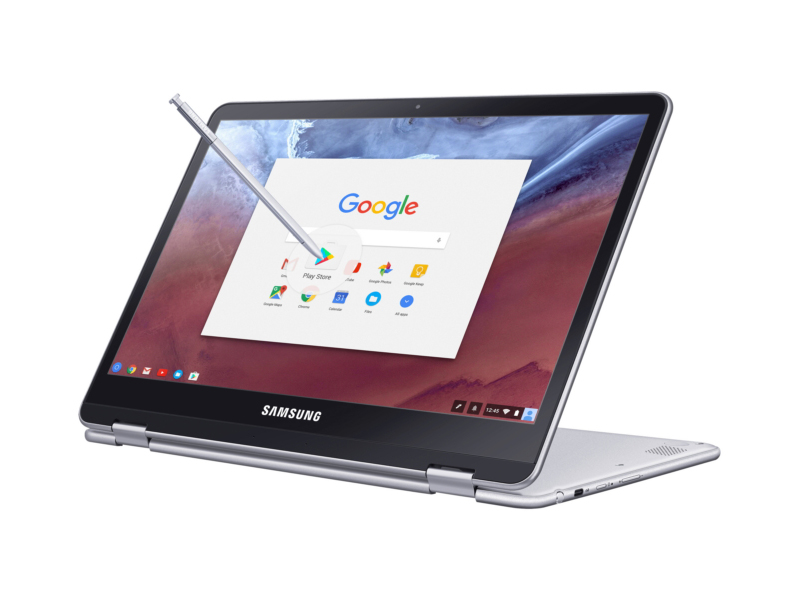 Notebook: Samsung Chromebook Pro XE510C24-K01US
Processor: Intel Core m3 6Y30
Graphics Adapter: Intel HD Graphics 515
Display: 12.30 inch, 4:3, 2400 x 1600 pixels
Weight: 1.1kg
Links: Samsung notebook section
Pricecompare
Average Score:
Reviews
Source: Techradar
Archive.org versionThe Samsung Chromebook Pro skews a little too heavily towards being an Android tablet. Regardless, it’s a solid hybrid that brings us one step closer to the perfect marriage between Chrome OS and Android.
Single Review, online available, Long, Date: 11/15/2017
Rating: Total score: 90%
Source: Engadget
Archive.org versionIf you're the type of user who is more interested in a great display or S Pen support, the Pro is definitely worth a look. It can do double duty as a stylus-driven tablet and a solid laptop better than the Chromebook Flip. But for the average computer user who wants a comfortable laptop that can last all day, the Pro comes up just a little short.
Single Review, online available, Long, Date: 08/25/2017
Rating: Total score: 79%
Source: Toptenreviews
Archive.org versionThis is the perfect Chrome OS device for users needing an Android tablet for 70 to 90% of the time that flips back into a traditional laptop for writing emails and the odd article. If your use case is the same, this is the hybrid you need.
Single Review, online available, Short, Date: 06/30/2017
Rating: Total score: 90%
Source: Chrome Unboxed
Archive.org versionI’ll be straightforward: I wasn’t crazy-excited about the Pro showing up. Don’t get me wrong, I was happy to get one for review and happy to take another look. I just wasn’t excited like I was back in January.
Single Review, online available, Short, Date: 06/01/2017
Source: Laptop Mag
Archive.org versionThe Samsung Chromebook Pro and Plus are the first Chromebooks to include an embedded stylus and support Android apps as soon as you log in. The lightweight, aluminum chassis and crisp, vivid display also help define these machines as premium 2-in-1s. However, if you don't need the stylus or premium screen, Asus's Chromebook Flip C302CA costs $50 less, has a much better keyboard and offers more internal storage; it does not come with Google Play preloaded, but you can easily get it.
Comparison, online available, Very Long, Date: 02/24/2017
Source: Techno Buffalo
Archive.org versionI love my Chromebook Flip and I didn’t think I was in the market for an upgrade. I take that computer with me when I want something really light, or if I’ve forgotten to charge my iPad Pro. When I really need to get work done, though, I still rely on my MacBook Pro or Surface Book, both of which cost well more than twice the price of this Chromebook Pro.
Single Review, online available, Very Long, Date: 02/10/2017
Rating: Total score: 80%
Source: Wired Magazine
Archive.org versionLuckily, you get to wait and see if Google fixes the Pro’s many problems. I’ll be back here to let you know how that goes. But for right now, know this: the dream of the just-right Chromebook is alive inside this machine, but it’s still just out of reach.
Single Review, online available, Long, Date: 02/10/2017
Rating: Total score: 60%
Source: Ubergizmo English
Archive.org versionIt is always important to evaluate if a mix of online and Android apps can get the job done for your specific use case, but if that is the case, you should consider the Samsung Chromebook Pro.
Single Review, online available, Very Long, Date: 02/10/2017
Rating: Total score: 90%
Source: Yahoo
Archive.org versionSee, Google has programmed the Plus and Pro to understand how most people write. As a result, the Chromebooks are able to predict how fast you’re jotting something down, and all but eliminate the kind of lag that makes writing with a stylus feel unnatural. The Plus and Pro’s displays are also pressure sensitive — so if you press hard while writing, you’ll see a wider, darker pen stroke.
Single Review, online available, Medium, Date: 02/10/2017
Source: Android Central
Archive.org versionThe only question for me is whether or not the Chromebook Pro's Intel Core m3 processor is worth the $100 bump in price over the Chromebook Plus model with an ARM chip. Assuming that performance holds up on the Plus, this hardware is even more enticing at just $450. Either way, this line is an excellent one-two punch that brings Samsung back into the conversation of lust-worthy Chromebooks while also diversifying Google's overall Chromebook market with two more great choices.
Single Review, online available, Very Long, Date: 02/10/2017
Source: Chrome Unboxed
Archive.org versionThe Samsung Chromebook Pro isn’t perfect, but it is a step in the right direction. The combo of firm, thin, aluminum body with a mesmerizing screen simply hasn’t been done this well in a Chromebook up until now.
Single Review, online available, Very Long, Date: 02/10/2017
Source: BGR
Archive.org versionAs for pricing and availability, the Samsung Chromebook Pro will be released sometime in late April for $549. Of note, the Google Play store for Chrome will exit beta around the same time. Samsung’s more affordable ARM-powered Chromebook Plus can be preordered right now for $449 on Amazon or on Samsung’s website, and it will start shipping this Sunday, February 12th.
Single Review, online available, Long, Date: 02/10/2017
Source: Computerworld.com
Archive.org versionIt is not inexpensive for a Chromebook -- it will be priced at $549 when it ships at the end of April (the Chromebook Plus, which will be available this coming Sunday, will list at $449). But for a good looking and performing Chromebook with a durable metal frame, comfortable keyboard and excellent touch display, along with the included stylus, you may find it worth the cost.
Single Review, online available, Medium, Date: 02/10/2017
Source: Android Authority
Archive.org versionThe Chromebook Pro brings Android app support, a stylus, and a rotating touch screen to the simple and easy-to-use platform of ChromeOS, to turn this super portable Chromebook into a machine that can provide a well rounded experience for both work and play.
Single Review, online available, Very Long, Date: 02/10/2017
Rating: Total score: 89% performance: 87% display: 90% mobility: 91% workmanship: 88%
Source: Laptop Mag
Archive.org versionThe Samsung Chromebook Pro is the first Chromebook (along with its sibling, the Chromebook Plus) to include an embedded stylus and support Android apps as soon as you log in. Its lightweight, aluminum chassis and crisp, vivid display also help define this machine as a premium 2-in-1. However, if you don't need the stylus or premium screen, Asus's Chromebook Flip C302CA costs $50 less, has a much better keyboard and offers more internal storage; it does not come with Google Play preloaded, but you can easily get it.
Single Review, online available, Very Long, Date: 02/10/2017
Rating: Total score: 80%
Source: CNet
Archive.org versionThe Samsung Chromebook Pro will make a believer out of many Chromebook skeptics by offering great value, features and performance for a budget-priced laptop.
Single Review, online available, Very Long, Date: 02/10/2017
Rating: Total score: 85% performance: 70% mobility: 80% workmanship: 80%
Source: Computer Shopper
Archive.org versionWe started off this review likening the Samsung Chromebook Pro to Microsoft's original Surface Pro tablet, and after putting the system through our spate of benchmarks and plenty of real-world use, we find ourselves right back to that notion. There's a lot to like about the hardware Samsung has created, including the stunning screen and slim, premium-feel design.
Single Review, online available, Very Long, Date: 02/10/2017
Rating: Total score: 70%
Source: PC Mag
Archive.org versionSamsung's premium Chromebook Pro is one of the first chromebooks to run Android apps. But it's likely only a matter of time before less expensive models roll out with the same functionality.
Single Review, online available, Long, Date: 02/10/2017
Source: Trusted Reviews
Archive.org versionThere’s a lot to like about Samsung’s new Chromebooks, and I think they’re the perfect Android tablet replacement. The screen is great, battery seems decent and there’s enough grunt under the hood to get the job done.
Single Review, online available, Medium, Date: 01/07/2017
Source: It Pro
Archive.org versionTim Baxter, president and COO of Samsung Electronics America, kicked off the keynote by admitting 2016 had been a "challenging year" for the company. He later said the company would "very soon be sharing the root-cause report on the Note 7", having spent the past couple of months working with third-party experts and the company's own engineering teams to work out what had caused the supersized smartphones to overheat.
Single Review, online available, Short, Date: 01/05/2017
Foreign Reviews
Source: Tweakers
NL→EN Archive.org versionSingle Review, online available, Short, Date: 12/26/2017
Rating: Total score: 100%
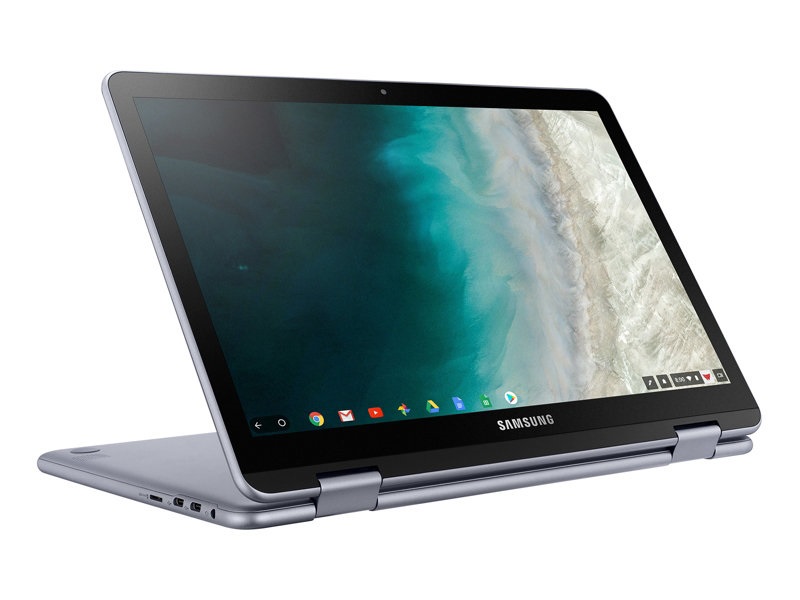
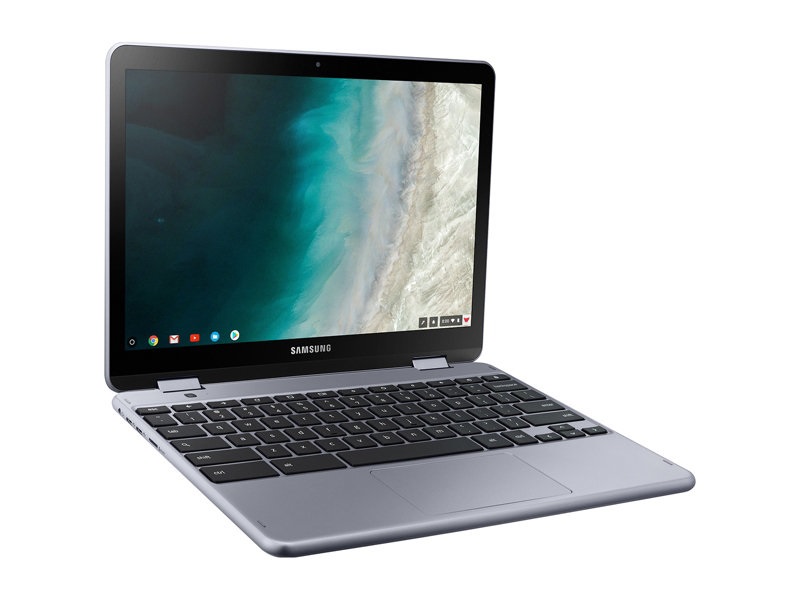
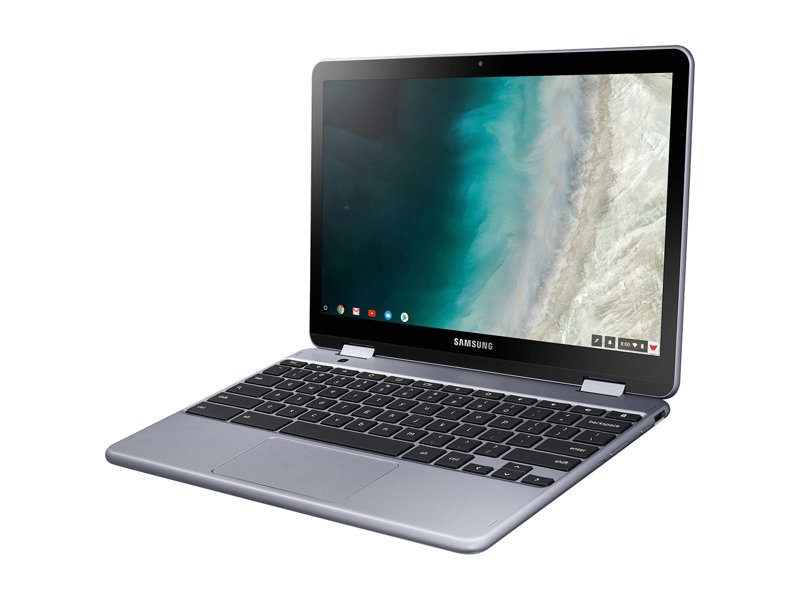
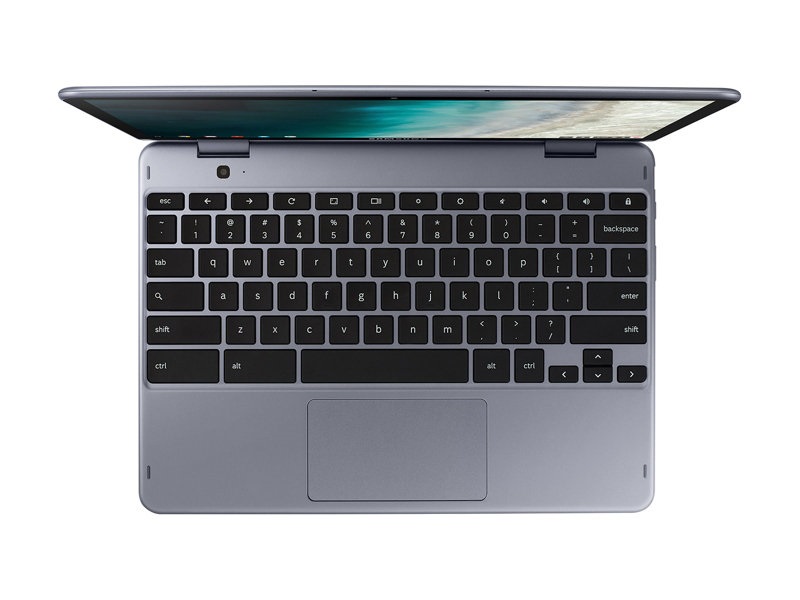
Samsung Chromebook Plus XE521QAB-K01US
Specifications
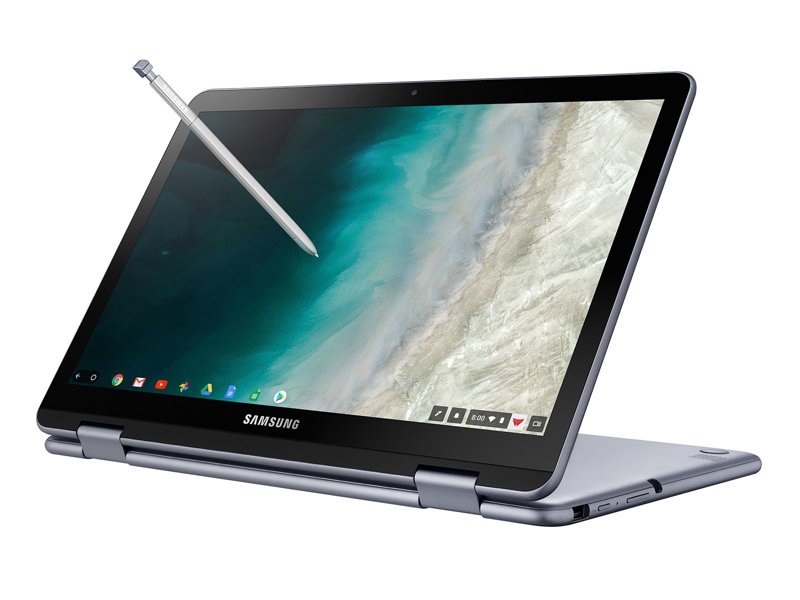 Notebook: Samsung Chromebook Plus XE521QAB-K01US
Processor: Intel Kaby Lake Celeron 3965Y
Graphics Adapter: Intel HD Graphics 615
Display: 12.20 inch, 16:10, 1920 x 1200 pixels
Weight: 1.33kg
Price: 500 euro
Links: Samsung notebook section
Pricecompare
Average Score:
Reviews
Source: Chrome Unboxed
Archive.org versionI wrote an article about three weeks ago talking about the Samsung Plus V2, a price drop, and how this Chromebook had finally become one worth your attention. We didn’t really want to re-hash that article, but we did want to give these thoughts some proper video attention over on YouTube because, at the end of the day, this Chromebook is finally an extremely compelling purchase thanks to some unique features and it finally having a price point that matches.
Single Review, online available, Very Short, Date: 08/03/2019
Source: PC Mag
Archive.org versionAn intriguing option among premium Chrome OS convertibles, the Samsung Chromebook Plus V2 (LTE) offers unique features like a built-in stylus and two cameras.
Single Review, online available, Long, Date: 11/20/2018
Rating: Total score: 70%
Source: Chrome Unboxed
Archive.org versionRight now, you can only order it through Samsung or Best Buy, so perhaps when sales expand a bit, the price will drop accordingly. The biggest problem for Samsung is the sheer volume of good/great Chromebooks on the horizon. I think with stiffer competition in this price segment over the next few months, they’ll have to drop the price to sell it against the coming competition.
Single Review, online available, Medium, Date: 09/24/2018
Source: CNet
Archive.org versionSamsung's Chromebook Plus V2 might be pricier than your average Chromebook, but the design and improved performance over the last-gen model let you do more with Chrome OS and Android than lower-end options.
Single Review, online available, Long, Date: 07/25/2018
Rating: Total score: 78% performance: 70% mobility: 80% workmanship: 80%
Source: Android Central
Archive.org versionSamsung's Chromebook Plus (V2) is a sturdy and great looking Chromebook that brings everything you need — and most everything you would want — to the table and is one of 2018's best.
Single Review, online available, Medium, Date: 07/10/2018
Rating: Total score: 90%
Source: CNet
Archive.org versionChromebooks -- laptops running on Google's browser-based Chrome OS -- are generally designed for affordability, making the term "premium Chromebook" something of an oxymoron. In fact, market research firm NPD Group defines any Chromebook that's $400 or more as premium, which is a starting price considered "budget" for Windows laptops and, well, nonexistent for Macs.
Single Review, online available, Short, Date: 06/14/2018
Samsung Galaxy Chromebook XE930QCA-K01US
Specifications
Notebook: Samsung Galaxy Chromebook XE930QCA-K01USProcessor: Intel Comet Lake i5-10210U
Graphics Adapter: Intel UHD Graphics 620
Display: 13.30 inch, 16:9, 3840 x 2160 pixels
Weight: 1.04kg
Price: 1000 euro
Links: Samsung notebook section
Pricecompare
Average Score:
Reviews
Source: Tom's Guide
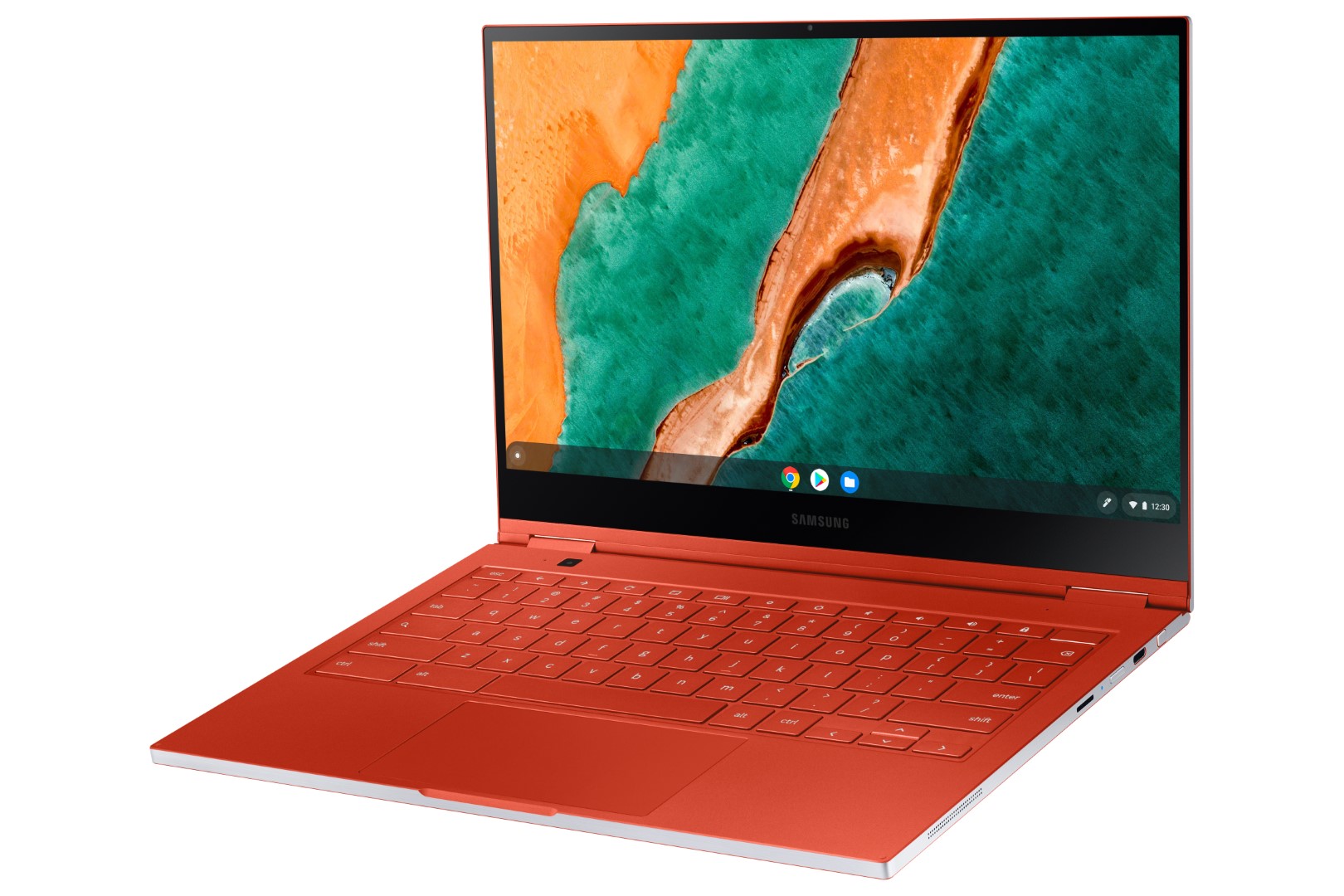
As I wrote this Samsung Galaxy Chromebook review, I realized it's the first convertible laptop that truly reminds me of a sports car. From the fun Fiesta Red colorway to its solid speed and tight chassis, this Chromebook screams luxury. If only its battery life didn't remind me of a gas guzzler, hitting empty far sooner than I’d like.
Single Review, online available, Very Long, Date: 02/09/2021
Rating: Total score: 70%
Source: Chrome Unboxed
Archive.org versionSo, in the end, as it always does, the decision comes down to you. Sure, we could lament the fact that Samsung went with 4K when QHD would have done fine. They went with the powerful U-series processor when a Y-series would have been good enough. They chose thinness and lightness over a bigger battery and a decent aesthetic. All of these decisions work to make this device excel at so much while falling down in just one area, and it feels like Samsung made the deliberate choice to go in that direction. Where we are right now with processors, screens and batteries, you can’t have ultra sleek, ultra powerful, and long-lasting all in the same package. Samsung chose sleek and powerful. What will you choose?
Single Review, online available, Medium, Date: 04/27/2020
Source: Tom's Guide
Archive.org versionAs I wrote this Samsung Galaxy Chromebook review, I realized it's the first convertible laptop that truly reminds me of a sports car. From the fun Fiesta Red colorway to its solid speed and tight chassis, this Chromebook screams luxury. If only its battery life didn't remind me of a gas guzzler, hitting empty far sooner than I’d like.
Single Review, online available, Long, Date: 04/15/2020
Rating: Total score: 70%
Source: Laptop Mag
Archive.org versionIf you won't leave the Galaxy Chromebook unplugged for long periods, then there is no better Chromebook. But if you travel frequently or just don't like being tethered to an outlet, then save some money and get the PixelBook Go instead. In the end, I still want Samsung to make a Windows 10 version of the Galaxy Chromebook because it's only one fault away from being the best laptop on the market.
Single Review, online available, Very Long, Date: 04/09/2020
Rating: Total score: 70%
Source: The Unlockr
Archive.org versionI managed to do a complete walkthrough on the Samsung Galaxy Chromebook after having spent a decent amount of time with it (albeit only in my apartment). Regardless, here's all the Galaxy Chromebook specs, photo samples, features, and more. Check it out.
Single Review, online available, Long, Date: 04/06/2020
Source: Engadget
Archive.org versionThere’s a lot to like about Samsung’s latest Chromebook, but there’s also one major downside.
Single Review, online available, Medium, Date: 04/06/2020
Source: Engadget
Archive.org versionSamsung’s latest Chromebook does many things right. It’s a delight to type on, it impresses with a very compact design, and the screen looks brilliant. In many ways, it’s a clear successor to Google’s aging Pixelbook. But for $999, it’s almost impossible to forgive the poor battery life, especially given that there are other options for powerful Chromebooks out there. Not to mention that you could get Apple’s just-updated MacBook Air or Microsoft’s Surface Laptop 3 for that price. I can accept that a laptop with a 4K display won’t last 10 hours. But in 2020, I can’t recommend one that doesn’t even last four.
Single Review, online available, Long, Date: 04/06/2020
Rating: Total score: 74%
Source: The Verge
Archive.org versionWhat I am saying is that at that price point, we should expect laptops to do everything pretty well. Some have a standout feature or two, but all should have the basics nailed; we expect a good screen, reliable performance, and acceptable battery life. Samsung delivers on the first and mostly on the second, but at the complete detriment of the third. That very well might be a combination some people are willing to pay for — but they probably shouldn’t pay $1,000.
Single Review, online available, Long, Date: 04/06/2020
Rating: Total score: 60%
Source: Trusted Reviews
Archive.org versionWith stunning looks that put other laptops to shame and a display that ticks all the boxes, the Samsung Galaxy Chromebook is a showcase device for Chrome OS. As good as it looks though, the near $1000 price will likely make it a tough sell for most.
Single Review, online available, Medium, Date: 01/08/2020
Source: Chrome Unboxed
Archive.org versionThis clearly isn’t a side project for Samsung this time around. Instead, it feels like a much more collaborative effort from Samsung, Google and Intel at delivering a device and experience that are truly next-gen in the Chromebook space. There is much more we feel we’ll uncover once we have one in the office for the official review, but I’ll say this much: I haven’t been this smitten by a Chromebook since I got my hands on the original Pixelbook. I can’t wait to see what it is like to use this thing on a daily basis.
Single Review, online available, Short, Date: 01/07/2020
Source: Greenbot
Archive.org versionIt’s not often these days that new products surprise us, but at CES 2020 I walked into a briefing with Samsung to be shown the Galaxy Chromebook. This ultra-premium Chromebook has already stolen my heart and so far, I’ve only used it for a few minutes.
Single Review, online available, Very Short, Date: 01/06/2020
Source: Techradar
Archive.org versionThe Samsung Galaxy Chromebook is flat out one of the most stylish Chromebooks on the market. The gorgeous color and the thin and light design combine to make for a laptop that you're going to want to show off. That 4K AMOLED display also helps make it an eye-catching piece of kit.
Single Review, online available, Medium, Date: 01/06/2020
Source: Laptop Mag
Archive.org versionI was among the many doubters who rolled my eyes at Google when it released the $999 Pixelbook a few years back. Now here I am, more hyped than I've ever been about a Chromebook and wishing I was in the market for a laptop so I can plop a grand down on the Galaxy Chromebook. Of course, that 4K AMOLED display has me worried about battery life, which is typically one of the best reasons to buy a Chromebook.
Single Review, online available, Long, Date: 01/06/2020
Source: Tom's Guide
Archive.org versionIt’s easy to scoff at a $1,000 Chromebook when you can pick one up on Black Friday for $99. But this is a different breed. The Galaxy Chromebook is a super premium laptop with a glorious OLED display, plenty of speed and 2-in-1 versatility. It’s really up to you if you want to run Chrome OS or something else. I just worry about the power penalty the 4K panel is going to have on battery life. Nevertheless, I can't wait to test out this Chromebook to see if it's truly worth the high price.
Single Review, online available, Medium, Date: 01/05/2020
Comment
Samsung: Samsung Group is the largest South Korean conglomerate and was founded in 1938. Samsung Group employed 489,000 people in 2014 and is one of the world's largest companies in terms of revenue and market strength. The name Samsung means "Three Stars" in Korean and represents the three sons of the company's founder. The company was founded in 1938 as a grocery store. With its subsidiary Samsung Electronics, founded in 1969, Samsung took up the production of electrotechnical items, focusing on consumer electronics and household appliances at an early stage. Other branches in which the large corporation is active include mechanical engineering, automobiles (Hyundai), insurance, wholesale, real estate and leisure. Samsung manufactures a wide range of electronic products, including smartphones, televisions, home appliances and semiconductors. The company's Galaxy line of smartphones is one of the most popular in the world. Samsung is also a major player in the semiconductor industry, making memory chips and processors for many other electronics manufacturers.
Only some 3D games with very low demands are playable with these cards.
ARM Mali-T604 MP4: Four core version of the T604 with support for OpenGL ES 3.0 and DirectX 11.
Intel Graphics Media Accelerator (GMA) HD Graphics: Onboard graphics card that is built in the new Arrandale CPUs (Core i3 / i5 / i7 Dual Cores). Depending on the model and Turbo Boost, the GMA HD is clocked between 166 and 766 MHz.
ARM Mali-T628 MP6: OpenGL ES 3.0 capable graphics card for smartphones and tablets (e.g. included in the Exynos 5420 and 5422 with 6 cores).
Intel HD Graphics (Bay Trail):
Integrated GPU for tablet and notebook Bay Trail SoCs. Based on the Ivy Bridge GPU with four Execution Units and support for DirectX 11.
ARM Mali-T860 MP2: Dual-Core version of the Mali-T860 graphics card from ARM for mostly Android based smartphones and tablets. E.g. in the Mediatek Helio P10 clocked at 700 MHz and produced in 28nm.
These graphics cards are not suited for Windows 3D games. Office and Internet surfing however is possible.
unknown:
Non demanding games should be playable with these graphics cards.
Intel HD Graphics 515: Integrated GPU (GT2) with 24 EUs found on Core-m-CPUs of the Skylake generation (4,5 W TDP).
Intel HD Graphics 615: Integrated graphics card in some Kaby Lake Y-series processors (4.5 Watt TDP) with 24 EUs (GT2) and no dedicated graphics memory. Clocks with Update to 1050 MHz depending on the CPU Model.
Modern games should be playable with these graphics cards at low settings and resolutions. Casual gamers may be happy with these cards.
Intel UHD Graphics 620: Integrated GPU (GT2, 24 EUs) found on some Kaby-Lake-Refresh CPU models (15 W ULV series). Technically identical to the previous Kaby-Lake GPU called HD Graphics 620.
» Further information can be found in our Comparison of Mobile Graphics Cards and the corresponding Benchmark List.
Samsung Exynos:
5250 Dual: Dual-core Cortex A15 with an ARM Mali-T604 graphics card.
5420 Octa:
Exynos 5 SoC with four Cortex-A15 cores, four Cortex-A7 cores and an ARM Mali-T628 MP6 GPU. Successor to the Exynos 5410.
Intel Celeron:
867:
Ultra Low Voltage dual-core processor based on the Sandy Bridge architecture with an integrated graphics card and dual-channel DDR3 memory controller. Due to the Celeron brand, many features of the Sandy Bridge core are deactivated.
N2840: Soc with an integrated dual core Atom processor clocked at up to 2.58 GHz and an Intel HD Graphics GPU.
:
Intel Core m3:
6Y30: Skylake-based ULV dual-core processor for tablets and 2-in-1 notebooks. Offers an integrated HD Graphics 515 GPU and is manufactured in 14 nm.
Intel Kaby Lake:
Celeron 3965Y: Extremely efficient ULV-SoC (System-on-a-Chip) for tablets and fanless notebooks based on the Kaby Lake architecture. Includes two CPU cores clocked at 1.5 GHz (fixed, no Turbo Boost, no HyperThreading) as well as a graphics adapter and is manufactured in a 14 nm process.
Intel Comet Lake:
i5-10210U: Comet Lake based low power quad-core processor (technically identical to Whiskey Lake and still produced in 14nm++). The CPU cores can clock between 1.6 and 4.2 GHz (all 4 cores 3.9 GHz max.) with HyperThreading (8 threads). The integrated memory controller supports LPDDR4-2933 and using cTDP up/down the performance can be adjusted by the OEM (10 - 25 Watt possible, 15W default). Compared to the faster i5-10510U, the level 3 cache was reduced from 8 to 6 MB.
» Further information can be found in our Comparison of Mobile Processsors.
» To find out how fine a display is, see our DPI List.
No weight comment found (one expected)!
75.58%: This rating is not earth-shattering. This rating must actually be seen as average, since there are about as many devices with worse ratings as better ones. A purchase recommendation can only be seen with a lot of goodwill, unless it is about websites that generally rate strictly.
» Further information can be found in our Notebook Purchase Guide.