Review Toshiba Qosmio X300 Gaming-Notebook
Toshiba goes Gaming!
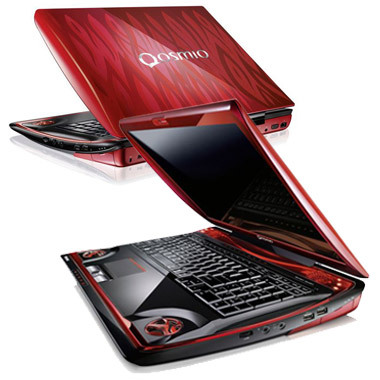
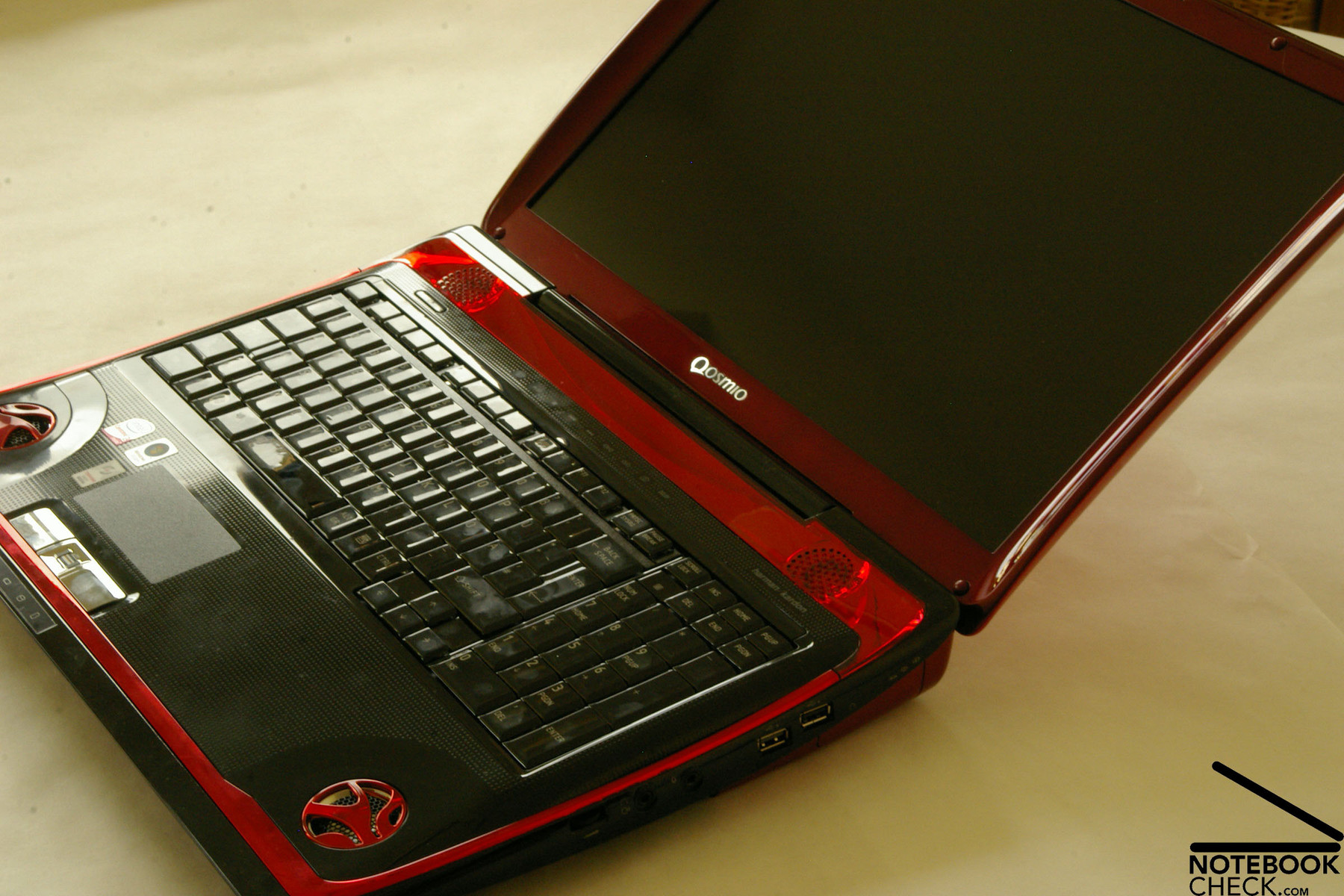
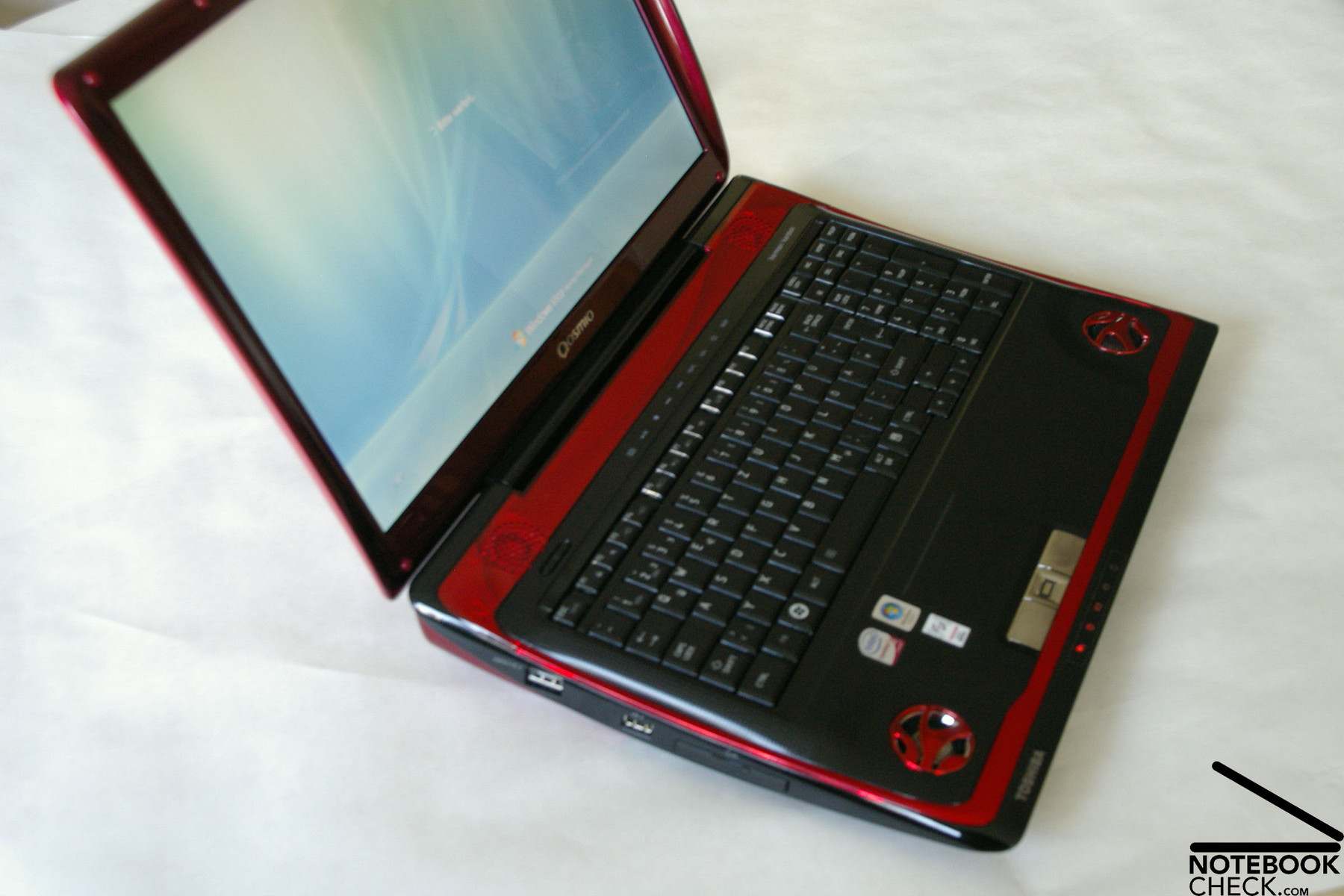
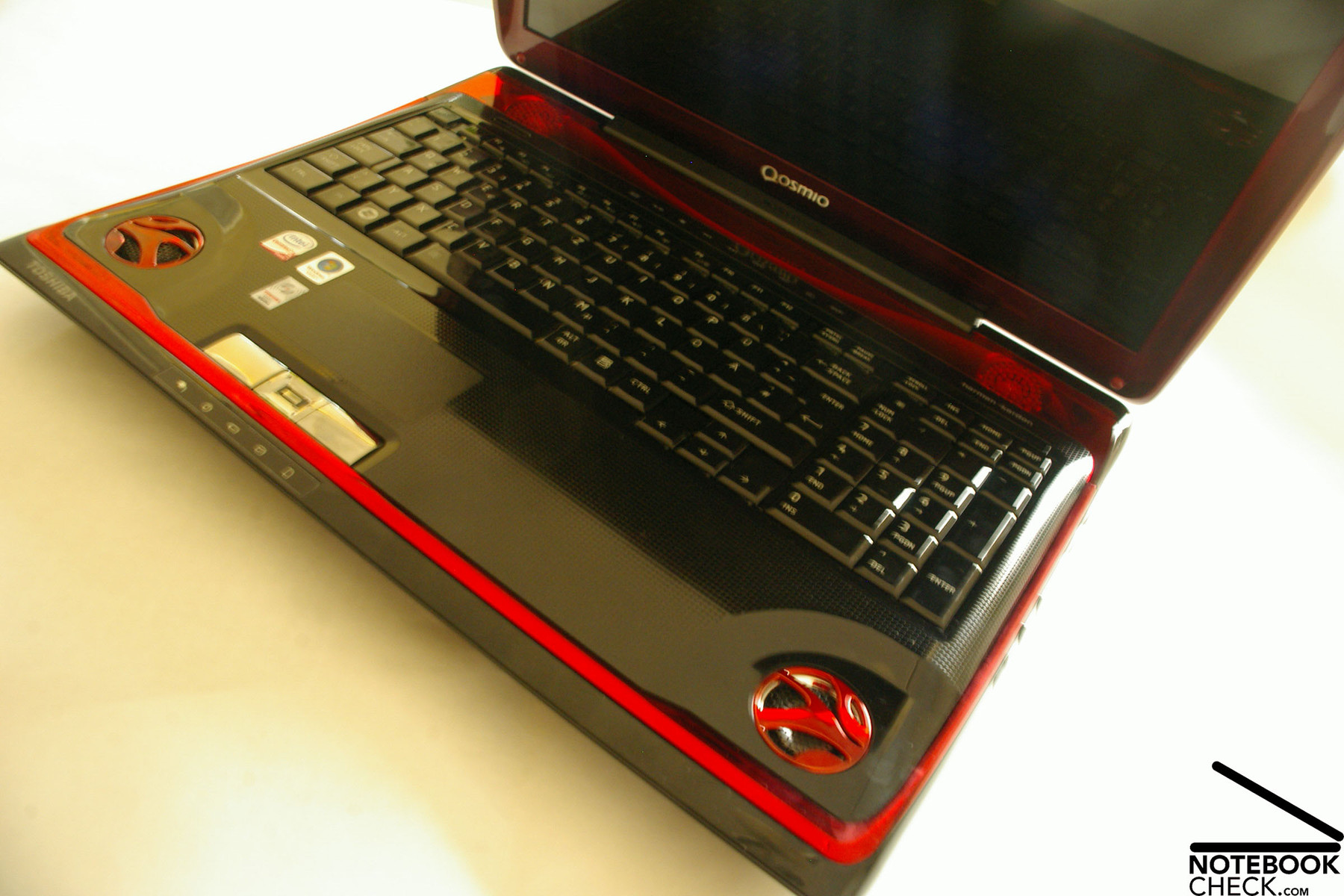
Toshiba's Qosmio X300 is a dream come true for gamers. The moment one starts with unwrapping, it becomes clear that this is not a common notebook. The design, colours, and size of the case make the Qosmio X300 as outstanding as a Ferrari or Lamborghini on the street. But not only the design, but also the notebook’s hardware, performance, and communication equipment are very impressive, as the following review will show.

Toshiba offers its gaming flagship in two variants. One is the version we are going to test, the Qosmio X300-11L (Core 2 Duo P8600 CPU and GeForce 9700M GTS, 1810 Euro), the other is the high end Qosmio X300-13E (3130 Euro), with an Intel Core 2 Extreme processor X9100 with 3.06GHz and a high end nVIDIA GeForce 9800M GTX notebook graphics card. Apart from the different hardware, both versions are identical.
Update: Toshiba extended the Qosmio X300 series with two more models. In addition to the two models mentioned before, there is now also the Qosmio X300-13V (1560 Euro) and the Qosmio X300-13l (1660 Euro). These two notebooks contain only a Core 2 Duo P8400 CPU with 2.2GHz. According to the homepage, the Qosmio X300-13V is available with Windows Vista Home Premium 64Bit Edition, but without fingerprint reader. The Qosmio X300-13l uses Windows Vista Home Premium as OS and includes a fingerprint reader. Please visit Toshiba’s website for further information about the individual Qosmio X300 models
MSI spendiert dem Megabook GX 600 im oberen Teil des Displayrahmens eine 1,3 Megapixel Kamera sowie ein eingebautes Mikrofon. Somit steht den Videokonferenzen mit Freunden und Verwandten nichts mehr im Weg. Weiters ist beim GX 600 Bluetooth standardmäßig mit dabei.
Trotz der teilweise etwas ungünstigen Positionierung ist die Anzahl der Anschlüsse doch recht großzügig und in dieser Preisklasse kaum vorzufinden.
Während USB 2.0, Firewire und Express Card Slots schon zur Standardausstattung eines Notebooks gehören, finden sich auf dem Megabook GX 600 auch zukunftsweisende Anschlüsse wie der eSATA- und der HDMI-Anschluss.
Vor allem der hochmoderne HDMI Anschluss in Verbindung mit einem großen LCD Fernseher sorgen für zusätzlichen Spass und Freude. Sei es beim Spielen diverser Games in schier unglaublicher Größe oder der Wiedergabe von Filmen. Leider besitzt das getestete Sample in seiner jetzigen Ausführung kein Blu-Ray Laufwerk, um damit in den vollen Genuss des HDMI Ports zu kommen.
Für die Kommunikation mit anderen Gerätschaften oder dem Internet stehen dem Megabook GX 600 mehrere Optionen zur Auswahl. Das Notebook verfügt sowohl über einen Modem- und LAN-Anschluss (Realtek RTL8168B/8111B), als auch über die Möglichkeit mit Hilfe von WLAN (Intel® Wireless WiFi Link 4965AGN) oder Bluetooth eine Verbindung mit anderen Rechnern und dem WWW aufzubauen.
Case
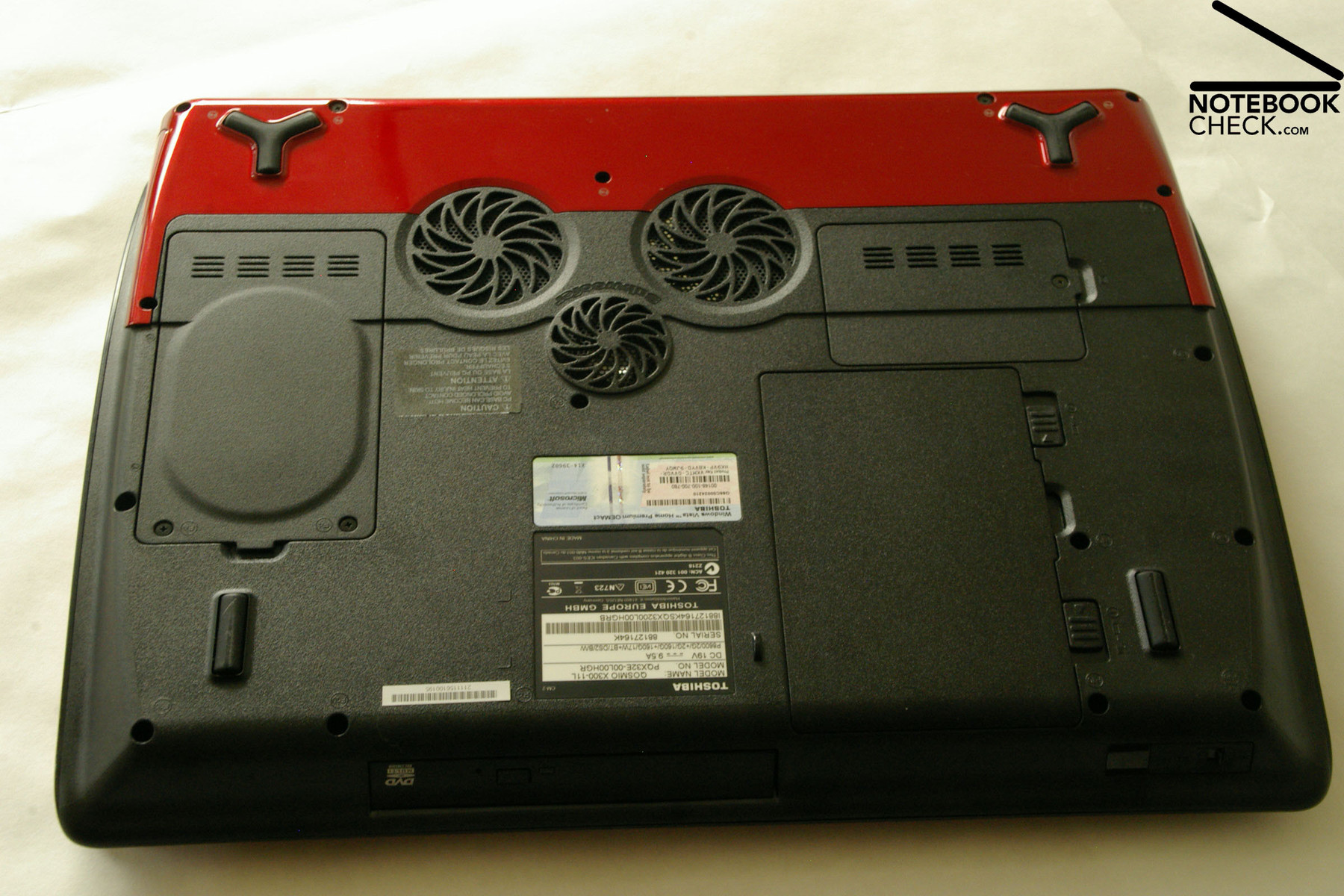
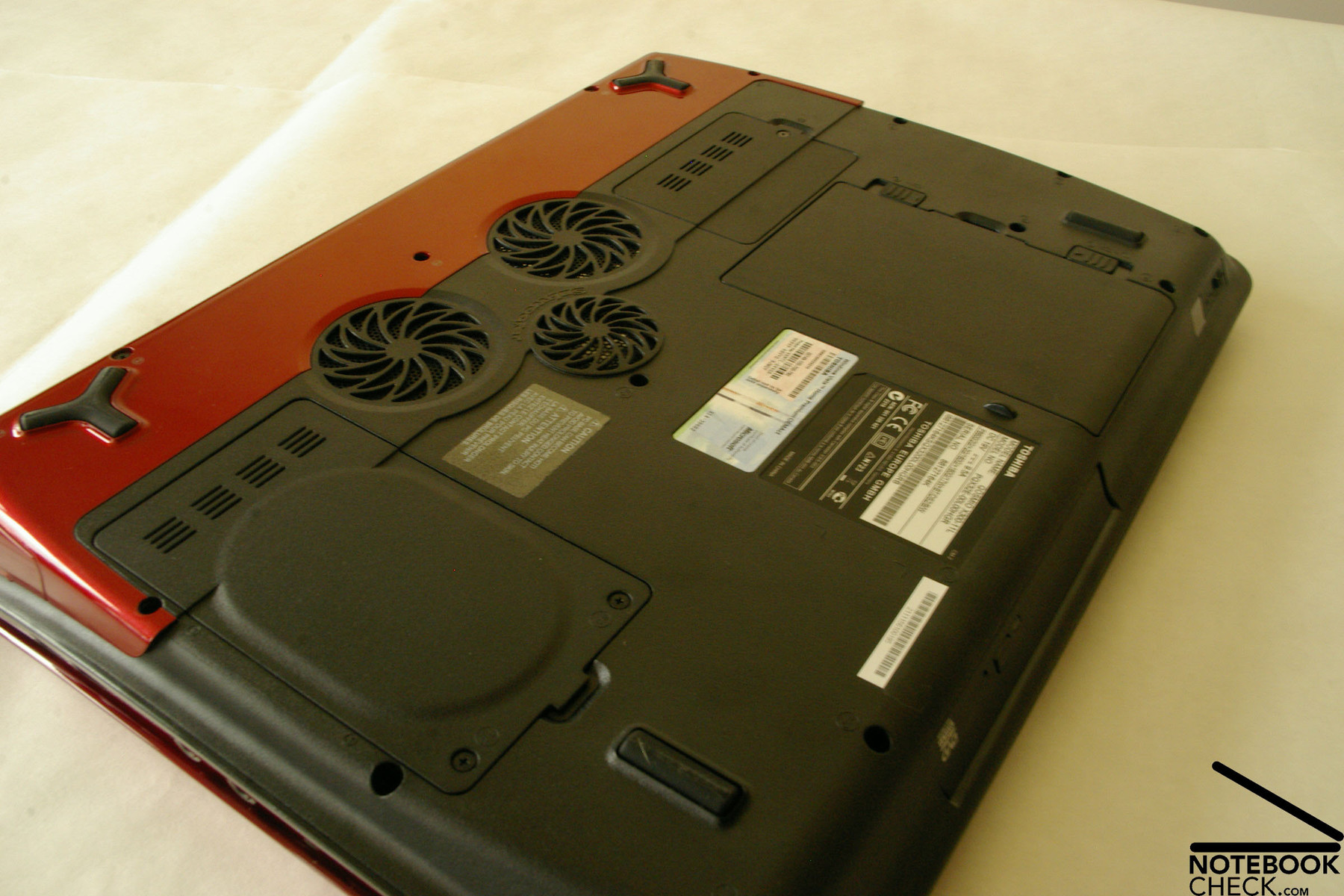
The case of the 17“ notebook was entirely made of plastics. It is quite robust and provides the notebook with enough stability to handle it without problems, despite its enormous size. Not an easy task considering the weight of 4.3 kilogramme. The case can even be lifted up on only one side, although it creaks slightly.
Only the area between display and keyboard, as well as the backside of the display lid showed weaknesses under point pressure.
Overall workmanship is very good. We didn’t notice any sharp edges or unattractive gaps between the components. Even the touchpad shows a pleasant, smooth transition to the case, without annoying edges or corners.
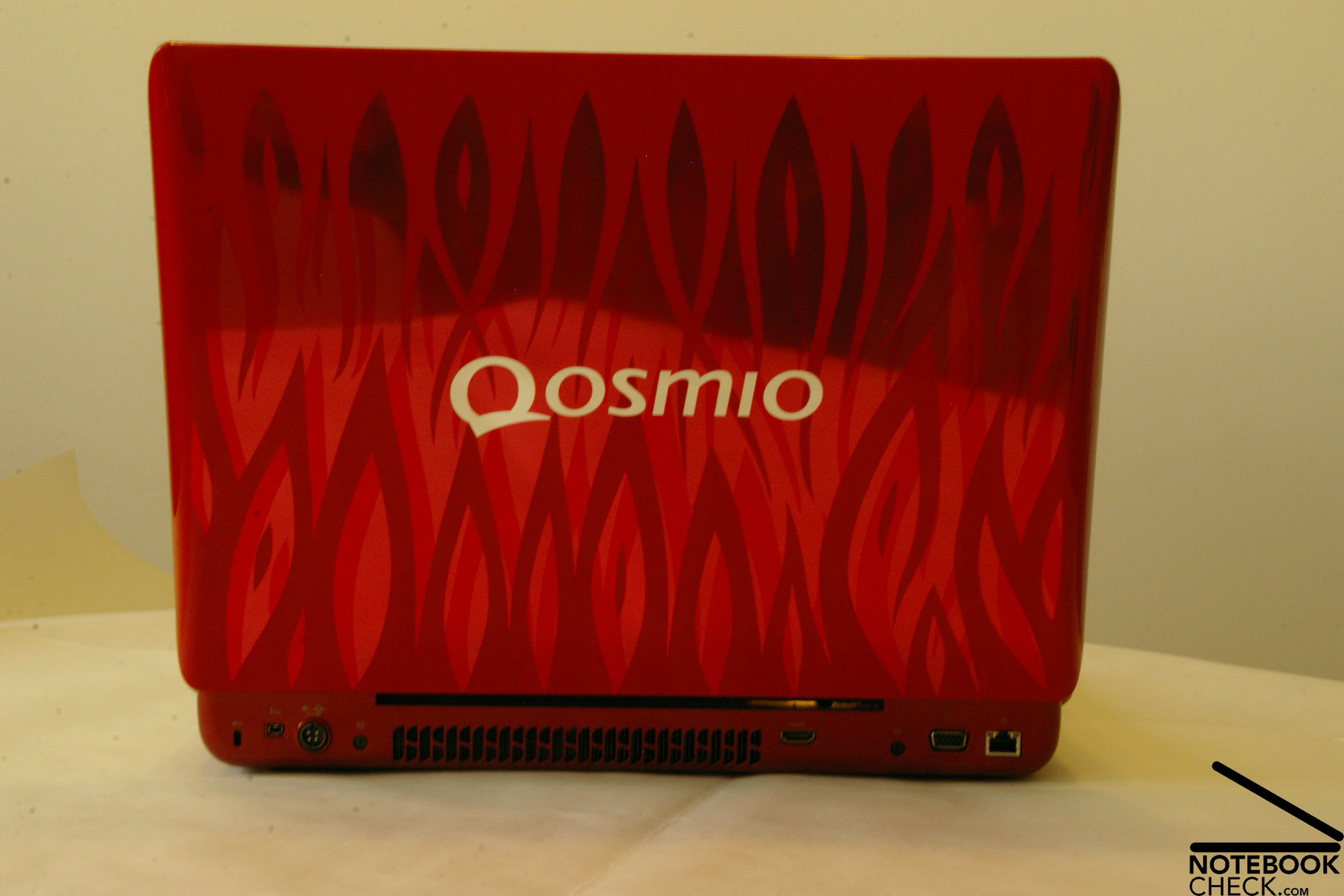
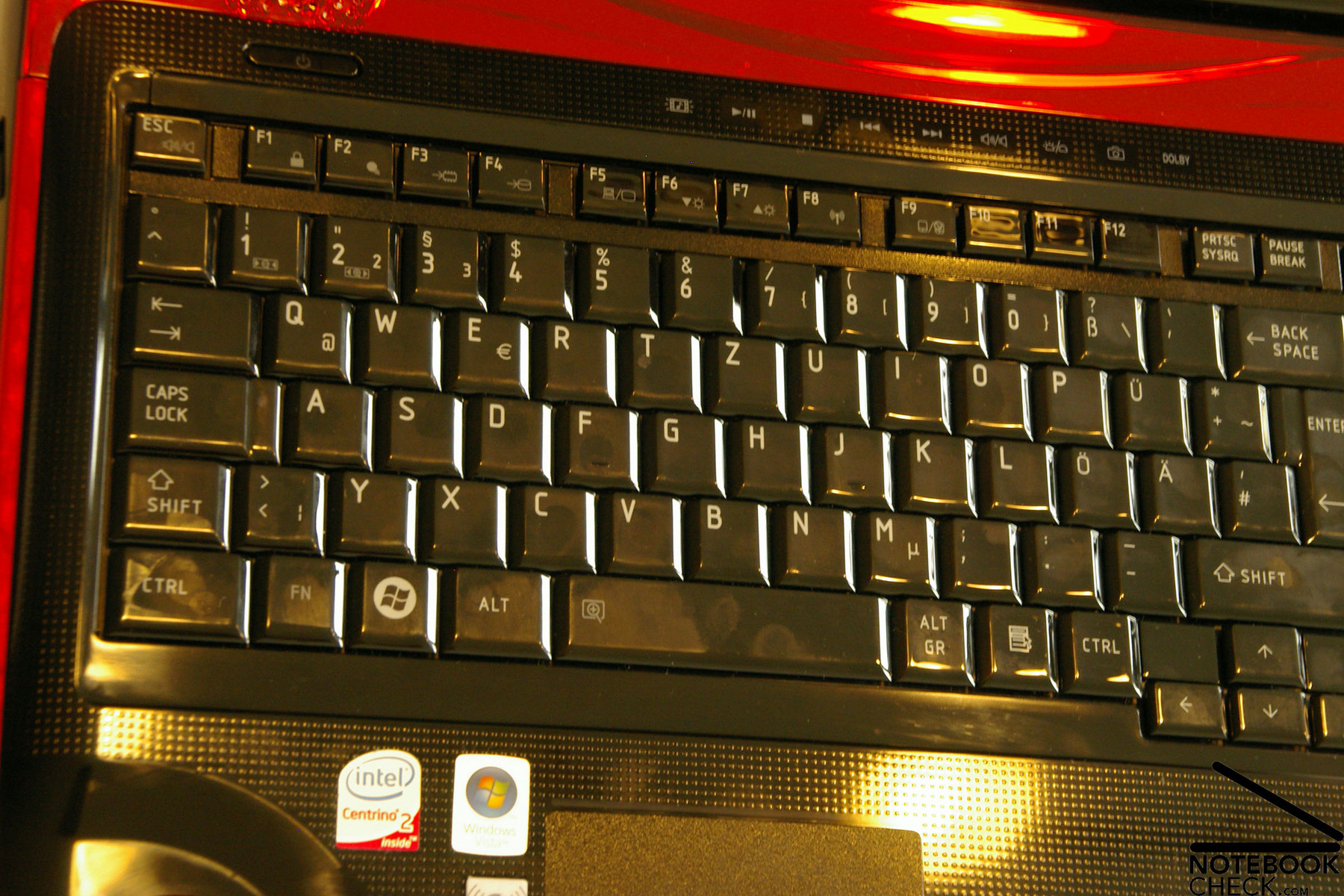
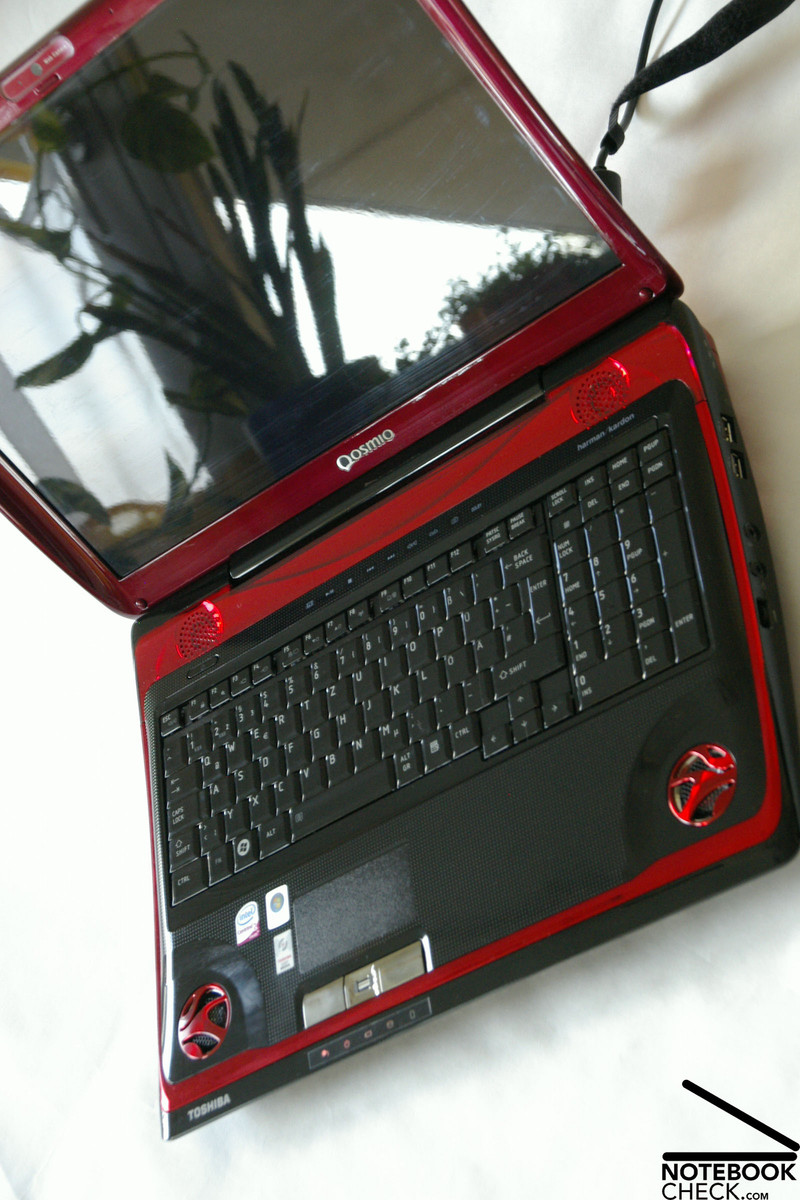
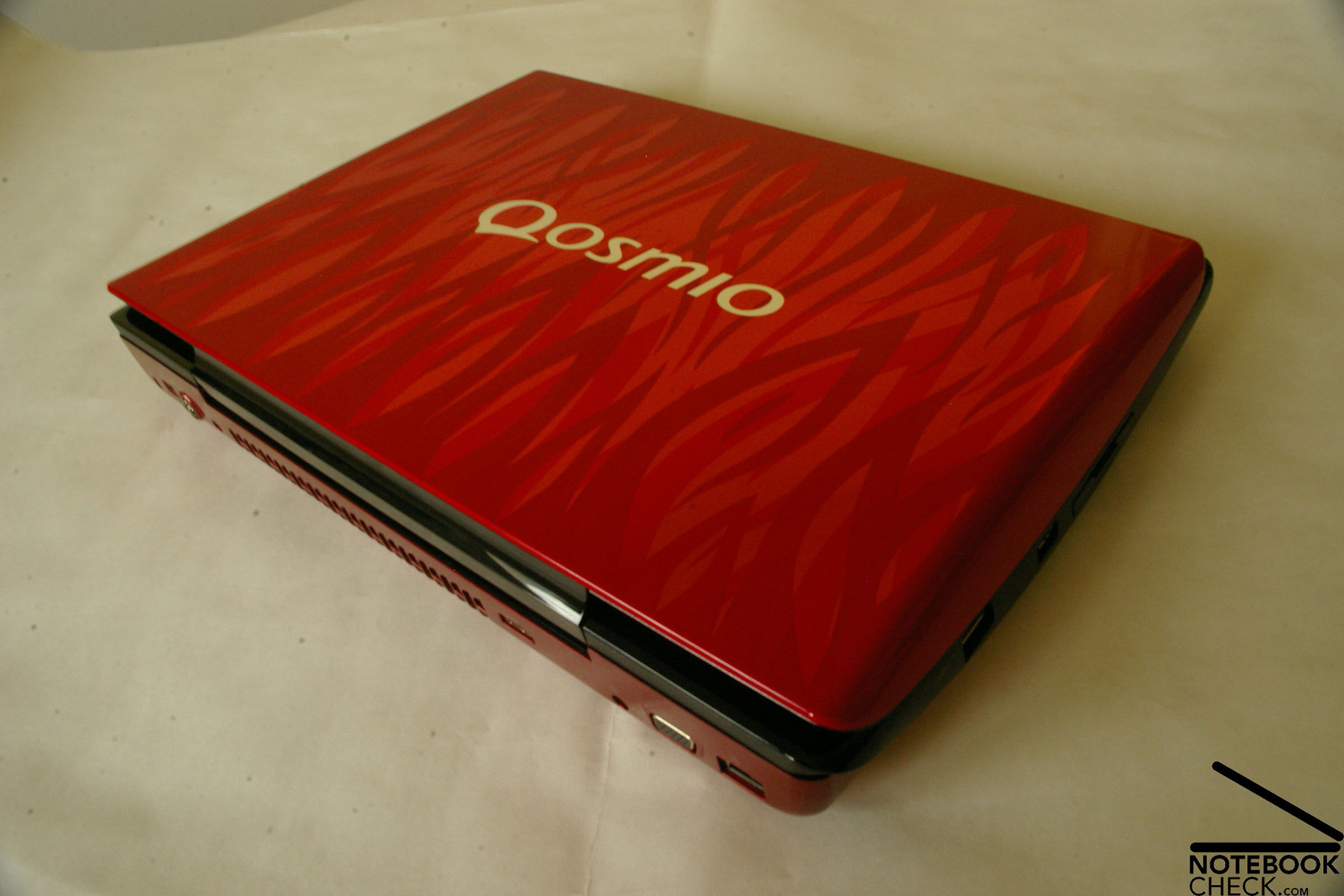
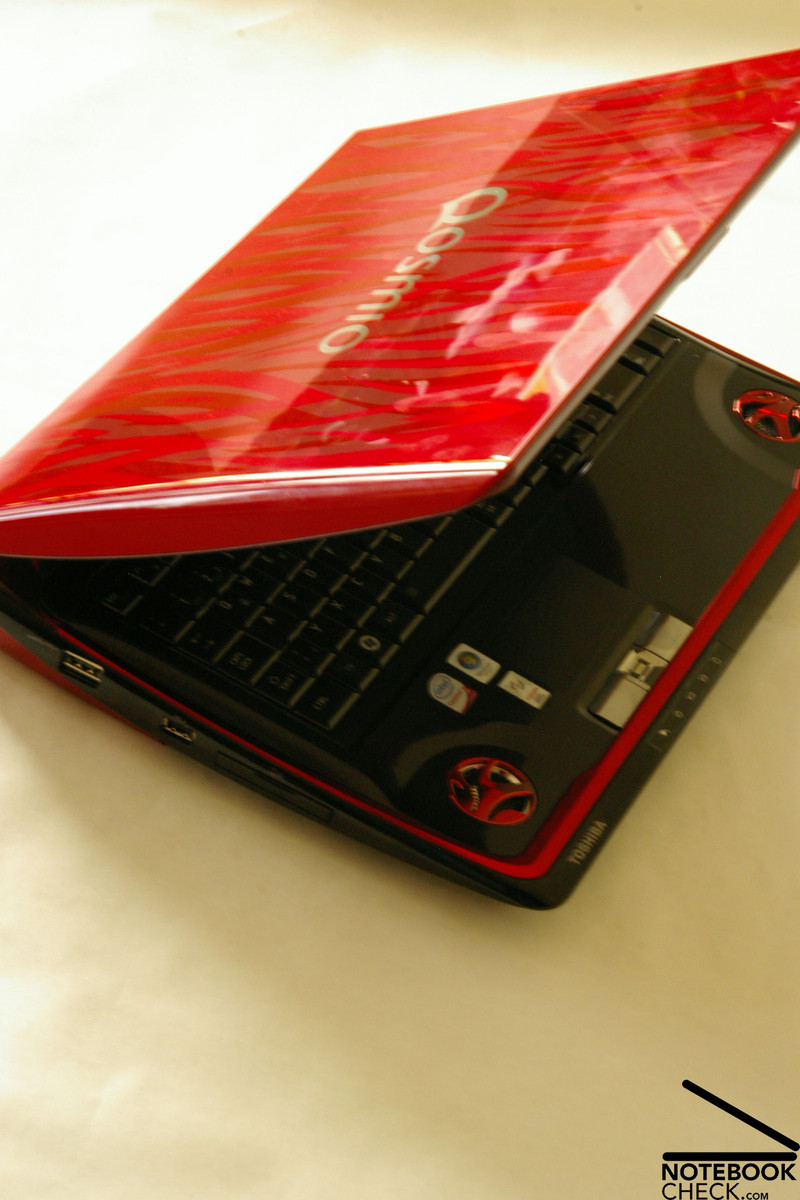
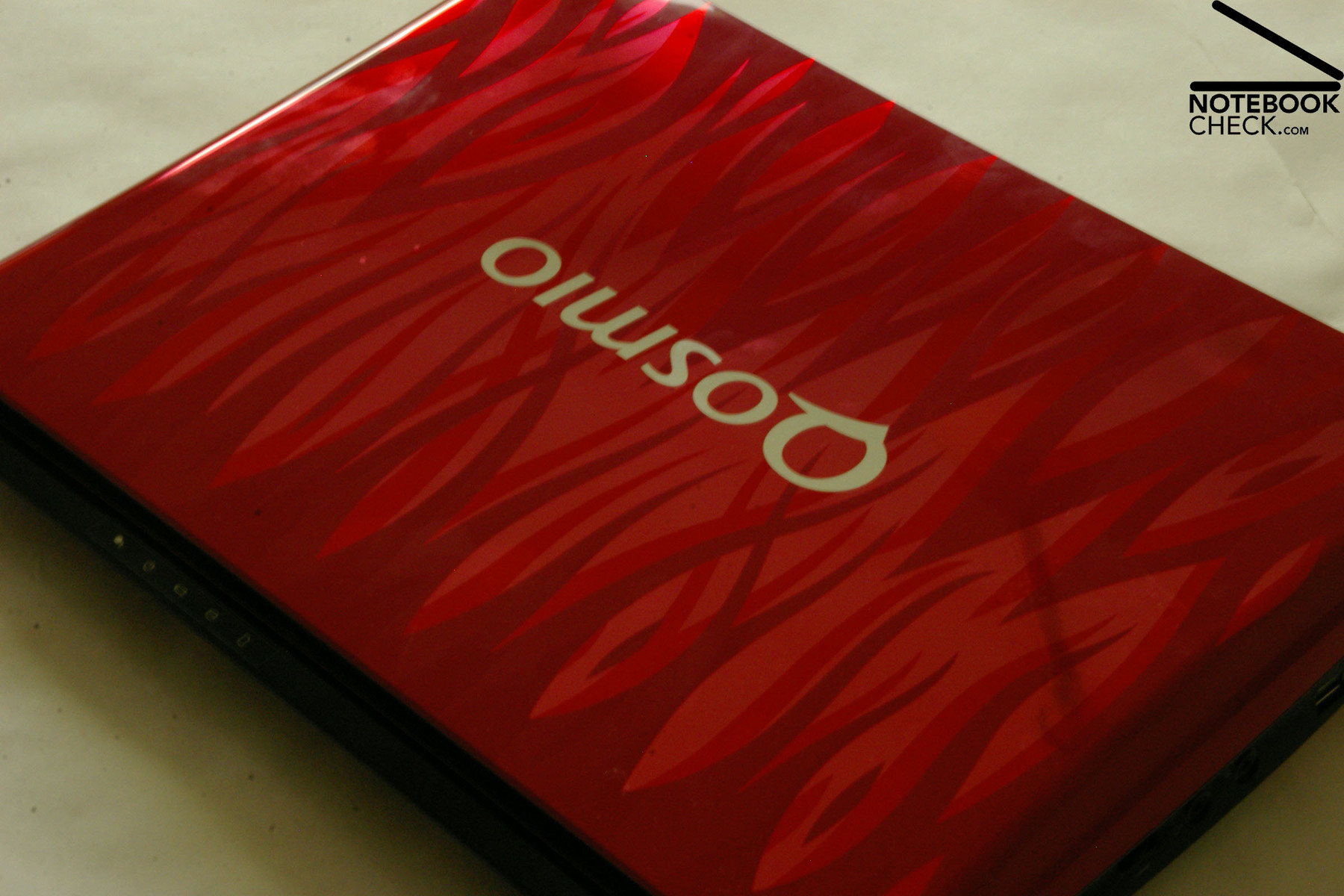
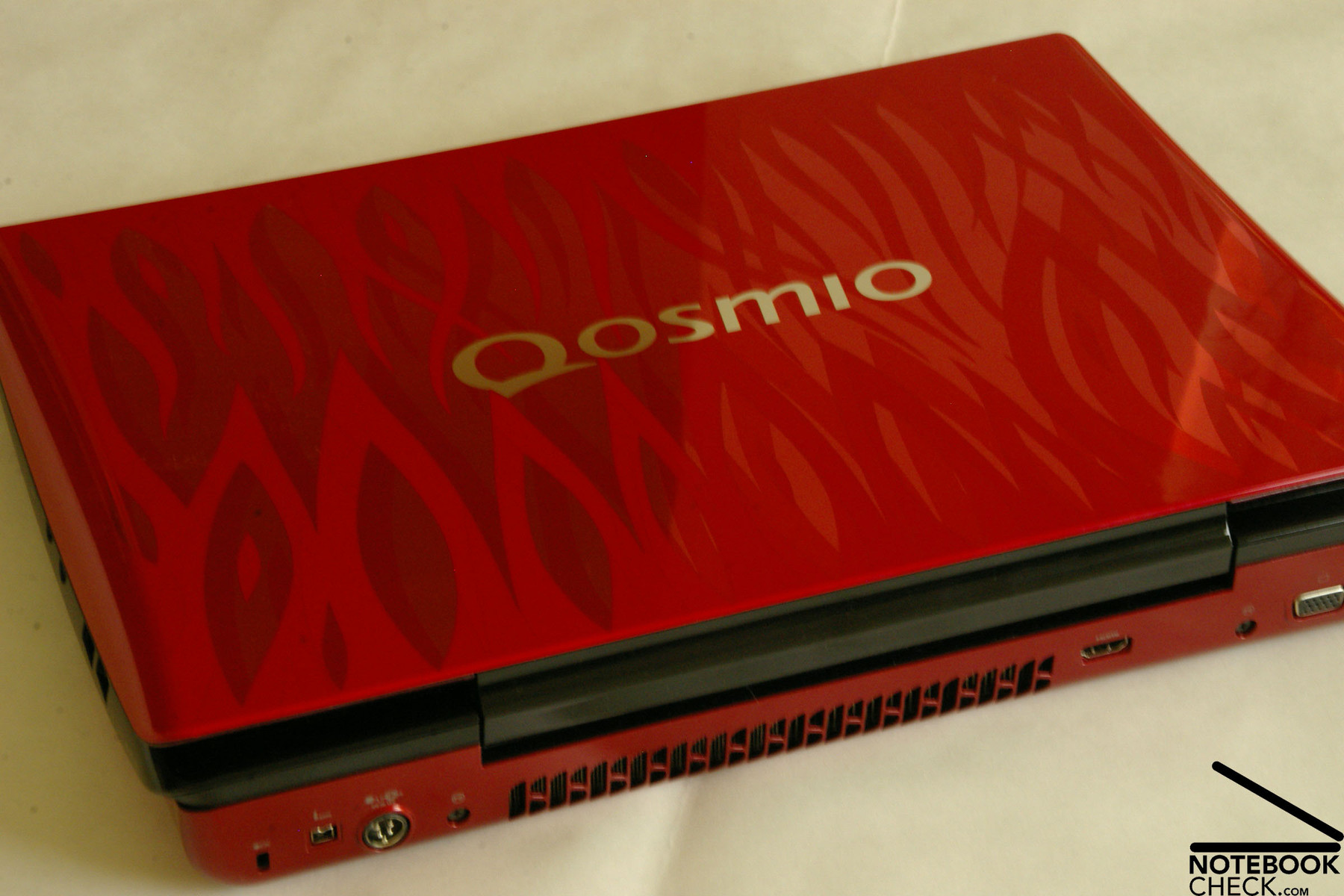
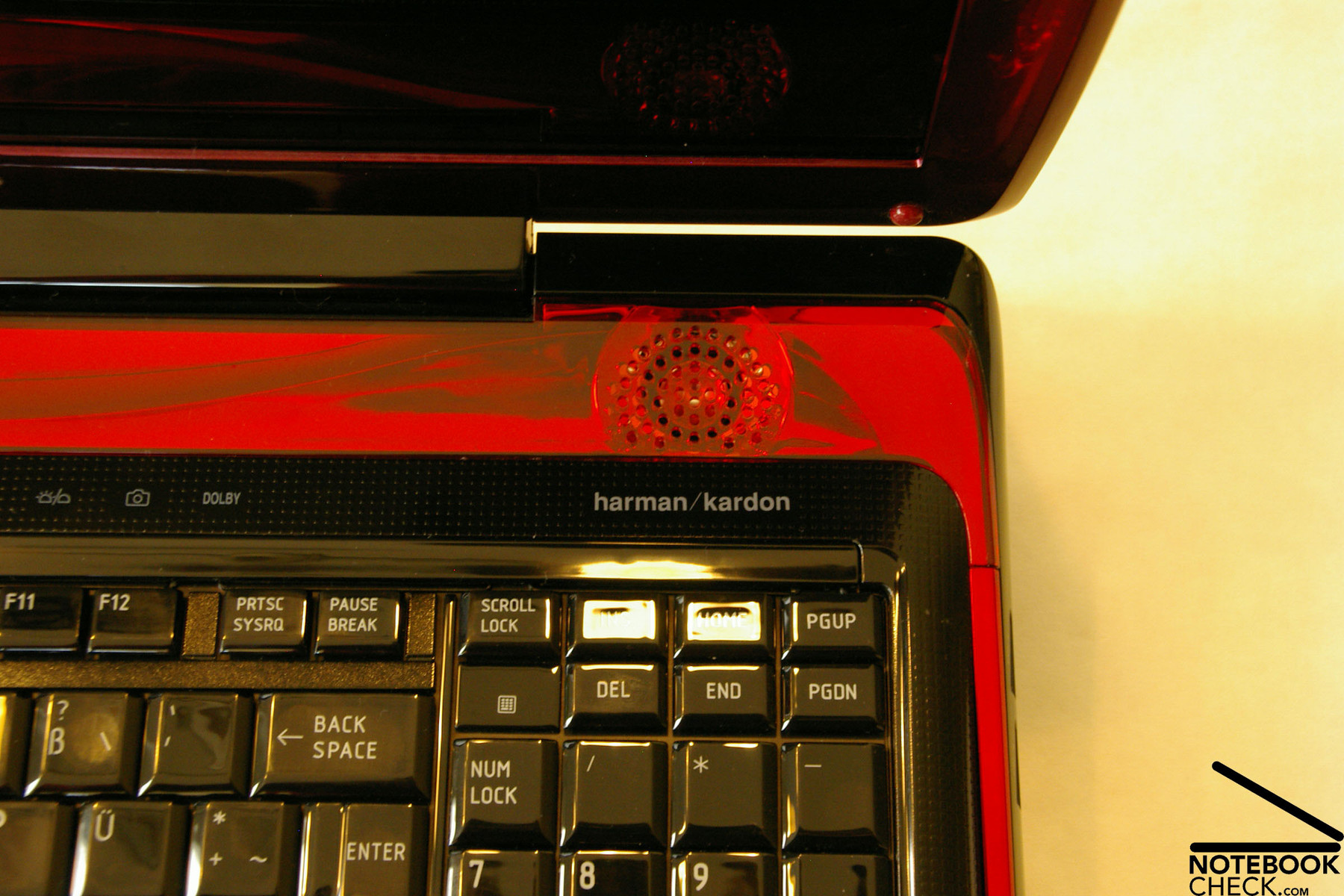
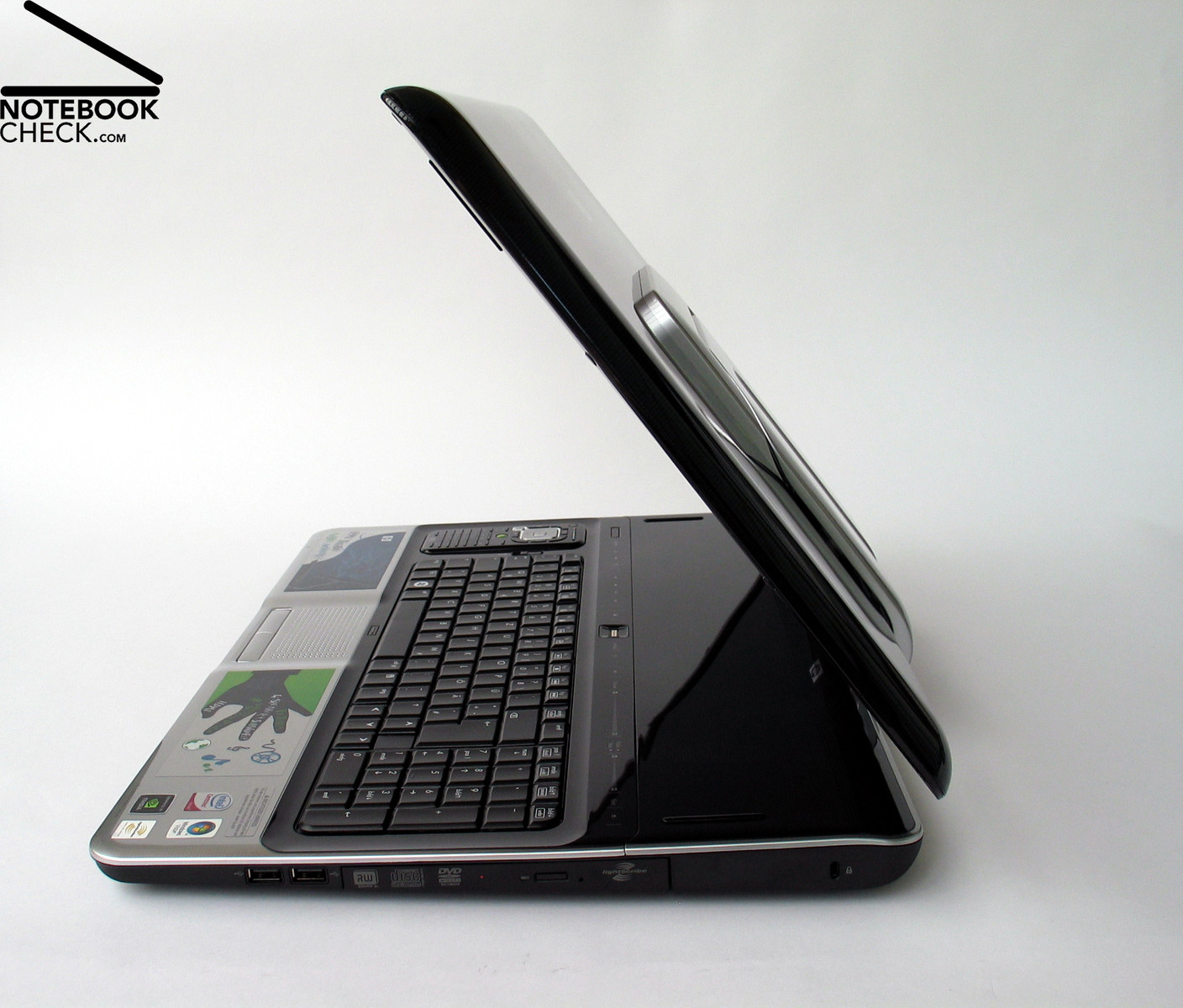
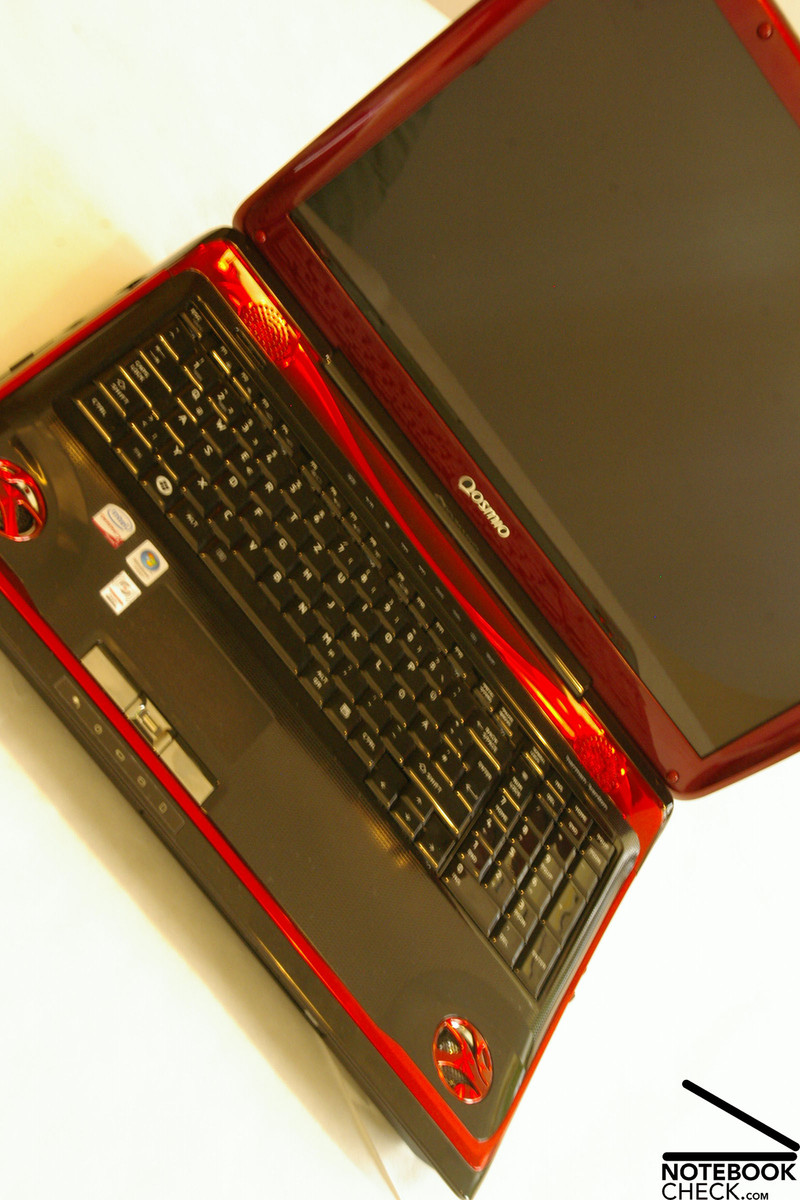
Toshiba chose full red and orange colours, and a flame pattern for the Qosmio X300. The pattern puts more emphasize on how the notebook should be used – for gaming. Furthermore, the whole surface besides the bottom has a glossy finish. Even the keyboard got this surface treatment, but it turned out to be a weakness during the test. While the glossy finish gives the big and heavy Qosmio X300 an elegant touch, it also makes every fingerprint visible. Therefore after the first gaming or working sessions on the notebook, it becomes clear that the keyboard needs a lot of care and cleaning to prevent it from degenerating.
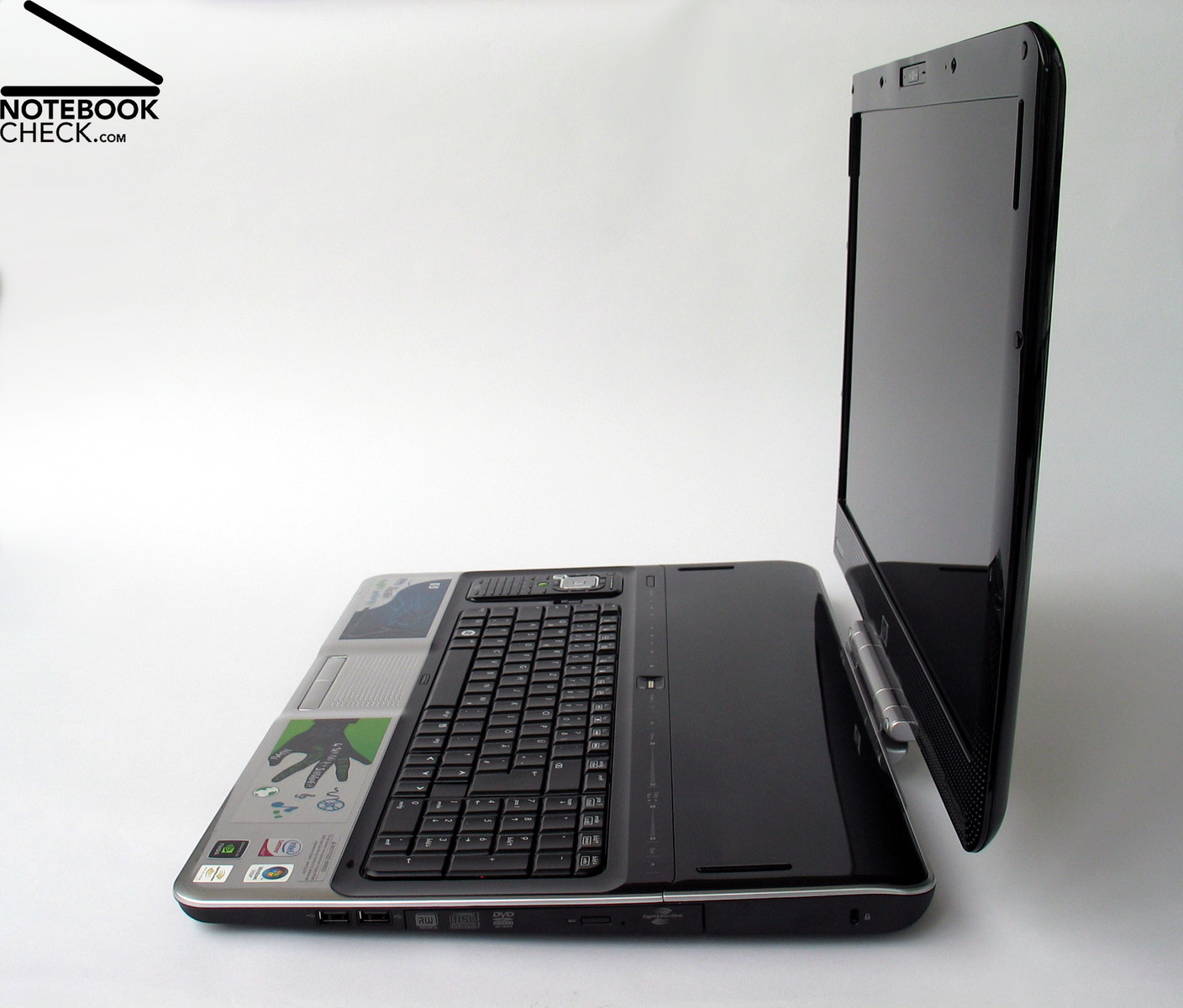
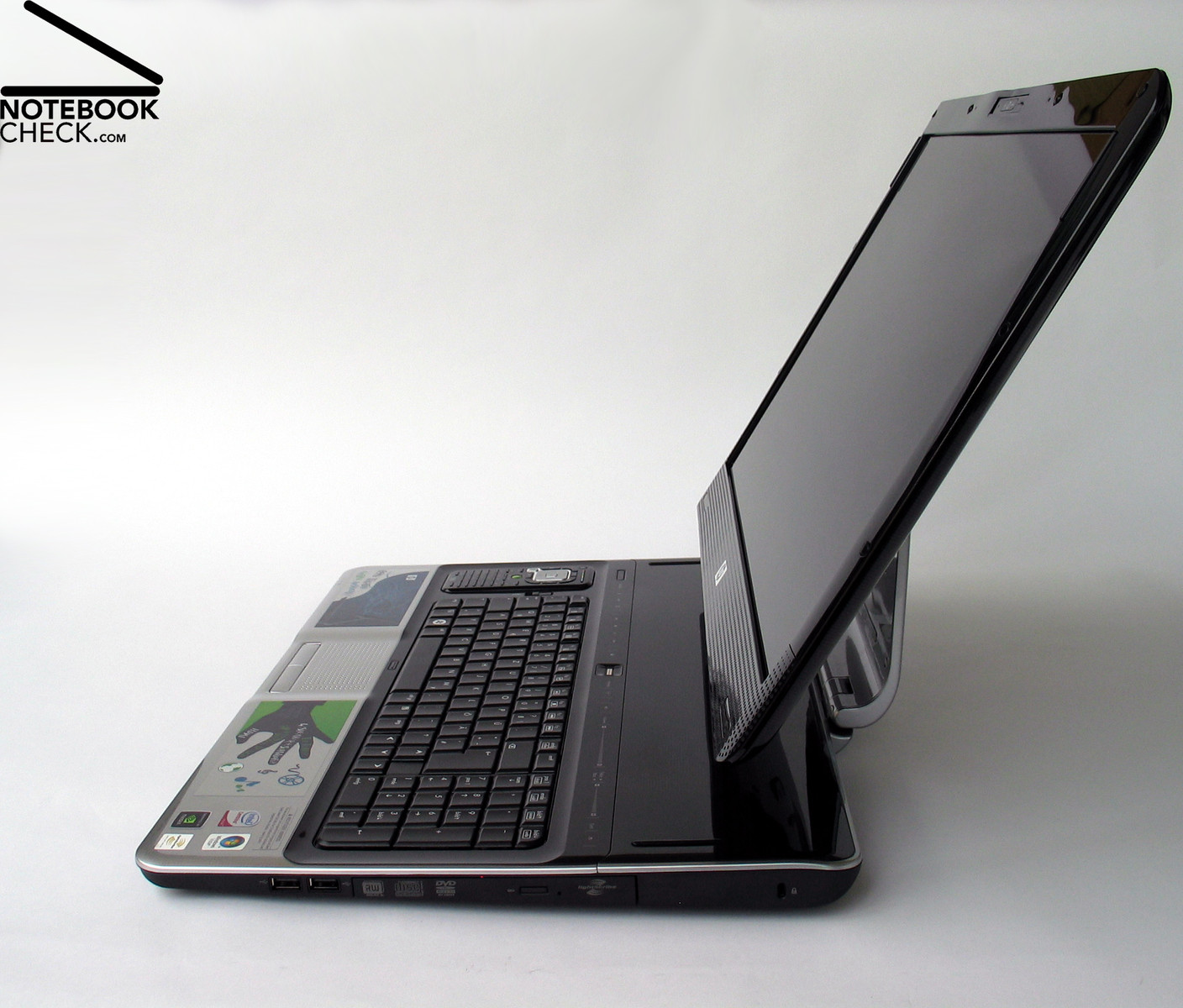
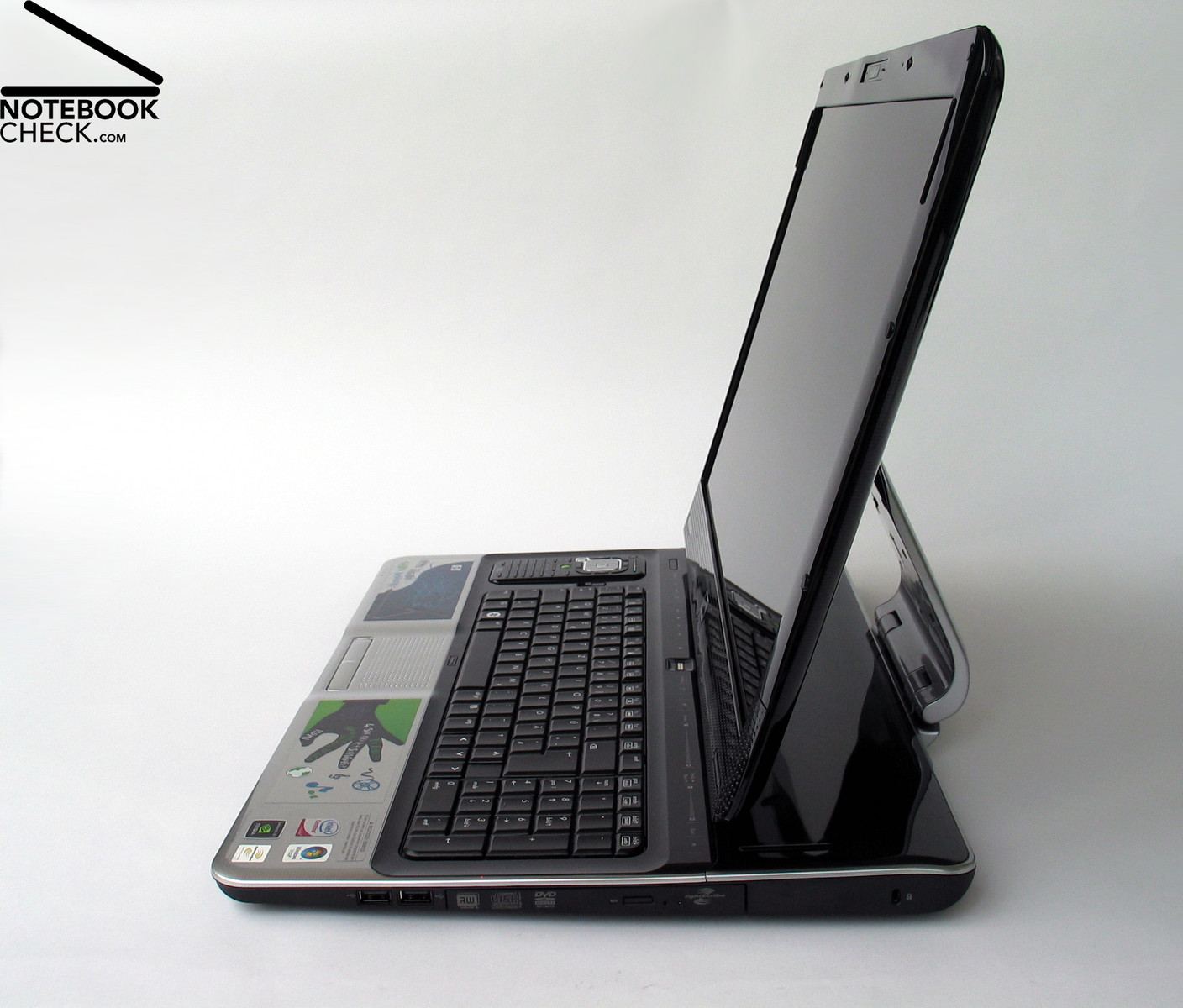
Although Toshiba didn’t implement a closing mechanism despite the size of the notebook, it doesn’t seem to be a problem for the Qosmio X300. The display lid of the test sample shut neatly and stayed that way even during transport. Opening the display is thus very simple, user friendly, and noiseless. Once opened, the hinge keeps the display firmly in position.
Worth mentioning is also the height of the case. The notebook is 43.2 millimeter high at the front and “grows” to remarkable 62.5 millimeter at the back. Finding a suitable notebook carrying case for the Qosmio X300 is thus not going to be easy, and the notebook is certainly not going to score high in the mobility and battery life sections of this review. The Qosmio X300 is obviously designed to be a desktop replacement and as such it is a serious competitor to many desktop computers and other gaming notebooks.
Interface Equipment
The Qosmio X300 offers all current interfaces, like USB, audio ports, FireWire, etc., which are well distributed around the case.
The front is free of connections, apart from a WLAN and Bluetooth switch, as well as the DVD drive. In our opinion it would have been better to put the optical drive on the left or right side of the notebook, because of the carriage, but that is a matter of taste.
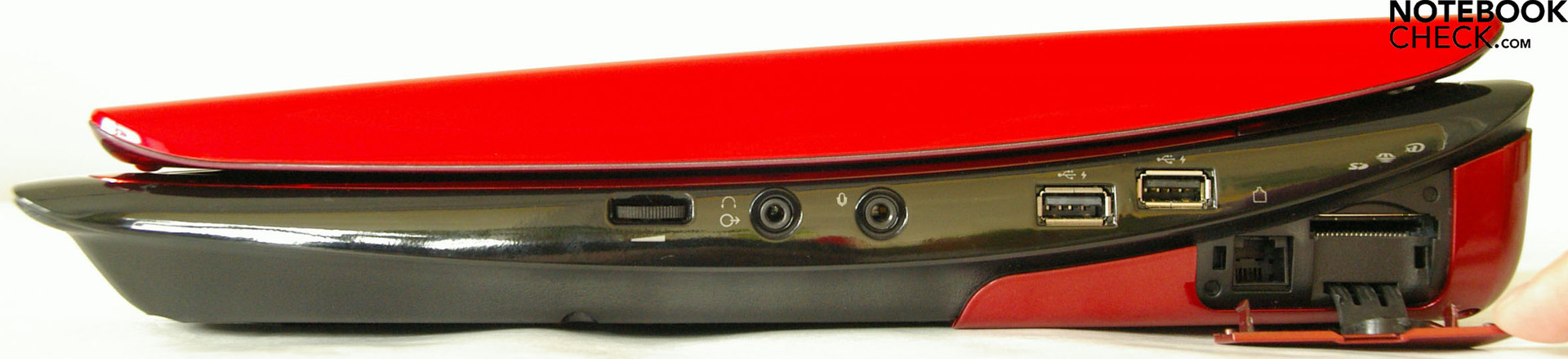
Located on the right side are a volume control, audio ports for earphones and microphones, two USB 2.0 ports, modem connection, and a 5-in-1 card reader (SD memory card, memory stick PRO, MultiMediaCard, xD-picture card).
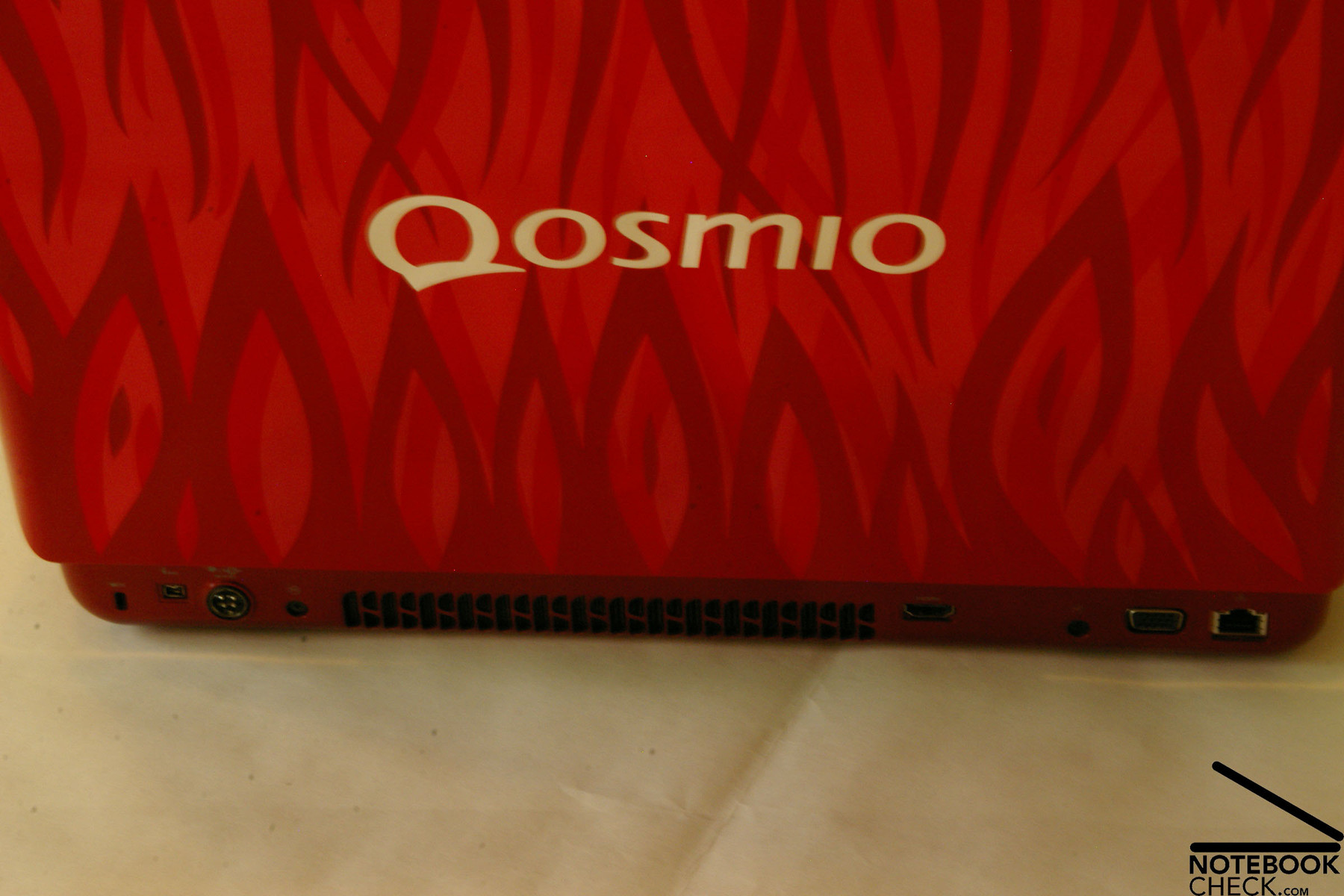
On the back side of the Qosmio X300 are a Kensington Lock, FireWire, power supply, fan, HDMI port, VGA-out, and the LAN connection.
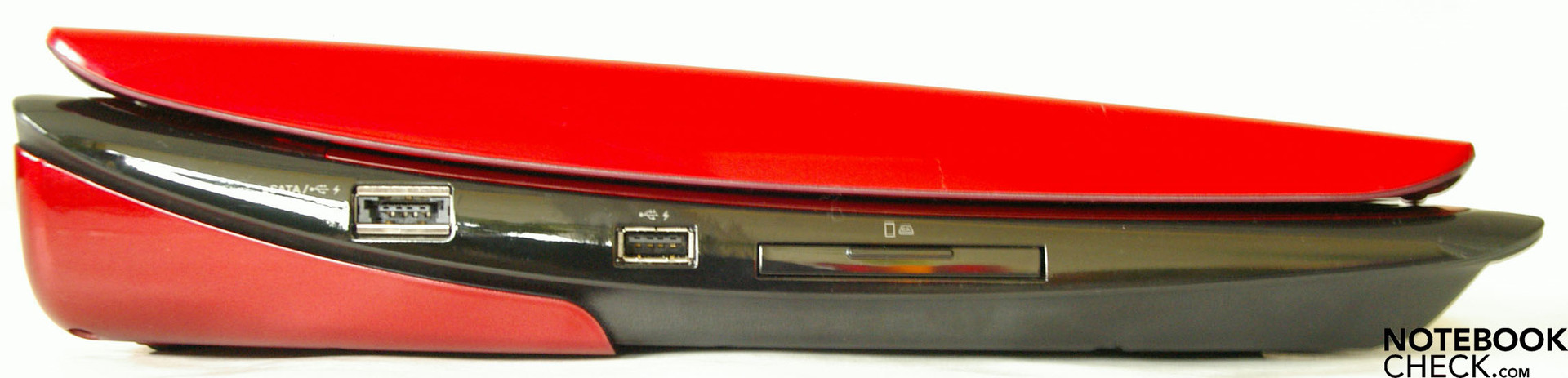
The left side is rather empty in comparison. There are only a combined eSata/USB connection, a standard USB 2.0 port, and an express card slot 54.


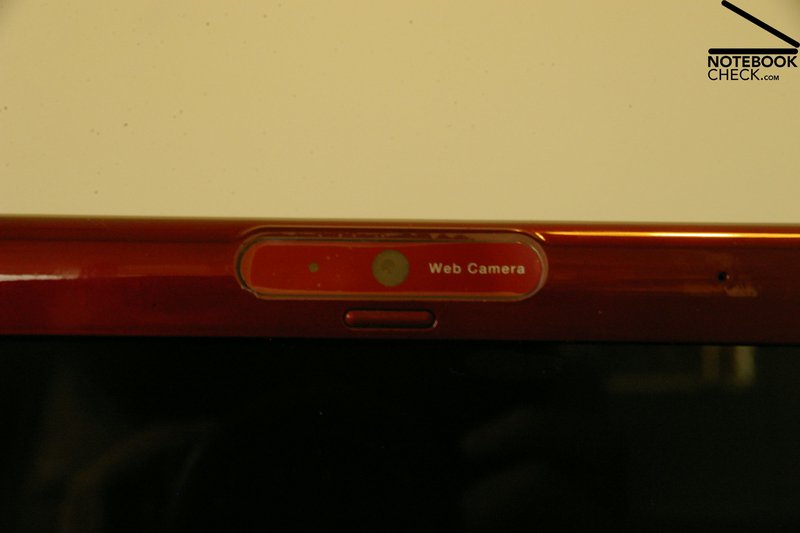
Furthermore, the Qosmio X300 has a 1.3 mega pixel webcam, which is located in the middle above the display. A few centimeter to the right, there is an integrated microphone, which is more than sufficient for occasional video chats with friends and relatives.
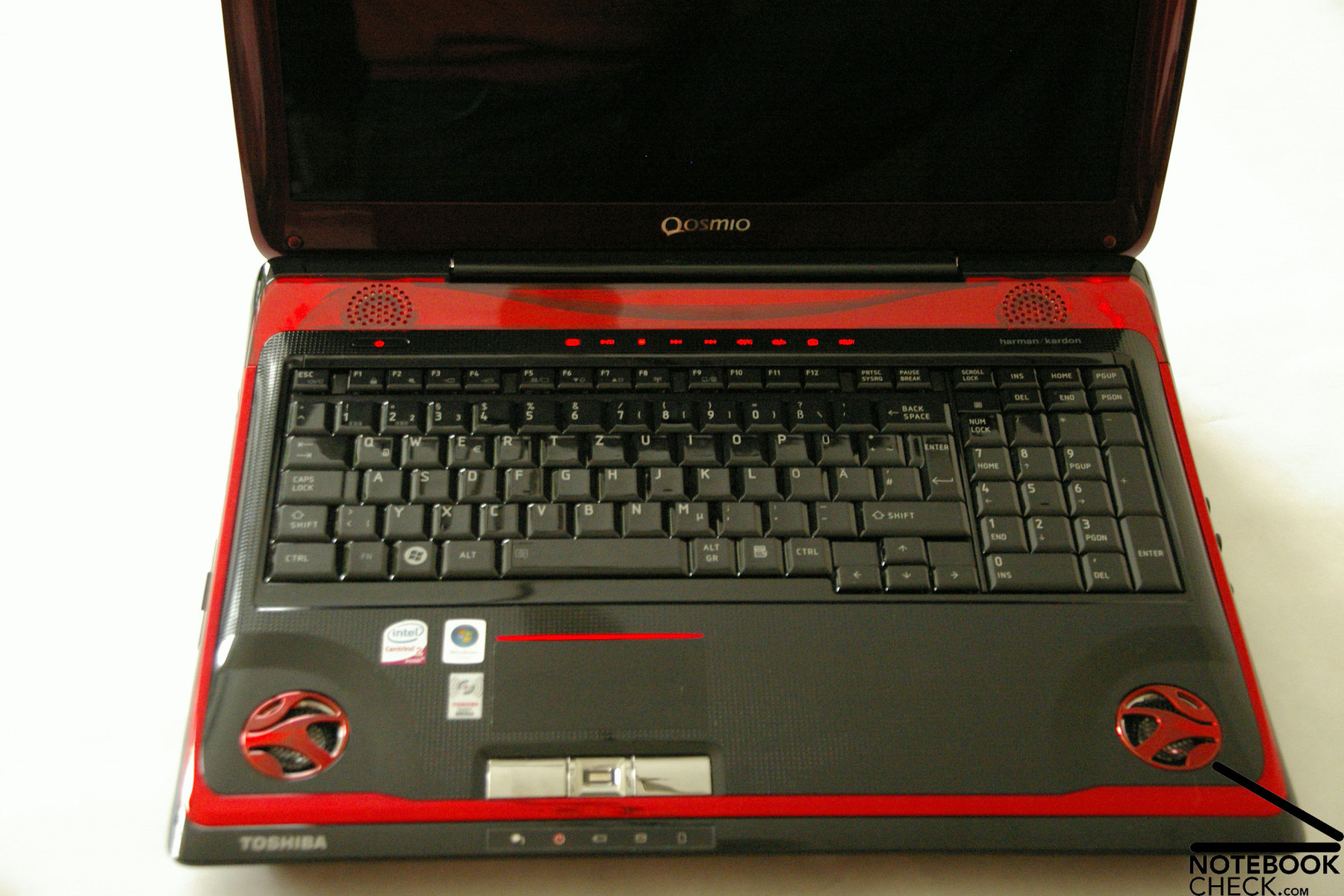
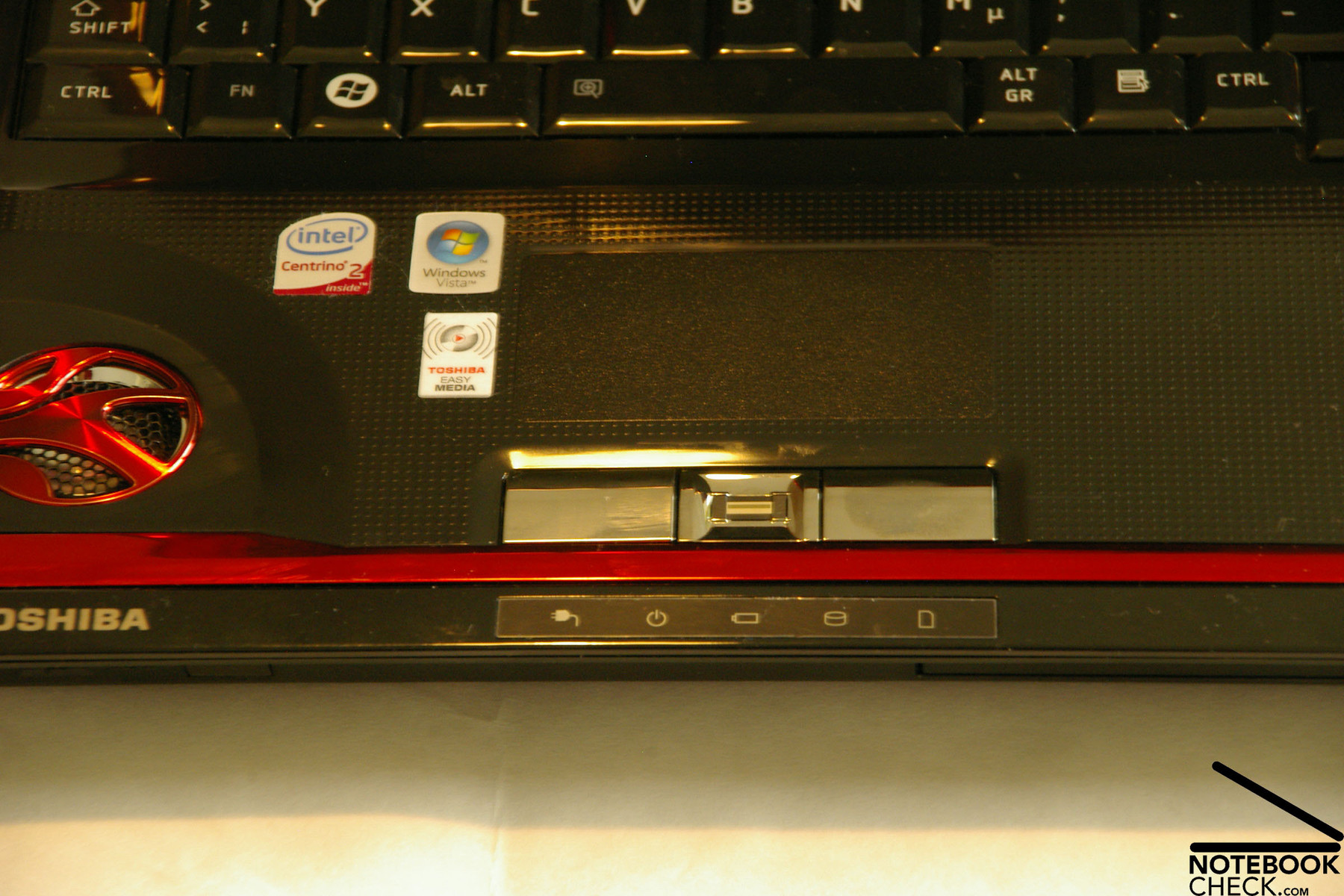
The Qosmio X300 uses a fingerprint reader to prevent third parties from accessing private data.
Our test sample was equipped with a wide range of communication interfaces, such as Bluetooth 2.1 with EDR, wireless LAN (Intel(R) Wireless WiFi Link 5100), modem, and a LAN connection of type Realtek RTL8168C/8111C Family PCI-E Gigabit Ethernet NIC (NDIS 6.0). Toshiba really covered everything a user might need. Therefore we can give the Qosmio X300 good marks regarding communication equipment.
Input Devices
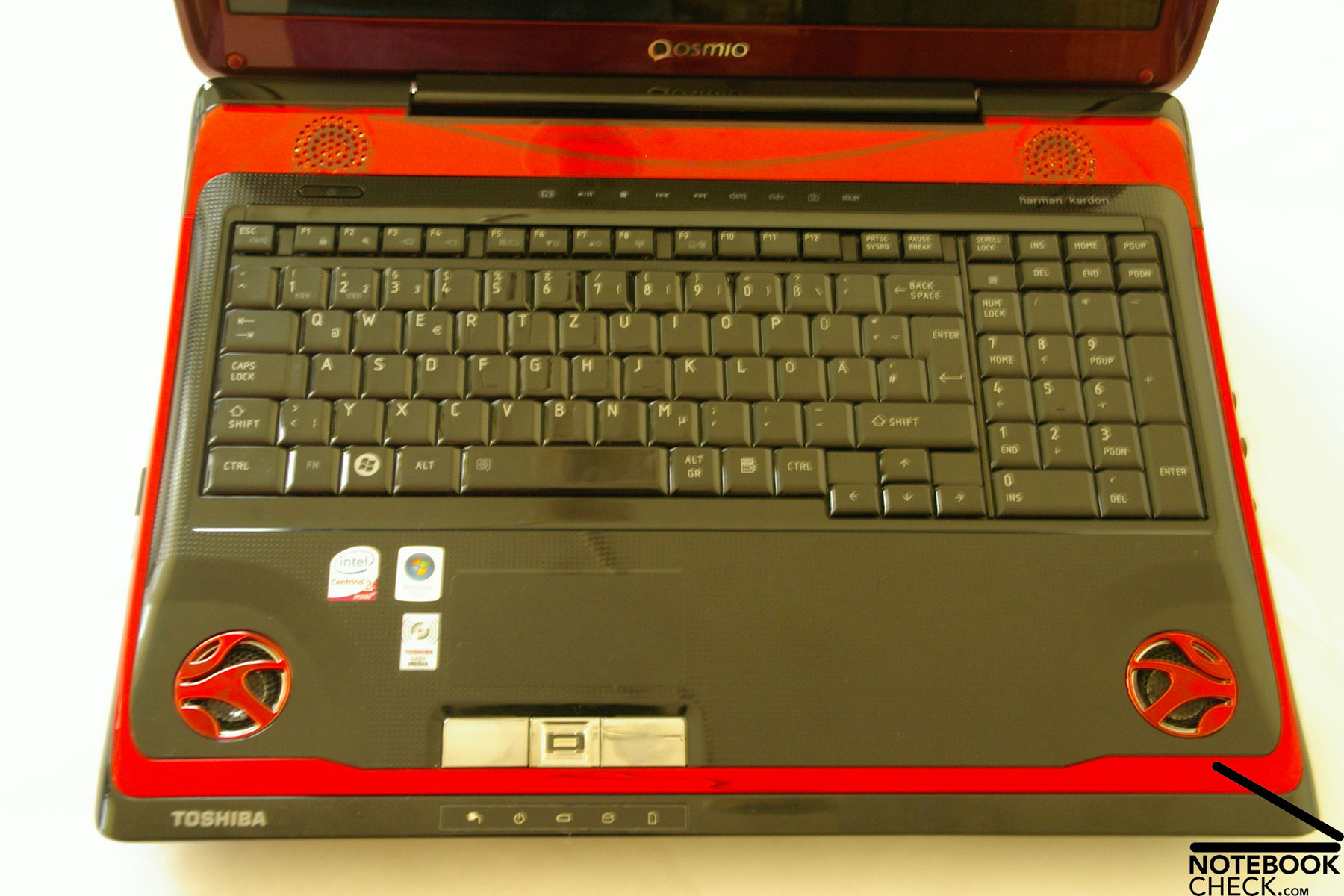
The keyboard of the Qosmio X300 offers a very pleasant typing feel to the user. Layout and size of the keys, as well as the clear pressure point, add to the positive overall impression of the keyboard. Additionally, the 17” notebook has a fully-fledged number pad in original size. Therefore the keyboard of the Qosmio X300 successfully covers everything in terms of functionality and typing feel. The only problem with the keyboard is the glossy surface, which is all but user friendly and easily soiled. Especially fingerprints are a big problem for the keyboard. Frequent cleaning after every use is very important, to keep the keyboard attractive. If that sounds like too much work, we highly recommend an external keyboard.
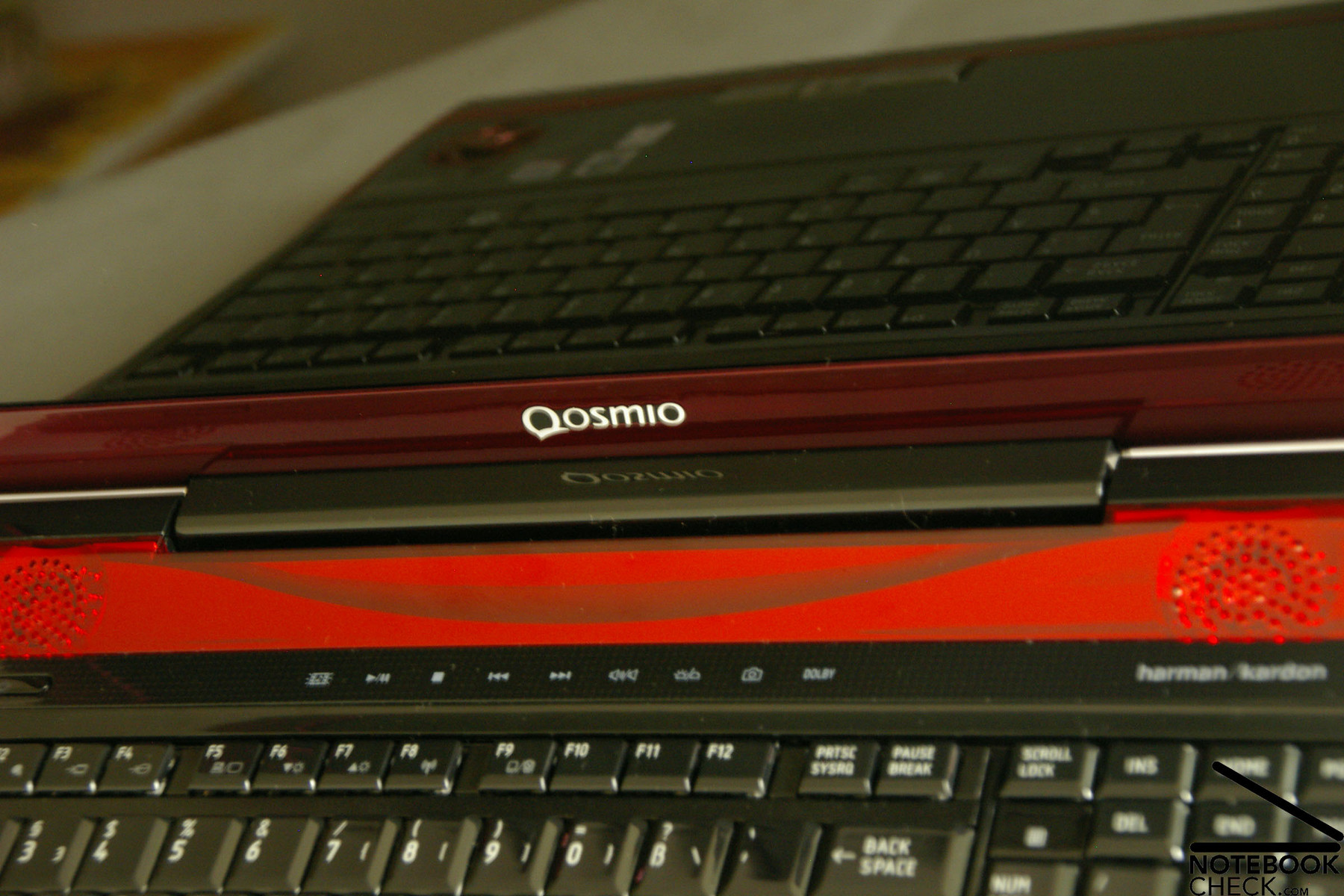
Between keyboard and display are touch sensitive multimedia buttons, which control the DVD player and other functions. However, the remote control, which is included with the laptop, is even more convenient.
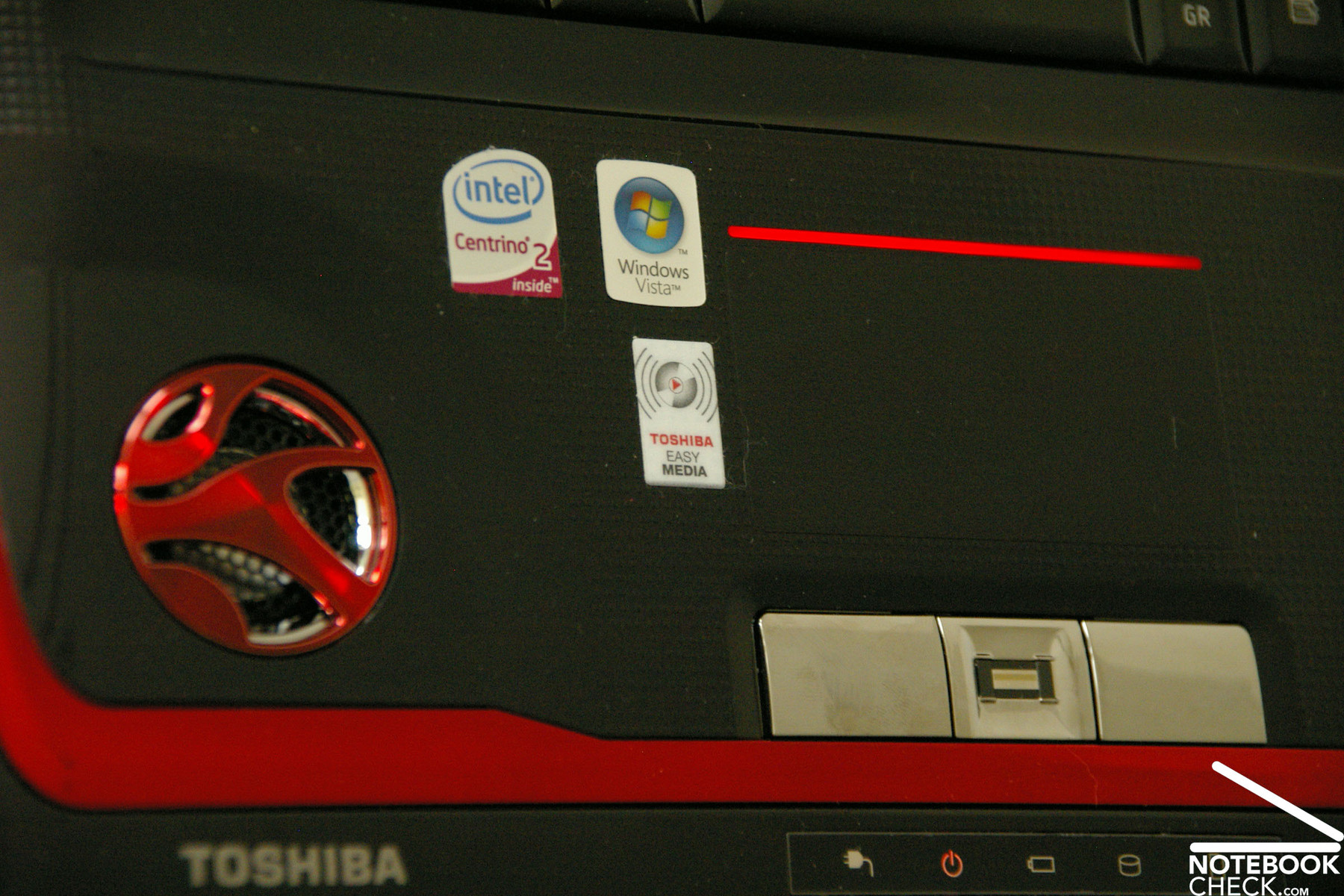
Compared with the keyboard, the touch pad is low-maintenance. It connects neatly with the area below the keyboard, which has an agreeable nap finish, and has no edges or corners where dust could be accumulated. The touchpad itself has a rough surface, which react very fast and precise to finger movements. The two touch buttons made out of chrome are pleasant to use with a clear pressure point. The fingerprint reader is located between the two touch buttons.
Display
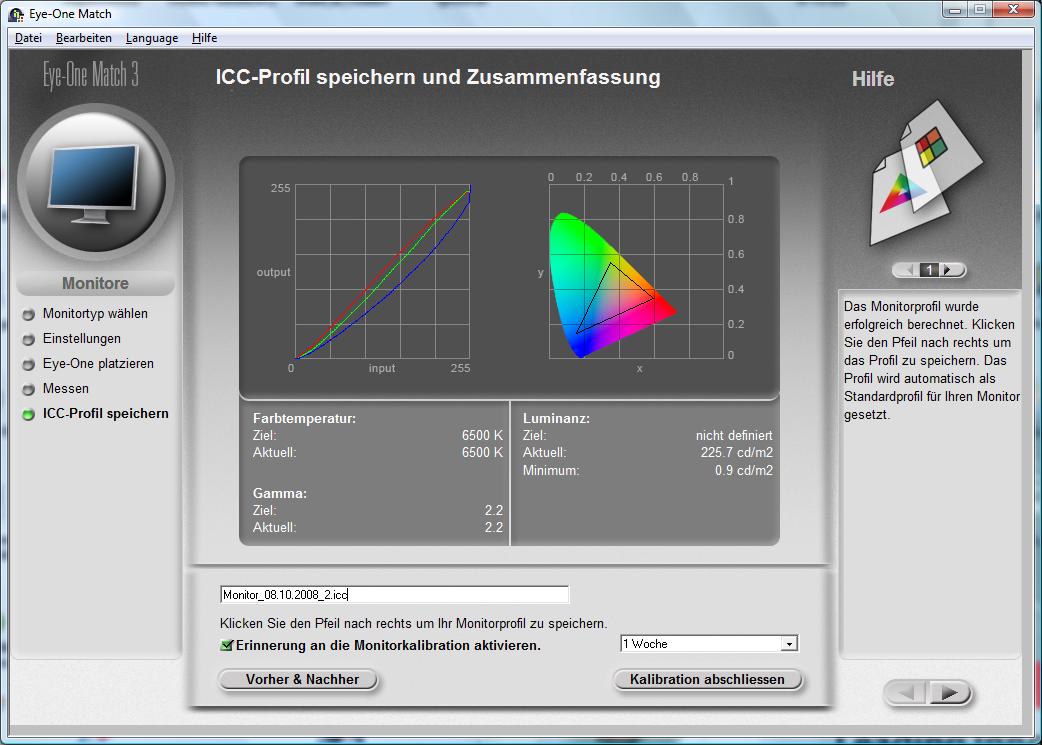
According to Toshiba, Qosmio X300 models have a 17“ large TruBrite WXGA+ TFT high brightness display, with a maximum resolution of 1440x900 pixels. The display of the test sample showed very full colours, due to the heavily reflecting display, and was especially impressive while playing games. The test sample also displayed sharp and clear images during the entire test. We didn’t notice any blurring on the screen, even when playing fast games like Crysis Warhead or Hellgate: London.
The brightness of the Qosmio X300 display is satisfying. An average value of 191.92cd/m² is not bad. The lowest values and thus darkest areas were in the bottom corners, with 178.8cd/m² on the bottom left and 175.3cd/m² on the bottom right. However, this is not such a problem and hardly noticeable while playing games. The brightest point was in the center of the display, with a good value of 224.8cd/m². However, the overall illumination of 77.09% is not that good. The Qosmio X300 display, like most notebooks displays with glossy surface, is not bright enough for outdoor usage when the sun shines.
| |||||||||||||||||||||||||
Brightness Distribution: 78 %
Contrast: 250:1 (Black: 0.9 cd/m²)
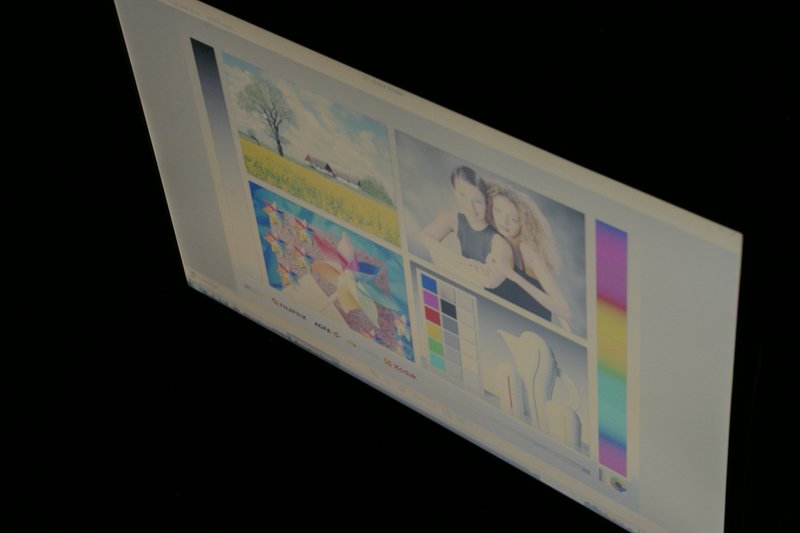
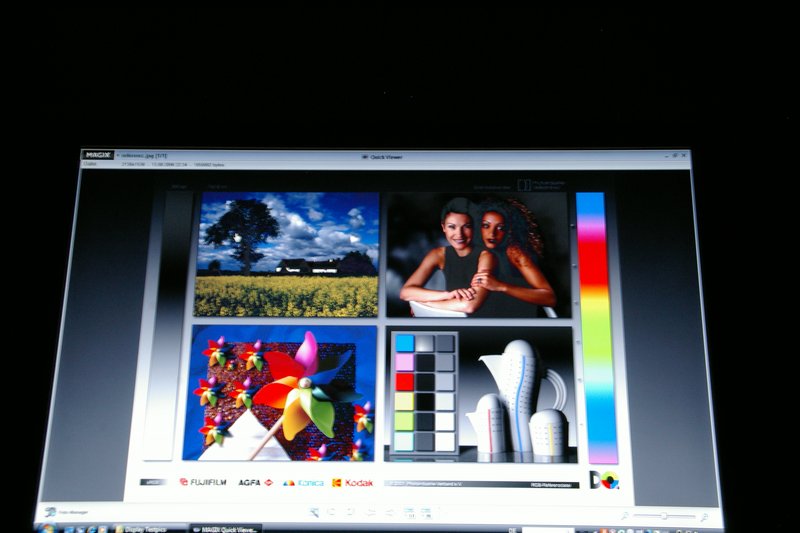
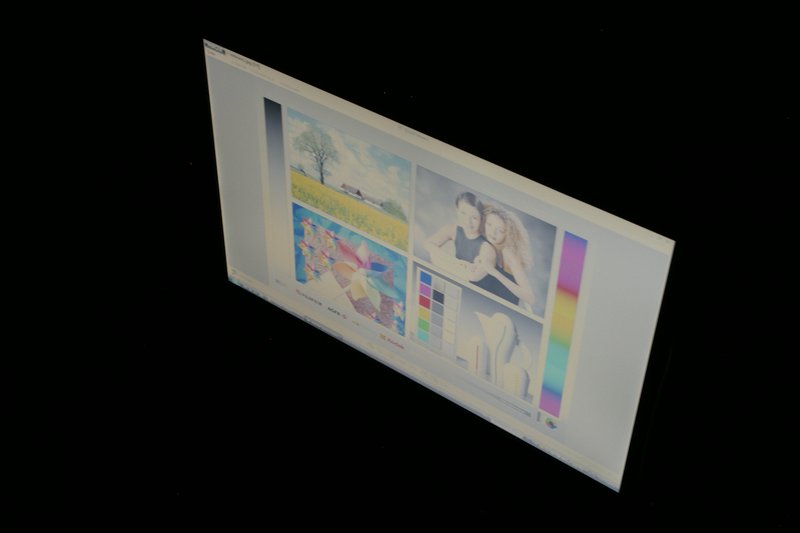
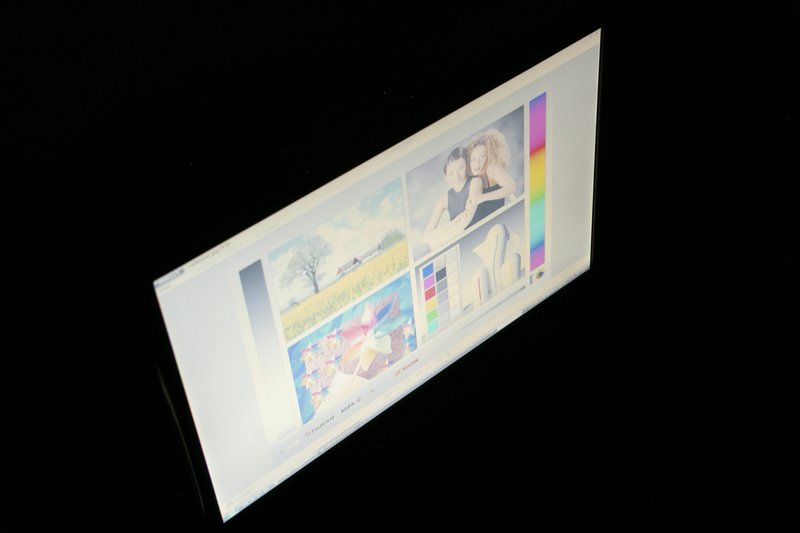
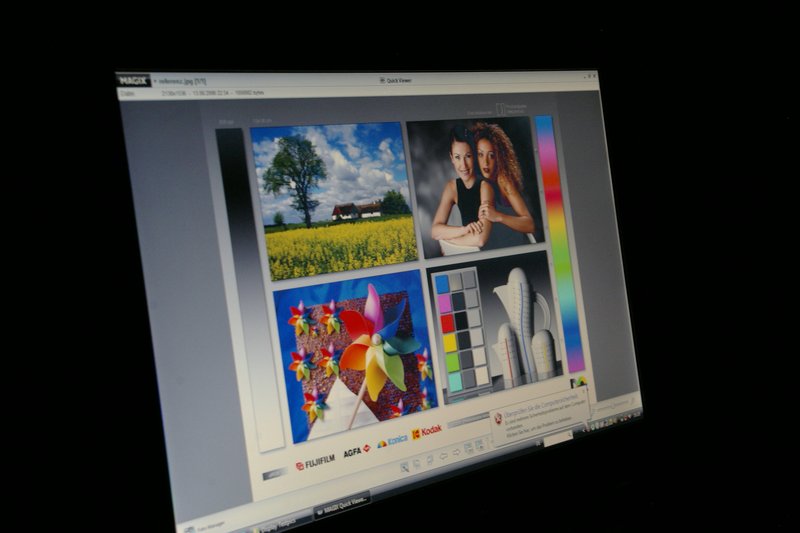
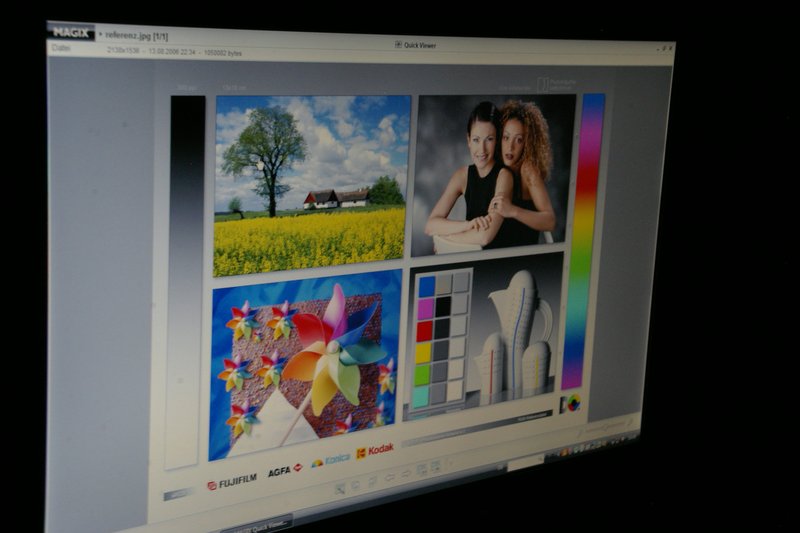
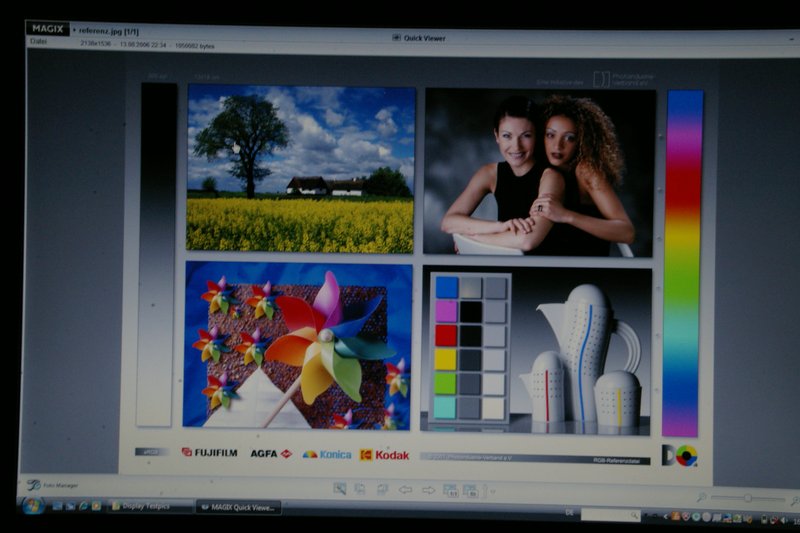
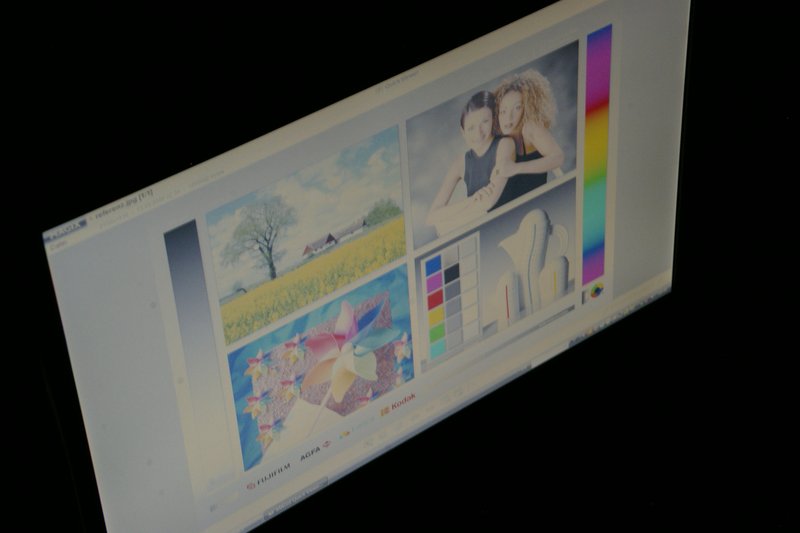
The display has rather wide possible viewing angles, at least in horizontal direction. The vertical viewing angle is a bit limited, but still sufficient.
Wie eingangs schon erwähnt, verrichtet der innovative Display-Klappmechanismus eine einwandfreie Arbeit. Abgesehen von leisen Knarzgeräuschen lässt sich das Panel ohne Probleme in eine für den Benutzer angenehme Position bringen. Auf einen Verriegelungsmechanismus wird dabei jedoch verzichtet.




Performance
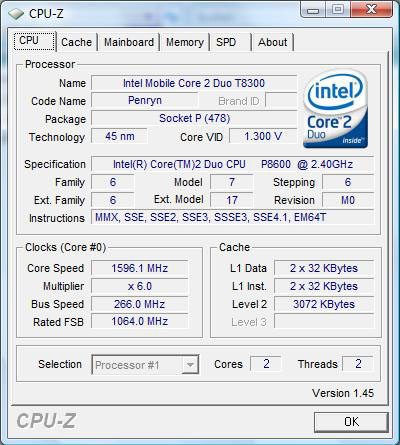
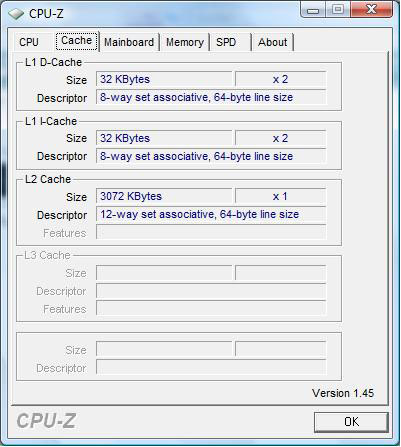
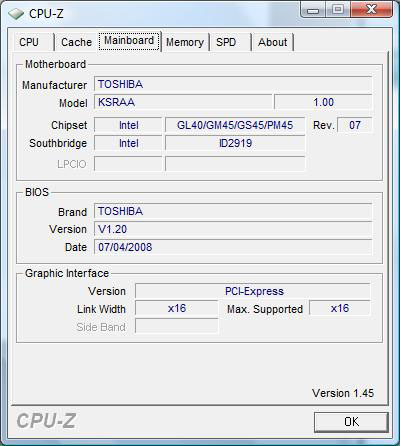
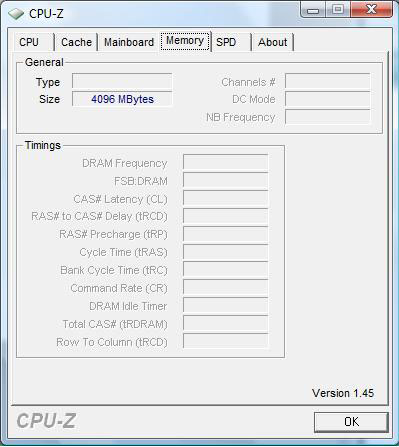
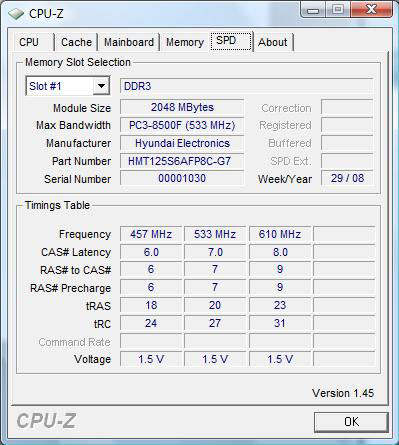
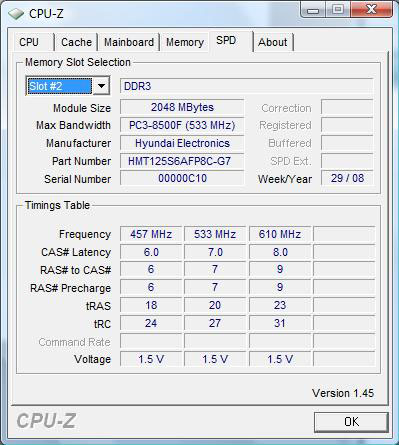
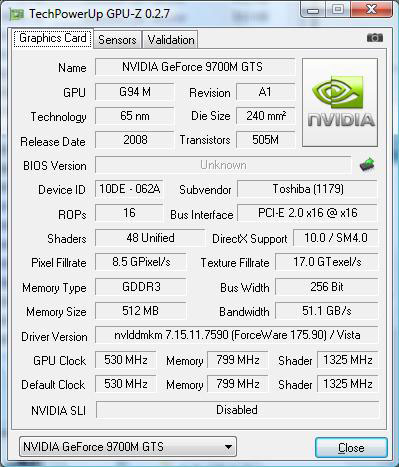
The Intel Core 2 Duo P8600 processor with 2.4GHz clock rate, combined with a nVIDIA GeForce 9700M GTS and 4GB DDR3 RAM (PC3-8500F) from Hyunday Electronics, provides the performance of Toshiba’s Qosmio X300. The hardware looks great on paper, but only the tests in the next paragraphs will show how well the Montevina, also known as Centrino 2, notebook deals with real world applications.
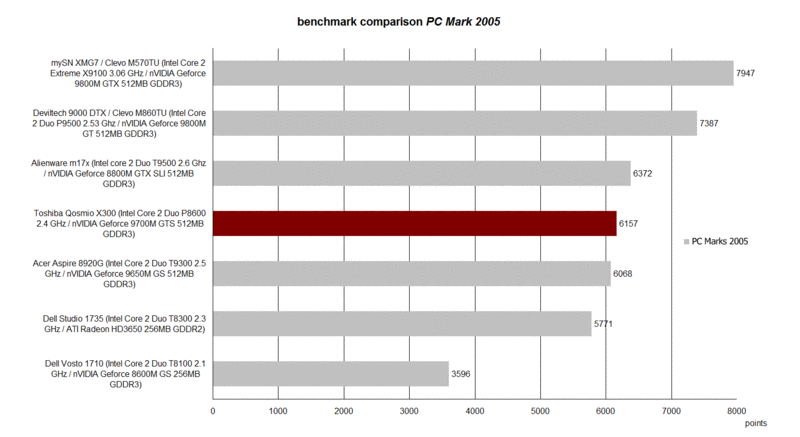
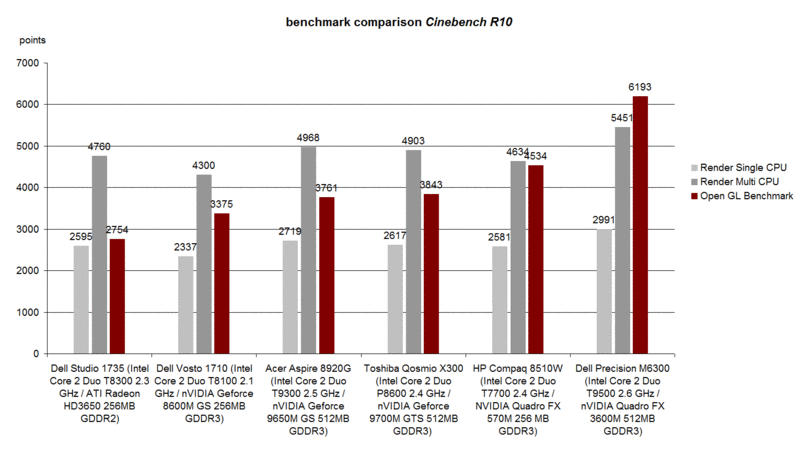
We used the benchmark test Cinebench R10, PCMark 05 and its successor, the PCMark Vantage to test the performance of the notebook. In order to test access rates and transfer rates of the Hitachi hard disk, we used the HDTune tool as usual.
The Qosmio X300 managed 2617 points in the Cinebench R10 single core benchmark test, and 4903 points in the multi core test. These results are very similar to the Acer Aspire 5930G (9600M GT graphics). But this is not really surprising, since both notebooks use the same CPU (Intel Core 2 Duo P8600). The 9600M GT achieved 3528 points in the shader test, which is about 300 points less than the GeForce 9700M GTS in the Qosmio X300.
The well known PCMark 05 caused some confusion and needed four tries until it finally showed a useful result. It aborted the test three times without apparent reason. The PCMark Vantage on the other hand, worked without problems and showed a result of 3784 points the first time.
We were slightly disappointed by the Vista performance index of only 5.3 points. However, the detail listing confirmed what we’ve already suspected. The CPU is the limiting factor of the Qosmio X300. While other components, like RAM, GPU (application), and GPU (games) received a performance score of 5.9, the Core 2 Duo P8600 and the Hitachi hard disk got only 5.3.
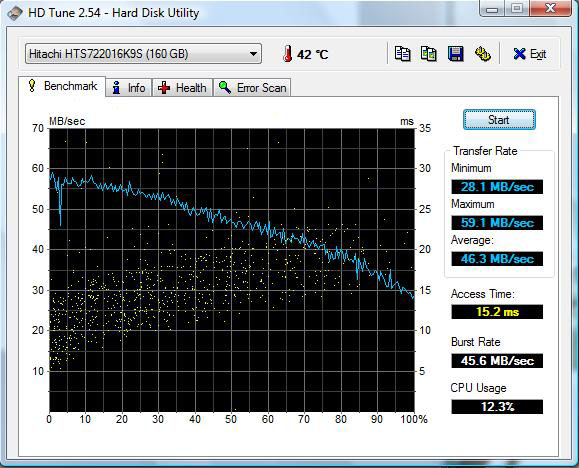
The two Hitachi hard disks have a capacity of 160GB each. They are pretty fast 7200r/min disks, with access times of only 15.2ms and similar transfer rates as comparable hard disks. However, a big problem was that the Qosmio X300 took relatively long to start Windows and some programs.
| PCMark 05 Standard | 6157 points | |
| PCMark Vantage Result | 3680 points | |
Help | ||
| Cinebench R10 | |||
| Settings | Value | ||
| Shading 32Bit | 3843 Points | ||
| Rendering Multiple CPUs 32Bit | 4903 Points | ||
| Rendering Single 32Bit | 2617 Points | ||
Bei unserem Blickwinkeltest ergibt sich für das verbaute Panel ein durchschnittliches Bild. Vor allem in der vertikalen Ebene ist der mögliche stabile Blickwinkel sehr klein. Im horizontalen Bereich hingegen sind die Blickwinkeleigenschaften ausreichend. Etwas problematisch könnte sich somit der mobile Einsatz sich gestalten, da man hier die Neigung des Displays öfters nachjustieren muss um ein optimales Bild zu gewärleisten.

Gaming Performance
Besides the usual 3DMark benchmark test, we also tested several games, like DOOM 3, World in Conflict, Call of Duty 4, and Grid Racer on the Qosmio X300. Thanks to support from Electronics Arts, we were also able to test the very demanding Crysis, its successor Crysis Warhead, and the role playing game Hellgate: London.
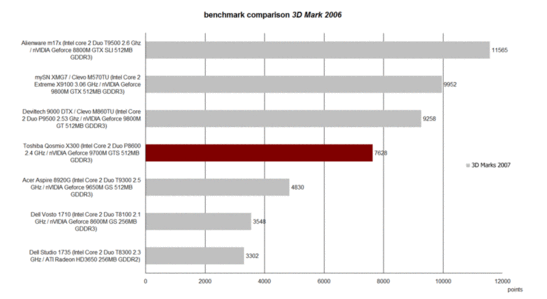
The slightly outdated 3Dmark 01, 03, and 05 resulted in 28921, 22836, and 13125 points. The newer 3DMark 06 benchmark test ended with a score of 7628 points. The Acer Aspire 5930G with a GeForce 9600M GT managed only 5678 points. Therefore the GeForce 9700M GTS is about 1000 points ahead of the GeForce 9600M GT.
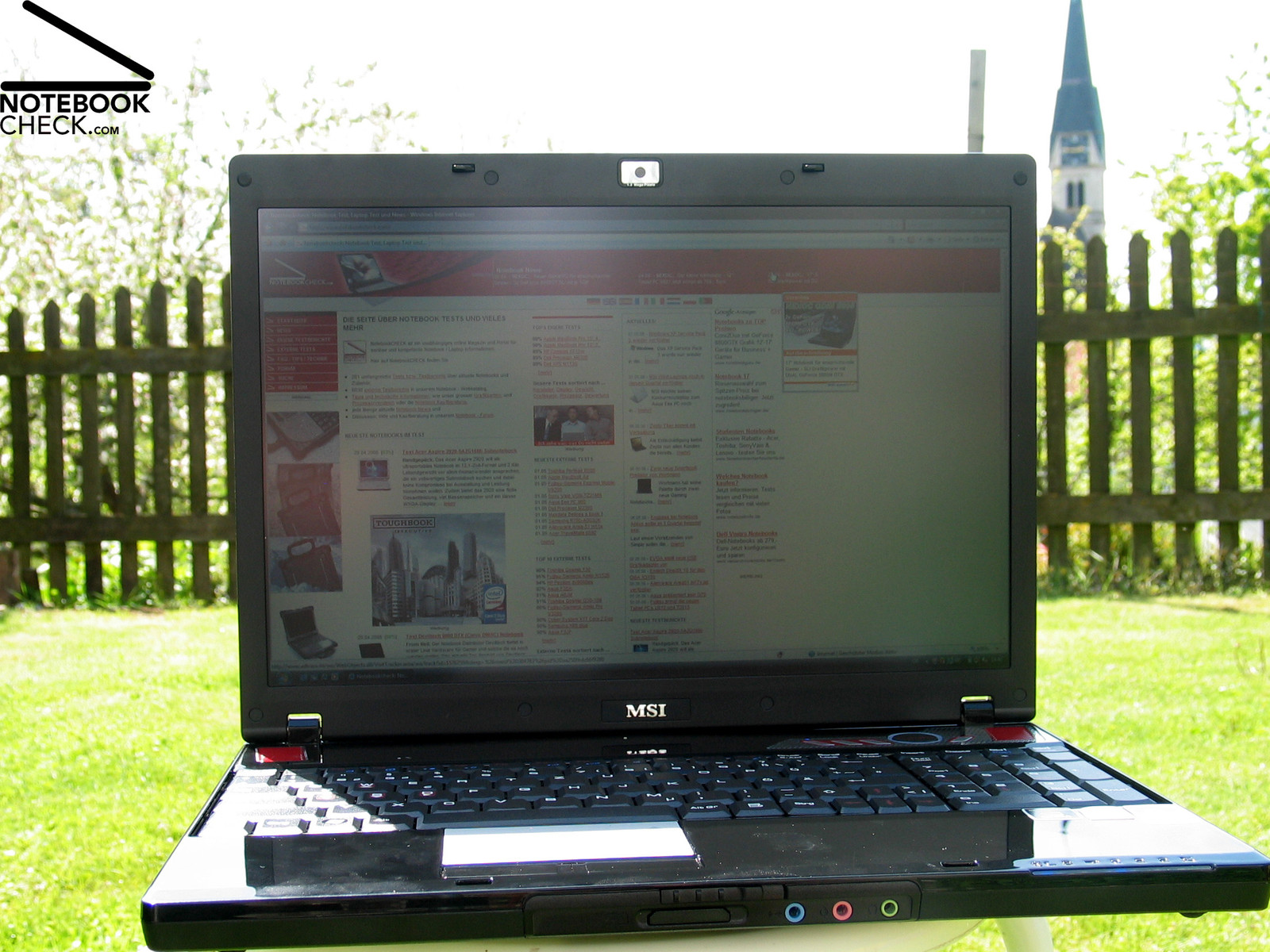
Das Arbeiten im Freien gestaltet sich mit dem Megabook GX 600 überraschenderweise als sehr angenehm. Dank des entspiegelten Displays sind kaum störende Reflexionen auszumachen. Solange die Sonnestrahlen nicht direkt auf den Bildschirm fallen, reicht die Helligkeit des Displays durchaus aus um das Notebook auch im Freien einsetzen zu können.
The rather old Doom 3 showed the same results on all settings. It didn’t matter whether low, medium, high, or even ultra, the X300 always achieved 124 fps (+/- 2 fps).
The real-time strategy hit World in Conflict on the other hand, only achieved playable 27 fps with high details (DX10), if the resolution was lowered to 1024x768. Increasing the resolution to 1280x800 slowed the game to unplayable 14 fps. The game was much smoother in DirectX 9; both resolutions ran with an average of 46 frames per second.
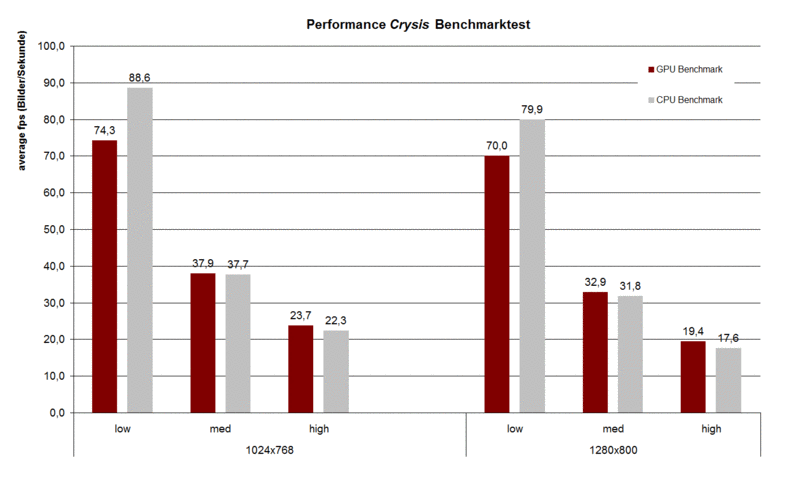
The next candidate was Crysis and Crysis Warhead. Crysis ran smoothly with an average of 74 frames per second at a resolution of 1024x768 and low details. Even with medium details the Qosmio X300 managed 30 fps, which is still smooth enough. However, the frame rate dropped to only 18 fps with high details, which is clearly not enough for proper gameplay.
Crysis Warhead on the other hand, ran on the Qosmio X300 with the setting „Gamer“ (identical to high settings in Crysis) and 1024x768 with 20 to 25 fps. Our test sample managed up to 80 fps with minimum (low) details and it didn’t even go below 50 fps during busy gameplay. The Mainstream settings (medium details) resulted in an average of 40 fps, thus about 10 fps more than Crysis with equivalent settings.
We drove our virtual BMW in the racing game Grid Racer with a resolution of 1440x900 and 4x MSAA and an average of 35 to 40 frames per second. But the frame rate occasionally dropped below 30.
The next test for the Qosmio X300 was the destroyed London. Unfortunately, it was only possible to choose the native resolution of 1440x900 pixels in Hellgate: London. The game ran with smooth 55-60 fps indoors and in DirectX 9. However, outdoor areas were more demanding and the frame rate dropped to 30-35. The overall performance was pretty good, especially since we set all details, including shadows and anti aliasing to very high.
We also wanted to know how the nVIDIA GeForce 9700M GTS would handle Hellgate: London in DirectX 10. We set the details to high again, but disabled shadows and anti aliasing, to give the Toshiba Qosmio X300 a real chance to deliver a smooth performance. This worked surprisingly well indoors with 55 fps and even with activated AA it managed an average of 35 fps. However, the game slows to unplayable 10 to 15 fps outdoors, despite deactivated shadows and AA. Even worse is the result of 5 to 10 fps with activated AA.
| 3DMark 2001SE Standard | 28921 points | |
| 3DMark 03 Standard | 22836 points | |
| 3DMark 05 Standard | 13125 points | |
| 3DMark 06 Standard Score | 7628 points | |
| 3DMark Vantage P Result | 3784 points | |
Help | ||
| Doom 3 | |||
| Resolution | Settings | Value | |
| 1024x768 | Ultra, 0xAA, 0xAF | 122 fps | |
| 800x600 | High, 0xAA, 0xAF | 124.8 fps | |
| 640x480 | Medium, 0xAA, 0xAF | 126.4 fps | |
| 640x480 | Low, 0xAA, 0xAF | 124.4 fps | |
Obwohl das Bild im Spielecheck stets scharf wirkte und es zu keiner Zeit zu auffälligen Schlierenbildungen kam, konnte uns das WSXGA Displays mit einer Auflösung von 1680x1050 Bildpunkten hinsichtlich Bildqualität subjektiv nicht ganz überzeugen. Dies könnte natürlich auch mit der schlechten Ausleuchtung des Bildschirmes zu tun haben.
Der maximale Kontrast des von uns getesteten Displays lag bei 478:1, einem eigentlich ein sehr guten Wert, leider konnte das subjektive Bild davon nur wenig profitieren.
| Crysis - CPU Benchmark | |||
| Resolution | Settings | Value | |
| 1024x768 | High, 0xAA, 0xAF | 17.82 fps | |
| 1024x768 | Medium, 0xAA, 0xAF | 30.22 fps | |
| 1024x768 | Low, 0xAA, 0xAF | 74.3 fps | |
| Crysis - GPU Benchmark | |||
| Resolution | Settings | Value | |
| 1024x768 | High | 18.73 fps | |
| 1024x768 | Medium, 0xAA, 0xAF | 30.88 fps | |
| 1024x768 | Low, 0xAA, 0xAF | 73.9 fps | |
| World in Conflict - Benchmark | |||
| Resolution | Settings | Value | |
| 1024x768 | High, 2xAA, 2xAF | 27 fps | |
| 1280x800 | High, 2xAA, 2xAF | 14 fps | |
| 1024x768 | Medium, 0xAA, 0xAF | 46 fps | |
| 1280x800 | Medium, 0xAA, 0xAF | 47 fps | |
| 800x600 | Medium, 0xAA, 0xAF | 47 fps | |
Emissions
System Noise
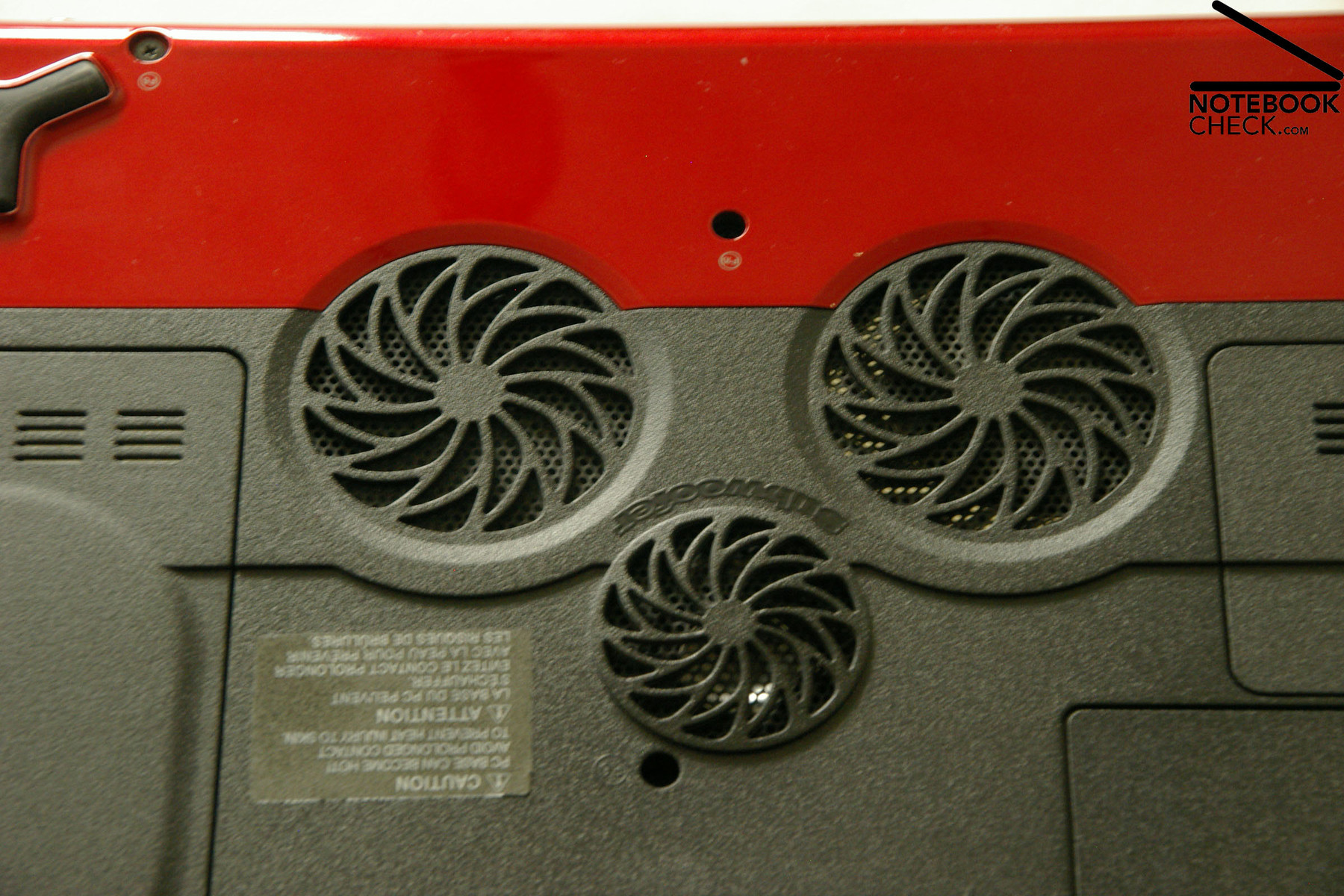
As usual with most notebooks nowadays, the Toshiba Qosmio X300 increases the fan speed in several steps until the maximum speed is reached. The notebook keeps not only surprisingly silent during this process, but also relatively cool.
We measured a maximum noise level of 36.7dB(A) in idle mode, but that is the exception, not the rule. Our measurement tools usually showed a value between 33.4 and 34.1dB(A), which is acceptable in our opinion. Only the Hitachi hard disk was louder in idle mode, with 36.1dB(A) while accessing data. The noise level rose under load to 38.4dB(A) and to the max value of 39.8dB(A). Therefore the notebook noise keeps even under load below 40dB(A).
Noise level
| Idle |
| 33.4 / 34.1 / 36.7 dB(A) |
| HDD |
| 36.1 dB(A) |
| DVD |
| 37.8 / dB(A) |
| Load |
| 38.4 / 39.8 dB(A) |
 | ||
30 dB silent 40 dB(A) audible 50 dB(A) loud |
||
min:  , med: , med:  , max: , max:  (15 cm distance) (15 cm distance) | ||
Temperature
The temperature measurements on the top surface showed satisfactory results. We measured a maximum temperature of 40.1 degree Celsius in the upper middle area, which is pretty much exactly where the fan blows the hot air out on the backside. All other sections of the notebook stayed cool, especially the area on the left and right of the touchpad barely warmed up to 30 degrees.
The bottom of the notebook kept cool as well. The maximum temperature on this side was 35.3 degrees Celsius on the center of the surface. We were positively surprised by that value, but a touch confirmed the measurements. The temperature is lukewarm at best.
Please note that the temperatures refers to the test sample with P8600 CPU and a GeForce 9700M GTS. The high end Qosmio X300-13E with Intel Core 2 Extreme X9100 processor and 9800M GTX is probably significantly hotter.
(±) The maximum temperature on the upper side is 40.1 °C / 104 F, compared to the average of 40.4 °C / 105 F, ranging from 21.2 to 68.8 °C for the class Gaming.
(+) The bottom heats up to a maximum of 35.3 °C / 96 F, compared to the average of 43.3 °C / 110 F
(+) The palmrests and touchpad are cooler than skin temperature with a maximum of 27.6 °C / 81.7 F and are therefore cool to the touch.
(±) The average temperature of the palmrest area of similar devices was 28.8 °C / 83.8 F (+1.2 °C / 2.1 F).
Loudspeakers
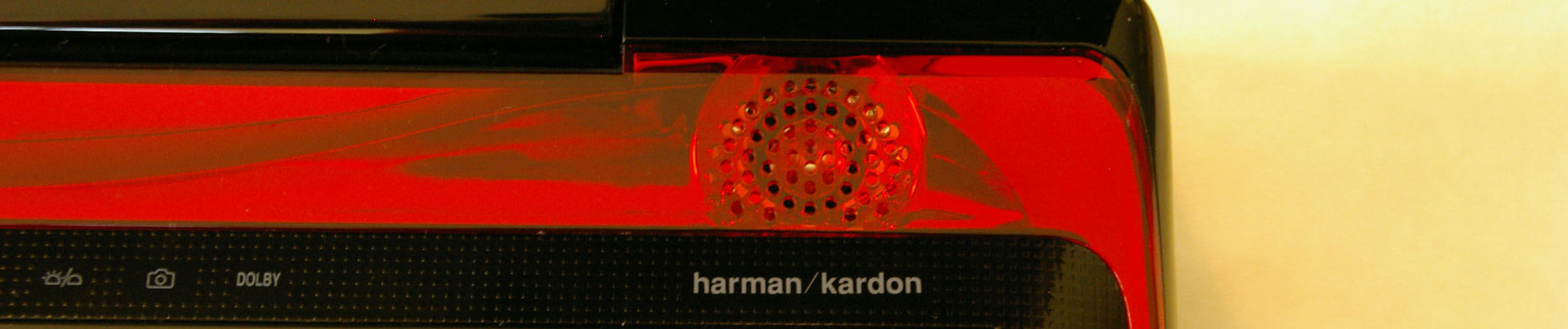
Toshiba made a good choice with the Harman Kardon loudspeakers. The Qosmio X300 has totally four loudspeakers (2x bass reflex, 2x high range). The quartet and the subwoofer on the bottom do an excellent job and produce clear and clean sound. Even lower tones are no problem for the Qosmio X300, due to the subwoofer/loudspeakers combination, which is also responsible for great notebook sound during games and DVD movie replay.
The only problem of the sound system is the impractical location of the left lower loudspeaker below the W-A-S-D keys. Since most users have their left hand on those keys while gaming, they also unintentionally cover the loudspeaker. The solution for this problem is once again to use an external keyboard, which is necessary anyway in our opinion, due to the glossy finish of the keyboard.
Battery life
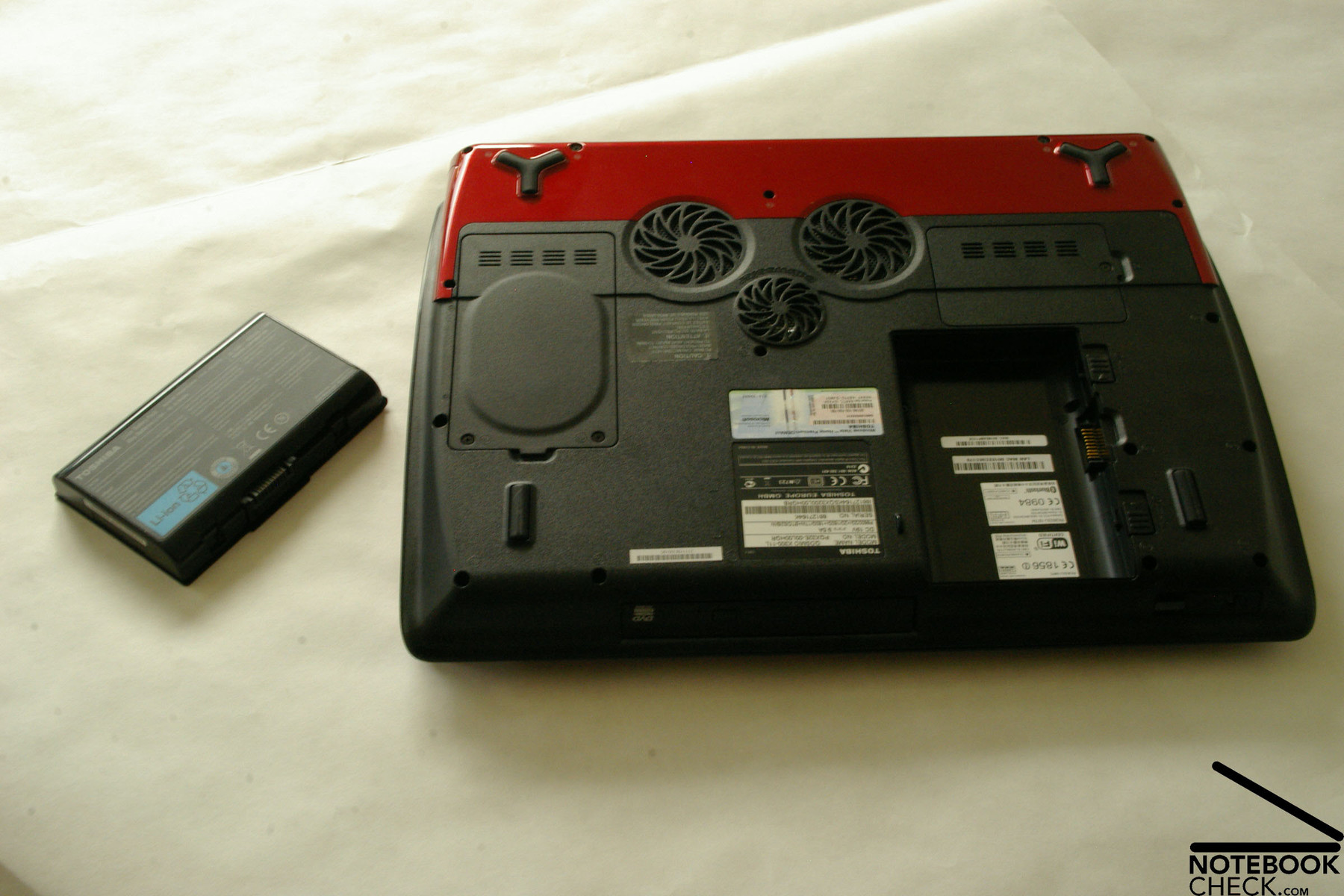
The large and heavy Qosmio X300 is obviously not the best choice for mobile usage and the rather weak battery life isn’t helping. But this is neither a surprise nor a real issue, since the Qosmio X300 is clearly a DTR (desktop replacement). The lithium ion battery has a capacity of 4000mAh (14.4 volt, 57.6Wh), which doesn’t last long.
The Qosmio X300 manages only 101 minutes with the 4000mAh battery, even in the BatteryEater idle mode test. A rather modest result in our opinion. In the stress test with the same tool (BatteryEater classic test) and maximum brightness, activated WLAN, Bluetooth, and maximum load, it only took 61 minutes until the lights went out. The battery didn’t last much longer when using the notebook to surf the internet over WLAN and with the display brightness between high and maximum. The power hungry Qosmio X300 depleted the battery in 69 minutes. DVD replay of movies with a normal length of 90 minutes and maximum display brightness is impossible as well. The battery lasted not much longer than 71 minutes.
The battery hasn’t got enough capacity to turn the otherwise satisfactory Toshiba Qosmio X300 notebook into a useful mobile work- or multimedia station.
Please note that the battery measurements refer to the test sample with Core 2 Duo P8600 CPU and GeForce 9700M GTS. The high end version of the Qosmio X300 with Core 2 Extreme X9100 processor and GeForce 9800M GTX has probably even lower battery life.
| Off / Standby | 0 / 0 Watt |
| Idle | 44.6 / 45.3 / 54.2 Watt |
| Load |
91.2 / 101.4 Watt |
   
| |
Key:
min: ,
med: ,
max: | |
Verdict
One thing became clear after all the tests: The Toshiba Qosmio X300 stands out not only because of its size and colour, but also because of its performance and the Harman Kardon sound system with integrated subwoofer. The sound quality of the four loudspeakers and subwoofer is very good for a notebook. It has a good bass and clear sound even at maximum volume.
The gaming and application performance of the Toshiba Qosmio X300 is impressive as well. The Core 2 Duo P8600 CPU, 4GB DDR3 RAM (2x 2GB, maximum 8.19GB), and the GeForce 9700M GTS offer enough performance for current games in DirectX 9. But even the 9700N GTS can’t handle Direct 10. Unfortunately, the CPU seems to limit our test model and prevents the GeForce 9700M GTS from achieving its full potential.
Although the Qosmio X300 looks very attractive due to the glossy surface, it requires frequent cleaning to stay that way, especially the keyboard.
Those looking for a high performance notebook with good workmanship and very good sound, make a wise choice with the Qosmio X300. The outstanding flame pattern, in various orange and red tints, makes the Toshiba notebook easily the center of attention on every LAN party. If the Core 2 Duo P8600 processor with 2.4GHz clock rate, combined with the GeForce 9700M GTS with 512MB DDR 3 VRAM and 256 memory bus is not sufficient, it is also possible to buy the high end version of the Qosmio X300. The high end version has a Core 2 Extreme X9100 processor with 3.06GHz clock rate and a GeForce 9800M GTX. But the price of 3130 Euro puts it in the upper price class.
Friends of high performance notebooks and outstanding colours should definitely consider the Ferrari among notebooks.
Neben den üblichen 3DMark Benchmarktests haben wir uns das Qosmio X300 auch in Verbindung mit diversen Spielen wie etwa DOOM 3, World in Conflict, Call of Duty 4 und Grid Racer genauer angesehen. Dank der Unterstützung von Electronic Arts, haben wir auf unserem Testkandidaten auch das hardwarehungrige Crysis, den viel zitierten Nachfolger Crysis Warhead und auch das Rollenspiel Hellgate: London installiert und ausprobiert. Aber dazu gleich mehr.
Die schon etwas in die Jahre gekommenen 3DMark 01, 03 und 05 erzielten ein Ergebnis von 28921, 22836 und 13125 Punkten. Beim 3DMark 06 Durchlauf gelang es dem Toshiba Qosmio X300 eine Wertung von 7628 Punkte zu erreichen. Das Acer Aspire 5930G mit verbauter GeForce 9600M GT schaffte es hingegen nur auf 5678 Punkte. Somit liegt die GeForce 9700M GTS rund 1000 Punkte vor der GeForce 9600M GT.
Beim Oldie Doom 3 waren alle Ergebnisse identisch. Ob nun auf Low, Medium, High oder gar Ultra Settings, im Schnitt lieferte das X300 immer an die 124 FPS (+/- 2 FPS) aus.
Der Echtzeit-Strategiehit World in Conflict war auf High Details (DX10) nur mit einer Auflösung von 1024x768 halbwegs flüssig mit 27 Bildern pro Sekunde spielbar. Eine Erhöhung der Auflösung auf 1280x800 brachten kaum spielbare 14 FPS zum Vorschein. In DirectX 9 lief das Spiel sowohl mit der 1024x768 als auch mit der 1280x800 Auflösung absolut flüssig. Der Durchschnitts-FPS Wert lag bei beiden Auflösungen bei 46 Bilder pro Sekunde.
Als nächstes nahmen wir Crysis und Crysis Warhead in Angriff. Mit einer Auflösung von 1024x786 mit der Einstellung Low lief Crysis auf dem Qosmio X300 ohne Probleme bei durchschnittlichen 74 Frames per Second. Auch auf Medium Details waren durchschnittliche 30 Bilder pro Sekunde möglich, was für ein flüssiges Spielerlebnis noch ausreicht. Auf High Details waren hingegen nur mehr noch rund 18 FPS zu beobachten. Zu niedrig um einen halbwegs flüssigen Bildablauf zu gewährleisten.
Crysis Warhead hingegen lief auf dem Qosmio X300 auf der Einstellung Gamer (entspricht dem Setting High von Crysis) noch mit 20 bis 25 FPS - ebenfalls mit einer Auflösung von 1024x768. Bei Minimum Settings (Low bei Crysis) erreichte unser Testkandidat von Toshiba bis zu 80 Bilder pro Sekunde, wobei die FPS Rate auch bei anspruchsvollen Szenen kaum die 50 FPS Marke unterschreitet. In der Mainstream Einstellung (Medium Details) lief Crysis Warhead mit durchschnittlichen 40 Bildern pro Sekunde, also um gute 10 FPS mehr als bei Crysis mit äquivalenter Detaileinstellung.
Beim Auto Rennspiel Grid Racer flitzten wir mit einer Auflösung von 1440x900 und 4-fach MSAA durch die Gegend und konnten unseren virtuellen BMW mit durchschnittlichen 35 bis 40 Bildern pro Sekunde zu Schrott fahren. Ab und zu rutsche die FRAPS Anzeige auch kurzfristig unter die 30 FPS Grenze.
Als nächstes waren wir mit dem Qosmio X300 im zerstörten London unterwegs. Hellgate: London bot uns leider nur die native Auflösung von 1440x900 an. In DirectX 9 waren flüssige Bildwiederholraten von 55 bis 60 FPS in den Innenarealen möglich. Außenareale erforderten wesentlich mehr Systemressourcen und ließen lediglich 30-35 FPS zu, was für einen flüssigen Spielgenuss noch ausreicht. Allerdings haben wir hierbei die Details auf sehr hoch gestellt. Dies gilt auch für die Schatten- und Anti-Aliasingeinstellungen.
Wir wollten auch bei Hellgate: London wissen, wie gut sich die nVIDIA GeForce 9700M GTS unter DirectX 10 schlägt. Hierbei ließen wir auch diesmal die Details auf sehr hoch, allerdings haben wir die Schatten und auch Antialiasing deaktiviert, um dem Toshiba Qosmio X300 eine reelle Chance zu geben uns einen halbwegs flüssigen Bildablauf zu bieten.
In den Innenarealen klappte dies mit 55 FPS erstaunlicherweise sehr gut. Aktiviert man AA wieder, so sind immerhin noch durchschnittliche 35 FPS möglich. Ganz anders sieht es hier leider bei den Außeneinsätzen durch Londons Strassen aus. Trotz deaktiviertem AA und Schatten ließ uns das Qosmio X300 mit 10 bis 15 Bildern pro Sekunde im Stich. Mit aktiviertem AA waren gar nur mehr noch 5 bis 10 FPS zu beobachten.
Aktuellere Spieletitel wie etwa Crysis oder World in Conflict bereiten dem Megabook GX 600 schon ernste Probleme. Hier müssen Kompromisse bei Auflösung und Detailstufe gemacht werden, um solche Titel flüssig darstellen zu können.
Bei dem Spielehit Crysis kann das Megabook GX 600 erst bei einer Auflösung von 1024x768 mit der Einstellung Low Details flüssige Bilder auf den Bildschirm zaubern.
Nicht anders sieht es bei World in Conflict aus. Halbwegs flüssig mit durchschnittlichen 25 Fps läuft das Spiel erst bei einer Auflösung von 1280x800 mit der Einstellung Medium Details (DX9). Spielt man in der 1024x768 Auflösung, so erhöht sich die durchschnittliche Framerate auf ca. 29 Bilder pro Sekunde.
Wie man anhand der obigen Tests sehen kann, bringt der Turbo Knopf zwar etwas bessere Werte, ist aber im praktischen Spiele-Alltag kaum bemerkbar und somit eher zu vernachlässigen. Dies liegt wohl daran, dass sich die Übertaktung mit Hilfe des Turbo Knopfes nur auf die CPU bezieht. Dabei wird der CPU Takt von 2,5 Ghz auf 2,75 Ghz angehoben. Grafikkarte und der Rest des Systems bleiben von der Übertaktung unberührt.
| F.E.A.R. | |||
| Resolution | Settings | Value | |
| 1024x768 | GPU: max, CPU: max, 0xAA, 0xAF | 28 fps | |
| 800x600 | GPU medium, CPU medium, 0xAA, 0xAF | 32 fps | |
| 640x480 | GPU min, CPU min, 0xAA, 0xAF | 34 fps | |
Wie wir anhand der Tests feststellen konnten, bringt der Turbo Knopf zwar etwas bessere Werte, ist aber im praktischen Spiele-Alltag kaum bemerkbar und somit eher zu vernachlässigen. Dies liegt wohl daran, dass sich die Übertaktung mit Hilfe des Turbo Knopfes nur auf die CPU bezieht. Dabei wird der CPU Takt von 2,5 Ghz auf 2,75 Ghz angehoben. Grafikkarte und der Rest des Systems bleiben von der Übertaktung unberührt.
Video der Einsichtbereiche des Displays
| 3DMark 2001SE Standard | 28921 points | |
| 3DMark 03 Standard | 22836 points | |
| 3DMark 05 Standard | 13125 points | |
| 3DMark 06 Standard Score | 7628 points | |
| 3DMark Vantage P Result | 3784 points | |
Help | ||
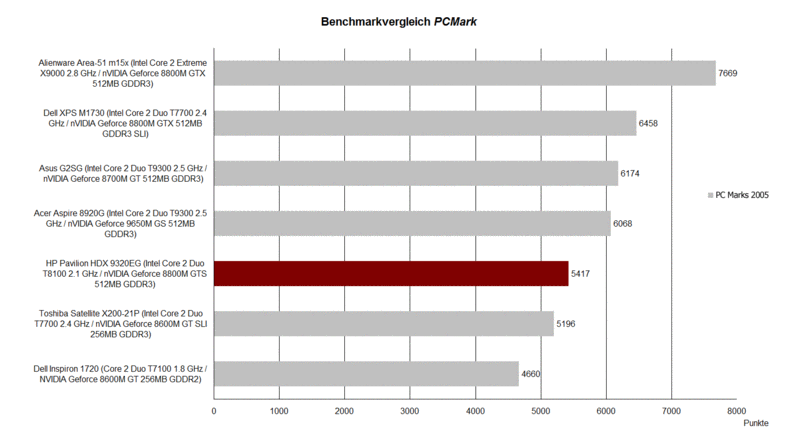
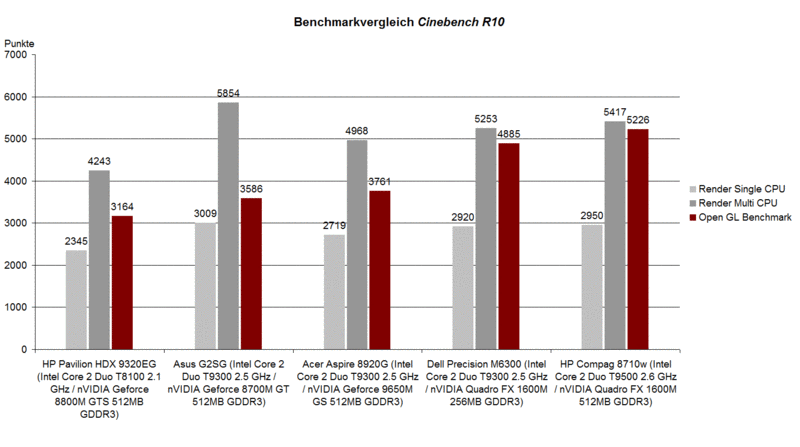
Der T8100 CPU ist es wohl auch zu verdanken, dass sich das HP Pavilion HDX9320EG im PCMark 2005 Benchmarkvergleich „nur“ im Mittelfeld vergleichbarer leistungsstarker Desktop Replacements platzieren kann. Noch deutlicher fällt das Ergebnis im Cinebench R10 Benchmarkvergleich aus. So liegen die erreichten Punkte im Multi und Single CPU Rendering Test doch deutlich hinter Geräten mit T9300 CPU. Etwas überraschend ist jedoch das mäßige Abschneiden der Geforce 8800M GTS Grafik im Cinebench Shading Test (OpenGL). Hier liegen sowohl Geräte mit der an sich leistungsschwächeren Geforce 8700M GT, oder aber auch der 9650M GS, dem Nachfolger der 8700M GT, klar voran. Die Nase vorne haben in dieser Disziplin eindeutig die CAD und damit auch OpenGL optimierten Quadro FX1600M Grafikkarten die ebenso auf der 8700M GT Grafik basieren.
Im 3DMark06 erzielte das Notebook in einer Auflösung von 1280x1024 Pixel eine Wertung von 3412 (3451 mit Turbo) Punkten, also rund 200 Punkte weniger als das Schwesternmodell GX 700 in der Extreme Gaming Ausführung.
| 3DMark 2001SE Standard | 28921 points | |
| 3DMark 03 Standard | 22836 points | |
| 3DMark 05 Standard | 13125 points | |
| 3DMark 06 Standard Score | 7628 points | |
| 3DMark Vantage P Result | 3784 points | |
Help | ||
Zum Testumfang zählte auch das Strategie Game Supreme Commander - Forged Alliance, welches als besonders CPU fordernd gilt. Im praktischen Test im Multiplayergame 2vs.2 mit Einheitenlimit auf 500, blieb die beobachtete Framerate stets zwischen 20 und 50 fps. Damit war das Spiel stets gut und flüssig spielbar.
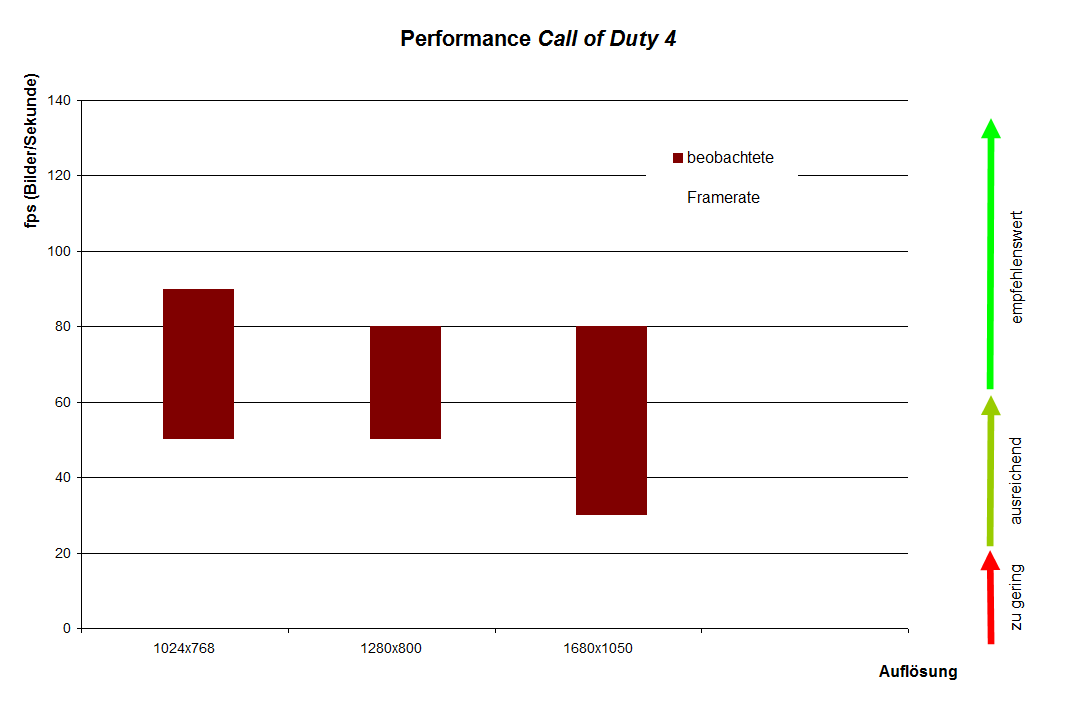
Ein Must im Spieletest stellt natürlich auch der Ego Shooter Call of Duty 4 - Modern Warfare dar. Beim Anspielen der ersten beiden Single Player Missionen konnte in den Auflösungen 1024x768 sowie 1280x800 (AA aus) ein gutes Ergebnis von 50-80/90 fps beobachtet werden. Erst bei maximaler Auflösung sank die Framerate auf 30-80 fps. Hier waren dann auch häufiger kurze aber störende Aussetzer im Spiel auszumachen.
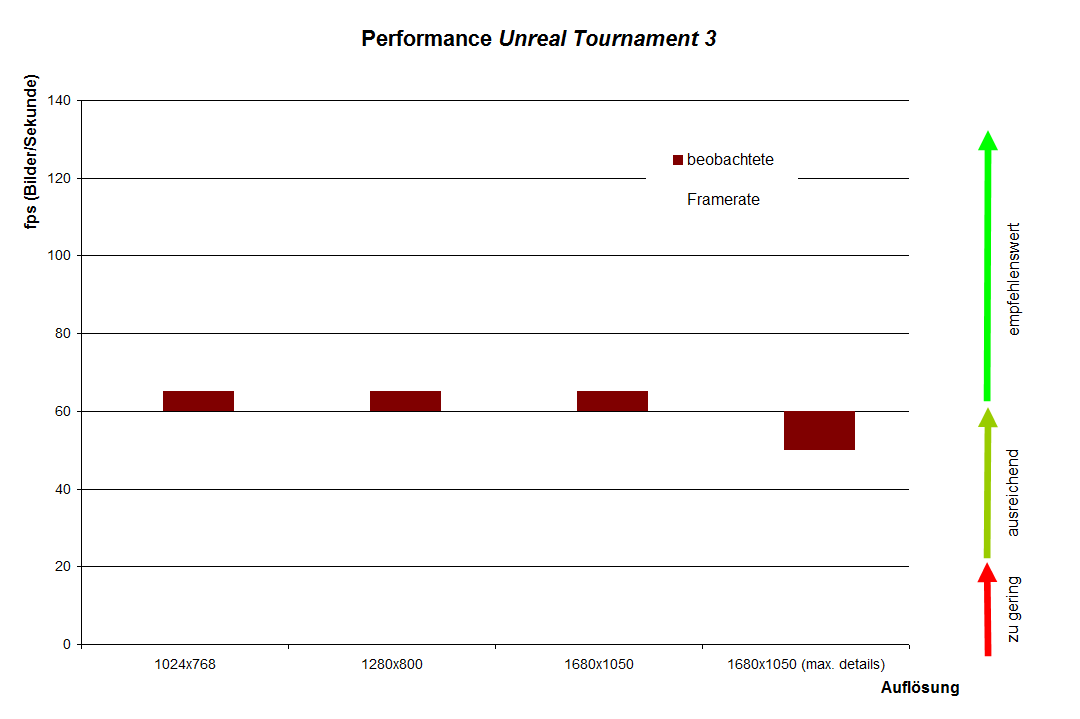
Eine überaus gute Performance legte das Pavilion HDX9320EG beim Shooter Klassiker Unreal Tournament 3 hin. Selbst bei maximaler Auflösung bleibt die im Spiel beobachtete Framerate auf 60-65 fps. Erst eine Erhöhung der Details auf maximale Einstellungen konnte die Framerate auf 50-60 fps leicht drücken.
| Crysis - CPU Benchmark | |||
| Resolution | Settings | Value | |
| 1024x768 | High, 0xAA, 0xAF | 10.1 fps | |
| 1024x768 | Medium, 0xAA, 0xAF | 19.9 fps | |
| 1024x768 | Low, 0xAA, 0xAF | 46.8 fps | |


 Add as a preferred