




Ugreen iDX6011 Pro review: NAS power with desktop hardware and AI features
Storage powerhouse with AI.
We tested the Ugreen iDX6011 Pro, a very powerful network-attached storage system with desktop-class components, a wide range of extra features, and numerous ports. The model makes a strong impression and could offer certain user groups an easy way to run AI locally.Silvio Werner, ✓ Ninh Duy (translated by DeepL / Ninh Duy) Published 🇩🇪 🇳🇱 ...
Powerful NAS with extra features
The Ugreen iDX6011 Pro is a powerful network-attached storage system with desktop-class components that offers plenty of options for fast data storage and can be used by multiple users at the same time. Both performance and the basic app selection are convincing. The AI features are a mixed bag. The options for fully local transcription and the chat function are good, but in terms of performance they do not come close to cloud-based models. Where the use of such models is ruled out for legal reasons, the iDX6011 Pro is a viable option, especially since users do not have to handle the installation of those models themselves.
Anyone looking for a fast NAS with many features should consider the iDX6011 Pro. It is still unclear whether the price-to-performance ratio is right, as the presale has been postponed.
Pros
Cons
Price and availability
Price and availability remain major unknowns. Ugreen has halted presales and preorders because of strong volatility in memory prices. As a result, it is also unclear what price the Ugreen iDX6011 Pro will ultimately carry. Ugreen had previously cited a suggested retail price of €2,599 (approx. $3,003), but that figure should explicitly not be regarded as current or valid.
With the iDX6011 Pro, Ugreen is offering a new network-attached storage system that already makes a strong impression on paper thanks to its powerful hardware. It is equipped with an Intel Core Ultra 7 255H processor and 64 GB of RAM. Thunderbolt 4 and HDMI are also included.
Specifications
| Name | Ugreen NASync iDX6011 Pro |
| Processor | Intel Core Ultra 7 255H |
| Memory | 64 GB LPDDR5x, soldered |
| Network connectivity | 2 × 10 GBit/s Ethernet |
| Front ports | 2 × Thunderbolt 4, SD card reader |
| Rear ports | HDMI, OCuLink, 4 × USB |
| Operating system | UGOS Pro |
| Dimensions (approx.) | 35 × 26 × 22 centimetres |
Scope of delivery, hardware, installation
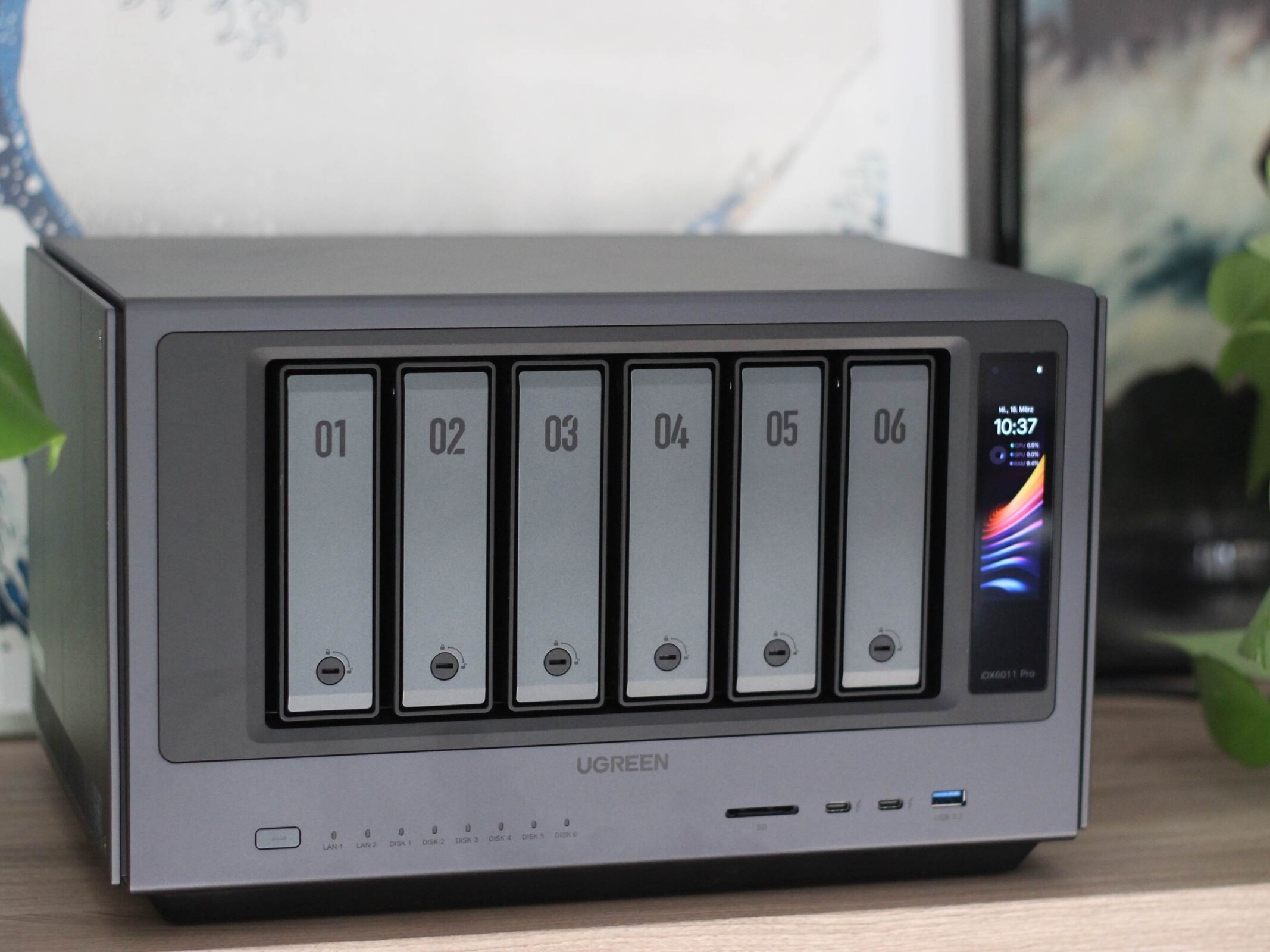
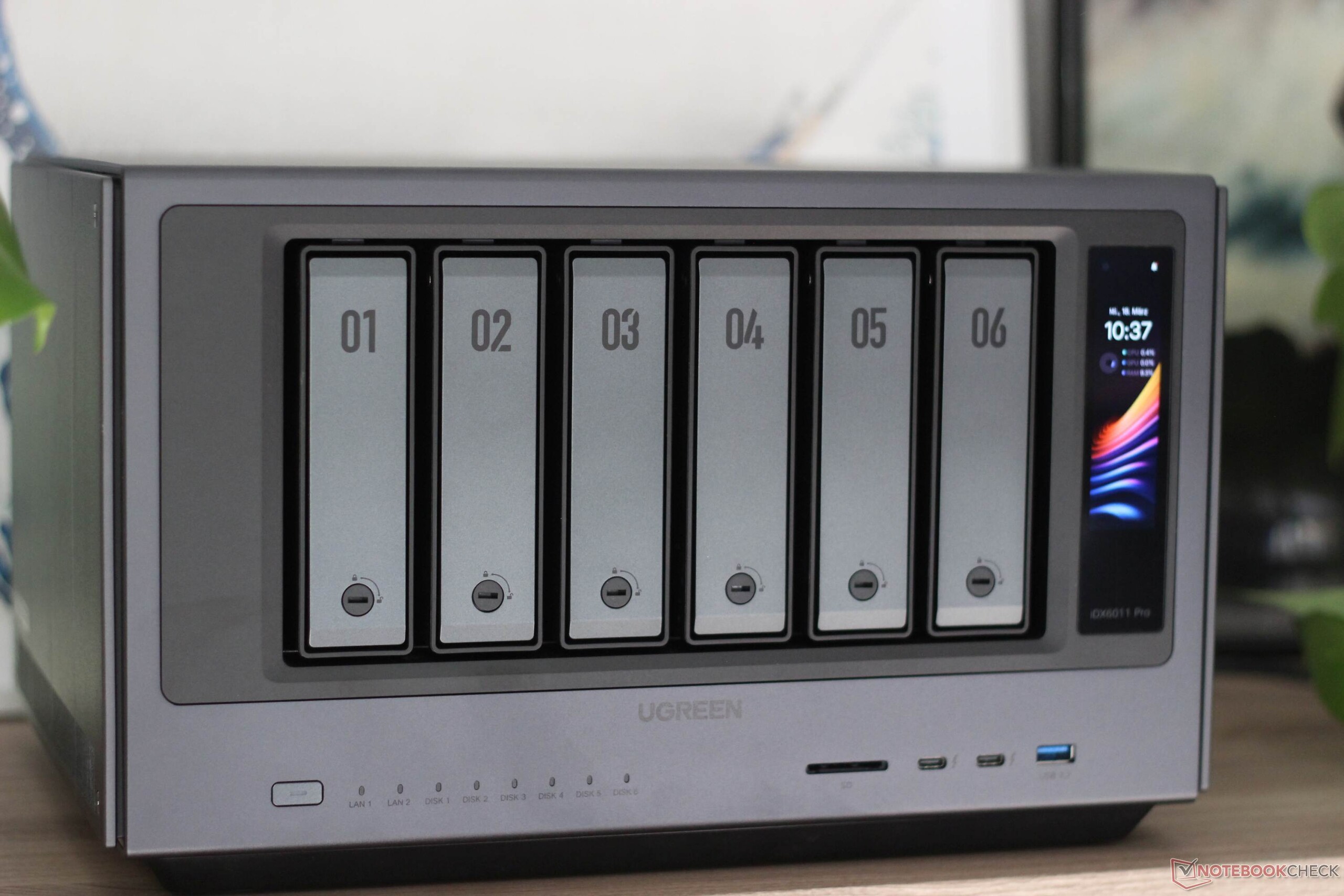
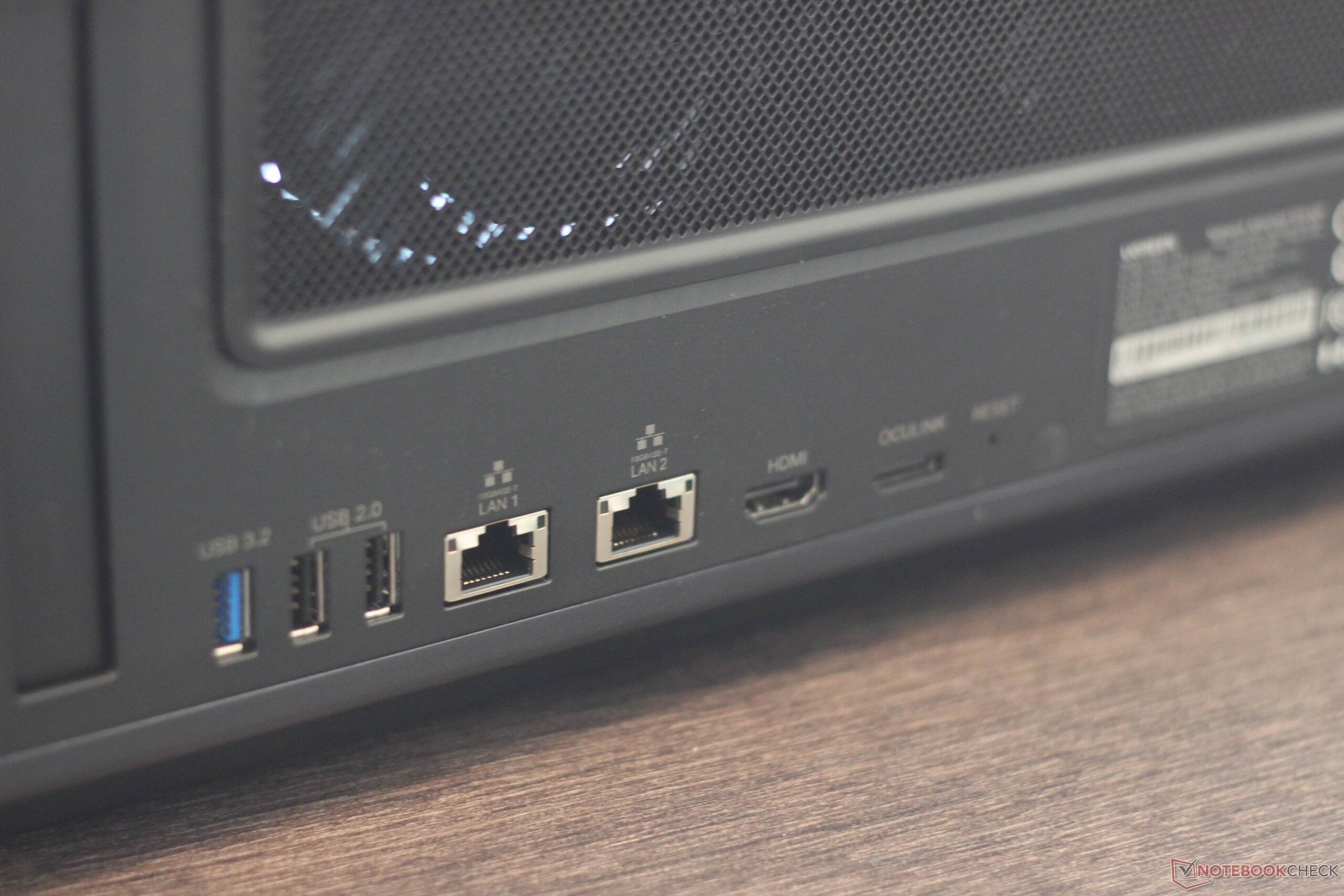
In addition to the NAS itself, the box includes a fair amount of accessories. These include two CAT7 network cables, heatsinks for two M.2 SSDs, the necessary screws, and two screwdrivers. The iDX6011 Pro comes in a sturdy chassis and includes a display that can show information such as the current hardware load. At the rear are two Ethernet ports with a maximum data rate of 10 Gbit/s, along with HDMI and OCuLink. Thunderbolt 4 and several USB Type-A ports are also included, while an SD card reader is located at the front.
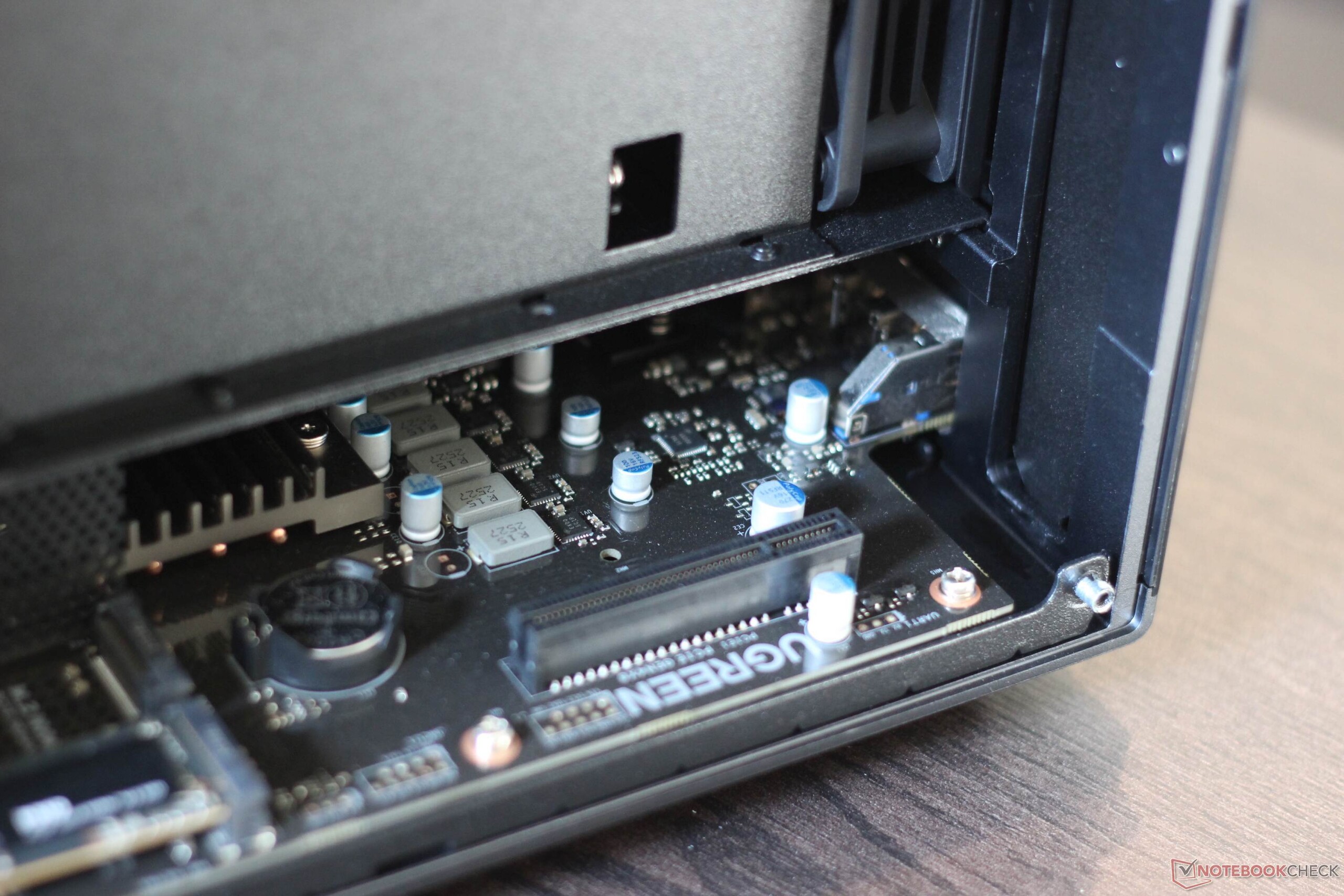
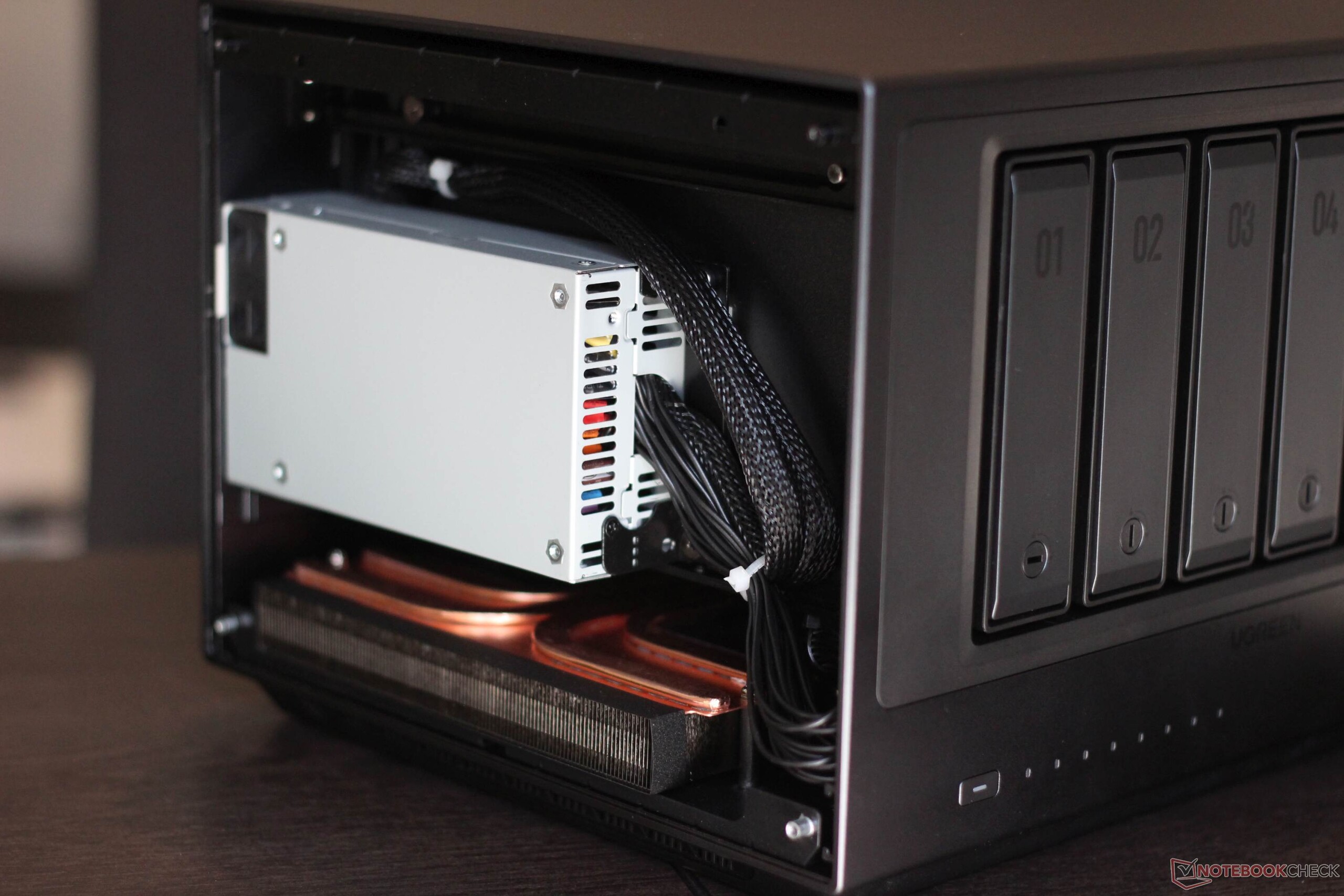
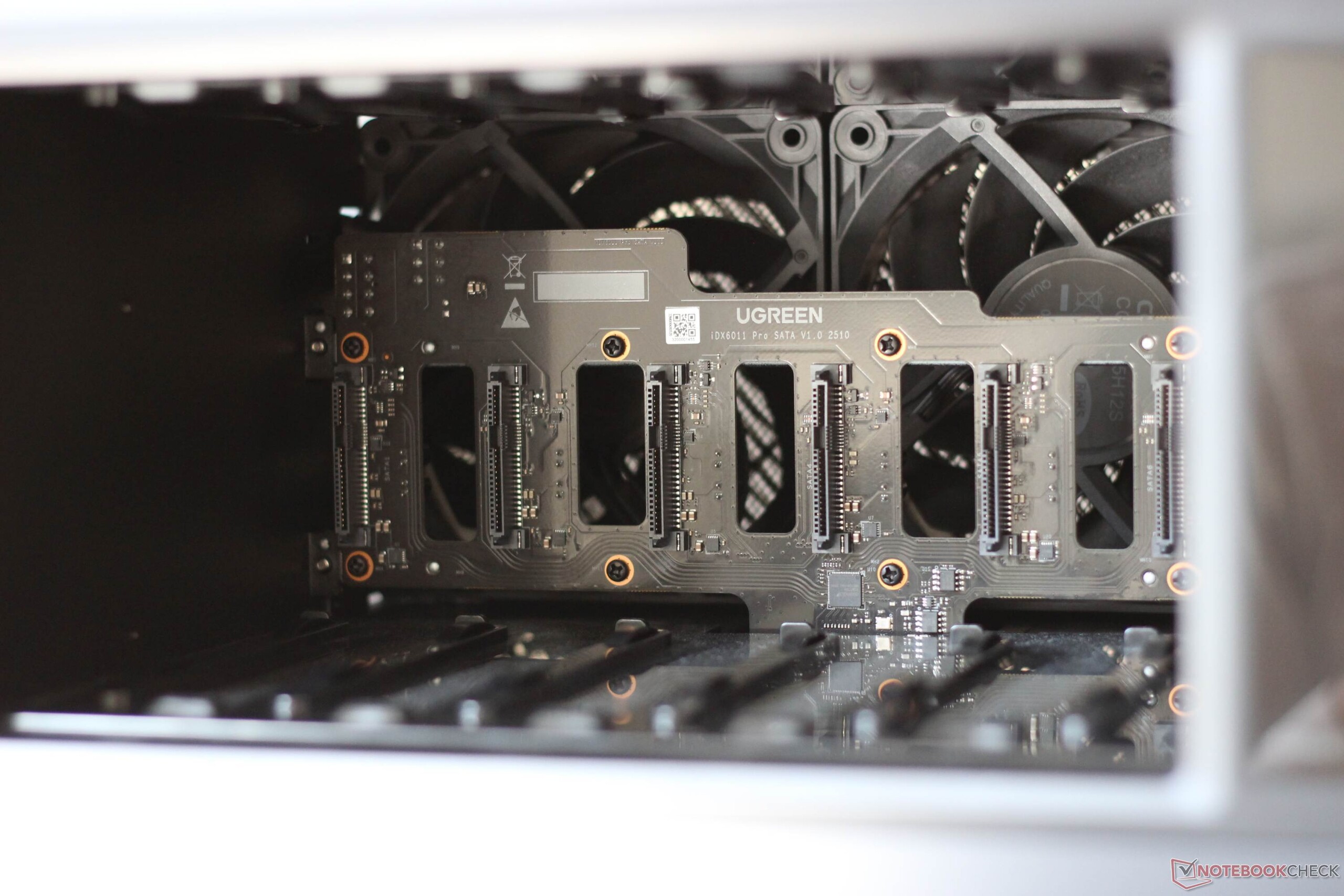
Both side panels can be removed. On the right-hand side, there is space for two M.2 SSDs, and a PCIe card can also be added later. That is not particularly unusual for a NAS. For example, it allows the installation of an additional network card.

Setup
Setup is simple and straightforward. As is typical for NAS systems, hard drives can be installed without tools using a lever-style mechanism. The drives can be secured in place, but they cannot be locked to prevent theft. After the system is connected to power and the network, a QR code is shown on the display. The actual setup is then completed through a browser or the corresponding Windows app. Different RAID levels can be selected, and matching storage pools can be created.
While the initial setup is very simple and guided, a look through the settings quickly shows that the iDX6011 Pro is also aimed at professional users. It offers countless options. For example, the system can be integrated into a network via wsdd2, and both FTP and SMB services are supported. Telnet and SSH are also available, along with extensive settings for users and user groups. Users can then sign in through Windows File Explorer with a username and password, which gives them access to their assigned private and shared folders.
The home NAS can also be accessed remotely over the internet via UgreenLink, and this applies not only to stored data and media content. It is also possible to start and use a virtual machine remotely. How relevant that is for end users remains to be seen, but the capability is there. UgreenLink is not mandatory, as an external DDNS provider can also be used.
Performance
In terms of data transfer rates, the Ugreen iDX6011 Pro is unremarkable in the best possible way. Both Ethernet ports were used. One port connected the NAS to the local network and thus to the router, while the second was used for a direct connection to a 10 Gbit/s network card in a PC. This is likely the setup that matters most in practice when a full 10 Gbit/s network infrastructure is not available. In real-world use, large video files can easily be transferred to a workstation, while other users can still access the device over Wi-Fi. In that case, however, the limiting factor is not only the Ethernet connection between the NAS and the router, but also the Wi-Fi connection between the router and the client.
With an M.2 2280 SSD, the 10 Gbit/s connection was effectively fully utilized. In RAID 5 mode with six hard drives, similar transfer rates were achieved when reading. We did not test a direct connection using both Ethernet ports via link aggregation or the use of an additional network card. Power consumption, as estimated with an energy meter, is very high depending on the usage scenario: when an M.2 SSD, six hard drives, and an AI request are all under load at the same time, power draw can exceed 100 watts. The RAID configuration can also have a noticeable impact on power consumption. If media files are stored in a RAID 5 array, all hard drives must remain active. The same applies when programs are installed on a RAID storage pool.
Many apps, many functions
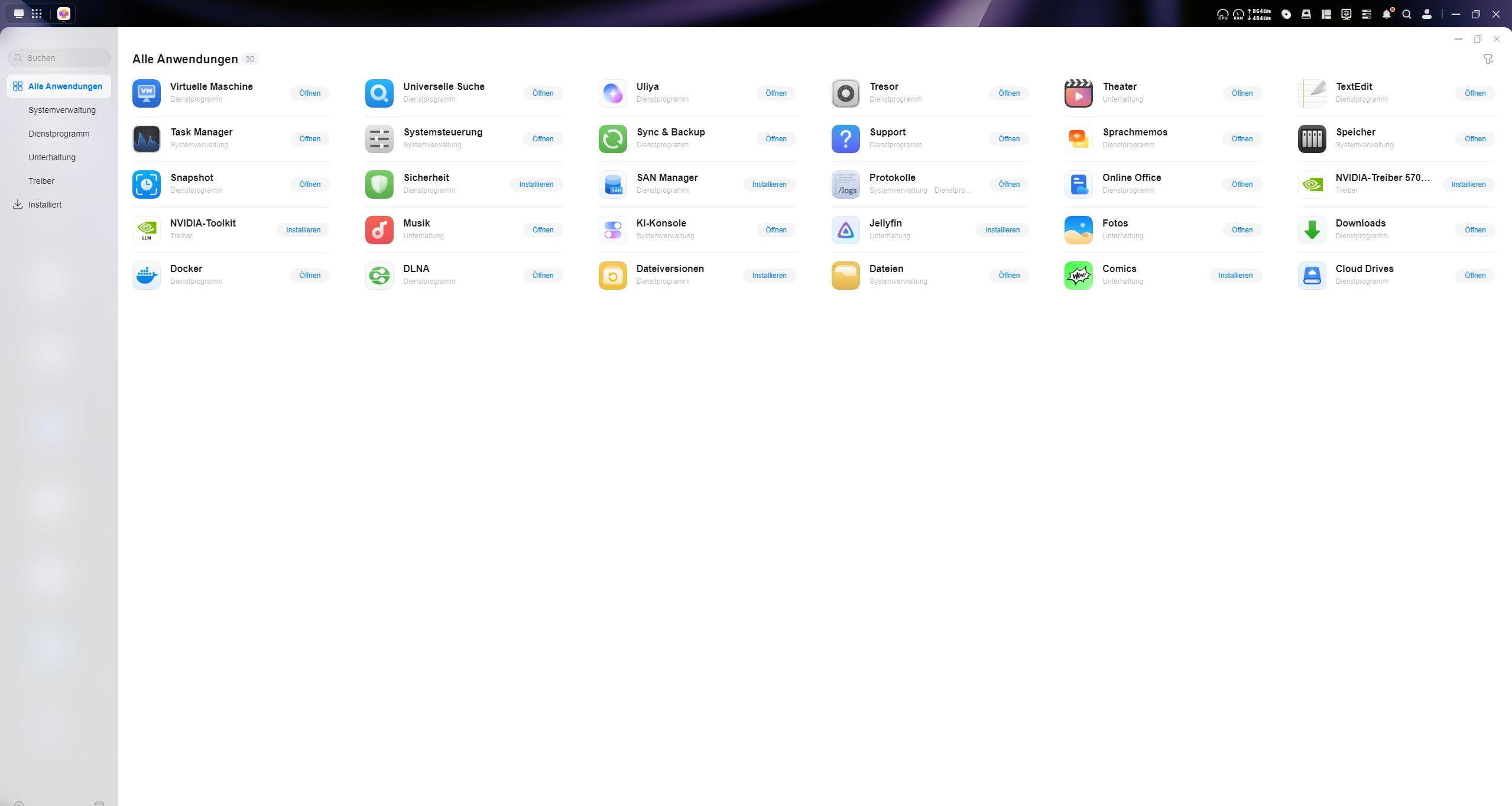
The App Center may not include hundreds of apps, but it does offer a very useful selection, some of which we would like to briefly discuss. DLNA can be used to set up a media server, which in our test was easily accessible from a Samsung TV, among other devices. Theater and Jellyfin are additional apps available for organizing a personal media library. A display can also be connected via HDMI, with media playback then controlled through the app.
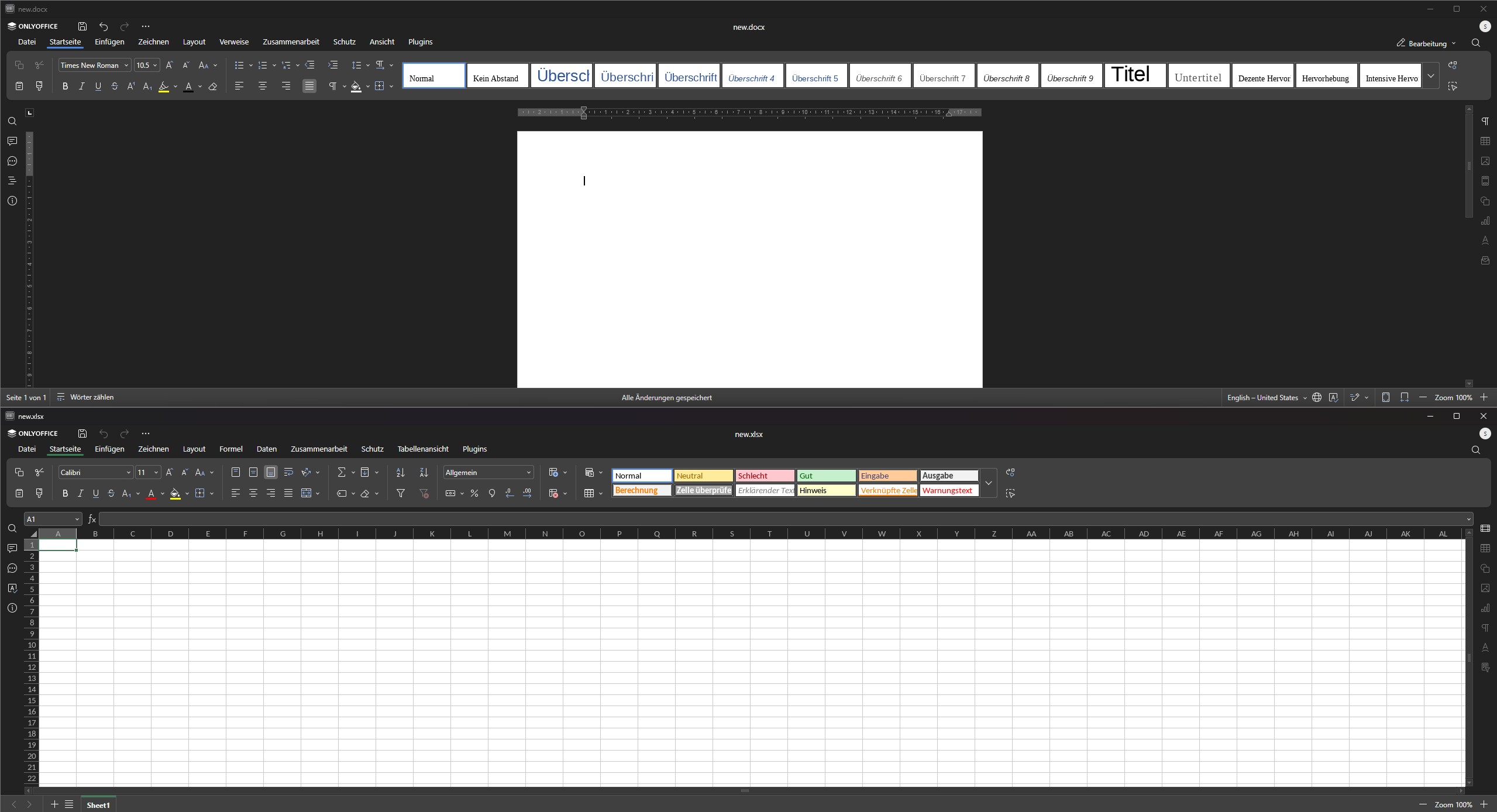
Less entertainment-focused but more productive is Online Office, which is ultimately based on OnlyOffice. It allows text documents, spreadsheets, and presentations to be edited, including by multiple users at the same time via the NAS. Anyone who does not specifically need full native support for VBA macros may no longer need Microsoft Office in practice. Remote access is available here as well.
Virtual machine and intelligent photo search
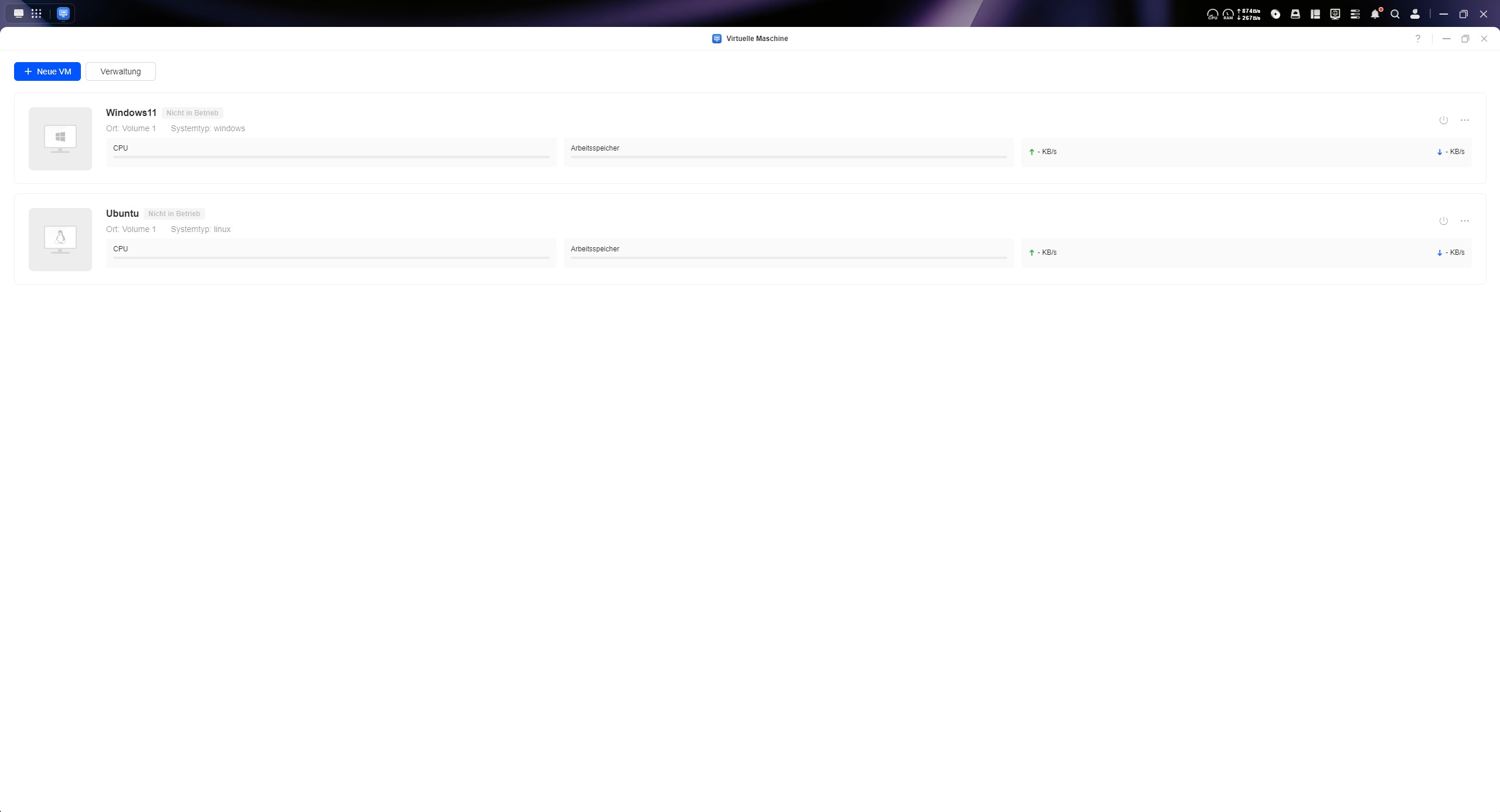
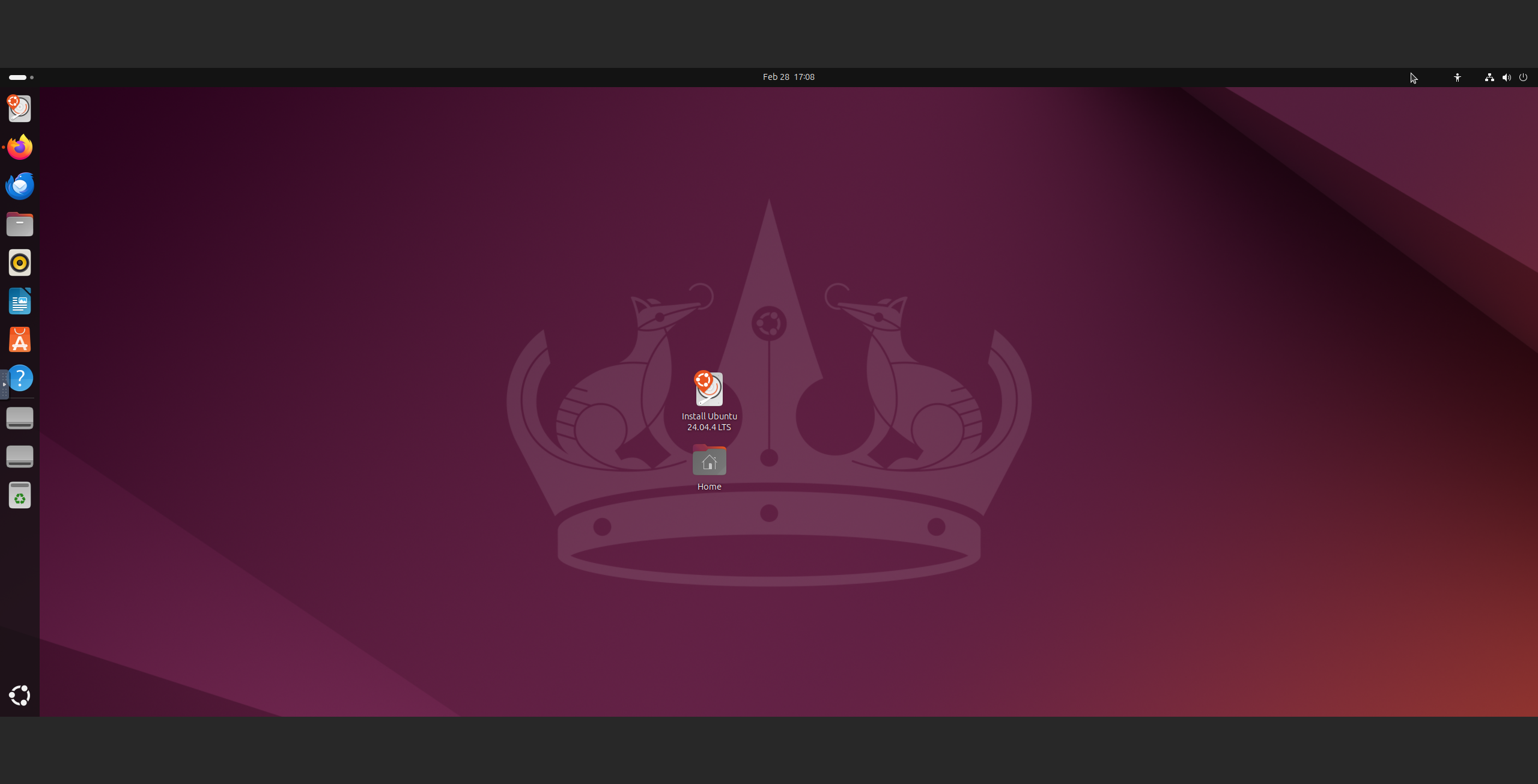
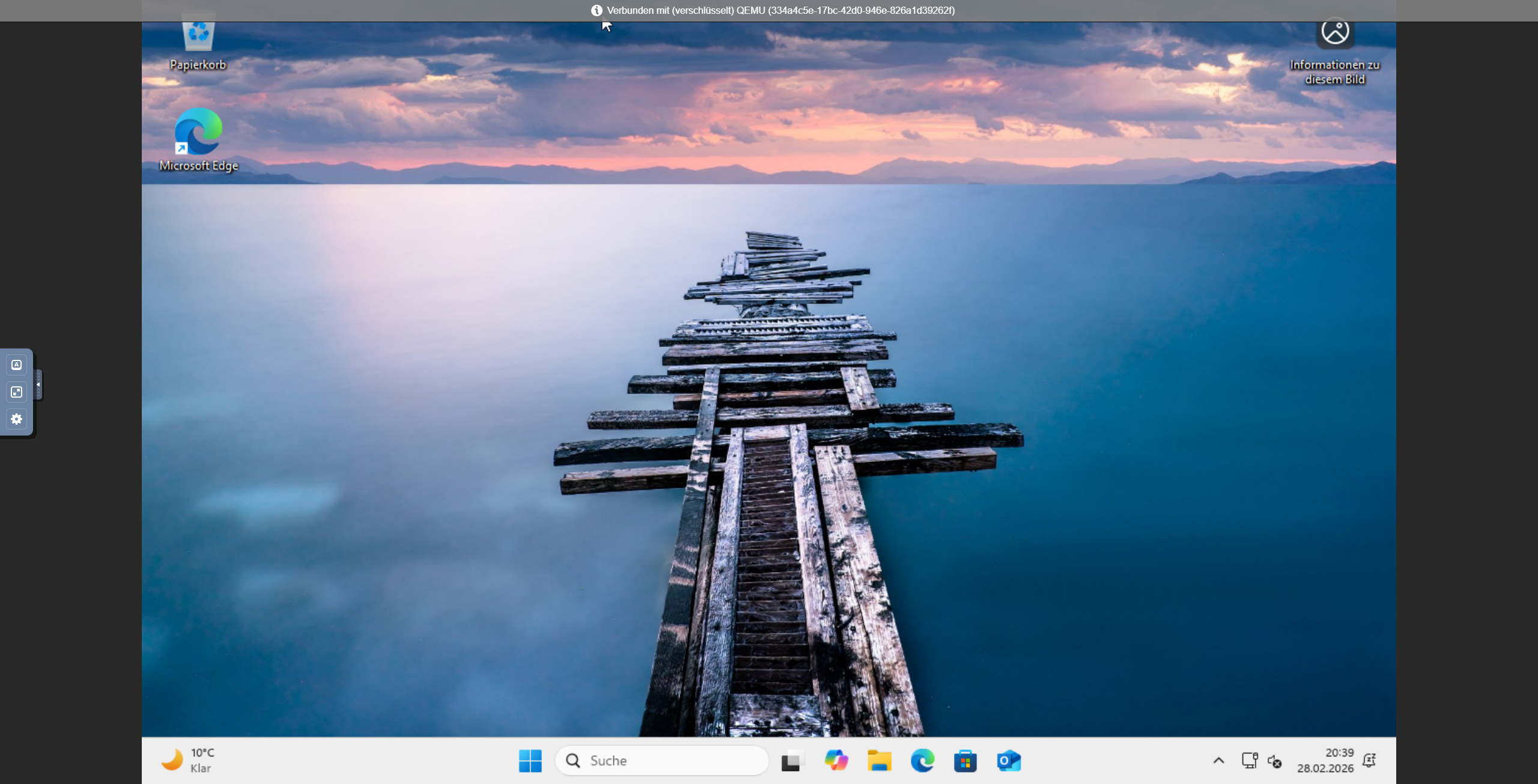
For virtual machines, both Docker and a dedicated application called Virtual Machine are available. In our view, Docker naturally offers more options, but Virtual Machine is very easy to configure and displayed Ubuntu and Windows 11 without any problems in our test. Share links can be created at the press of a button, allowing users to access the virtual machine. This does not require a Ugreen account or any other access to the NAS.
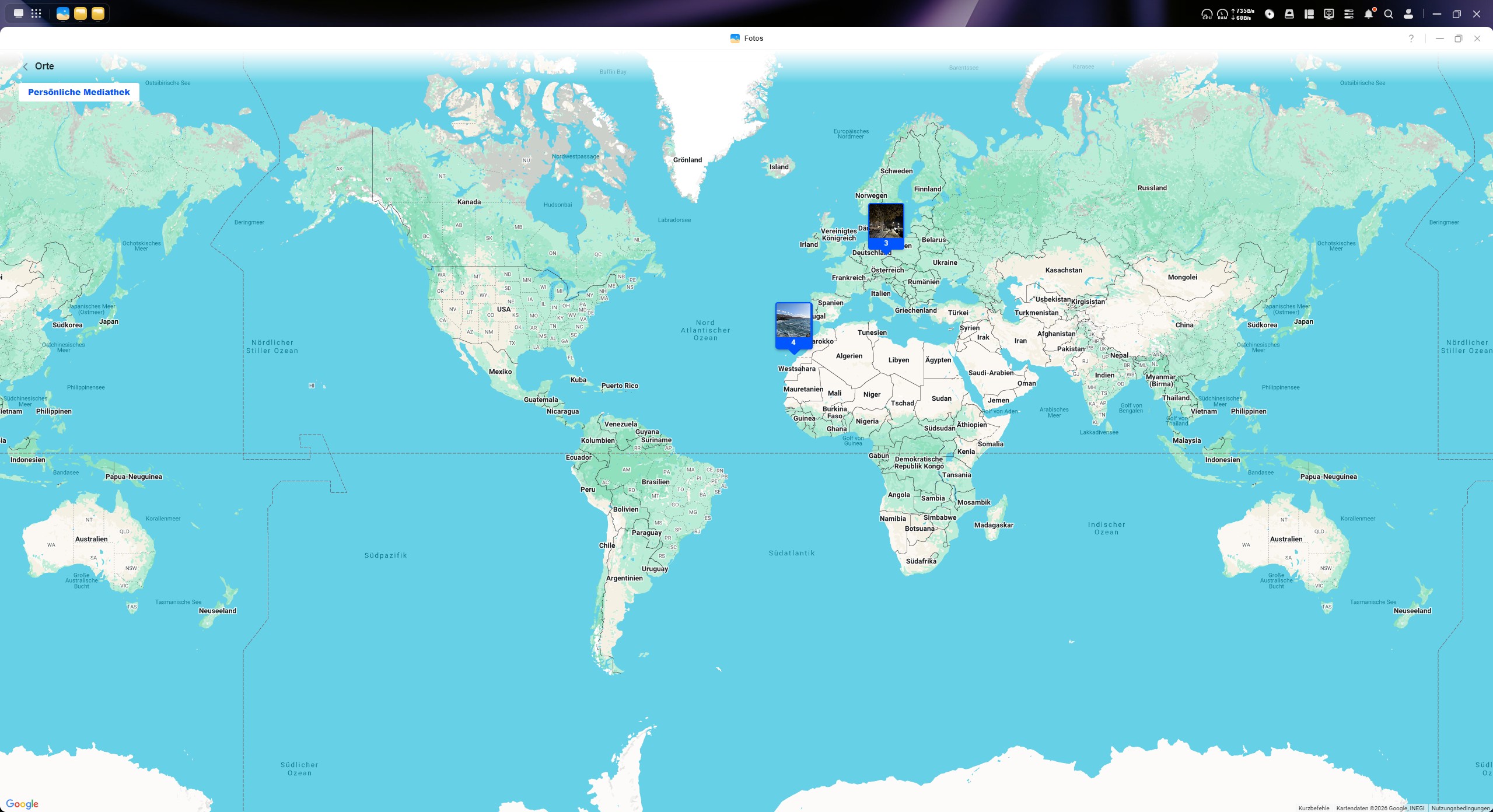
As the name suggests, Photos is a gallery application. It supports various galleries and can use person, object, and text recognition, for example. Location data is read out, allowing photos and albums to be displayed on a map, and text recognition works well. It is also possible to train custom AI models for image recognition, which worked well in our test with images of a controller.
The Download app is very useful. It makes it easy to transfer internet-hosted content to the NAS, and not just content stored in cloud services. This can be useful, for example, when software needs to be stored locally, possibly for documentation or compliance reasons, and then distributed from there.
AI transcription is convincing
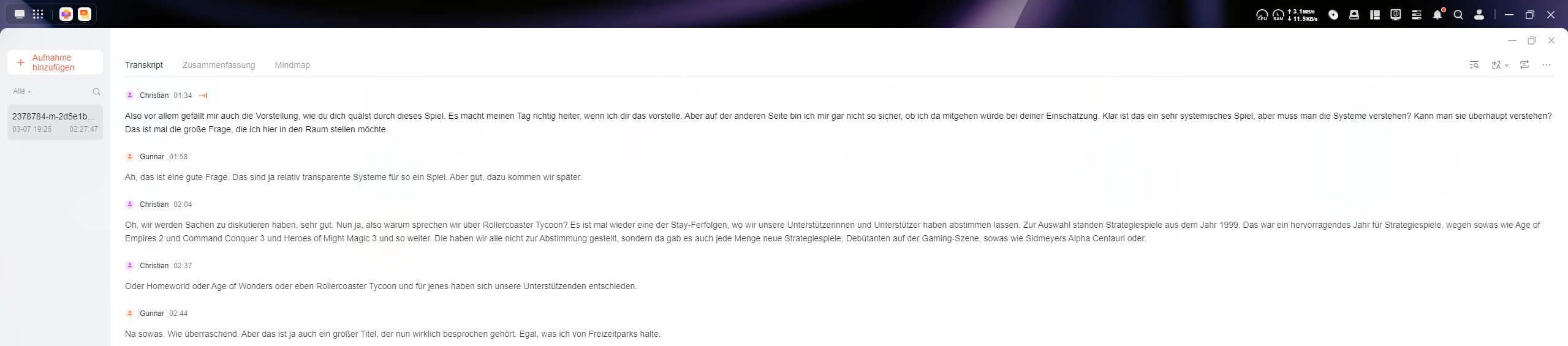
With the help of an application, audio files can be transcribed and summarized. We evaluated this function in detail using episode 161 of the Stay Forever podcast. The podcast episode is just under 2 hours and 30 minutes long, and transcription took 10 minutes. The transcript is very usable. Longer monologues are sometimes split into two separate entries, but this is completely harmless. There are minor deviations; for example, one phrase was recognized incorrectly instead of the correct wording. Speaker recognition works reliably, and both the speaker names and the transcript itself can be edited. Clicking on the relevant text plays the corresponding section. Overall, the user experience is very good. The transcript can be exported as a formatted DOCX document. A summary can also be generated, and even a mind map can be created.
The knowledge database is useful, but far from perfect
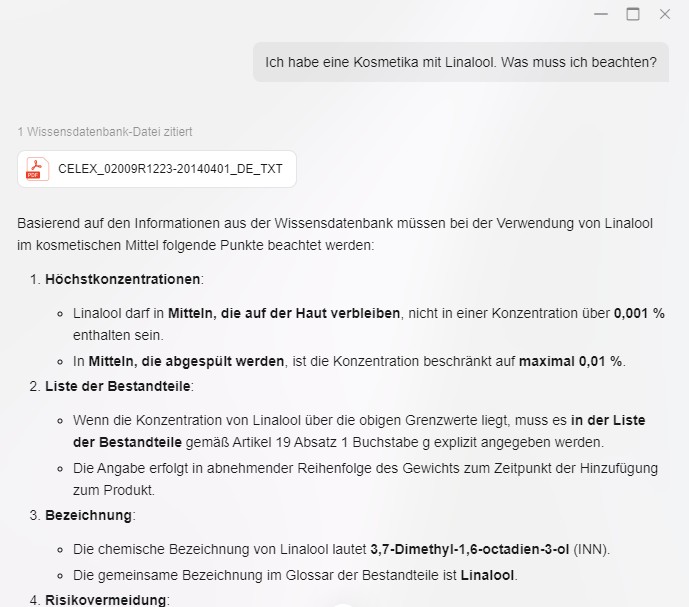
We tested the knowledge database using a procedure we developed ourselves. Specifically, it involves searching a total of 100 PDF files, amounting to 31.4 MB, in which certain pieces of information about a person are hidden, both directly and indirectly. This makes it possible to check whether information can be found at all, and whether it can be clearly distinguished. It also tests whether the system can, put simply, think outside the box. In addition, hallucinations can be identified because we have a complete list of all the information we inserted. In our test, analyzing the documents took around 35 minutes and could run in the background. However, these tasks are not integrated into the task center, so users are not notified when the analysis is complete.
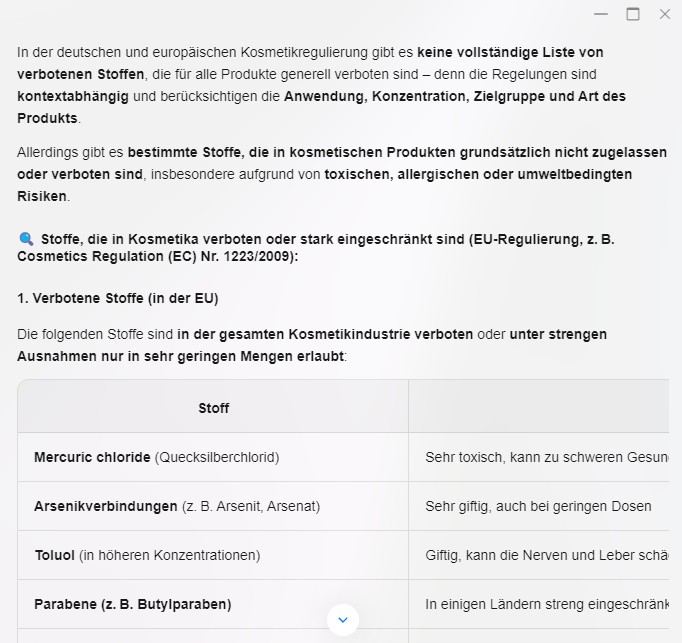
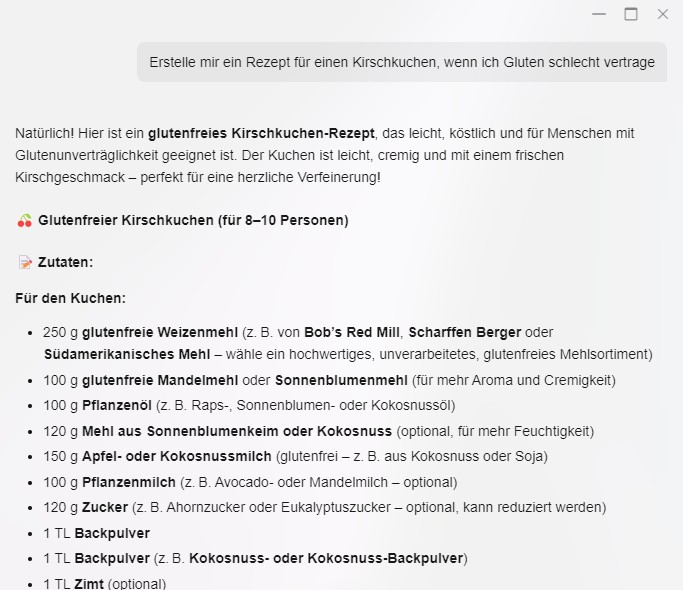
In our test scenario, the NAS was not entirely convincing. Using Qwen3 locally, it did not find all of the information. The system also tends to hallucinate. This is where things get tricky: with a Windows File Explorer search, or even the NAS's own universal search, we would have been faster and would likely have achieved better results with the indexed PDFs, but we would not have been able to find information that was only indirect. When a single user-defined source is used, in this case an EU regulation, the results tend to be better. After analysis, such a single document can also be used to answer more complex questions. Even so, the time required to process such queries can be substantial. Perplexity Pro took less than 10 seconds to answer a specific regulatory question based on that regulation, whereas local use usually took minutes. Generating a recipe for a gluten-free cherry pie locally took 2 minutes and 30 seconds. By comparison, the GPT-4.1 mini model, which can be used free of charge on the Ugreen NAS, took less than 8 seconds. Another major drawback is that the LLM chat cannot be used in the background. Only a single instance can be used, so it is not possible to submit multiple requests and have them processed one after another. In day-to-day work, that can be a real problem.
Transparency
The selection of devices to be reviewed is made by our editorial team. The test sample was given to the author by the manufacturer free of charge for the purposes of review. There was no third-party influence on this review, nor did the manufacturer receive a copy of this review before publication. There was no obligation to publish this review. As an independent media company, Notebookcheck is not subjected to the authority of manufacturers, retailers or publishers.
 Add as a preferred source on Google


