




Keychron M5 review: Unusual gaming mouse with clever details
Upright rodent.
The Keychron M5 is a vertical - or at least highly ergonomic - mouse that the manufacturer is also aiming specifically at gamers. We test the mouse not only for ergonomics, but also for its software and everyday usability.Silvio Werner, ✓ Ninh Duy (translated by DeepL / Ninh Duy) Published 🇩🇪 🇳🇱 ...
The Keychron M5 is good, but lacks premium charm
The Keychron M5 is a good choice for users of vertical mice - or those who want to become one. Compared to cheaper vertical mice, the M5 is in fact a real gaming mouse. The positioning of the two thumb buttons and the inclusion of a second scroll wheel are very good. It is also positive that no software has to be installed locally for configuration, and that the web interface offers extensive configuration options. The main deductions are for secondary details: The Keychron M5 does not feel truly premium, and the lack of an LED to indicate the selected profile, for example, is fairly annoying. The absence of decorative lighting may also be a dealbreaker for users who value it.
Pros
Cons
Price and availability
The Keychron M5 is available directly from the manufacturer for 80 euros. The mouse is currently available from Amazon for a slightly lower price. It is offered in black and white.

The Keychron M5 is a vertical mouse with a gaming focus, a higher polling rate and resolution, and a Pixart sensor. The inclusion of a second scroll wheel is rather unusual.
Specifications
| Type | Ergonomic gaming mouse |
| Weight | Approx. 95 grams |
| Connection types | 2.4 GHz, Bluetooth, USB |
| Sensor | PixArt 3950 |
| Maximum polling rate | 8,000 Hz |
| Maximum resolution | 30,000 DPI |
| Specified battery life | 140 Hz |
| Included accessories | Dongle, cable, adapter |
| Switches | Microswitches from Huano |
| Additional buttons | Two thumb buttons, scroll wheel |
| Dimensions | 117.8 x 87.1 x 41.7 mm |
Included accessories and hardware
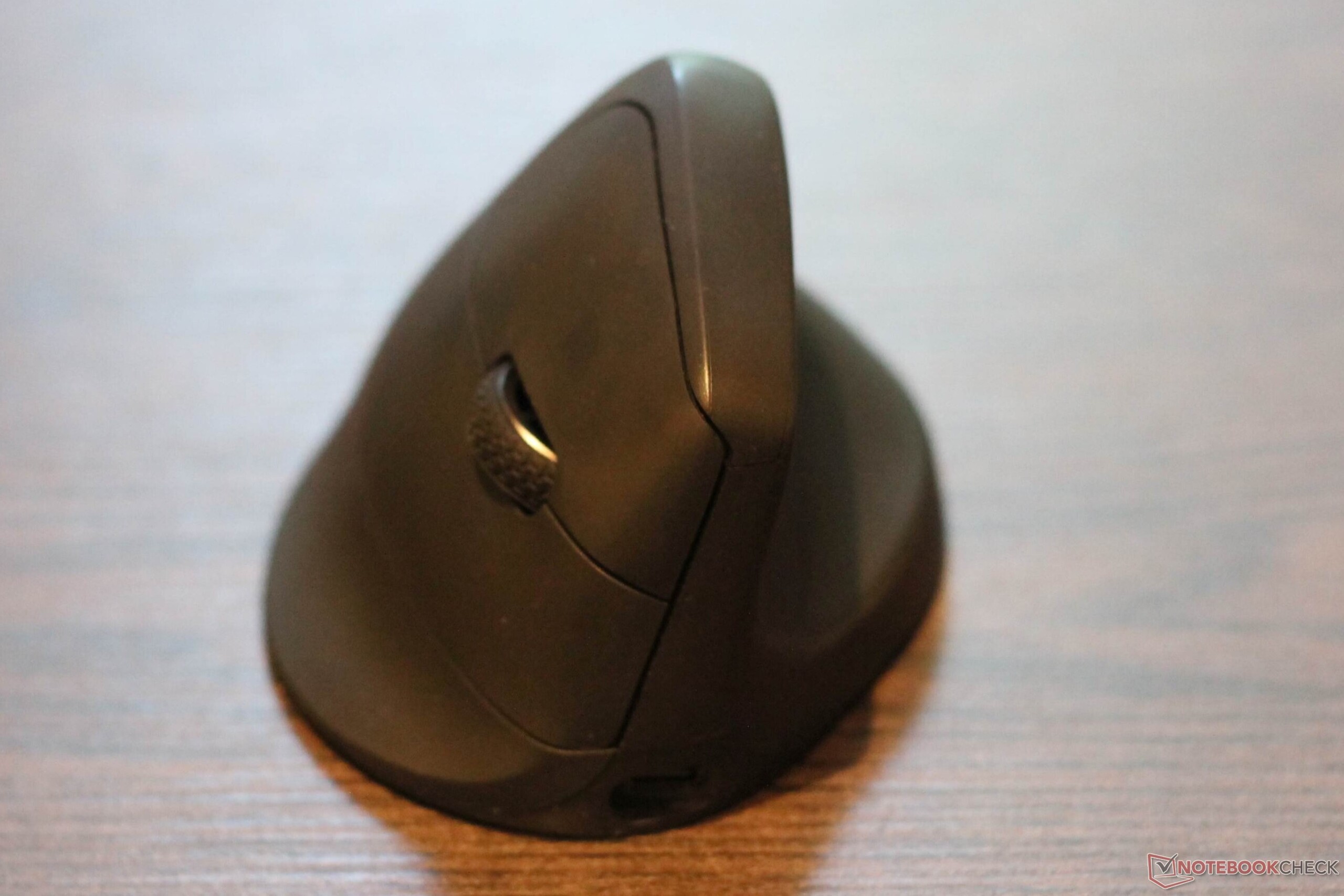
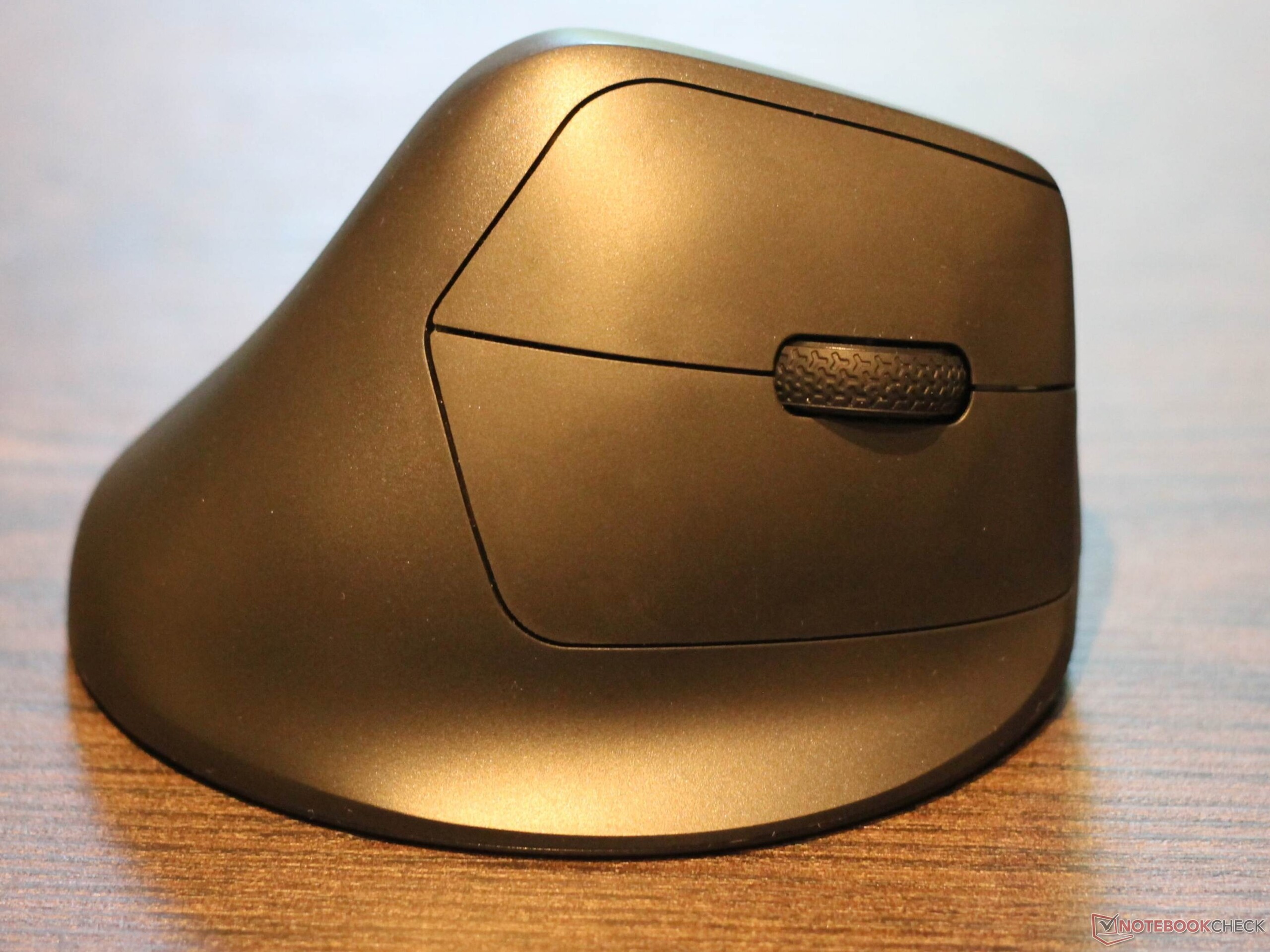
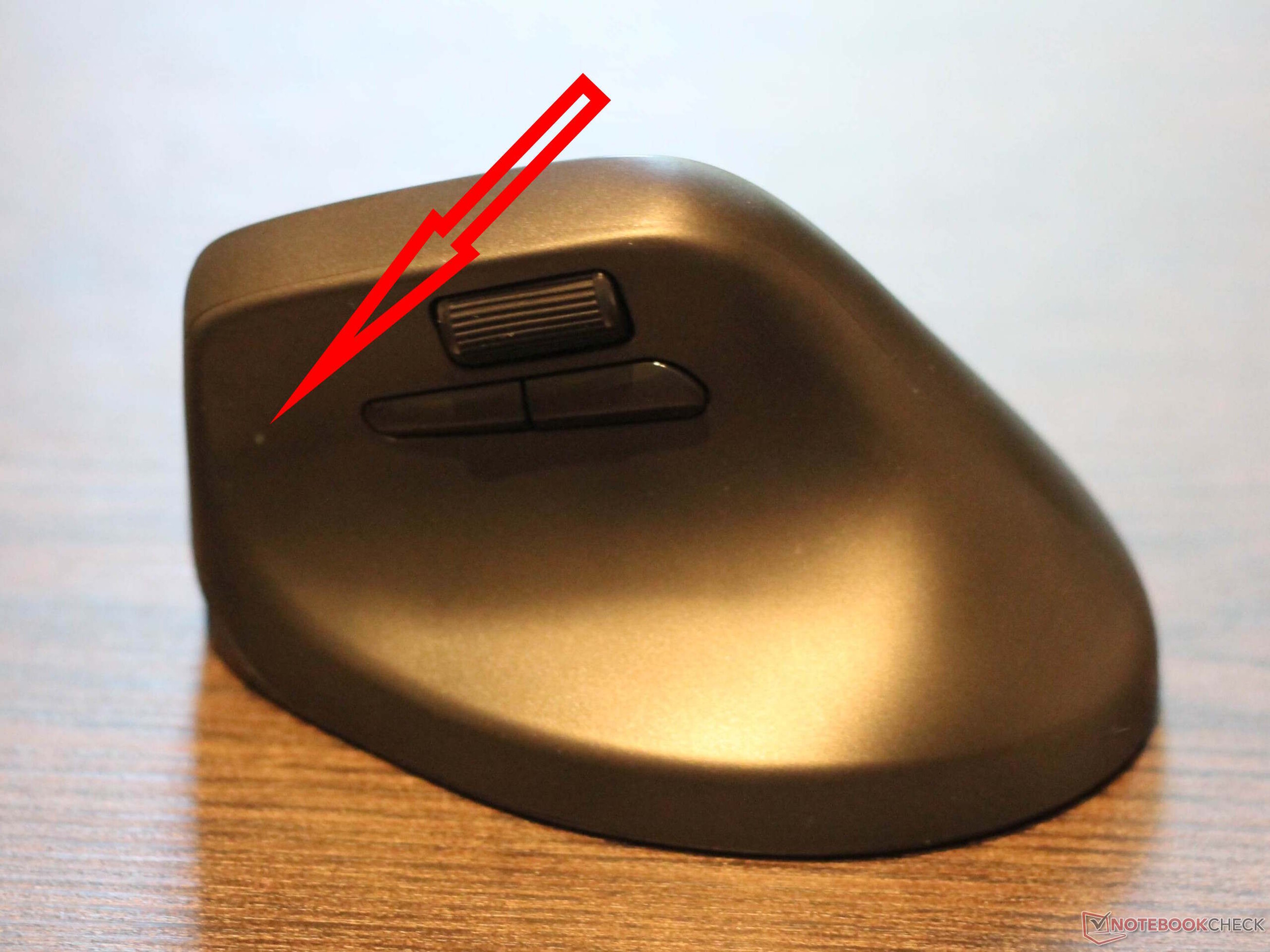
The Keychron M5 weighs around 95 grams, which is still fairly light for a vertical mouse, but not especially light for a gaming mouse. Build quality is generally decent, but the surface is not textured or rubberized anywhere. The Keychron M5 has two scroll wheels. The scroll wheel between the two main buttons can also be clicked, while the scroll wheel above the thumb buttons cannot. The two thumb buttons are arranged one behind the other, and the scroll wheel and thumb buttons are positioned close together.
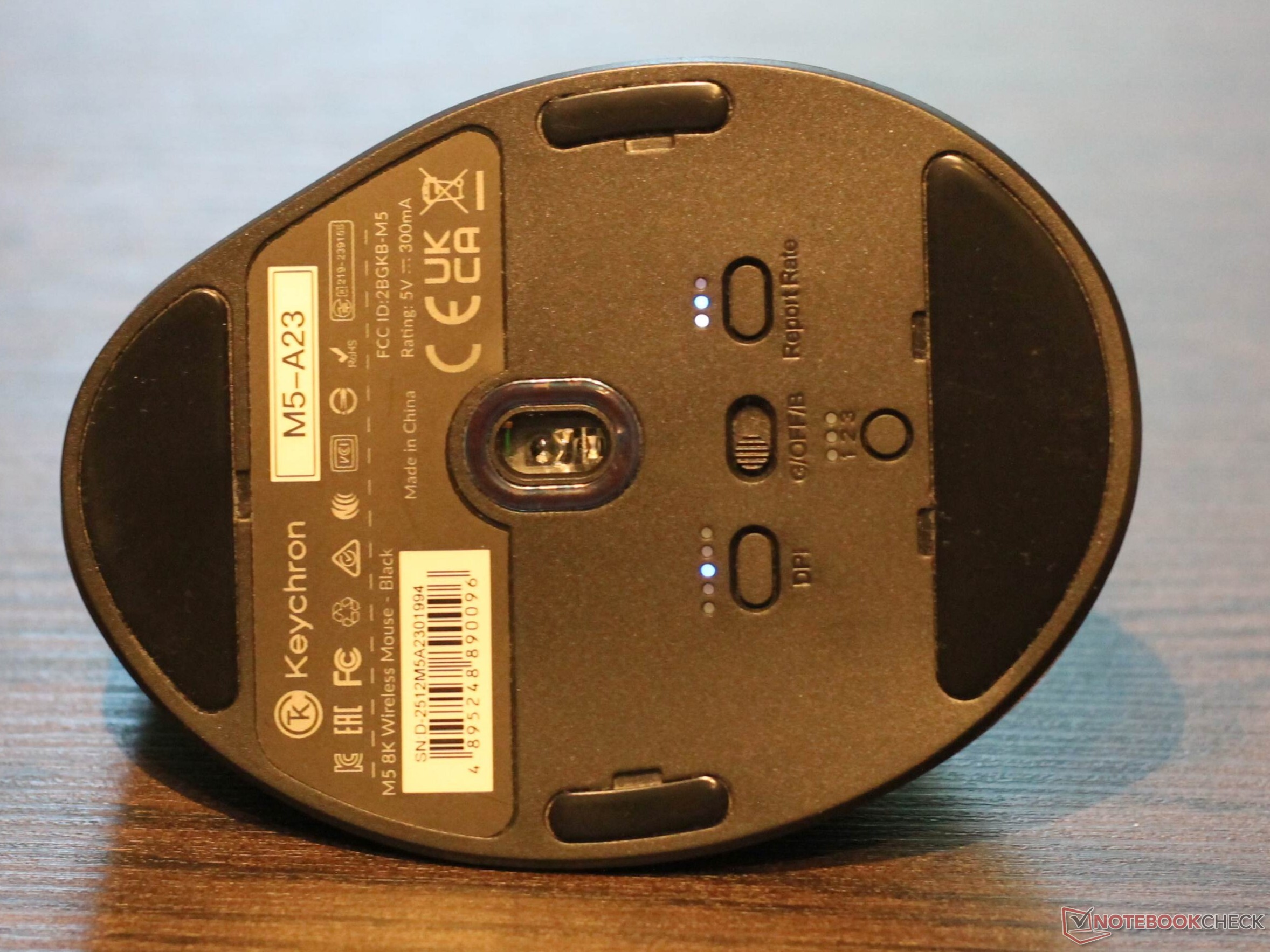
The manufacturer has dispensed with visible RGB lighting, although there is an LED on the underside. It indicates the resolution, polling rate, and selected device. A total of five glide pads are installed. The receiver cannot be stored inside the mouse, which leaves me somewhat ambivalent: This reduces the weight slightly, but also makes the receiver easier to lose. A USB-C to USB-C cable is included, along with two USB adapters. Keychron uses a generous amount of foam in the packaging.
No premium build quality, but sensible features
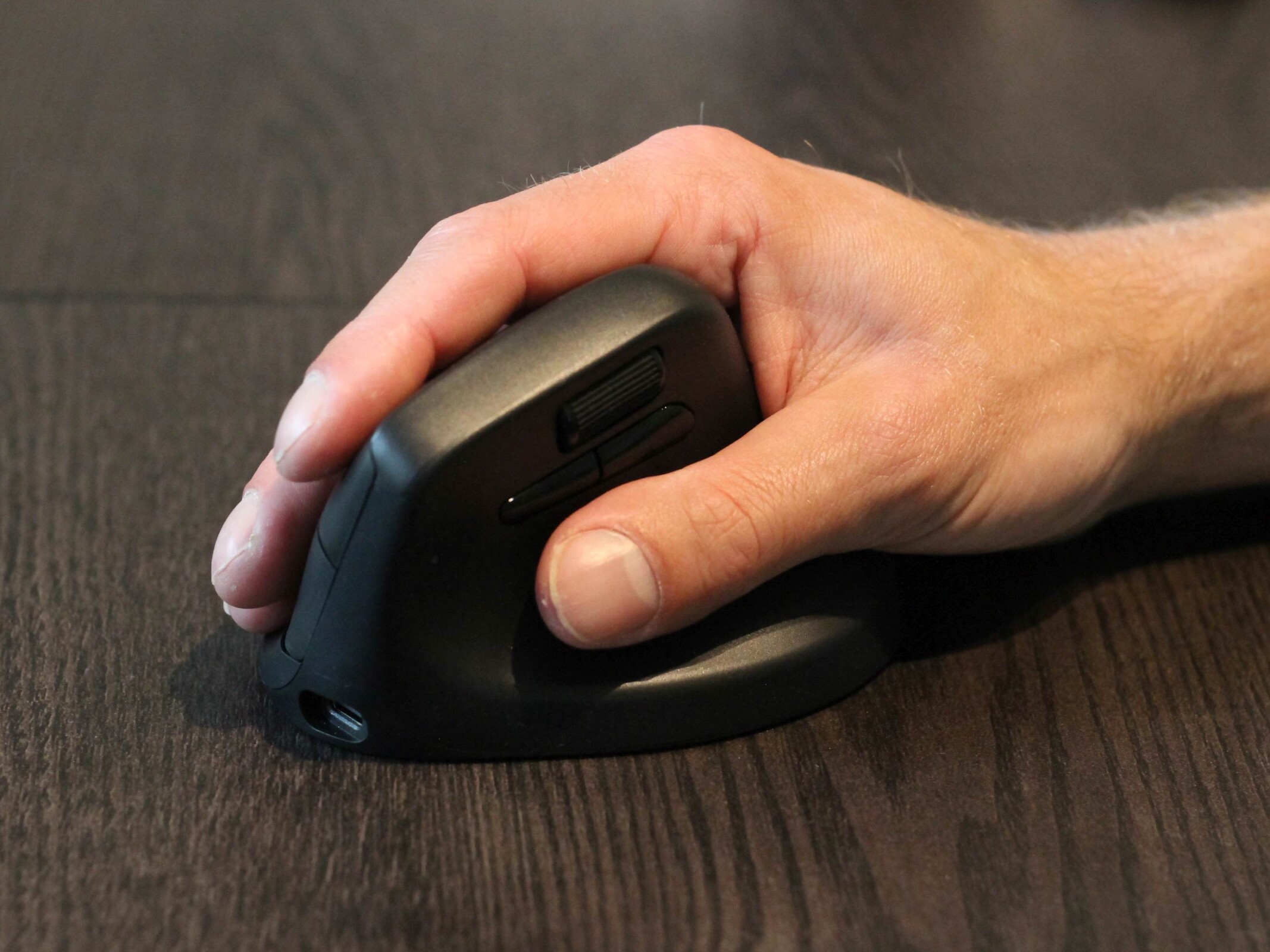
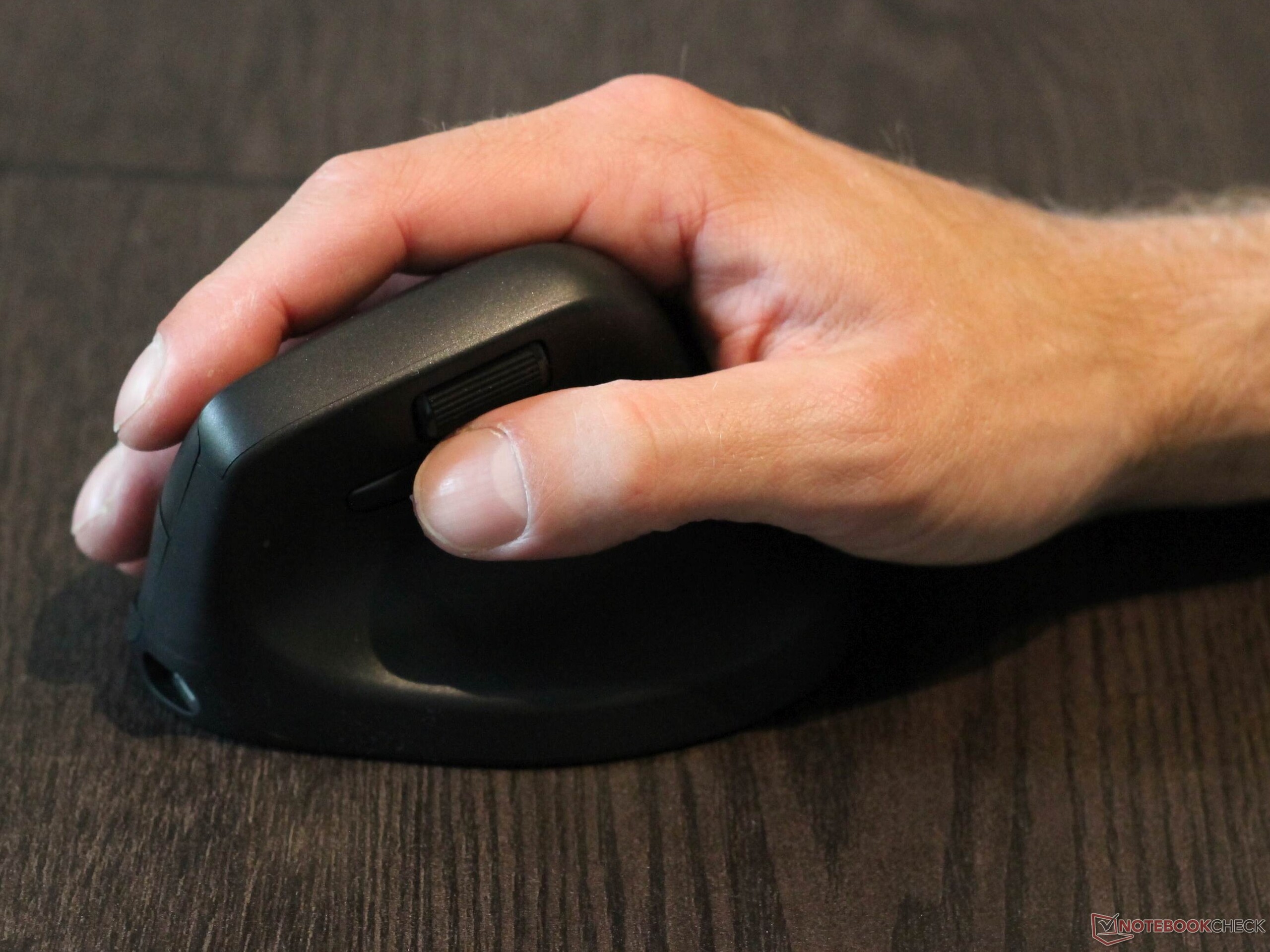
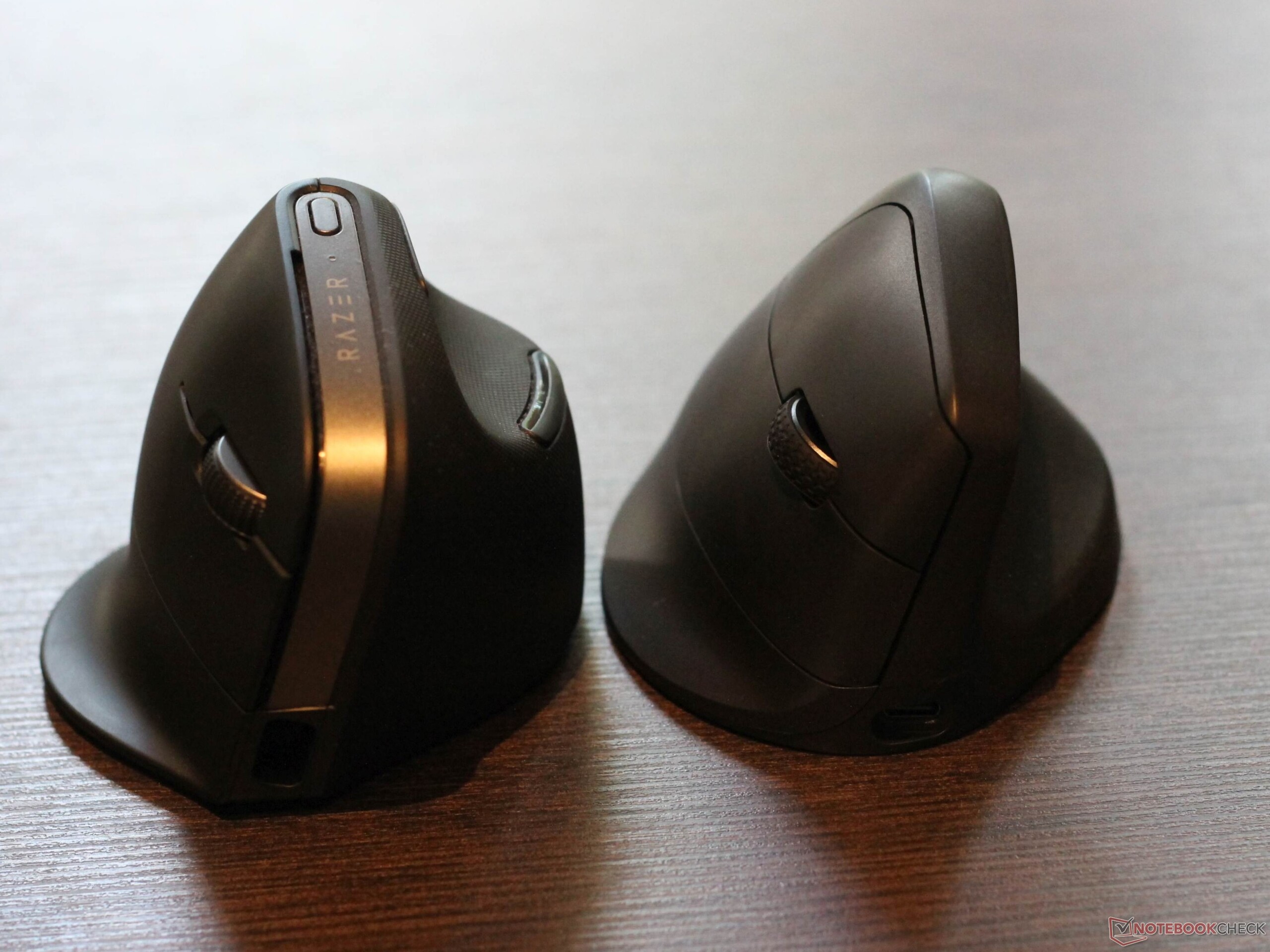
The design of the Keychron M5 is strongly reminiscent of "typical" vertical mice, such as the affordable office models available from Amazon. The angle is specified at 47 degrees, so this is not really a true vertical mouse. Compared with the Razer Pro Click V2 Vertical, which has an angle of more than 70 degrees, the Keychron M5 is therefore less steeply angled. Nevertheless, it is a very ergonomic mouse. Ultimately, however, this depends on personal preference. Despite my initial reservations, the smooth mouse surface proved to be more of a haptic issue than a functional problem in practice. The mouse does not feel premium, but the Keychron M5 does not cross the line into cheap-feeling workmanship. Despite the smooth surface, the mouse is easy to control.
Compared with the Razer Pro Click V2 Vertical, the less bulky M5 actually has to be gripped more actively, meaning the thumb is angled more sharply during use. The mouse performs well in both gaming and office use. The two thumb buttons are very easy to reach without changing your grip, which can save a decisive millisecond. When gaming, I also used the second scroll wheel as an additional thumb button, which works well: The scroll wheel has a relatively pronounced detent, so it takes a certain amount of force to turn it in either direction. This makes accidental inputs unlikely. In productivity applications, the second scroll wheel can be used for horizontal scrolling, for example when editing photos or diagrams. Interestingly, the scroll wheel between the main buttons feels a little spongier when scrolling, but it is still usable. The main buttons use microswitches and offer decent feedback.
Good sensor, missing LED
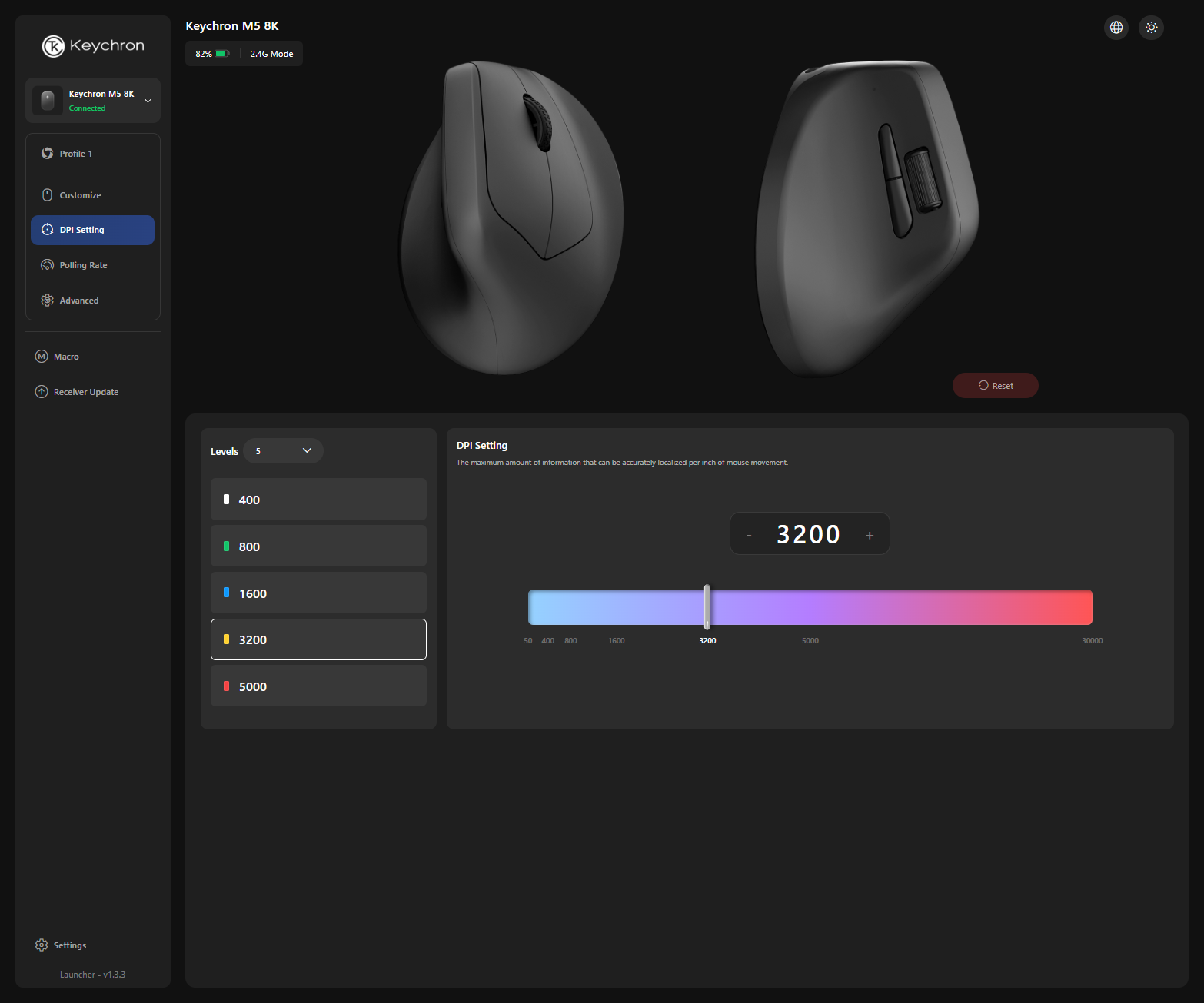
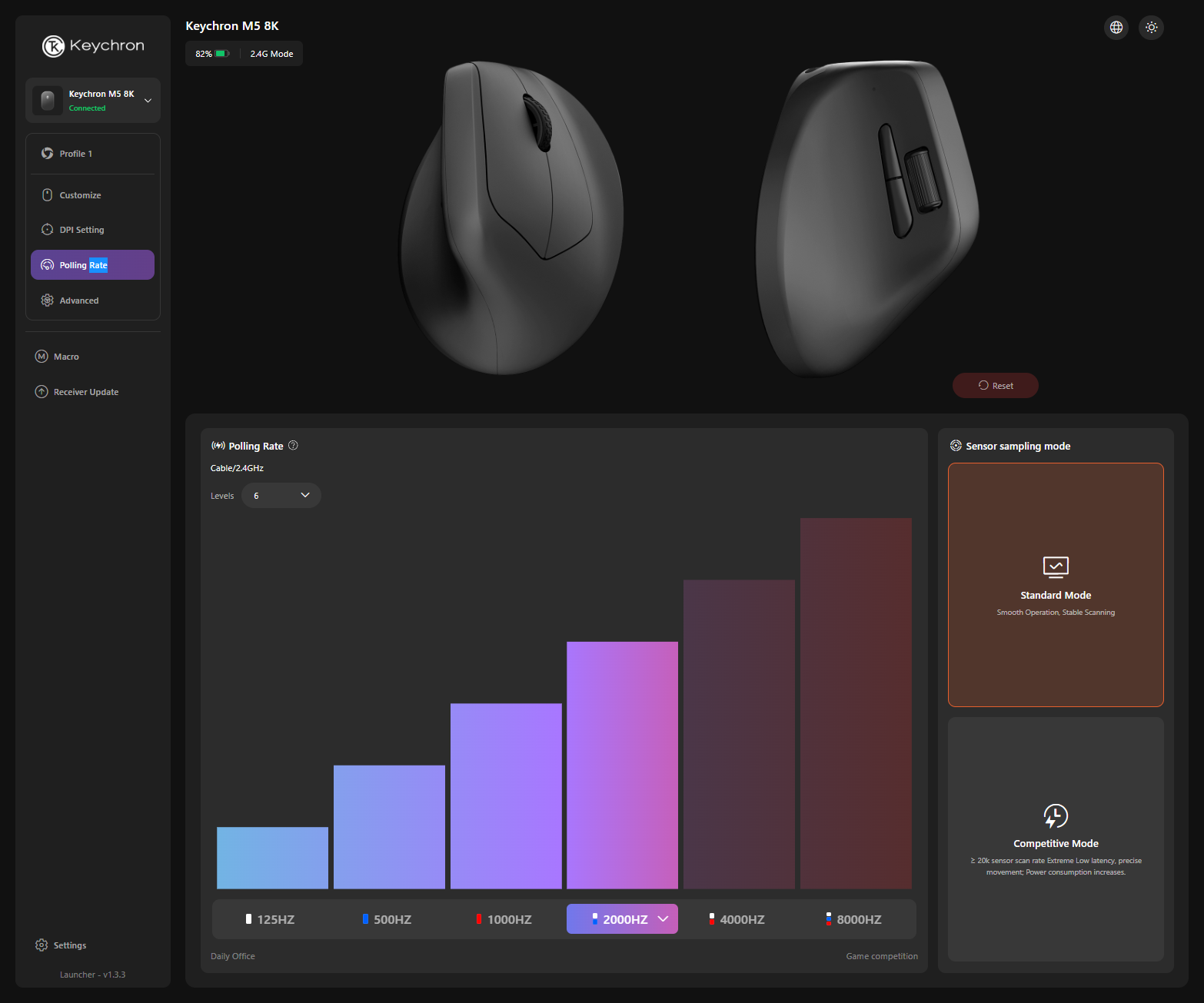
As expected, the PAW 3950 sensor used here does a good job. The model can be operated with a polling rate of up to 8,000 Hz, although I could no longer detect any relevant changes from 2,000 Hz onward. There is also a competitive mode, which is supposed to raise the sensor’s polling rate to more than 20,000 Hz. However, I did not see any real practical added value - or simply any need for it. A resolution of up to 30,000 DPI is supported.
I am not really a fan of RGB lighting; rather, it is simply irrelevant to me, so the lack of such lighting does not make the Keychron M5 less appealing to me. Nevertheless, I would have liked at least one LED to indicate the currently selected profile, for example. DPI, polling rate, and the currently used Bluetooth device can be displayed, but the LEDs are located on the underside, so the mouse has to be lifted accordingly. The LED installed between the thumb buttons and the front of the mouse at least indicates when the mouse is switched on whether a Bluetooth or 2.4 GHz connection is active, but this is not especially useful.
The web app is useful
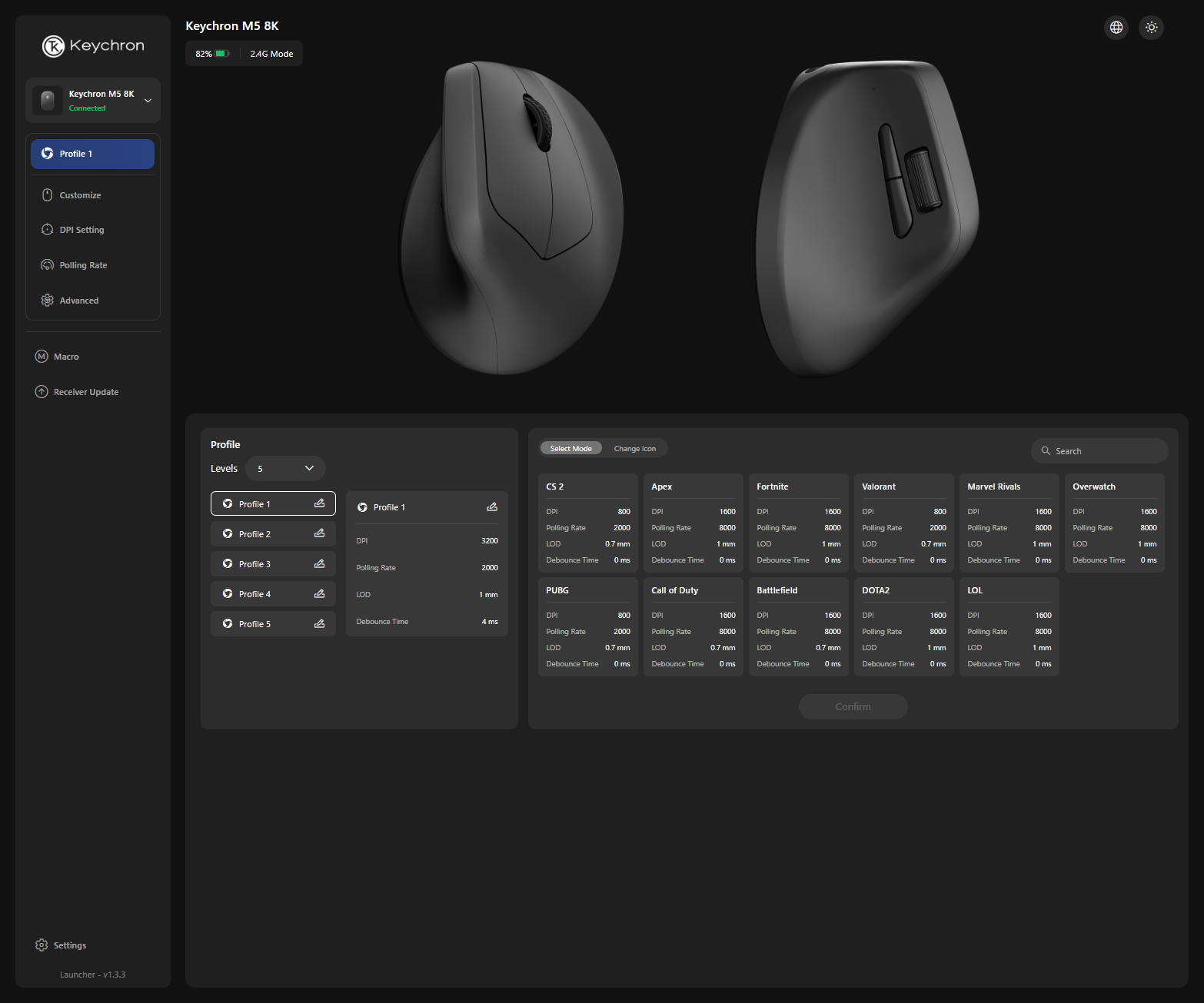
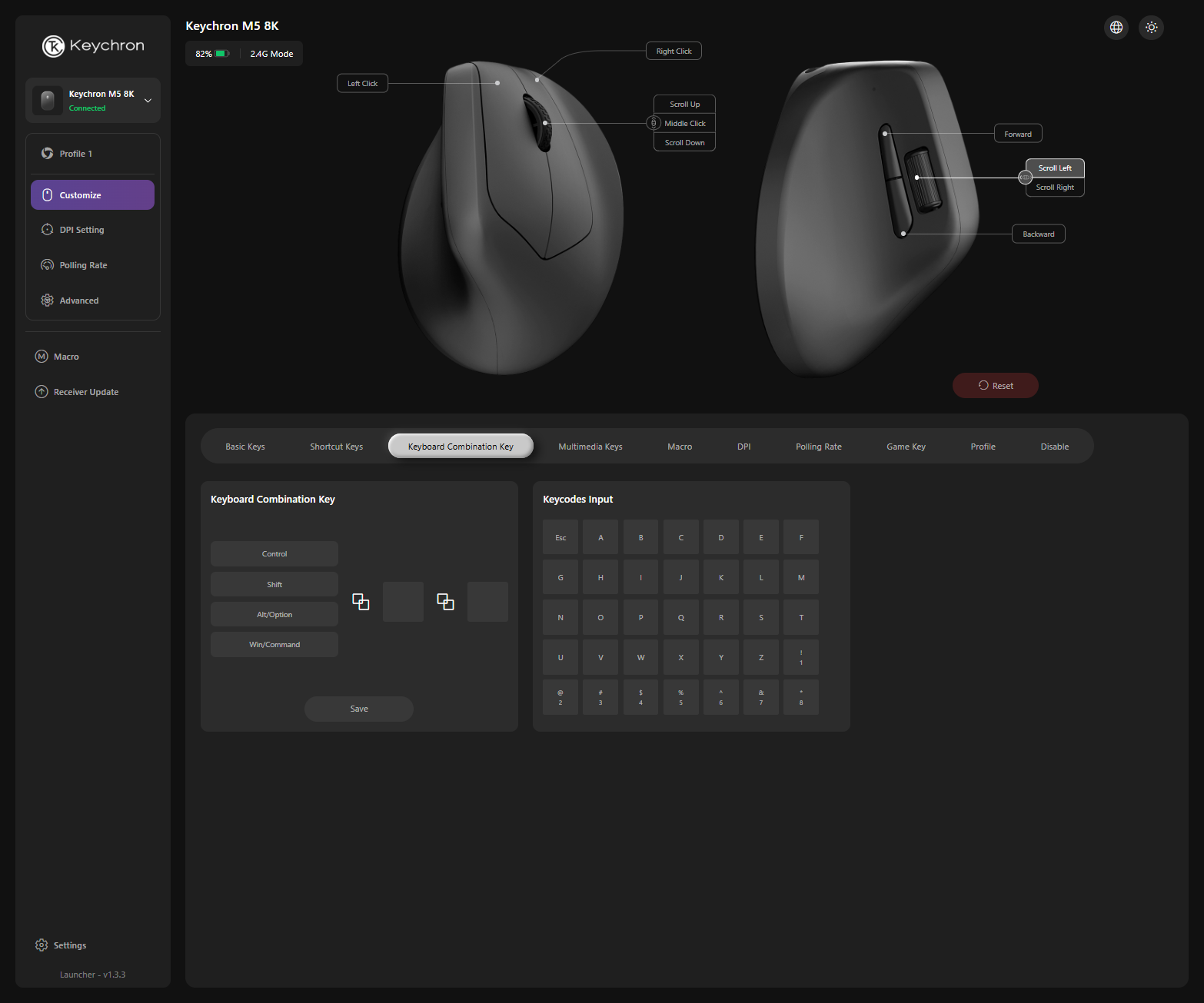
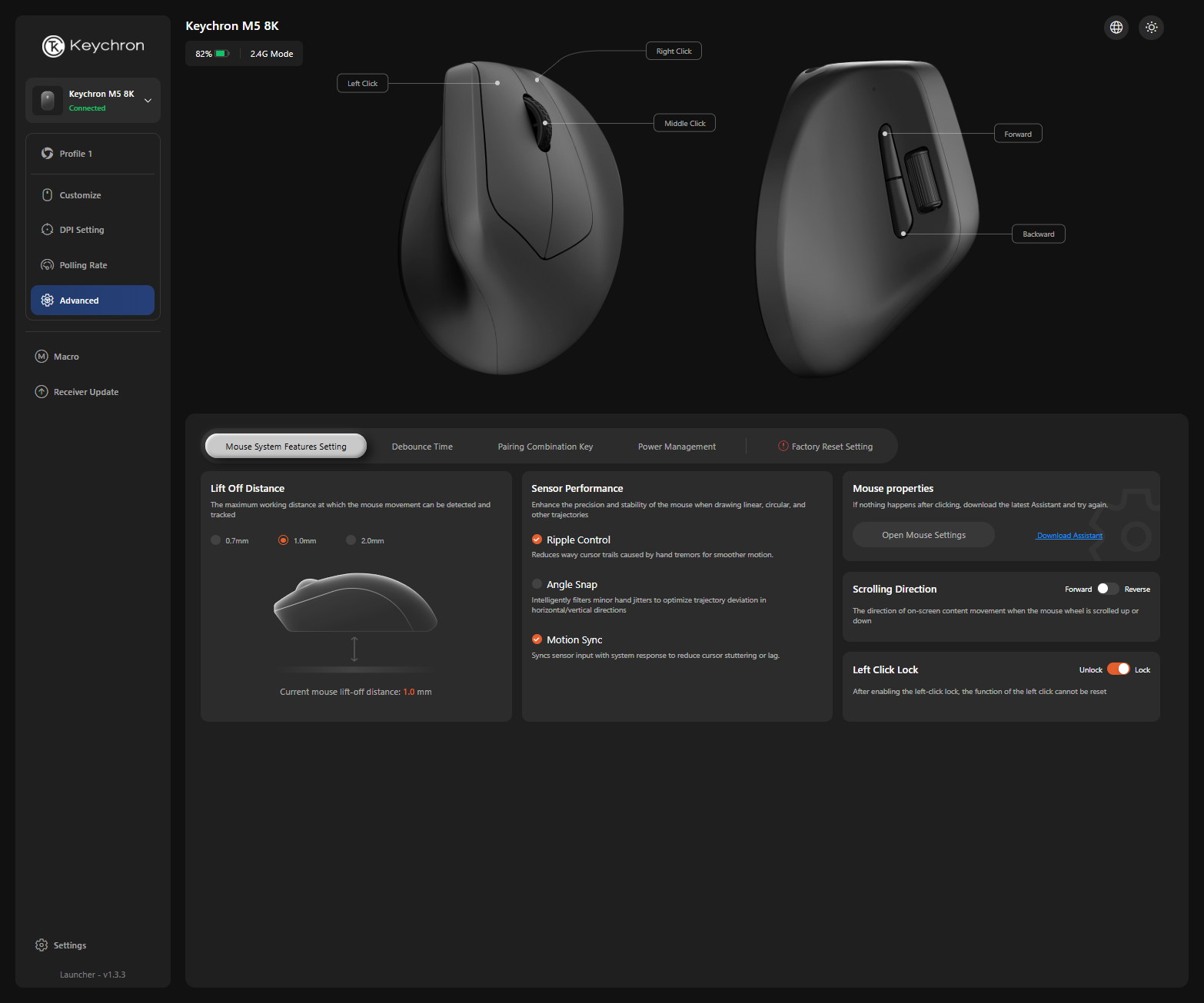
For this test, I used only the Keychron Launcher. This is a web application that essentially works without any download. The web interface can also be tried out without a paired device. Changing the assignment of individual mouse buttons is, of course, supported. Resolution and polling rate can also be adjusted, as can the lift-off distance, meaning the height above the mouse pad at which changes in direction are no longer registered. This is relevant if the mouse has to be lifted and repositioned frequently due to a tendency toward lower DPI settings.
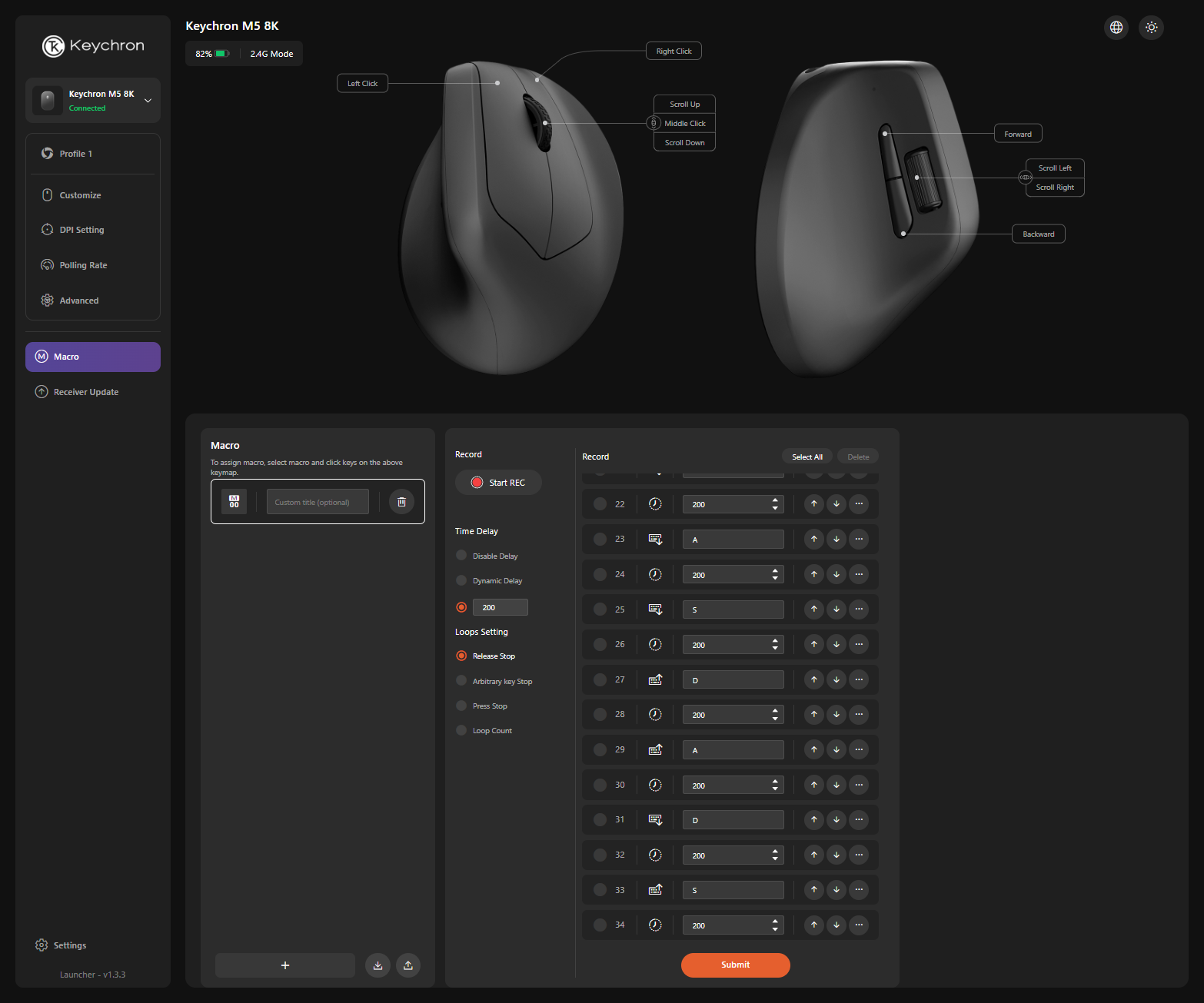
A capable macro editor is available directly in the web interface. However, the Keychron M5 8K, or rather the Keychron Launcher, lacks one feature: It is not possible to set up a second command layer. In practice, this means the button assignments cannot be changed while a button specifically assigned for that purpose is held down. Since the second scroll wheel can also be used as an additional button, this is not necessarily a major issue, but it would open up even more possibilities.
Transparency
The selection of devices to be reviewed is made by our editorial team. The test sample was given to the author by the manufacturer free of charge for the purposes of review. There was no third-party influence on this review, nor did the manufacturer receive a copy of this review before publication. There was no obligation to publish this review. As an independent media company, Notebookcheck is not subjected to the authority of manufacturers, retailers or publishers.
 Add as a preferred source on Google


