




Microsoft Defender might be right to block Microsoft Activation Scripts (MAS)
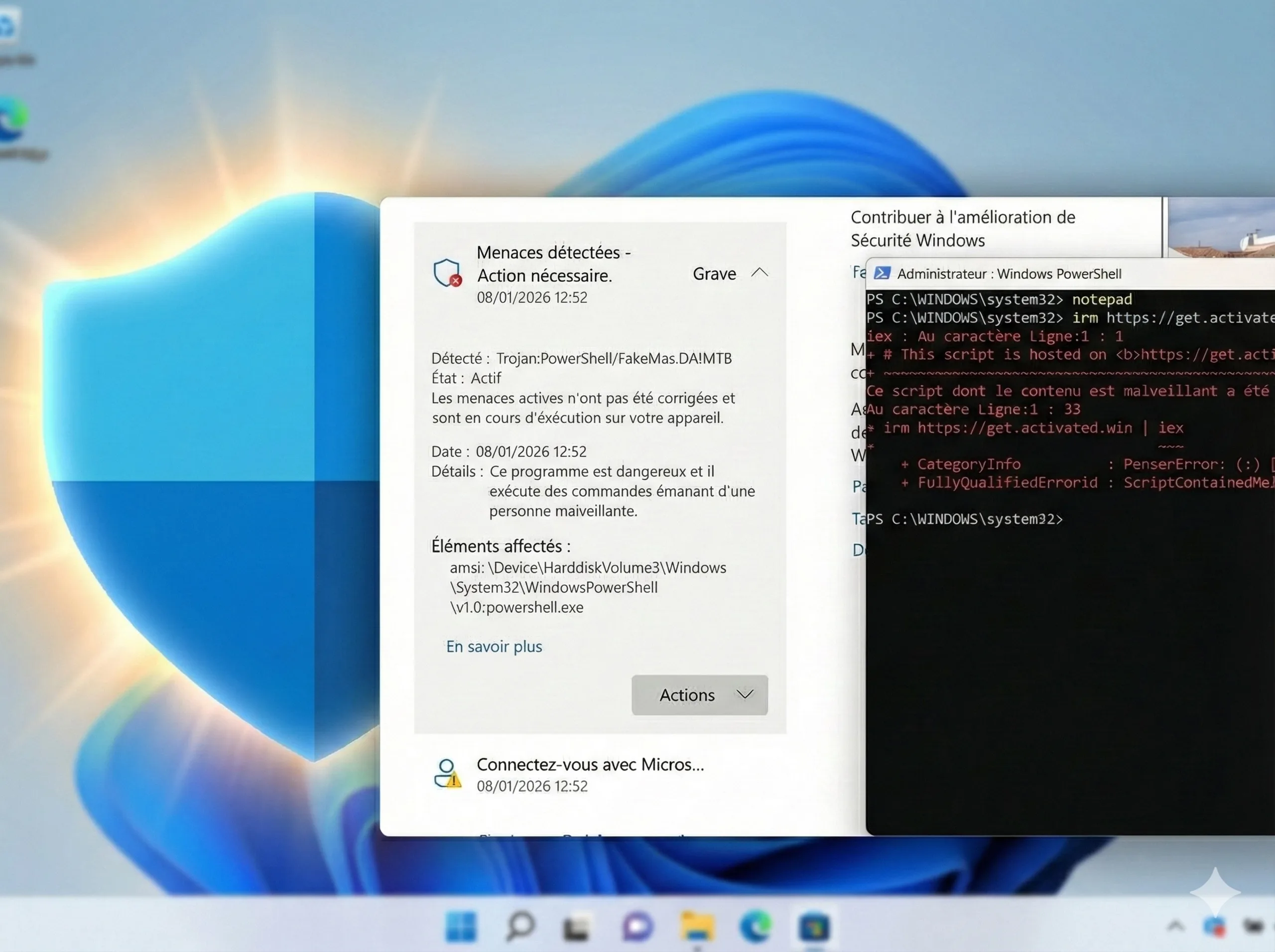
At first glance, the story sounded like a classic IT security fail. Several websites reported that Microsoft Defender had suddenly started blocking the original "Microsoft Activation Scripts" (MAS). The error message, "Trojan:PowerShell/FakeMas.DA!MTB," suggested that Microsoft's security software was mistaking the legitimate open-source tool for one of the many malware copies in circulation. Since MAS is a community solution for activating Windows and Office rather than an official Microsoft product, many immediately suspected deliberate intent—a backdoor blockade, so to speak.
However, we examined the situation more closely using the latest Defender updates on January 9, 2026, and were unable to reproduce the error. During our tests on multiple laptops, the original script executed via the known command irm https://get.activated.win | iex was processed through without Defender producing warnings. Our test network was preconfigured to use Cloudflare's DNS server at 1.1.1.1. Furthermore, we also tested slightly older Defender versions via VM backups done during the last three days. All of them passed without any false detections. This gives room for a different perspective. If Defender remains silent for us but flags the script for other users, explicitly warning of a "FakeMas" variant, the detection logic might actually be working exactly as intended.
We suspect that this is not an error on Microsoft's end, but rather a problem at the network level for the affected users. A plausible explanation would be DNS errors or even targeted DNS attacks (DNS spoofing). If domain resolution has been manipulated for these users, attempting to access the supposedly legitimate address actually diverts them to a server delivering a malicious "fake" version. In this scenario, the Defender warning is not a false positive, but a legitimate, last-minute rescue measure. The solution suggested by some websites—temporarily disabling Defender—would leave the door wide open for malware or Trojans.
The fact that reports seem clustered in specific regions supports this theory. ISP-specific DNS issues or local redirections could be causing users to be unwittingly redirected to malware sites. Therefore, instead of hastily accusing Microsoft of negligence, affected users should urgently check their DNS settings. The script can also be retrieved by enforcing a specific DNS server. To do this, enter the following command: iex (curl.exe -s --doh-url https://1.1.1.1/dns-query https://get.activated.win | Out-String). If this resolves the issue, a faulty DNS configuration is likely the culprit.
Sources
 Add as a preferred source on Google


