




ClickFix: How to spot the copy-paste trap on Windows and Mac
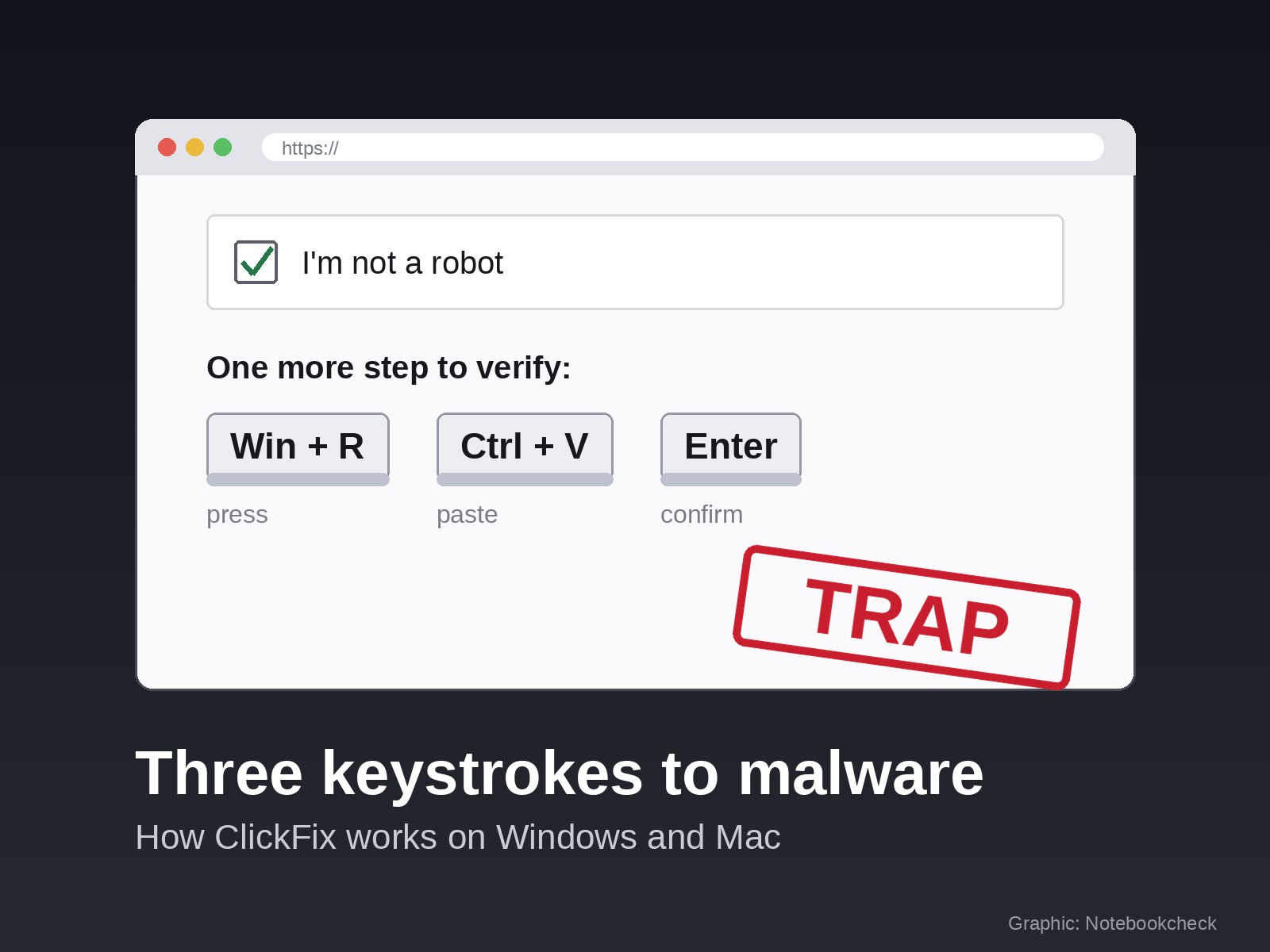
ClickFix is one of the most effective attack techniques in use right now, and it does not rely on a software flaw. The victim runs the malware themselves with three keystrokes. Between February and early May 2026, Microsoft observed attacker-supplied commands of this kind running on more than 1.1 million devices, about eight times as many as before, according to its 2026 Digital Defense Report. The technique has also reached government networks. Germany's federal cybersecurity agency BSI reported on Sept. 4 that attackers used a variant called TerminalFix to break into the network of a state institution and tried to deploy ransomware.
How the attack works
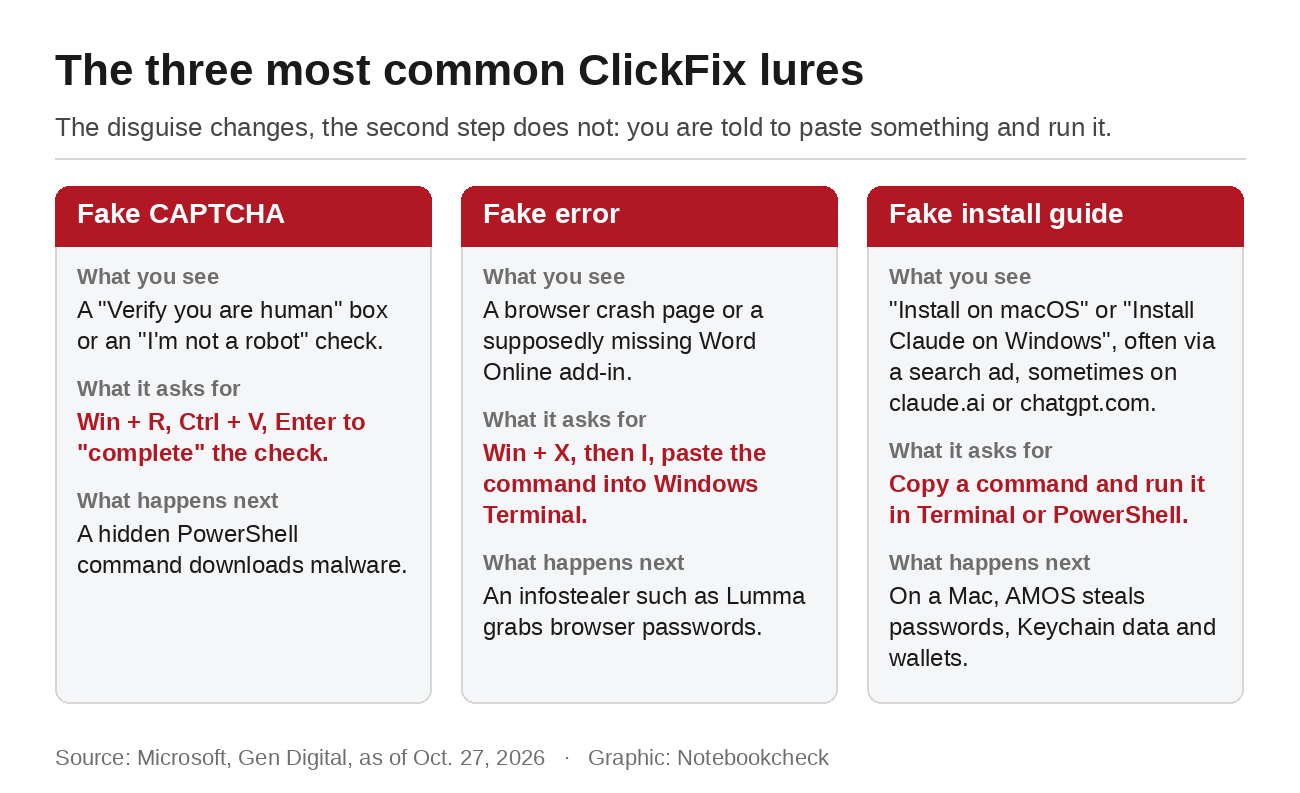
It starts with a website that asks you to do something simple. Sometimes it is an "I'm not a robot" checkbox, sometimes a fake browser error, sometimes an installation guide for a well-known program. As soon as you click, a script on the page copies a command to your clipboard without telling you. Microsoft describes the process in a detailed analysis. Then comes the instruction that matters. On Windows, you are told to press Win + R, paste with Ctrl + V and press Enter. Newer campaigns use Win + X followed by I, which opens Windows Terminal directly. On a Mac, you are told to open Terminal and paste the command there.
The lures vary. Microsoft lists fake checks styled after Cloudflare with a "Verify you are human" box, a fake Chrome crash page, a supposedly missing Word Online add-in, fake Discord server verifications and rigged play buttons on streaming sites. What they all share is the second step, the one that requires your keyboard.
The command is obfuscated, so you cannot tell what it does. In most cases it downloads an infostealer, such as Lumma on Windows or Atomic Stealer, also known as AMOS, on a Mac. These programs steal saved passwords, session cookies and crypto wallets. Because you started the command yourself, many security tools do not block it.
Why Claude and ChatGPT users are prime targets
Attackers go where many people are trying to install something. According to Push Security data published by BleepingComputer, four in five ClickFix pages are now reached through search engines instead of email. The analysis service ANY.RUN counted 1,258 investigations of fake AI tools between April and October, and 81% of them impersonated Claude, ChatGPT or Codex. A recent case shows how well this works. Fake download pages were hosted on claude.ai itself and promoted through Google ads. In early October, a fake ChatGPT model on chatgpt.com led users to a command for Windows. The real address in your browser bar is no longer proof that a page is safe.
Search ads are hard to tell apart from regular results. They appear above the normal listings and carry only a small "Sponsored" label. If you search for "Claude Mac" or "download ChatGPT" and click the first result, you can end up on a page someone bought for exactly that search. Typing the vendor's address yourself or using a bookmark avoids this route entirely.
Mac campaigns are also getting harder to spot. In August, Microsoft described a macOS campaign that only shows its lure when the browser and hardware look like a real Mac. Security researchers with test systems see a blank page or a harmless decoy.
What Apple and Microsoft are doing about it
Apple added a safeguard in macOS 26.4. If you paste a suspicious command into Terminal, macOS stops it and shows the message "Possible malware, Paste blocked." According to BleepingComputer, users can dismiss the warning, and Apple has not documented when it appears. Keeping macOS up to date adds an extra hurdle, but it should not be your only protection. Windows has no comparable feature. Administrators can disable the Run dialog, but attackers have already moved on to Windows Terminal.
How to recognize the lure
Three signs give away most of these traps. The first is any request to press a key combination or paste something to prove that you are human. Real CAPTCHAs ask you to click images or tick a box and nothing else. The second is pressure, such as a message saying the check failed and access will be blocked. The third is how you got to the page. If the link came from an ad, an email or a shared chat and not from the vendor's homepage, be careful.
One rule protects you from almost every variant
No legitimate website, CAPTCHA or installer will ask you to paste anything into Win + R, Windows Terminal, PowerShell or the Mac Terminal. If you see a request like that, close the tab. This applies even if the page is on claude.ai, chatgpt.com or another well-known domain. Developer tools such as Claude Code are an exception because they really are installed from the command line. For those, follow only the guide in the vendor's official documentation, never a page you found through an ad. Regular programs such as the Claude or ChatGPT desktop apps come as a standard installer.
Microsoft also recommends browsers with built-in site protection, such as Edge with SmartScreen, which blocks known malicious sites. On a Mac, updating to macOS 26.4 or later is worth it for the Terminal warning alone. If you help parents or colleagues with their computers, give them this one rule. It is easier to remember than any list of warning signs.
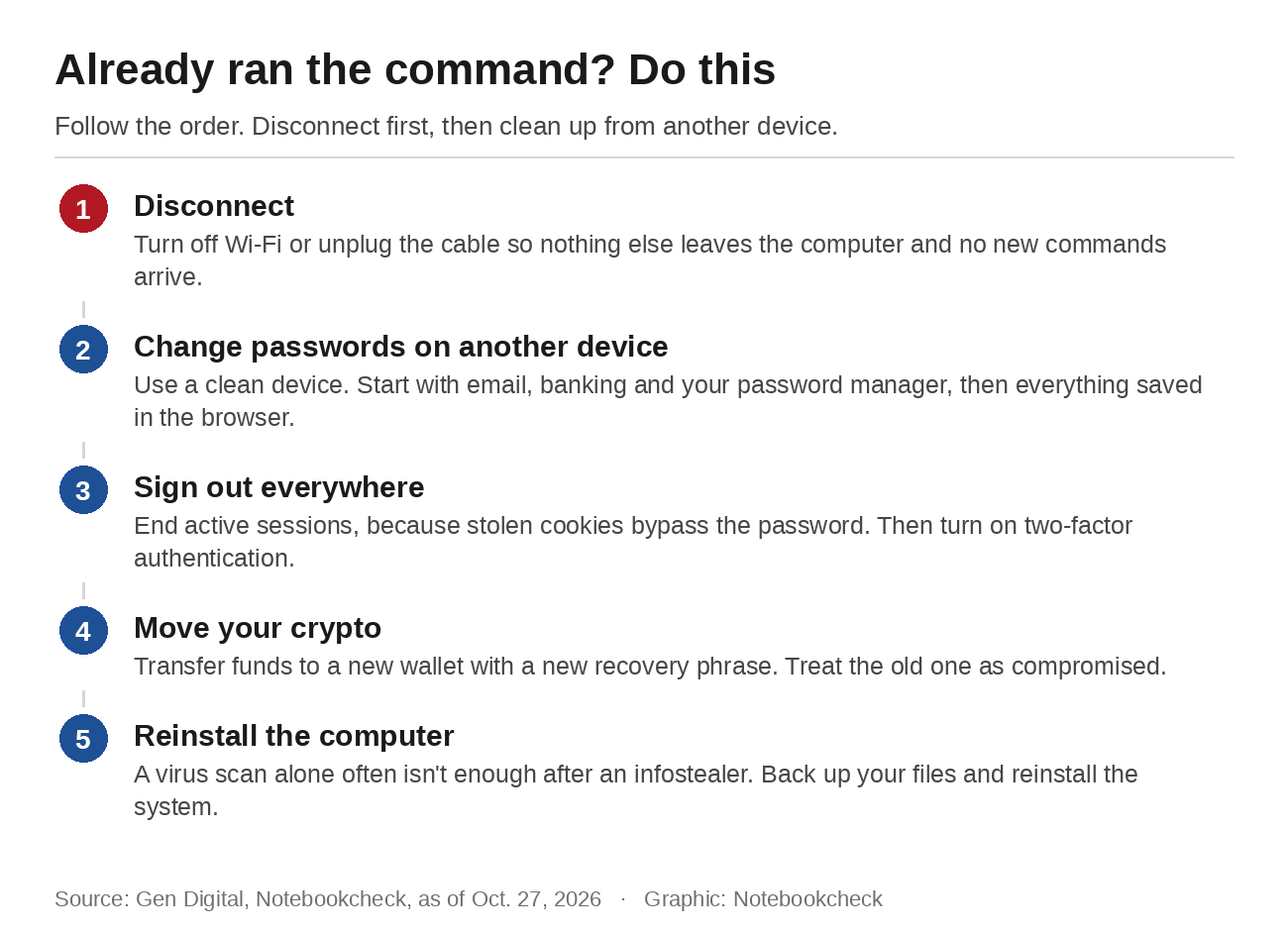
If you have already run such a command, disconnect the computer from the internet and change your most important passwords from another device you know is clean, starting with email, banking and your password manager. Sign out of every account you can and turn on two-factor authentication. Move any crypto to a new wallet with a new recovery phrase, because the old one has to be treated as compromised. The safest option is to reinstall the computer. A virus scan alone is often not enough after an infostealer, because the damage happened the moment your data was sent out.
Source(s)
Microsoft: 2026 Digital Defense Report
BSI: German institutions compromised in TerminalFix campaign (in German)
Microsoft: Think before you Click(Fix): Analyzing the ClickFix social engineering technique
BleepingComputer: ClickFix has never been bigger, and AI tools are its most convincing lure yet
Microsoft: From open lures to cloaked gates: How a macOS ClickFix campaign learned to hide
BleepingComputer: Apple adds macOS Terminal warning to block ClickFix attacks
 Add as a preferred source on Google


