




How to Take Instagram-Ready Photos Without Editing
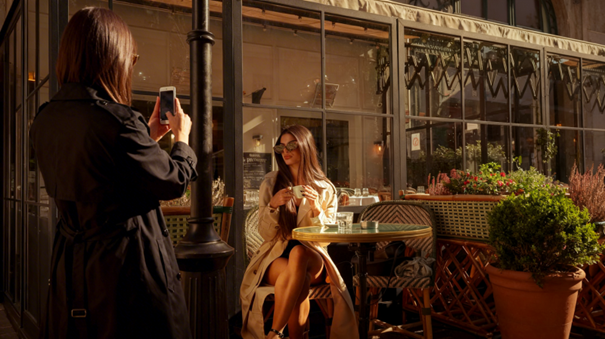
You’re out with friends, everything looks great, and you want a quick photo for Instagram. But when you check the picture, something feels off. The angle is weird, the lighting is unflattering, or the background looks messy. A few retakes later, you have tons of photos but still nothing postable for your socials.
That’s when the editing starts. But usually, the real problem happens earlier, when the photo is taken.
A new smart camera app called WayShot is built around this exact idea. Instead of fixing photos afterward, it helps users capture a strong image from the start.
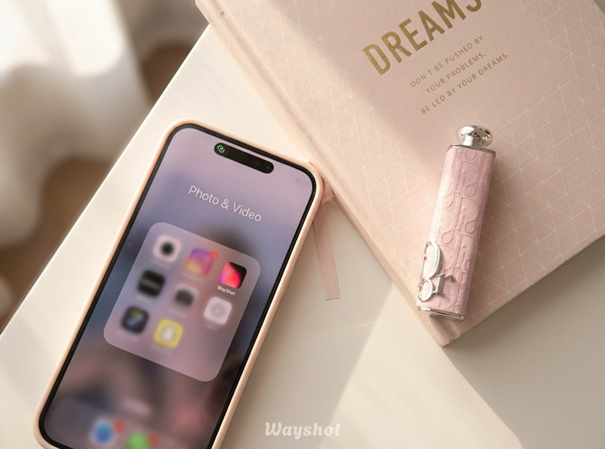
WayShot leaves traditional filters behind. Instead, it introduced three AI “directors” that shape the visual style of a photo. Each one acts as a virtual creative lead that determines the aesthetic direction of the image rather than simply applying a filter. The system evaluates lighting, framing, and subject placement in real time before the photo is taken.
Digi – Digital Camera Nostalgia
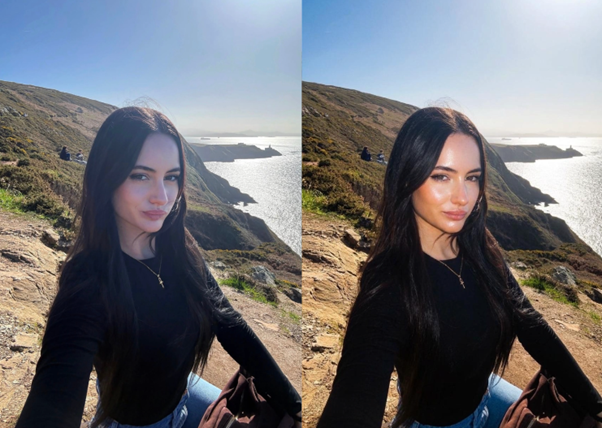
Digi recreates the flash-heavy, slightly grainy look of early-2000s compact cameras like the Canon PowerShot, making iPhone photos feel more like spontaneous nightlife or street shots. Creators such as @Princessameliawu have already used WayShot on TikTok and Instagram to explore this nostalgic digital-camera aesthetic.
Coco – Clean Girl Lifestyle Photography
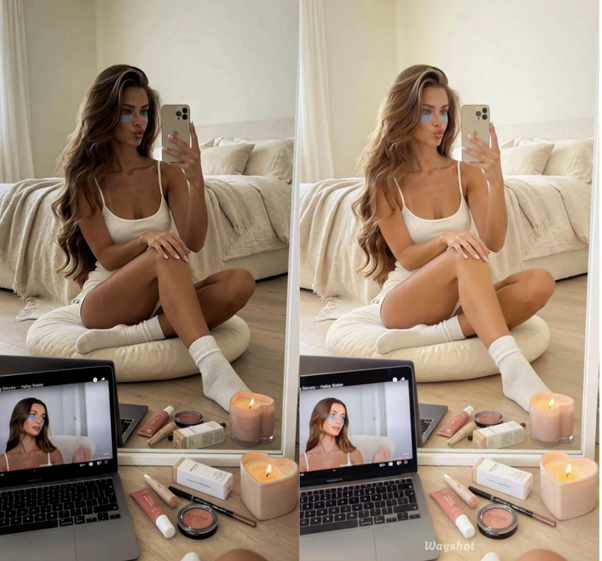
Coco is inspired by the polished, warm look of the Canon G7X, known for its flattering skin tones and clean, refined lifestyle imagery. It works especially well for travel, everyday content, and wellness photos, which is why creators like @Nikolapilates use it to elevate their workout shots.
Mono – Cinematic Street Photography
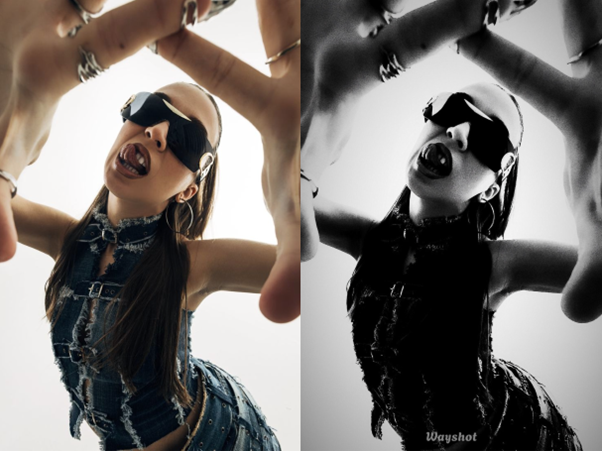
Mono takes a different direction with a black-and-white style inspired by Japanese street photographers like Daido Moriyama, using deep contrast and strong shadows to create a more cinematic feel. It works especially well for city streets, subway stations, late-night cafés, or any scene with busy backgrounds or uneven lighting.
Real-Time Photography Guidance
WayShot stands out most when you are taking the photo. Instead of leaving everything to instinct, it uses two built-in AI tools to guide composition in real time.
Frame Assist — Smarter Composition
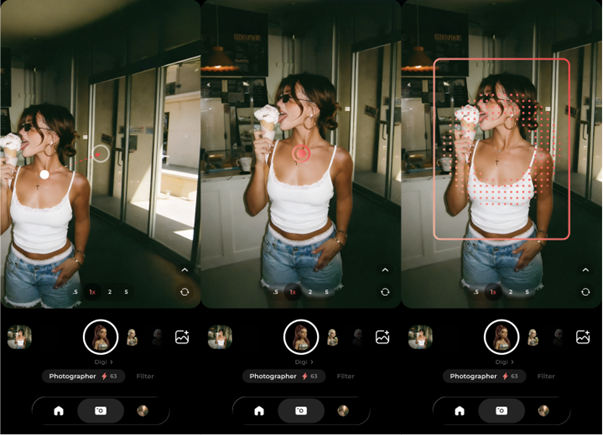
Frame Assist uses a simple dot-and-circle guide to help users position the subject in a more balanced frame. It makes it easier to avoid common issues like awkward headroom, uneven framing, or poor subject placement.
Voice Assist — Real-Time Shooting Guidance
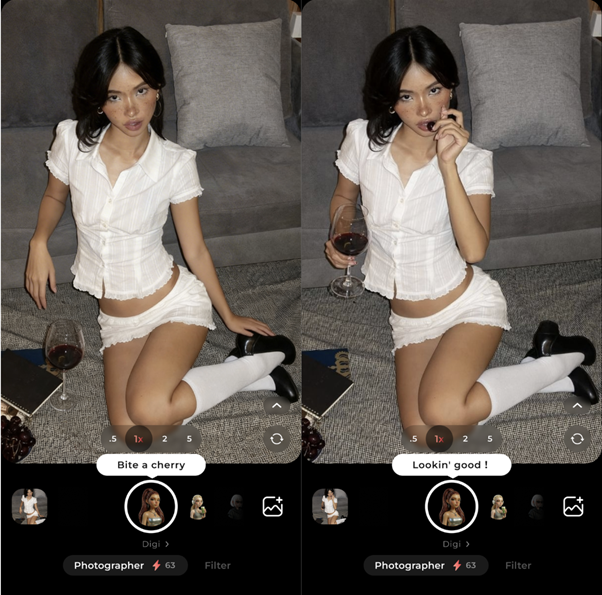
Voice Assist gives short, live prompts during a shoot, such as adjusting posture, angle, or position near the light. It helps users look more natural on camera without interrupting the flow of the moment.
One-Tap Revamp — Instant Photo Enhancement
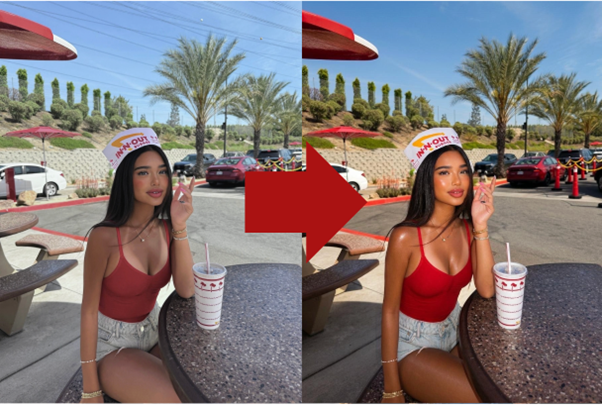
One-Tap Revamp improves photos that cannot be retaken by enhancing lighting, color balance, and texture with aesthetic-trained AI.
A Shift Toward Intentional Photography
WayShot is a focused app that does a specific thing well. It may be a life saver to anyone who regularly hands their phone to a friend and gets back a photo that misses the mark. The combination of real-time framing guidance and aesthetic direction addresses a genuine problem that no amount of post-processing can fully fix.
Timing is what WayShot gets right. Editing apps have never been the real solution. The problem has always been earlier. At the moment the shutter closes on a photo that was never quite right to begin with. That is the gap this app is actually trying to close. And for a lot of people, it will.