Deutsch
 Español
 Français
 Italiano
 Nederlands
 Polski
 Português
 Русский
 Türkçe
 Svenska
 Chinese
 Magyar
Review Zepto Znote 6324W Notebook
Compact Gaming by Zepto
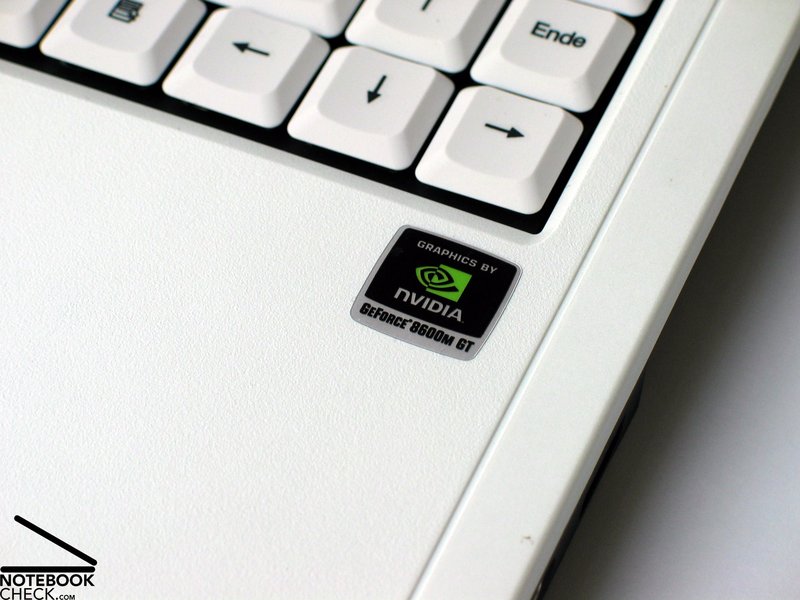
Some manufactures consider a Geforce 8600M GT video card only for notebooks which are at least 17 inch big. Zepto is completely different. Inside the 14 inch 6324W notebook there is a powerful 8600M GT video card by nVIDIA and also a brand new 2.5 GHz Penryn CPU by Intel.
Note: Regarding case and input devices the Zepto Znote 6324W is nearly identical to the already reviewed Zepto Znote 6224W. Here is the complete review of the Znote 6224W.
Case
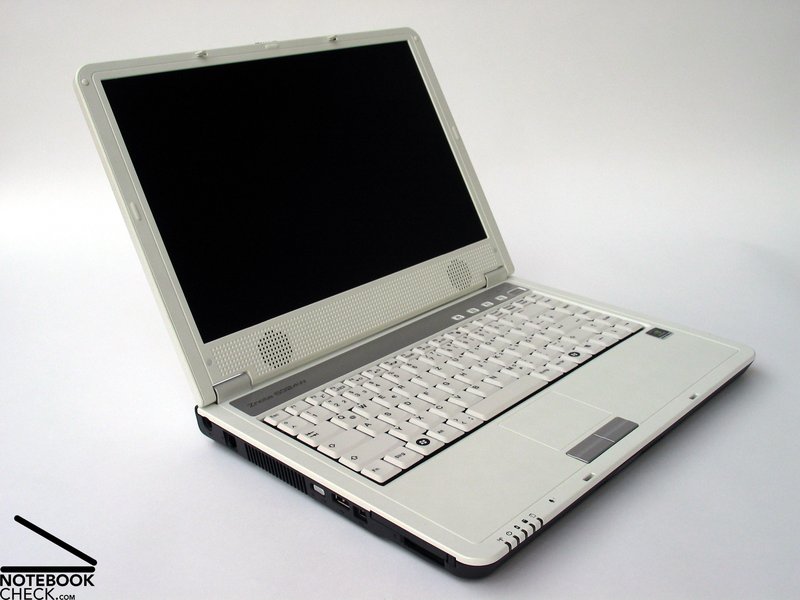
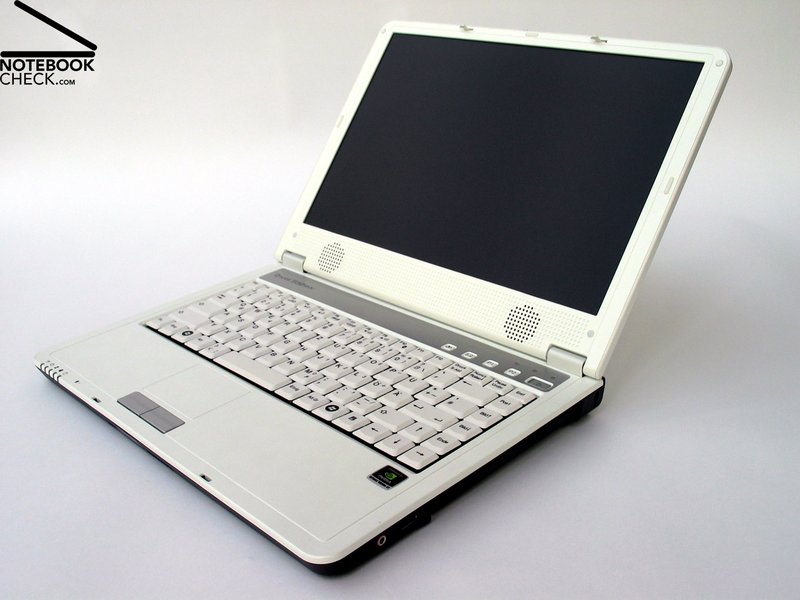
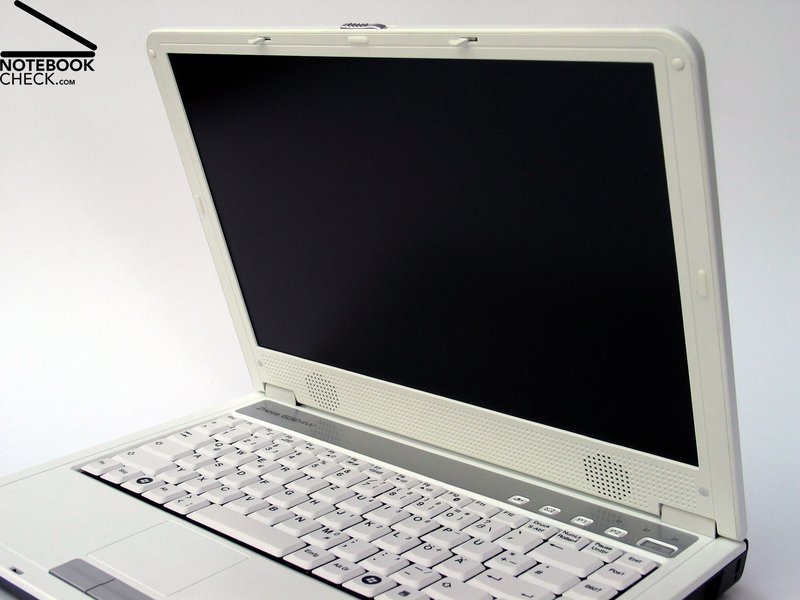
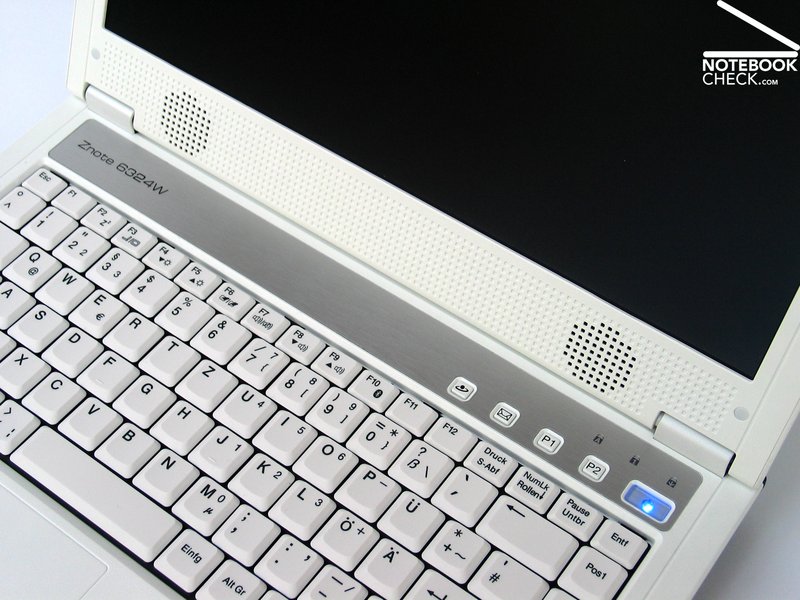
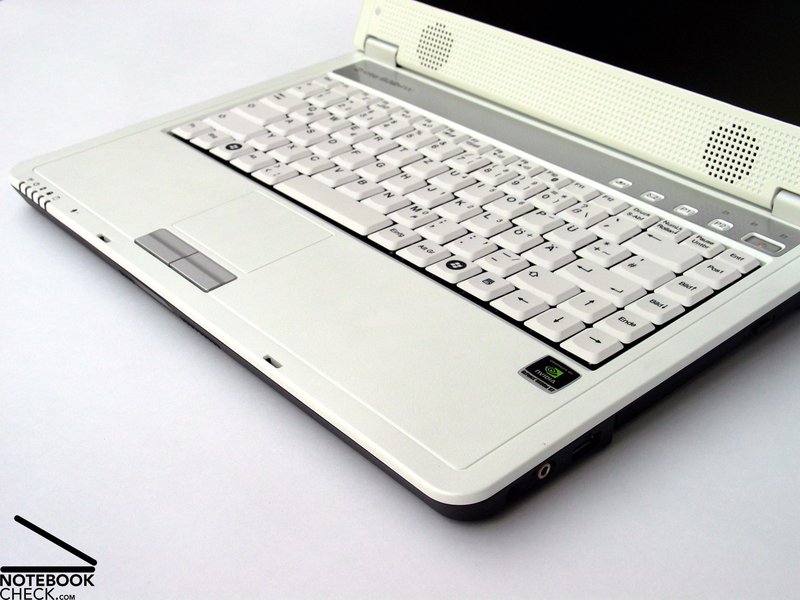
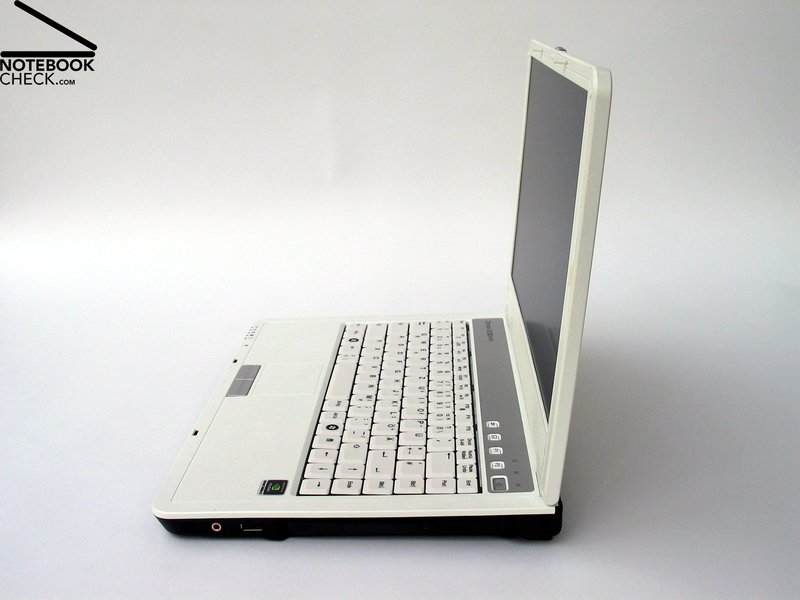
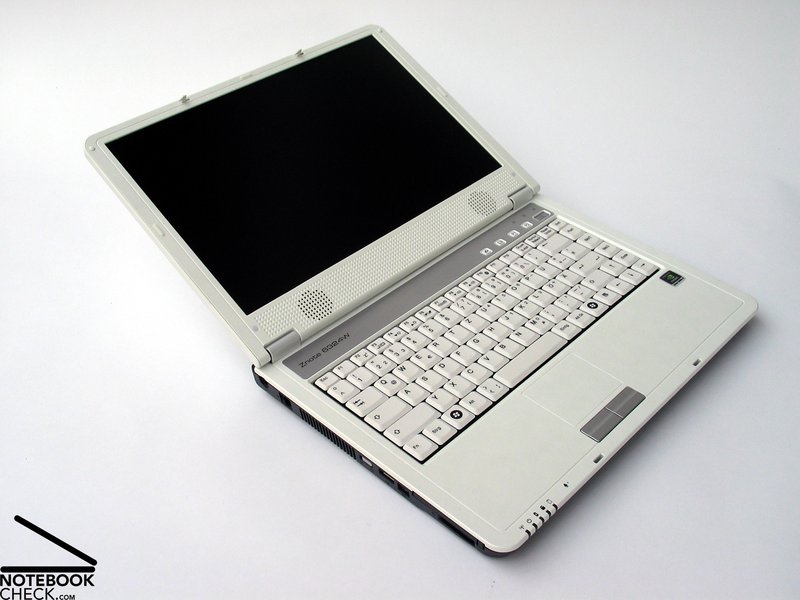
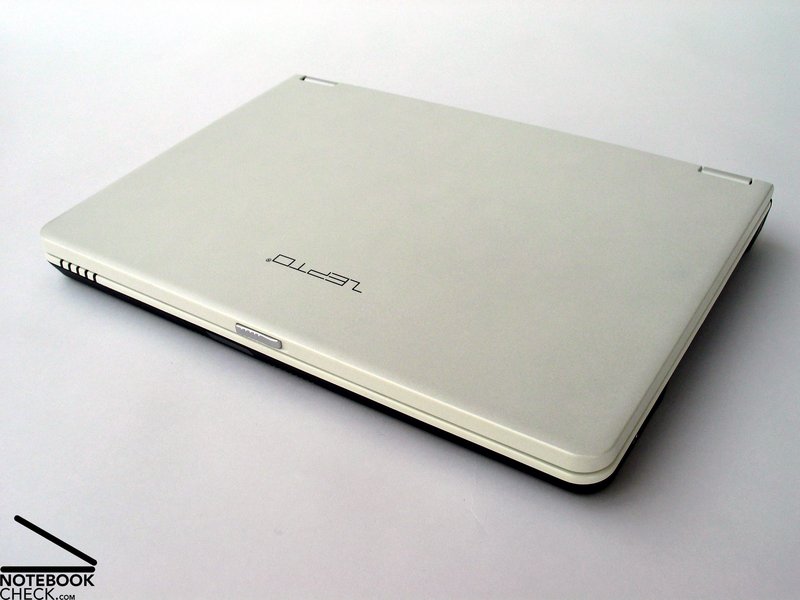
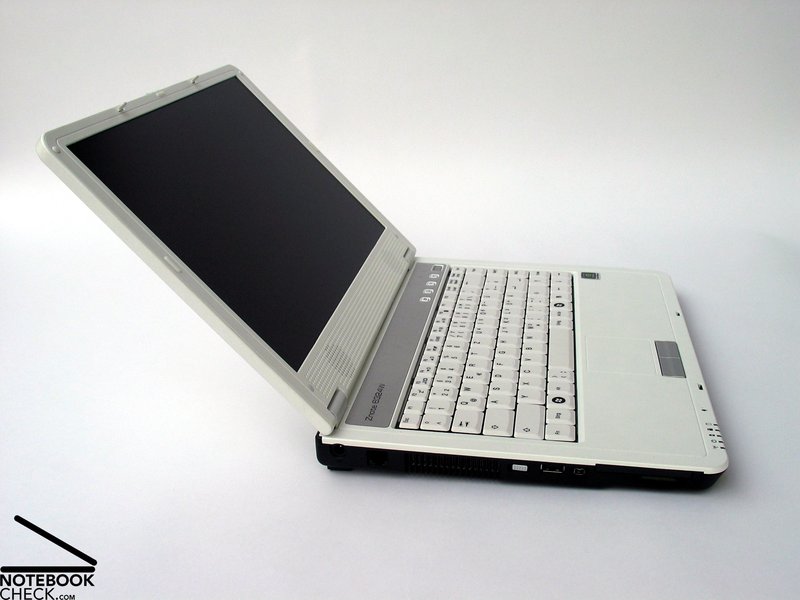
While its direct predecessor the 6224W was mainly black and tried to attract attention by silver and partly glossy surfaces, the Znote 6324W has a white case and looks elegant with this. Although the look clearly does not reach the clear design of MacBooks, which are also frequently bought in white, the case still looks good.
Using the notebook it turned out that the white coated surfaces are clearly less sensible than those of its predecessor. Thereby it does not mind that the surfaces are no longer glossy. The easy to clean, slightly rough surface make this 14 inch notebook even more user-friendly and emphasises its mobility aspect.
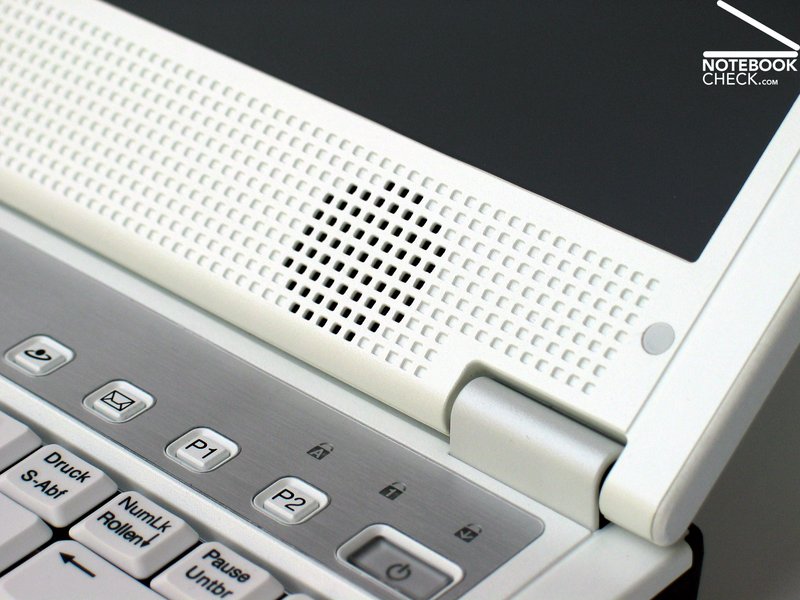
The used forms and the design of the case is, alike its predecessor, rather decent without highlights. The relatively broad moulding below the display, which also includes the two speakers, does not absolutely convince by its look. It was obviously necessary to make the 14'' display fit onto the somewhat bigger base unit.
The workmanship of the case, with is mostly made of plastics, is overall alright. It's in vain to look for clattering parts and the Zepto Znote 6324W's case hardly yields when applying force. Despite you can sometimes hear creaking noises when handling with this notebook, considering the price class you can neglect them.
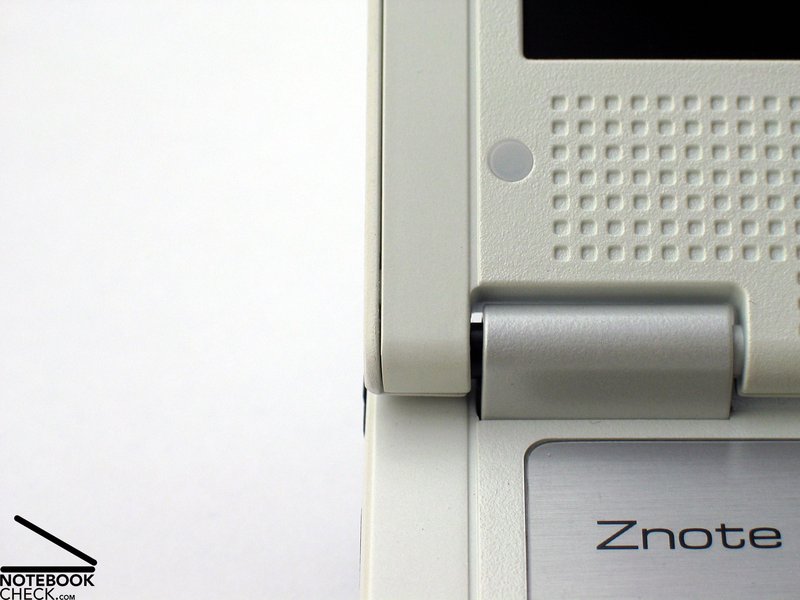
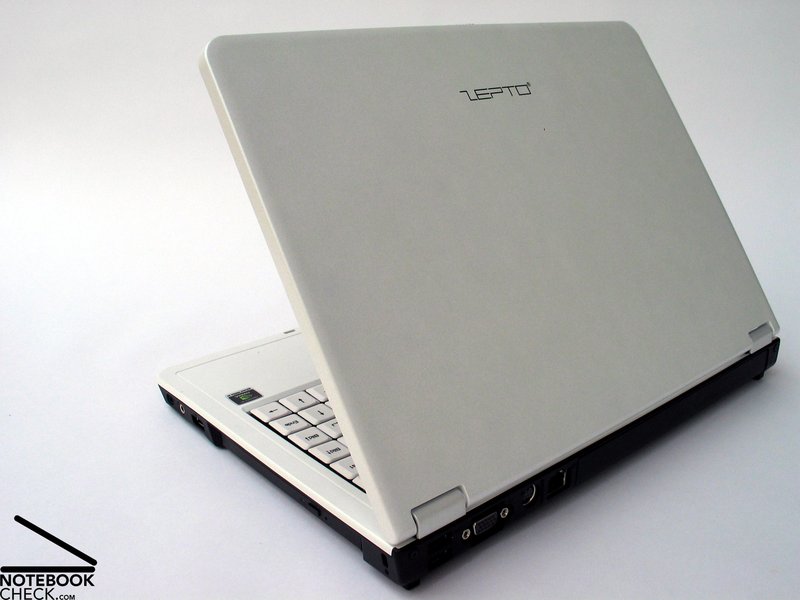
Only the lid has some noticeable flaws. There are, e.g., some uneven gaps where parts join at the left and the right outer display edge. Whilst this is just a matter of look, the low stability of the lid is more crucial. If you carry the notebook, you should, therefore, use a proper wrapping in order to protect the display.
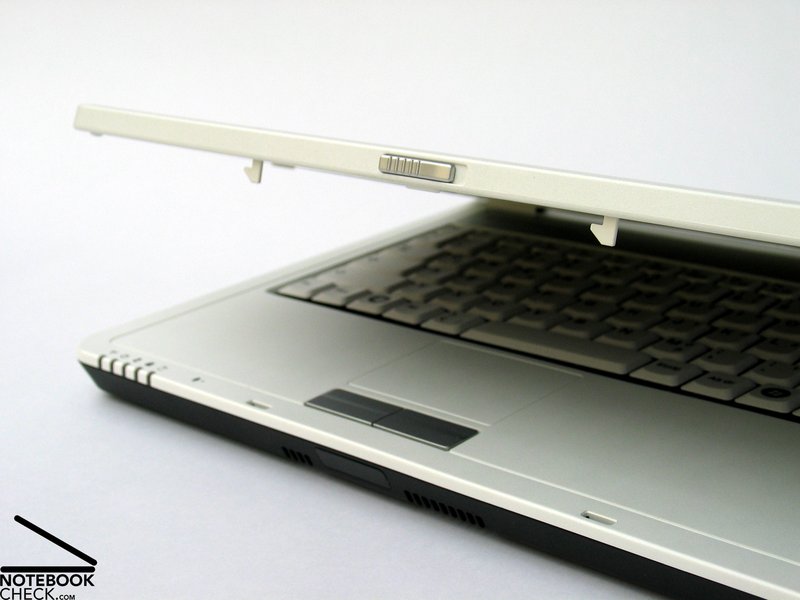
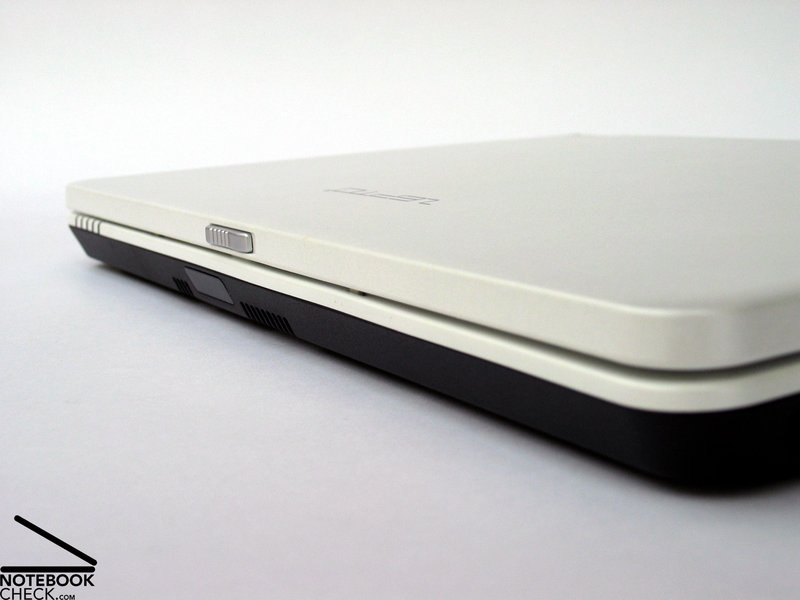
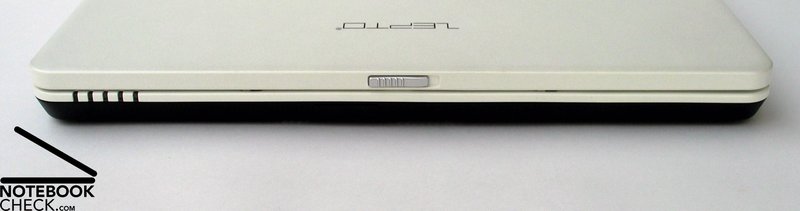
The hinges are able to support any position of the compact display with hardly any see-saw. The transport hook is a double hook system, which can be easily opened by a switch at the upper display edge.
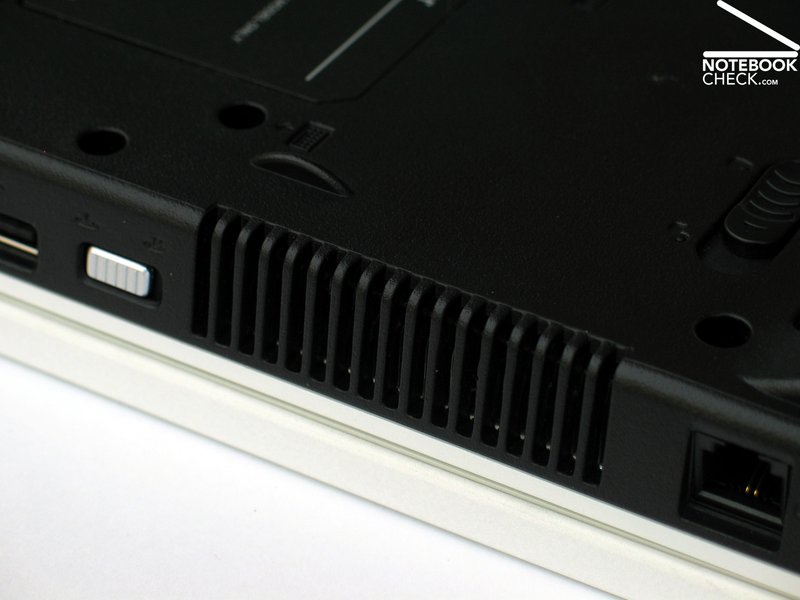
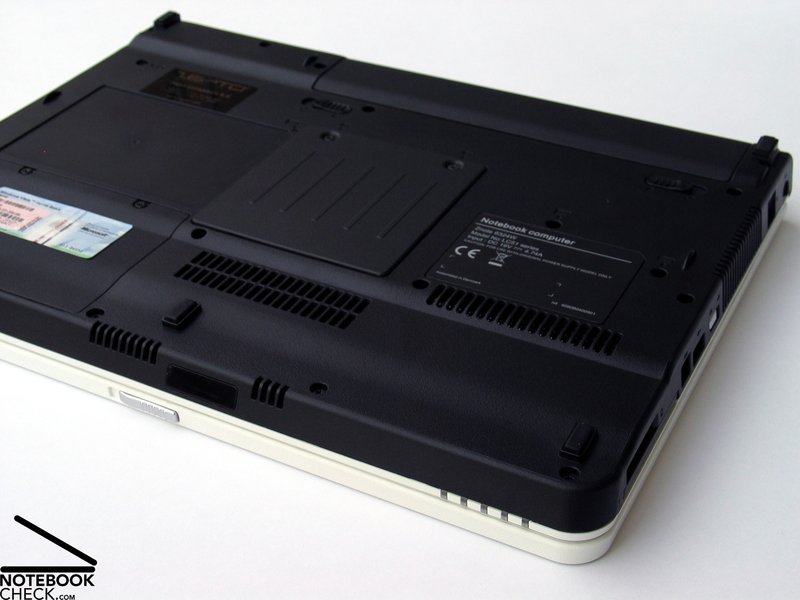
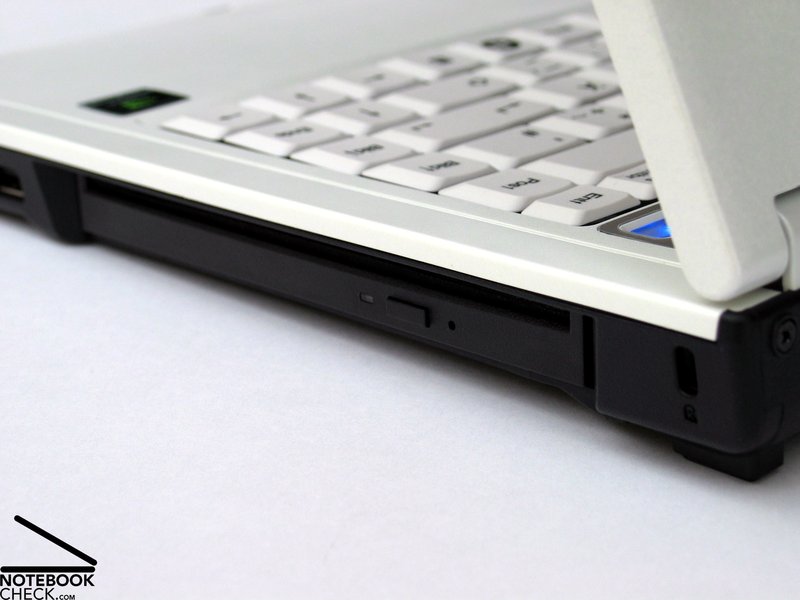
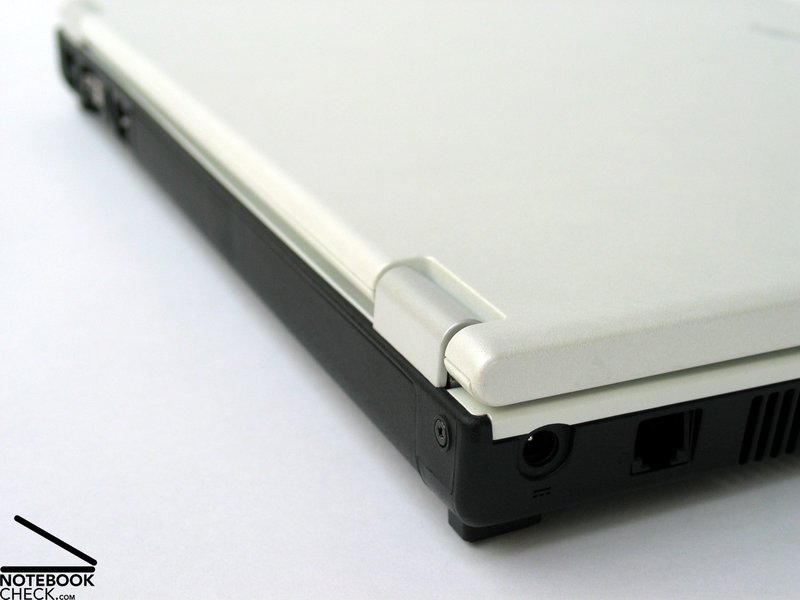
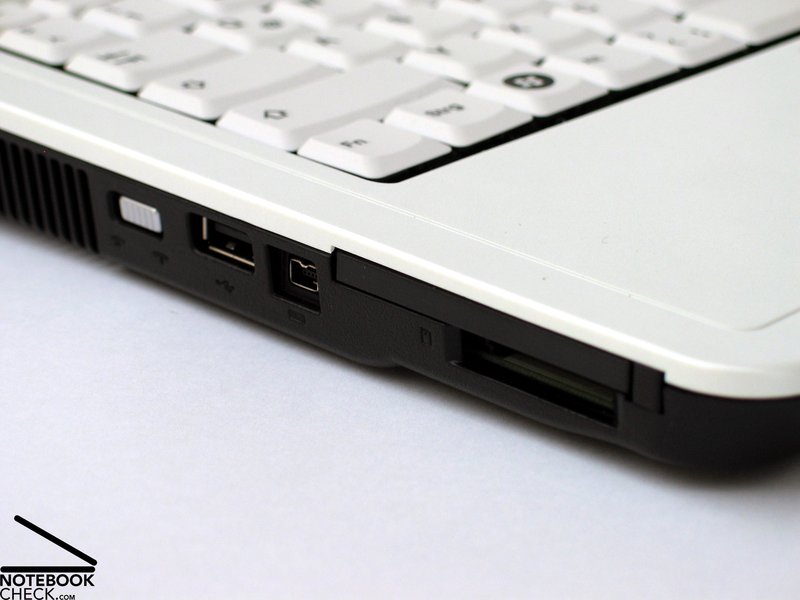
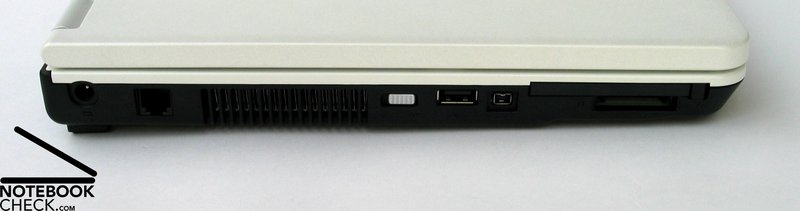
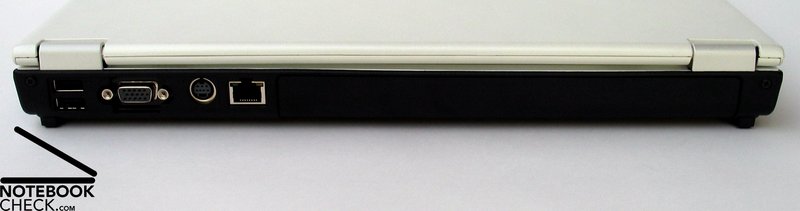
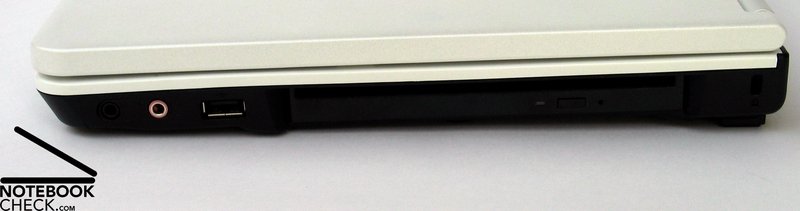
The Zepto Znote 6324W is equipped with all interfaces typical for its price category. There are besides four USB 2.0 ports, whereas one is at the left, one is at the right, and two are at the back side, also a modem port and a LAN port (Broadcom NetLink BCM5787M PCI-E Gigabit Ethernet controller).
Furthermore, there are a VGA port for connection of an external screen, and a S-Video port. Unfortunately digital video outs (DVI, HDMI), which would provide a completely digital video transmission to an external screen and, so, make excellent picture quality and high resolutions possible, are missing.
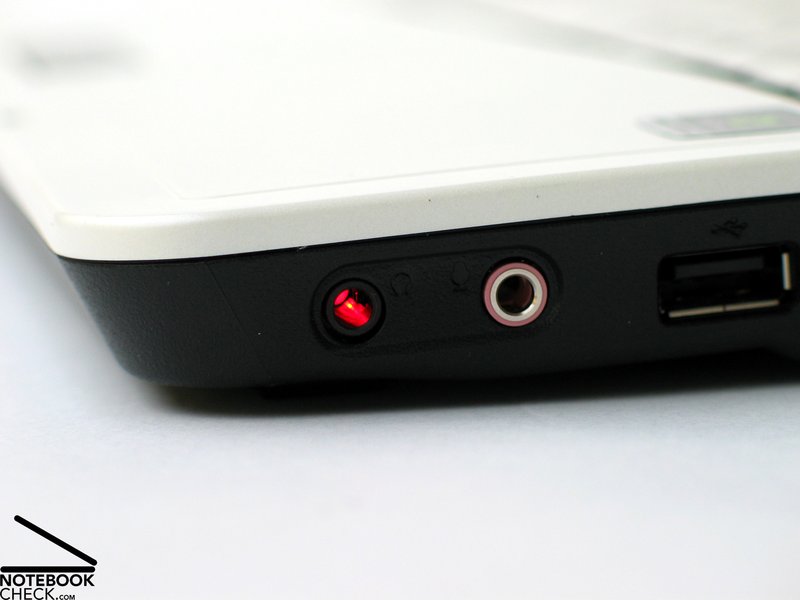
However, the Znote 6324W is equipped with a digital sound out. Besides the standard microphone and headphone ports at the right side near the front, there is also a combined S/PDIF - Headphone port which makes a digital transmissions of audio signals to, e.g., a hi-fi system via appropriate jack and fibre optic cable possible.
Furthermore, the reviewed notebook was equipped with a Wireless-LAN module by Intel (4965AGN), which can be directly controlled by a hardware switch at the left side of the case. In addition the Znote 6324W provides built-in Bluetooth and an infrared port.
Input Devices
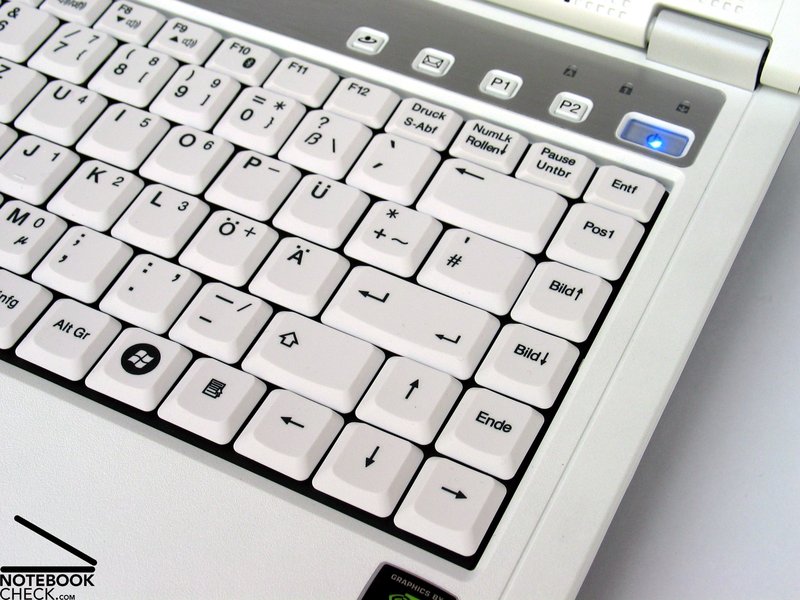
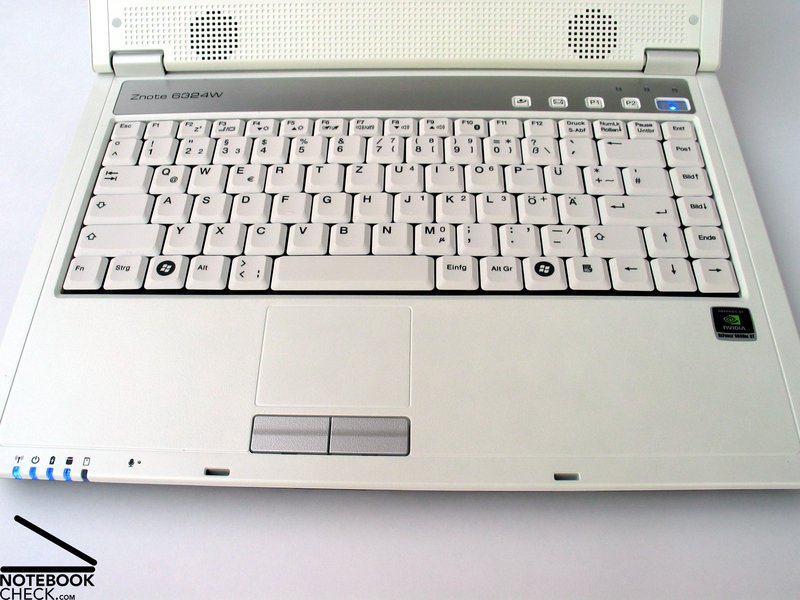
The keyboard, coloured totally in white with some fawn elements, matches well to the design of the case. So, it looks nice at the first glance, but, at a closer look an unusual keyboard layout gets obvious.
Let's start with the enter key, which extends only over one row. This might be a matter of taste and many users won't mind. The next difference to a standard layout is the location of the [#] key, which is not in between [ä] and enter key, but above the one-row enter key.
But, that's still not all. The Ins-key is not next to the Del-key, but right beside the space bar in front of the AltGr key. Due to a somewhat small space bar, typing mistakes are likely at the beginning.
After you got used to the unusual keyboard layout of the Zepto Znote 6324W, you'll realize that it is rather user-friendly. The keyboard seats completely solidly on the case and typing feels nice.
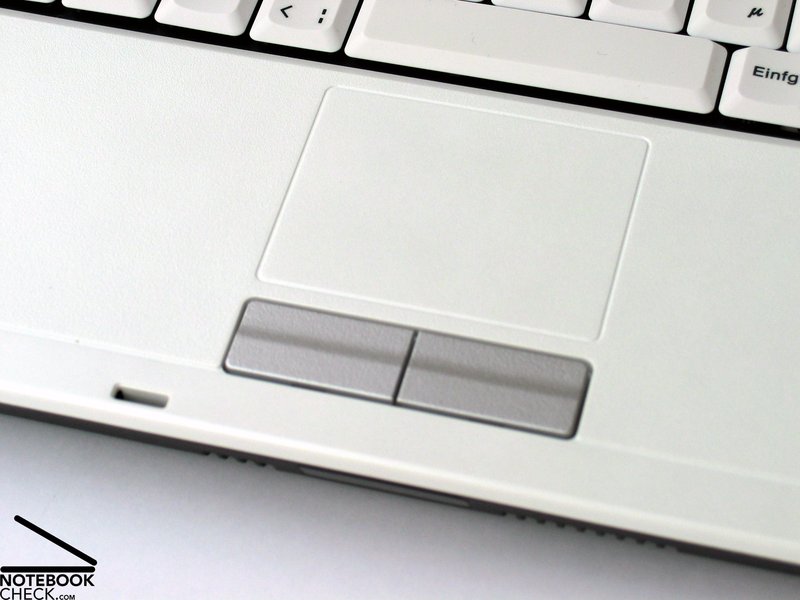
The built-in touch pad has a user-friendly surface. Furthermore, there are no anomalies when using it. Both of its buttons are user-friendly, but, there clicking noise is clearly audible. If you'd like to deactivate the touch pad in order to prevent an unintended mouse pointer control, you can easily and quickly do this by simply striking the key combination Fn+F6.
Display
The Zepto Znote 6324W is equipped with a 14.1 inch WXGA+ display with a maximum resolution of 1440x900 pixels. So, the desktop size of this panel is clearly bigger compared to the wide-spread WXGA displays. The user especially profits, if he works with many open applications or if he works with software that supports a number of tool boxes.
Another pro of this display is a non-reflecting surface. It nearly completely prevents disturbing reflections. The maximum brightness was measured in the centre of the display and amounts to good 196.0 cd/m². Although the brightness diminishes to the edges, which results in a below-average illumination of 71.9%, the average brightness of 162.1 cd/m² is still acceptable.
| |||||||||||||||||||||||||
Brightness Distribution: 72 %
Contrast: 163:1 (Black: 1.2 cd/m²)
The black value, i.e., the representable minimum brightness of the display of the reviewed notebook was comparably rather high. We measured 1.2 cd/m². This gives together with a maximum brightness of 196.0 cd/m² a possible maximum contrast of 163:1, which is rather moderate. Subjectively, the diplayed picture is alright, but, the colours could be vivider.
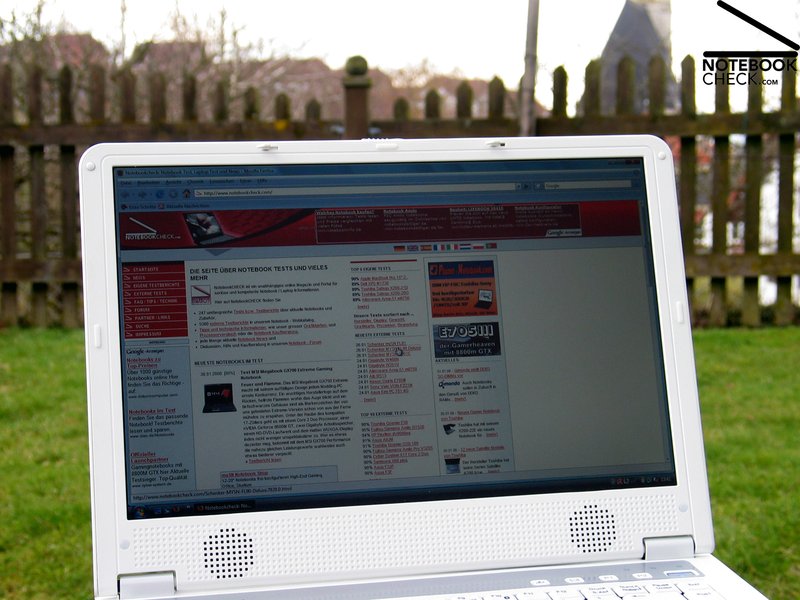
The most important advantage of this 14.1 inch display is definitely that it is fit for outdoor usage, because it has a sufficient brightness and a matte display surface. In practice the displayed picture stayed always legible, even in bright environments. In battery mode the brightness is lower at first, but, if you reduce the brightness even more via the key combination Fn+F4 and increase it afterwards, you are able to use the maximum brightness also in battery mode. So, working outdoors is possible without problems.
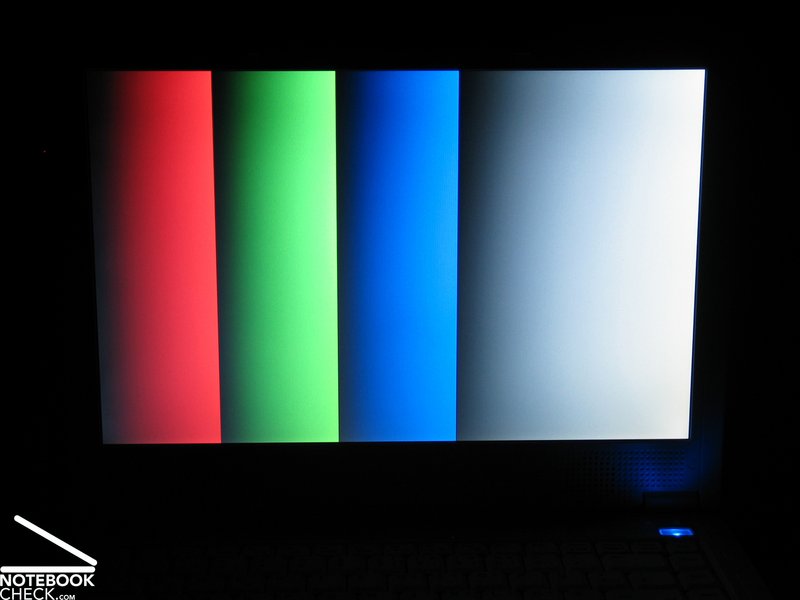
The viewing angles of the Zepto Znote 6324W's display were not convincing. Horizontally, you'll face a loss of contrast at acuter angles.
Vertically, a deviation of the ideal viewing angle to the top leads to whitening and, if you continue even more, negative pictures, whilst looking from bottom up the display gets much darker.
If you use this notebook permanently at the same place, the viewing angles are sufficient. However, if you use the notebook in a mobile way, you'll need to adapt the opening angles time and again for an acceptable picture quality.

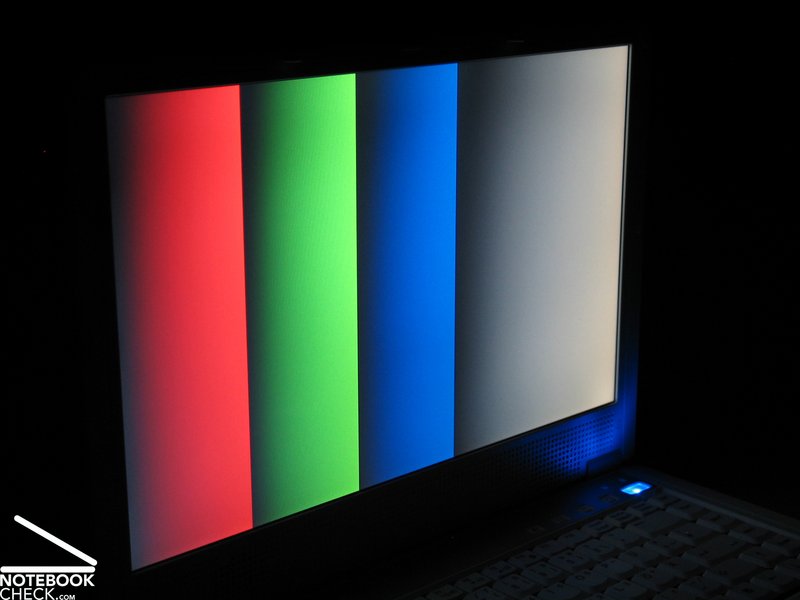
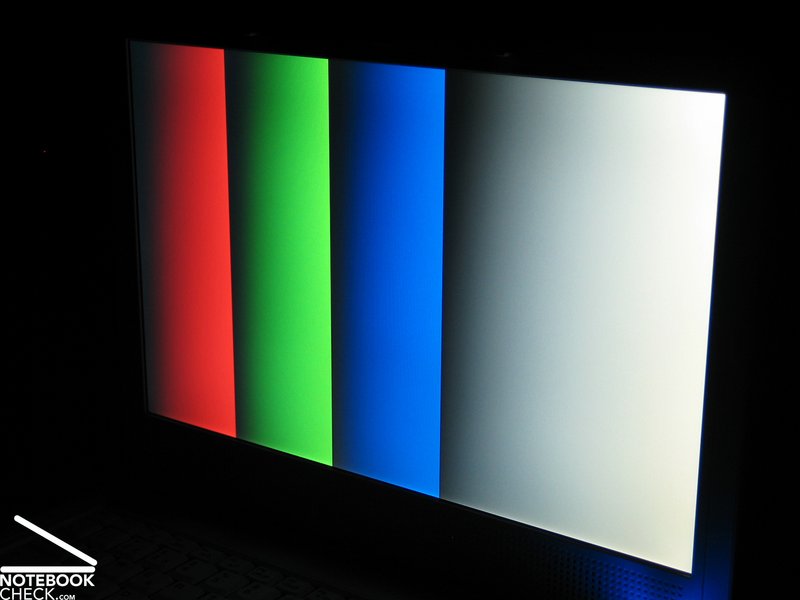
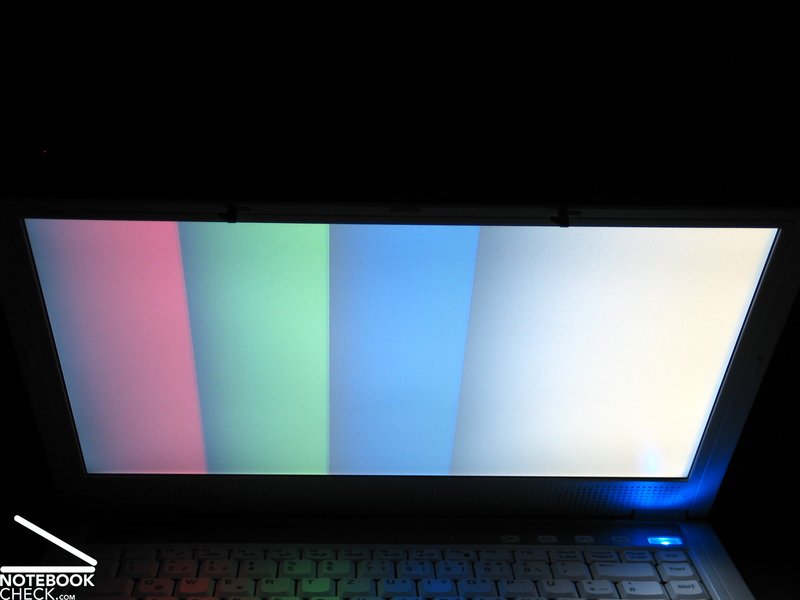
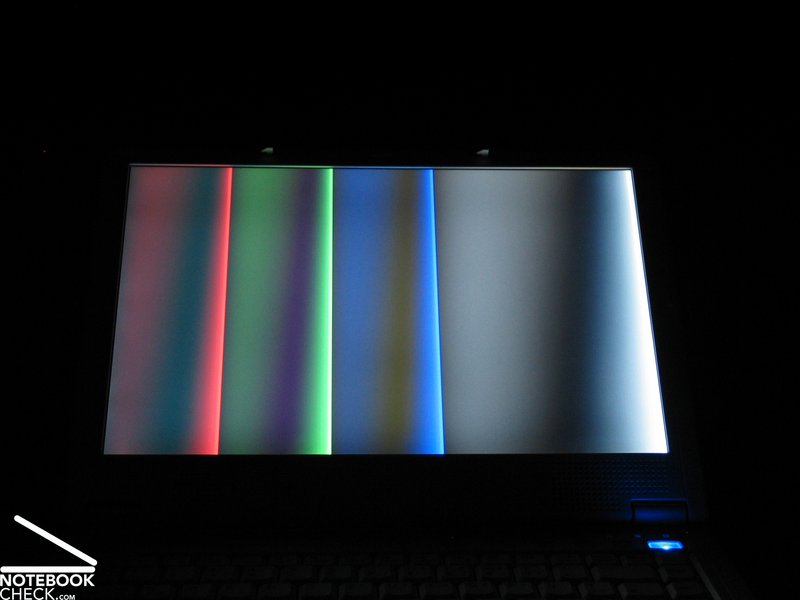
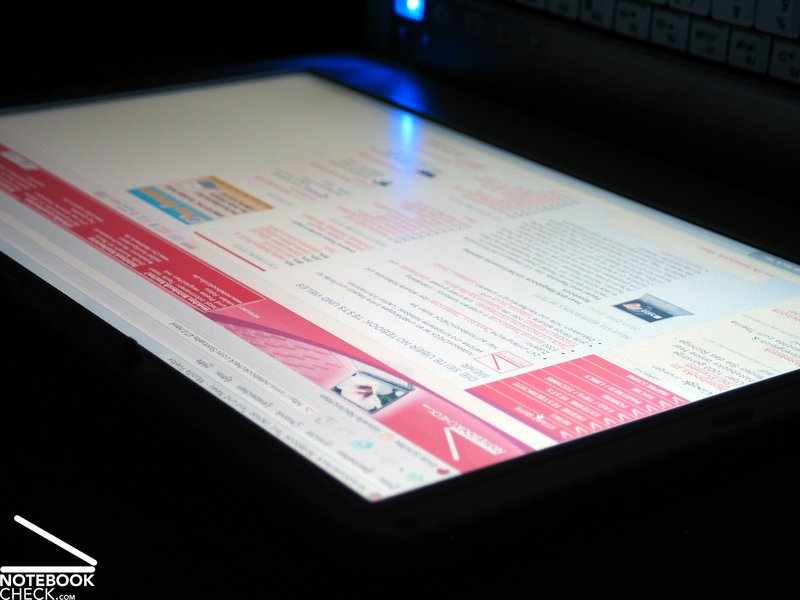

Video of Display's Viewing Angles
Performance
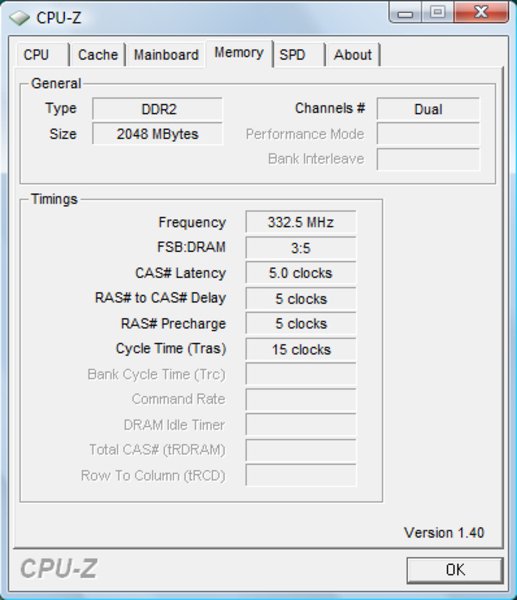
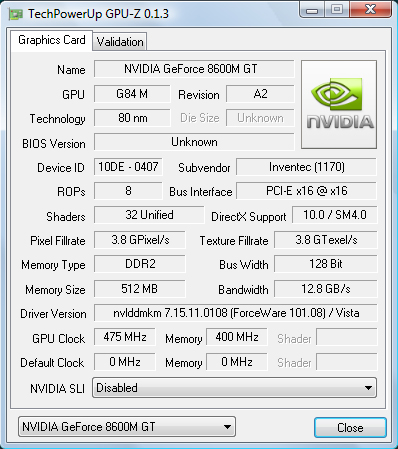
Zepto promises first-class performance inside a compact 14 inch format with its 6324W 'gamer' series. Rightly, the Znote is equipped with a powerful nVIDIA Geforce 8600M GT video card with 512MB GDDR2 video RAM and an up-to-date Intel Core 2 Duo „Penryn“ CPU with 2.5 GHz. Even inside a 15 inch notebook this would be an equipment of the upper middle class. Inside a 14 inch notebook it is in a class of its own.
Of course Zepto offers a variety of options if you order a notebook. Currently four Penryn processors are possible (T8100, T8300, T9300 und T9500 - here is our comprehensive review) with a clock rate of 2.1 to 2.6 GHz. Also regarding RAM there are some options: They start with 2x1024MB PC5300, the reviewed notebook was equipped with, up to a maximum of 4096MB. You can also select 800 MHz DDR2 memory modules.
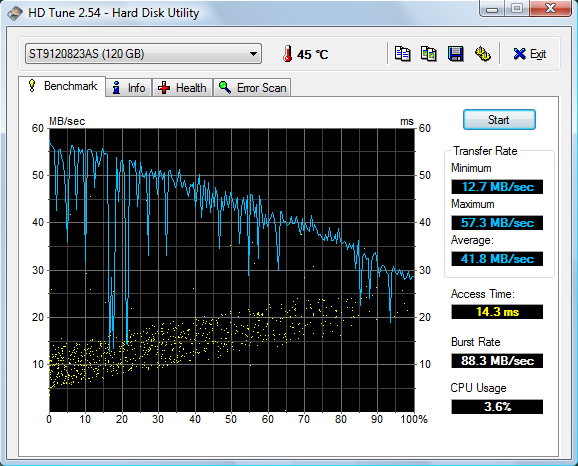
Also regarding hard disk there are a number of options available. 120 to 320GB, alternatively with 5400 rpm or 7200 rpm. Furthermore, also a 32GB Solid State disk is available for 300,- Euro surcharge. This version is nearly completely quiet, has excellent access times and a high data security. Cons are the comparably high price an the low capacity.
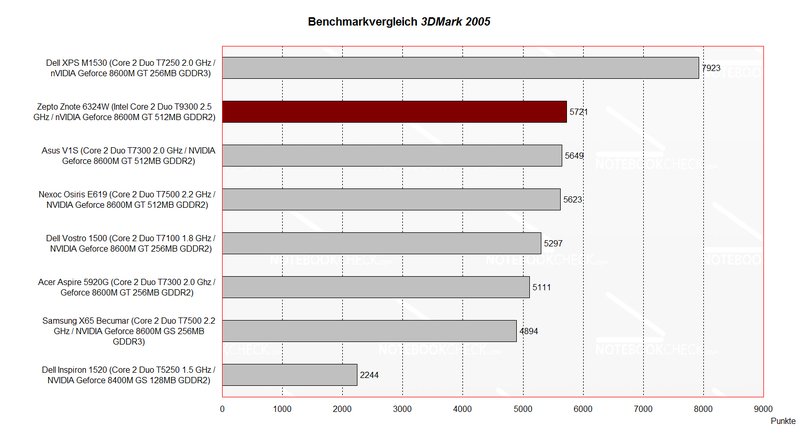
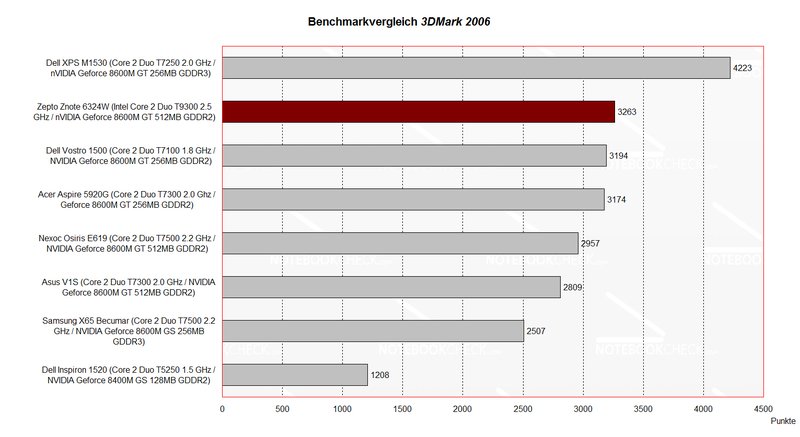
Compared to competitor notebooks of the multimedia class the 3DMark 2005 and 2006 benchmark results are very good. The top notebook is still the Dell XPS M1530, which is also equipped with a Geforce 8600M GT video card, but, in contrary to the 6324W with GDDR3 video memory. The results are about equal to the results of the already reviewed Zepto Znote 6224W, which is similarly equipped, but comes with T7300 Merom CPU.
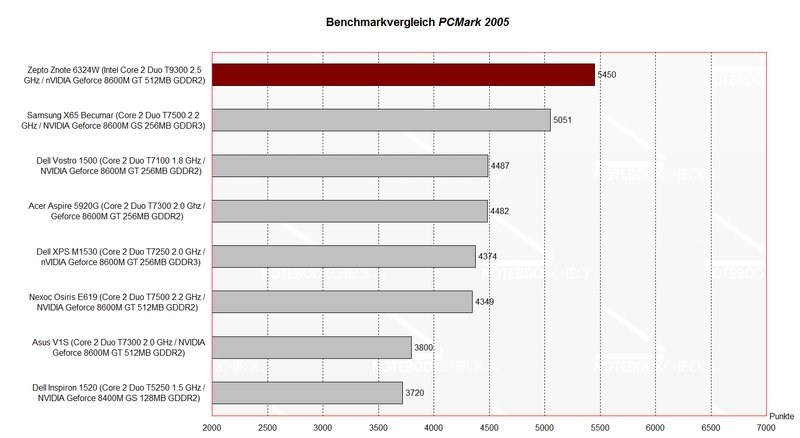
First the performance increase due to the 2.5 GHz Penryn CPU gets obvious in the PCMark 2005 benchmark, whereas it reaches a total of 5450 points, which is a first-class result.
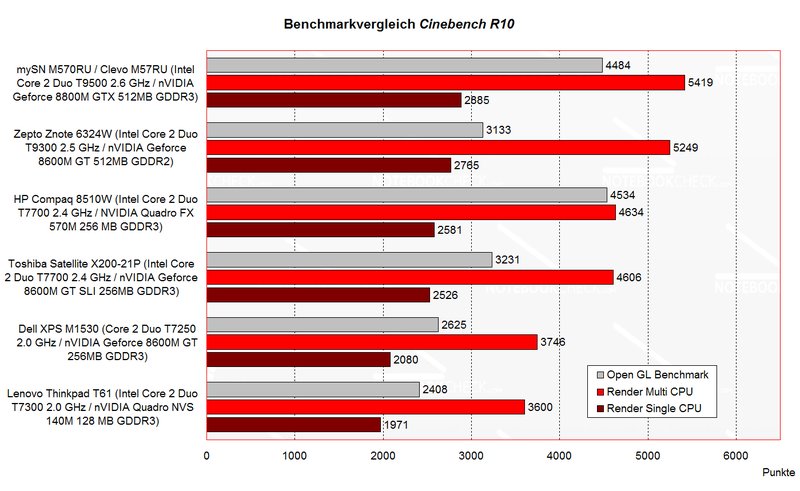
Also the result of the Cinebench R10 benchmark is good. The Znote 6324W is compared to other notebooks one of the bests.
In both aspects the performance increase of the new Intel CPUs gets obvious. Even though the price is the same, running office applications, which demand CPU power, the performance increase is about 10% compared to equally clocked Merom processors.
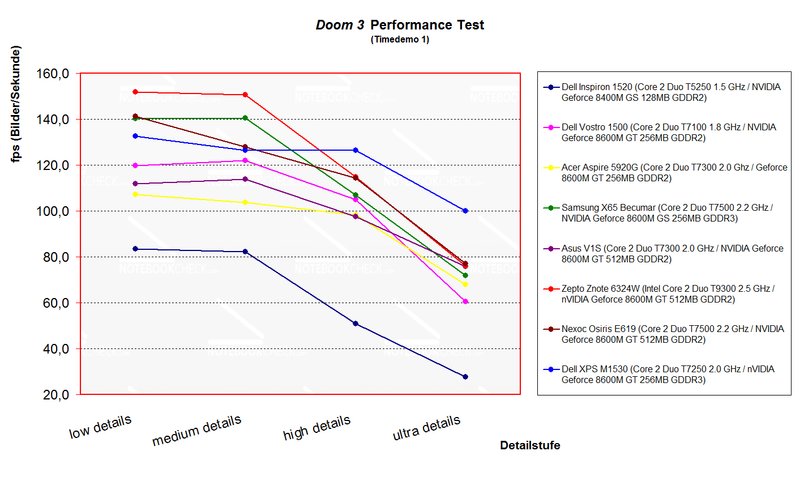
Whilst the F.E.A.R. performance test of the Zepto Znote 6324W is not outstanding at all, it clearly wins the Doom 3 benchmark with low and medium details. But, with high or ultra details it is again clearly outperformed by the Dell XPS 1530. Looking at the diagram you can clearly recognize that the advantages of the Penryn CPU is the lower, the higher the demand on video performance.

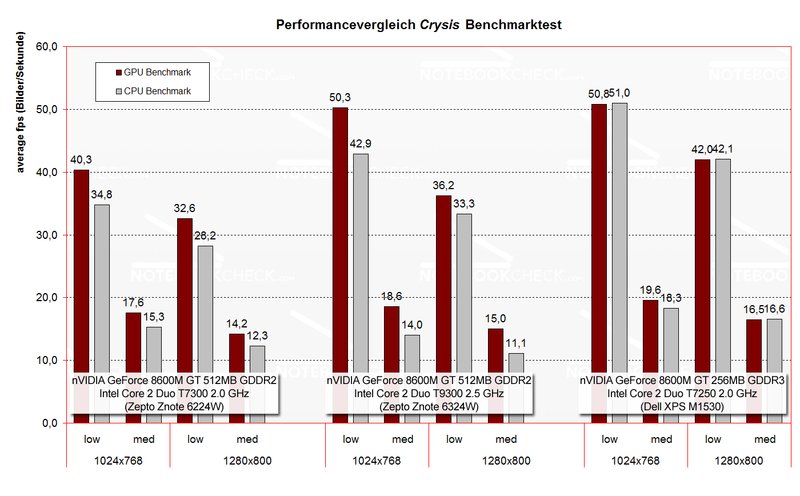
The results of a test of the current ego shooter Crysis are similar.
The frame-rates are with low details clearly above the ones of the Znote 6224W with 2.0 GHz Merom CPU. However, starting with medium details the results are the same, and the advantage due to Penryn CPU diminishes. The Dell XPS M1530 is still the winner, but, the difference to the Zepto 6324W is only small. In general all compared notebooks can run Crysis smoothly only with low details, so the gaming fun with Crysis maps, which are rich in details, is rather limited.

| 3DMark 2001SE Standard | 22643 points | |
| 3DMark 05 Standard | 5724 points | |
| 3DMark 06 1280x800 Score | 3263 points | |
Help | ||
| PCMark 05 Standard | 5450 points | |
Help | ||
| Doom 3 | |||
| Resolution | Settings | Value | |
| 1024x768 | Ultra, 0xAA, 0xAF | 76.1 fps | |
| 800x600 | High, 0xAA, 0xAF | 114.7 fps | |
| 640x480 | Medium, 0xAA, 0xAF | 150.5 fps | |
| 640x480 | Low, 0xAA, 0xAF | 151.8 fps | |
| F.E.A.R. | |||
| Resolution | Settings | Value | |
| 1024x768 | GPU: max, CPU: max, 0xAA, 0xAF | 30 fps | |
| 800x600 | GPU medium, CPU medium, 0xAA, 0xAF | 98 fps | |
| 640x480 | GPU min, CPU min, 0xAA, 0xAF | 291 fps | |

Emissions
Loudness
Regarding noise emissions the Zepto Znote 6324W is very similar to the already reviewed 6224W. If the windows 'energy saving mode' is activated, the fan stays deactivated most of the time. A noise level of 30.5 dB is reached. So, the notebook is very quiet and hardly audible.
If the performance demand is increased and you switch to the energy profile 'balanced', the fan runs all the time and causes a noise level of 35.7 dB. Our subjective impression was that the loudness is still alright.
Under load a maximum noise level of 41.6 dB is reached. Running games, this no problem, because the noise decreases and gets close to the noise level in idle mode as soon as the performance demand is decreased.
The DVD drive is regarding noise emissions also alright. The noise level of the SN-T082A was 36.6 dB, when watching DVDs.
Noise Level
| Idle |
| 30.5 / 35.7 / 35.7 dB(A) |
| HDD |
| 31.4 dB(A) |
| DVD |
| 36.6 / dB(A) |
| Load |
| 39 / 41.6 dB(A) |
 | ||
30 dB silent 40 dB(A) audible 50 dB(A) loud |
||
min:  , med: , med:  , max: , max:  (15 cm distance) (15 cm distance) | ||
Temperature
The surface temperatures at the top side of the 6324W are generally alright. The maximum of 38.7°C at the left part of the keyboard (fan) is not too high.
At the bottom side the maximum is 47.6°C, measured at the left side near the front. This is maybe already a little bit too high for working lap top, which could be uncomfortable. Without high load the temperatures stay always below 40°C. So, a mobile use, e.g., browsing the Internet via WLAN, should be possible without problems.
(+) The maximum temperature on the upper side is 39.7 °C / 103 F, compared to the average of 36.9 °C / 98 F, ranging from 21.1 to 71 °C for the class Multimedia.
(-) The bottom heats up to a maximum of 47.6 °C / 118 F, compared to the average of 39.1 °C / 102 F
(±) The palmrests and touchpad can get very hot to the touch with a maximum of 36.8 °C / 98.2 F.
(-) The average temperature of the palmrest area of similar devices was 28.8 °C / 83.8 F (-8 °C / -14.4 F).
Speakers
Although the location of the two speakers at the bottom edge of the display with sound direct to the user sitting in front of the laptop seems to contribute to a good sound at first, the speakers finally cannot completely convince.
Despite a satisfying maximum volume, the sound of high tones is not completely clear when the volume is increased. Basses are more or less missing.
Although you can enjoy music at moderate volume, you should definitely utilize the digital sound out and connect to a Hi-Fi system, if you demand more.
Battery Runtime
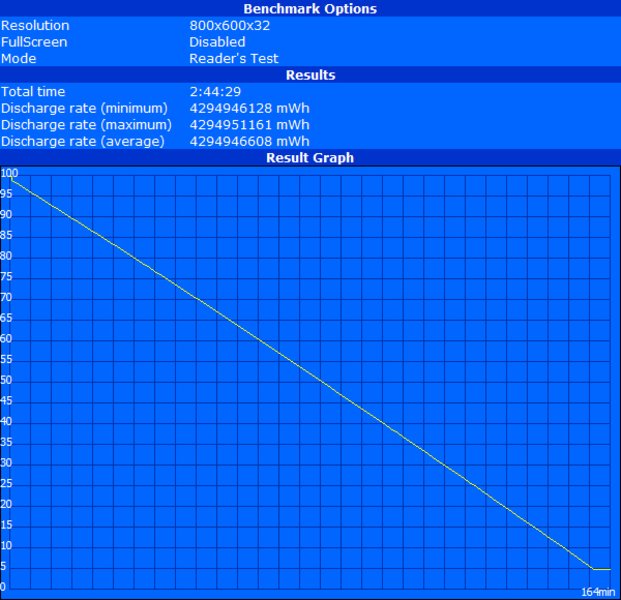
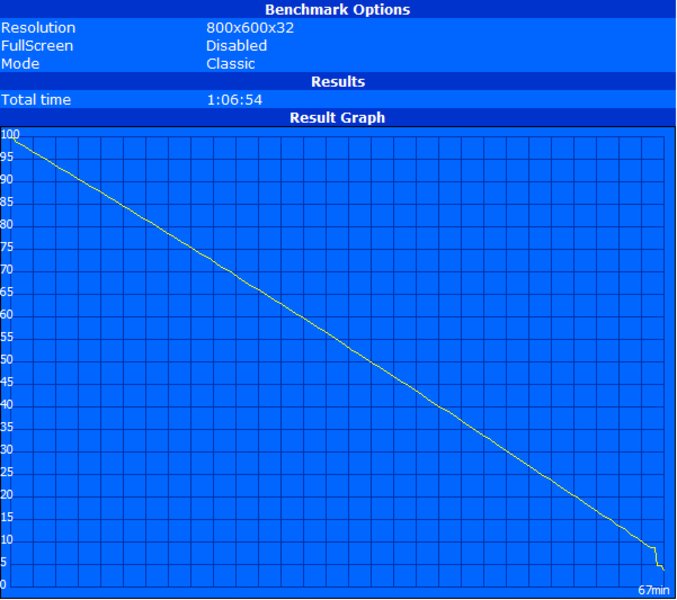
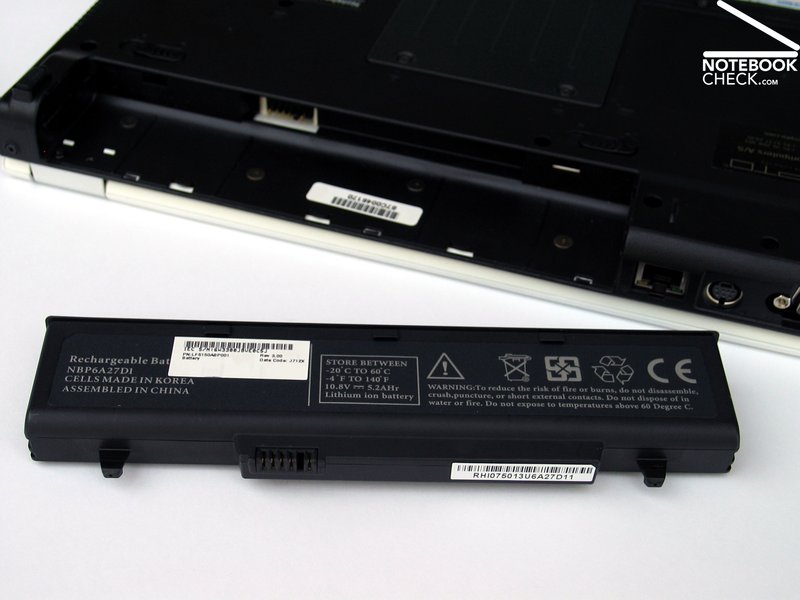
The 6 cells standard battery with a capacity of 5200 mAh respectively 56 Wh has a runtime of 67 minutes in the worst case, i.e., under full load with maximum brightness, active WLAN, and Bluetooth. Optimized for energy saving the maximum runtime of the Znote 6324W is 164 minutes.
So, this notebook is not highly mobile, but the runtime is sufficient for a short WLAN work in the garden. If your demands on mobility is higher, you can buy an optionally available 12 cells high-performance battery for a surcharge of nearly 150,- Euro. Depending on the capacity the runtime should clearly increase. However, these batteries protrude the case by some centimetres.
| Off / Standby | 0 / 0 Watt |
| Idle | 38 / 42 / 49 Watt |
| Load |
65 / 71 Watt |
   
| |
Verdict
The Znote 6324W is indeed one of those notebooks which are close to ideal. It provides first-class performance inside a compact mobile 14 inch case, whereas the display is even fit for outdoor operation and an optionally available 12-inch battery increases the mobility.
Although coated in white, the design is rather decent, yet elegant. The haptics of the surfaces is average and hint on the lower price category. Despite some uneven gaps next to the display, the workmanship is nonetheless good.
The input devices are proper for the daily office routine and for occasional mobile work. Whatever, you'd finally like to do with the Znote 6324W, you'll need some time to adapt to the unusual keyboard layout.
The display scores points by a good resolution (WXGA+ 1440x900 pixels) and a matte surface. The brightness of this panel is also alright. However, the viewing angles and the contrast could be better.
Regarding performance the reviewed Znote 6324W, which was equipped with a Geforce 8600M GT video card and Core 2 Duo T9300 CPU with 2.5 GHz, has sufficient reserve capacities. So, it is well equipped for simple office applications, calculation demanding renderings up to computer games.
Depending on the use the noise and the temperature emissions are alright. Only the built-in speakers did not really convince us. But, considering the size of this compact notebook this was no surprise.
The battery runtime of the standard 6-cells battery is definitely not one of the Znote 6324W's strengths. But, the optional 12-cell battery increases the mobility of this notebook.
The Zepto Znote 6324W costs at the time of writing at least 890.- Euro. The reviewed version costs without discounts nearly 1300.- Euro. Considering the provided performance this is still an interesting bundle.