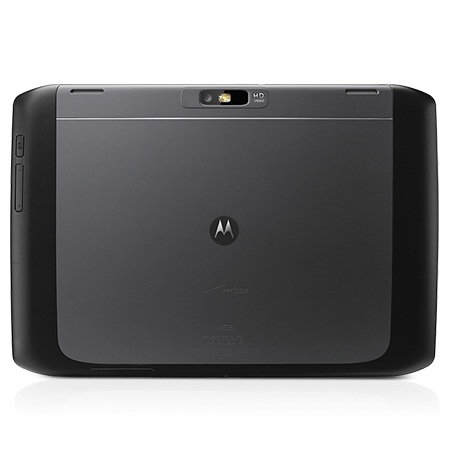
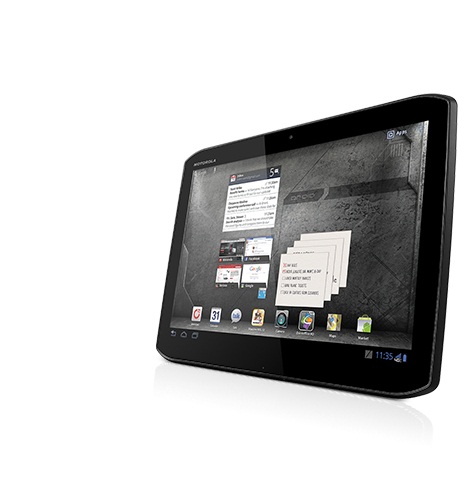
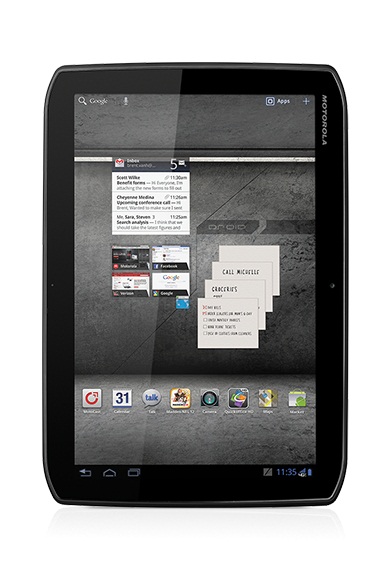
Motorola Droid Xyboard 10.1"
Specifications
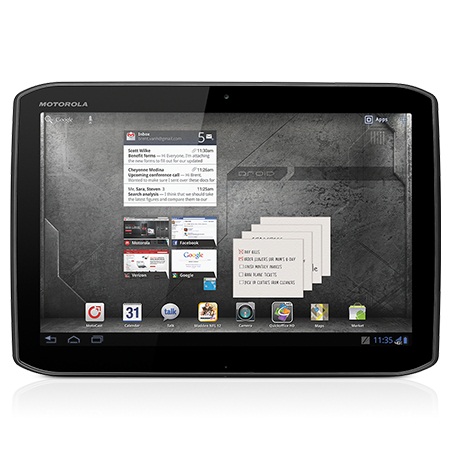
Motorola Droid Xyboard 10.1" (Droid Xyboard Series)
Processor
unknown
Graphics adapter
unknown
Display
10.10 inch 16:10, 1280 x 800 pixel, glossy: yes
Weight
600 g ( = 21.16 oz / 1.32 pounds) ( = 0 oz / 0 pounds)
Price
600 Euro
Links
Price comparison
Average Score:
Average of 1 scores (from 4 reviews)
Average of 1 scores (from 4 reviews)
Reviews for the Motorola Droid Xyboard 10.1"
Motorola Droid Xyboard 10.1 (Verizon Wireless)
Source: PC Mag Archive.org version
The Motorola Xyboard isn't a bad tablet. It's good looking, and it works. But it doesn't stand out in a crowd of similar Android tablets, all with the same Honeycomb-based problems, and it's more expensive than the others.
Single Review, online available, Short, Date: 12/16/2011
Rating: Total score: 60%
Source: PC Mag
Archive.org versionThe Motorola Xyboard isn't a bad tablet. It's good looking, and it works. But it doesn't stand out in a crowd of similar Android tablets, all with the same Honeycomb-based problems, and it's more expensive than the others.
Single Review, online available, Short, Date: 12/16/2011
Rating: Total score: 60%
Motorola Droid Xyboard 10.1 & Xyboard 8.2 Tablets Review
Source: Techspot Archive.org version
People that read my reviews frequently might have noticed about my preference for smaller tablets over larger ones. I simply find a 10.1-inch tablet unwieldy, even if it is relatively light. As such, I greatly prefer the cheaper 8.2-inch Droid Xyboard over the 10.1-inch model. Both are very nice, or at least as much so as Android Honeycomb allows, and they offer blazing LTE data speeds. Price and required monthly data contracts will be their undoing though. In a world where Apple's iPad 2 is available for the same price as the Xyboard 10.1 and Amazon is offering a solid 7-inch Android tablet for less than half the cost of the 8.2, Motorola will be fighting uphill battles. Even if they are pretty nice machines.
Comparison, online available, Medium, Date: 12/16/2011
Source: Techspot
Archive.org versionPeople that read my reviews frequently might have noticed about my preference for smaller tablets over larger ones. I simply find a 10.1-inch tablet unwieldy, even if it is relatively light. As such, I greatly prefer the cheaper 8.2-inch Droid Xyboard over the 10.1-inch model. Both are very nice, or at least as much so as Android Honeycomb allows, and they offer blazing LTE data speeds. Price and required monthly data contracts will be their undoing though. In a world where Apple's iPad 2 is available for the same price as the Xyboard 10.1 and Amazon is offering a solid 7-inch Android tablet for less than half the cost of the 8.2, Motorola will be fighting uphill battles. Even if they are pretty nice machines.
Comparison, online available, Medium, Date: 12/16/2011
Droid Xyboard 10.1 Review
Source: Ubergizmo English Archive.org version
When the Motorola Xoom was launched with Honeycomb, I was slightly disappointed by its hardware design and the below average quality of the display. Consequently, I was happily surprised when I saw the Motorola Droid Xyboard 10.1 for the first time, the chassis design is sleek and elegant and the IPS display offers high contrast and great color accuracy.
Single Review, online available, Medium, Date: 12/16/2011
Source: Ubergizmo English
Archive.org versionWhen the Motorola Xoom was launched with Honeycomb, I was slightly disappointed by its hardware design and the below average quality of the display. Consequently, I was happily surprised when I saw the Motorola Droid Xyboard 10.1 for the first time, the chassis design is sleek and elegant and the IPS display offers high contrast and great color accuracy.
Single Review, online available, Medium, Date: 12/16/2011
Motorola DROID XYBOARD 10.1 Review
Source: Slashgear Archive.org version
The question that’ll be popping up on most XOOM owners minds at one point or another now is this: should I upgrade? With a tablet that’s got such a similar processor and a display that’s not especially improved over the original XOOM, it’s essentially only the chassis and the fact that you can no longer use a microSD card that should sway you in one direction or the other – not to mention the money you’ll have to drop to move from one model to the next. If you’ve already got a tablet, I’ll say, this probably isn’t going to seem like much of an improvement over the model you’ve already got.
Single Review, online available, Medium, Date: 12/14/2011
Source: Slashgear
Archive.org versionThe question that’ll be popping up on most XOOM owners minds at one point or another now is this: should I upgrade? With a tablet that’s got such a similar processor and a display that’s not especially improved over the original XOOM, it’s essentially only the chassis and the fact that you can no longer use a microSD card that should sway you in one direction or the other – not to mention the money you’ll have to drop to move from one model to the next. If you’ve already got a tablet, I’ll say, this probably isn’t going to seem like much of an improvement over the model you’ve already got.
Single Review, online available, Medium, Date: 12/14/2011
Comment
unknown:
These graphics cards are not suited for Windows 3D games. Office and Internet surfing however is possible.
» Further information can be found in our Comparison of Mobile Graphics Cards and the corresponding Benchmark List.
unknown: » Further information can be found in our Comparison of Mobile Processsors.
 Add as a preferred source on Google