Deutsch
 Español
 Français
 Italiano
 Nederlands
 Polski
 Português
 Русский
 Türkçe
 Svenska
 Chinese
 Magyar
Dell XPS 13 Series
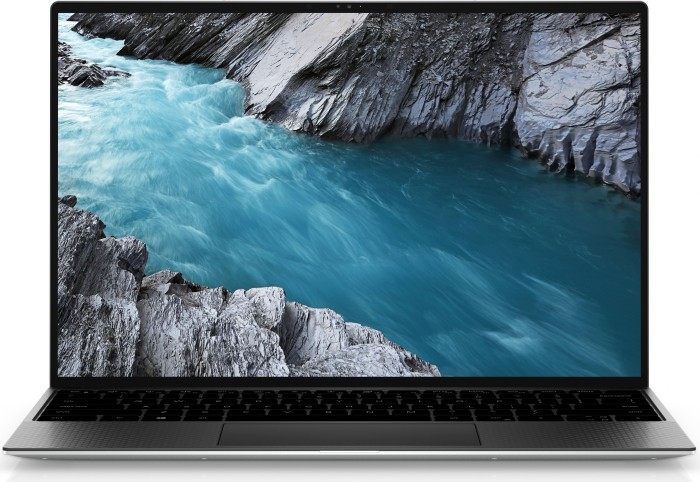
The Ultrabook concept was announced by Intel at Computex 2011. This new generation of notebooks would use low power Intel processors, have an extremely thin profile and could also include certain tablet functions. We’ve seen a huge number and variants of Ultrabooks by many manufacturers in the first wave of these ‘MacBook Air-killer’ devices. Dell seemed to take it slow and only released their first Ultrabook in the first quarter of 2012. While most manufacturers decided to brand their Ultrabooks under new names and with many variants and sizes, Dell used its already prominent ‘XPS’ range to market theirs with just one size.
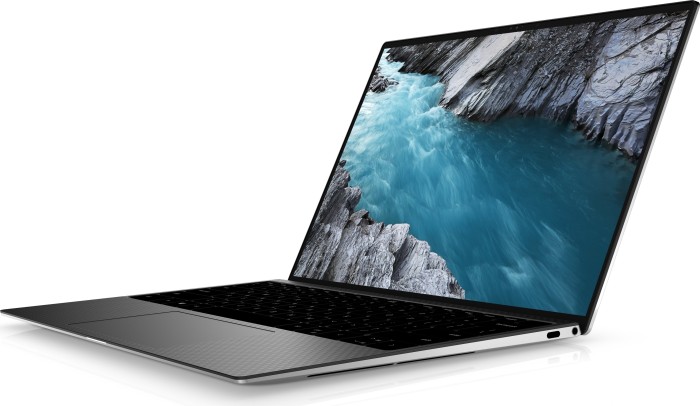
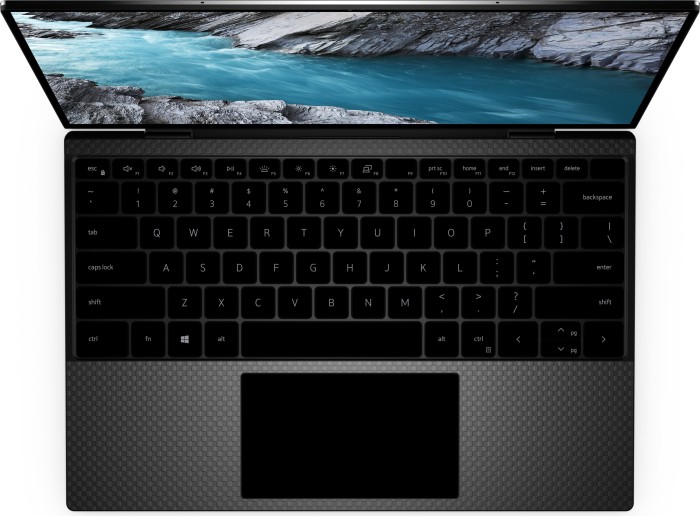
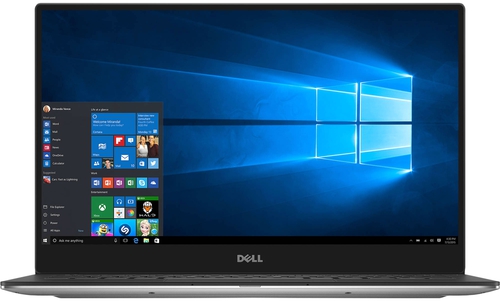
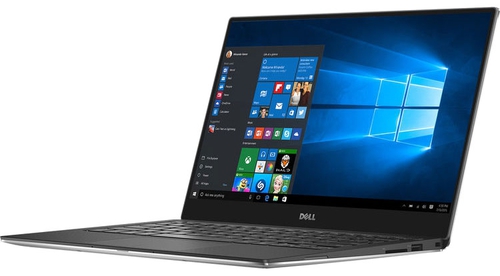
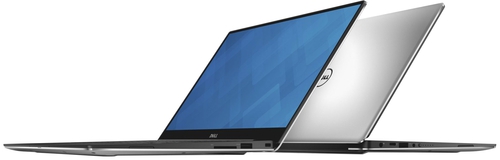
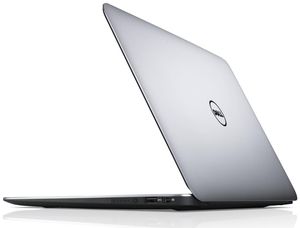
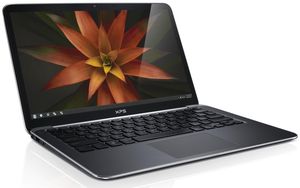
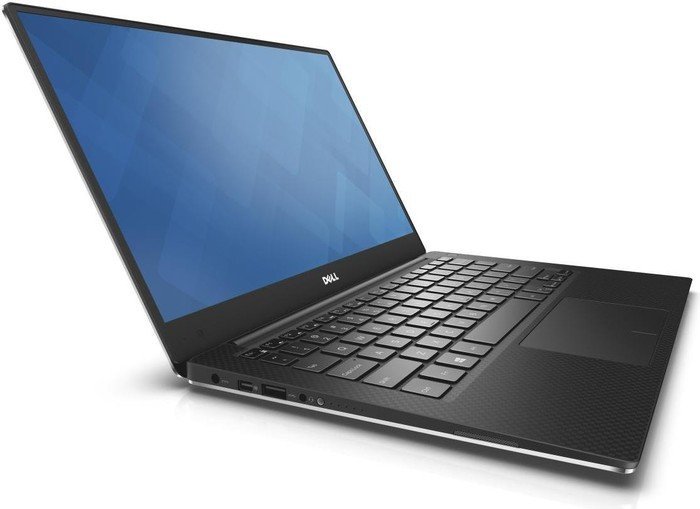
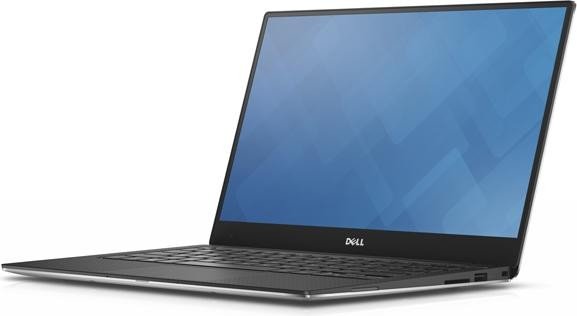
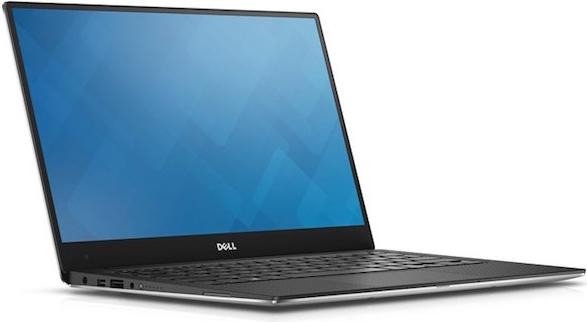
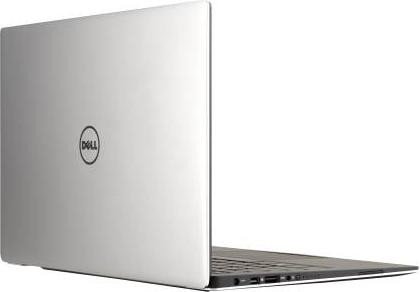
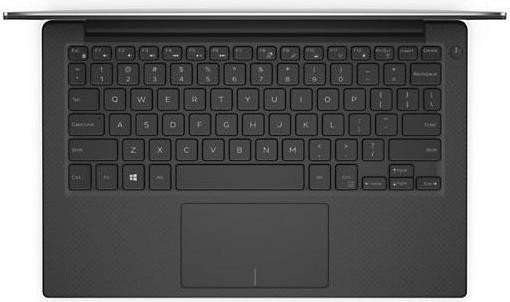
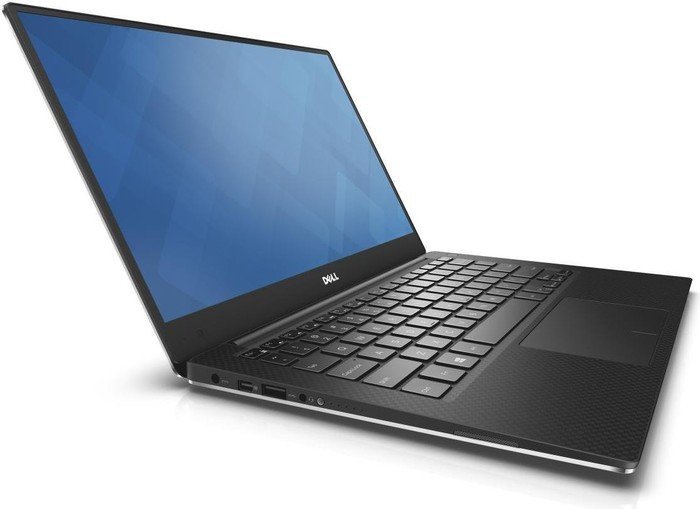
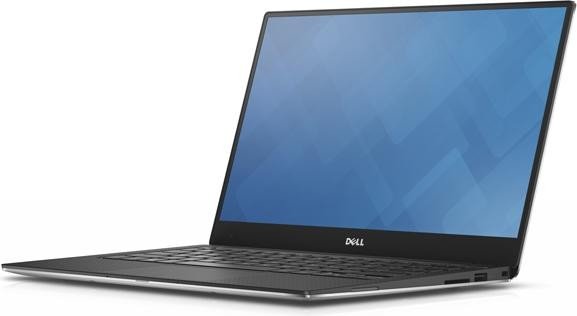
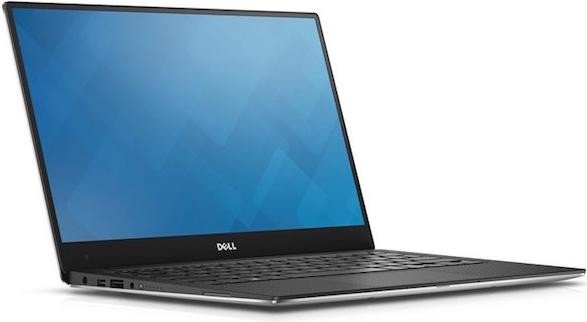
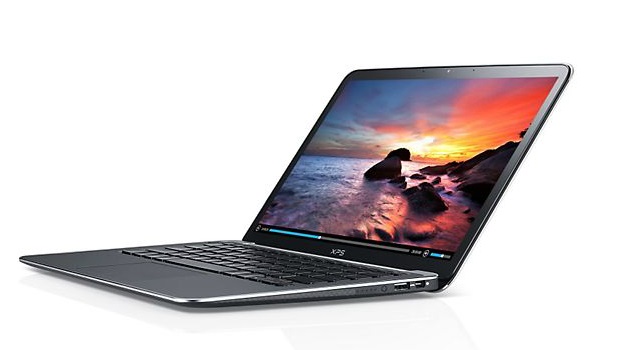
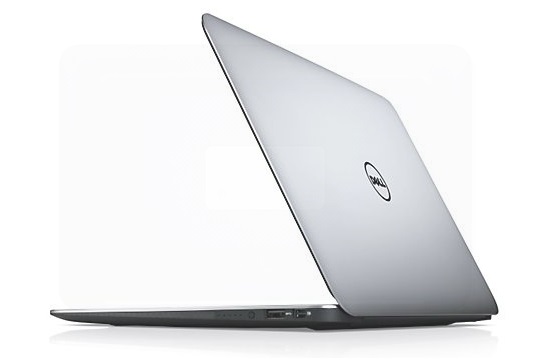
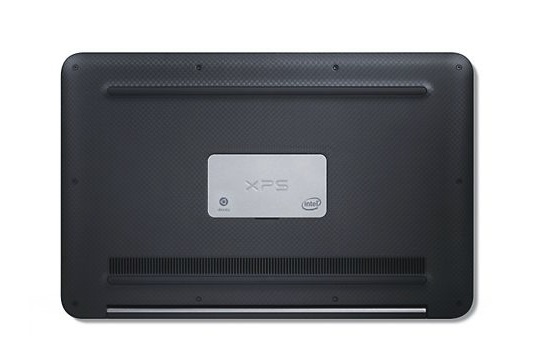
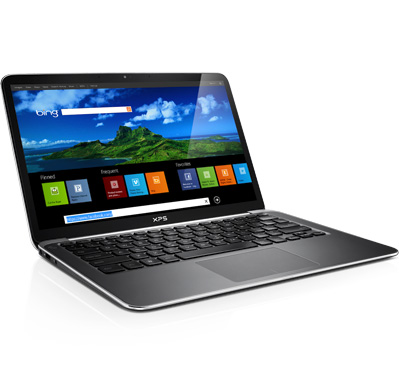
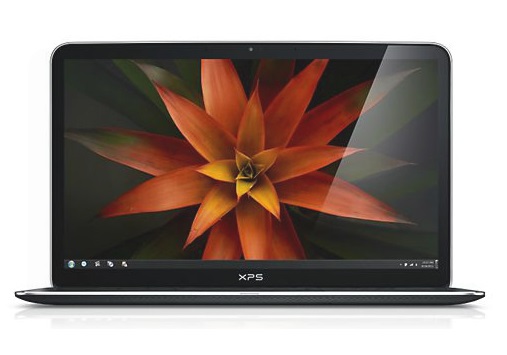
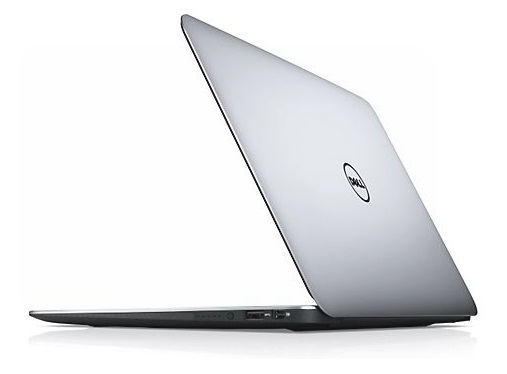
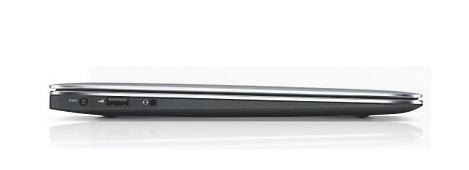
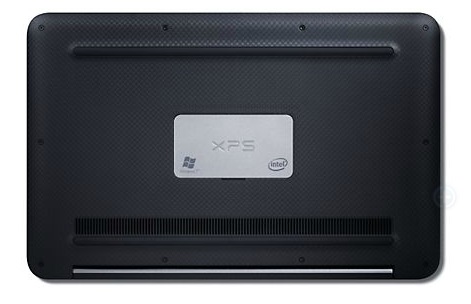
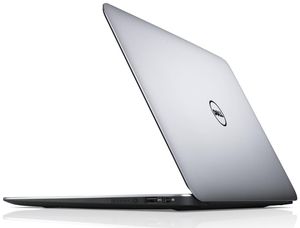
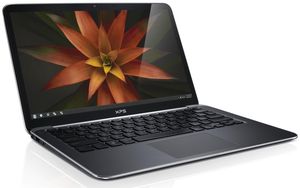
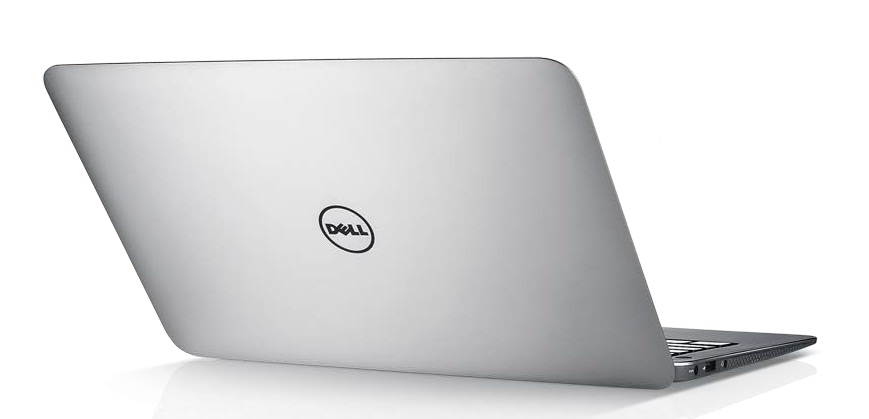
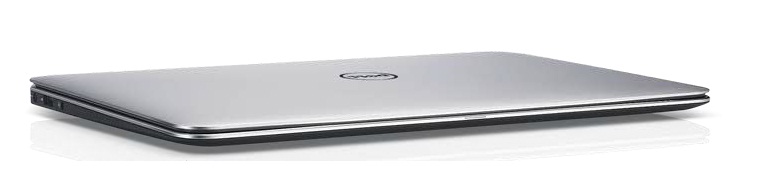
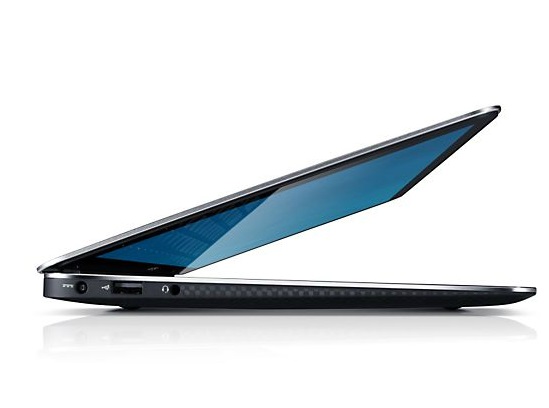
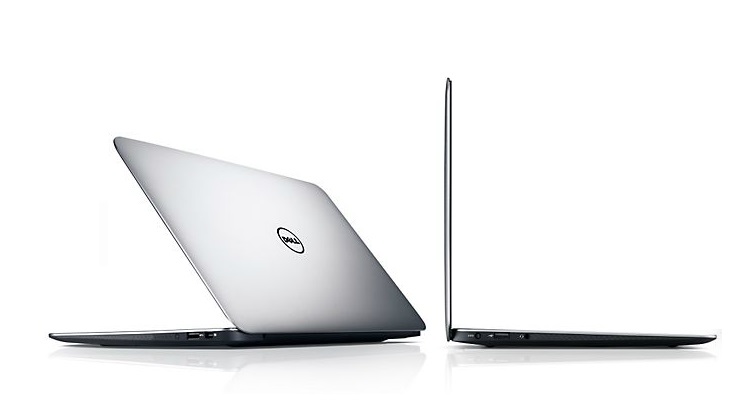
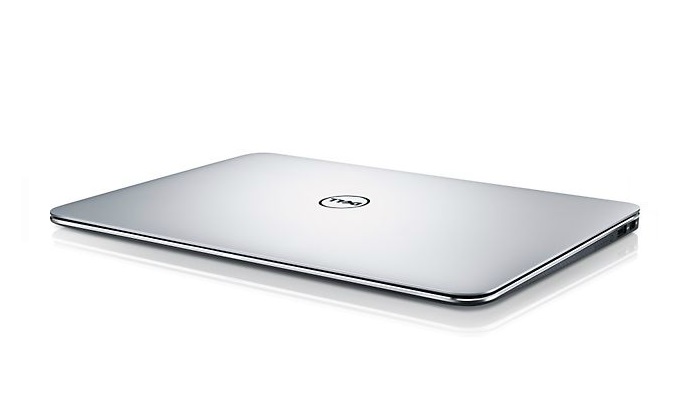
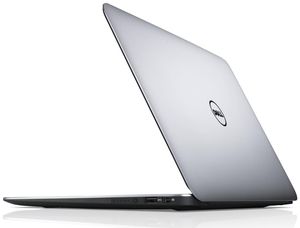
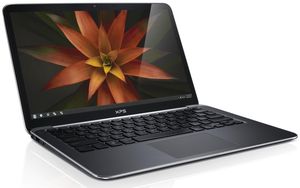
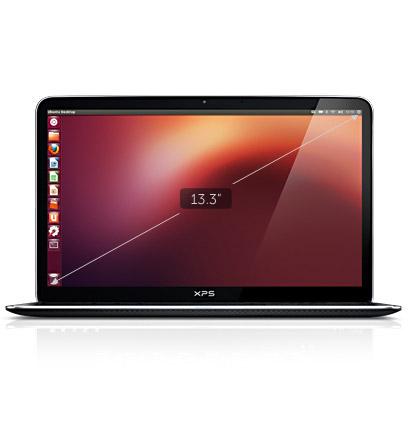
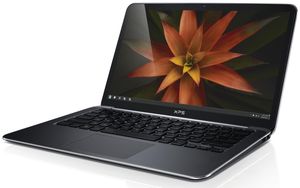
The Dell XPS 13 certainly turns heads. Like its bigger brother, the Dell XPS 14Z, it has a curvaceous silver aluminium body with a reduced chassis size for its screen. This makes it real compact even for an Ultrabook. Dell had managed to squeeze a 13 inch display into what they say is an 11 inch body. In reality, it doesn’t really get to that but it is close enough and is definitely smaller than all the other 13 inch Ultrabooks. The XPS13 has a carbon fiber bottom covered with a thin rubberized coating making keeping the laptop firmly in its place when typing. The bonded Corning Gorilla Glass display gives the display a slightly more solid feel.
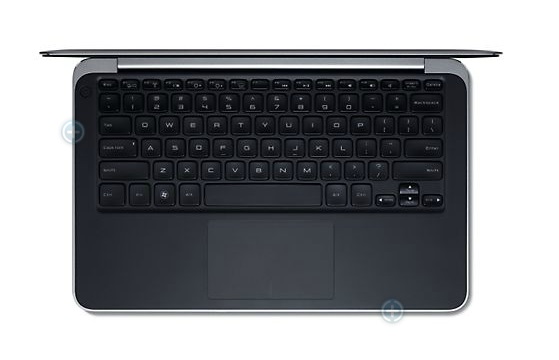
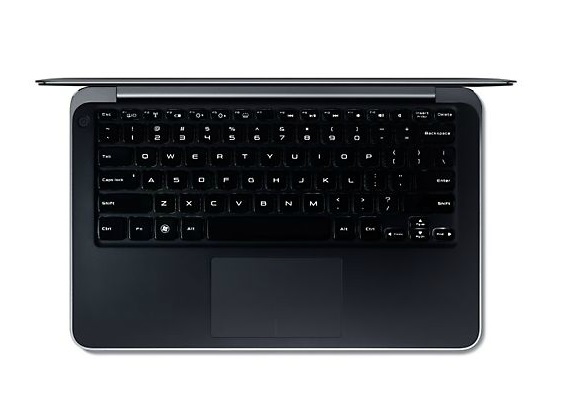
Dell offers the XPS 13 for 999 € onwards same as the Asus Zenbook UX31 which is its main competitor. However, its 1366 x 768 display resolution is noticeably lower than the when compared to the 1600 x 900 panel on the UX31. Advantages of the XPS 13 over the UX31 include its backlight keyboard, more responsive keys and a smaller size.
Processor: Intel Core i5 2467M, Intel Core i5 3337U, Intel Core i5 4200U, Intel Core i5 6200U, Intel Core i7 2637M, Intel Core i7 3517U, Intel Core i7 3537U, Intel Core i7 5500U, Intel Core i7 6560U, Intel Ice Lake i5-1035G1, Intel Kaby Lake Refresh i5-8250U, Intel Kaby Lake Refresh i5-8550U, Intel Tiger Lake i7-1165G7Graphics Adapter: Intel HD Graphics 3000, Intel HD Graphics 4000, Intel HD Graphics 4400, Intel HD Graphics 520, Intel Iris Graphics 540, Intel Iris Xe G7 96EUs, Intel UHD Graphics 620, Intel UHD Graphics G1 (Ice Lake 32 EU), NVIDIA GeForce 940M
Display: 13.30 inch, 13.40 inch
Weight: 1.2kg, 1.21kg, 1.3kg, 1.305kg, 1.325kg, 1.36kg, 1.374kg, 1.38kg, 1.4kg
Price: 1.399, 1000, 1200, 1300, 1499, 1500, 1600, 1750 euro
Average of 171 scores (from 254 reviews)
Dell XPS 13
Specifications
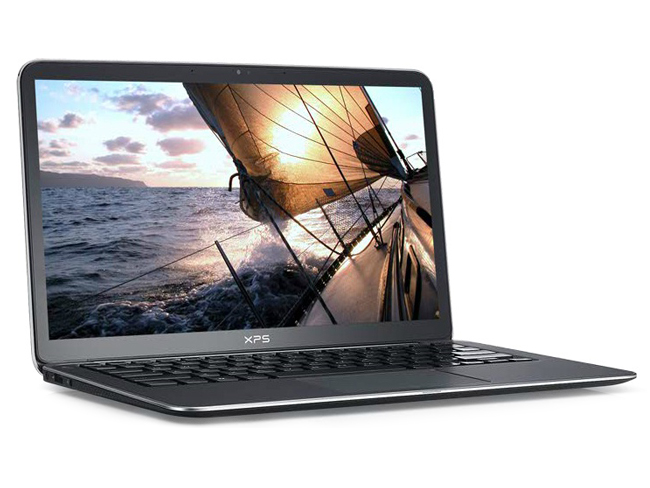 Notebook: Dell XPS 13
Processor: Intel Core i5 2467M
Graphics Adapter: Intel HD Graphics 3000
Display: 13.30 inch, 16:9, 1366 x 768 pixels
Weight: 1.4kg
Price: 1000 euro
Links: Dell homepage Dell notebook section XPS 13 (Model)
Pricecompare
Average Score:
Reviews
Source: Techradar
 Archive.org version
The Dell XPS 13 is still one of the best laptops you can buy, offering top performance, brilliant battery life and excellent build quality. However, in 2013, touchscreen technology is no longer an expensive luxury. It's the bread and butter of the Windows 8 experience, and Dell has let us down by not offering the option on its flagship Ultrabook. While we love the Dell XPS 13, we'd recommend holding off for a touchscreen version, or trying the Acer Aspire S7 if you want to get the most from Windows 8.
Single Review, online available, Short, Date: 01/21/2013
Rating: Total score: 90%
Source: Small Business Computing
Archive.org versionThe Dell XPS 13 is a comfortable Ultrabook to use in all types of situations. It's light and small, so it won't take up much room in your briefcase or backpack. The keyboard is usable with the exception of a few keys, and the palm rejection on the touchpad is excellent. It is missing some features like a wired Ethernet port and HDMI that could make it a non-starter for some folks.
Single Review, online available, Short, Date: 10/09/2012
Source: Computer Active
Archive.org versionThe XPS 13 has a respectably long battery life of just over seven hours but other Ultrabooks can last even longer. The backlit keyboard is very comfortable thanks to its responsive keys that give just the right amount of feedback when pressed, although the cursor and Function keys are smaller than usual. Though the touchpad is large and accurate, it’s easy to accidentally brush against it when typing and inadvertently move the cursor and type text in to a random place in a document.
Video review
Single Review, online available, Very Short, Date: 07/25/2012
Rating: Total score: 60%
Source: Computer Active
Archive.org versionThe XPS 13 has a respectably long battery life of just over seven hours but other Ultrabooks can last even longer. The backlit keyboard is very comfortable thanks to its responsive keys that give just the right amount of feedback when pressed, although the cursor and Function keys are smaller than usual. Though the touchpad is large and accurate, it’s easy to accidentally brush against it when typing and inadvertently move the cursor and type text in to a random place in a document.
Single Review, online available, Short, Date: 07/25/2012
Rating: Total score: 60%
Source: Hardware Canucks
Archive.org versionThe XPS 13 is something of an oddity in a market that’s quickly becoming a lynchpin in a so-called “post PC” world. Ultrabooks were originally conceived to be inexpensive, adaptable solutions that could be carried just about anywhere but typically, manufacturers have used them as flagship products which are anything but affordable for their intended clientele.
Single Review, online available, Very Long, Date: 06/25/2012
Source: Channel Web
Archive.org versionDell hat sich für sein XPS 13 Ultrabook viel Zeit gelassen. Wer ein Ultrabook sucht mit edlem Gehäuse, das einem Apple Mac Book Air versucht Paroli zu bieten, ist mit dem Dell XPS 13 Ultrabook gut bedient. Eine erweiterte Absicherung mit bis zu drei Jahren Service-Vor-Ort kostet 280 Euro, und eine Unfallschutz-Absicherung für ein Jahr wird zum Preis von 50 Euro angeboten.
Single Review, online available, Short, Date: 06/18/2012
Rating: Total score: 60%
Source: Techtree.com
Archive.org versionThe Dell XPS 13 is a truly portable computing device where a great deal of attention has been paid to the aesthetics as well as to its features. The performance is snappy due to its fast hardware and you can be sure that it will not slow down even after months of usage, thanks to the fast SSD inside. Our only qualms about the gadget are due to poor viewing angles of the display and erratic behaviour of the touchpad. If you want to buy a something as portable as a MacBook Air but are short on cash, this is a worthy alternative despite its expensive pricing. However, for the vast majority of users, this will be an expensive proposition, so it's better to wait for the ultrabook prices to drop.
Single Review, online available, Very Short, Date: 06/09/2012
Rating: Total score: 70% price: 50% performance: 80% features: 90% ergonomy: 90%
Source: V3.co.uk
Archive.org versionOverall, we were impressed with the design and build quality of the XPS 13, but more I/O ports and a removable battery would make this a better bet for professional or business buyers.
Single Review, online available, Short, Date: 05/24/2012
Rating: Total score: 80%
Source: T Break
Archive.org versionThe Dell XPS 13 brings nothing new to the ultrabook market, as the basic performance shows. But what it does do, and with a lot of class, is an ultrabook form factor that’s desirable by many. You’re not stuck with different aspects of a design you may or may not appreciate. The XPS 13 is a class act from Dell, and if you ignore the rather liberal inspiration from the MacBook Air, then the aluminum chassis with carbon fiber composite base presents an aesthetically pleasing design. The light weight and 18mm – 6mm thickness is something that makes for an ideal ultrabook. Also, starting at $300 cheaper than a similarly specced MacBook Air, you can’t go wrong with the XPS 13 at all.
Single Review, online available, Very Short, Date: 05/06/2012
Source: Reg Hardware
Archive.org versionDell might have been late to the Ultrabook party, but the XPS 13 certainly makes a head-turning entrance with its superb design. It’s not faultless by any means - connectivity is limited, and it would have been nice to see a higher resolution screen - especially with the price tag it carries, but it's an impressive, speedy first attempt at the genre.
Single Review, online available, Short, Date: 05/01/2012
Rating: Total score: 80%
Source: Techradar
Archive.org versionDell is last to market with its Ultrabook, but in many ways the XPS 13 has been worth the wait. With a 13.3in screen crammed into a 12in-equivalent body, it’s innovative and beautifully designed, combining attractive elegance with practical user comfort and good battery life. Build quality is superb and, thanks to its great backlit keyboard and lovely touchpad, usability is up there with the best. Unfortunately, connectivity suffers from the smaller chassis and the screen’s poor viewing angles really let the side down, meaning the similarly compact Samsung Series 9 900X3B is a far better proposition if you can afford the extra. If not, however, the Dell XPS 13 Ultrabook is a great premium option.
Single Review, online available, Medium, Date: 04/23/2012
Rating: Total score: 80% price: 80% performance: 70% features: 80% display: 70% mobility: 90% ergonomy: 100%
Source: Wired Magazine
Archive.org versionIn the final analysis, at $1,000, the XPS 13 is a good value in a market that is rapidly becoming as commoditized as the rest of the laptop space, but where fairly hefty prices still rule.
Single Review, online available, Very Short, Date: 04/23/2012
Rating: Total score: 70%
Source: Hardwareheaven
Archive.org versionAs we would expect from an Ultrabook the initial impression users will get from the XPS 13 is one of a high quality build. The aluminium lid looks good and feels sturdy and well made with the carbon fibre sides adding a nice contrast while also offering durability. The system feels well balanced in use and of course with the dimensions of 0.71x12.4x8.1" and weight of 1.36KG it feels compact and light.
Single Review, online available, Very Long, Date: 04/16/2012
Rating: Total score: 90% price: 80% performance: 80% workmanship: 100%
Source: Tech2.in.com
Archive.org versionThe new Dell XPS 13 range starts from Rs.79,900, which is just too expensive for what’s on offer. Granted, it’s a very well put together Ultrabook and it has looks to die for, but once again, it’s really hard to ignore the big fat elephant in the room. If thin and light is your main concern, then Acer’s TimeLine X series offers very good value for money notebooks. It obviously doesn’t have aluminium and carbon fibre, but it gets the job done. Ultrabooks are very good alternative to netbooks, but not at these prices.
Single Review, online available, Short, Date: 03/22/2012
Rating: Total score: 65%
Source: Good Gear Guide
Archive.org versionWhen it's all said and done, the Dell XPS 13 is a desirable 13in Ultrabook. Its build quality and feel alone make it worthy of consideration. I would have liked built-in Gigabit Ethernet and an SD card slot (especially while travelling), but I can understand their omissions. An HDMI adapter will be required if you want to plug this notebook into your TV.
Single Review, online available, Long, Date: 03/20/2012
Rating: Total score: 80%
Source: Tech Advisor
Archive.org versionFrom a design perspective, the XPS 13 is a fantastic addition to Dell's lineup, establishing a new bar that Dell should aim to clear with its future products. The laptop is attractive, solid, and fast. Battery life is good if you don't go crazy with the screen brightness. Audio is better than you'd expect, and the keyboard and trackpad (after the driver update) don't disappoint. With better display quality, it would be a slam-dunk. Unfortunately, the middling resolution, iffy color reproduction, and poor off-axis viewing leave a considerable stain on what would otherwise be a five-star product. Let's hope that Dell releases a revised version this summer that carries Intel's Ivy Bridge chips and a better display.
Single Review, online available, Very Short, Date: 03/16/2012
Rating: Total score: 90%
Source: Hardware Zone
Archive.org versionThey say imitation is the sincerest form of flattery; if that's the case, Apple should be proud because the XPS 13 looks a lot like a MacBook Air. Having said that, we do like the unique touches Dell has incorporated into their design. We loved the smaller form factor and the soft-touch wrist pad and, while it wasn't all that impressive, the carbon fiber base plate did at least prove to be equal, if not slightly better, than aluminum as a build material.
Single Review, online available, Long, Date: 03/15/2012
Rating: Total score: 80% price: 80% performance: 80% mobility: 85%
Source: Notebooks.com
Archive.org versionThe Dell XPS 13 Ultrabook is an impressive notebook that delivers a lot in a small package, especially at $999. If the trackpad was as good as that on the Macbook Air I would say that Dell had bested Apple in that price range, but sadly that’s not the case. Even though the XPS 13 carries the same size display as the 13 inch MacBook Air, the $300 price difference and the higher resolution of the Air put the two at opposite ends of the spectrum.
Single Review, online available, Medium, Date: 03/15/2012
Source: PC World
Archive.org versionFrom a design perspective, the XPS 13 is a fantastic addition to Dell's lineup, establishing a new bar that Dell should aim to clear with its future products. The laptop is attractive, solid, and fast. Battery life is good if you don't go crazy with the screen brightness. Audio is better than you'd expect, and the keyboard and trackpad (after the driver update) don't disappoint. With better display quality, it would be a slam-dunk. Unfortunately, the middling resolution, iffy color reproduction, and poor off-axis viewing leave a considerable stain on what would otherwise be a five-star product. Let's hope that Dell releases a revised version this summer that carries Intel's Ivy Bridge chips and a better display.
Single Review, online available, Very Short, Date: 03/14/2012
Rating: Total score: 90%
Source: AnandTech
Archive.org versionDell's first entry into the ultrabook market is a patient and smart one. They've arrived at the party a bit later than the competition, but they're fashionably late: instead of a design that just apes the Apple MacBook Air, Dell has taken care to produce something unique to them with the XPS 13.
Single Review, online available, Long, Date: 03/13/2012
Source: Mobile Tech Review
Archive.org versionThe Dell XPS 13 has become one of our top Ultrabook picks. You really can't go wrong with most first gen Ultrabooks since they share similar specs and shoot for higher end appointments, but Dell has a winner with their combination of premium materials, excellent performance and great looks. The XPS 13 is extremely sturdy yet slim, uses innovative materials like carbon fiber and a Gorilla Glass display and is the most compact 13" Ultrabook so far. Dell uses premium parts like Intel Advanced N-6230 wireless and Samsung's fast PM830 SSD, while the competitors often go with lesser parts to keep costs down. This is a fast Ultrabook with a very good backlit keyboard and a pleasing display, even if we wish there were an IPS option. Recommended.
Single Review, online available, Long, Date: 03/09/2012
Rating: Total score: 80%
Source: Engadget
Archive.org versionFrom the moment it comes out of the box the XPS 13 looks and feels like a truly premium product and, with a nice keyboard and respectable performance, it's a nice machine to use, too. But, the display suffers the same complaints we've seen with other Ultrabooks in this price range -- middling resolution, poor off-angle contrast -- and the trackpad only works well when it feels like it.
Single Review, online available, Long, Date: 03/06/2012
Source: Computer Shopper
Archive.org versionIn recent months, we've heard a whole bee colony's worth of buzz around ultrabooks—2012's new breed of super-thin, powerful laptops—from both the concept's initiator (chip maker Intel) and practically the whole wide world of laptop vendors. Anyone shopping for an ultrabook should consider the well-rounded $999 version of the XPS 13, a 13.3-inch-screened model with stellar build quality and competitive performance at a fair price.
Single Review, online available, Long, Date: 03/06/2012
Rating: Total score: 80%
Source: Comp Reviews
Archive.org versionDell's entry into the ultrabook market may be fairly late but it was definitely well thought out. By taking their time, Dell has refined their design to offer an extremely compact design that uses the full ultrabook specification including Intel Smart Connect Technology. Performance is very fast with boot and wake times that are some of the fastest ever thanks to the high speed solid state drive included with it.
Single Review, online available, Short, Date: 03/05/2012
Rating: Total score: 80%
Source: Slashgear
Archive.org versionThe Dell XPS 13 is a 13-inch ultrabook that is extremely good-looking and sturdy. While it is entering both a crowded and emerging category of computers, it does a lot of set itself apart from the rest of the pack. It has an extremely thin footprint, a glass-covered screen and an SSD hard drive.
Single Review, online available, Very Short, Date: 03/05/2012
Rating: Total score: 70%
Source: Hot Hardware
Archive.org versionA good friend of ours said the Dell XPS 13 is an ultrabook that "could steal customers from Apple." That may be a stretch, depending on your point of view, but we'd definitely say the Dell XPS 13 is seriously tough competition for any manufacturer in the ultralight notebook space, Apple or otherwise.
Single Review, online available, Long, Date: 03/01/2012
Source: PC Mag
Archive.org versionThere will be a flood of new ultrabooks coming with the arrival of Intel's "Ivy Bridge" processor update this year, but Dell has set the bar very high without needing new silicon. If it had just one or two of the missing ports we groused about—say HDMI and a card reader—the Dell XPS 13 would be spectacular; as is, if you don't mind carrying a dongle or two, it's an ultra-small, ultra-sophisticated choice that shoots to the top of ultrabook shopping lists.
Single Review, online available, Very Short, Date: 02/29/2012
Rating: Total score: 80%
Source: CNet
Archive.org versionThe first Very Important Laptop of 2012 has arrived, in the form of the new Dell XPS 13. This is Dell's first ultrabook and even though the company is a little late to that particular game, the XPS 13 nails a lot of what makes for a good ultrabook experience. Dell packs a 13-inch display into a very small footprint in the XPS 13 ultrabook, making it one of the few slim laptops that actually tops the MacBook Air in some areas.
Single Review, online available, Medium, Date: 02/28/2012
Rating: Total score: 70% performance: 70% mobility: 70%
Source: Laptop Mag
Archive.org versionFrom its stylish and compact carbon-fiber design to the backlit keyboard to its fast SSD, there's a lot to like about the $999 Dell XPS 13. Intel's Smart Connect technology is yet another plus, which will help you get right back to work when you lift the lid. However, the lack of an SD card slot and the below-average battery life detract from what is otherwise an excellent system. Overall, Dell has delivered a solid Ultrabook for $300 less than the MacBook Air. It should find plenty of takers.
Single Review, online available, Short, Date: 02/28/2012
Rating: Total score: 80%
Source: PC World
Archive.org versionAfter spending an afternoon with the XPS 13, my opinion is just as favorable as it was when I first laid eyes on it at the start of the year. It’s a system that is so un-Dell-like (and I mean that in the best possible way) that I’ve actually carried it around the office to show it to coworkers, most of whom are similarly impressed. I reserve final judgement until I get some hard performance numbers and spend a lot more time with it, but for now, it feels like the only thing stopping me from running out and buying one myself is the knowledge that Intel’s Ivy Bridge chips will be shipping in a few months, and I really want a laptop with one of those.
Single Review, online available, Very Short, Date: 02/25/2012
Source: T3
Archive.org versionWe feel this is easily one of the strongest Ultrabooks in the current line-up and a spectacular piece of engineering from Dell. We'll bring you more info as soon as we've had the final retail model on our test bench, as well as a confirmed retail price.
Single Review, online available, Very Short, Date: 01/27/2012
Rating: Total score: 100%
Source: Trusted Reviews
Archive.org versionThe overall design and feel of the XPS 13 is certainly premium and the inclusion of a larger 13.3in screen in an 11in form factor is something which makes it a very appealing prospect - but we'll reservce final judgement until we get one into the office for testing. The Dell XPS 13 will be available in the US next month with prices starting at $999 (Core i5, 128GB SSD, 4GB RAM) and will be available elsewhere in March, with UK info yet to be released.
Single Review, online available, Very Short, Date: 01/12/2012
Source: T3
Archive.org versionObviously we didn't get to test the Dell XPS 13 out in the wild or give all of its features a thorough run-through but in our limited time with the new ultrabook we were certainly impressed. The minimal design and lack of stickers around the keyboard give the product a very slick finish and the wafer-thin profile and featherlight weight are strong selling points.
Single Review, online available, Very Short, Date: 01/11/2012
Source: Pocket Lint
Archive.org versionIn our brief play with the XPS 13 it proved to be fast to start and open applications, but we can't verify much more on the performance front until we've spent longer with it. It felt solid and free from flex. The keyboard gave us a nice action and the trackpad didn't immediately throw up any problems, so it's a great start for the first Ultrabook from Dell.
Single Review, online available, Very Short, Date: 01/10/2012
Foreign Reviews
Source: PC Magazin - Spezial 53 Ultrabooks

Comparison, , Length Unknown, Date: 02/01/2013
Rating: Total score: 84%
Source: Chip.de
DE→EN Archive.org versionSingle Review, online available, Medium, Date: 05/16/2012
Rating: Total score: 74% price: 56% performance: 81% features: 55% display: 100% mobility: 75% ergonomy: 76%
Source: PC Welt
DE→EN Archive.org versionSingle Review, online available, Medium, Date: 04/26/2012
Rating: Total score: 81% performance: 96% features: 72% display: 83% mobility: 78% ergonomy: 90% emissions: 74%
Source: Notebookinfo
DE→EN Archive.org versionSingle Review, online available, Medium, Date: 04/16/2012
Rating: Total score: 90% performance: 80% display: 85% mobility: 100% ergonomy: 95% emissions: 88%
Source: Connect - 5/12
Single Review, , Short, Date: 04/01/2012
Rating: Total score: 80% features: 60% ergonomy: 80%
Source: Computerbild - 9/12
Comparison, , Medium, Date: 04/01/2012
Rating: Total score: 85% performance: 90% features: 82% display: 79% ergonomy: 82% emissions: 91%
Source: HardwareLuxx
DE→EN Archive.org versionComparison, online available, Very Long, Date: 03/29/2012
Source: Notebookjournal
DE→EN Archive.org versionSingle Review, online available, Long, Date: 03/20/2012
Rating: performance: 70% features: 90% display: 50% mobility: 50% workmanship: 90% ergonomy: 30%
Source: Onlinekosten.de
DE→EN Archive.org versionSingle Review, online available, Long, Date: 03/20/2012
Rating: Total score: 82% performance: 93% features: 60% display: 87% mobility: 75% workmanship: 100% ergonomy: 60%
Source: Notebookcheck
DE→EN Archive.org versionSingle Review, online available, Long, Date: 03/13/2012
Rating: Total score: 84% performance: 78% display: 68% mobility: 90% workmanship: 97% ergonomy: 85% emissions: 79%
Source: ITespresso
DE→EN Archive.org versionSingle Review, online available, Very Short, Date: 03/09/2012
Source: ZDNet
DE→EN Archive.org versionSingle Review, online available, Medium, Date: 03/07/2012
Rating: Total score: 76% performance: 80% features: 70% mobility: 70% ergonomy: 80%
Source: Notebookinfo
DE→EN Archive.org versionSingle Review, online available, Medium, Date: 03/01/2012
Rating: Total score: 90% performance: 80% display: 85% mobility: 100% ergonomy: 95% emissions: 88%
Source: c't - 9/13
Performance ok, configuration bad
Single Review, , Length Unknown, Date: 03/01/2013
Source: nDevil
DE→EN Archive.org versionfew equipment, low weight, mediocre ergonomics
Single Review, online available, Medium, Date: 04/22/2012
Source: Techfokus
DE→EN Archive.org versionPositive: workmanship, material, lightweight, thin, performance, silent with normal use, bright display, keyboard; negative: few connection options, touchpad keys, battery runtime, fan with full load
Single Review, online available, Long, Date: 04/21/2012
Source: Tom's Hardware
DE→EN Archive.org versionHigh price, good workmanship and battery runtime, fast SSD
Single Review, online available, Long, Date: 04/19/2012
Source: PC Actual
 ES→EN Archive.org version
Single Review, online available, Medium, Date: 06/15/2012
Rating: Total score: 91% price: 85%
Source: Tuexperto
ES→EN Archive.org versionSingle Review, online available, Short, Date: 01/11/2012
Source: Techno Zoom
 IT→EN Archive.org version
Single Review, online available, Medium, Date: 05/05/2012
Rating: Total score: 80% price: 80% performance: 80% mobility: 85% workmanship: 80%
Source: Notebook Italia
IT→EN Archive.org versionPositive: Excellent design; Protected display with Corning Gorilla Glass; Performance; Light weight. Negative: No memory card reader.
Single Review, online available, Medium, Date: 06/02/2012
Source: PCM
 NL→EN Archive.org version
Single Review, online available, Medium, Date: 04/12/2012
Rating: Total score: 60%
Source: Erenumerique
 FR→EN Archive.org version
Single Review, online available, Medium, Date: 05/22/2012
Rating: Total score: 85%
Source: 01Net
FR→EN Archive.org versionSingle Review, online available, Short, Date: 04/02/2012
Rating: Total score: 80%
Source: 01Net
FR→EN Archive.org versionSingle Review, online available, Short, Date: 03/20/2012
Rating: Total score: 80%
Source: Blogeee
FR→EN Archive.org versionSingle Review, online available, Medium, Date: 03/16/2012
Source: 3DNews.ru
 RU→EN Archive.org version
Single Review, online available, Medium, Date: 03/14/2012
Source: Zoom
RU→EN Archive.org versionSingle Review, online available, Medium, Date: 02/27/2012
Source: Hi-Tech Mail
RU→EN Archive.org versionSingle Review, online available, Medium, Date: 01/30/2012
Source: Notebook.cz
 CZ→EN Archive.org version
Positive: Excellent keyboard; compact; quality processing. Negative: Noisy cooling; no card reader.
Single Review, online available, Medium, Date: 08/30/2012
Source: VNReview
 VN→EN Archive.org version
Single Review, online available, Short, Date: 04/27/2012
Source: Laptop.bg
 BU→EN Archive.org version
Positive: Tough with carbon basis; Durable battery; Extremely fast start; Good sound ; Comfortable keyboard and touchpad; Gorilla Glass screen protection, thin frame. Negative: No media card slot.
Single Review, online available, Medium, Date: 04/26/2012
Source: Dinside
 NO→EN Archive.org version
Single Review, online available, Medium, Date: 03/21/2012
Rating: Total score: 83%
Source: Laptopworld.dk
 DA→EN Archive.org version
Single Review, online available, Medium, Date: 05/15/2012
Rating: Total score: 80%
Source: The Hikaku
 JA→EN Archive.org version
Single Review, online available, Medium, Date: 04/08/2012
Source: The Hikaku
JA→EN Archive.org versionSingle Review, online available, Very Short, Date: 03/13/2012
Dell XPS 13
Specifications
Notebook: Dell XPS 13Processor: Intel Core i7 2637M
Graphics Adapter: Intel HD Graphics 3000
Display: 13.30 inch, 16:9, 1366 x 768 pixels
Weight: 1.36kg
Price: 1499 euro
Links: Dell homepage Dell notebook section XPS 13 (Model)
Pricecompare
Average Score:
Reviews
Fashionably late? Dell's first Ultrabook seems late but impressive. The manufacturer drafts in high-end materials and fast components to convince those still reluctant to make a purchase. Should the mainstream competition from Apple, Samsung and Co. be scared of the new competitor on the block?
Source: Ubergizmo English
Archive.org versionThe Dell XPS 13 is impressive: in a form-factor slightly bigger than the Macbook Air 11”, Dell has managed to provide a powerful 13” thin-and-light platform that scales up to a Core i7 processor, 256GB of SSD storage and 4G as an option. At $999, it offers twice the RAM and twice the SSD storage when compared to the current ($999) Macbook Air 11″, and its battery is 50% higher as well (7.5hrs vs 5hrs).
Single Review, online available, Short, Date: 05/10/2012
Source: Ubergizmo English
Archive.org versionThe Dell XPS 13 is impressive: in a form-factor slightly bigger than the Macbook Air 11”, Dell has managed to provide a powerful 13” thin-and-light platform that scales up to a Core i7 processor, 256GB of SSD storage and 4G as an option. At $999, it offers twice the RAM and twice the SSD storage when compared to the current ($999) Macbook Air 11″, and its battery is 50% higher as well (7.5hrs vs 5hrs).
Single Review, online available, Short, Date: 05/10/2012
Source: Notebookreview.com
Archive.org versionAfter spending some time with the Dell XPS 13 we were left with the feeling that this is actually a reasonable alternative to a MacBook Air. Yes, if you buy the XPS 13 you have to live without Apple's operating system and you have to settle for a less-than-stellar screen. But you get a VERY durable Gorilla Glass screen, carbon fiber to keep the notebook cool, and exceptional performance with great battery life.
Single Review, online available, Medium, Date: 04/30/2012
Rating: Total score: 80% price: 70% performance: 100% features: 80% mobility: 100% ergonomy: 90%
Source: Notebookreview.com
Archive.org versionAfter spending some time with the Dell XPS 13 we were left with the feeling that this is actually a reasonable alternative to a MacBook Air. Yes, if you buy the XPS 13 you have to live without Apple's operating system and you have to settle for a less-than-stellar screen. But you get a VERY durable Gorilla Glass screen, carbon fiber to keep the notebook cool, and exceptional performance with great battery life.
Single Review, online available, Medium, Date: 04/30/2012
Rating: Total score: 80% price: 70% performance: 100% features: 80% mobility: 100% ergonomy: 90%
Source: PC Pro
Archive.org versionAside from an improved screen, we could barely ask for any more from Dell’s XPS 13. It’s attractive, built superbly, and the keyboard is an absolute joy. A bigger problem concerns the price. With the top-spec XPS 13 coming in at £300 more than Asus’ Zenbook UX31, the capacious, cutting-edge SSD pushes the price above its similarly-specified rival. Don’t let that put you off, however - settle for one of the more affordable models in the range, and a slightly smaller SSD, and Dell’s XPS 13 is capable of delivering a slice of Ultrabook excellence like no other.
Single Review, online available, Very Short, Date: 04/09/2012
Rating: Total score: 83% price: 50% performance: 83% features: 83% ergonomy: 83%
Source: PC Pro
Archive.org versionAside from an improved screen, we could barely ask for any more from Dell’s XPS 13. It’s attractive, built superbly, and the keyboard is an absolute joy. A bigger problem concerns the price. With the top-spec XPS 13 coming in at £300 more than Asus’ Zenbook UX31, the capacious, cutting-edge SSD pushes the price above its similarly-specified rival. Don’t let that put you off, however - settle for one of the more affordable models in the range, and a slightly smaller SSD, and Dell’s XPS 13 is capable of delivering a slice of Ultrabook excellence like no other.
Single Review, online available, Very Short, Date: 04/09/2012
Rating: Total score: 83% price: 50% performance: 83% features: 83% ergonomy: 83%
Source: Pocket Lint
Archive.org versionIf you're buying one, then you might want to spend money on a big SSD, rather than on a fast processor. This laptop isn't really about speed, it's about style, but it would be handy to store more files on it, especially with photos and video taking up so much space. We really found the Core i5 to be powerful enough for everything we wanted to do with it, and as nice as the i7 would be, it's not entirely necessary.
Single Review, online available, Short, Date: 04/04/2012
Rating: Total score: 90%
Source: Pocket Lint
Archive.org versionIf you're buying one, then you might want to spend money on a big SSD, rather than on a fast processor. This laptop isn't really about speed, it's about style, but it would be handy to store more files on it, especially with photos and video taking up so much space. We really found the Core i5 to be powerful enough for everything we wanted to do with it, and as nice as the i7 would be, it's not entirely necessary.
Single Review, online available, Short, Date: 04/04/2012
Rating: Total score: 90%
Source: Techradar
Archive.org versionThere's only so cheap you can be with a thin and light chassis, Intel Core i5 or i7 under the hood, 4GB of memory and a 128/256GB SSD and Dell hasn't managed to make the XPS 13 as cheap as some competing Ultrabooks.
Single Review, online available, Medium, Date: 03/20/2012
Rating: Total score: 90%
Source: Techradar
Archive.org versionThere's only so cheap you can be with a thin and light chassis, Intel Core i5 or i7 under the hood, 4GB of memory and a 128/256GB SSD and Dell hasn't managed to make the XPS 13 as cheap as some competing Ultrabooks.
Single Review, online available, Medium, Date: 03/20/2012
Rating: Total score: 90%
Source: T3
Archive.org versionWhile we've only been able to get our hands on a pre-build version so far, the Dell XPS 13 Ultrabook matches jaw-dropping design with characteristically strong performance. Although we would have liked a little more connectivity, there’s very little to fault with this device.
Single Review, online available, Very Short, Date: 03/13/2012
Rating: Total score: 100%
Source: T3
Archive.org versionWhile we've only been able to get our hands on a pre-build version so far, the Dell XPS 13 Ultrabook matches jaw-dropping design with characteristically strong performance. Although we would have liked a little more connectivity, there’s very little to fault with this device.
Single Review, online available, Very Short, Date: 03/13/2012
Rating: Total score: 100%
Source: Techreview Source
Archive.org versionThose looking for a long-haul machine or a machine for pounding out a thousand words at a time should look elsewhere. The Dell performs admirably in just about all areas, but doesn’t really excel in any. If style, processing power and portability are among your top considerations in a Windows laptop, the Dell XPS 13 Ultraportable should be in your short list.
Single Review, online available, Short, Date: 03/06/2012
Source: Techreview Source
Archive.org versionThose looking for a long-haul machine or a machine for pounding out a thousand words at a time should look elsewhere. The Dell performs admirably in just about all areas, but doesn’t really excel in any. If style, processing power and portability are among your top considerations in a Windows laptop, the Dell XPS 13 Ultraportable should be in your short list.
Single Review, online available, Short, Date: 03/06/2012
Dell XPS 13-321X-0281
Specifications
 Notebook: Dell XPS 13-321X-0281
Processor: Intel Core i7 2637M
Graphics Adapter: Intel HD Graphics 3000
Display: 13.30 inch, 16:9, 1366 x 768 pixels
Weight: 1.4kg
Price: 1600 euro
Links: Dell homepage Dell notebook section
Pricecompare
Average Score:
Reviews
Source: Digital Versus
Archive.org versionPossibly the last company of its kind to try its hand at the ultrabook market, Dell is finally dishing it out with the XPS 13. The XPS 13 gets good overall performances from its CPU (video games excluded) and the finishing is nice, but the near-Saharan heat levels, pitiful display and anemic connectivity give this ultrabook a three-star rating, at best.
Single Review, online available, Short, Date: 08/24/2012
Rating: Total score: 60%
Source: Futurelooks
Archive.org versionMany people still think of Dell as that company that can sell you a cheap, but reasonably reliable laptop. Our household had the trusty 12-inch 700m for a number of years and it was a great little notebook. The problem with older Dells is that, well, they weren’t exactly the prettiest things to look at.The Dell XPS 13 is different. Yes, it borrows a lot of inspiration from the MacBook Air, but that’s not necessarily a bad thing.
Single Review, online available, Long, Date: 07/05/2012
Foreign Reviews
Source: Cyberbloc
DE→EN Archive.org versionPositive: Familiar chiclet keyboard; Quality materials; Excellent workmanship; Lightweight. Negative: No RJ45 port and SD card slot; Touchpad driver trouble; Price.
Single Review, online available, Short, Date: 05/29/2012
Dell XPS 13
Specifications
Notebook: Dell XPS 13Processor: Intel Core i7 3517U
Graphics Adapter: Intel HD Graphics 4000
Display: 13.30 inch, 16:9, 1366 x 768 pixels
Weight: 1.38kg
Price: 1300 euro
Links: Dell homepage Dell notebook section XPS 13 (Model)
Pricecompare
Reviews
An anorexic XPS. Dell's XPS 13 is a 13-inch ultrabook in an 11-inch casing. This is a slim, light and portable notebook which was tested for its suitability in a work environment.
Dell XPS 13-L321X-MLK
Specifications
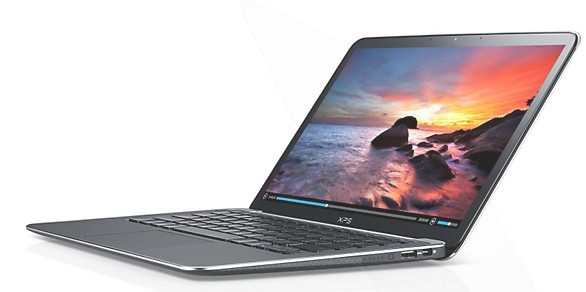 Notebook: Dell XPS 13-L321X-MLK
Processor: Intel Core i5 3337U
Graphics Adapter: Intel HD Graphics 4000
Display: 13.30 inch, 16:9, 1920 x 1080 pixels
Weight: 1.4kg
Price: 1300 euro
Links: Dell homepage Dell notebook section
Pricecompare
Average Score:
Reviews
Source: PC Authority
Archive.org versionBy adding a stunning Full HD display, Dell has addressed our biggest complaint with the original model. There’s still room for improvement, not least with the touchpad, but, as one of the few Full HD Ultrabook’s available, and a respectably priced one at that, the Dell XPS 13 emerges as a bigger bargain than ever in 2013.
Single Review, online available, Very Short, Date: 06/12/2013
Rating: Total score: 83% price: 83% performance: 83% features: 100% workmanship: 100%
Source: PC Pro
Archive.org versionBy adding a stunning Full HD display, Dell has addressed our biggest complaint with the original model. There’s still room for improvement, not least with the touchpad, but, as the only Full HD Ultrabook available for less than £1,000, the Dell XPS 13 emerges as a bigger bargain than ever in 2013. It wholly deserves to take its place at the top of PC Pro’s A-List.
Single Review, online available, Short, Date: 04/05/2013
Rating: Total score: 83% price: 83% performance: 83% features: 100% workmanship: 100%
Source: IT Reviews
Archive.org versionThe Dell XPS 13-MLK ($1,399) is an ultrabook built for travel, with a strong, compact chassis made with exotic materials. The new Dell XPS 13-MLK ultrabook is made for ultimate portability. Its combination of multimedia prowess, a 1080p screen, and a compact chassis make it a great choice for the power user on the go.
Single Review, online available, Medium, Date: 03/27/2013
Rating: Total score: 80%
Source: PC Mag
Archive.org versionThe Dell XPS 13-MLK is a good fit for the road warrior who wants to carry some multimedia horsepower with her. Its 1080p screen, capacious SSD, and Core i5 power will go a long way if you need to rework a complex PowerPoint presentation or work on some photos for a pitch on the road. They're also good components for the travelling artist, especially if you're already used to carrying your work on an external USB 3.0 drive. The things holding the XPS 13 back from our highest honors are the lack of a touch screen and a lower battery life than the current high-end ultrabook Editor's Choice, the Asus Zenbook Prime Touch UX31A-BHI5T. Thanks to a better bang for the buck and that touch screen, the Asus UX31A-BHI5T holds on to its ultrabook crown.
Single Review, online available, Short, Date: 03/25/2013
Rating: Total score: 80%
Source: AnandTech
Archive.org versionI don't think I'm out of line for being disappointed that the fundamental flaws of the Dell XPS 13's chassis design that I cited a year ago haven't really changed. Maybe I'm the only person that uses Intel's Quick Sync, but I've found it to be a tremendously useful tool in the field as a videographer just for making it easy to hand off YouTube ready clips to anyone who wants them, and the lack of an SD card reader in the XPS 13 is aggravating.
Single Review, online available, Long, Date: 03/21/2013
Source: Comp Reviews
Archive.org versionDell's XPS 13 may seem a bit bland by the latest Windows 8 standards with ultrabooks featuring touchscreens but it still offers a solid and compact option for those wanting a premium feeling system. The updated internals offer an additional USB 3.0 port and give it better battery life while leaving performance slightly improved. It is a shame that they didn't take a bit more time to update it more with an SD card slot or a higher resolution display.
Single Review, online available, Short, Date: 03/12/2013
Rating: Total score: 80%
Source: CNet
Archive.org versionThe Dell XPS 13 is a slightly fancier version of last year's Dellbook Air: compact, functional, and upgraded with an excellent display. But its price -- and its lack of touch-screen options -- leave it as a product I'd have some reservations recommending for everyone. It feels like last year's product in a 2013 Windows 8 world that's moved on from basic ultrabooks -- or, at this price, one that at least includes touch.
Single Review, online available, Medium, Date: 03/07/2013
Rating: Total score: 72% performance: 70% mobility: 70%
Source: Hot Hardware
Archive.org versionDell is proud as peacock about the display upgrade it gave the XPS 13, and it should be. Not only does it boast a Full HD 1080p (1920x1080) resolution providing end-users with more real-estate than is typical from a 13.3-inch display, but it's also an extremely high quality panel. Colors pop off the screen, it's bright and vibrant, and it's not saddled with strict viewing angles. In fact, you can still see the screen very well from the side.
Single Review, online available, Long, Date: 02/28/2013
Source: Notebookreview.com
Archive.org versionWe found almost nothing to complain about aside from a limited number of ports (just two USB, DisplayPort and no media card reader). The XPS 13 isn't inexpensive starting at $999 but for the money you're getting perhaps the best packaged Ultrabook on the market. We're happy to recommend the Dell XPS 13.
Single Review, online available, Medium, Date: 02/21/2013
Rating: Total score: 80% price: 80% performance: 80% features: 80% workmanship: 80%
Source: Techreview Source
Archive.org versionDell has refreshed their XPS 13 Ultrabook with Windows 8, a 1080p display and a solid-state hard drive to speed up boot times. While it does deliver on performance, it falls short on battery life and lacks a touch screen, which is surprising considering the relatively high price.
Single Review, online available, Very Short, Date: 02/06/2013
Rating: Total score: 80%
Source: Digital Trends
Archive.org versionWe know the XPS 13 is a year-old design. If that knowledge was somehow blasted out of our memory, however, we wouldn’t have noticed. In some areas, like build quality and battery life, this aging system remains more advanced than competitors just coming to market. Despite its advantages, the original version was held back by its ho-hum 1366 x 768 display. The 1080p panel resolves that problem entirely.
Single Review, online available, Medium, Date: 02/06/2013
Rating: Total score: 80%
Source: Notebooks.com
Archive.org versionThe Dell XPS 13 is a great Ultrabook that delivers a lot of features in a small package. With a starting price below $1,000, the XPS 13 delivers serious value to shoppers looking for a good looking, powerful Ultrabook. Power users should consider the $400 price bump to get a 1080P HD display, double the RAM and double the storage, which still leaves the XPS 13 priced competitively with a similarly configured MacBook Air 13-inch. At the entry-level, the XPS 13 is comparable to the 11-inch MacBook Air on price, but offers a larger screen.
Single Review, online available, Medium, Date: 02/05/2013
Source: Laptop Mag
Archive.org versionWe're glad that Dell updated its XPS 13 with a faster processor, 256GB SSD and a full HD display. We also continue to love the compact design with soft-touch finish. However, $1,599 is a lot to spend for a Windows 8 notebook that doesn't offer touch or an SD Card. Although it doesn't offer as much battery life (unless you upgrade to the optional slice), the Acer Aspire S7-391 has an even thinner and lighter design than the XPS 13 and includes a 1080p touch screen.
Single Review, online available, Medium, Date: 02/05/2013
Rating: Total score: 60%
Foreign Reviews
Source: Notebookinfo
DE→EN Archive.org versionSingle Review, online available, Medium, Date: 04/24/2013
Rating: Total score: 94% performance: 95% display: 95% mobility: 100% ergonomy: 95% emissions: 93%
Source: PC Actual
ES→EN Archive.org versionSingle Review, online available, Very Short, Date: 04/16/2013
Rating: Total score: 89% price: 79%
Dell XPS 13 L322X
Specifications
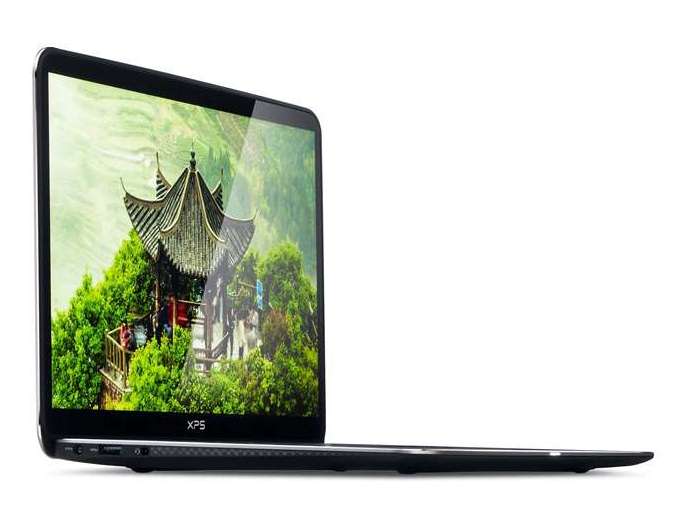 Notebook: Dell XPS 13 L322X
Processor: Intel Core i5 3337U
Graphics Adapter: Intel HD Graphics 4000
Display: 13.30 inch, 16:9, 1920 x 1080 pixels
Weight: 1.4kg
Price: 1.399 euro
Links: Dell homepage Dell notebook section
Pricecompare
Average Score:
Reviews
New screen for a familiar system. Dell updates its strong XPS 13 lineup once again, this time with an IPS 1080p option as seen on a number of other high-end Ultrabooks. The improvements have bumped the launch MSRP to $1400, but is this new price point justified?
Foreign Reviews
Source: Benchmark.pl
 PL→EN Archive.org version
Single Review, online available, Medium, Date: 03/14/2013
Rating: Total score: 80% performance: 90% display: 90% mobility: 93% workmanship: 90% ergonomy: 80%
Source: Benchmark.pl
PL→EN Archive.org versionSingle Review, online available, Medium, Date: 03/14/2013
Rating: Total score: 80% performance: 90% display: 90% mobility: 93% workmanship: 90% ergonomy: 80%
Dell XPS 13 Developer Edition
Specifications
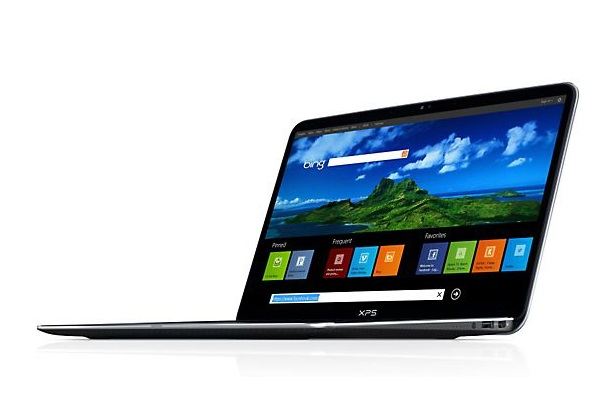
 Notebook: Dell XPS 13 Developer Edition
Processor: Intel Core i7 3537U
Graphics Adapter: Intel HD Graphics 4000
Display: 13.30 inch, 16:9, 1920 x 1080 pixels
Weight: 1.3kg
Price: 1500 euro
Links: Dell homepage Dell notebook section XPS 13 Developer Edition (Model)
Pricecompare
Average Score:
Reviews
Source: Wired Magazine
Archive.org versionWIRED Linux without hardware issues. Blazing fast performance. A bunch of welcome developer extras. Decent enough battery life. TIRED Poor Wi-Fi performance. Only two USB ports. No way to upgrade the hardware. A little too rich for what you get.
Single Review, online available, Medium, Date: 07/04/2013
Rating: Total score: 60%
Source: Tech Advisor
Archive.org versionThe XPS 13 Developer Edition has competition: Lenovo's ThinkPad, Apple's MacBook Retina or Air, or Google's Chromebook Pixel. These machines aren't customized for Linux work, but they're technically superior in construction and software certification, and it's nothing for developers to strip what's there and install any operating system they want. It will be interesting, however, to revisit this device once it's fully loaded with all the developer tools Dell has planned.
Single Review, online available, Short, Date: 05/06/2013
Rating: Total score: 80%
Source: PC World
Archive.org versionThe XPS 13 Developer Edition has competition: Lenovo’s ThinkPad, Apple’s MacBook Retina or Air, or Google's Chromebook Pixel. These machines aren't customized for Linux work, but they're technically superior in construction and software certification, and it's nothing for developers to strip what's there and install any operating system they want. It will be interesting, however, to revisit this device once it's fully loaded with all the developer tools Dell has planned.
Single Review, online available, Short, Date: 05/02/2013
Foreign Reviews
Source: Computer Totaal
NL→EN Archive.org versionSingle Review, online available, Very Short, Date: 07/21/2013
Rating: Total score: 60%
Source: Dinside
NO→EN Archive.org versionSingle Review, online available, Short, Date: 04/19/2013
Rating: Total score: 83%
Dell XPS 13-9333
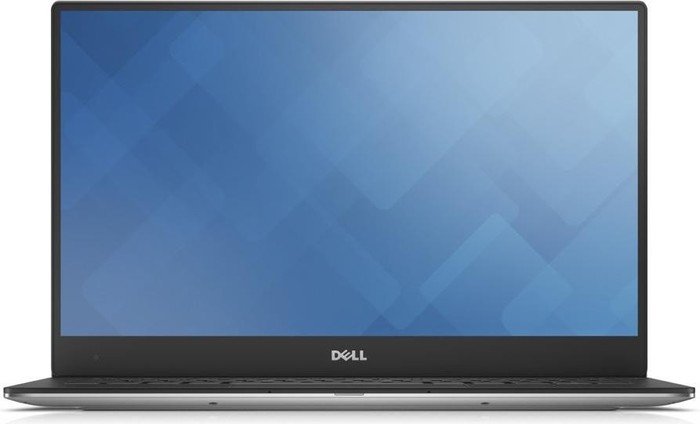
The Dell XPS 13-9333 is a performance ultrabook aimed at the highest demanding user on a big budget. The laptop comes with a stylish design with sleek lines and curved edges almost looking like jewellery. The profile is super slim and the entire package weighs less than 1.36 kg, justifying the ultrabook stamp. Build quality is impressive with machine cut aluminium and a carbon fiber base, which makes for comfortable lap placement due to reduced heat radiation.
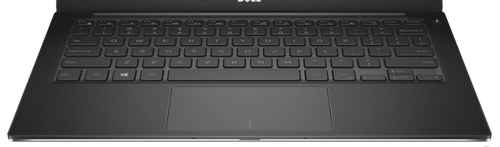
The full-sizeed island-style keyboard has a good tactile feedback and features a backlight. The 13.3 inch LED touchscreen uses Trulife technology and is protected with Corning Gorilla Glass NBT, which ensures scratch resistance. Hardware includes a 4th generation Intel Core i7-4510U processor with TurboBoost up to 3.1 GHz, 8 GB dual channel DDR3L RAM, Intel HD Graphics 4400 and a 256 GB mSATA SSD.
Other technology includes an Intel Dual Band Wireless-AC + Bluetooth 4.0, a widescreen HD webcam, 2 USB 3.0 ports and a mini display port. The audio quality is good with stereo speakers powered by Waves MaxxAudio technology. The Dell XPS 13-9333 comes with Windows 8.1 64-bit OS, which makes especially the touchscreen model a compact setup.
Specifications
 Notebook: Dell XPS 13-9333
Processor: Intel Core i5 4200U
Graphics Adapter: Intel HD Graphics 4400
Display: 13.30 inch, 16:9, 1920 x 1080 pixels
Weight: 1.374kg
Price: 1200 euro
Links: Dell homepage Dell notebook section XPS 13-9333 (Model)
Pricecompare
Average Score:
Reviews
Predictably great. Dell’s 2014 refresh of its critically-acclaimed XPS 13 brings with it a conservative selection of evolutionary enhancements, not least of which is the option of an included touchscreen. But can it still stand with the latest and greatest ultraportables?
Source: Expert Reviews
Archive.org versionThe XPS is comfortable to use and great to look at. However, it's more expensive than many similarly sized and specified rivals, such as the 13-inch MacBook Air, which admittedly doesn't have such a good display, and the Best Buy winning Asus Zenbook UX302, which certainly does.
Single Review, online available, Very Short, Date: 06/08/2014
Rating: Total score: 80%
Source: Expert Reviews
Archive.org versionThe XPS is comfortable to use and great to look at. However, it's more expensive than many similarly sized and specified rivals, such as the 13-inch MacBook Air, which admittedly doesn't have such a good display, and the Best Buy winning Asus Zenbook UX302, which certainly does.
Single Review, online available, Very Short, Date: 06/08/2014
Rating: Total score: 80%
Source: PC Mag
Archive.org versionThe Dell XPS 13 Touch is a great laptop for users who find themselves constantly having to get work done on the go. Its compact chassis means you'll be able to prop it on your airplane seat tray without worrying that the screen will get crushed if the person seated in front of you decides to recline their seat, and its 9.5-hour battery life should be able to take you from takeoff to landing. However, the Samsung ATIV Book 9 Plus holds on to its Editors' Choice award for premium ultrabooks; it has better connectivity options (e.g. an Ethernet port, an HDMI port, and an SD card slot), not to mention a higher-resolution screen.
Single Review, online available, Very Short, Date: 05/16/2014
Rating: Total score: 80%
Source: PC Mag
Archive.org versionThe Dell XPS 13 Touch is a great laptop for users who find themselves constantly having to get work done on the go. Its compact chassis means you'll be able to prop it on your airplane seat tray without worrying that the screen will get crushed if the person seated in front of you decides to recline their seat, and its 9.5-hour battery life should be able to take you from takeoff to landing. However, the Samsung ATIV Book 9 Plus holds on to its Editors' Choice award for premium ultrabooks; it has better connectivity options (e.g. an Ethernet port, an HDMI port, and an SD card slot), not to mention a higher-resolution screen.
Single Review, online available, Very Short, Date: 05/16/2014
Rating: Total score: 80%
Source: Pocket Lint
Archive.org versionJust like its predecessor the Dell XPS 13 captures what an Ultrabook should be: speed, style and sophistication all wrapped into a light and portable package. But now with the power of touch (whether you use it or not) and a Intel Haswell securing improved battery life the 2014 model is a step better than its predecessors. Can't say better than that.
Single Review, online available, Short, Date: 04/04/2014
Rating: Total score: 90%
Source: Computer Shopper
Archive.org versionWe reviewed the original version of Dell's 13.3-inch ultrabook back in March 2012 and found it to be a solidly built, strong-performing paragon in its class. Third time really is the charm with Dell's latest rev of the XPS 13 ultrabook. Impeccably built with performance and comfort to match, its $1,299 price is plenty fair for today's market.
Single Review, online available, Long, Date: 04/04/2014
Rating: Total score: 80%
Source: Pocket Lint
Archive.org versionJust like its predecessor the Dell XPS 13 captures what an Ultrabook should be: speed, style and sophistication all wrapped into a light and portable package. But now with the power of touch (whether you use it or not) and a Intel Haswell securing improved battery life the 2014 model is a step better than its predecessors. Can't say better than that.
Single Review, online available, Short, Date: 04/04/2014
Rating: Total score: 90%
Source: Computer Shopper
Archive.org versionWe reviewed the original version of Dell's 13.3-inch ultrabook back in March 2012 and found it to be a solidly built, strong-performing paragon in its class. Third time really is the charm with Dell's latest rev of the XPS 13 ultrabook. Impeccably built with performance and comfort to match, its $1,299 price is plenty fair for today's market.
Single Review, online available, Long, Date: 04/04/2014
Rating: Total score: 80%
Source: Notebookreview.com
Archive.org versionDell may not have reinvented the wheel with the new XPS 13, but it has taken a great notebook and made it only better. The curvaceous well-built design and spacious keyboard are still just as alluring as they were last year, and the upgraded specs and features reinvigorate the device to compete against even the most promising ultrabooks on the market. The Dell XPS 13 still isn’t perfect. The lack of connectivity (namely a SD card reader) may be discouraging for some (especially business users), but this small issue does little to mar the overall package. The boost in performance and added touch capabilities in conjunction with the laptops stellar design help make the XPS 13 a top-tier ultrabook.
Single Review, online available, Medium, Date: 03/24/2014
Rating: Total score: 78%
Source: Notebookreview.com
Archive.org versionDell may not have reinvented the wheel with the new XPS 13, but it has taken a great notebook and made it only better. The curvaceous well-built design and spacious keyboard are still just as alluring as they were last year, and the upgraded specs and features reinvigorate the device to compete against even the most promising ultrabooks on the market. The Dell XPS 13 still isn’t perfect. The lack of connectivity (namely a SD card reader) may be discouraging for some (especially business users), but this small issue does little to mar the overall package. The boost in performance and added touch capabilities in conjunction with the laptops stellar design help make the XPS 13 a top-tier ultrabook.
Single Review, online available, Medium, Date: 03/24/2014
Rating: Total score: 78%
Source: Hot Hardware
Archive.org versionDell aims to give users a premium mobile experience with the company’s XPS line of laptops. All in all, Dell’s high-end XPS 13 looks great, performs exceptionally well, and has the ability to last for a very long time without being tethered to the wall. Although it can be little pricey in the top configuration, you definitely get a premium experience in exchange for what you pay for.
Single Review, online available, Long, Date: 03/10/2014
Source: Hot Hardware
Archive.org versionDell aims to give users a premium mobile experience with the company’s XPS line of laptops. All in all, Dell’s high-end XPS 13 looks great, performs exceptionally well, and has the ability to last for a very long time without being tethered to the wall. Although it can be little pricey in the top configuration, you definitely get a premium experience in exchange for what you pay for.
Single Review, online available, Long, Date: 03/10/2014
Source: PC World
Archive.org versionThe XPS 13 is thin and tough. When I shove it into my carry-on, I forget it’s there until I need it. I don’t feel it, and I don’t worry about it. The only downsides: I’m casting around for a wall socket more often than I’d like, and its dearth of slots and ports drag it down a wee bit. And if you give a lot of presentations, need hard-wired ethernet, or carry a lot of files, you’ll need to load up on dongles and a USB drive. But on the whole, it’s a terrific little machine.
Single Review, online available, Short, Date: 03/07/2014
Rating: Total score: 80%
Source: PC World
Archive.org versionThe XPS 13 is thin and tough. When I shove it into my carry-on, I forget it’s there until I need it. I don’t feel it, and I don’t worry about it. The only downsides: I’m casting around for a wall socket more often than I’d like, and its dearth of slots and ports drag it down a wee bit. And if you give a lot of presentations, need hard-wired ethernet, or carry a lot of files, you’ll need to load up on dongles and a USB drive. But on the whole, it’s a terrific little machine.
Single Review, online available, Short, Date: 03/07/2014
Rating: Total score: 80%
Source: Digital Trends
Archive.org versionDespite its age, the Dell XPS 13 remains one of the most attractive Ultrabooks on the market. The system’s carbon-fiber chassis, extremely thin bezels and elegant appearance combine to create an aesthetic that can easily compete with Apple’s MacBook Pro, and puts alternatives like the Toshiba Kirabook and Acer Travelmate P645 to shame.
Single Review, online available, Long, Date: 03/01/2014
Rating: Total score: 90%
Source: Digital Trends
Archive.org versionDespite its age, the Dell XPS 13 remains one of the most attractive Ultrabooks on the market. The system’s carbon-fiber chassis, extremely thin bezels and elegant appearance combine to create an aesthetic that can easily compete with Apple’s MacBook Pro, and puts alternatives like the Toshiba Kirabook and Acer Travelmate P645 to shame.
Single Review, online available, Long, Date: 03/01/2014
Rating: Total score: 90%
Source: Laptop Mag
Archive.org versionThe latest XPS 13 improves upon last year's model in a number of ways, packing a beefier processor, touch-ready display and solid battery life, while keeping the sleek and slim build we loved. This ultraportable delivers solid performance for work and play, and the bright 1080p screen will satisfy your entertainment needs.
Single Review, online available, Long, Date: 02/11/2014
Rating: Total score: 80%
Source: Laptop Mag
Archive.org versionThe latest XPS 13 improves upon last year's model in a number of ways, packing a beefier processor, touch-ready display and solid battery life, while keeping the sleek and slim build we loved. This ultraportable delivers solid performance for work and play, and the bright 1080p screen will satisfy your entertainment needs.
Single Review, online available, Long, Date: 02/11/2014
Rating: Total score: 80%
Source: CNet
Archive.org versionTo give credit where it is due, Dell corrected the main issue we had with the last version of the XPS 13. It's still on the expensive side of what this particular set of components should cost, but keep in mind the aluminum/carbon fiber body is excellent, and the actual footprint is noticeably smaller than other 13-inch laptops.
Single Review, online available, Medium, Date: 02/07/2014
Rating: Total score: 81% performance: 80% mobility: 90%
Source: CNet
Archive.org versionTo give credit where it is due, Dell corrected the main issue we had with the last version of the XPS 13. It's still on the expensive side of what this particular set of components should cost, but keep in mind the aluminum/carbon fiber body is excellent, and the actual footprint is noticeably smaller than other 13-inch laptops.
Single Review, online available, Medium, Date: 02/07/2014
Rating: Total score: 81% performance: 80% mobility: 90%
Source: Good Gear Guide
Archive.org versionDell's XPS 13 features aluminium and carbon fibre construction, and is blessed with looks that are appealling. It has some tiny drawbacks, in our opinion, but should nevertheless be considered if you're after an Ultrabook that has good build quality, fast performance, and long battery life.
Single Review, online available, Long, Date: 01/22/2014
Rating: Total score: 75%
Source: Good Gear Guide
Archive.org versionDell's XPS 13 features aluminium and carbon fibre construction, and is blessed with looks that are appealling. It has some tiny drawbacks, in our opinion, but should nevertheless be considered if you're after an Ultrabook that has good build quality, fast performance, and long battery life.
Single Review, online available, Long, Date: 01/22/2014
Rating: Total score: 75%
Foreign Reviews
Source: Stiftung Warentest - Heft 08/2014
Single Review, , Length Unknown, Date: 07/01/2014
Rating: Total score: 87% display: 87% mobility: 93%
Source: Stiftung Warentest - Heft 08/2014
Single Review, , Length Unknown, Date: 07/01/2014
Rating: Total score: 87% display: 87% mobility: 93%
Source: HardwareLuxx
DE→EN Archive.org versionPositive: fast SSD, full HD display Negative: price too high
Single Review, online available, Long, Date: 03/30/2014
Source: HardwareLuxx
DE→EN Archive.org versionPositive: fast SSD, full HD display Negative: price too high
Single Review, online available, Long, Date: 03/30/2014
Source: Netzwelt
DE→EN Archive.org versionPositive: successful input devices; adequate performance; exemplary workmanship; adequate operating noise
Single Review, online available, Long, Date: 01/21/2014
Source: Netzwelt
DE→EN Archive.org versionPositive: successful input devices; adequate performance; exemplary workmanship; adequate operating noise
Single Review, online available, Long, Date: 01/21/2014
Dell XPS 13 CNX9302
Specifications
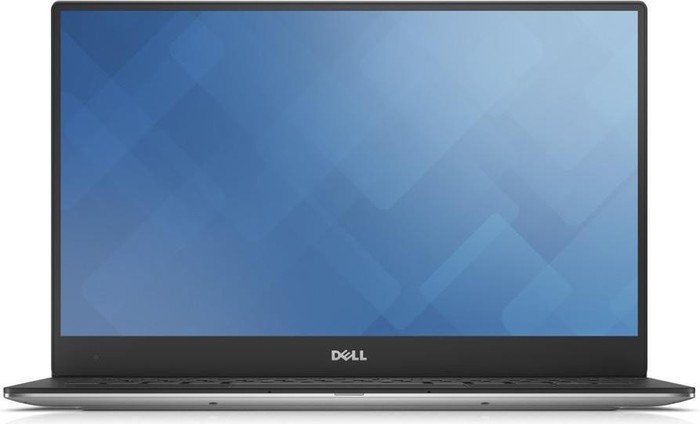
 Notebook: Dell XPS 13 CNX9302
Processor: Intel Core i5 6200U
Graphics Adapter: Intel HD Graphics 520
Display: 13.30 inch, 16:9, 1920 x 1080 pixels
Weight: 1.2kg
Links: Dell homepage Dell notebook section
Pricecompare
Average Score:
Foreign Reviews
Source: 01Net
FR→EN Archive.org versionSingle Review, online available, Very Short, Date: 01/06/2016
Rating: Total score: 100%
Dell XPS 13-288
Specifications
 Notebook: Dell XPS 13-288
Processor: Intel Core i5 6200U
Graphics Adapter: Intel HD Graphics 520
Display: 13.30 inch, 16:9, 1920 x 1080 pixels
Weight: 1.3kg
Links: Dell homepage Dell notebook section
Pricecompare
Average Score:
Foreign Reviews
Source: Benchmark.pl
PL→EN Archive.org versionSingle Review, online available, Very Short, Date: 12/29/2015
Rating: Total score: 90%
Dell XPS 13 9350 WQXGA
Compact and powerful, the Dell XPS 13 9350 is a superb companion for mobile productivity. The metal top cover comes in a satin matte finish and boasts a glossy Dell logo dead in the center. Inside, the chassis is produced from a single block of precision cut aluminium while the palm rest is made from carbon fibre for maximum comfort. Weighing only 1.325 kg, the Windows 10 system is a joy to log around. The screen is where this device truly shines as there is a stunning 13.3 inch QHD+ InfinityEdge touch panel. The borderless display ensures an immersive multimedia experience especially together with the stereo speakers, which are professionally tuned using Waves MaxxAudio technology. There is a full-size chiclet backlit keyboard and a seamless glass touchpad to ease navigation. The connectivity includes two USB 3.0 ports, Thunderbolt 3, USB 3.1 Type C, VGA, and HDMI. There are many Dell XPS 13 9350 variants, but the cream of the crop comes with an Intel Core i7-6560U processor, 8 GB of LPDDR3 RAM, an Intel Iris Graphics 540, and a 256 GB SSD. This configuration only comes in the gold color scheme.Specifications
 Notebook: Dell XPS 13 9350 WQXGA
Processor: Intel Core i7 6560U
Graphics Adapter: Intel Iris Graphics 540
Display: 13.30 inch, 16:9, 3200 x 1800 pixels
Weight: 1.325kg
Price: 1300 euro
Links: Dell homepage Dell notebook section
Pricecompare
Average Score:
Reviews
Maxed out. Our latest XPS 13 is equipped to the brim with a 3200x1800 resolution touchscreen, Core i7-6560U CPU, Iris Graphics 540, and a 512 GB NVMe SSD. Is this higher cost SKU worth the extra horsepower?
Source: NDTV Gadgets
Archive.org versionThe new Dell XPS 13 is every bit as good as it looks on paper, but it isn't the best ultrabook on the market anymore. Heating is a bit of a concern with the Core i7 model we tested, and it gets uncomfortable after a point if you’re using it on your lap. We feel a bit disappointed when it comes to onboard storage, which ideally should have been 512GB rather than 256GB. We also could have used either a Micro-HDMI port or an adapter bundled in the box.
Single Review, online available, Very Long, Date: 10/11/2016
Rating: Total score: 80% price: 60% performance: 80% display: 90% workmanship: 80%
Source: NDTV Gadgets
Archive.org versionThe new Dell XPS 13 is every bit as good as it looks on paper, but it isn't the best ultrabook on the market anymore. Heating is a bit of a concern with the Core i7 model we tested, and it gets uncomfortable after a point if you’re using it on your lap. We feel a bit disappointed when it comes to onboard storage, which ideally should have been 512GB rather than 256GB. We also could have used either a Micro-HDMI port or an adapter bundled in the box.
Single Review, online available, Very Long, Date: 10/11/2016
Rating: Total score: 80% price: 60% performance: 80% display: 90% workmanship: 80%
Source: Gadgets Now
Archive.org versionThe Dell XPS 13 is a powerful device with a brilliant display resolution. Should you be ready to shell out close to a lakh and a half in Indian currency the XPS 13 won't disappoint you. However, if you wish to try out other alternatives, the recently launched HP Spectre or the Apple MacBook Air may interest you.
Single Review, online available, Very Short, Date: 09/24/2016
Rating: Total score: 80%
Source: Gadgets Now
Archive.org versionThe Dell XPS 13 is a powerful device with a brilliant display resolution. Should you be ready to shell out close to a lakh and a half in Indian currency the XPS 13 won't disappoint you. However, if you wish to try out other alternatives, the recently launched HP Spectre or the Apple MacBook Air may interest you.
Single Review, online available, Very Short, Date: 09/24/2016
Rating: Total score: 80%
Source: V3.co.uk
Archive.org versionMoving into Linux was always going to be a ballsy move. But it's not as if Dell is going into this blind, as the XPS 13 is a fine piece of hardware that has the ability to turn heads. Still, whether Dell manages to shift many units is almost inconsequential because having Linux distros is an ace card and something that its competitors can't meet.
Single Review, online available, Short, Date: 07/06/2016
Source: V3.co.uk
Archive.org versionMoving into Linux was always going to be a ballsy move. But it's not as if Dell is going into this blind, as the XPS 13 is a fine piece of hardware that has the ability to turn heads. Still, whether Dell manages to shift many units is almost inconsequential because having Linux distros is an ace card and something that its competitors can't meet.
Single Review, online available, Short, Date: 07/06/2016
Source: PC Mag
Archive.org versionThe Gold Edition of the XPS 13 Touch adds faster processing to the excellent build quality, feature set, and gorgeous display of the original. But the higher price and decreased battery life means this high-end ultraportable laptop may not be for everyone.
Single Review, online available, Short, Date: 04/22/2016
Rating: Total score: 80%
Source: PC Mag
Archive.org versionThe Gold Edition of the XPS 13 Touch adds faster processing to the excellent build quality, feature set, and gorgeous display of the original. But the higher price and decreased battery life means this high-end ultraportable laptop may not be for everyone.
Single Review, online available, Short, Date: 04/22/2016
Rating: Total score: 80%
Source: Ultrabook Review
Archive.org versionTruth is, you’re not going to find a laptop with a 13.3” screen and such a small footprint anywhere else, and it’s just as light and compact as it is powerful and attractive. This particular version tested here handles games better than most other ultraportables, but if that's not something you're interested in, there are other configurations that sell for less and offer increased battery life.
Single Review, online available, Short, Date: 04/13/2016
Rating: Total score: 80%
Source: Ultrabook Review
Archive.org versionTruth is, you’re not going to find a laptop with a 13.3” screen and such a small footprint anywhere else, and it’s just as light and compact as it is powerful and attractive. This particular version tested here handles games better than most other ultraportables, but if that's not something you're interested in, there are other configurations that sell for less and offer increased battery life.
Single Review, online available, Short, Date: 04/13/2016
Rating: Total score: 80%
Source: Digital Trends
Archive.org versionDell’s XPS 13 is an excellent piece of engineering that combines the latest Intel hardware with a robust, attractive and portable chassis. There are minor flaws. The speakers could be louder, the glossy display can be distracting in bright rooms, and the fan can be loud at load. But such nitpicks are outweighed by numerous advantages. Display, keyboard, touchpad, performance, weight, battery life, size; in all these areas and more the XPS 13 excels.
Comparison, online available, Long, Date: 03/22/2016
Rating: Total score: 90%
Source: Digital Trends
Archive.org versionDell’s XPS 13 is an excellent piece of engineering that combines the latest Intel hardware with a robust, attractive and portable chassis. There are minor flaws. The speakers could be louder, the glossy display can be distracting in bright rooms, and the fan can be loud at load. But such nitpicks are outweighed by numerous advantages. Display, keyboard, touchpad, performance, weight, battery life, size; in all these areas and more the XPS 13 excels.
Comparison, online available, Long, Date: 03/22/2016
Rating: Total score: 90%
Source: CNet
Archive.org versionThe XPS 13 line remains one of our top picks for a 13-inch laptop, because of its striking display, overall solid design and a good set of high-powered features at a reasonable price. This new-for-2016 update offers tweaks both inside (newer CPUs, Iris graphics) and out (the snazzy-looking gold color), but the super-premium price makes it a much tougher sell when there are so many excellent laptops in this category from $1,000 to $1,200 or so.
Single Review, online available, Long, Date: 03/11/2016
Source: CNet
Archive.org versionThe XPS 13 line remains one of our top picks for a 13-inch laptop, because of its striking display, overall solid design and a good set of high-powered features at a reasonable price. This new-for-2016 update offers tweaks both inside (newer CPUs, Iris graphics) and out (the snazzy-looking gold color), but the super-premium price makes it a much tougher sell when there are so many excellent laptops in this category from $1,000 to $1,200 or so.
Single Review, online available, Long, Date: 03/11/2016
Source: Computer Shopper
Archive.org versionThe XPS 13 continues to be a solidly designed laptop that's a pleasure to use and attractive to look at. The new gold-colored shell of this model adds an appreciated option for those who aren't happy with same-old silver, and the Iris-packing Core i7 processor provides extra (though still modest) gaming or multimedia muscle.
Single Review, online available, Long, Date: 03/10/2016
Rating: Total score: 80%
Source: Computer Shopper
Archive.org versionThe XPS 13 continues to be a solidly designed laptop that's a pleasure to use and attractive to look at. The new gold-colored shell of this model adds an appreciated option for those who aren't happy with same-old silver, and the Iris-packing Core i7 processor provides extra (though still modest) gaming or multimedia muscle.
Single Review, online available, Long, Date: 03/10/2016
Rating: Total score: 80%
Dell XPS 13 9343-4791
Specifications
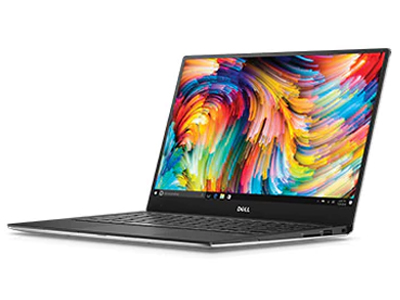
 Notebook: Dell XPS 13 9343-4791
Processor: Intel Core i7 5500U
Graphics Adapter: NVIDIA GeForce 940M
Display: 13.30 inch, , 3200 x 1800 pixels
Weight: 1.3kg
Links: Dell homepage Dell notebook section
Pricecompare
Foreign Reviews
Source: Geeks.hu
 HU→EN Archive.org version
Positive: A professional and high-end machine; decent hardware; excellent display.
Single Review, online available, Medium, Date: 03/31/2016
Dell XPS 13 i7-8550U
Specifications
 Notebook: Dell XPS 13 i7-8550U
Processor: Intel Kaby Lake Refresh i5-8550U
Graphics Adapter: Intel UHD Graphics 620
Display: 13.30 inch, 16:9, 3200 x 1800 pixels
Weight: 1.305kg
Price: 1750 euro
Links: Dell homepage Dell notebook section
Pricecompare
Average Score:
Reviews
Fastest XPS 13 thus far. The jump from ULV Kaby Lake to Kaby Lake-R is the biggest performance boost the XPS 13 series has seen in years. We investigate to see if this has had any repercussions in terms of fan noise, battery life, and temperature.
Source: It Pro
Archive.org versionIt's not quite topping the latest MacBook Pro, but the Dell XPS 13's slim dimensions, knockout power and great design mean it's still one of the best laptops we've ever seen.
Single Review, online available, Medium, Date: 03/29/2019
Rating: Total score: 100%
Source: It Pro
Archive.org versionIt's not quite topping the latest MacBook Pro, but the Dell XPS 13's slim dimensions, knockout power and great design mean it's still one of the best laptops we've ever seen.
Single Review, online available, Medium, Date: 03/29/2019
Rating: Total score: 100%
Source: Laptop Mag
Archive.org versionFrom its eye-popping 4K display to its speedy performance and beautiful design, there's a lot to love about the Dell XPS 13 9370. Although still not ideal, its centered webcam is a huge improvement over the left-aligned one on prior models. The 9370's ability to work with eGPUs also makes it a great choice for people who want to play demanding games.
Single Review, online available, Long, Date: 12/06/2018
Rating: Total score: 90%
Source: Laptop Mag
Archive.org versionFrom its eye-popping 4K display to its speedy performance and beautiful design, there's a lot to love about the Dell XPS 13 9370. Although still not ideal, its centered webcam is a huge improvement over the left-aligned one on prior models. The 9370's ability to work with eGPUs also makes it a great choice for people who want to play demanding games.
Single Review, online available, Long, Date: 12/06/2018
Rating: Total score: 90%
Source: T3
Archive.org versionDell XPS 13 review: one of the world’s best systems is even better than before.
Single Review, online available, Medium, Date: 11/14/2018
Rating: Total score: 100%
Source: T3
Archive.org versionDell XPS 13 review: one of the world’s best systems is even better than before.
Single Review, online available, Medium, Date: 11/14/2018
Rating: Total score: 100%
Source: Yugatech
Archive.org versionThe XPS 13 2018 proves to be one heck of a professional laptop capable of bringing out fast performance, quality entertainment, and long-lasting battery life. The camera placement may seem out of place and weird but we can live with it. We can see why Dell placed a Php99,999 price on the XPS 13 because it’s every bit of a premium thin and light. It definitely carries over the fame of the XPS series.
Single Review, online available, Medium, Date: 07/14/2018
Source: Yugatech
Archive.org versionThe XPS 13 2018 proves to be one heck of a professional laptop capable of bringing out fast performance, quality entertainment, and long-lasting battery life. The camera placement may seem out of place and weird but we can live with it. We can see why Dell placed a Php99,999 price on the XPS 13 because it’s every bit of a premium thin and light. It definitely carries over the fame of the XPS series.
Single Review, online available, Medium, Date: 07/14/2018
Source: Techradar
Archive.org versionMoving the webcam position, adding facial login and a four-mic array, giving Intel’s chips more headroom to perform even better and adding a 4K screen have all evolved the XPS into an even more formidable flagship laptop. In directly addressing the concerns of users, the Dell XPS 13 laptop is refined further than ever before.
Single Review, online available, Very Long, Date: 05/08/2018
Rating: Total score: 100%
Source: Techradar
Archive.org versionMoving the webcam position, adding facial login and a four-mic array, giving Intel’s chips more headroom to perform even better and adding a 4K screen have all evolved the XPS into an even more formidable flagship laptop. In directly addressing the concerns of users, the Dell XPS 13 laptop is refined further than ever before.
Single Review, online available, Very Long, Date: 05/08/2018
Rating: Total score: 100%
Source: The Indian Express
Archive.org versionThere’s nothing wrong in longing for an expensive laptop that looks stunning. Dell XPS 13 is one of those, which sports an impressive array of features and has a performance that will keep most users happy. But the truth is most of us do not need a 4K display or 16GB RAM. Buy the Dell XPS 13 if what you need a laptop for some intensive work, like running apps that require heavy duty graphics, or where a lot of creative work like video-editing is involved. Else there are cheaper options in the market available from Dell and other players.
Single Review, online available, Short, Date: 04/27/2018
Rating: Total score: 90%
Source: The Indian Express
Archive.org versionThere’s nothing wrong in longing for an expensive laptop that looks stunning. Dell XPS 13 is one of those, which sports an impressive array of features and has a performance that will keep most users happy. But the truth is most of us do not need a 4K display or 16GB RAM. Buy the Dell XPS 13 if what you need a laptop for some intensive work, like running apps that require heavy duty graphics, or where a lot of creative work like video-editing is involved. Else there are cheaper options in the market available from Dell and other players.
Single Review, online available, Short, Date: 04/27/2018
Rating: Total score: 90%
Source: Trusted Reviews
Archive.org versionThe XPS 13 is the best all-round, small-form-factor Windows 10 laptop you can buy, but it isn’t quite perfect.
Single Review, online available, Long, Date: 04/11/2018
Rating: Total score: 90%
Source: Trusted Reviews
Archive.org versionThe XPS 13 is the best all-round, small-form-factor Windows 10 laptop you can buy, but it isn’t quite perfect.
Single Review, online available, Long, Date: 04/11/2018
Rating: Total score: 90%
Source: T3
Archive.org versionThe first thing you’ll notice is the screen. Dell calls it an InfinityEdge display, and its tiny bezels and 4K resolution mean it’s a very beautiful thing indeed. But it’s pretty tough too. Dell’s made it from a single block of aluminium with a carbon fibre palm rest, and if you go for the optional touch display that’s encased in Gorilla Glass. The XPS 13 was already a superb laptop. With a 4K screen, a new design and improved performance it’s superb-er.
Single Review, online available, Medium, Date: 04/06/2018
Rating: Total score: 100%
Source: T3
Archive.org versionThe first thing you’ll notice is the screen. Dell calls it an InfinityEdge display, and its tiny bezels and 4K resolution mean it’s a very beautiful thing indeed. But it’s pretty tough too. Dell’s made it from a single block of aluminium with a carbon fibre palm rest, and if you go for the optional touch display that’s encased in Gorilla Glass. The XPS 13 was already a superb laptop. With a 4K screen, a new design and improved performance it’s superb-er.
Single Review, online available, Medium, Date: 04/06/2018
Rating: Total score: 100%
Source: Techradar
Archive.org versionIt barely seems possible but Dell has made its flagship laptop even better by reducing the size and weight, bumping up the processor and packing in a 4K screen. No other Linux laptop compares.
Single Review, online available, Long, Date: 03/26/2018
Rating: Total score: 100%
Source: Techradar
Archive.org versionIt barely seems possible but Dell has made its flagship laptop even better by reducing the size and weight, bumping up the processor and packing in a 4K screen. No other Linux laptop compares.
Single Review, online available, Long, Date: 03/26/2018
Rating: Total score: 100%
Source: The Verge
Archive.org versionMy biggest complaint with the redesigned XPS 13 is that Dell just didn’t do enough and instead mostly stuck with what it is comfortable with. It didn’t fix the webcam, it didn’t rethink what the XPS 13 should look and feel like, and it made some frustrating changes to the port selection when it didn’t necessarily have to. And then there’s the disappointing battery life to contend with.
Single Review, online available, Medium, Date: 03/16/2018
Rating: Total score: 65%
Source: The Verge
Archive.org versionMy biggest complaint with the redesigned XPS 13 is that Dell just didn’t do enough and instead mostly stuck with what it is comfortable with. It didn’t fix the webcam, it didn’t rethink what the XPS 13 should look and feel like, and it made some frustrating changes to the port selection when it didn’t necessarily have to. And then there’s the disappointing battery life to contend with.
Single Review, online available, Medium, Date: 03/16/2018
Rating: Total score: 65%
Source: Pocket Lint
Archive.org versionThe Dell XPS 13 is a lot thinner than the last version, and has a neat new fingerprint scanner built into the power button. Even the entry-level display spec is great, while every aspect of the laptop's build is great quality.
Single Review, online available, Medium, Date: 03/13/2018
Source: NDTV Gadgets
Archive.org versionThe XPS 13 9370 is a good iterative update of Dell’s flagship ultraportable, with the top-end variant sporting an eye-catching 4K display with HDR support. However, this comes at a high price of Rs. 1,59,790, which is about Rs. 10,000 more than Lenovo’s Yoga 920 Vibes Edition which shares the same core specifications and 4K display, though minus HDR.
Single Review, online available, Medium, Date: 03/13/2018
Rating: Total score: 80% price: 60% performance: 80% display: 90% mobility: 80% workmanship: 90%
Source: Pocket Lint
Archive.org versionThe Dell XPS 13 is a lot thinner than the last version, and has a neat new fingerprint scanner built into the power button. Even the entry-level display spec is great, while every aspect of the laptop's build is great quality.
Single Review, online available, Medium, Date: 03/13/2018
Source: NDTV Gadgets
Archive.org versionThe XPS 13 9370 is a good iterative update of Dell’s flagship ultraportable, with the top-end variant sporting an eye-catching 4K display with HDR support. However, this comes at a high price of Rs. 1,59,790, which is about Rs. 10,000 more than Lenovo’s Yoga 920 Vibes Edition which shares the same core specifications and 4K display, though minus HDR.
Single Review, online available, Medium, Date: 03/13/2018
Rating: Total score: 80% price: 60% performance: 80% display: 90% mobility: 80% workmanship: 90%
Source: Sydney Morning Herald
Archive.org versionThere are still more impressive features jammed into this tiny case I don't have room to list, but the XPS 13 has overtaken the Surface Laptop as my favourite Windows-based laptop.
Single Review, online available, Very Short, Date: 03/05/2018
Source: Sydney Morning Herald
Archive.org versionThere are still more impressive features jammed into this tiny case I don't have room to list, but the XPS 13 has overtaken the Surface Laptop as my favourite Windows-based laptop.
Single Review, online available, Very Short, Date: 03/05/2018
Source: Trusted Reviews
Archive.org versionThe Dell XPS 13 2018 goes on sale today, with prices starting at £1041/$1000. Stay tuned for our full new Dell XPS 13 review.
Single Review, online available, Short, Date: 01/11/2018
Source: Trusted Reviews
Archive.org versionThe Dell XPS 13 2018 goes on sale today, with prices starting at £1041/$1000. Stay tuned for our full new Dell XPS 13 review.
Single Review, online available, Short, Date: 01/11/2018
Source: Techradar
Archive.org versionMoving the webcam position, adding facial login and a four-mic array, giving Intel’s chips more headroom to perform even better and adding a 4K screen have all evolved the XPS into an even more formidable flagship laptop. In directly addressing the concerns of users, the Dell XPS 13 laptop is refined further than perhaps ever before.
Single Review, online available, Short, Date: 01/10/2018
Source: Techradar
Archive.org versionMoving the webcam position, adding facial login and a four-mic array, giving Intel’s chips more headroom to perform even better and adding a 4K screen have all evolved the XPS into an even more formidable flagship laptop. In directly addressing the concerns of users, the Dell XPS 13 laptop is refined further than perhaps ever before.
Single Review, online available, Short, Date: 01/10/2018
Source: Tech Advisor
Archive.org versionDespite the inevitable loss of SD and USB-A slots, the XPS 13 for 2018 is still looking like a no-brainer if you can afford it and are in the market for a premium Windows machine. Long gone are the days when only the MacBook would suffice in the boardroom and classroom alike.
Single Review, online available, Short, Date: 01/09/2018
Source: Lowyat.net
Archive.org versionThe new Dell XPS 13 brings incremental, but meaningful improvements to Dell’s beloved productivity laptop – it’s really the next logical step for the premium Ultrabook. Sure, its connectivity options aren’t quite as compelling as the original XPS 13, but that’s where PC makers are headed now anyway. Dongles will likely be a part of our lives until USB-C adoption really takes off.
Single Review, online available, Medium, Date: 01/09/2018
Source: Tech Advisor
Archive.org versionDespite the inevitable loss of SD and USB-A slots, the XPS 13 for 2018 is still looking like a no-brainer if you can afford it and are in the market for a premium Windows machine. Long gone are the days when only the MacBook would suffice in the boardroom and classroom alike.
Single Review, online available, Short, Date: 01/09/2018
Source: Lowyat.net
Archive.org versionThe new Dell XPS 13 brings incremental, but meaningful improvements to Dell’s beloved productivity laptop – it’s really the next logical step for the premium Ultrabook. Sure, its connectivity options aren’t quite as compelling as the original XPS 13, but that’s where PC makers are headed now anyway. Dongles will likely be a part of our lives until USB-C adoption really takes off.
Single Review, online available, Medium, Date: 01/09/2018
Source: PC World Australia
Archive.org versionIf you’re looking to buy a laptop this holiday season, we can’t recommend the Dell XPS 13 enough. It’s got a great form-factor, offers solid performance and makes a compelling case for a future that leaves room for both the convertible crowd and legacy laptops that count for more than just nostalgia.
Single Review, online available, Short, Date: 01/05/2018
Rating: Total score: 95%
Source: Good Gear Guide
Archive.org versionAgain, It’d be easy to write-off the Dell XPS 13 as just another old-school effort from one of the company’s now-racing to catch up with Microsoft and their relentlessly-successful Surface hardware. However, that’d sell the Dell XPS 13 far short of what it deserves to be recognised for.
Single Review, online available, Short, Date: 01/05/2018
Rating: Total score: 95%
Source: PC World Australia
Archive.org versionIf you’re looking to buy a laptop this holiday season, we can’t recommend the Dell XPS 13 enough. It’s got a great form-factor, offers solid performance and makes a compelling case for a future that leaves room for both the convertible crowd and legacy laptops that count for more than just nostalgia.
Single Review, online available, Short, Date: 01/05/2018
Rating: Total score: 95%
Source: Good Gear Guide
Archive.org versionAgain, It’d be easy to write-off the Dell XPS 13 as just another old-school effort from one of the company’s now-racing to catch up with Microsoft and their relentlessly-successful Surface hardware. However, that’d sell the Dell XPS 13 far short of what it deserves to be recognised for.
Single Review, online available, Short, Date: 01/05/2018
Rating: Total score: 95%
Source: Hot Hardware
Archive.org versionRegardless, in a true endorsement of our coveted Editor's Choice award, our own Managing Editor, Marco simply "loves" this Alpine White-clad beastie and would gladly make it his personal daily driver, if he had his choice of laptops on the market currently. That about says it all. Dell is already teed up nicely for CES 2018, knocking another one out of the park with its flagship XPS line-up.
Single Review, online available, Very Long, Date: 01/04/2018
Source: Pocket Lint
Archive.org versionThe new Dell XPS 13 is the company refining an already good laptop and ensuring that it remains a popular favourite with those on the move.
Single Review, online available, Medium, Date: 01/04/2018
Source: Tech ARP
Archive.org versionThe Dell XPS 13 2018 (9370) ultra-light laptop introduces a new alpine white glass fibre weave material. This new material took a dedicated Dell team more than 11,500 hours and 50 trials to get right.
Single Review, online available, Very Short, Date: 01/04/2018
Source: Laptop Mag
Archive.org versionFrom its eye-popping 4K display to its speedy performance and beautiful design, there's a lot to love about the Dell XPS 13 9370. Although still not ideal, its centered webcam is a huge improvement over the left-aligned one on prior models. The 9370's ability to work with eGPUs also makes it a great choice for people who want to play demanding games.
Single Review, online available, Long, Date: 01/04/2018
Rating: Total score: 90%
Source: Techgage
Archive.org versionIt’s impossible to cover everything there is to know about this notebook, so we’d recommend hitting up the official website to learn everything you need to. For hardware basics, the XPS 13 includes a Core i5 as default, which can be updated to Core i7 (8550U). It’ll support up to 16GB of memory, a 1TB PCIe SSD, and for a super crisp image, it’ll also offer the option of a 4K resolution with 100% sRGB color coverage.
Single Review, online available, Very Short, Date: 01/04/2018
Source: Hot Hardware
Archive.org versionRegardless, in a true endorsement of our coveted Editor's Choice award, our own Managing Editor, Marco simply "loves" this Alpine White-clad beastie and would gladly make it his personal daily driver, if he had his choice of laptops on the market currently. That about says it all. Dell is already teed up nicely for CES 2018, knocking another one out of the park with its flagship XPS line-up.
Single Review, online available, Very Long, Date: 01/04/2018
Source: Pocket Lint
Archive.org versionThe new Dell XPS 13 is the company refining an already good laptop and ensuring that it remains a popular favourite with those on the move.
Single Review, online available, Medium, Date: 01/04/2018
Source: Tech ARP
Archive.org versionThe Dell XPS 13 2018 (9370) ultra-light laptop introduces a new alpine white glass fibre weave material. This new material took a dedicated Dell team more than 11,500 hours and 50 trials to get right.
Single Review, online available, Very Short, Date: 01/04/2018
Source: Laptop Mag
Archive.org versionFrom its eye-popping 4K display to its speedy performance and beautiful design, there's a lot to love about the Dell XPS 13 9370. Although still not ideal, its centered webcam is a huge improvement over the left-aligned one on prior models. The 9370's ability to work with eGPUs also makes it a great choice for people who want to play demanding games.
Single Review, online available, Long, Date: 01/04/2018
Rating: Total score: 90%
Source: Techgage
Archive.org versionIt’s impossible to cover everything there is to know about this notebook, so we’d recommend hitting up the official website to learn everything you need to. For hardware basics, the XPS 13 includes a Core i5 as default, which can be updated to Core i7 (8550U). It’ll support up to 16GB of memory, a 1TB PCIe SSD, and for a super crisp image, it’ll also offer the option of a 4K resolution with 100% sRGB color coverage.
Single Review, online available, Very Short, Date: 01/04/2018
Source: CNet
Archive.org versionDespite the performance improvements, Dell says its benchmark results have these XPS 13's running for up to nearly 20 hours with a full HD display or up to around 11 hours with a 4K display. Of course, actual battery life will more than likely be less, but we did break the 12-hour mark in our online video streaming test with the late 2017 version.
Single Review, online available, Very Short, Date: 01/03/2018
Source: CNet
Archive.org versionDespite the performance improvements, Dell says its benchmark results have these XPS 13's running for up to nearly 20 hours with a full HD display or up to around 11 hours with a 4K display. Of course, actual battery life will more than likely be less, but we did break the 12-hour mark in our online video streaming test with the late 2017 version.
Single Review, online available, Very Short, Date: 01/03/2018
Source: Computer Shopper
Archive.org versionWith its excellent overall design (save for Webcam placement), solid build quality, long battery life, and significantly improved performance thanks to Intel's new four-core U-Series processor, there's a whole lot to like about Dell's latest XPS 13. At the same time, there are thinner and lighter laptops available. The 14-inch LG Gram, for instance, packs a slightly larger screen, while weighing more than half a pound less, and still delivering very good battery life. But the XPS 13 definitely feels more rigid than LG's Gram laptops, and we still think it balances weight, thickness, and overall build quality better than just about any consumer-focused clamshell.
Single Review, online available, Very Long, Date: 12/20/2017
Rating: Total score: 80%
Source: Computer Shopper
Archive.org versionWith its excellent overall design (save for Webcam placement), solid build quality, long battery life, and significantly improved performance thanks to Intel's new four-core U-Series processor, there's a whole lot to like about Dell's latest XPS 13. At the same time, there are thinner and lighter laptops available. The 14-inch LG Gram, for instance, packs a slightly larger screen, while weighing more than half a pound less, and still delivering very good battery life. But the XPS 13 definitely feels more rigid than LG's Gram laptops, and we still think it balances weight, thickness, and overall build quality better than just about any consumer-focused clamshell.
Single Review, online available, Very Long, Date: 12/20/2017
Rating: Total score: 80%
Source: Techspot
Archive.org versionConsidering the design still holds up well, and the XPS 13 is one of the most portable 13-inch devices on the market, I’d still recommend it for those wanting a pure laptop. If you want 360-degree hinges or other fancy features, the familiar design of the XPS 13 won’t be for you, but that’s the beauty of having so many great choices on the market these days.
Single Review, online available, Very Long, Date: 12/18/2017
Rating: Total score: 80%
Source: Techspot
Archive.org versionConsidering the design still holds up well, and the XPS 13 is one of the most portable 13-inch devices on the market, I’d still recommend it for those wanting a pure laptop. If you want 360-degree hinges or other fancy features, the familiar design of the XPS 13 won’t be for you, but that’s the beauty of having so many great choices on the market these days.
Single Review, online available, Very Long, Date: 12/18/2017
Rating: Total score: 80%
Source: The Verge
Archive.org versionThe XPS 13 deserves a place in laptop history for what it accomplished: making laptops smaller and more portable than ever before. But perhaps now it’s time for Dell to look to future and reinvent itself again.
Single Review, online available, Short, Date: 11/30/2017
Rating: Total score: 75% display: 90% mobility: 80% workmanship: 80%
Source: The Verge
Archive.org versionThe XPS 13 deserves a place in laptop history for what it accomplished: making laptops smaller and more portable than ever before. But perhaps now it’s time for Dell to look to future and reinvent itself again.
Single Review, online available, Short, Date: 11/30/2017
Rating: Total score: 75% display: 90% mobility: 80% workmanship: 80%
Source: Neowin
Archive.org versionI want to be clear when I say that the Dell XPS 13 is an extremely pleasant laptop to use, despite the fact that I've been critical of some of the company's design choices throughout this article. The QHD+ display is gorgeous and the narrow bezels just add to the immersive effect. And that allows it to fit into a slim and portable package.
Single Review, online available, Short, Date: 11/26/2017
Rating: Total score: 80%
Source: Neowin
Archive.org versionI want to be clear when I say that the Dell XPS 13 is an extremely pleasant laptop to use, despite the fact that I've been critical of some of the company's design choices throughout this article. The QHD+ display is gorgeous and the narrow bezels just add to the immersive effect. And that allows it to fit into a slim and portable package.
Single Review, online available, Short, Date: 11/26/2017
Rating: Total score: 80%
Source: Laptop Media
Archive.org versionDespite the small changes under the hood, the new XPS 13 has some apparent advantages over the last generation and also some minor drawbacks.
Single Review, online available, Very Long, Date: 11/25/2017
Source: Laptop Media
Archive.org versionDespite the small changes under the hood, the new XPS 13 has some apparent advantages over the last generation and also some minor drawbacks.
Single Review, online available, Very Long, Date: 11/25/2017
Source: PC World
Archive.org versionFor those who do CPU-intensive tasks, the XPS 13 can truly hang with laptops that weigh almost twice as much. It’s close enough that some might even consider skipping big laptops for the XPS 13. Not all, of course. Those who need more RAM or far more graphics grunt still have nowhere else to turn—though recent innovations like Nvidia’s Max-Q and the upcoming Intel/AMD Radeon partnership could change that.
Single Review, online available, Long, Date: 11/21/2017
Rating: Total score: 90%
Source: Good Gear Guide
Archive.org versionBut let's not diminish the fact that you can now get quad-core performance in a 2.5-pound laptop. As we said, this Dell XPS 13 is truly the best one yet.
Single Review, online available, Long, Date: 11/21/2017
Source: PC World
Archive.org versionFor those who do CPU-intensive tasks, the XPS 13 can truly hang with laptops that weigh almost twice as much. It’s close enough that some might even consider skipping big laptops for the XPS 13. Not all, of course. Those who need more RAM or far more graphics grunt still have nowhere else to turn—though recent innovations like Nvidia’s Max-Q and the upcoming Intel/AMD Radeon partnership could change that.
Single Review, online available, Long, Date: 11/21/2017
Rating: Total score: 90%
Source: Good Gear Guide
Archive.org versionBut let's not diminish the fact that you can now get quad-core performance in a 2.5-pound laptop. As we said, this Dell XPS 13 is truly the best one yet.
Single Review, online available, Long, Date: 11/21/2017
Source: CNet
Archive.org versionWith increased performance and battery life, Dell's premium ultraportable XPS 13 remains easy to recommend.
Single Review, online available, Long, Date: 11/09/2017
Rating: Total score: 85% performance: 80% mobility: 80% workmanship: 90%
Source: CNet
Archive.org versionWith increased performance and battery life, Dell's premium ultraportable XPS 13 remains easy to recommend.
Single Review, online available, Long, Date: 11/09/2017
Rating: Total score: 85% performance: 80% mobility: 80% workmanship: 90%
Source: Laptop Mag
Archive.org versionThe Dell XPS 13 remains our favorite consumer laptop, thanks to its epic battery life, strong 8th Gen Core performance and attractive design.
Single Review, online available, Medium, Date: 10/16/2017
Rating: Total score: 90%
Source: Laptop Mag
Archive.org versionThe Dell XPS 13 remains our favorite consumer laptop, thanks to its epic battery life, strong 8th Gen Core performance and attractive design.
Single Review, online available, Medium, Date: 10/16/2017
Rating: Total score: 90%
Foreign Reviews
Source: PC Go - 12/18
Comparison, , Long, Date: 12/01/2018
Rating: Total score: 84% performance: 93% features: 75% display: 60% mobility: 90%
Source: PC Go - 12/18
Comparison, , Long, Date: 12/01/2018
Rating: Total score: 84% performance: 93% features: 75% display: 60% mobility: 90%
Source: Computerbase
DE→EN Archive.org versionSingle Review, online available, Long, Date: 02/19/2018
Source: Computerbase
DE→EN Archive.org versionSingle Review, online available, Long, Date: 02/19/2018
Source: Allround-PC.com
DE→EN Archive.org versionSingle Review, online available, Medium, Date: 02/15/2018
Source: Allround-PC.com
DE→EN Archive.org versionSingle Review, online available, Medium, Date: 02/15/2018
Source: Tweakers
NL→EN Archive.org versionSingle Review, online available, Very Short, Date: 03/21/2018
Rating: Total score: 80%
Source: Tweakers
NL→EN Archive.org versionSingle Review, online available, Very Short, Date: 03/21/2018
Rating: Total score: 80%
Source: Le monde numerique
FR→EN Archive.org versionSingle Review, online available, Very Long, Date: 07/02/2018
Rating: Total score: 90% price: 90% workmanship: 100%
Source: Le monde numerique
FR→EN Archive.org versionSingle Review, online available, Very Long, Date: 07/02/2018
Rating: Total score: 90% price: 90% workmanship: 100%
Source: Clubic
FR→EN Archive.org versionSingle Review, online available, Medium, Date: 03/25/2018
Rating: Total score: 90% performance: 100% display: 80% mobility: 100% workmanship: 100%
Source: Clubic
FR→EN Archive.org versionSingle Review, online available, Medium, Date: 03/25/2018
Rating: Total score: 90% performance: 100% display: 80% mobility: 100% workmanship: 100%
Source: Frandroid
FR→EN Archive.org versionSingle Review, online available, Long, Date: 03/10/2018
Rating: Total score: 90% performance: 80% display: 70% mobility: 80% workmanship: 90%
Source: Frandroid
FR→EN Archive.org versionSingle Review, online available, Long, Date: 03/10/2018
Rating: Total score: 90% performance: 80% display: 70% mobility: 80% workmanship: 90%
Source: 3DNews.ru
RU→EN Archive.org versionPositive: Compact size; high mobility; powerful hardware; long battery life; excellent display; solid workmanship. Negative: Noisy under loads; relatively high price.
Single Review, online available, Very Long, Date: 06/06/2018
Source: 3DNews.ru
RU→EN Archive.org versionPositive: Compact size; high mobility; powerful hardware; long battery life; excellent display; solid workmanship. Negative: Noisy under loads; relatively high price.
Single Review, online available, Very Long, Date: 06/06/2018
Source: Zing
VN→EN Archive.org versionPositive: Beautiful design; compact size; light weight; high performance; excellent display; powerful hardware; metal case. Negative: Expensive.
Single Review, online available, Medium, Date: 03/05/2018
Source: Zing
VN→EN Archive.org versionPositive: Beautiful design; compact size; light weight; high performance; excellent display; powerful hardware; metal case. Negative: Expensive.
Single Review, online available, Medium, Date: 03/05/2018
Source: Tek.no
NO→EN Archive.org versionSingle Review, online available, Medium, Date: 03/09/2018
Rating: Total score: 85%
Source: Tek.no
NO→EN Archive.org versionSingle Review, online available, Medium, Date: 03/09/2018
Rating: Total score: 85%
Source: Dinside
NO→EN Archive.org versionPositive: Powerful hardware; solid workmanship; premium design. Negative: High price.
Single Review, online available, Long, Date: 03/11/2018
Source: Dinside
NO→EN Archive.org versionPositive: Powerful hardware; solid workmanship; premium design. Negative: High price.
Single Review, online available, Long, Date: 03/11/2018
Source: Nordic Hardware
 SV→EN Archive.org version
Single Review, online available, Very Long, Date: 06/08/2018
Rating: Total score: 78% performance: 65% mobility: 90% workmanship: 80%
Source: Nordic Hardware
SV→EN Archive.org versionSingle Review, online available, Very Long, Date: 06/08/2018
Rating: Total score: 78% performance: 65% mobility: 90% workmanship: 80%
Dell XPS 13 CNX37001
Specifications
 Notebook: Dell XPS 13 CNX37001
Processor: Intel Kaby Lake Refresh i5-8250U
Graphics Adapter: Intel UHD Graphics 620
Display: 13.30 inch, 16:9, 1920 x 1080 pixels
Weight: 1.21kg
Links: Dell homepage Dell notebook section
Pricecompare
Average Score:
Foreign Reviews
Source: Tweakers
NL→EN Archive.org versionSingle Review, online available, Very Long, Date: 04/13/2018
Rating: Total score: 85%
Source: 01Net
FR→EN Archive.org versionSingle Review, online available, Long, Date: 02/16/2018
Rating: Total score: 88% performance: 80% mobility: 100%
Dell XPS 13 CNX93001
Specifications
 Notebook: Dell XPS 13 CNX93001
Processor: Intel Ice Lake i5-1035G1
Graphics Adapter: Intel UHD Graphics G1 (Ice Lake 32 EU)
Display: 13.40 inch, 16:10, 1920 x 1200 pixels
Weight: 1.2kg
Links: Dell homepage Dell notebook section
Pricecompare
Average Score:
Foreign Reviews
Source: 01Net
FR→EN Archive.org versionSingle Review, online available, Long, Date: 05/14/2020
Rating: Total score: 88% performance: 80% mobility: 90%
Dell XPS 13 cn93214sc
Specifications
Notebook: Dell XPS 13 cn93214scProcessor: Intel Tiger Lake i7-1165G7
Graphics Adapter: Intel Iris Xe G7 96EUs
Display: 13.40 inch, 16:10, 1920 x 1200 pixels
Weight: 1.2kg
Links: Dell homepage Dell notebook section
Pricecompare
Average Score:
Foreign Reviews
Source: Tweakers
NL→ENSingle Review, online available, Short, Date: 02/10/2021
Rating: Total score: 100%
Source: 01Net
FR→EN Archive.org versionSingle Review, online available, Long, Date: 11/27/2020
Rating: Total score: 90% performance: 90% mobility: 100%
Comment
Dell: Dell is a U.S. manufacturer (based in Texas) of computer hardware founded in 1984 and is one of the largest international manufacturers in terms of both market share and notebook models. Its product line includes desktops, notebooks, storage systems, monitors, servers, printers, consumer electronics and peripherals. Dell offers laptops that are suitable for various applications, such as business laptops, gaming laptops, ultra portables and workstations. Dell's business laptops from the Latitude and Precision series are an option for professional users and businesses.
In 2023, Dell had an approximate 17% market share of global PC sales, ranking #3 after Lenovo and HP.
For gaming enthusiasts, Dell's Alienware brand is for gaming notebooks.
Only some 3D games with very low demands are playable with these cards.
Intel HD Graphics 3000: Integrated graphics card in the Intel Sandy Bridge processors (Core ix-2xxx). The HD 3000 is the faster (internally GT2 called) version with 12 Execution Units (EUs).
Non demanding games should be playable with these graphics cards.
Intel HD Graphics 4000: Processor graphics card in the high end Ivy Bridge models. Offers a different clock speed in the different CPU models (ULV to desktop quad core) and therefore a different performance.
Intel HD Graphics 4400:
ULV integrated GPU (GT2) with 20 EUs found on certain Haswell CPU models.
Modern games should be playable with these graphics cards at low settings and resolutions. Casual gamers may be happy with these cards.
Intel HD Graphics 520: Integrated GPU (GT2) with 24 EUs found on some Skylake CPU models (15 W ULV series).
Intel Iris Graphics 540: Integrated GPU (GT3e) with 48 EUs and dedicated eDRAM memory found on some Skylake CPU models (15 W series).
NVIDIA GeForce 940M: Mid-range graphics card of the GeForce 900M series, based on the Maxwell architecture.
Intel UHD Graphics 620: Integrated GPU (GT2, 24 EUs) found on some Kaby-Lake-Refresh CPU models (15 W ULV series). Technically identical to the previous Kaby-Lake GPU called HD Graphics 620.
Intel UHD Graphics G1 (Ice Lake 32 EU): Integrated graphics card in Intel Ice-Lake G1 SoCs based on the new Gen. 11 architecture with 32 of the 64 EUs (Execution Units / Shader Cluster). The clock rate depends on the processor model ranging from 300 MHz base to 1050 - 1100 MHz boost. The Ice-Lake chips are produced in the modern 10nm process at Intel produced.
Intel Iris Xe G7 96EUs: Integrated graphics card in Intel Tiger Lake G4 SoCs based on the new Gen. 12 architecture with 96 EUs (Execution Units / Shader Cluster). The clock rate depends on the processor model. The Tiger Lake chips are produced in the modern 10nm+ process at Intel.
» Further information can be found in our Comparison of Mobile Graphics Cards and the corresponding Benchmark List.
Intel Core i5:
2467M: Power saving ULV processor clocked at 1.6-2.3 GHz due to Turbo boost. Offers an integrated HD 3000 clocked at slow 350 / 1150 MHz and a DDR3-1333 memory controller.
3337U: Ivy-Bridge-based ULV-CPU in Q1 2013. Offers a core clock of 1.8 - 2.7 GHz and an HD 4000 GPU (350 - 1100 MHz). The TDP is rated at 17 W.
4200U:
Haswell-based ULV dual-core processor clocked at 1.6 GHz with Turbo Boost support up to 2.6 GHz. Offers an integrated HD Graphics 4400 and a dual-channel DDR3 memory controller.
6200U: Skylake-based ULV dual-core processor for thin notebooks and ultrabooks. Offers an integrated HD Graphics 520 GPU and is manufactured in 14 nm.
Intel Core i7: The Intel Core i7 for laptops is based on the LG1156 Core i5/i7 CPU for desktops. The base clock speed of the CPUs is relatively low, but because of a huge Turbo mode, the cores can dynamically overclock to up to 3.2 GHz (920XM). Therefore, the CPU can be as fast as high clocked dual-core CPUs (using single threaded applications) but still offer the advantage of 4 cores. Because of the large TDP of 45 W / 55 W, the CPU is only intended for large laptops.
2637M: Power saving ULV processor clocked at 1.7-2.8 GHz due to Turbo Boost. Offers an integrated HD 3000 clocked at slow 350 / 1200 MHz and a DDR3-1333 memory controller.
3517U: Fast Ivy-Bridge-based ULV-CPU in Q2 2012. Offers a core clock of 1.9 - 3.0 GHz and an HD 4000 GPU (350 - 1150 MHz). The TDP is rated at 17 W.
3537U: Fast Ivy-Bridge-based ULV-CPU in Q1 2013. Offers a core clock of 2.0 - 3.1 GHz and an HD 4000 GPU (350 - 1200 MHz). The TDP is rated at 17 W.
6560U: Skylake-based ULV dual-core processor for thin notebooks and ultrabooks. Offers an integrated Iris Graphics 540 GPU with eDRAM memory and is manufactured in 14 nm.
5500U: Broadwell-based ULV (ultra low voltage) dual-core processor for notebooks and ultrabooks. Offers an integrated HD Graphics 5500 GPU and is manufactured in 14 nm.
Intel Kaby Lake Refresh:
i5-8550U: Kaby-Lake-Refresh based low power quad-core processor. The four cores are clocked between 1.8 and 4 GHz (Turbo Boost) and support HyperThreading. The integrated GPU is clocked between 300 and 1,150 MHz. The SoC is manufactured in a 14nm+ FinFET process.
i5-8250U: Kaby-Lake-Refresh based low power quad-core processor. The four cores are clocked between 1.6 and 3.4 GHz (Turbo Boost) and support HyperThreading. The integrated GPU is clocked between 300 and 1,100 MHz. The SoC is manufactured in a 14nm+ FinFET process.
Intel Ice Lake:
i5-1035G1: A low-power, Ice Lake family processor (SoC) featuring 4 cores, 8 threads, 6 MB of L3 cache and the UHD G1 (32 EUs) iGPU. This Core i5 saw the light of day in H2 2019; it is designed for use in highly portable consumer laptops. The CPU cores run at 1.0 GHz to 3.6 GHz. The Sunny Cove microarchitecture that is in use here is notable for several improvements over Skylake including support for new technologies, new instruction sets and fast LPDDR4-3733 RAM. There is no PCIe 4 support here, however.
Intel Tiger Lake:
i7-1165G7: An upper mid-range, quad-core processor of Tiger Lake product family. The i7 is designed for use in ultra-light (yet actively cooled) laptops; it is manufactured on Intel's third-gen 10 nm process marketed as SuperFin. The CPU cores run at 2.8 GHz (base clock speed @ 28 W TDP) to 4.7 GHz (single-core Boost frequency). This i7 features the 96 EU Intel Iris Xe G7 iGPU; it was the second-fastest CPU of TGL-UP3 line-up when Intel initially launched the series in 2020.
» Further information can be found in our Comparison of Mobile Processsors.
» To find out how fine a display is, see our DPI List.
No weight comment found (one expected)!
83.52%: This rating is slightly above average, there are somewhat more devices with worse ratings. However, clear purchase recommendations look different.
» Further information can be found in our Notebook Purchase Guide.